MiniMax H3 Prompt Guide: Write Better Videos in Vmake Labs
Use a six-part production brief for scenes, shots, camera motion, dialogue, and native audio - then paste four editable prompts into Vmake Labs.

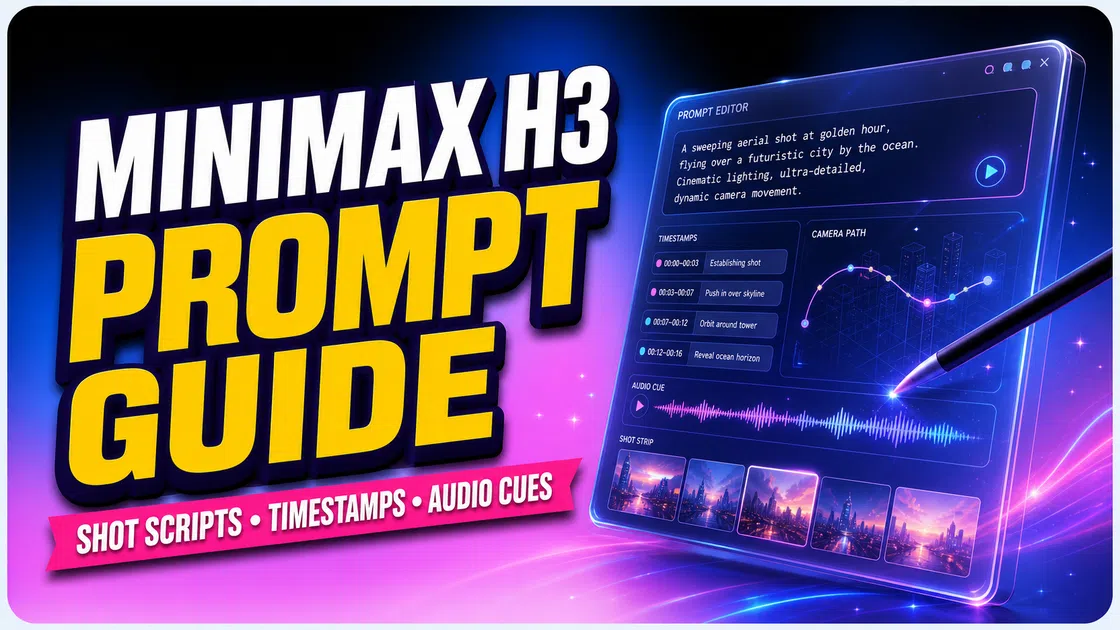
A useful MiniMax H3 prompt reads like a short production brief. It says what is on screen. It explains what changes, how the camera moves, and what the audience hears.
In Vmake Labs, the prompt sits beside the model, references, settings, and preview. This guide gives you a simple six-part formula and four editable prompts.
If you only need the interface steps, read How to Use MiniMax H3 in Vmake Labs. This page focuses on the words you put in the prompt box.
What Makes a Strong MiniMax H3 Prompt?
MiniMax H3 creates video and native stereo audio together. It can work from text, a starting image, first and last frames, or multimodal references. That means a list of adjectives such as "cinematic, beautiful, 4K" is not enough. H3 needs a sequence it can stage.
The official MiniMax H3 prompt guide uses three named fields: integrated_multimodal_description for the visual timeline, overall_soundscape for physical sound, and non_diegetic_music for audience-only music.
You do not have to memorize the field names. In plain English, a strong prompt answers six questions:
- What input mode am I using?
- What does the opening frame look like?
- What changes during the clip?
- How does the camera show that change?
- What dialogue, text, or details must stay exact?
- What sounds and music should the audience hear?
Specific, observable verbs do most of the work: opens, turns, lifts, looks, pushes, cuts, settles. Abstract directions such as "make it emotional" give the model less to animate. Translate the emotion into posture, pace, light, voice, or sound.
Choose the Right MiniMax H3 Mode in Vmake Labs
Choose the input path before you write the prompt. The same sentence has a different job when H3 starts from nothing, a still image, or several references.
| Mode | Use it when | What the prompt must do |
|---|---|---|
| Text-to-video | You have no starting file. | Define the scene, subject, timeline, camera, and full audio plan. |
| First-frame / image-to-video | A still should be frame zero. | Preserve the opening composition, then describe what happens next. |
| First-and-last-frame | You know the opening and ending. | Describe the visible path between the two frames, not two static images. |
| Reference-to-video | A face, product, voice, motion, or style must stay consistent. | Name each asset and give it one clear job. |
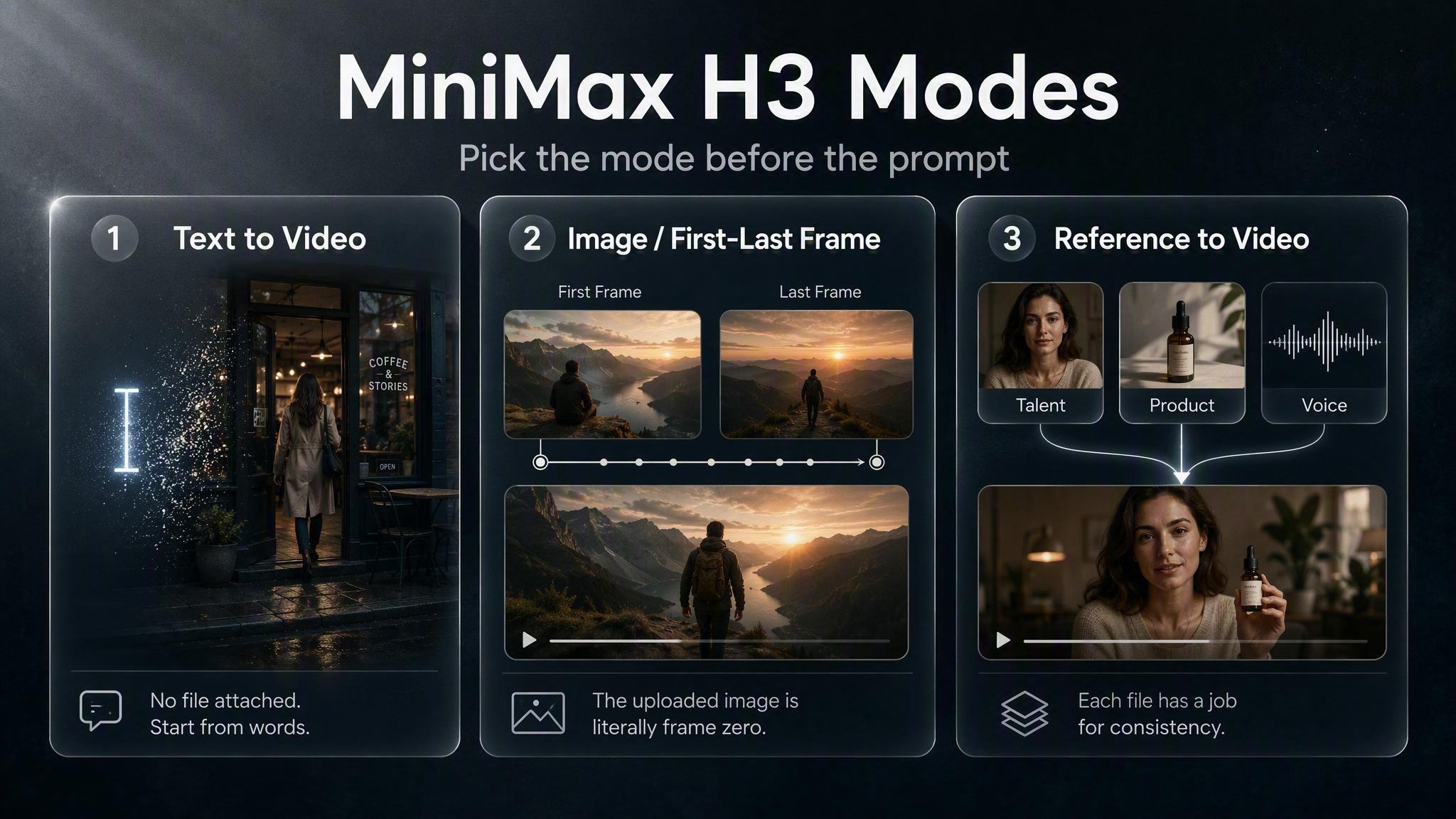
A common failure is asking one file to do two conflicting jobs. A product photo can lock the label and shape; it should not also dictate a fast handheld camera move unless you say so. For complex reference work, MiniMax uses a more detailed format, but the beginner rule stays simple: one reference, one primary purpose.
Use This 6-Part MiniMax H3 Prompt Formula
Paste the template below into Vmake Labs. Replace the brackets, then delete any line you do not need.
The three field names come from MiniMax's official guidance. The examples below simplify that structure for the Vmake Labs prompt box. They are editable starter templates, not raw API request syntax.
- Mode: choose text, image, frames, or references.
- Scene: set the subject, location, light, and opening frame.
- Timeline: write actions in playback order.
- Camera: name one move, speed, and range.
- Exact details: protect dialogue, text, identity, and product cues.
- Audio: separate physical sounds from music.
1. Lock the Mode and Inputs
Write the mode first. If you upload assets, name them in order: "Image 1 = talent," "Image 2 = product," or "Video 1 = camera motion." This prevents the prompt from treating every file as a general mood board.
2. Establish the Opening Scene
Start with the medium, subject, location, light, and composition. Keep only details that affect the shot.
For example: "Live-action product film. Black travel mug on a walnut desk. Soft window light from frame left. Medium close-up." This is clearer than a paragraph of decorative adjectives.
3. Write Actions in Playback Order
For one continuous shot, write the action in order. For multiple shots, mark the cut time. Two or three beats are enough for most short clips. Each beat should reveal new information; if nothing new happens, use camera movement instead of another cut.
4. Direct One Camera Idea at a Time
Use a camera verb, then add speed or range when it matters: "slow push-in," "small clockwise arc," "fast truck left," or "static hold." Avoid stacking an orbit, zoom, crane, and handheld shake into the same three seconds.
5. Make Dialogue and Text Exact
Put required words in quotation marks. Identify the speaker and delivery outside the quote. If readable text is not essential, ask for no captions, subtitles, logos, or watermarks. Text is a fragile detail, so keep it short and judge it separately from motion.
6. Separate Physical Sound from Music
Describe room tone, footsteps, fabric, rain, impacts, or breathing as the soundscape. Describe music with instruments, tempo, and volume changes. "Sparse piano at a slow tempo, fading before the final hold" is more actionable than "sad music." Write "no music" when ambience should carry the clip.
Write Better Camera, Dialogue, and Audio Cues
| Weak cue | Stronger cue | Why it is stronger |
|---|---|---|
| Cinematic camera | The camera pushes in slowly from a medium shot to a close-up. | It names a direction, speed, and end frame. |
| She talks naturally | She looks into the lens and says softly, "One less thing to carry." | The speaker, delivery, and words are explicit. |
| Cafe sounds | Rain on glass, one door chime, low espresso-machine hum, no music. | Each sound has a recognizable source. |
| Keep the product | Preserve the mug shape, matte black finish, handle, lid, and blank surface. | It defines what "keep" means. |
Do not confuse detail with length. A strong MiniMax H3 camera prompt can be one sentence. Add detail only when it protects the story, the reference, or the final frame.
4 MiniMax H3 Prompt Examples for Vmake Labs
These are starter templates, not promises of identical output. Paste one into Vmake Labs, set the matching mode, and replace the subject before you generate.
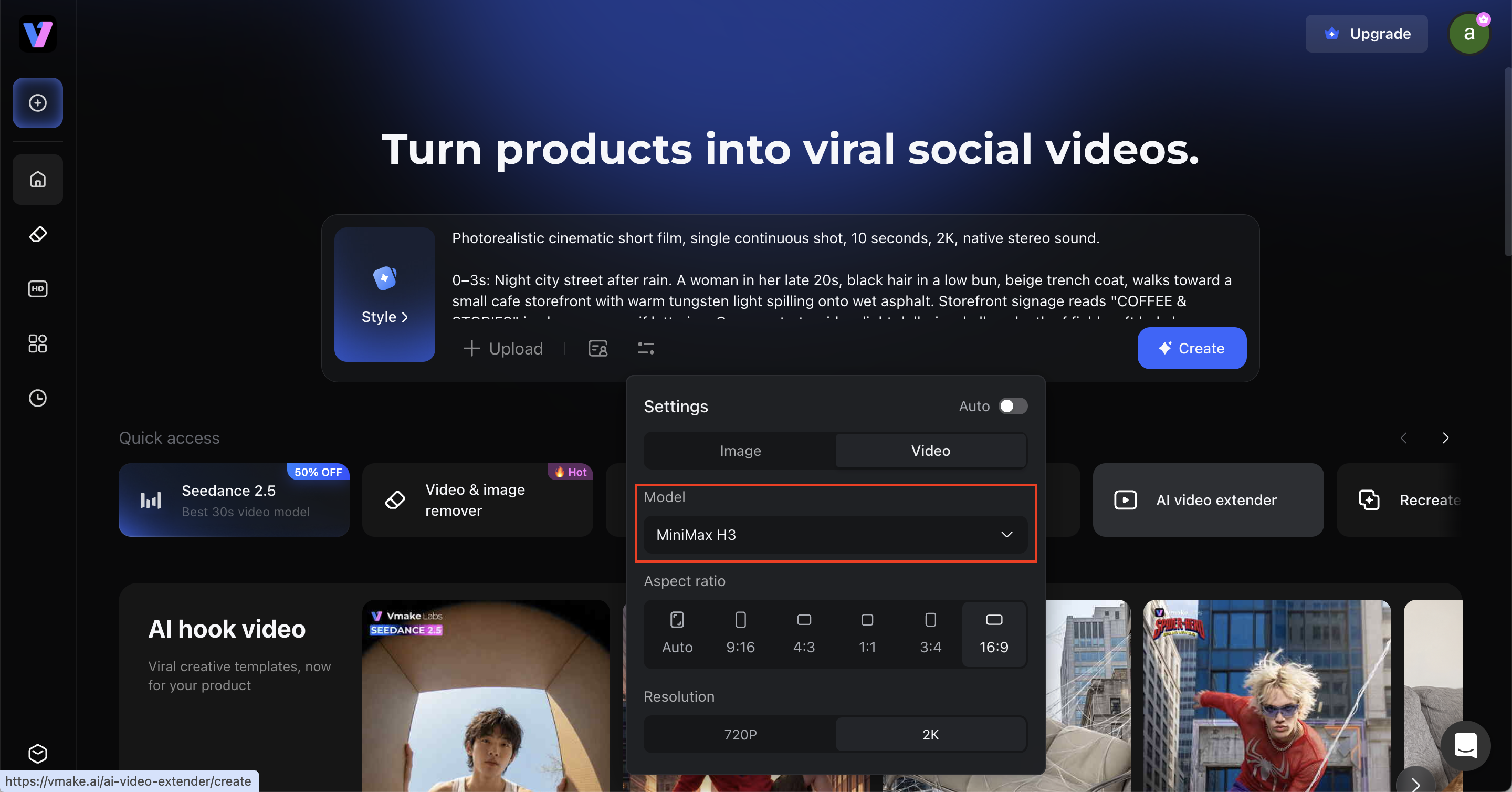
1. Rainy Cafe - Text-to-Video
2. Product Hero - First-Frame Image
3. Umbrella Transition - First and Last Frames
4. Face-Locked UGC - Reference-to-Video
Test and Improve a MiniMax H3 Prompt in Vmake Labs
The best prompt is not the longest one. It is the brief you can diagnose after one preview. Use this three-pass workflow:
- Pass 1 - prove the scene and motion. Use text or one opening image. Check subject, action, and camera before adding more references.
- Pass 2 - protect continuity. Add only the reference that fixes a real problem: face, product, first frame, last frame, or motion.
- Pass 3 - finish sound and fragile details. Tune dialogue, text, sound cues, negative constraints, and final resolution.
Change one variable per retry. If the face drifts, do not rewrite the camera and music at the same time. If the clip feels empty, add an action beat before adding more style words. This keeps every generation useful as evidence.
Resolution affects cost, so prove the brief before you spend on the final output. See MiniMax H3 Pricing in Vmake Labs for the 768P-versus-2K math.
Common MiniMax H3 Prompt Mistakes
- Choosing the mode after writing. Decide whether the file is a frame, identity reference, motion reference, or style reference first.
- Using style words instead of actions. Replace "epic and emotional" with a visible beat, camera move, expression, or sound.
- Overloading a short clip. Keep two or three meaningful beats and end on a hold.
- Giving every reference every job. Assign one primary role to each upload.
- Writing "dynamic camera." Name the move, speed, and range.
- Ignoring native audio. State ambience and physical sounds; write "no music" when you want silence.
- Changing everything on a retry. Adjust one variable so the next preview teaches you something.
Conclusion
A strong MiniMax H3 prompt is a compact plan for picture and sound. Pick the right mode. Set the opening frame. Write actions in order.
Use one main camera idea. Protect exact details. Keep physical sound separate from music.
Open Vmake Labs, paste the example closest to your job, and replace the subject. Generate once, review the weakest variable, and revise only that line.
FAQs
1. What is the best MiniMax H3 prompt format?
Use a production brief with the mode, opening scene, timeline, camera, exact dialogue or text, soundscape, music, and preservation rules. Paste the six-part template above into Vmake Labs and delete any line you do not need.
2. How long should a MiniMax H3 prompt be?
Make it long enough to cover each important beat. Keep it short enough to diagnose.
The official API accepts up to 7,000 characters. You rarely need that much. H3 supports 4-15 second outputs. Start with one opening description and two or three action beats.
3. How do I write MiniMax H3 camera prompts?
Name the camera move, then add speed and range when they matter: "push in slowly," "small clockwise arc," or "static hold." Use one main camera idea per shot and test it in the Vmake Labs preview.
4. Can a Hailuo AI prompt work with MiniMax H3?
Often, but rewrite older prompts as a visible timeline with camera and audio direction. Follow the MiniMax H3 label and input mode shown in Vmake Labs rather than assuming every Hailuo workflow uses the same controls.
5. Can MiniMax H3 generate dialogue and sound?
Yes. H3 generates native stereo audio. Identify the speaker, keep the spoken words exact, and separate ambience and physical sounds from background music before you generate in Vmake Labs.
6. Why does my MiniMax H3 prompt ignore details?
The prompt may contain too many competing jobs. Reduce the shot count, give every reference one purpose, move exact text into quotes, and preserve only the details that matter. Then change one variable in Vmake Labs and generate again.

You May Be Interested

100+ Instagram Bio Ideas to Make Your Profile Stand Out

Father’s Day Gift Ideas 2026: Personalized, DIY & Last-Minute
5 Best Valentine's Day Video Ideas for eCommerce in 2026
YouTube Shorts Ideas: 15 Creative Videos to Grow Your Channel
Top YouTube Video Ideas: Methods to Get More Subscribers