MiniMax H3 Pricing in Vmake Labs: Is $0.13/sec 2K Worth It?
MiniMax H3 pricing in Vmake Labs - compare official rates, the credits shown for your setup, and cost per usable clip.

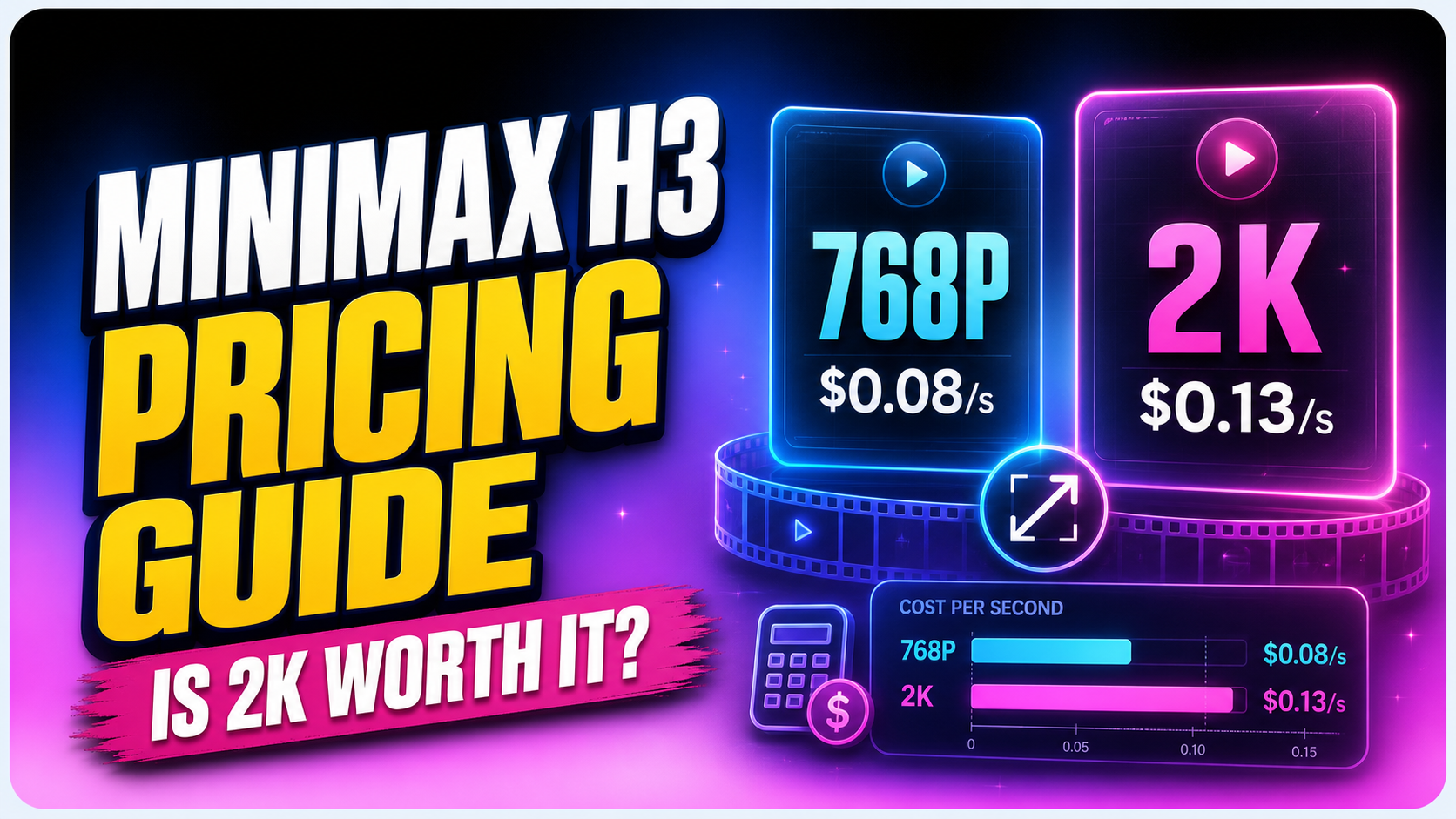
MiniMax H3 pricing starts at $0.08 per generated second for 768P and $0.13 per second for 2K on the official pay-as-you-go rate card.
A 10-second clip has a list-price base of $0.80 at 768P or $1.30 at 2K. In Vmake Labs, use these figures as a benchmark. Check the current credits shown for your setup before you generate.
The lower rate is not always the cheaper workflow. The better question is simple: which setup gives you a usable clip with fewer wasted attempts?
This guide explains the rate card and 5-15 second cost math. It also covers reference charges and upgrade costs. Then it gives you a simple Labs test for 2K.
MiniMax H3 Pricing at a Glance
The table below uses the official MiniMax pay-as-you-go pricing checked on Aug 13, 2026. These are direct list prices, not a promise that every host or credit package will display the same amount.
| Billable item | Official list price | What it means |
|---|---|---|
| MiniMax H3 768P output | $0.08 / second | Lower-cost output for drafts and screening. |
| MiniMax H3 2K output | $0.13 / second | Higher-resolution output for a final candidate. |
| 768P -> 2K regeneration | $0.05 / second | Additional charge to upgrade a kept 768P result. |
| Reference audio | Free | The audio input itself has no listed per-file fee. |
| Reference images | First 5 free; then $0.04 each | Extra reference images can raise the base request cost. |
| Reference video | Input duration billed at the chosen output rate | A long video reference can add more cost than an image. |
The upgrade math: $0.08 + $0.05 = $0.13 per second. A kept 768P clip upgraded to 2K has the same output-rate total as a 2K request. The savings come from the 768P drafts you reject and never upgrade.
MiniMax documents H3 2K as an in-context regeneration workflow, not simple pixel upscaling. A product may still let you request 2K from the start; that describes the user choice, not a separate one-pass architecture.
How Much Does a 5, 10, or 15-Second Clip Cost?
Base output cost is simple:
| Duration | 768P | 2K | 768P then upgrade a kept clip |
|---|---|---|---|
| 5 seconds | $0.40 | $0.65 | $0.40 + $0.25 = $0.65 |
| 10 seconds | $0.80 | $1.30 | $0.80 + $0.50 = $1.30 |
| 15 seconds | $1.20 | $1.95 | $1.20 + $0.75 = $1.95 |
These figures cover output duration only. They do not include extra reference images, reference-video duration, host markup, a subscription, or the cost of failed attempts. That distinction matters when you compare MiniMax API pricing with a creator-facing tool.
What Can Increase the Real MiniMax AI Cost?
Retries and Usable-Clip Yield
One generation is not the same as one usable video. A clip can fail because identity drifts, a label changes, motion misses the brief, text becomes unreadable, or the audio does not fit. If three attempts are needed for one usable 10-second 2K clip, the output total is $3.90 at list price, not $1.30.
Reference Images and Video
The first five reference images are free on the official generation rate card. Later images cost $0.04 each.
For 768P-to-2K regeneration, each extra image after the first five costs $0.025. MiniMax also bills the original reference video again at $0.05 per second.
A focused two-image pack is often easier to control than nine loosely related images.
Duration and Resolution
A 15-second output costs three times as much as a 5-second output at the same tier. Do not buy more seconds to fix an unclear story. First reduce the brief to one subject, one action, and one camera plan; then increase duration only when the action needs it.
Platform Credits and Plan Rules
A platform may convert model usage into credits, bundle it into a plan, or update the package. The credits shown in Vmake Labs are the amount you will actually spend there. Use official rates to understand the model economics, but use the live Labs display for your checkout decision.
Measure MiniMax H3 Value in Vmake Labs
Open the AI video generator in Vmake Labs, select MiniMax H3, and set the mode, duration, and resolution. Before you generate, record the credit amount shown for that exact setup. Do not copy a number from a different mode or an old screenshot.
Keep the labels separate: MiniMax's official API rate card calls the lower H3 tier 768P. Vmake Labs may display a product-facing label such as 720P or a draft tier. Record the exact label and credits shown in Labs.
Use this four-field note for every test:
| Record | Example |
|---|---|
| Mode | Text-to-video or image-to-video |
| Duration | 10 seconds |
| Exact Labs resolution label | For example, 720P or 2K |
| Displayed credits | Copy the current Labs value before clicking Generate |
This avoids a common pricing mistake: comparing a 5-second text-only draft with a 10-second reference-led 2K clip. Match the scene, prompt, duration, aspect ratio, and references. Change only the resolution.
How to Measure Cost per Usable Clip in Vmake Labs
Rate cards answer what one generation costs. They do not answer how much one approved clip costs. Use this formula:
Define "usable" before the first run. A practical pass requires:
- The subject or product identity holds.
- The main action follows the prompt.
- Required text is readable.
- The camera move is usable.
- Audio fits the scene.
- No unwanted subtitles, logos, or extra objects appear.

Run the same rainy-cafe brief at both tiers. Keep the prompt and duration fixed. Score each result with the same pass rule. Then repeat with an image-to-video product scene so one test does not decide the whole workflow.

A Simple 10-Second Screening Example
Suppose you need three attempts to find one usable take. At official list price:
- Three 2K requests: 3 × $1.30 = $3.90.
- Three 768P attempts, then upgrade one keeper: (3 × $0.80) + $0.50 = $2.90.
The screening workflow saves $1.00 in this example because two rejected drafts never receive the upgrade. It does not make the kept clip cheaper. If a 2K request produces a keeper in one attempt while 768P needs three, the 2K request wins. That is why your usable rate matters more than the rate card alone.
Turn the Test Into a Monthly Budget
Once you know your average attempts per approved clip, budgeting becomes much easier. The example below assumes 10-second outputs, two attempts for every keeper, and no extra reference charges. It is scenario math, not a claim about your future results.
| Approved clips per month | Two 2K requests per clip | Two 768P attempts + one upgrade per clip |
|---|---|---|
| 20 | 20 × $2.60 = $52 | 20 × $2.10 = $42 |
| 50 | 50 × $2.60 = $130 | 50 × $2.10 = $105 |
Replace the dollar figures with the current Vmake Labs credits and replace "two attempts" with your measured average. That gives you a working production budget instead of a best-case rate-card estimate.
Track text-to-video and image-to-video separately. They may have different approval rates. One blended average can hide the workflow that wastes the most credits.
Is MiniMax H3 2K Worth It?
When Should You Use MiniMax H3 2K?
2K is worth it when the prompt, references, motion, and composition are already stable and the clip will be published, cropped, or shown large. It is usually poor value while you are still changing the story.
| Situation | Recommended Vmake Labs choice | Reason |
|---|---|---|
| Prompt is still changing | Start with draft / 768P | Do not pay final-resolution cost for a story test. |
| Face or product is drifting | Fix references at draft quality | More pixels do not repair weak continuity. |
| Motion and identity are approved | Upgrade the keeper or rerun at 2K | The creative risk is lower. |
| Internal review or storyboard | 768P is usually enough | Reviewers need the idea, timing, and continuity first. |
| Paid hero, ad, or large display | Use 2K after approval | Fine texture and crop room have more value. |
MiniMax H3 vs Seedance 2.5: Price and Results
Price and visual quality must be compared with the same job. Keep the prompt, duration, aspect ratio, references, and target resolution fixed. Then compare both the displayed credits and the number of attempts needed for one usable clip.
| Comparison | MiniMax H3 | Seedance 2.5 |
|---|---|---|
| Price check | Official base rate: $0.08/sec at 768P or $0.13/sec at 2K. Confirm the current Labs credits. | Use the current Labs credits for the same duration, resolution, and input mode. Do not compare a different package or export setting. |
| Effect in our sample | Kept a tight portrait frame and recognizable identity. It scored 4.0/5 in the cinematic sample. | Made a stronger move into a frontal close-up and scored 4.3/5. It also produced the most usable first-pass UGC clip in that sample, with H3 close behind. |
| Better value when | You want a clear base-rate benchmark and controlled, consistent framing. | Its result reduces a retry or better fits a motion-heavy or UGC brief. |
This was one controlled sample, not a universal ranking. See the full Seedance 2.5 vs MiniMax H3 vs Kling 3.0 test for the clips, scoring, and test limits.
How to Spend Less Without Lowering Your Hit Rate
- Shorten the first test. Prove one action in 5 seconds before expanding the sequence.
- Choose the mode first. A style reference should not accidentally become the first frame.
- Give every reference one job. Fewer, clearer files reduce conflicts and can avoid extra image charges.
- Use a structured prompt. A timeline, camera cue, soundscape, and preservation line are easier to diagnose than adjective stacks.
- Change one variable per retry. Fix the prompt, reference, duration, or resolution - not all four at once.
- Save 2K for approved candidates. Screen failures at the cheaper tier when the workflow allows it.
- Record the current credits. Platform packages change; your test log should include the date and displayed amount.
If the main problem is the brief, use the MiniMax H3 Prompt Guide for Vmake Labs before buying another batch.
Conclusion
MiniMax H3 pricing is simple at the output level. It is $0.08 per second for 768P and $0.13 per second for 2K. Upgrading a kept 768P clip costs another $0.05 per second.
The hard part is predicting retries.
Use the live credit display in Vmake Labs, test one fixed brief at both tiers, and calculate cost per usable clip. Draft first while the creative is unstable. Choose 2K when the clip has earned it.
FAQs
1. How much does MiniMax H3 cost?
The official list price checked on Aug 13, 2026 is $0.08 per generated second for 768P and $0.13 per second for 2K. In Vmake Labs, confirm the current credits shown for your exact mode, duration, and resolution.
2. How much is a 10-second MiniMax H3 video?
The base list-price output is $0.80 at 768P or $1.30 at 2K. References, platform credits, and retries can increase the total, so record the live amount in Vmake Labs before generating.
3. Is MiniMax H3 2K worth it?
Yes for an approved final clip, especially when texture, cropping, or large-screen delivery matters. Use draft quality while you are still fixing the prompt, motion, or references in Vmake Labs.
4. Is 768P then 2K cheaper than direct 2K?
Not for the keeper's output rate: $0.08/s plus the $0.05/s upgrade equals $0.13/s. It can reduce total spend when you reject several 768P drafts and upgrade only one result. Regeneration can also rebill original reference inputs, so include those charges in a reference-heavy comparison.
5. Are reference images free with MiniMax H3?
The official generation rate includes the first five reference images, then lists $0.04 per additional image. For 768P-to-2K regeneration, extra images after the first five are listed at $0.025 each. Check Vmake Labs because platforms can package model usage differently.
6. Can I use MiniMax H3 for free?
The official API uses pay-as-you-go pricing. Vmake Labs may package access as plan credits. Open Labs and check the current plan and credits before you generate.
7. Is Hailuo pricing the same as MiniMax H3 pricing?
Not always. Hailuo packages, MiniMax API rates, and third-party credits can use different billing. Match the exact MiniMax H3 model, mode, duration, and resolution shown in Vmake Labs before comparing prices.

You May Be Interested

100+ Instagram Bio Ideas to Make Your Profile Stand Out

Father’s Day Gift Ideas 2026: Personalized, DIY & Last-Minute

5 Best Valentine's Day Video Ideas for eCommerce in 2026

YouTube Shorts Ideas: 15 Creative Videos to Grow Your Channel

Top YouTube Video Ideas: Methods to Get More Subscribers