
How to Create a Webtoon: A Beginner's Guide from Idea to Publishing
Want to create your first webtoon without spending months learning illustration? Follow this beginner-friendly guide to plan, draw, format, and publish your own webtoon with AI-powered creative tools.

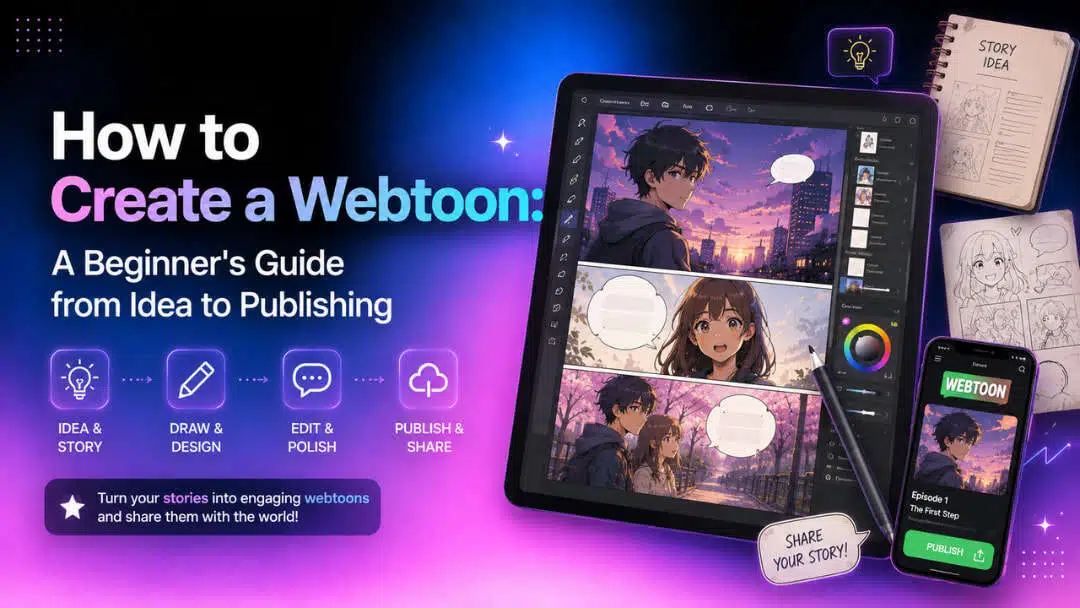
Creating a webtoon is easier than ever thanks to digital publishing platforms and AI-powered creative tools. Whether you have years of drawing experience or are just starting, this guide explains how to create a webtoon from planning your story to publishing episodes, while showing how Vmake Labs can speed up your creative workflow.
What is a webtoon and what makes it different?
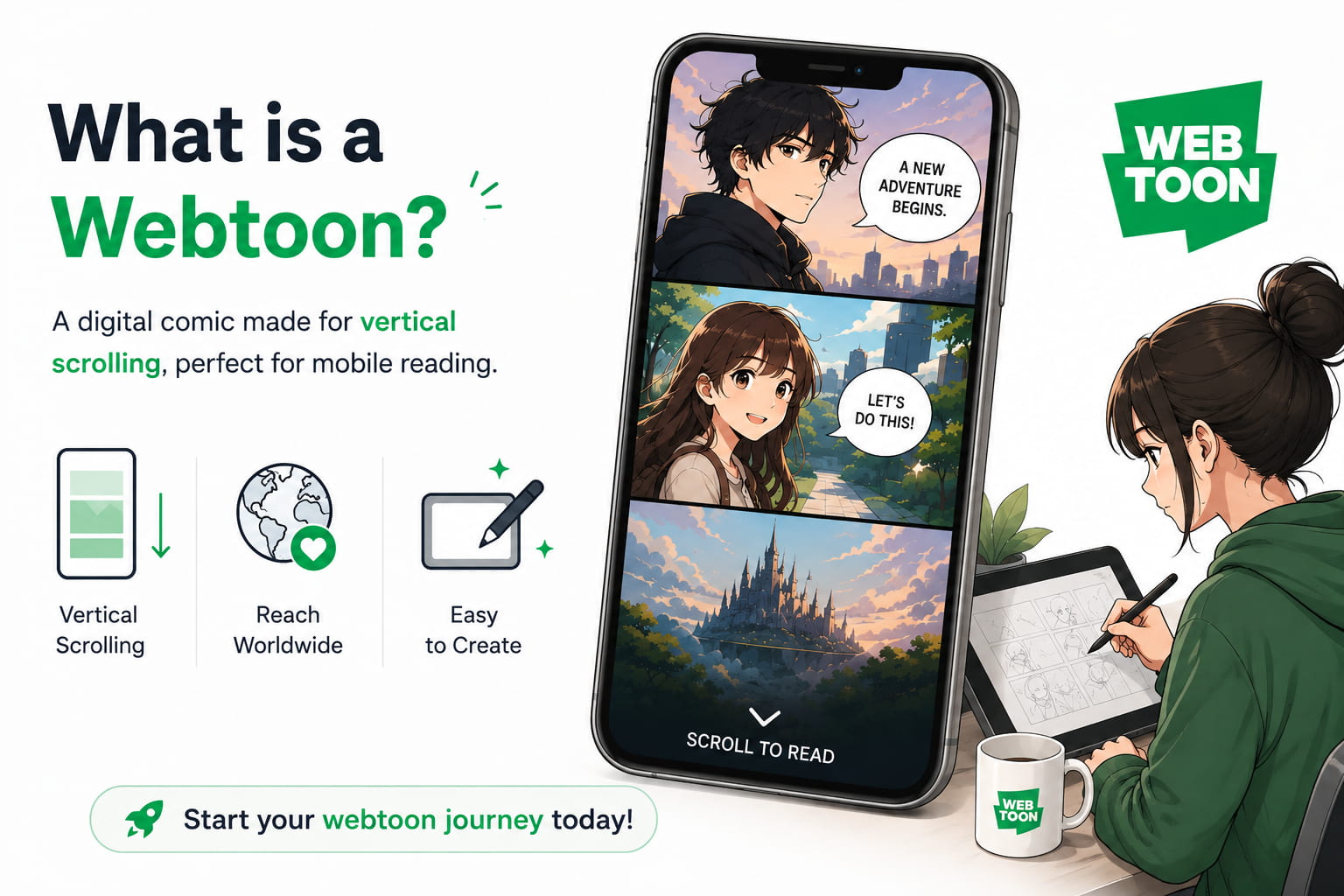
A webtoon is a digital comic book designed to be read online as a digital file. It is typically presented in a vertical scrolling format, which is best viewed on smartphones, tablets, and computers. Webtoons are distinct from comics and manga as they do not use page-based layouts, but tell stories in a continuous scroll, which is easier to read on mobile devices.
How do you make your own webtoon from scratch?
Creating a webtoon is easier when you follow a structured workflow. Here are the four main steps based on the Clip Studio Paint workflow shown in the tutorial.
Step 1: Set up your project
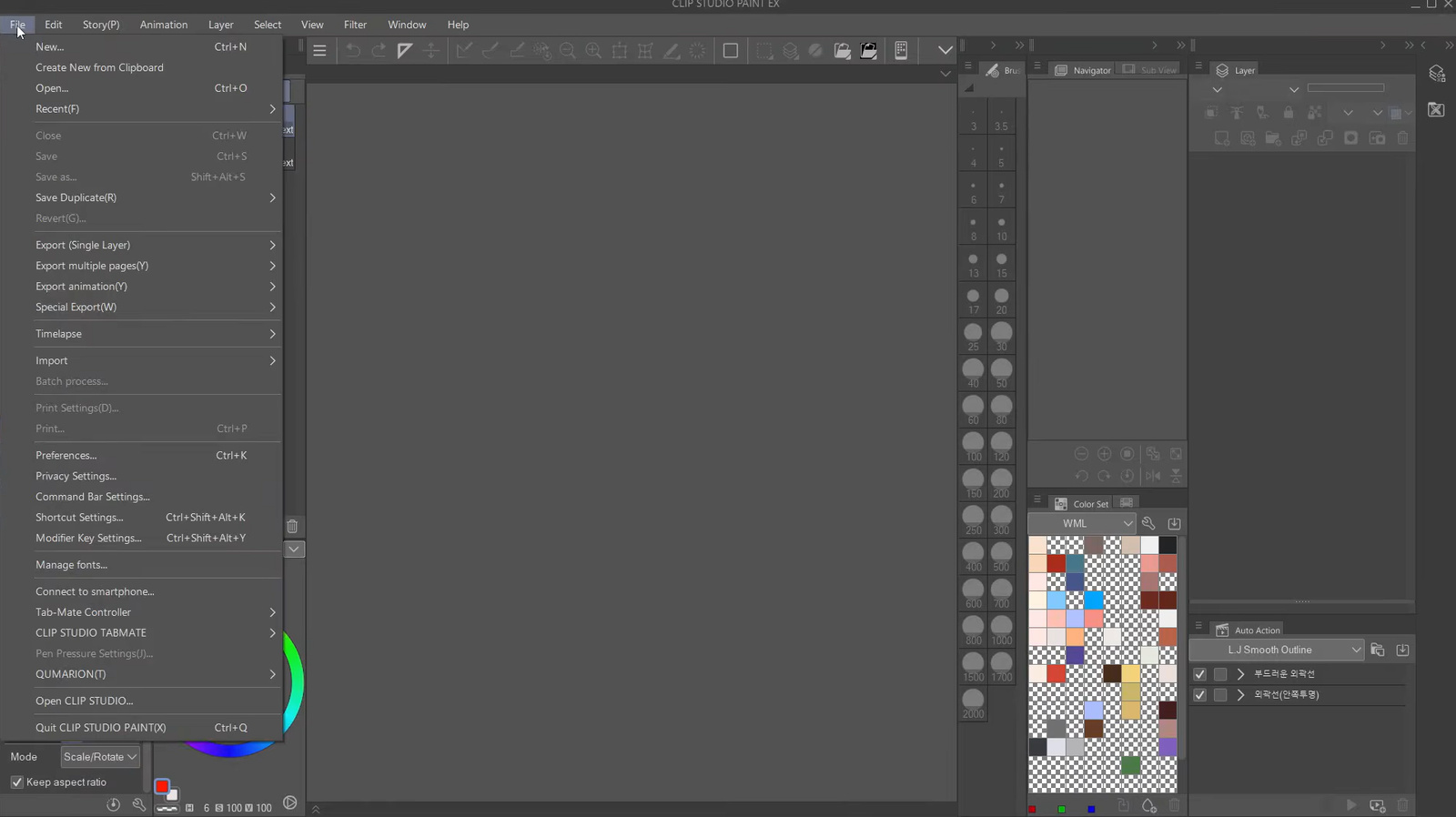
Open File > New > Webtoon and choose your canvas size. Customize your workspace, so comic tools are easy to access, then create a page size that gives you enough room to arrange panels and dialogue before exporting.
Step 2: Plan your story and sketch the layout
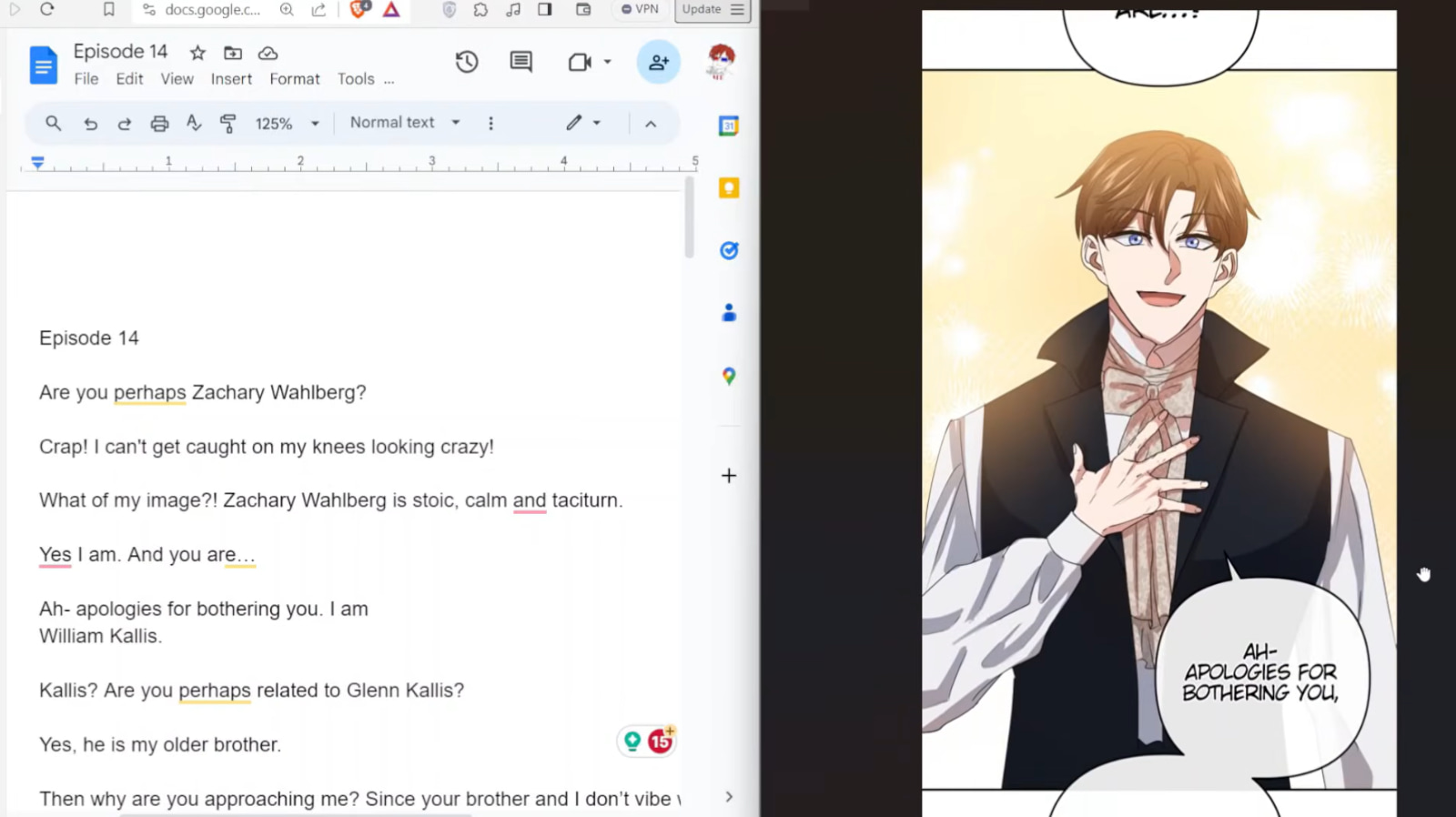
Start by writing a simple script, divide it into episodes, and prepare character reference sheets. Next, create rough thumbnails to arrange panels, dialogue, and scrolling space while checking the pacing with the Webtoon Preview feature.
Step 3: Create the final artwork
Turn your sketches into clean line art, add flat colors, shading, and highlights, then complete the backgrounds using drawing tools or 3D assets. Finish the episode by adding speech bubbles, sound effects, and other visual details.
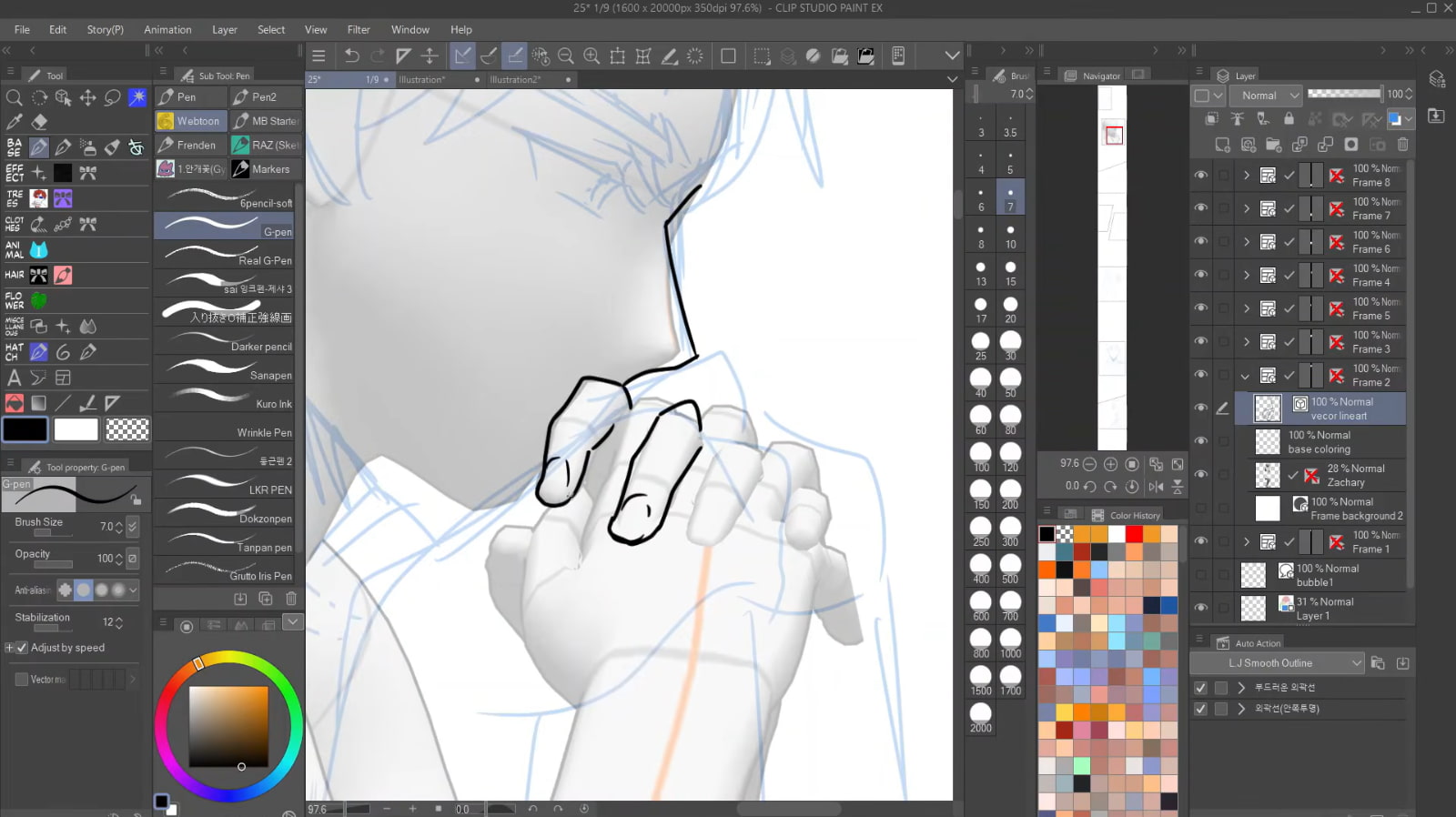
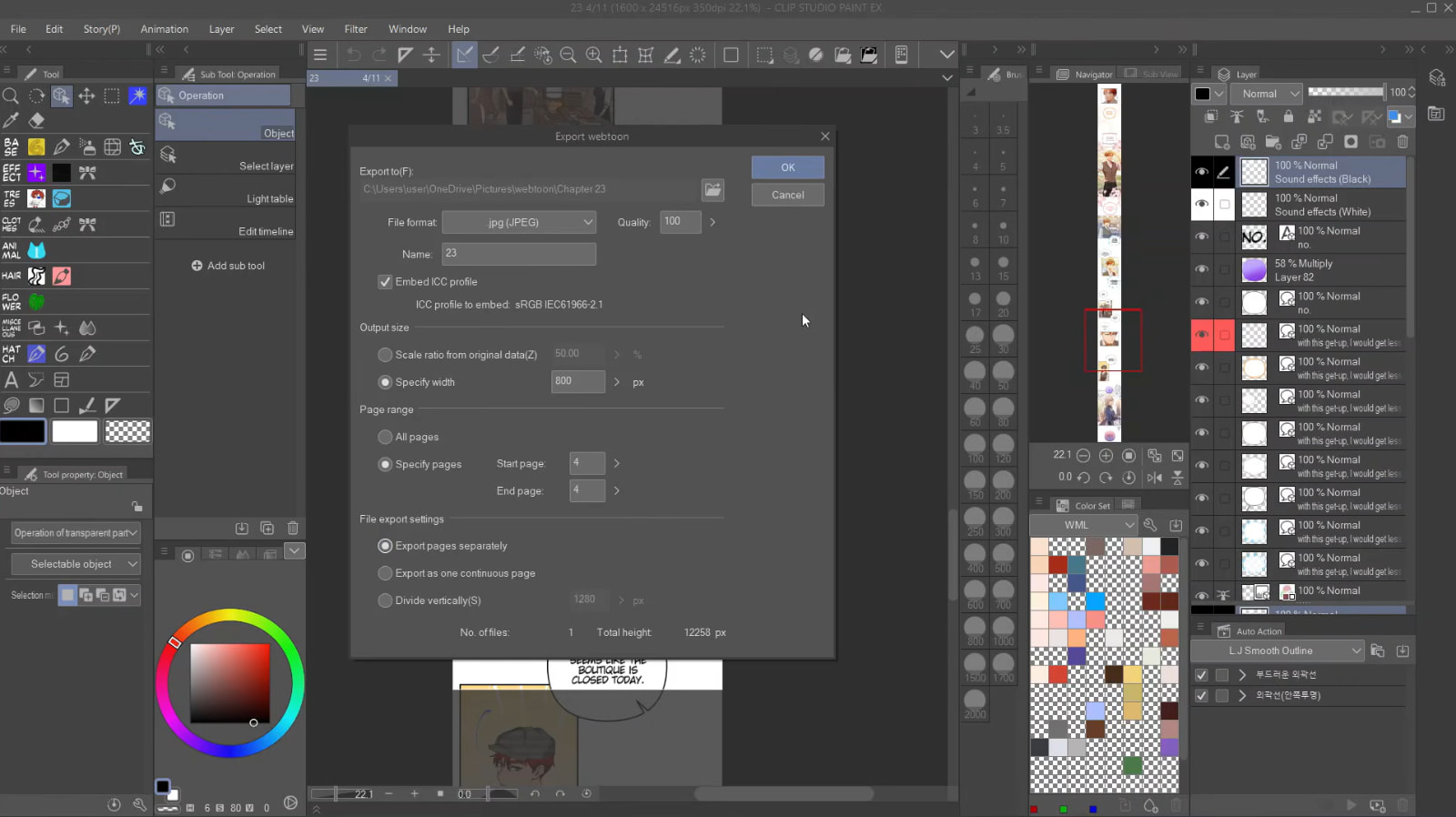
Step 4: Preview and export your webtoon
Review your episode in the vertical scrolling preview and adjust panel spacing if needed. Once you're satisfied, export the webtoon using the platform's recommended settings and upload it to your preferred publishing platform.
Bonus tips: Generate webtoon characters and scenes with Vmake Labs
One of the most time-consuming parts of creating a webtoon can be the process of turning ideas into compelling visuals. Vmake Labs streamlines this process by creating high-quality character concepts, environments, costumes, and visual references from text prompts or existing images. Rather than painstakingly drawing each illustration from scratch, creators can quickly experiment with ideas and lock in a consistent visual direction before putting together their finalized comic pages.
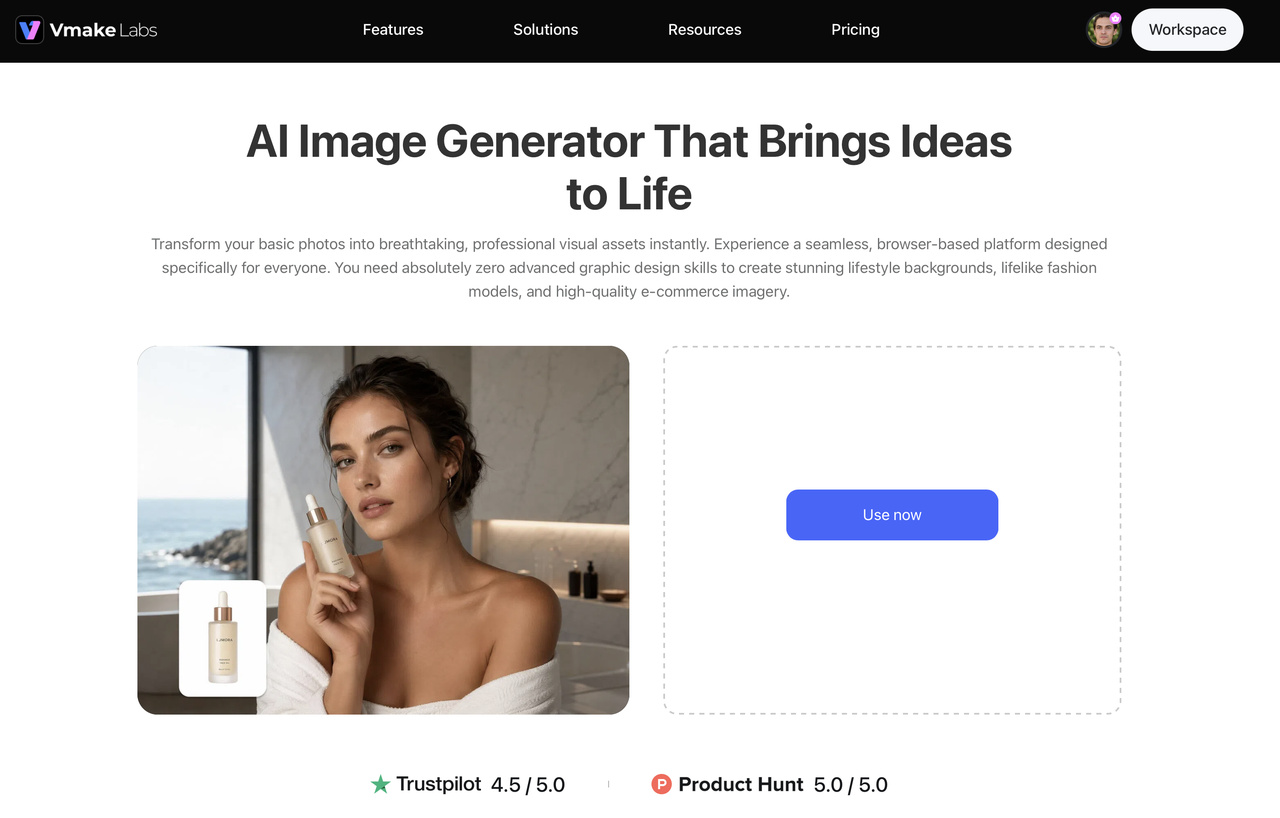
Key features of Vmake Labs
-
AI text-to-image generation: Turn simple text prompts into detailed character, background, and scene concepts, making how to create a webtoon faster from the very first idea.
-
Image-to-image generation: Upload sketches or existing artwork to generate new poses, expressions, outfits, and environments while maintaining your creative direction for your webtoon.
-
Multiple AI image models: Explore a variety of illustration styles, including anime-inspired and comic-style artwork. Whether you're creating fantasy, romance, or action stories, the built-in models work like an AI cartoon generator to help you find the perfect look for your webtoon.
-
Consistent character and art style creation: Generate artwork with consistent character appearances, helping maintain visual continuity across multiple webtoon episodes.
-
High-resolution image generation: Generate high-definition reference images that you can download and import into your preferred comic creation software before arranging them into webtoon panels. You can also use an image enhancer to improve image quality before publishing.
-
Fast browser-based workflow: Generate, refine, and download artwork directly in your browser without installing software, simplifying how to create a webtoon from concept to production.
Steps to generate webtoon character and scene references with Vmake Labs
Step 1: Open the Vmake Labs AI Image Generator
Visit the Vmake Labs AI Image Generator in your browser and select an AI model that matches your preferred art style. Selecting the right model helps generate character and scene references that suit your webtoon's visual direction.
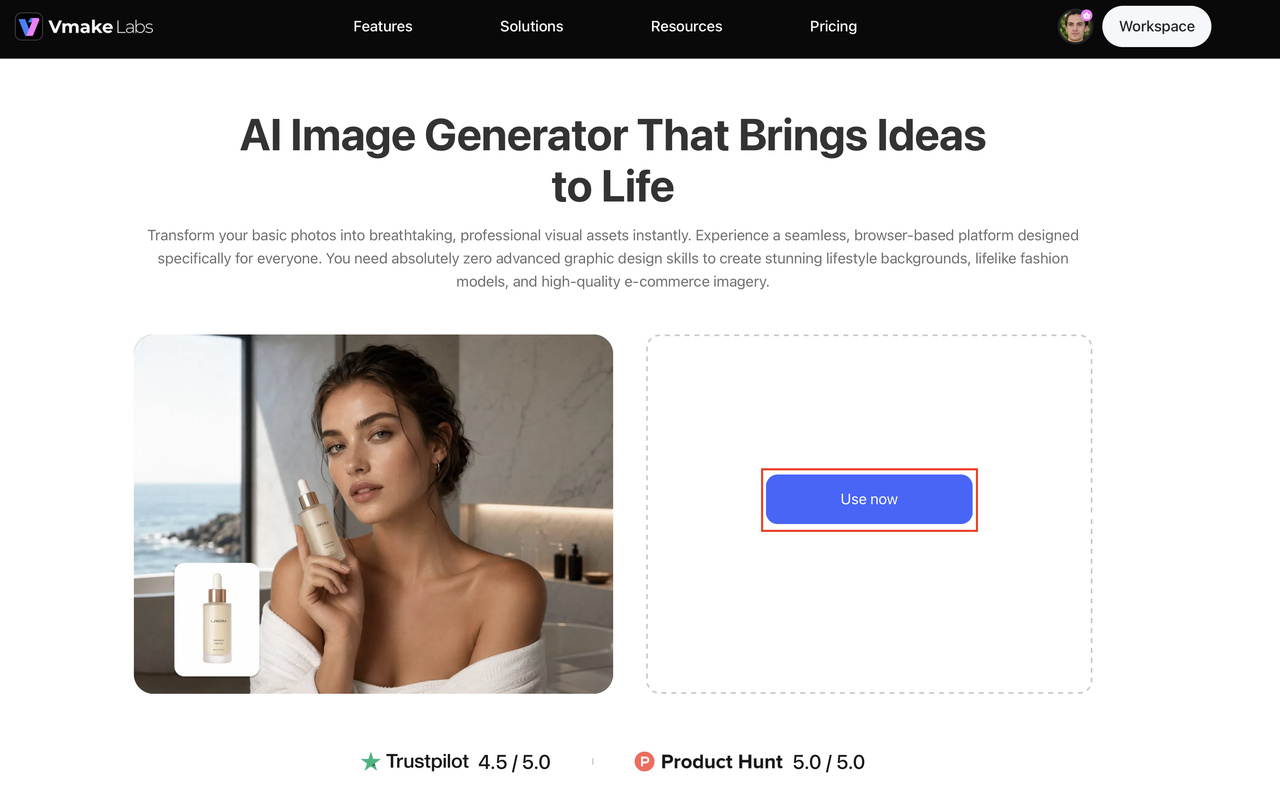
Step 2: Enter your prompt or upload reference images
Describe your characters, environments, clothing, poses, or upload reference images to guide the AI. Refine your prompts as needed until the generated artwork closely matches your creative vision.
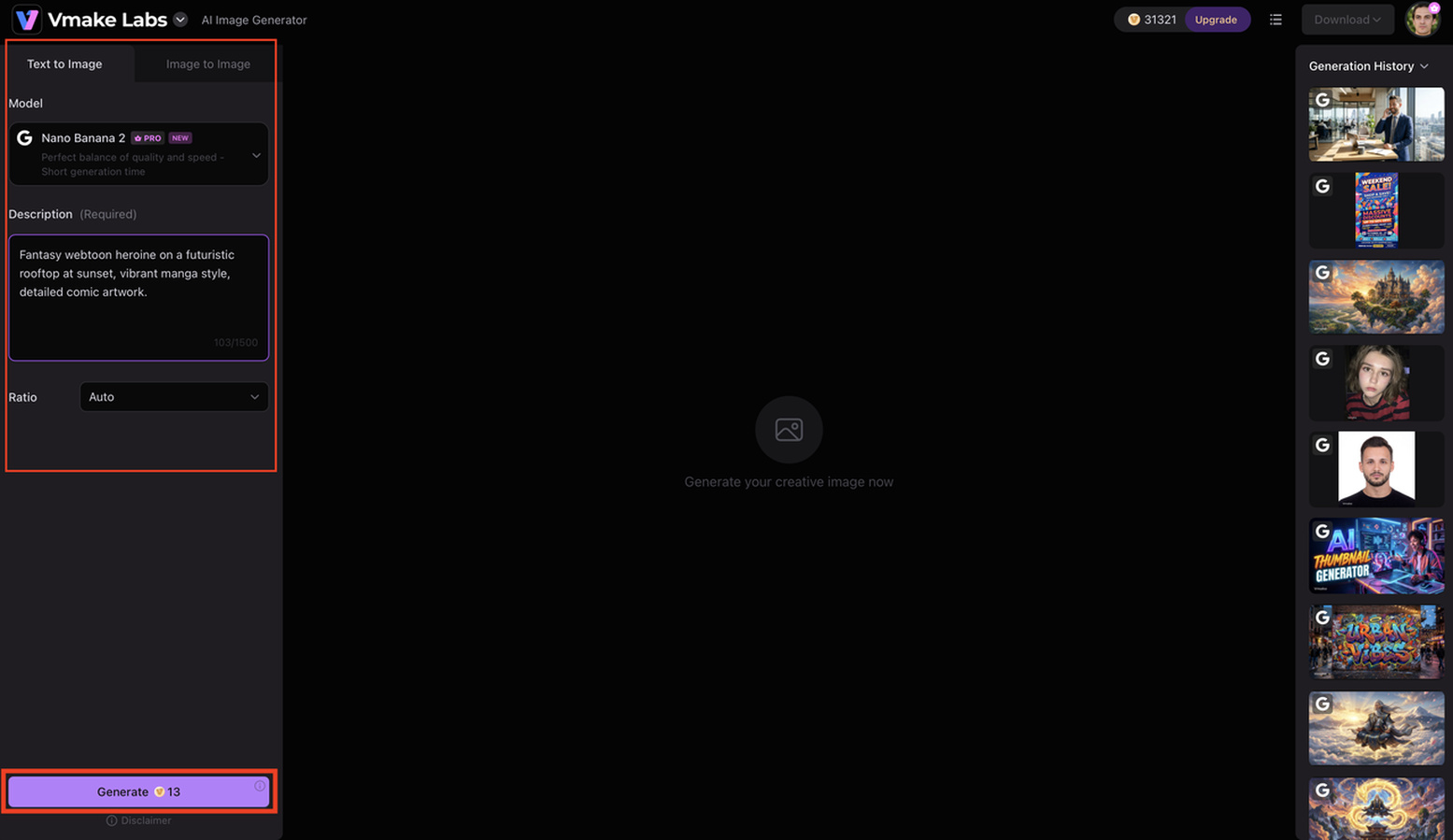
Step 3: Download your artwork and import it into your comic creation tool
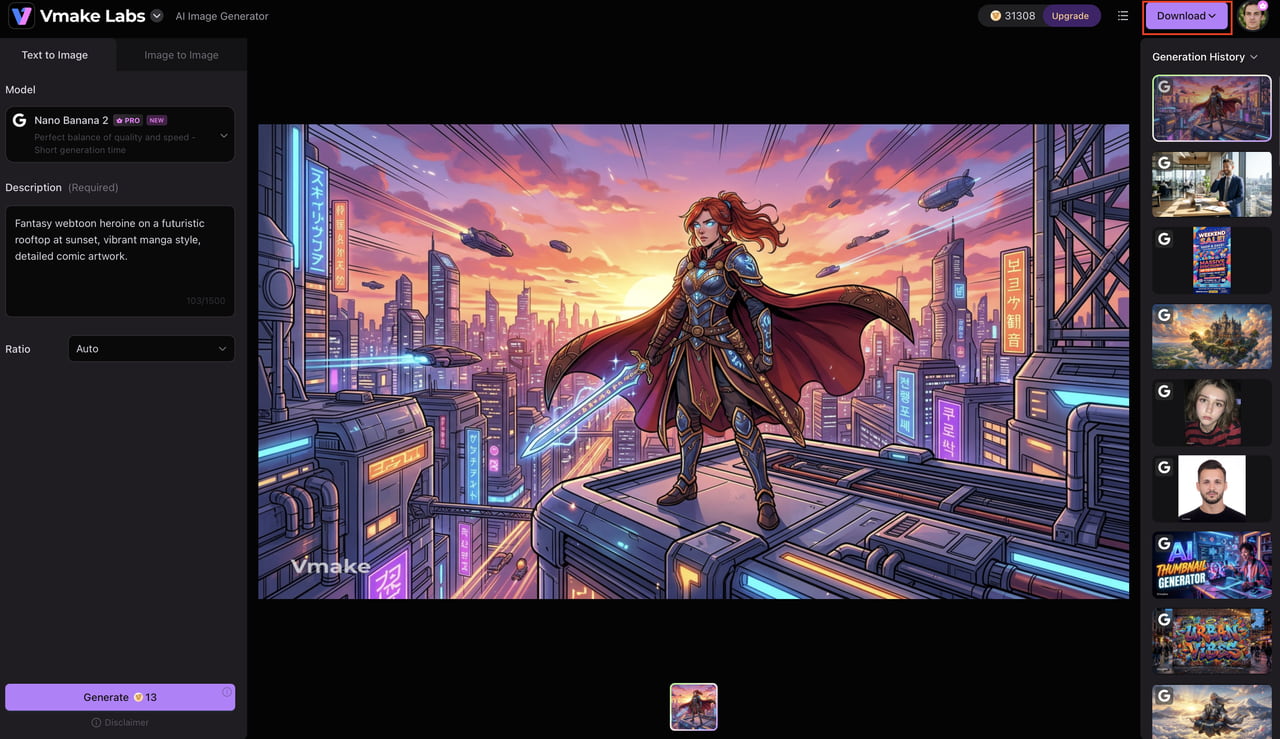
Download the generated character and scene reference images, then import them into comic creation software such as Clip Studio Paint to create your panel layouts, add dialogue, and assemble your vertical scrolling webtoon before publishing.
Tips and common mistakes every beginner should know
All creators improve over time, but knowing some of the common best practices can help you avoid needless frustration. By focusing on consistency and continuous improvement, you will build better storytelling habits and create a more powerful reading experience from the start.
Tips for creating a better webtoon
Creating a successful webtoon takes more than great artwork. Following a few best practices can improve your storytelling, keep readers engaged, and make it easier to publish consistently.
-
Keep episodes easy to follow: Use clear panel layouts and smooth transitions so readers can enjoy the story without confusion.
-
Maintain consistent character designs: Keep your characters' appearance, clothing, and expressions consistent throughout the series.
-
Balance dialogue with visuals: Let your artwork tell part of the story instead of relying on long conversations or text-heavy panels.
-
Create a realistic publishing schedule: Choose an update frequency you can maintain to keep readers engaged over time.
-
Build a content buffer before launch: Complete a few episodes in advance to stay on schedule, even during busy periods.
Common mistakes to avoid
Many beginner creators face similar challenges when starting a webtoon. Avoiding these common mistakes will help you produce higher-quality episodes and create a better reading experience for your audience.
-
Starting without a story outline: Planning your plot early helps prevent pacing issues and unfinished storylines.
-
Overcomplicating artwork: Focus on clear storytelling instead of spending excessive time perfecting every illustration.
-
Ignoring mobile readability: Use readable fonts, proper panel spacing, and a vertical layout designed for smartphones.
-
Inconsistent pacing: Balance action, dialogue, and quiet moments to keep readers engaged from beginning to end.
-
Publishing irregularly: Posting episodes inconsistently can make it harder to build and retain an audience.
-
Skipping proofreading before release: Review your dialogue, artwork, and formatting carefully to catch errors before publishing.
Conclusion
You don't need to have been a professional for years to be able to learn how to make a webtoon. Good planning, a good story, consistent character design, and a layout that works well on a mobile device can help you bring your ideas to life, one episode at a time. Tools like Vmake Labs automate the boring task of brainstorming and making visual references, enabling you to spend more time telling great stories. Start with a small audience, be consistent, and keep improving your craft as your audience grows.
FAQs
-
How do you make a webtoon without professional drawing skills?
You don't need professional illustration skills to create a webtoon. Start with a strong story, memorable characters, and simple, readable artwork. As you gain experience, you can gradually improve your drawing techniques while using digital tools to streamline your creative process.
-
How to create a webtoon on mobile?
To create a webtoon on mobile, use a drawing or comic creation app that supports vertical canvas layouts. Plan your story, sketch your panels, add dialogue, and export your finished episodes according to your publishing platform's specifications before uploading them.
-
How do you make your own webtoon from scratch?
Creating your own webtoon starts with planning your story, designing characters, outlining the plot, and writing a script. Once your foundation is ready, you can create your artwork, organize it into vertical panels, and prepare each episode for publication. AI creative tools can also help speed up the concept and design stage.
-
Can AI help create webtoon illustrations?
Yes. AI can assist with brainstorming character concepts, generating background ideas, exploring different art styles, and creating visual references. For example, Vmake Labs AI Image Generator lets you generate images from text prompts or reference images, making it easier to visualize ideas before turning them into finished comic panels.
-
Can Vmake Labs create consistent webtoon characters?
Vmake Labs helps creators maintain consistent character appearances by generating artwork from detailed prompts and reference images. This makes it easier to keep hairstyles, clothing, facial features, and overall visual style aligned across multiple episodes while reducing the time spent creating reference materials.
-
Why use Vmake Labs when creating a webtoon?
While your storytelling and final artwork remain uniquely yours, Vmake Labs can accelerate the creative process by generating concept art, character references, environments, and scene ideas in minutes. It provides a fast browser-based workflow and multiple AI image models, allowing you to spend more time refining your webtoon and preparing it for publication.

You May Be Interested
How to Create a YouTube Thumbnail? Create YouTube Thumbnails Using AI
How to Create a Video in Midjourney: Complete Beginner's Guide
How to Create Ads with AI: Guide to Targeted Advertising Campaigns
How to Create Animated Videos with AI for Beginners in 2026
