
How to Create Engaging Video Content: Make Every Second Count
Learn how to create engaging video content that captures attention, increases watch time, and drives action. Explore the Vmake workflow and make stunning videos.

Video content has become one of the most powerful tools for digital communication. People don't just watch it; they decide in seconds if they're staying or gone, and that judgment shapes everything that follows. This guide shows you how to create engaging video content that holds attention, keeps viewers watching longer, and actually pushes them to follow your channel.
Why video engagement matters
Publishing a video isn't the finish line. It's the starting point. What happens after you hit "post" tells you far more than the upload itself ever will. Do people stick around? Do they react? Do they share it with someone else? Engagement answers those questions, and it usually reveals the truth about your content faster than any internal review ever could.
More engagement often leads to more visibility. That visibility brings new viewers. Some of those viewers engage, too, which creates momentum.

Key metrics to watch
-
Watch time: Start with watch time. It tells you how long people actually stick around and watch your content. That's usually a far better signal than raw view counts.
-
Audience retention: This is the metric many creators avoid because it exposes weaknesses so clearly. Retention shows exactly where viewers leave. Maybe your introduction drags. Maybe the middle section loses focus. Sometimes the drop-off points are obvious.
-
Click-through rate: Usually known as CTR, this metric tells you whether your title, thumbnail, and positioning are convincing enough to earn a click in the first place.
Things to consider when creating a video content
-
Understand your audience
The most engaging videos are built around audience needs rather than creator preferences. Before you plan a topic, figure out who you're actually talking to. Think beyond basic demographics. You need to understand what your audience cares about, what frustrates them, what they're trying to achieve, and how they spend their time online when nobody's telling them what to watch.
-
Define your goals
Every video should have a clear purpose. Ask yourself a simple question: what needs to happen after someone watches? Maybe you're trying to educate viewers. Maybe the goal is lead generation, brand awareness, sales, or subscriptions. Different objectives pull content in different directions.
-
Choose the right platform
Not all platforms value the same type of content. YouTube viewers will often stay for ten, twenty, or even thirty minutes if the video keeps giving them a reason to care. Length isn't usually the problem there. Boredom is. Instagram plays by different rules.
TikTok is its own environment. Attention is earned quickly there and lost just as quickly. The platform shapes expectations before someone even presses play. That's why a video that performs brilliantly on one platform can struggle somewhere else.
-
Determine your key message
Every successful video revolves around a central idea. Summarize your video's main takeaway in one or two sentences. If that's difficult, your audience will probably have an even harder time understanding it. A focused message gives the entire video direction. It helps you decide what belongs and, just as importantly, what doesn't.
-
Consider video length and format
Video length should match both the platform and the audience's expectations. A 20-second video and a 20-minute video can both work. The real question is whether the content earns the time it asks from your audience. Short-form videos shine when you've got something quick to say. A fast tip. A product highlight. A trend that's already moving and won't wait around for a five-minute explanation.
-
Use the right creation tools
Creating engaging videos isn't just about having a good idea or telling a compelling story. The software sitting on your screen matters too. It can speed up production, improve the look of your footage, or give you room to experiment when an idea isn't fully formed yet.
Modern AI video platforms such as Vmake can turn text prompts, images, or existing footage into new videos in surprisingly little time. You can test different content styles, try concepts that might've taken hours to produce manually, and keep publishing without feeling stuck in a constant production cycle.
How engagement strategies differ by platform
-
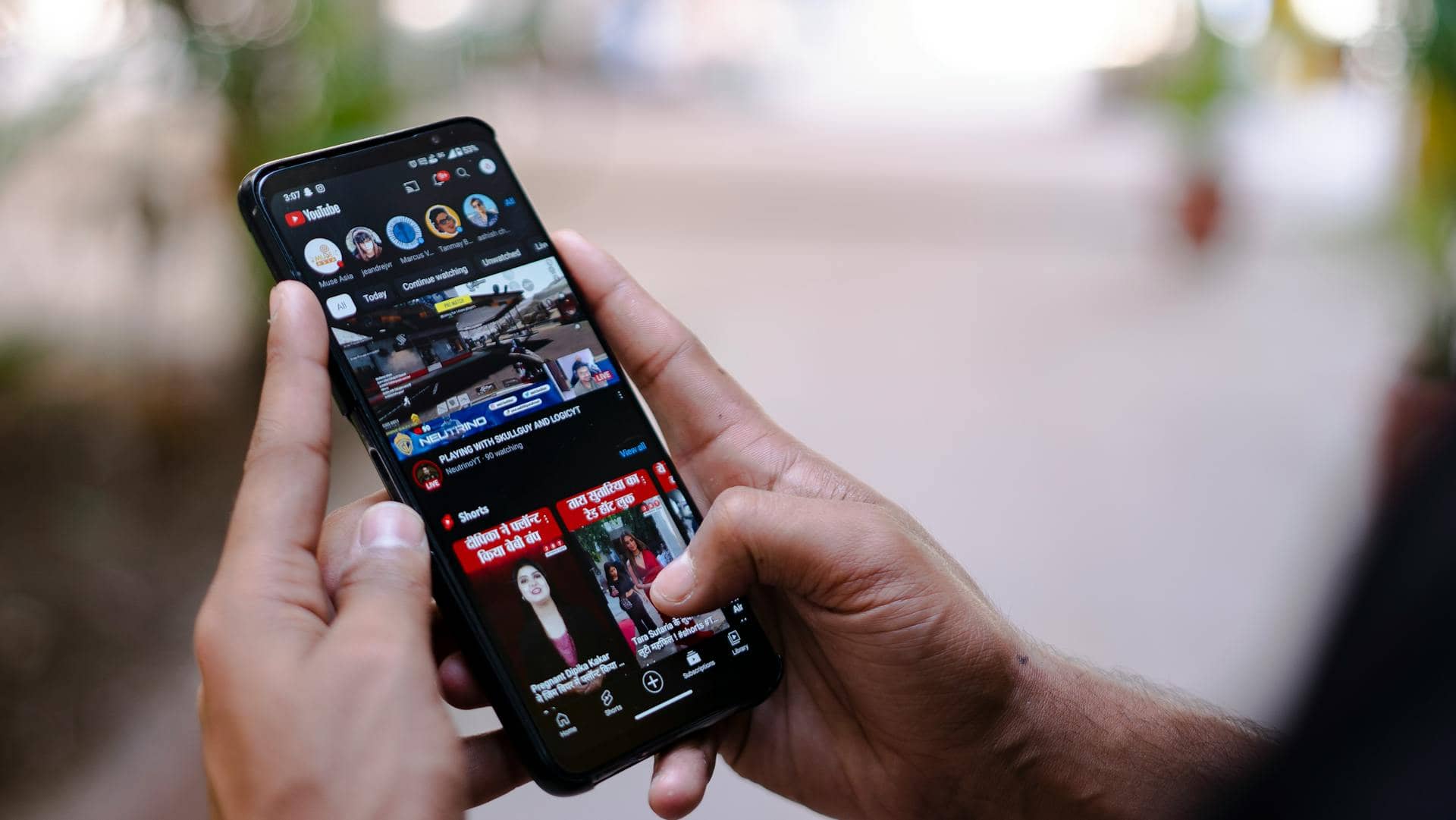
YouTube: Focus on watch time & retention
YouTube tends to favor videos that keep people watching. The strongest videos usually make their point early. You need a hook that tells viewers why they should care, then enough structure to keep them moving from one section to the next.
Retention is where things get serious. If people regularly drop off at the same moment, YouTube notices. Keep seeing that pattern, and your recommendations can start to shrink.
-
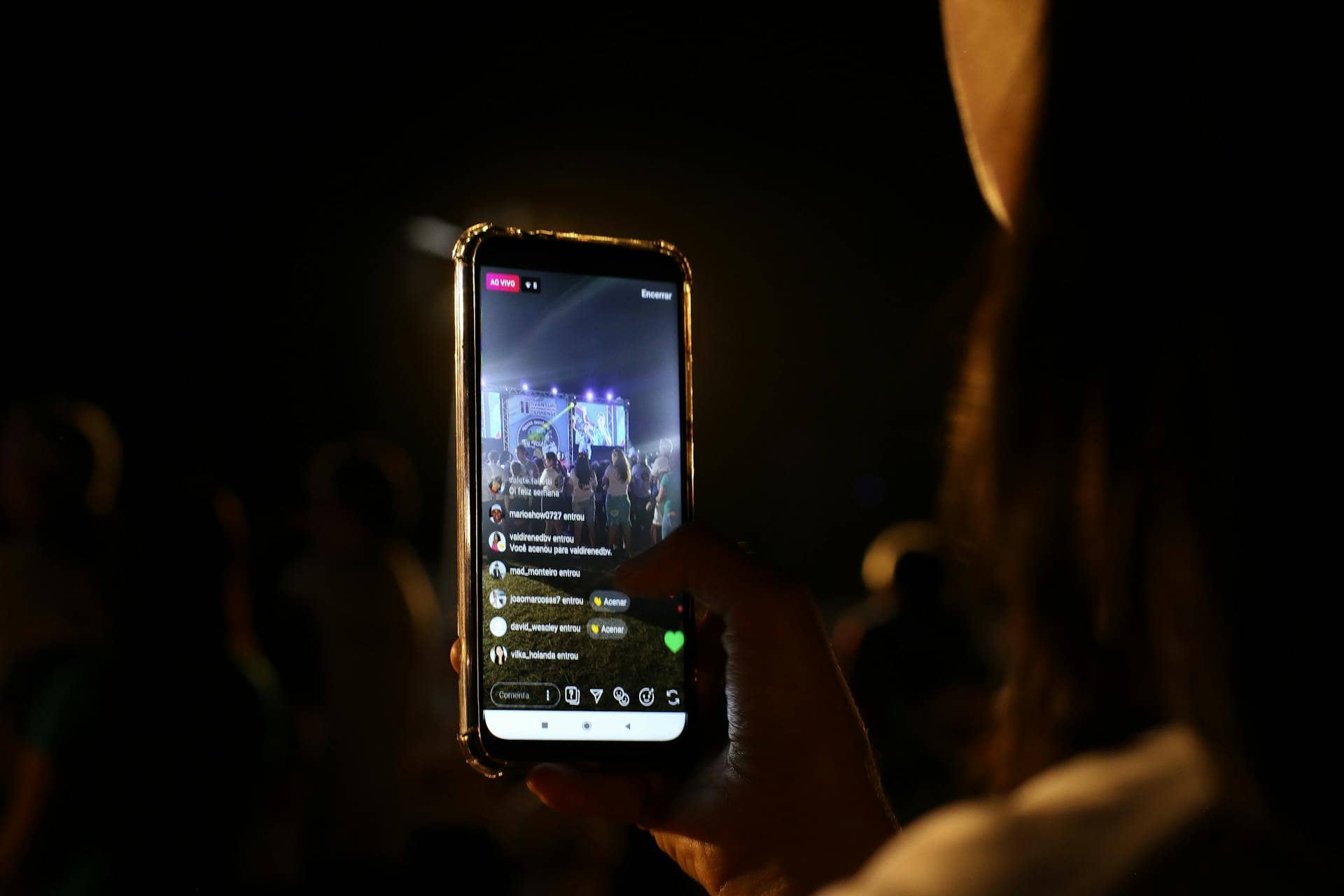
Instagram: Capture attention quickly
Instagram moves fast. People scroll without thinking much about it, so your content has only a brief window to earn attention. Strong visuals help. Text overlays can work surprisingly well when they're short and easy to read.
Don't save the main point for the end. Most viewers won't wait around for it. If there's value in the content, put it near the front where people can actually see it. Long explanations usually struggle here. Simplicity wins more often than complexity.
-
TikTok: Prioritize entertainment
TikTok runs on engagement, and entertainment sits right at the center of it. That doesn't mean every video needs a punchline. Plenty of educational creators do extremely well because they make information feel unexpected, interesting, or emotionally relevant. People remember what surprises them.
Authenticity tends to beat perfection. Authenticity usually beats perfection on TikTok. You can spend hours polishing every cut. Then a slightly messy video, one that feels real and unfiltered, ends up connecting better.

-
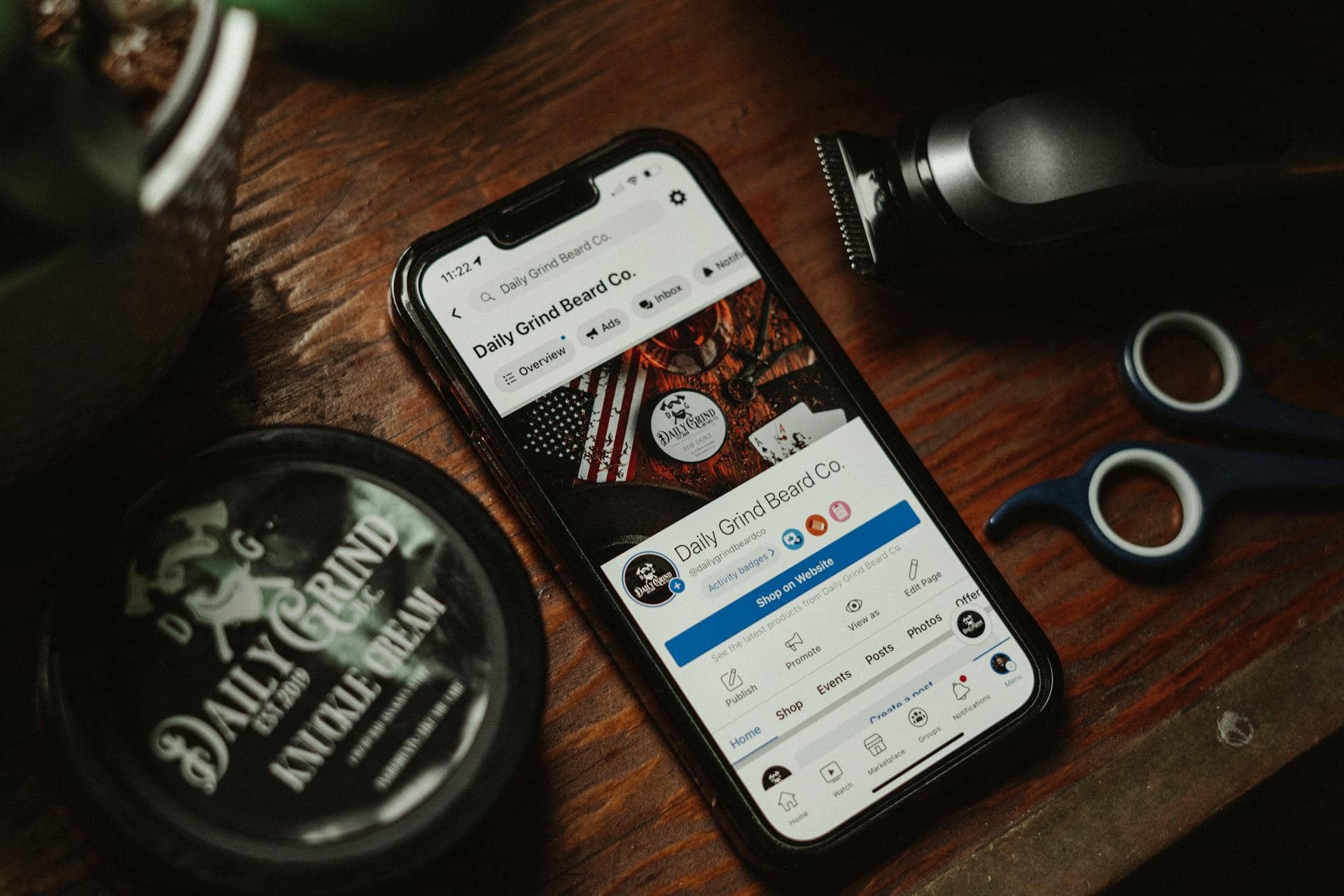
Facebook: Encourage conversations
Facebook is still heavily driven by discussion. Content that gets people talking often travels farther than content people simply watch. Ask people a question, and they'll often have something to say. Give them a strong opinion to react to, or share a story that feels familiar, and the conversation tends to keep going.
When your content taps into the things people already care about, their community, hobbies, relationships, or the small routines that fill an ordinary day, you'll usually see stronger engagement. People pay attention to what feels familiar.
Pro tips to create engaging video content
-
Start with a strong hook
The first few seconds matter more than most creators want to admit. A hook can come from a surprising statistic, a question that creates tension, a bold statement, a striking visual, or even a quick glimpse of what's coming later. The format isn't the important part; curiosity is.
Honestly, this is where a lot of creators get it wrong. They'll spend hours polishing the middle of a video and barely think about the opening. If the first few seconds don't work, most viewers never reach the sections you worked so hard to perfect.
-
Tell a story instead of listing facts
Facts inform people. Stories stay with them. You can explain an idea by stacking information on top of information, but that's rarely the most memorable approach. A challenge, a personal experience, a mistake, a lesson learned, or a real-world example gives people something to follow.
Even highly technical subjects benefit from this. In fact, they're often the topics that need storytelling the most. Not every story has to end with a dramatic twist. Sometimes, a simple observation or a small personal moment is enough to keep someone watching.
-
Keep your content concise
Every second should earn its place. Cut the repetition. Remove the tangents. Get rid of filler that slows everything down without adding anything useful. Viewers notice dead space more quickly than most creators realize.
Short doesn't automatically mean better, though. Some long-form videos perform exceptionally well because every section contributes something worthwhile. You never feel like you're waiting for the point.
-
Use dynamic visuals throughout the video
People get visually bored. A single camera angle can carry a video for a while, but eventually, attention starts to drift. B-roll, graphics, text overlays, screen recordings, animations, zooms, and transitions can help reset attention and reinforce important points. Used well, they make the content feel more alive.
However, too much visual activity creates a different problem. Instead of supporting your message, it starts competing with it. Just because you can add another effect doesn't mean you should. Some content needs surprisingly little visual movement. A strong speaker can hold attention longer than people expect.
-
Prioritize high-quality audio
Bad audio kills good content. You can get away with less-than-perfect visuals. People are often more forgiving than creators think. Muffled, distorted, or distracting audio is a different story altogether. Once viewers start struggling to understand what you're saying, frustration shows up fast.
You don't need a studio packed with expensive gear. A modest setup, used properly, can sound remarkably good.
-
Create emotional connections
People rarely remember information alone. They remember how it felt. Humor works. Curiosity works. Inspiration, empathy, excitement, and relatability all have a place. When content creates an emotional response, viewers are more likely to remember it and talk about it later.
Authenticity matters here, maybe more than anywhere else. Forced emotion tends to stand out for the wrong reasons. Audiences are surprisingly good at spotting it. The strongest moments often aren't the dramatic ones. They're the honest ones that slip in almost unnoticed.

-
End with a purposeful call to action
Don't make viewers guess. If you want someone to subscribe, tell them. If the next step is leaving a comment, joining your newsletter, downloading a resource, or visiting your website, make that path clear.
The best calls to action don't feel bolted onto the end of a video. They feel like the natural next step. That's harder to pull off than most people think. A weak CTA can waste all the momentum you've built.
Meet Vmake: Creating compelling videos faster with AI
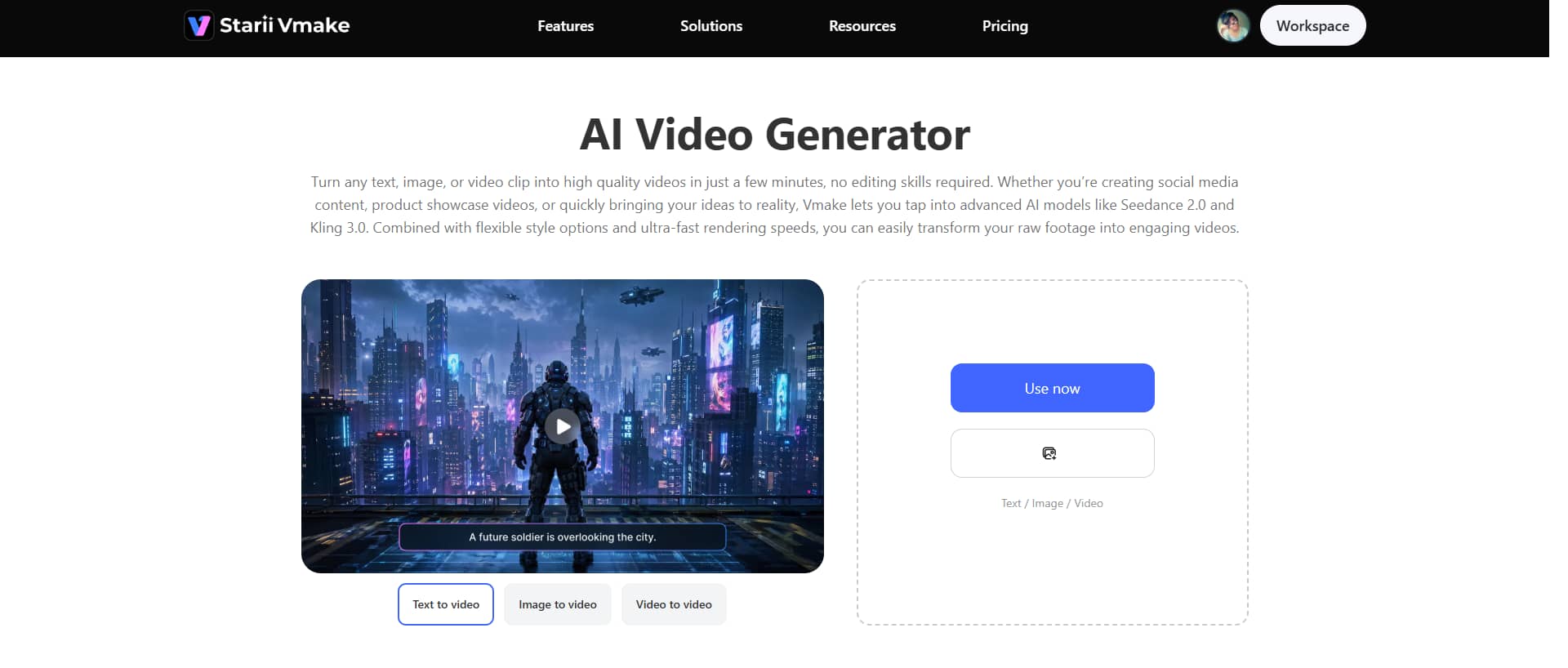
Vmake is an AI video generator built for one simple reason: getting your idea on screen faster. Instead of staring at a blank timeline, you can start with a text prompt, an image, or even a short video clip and see where it goes. You don't have to build every frame yourself. Drop in a rough concept, and Vmake gives you something tangible to work with. You can also use Vmake AI to clean up footage by removing noise, softening blur, and upscaling resolution.
Key features
-
Multi-modal video generator
Vmake AI supports multiple AI models to generate high-quality video generation, including Seedance 2.0, Kling 3.0, Google Veo 3, Sora 2, Vidu Q2, and Wan 2.2.
-
High-resolution output
Vmake produces high-resolution videos that are ready for publishing across major platforms. You don't have to spend extra time trying to make the output look presentable.
-
Multiple video generation methods
Vmake works with multiple input formats, so you can build videos from text prompts, images, and other content sources without constantly converting files first.
Step-by-step guide
Step 1: Add your content idea
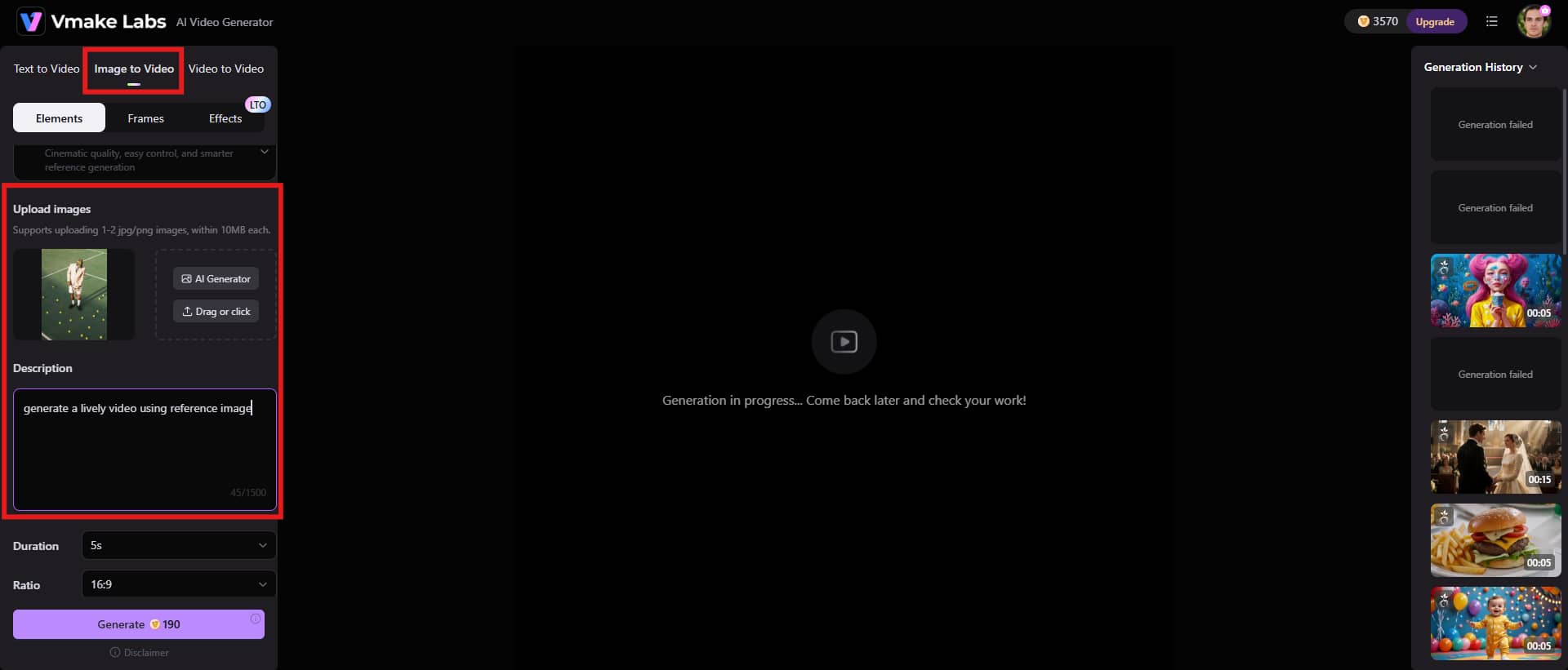
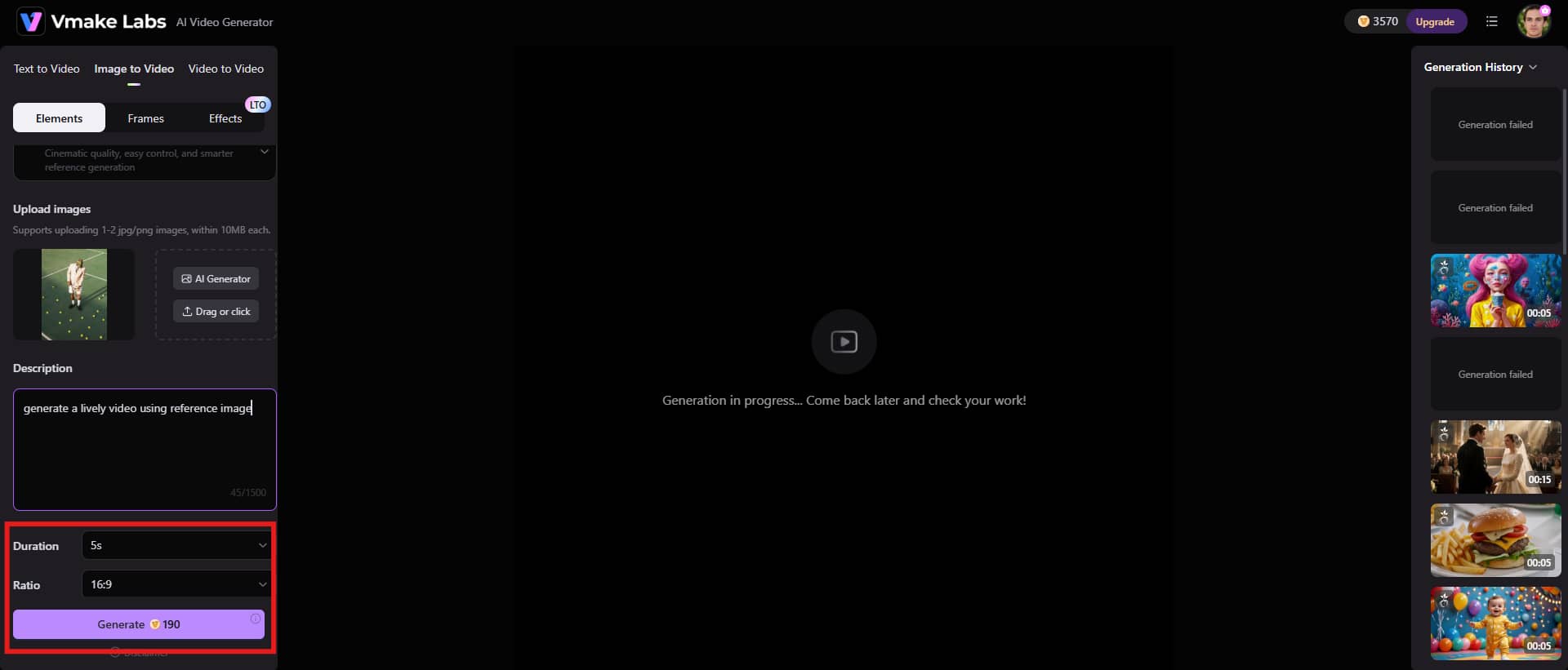
Start by adding your content idea to Vmake. Type in a text prompt, upload images, or drop in raw video footage if you already have something to build from. Add your reference images directly to the interface, then describe what you want to create. Be as specific as you can.
Step 2: Select preferences & generate
Once after adding the image and descriptions, adjust further settings to continue. Select the duration and aspect ratio, and click "Generate" to proceed.
Step 3: Preview and download the video
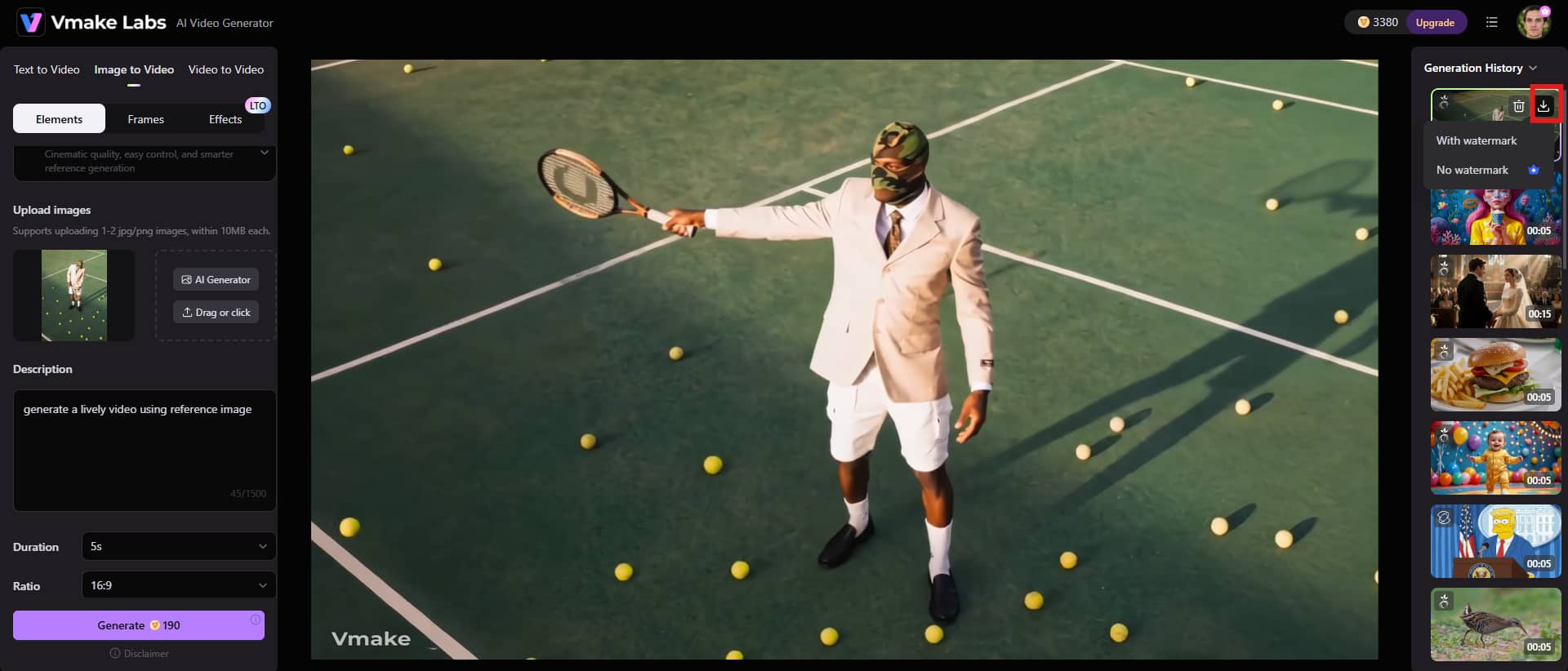
Vmake usually generates your video in just a few seconds. Before you download anything, take a quick look at the final copy. Hit the "Download" button and save the generated video.
Conclusion
Creating engaging video content is a result of understanding who you're talking to, getting to the point quickly, and keeping viewers interested long enough to stay for the next few seconds. A stronger opening line. Cleaner audio. Better pacing. More focused storytelling. None of those changes sound dramatic on their own, yet together they can change how people respond to their content over time.
The creators who consistently attract attention usually aren't chasing every trend. They're paying attention to the viewing experience and adjusting based on what their audience actually cares about. Tools like Vmake can remove some of the tedious work that slows projects down and makes content creation feel heavier than it needs to be. Strategy, judgment, and creative decisions still matter, and they probably always will.
FAQs
What makes a video more engaging for viewers?
The videos that hold attention usually get one thing right from the start: they give you a reason to keep watching. A strong opening hook matters. So does clear messaging. Good storytelling helps, too. But engagement isn't usually the result of one magic element. It's the combination of visual variety, emotional relevance, and a steady sense of momentum that keeps people from clicking away.
How long should an engaging video be?
There's no perfect number. Short-form videos tend to do well on platforms like TikTok and Instagram because attention moves fast there. YouTube is different. People will happily watch longer content when it's useful, entertaining, or both. A lot of creators obsess over length when they should be thinking about pacing instead. If a five-minute video says everything it needs to be said, stop at five minutes. If it takes fifteen, that's fine too.
Why is audience retention important in video marketing?
Audience retention tells you how long people actually stick around. High retention is usually a pretty good sign that your content is landing with people. They stick around. They keep watching. When viewers don't leave after the first few seconds, platforms tend to notice. More watch time often brings wider distribution.
How can beginners create engaging videos without expensive equipment?
You don't need a studio full of gear. Good lighting. Clear audio. A story worth telling. Those things typically matter more than the camera sitting on your desk. Honestly, viewers are surprisingly forgiving when production quality isn't perfect. They'll tolerate a less-than-polished setup if the content is useful or genuinely interesting.
Can AI tools improve video content creation?
Yes, AI can save you a surprising amount of time. AI can take care of a lot of the repetitive production work that would normally eat up an afternoon before you've even started refining the final video. For creators juggling multiple projects, that's a pretty obvious win. But this is where a lot of people expect too much. You'll probably finish projects faster with AI in the workflow. Just don't expect it to replace judgment, taste, or instinct.
How to create engaging video content for online courses with AI?
Start with clear learning objectives. Then break larger topics into smaller, manageable lessons. AI can help generate visuals, summaries, captions, and supporting materials that reinforce key concepts. Used well, it cuts down a lot of production time and reduces repetitive work. Keep lessons focused. Use real-world examples whenever possible. Stories help more than many instructors realize because people remember experiences better than isolated facts.

You May Be Interested
Resize Videos Online Without Losing Quality: A Smarter Way in 2026

How to Create Professional YouTube Thumbnails with AI: A Creator’s 2026 Strategy
YouTube Thumbnail Size 2026: The New Standard for High-CTR Visuals
Best Quality Video YouTube: 2026 Export Settings & 4K Tricks
