Graduation photo ideas to capture your big milestone
Explore creative graduation photo ideas, from memorable poses and locations to photo boards, personalized props, and AI-generated concepts you can create with Vmake Labs AI Image Generator.

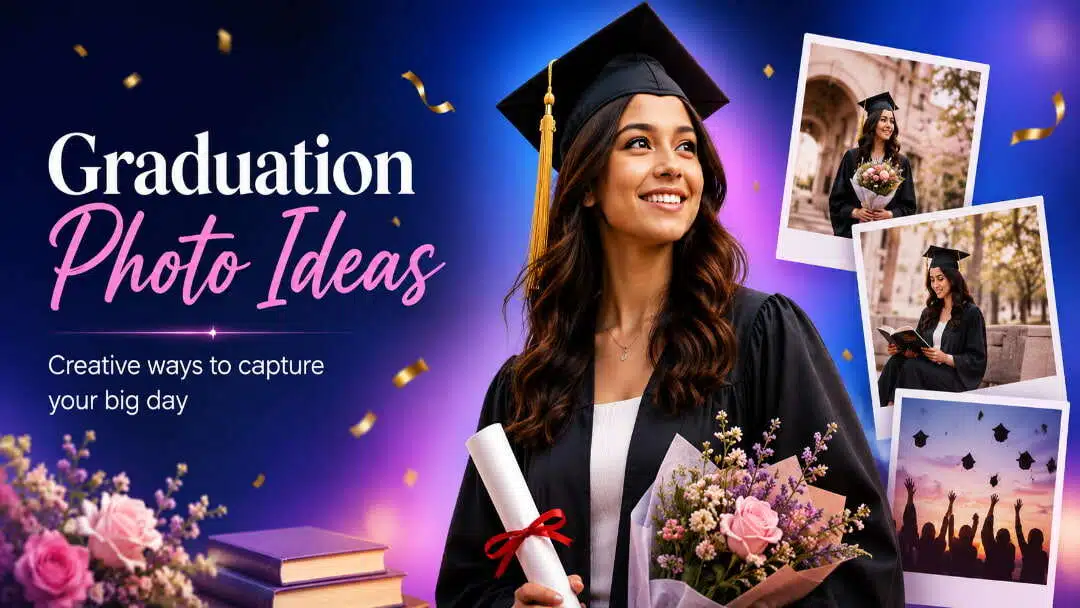
Graduation is a milestone worth remembering, and the right photos can capture more than the cap and gown. From meaningful campus locations and natural poses to personal props and creative photo boards, these graduation photo ideas can help you plan a set of photos that feel personal and memorable.
Graduation photo ideas to match your personality and story
Start with a traditional cap-and-gown portrait, and then add in elements that speak to your academic experience. You could carry your diploma, a childhood photo, or something related to your course of study: a book, artwork, instrument, or other significant object. If sports, music, theatre, or any other extracurricular activity was important for your school years, bring that into the session with a familiar setting, equipment or outfit. These details add context to your graduation photos without requiring any complicated arrangements.
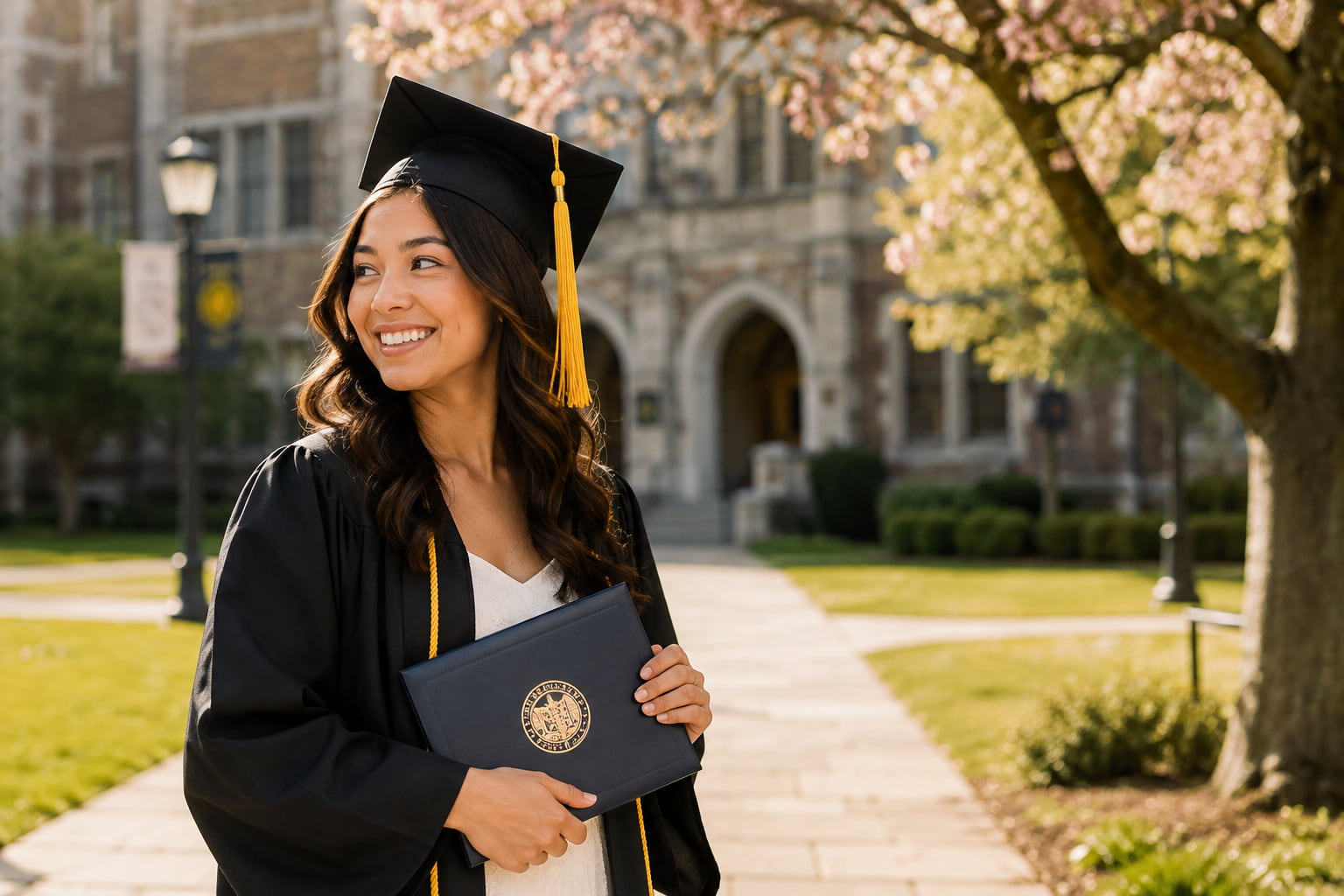
You can break out of traditional portraits with an editorial-style composition, candid shots of the celebration, or a cultural graduation portrait. A clean architectural background can give the photos a polished look, and laughing with friends, walking across campus, or hugging family can capture the more spontaneous side of the day. You can make high school graduation photos more identifiable by using school entrances, stadiums, classrooms, school colors, and memorabilia. If graduation is a particularly meaningful personal milestone, it includes a person, place or object that represents that journey, so that the final photos tell more than just the story of the ceremony.
Graduation photo poses for solo, group, and family portraits
Once you have the overall concept, the pose can make the photo feel more natural and personal. You do not need to rely on complicated poses. Small changes, such as holding the diploma differently, turning your body, walking between shots, or interacting with other people, can give you a varied set of graduation photos without making the session feel repetitive.
Solo graduation photo poses
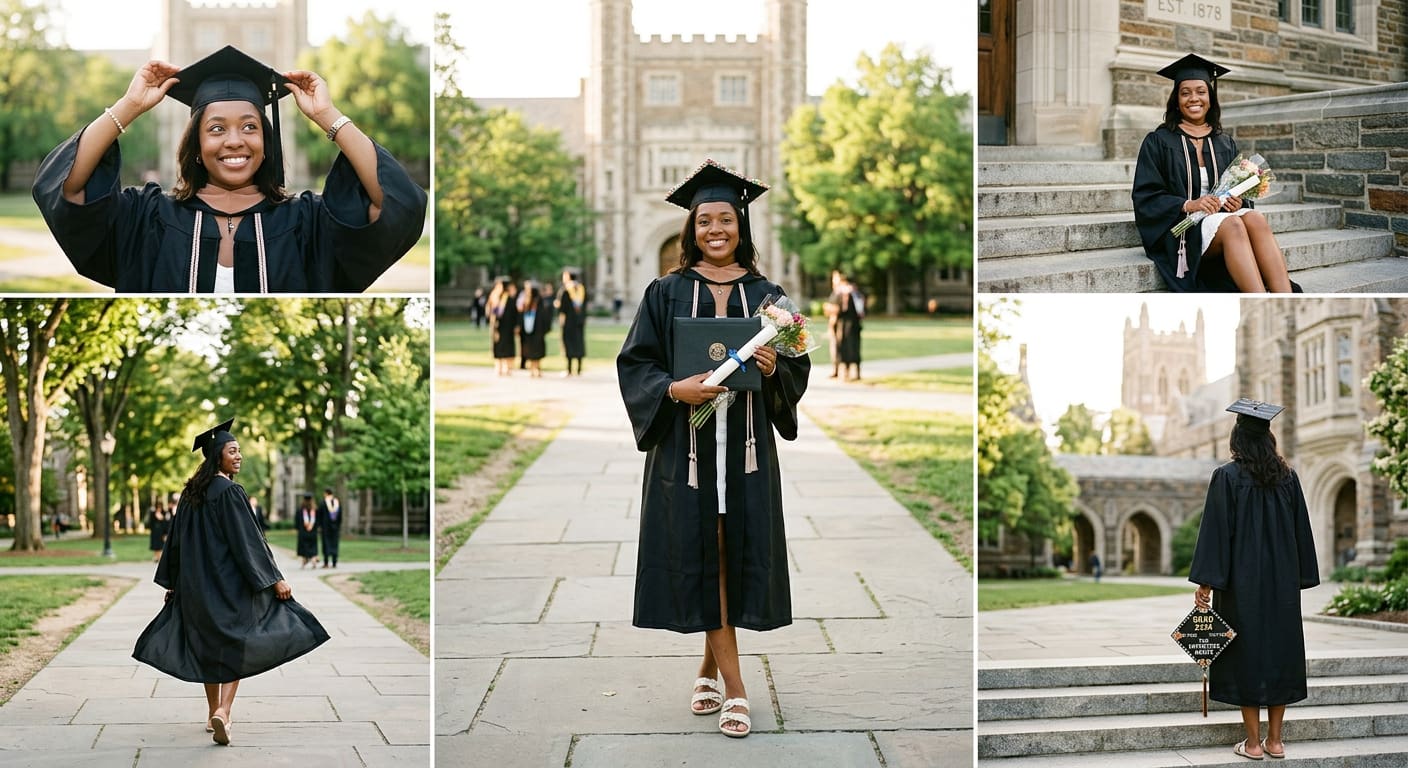
Begin with a few simple options for single portraits and work your way up from there. Have the diploma at your side or in front of you. Adjust your cap or hold your cap in one hand while looking away from the camera. A walking shot can help create some movement, particularly if the gown moves in an organic way. Sitting on campus stairs or a bench can create a more laid-back portrait. If your hat has embellishments, flip around for a picture that shows the design, or hold it toward the camera for a closer detail shot.
Graduation photo poses with friends and classmates
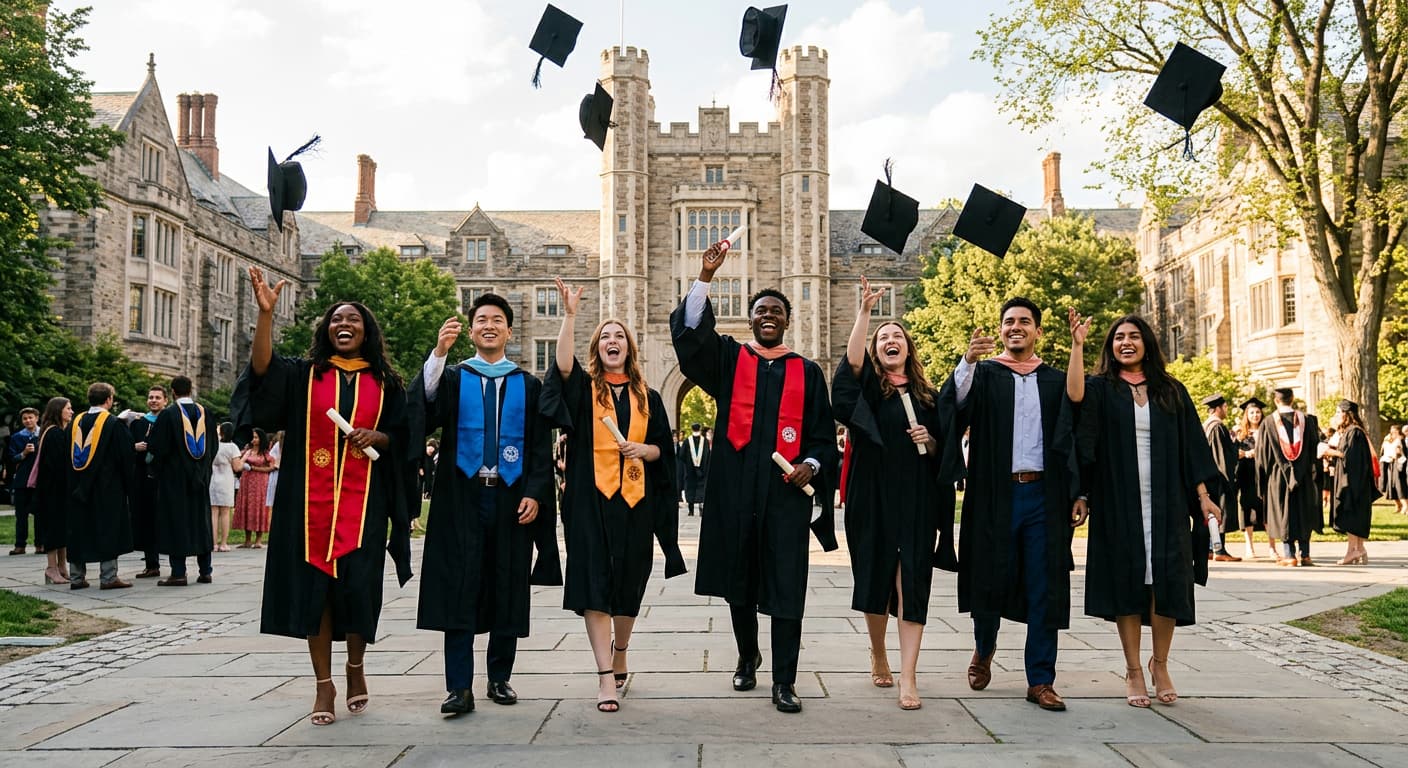
Group photos can look more natural when everyone is doing something, instead of standing in a straight line. Walk the campus hand in hand, stand shoulder to shoulder or immortalize the laughter between formal shots. Another classic is a group cap toss, and shooting several frames can give you more natural variations. You can also coordinate small things like school colors or accessories without making the group outfits look too matched.
Family graduation photo poses
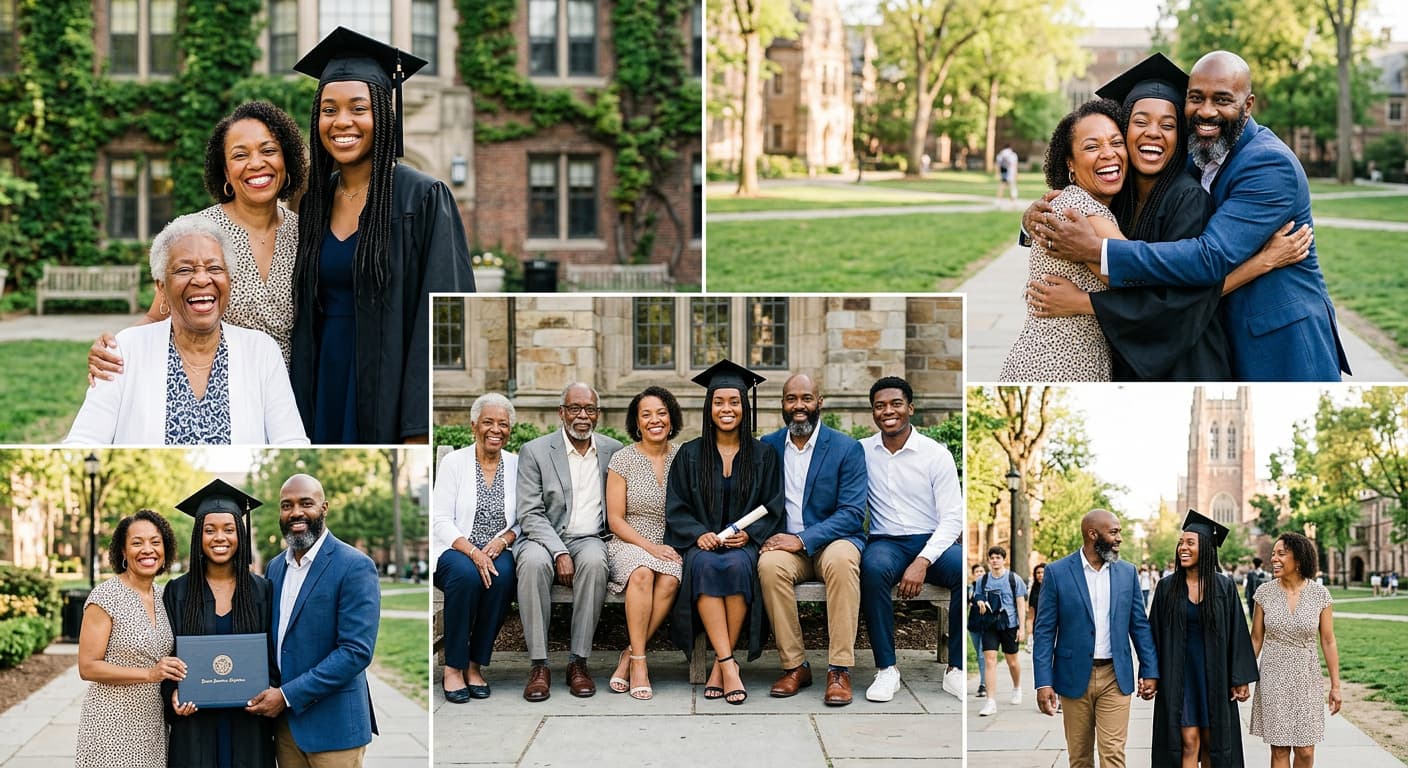
Start with a simple picture of the graduate standing between parents or other family members. Then you can change the arrangement for everyone holding the diploma together, a generational portrait with grandparents, or a celebratory hug. Have at least one formal family picture with everyone looking at the camera, then leave space for candid interaction. This also gives you a nice keepsake as well as photos that capture the emotion of the day.
Make graduation photos more creative with locations and props
Once you've worked out the basic poses, the setting and little visual details can make the photos look more distinctive. No need for a big setup. The same graduation session can have a few different looks while keeping the focus on the graduate by using a familiar spot on campus, a significant prop or a wardrobe change.
Location ideas
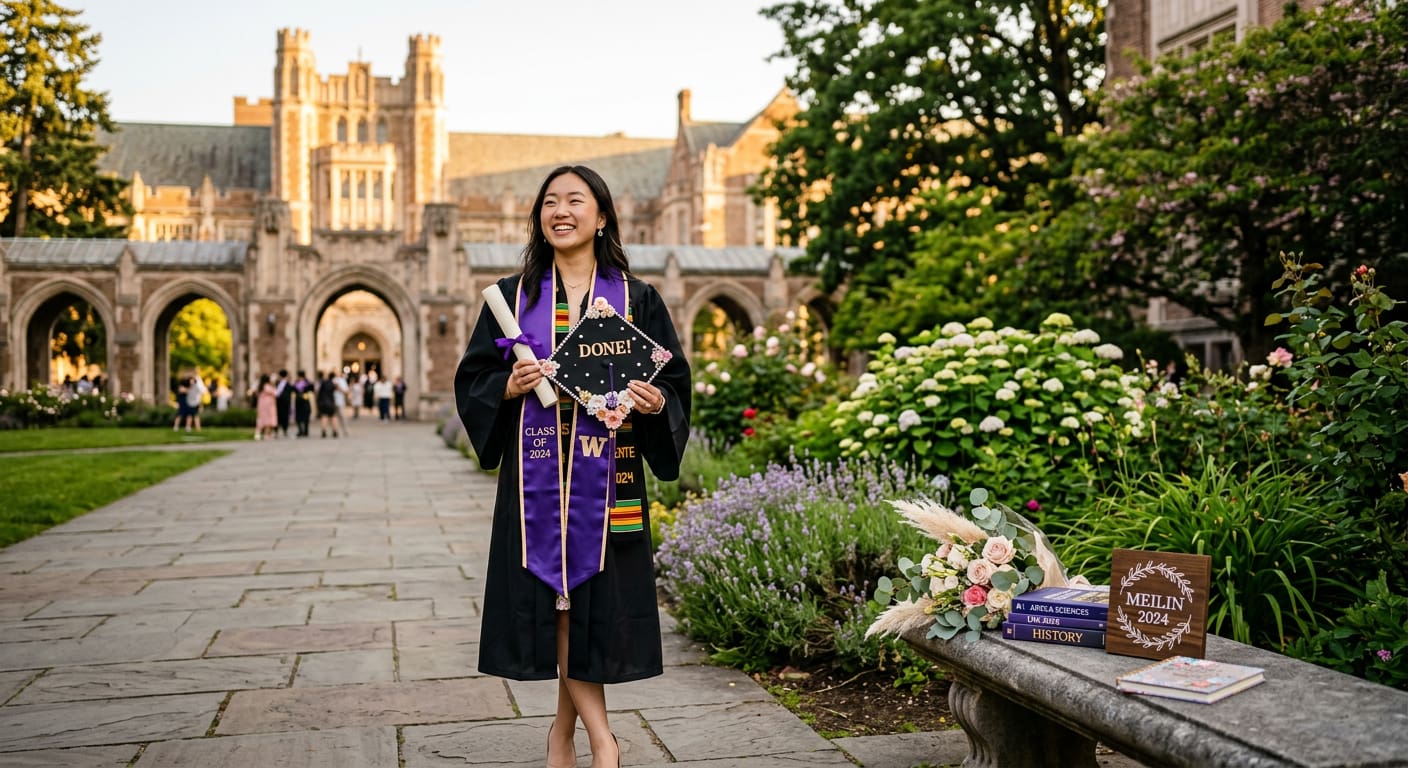
The location can add context to your graduation photos without needing much extra decoration. Campus buildings are a natural choice for formal portraits, while a library or classroom can highlight the academic side of your experience. A stadium works well for athletes and school-spirit photos, and the school entrance gives you a recognizable backdrop. For a softer look, try a garden or another green outdoor space.
Props and outfit ideas
Choose props that relate to your personality, interests, or your time at school. Add color with a decorated cap, flowers, balloons or personalized signs. Show what mattered during your studies with books, sports equipment, musical instruments and other school memorabilia. You could also add cultural clothing for part of the session to add a personal or family element to the graduation photos.
Graduation photo frame ideas
A graduation photo frame takes a favorite portrait and makes it something you can use after the photo shoot. Create a personalized design for announcements or social posts by adding details like your name, graduation year, school, degree or a short message. For a graduation party, a larger frame can be included in the photo display or as part of the party setup. A printed frame can turn a favorite graduation photo into a keepsake for family members.
Graduation photo board ideas to preserve your memories
A graduation photo board can bring together multiple memories instead of one portrait. You can do it along a timeline, important people, achievements or moments from graduation day. Select a format that suits the story you want to tell and the location in which the board will be displayed.
-
Childhood-to-graduation timeline: Arrange photos from early school years through graduation to show how the graduate has changed over time.
-
First-day vs. graduation comparison: Place an early school photo beside the graduation portrait to create a simple before-and-after display.
-
Solo photo collage: Combine formal portraits, candid moments, and different graduation-day photos in one collection.
-
Family and friends memory board: Bring together photos with parents, siblings, friends, classmates, and other important people.
-
Achievements and milestones: Include photos connected to awards, activities, competitions, performances, or other memorable accomplishments.
-
Cap-and-gown collection: Use several graduation portraits to showcase different poses, locations, and expressions.
-
Polaroid-style board: Display smaller photos with handwritten dates, captions, or short messages for a more personal feel.
-
Digital graduation photo board: Arrange photos for social posts, slideshows, or party screens. An image converter can help prepare them for different platforms.
-
Before-and-after memories: Pair older photos with recent graduation images to highlight changes throughout the school years.
-
Photo board with school memorabilia: Combine photos with certificates, programs, tickets, notes, or other meaningful keepsakes.
How to arrange a graduation photo board
Start with a hero photo that immediately draws attention, such as a favorite cap-and-gown portrait. Add supporting images around it that match your chosen theme, and include dates and meaningful details where they help tell the story. Keep spacing consistent so the board does not look crowded, and use a clear visual hierarchy by giving the most important photo or section more prominence. Once you have your favorite photos and layout in mind, you can also use AI to explore ideas before the actual photoshoot.
Extra tip: use AI to visualize a graduation photo concept before the shoot
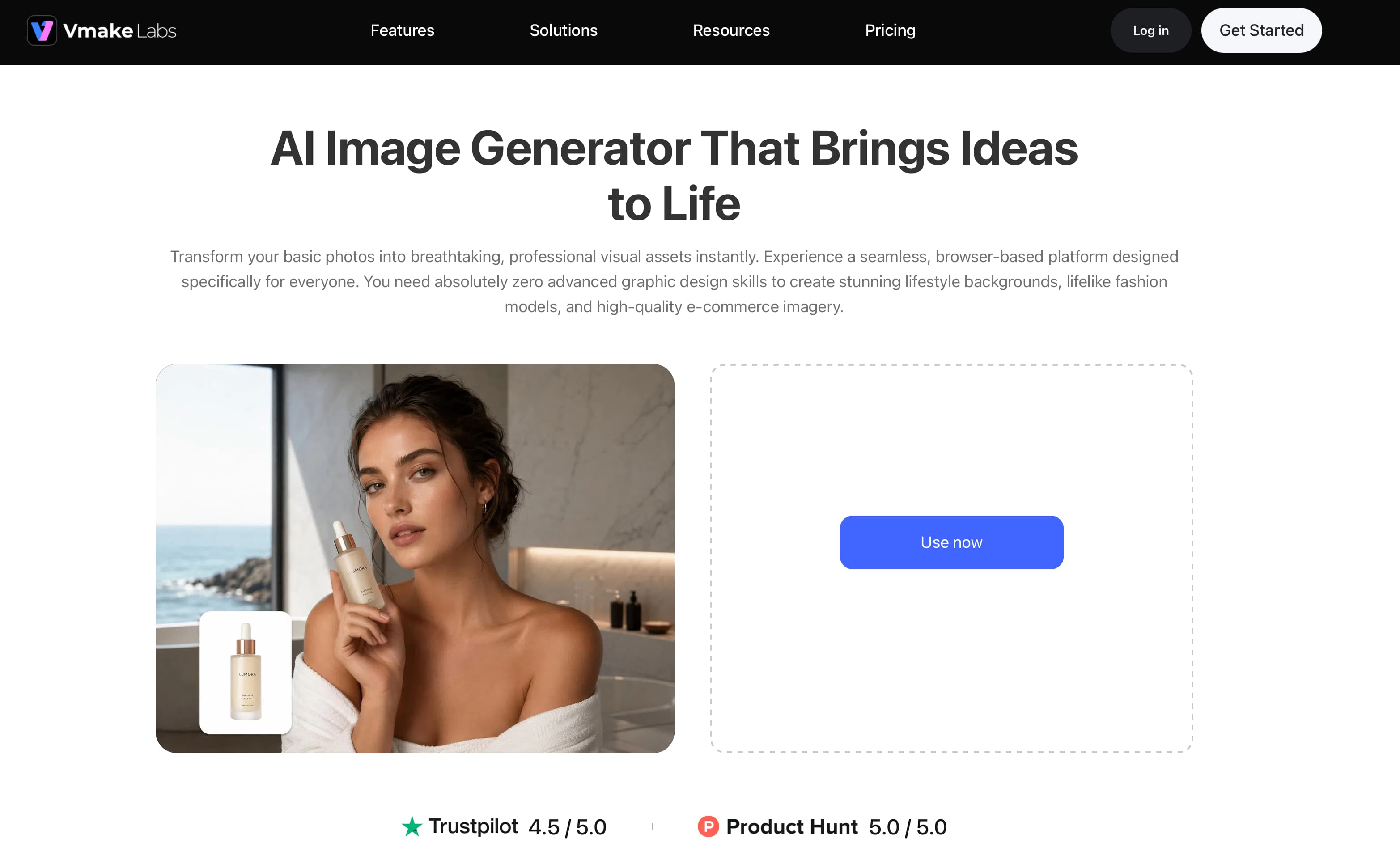
Vmake Labs AI Image Generator can help you visualize graduation photo ideas before the actual photoshoot. Explore different poses, locations, outfits, compositions, and styles to create a visual reference for your shoot. AI-generated images are concept references and may not accurately preserve a person's identity, school logos, graduation gowns, or other specific details, so they should not be treated as replacements for real graduation photos.
How to create a graduation photo concept with Vmake Labs
Step 1: Choose a generation mode and model
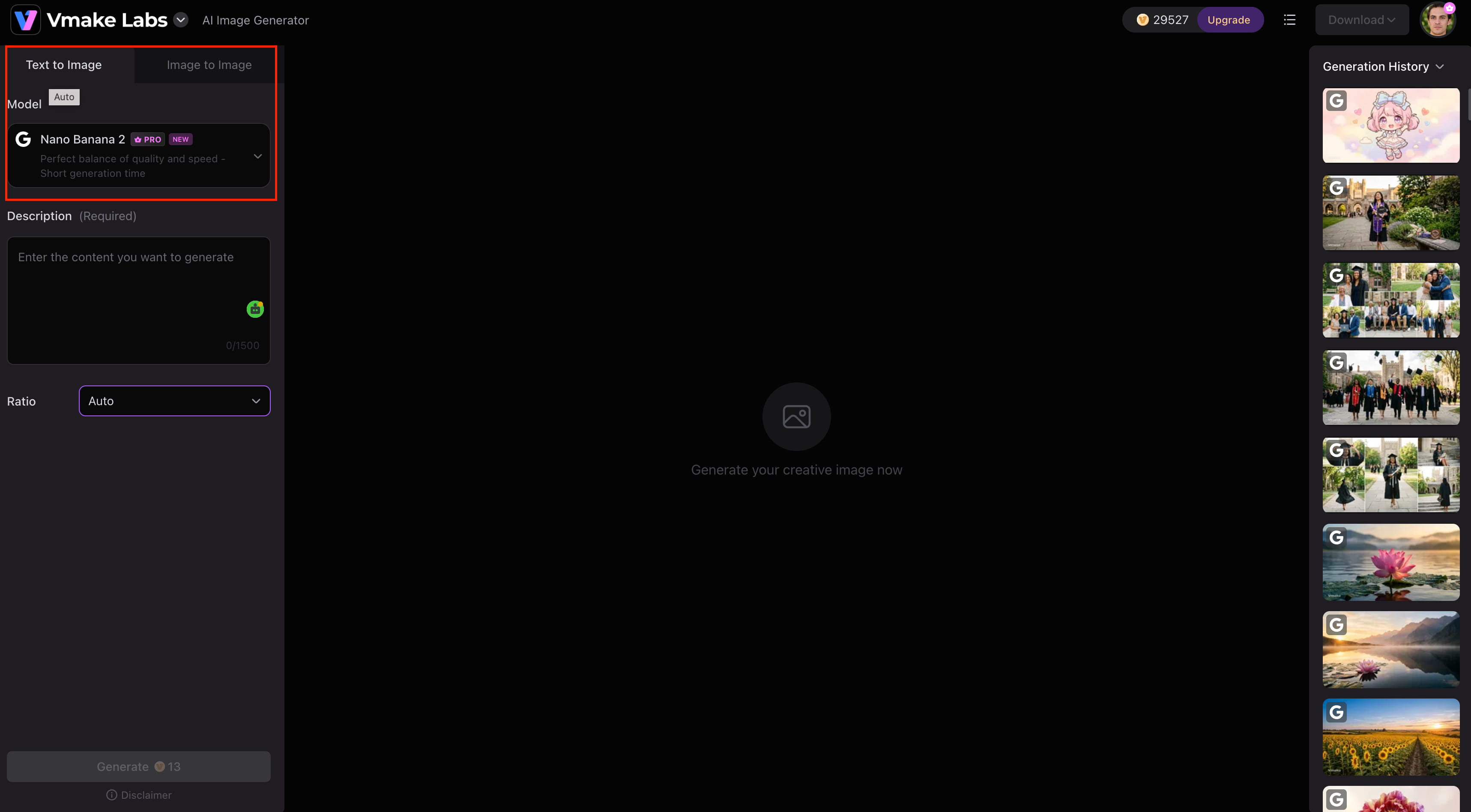
Open the Vmake AI Image Generator and choose Text to Image to create a graduation concept from a written description. If you want to work from an existing photo or visual reference, choose Image to Image and select the model you want to use.
Step 2: Add your input
For Text to Image, describe the graduation photo you want and choose the aspect ratio. For Image to Image, upload 1–3 reference images, describe the desired result, and select the model. Supported image formats include JPG, PNG, and JPEG.
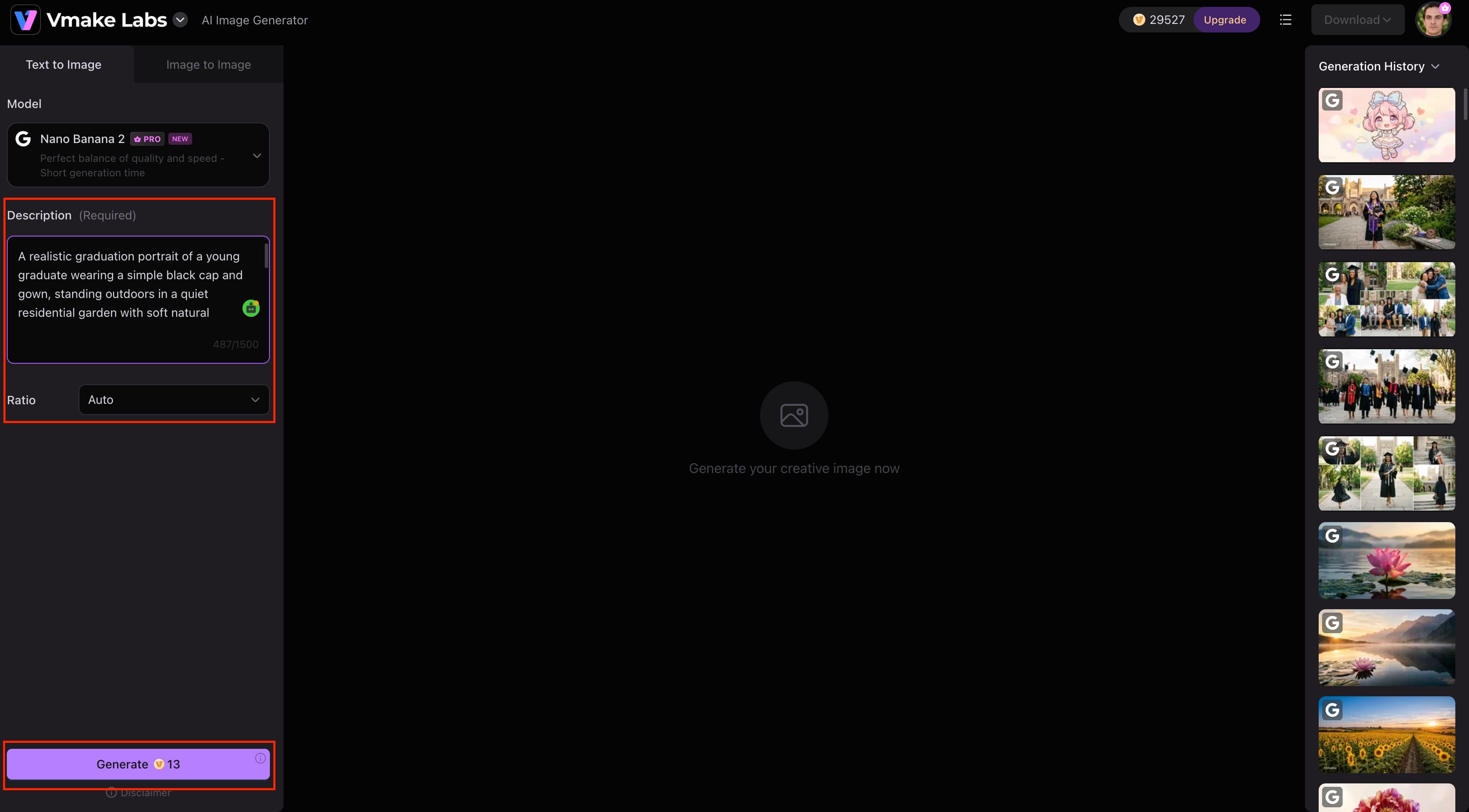
Step 3: Generate, preview, and download
Click Generate to create the image. Preview the result and check whether it matches your graduation photo concept. If needed, adjust the description or references and generate another version, then download the image you want to use as your reference.
Note: AI-generated images do not guarantee the person's identity, the details of the academic regalia (graduation gown), or the final photographic result.
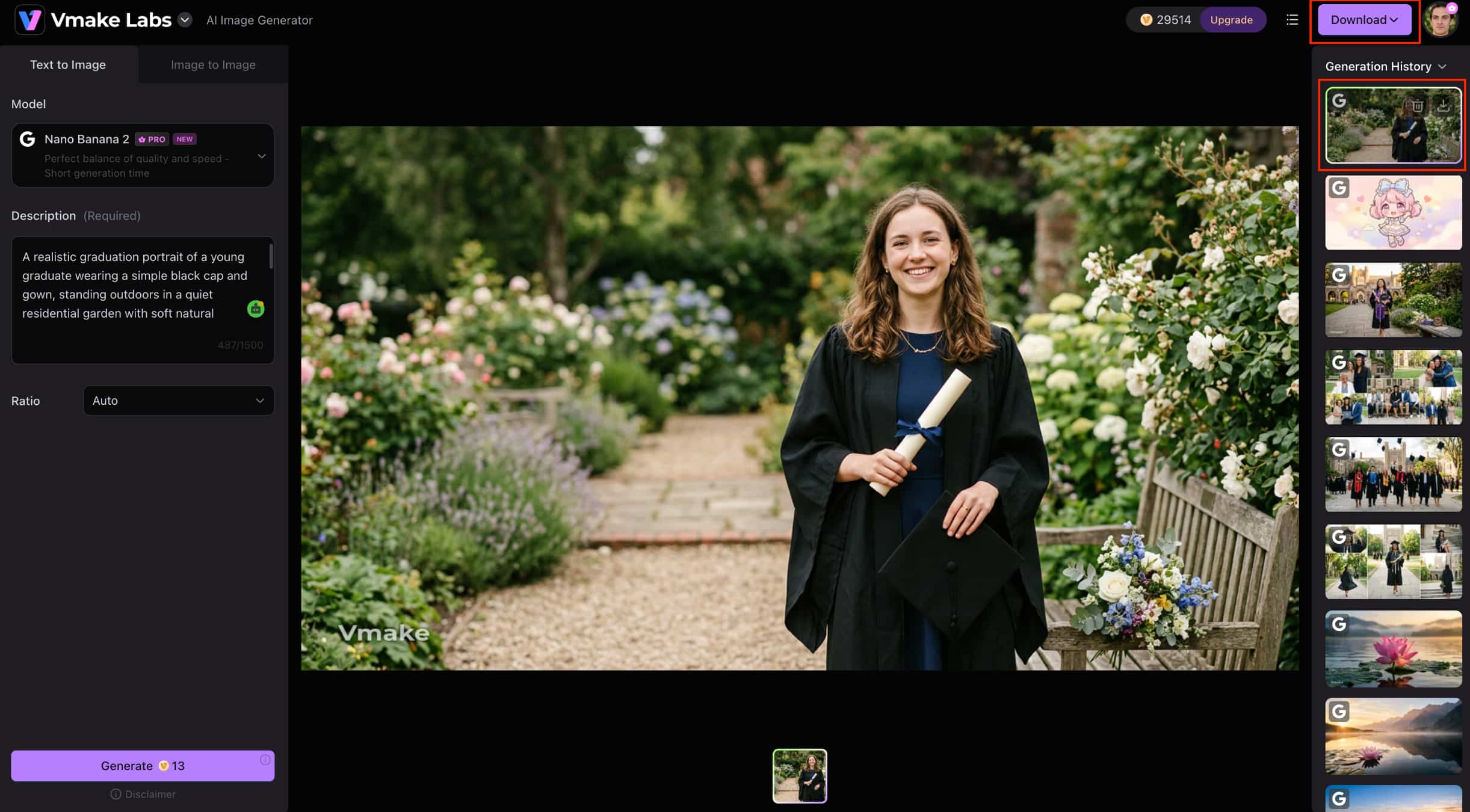
Key Features
Vmake Labs offers several features that make it useful for planning and exploring graduation photo concepts. The main features to consider are:
-
Text-to-image generation: Turn a graduation photo description into an original visual concept, from poses and locations to outfits and compositions.
-
Image-to-image generation: Upload a reference image to explore different graduation photo styles, settings, or visual directions.
-
Multiple AI image models: Compare outputs across models such as Nano Banana 2, Nano Banana Pro, Seedream 4.0, and GPT Image 1 to find an approach that suits your concept.
-
Flexible aspect ratios: Choose an image ratio based on where you plan to use the graduation concept, such as social posts or digital displays.
-
Simple prompt-based workflow: Describe the changes you want, review the result, and refine the input when the first version needs adjustment.
-
Fast image generation: Create and compare different graduation photo concepts quickly before settling on a direction for the actual shoot.
Conclusion
The best graduation photos combine meaningful details with simple, natural compositions. Use familiar locations, personal props, and varied graduation photo poses to create a collection that reflects your school experience. A well-arranged photo board can then bring those memories together for display or sharing. If you want to explore ideas before the photoshoot, Vmake Labs AI Image Generator can help visualize different poses, outfits, locations, and styles. Use these AI-generated concepts as references when planning the final shoot, and use an image enhancer when a finished graduation photo needs clearer details before sharing or printing.
FAQs
-
What are some good graduation photo ideas?
Cap-and-gown portraits, recreations of childhood, academic or extra-curricular themes, candid celebrations, and photos with family and friends are some good graduation photo ideas. You can even use the Vmake Labs AI Image Generator to visualize different poses, locations and styles before the shoot.
-
What are the best graduation photo poses?
Some of the most common graduation photo poses include holding your diploma, adjusting your cap, walking with your gown flowing behind you, sitting on the steps of your campus, and looking over your shoulder. Try walking together, a toss of the cap or candid interactions for group pictures.
-
How can I make my graduation photos look more creative?
Use meaningful locations, personal props, different outfits, and varied compositions instead of relying on standard portraits. You can also use Vmake Labs AI Image Generator to explore different visual concepts before deciding on the final photoshoot setup.
-
What should I include in a graduation photo board?
A graduation photo board might feature childhood pictures, graduation portraits, family and friends, accomplishments, school memories and sentimental memorabilia. Position them around a hero photo and use consistent spacing, dates, and short details to keep the display organized.
-
How can AI help me create graduation photo ideas?
Artificial intelligence can help you visualize different poses, outfits, locations, compositions, and styles for the graduation shoot even before the real one. Vmake Labs AI Image Generator generates ideas from words or images and use the output as visual references.
-
Can I create graduation photos with Vmake Labs AI Image Generator?
Yes, you can use Vmake Labs AI Image Generator to create graduation photo concepts from text or reference images. It is best used for planning and exploring ideas, while real graduation photos should be used to capture the actual person and milestone.

You May Be Interested

12 Logo Ideas & Prompts: Best Creative Brand Designs (2026)
Best AI Image Generator: 10 Top Picks for 2026 Review
35 Creative Mother’s Day Card Ideas to Make Mom Smile (2026 Guide)
Women’s Day Gift Ideas for 2026: Thoughtful Picks
YouTube Shorts Ideas: 15 Creative Videos to Grow Your Channel

35 Thoughtful Mother’s Day Gift Ideas