Can Claude Generate Images? Complete Guide, Features & Best Alternative
Can Claude generate images? Explore its capabilities, limitations, and features while discovering how Vmake Labs helps you create stunning AI visuals with advanced image generation tools today.

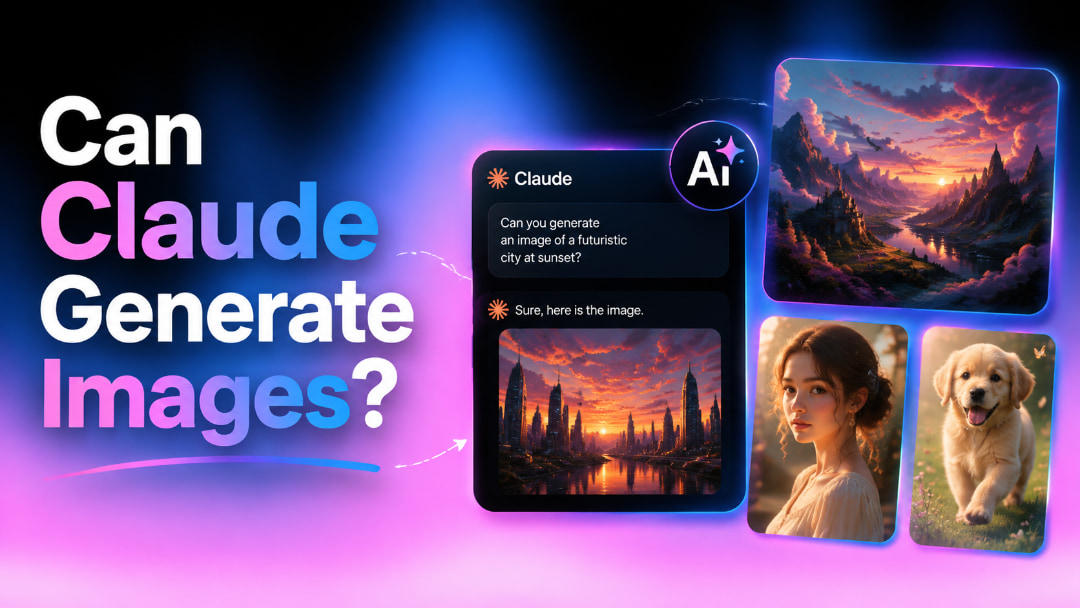
Claude AI is known for its impressive writing, coding, and reasoning abilities, but many users wonder whether it can generate images too. In this article, we'll go over what Claude can do with images, its present limitations, and what you can realistically expect when generating visual content.
Can Claude generate images? Here's what you need to know
No, Claude cannot generate photo-quality raster images (such as PNG or JPEG) in the same way as dedicated AI image generators like DALL·E. Instead, Claude excels at understanding and analyzing uploaded images, creating SVG graphics, diagrams, simple illustrations, and helping design interactive prototypes. If your goal is to generate realistic AI artwork, high-quality graphics, or marketing visuals, a dedicated platform like Vmake Labs image generator offers far more creative control, faster image generation, and production-ready results.
What is Claude AI?
Claude AI is a conversational assistant developed by Anthropic to help people complete a wide variety of tasks more efficiently. From answering questions and writing content to analysing information and assisting with programming, it is designed to understand natural language and respond in a helpful, human-like way. Its reliability and strong reasoning have made it popular with students, professionals, researchers, and software developers alike.
Unlike many AI tools that focus on generating artwork from text prompts, Claude is built around productivity and intelligent problem-solving. It can examine uploaded images, understand documents, and explain visual information in context. Recent Claude models also include stronger multimodal capabilities, with image generation available in supported Claude experiences depending on the platform and subscription plan.
What image capabilities does Claude actually have?
Claude is so much more than just text-based chats. It can understand visual content, read papers, and help in creating simple graphics. It is a handy AI assistant for people who work with photos in their day-to-day work.
Claude can analyse uploaded images
Claude does a good job of interpreting photographs you submit, not just telling you what's in them. It can explain images, maps, graphics, screenshots and scanned documents, answer inquiries about visual content and extract text using OCR. It is particularly useful for students, researchers, and professionals who frequently deal with reports or presentations. If a picture is fuzzy or hard to read, adding an image enhancer before analysis can improve clarity and make visual analysis even more precise.
Claude can generate SVGs and simple graphics
Besides analysing images, Claude can also create simple SVG graphics through code. It can produce flowcharts, process diagrams, icons, basic illustrations, and other lightweight visuals that are easy to edit. These graphics work well for documentation, tutorials, presentations, and technical explanations, although they aren't intended to replace professional AI-generated artwork or photorealistic images.
Other key features of Claude AI
Claude stands out because it combines strong reasoning with practical productivity features that support both personal and professional work.
-
Advanced AI reasoning: Solves complex problems, performs logical analysis, and provides detailed explanations for research and decision-making.
-
Multimodal understanding: Interprets images, documents, charts, and screenshots to deliver useful insights and summaries.
-
Natural language processing: Understands detailed prompts and produces clear, natural responses for writing, brainstorming, translation, and content creation.
-
Advanced coding assistance: Helps developers write, review, debug, and improve code across multiple programming languages.
-
Long context understanding: Processes lengthy reports, research papers, and large documents while maintaining context throughout the conversation.
-
Developer tools and API integration: Enables businesses and developers to integrate Claude into applications, workflows, and enterprise systems through its API.
Claude AI Pros, Cons & Pricing
Claude is widely recognised for its powerful reasoning and productivity features, but no AI tool is perfect. Looking at its advantages, limitations, and subscription plans can help you decide whether it matches your workflow, especially if you're interested in image-related tasks.
Pros and Cons
|
Pros |
Cons |
|---|---|
|
|
Claude does a great job of processing information, writing content, solving hard problems, and comprehending visual inputs. But for creators who often create marketing materials, digital artwork, or branded graphics, a dedicated AI picture-generating platform may offer a more full creative experience.
Pricing
|
Plan |
Pricing |
Best For |
|---|---|---|
|
$0 |
Casual users, beginners, and light personal tasks |
|
$17/month |
Power users, freelancers, and daily professional workflows |
|
$100/month |
Heavy power users, developers, and high-volume demand |
The Free plan gives you access to the fundamental functionalities of Claude, with usage constraints, and is a good way to get started if you're a new user. Pro raises your usage limit and unlocks advanced capabilities. Max is for developers, enterprises, and professionals with heavy AI workloads.
What users are saying about Claude image generation
Many like Claude for writing, scripting, and picture analysis, according to conversations on Reddit. It's often lauded for analyzing pictures, analysing papers, and expressing complicated graphics in simple words. But many producers still look to dedicated AI picture generators when they need photorealistic artwork or a bit more creative liberty.

Trustpilot
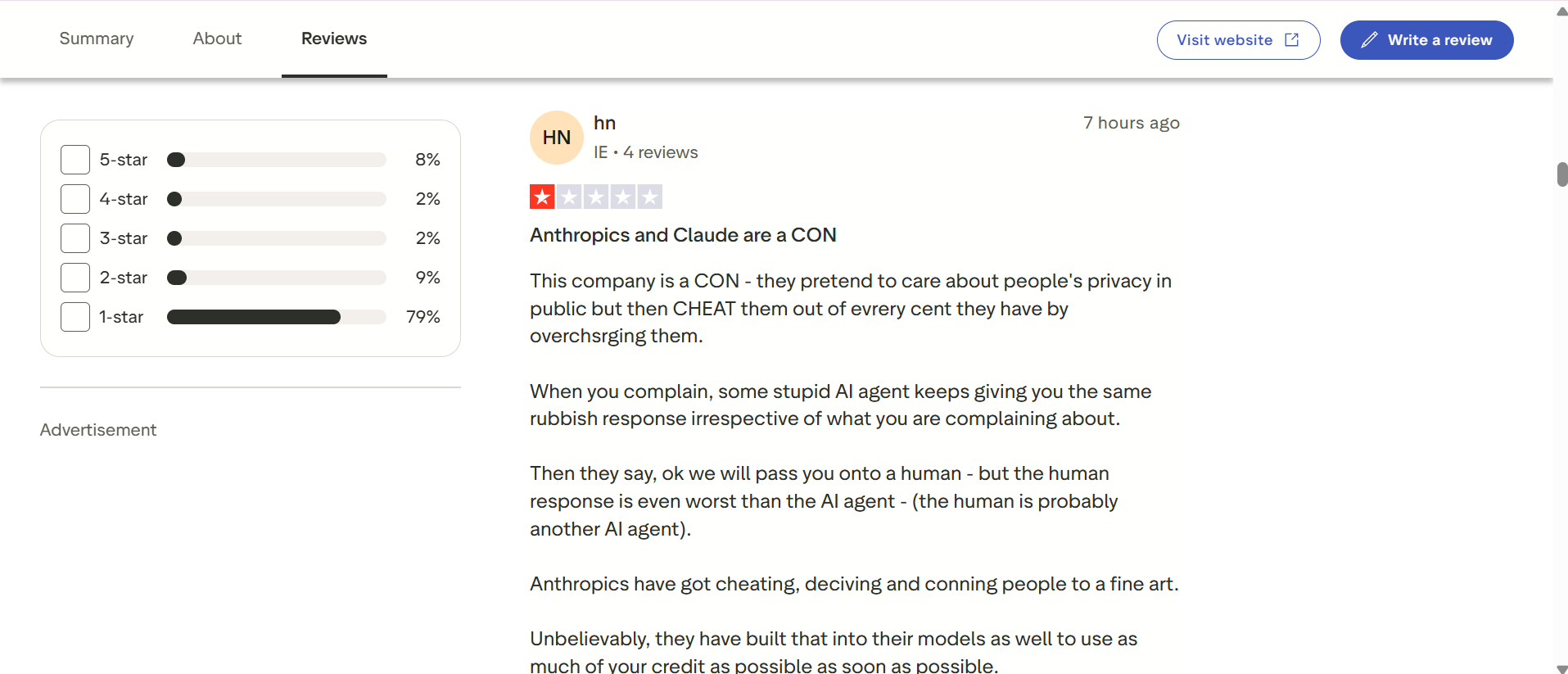
Trustpilot reviews are a little more mixed. Many of the positive comments talk about Claude's good reasoning and helpfulness for research, coding, and productivity activities. Other bad reviews focus on account management, subscription payment, customer service, and usage limits, not on the strength of Claude's AI abilities.
Afterthought
Overall, Claude is an excellent choice for users who need an intelligent assistant capable of analysing images, understanding documents, and supporting creative thinking. However, if your work involves designing marketing graphics, social media visuals, or commercial artwork, a specialised AI image generation platform will usually provide faster workflows, more creative options, and higher-quality visual results.
Meet Vmake Labs: Create AI images faster with a creative studio
While Claude helps users analyse images and organise creative ideas, Vmake Labs image generator is purpose-built for generating high-quality visuals from scratch. Whether you're creating social media graphics, product images, marketing campaigns, or concept art, Vmake Labs provides a fast browser-based workflow with multiple advanced AI models and commercial-ready output.

How to generate AI images with Vmake Labs
Step 1: Open the Vmake Labs image generator
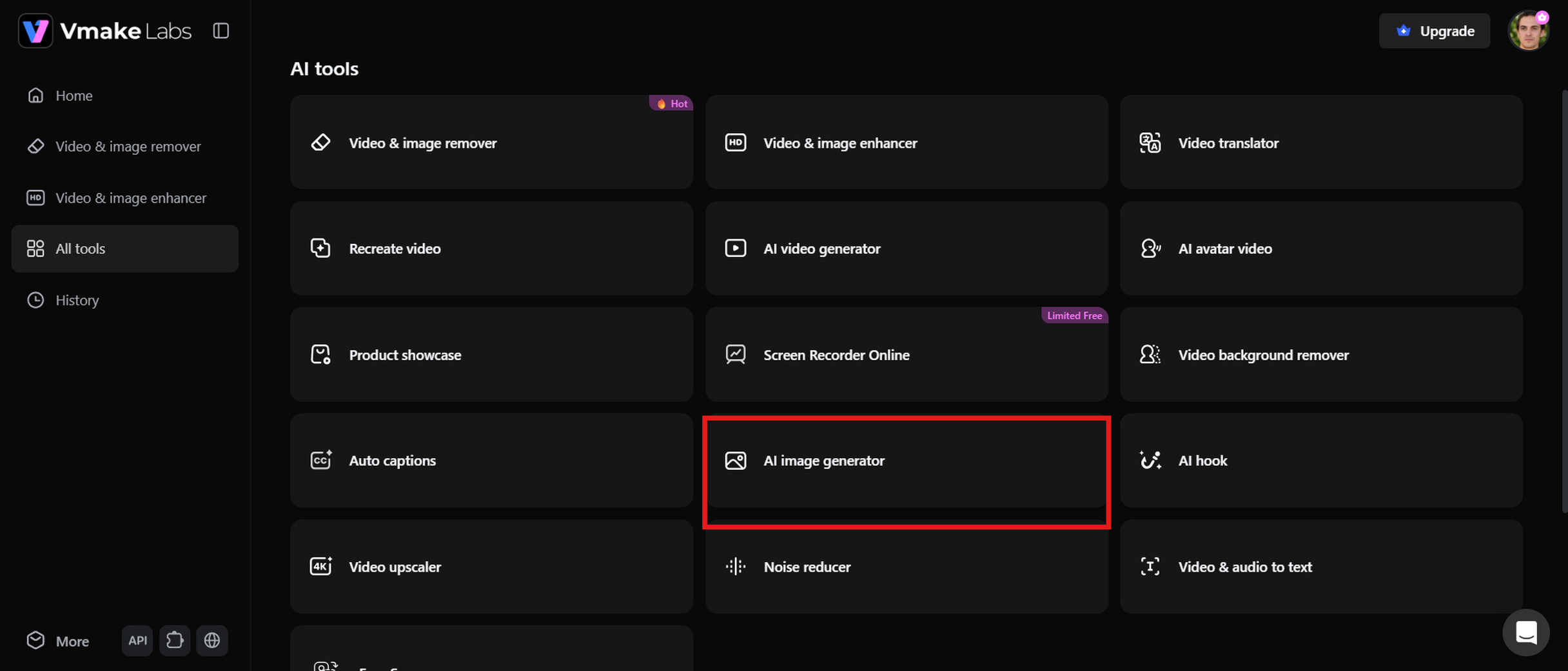
Go to the Vmake Labs dashboard and click the AI image generator from the All Tools page. This opens the image generation workspace, where you can enter a text prompt, choose your preferred settings, and start creating AI-generated images in just a few clicks.
Step 2: Describe your idea or upload a reference image
Enter a detailed text prompt describing the image you want to create, or upload a reference image to guide the AI. You can specify the subject, style, lighting, colours, composition, and aspect ratio to achieve results that closely match your vision.
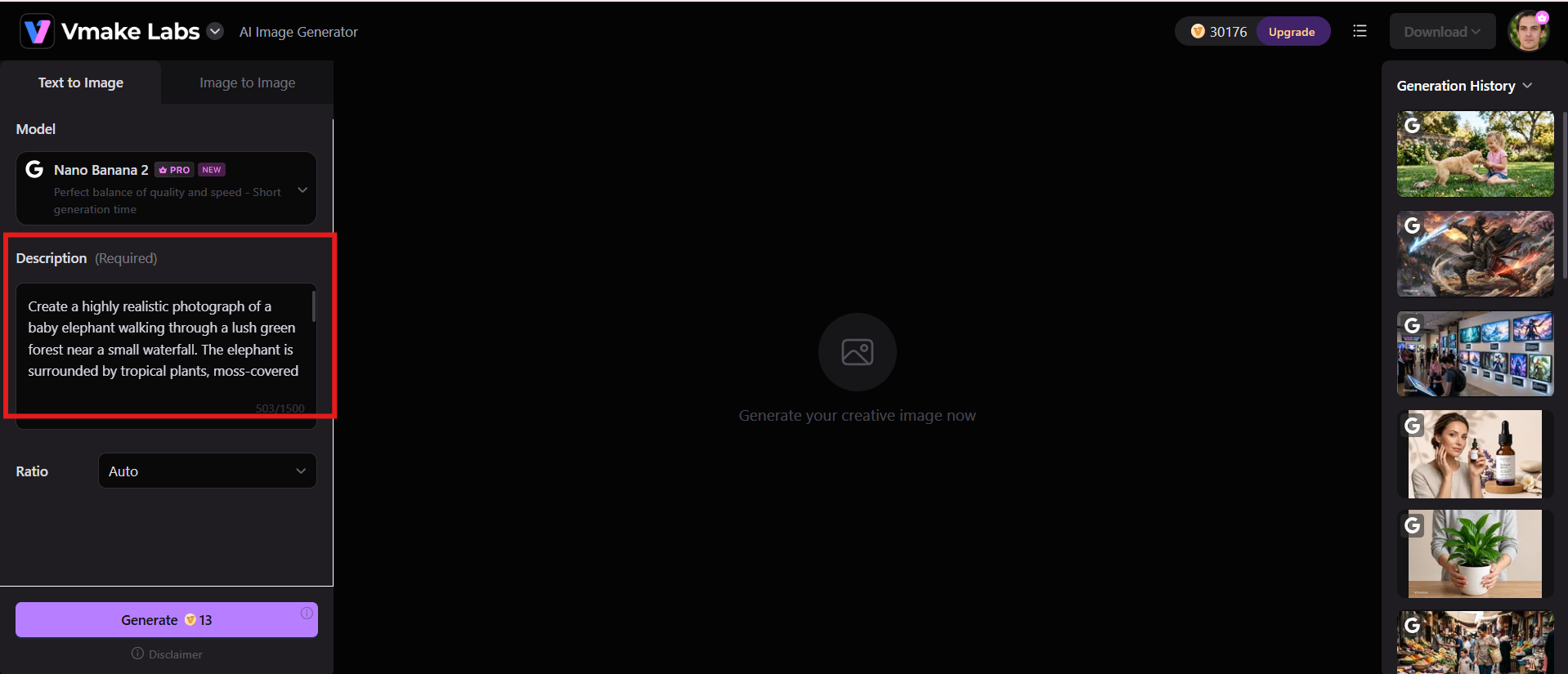
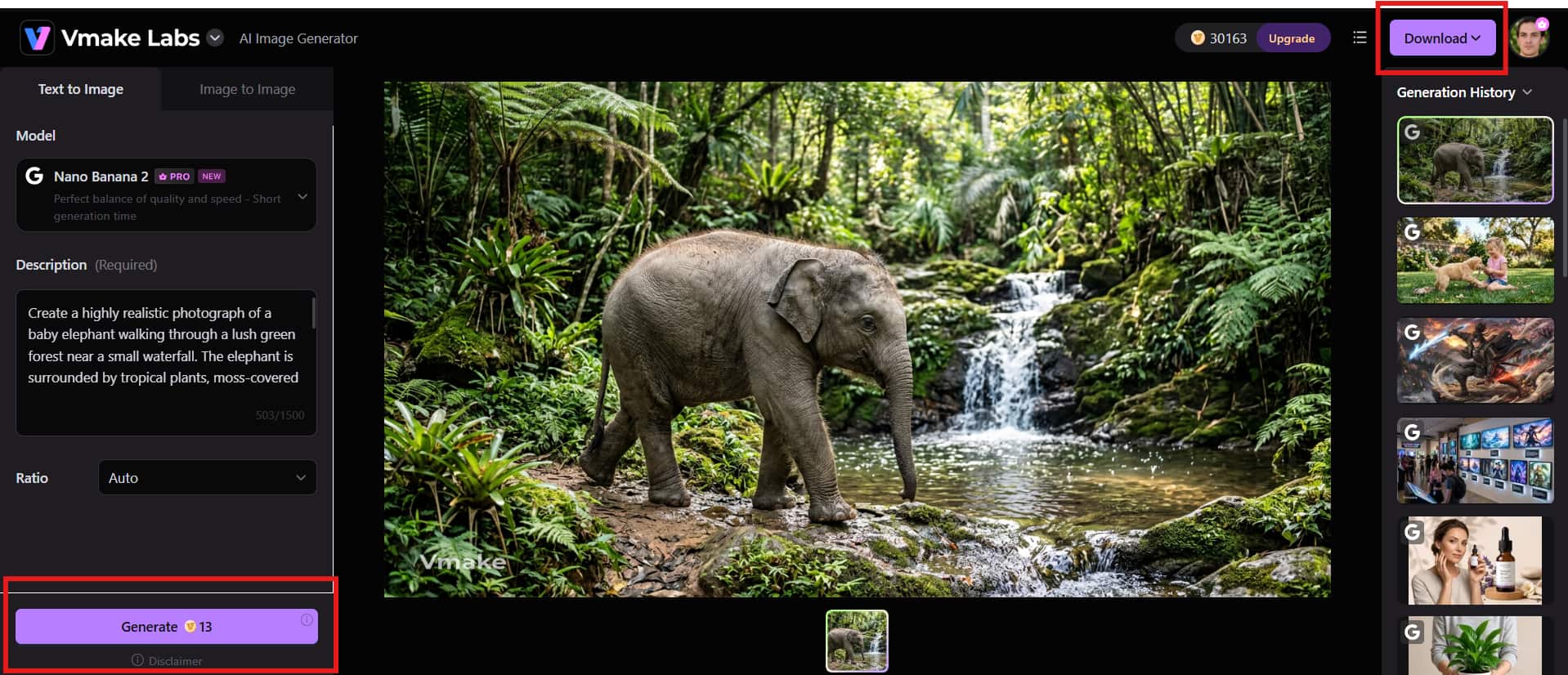
Step 3: Generate and download your image
Click Generate, and Vmake Labs will generate your image in a few moments. Check out the results. If you want, you can regenerate. Download your favourite image in high resolution to use for presentations, marketing materials, websites, or social media.
Why creators choose Vmake Labs
Vmake Labs combines powerful AI models with an easy-to-use interface, making it simple to create high-quality images for both personal and professional projects.
-
Multiple advanced AI image models: Choose from leading AI models to generate images in different styles and creative formats.
-
Text-to-image and image-to-image generation: Create visuals from text prompts or transform existing images with AI.
-
High-resolution AI artwork: Generate sharp, detailed images suitable for websites, marketing, and print.
-
Multiple aspect ratios for every platform: Export images in the right dimensions for social media, ecommerce, presentations, and more.
-
Fast browser-based workflow: Create AI images online without downloading or installing software.
-
Commercial-ready image creation: Produce professional visuals for branding, advertising, product listings, and business use.
-
Beginner-friendly interface: Enjoy a simple workflow that helps both new and experienced creators generate images with ease.
Final checklist: Claude AI vs Vmake Labs image generator
Both Claude AI and Vmake Labs support image-related workflows, but they are built for different purposes. Claude focuses on reasoning, writing, coding, and multimodal assistance, while Vmake Labs is designed specifically for creating high-quality AI images. Comparing their features can help you choose the right tool based on your creative and professional needs.
|
Category |
Claude AI Image Generator |
Vmake Labs Image Generator |
|---|---|---|
|
Primary purpose |
AI assistant for reasoning, writing, coding, and multimodal tasks |
Dedicated AI image creation platform |
|
Image generation |
Available in supported Claude experiences |
Built specifically for AI image generation |
|
Image editing |
Basic visual creation and refinement |
Advanced text-to-image and image-to-image workflows |
|
Ease of use |
Depending on platform availability |
Simple browser-based interface |
|
AI models |
Claude multimodal capabilities |
Multiple leading AI image models |
|
Best use cases |
Writing, coding, research, visual reasoning |
Marketing, ecommerce, social media, creative design |
|
Image quality |
Good for supported image tasks |
Optimised for professional-quality AI images |
|
Commercial content |
Depends on platform and permissions |
Designed for commercial-ready image creation |
Summary
-
Choose Claude AI if you need a versatile assistant primarily focused on writing, coding, and reasoning tasks with basic supporting visual capabilities.
-
Choose Vmake Labs if your primary goal is generating and editing professional, commercial-ready visuals for marketing, e-commerce, or creative design through a dedicated interface.
Conclusion
Claude is an excellent AI assistant for writing, coding, research, and understanding visual content. While it can generate images in supported Claude experiences, its main strength lies in reasoning rather than dedicated image creation. If you need greater creative control, high-quality AI artwork, or commercial-ready visuals, a specialised platform is a better choice. You can also use an AI Image Fixer to restore blurry or low-quality images before enhancing or editing them. Ultimately, the best tool depends on whether your priority is intelligent assistance or professional AI image creation.
FAQs
-
Can Claude generate images directly?
No, Claude cannot natively generate photo-quality raster images (such as PNG or JPEG) like dedicated AI image generators. It can create SVG graphics, simple illustrations, diagrams, and other code-based visuals in supported experiences, and also understand and analyze uploaded images. If you need realistic marketing visuals, product images, or high-quality AI artwork, a dedicated tool such as Vmake Labs image generator is a better choice.
-
Why can't Claude generate images on my account?
Image generation may not be available if your Claude version, workspace, region, or subscription plan does not currently support the feature. Anthropic is gradually expanding image capabilities across different Claude experiences.
-
Can Claude generate images like ChatGPT?
Claude and ChatGPT both offer multimodal capabilities, but their image generation experiences differ depending on the platform and available models. Claude focuses more on reasoning and visual understanding, while dedicated image generation platforms provide broader creative controls for producing AI artwork.
-
Can Claude 3.5 and Claude Opus generate images?
Claude 3.5 and Claude Opus excel at reasoning, text generation, and understanding uploaded images, but they are not designed to generate photo-quality images like DALL·E or other dedicated AI image generators. While they can help create SVG graphics, diagrams, or code-based visuals in supported experiences, producing realistic AI-generated images typically requires a specialized external image generation tool.
-
Is Vmake Labs a better alternative for AI image generation?
If your main goal is creating AI artwork, product images, social media graphics, or marketing visuals, Vmake Labs is a strong alternative. It is built specifically for image creation and offers advanced AI models, flexible generation options, and high-quality outputs suitable for commercial projects.
-
Can I use Vmake Labs to create commercial AI images?
Yes. Vmake Labs helps creators, businesses, marketers, and ecommerce sellers generate professional-quality AI images for commercial use. Before publishing or distributing generated content, it's always a good idea to review the platform's latest licensing terms and commercial usage policy.

You May Be Interested

Raphael AI Image Generator Review 2026: Worth Trying?

Best AI Avatar Generators in 2026 (Compared & Reviewed)

5 Affordable AI Avatar Generators for Small Businesses (Free & Budget Tools)

Canva AI Image Generator Review: Is It Worth It in 2026?

Canva AI Video Generator Review: A Complete Hands-On Test