7 Best AI Headshot Generators for Professional Photos in 2026
Not sure which AI headshot generator actually looks real? We tested the top tools for pricing, realism, and turnaround time, so you can pick the best one for LinkedIn, resumes, or your website in minutes.

AI headshot generators have changed the way professionals market themselves online, with fast, accessible, and affordable high-quality corporate portraits. If you need a fresh photo for LinkedIn, an executive resume or a company directory, these top tools will give you studio-grade results in minutes, without the need for an expensive photographer or studio visit.
How we ranked the best AI headshot generators
To identify the top performers, we evaluated each platform across these criteria:
-
Facial likeness and realism: Does the result still look like the person in the reference photos?
-
Output quality and resolution: Are the generated images sharp enough for LinkedIn, websites, resumes, and print?
-
Number and variety of headshots: How many images, outfits, backgrounds, and styles are available?
-
Speed and turnaround: How quickly can you receive usable results?
-
Pricing and value: How much do you pay for the number and quality of images?
-
Ease of use and customization: How much control you get over background, outfit, and pose?
-
Free tier and refund policy: What you can try before paying, and how easy it is to get your money back if the results miss?
-
Professional use: Is the service particularly suitable for LinkedIn, resumes, company websites, or business branding?
Pricing and package details below come from each vendor's own pricing page, checked in August 2026. Vendors update pricing often, so confirm current numbers before you buy.
Best AI headshot generators at a glance
Review our guide on the best AI headshot generation tool of 2026 to help you pick the one that suits your timeline, budget, and customisation requirements.
|
Tool |
Best For |
Free Option |
Starting Price |
Turnaround |
|---|---|---|---|---|
|
Vmake Labs |
Full creative control & prompt-based custom styling |
Yes |
From $9.99/month |
Under minute |
|
Aragon AI |
Fast professional headshots |
Limited/free tools |
$35 (one-time) |
About 15–45 min |
|
HeadshotPro |
Teams and company-wide rollouts |
Limited |
$29 (one-time) |
About 2 hours |
|
BetterPic |
4K, print-ready output |
Limited |
$35 (one-time) |
About 1–2 hours |
|
Secta AI |
Maximum photo volume and style variety |
No |
$49 (one-time) |
Under 1 hour |
|
Remaker AI |
Free and flexible headshots |
Yes |
Free (Starts from ~$5.99/mo) |
Instant / Under 1 minute |
|
HeadShotMaster |
Completely free headshots |
Yes |
$0 |
Seconds |
7 best AI professional headshot generators: Reviewed
-
Vmake Labs
As a creative studio, Vmake Labs offers a browser-based AI image generator that turns a reference photo into professional headshots through prompts. Upload a selfie, pick a model such as Nano Banana, Seedream, or GPT Image, describe the background, lighting, and attire, then generate results sized for LinkedIn or other platforms. It gives direct control over how closely the output matches your face versus a full restyle, without locking you into fixed templates.
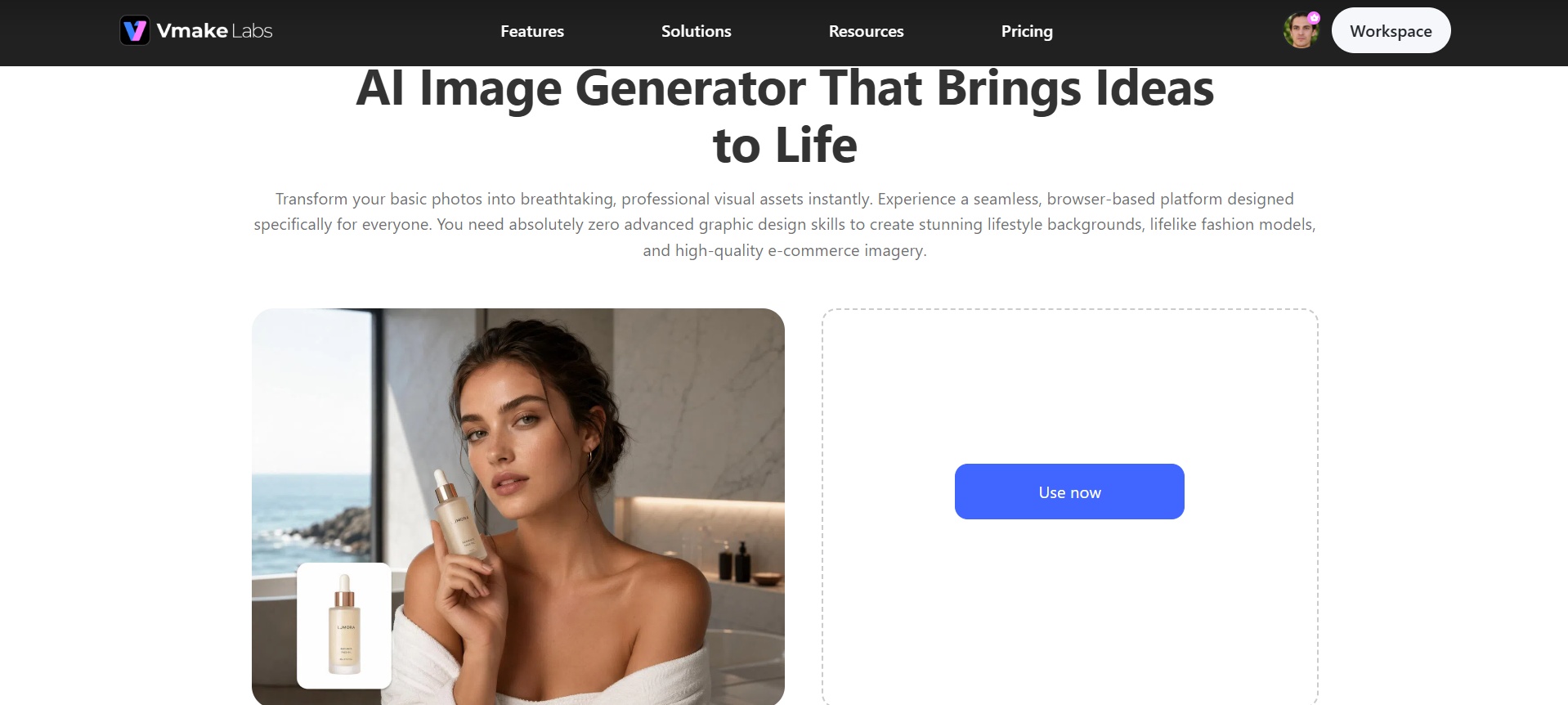
Best for: Flexible professional headshots and prompt-based customization
Pricing: A free tier is available with limited access and a watermark. Paid plans start around $9.99 a month and run on a credit system shared across Vmake Labs full editing suite.
Key features
-
Reference photo upload: Take a good selfie/portrait and use this photo as the base. You have full control on whether you want your face to match the reference exactly (facial features will be preserved) or give more freedom to the AI model.
-
Multiple AI models: Users can choose from multiple AI models, including Nano Banana, Seedream, and GPT Image. The option allows the user to experiment with different models and select the one that produces the most desirable output.
-
Prompt-based styling for background and outfit: Describe the background, lighting, clothing, and overall setting in your prompt. For example, request a neutral gray studio background with a navy blazer instead of relying on preset styles.
-
Multiple aspect ratios for different platforms: It lets the user generate images in different aspect ratios to use as LinkedIn profile pictures, resumes, website images, or other purposes. This feature helps you frame correctly instead of doing repeated cropping on your final picture.
Use cases
-
LinkedIn and professional networking profiles: Upload a casual selfie, prompt for a neutral studio background and business attire, and generate a polished profile photo without booking a photographer. Ideal for job seekers or anyone refreshing an outdated LinkedIn photo.
-
Remote and hybrid team directories: Companies with distributed teams can have each person submit one reference photo and generate headshots with a consistent background and lighting style across the whole team page, without an in-person shoot.
-
Resume and job application photos. Generate a clean, professional portrait quickly, with room to try a few prompts, like blazer versus no blazer or different backdrops, before settling on one.
-
Freelancer and consultant branding. Use the same reference photo with different prompts to generate a more formal shot for LinkedIn, and a warmer one for a personal website in the same session, instead of re-shooting for each platform.
Steps to generate headshots using Vmake Labs
Follow these simple steps to generate professional headshots with Vmake Labs effortlessly.
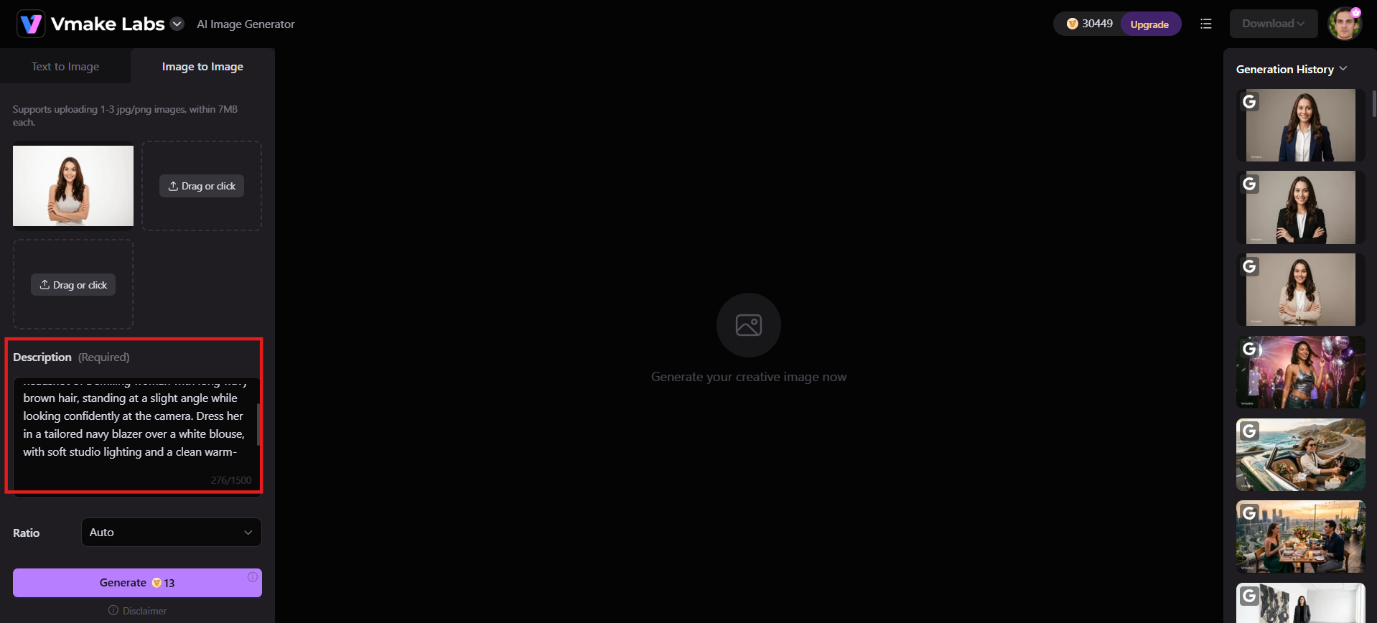
Step 1: Upload image
Navigate to the Vmake Labs AI Image Generator, select the Image to Image option. Upload a clear face photo in JPG or PNG format. A recent, well-lit photo without heavy filters gives the AI the best starting point.
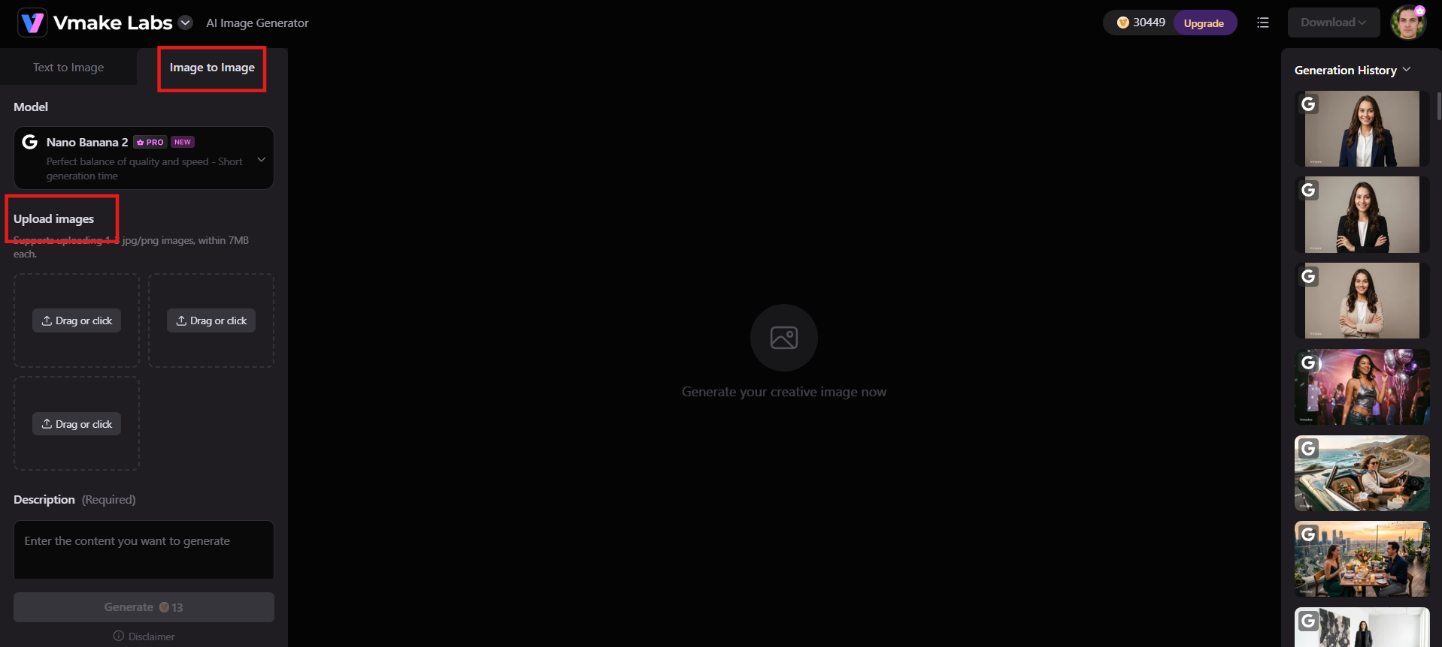
Step 2: Enter prompt and generate
Enter a prompt for the background, outfit, and lighting you want. E.g., a navy blazer with a neutral background. Then select the model, aspect ratio and hit Generate to see your headshots!
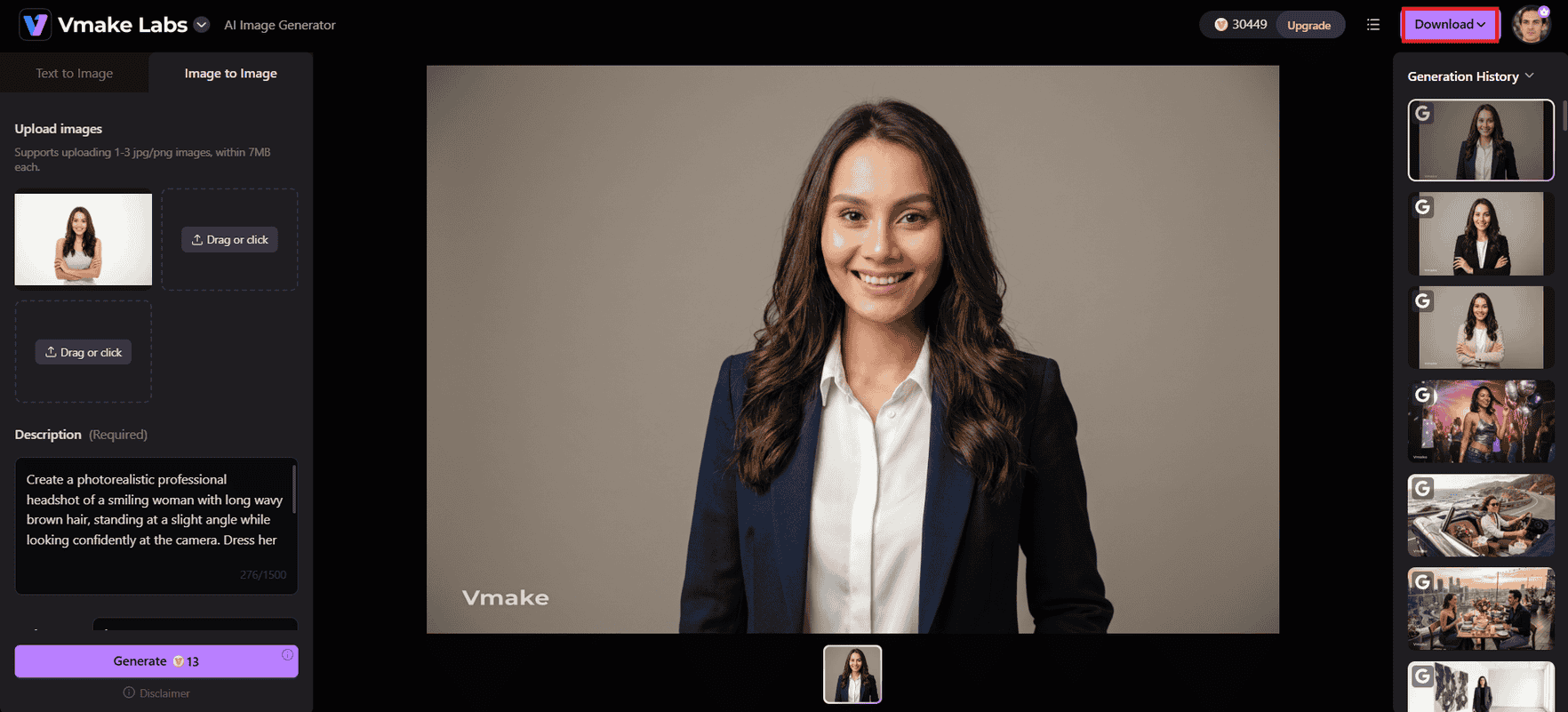
Step 3: Download and use
Review your images and select the best one that looks realistic and accurate, then download the image in high resolution and use it on LinkedIn, your resume, or the team page.
Pros |
Cons |
|---|---|
|
|
-
Aragon AI
Aragon AI is a dedicated professional headshot generator built for speed and professional polish. Upload about six selfies, choose attire and background options, and receive a batch of studio-style portraits, often in under an hour. Higher tiers unlock more styles, faster processing, and higher resolution. It remains one of the strongest options for clean LinkedIn and corporate headshots.
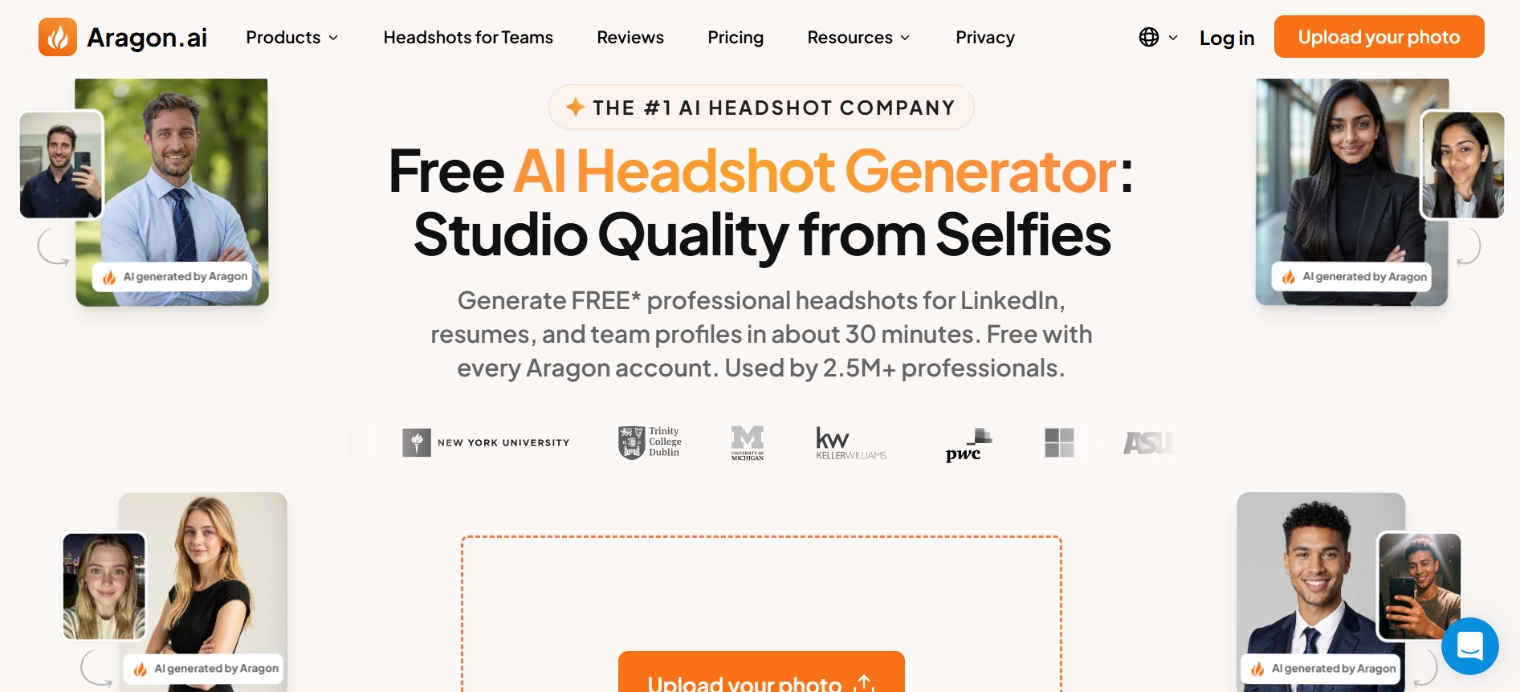
Best for: Professionals and teams who need polished, realistic LinkedIn or business headshots quickly with minimal setup.
Pricing: One-time packages run $35, $45, and $75. Aragon frequently runs promotions that bring those prices down.
Key features
-
Low photo requirement: works well with as few as six clear selfies.
-
Fast turnaround: results in 15–45 minutes depending on the package.
-
Pre-generation controls for attire, backgrounds, and industry look.
-
Remix tool for post-generation edits to background, outfit, or style without full regeneration.
Pros |
Cons |
|---|---|
|
|
-
HeadShotPro
HeadshotPro is built for volume and consistency, which is why it's become the default choice for companies standardizing employee photos across a website or directory. Upload 10 to 15 selfies, pick a style, and the AI trains a model specific to your face before generating a batch within about two hours.
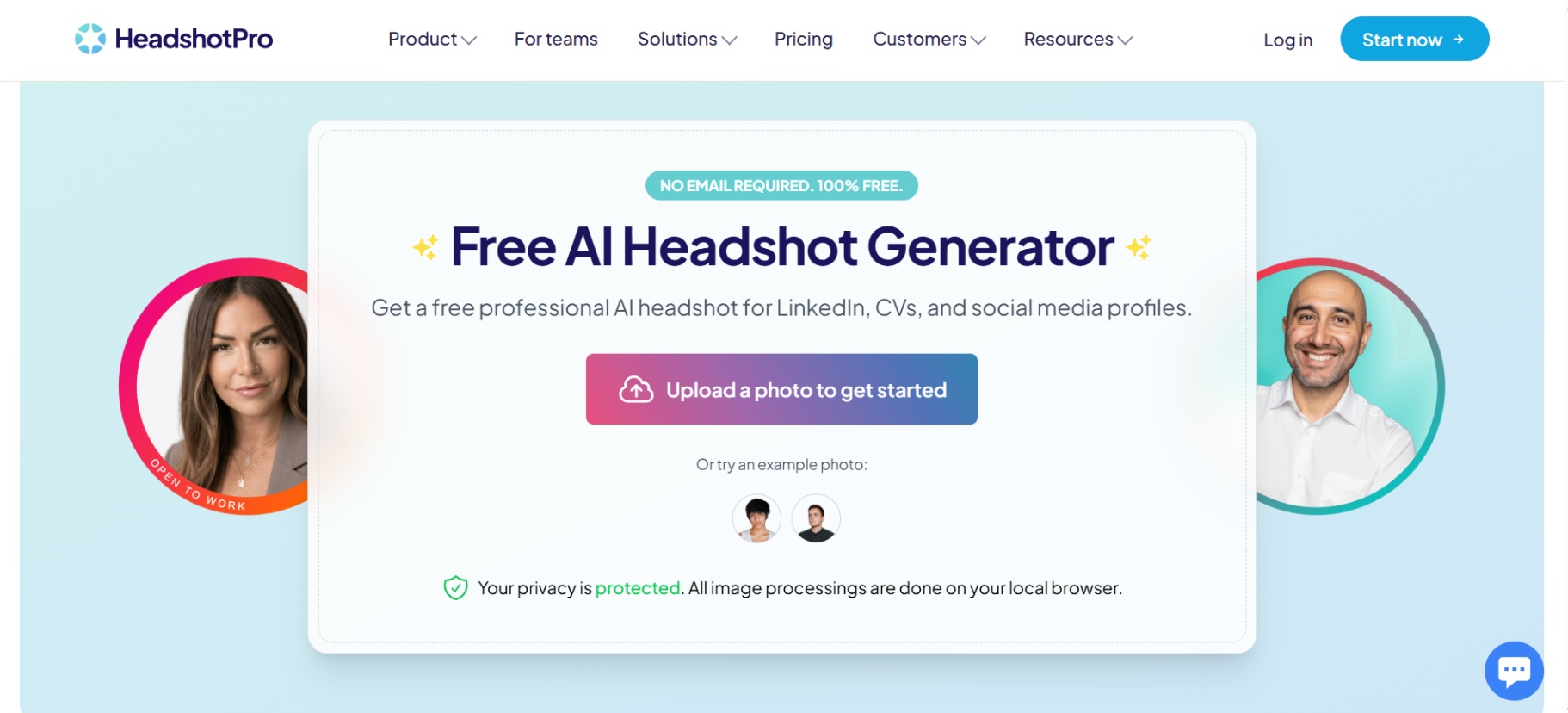
Best for: Teams and businesses that need uniform headshots across dozens or hundreds of employees.
Pricing: Individual plans start at $29 for 30 headshots, $39 for 50, and $59 for 70, all one-time payments. Team pricing runs about $39 per person, with a 20% discount for groups of five or more.
Key features
-
Over 300 backdrop and outfit combinations to choose from.
-
Team dashboard for coordinating consistent styles across an entire company.
-
SOC 2 data safeguards, which matters for a company-wide rollout that needs security approval.
-
"Profile-Worthy" money-back guarantee if you haven't downloaded any images from your order.
Pros |
Cons |
|---|---|
|
|
-
BetterPic
BetterPic competes on resolution and editorial control, two things most competitors treat as an afterthought. Every plan ships at 4K, and the top tier adds a human editor who retouches your chosen final image by hand. If your headshot needs to hold up when printed or displayed larger than a thumbnail, that combination matters.
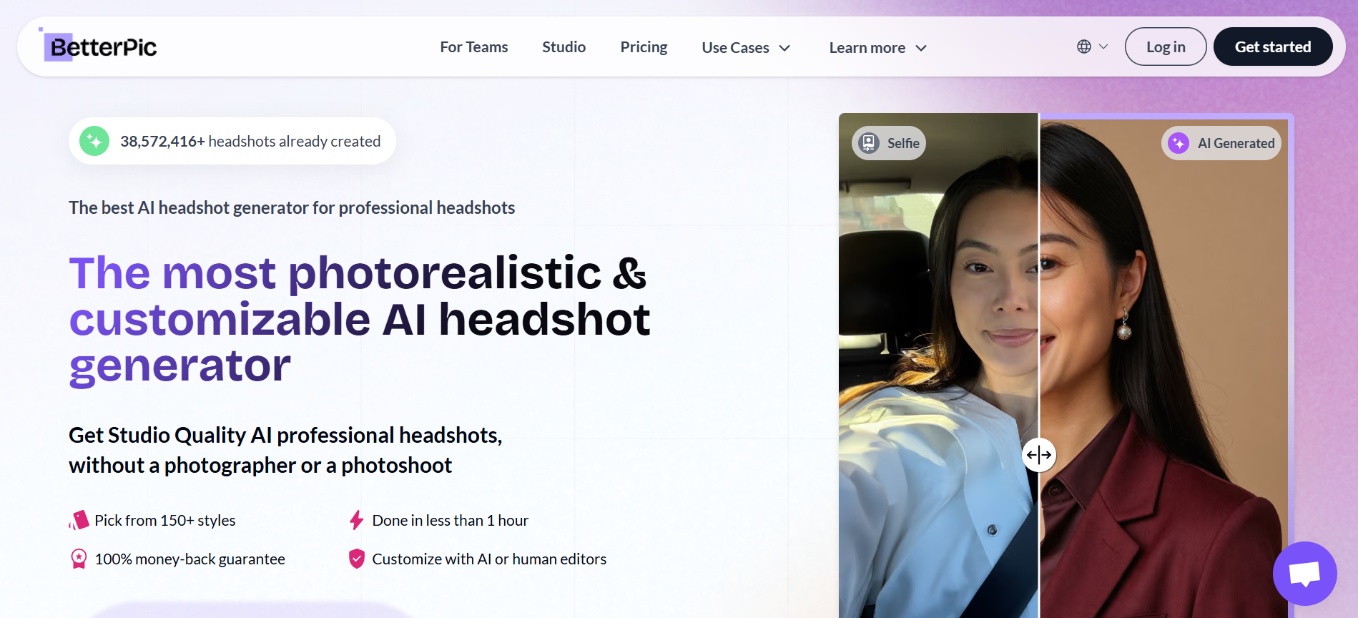
Best for: Individuals who prioritize high-resolution, realistic skin texture and print-ready files over pure volume.
Pricing: One-time packages: Basic around $35 (20 headshots, 4K), Pro around $39 (60 headshots), Expert around $79 (120 headshots). All include a commercial license. Team options available.
Key features
-
4K resolution standard on every tier, not an upsell.
-
Human retouching option on the Expert plan.
-
Pre-flags problematic uploads (blurry shots, group photos, sunglasses) before processing starts.
-
Full commercial usage license on Pro and Expert tiers.
Pros |
Cons |
|---|---|
|
|
-
Secta AI
Secta AI generates high-volume professional headshots, often 300+ images, from a larger set of source photos. Results typically arrive in under an hour and include strong post-generation Remix tools that let you change outfits, backgrounds, expressions, and lighting on individual shots without starting over. It also supports team branding and consistent styling across multiple people.
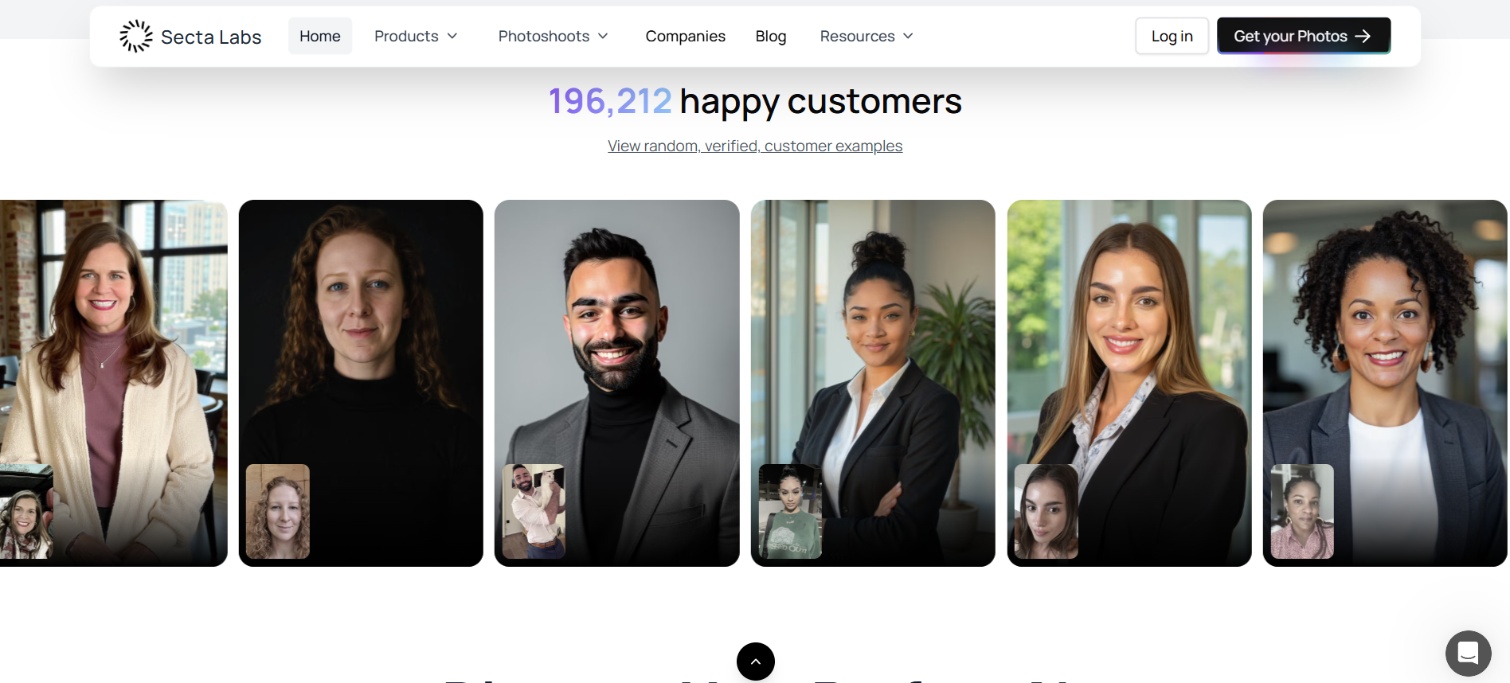
Best for: People who want maximum choice and don't mind spending time curating a large batch.
Pricing: Around $49 one-time for 300-plus headshots.
Key features
-
Remix suite that swaps backgrounds, outfits, and expressions on a generated photo without restarting the process.
-
90-plus style presets spanning studio, outdoor, and office looks.
-
Team dashboard, brand kit options, and automated onboarding.
-
30-day money-back guarantee.
Pros and cons
Pros |
Cons |
|---|---|
|
|
-
Remaker AI
Remaker AI is a broader browser-based image toolkit that includes a solid AI headshot generator. Upload 1–4 clear selfies, choose a mode or style, and get professional-looking portraits in minutes. It runs on a flexible credit system rather than fixed packages, so you pay only for what you use and credits do not expire.
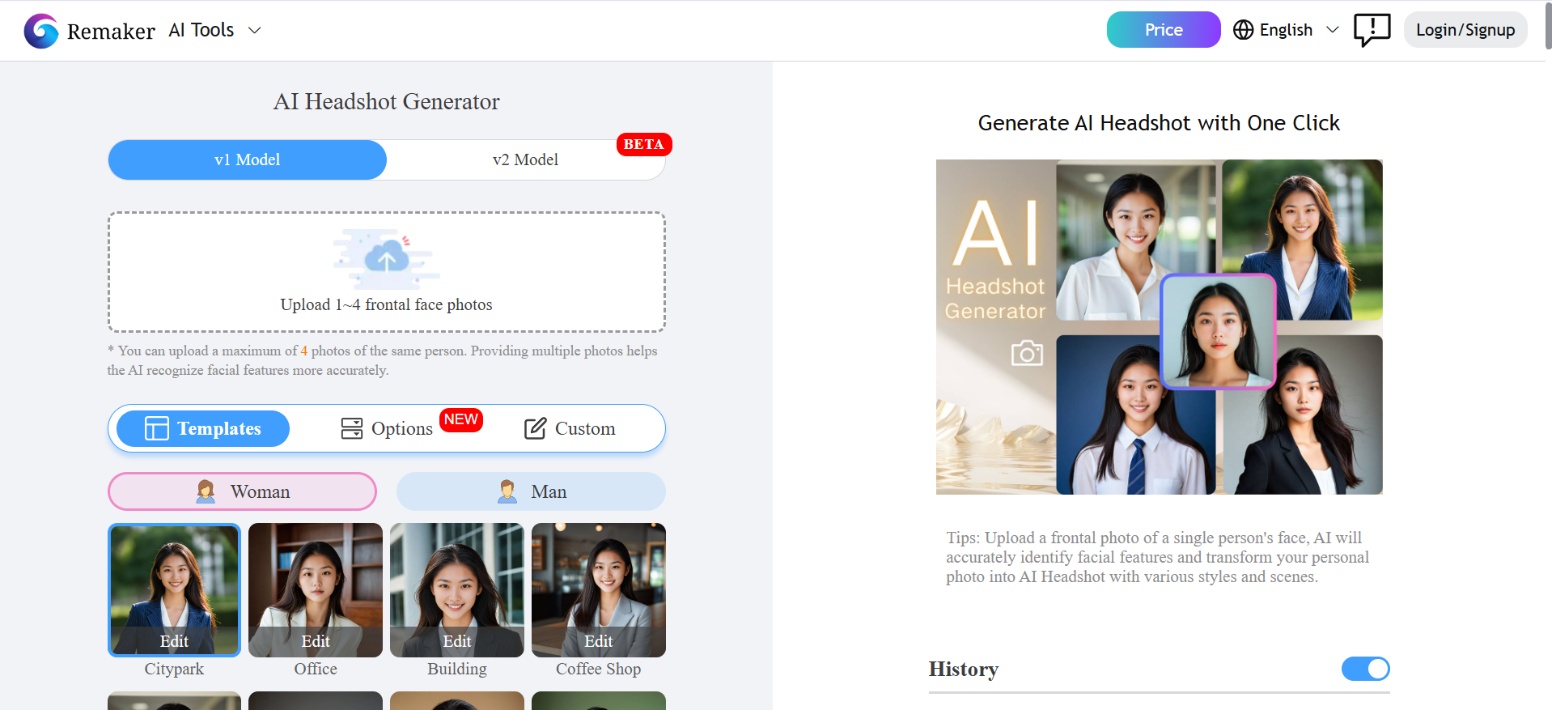
Best for: Casual users, quick social media profile updates, and fast face-swap edits.
Pricing: Free credits on signup plus a small daily allowance. Paid credit packs start around $6 for 200 credits and scale up (e.g., $10 for 530, $20 for 1,100).
Key features:
-
Low photo requirement (1–4 selfies).
-
V1 and V2 model options trading speed for realism.
-
Bundled tools for background removal, upscaling, and watermark removal.
-
Uploaded photos are deleted after about a day.
Pros and cons
Pros |
Cons |
|---|---|
|
|
-
HeadShotMaster
HeadshotMaster offers one of the simplest free entry points. Upload a single photo and receive professional-style headshots in seconds to under a minute, often without creating an account. Quality is more variable than paid dedicated tools, but it works well for quick experiments or basic profile needs. Thus, making it the best free AI headshot generator.
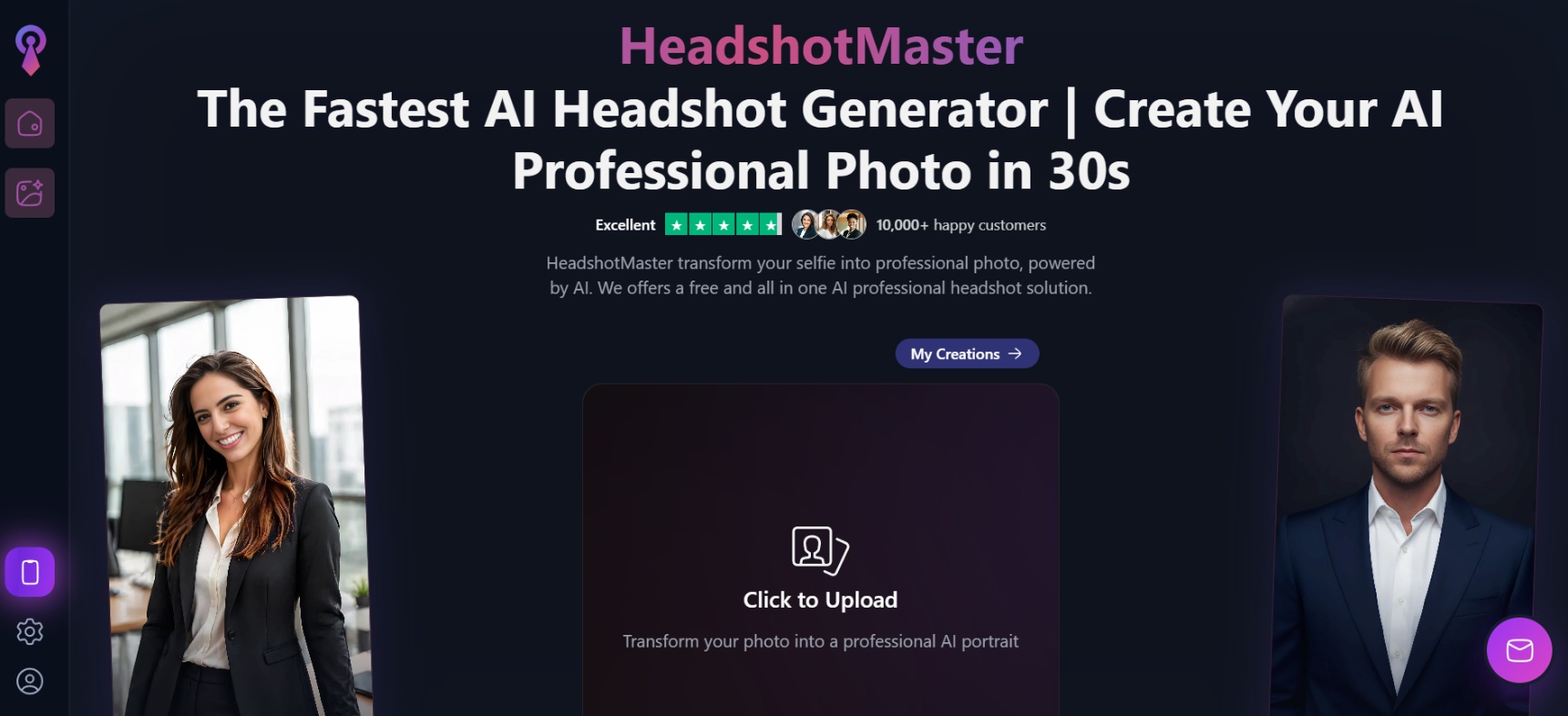
Best for: Job applicants, students, or freelancers needing a fast, low-cost portrait upgrade.
Pricing: Free basic generation available (often no signup required for limited use). One-time packages start at $9.99.
Key features
-
No account or signup required to generate a basic headshot.
-
Extremely fast turnaround (seconds to under a minute).
-
Offers varied aesthetic options, including corporate, studio, and creative branding choices suitable for LinkedIn or resumes.
-
Easily upload and download photos directly from your phone.
Pros and cons
Pros |
Cons |
|---|---|
|
Truly free basic generation with little or no signup required Good for experimenting before spending money on dedicated services Multiple professional style presets available |
Realism and facial likeness are less consistent than paid tools Not ideal as a final source for high-stakes professional use (LinkedIn executive profiles, print, etc.) |
How to choose the best AI headshot generator for you
Pick the tool that matches how you will actually use the photos. Focus on five practical factors rather than chasing the highest marketing claim.
-
Individual vs team: If you need one personal headshot, any of the individual packages work. Teams benefit more from tools with shared style presets, admin dashboards, bulk invites, and volume pricing, so every photo looks consistent across the company site or directory.
-
Budget: Free or credit-based options (Vmake Labs, Remaker, HeadshotMaster) let you test results with little risk. One-time packages in the $29–$59 range cover most professional needs. Higher-priced tiers mainly buy more images, faster delivery, or extra editing credits.
-
Need for speed vs maximum realism: Choose Aragon or HeadshotPro when you need results the same day. BetterPic and the higher tiers of several tools lean toward stronger photorealism and 4K output when the final image is examined closely or printed.
-
Volume of images needed: If you only need two or three strong keepers, a smaller package is enough. Secta and some higher plans deliver 100–300+ images, which is useful when you want many style variations or multiple people from the same shoot.
-
Importance of exact facial likeness: When the photo must look unmistakably like you, prioritize tools known for strong face fidelity and upload several clear, well-lit selfies from different angles. Prompt-based tools like Vmake Labs also let you dial likeness up or down after seeing the first results.
Tips for getting the most realistic AI headshots
A great AI headshot starts before you open the app. A few habits in how you prepare and use these tools make a real difference.
-
Upload clear, high-quality photos: Use sharp, well-lit images with even lighting and no heavy filters or sunglasses. Blurry or dark photos force the AI to invent details, which usually reduces realism and facial accuracy.
-
Use natural facial expressions: Keep a relaxed, neutral, or lightly smiling expression. Forced grins or extreme poses often produce unnatural results. A calm, everyday look translates more cleanly into a professional headshot.
-
Provide multiple angles: If the tool accepts more than one photo, include front-facing shots plus slight side angles. Extra views help the model lock onto your actual face shape, hairline, and distinctive features.
-
Generate multiple variations: Run more than one batch or try different prompts and styles. Realism improves when you can compare options and pick the image that best matches your face rather than settling for the first output.
Conclusion
The best AI headshot generator depends on what matters most to you. Vmake Labs gives you the most control, since you write the prompt for background, outfit, and AI model instead of picking from a template. Aragon delivers the fastest batch. HeadshotPro handles individuals and full teams from the same dashboard. BetterPic ships every headshot at 4K and adds a human retouch on its top tier. Secta AI hands you the largest set of options to sort through. Remaker AI and HeadShotMaster let you test the category for free before paying for anything.
If you want to try different AI models, outfits, backgrounds, and portrait styles starting from one reference photo, Vmake Labs is worth starting with.
FAQs
What is the best AI headshot generator in 2026?
There isn't one universal winner. Vmake Labs is a strong option for flexible, prompt-based generation, Aragon for speed, BetterPic for 4K value, Secta AI for large image collections, and HeadShotMaster for free generation.
How many photos do I need to upload for good results?
It varies by tool. Remaker AI and HeadShotMaster work with a single photo. BetterPic asks for 8 to 14 specific shots. Secta AI asks for 20 to 50. More varied, well-lit photos generally produce a more accurate likeness, regardless of the tool's minimum.
What is the best AI headshot generator for LinkedIn?
Aragon, HeadshotPro, BetterPic, and Vmake Labs all produce clean LinkedIn-ready headshots. Pick Aragon or HeadshotPro for speed and polish, BetterPic for higher resolution, or Vmake Labs when you want prompt-level control over the final look.
How realistic are AI-generated headshots?
Quality varies widely by tool and by how many source photos you provide. Paid tools that train a model on 8 or more of your photos, like BetterPic, HeadshotPro, and Aragon, tend to produce more accurate likenesses than free single-photo tools like HeadShotMaster.
Are my uploaded photos private and secure?
Most paid tools in this list delete source photos automatically after a set period, commonly around 30 days, and several publish SOC 2 or equivalent standards. Check each vendor's current privacy policy before uploading anything.

You May Be Interested
5 Affordable AI Avatar Generators for Small Businesses (Free & Budget Tools)

Best AI Animation Generators for Creating Images and Videos

Best AI Avatar Generators in 2026 (Compared & Reviewed)

11 Best Image to Video AI Generators Compared in 2026
How to Prompt Image Generators: Write Better AI Image Prompts