30 Album Cover Ideas to Inspire Your Next Music Release
Looking for album cover ideas that stand out? Explore creative, cool, aesthetic, and genre-specific album cover design ideas, then generate professional artwork in seconds with AI. Perfect for independent artists and producers.


Your album cover is the first thing most listeners see. On Spotify and Apple Music it often appears as a tiny square. If it fails to register in that split second, the track gets skipped. A clear cover builds recognition, signals the mood of the music, and raises the odds someone clicks or adds it to a playlist. Explore these album cover ideas to find inspiration and create artwork that matches your sound.
Why album cover design matters in the streaming era
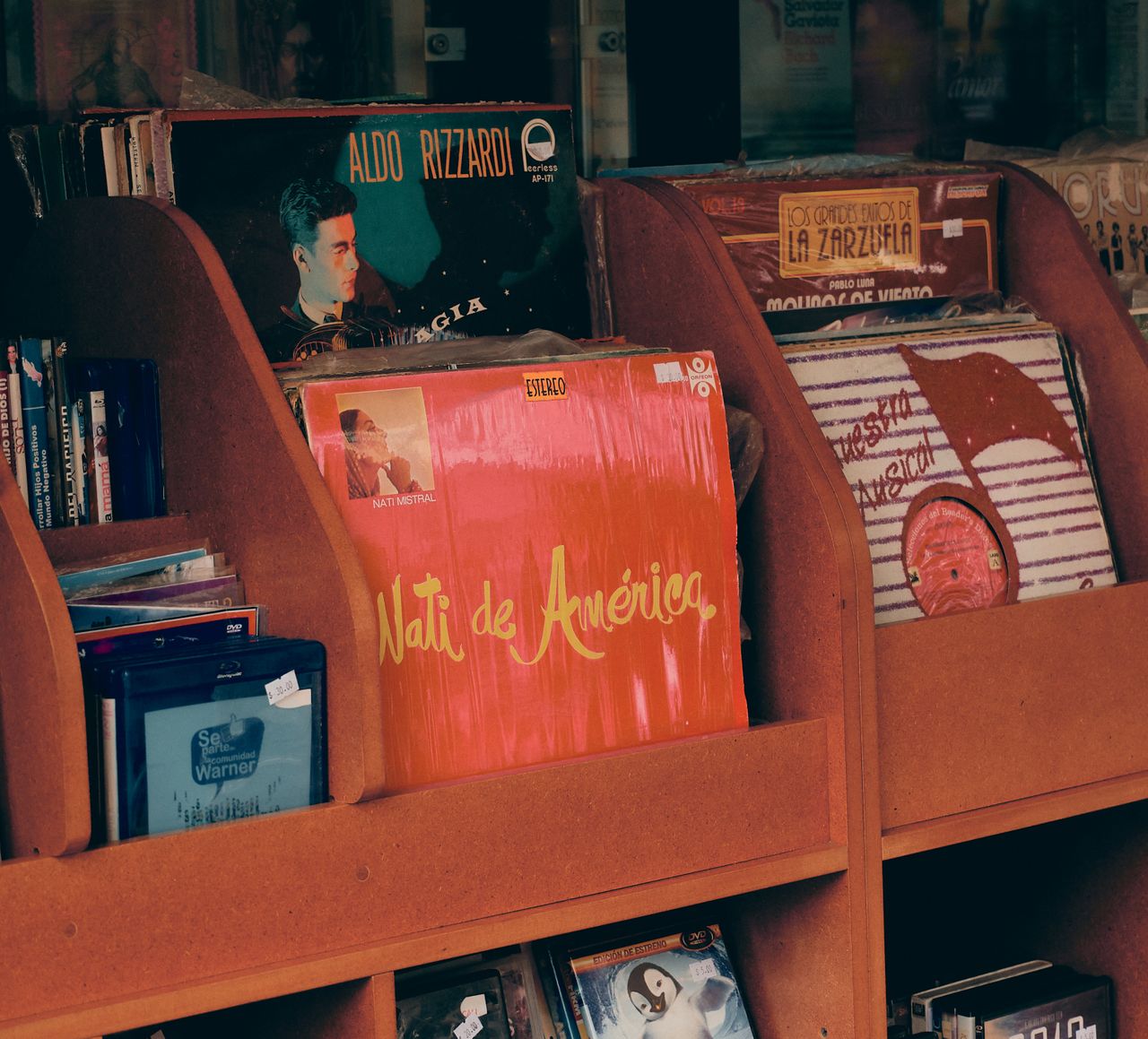
In digital streaming, album art acts as the crucial visual hook driving listener attention, brand recognition, and streaming conversions.
-
Visibility on small thumbnails
Most listeners never see your cover at full size. They see it as a 40x40 pixel square in a Spotify queue, an Apple Music search result, or a playlist grid next to a dozen others. If the composition doesn't hold up that small, it disappears before anyone reads the title.
-
Branding & psychology
The cover acts as an immediate visual handshake, establishing the artist's aesthetic persona and setting emotional expectations before a single note plays. Consistent visual styling across releases builds instant recognition and long-term brand equity.
-
Click-throughs & playlist adds
On streaming platforms, the artwork sits right next to the play button. A cover that stands out in a crowded feed earns more clicks, and a cover that looks professional makes curators more likely to add a track to an editorial or algorithmic playlist.
Essential design principles for standout album covers
A cover that looks great on a laptop can still fail on a phone screen. Before you pick a concept, get these fundamentals right.
-
Reflect the music's vibe and genre: The artwork should tell a listener what they're about to hear before they press play.
-
Prioritize readability: The artist's name and title need to read clearly at full size and at thumbnail size.
-
Use negative space and strong composition: One clear focal point beats a crowded frame every time.
-
Match color to mood: Warm tones read differently than cold ones. Pick a palette that supports the feeling of the record.
-
Optimize for digital platforms: Design in a square format and check how it scales down before you finalize anything.
30 creative album cover ideas to try
Different genres call for different visual languages. A rap cover needs weight and grit. A bedroom pop release needs warmth. Here are 30 album cover ideas grouped by genre, aesthetic, and platform, so you can find the direction that fits your sound.
Album cover design ideas by genre
Different genres speak different visual languages. A rap cover needs boldness and grit. Indie favors space and texture. Pop demands color and gloss. Match the look to the sound.
Rap and hip-hop album cover ideas
Rap and hip-hop covers work best when they carry weight and grit. Strong lighting, symbolic objects, and gritty textures say more about the artist's story than a clean studio portrait ever could. The strongest examples pull from the artist's own world instead of a generic backdrop.
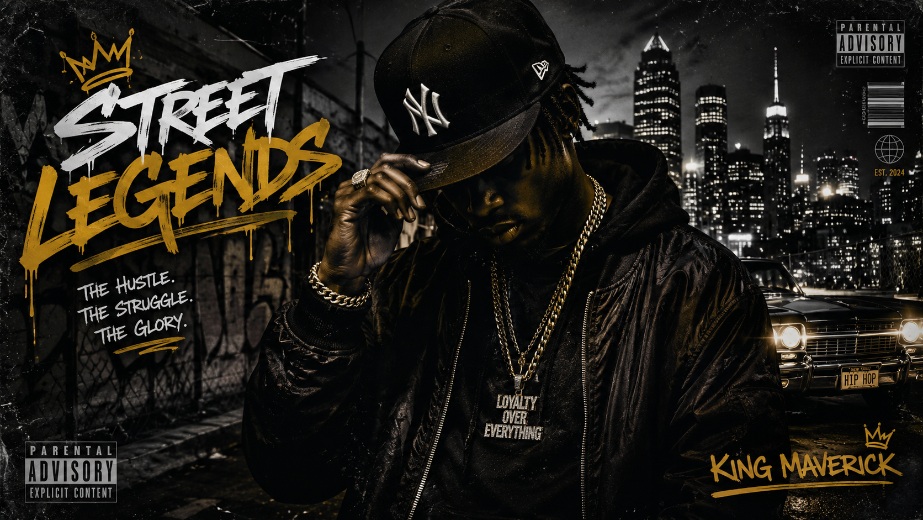
Design ideas:
-
Single streetlight portrait with cracked pavement texture and a chain-link shadow across the frame
-
A symbolic object standing in for the artist, like a chain, keys, or a mic under dramatic side light
-
Hand-styled graffiti lettering across a brick wall instead of a photo
-
A silhouette lit by one neon sign with smoke curling through the frame
Pro tip: tie the object or setting directly to a line in the lyrics, so the cover reads as part of the story, not decoration.
Rock and indie album cover ideas
Rock and indie covers lean into texture, empty space, and a little imperfection. The goal isn't polish, it's mood, so raw film grain and off-center framing almost always beat a clean, symmetrical, well-lit studio shot. Leave room for the frame to breathe instead of filling every inch.
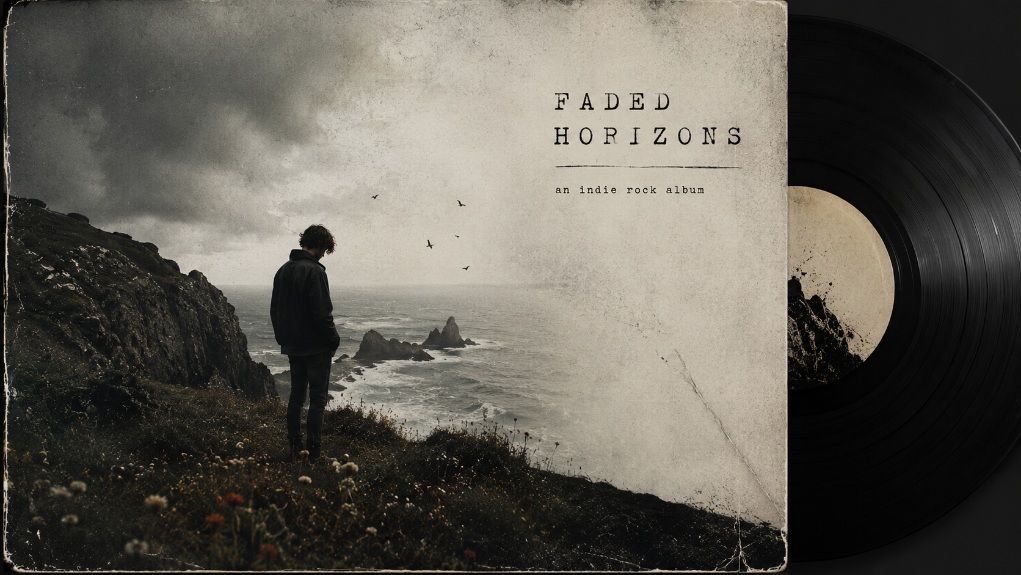
Design ideas:
-
An off-center band shot with the rest of the frame left as open sky or wall
-
Analog 35mm film, slightly underexposed, with no digital retouching
-
A cracked guitar body or worn drum skin filling the frame instead of a face
-
A single photo torn apart and reassembled at odd angles
Pro tip: asymmetric composition and negative space create a mood without adding visual noise.
Pop and dance album cover ideas
Pop and dance covers need to grab attention fast. Glossy textures, bold saturated color, and a touch of sci-fi surrealism give listeners something sharp enough to stop an endless scroll. Precision matters here, since a slightly muddy render reads as amateur instantly.
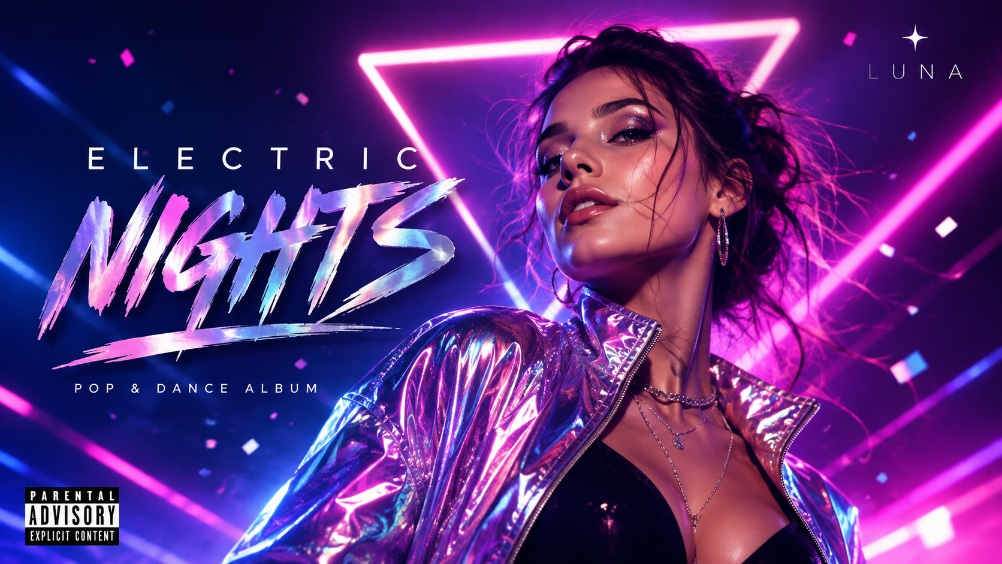
Design ideas:
-
A molten metallic finish on the artist against one saturated color
-
An iridescent, holographic gradient with sharp, product-style lighting
-
A retrofuturist set built from acrylic panels and colored gel lighting
-
The artist shrunk next to a giant everyday object, like lipstick or disco ball, for scale contrast
Pro tip: color blocking and symmetry help artwork pop in grid layouts like Spotify and Apple Music home screens.
Lo-fi and bedroom pop album cover ideas
Lo-fi and bedroom pop covers should feel personal, closer to a scrapbook page than a full photoshoot. Handwritten notes, soft window light, and worn textures make the artwork feel like it belongs to one person. A little rawness reads as honesty here, not a mistake to fix.
Design ideas:
-
A single Polaroid with a white border and a handwritten caption
-
A photo layered with scribbled doodles, arrows, and notes
-
Soft, uneven window light with visible dust in the air
-
A worn cassette label built out as the entire cover instead of a portrait
Pro tip: lean into imperfection. A slightly crooked scan or a visible fingerprint reads as authentic, not sloppy.
Aesthetic album cover ideas
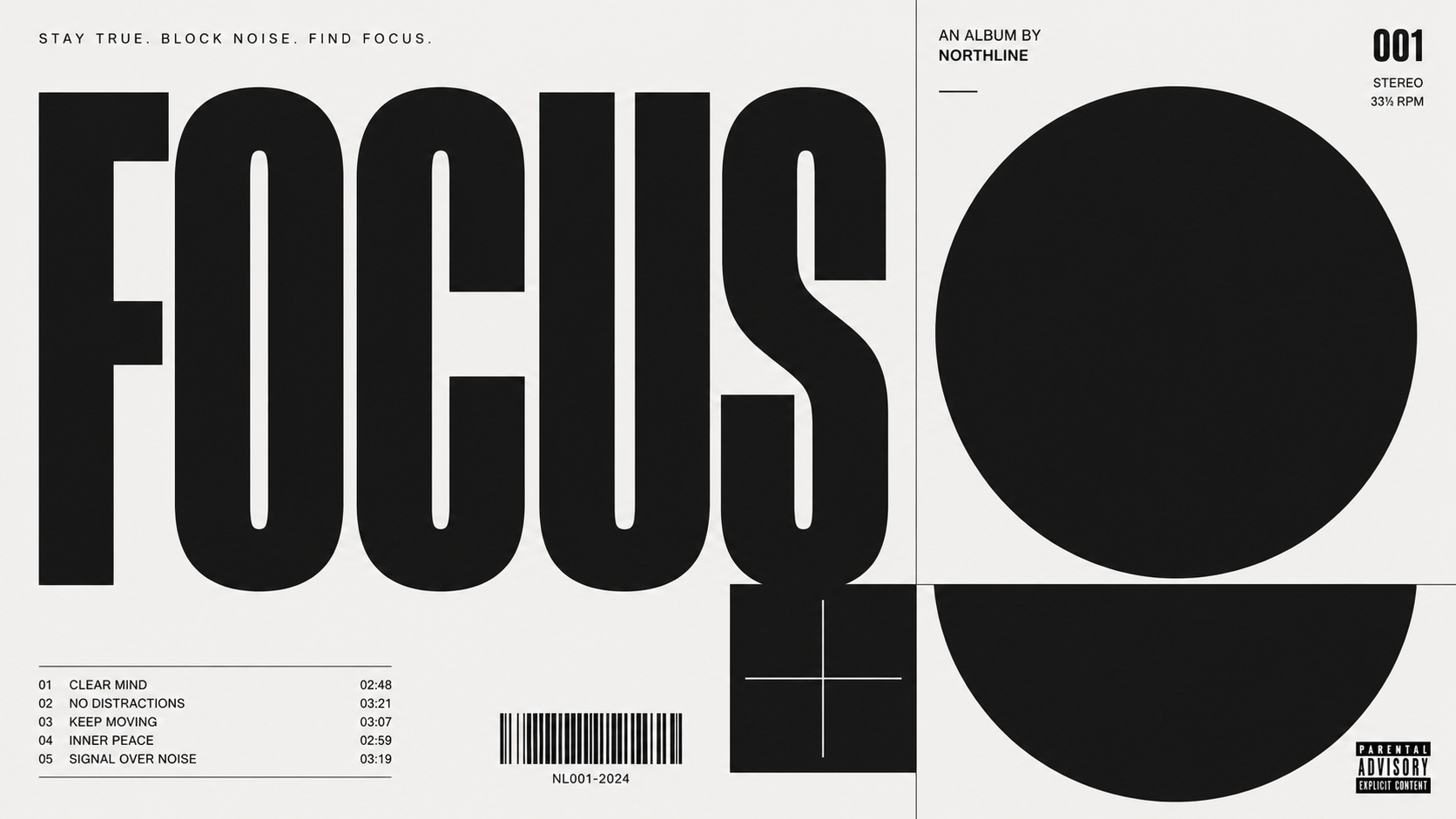
These directions work across genres for artists who want the artwork to carry the mood on its own, without leaning on a portrait or a literal scene tied to the music. They suit artists building a cover that stands as its own visual identity.
-
A single bold word in one typeface on a plain color field
-
Warm color cast, light leaks, and a faded frame edge for a vintage film look
-
A surreal, impossible scale, like a person standing on a cloud or a door floating in the ocean
-
A strict grid collage of nine or twelve small images, each a different color or mood
-
Bubble fonts, metallic gradients, and pixelated star graphics for a Y2K look
Pro tip: pick one aesthetic and carry it across singles, not just the album, so your whole catalog reads as one body of work.
Cool and creative concept ideas
These concepts suit artists who want the cover to feel like a bold statement rather than a straightforward photo. Each idea centers on one strong choice instead of stacking several competing elements together at once. Restraint is what makes the single idea land instead of getting lost.
Design ideas:
-
A plain, close, unfiltered self-portrait with no props or set
-
A single object from the lyrics, like a key, a letter, or a broken clock, shot as the whole cover
-
The frame split into two flat colors with the subject crossing the seam
-
A clean photo interrupted by digital distortion, scan lines, or an RGB split
Pro tip: pick one concept and commit to it fully. A cover that mixes three ideas usually reads as none of them.
Spotify album cover ideas
These directions are all built to survive the smallest version of your cover, the tiny 40x40 pixel thumbnail size. Every idea here still reads clearly, even when it's sitting inside a busy, crowded playlist grid. Test each one small before you commit to a final file.
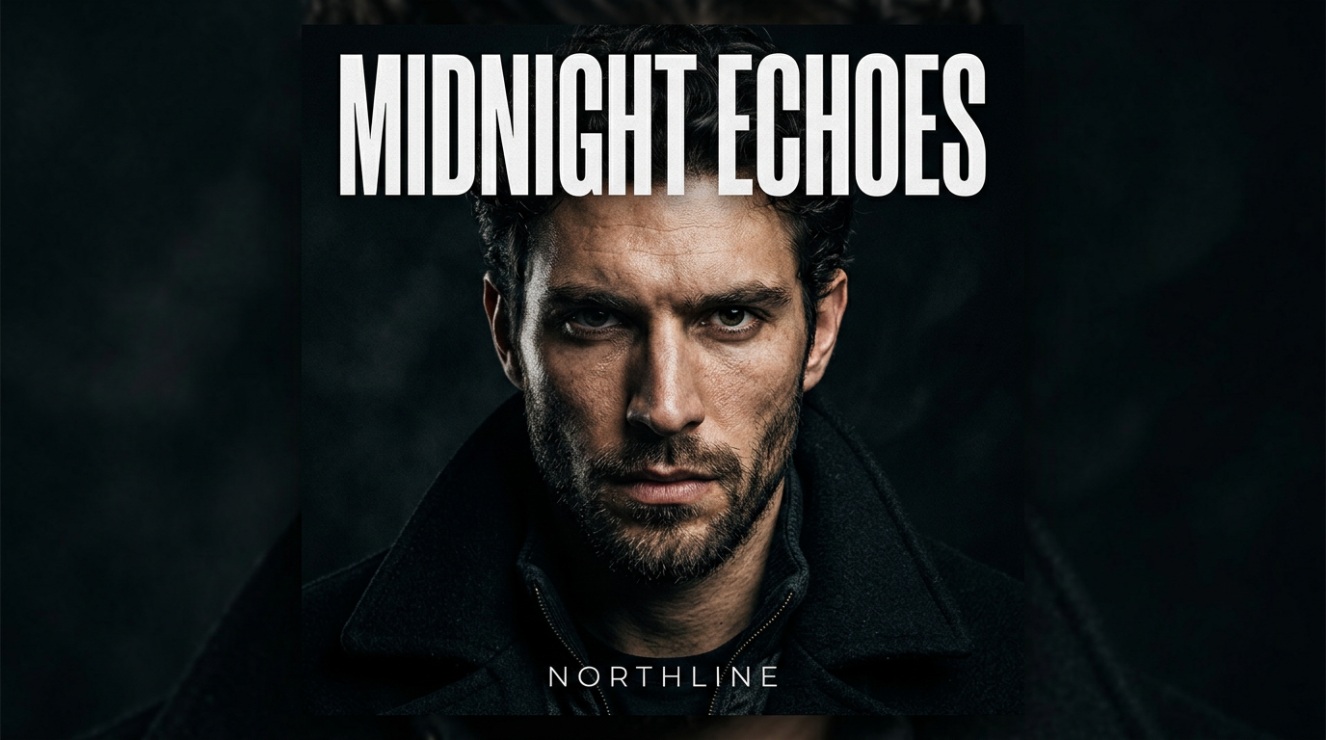
Design ideas:
-
A single face or object filling the frame so it still reads at thumbnail size
-
Two colors with sharp edges and the subject clearly separated from the background
-
The title set huge, filling most of the frame, with the artist's name small underneath
-
A repeatable shape, color, or frame style used across singles
-
A design built to tile or loop cleanly for Spotify's animated canvas feature
Pro tip: preview every concept at actual thumbnail size before you finalize it. What works at full screen doesn't always survive the shrink.
A note on Spotify canvas
Spotify Canvas is a separate asset from your static album cover, a short 3–8-second vertical (9:16) looping video that plays behind a track on mobile. It's not part of the square cover art file and has to be created and uploaded separately. Check Spotify's current Canvas specs before submitting one.
How to design your own album cover with Vmake Labs
You don't need a designer or a photo shoot to get cover art that looks professional. Vmake Labs is an AI social video studio built for creators, and its AI image generator turns a text description, or an existing photo, into finished artwork. The tool supports multiple generation modes and models to choose from, lets you upload one to three reference images to guide the output, and offers aspect ratio selection to match your platform's format. Download your result once you're satisfied, and check it against your platform's specific resolution and format requirements before uploading, since these vary by service. Here's how the process works.
Steps to design album covers with AI
AI makes album cover creation faster by turning your ideas into polished visuals. Follow these simple steps to transform your music concept into professional artwork.
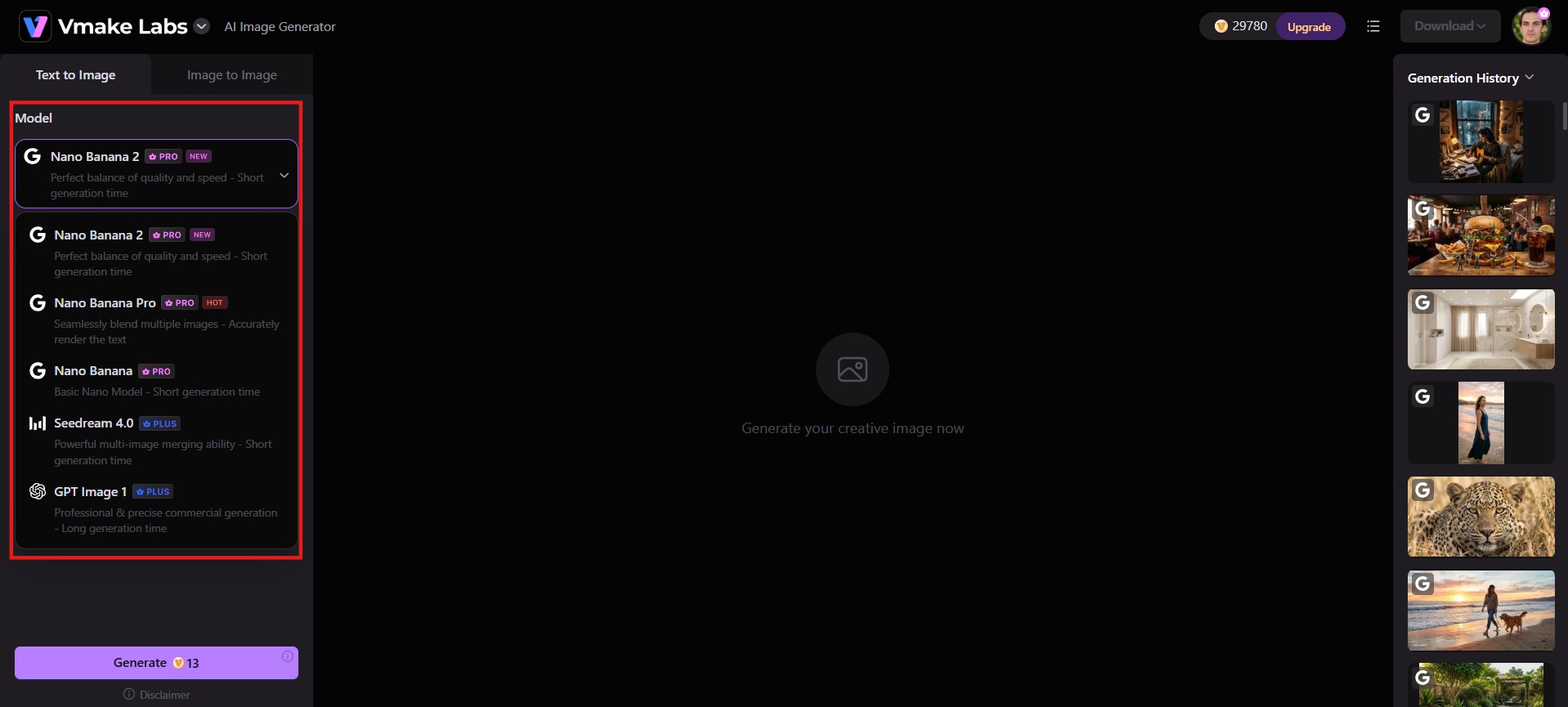
Step 1: Select your AI model
Open the Vmake Labs AI image generator and choose the model that fits your vision, like Nano Banana, Seedream, or GPT Image. Each renders style and detail a little differently, so pick based on the mood you're going for, whether that's photorealistic, illustrated, or surreal.
Step 2: Enter your detailed prompt
Describe the cover in plain language: subject, style, lighting, color palette, and mood. Set the aspect ratio to square for streaming platforms. Upload a reference image if you want the result guided toward a specific look.
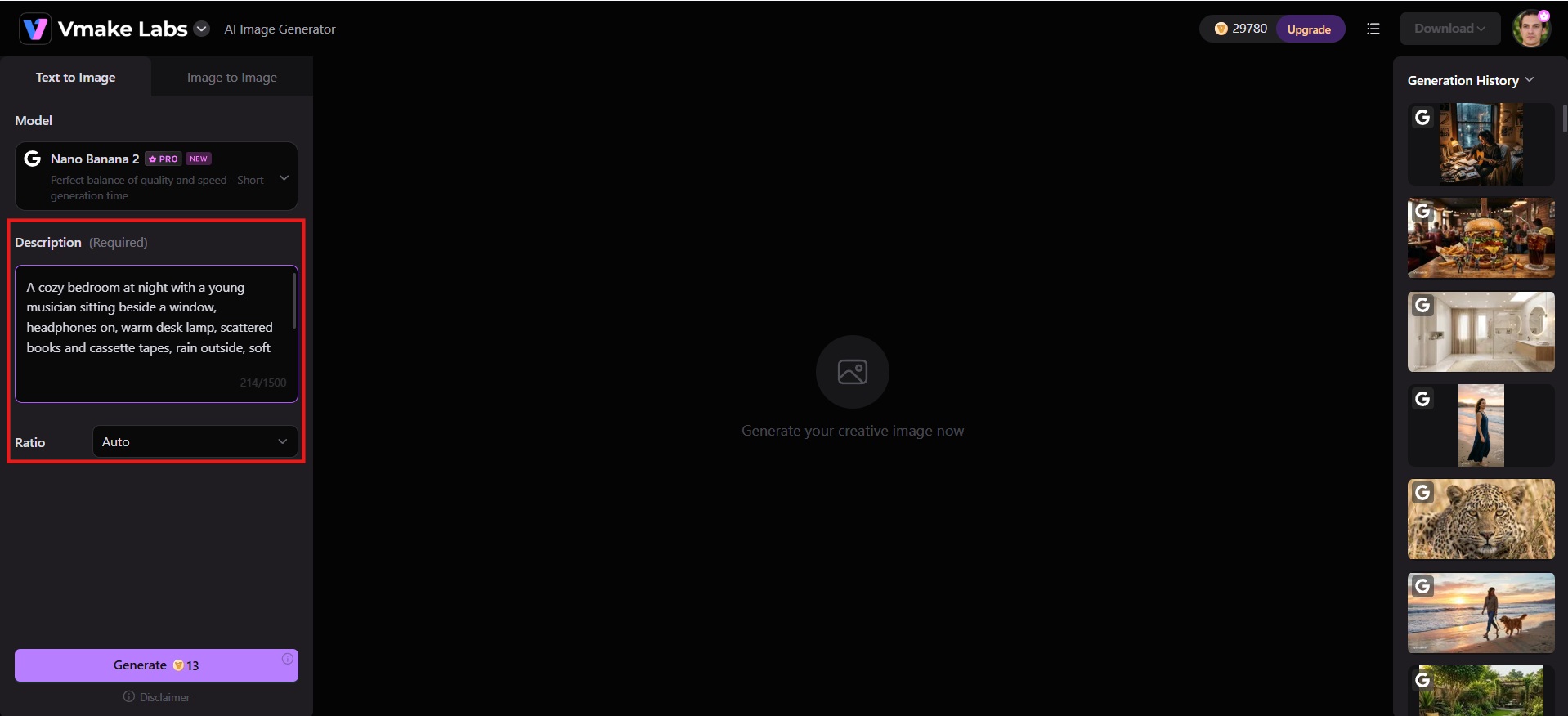
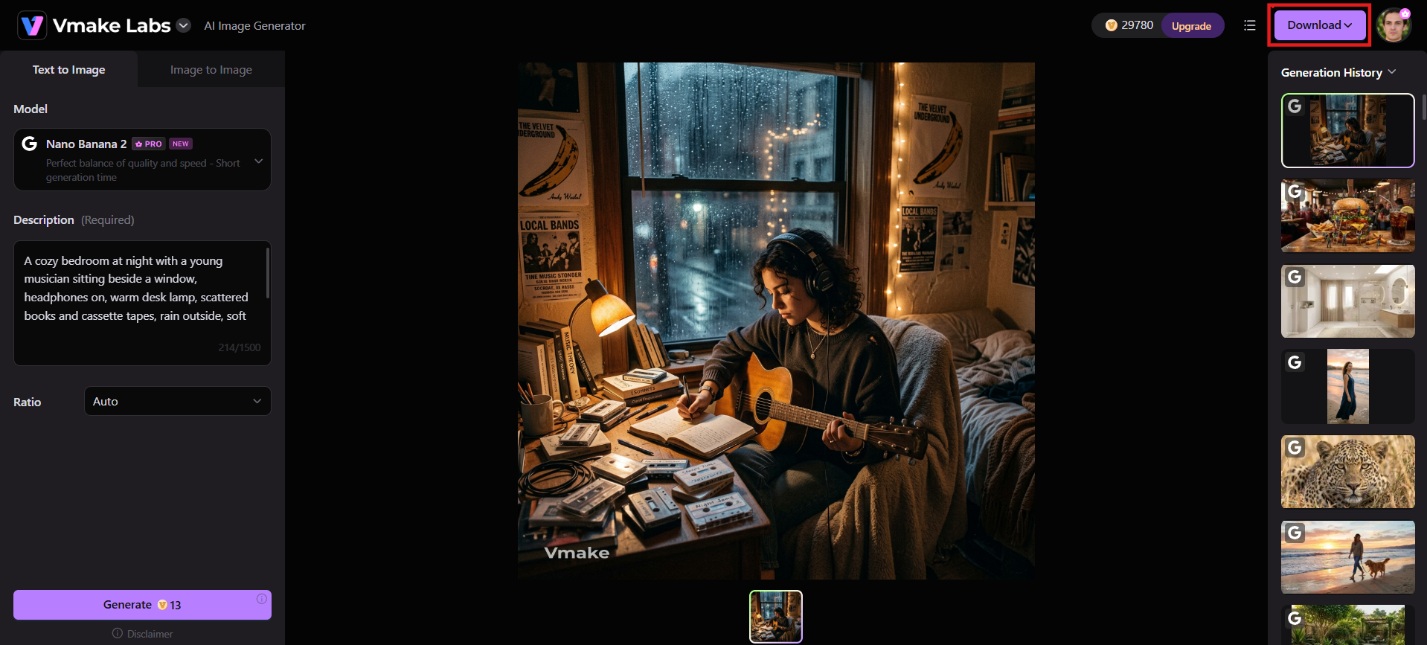
Step 3: Generate and download your cover
Click Generate. Vmake Labs produces the artwork in seconds. Download the finished square image and upload it to Spotify, Apple Music, or your distributor.
Key features of Vmake Labs
-
Text-to-image generation: Simply describe your album concept, mood, genre, and style in plain words. Vmake instantly turns the prompt into high-quality original artwork, helping artists generate unique covers without any design skills or expensive photoshoots.
-
Multiple AI models to choose from: Switch between Nano Banana Pro, Seedream, and GPT Image depending on the style you want. Photorealistic portraits, illustrated artwork, or surreal concepts each render differently, so you can match the model to your album's specific aesthetic.
-
Image-to-image style transformation: Upload a photo, sketch, or existing image and apply artistic styles or moods. This helps users transform selfies, band shots, or rough ideas into polished, professional album covers that match their music's aesthetic perfectly.
-
Generate multiple variations: Upload 1-3 reference images and instantly get several restyled alternatives to compare. This makes it easy to test different directions before committing, so you land on the cover that best represents your sound.
-
Flexible aspect ratios & high-resolution export: Choose from multiple standard aspect ratios to fit your cover art to any platform, from square streaming thumbnails to wider formats for merch and promo. Export your finished artwork ready to use anywhere, no resizing headaches.
Common mistakes to avoid when designing album covers
Even strong music can get overlooked by a weak cover. Here are the six mistakes that most often turn good artwork into a missed release.
-
Overcrowding the design: Too many elements, fonts, or images compete for attention and become confusing at thumbnail size. Keep one clear main focus and let the rest of the composition support and not compete with it.
-
Ignoring thumbnail legibility: A cover can look amazing full size, but totally disintegrate at 40x40 pixels on Spotify or Apple Music. Always preview your design small before you finalize it, because that's how most listeners will actually see it.
-
Copying another artist's cover too closely: Inspiration is fine, but recreating someone else's concept can come off as derivative, and comparisons you don't want. Refer to references to guide you, then develop the idea in a way that feels like your own.
-
Employing low-quality or stretched images: Blurry, pixelated, or distorted artwork screams "rushed release," even if the music inside is polished. Export at the resolution the platform requires, and double-check the image at full size to make sure it holds up.
-
Forgetting about legal image rights: Random images on the internet or AI-generated images that closely mimic existing copyrighted art can create delays in release or takedown issues later. Use original photography or a generator built for creating unique assets.
-
Not testing on device: A cover that looks good on a laptop screen might be different on a phone, in dark mode, or against a playlist grid. Test it on a few devices and in a few contexts before you lock it down.
Conclusion
A strong album cover stays readable at thumbnail size, matches the music, and avoids the common pitfalls of clutter, low resolution, and unclear rights. The 30 ideas above give concrete starting points across genres and styles. When you are ready to turn one of those ideas into finished artwork, open Vmake Labs, describe the concept, generate a few versions, and download a square file ready for Spotify or Apple Music. Try Vmake Labs for free and create professional artwork in seconds.
FAQs
-
What size should an album cover be?
Apple Music recommends 3000×3000 pixels (minimum 1400×1400), delivered as a square (1:1) JPEG or PNG. This is your album cover. Spotify Canvas is a separate, looping visual: a 3–8-second, 9:16 (vertical) motion/looped clip that plays while the track streams, not the same file as your album art. Check each platform/distributor's current export specs before finalizing.
-
What makes a good album cover?
A single clear focal point, high contrast, and text that stays legible when the image is tiny. The visual should match the mood of the music and still work inside a playlist grid.
-
Can I use AI-generated images for my album cover?
Yes, if the tool's terms allow commercial use and the output does not closely copy existing copyrighted work. Keep the original generation files and any reference images. Unique results from a dedicated generator reduce the risk of later rights problems.
-
What should I avoid putting on my album cover?
Clutter that disappears when scaled down, low-contrast or thin text, stretched or low-resolution images, and any material you do not own the rights to. Designs that only look strong at full size usually fail in real use on streaming platforms.
-
How important is thumbnail readability?
It's one of the biggest factors. Most listeners see your cover first as a small thumbnail in a playlist or search grid, so if it doesn't hold up at that size, it won't get noticed.

You May Be Interested
Make Your Taylor Swift-Inspired Vintage Album Cover

Runway AI vs Vidu AI: Pricing Strategies Uncovered
Best Music Video App: AI Tools & Top Editors in 2026
Best AI Image Generator: 10 Top Picks for 2026 Review