Best 7 Music Video App: Top AI Generators & Editors for 2026
 Vmake Labs TeamMay 29, 2026
Audio synchronization destroys media production scalability. Manual timeline keyframing wastes hours. Identifying the best music video app fixes this bottleneck entirely. This guide evaluates top editors and shows how AI generators automate visual creation directly from audio to accelerate publishing.
What is a Music Video App?
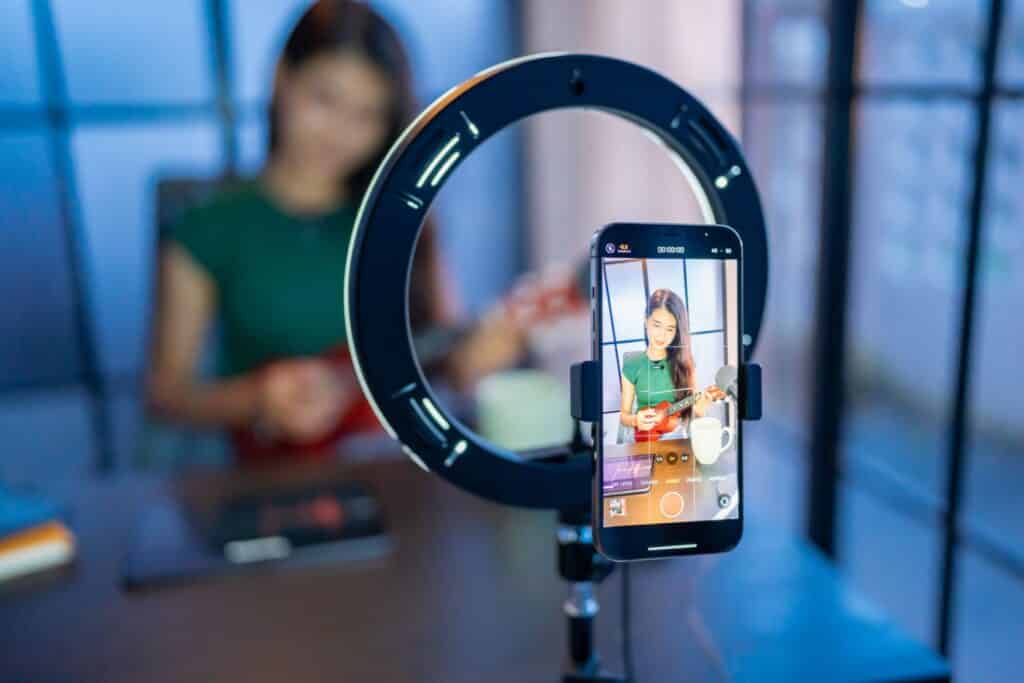
Software categories are incredibly messy right now. App stores intentionally blur the line between tools built for active creation and those built purely for streaming. You have to know exactly what you are downloading.
-
Defining the Software Categories: Distinguish clearly between active video creation tools and dedicated playback applications. A creator needs a functional workspace with non-destructive editing layers.
-
The UX Interface Divide: The user interface gives away the app's true purpose immediately. Playback tools feature massive album art and simple play/pause toggles. Creation editors feature dense magnetic timelines, precise blade tools, and extensive clip inspector panels.
-
Hardware-Level Processing Needs: Professional creation software must utilize your device's GPU for hardware acceleration. If the app relies entirely on CPU rendering, your phone will overheat within ten minutes of heavy scrubbing.
-
Core Functionality for Viewers: Playback apps serve a completely different master. Viewers demand HD streaming that dynamically adjusts the bitrate based on cellular network strength.
-
Intent Alignment: Your specific intent dictates what software works best. An editor aiming to publish original media or fast-paced UGC video content needs rendering speed and export codec control. The trap most creators fall into is downloading a hybrid music and video editor app that attempts to do both.
The Top 7 Music Video App Platforms Evaluated (2026)
Evaluating these platforms requires looking beyond basic playback and assessing their utility for modern content distribution. Below are the top 6 tools dominating the SERP space, categorized by creation and consumption:
|
Platform |
Primary Function |
Supported OS / Platforms |
Standout AI Feature |
Primary Use Case |
|---|---|---|---|---|
|
Vmake AI |
AI Studio/Video Generator |
Web, iOS, Android |
AI Video Agent & multi-scenario upscaling |
UGC-style marketing & talking-head videos |
|
CapCut |
Timeline Editor |
iOS, Android, Mac, Windows, Web |
Auto-beat mapping & auto-captions |
Viral social media & short-form edits |
|
Filmora |
Timeline Editor |
Mac, Windows, iOS, Android |
AI audio ducking & silence detection |
Polished, multi-track commercial edits |
|
Tempo |
Template Creator |
iOS, Android (Mobile Only) |
Algorithmic face-swap & beat-syncing |
Quick, automated template generation |
|
Canva |
Cloud Design/Editor |
Web, iOS, Android, Mac, Windows |
Magic Studio (Text-to-Video generation) |
Static visualizers & lyric videos |
|
Vevo |
Playback/Hosting |
Web, Smart TVs, Mobile OS |
Algorithmic network syndication |
Official artist release distribution |
|
YouTube Music |
Consumption |
Web, iOS, Android |
Audio-to-video seamless toggling |
Consumer media playback & discovery |
Vmake AI
Manual synchronization burns your time and severely stifles your commercial output. You need a dedicated ai video generator that builds high-fidelity visuals around your audio automatically. Vmake AI serves as a comprehensive creation engine, offering powerful batch upscaling and watermark removal alongside its core generative features to eliminate these mechanical bottlenecks entirely.
Key features:
-
Audio-Driven Generation: The engine maps visual transitions directly to the uploaded audio file's rhythmic structure. It analyzes the Fast Fourier Transform (FFT) data of your track to identify distinct bass drops and vocal cues automatically.
-
High-Fidelity Image-to-Video: Transforms static assets into dynamic motion sequences. The neural network interpolates the missing frames between your reference images to create fluid camera tracking.
-
Semantic Prompt Translation: Converts basic text inputs into optimized backend rendering parameters.
-
Consistent Spatial Tracking: Maintains strict character and environmental geometry throughout generated sequences.
-
Batch Processing Capability: Handles massive rendering queues simultaneously. Scaling commercial content operations effectively demands this feature. You can utilize an automated video enhancer tool to process all outputs at once, standardizing high resolution across an entire ad campaign.
Pros:Fully automates beat synchronization, processes up to 30 videos simultaneously in the cloud via the batch video upscaling tool, and requires absolutely zero traditional timeline editing skills.
Cons:The algorithm still struggles occasionally with pitch-black shadows if your prompt lacks specific lighting details. You must give it clear, rigid instructions regarding the main light source.
Pricing & Free Plan:Free tier available with initial generation credits; Premium subscription plans start at $9.99/month for high-volume commercial rendering.
How to use Vmake AI for video creation
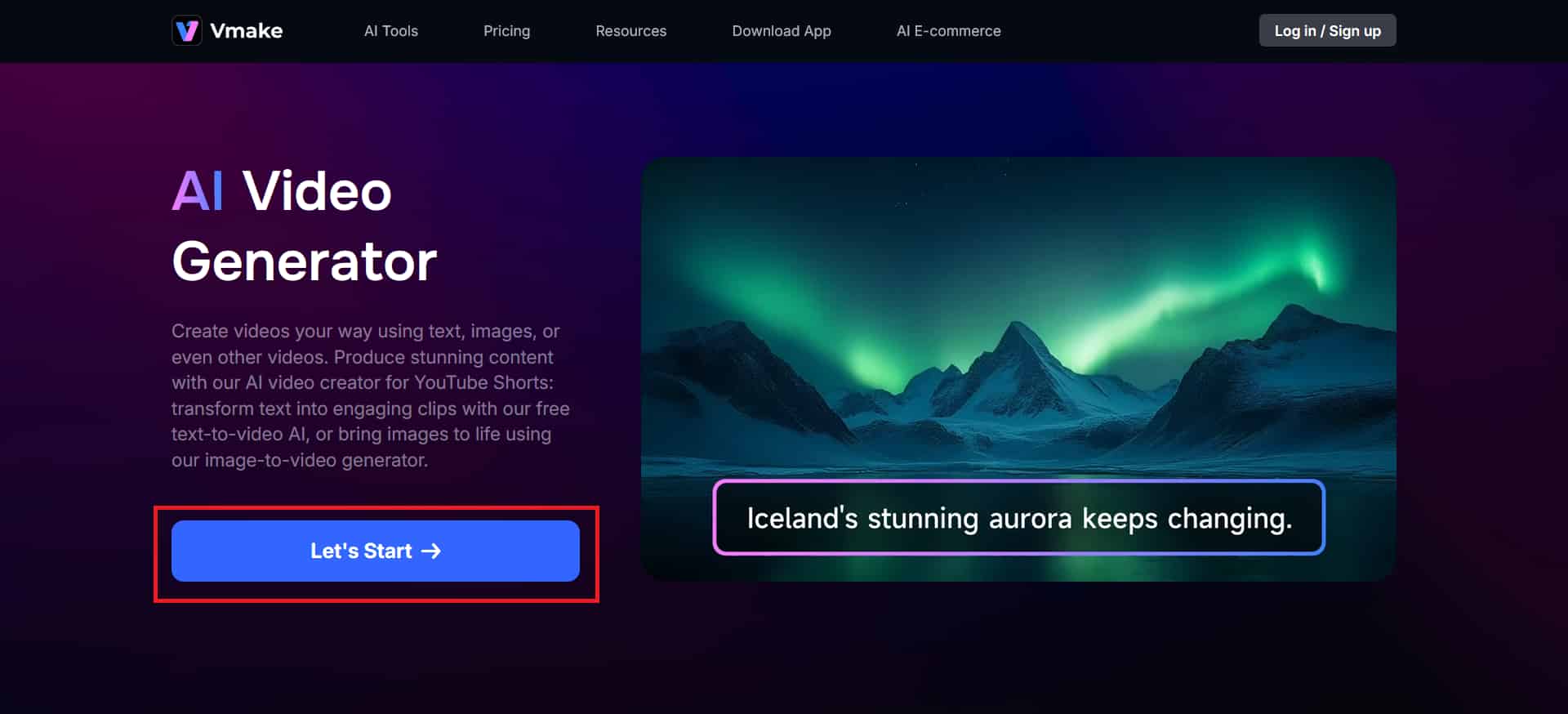
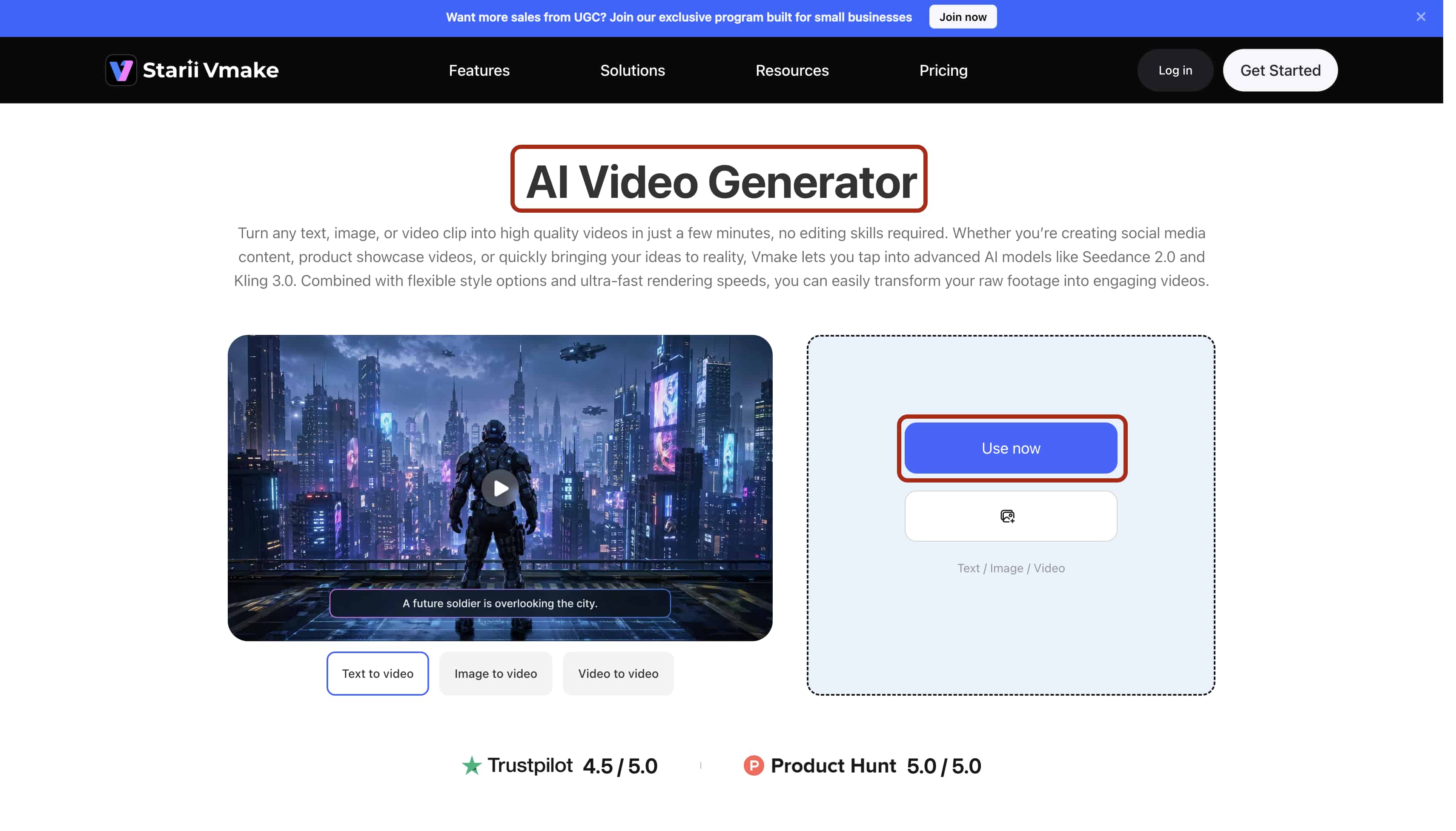
Step 1: Upload
Open the dashboard in your browser. Click the explicitly labeled 'Use now' terminal to ingest your core uncompressed audio track (WAV format preferred), video, or primary reference images into the cloud timeline.
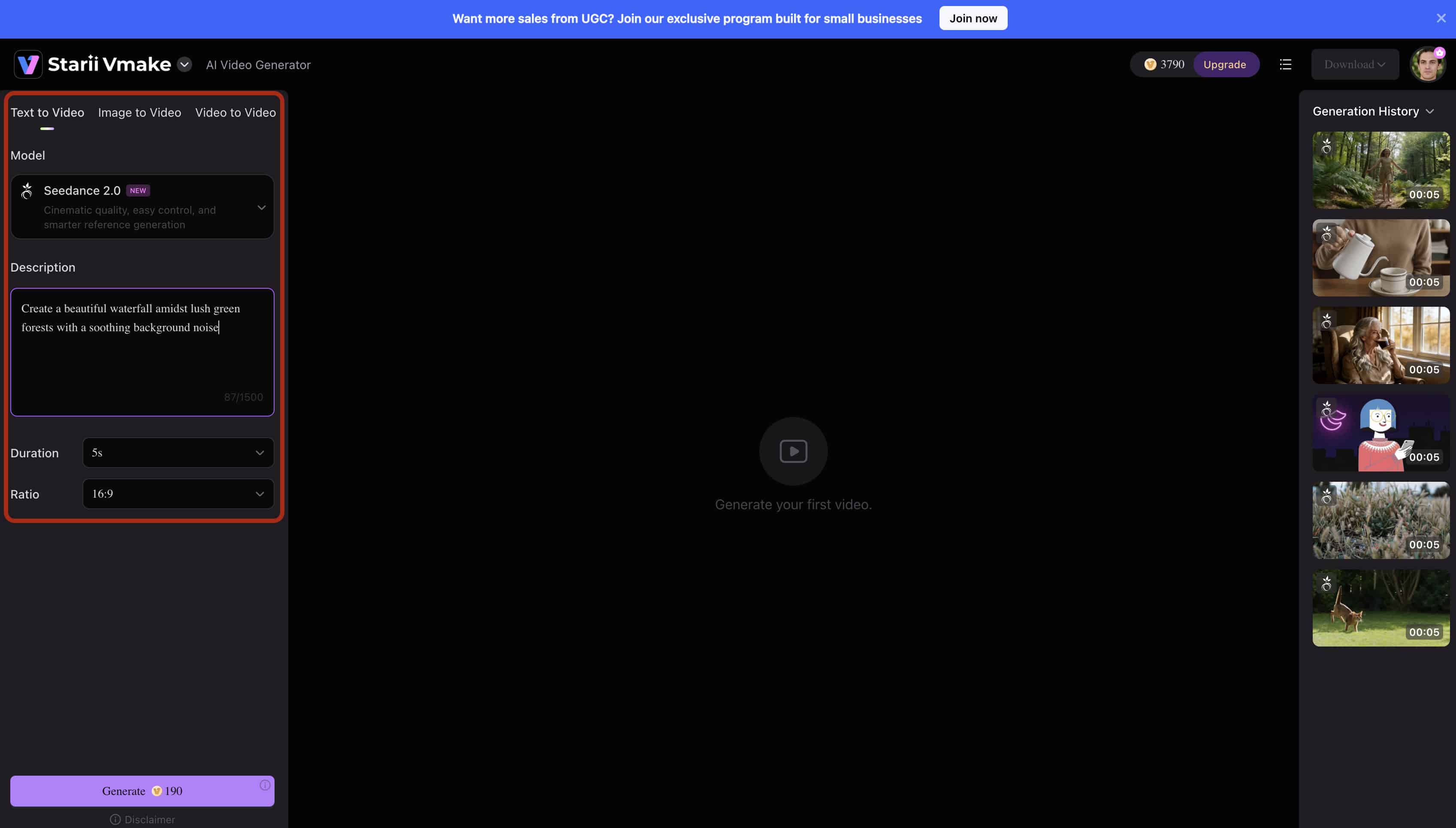
Step 2: Adjust
Navigate directly to the left-hand parameter panel. Define your physical output settings by selecting the exact aspect ratio (9:16 for vertical reels, 16:9 for standard broadcast). Add the desired video duration to a specific value in seconds and type your specific requirement prompts into the text box, for the AI video to be generated.
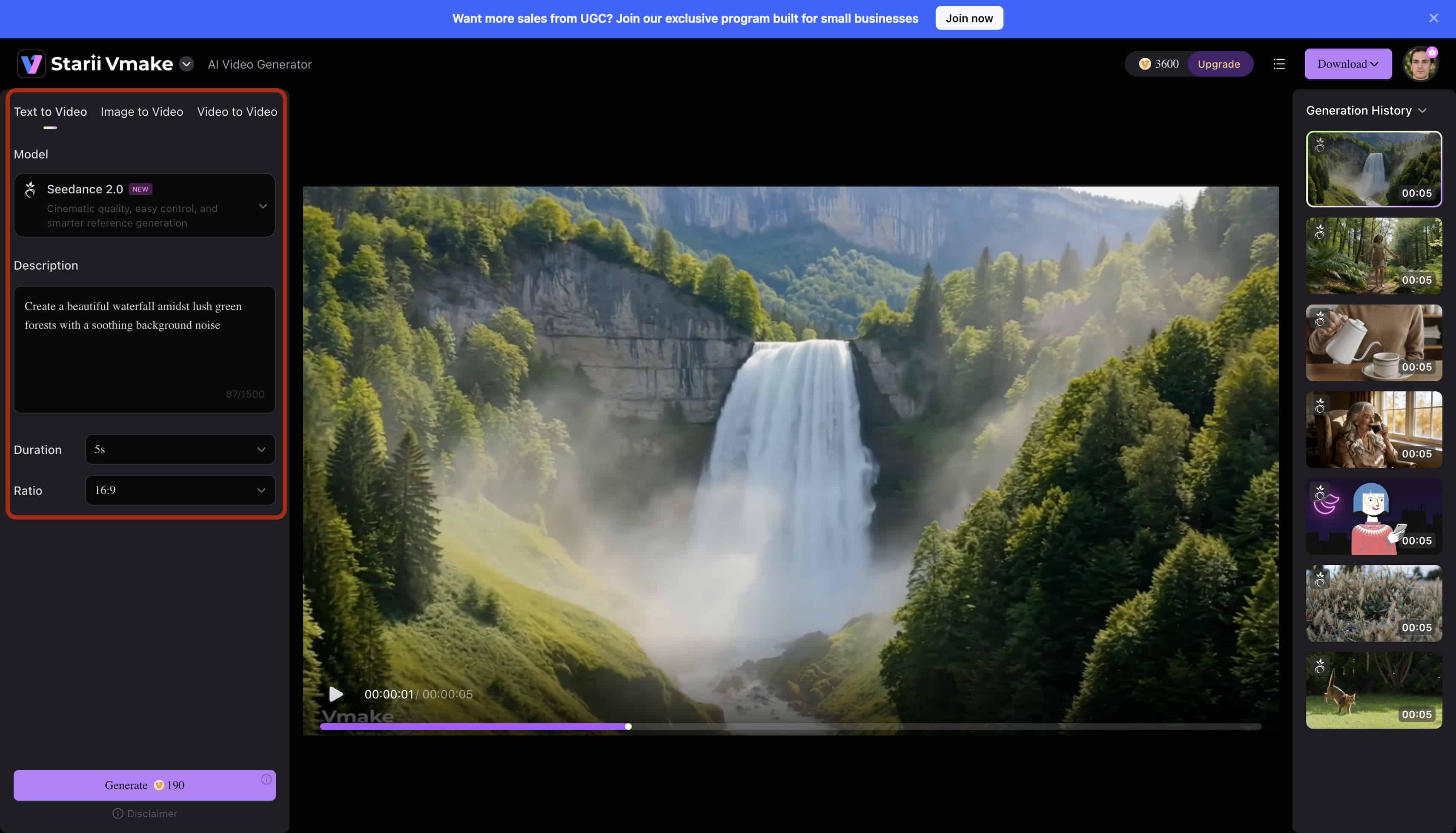
Step 3: Preview
Click the 'Preview' button once the video is generated on the top right side. Generate a low-resolution proxy sequence. Visually check that the AI's structural generation cleanly aligns with your audio's transient spikes before spending credits on a full render.
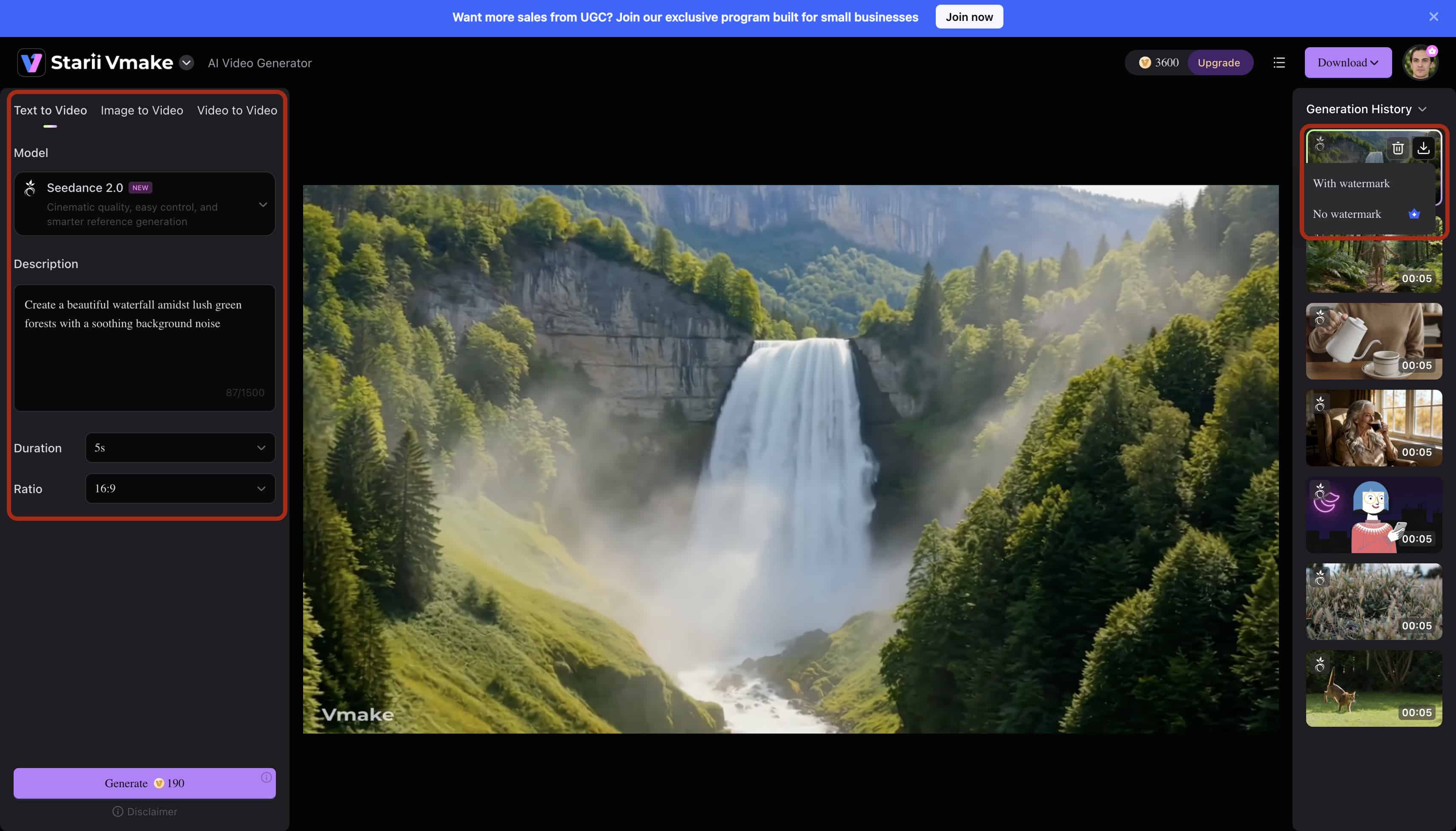
Step 4: Export
Hit 'Export'. Render the final compiled file in high-resolution MP4 format. The cloud infrastructure handles the heavy encoding, keeping your local machine's CPU usage minimal.
CapCut
A comprehensive mobile and desktop video editor that currently dominates the independent creator space. Its massive rise in popularity is directly tied to its highly accurate auto-beat detection algorithms. The application reads audio waveforms automatically, placing physical markers on the timeline for editors to snap their visual cuts against. This native integration drastically reduces the time required to manually keyframe rapid transitions for short-form media.
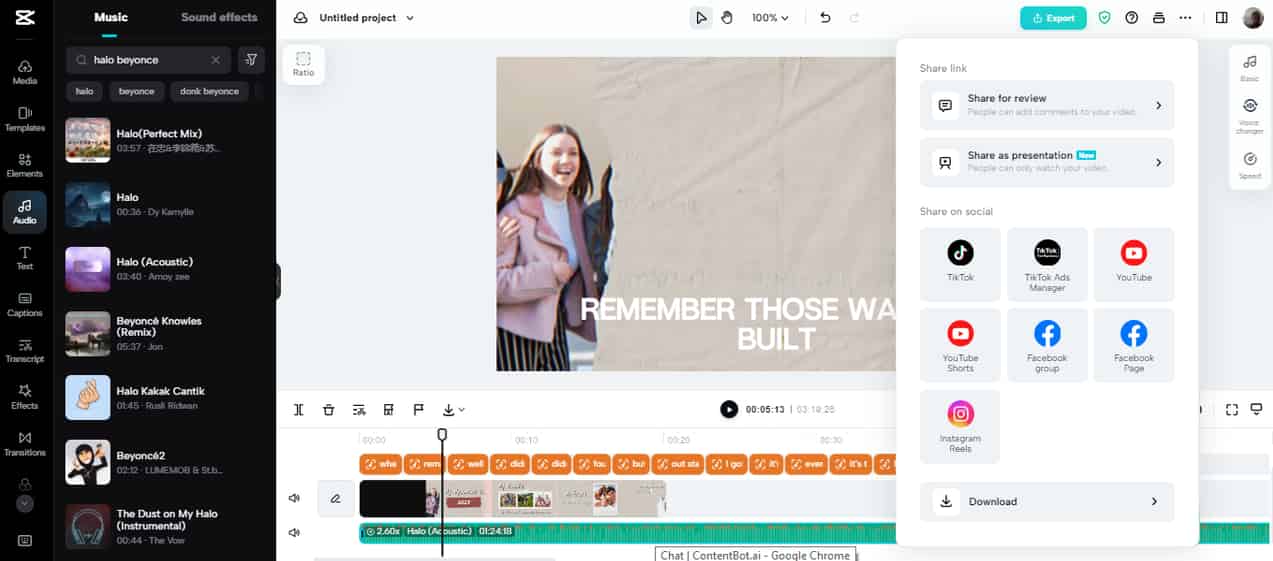
Key Features: Multi-track audio layering, automated waveform markers, dynamic motion tracking, and direct API integration for publishing straight to TikTok.
Pros: Highly robust mobile UI that rarely crashes. It features excellent text-to-speech generators and reliable auto-captioning tools for short-form content, though creators frequently cross-reference it with other top free tools to automatically add captions to videos to find the perfect workflow.
Cons: The free version heavily watermarks all premium templates. Accessing advanced pro transitions, smooth slow motion, and exporting in true 4K requires an ongoing paid subscription.
Pricing & Free Plan: Free basic app with heavy template restrictions; Pro tier starts at $9.99/month.
Filmora
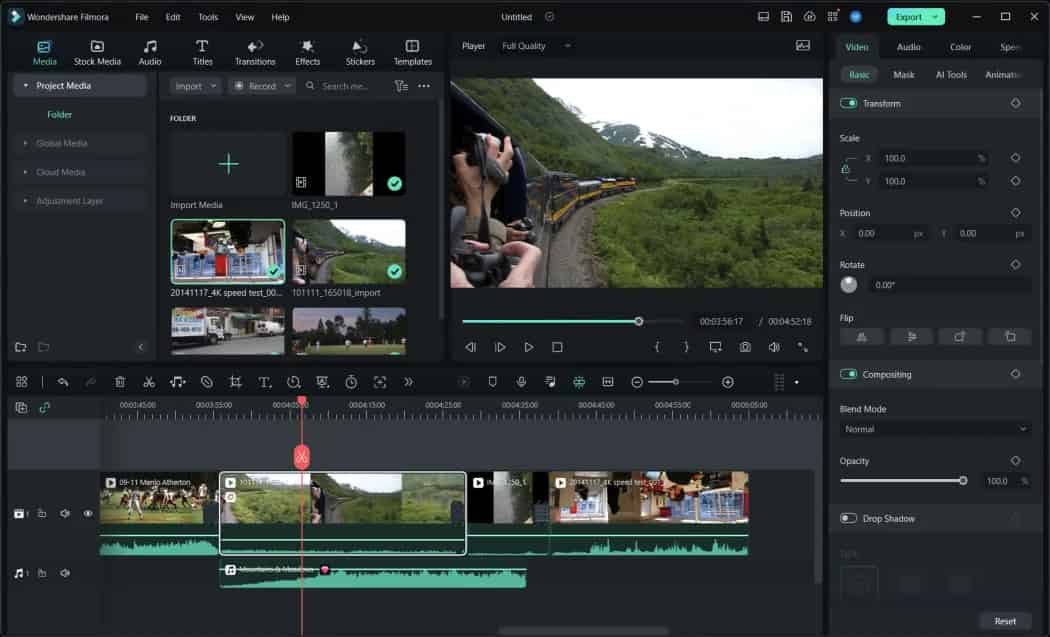
A highly stable, traditional desktop and mobile editing suite favored for its vast library of built-in transitions, text effects, and royalty-free audio tracks. It serves as a bridge between basic mobile editors and complex software like Premiere Pro, offering advanced timeline features without an overwhelming interface. Editors frequently utilize its deep color grading wheels to ensure footage shot on different cameras matches perfectly before final export.
-
Key Features: Advanced silence detection, automated audio ducking, massive visual effects library, and precise manual keyframing tools.
-
Pros: Very intuitive drag-and-drop interface for a timeline editor. It offers surprisingly strong color grading and LUT management tools for a standard music and video editor app.
-
Cons: The desktop and mobile versions are disconnected and require separate licensing. It demands heavy processing power on older hardware, often causing laptops to overheat during 4K rendering.
-
Pricing & Free Plan: The free trial limits all exports with a massive, non-removable watermark across the center of the screen; Annual plans start at $49.99.
Tempo
A strict mobile-first application focusing entirely on quick, automated social media edits using rigid, pre-built beat-sync templates. It is built for speed rather than customization, processing raw clips through algorithmic face-swap filters and heavy transition presets instantly. Creators upload their batch of photos or short clips, and the engine automatically forces the media to align perfectly with trending audio tracks from its internal library.

Key Features: Algorithmic face-swap filters, automated flashy transition effects, and dynamic video masking mapped directly to trending audio.
Pros: Highly accessible for absolute beginners with zero editing experience. It provides rapid generation for flashy short-form video formats.
Cons: All exports are heavily watermarked and resolution-capped unless upgraded to the paid tier. The highly rigid templates severely limit your creative freedom and originality.
Pricing & Free Plan: Highly restricted free model; premium tier costs $59.99/year.
Canva
A massive cloud-based design platform that recently expanded its infrastructure to support basic timeline video editing. It is ideal for static images and text-heavy audio visualizers rather than handling complex motion tracking or multi-layer compositing. Music producers often use its massive drag-and-drop stock asset library to quickly generate placeholder lyric videos while waiting for their official, fully produced music videos to finalize.
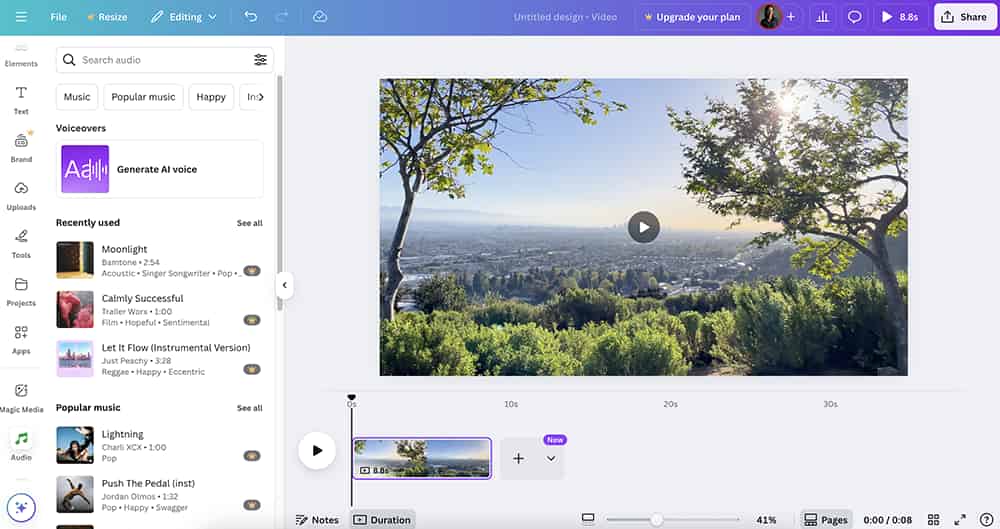
Key Features: Cloud-based timeline collaboration, a massive stock media library, and pre-built audio visualizer graphic elements.
Pros: Best-in-class drag-and-drop UI. It is excellent for creators building static lyric videos or simple free apps for making videos with pictures and music workflows.
Cons: Very poor handling of dynamic video motion. Complex clip splicing and multi-track audio layering feel incredibly clunky compared to a dedicated timeline editor.
Pricing & Free Plan: Robust free tier for standard graphics; Pro tier at $14.99/month for premium stock video and audio assets.
Vevo
The definitive premium hosting and artist channel syndication platform, establishing the industry standard for official artist release playback. It is not an active editor, but rather a gated distribution network requiring uploads through verified third-party aggregators. Artists rely on its massive domain authority and algorithmic syndication across smart TVs and YouTube to secure the highest possible broadcast reach for their high-budget commercial productions.
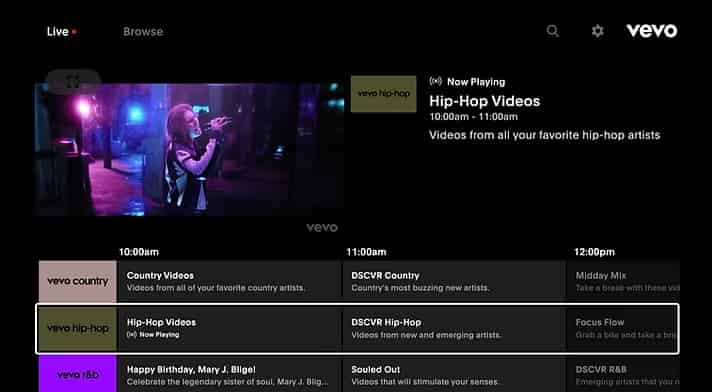
Key Features: Global playback distribution, highly regulated official artist channel branding, and high-definition smart TV streaming.
Pros: Massive domain authority. It offers unparalleled reach and algorithmic syndication for official artist branding campaigns.
Cons: Strictly a distribution network with absolutely zero active video creation capabilities. Independent artists cannot upload directly and must use verified third-party distributors.
Pricing & Free Plan: Free to viewers (heavily ad-supported); distribution costs vary strictly by label or aggregator.
YouTube Music
The leading application for consuming music videos, live performances, and fan covers, shifting the structural focus entirely away from active creation to pure media consumption. It aggregates official label releases alongside user-generated content, feeding it into a highly intelligent continuous playback algorithm. Users primarily engage with its seamless audio-to-video toggling feature, allowing them to switch between viewing the official music video and streaming the lossless audio track without interrupting the song.
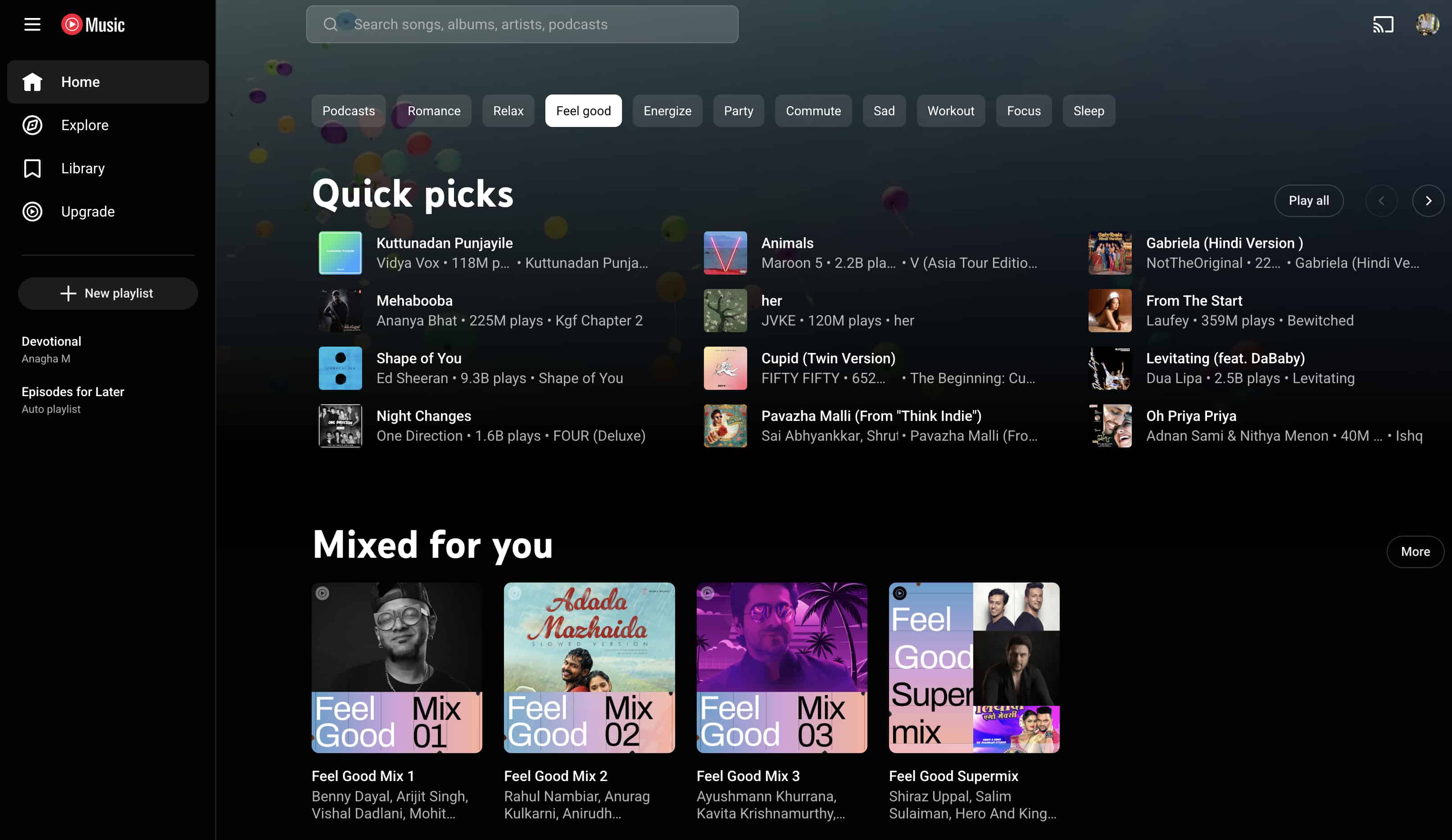
Key Features: A massive catalog of official and user-generated videos, seamless audio-to-video toggling during playback, and offline downloads.
Pros: Unmatched global content library. It features an incredibly intelligent algorithm for continuous, uninterrupted playlist generation.
Cons: Very heavy ad interruptions on the free tier. Essential features like background play while using other apps remain locked behind a strict paywall.
Pricing & Free Plan: Free ad-supported viewing; Premium subscription is $11.99/month.
While standard mobile apps offer foundational tools or simple playback, active creators are still forced to manually align clips if they want original content. Bridge the gap between these traditional manual adjustments and Vmake AI's automated generative solution, highlighting how computational generation outperforms manual syncing.
Core Problems & Limitations of Standard Solutions
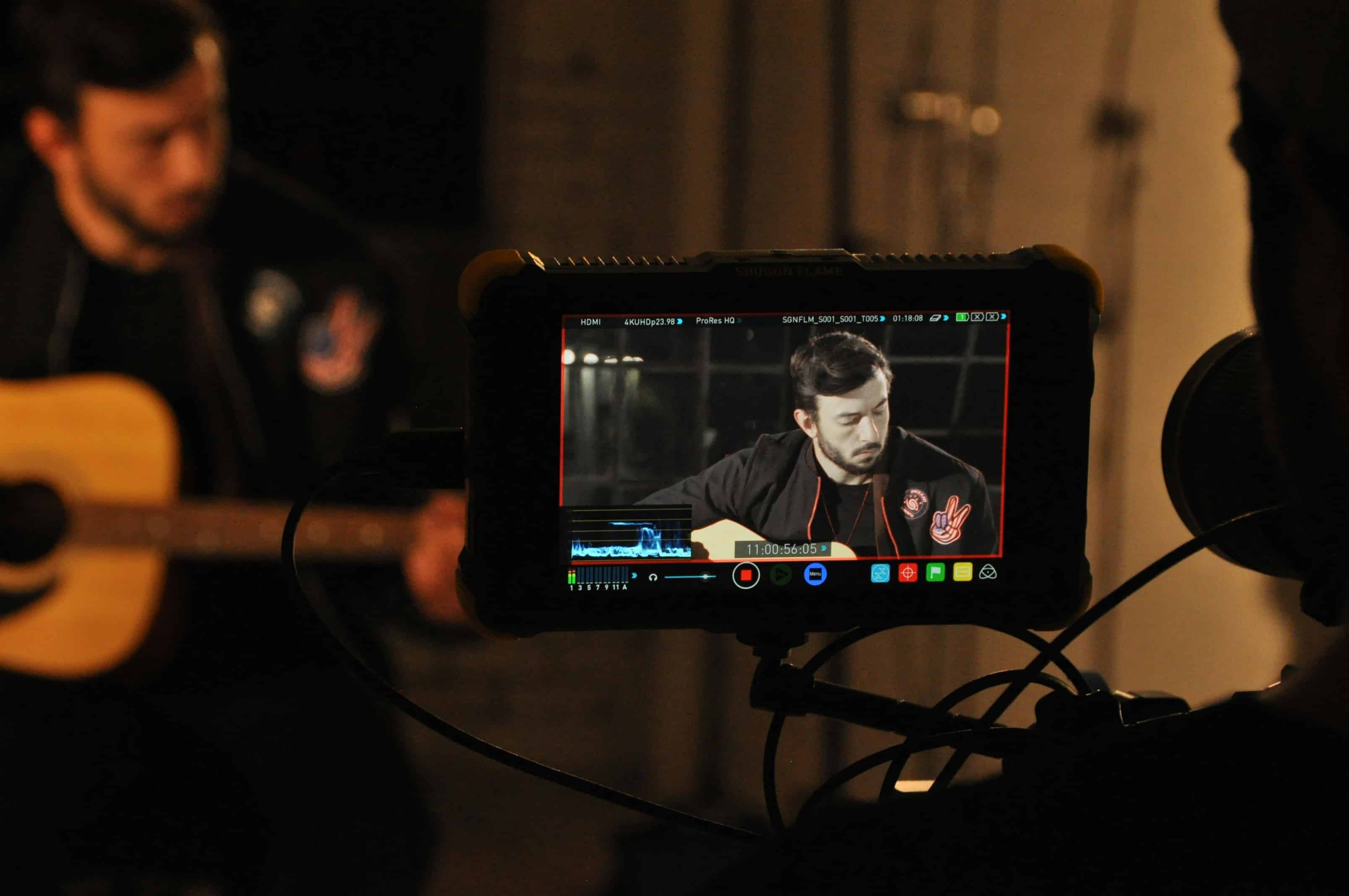
Standard applications pretend to offer quick fixes. In reality, they trap you in tedious mechanical loops and harsh physical hardware limitations. Manual editing is exhausting.
-
Transient Mapping Difficulties: Matching video frames to audio transients is technically demanding. Standard audio operates at 48,000 samples per second. Video renders at 24 or 60 frames per second. Kicks and snares happen in exact milliseconds.
-
Audio Drift Phenomena: Because video frame rates and audio sample rates operate on different mathematical scales, they naturally fall out of sync over long timelines. A standard video maker app with song features rarely accounts for this drift. By minute ten of your timeline, the audio will lag behind the visual cuts.
-
Expensive Asset Dependencies: Generic visual assets cost real money. Relying on stock footage requires expensive monthly licensing subscriptions that aggressively erode production budgets. Finding a genuinely free app to make video with pictures and music usually means accepting a terrible, low-resolution stock library.
-
Freemium Export Restrictions: A typical free editor acts as a bait-and-switch. They embed huge, non-removable watermarks right in the center of your frame. If you want a clean export, you must run the final file through a dedicated ai video watermark remover just to salvage your own footage for commercial use.
Advanced Techniques for Audio-Visual Alignment
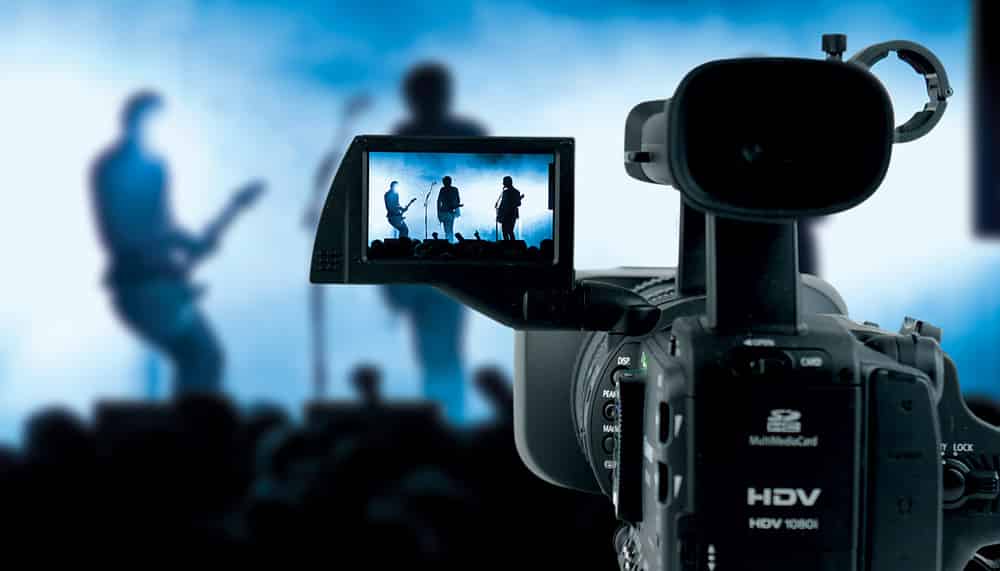
Software handles the heavy lifting. Good production habits fix the rest. If you input garbage audio, you will get a garbage video out. Below are the core technical strategies professional editors use to maintain absolute visual fidelity.
|
Strategy |
Technical Execution |
Why it Matters |
|---|---|---|
|
Optimize Audio Bitrates |
Use uncompressed WAV (48kHz, 24-bit) for the master timeline. Zero MP3s for syncing. |
Prevents artifacting/clipping; ensures broadcast fidelity and clean AI spectrum data. |
|
Align Cuts to Transients |
Map visual cuts directly to waveform transient spikes (snares, kicks, bass drops). |
Avoids visual rhythm failure. The brain spots a 3-frame audio desync instantly. |
|
Manage Audio Ducking |
Keyframe background music goes down by -15dB during primary dialogue. |
Keeps dialogue crisp without the over-compression of automated tools. |
|
Standardized Frame Rates |
Conform all assets to 23.976fps or true 60fps before editing. |
Mixing rates causes timeline jitter, dropped frames, and stuttering motion. |
|
Monitor LUFS Levels |
Hard limit final audio master to -14 LUFS. |
Platforms actively compress/penalize louder audio, causing distortion on mobile. |
Conclusion
The shift from labor-intensive manual editors to AI-driven generative software is permanent. Manual video production acts like an anchor on your commercial output. Refusing to automate means you will get outpaced by competing channels pushing three times your volume at a fraction of the cost.
Relying on an outdated free music video app severely limits your professional growth due to restrictive paywalls, aggressive watermarks, and harsh low-resolution caps. Direct your workflow toward Vmake AI's cloud infrastructure to automate your visual output and maximize your publishing speed.
FAQs
What is the best app to make music videos for beginners?
For foundational editing, tools like CapCut or Canva offer straightforward drag-and-drop interfaces that do not overwhelm new users. However, to bypass the steep learning curve entirely, generative AI platforms deliver professional results immediately without requiring complex timeline management.
How do I legally create music video app content without copyright strikes?
Always utilize royalty-free music libraries or generate your own synthetic audio tracks before uploading to an editor. Using copyrighted commercial music in your media will result in immediate platform demonetization and channel strikes.
Are there truly free apps for making videos with pictures and music?
While many mobile applications aggressively advertise as free, they universally restrict commercial rights, limit render resolution, and embed harsh platform watermarks. Professional output requires either a paid software license or utilizing a credit-based generative cloud platform.
What is the best app to make music videos with text generation?
Platforms that specialize in automated text generation, like Vmake AI or dedicated typography tools, handle visual text tracking significantly better than standard mobile editors. They physically map the generated text to the depth layers of the moving video background.
How do I sync video clips to the beat automatically?
Modern editors utilize waveform detection algorithms to place physical markers on primary audio beats automatically. You can then snap your video clips directly to these exact markers to ensure precise visual rhythm across your entire timeline.
What export resolution do most mobile editors support?
The standard output for a basic mobile video editor app caps hard at 1080p to prevent device crashing. Achieving crisp 4K resolution usually requires utilizing a premium video enhancer tool post-export or moving the entire raw project to dedicated desktop software.

You May Be Interested

Best Free Music Sites for YouTube Videos Without Copyright Issues
Best TikTok Watermark Remover Apps in 2025
Top 7 Watermark Remover Apps That Actually Work in 2026

Best AI Avatar Generators in 2026 (Compared & Reviewed)