Top Prompts for Music Videos: A Creative AI Prompt Guide for 2026
Explore top prompts for music videos to create cinematic AI visuals, boost creativity, and generate genre-specific music video ideas with smarter AI prompting today.

AI is revolutionizing how music videos are made, enabling greater artistic freedom than ever before. As long as you know what to enter into the system, you have total control over the video's mood, visuals, narrative, and filmmaking techniques. In this guide, we will look at the top prompts for music videos and learn how prompting makes masterpieces.
Why strong prompts matter in AI music video creation
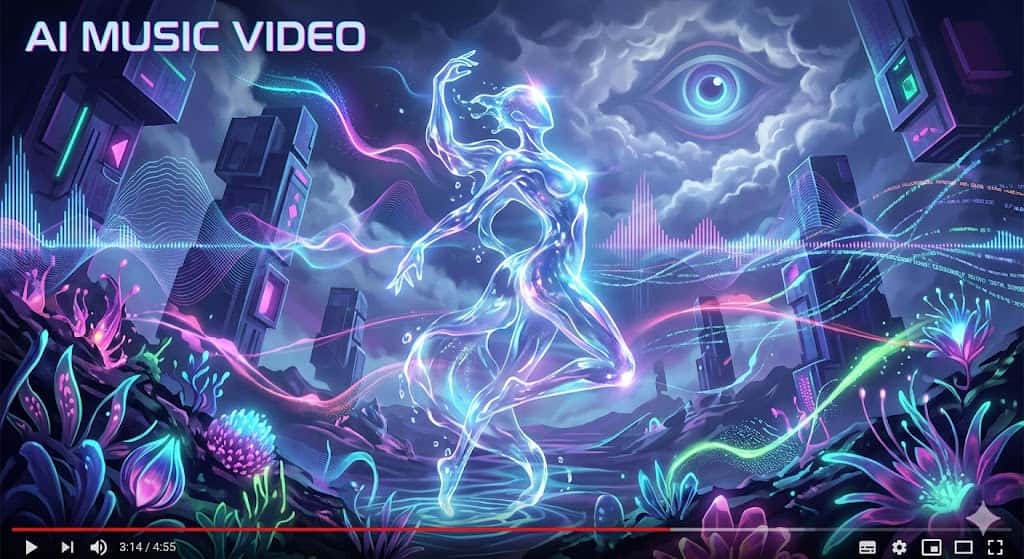
The quality of AI music videos generally depends on good prompts that enable the AI to fully understand the desired emotion, imagery, pace, and story. Writing good prompts increases creative output and reduces time spent.
-
Better creative control
These detailed prompts allow the creator much more freedom over the scene, characters, and the aesthetic style. Rather than receiving a randomized outcome, they can guide the AI towards their chosen artistic vision, making it easier to generate the kind of music videos the artist requires.
-
Faster production workflow
By using specific prompts, less time is spent on the generation phase and on correcting unnecessary scenes. The AI will create accurate scenes from the beginning and in the correct form. This allows a faster editing phase.
-
Improved visual consistency
Using a continuous prompt will make the scenes and sequences have the same visual continuity throughout. The color theme, lighting and camera movements will look connected and make the music video appear more clean.
-
Reduced trial and error
Ambiguous prompts can result in iterative improvements and outputs. The better prompt guides creativity with a clearer direction for the AI tool. This will result in the creator spending more time on quality improvement than experimentation.
Top prompts for music videos by style and genre
Each style of music, as well as each visual art form or style used for music's visual output, calls for a specific approach to prompt writing to achieve the desired artistic result. The top prompts for music videos can then set the context, ranging from a cinematic tale to animation or festival vibes. Here are some prompt ideas, with a specific focus on style and mood, as well as music genre:
-
Cinematic storytelling music video prompt
-
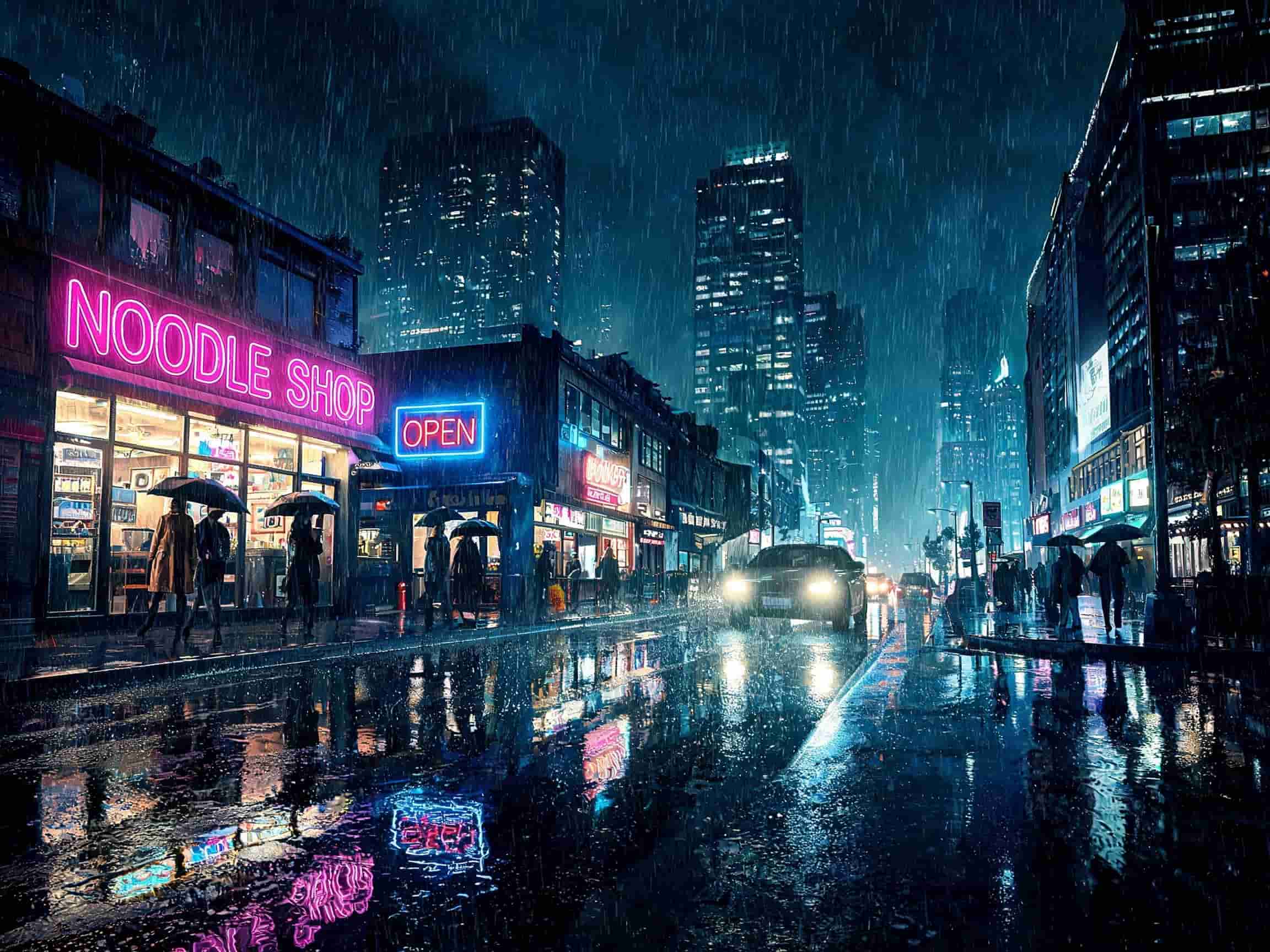
Prompt example: "A cinematic music video featuring an emotional journey through rain-soaked city streets, dramatic lighting, slow-motion scenes, close-up emotions, film-like color grading, and seamless storytelling transitions."
-
Best for: This prompt fits emotional tracks, epic ballads, and videos with a story. It works with artists who want the visuals to support a story rather than focus on the artist on stage. This genre provides a cinema-esque vibe.
-
Why it works: By combining mood, narrative direction, and camera movement, the prompt gives much finer control over the AI. The narrative elements create connections and purpose for scenes and create depth in terms of visual and emotional impact.
-
Neon cyberpunk music video prompt
-
Prompt example: "A futuristic cyberpunk music video with neon cityscapes, holograms, glowing streets, robotic fashion, high-energy camera movement, and electric purple-blue lighting."
-
Best for: The right direction for electronic, synthwave, EDM, and futuristic sounds. Ideal for a creator seeking daring digital design and lively visuals. Good choice for music videos, even on an experimental level.
-
Why it works: Cyberpunk prompts provide very explicit visual cues through color and descriptions of the surroundings. The neon lights and futuristic settings produce dramatic AI outputs, making them look highly stylized and memorable.
-
Vintage retro music video prompt
-
Prompt example: "A retro-inspired music video with vintage film grain, nostalgic city scenes, warm color tones, 1980s fashion, analog camera effects, and smooth cinematic transitions."
-
Best for: This cue is well-suited for retro pop, jazz, funk, or a nostalgia theme. Producers or artists wishing for an older, classic feel would benefit from using this type of cue. It would be appropriate for love stories or nostalgic themes.
-
Why it works: Certain details, such as film grain and retro styling, keep the AI visually grounded. Hints of the past add a feel of emotion, originality, and a trendy look.
-
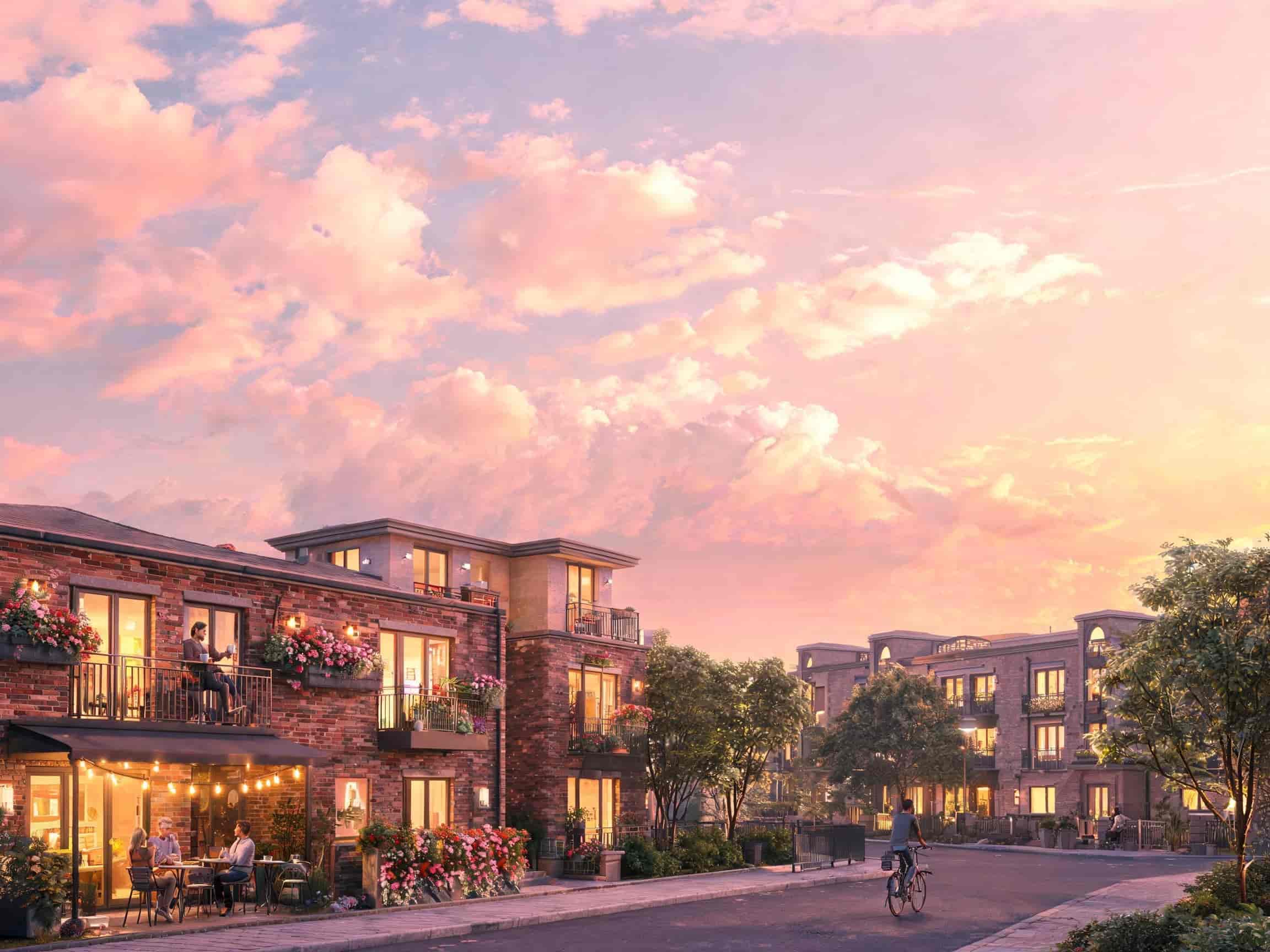
Dreamy lo-fi aesthetic music video prompt
-
Prompt example: "A dreamy lo-fi music video featuring soft pastel colors, floating clouds, cozy urban scenes, gentle motion, slow camera pans, and calming visual textures."
-
Best for: This would suit chill beats, lo-fi, and acoustic chill music, as it would reach out to an audience seeking the relaxed and atmospheric. This would also suit minimal storytelling.
-
Why it works: Soft textures and slow movement create relaxing AI images. High-impact movement and excitement are implicitly avoided in favor of aesthetics, producing calming music videos.
-
Dark gothic music video prompt
-
Prompt example: "A dark gothic music video with candlelit castles, dramatic shadows, smoky environments, Victorian-inspired fashion, haunting visuals, and moody cinematic lighting."
-
Best for: This prompt works well for metal, gothic rock, dark pop, and dramatic genres. It is also a prompt that an artist exploring themes of mystery or emotional depth might use; it lends itself well to dark narrative visuals.
-
Why it works: Gothic imagery creates a sense of atmosphere and visual identity, and with appropriate prompts about mood and lighting, the AI produces a dramatic, emotional image.
-
Performance stage music video prompt
-
Prompt example: "A live performance-style music video with dynamic stage lighting, cheering audience, energetic performer movements, spotlight effects, cinematic close-ups, and concert atmosphere."
-
Best for: Good for pop, rock, live sessions, and artist performance videos. Does not focus on stories/scenes, but more on performers and performances on stage. Good for a promotion clip.
-
Why it works: These prompts trigger focus on energy and artistic expression. It all makes it realistic and engrossing, with the stage details and audience engagement. This helps to create compelling concert-based sequences through AI.
-
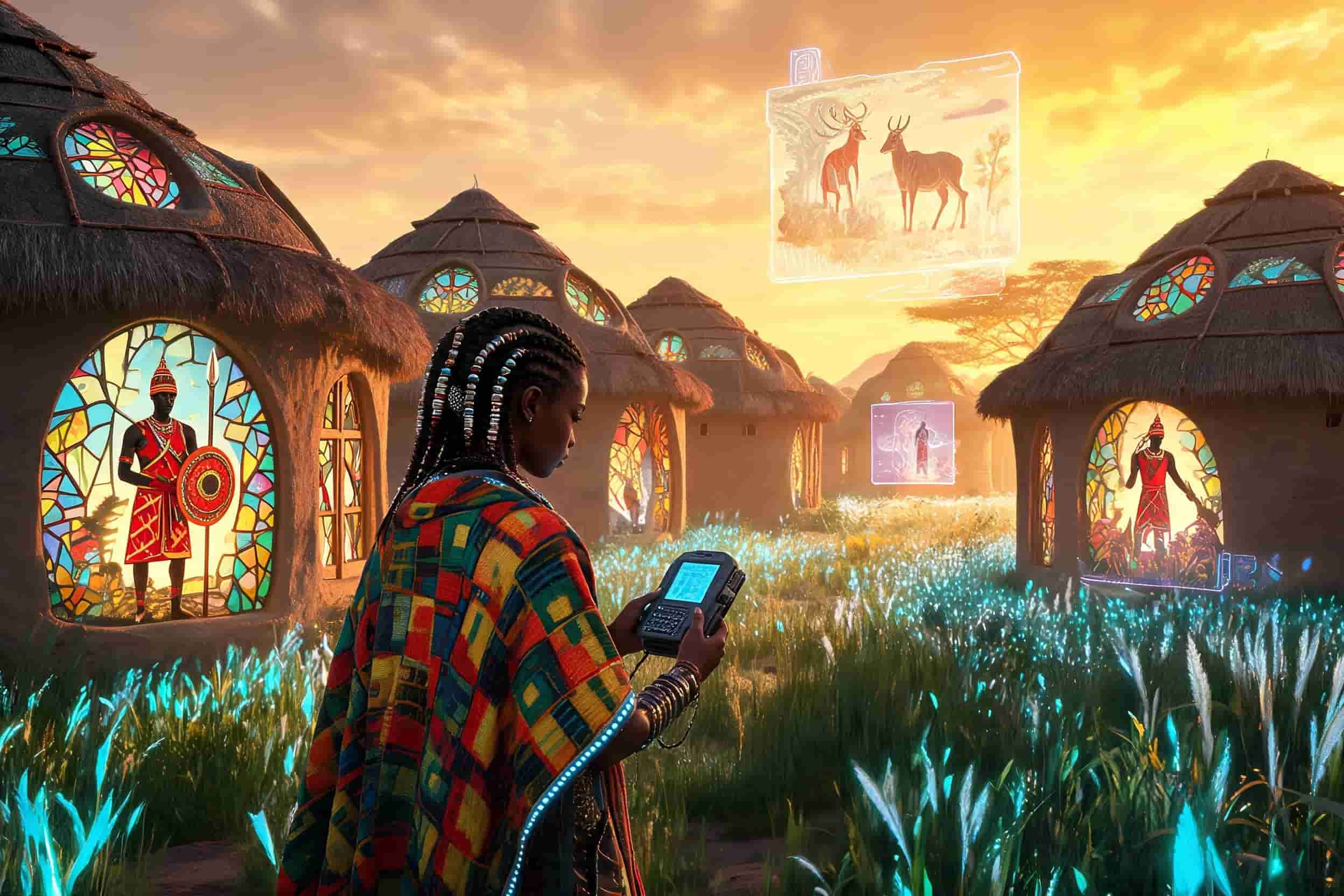
Afro-futuristic music video prompt
-
Prompt example:"An Afro-futuristic music video with futuristic African-inspired architecture, vibrant fashion, advanced technology, glowing landscapes, cultural symbolism, and cinematic visuals."
-
Best for: This prompt works for Afrobeat, experimental, and highly graphic projects. It taps into those whose stories meld the past with a futurist voice. This look serves personal and cultural narratives.
-
Why it works: The combination of culture, technology and fashion in afro-futuristic prompts result in some highly striking visuals. Using detailed descriptions is key here in enabling the AI to generate very rich environments. They are highly unusual and technically complex videos
-
Anime-inspired music video prompt
-
Prompt example: "An anime-inspired music video with dramatic skies, expressive characters, emotional storytelling, fast action sequences, cel-shaded visuals, and cinematic animation effects."
-
Best for: This style lends itself well to J-pop, emotional tracks, game music, and fantasy narratives. It appeals to fans of anime and visually oriented storytelling. Many artists seeking to create artistic and imaginative visuals employ this style.
-
Why it works: Anime prompts provide obvious stylistic direction, which an AI can readily respond to. When character emotion is present and movement is dynamic, it makes for a far more engaging prompt. The output is visually vivid and lively.
-
Street culture and hip-hop music video prompt
-
Prompt example: "A hip-hop music video featuring urban streets, graffiti walls, luxury cars, bold fashion, energetic choreography, cinematic camera angles, and vibrant city nightlife."
-
Best for: It is appropriate for the following genres, such as rap, trap, and street music. This brief emphasizes confidence, movement, and an animated visual persona. It is best suited to an artist who wishes for an energetic, fresh look.
-
Why it works: Urban details and the feel of the streets lend realism and visual dynamics. Urban imagery and a brisk pace enable the AI to generate impressive scenes. The final output is vibrant and topical.
-
Fantasy world music video prompt
-
Prompt example: "A fantasy music video set in magical forests with floating islands, mythical creatures, glowing landscapes, cinematic adventure scenes, and epic visual storytelling."
-
Best for: Good for fantasy-type songs, orchestral arrangements, or any project with a creative storyline. For artists who need expansive, imaginative worlds to work within. Themes with excellent escapism.
-
Why it works: Fantasy prompts push the AI to create lush, visually stunning landscapes. Strong world-building adds a lot of depth to the scenes, thus providing the basis for more original musical videos

How to write your own prompts for music videos
A well-written prompt is fundamental to achieving excellent AI music video output. A detailed prompt will help set clear parameters around mood, story, visual style, and scene execution. Applying an organized framework will allow writers to craft the most compelling and visually consistent prompts.
-
Start with the music mood and concept
The song's mood will dictate the basis of your prompt. Consider whether it's upbeat, emotional, dark, romantic, or sci-fi-sounding. Defining the concept beforehand will enable AI to create a visual that complements the mood.
-
Build the visual story and setting
You get a better response with your music video prompt when you make it really clear about the story and environment involved. Remember to specify your characters, settings, and the journey your video takes. It helps the AI develop related and appropriate scenes.
-
Add cinematic details
Cinematic attributes can also be leveraged to improve the visual realism and aesthetic of AI-generated images. These can include, camera angles, lighting techniques, pace, transitions, and color grading.
-
Refine and improve through iteration
AI results can usually be enhanced through experimentation and prompt tweaking. Even a slight change in phrasing or visual instruction can drastically alter the output, and with iteration, the creator can tailor the style and consistency of their narrative.
Time to practice: Try Vmake to turn prompts into a complete music video
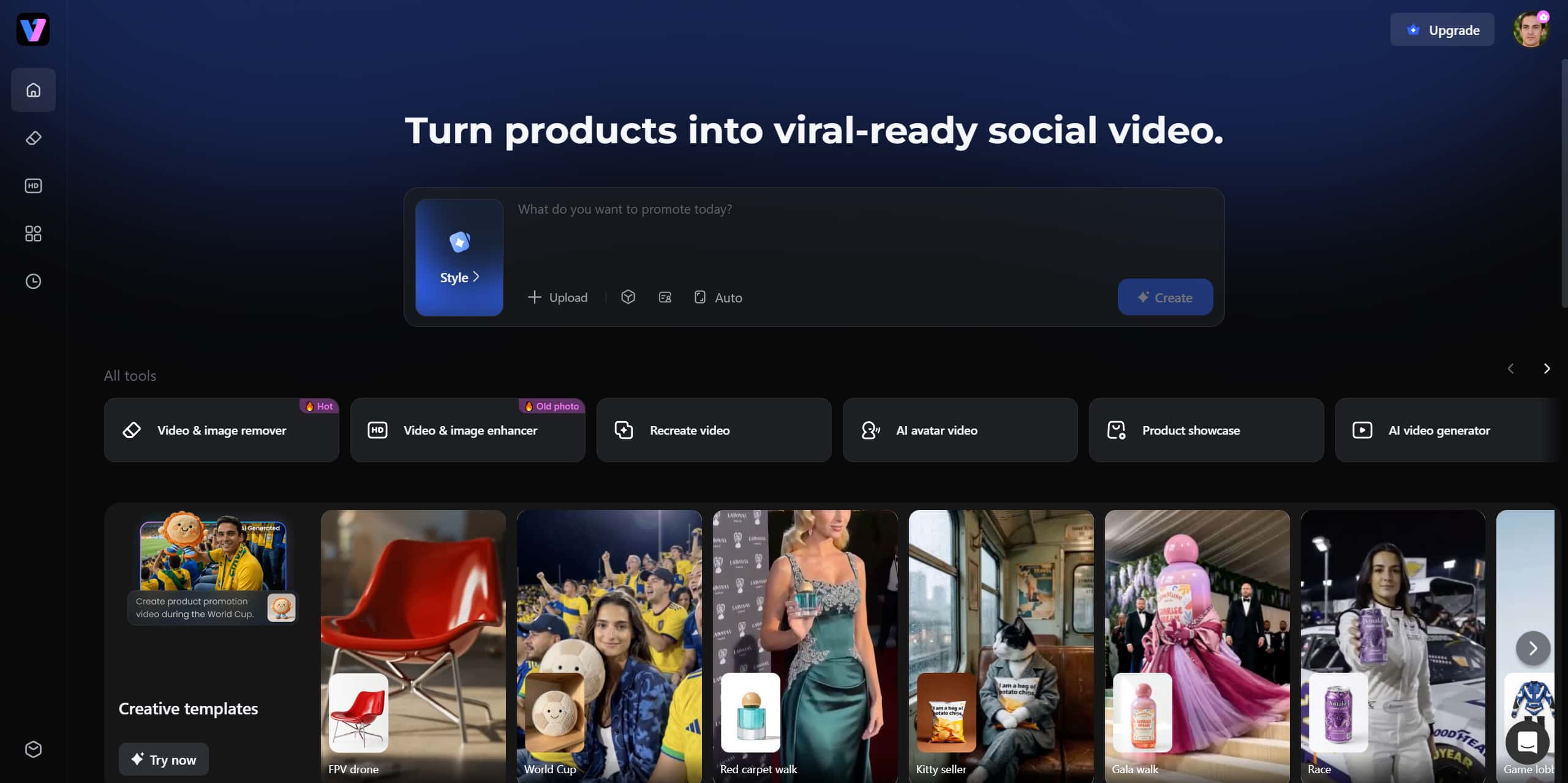
Once you've written a strong prompt, the next challenge is turning it into a complete video with smooth motion, visual consistency, and professional quality. This is where AI video generators like Vmake can help. By packing advanced AI video generation and editing tools into a single platform, Vmake strips away technical friction. Whether you're swapping backgrounds, upscaling quality, or crafting an entire cinematic montage, you can focus purely on creative vision while the AI handles heavy lifting.
Key features
-
Text-based video generation: With Vmake, users can describe their scenes, mood, and visuals in text to generate a video. This process makes it easier for users to turn their ideas into videos.
-
Frame-to-frame video generation: Frame-to-frame generation allows smooth motion and consistency from frame to frame. The action, expression, and information of each frame are more continuous.
-
High-resolution output: Vmake supports high-resolution output, like 2K and 4K. Its video enhancer also improves quality, helping create 4K video for YouTube, TikTok, Instagram Reels, and commercial projects.
-
Multiple styles of Video-to-video: Vmake offers various video-to-video transformations that let creators easily change the video's appearance. Users can add any style to their video while keeping the original footage.
Step-by-step guide
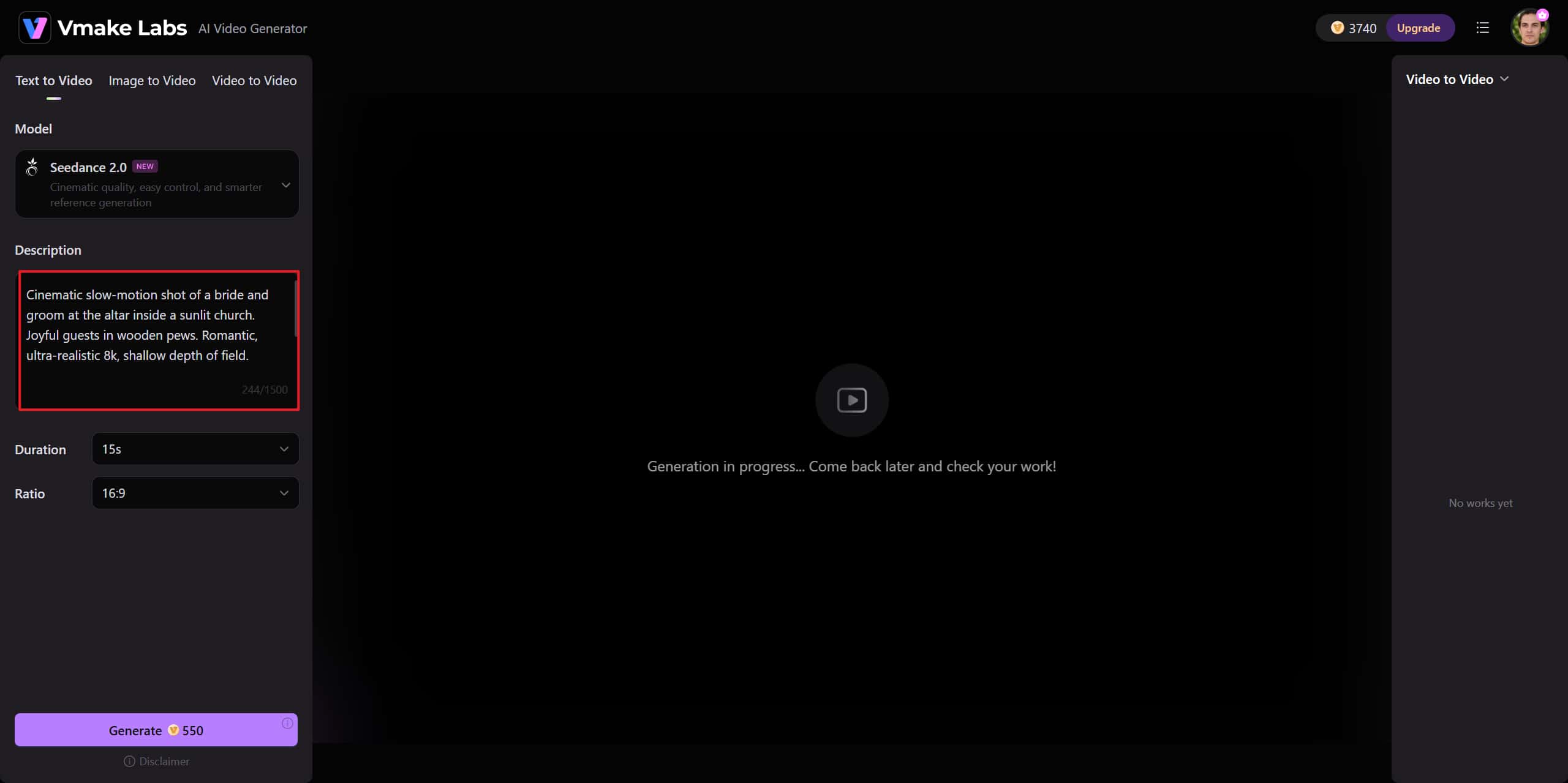
Step 1: Open Vmake Video Generator & Enter prompts
Navigate over to Vmake Video Generator to create a new project for your music video. Enter your music video prompt in the box to guide essential elements such as mood, video style, scene direction, and footage to be shot.
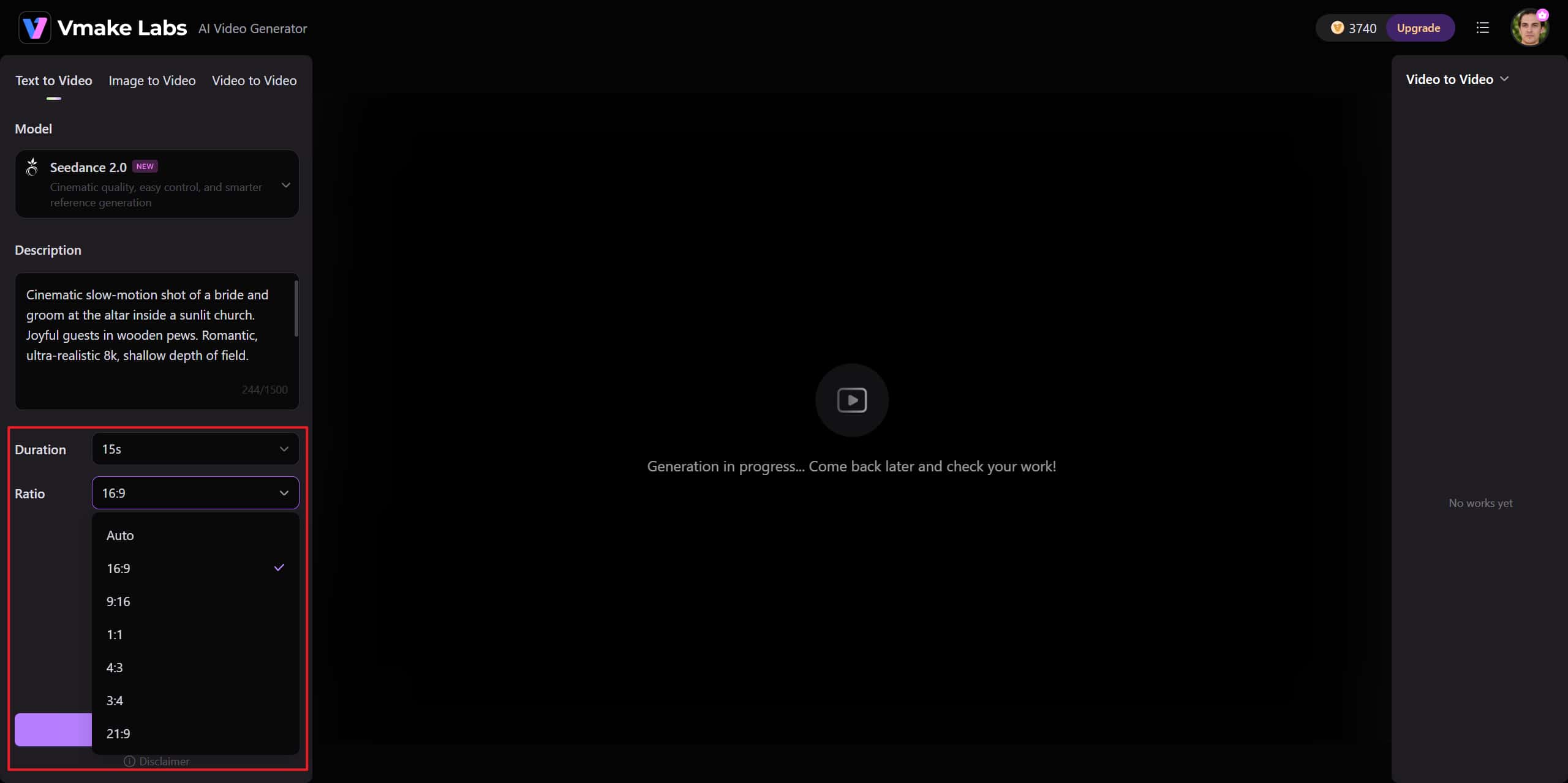
Step 2: Adjust the Settings & Generate
Now, change Duration and Ratio to suit your needs. Click "Generate" and wait for the result output.
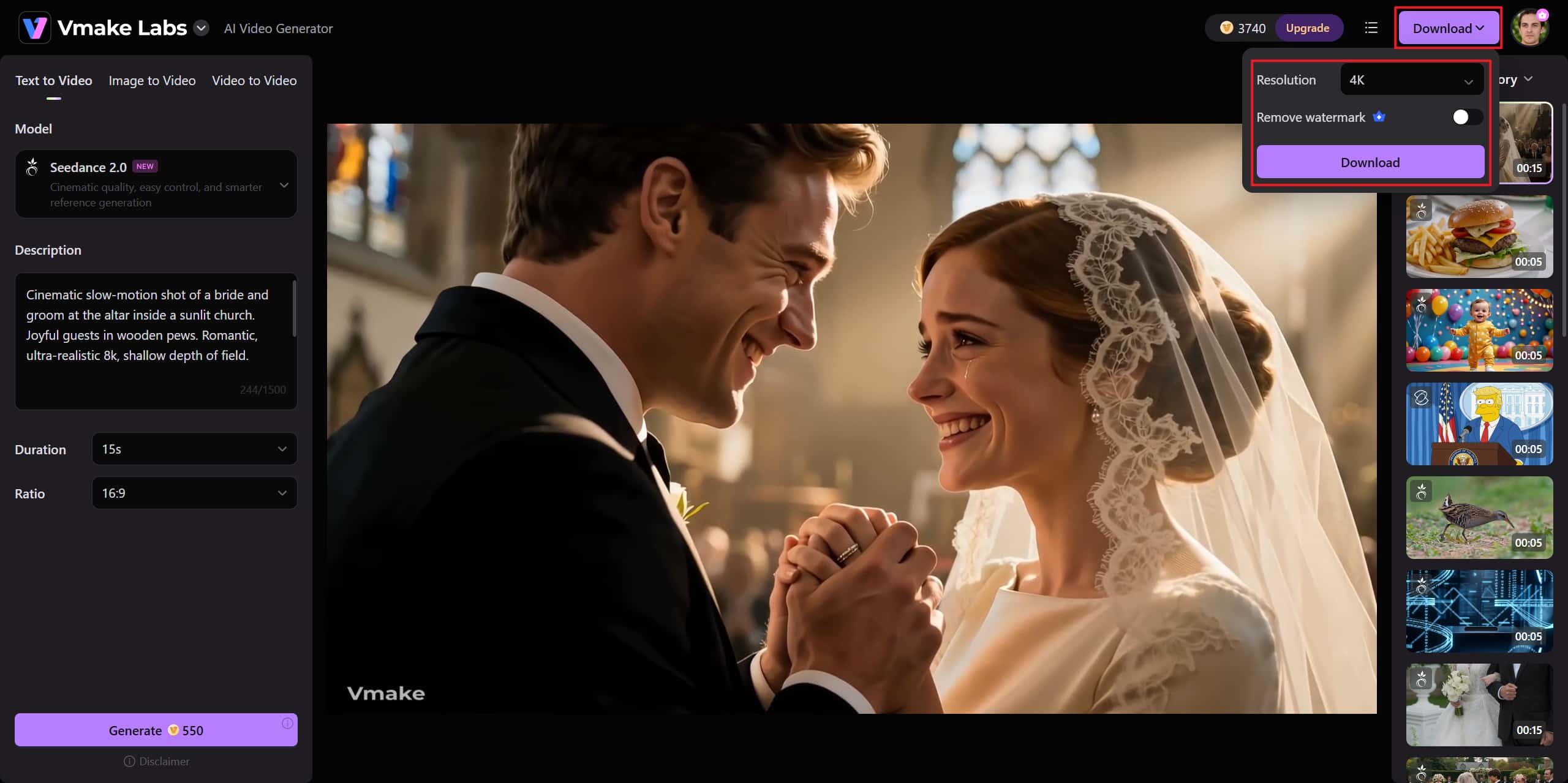
Step 3: Export
Click Download to export the video to the desired resolution. You can also remove the watermarks by toggling the button.
Conclusion
AI-driven music video production is closer to perfection than ever, but bringing your vision to life still starts with a great prompt. Turning those words into a flawless video requires the right platform. That's where Vmake comes in.
With powerful features like text-to-video generation, frame consistency, dynamic transition effects, and high-definition output, Vmake bridges the gap between imagination and reality. By pairing creative prompts with Vmake's advanced toolkit, artists, marketers, and content creators can now build stunning visual narratives seamlessly.
FAQs
Can AI music video prompts work for instrumental tracks?
Yes, it works well with AI for instrumental music videos. There are no lyrics to work with here, so prompts are directed towards the feel, beat, tempo, and visual ambiance.
What AI tools can generate music videos from prompts?
Some AI platforms offer the ability to create music videos using text-based inputs and creative prompts. The features within these platforms differ, with some offering not just generation but also editing, enhancement, and style translation. The decision on which platform to use will likely come down to individual creative workflow and goals.
Do AI music video prompts need technical language?
No, technical jargon is not required at all times for good prompts. In fact, a good descriptive prompt may sometimes do a much better job than a complicated one. That said, a cinematic prompt can sometimes increase output and visual acuity.
Can I use reference styles in music video prompts?
Yes, style references can be used to direct the aesthetic approach of AI-generated music videos. Often, creators refer to aesthetics, colors, or mood to mold the output. Carefully referencing aids consistency without hindering originality.
How many prompt revisions are usually needed?
You don't need to write your AI music video prompts multiple times-in fact, quite a few people iterate on their prompts several times before they get the scenes they want, and a flowing story. Iteration is totally fine when you want the best results.
Are AI-generated music videos suitable for commercial use?
It is acceptable to use AI-generated music videos for commercial purposes, depending on the platform you use and its terms of service and licensing. The use of rights may differ between the AI itself and the content it generates. Commercial policies need to be assessed before posting or making money.

You May Be Interested
Resize Videos Online Without Losing Quality: A Smarter Way in 2026
How to Create Professional YouTube Thumbnails with AI: A Creator’s 2026 Strategy
Best Quality Video YouTube: 2026 Export Settings & 4K Tricks

Best AI Video Generator: Top Tools Tested (2026)

Best Free Music Sites for YouTube Videos Without Copyright Issues