AI Animal Generator: 6 Tools to Generate Cute, Wild & Fantasy Creatures
Unleash your imagination with AI animals. Use Vmake Labs AI image generator to generate unique creatures, realistic wildlife, cute pets, and fantastical hybrids from simple prompts.

An AI animal generator can produce just about anything, from realistic wildlife and adorable pets to fantastic mythical creatures, using only a text description or a reference image. The guide covers the top 6 AI animal generators that make it easier to generate custom animal images without advanced design skills.
How to generate animal images with AI animal generator
The first step to creating AI generated animals is knowing what you want to see. The more specific you are describing the animal, the easier it is for an AI image generator to understand the animal's appearance, setting, mood, and visual style.
Step 1: Choose an animal and describe its appearance
First, choose the AI animal you want to create and list its most important physical features. Instead of just typing in "a dog," try something like "a fluffy golden retriever puppy with floppy ears, bright brown eyes, and a small blue collar." In the case of wild or fantasy animals, include fur or skin texture, color, markings, size, horns, wings, or other distinctive features. You can also add the animal's age, breed, species, or physical condition to make the result more specific.
Step 2: Define style and add action or emotion
Then, decide how you want your cute AI animal to look and what you want it to be doing. Request a photorealistic wildlife photograph, 3D character, watercolor illustration, children's book art, cinematic scene, cartoon, or fantasy concept art. Add an action or emotion to make the image more dynamic.
Step 3: Generate and refine
Navigate to the AI animal generator, enter your prompt, and observe the first result. If the animal's anatomy, pose, background, colors, or facial expression is off, try tweaking the prompt with more specific instructions.
Top 6 AI animal generators to try in 2026
There are various AI animal generators for various creative needs. Some are more about making images; some combine image generation with design, editing, animation, or video tools. Here are six options to think about in 2026.
-
Vmake Labs
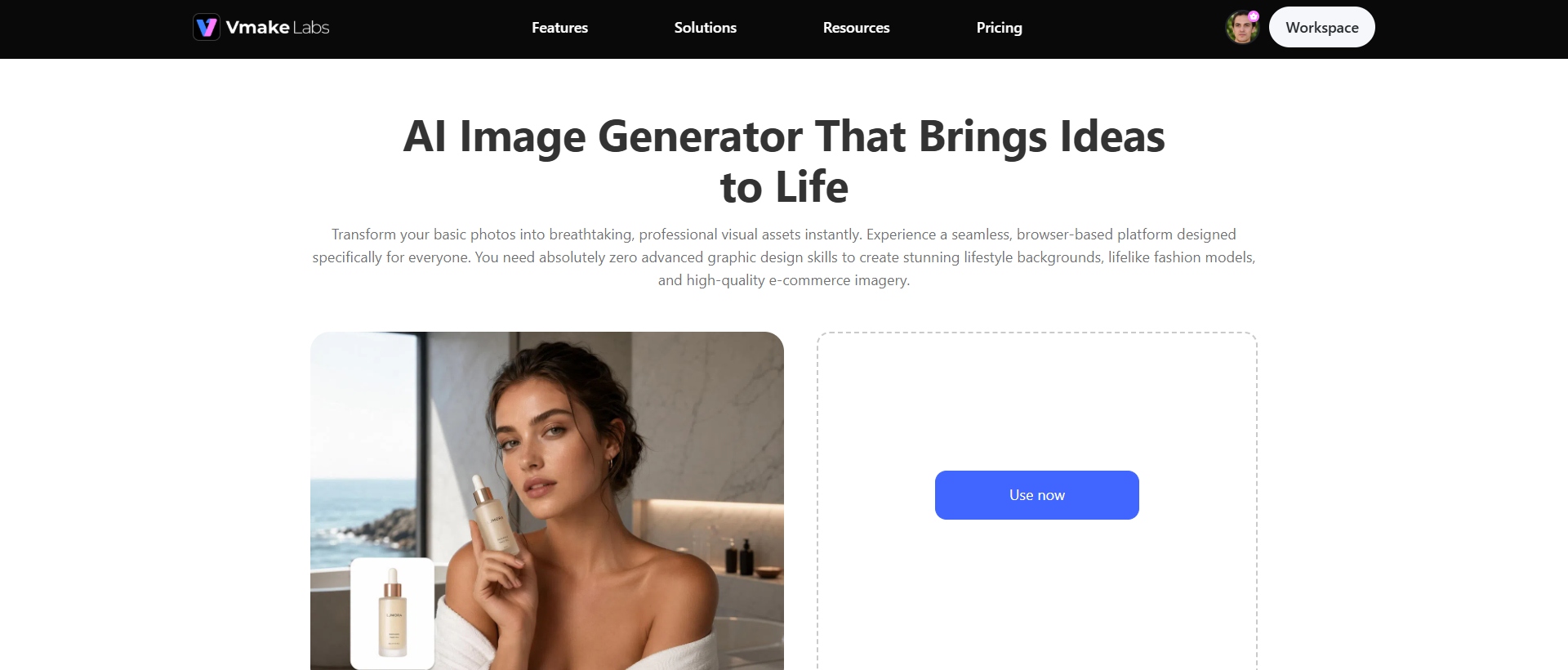
Vmake Labs AI image generator is a creative platform for generating and modifying visual content. It allows for text-to-image and image-to-image workflows, providing users with flexibility when creating animal visuals from scratch or transforming an existing reference. This makes it useful for generating cute pets, realistic wildlife, stylized illustrations, and imaginary fantasy creatures. The tool further offers an AI image sharpener to polish the output.
Step-by-step guide
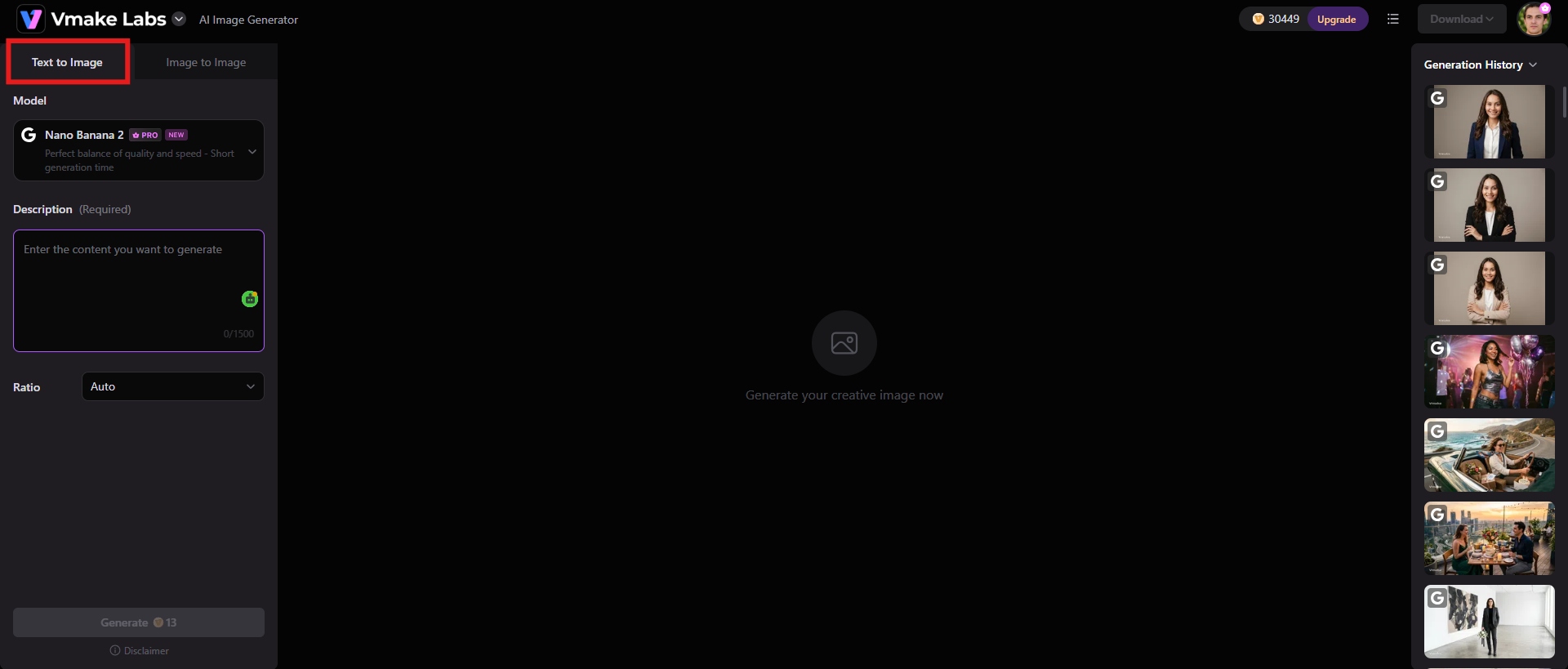
Step 1: Choose Text to Image or Image to Image
First, pick the generation method that works for your project. If you want to make an animal from a description in writing only, choose Text to Image. Use Image to Image if you have a reference image and want to create a new version based on the reference.
Step 2: Enter your prompt and generate
Describe cute or funny AI animals, their appearance, the environment it is in, their pose, the lighting, and the preferred visual style for text-to-image generation. Choose the aspect ratio for your image, depending on whether you want to make an image for a website, social media, etc., and click "Generate" to begin the process.
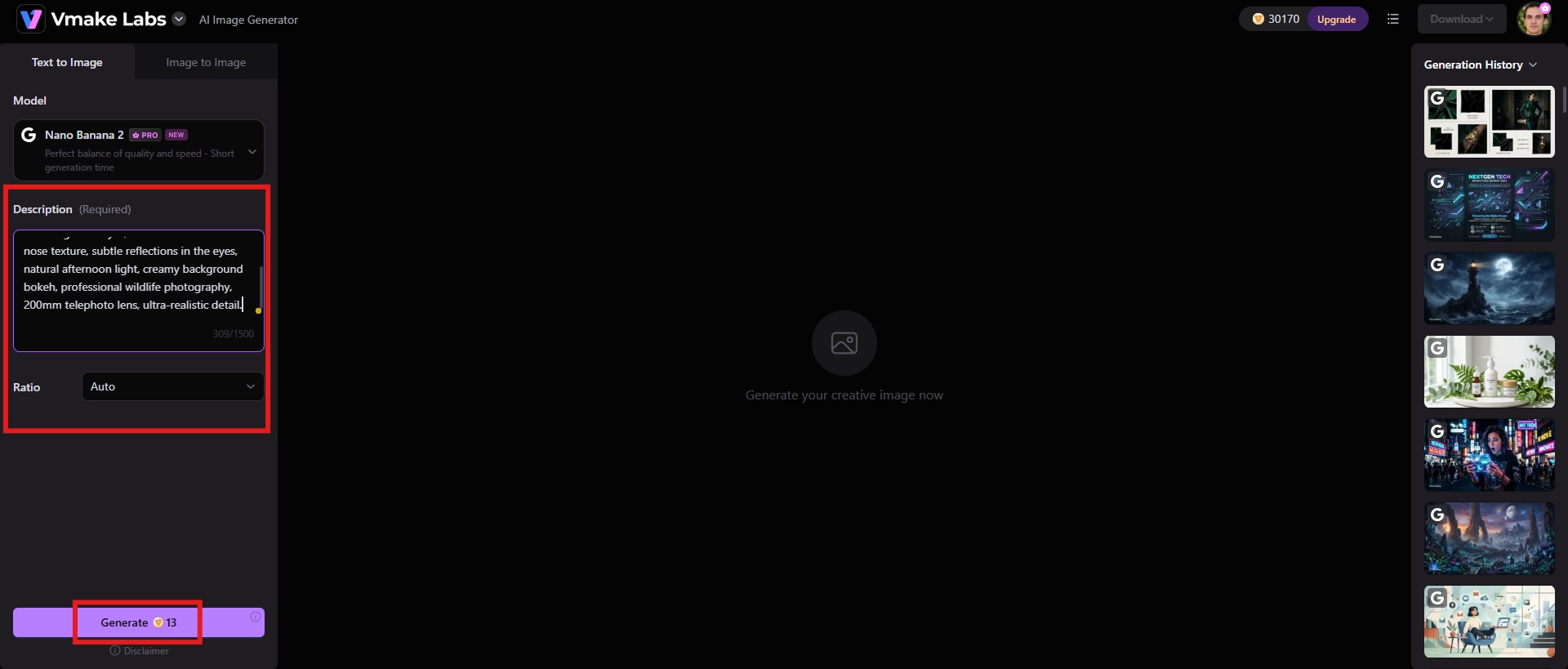
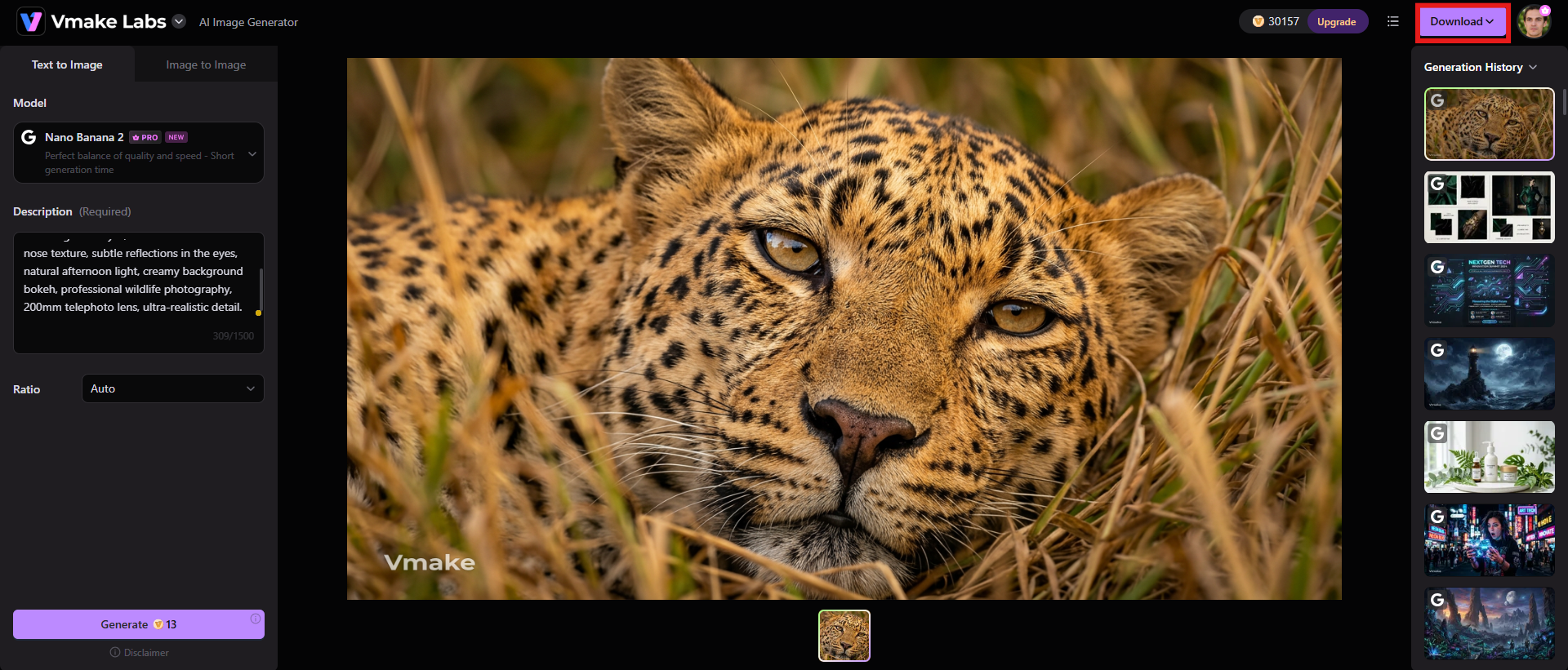
Step 3: Download the image
Check the result for details such as anatomy, facial features, texture, composition, background, etc. If necessary, tweak your prompt or reference and generate another version. Once the result is satisfactory, you can save the final image by choosing the "Download" option for your creative project.
Key features of Vmake Labs AI Image Generator
-
Text-to-image generation
Create AI animals from detailed text descriptions. You can create pictures that represent ideas of realistic wildlife, domestic animals, cartoon creatures, or even entirely fictional species.
-
Image-to-image generation
Take an existing image and create a new visual based on the reference. This can be helpful if you want to try different styles, environments, poses, or appearances, but you want to keep some pieces of the original concept. Use Vmake Labs image enhancer to further polish the output.
-
Multiple AI image models
Having multiple AI image models allows creators to have more freedom to experiment with different generation styles and visual outcomes. This can be especially helpful if one model does a better job on a certain type of animal artwork than another model.
-
Flexible aspect ratios
Create images in any aspect ratio, based on how you plan to use them. This is great for making animal graphics for social media posts, websites, digital ads, presentations, and other visual media.
-
Canva
Canva mixes AI image generation with a broader visual design platform, making it useful for users who want to generate animal images and integrate them directly into finished designs. Generate AI animal images from text prompts and put them into social media graphics, posters, presentations, educational materials, thumbnails, and other Canva projects.
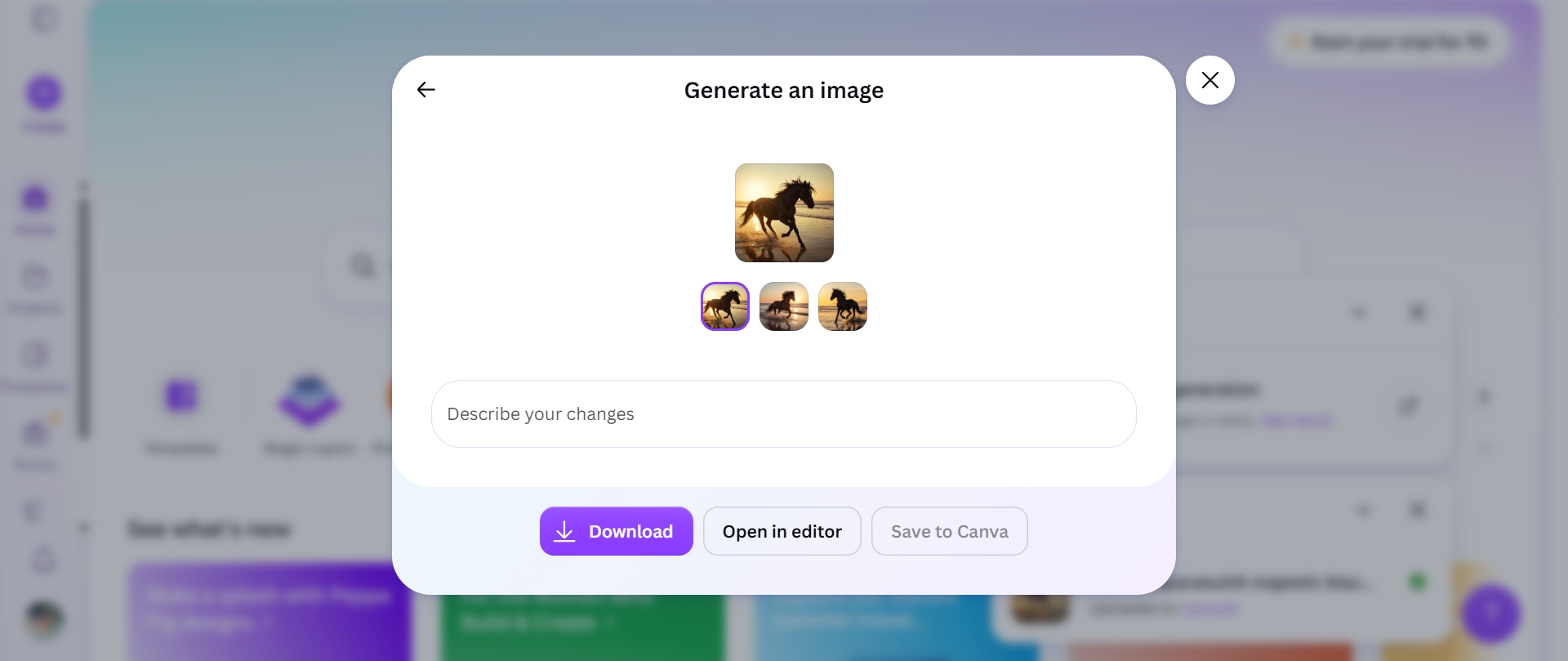
Best for: Canva image generator is best for creators who want AI-generated animal images to be part of a bigger design project and not standalone artwork. It can be especially useful for social media managers, educators, marketers, and content creators who want to create an animal image and include it in text, shapes, templates, or branding.
|
Pros |
Cons |
|---|---|
|
|
-
AnimalWorld.AI
AnimalWorld.AI focuses specifically on animal-related AI content, making it an interesting option for users who want to experiment with different animal concepts. A specialized animal-focused platform can be particularly convenient for creating visuals centered on domestic animals, wildlife, unusual species, and imaginative creatures without having to build the concept around a general-purpose design workflow.
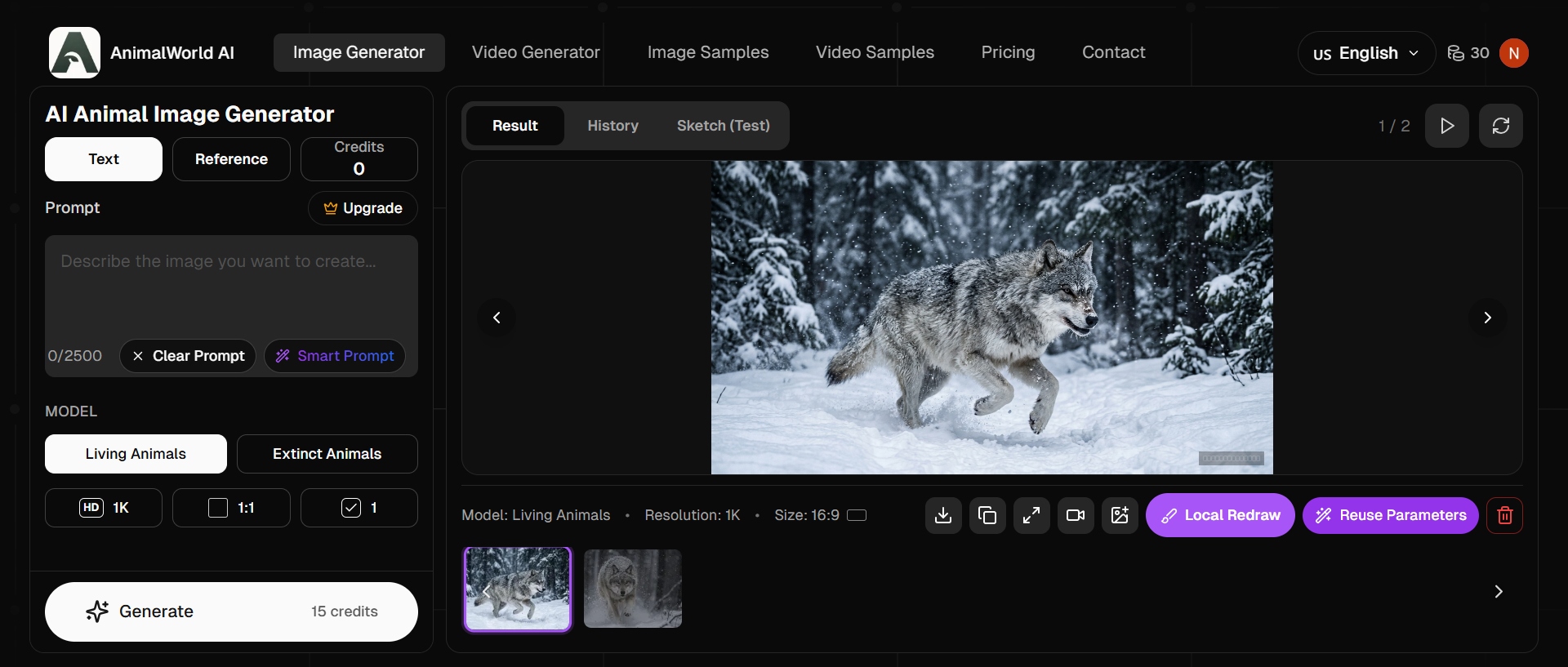
Best for: Animal World.AI works best for animal-focused creative projects where the subject is the main element of the image. It can assist you in exploring different species, coming up with imaginative animal concepts, or developing visuals for educational and entertainment content.
|
Pros |
Cons |
|---|---|
|
|
-
SeaArt.AI
SeaArtAI is an AI-powered creative platform that enables users to create and edit images from text prompts and reference images. It provides a large selection of AI models and art styles, so you can create realistic animals, adorable pets, fantasy creatures, anime-inspired characters, and imaginative hybrid species. It allows users to play around with different models and visual styles to generate highly customized animal artwork for illustrations, storytelling, social media content, and creative projects.
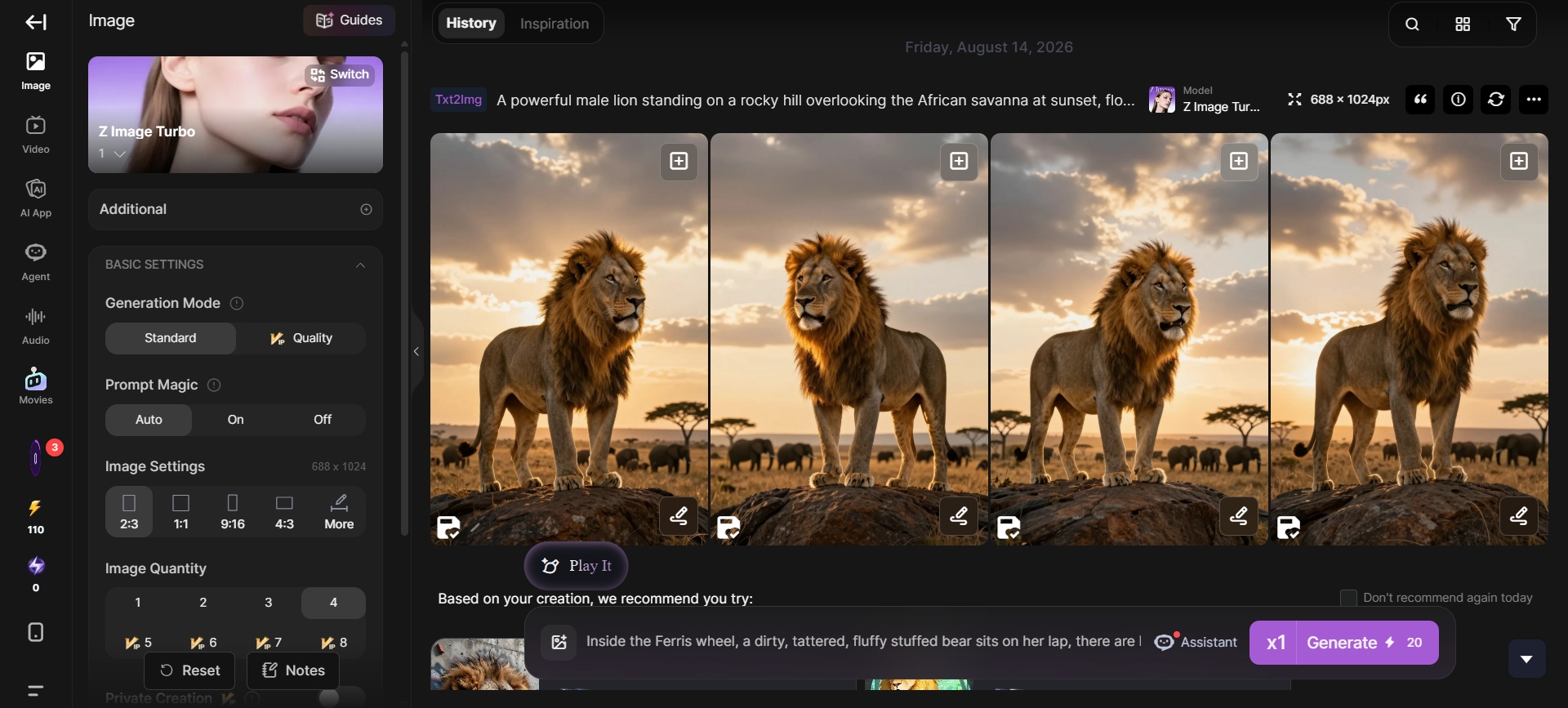
Best for: It is best for creators who want to generate images of animals, but also have other AI content tools at their disposal. The tool can be useful for bloggers, social media creators, marketers, educators, and small businesses that need different types of content produced by AI, rather than a tool that is only focused on animal artwork.
|
Pros |
Cons |
|---|---|
|
|
-
PicLumen
PicLumen is an AI-powered image generation platform that transforms text prompts into detailed images. Use it for creating a wide range of animal images, from realistic wild animals and cute pets to cartoon-style illustrations and fantasy creatures. Its model selection and image generation capabilities allow creators to explore different artistic styles, compositions, and visual ideas without the need for traditional illustration skills.
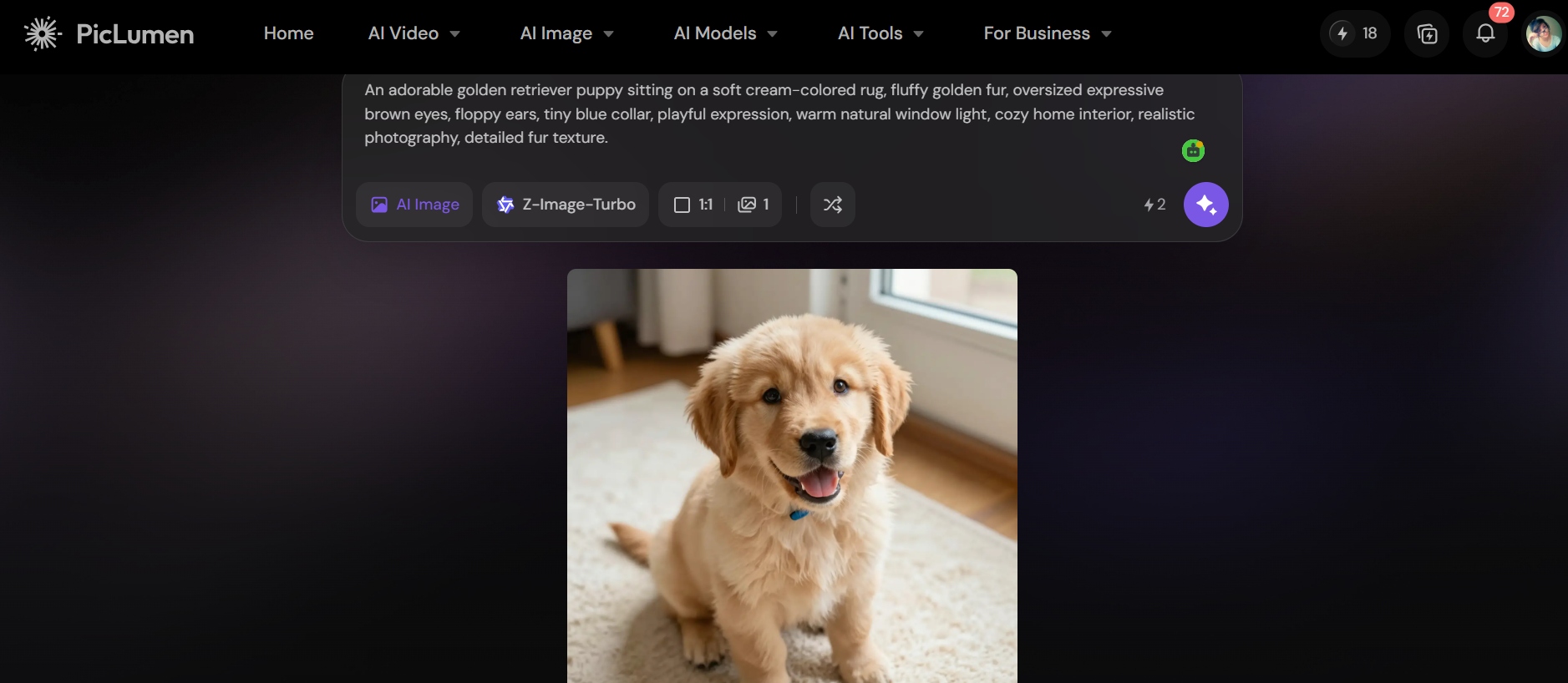
Best for: PicLumen is great for creators looking to experiment with different styles of AI-generated animal artwork. It can be great for social media graphics, character concepts, digital illustrations, fantasy scenes, storytelling projects, and creative experiments where visual style is as important as the animal itself.
|
Pros |
Cons |
|---|---|
|
Results may vary: Complex prompts with multiple animals, unusual anatomy, or intricate interactions may take several attempts. Quality of prompt matters: Generic prompts can result in less unique results, so users may need to provide detailed descriptions. Not just for animals: PicLumen is a general AI image generation platform, not a specialized animal generator. Usage limits: Some models or higher-volume generation may require available credits or a subscription. |
-
Pollo AI
Pollo AI is a multi-model AI creative platform for image and video generation. For animal content, it can help turn text descriptions into realistic wildlife, cute pets, stylized illustrations, and fantasy beasts. The ability to develop an animal concept into animated or cinematic content, as opposed to a single still image, is also useful with its broader image-and-video workflow.
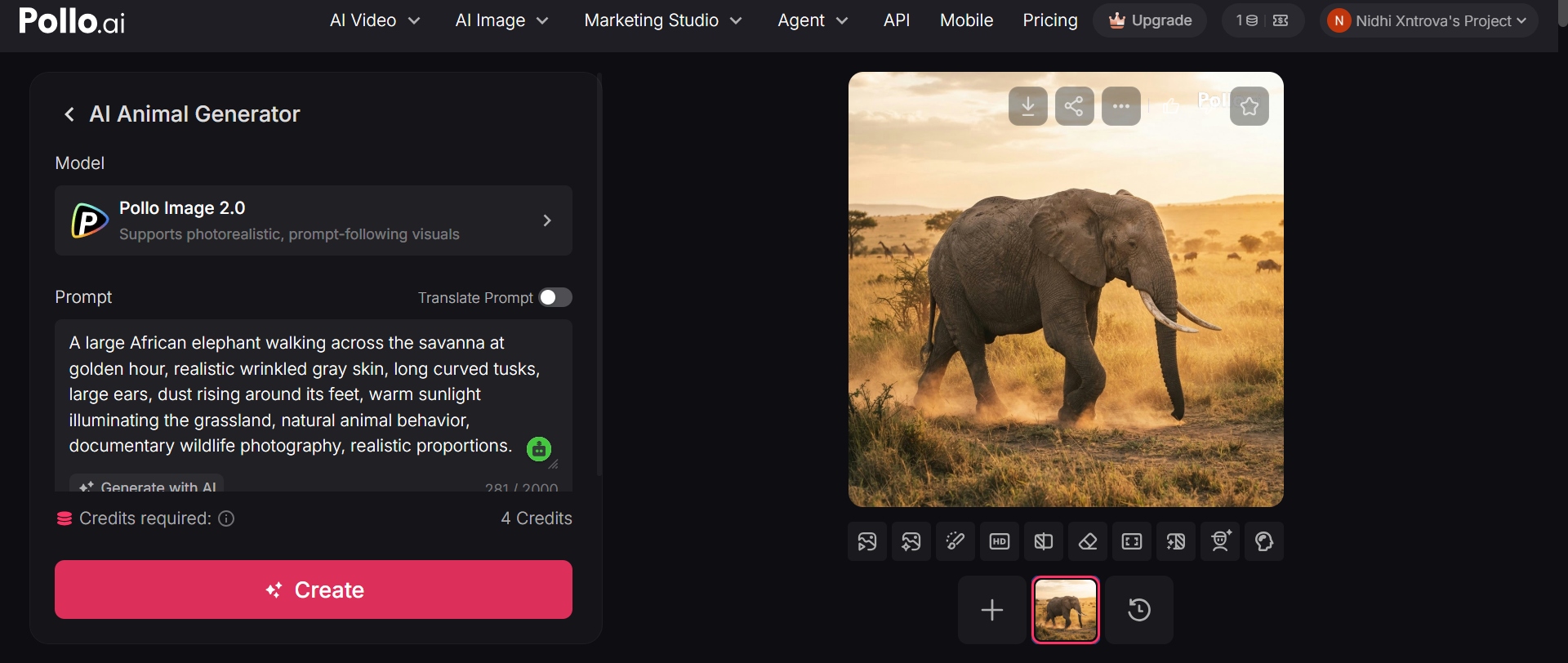
Best for: It is a perfect choice for creators who need flexibility between AI animal images and videos; Pollo AI is the best choice. This can be useful for social media creators, marketers, storytellers, and designers who want to play with different visual styles or turn an animal concept into short-form video content.
|
Pros |
Cons |
|---|---|
|
|
Tips to make AI animals look more realistic
AI animal generators can make amazing images, but you often have to do more than just say a species to get a believable, realistic animal. By providing information about anatomy, environment, lighting, movement, and photography, artificial intelligence can have more visual direction and avoid generic or unnatural results.
-
Use specific physical descriptions.
Use accurate physical descriptions. Do not write "a realistic tiger". Describe the coat, the stripes, the eyes, how big the tiger's body is, the facial features, and the physical condition. "a large Bengal tiger with thick orange fur, sharply defined black stripes, amber eyes, and muscular shoulders" provides a much more concrete visual.
-
Describe natural lighting and environments.
Tell the generator where the animal is and how the light works on the scene. Descriptive phrases such as 'soft morning sunlight filtering through a dense forest or 'golden-hour light across an African savanna' can help lend credibility to the setting.
-
Include realistic anatomy and proportions.
Since realism is important, give natural body proportions and anatomical details when generating cute animals with AI. This is especially true of animals with unique features such as long legs, wings, horns, tails, paws, or long necks. If the result seems distorted, stress that the animal should have anatomically correct proportions.
-
Specify camera angle and lens style for photographic results.
If you want the result to look like a wildlife photo, describe the camera angle and photo style. Words like "eye-level shot", "telephoto wildlife photography", "shallow depth of field," or "close-up portrait" can help to create a more convincing photographic composition.
-
Add natural animal behavior.
A logical pose and action make animals look more realistic. Don't just throw a fox into a forest; paint it "walking carefully through the fallen leaves and looking toward the camera" or "resting under a tree with its ears up." Natural behaviors can reduce the artificiality of AI-generated scenes and make AI-generated animals look more lifelike.
Conclusion
AI animal generator can turn simple descriptions or reference images into custom animal artwork. For better results, specify the body features of the animal, pick a suitable style, add an action or emotion, and improve the generated output. While there are plenty of AI animal generators available on the internet, the best one depends on your requirements and artistic style. Choose the one that meets your preferences and design goals.
Ready to make your animal ideas custom images? Try Vmake Labs AI Image Generator to play with text-to-image and image-to-image generation. Describe the creature you want, or provide a reference image, and then refine the result until it's in the direction you want creatively.
FAQs
How does an AI animal generator create images?
When you give an AI animal generator a text prompt or a reference image, the AI analyzes it and generates a new image based on the visual patterns it learned. The prompt controls things like the animal species, look, environment, pose, lighting, and artistic style. Typically, the more detailed the prompts, the more information the generator has about what you want to do.
What types of animals can AI generate?
With artificial intelligence, you are able to create all sorts of animals. Dogs, cats, horses, birds, reptiles, underwater animals, insects, wild animals like lions, tigers, wolves, elephants, and bears. It can also mix the features of different species to create imaginary hybrids and fantasy animals such as winged wolves, dragon-faced cats, or magical underwater creatures.
What makes a good AI animal prompt?
A good animal prompt provides clear details on the subject, appearance, environment, action, lighting, composition, and style. Instead of "a cute fox," you could say "a small red fox with fluffy fur and bright amber eyes sitting among moss-covered rocks in a misty pine forest, soft morning light, realistic wildlife photography." This gives the AI a lot more visual information to work with.
How do you create realistic-looking animals with AI?
Physical correctness and the natural setting are emphasized to create realistic-looking animals with AI. You can also specify a photographic approach, such as a wildlife telephoto lens, eye-level perspective, natural depth of field, or documentary photography style. If the first result has anatomical errors, rephrase the prompt and generate a new one.
Which prompts work best for fantasy animal characters?
Fantasy animal prompts are great when you take an animal you know and jazz it up with some imaginative details, but still have a clear visual idea. First, describe the base species, then add fantasy characteristics like glowing eyes, crystalline horns, feathered wings, magical markings, unusual colors, or supernatural abilities. You can also define the environment of the creature, such as an enchanted forest, floating kingdom, alien planet, or mythical mountain landscape.

You May Be Interested

Best AI Animation Generators for Creating Images and Videos

How to Make a Video Animation: Creative Best Practices
Pixar-Level Animation Seedance 2.0: Complete Creator Guide