Sora is Gone, Seedance is Rising: The New Era of AI Video Generation
 Ken DawsonMarch 25, 2026
On March 25, 2026, OpenAI officially said goodbye to the Sora app and API. This news came as a shock to the community that built so much around it. The team thanked everyone who created and shared videos, but they confirmed that Sora is ending its journey. While this news is disappointing, it marks a major shift in how we create AI videos.
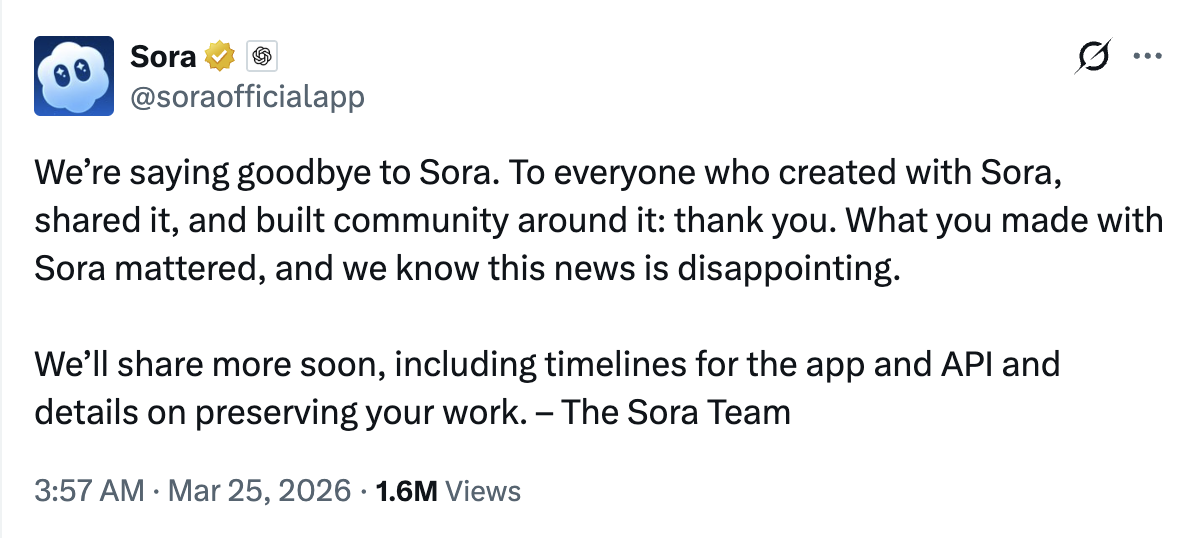
The era of waiting for Sora is over. Now, creators and businesses are looking for tools that are ready to use today. Fortunately, the future of AI video does not depend on just one company. As Sora steps back, powerful new tools like Seedance 2.0 are rising to take its place.
While Seedance 2.0 is a powerful tool, it is currently most stable for users in Mainland China. If you are looking for a reliable way to create content globally, Vmake is the best choice. Vmake has already gathered all the leading video models into one platform. This makes it easy for anyone to generate high-quality UGC video instantly.
What Happened to OpenAI Sora?
The Gap Between Hype and Reality
When Sora was announced, it felt like a paradigm shift. However, there has been a massive gap between the curated, highly polished demos shared on social media and the actual realities of public deployment. While Sora's generation capabilities are undeniably breathtaking, the lack of a concrete public release timeframe has caused "waitlist fatigue." For professional creators who need to produce content today, an unreleased tool—no matter how impressive—is effectively vaporware.
Compute Costs and Accessibility Barriers
Why the hold-up? The primary bottleneck for OpenAI's Sora boils down to staggering compute costs and immense processing power. Generating 60 seconds of high-fidelity, physically accurate video requires massive arrays of specialized GPUs.
To deploy this to millions of consumers without crashing servers or charging astronomical subscription fees poses a significant logistical hurdle. This hardware barrier significantly hinders widespread consumer access, paving the way for more optimized, lightweight models to capture the market.
Introducing Seedance 2.0: The Rising Star in Text-to-Video AI
What is Seedance 2.0?
Enter the latest OpenAI Sora alternative: Seedance 2.0. Seedance 2.0 is a rapidly emerging text-to-video generator designed from the ground up for democratization and accessibility. Instead of hoarding the tech behind red tape, Seedance's mission is to put high-quality AI video generation directly into the hands of everyday creators. It represents a major shift toward agile, user-friendly models that can run efficiently without breaking the bank.
Seedance vs Sora: Why Creators are Switching
When comparing Seedance vs Sora, the distinction becomes clear for everyday users. While Sora may currently hold the crown for absolute raw photorealism in private labs, Seedance wins where it matters most: accessibility.
- Generation Speed: Seedance is optimized for faster rendering, allowing creators to iterate on prompts rapidly.
- User Accessibility: It is publicly available now, meaning you can actually integrate it into your 2024 content calendar.
- Prompt Adherence: Seedance demonstrates a highly intuitive understanding of complex prompts, accurately translating artistic direction into moving pixels.
- Cost Efficiency: Because the architecture is leaner, it is much more affordable for independent creators and small marketing agencies.
For more detailed comparison, please check Sora 2 vs Seedance 2.0.
Key Features That Give Seedance the Edge
The standout Seedance 2.0 AI features revolve around granular creator control. It offers impressive character consistency across different frames—a notorious pain point in early AI video. Furthermore, Seedance introduces dynamic camera controls, empowering users to dictate precise panning, zooming, and tracking shots. Paired with a rapid, community-driven update cycle, Seedance is continually refining its output based on active user feedback.
The Broader Shift in the AI Video Ecosystem
Moving Away from "Vaporware"
The creator economy moves at lightning speed. Creators cannot afford to wait six to twelve months for a highly anticipated tech release while their competitors are currently publishing daily. This urgency has sparked a broader shift away from hyped-up vaporware. The industry demands functional tools that plug into real-world production pipelines today, emphasizing reliability over speculative perfection.
The Rise of Open Competitors
The future of AI video is plural. Countless innovators are throwing their hats into the ring, ensuring that the text-to-video AI sector does not become a monopoly. This healthy competition forces every platform—be it Seedance, Runway, Pika, or others—to iterate faster to win over creators. The ultimate winner in this landscape is the content creator, who gains access to cheaper, faster, and more capable generation tools.
Maximizing Your AI Video Workflow with Vmake
Bridging Generation and Final Production
No matter how powerful a generator like Seedance 2.0 is, raw AI video output is rarely the finished product. AI-generated clips often suffer from minor resolution drops, slight visual artifacts, or lack the proper pacing required for an engaging social media post. To create truly professional content, you need a robust post-production ecosystem. This is where bridging the gap between generation and final production becomes critical.
Using Vmake to Generate UGC Video and Polish it
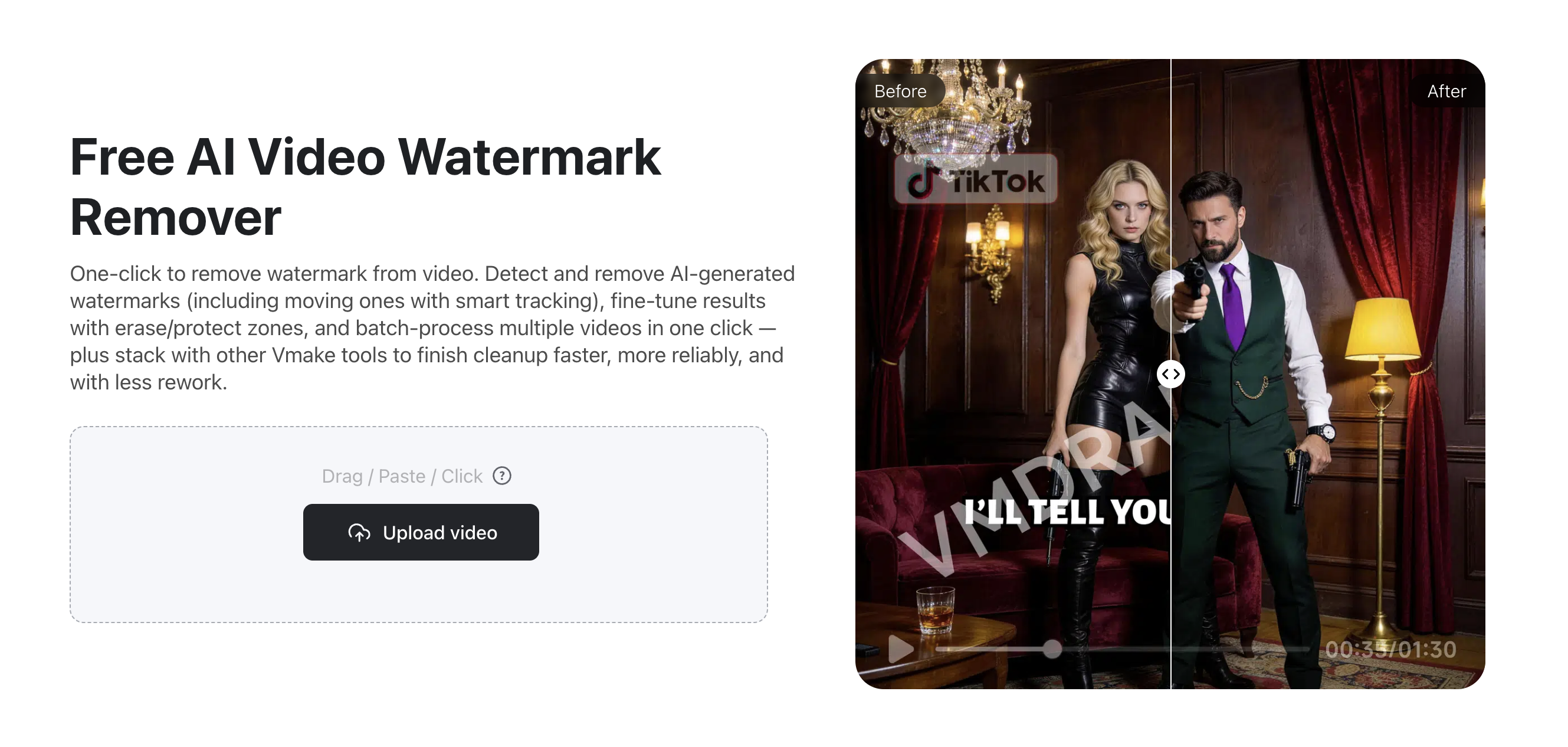
While tools like Seedance focus on text-to-video generation, many creators today are shifting toward a more practical and conversion-driven format: UGC-style videos. Compared to purely AI-generated cinematic clips, UGC content feels more authentic and relatable, making it perform better on platforms like TikTok, Instagram, and YouTube Shorts.
Instead of relying on complex prompts or traditional production workflows, you can use Vmake UGC Video Generator to create ready-to-use videos instantly. By simply providing a product or script, the AI generates natural, human-like content that is optimized for social media. This significantly reduces production time and removes the need for actors, filming setups, or advanced editing skills, making it ideal for brands and creators who need scalable content quickly.
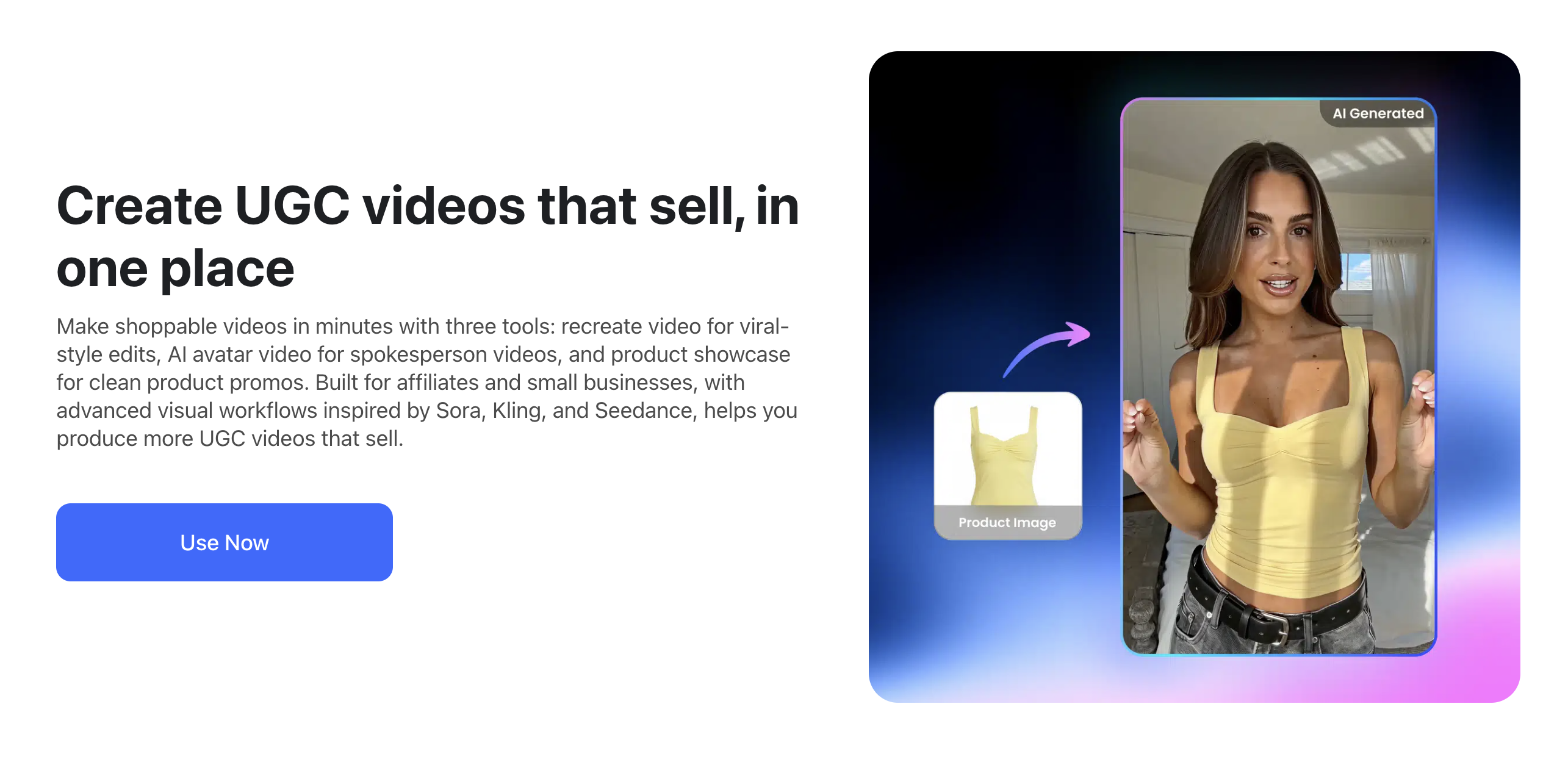
If you are working with videos generated from multiple platforms, you may also run into issues like watermarks that limit content reuse. In such cases, Vmake Video Watermark Remover can help clean up unwanted logos and make your content more suitable for publishing across different channels.
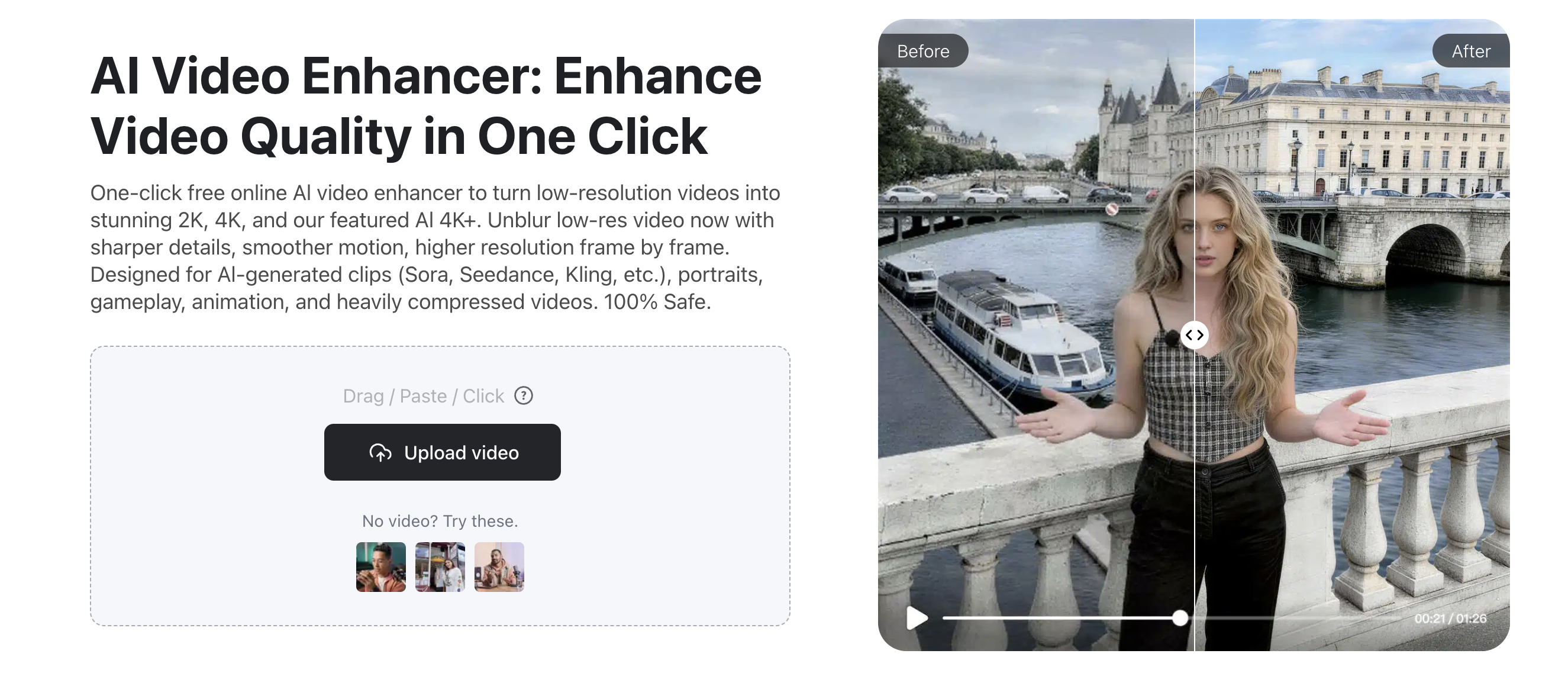
Finally, before publishing, it’s often helpful to refine the overall video quality. With Vmake Video Enhancer, you can improve resolution and sharpen details in just a few clicks, ensuring your content looks clear and professional, especially on high-resolution screens.
Practical Tips for Prompting Next-Gen AI Video Models
While tools like Seedance focus on text-to-video generation, many creators today are shifting toward a more practical format: UGC-style videos. These videos feel more authentic and tend to perform better on short-form platforms like TikTok and YouTube Shorts.
With Vmake’s UGC Video Generator, you can instantly create ready-to-use videos without filming or editing. Just input your product or script, and the AI generates natural, human-like content tailored for social media.
This makes it especially useful for brands, marketers, and creators who need fast, scalable content production.
Getting the most out of platforms like Seedance requires mastering the art of the AI prompt. Here are specific, actionable strategies to improve your text-to-video results.
Master Camera Movements
Instead of just describing the subject, describe the cinematography. Next-gen models respond brilliantly to classic filming terminology. Use clear, descriptive movement phrases directly inside your prompts:
- "Slow pan from left to right across..."
- "Tracking shot following the subject from behind..."
- "Rapid zoom into the character's eye..."
- "Cinematic drone tilt-down shot over the city..."
Focus on Lighting and Texture
The difference between a video that looks like a cheap game render and one that looks like a Hollywood blockbuster usually comes down to lighting and texture cues. When composing your prompt, be exceptionally specific about the environment and format. Specify phrasing such as "cinematic lighting," "volumetric fog," "shot on 35mm film," "golden hour sunlight," or "subtle film grain." These keywords force the generator to prioritize realistic atmospheric depth over flat, artificial-looking surfaces.
Frequently Asked Questions (FAQs)
Is OpenAI Sora completely cancelled?
No, Sora is not cancelled. It remains in active development and testing behind the scenes. However, its delayed public release timeline has pushed the market to embrace capable, currently available alternatives like Seedance.
Why is Seedance growing in popularity so quickly?
Seedance is gaining massive traction because it is available to the public, offers fast generation speeds, and produces highly consistent and impressive videos. It effectively solves the "waitlist problem" that plagues its competitors, fulfilling the immediate needs of content creators.
Can I use Vmake for videos generated by Seedance or other AI tools?
Absolutely. Vmake AI video tools are inherently platform-agnostic when it comes to source material. Whether your raw video comes from Seedance, Midjourney, or even traditional cameras, you can use Vmake to upscale resolution, edit clips, adjust backgrounds, and apply professional post-production polish.
Conclusion
The AI video generation space waits for no one. While Sora showed us an incredible glimpse of what is technically possible in a laboratory, accessible platforms like Seedance are putting real, usable creative power into the hands of digital artists and marketers today. The future isn't about waiting; it's about creating with the best tools currently available.
Don't just watch the revolution happen from the sidelines. Step into the new era of content creation by generating your next concept with powerful text-to-video AI. Then, take those raw visions and transform them into flawless, high-resolution final products. Sign up for Vmake today to upscale, edit, and polish your AI-generated masterpieces exactly how you envisioned them.

You May Be Interested

Seedance 2.0 vs Sora 2: Which AI Video Generator Wins in 2026?
How to Upscale Seedance 2.0 Videos to 4K