How to Remove Watermarks from Seedance 2.5 Videos: A Practical Guide
Seedance 2.5 videos may carry a watermark from the platform that generated or exported them. Here is how to check for a clean export first, then remove an authorized mark with Vmake Labs.

Seedance 2.5 itself does not come with one universal watermark rule. In practice, the mark usually comes from the service, plan, preview mode, export settings, or a third-party platform that packages the model.
Where Do Seedance 2.5 Watermarks Come From?
A watermark may be added to a free preview, trial export, restricted plan, or third-party wrapper. It may also be part of the uploaded footage or text inside the scene, so the source matters before you try to remove it.
Check the service that created the file, the plan used, and the downloaded file itself. A mark that appears only in a preview may not be part of the final export.
Official and Third-Party Seedance 2.5 Access
On official ByteDance routes such as Dreamina and current CapCut workflows, inspect the plan and download settings before you export. Dreamina’s current Seedance 2.5 page lists watermark-free downloads as an upgrade benefit. That does not automatically apply to every CapCut workflow or third-party wrapper.
Third-party platforms that package Seedance 2.5 often add their own watermark to free, trial, preview, or restricted exports. If a paid or upgraded clean export is available, use it first. If not, an authorized watermark-removal tool may be the practical fallback.
How to Get a Clean Seedance 2.5 Video Export
- Return to the project where the video was generated.
- Check whether the current plan or export option provides an unmarked file.
- Download the original file instead of screen-recording a preview.
- Inspect the first, middle, and final frames, then keep the original file and project record before editing.
If the mark comes from the platform export, a clean export is usually the best option because it preserves the original detail.
Quick tip: Do not screen-record a marked preview. Download the original file and check whether the mark is present in the export.
How to Remove an Authorized Seedance 2.5 Watermark with Vmake Labs
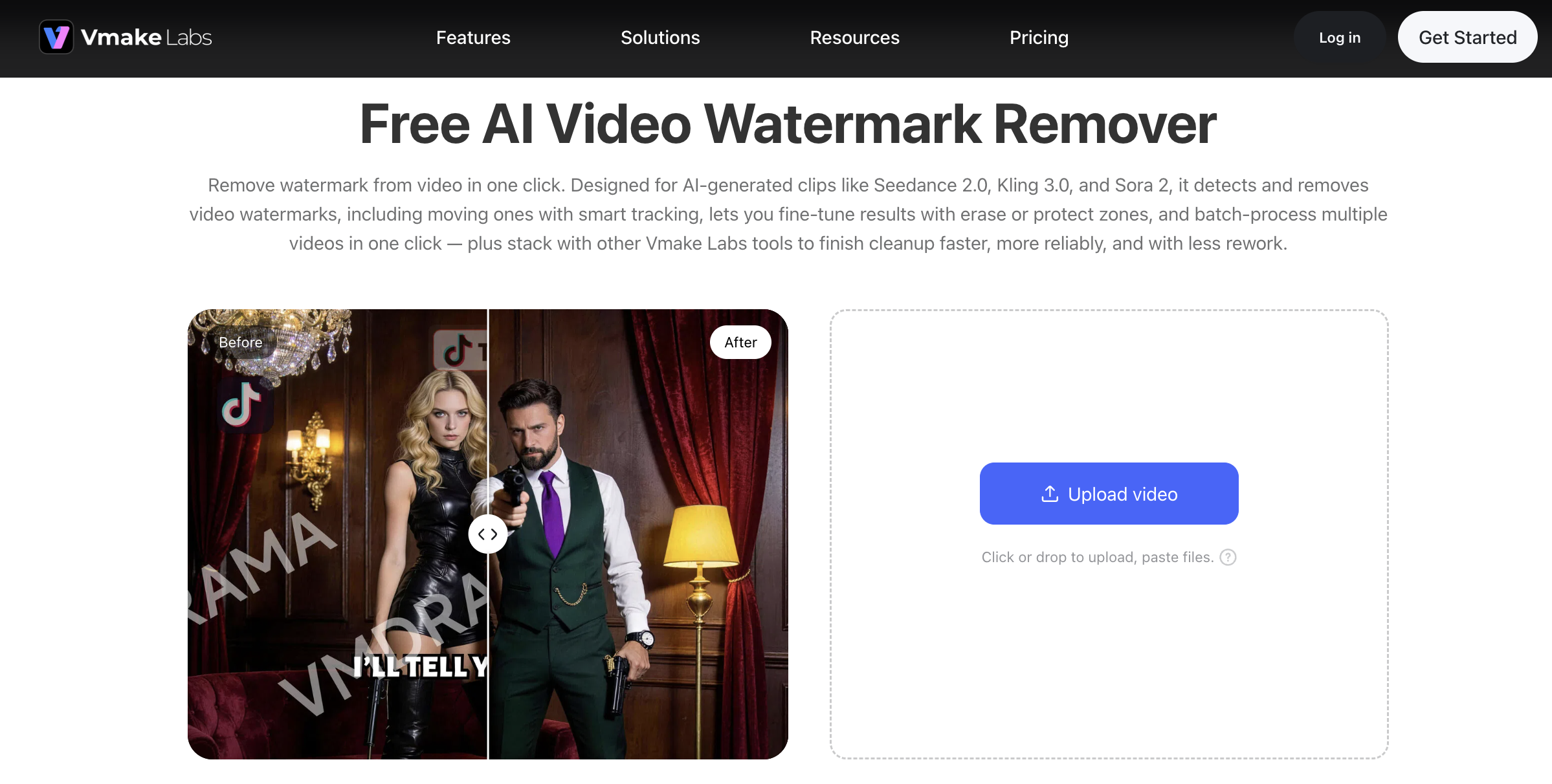
When a clean export is unavailable, Vmake Labs Video Watermark Remover can help remove an authorized platform mark from a video you own or have permission to edit. Start with a focused selection, preview the result, and export only after checking the full clip.
Remove Seedance 2.5 watermark with Vmake Labs
Why use Vmake Labs
- Focus the repair on the marked area instead of covering the whole frame.
- Track moving watermarks across the video.
- Preview the repaired result before exporting the final file.
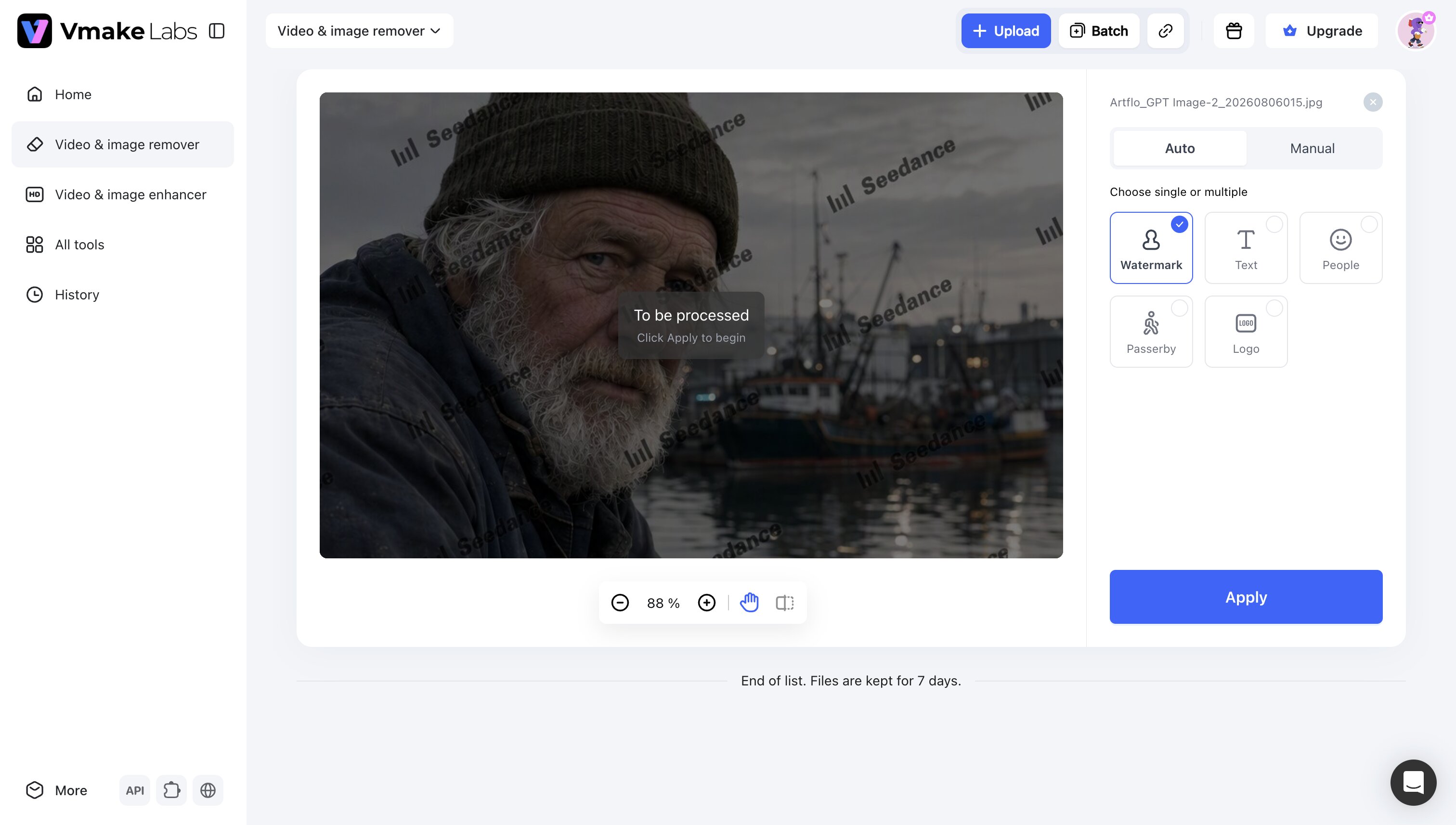
Remove Seedance 2.5 watermark in 3 simple steps
Step 1: Upload your Seedance 2.5 video
You may upload up to 30 videos at once if needed. Each file appears as its own card for easy review.
Step 2: Select the mode you need
Highly recommend the "Watermark" in auto mode for Seedance 2.5 watermark. Or choose the auto or manual mode according to your needs.
Step 3: Preview and download
Preview the clip, and download clean, high-quality videos.
Keep the selection as small as possible. A large mask can remove useful texture or soften a moving face, hand, product edge, or label.
Tips: If the first export needs another pass
Reduce the selected area if the background looks smeared. If the mark flickers or overlaps an important object, return to the original and look for a clean export instead.
Preview the entire video at normal speed, especially during camera movement and scene transitions. A single still frame is not enough to judge the result.
Disclaimer: Watermark Removal and Publishing Rights
Before editing, keep these boundaries in mind:
- Do not remove a creator’s attribution from a video you did not create.
- Do not use watermark removal to bypass licensing, paywalls, or platform restrictions.
- Do not present a reconstructed video as an original clean export.
- Do not claim every Seedance 2.5 video is watermarked or watermark-free without checking the exact platform and plan.
Watermark removal does not change ownership. Do not remove creator attribution, stock-footage marks, or platform protections from content you did not create or license. If you are editing a client’s video, keep a record of the client’s authorization. If the mark indicates a license or usage restriction, obtain the appropriate clean asset rather than treating removal as a substitute for permission.
For Vmake Labs-generated content, keep the project record and verify the current export terms before commercial publication. The goal of the remover is to repair an authorized file, not to bypass a licensing condition.
Conclusion
If an official or third-party Seedance 2.5 export carries a watermark and no clean export is available, Vmake Labs Video Watermark Remover can help remove the mark from a video you own or are authorized to edit. Keep the original file, review the full result, and publish only when the output is ready.
FAQ
1. Does Seedance 2.5 always add a watermark?
No. Watermarks depend on the platform, plan, preview mode, and export path. Check the exact service and downloaded file instead of assuming every Seedance 2.5 video follows the same rule.
2. Where does a third-party Seedance 2.5 watermark come from?
It usually comes from the platform’s free, trial, preview, or restricted export settings rather than from the model itself. If the platform offers a paid clean export, use that option first.
3. Can I get a clean Seedance 2.5 export?
Sometimes. Check the current plan and download settings in the service that created the video. A paid or upgraded export may be clean; if no clean option exists, use an authorized editing workflow.
4. Can Vmake Labs remove any Seedance 2.5 watermark?
Results depend on the watermark’s size, movement, background, and overlap with important details. Use Vmake Labs only on a video you own or have permission to edit, then review the entire export before publishing.

You May Be Interested

Seedance 2.0: What's New & How to Use It

123APPS Watermark Remover Review (2026): Pros, Cons, and Pricing

5 Best Valentine's Day Video Ideas for eCommerce in 2026
The Easiest Way to Save TikToks Without Watermark