Seedance 2.5 Release: What Is Confirmed, What Is Live, and How to Get Access
Quick tip: Start with one subject, one clear action, and one camera move. Once the motion is stable, add references or a timestamped storyboard only when they solve a specific consistency problem.


Quick insight: Seedance 2.5 is officially presented as a longer, more controllable video model with multimodal references, R2V control, localized editing, and 4K output. The exact duration, resolution, credits, audio behavior, and export result still depend on the platform where you use it. Check the live Vmake Labs workspace before starting a larger generation.
Seedance 2.5 is being discussed faster than its documentation is being standardized. Official product pages, platform wrappers, and creator discussions may describe the same model from different angles, so this guide separates documented capabilities from platform-specific behavior and practical questions raised by users.
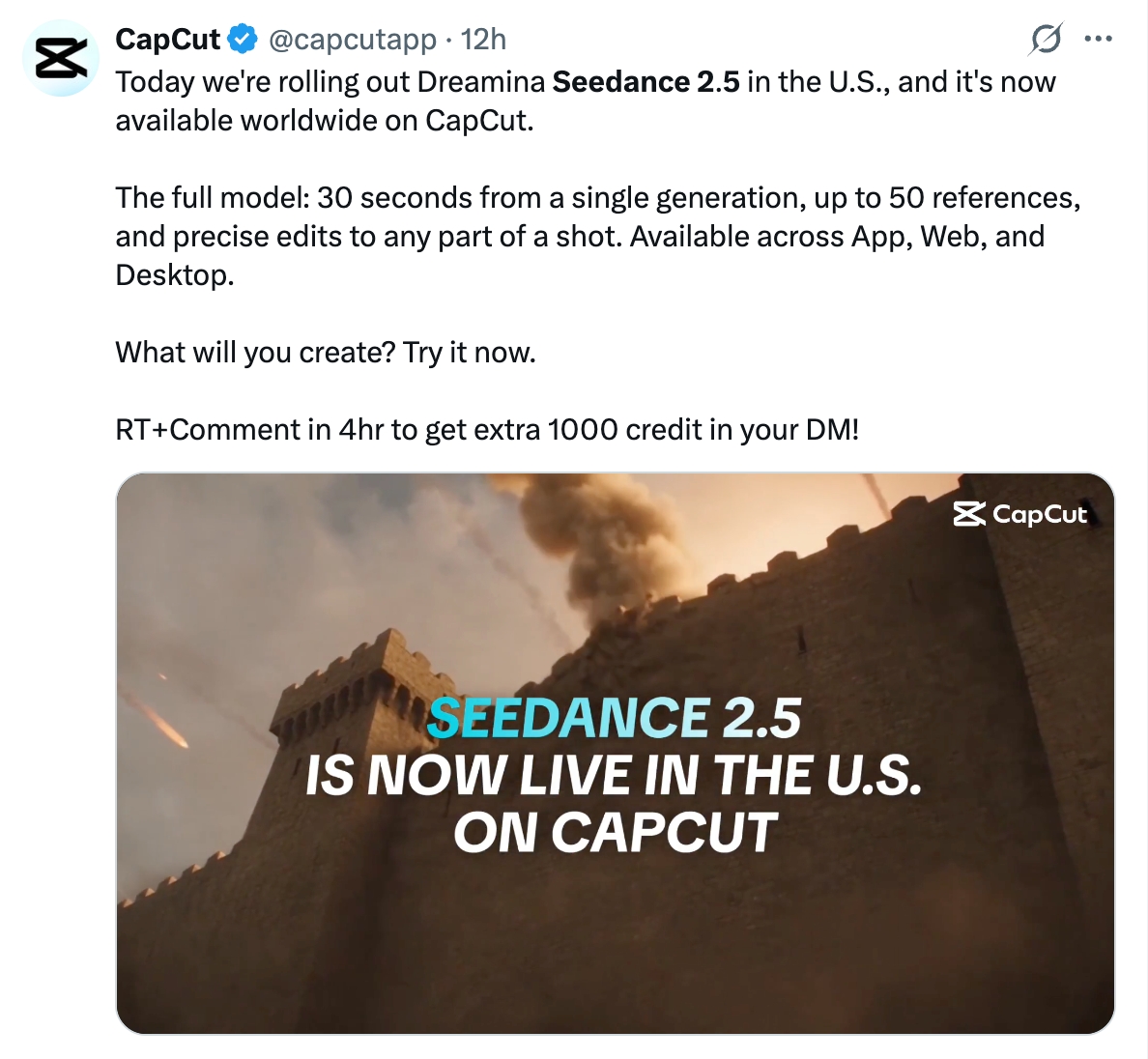
As of August 6, 2026, the official Dreamina Seedance 2.5 product page describes up to 30-second generation, up to 50 multimodal inputs, R2V reference control, localized editing, and 4K output. The official Seedance AI Tips & Guides hub also publishes related Seedance 2.5 guidance. These pages establish the model-level claims; they do not automatically establish the settings or export policy of every platform. According to CapCut’s official X account (a ByteDance-owned brand) Dreamina Seedance 2.5 has officially begun rolling out in the United States.
Use the official product page for what Seedance 2.5 is documented to do, the live Vmake Labs interface for current access and controls, and the downloaded file for export behavior. Community posts are useful for finding questions worth testing, but they are not substitutes for primary evidence.
What Is Officially Confirmed About the Seedance 2.5 Release?
The official product page describes the following capabilities: longer single outputs, richer multimodal references, reference-driven motion control, localized editing, and high-resolution output.

Question | Evidence-based answer | Scope |
|---|---|---|
Can it create 30-second videos? | The official Dreamina page lists standard 30-second generation. | Official Dreamina product experience |
Can it use multiple input types? | The page lists text, scripts, photos, videos, music, and style references, with up to 50 multimodal inputs. | Official Dreamina page; Vmake Labs limits may differ |
Does it support reference-driven workflows? | The page describes reference-to-video workflows, including green-screen and white-model references. | Official Dreamina workflow description |
Is every platform’s price or resolution the same? | No. A model capability does not establish a wrapper platform’s pricing, quota, or export settings. | Platform-specific; check current UI |
Using Seedance 2.5 in Vmake Labs
To try the model in Vmake Labs, open the Seedance video generator and confirm the current model label, duration, aspect ratio, credits, audio behavior, and export options in the live workspace. These are platform settings, not assumptions transferred from Dreamina.
Vmake Labs provides a direct way to test Seedance 2.5, but the controls and export options shown in its workspace may differ from Dreamina. Treat the live Vmake Labs interface as the source for platform-specific settings.
How to get access in Vmake Labs
- Open the Vmake Labs Seedance video generator.
- Check that Seedance 2.5 is visible in the model picker.
- Choose the aspect ratio and duration for your publishing channel.
- Start with one subject, one action, and one camera move; add references only when they solve a continuity or identity problem.
- Review the preview, credit estimate, and downloaded file before generating a batch.
What Creators Are Discussing About Seedance 2.5
Public discussions on X and Reddit are most useful as signals of what creators want to verify in practice. Recurring questions include reference roles, timestamped storyboards, longer outputs, UGC workflows, continuity, API access, latency, failed-task billing, resolution, and export behavior. These discussions are not official documentation; they help define the questions worth testing in a live generator.
- 30 seconds and continuity: a longer output can reduce stitching, but it does not prove that every 30-second scene will remain stable.
- Reference count and control: more inputs are useful only when each image, video, audio file, or script has a clear role.
- Product access versus API access: a model shown in a creative workspace does not prove that the same capabilities are available through an API.
- 4K and export behavior: the model-level claim does not establish the resolution, post-processing, or file output offered by every platform.
- Credits, retries, and watermarks: these are platform-specific details that should be checked in the live generator and downloaded file.
How to read these discussions
Use social posts to identify questions worth testing, not to turn a viral claim into a product fact. The useful release summary is that Seedance 2.5 is documented for longer, multimodal, reference-driven workflows, while the controls, cost, and export result must be checked on the platform where you generate.
Where to test these questions: Use the Vmake Labs Seedance video generator to test duration, reference control, and export behavior in the current workspace. Change one variable at a time, then compare the downloaded file with the preview.
What the Seedance 2.5 Upgrade Changes for Creators
Seedance 2.5 matters less because its feature list is longer and more because those features target common production bottlenecks: short clips that need stitching, inconsistent references, and nearly finished videos that require a full rerun after one local mistake.
- Longer generation: a 30-second output can hold a hook, action, and payoff in one planned sequence, reducing the need for manual stitching.
- Reference-driven control: assigning each reference a clear role is more useful than uploading a large, unstructured bundle.
- Lower-cost iteration: R2V and localized editing could make it easier to fix one motion or object without regenerating the entire clip, but the actual controls must be verified in the platform UI.
The practical test is not whether a demo looks impressive. It is whether a creator can repeatedly control duration, references, motion, local edits, and export settings well enough to produce publishable work.
What Is Still Platform-Specific?
The model page does not define every wrapper setting.
The official page describes the model direction; the following limits and export details still need to be checked in the generator where you create the video.
- Duration: the official page describes up to 30 seconds, but the live duration menu can vary by platform, plan, or mode.
- Inputs: the official page describes up to 50 multimodal inputs, while a wrapper may support fewer types or fewer files.
- Resolution and audio: 4K, sound, editing, and reference controls should be confirmed in the selected generator rather than assumed from the model page.
- Credits and export: pricing, failed-task behavior, watermarking, and the downloaded file are platform-specific.
These distinctions are why a release article should separate model-level capabilities from the experience a user can access in a particular product.
What the Dreamina page does not prove for other platforms
The official Dreamina page also describes a beta long-video mode of up to 180 seconds. Keep that claim attributed to Dreamina; do not copy it into Vmake Labs instructions unless the live workspace shows the same option.
The same attribution rule applies to 4K output, clean output, multilingual creation, audio, and localized editing. The model page describes a capability; the generator you use determines the available setting and exported file.
Seedance 2.5 Access Troubleshooting in Vmake Labs
Problem | What to check first | Next step |
|---|---|---|
Seedance 2.5 is not visible | Account, region, plan, rollout status, and model picker refresh | Sign in again, refresh the model picker, and verify the current rollout. |
Duration is shorter than expected | Selected model, plan, and duration menu | Use the live duration menu; do not transfer Dreamina limits to Vmake Labs. |
Credits are higher than expected | Live estimate and billing unit | Confirm whether usage is charged per job, second, resolution, or reference input. |
Export looks different from preview | Download route, resolution, and post-processing | Download the file and inspect it locally instead of judging only the preview player. |
FAQ
1. Is Seedance 2.5 officially released?
Official public product information for Seedance 2.5 is available on Dreamina. Exact release timing and access still depend on the platform being discussed.
2. Can I use Seedance 2.5 in Vmake Labs?
Vmake Labs currently exposes Seedance 2.5 in the generator. Confirm the model name in the live model picker before generating.
3. Does Seedance 2.5 always generate 4K video?
Not universally. The official Dreamina page describes 4K output, but the available resolution can vary by platform, plan, and export setting.
4. Does the model always add a watermark?
Not necessarily. Check the platform, plan, preview, and downloaded file before making a watermark claim.

You May Be Interested

What is Seedance 2.5? The Ultimate Guide to the Next-Gen AI Video Model

Seedance 2.0: What's New & How to Use It
123APPS Watermark Remover Review (2026): Pros, Cons, and Pricing

5 Best Valentine's Day Video Ideas for eCommerce in 2026