
Unwatermark Watermark Remover Review (2026): A Practical Guide
 Ken DawsonDecember 24, 2025
From stock photos and social media videos to documents, watermarks often become a hurdle when repurposing licensed content, restoring personal files, or cleaning up old assets. Removing watermarks while keeping quality has traditionally required editing skills, expensive software, and significant time, but not anymore. Now, smarter, AI-based tools like Unwatermark are changing the game.
Unwatermark Watermark Remover helps remove watermarks from images, videos, GIFs, PDFs, and even Sora videos, with no technical experience required. It uses artificial intelligence to remove unwanted elements and then fill in missing parts in a natural way. What makes it popular is its ability to handle different file types and support for batch processing.
This post will cover its core capabilities, step-by-step tutorials, pricing plans, and top competitors, offering a detailed review to help determine whether it suits your needs.
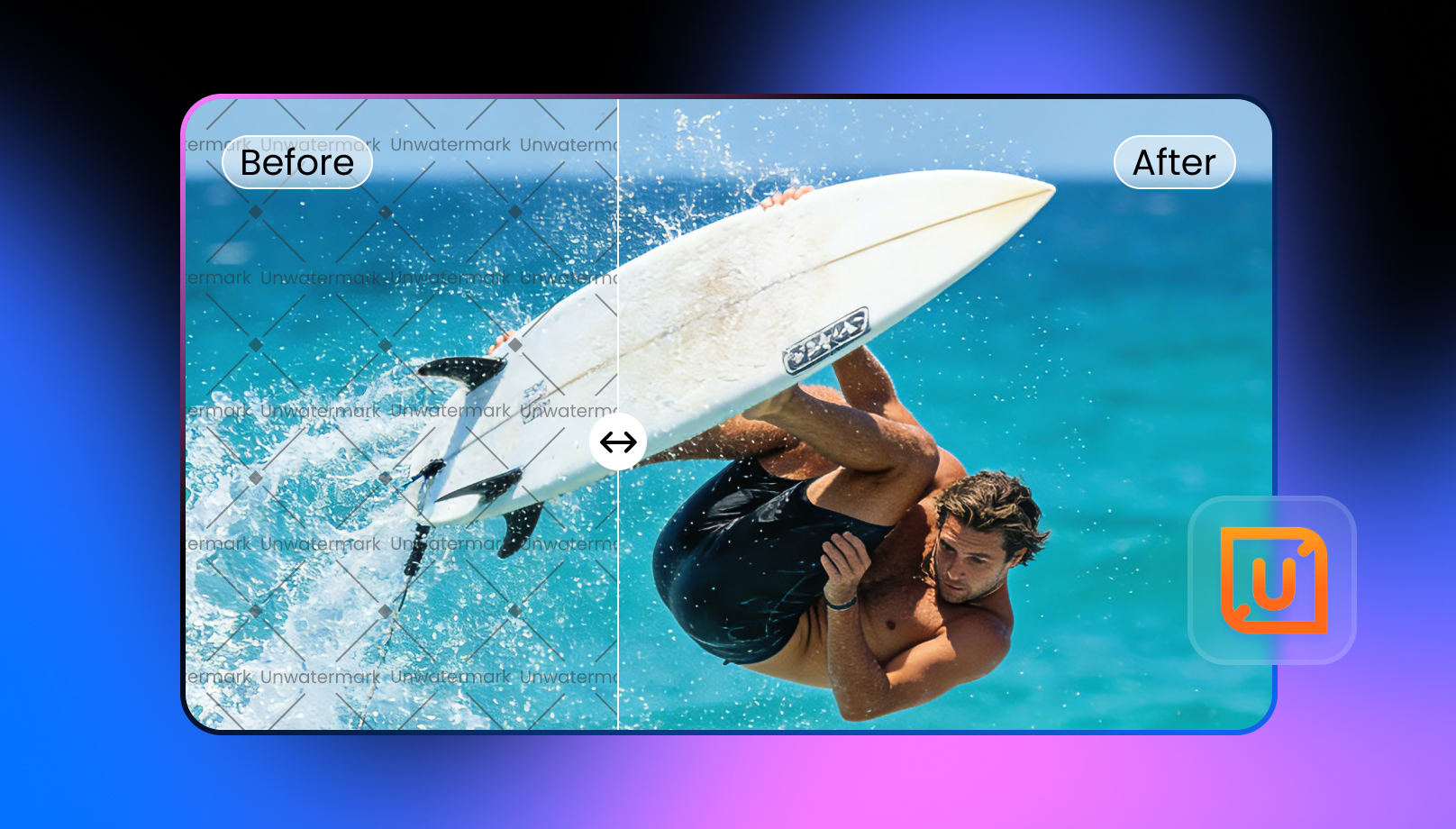 What Does Unwatermark AI Actually Do?
Unwatermark AI is a powerful online tool and mobile app that uses AI to remove logos, text, objects, and people from digital media. It uses the latest algorithms, such as image inpainting, to analyze the surroundings and reconstruct details. Its notable features include removing watermarks from images, videos, PDFs, GIFs, and Sora clips. However, it also offers batch processing of up to 100 pictures and API integration for developers.
This versatile platform is ideal for those who need quick, efficient results without a steep learning curve, such as content creators, social media managers, ecommerce teams, students, and professionals.
Additional Features:
- Image/Video Upscaler: It helps upscale photo or video resolution by up to 400% without distorting the natural look.
- Video/Photo Enhancer: You can reduce noise, restore clarity, and enhance every detail of your images or videos with a single click.
- Background Remover: It automatically detects the subject in your photo and creates a perfectly transparent background using advanced technology.
- Video Subtitle Remover: It quickly detects and removes subtitles, captions, and embedded text with precise scene tracking.
- Unblur Image/Video: You can unblur and sharpen your photos or videos to achieve stunning clarity in seconds.
- AI Photo Editor: It helps edit a single image or multiple images using any model, i.e., Nano Banana, 3.0 Beta, or SeeDream. You can try different prompts to restore an old photo, transfer a style, create Ghibli art, etc.
Key Features & Performance Review of Unwatermark Watermark Remover
Unwatermark is an all-in-one watermark removal solution that supports a range of file types with minimal effort. To see its performance, I tested it on various watermarked samples, focusing on both quality and ease of use. Below are its notable features:
Unwatermark AI Watermark Remover
Unwatermark is a versatile solution for cleaning watermarks from both images and videos with precision. For images, it can automatically detect and remove logos, text overlays, and timestamps without losing surrounding details. It also offers the options for automatic or manual removal and batch uploading.
For videos, it lets you manually select the watermark area and remove watermarks, logos, captions, and other unwanted elements. You can upload files up to 500MB; however, this is suitable for social media clips and short videos. It supports standard image and video formats and ensures lossless processing by blending the removed areas naturally.
Unwatermark Sora Watermark Remover
As the name implies, this tool helps remove watermarks from Sora & Sora 2 videos. It focuses on the visual patterns and motion styles of Sora content, so it can remove logos, captions, and text cleanly while preserving the video’s textures and lighting. It can detect and remove dynamic watermarks without loss of quality. You can upload videos in MP4, M4V, or MOV format, but they should be under 5 minutes.
However, you must follow Sora’s content policies and applicable copyright laws. You can only remove watermarks from your own or authorized content.
Unwatermark GIF Watermark Removal Tool
GIF Watermark Remover is capable of cleaning logos, text, stamps, or branding from animated files in seconds with AI precision. It processes each frame carefully to maintain smooth motion and proper timing. During testing, the tool handled multiple GIF styles and preserved image clarity across frames.
Unwatermark PDF Watermark Remover
Unwatermark PDF Watermark Remover can eliminate watermarks with a single click from documents, such as text stamps, logos, or background marks. It can clean text, image, simple, or full-screen marks from every page in seconds. However, it preserves the original layout, fonts, and formatting.
It performs best on digital PDFs rather than scanned ones. You can use it for reports, presentations, and other professional documents that need a polished appearance.
Getting Started with Unwatermark Watermark Remover
Since this platform is beginner-friendly, using it is not difficult. However, learning the right way is necessary. Below are the tutorials for removing watermarks on different media types:
Guide 1. How to Batch Remove Image Watermarks
Step 1. Open Batch Watermark Remover
First of all, access the Unwatermark Batch Watermark Remover and choose the auto or manual option. Let’s suppose you select the manual mode.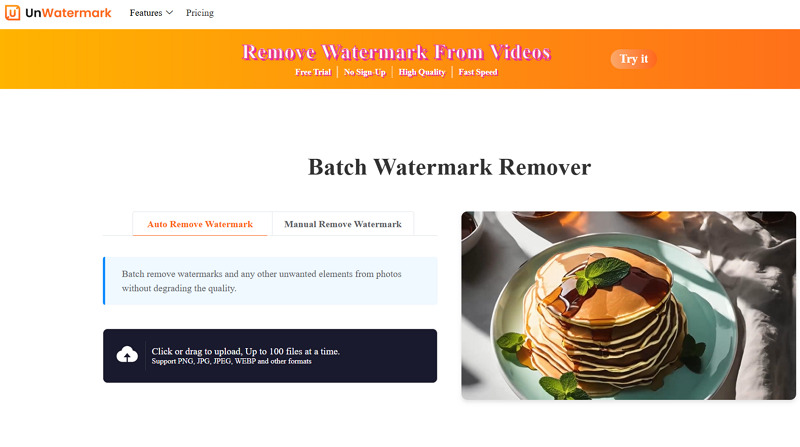
Step 2. Upload Images
It’s time to drag and drop the required image files. You can zoom the image and use the brush tool to paint over the watermark.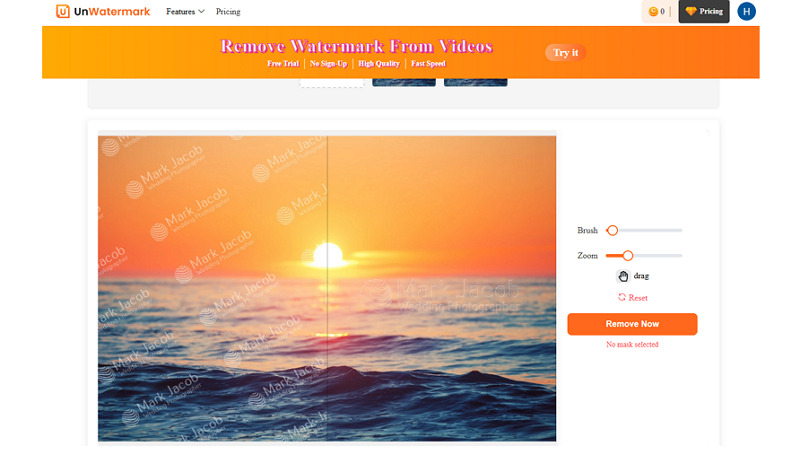
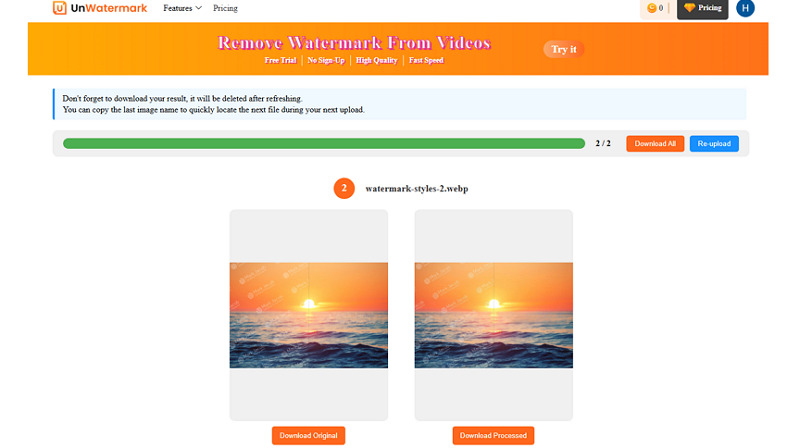
Step 3. Download the Output
Lastly, press the “Remove Now” button, and if the output is okay, hit “Download Processed” or “Download All.”
 Guide 2. How to Use Video Watermark Remover
Step 1. Upload Video
The first step is to open the Unwatermark Video Watermark Remover and click “Upload Video” to import the file in the supported format.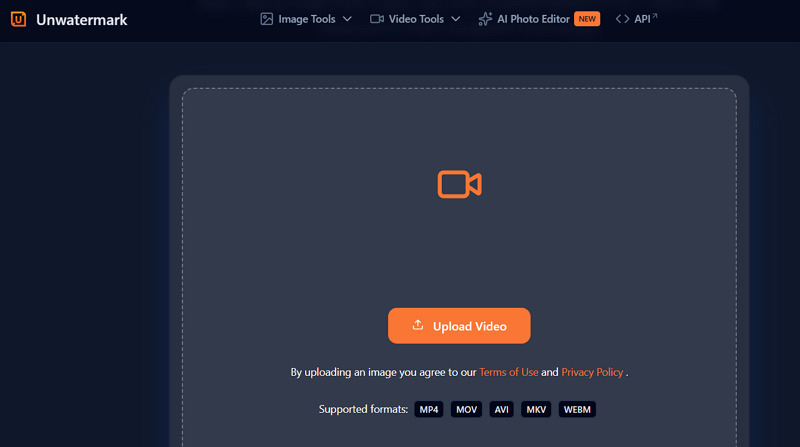
Step 2. Paint the Watermark
Now, use the “Brush” or “Rectangle” tool to select the watermark area. You can play the video if the watermark displays at a specific time.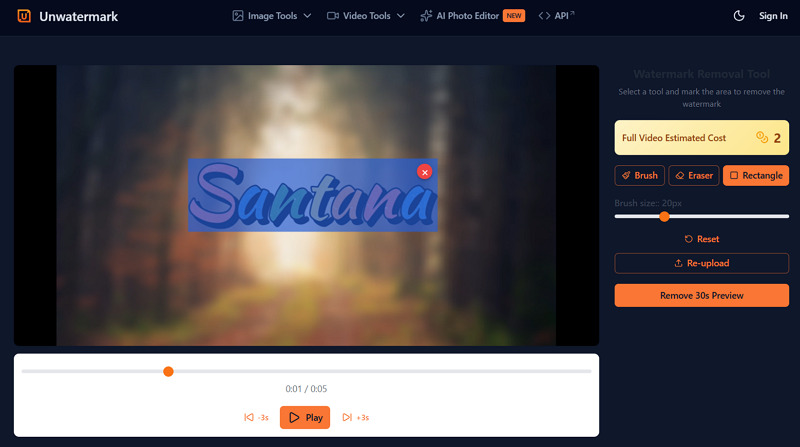
Step 3. Remove the Watermark
Next, press the “Remove 30s Preview” or choose the full video option. Preview and compare the results. Then, hit “Download Video.”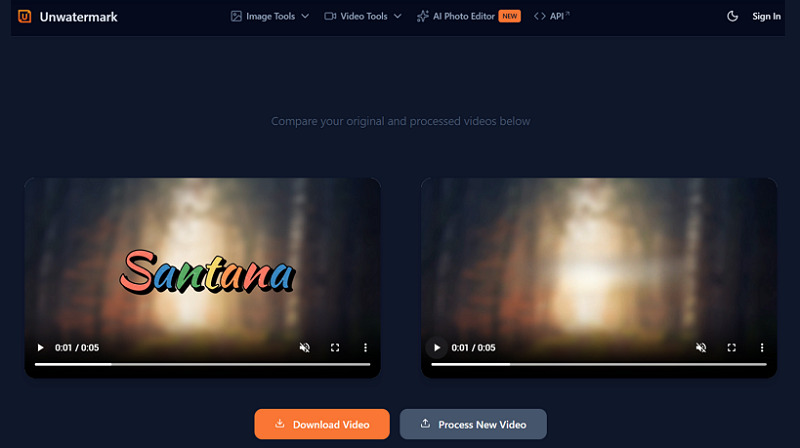
Pricing Review of Unwatermark
The pricing structure of Unwatermark AI is designed to fit a range of users, from casual editors to professionals who need watermark removal across different files. Let’s look at the several plans it offers so you can choose what makes the most sense for your needs:
| Plan | Credits/Price | What’s included |
| Free | No credit system |
|
| Subscription | ||
| Monthly | 50/$3.90
200/$8.90 500/$12.90 1000/$16.90 |
All credits are issued monthly, even in the yearly plan.
|
| Yearly | 50/$30
200/$62 500/$94 1000/$120 |
|
| One-time | 50/$10
200/$30 500/$50 2000/$70 5000/$90 10000/$120 30000/$330 100000/$1000 |
Credits will be available always |
Alternatives of Unwatermark Watermark Remover: A Comparison
Although Unwatermark Watermark Remover is powerful, it is necessary to compare it with its alternatives. Below is a comparison table to help you understand whether Unwatermark is suitable for you:
| Tool | Platform | Pricing Plan | Output Quality | Key Feature |
| Unwatermark Watermark Remover | Web, Mobile (Android & iOS) | Free with credits | Medium | Supports video, image, PDF, GIF, and Sora watermark removal, but excels at removing watermarks from images |
| Vmake Video Watermark Remover | Web, Mobile (Android & iOS) | Free, Subscription | High | Watermark detection and removal in a single click. Focused on handling dynamic video watermarks |
| HitPaw Watermark Remover | Web, Desktop (Win & Mac) | Free trial, Subscription | High | Capable of removing both video & image watermarks, with better performance on images |
| Fotor Watermark Remover | Web, Desktop (Win & Mac), Mobile (Android & iOS) | Free, Subscription | Medium | Offers image watermark removal, but works best only on simple photos with light text or logo |
| EzRemove Watermark Remover | Web | Free with credits | Low | Watermark removal for images, videos, and Sora, but suitable for removing image watermarks |
Benefits and Drawbacks of Unwatermark Watermark Remover
Every watermark remover has its strengths and limitations. Let’s explore both of them:
Pros:
- Easy to use and navigate
- Online and mobile app availability
- Support image, video, PDF, and GIF
- Process images and PDFs in batches
- Automatic and manual control
- Free trial for testing purposes
- Offer non-expiring credits
Cons:
- Full video processing is not free
- Lack of batch support for videos
- Struggle with complex and full-screen watermarks
- Batch processing requires the same format and size
- No support for advanced video codecs
Frequently Asked Questions of Unwatermark Watermark Remover
1. Is Unwatermark Watermark Remover safe to use?
Yes. It claims that uploaded files are processed securely and are deleted shortly after processing. However, you should avoid importing highly sensitive or confidential media or documents.
2. Does it remove watermarks from TikTok or YouTube videos?
Of course. Unwatermark can quickly remove visible watermarks from any downloaded video, no matter the platform. However, users are responsible for respecting copyright and platform policies.
3. Is there a money-back guarantee?
Most plans include refund policies, but terms vary by subscription type. For example, you can’t cancel or get a refund for annual plans due to high AI costs. So, contacting customer support before making a decision is necessary.
Final Verdict: Is Watermark Remover Worth It?
For those who regularly work with images, videos, professional documents, or AI content, Unwatermark Watermark Remover is a practical solution in 2026. As it’s not magic, you may not get impressive results for complex, semi-transparent watermarks. However, it is worth considering for creators, marketers, and professionals due to its simplicity and fast processing.
In addition, if you want a specialized platform to remove dynamic watermarks from a single or multiple videos at minimal cost, try Vmake Video Watermark Remover and enjoy high-quality output.

You May Be Interested

Seedance 2.0: What's New & How to Use It

123APPS Watermark Remover Review (2026): Pros, Cons, and Pricing

5 Best Valentine's Day Video Ideas for eCommerce in 2026

How to Create a YouTube Thumbnail? Create YouTube Thumbnails Using AI
