
2026 EzRemove AI Watermark Remover Review: Real Test Results
 Ken DawsonDecember 23, 2025
Removing watermarks shouldn’t feel like a battle, but many tools turn it into one. Some add blur that ruins the image, some leave behind marks, and others work very slowly. As a result, creators, marketers, and everyday users spend more time fixing problems than actually producing content. Here is when EzRemove AI Watermark Remover steps in, designed to simplify the complete process.
Instead of using complex software, upload your file and let the AI erase distracting watermarks with a click. Whether you need to remove a watermark from a photo, clear text from a video, or clean up branding from Sora videos, EzRemove AI stands out in providing efficient results.
In this guide, you will explore everything about EzRemove AI Watermark Remover, including its functionalities, output quality, and how it compares to its alternatives.
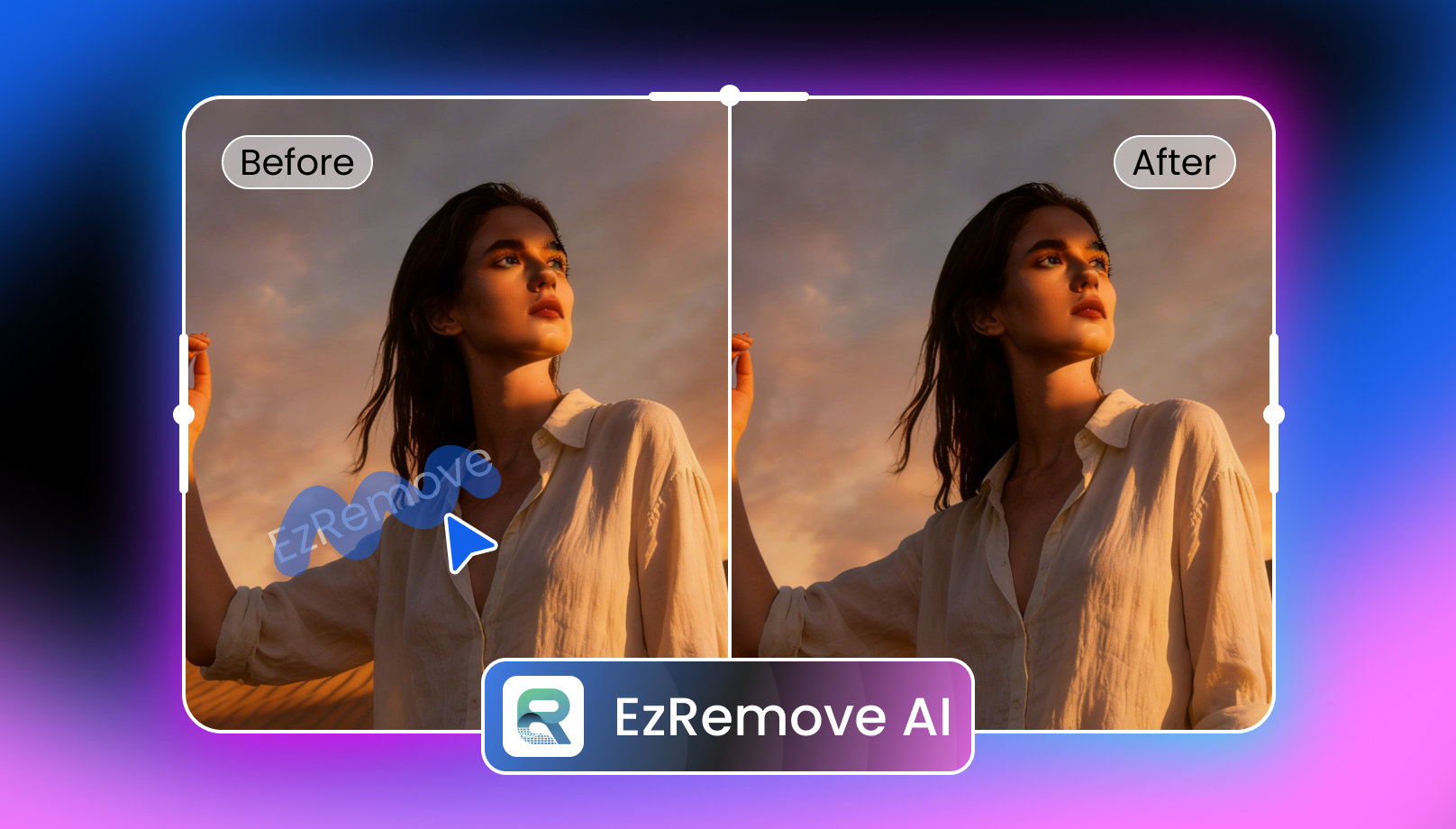 What is EzRemove AI Watermark Remover and What Does It Offer?
EzRemove AI Watermark Remover is an online tool that can eliminate unwanted watermarks, logos, stamps, and text overlays from your photos and videos in seconds. It uses artificial intelligence to analyze surrounding pixels and reconstruct the covered region, delivering natural, consistent results without any quality loss.
You can remove watermarks from common visual formats using either AI detection or manual brushing. This makes it ideal for content creators, students, social media managers, and small businesses who need quick, reliable cleanup without complex editing software.
Additional Features:
- AI Photo Editor: It supports improving overall image quality by applying AI-driven transformations, including retouching, style transfer, and mood changes. You can process a single photo or a batch of five as needed.
- Background Removal: You can instantly remove or replace photo backgrounds, perfect for product photos, profile images, and marketing visuals.
- AI Remover: It presents a set of tools to help remove unwanted people, objects, and text from images without leaving visible traces.
Key Features of EzRemove AI Watermark Remover
EzRemove AI offers a versatile online watermark removal tool. After trying it on different watermarked file types, it became clear where each tool performs best. Below is a closer look at its core features:
EzRemove Image Watermark Remover
EzRemove Image Watermark Remover supports both automatic and manual methods to instantly remove watermarks, timestamps, camera info, and even embedded text without damaging resolution or detail. Even stubborn marks come off in seconds.
It supports standard image formats like JPG, PNG, BMP, JPEG, and WebP. You can either use the automatic detection or brush manually for full control. It can even elevate images for ads, catalogs, and marketing campaigns.
EzRemove Video Watermark Remover
EzRemove Video Watermark Remover combines intelligent detection with manual precision to delete watermarks, brand logos, stickers, and overlays from videos (MP4 & M4V) by brushing over the marked area.
The smart AI can identify edges, erase both static and dynamic watermarks, blend colors, and reconstruct the background while maintaining full 4K or HD quality. It is well-suited for creators, editors, and marketers to create short-form videos such as TikTok clips and product demos.
EzRemove Sora Watermark Remover
Another fantastic feature of EzRemove AI is its ability to instantly remove embedded marks from Sora-generated videos. It offers both auto-removal and manual-erase options to remove Sora’s translucent watermarks.
The AI detects the watermark layer and performs per-frame inpainting to preserve detail, motion, and overall video quality. It is ideal for editors using Sora for commercial or storytelling projects.
However, you must follow Sora’s content policies and copyright laws. You can only erase watermarks from your own authorized content.
Step-by-Step Guide to Use EzRemove AI Watermark Remover
To help you get started, below are tutorials on using EzRemove AI Watermark Remover for various file types, including images, videos, and Sora-generated content. Let’s get into the details:
Guide 1. How to Remove Watermarks from Images
Step 1. Select Watermark Removal Mode
First of all, open the EzRemove Watermark Remover and select “Auto Mode” or “Manual Erase.” Let’s suppose, tap the “Manual Erase” option.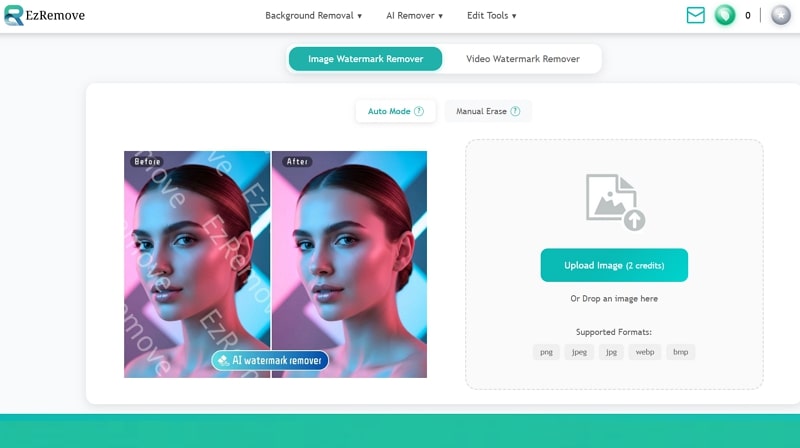
Step 2. Upload the Image
Now, click “Upload Image” or drag & drop the image file. Select the “Brush” or “Box Select” tool, then paint the watermark area.
Step 3. Download the Output
Next, press the “Remove” tab, and when you see the processed file, hit the download icon. That’s all!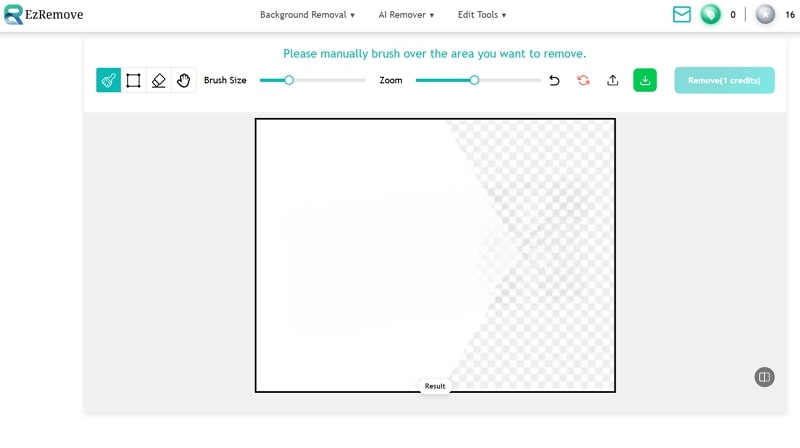
Guide 2. Steps to Use the EzRemove Video Watermark Remover
Step 1. Upload Video File
The first step involves opening the EzRemove Free Video Watermark Remover site and clicking “Upload Video (free) to browse and import the video.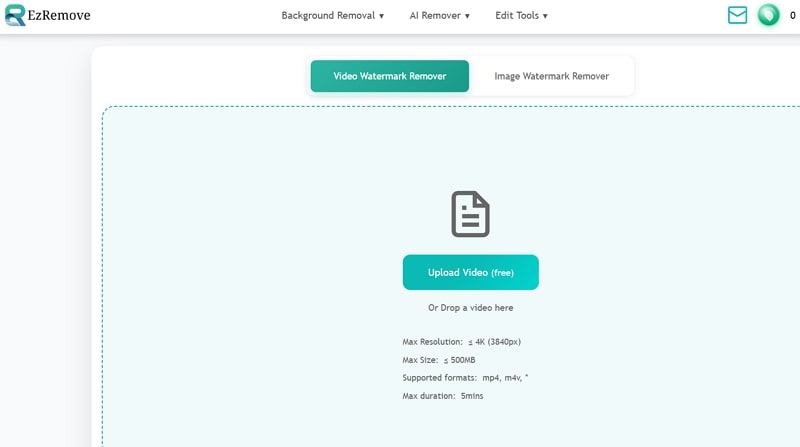
Step 2. Select the Watermark
Now, click the play icon if the watermark is in a specific time. Then, choose the rectangle or brush tool to paint over the watermark area. Press “Remove Watermark.”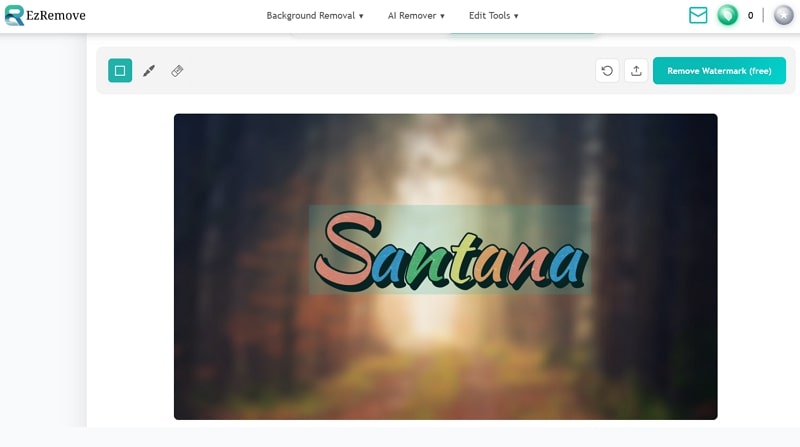
Step 3. Preview and Download
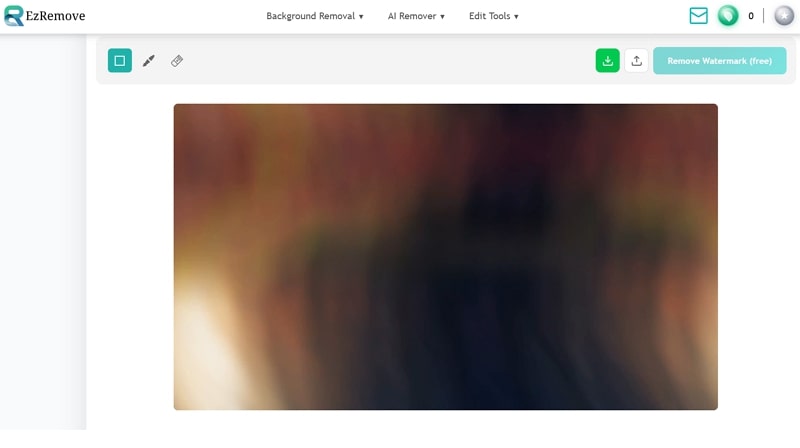
Once the watermark is removed, you can preview the output. If it’s okay, hit the download icon. That’s all!
Guide 3. How to Remove Sora Watermarks from Videos
Step 1. Choose Watermark Removal Mode
Firstly, access the EzRemove Sora Watermark Remover and choose the “Auto Remove” or “Manual Erase.” Let’s pick the manual option.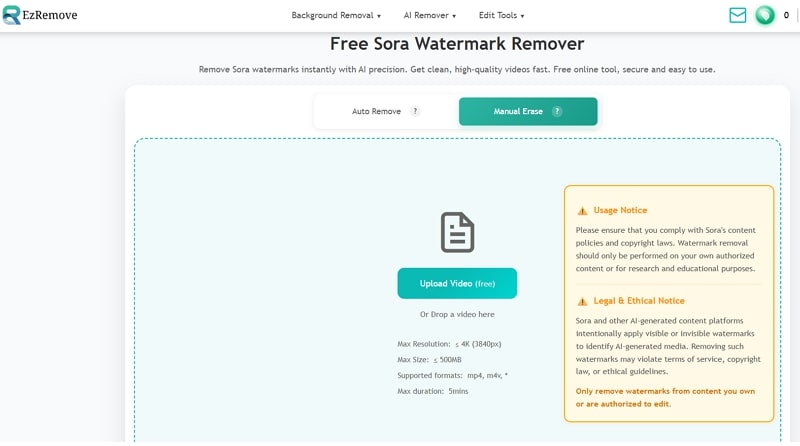
Step 2. Import the Video
Next, tap “Upload Video” to import the video file with the watermark and select the rectangle or brush tool to paint the watermark. Then, click “Remove Watermark.”
Step 3. Save the Output
Lastly, preview the output when the watermark is removed. If it’s okay, hit the download icon. You’re all done!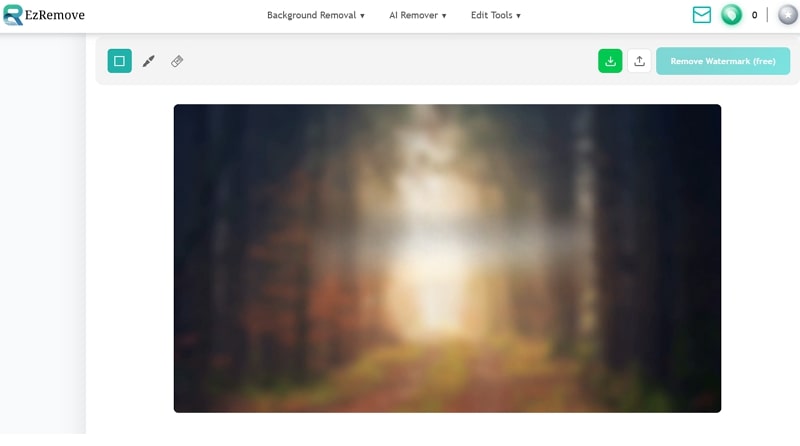
Pricing Plans of EzRemove
EzRemove offers several usage plans aimed at casual users and professionals. Let’s look at the table below to understand the credit-based pricing system better:
| Plan | Credits/Price | What’s included |
| Free (Starter) | 50 credits per day/$0 | Full access to all the tools |
| One-Time Payment | 70 credits/$4.99
150 credits/$10 1000 credits/$30 2000 credits/$70 5000 credits/$90 |
Full access to all tools |
| Custom (Enterprise) | Contact Us | Unlimited credits
Priority support API access Custom features Dedicated manager Team collaboration |
EzRemove AI Watermark Remover vs. The Competitors
When evaluating EzRemove AI Watermark Remover, it is a must to compare it with alternatives. Below is a comparison table of EzRemove with some of its popular competitors. Let’s have a look:
| Tool | Platform | Batch Support | Pricing Model | Key Features |
| EzRemove AI Watermark Remover | Web | No | Free with non-expiring credits | Watermark removal for images and videos, but truly excels at removing watermarks from images |
| Vmake Video Watermark Remover | Web, Mobile (Android & iOS) | Yes | Free, subscription | One-click watermark removal with automatic detection. Specialized in handling dynamic video watermarks |
| DeWatermark | Web, Desktop (Win & Mac) | Yes | Free with credits | Supports removing both image and video watermarks; however, it’s more focused on images |
| Watermarkremover.io | Web, Mobile (Android & iOS) | Yes | Free with credits | Capable of removing video and image watermarks, but specialized only for image cleanup |
Advantages & Disadvantages of EzRemove AI Watermark Remover
Here are some pros and cons of this watermark remover:
Pros:
- Simple interface, suitable for beginners
- Work in the browser without signing up
- Support photo, video, and AI-generated videos
- AI-powered background removal in seconds
- Automatic and manual flexibility
- Allow editing of up to 5 images at once
- Delete files after processing to maintain privacy
- Free mode is enough for casual users
Cons:
- No desktop software or mobile apps
- Not suitable for removing dynamic watermarks
- Complex images or videos need manual touch-ups
- Unable to remove watermarks from a batch of images
- No customization options in the manual mode
FAQs about EzRemove AI Watermark Remover
1. Is EzRemove AI Watermark Remover safe to use?
Yes, it is completely safe regarding privacy and security. All uploaded files are processed over encrypted connections and automatically deleted from the servers after a short period. It even claims to ensure secure payment.
2. Does EzRemove AI remove watermarks offer a money-back guarantee?
It offers a strict refund policy, but not for user dissatisfaction with results or for canceling a subscription. It accepts refund requests only for system errors and within 24 hours of payment.
3. Can I use EzRemove AI Watermark Remover for commercial projects?
Yes, it is possible if you have the rights to the original content. The tool itself allows commercial use, but users must follow the copyright laws and the privacy policy.
Conclusion: Is EzRemove AI Watermark Remover Worth Using?
EzRemove AI Watermark Remover is the best solution for beginners to remove watermarks from images, videos, and Sora clips. Its ease of use and quick processing make it perfect for those who want high-quality results. While it lacks advanced editing and batch functionality, it provides a smooth experience for removing static watermarks in 2026.
For users seeking advanced features to remove dynamic watermarks at minimal cost, Vmake Video Watermark Remover is a powerful tool that supports erasing watermarks from numerous videos. Let’s try it today!

You May Be Interested

Seedance 2.0: What's New & How to Use It

123APPS Watermark Remover Review (2026): Pros, Cons, and Pricing

5 Best Valentine's Day Video Ideas for eCommerce in 2026

How to Create a YouTube Thumbnail? Create YouTube Thumbnails Using AI
