
Magic Eraser Watermark Remover Review: Is It Worth Using in 2026?
Considering using Magic Eraser to take watermarks or unwanted objects away? Check out our hands-on 2026 review to find out what it can do, where it falls short, and why Vmake Labs is a fast, browser-based alternative.

Removing unwanted objects or watermarks from photos used to take time and editing skills. Magic Eraser makes this process much easier with AI. In this review, we test its features, pricing, pros, cons, and compare it with Vmake Labs to help you choose the right tool.
Understanding Magic Eraser: What is it for?
Magic Eraser is a free, AI-powered browser tool designed to remove objects, text, people, blemishes, and watermarks from your photos. It uses artificial intelligence to look at the background of your image and seamlessly fill in the space where the unwanted object used to be.
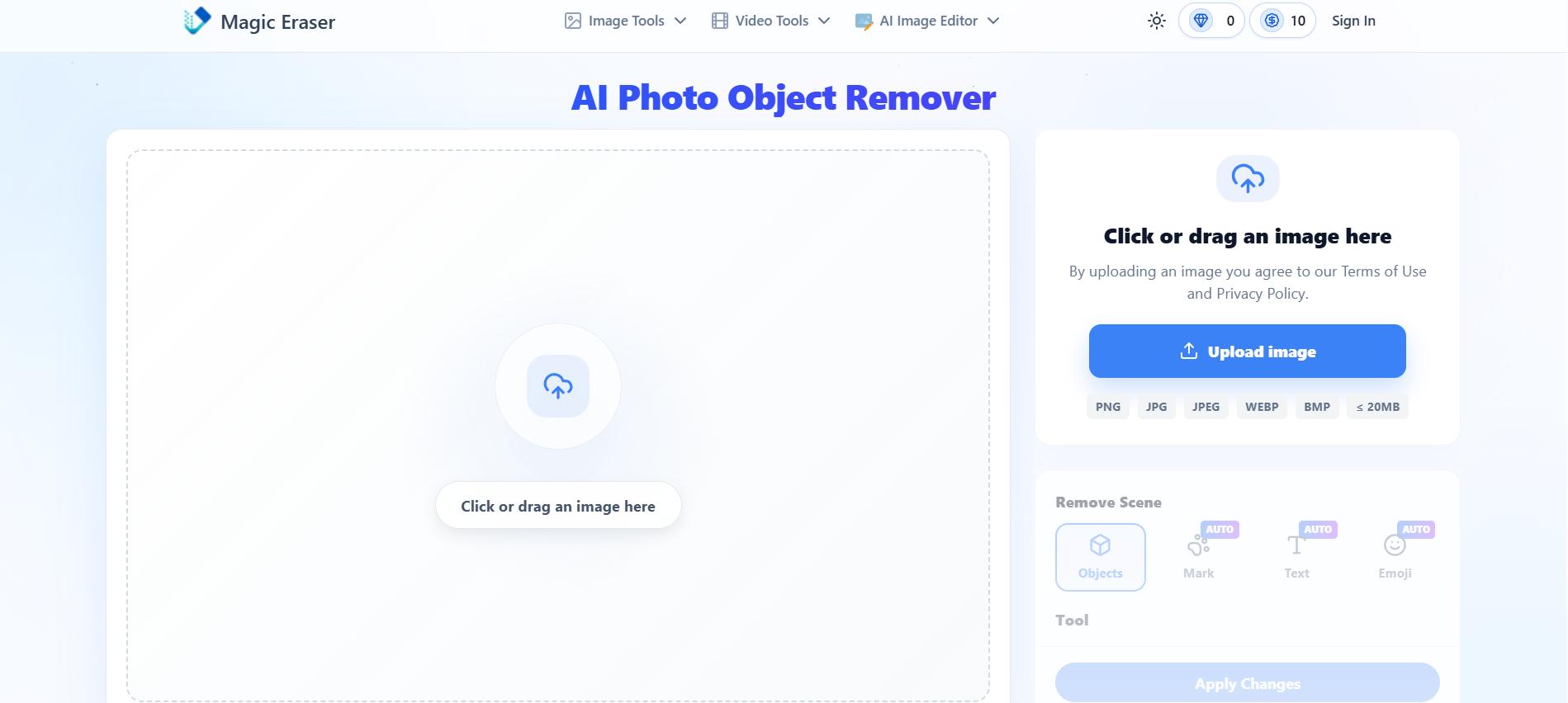
Additional features:
-
Image text remover: Instantly wipes away unwanted captions, dates, and brand logos from your favorite photos.
-
Background eraser: Easily strips out busy backgrounds to perfectly isolate and highlight your main subject.
-
Object remover: It helps erase unwanted objects, marks, text, and emojis to achieve clean backgrounds.
-
Person remover: Erases photobombers and random tourists from your travel shots with a single brush.
-
AI Image Editor: This advanced feature helps you enhance, retouch, remove objects, and generate pixel-perfect visuals from text prompts using various AI models.
Note: This review covers the web-based AI tool found at magiceraser.org. It is completely separate from the physical Mr. Clean Magic Eraser sponge or the built-in Magic Eraser tool found on Google Photos apps.
Core capabilities of Magic Eraser watermark remover
Magic Eraser offers AI-powered tools to remove unwanted elements from both images and videos. It combines automatic detection with manual editing to deliver clean, natural-looking results in just a few clicks.
Image watermark removal
I ran several test images through Magic Eraser to see how it holds up in practice. On simple backgrounds, like solid colors, blurred bokeh, or plain skies, the AI-detect feature identified and removed watermarks accurately in one pass, with barely any trace left behind. Text-based watermarks and semi-transparent logos were handled especially well.
Results got noticeably weaker on busier images, though. On product photos with fine detail (fabric textures, patterned surfaces) or where the watermark overlapped a face or intricate object, I had to switch to manual brush mode and go over the area a few times to avoid blotchy or smudged patches. In a couple of cases, the fill left a faint soft blur where the watermark used to be, visible when zoomed in but not obvious at normal viewing size.
The brightness/contrast tweaks and upscaling worked well as a finishing step, helping mask minor inconsistencies from the fill process. Overall, results are strong on clean backgrounds with minimal manual work, but complex images require some manual touch-up to get a truly seamless result.
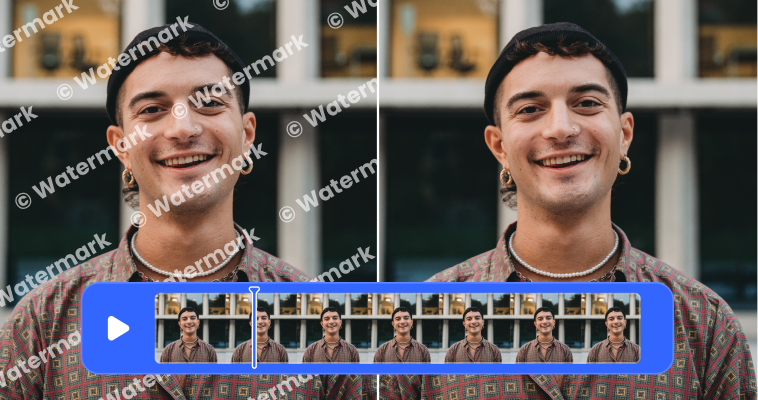
Video watermark removal
For video, I tested a short 15-second clip with a static logo and a separate clip with a moving watermark that shifted position a few times.
The fixed watermark was processed in under two minutes and came out clean, with no flickering between frames. The moving watermark took noticeably longer, closer to five minutes for the same clip length, since the AI has to track and reconstruct the background across multiple positions. The result was decent but not flawless. There was slight flickering in a few frames where the watermark crossed over a busier part of the background, and one section showed a faint ghosting artifact for a couple of frames before smoothing out.
Longer or higher-resolution clips understandably ate through credits faster and took proportionally more processing time. For short-form content like Reels or TikTok clips, it performs reliably. For longer or high-motion footage, expect to budget extra time and possibly a second pass to clean up rough spots.
How to use Magic Eraser: Step-by-step guide
Wondering how to use Magic Eraser for your photos or videos? Follow these two simple methods below to get clean, watermark-free results fast.
Method 1: How to clean up images using AI
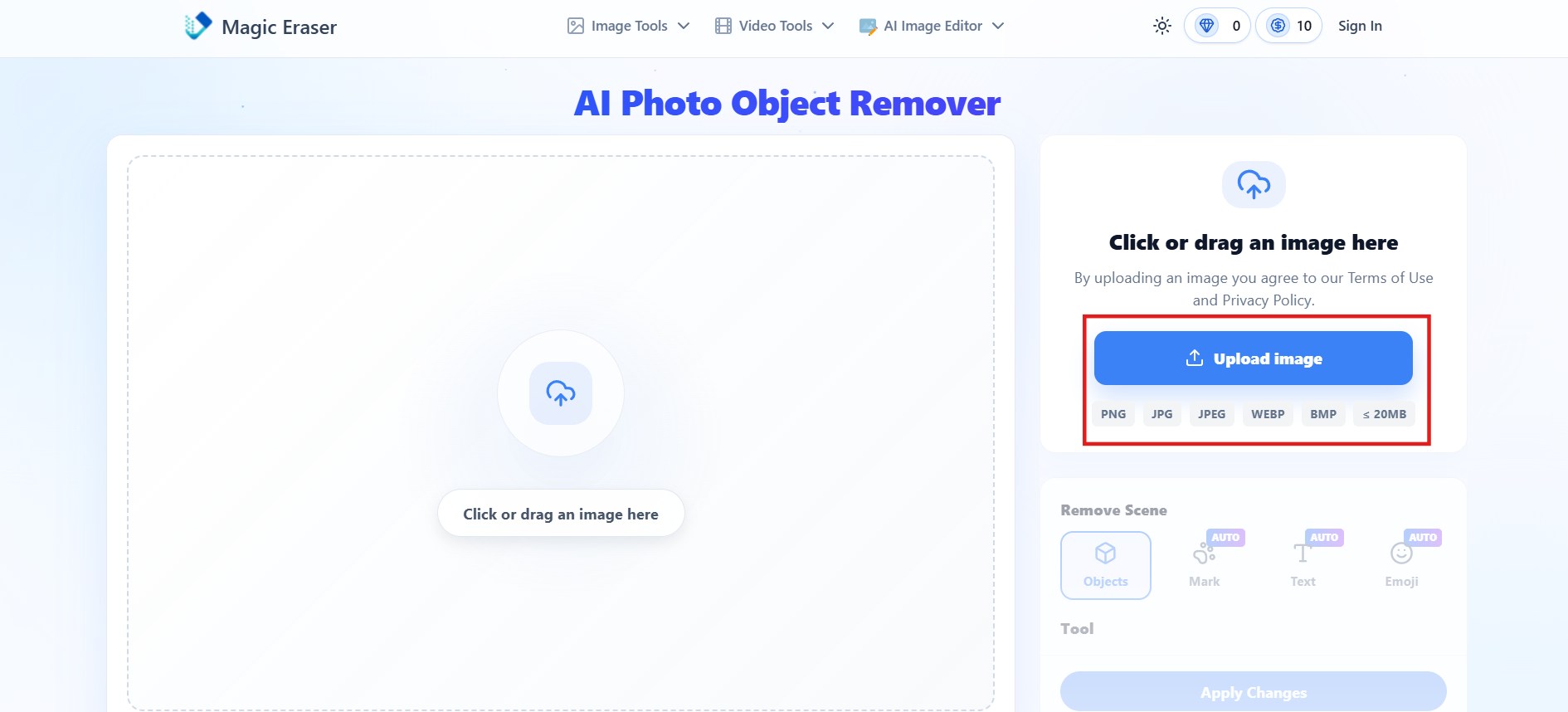
Step 1: Upload image
Go to the Magic Eraser website and click "Upload image" to add your photo.
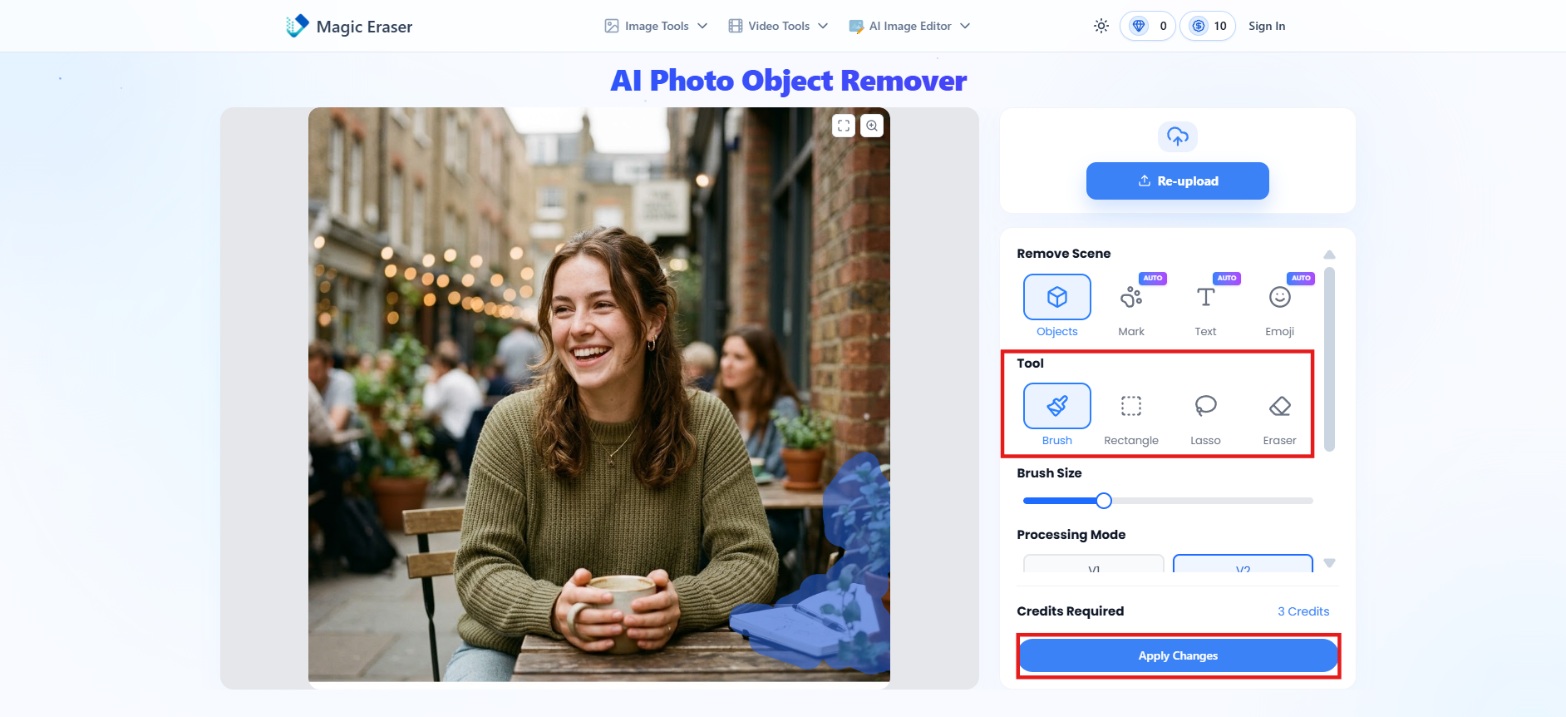
Step 2: Select the unwanted area
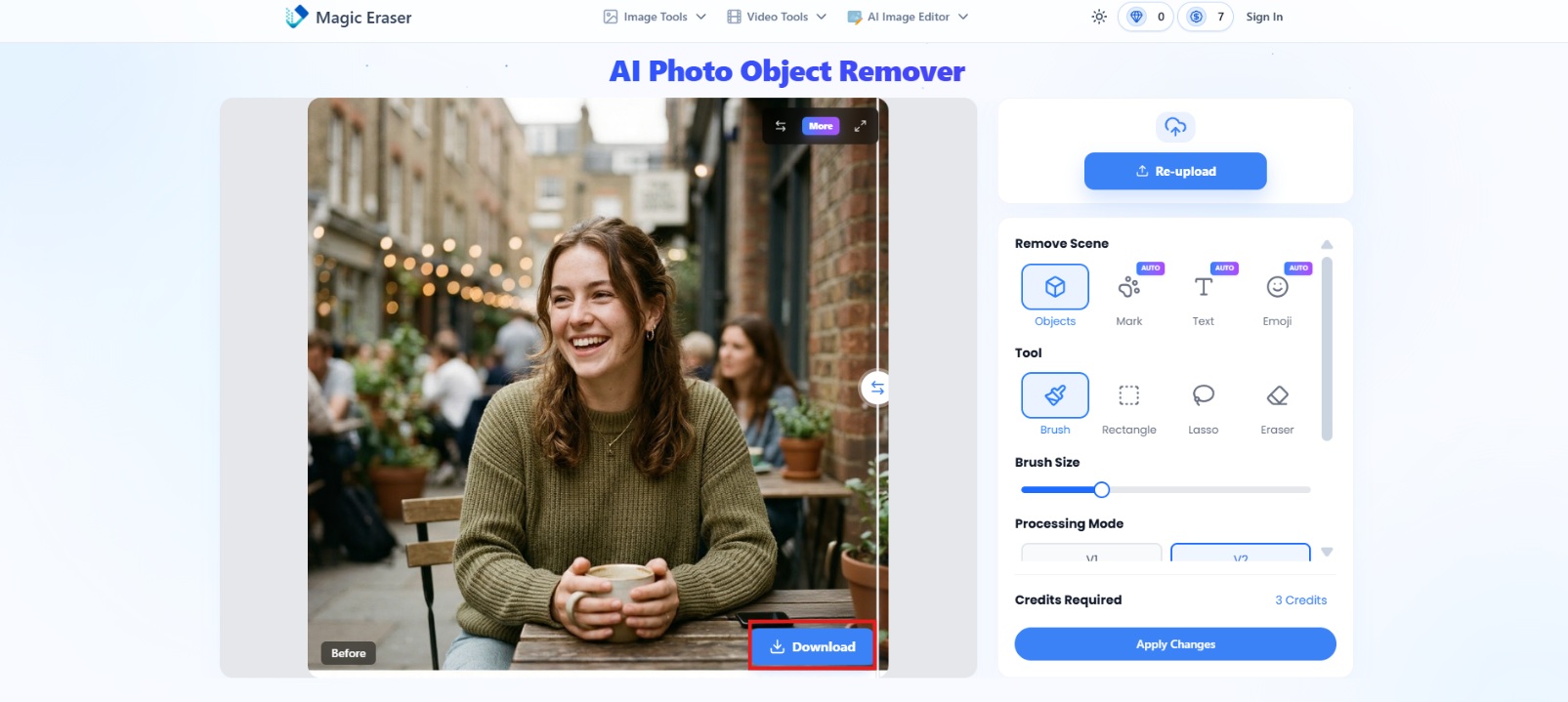
Use the automatic detection tool or manually brush over the object, text, or watermark you want to remove. Then hit "Apply Changes."
Step 3: Preview and download
Preview the result, make any final adjustments if needed, then click "Download" to save your clean image.
Method 2: How to remove watermarks from videos
Step 1: Upload video
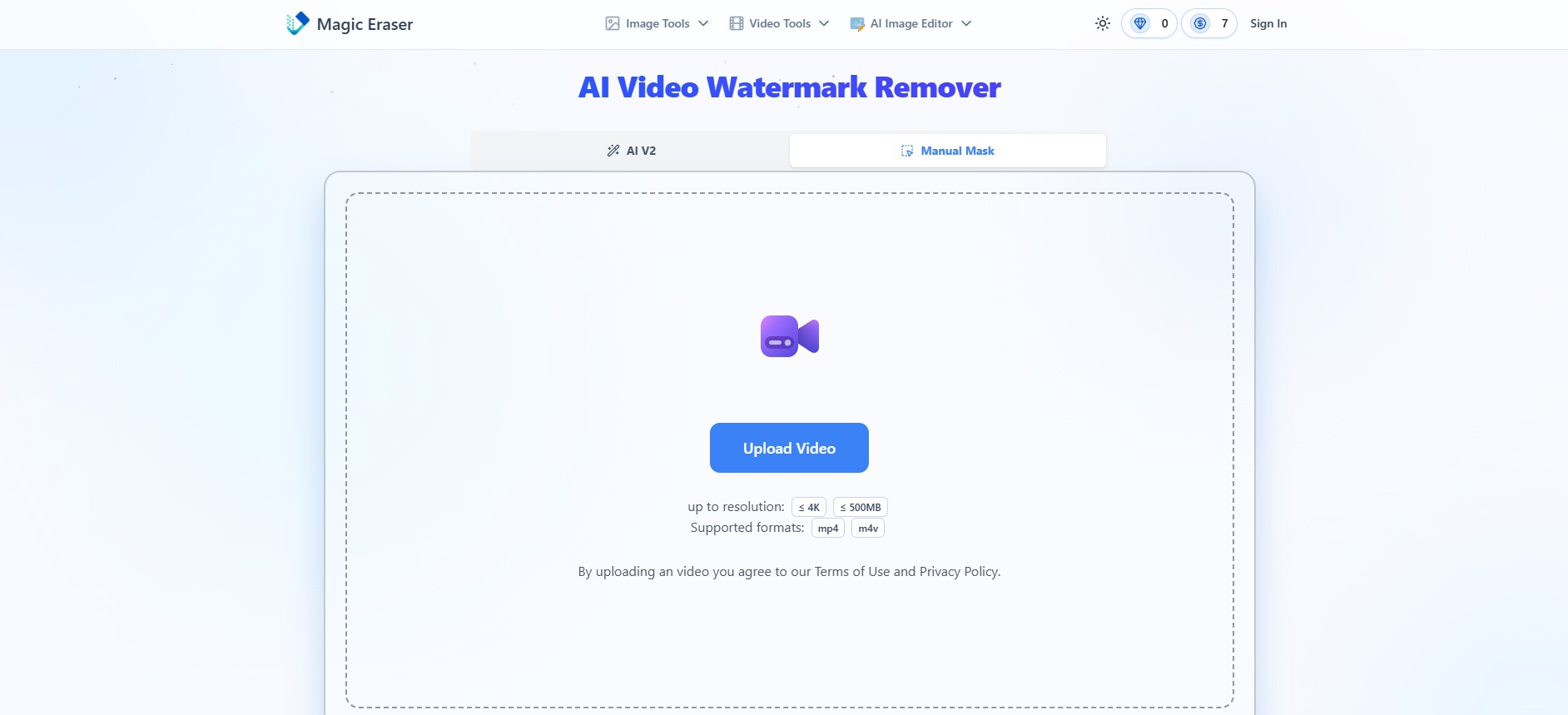
Open the AI Video Watermark Remover tool, and click the "Upload video" button or drag your video into the box. The tool accepts MP4 and M4V files up to 500MB.
Step 2: Select the watermark
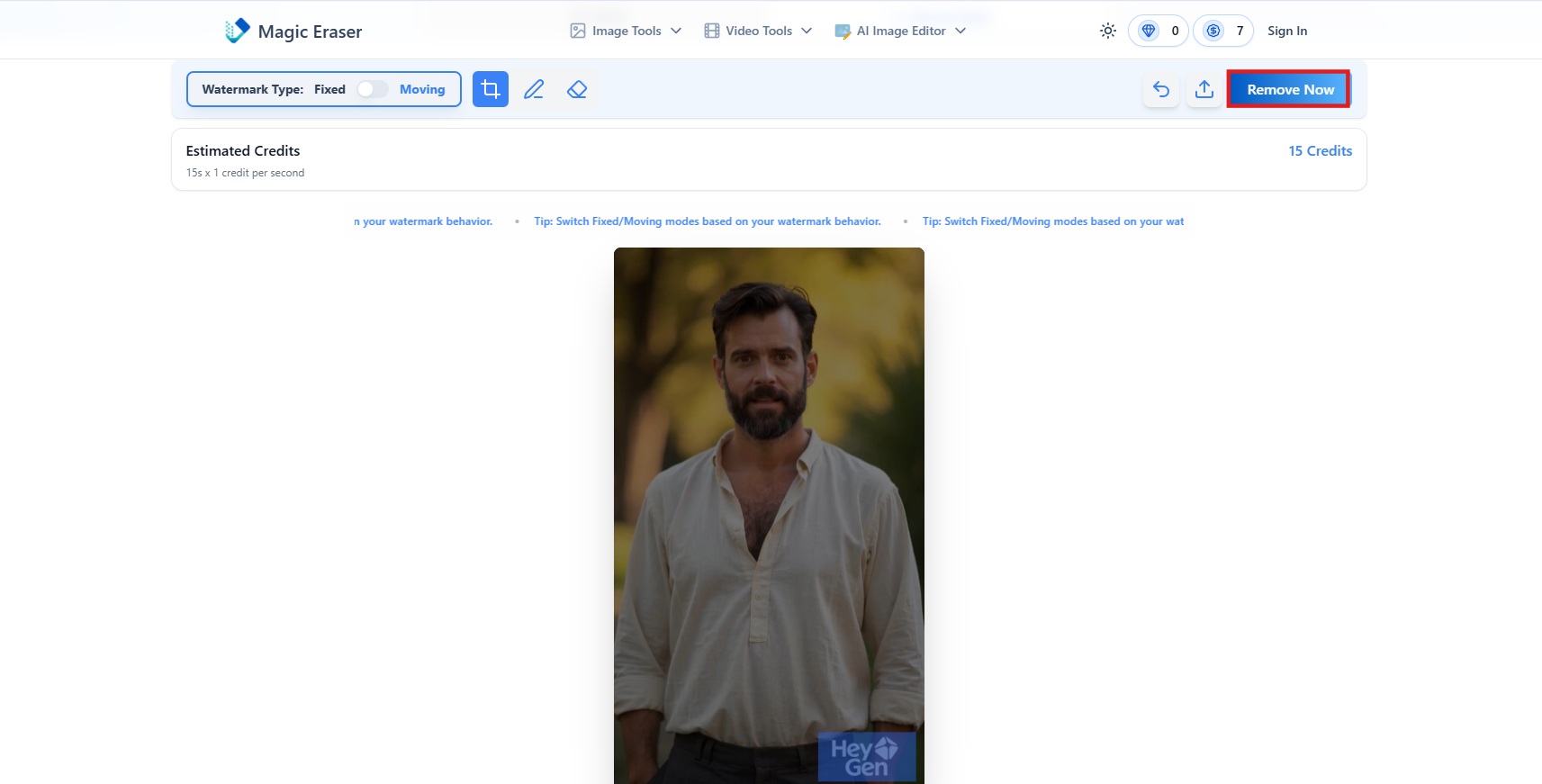
Switch to "Fixed" or "Moving" depending on the video. Then paint the watermarked area. When you are happy with the selection, hit 'Remove Now'.
Step 3: Preview and download
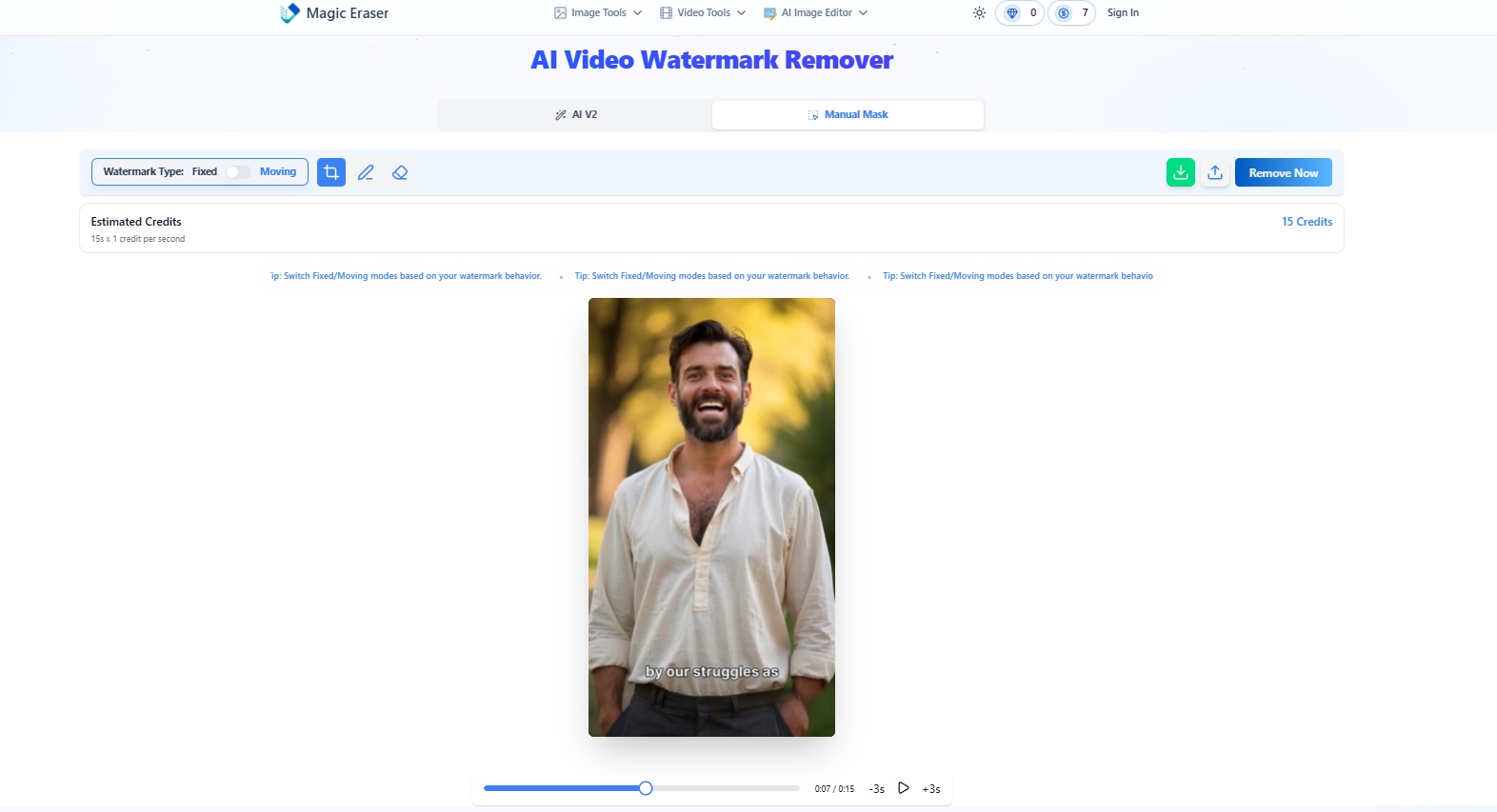
Preview the edited video to check the results. If you're happy with the output, hit "Download" to export your clean video.
Magic Eraser Pricing Plans
Magic Eraser uses a credit-based system and comes up with free and premium plans to cater to different user needs. So, let's look at the table below for a better understanding:
|
Plan |
Credit/Price |
Details |
|---|---|---|
|
Free |
No credit system |
|
|
Subscription |
|
|
|
One-Time Payment |
|
|
During testing, the free plan covered most of what I needed to evaluate Magic Eraser's core watermark removal features, but the daily limits became restrictive after a handful of edits. I hit the cap on automatic removals fairly fast, and the 10-second video preview made it hard to judge longer clips. For occasional users, the free tier is enough, but regular editing calls for a paid plan.
Advantages & Disadvantages of Magic Eraser Watermark Remover
Just like any other tool, Magic Eraser Watermark Remover has its strengths and limitations. Let's look at the major ones:
|
Pros |
Cons |
|---|---|
|
|
Honestly, Magic Eraser works well for quick, single-image touch-ups, but it starts to show its limits once you need more than one photo cleaned up at a time. That is where Vmake Labs comes in. It handles watermarks, objects, and text in one place, with batch processing built right in.
How to remove objects from photos using Vmake Labs
Vmake Labs is an AI-powered object removal tool that lets you easily remove unwanted objects, people, text, logos, and watermarks from your photos. It works directly in your browser, so there's no software to install or editing experience required. Upload your image, mark the area you want to remove, and watch the AI produce a clean, natural result in seconds. It also supports batch processing, making it a great choice for editing multiple images quickly and efficiently.
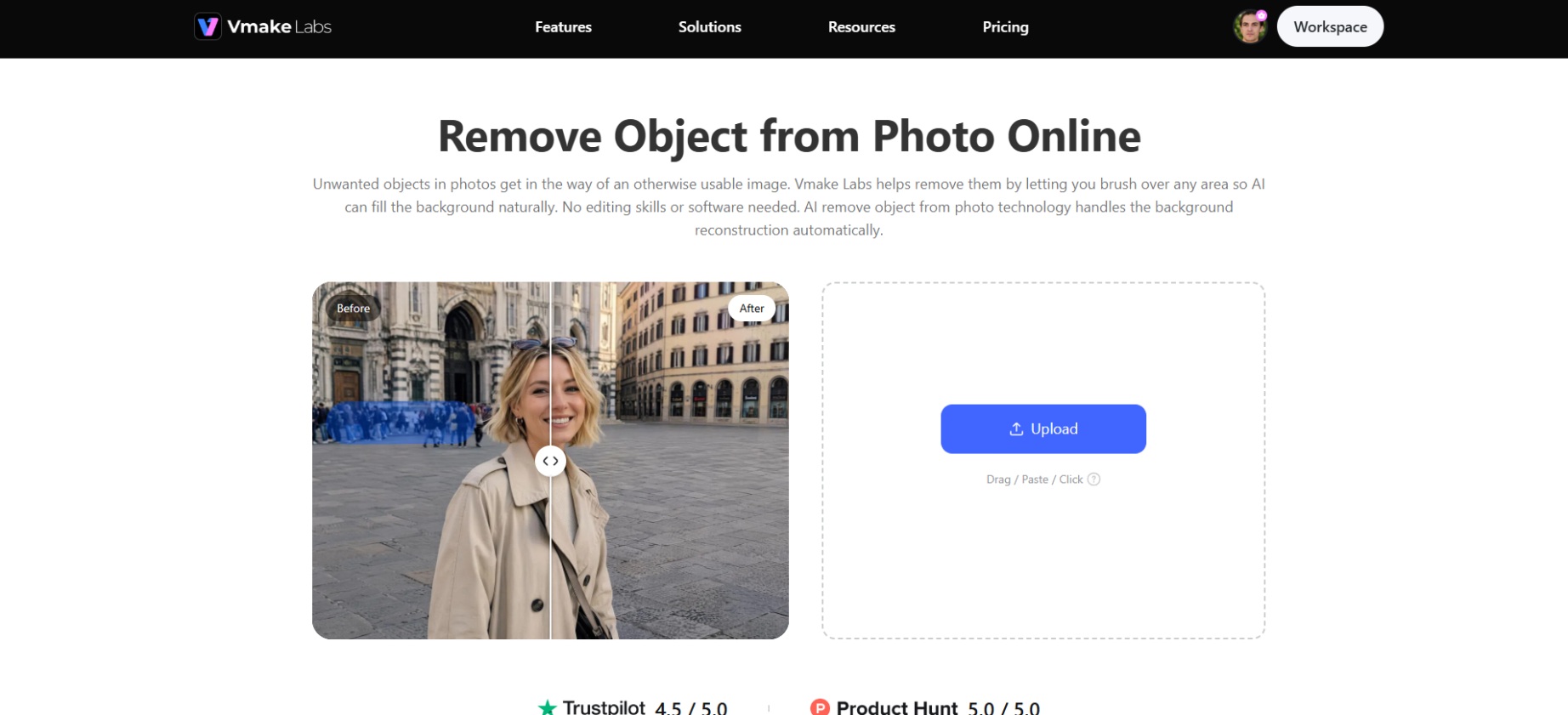
Step-by-step guide
Step 1: Upload image or link
Open Vmake Labs in your browser and click "Upload" to add the image you want to edit. You can also use Batch Upload to import multiple images at once or paste an image link to start editing without downloading the file first.
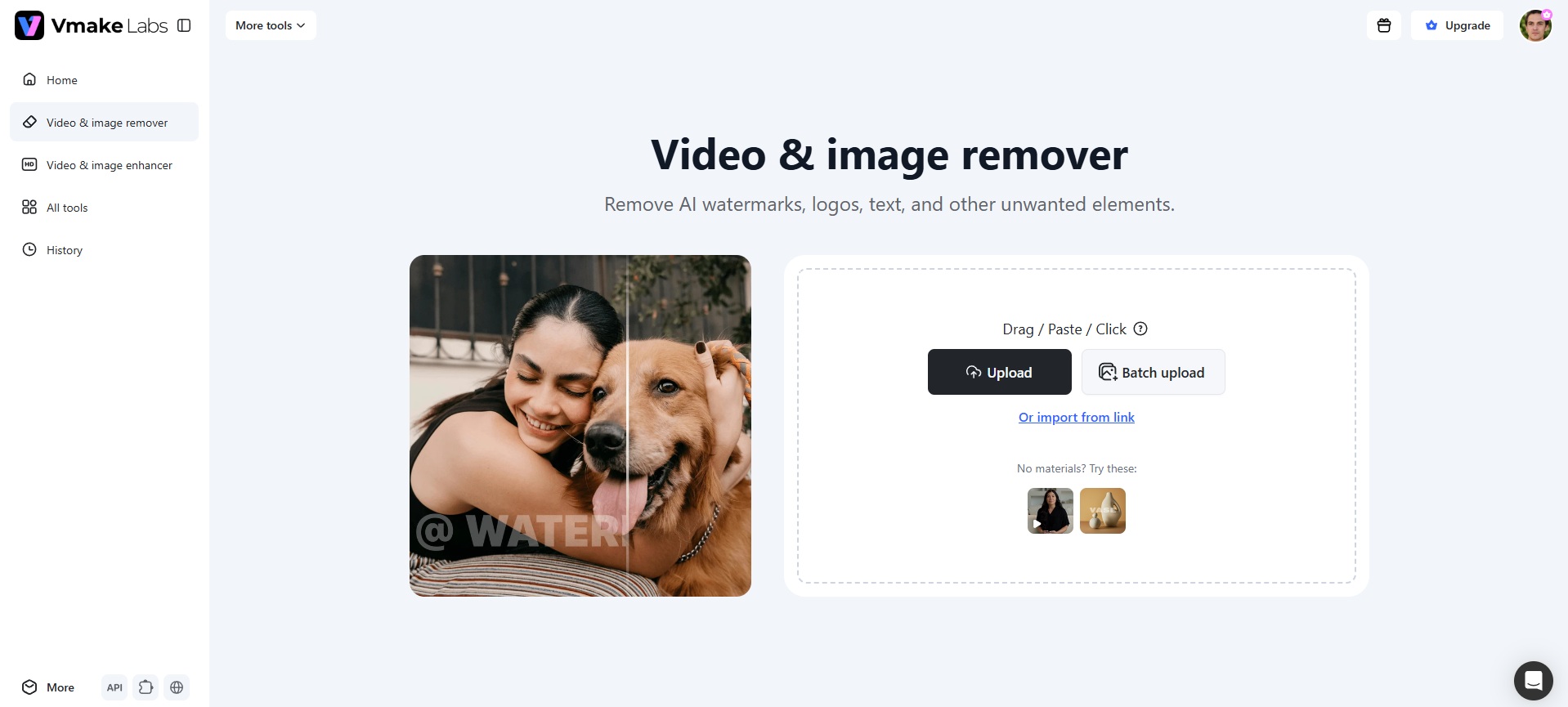
Step 2: Select mode and mark object
Choose Auto or Manual mode, then mark the object you want to remove. Hit "Apply" to generate a clean result.
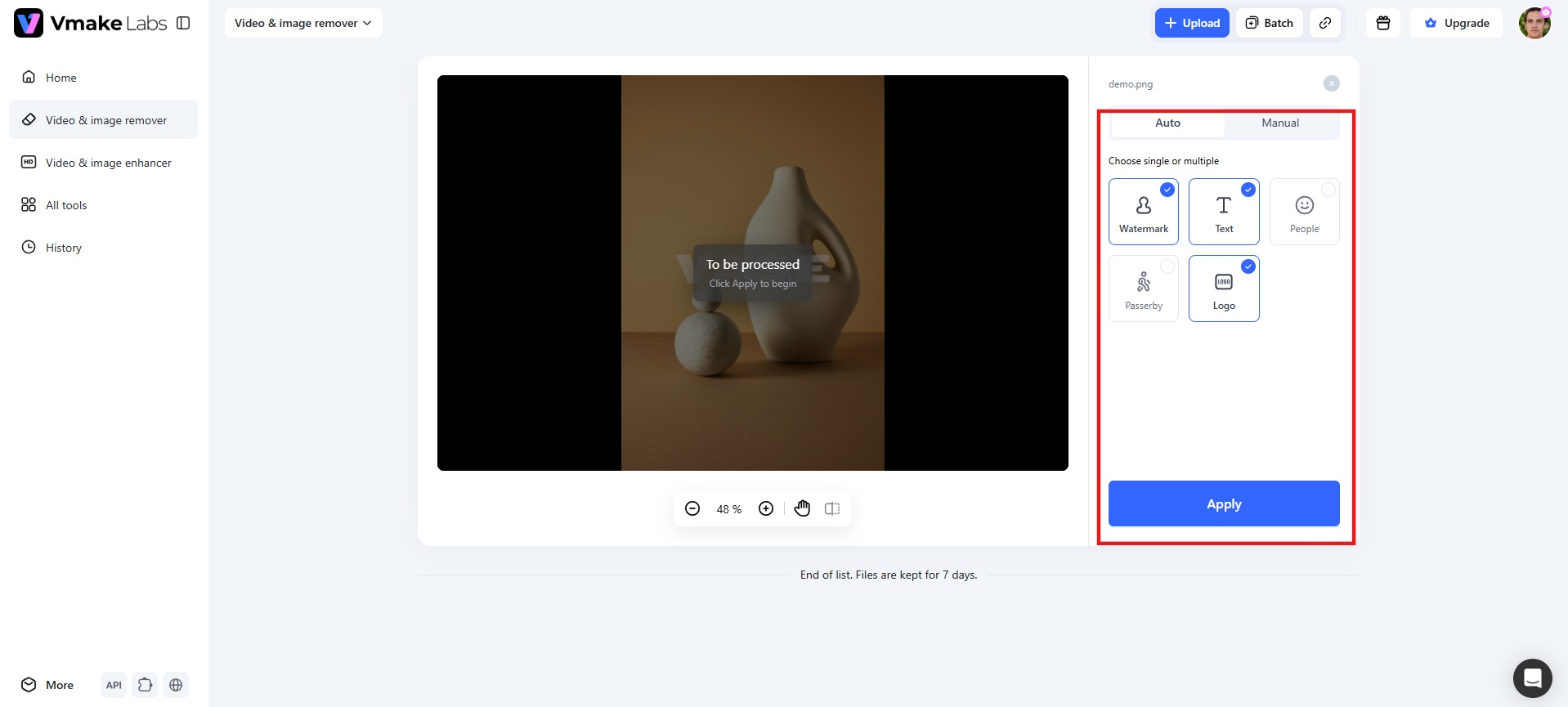
Step 3: Preview and download
Review the edited image to make sure the unwanted object has been removed cleanly. Once you're satisfied with the result, click "Download" to save the high-quality image to your device.
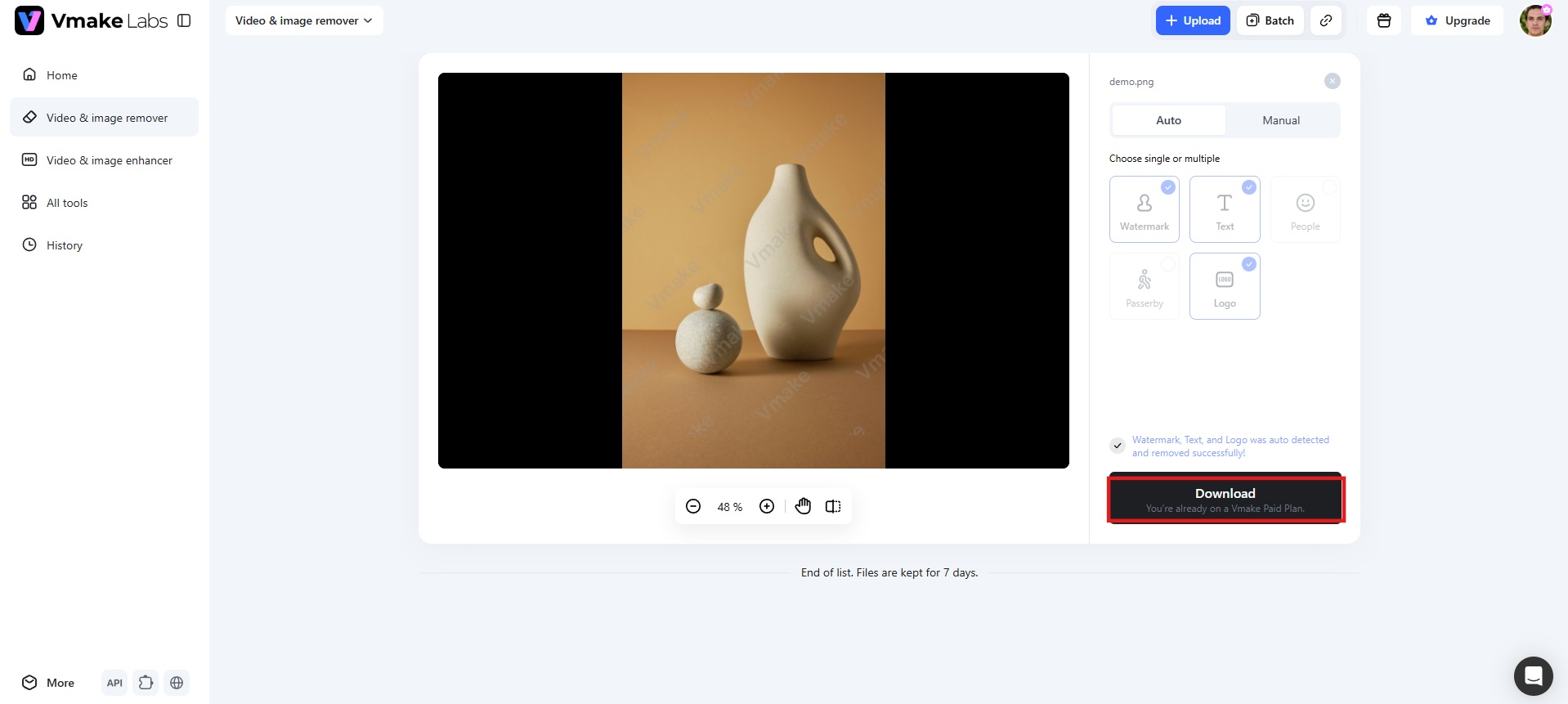
Key features of Vmake Labs
-
Smart mode: Smart Mode automatically detects unwanted objects, watermarks, logos, and text in your photos. With a single click, AI removes them naturally, saving time while delivering clean, realistic edits without manual effort.
-
Manual Selection: It lets you brush, draw a box, or erase over specific areas for precise editing. It works well for complex shapes, giving you greater control over exactly what gets removed.
-
Watermark, object & text removal: One tool handles distracting objects, logos, watermarks, and text overlays without switching between different tools. Instead of juggling separate apps for each job, you get a single workflow that covers most common photo cleanup needs in one place.
-
Batch processing: Upload multiple images at once and apply the same removal process across all of them in a single session. This saves time when you are cleaning up a full shoot, a product catalog, or a set of social media images that share the same watermark or logo.
Magic Eraser vs. Vmake Labs
Choosing the right tool depends on your editing volume. Let's compare how Magic Eraser and Vmake Labs perform side by side:
|
Feature |
Magic Eraser |
Vmake Labs |
|---|---|---|
|
Platform |
Web + Mobile Apps |
Web (Desktop + Mobile, incl. iPhone) |
|
Object Removal Quality |
Very Good |
Excellent (Optimized) |
|
Processing Speed |
Fast for images, slower for moving watermarks in video |
Fast across images and batch files |
|
Ease of use |
Beginner-friendly |
Beginner-friendly with a simple upload-edit-download workflow |
|
Watermark Removal |
Strong (Images + Videos) |
Very Good |
|
Batch Processing |
Limited |
Yes, supports batch processing upto 30 files |
|
Pricing |
Free with credit-based plans |
Free with credit-based plans |
|
Login Requirement |
Not required for basic use |
No account needed |
|
AI Accuracy on Complex Backgrounds |
Struggles with detailed textures, may need manual touch-up |
More consistent on busy backgrounds |
|
Supported Formats |
JPG, PNG, MP4, and other common formats |
Supports major image and video formats, including JPG, JPEG, PNG, WEBP, MP4, MOV, AVI, and M4V. |
|
Best for |
General photo cleanup on supported platforms |
Product photos, social media images, travel photos, portraits, and professional image cleanup |
Which one should you use?
Choose Magic Eraser if:
-
You need to clean up an image or a video quickly without creating an account.
-
You prefer working on a dedicated mobile app for iPhone or Android.
-
You only have one or two simple photos to edit at a time.
Choose Vmake Labs if:
-
You regularly work with multiple images, product shots, or social media content.
-
You need batch processing to save time on repeat edits.
-
You want one tool for objects, watermarks, and text instead of switching apps.
-
You care about consistent results on busy or detailed backgrounds.
-
You want to import photos straight from a link instead of uploading files.
-
You need to remove watermarks or unwanted objects from videos, not just photos.
Conclusion
Magic Eraser is a solid pick for quick, one-off fixes on photos or short video clips. It is easy to use, works well on simple backgrounds, and offers a decent free plan for casual needs. But if you regularly clean up multiple photos, need consistent results on busy backgrounds, or want objects, watermarks, and text handled in one place, Vmake Labs is the strongest fit. With batch processing, link imports, and a simple upload-edit-download workflow, it saves real time.
FAQs
Is Magic Eraser Watermark Remover safe to use?
Yes, it is safe. The tool operates completely in your web browser, processing images in the cloud, so you do not have to download or install any suspicious software.
Can I use Magic Eraser for commercial purposes?
Yes, you can use Magic Eraser for commercial projects if you have the legal rights to the original image and any content you remove or modify.
Does it offer a money-back guarantee?
No, paid subscription fees or credit/API purchases are non-refundable. Refunds are applicable when a service is not delivered due to an error, or you're charged multiple times mistakenly.
Does Magic Eraser support batch processing?
No. Magic Eraser mainly supports editing one image at a time. If you need batch processing, Vmake Labs lets you edit multiple images in a single session.
What is the best alternative to Magic Eraser?
Vmake Labs stands out as a strong alternative. It combines object, watermark, and text removal in a single tool, supports batch processing and link imports, and offers a simple workflow for cleaning up photos and videos quickly.

You May Be Interested

123APPS Watermark Remover Review (2026): Pros, Cons, and Pricing

5 Best Valentine's Day Video Ideas for eCommerce in 2026

The Easiest Way to Save TikToks Without Watermark
Watermark Removal: A Simple Guide to Enhance Your Media

Airbrush Watermark Remover Review (2026): Features and Pricing

Batch Watermark Removal with Vmake AI
