
How Does a Green Screen Work? A Complete Beginner's Guide
Curious how green screens work? Learn why green is used, how backgrounds are replaced, where green screens are used, and how Vmake Labs simplifies video background removal without a studio setup.

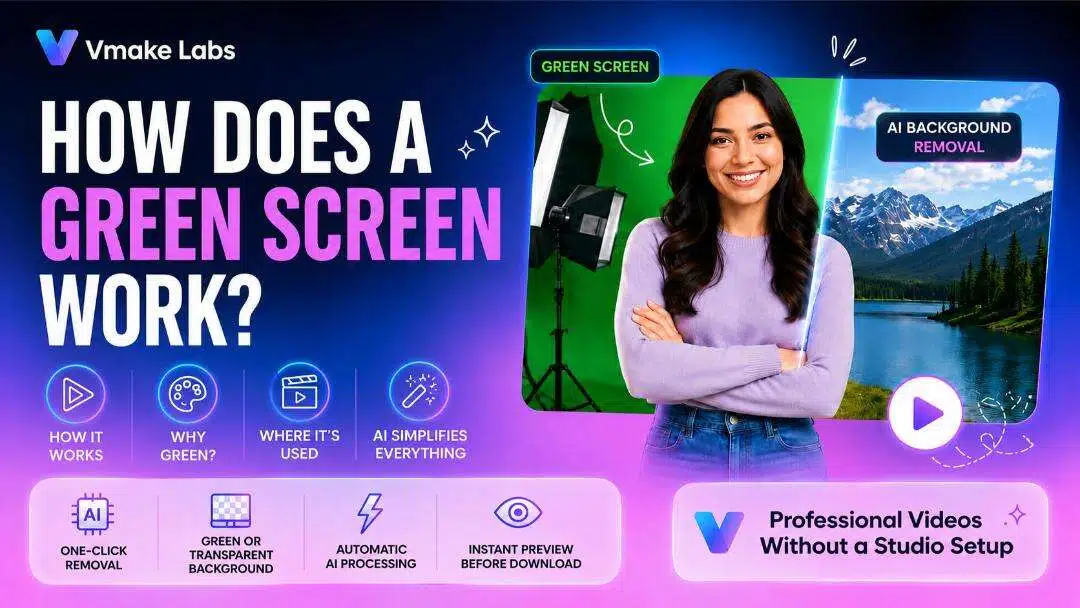
Have you ever wondered how actors appear in imaginary worlds or how creators can change video backgrounds with just a few clicks? That's where green screen technology comes in. In this guide, you'll learn how a green screen works, why green is the preferred color, where it's commonly used, and how Vmake Labs removes video backgrounds without requiring a physical green screen.
What Is Green Screen and How Does It Work?
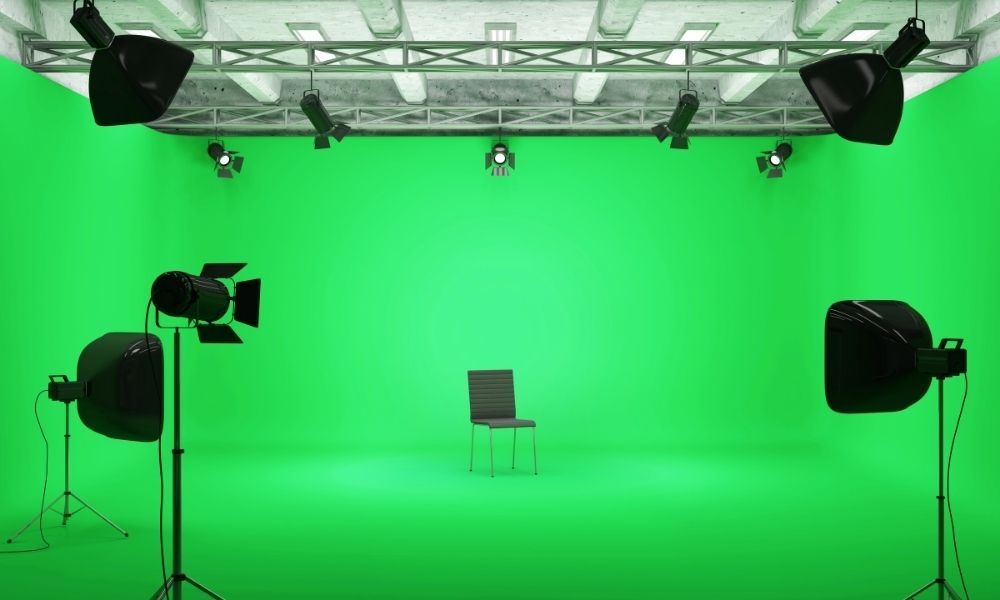
Green screen technology allows creators to replace a solid-colored background with any image or video during post-production. It uses a technique called chroma key to isolate the subject and create seamless background replacements.
Explain Chroma Key Editing
Chroma key editing is the technique behind most green screen effects you see in movies, TV shows, and online videos. It works by identifying one solid color, usually green, and removing it from the footage while keeping the person or object in place. Once that color is gone, you can replace it with almost any image, video, or digital background, making it look like the subject was filmed somewhere else.
Common Challenges in Chroma Key Editing
Chroma key editing can produce realistic background replacements, but the quality of the result depends on how the footage is captured. Uneven lighting, wrinkles on the green screen, shadows, and green color spill can make it difficult for the software to separate the subject cleanly. Using a smooth, evenly lit backdrop and carefully adjusting the chroma key settings helps create cleaner edges and a more natural-looking final video.
Why Green Is the Preferred Background Color
Green rarely appears in natural skin tones, so it is easy for the editing program to move the subject away from the background. It also reflects more light than blue, so cameras get brighter, clearer film with less picture noise. This makes the borders cleaner and allows you to alter the backdrop more precisely in the editing process.
Green Screen vs. Blue Screen
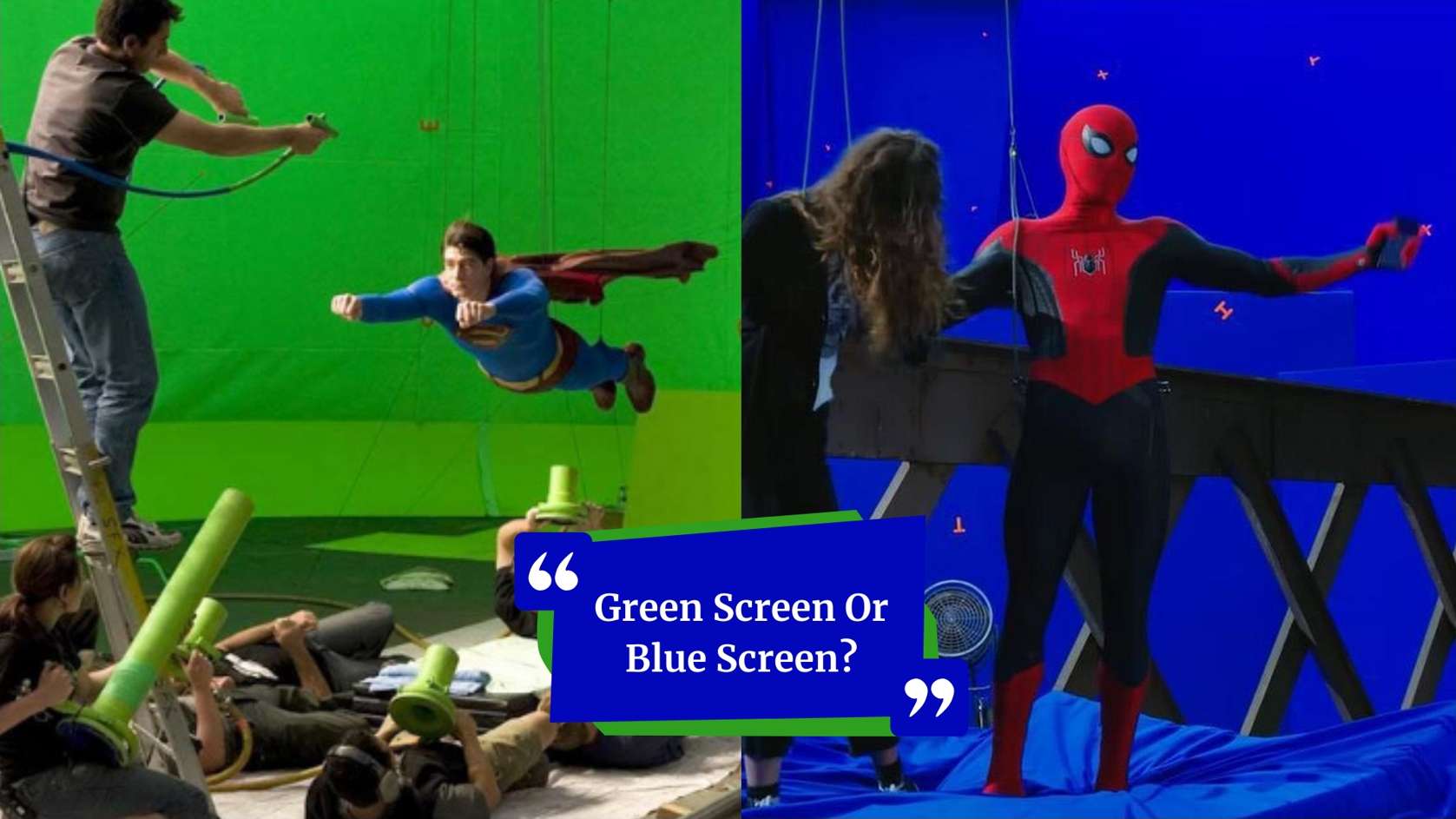
Green screens are increasingly popular because they work well with digital cameras and usually need less illumination to provide clear pictures. Blue screens still have their uses, particularly if the topic is in green or employing green props. Both green and blue screens can produce excellent results, with the best choice depending on the content in the frame and the style of video you're filming.
Where Is Green Screen Technology Used?
Green screen technology is widely used in cinema, television, live broadcasting, and digital content creation. It enables video background change without requiring creators to move to different filming locations, providing greater flexibility in video creation. Today, it is used by professionals, businesses, and content creators to produce engaging video content.
Professional Applications
If you've ever wondered what a green screen is used for, the answer goes well beyond movies. Film studios use green screens to create worlds, action sequences, and visual effects that would be difficult or too expensive to capture on location. News broadcasters rely on them for weather forecasts and virtual studio graphics, while live streamers replace ordinary backgrounds with custom scenes that keep viewers focused on the content instead of what's happening behind them.
Everyday Content Creation
Green screens aren't just for professional studios anymore. Content creators use them every day to film social media videos with custom backgrounds and creative effects, while YouTubers rely on them for tutorials, gaming content, reviews, and educational videos. Businesses also use green screen technology to create marketing and product videos in different settings without the cost of building physical sets or renting multiple locations.
How to Get Better Green Screen Results
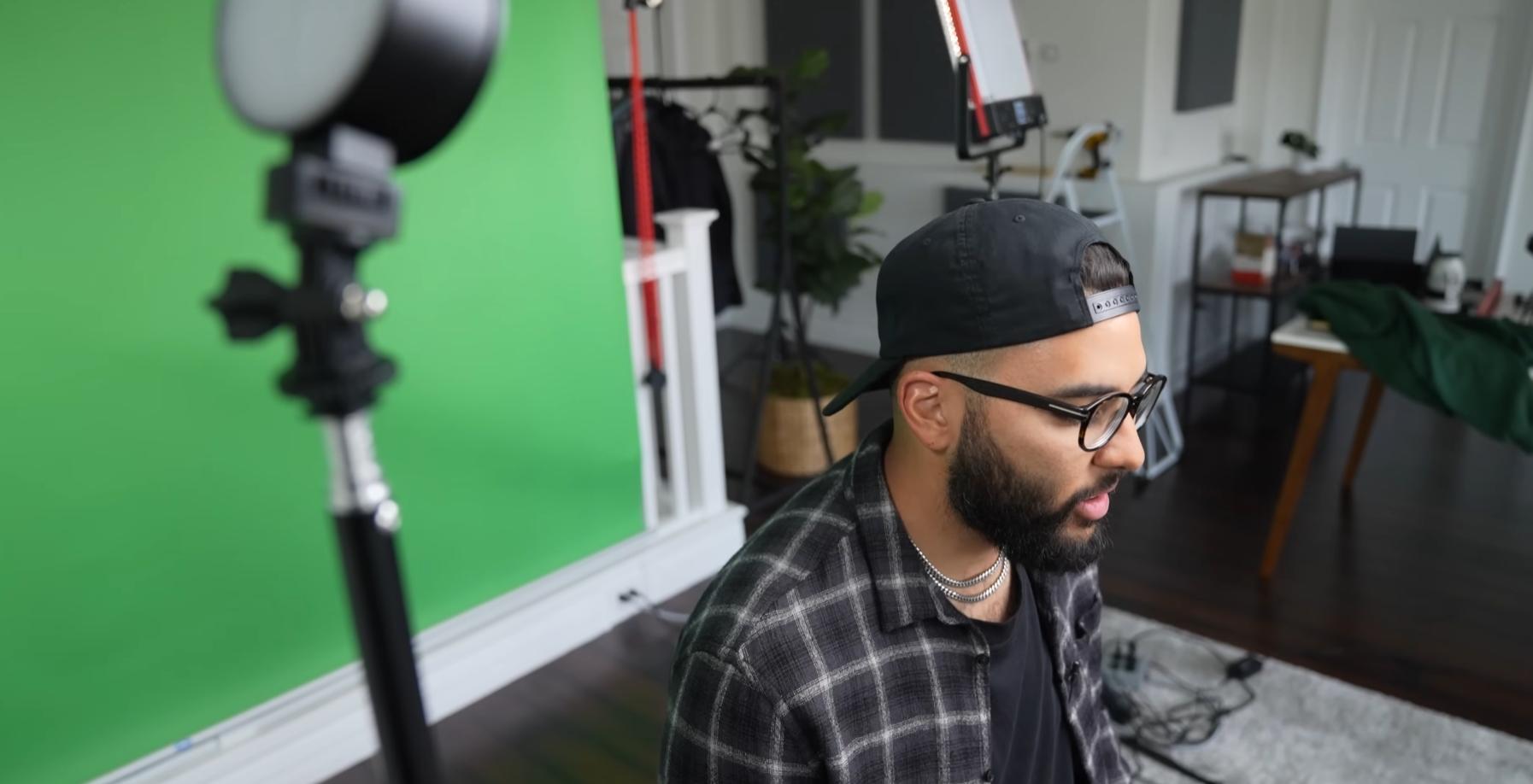
Good green screen results depend as much on your setup as they do on your editing software. Small adjustments to your background, lighting, and camera settings can make a big difference. Taking the time to prepare properly helps you achieve cleaner background removal and a more natural-looking final video.
Tips for Better Green Screen Recording
Good green screen results start before you begin editing. A few simple adjustments to your setup, lighting, and recording quality can make background removal much cleaner and reduce the amount of editing needed afterward.
-
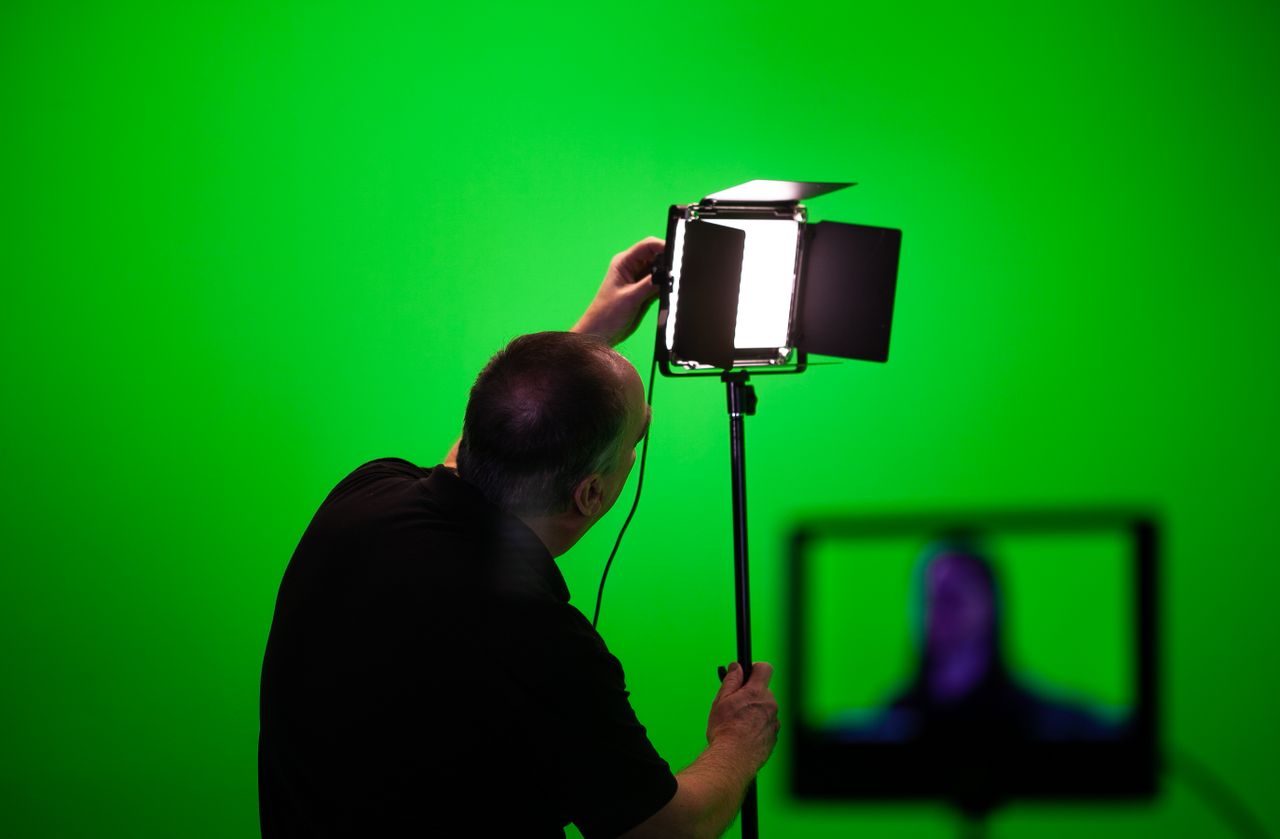
Use a smooth, evenly colored green backdrop: Choose a green backdrop with a consistent color and as few wrinkles or folds as possible. Uneven surfaces or color variations can make it harder for chroma key software to remove the background cleanly, leaving rough edges in the final video.
-
Position your subject away from the background: Place your subject several feet away from the green screen to minimize shadows and green color spill. This separation creates better contrast and produces more natural-looking results after editing.
-
Light the backdrop evenly to reduce shadows: Keep the lighting consistent across the entire green screen to avoid shadows, bright spots, or uneven color. These lighting issues can make it harder for editing software to separate the subject, resulting in less accurate green screen background removal.
-
Avoid wearing green clothing: Avoid wearing green clothing or accessories while filming, as anything matching the green screen may be removed during chroma key editing. Wearing colors that contrast with the backdrop helps keep the subject fully visible and produces cleaner background replacement.
-
Record at high resolution for cleaner background removal: Record at the highest resolution your camera supports whenever possible. Higher-quality footage preserves more detail around the subject, helping chroma key software create cleaner edges and more accurate background removal.
Meet Vmake Labs: Remove Video Backgrounds With Clicks
Setting up a traditional green screen requires space, proper lighting, and extra editing afterward. If you're looking for a faster option, AI can take care of background removal for you. Vmake Labs automatically separates the subject from the background, making it easy to create clean, professional-looking videos without using a physical green screen.

Why Remove Video Backgrounds Without a Green Screen Using Vmake Labs?
-
AI-powered one-click background removal: Vmake Labs automatically detects your subject and removes the background with a single click. This reduces manual editing and helps you create polished videos in just a few moments.
-
No physical green screen required: Skip the studio setup and record videos almost anywhere. Vmake Labs uses advanced AI to separate your subject from the background without requiring a green screen.
-
Green or transparent background export: Export your edited videos with a green or transparent background for greater flexibility. These options make it easy to continue editing in other video production software.
-
Fast, beginner-friendly workflow: The intuitive interface guides you through the editing process in just a few steps. Whether you're a beginner or an experienced creator, you can remove backgrounds quickly and start creating professional-quality videos.
Remove Video Backgrounds in Four Simple Steps
Step 1: Open the Video Background Remover Tool
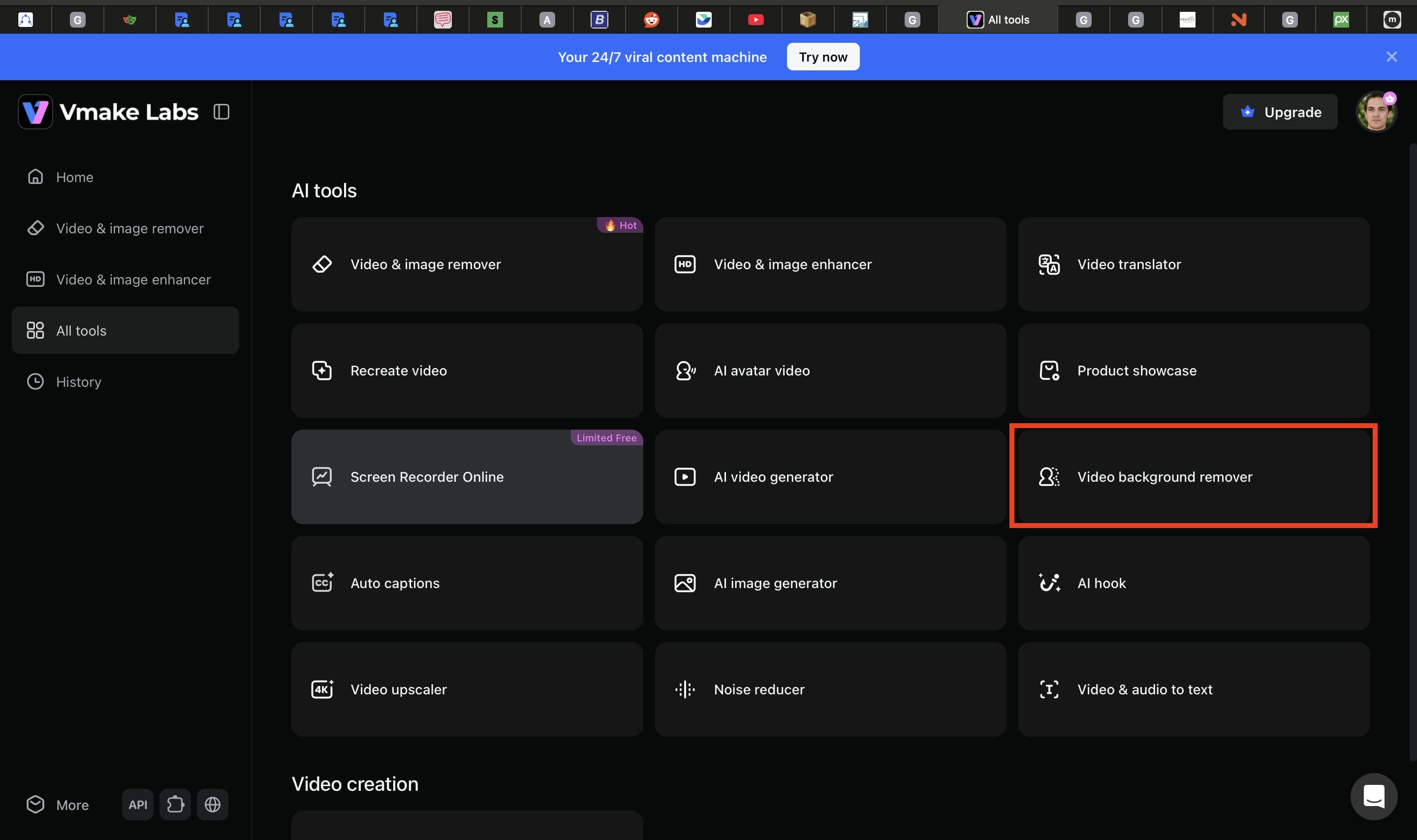
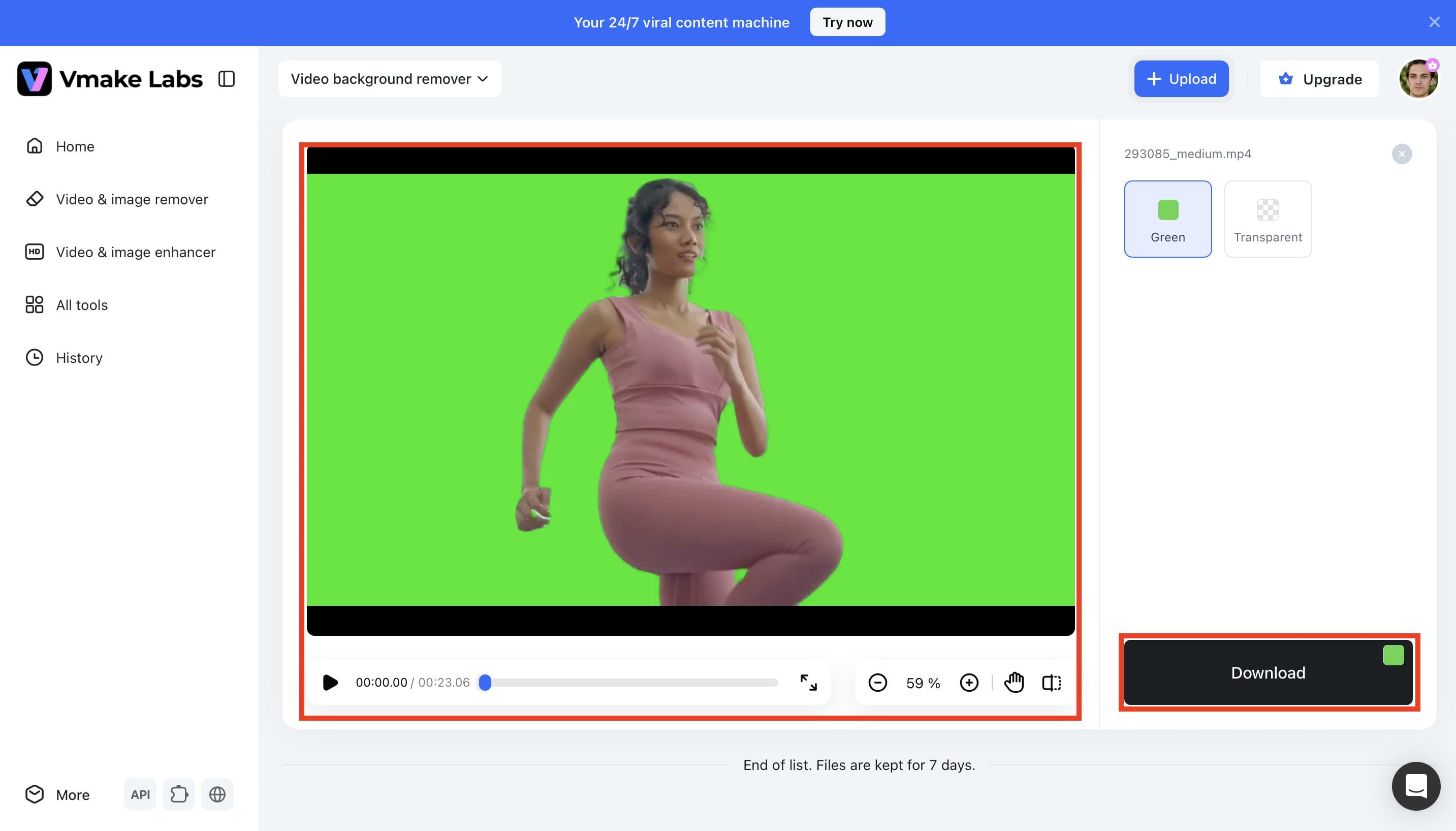
Sign in to your Vmake Labs account and navigate to All Tools. Select Video Background Remover to open the tool and begin editing your video.
Step 2: Upload Your Video
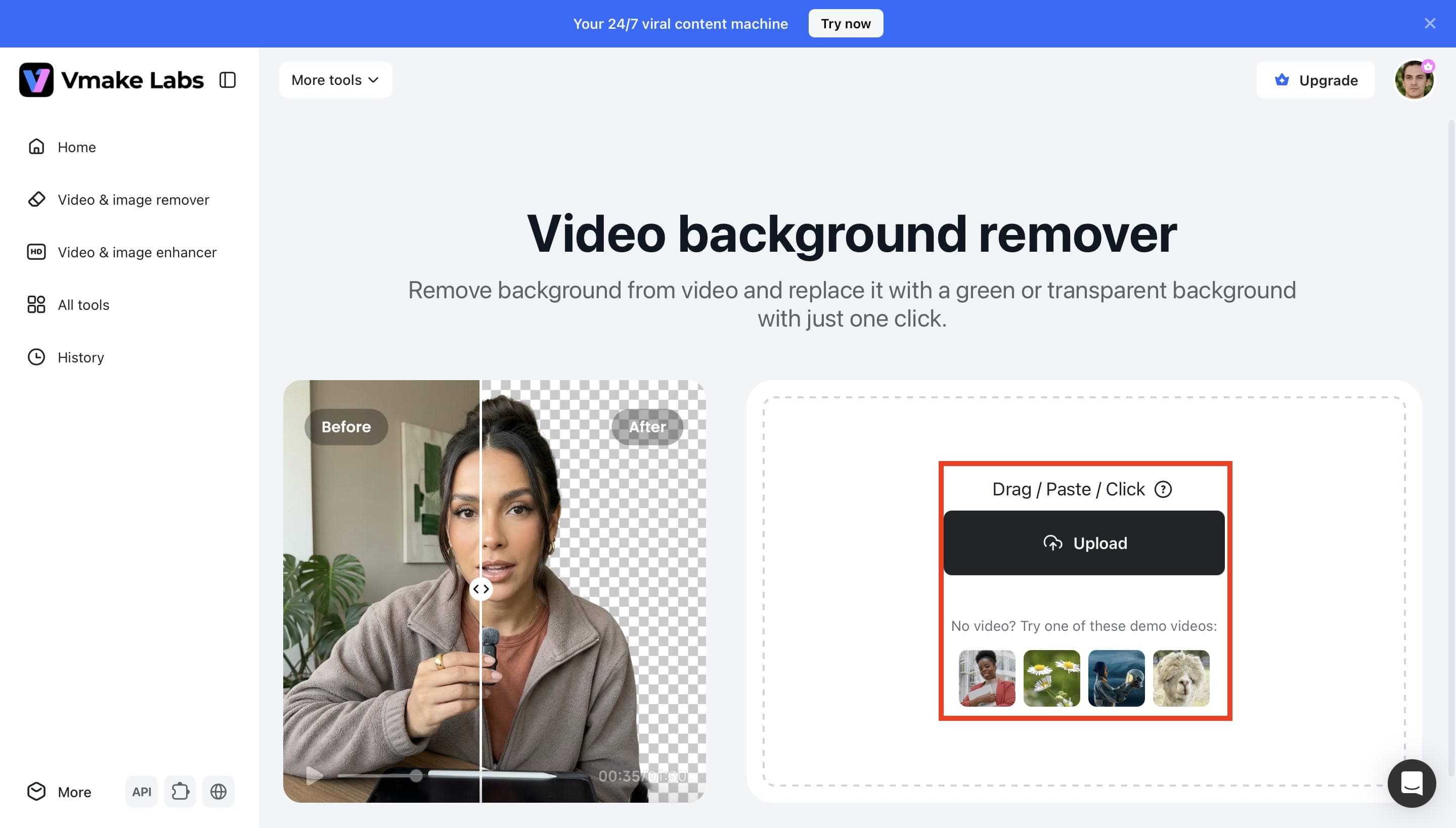
Click the Upload button or drag and drop your video into the upload area. Vmake Labs supports multiple video formats, allowing you to start processing your footage in just a few seconds.
Step 3: Choose Your Background and Apply AI Processing
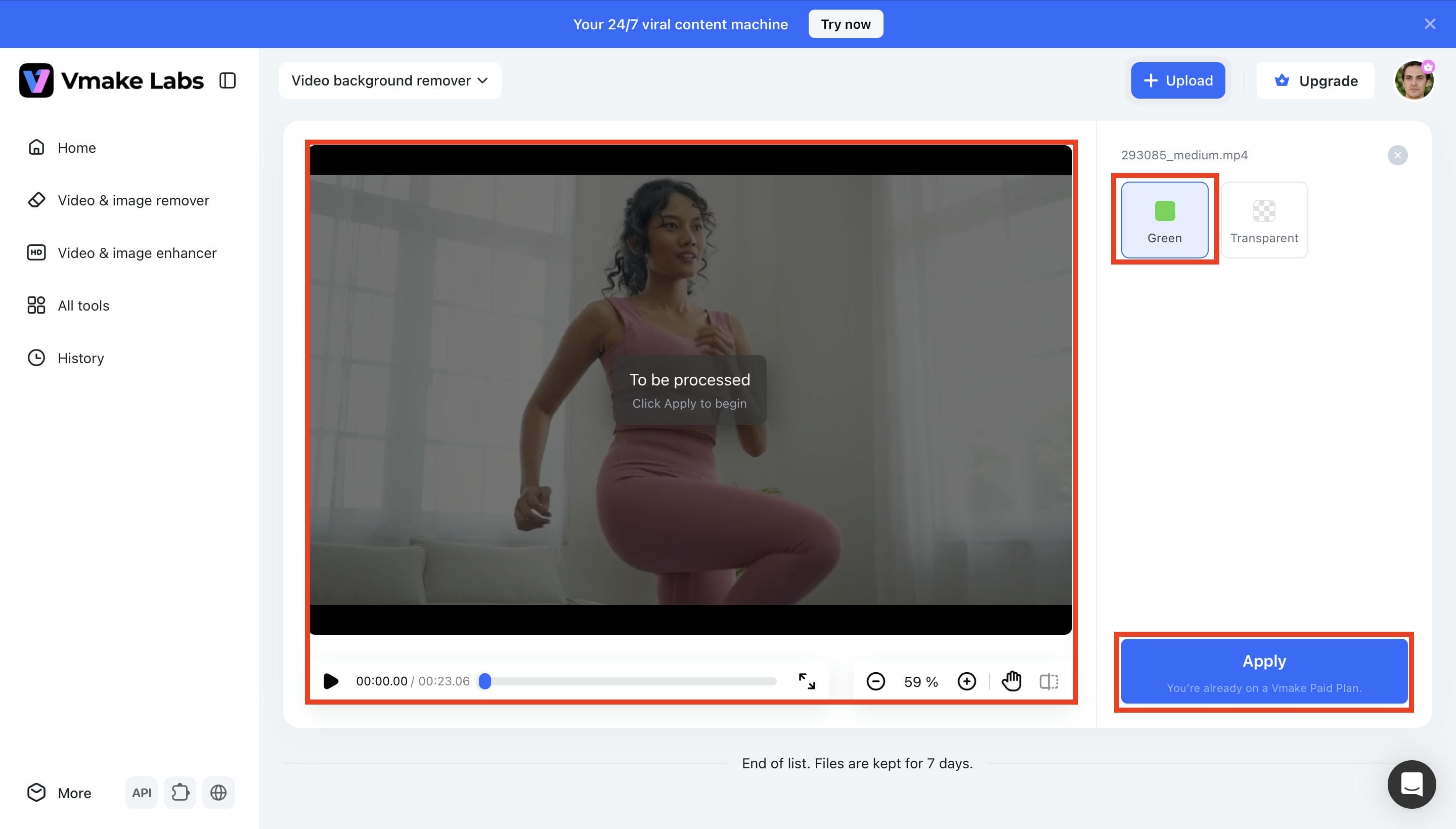
Select whether you want a green or transparent background, then click Apply. Vmake Labs automatically detects your subject and removes the original background using AI.
Step 4: Preview and Download Your Edited Video
Review the processed video to ensure the background looks clean and accurate. Once you're satisfied with the result, click Download to save your video with the selected background.
The Evolution of Background Removal Technology
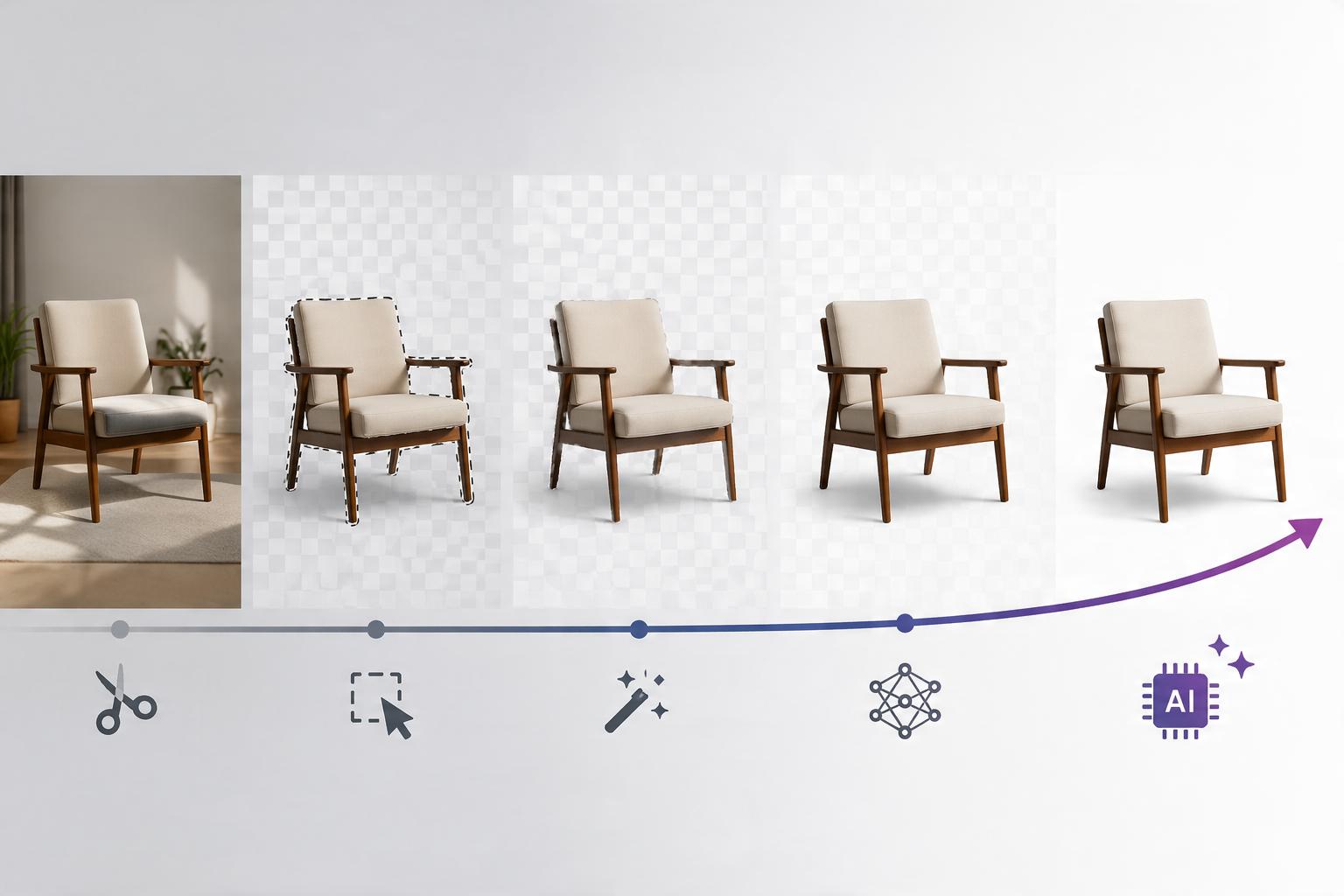
The way creators remove video backgrounds has changed quite a bit over the years. What once depended on physical green screen setups and manual editing can now be done with AI in just a few clicks. Each method has its place, and the right one often depends on the type of project and the tools you have available.
From Traditional Green Screens to AI Background Removal
For a long time, green screen editing meant setting up a physical backdrop, getting the lighting just right, and using chroma key software to replace the background. Larger productions have also adopted LED walls that display virtual environments during filming, but that kind of setup isn't practical for everyone. AI-powered background removal has made things much simpler. Instead of relying on a physical green screen, tools like Vmake Labs can automatically separate the subject from the background, making it much easier to create professional-looking videos with less equipment and far less setup.
Conclusion
Green screen technology is still one of the most effective ways to replace video backgrounds and create scenes that would be difficult to film in real life. While traditional chroma key editing continues to be widely used, AI has made the process much faster and easier. Whether you're creating videos for social media, marketing, or professional projects, knowing how a green screen works can help you achieve better results. If you prefer to skip the studio setup, Vmake Labs lets you remove video backgrounds without a physical green screen in just a few clicks.
FAQs
Can a green screen work with any camera?
Yes, you don't need expensive equipment to use a green screen. Most smartphones, webcams, DSLR cameras, and professional video cameras can capture footage that's suitable for green screen editing. Good lighting and clear video quality make a noticeable difference. If you don't have a physical green screen, Vmake Labs can remove video backgrounds with AI, giving you a much simpler way to achieve similar results.
Does the size of a green screen matter?
Yes, the green screen should be large enough to cover everything visible behind your subject, especially if there's any movement during filming. A backdrop that's too small can expose the surrounding area and make editing more difficult. If you don't have the space for a full green screen, Vmake Labs can remove video backgrounds without requiring one.
Can I use fabric, paper, or paint as a green screen?
Yes, a green screen may be fabric, paper, or even a painted wall. The main thing is that the surface must be flat and the color uniform. Good lighting is also important since shadows and uneven lighting may make background removal less precise. A clean, evenly illuminated background typically yields the greatest results.
Can green screen effects be used in live streaming?
Yes, many live streaming platforms and broadcasting software support real-time chroma key effects for virtual backgrounds. A well-lit green screen helps produce smoother and more professional-looking results. You can also prepare background-free videos in advance using Vmake Labs for your live streams.
Does AI background removal work without a green screen?
Yes, it automatically identifies the topic and isolates it from the backdrop without the need for any physical green screen. This makes video editing quicker and more accessible to professionals of all skill levels. With the power of AI, Vmake Labs makes background removal straightforward and professional.

You May Be Interested
How to do Green Screen on TikTok: Complete Guide & AI Alternative
How to Remove Green Screen from Video: Best Methods and Tools in 2026

How to Edit Videos with Green Screen Backgrounds Easily
