GPT Image 2 vs Nano Banana 2: Which AI image model is better?
A head-to-head GPT Image 2 vs Nano Banana 2 test covering photorealism, text rendering, prompt adherence, speed, editing, availability, and pricing. Ensure that you select the right model for your use case scenario.

AI image generation has become increasingly competitive, with models offering different strengths for realism, text, prompt interpretation, editing, and creative control. GPT Image 2 and Nano Banana 2 are two models worth comparing across practical image-generation tasks. This guide examines both models using five testing factors, compares their performance across common scenarios, explains when to choose each one, and covers pricing, availability, and introduces Vmake Labs as an option for generating images with multiple available models.
Before we start: an introduction
GPT Image 2 and Nano Banana 2 are two advanced AI image models designed for image generation and editing, but they take different approaches to visual creation.
GPT Image 2 focuses on turning natural-language instructions into detailed visuals, making it suitable for product imagery, marketing assets, creative concepts, and other prompt-driven tasks. Nano Banana 2 places greater emphasis on visual context, image editing, reference-based workflows, and iterative refinement.
Both models can be used for a range of creative tasks, so comparing their image quality, text rendering, prompt adherence, speed, and editing capabilities can help determine which fits a specific workflow.
How we tested GPT Image 2 vs Nano Banana 2: our methodology
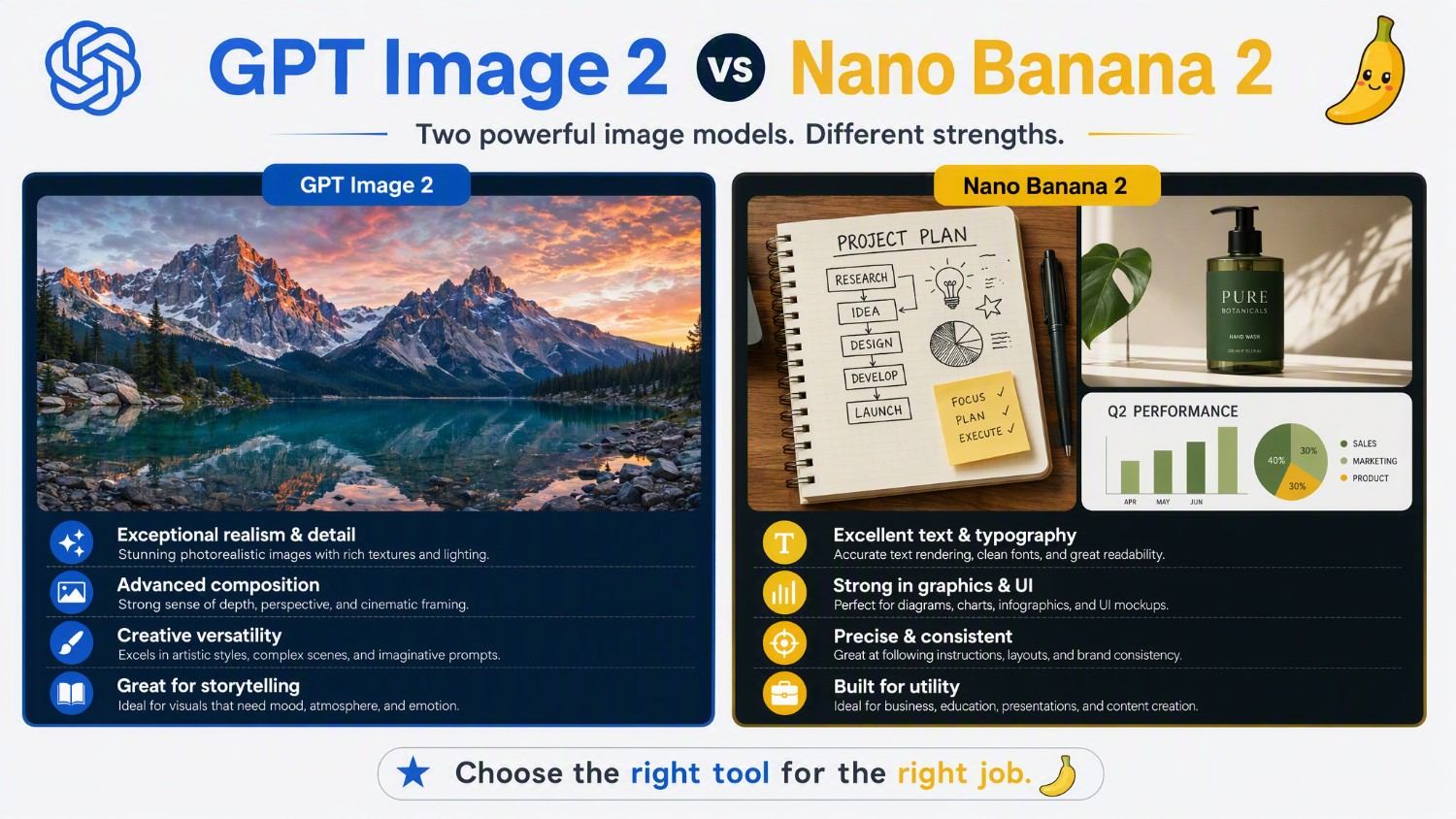
To make the comparison practical between Nano Banana 2 vs GPT Image 2, we evaluated both models using five factors that cover common image-generation and editing requirements.
-
Photorealism and image quality: We compared how convincingly each model handles realistic subjects, lighting, textures, proportions, depth, and overall visual detail across comparable prompts.
-
Text rendering and typography: We tested both models with images containing headlines, labels, signs, and other textual elements to assess character accuracy and layout.
-
Prompt adherence and creative control: We used increasingly detailed prompts to examine how accurately each model interpreted requested subjects, compositions, styles, relationships, and scene details.
-
Generation speed: We compared the time required to produce images from similar prompts, considering speed as a practical factor for iterative creative workflows.
-
Editing and image consistency: We tested image-editing scenarios to see how effectively each model preserved important elements while applying requested changes across multiple iterations.
Note: All tests were done on 9th of September 2026 and the official platforms were used for the AI image generation procedures.
GPT Image 2 vs Nano Banana 2: head-to-head comparison
The following comparison focuses on the five testing factors rather than treating either model universally better. Performance can vary depending on the prompt, image type, editing requirements, and workflow.
|
Factor |
GPT Image 2 |
Nano Banana 2 |
|---|---|---|
|
Photorealism |
Strong |
Very Strong |
|
Text rendering |
Strong |
Strong |
|
Prompt adherence |
Strong |
Strong |
|
Generation speed |
Around 3+ minutes |
Around 1+ minute |
|
Editing and consistency |
Strong |
Strong |
-
Photorealism: Which model creates more realistic images?
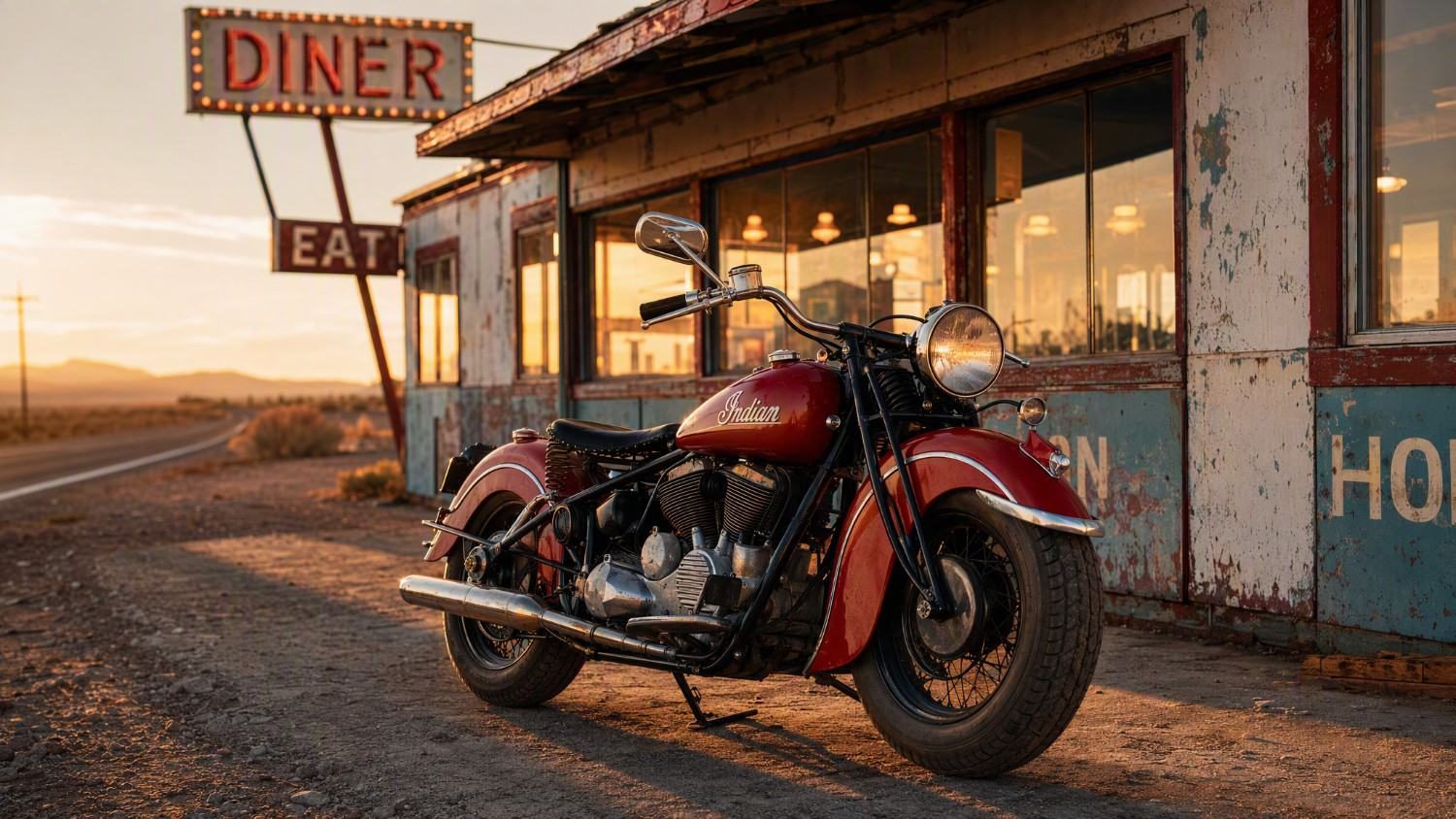
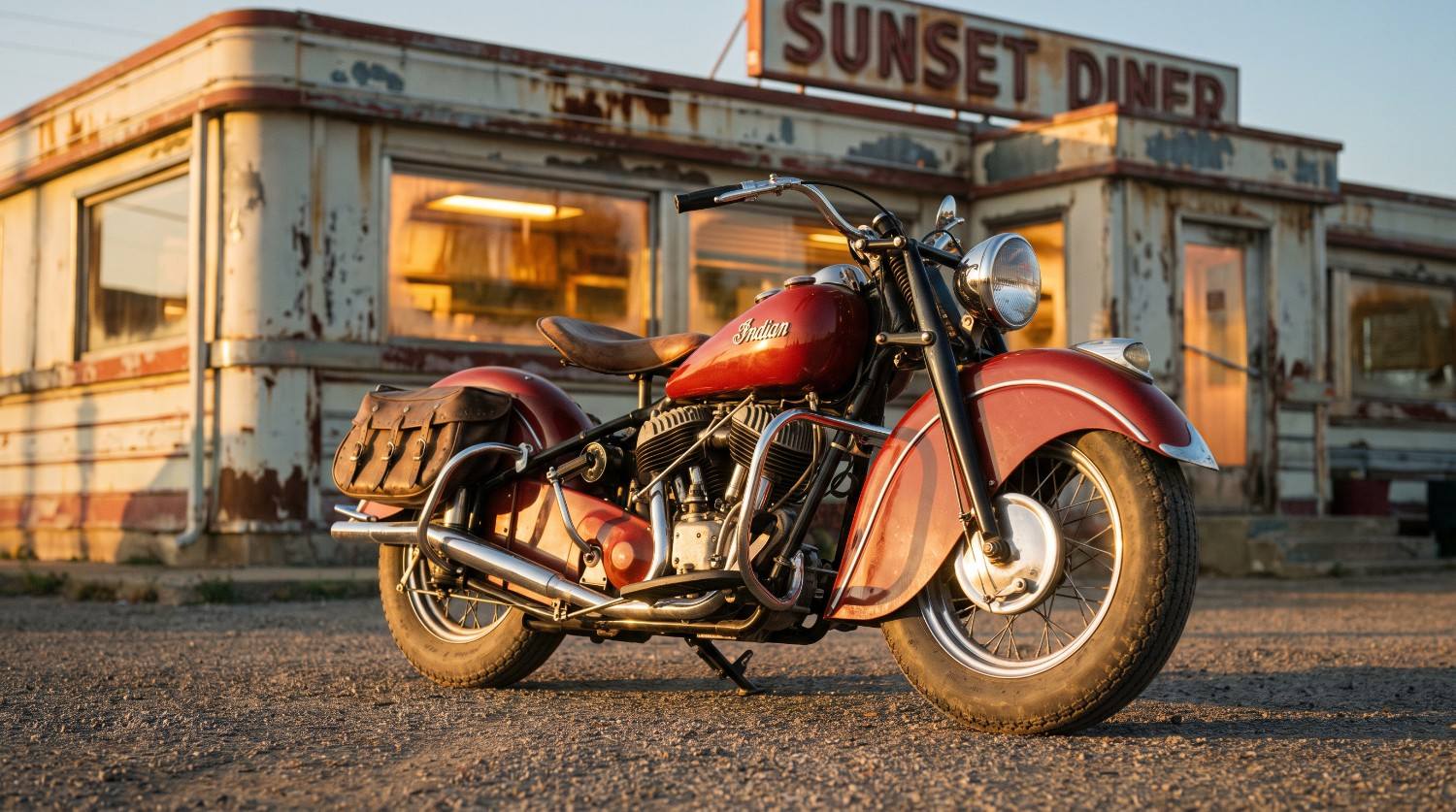
Photorealism depends on more than resolution or surface detail. We looked at skin, materials, lighting, shadows, perspective, object proportions, and environmental details. Both models can produce realistic-looking visuals, but their outputs may differ depending on the subject and prompt. For important projects, testing the same prompt across both models can help identify which visual interpretation better matches the intended result.
Test
Prompt: "A photorealistic photograph of a vintage red motorcycle parked beside a weathered roadside diner at golden hour. Capture intricate chrome details, realistic leather textures, subtle dust on the tires, peeling paint on the diner exterior, warm light glowing through the windows, long natural shadows, accurate reflections, cinematic composition, balanced exposure, professional automotive photography, 50mm lens, shallow depth of field."
|
|
|
|---|---|
|
GPT Image 2 (2K resolution, 16:9) |
Nano Banana 2 (2K resolution, 16:9) |
-
Text rendering: Which model handles text better?
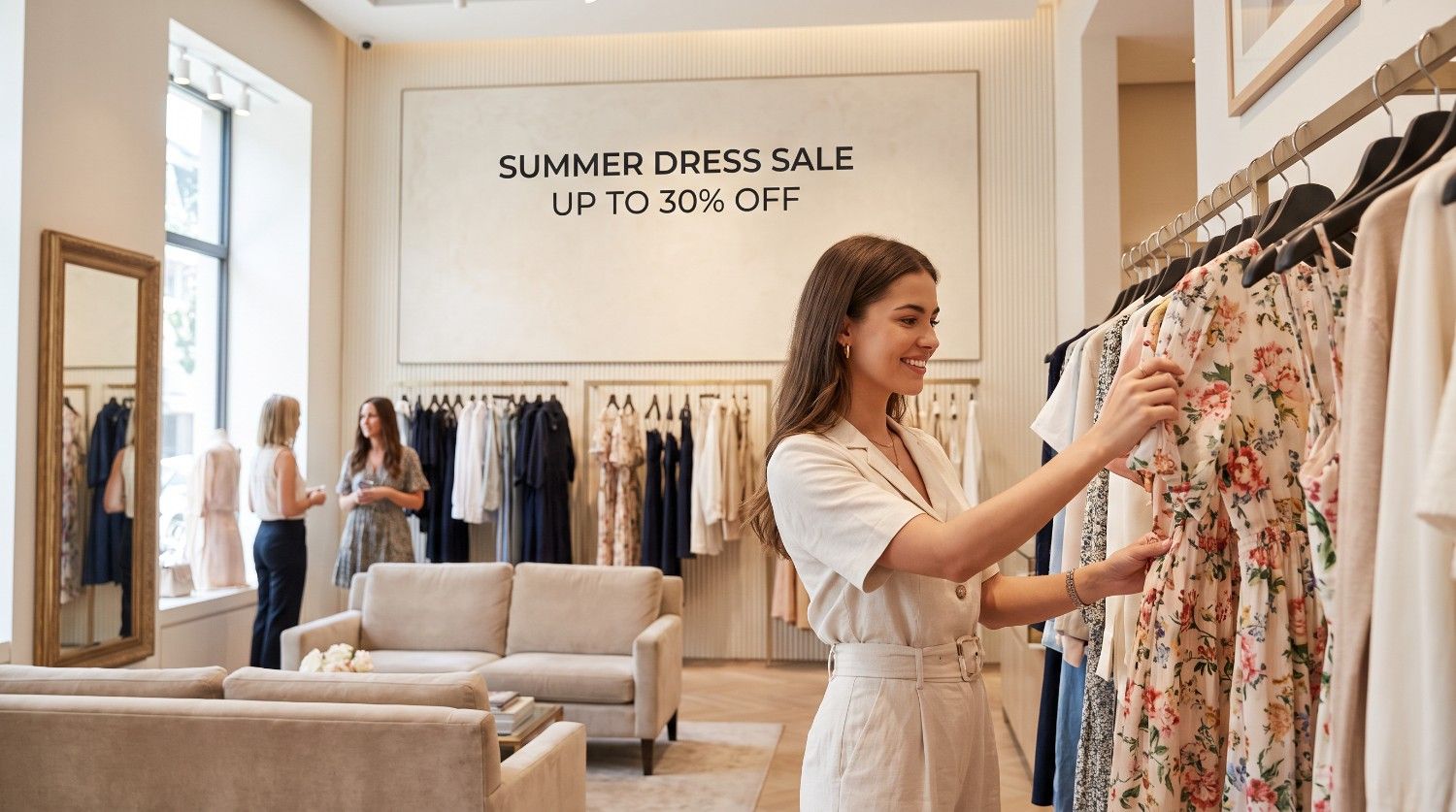
Text rendering is particularly important for posters, thumbnails, advertisements, product packaging, signs, and social media graphics. We tested whether requested words appeared correctly and whether typography remained readable and appropriately positioned. Both models can handle text-containing compositions, although results can vary with the amount and complexity of text. Shorter text instructions and clearly defined layouts generally provide a more manageable generation task.
Test
Prompt: "Create a realistic fashion-store advertisement featuring a young woman browsing dresses in an elegant boutique. Include a large, clearly readable wall sign that says exactly: “SUMMER DRESS SALE”. Below it, include the text: “UP TO 30% OFF”. Use clean modern typography, centered alignment, correct spelling, sharp readable letters, balanced spacing, and a professional advertising layout."
|
|
|
|---|---|
|
GPT Image 2 (2K resolution, 16:9) |
Nano Banana 2 (2K resolution, 16:9) |

-
Prompt adherence: Which model follows detailed instructions more closely?
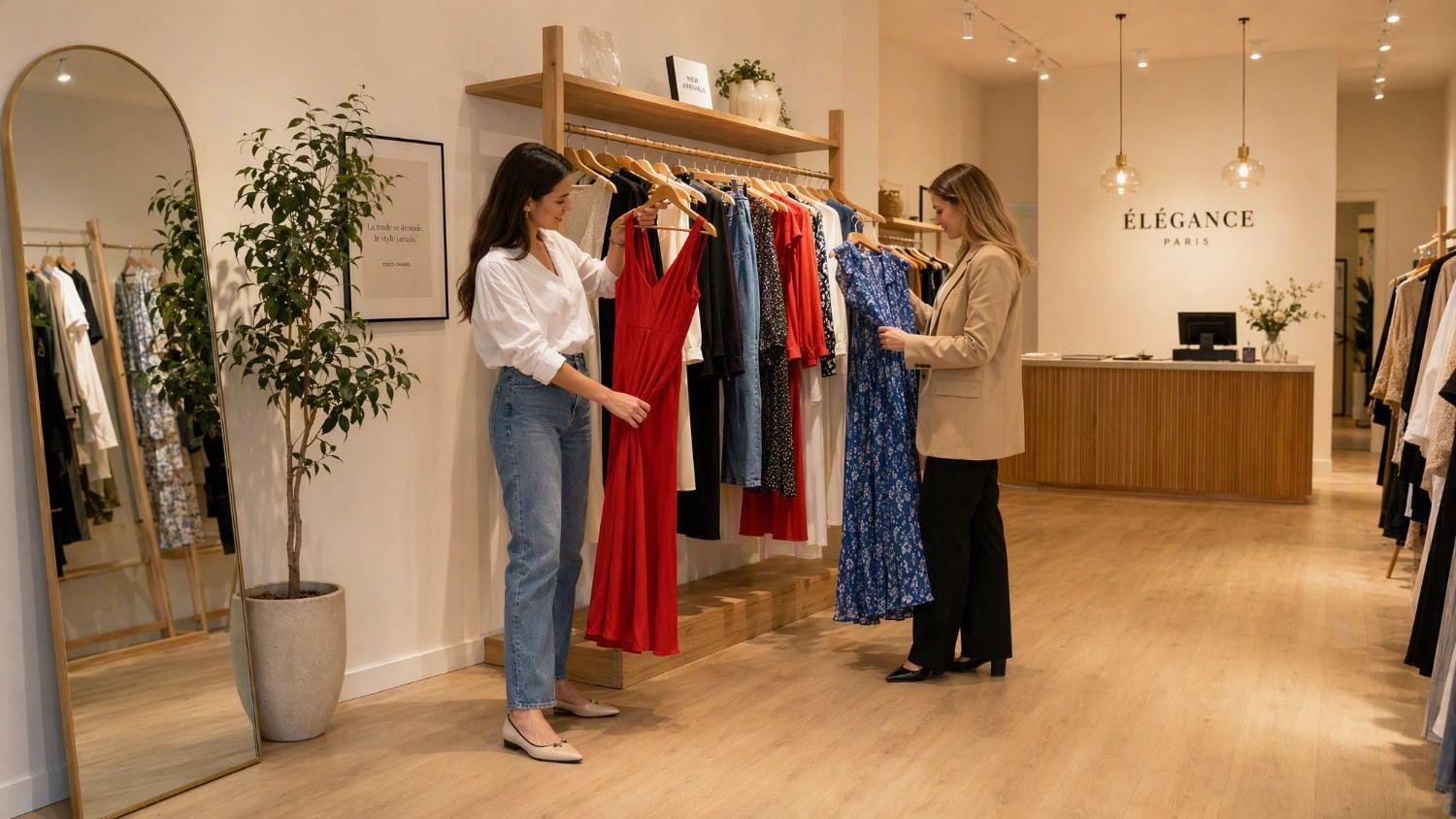
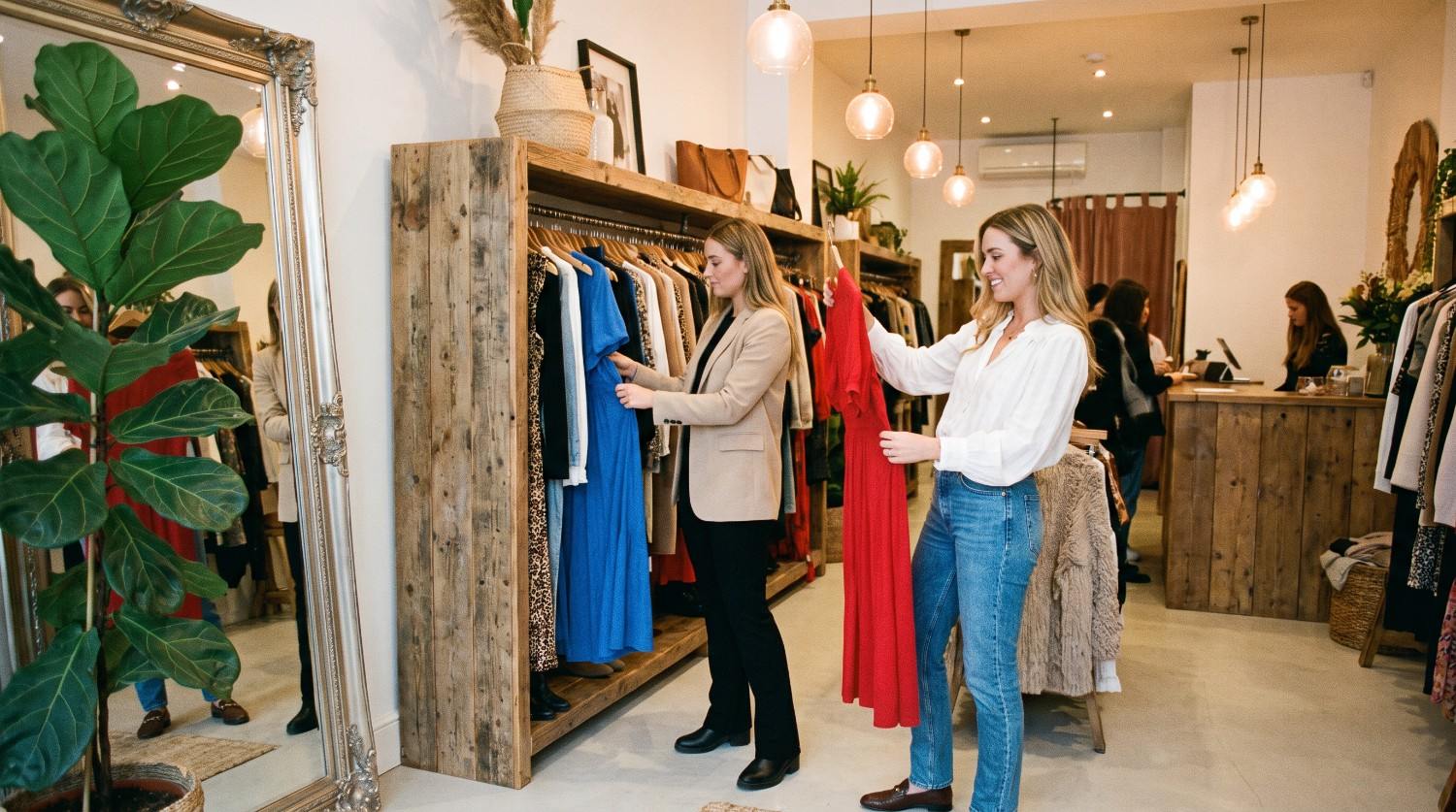
Detailed prompts can contain multiple requirements, including subjects, poses, environments, camera angles, lighting, colors, styles, and object relationships. Our comparison examined whether the generated image reflected these individual instructions rather than simply matching the broad concept. Both GPT Image 2 and Nano Banana 2 can interpret complex prompts, but users should evaluate specific outputs because adherence may change considerably as prompts become longer or more constrained.
Test
Prompt: "Create a realistic fashion boutique scene with exactly two women. The first woman is wearing a white blouse and blue jeans and is holding a red dress. The second woman is wearing a beige blazer and black trousers and is looking at a blue dress. Place them near a wooden clothing rack, with a large mirror on the left, a green plant in the corner, warm ceiling lights, and a checkout counter in the background. Use a wide-angle camera view from eye level."
|
|
|
|---|---|
|
GPT Image 2 (2K resolution, 16:9) |
Nano Banana 2 (2K resolution, 16:9) |
-
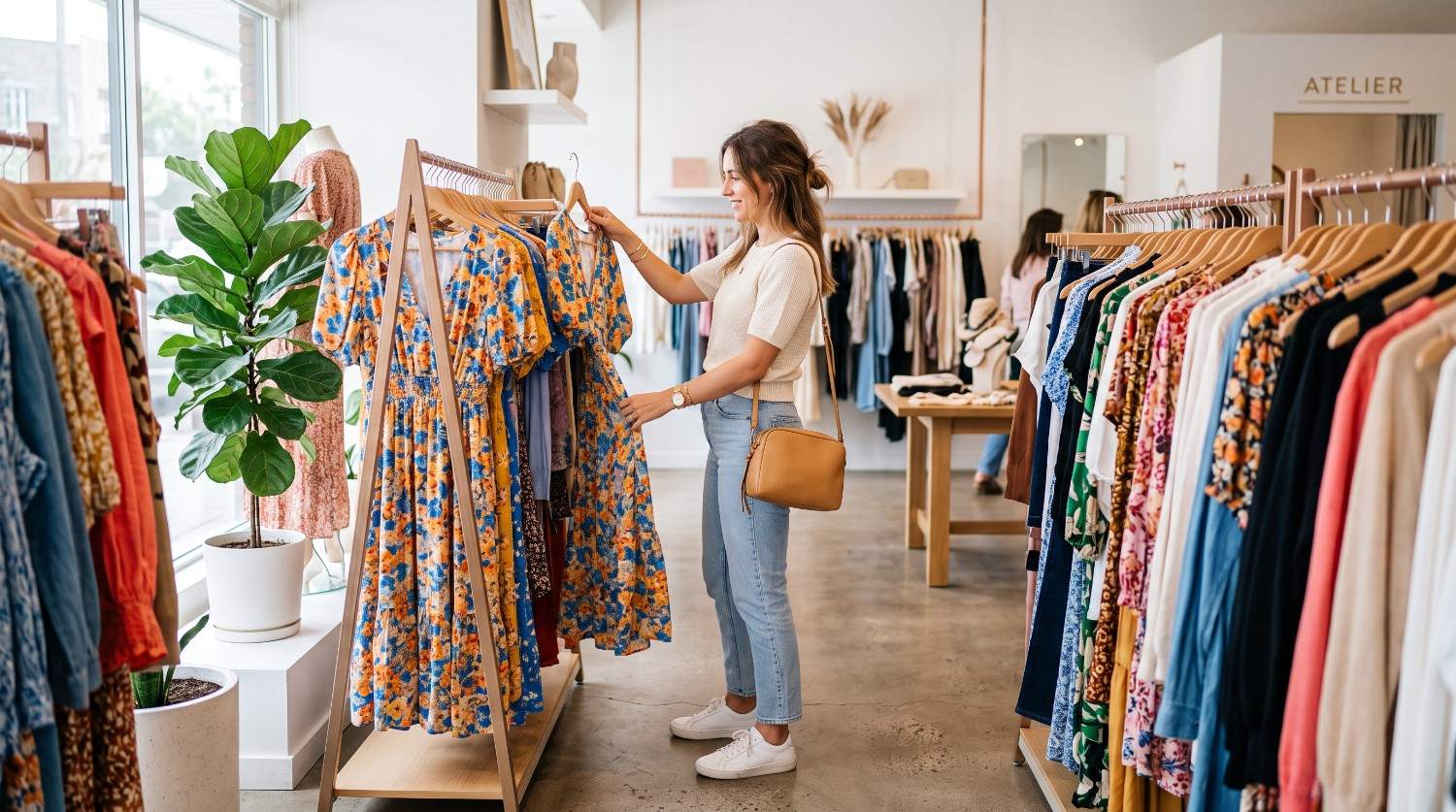
Speed: Which model generates images faster?
Generation speed matters when users are creating multiple variations, testing prompts, or working through several editing rounds. Actual generation times can depend on the platform, selected model, image settings, server demand, and workflow. Instead of treating speed as a fixed model characteristic, users should compare both models in the environment they plan to use and consider whether faster iteration or greater control is more important for their particular task.
Test
Prompt: "A clean, realistic lifestyle photograph of a woman shopping for dresses in a bright modern boutique, browsing colorful clothing racks with a handbag over her shoulder, natural daylight, realistic details, simple composition, editorial fashion photography, 16:9 landscape format."
|
|
|
|---|---|
|
GPT Image 2 (2K resolution, 16:9) Time Taken: 196 seconds |
Nano Banana 2 (2K resolution, 16:9) Time Taken: 85 seconds |

-
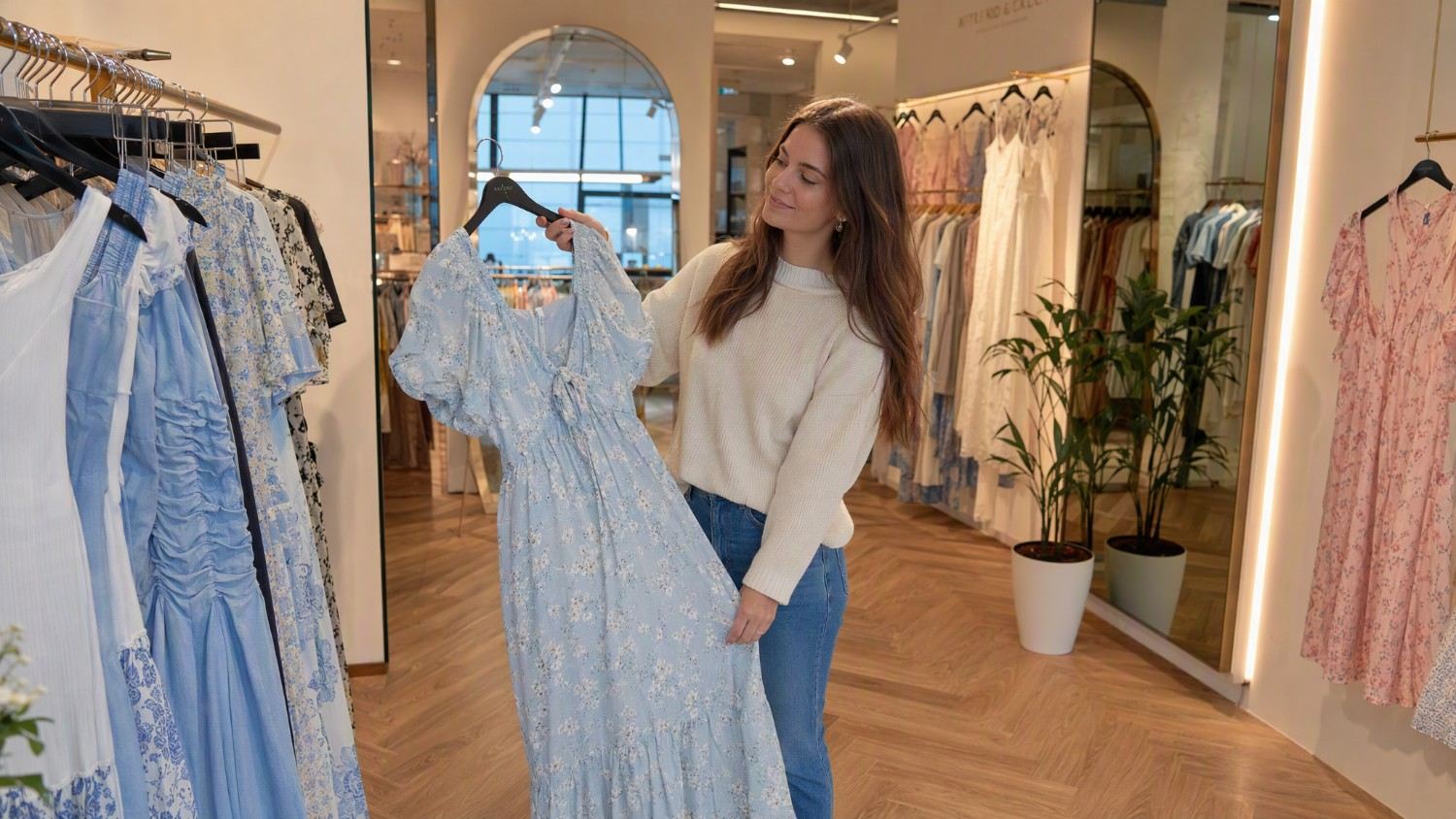
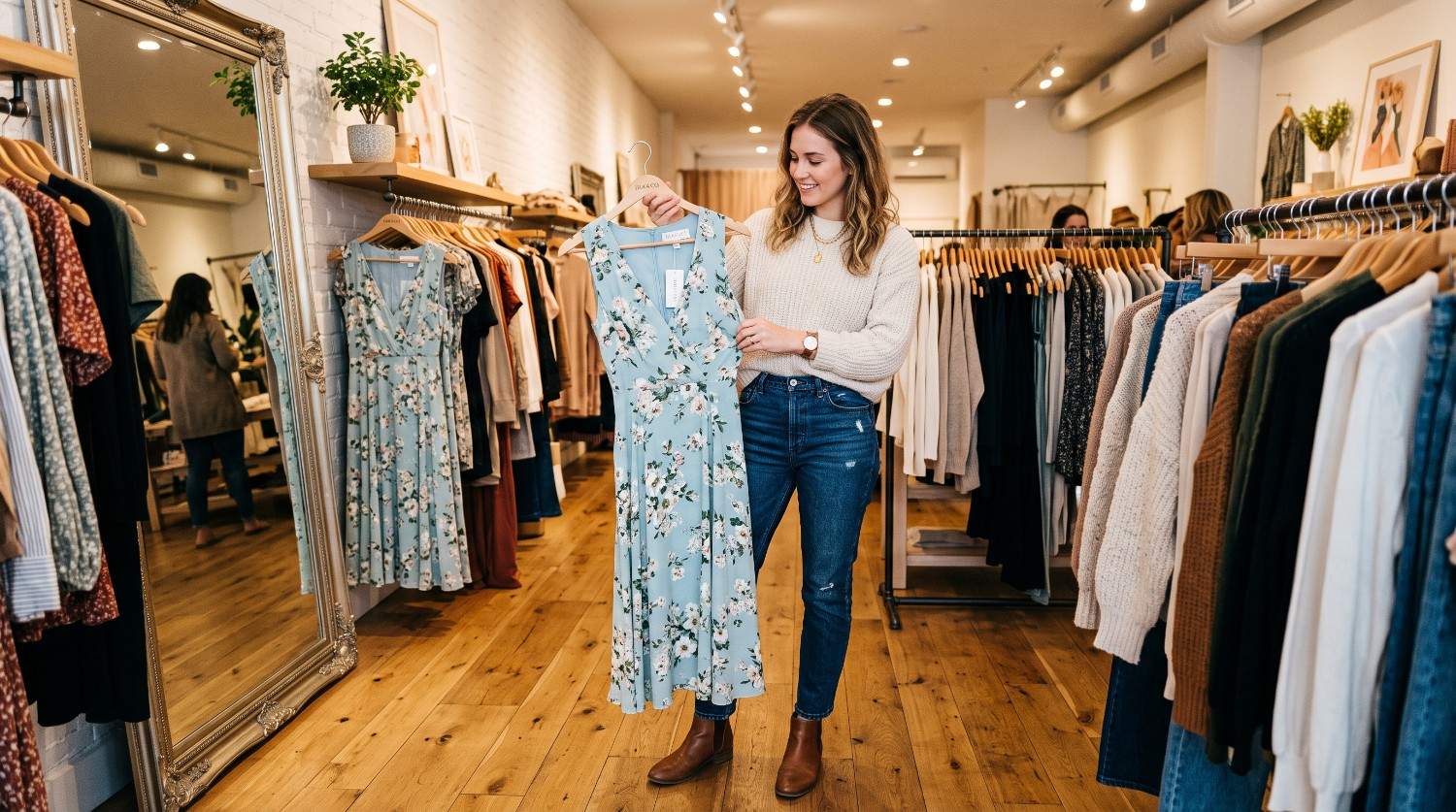
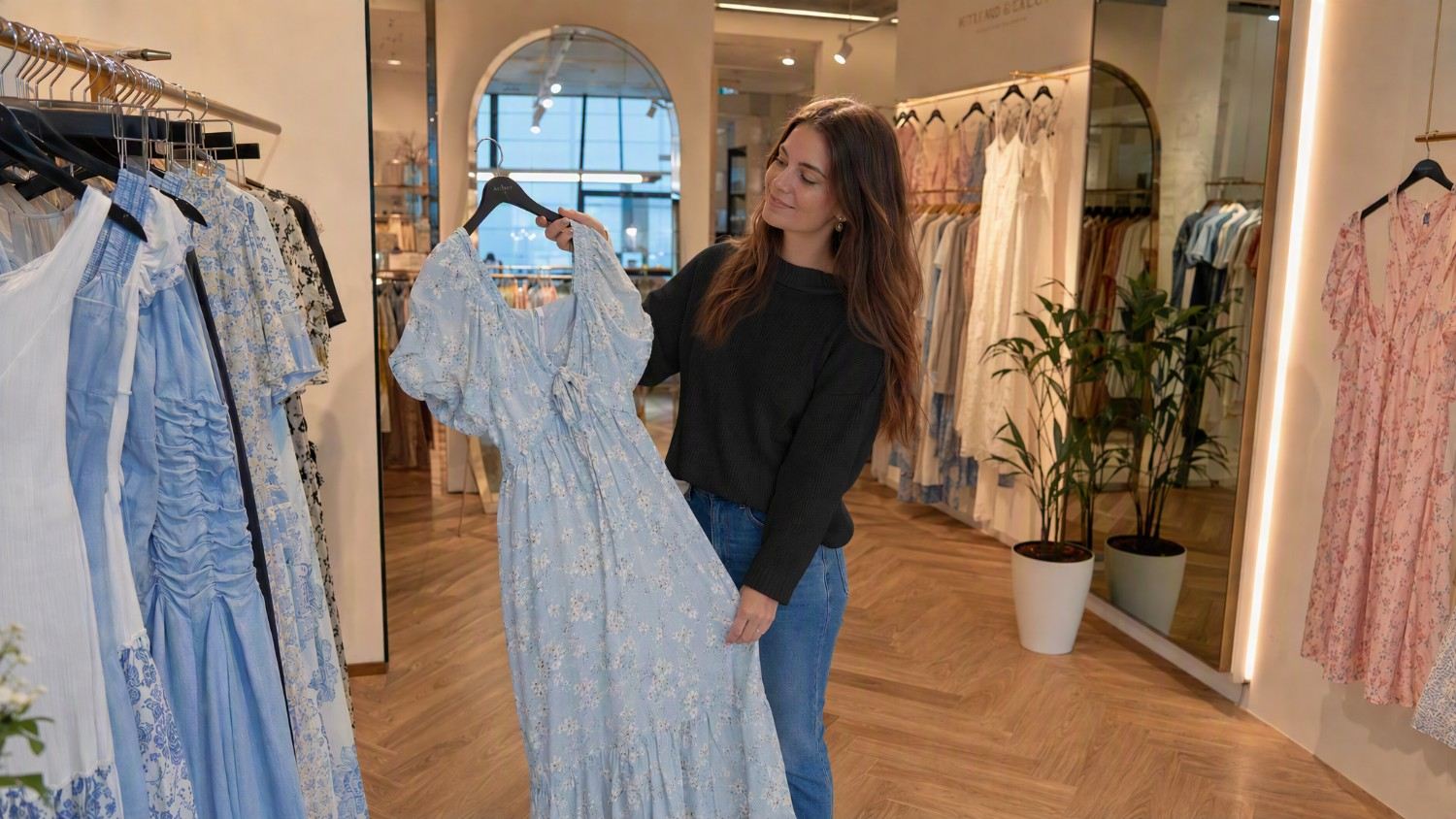
Editing and consistency: Which model is better for iterative workflows?
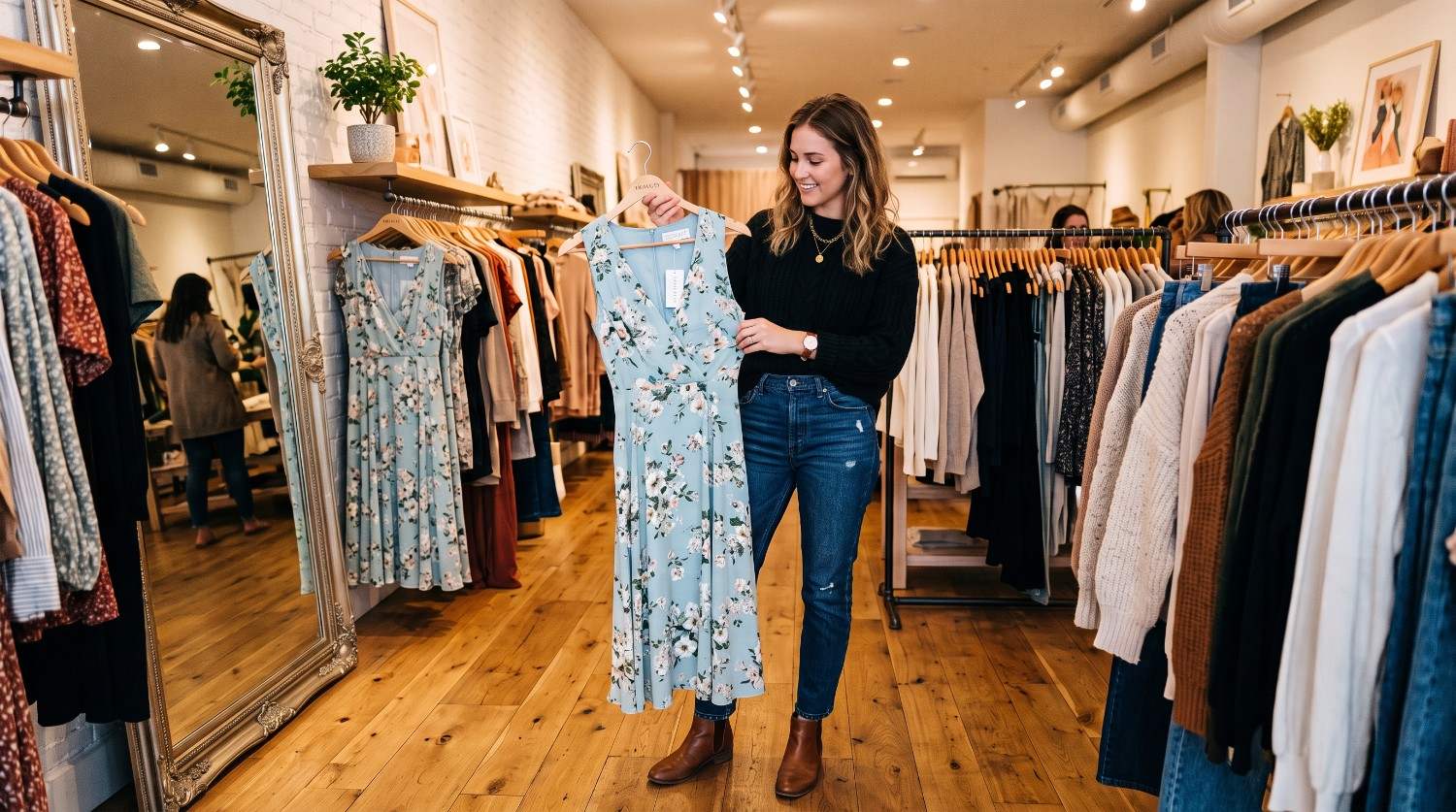
Editing performance becomes important when an image needs several changes without unnecessarily altering elements that should remain unchanged. We considered how models respond to instructions such as replacing objects, modifying backgrounds, changing clothing, or adjusting visual details. Both models can support iterative image workflows, but the best choice depends on the complexity of the requested edit and how precisely the original composition needs to be preserved.
Test
Initial image prompt: "A photorealistic young woman wearing a cream sweater and blue jeans, standing inside a modern clothing boutique and holding a light blue floral dress. Clothing racks filled with dresses surround her, with warm indoor lighting, large mirrors, wooden flooring, and a small green plant in the background. Editorial fashion photography, natural pose, realistic details."
Editing prompt: "Change only the woman’s sweater from cream to black. Keep her face, hairstyle, pose, jeans, handbag, the floral dress, clothing racks, boutique interior, lighting, camera angle, composition, and all other objects exactly the same."
|
Original |
Original |
|---|---|
|
After Edit |
After Edit |
|
GPT Image 2 (2K resolution, 16:9) |
Nano Banana 2 (2K resolution, 16:9) |
When should you use GPT Image 2 & Nano Banana 2?
There is no single model that fits every image-generation task. Your choice should depend on the type of visual you are creating, how detailed your instructions are, and whether generation or editing is the central part of your workflow.
GPT Image 2
GPT Image 2 can be a practical option when your workflow revolves around detailed text instructions and creating polished visual assets from a specific creative brief.
-
For photorealistic product and marketing images
Use GPT Image 2 when you need product scenes, advertising concepts, lifestyle compositions, or other visuals where realistic materials, lighting, and carefully described environments are important.
-
For social media graphics and thumbnails
GPT Image 2 can be useful for creating thumbnails, promotional graphics, social posts, and other visual assets that combine specific compositions with subjects, backgrounds, and text elements.
-
For detailed creative concepts and visual assets
Choose GPT Image 2 when you want to translate a detailed creative brief into a visual concept involving particular subjects, environments, compositions, styles, or lighting conditions.
Nano Banana 2
Nano Banana 2 can be useful for workflows where image editing, contextual understanding, and repeated visual adjustments are important parts of the creative process.
-
For image editing and iterative refinements
Use Nano Banana 2 when an existing image needs multiple changes, such as modifying objects, backgrounds, clothing, or other visual details while retaining important parts of the original composition.
-
For multi-object scenes and structured compositions
Nano Banana 2 can be considered for scenes containing multiple objects or relationships that need to be described clearly, especially when the final composition depends on how those elements interact.
-
For visuals that benefit from real-world context
Choose Nano Banana 2 when your image requires contextual visual details, realistic environments, or modifications based on an existing reference image or scene.
GPT Image 2 vs Nano Banana 2: pricing and availability
Pricing and access depend on the platform you use, which is why we have separately mentioned the costs for each model.
GPT Image 2 pricing and access
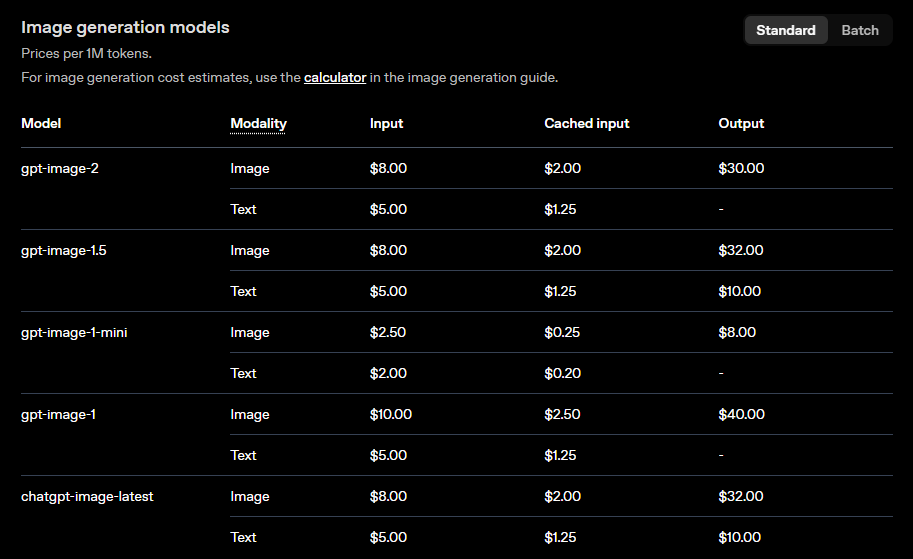
GPT Image 2 uses token-based API pricing. OpenAI lists image output at $30 per 1 million tokens, with input image tokens priced at $8 per 1 million tokens. Actual generation costs vary according to image size, quality, and the amount of input used.
Nano Banana 2 pricing and access
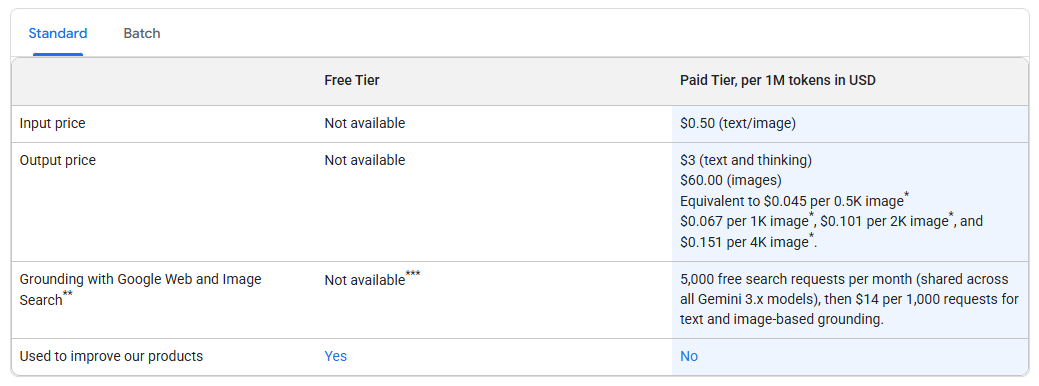
Nano Banana 2, officially listed as Gemini 3.1 Flash Image, uses token-based pricing through the Gemini API. Image output costs $60 per 1 million tokens, equivalent to approximately $0.067 per 1K image, $0.101 per 2K image, and $0.151 per 4K image.
How do the two models compare for accessibility?
Both models can be accessed through developer APIs, although their pricing structures differ. GPT Image 2 charges $30 per 1 million image-output tokens, while Nano Banana 2 charges $60 per 1 million image-output tokens. Nano Banana 2 also provides clearly stated per-image equivalents by resolution.
|
Model |
Primary access |
Image output pricing |
Approx. cost per image |
|---|---|---|---|
|
GPT Image 2 |
OpenAI API |
$30 per 1M image tokens |
Depends on resolution, quality, and token usage |
|
Nano Banana 2 |
Gemini API |
$60 per 1M image tokens |
$0.067 at 1K, $0.101 at 2K, $0.151 at 4K |
Create images with GPT Image and Nano Banana using Vmake Labs
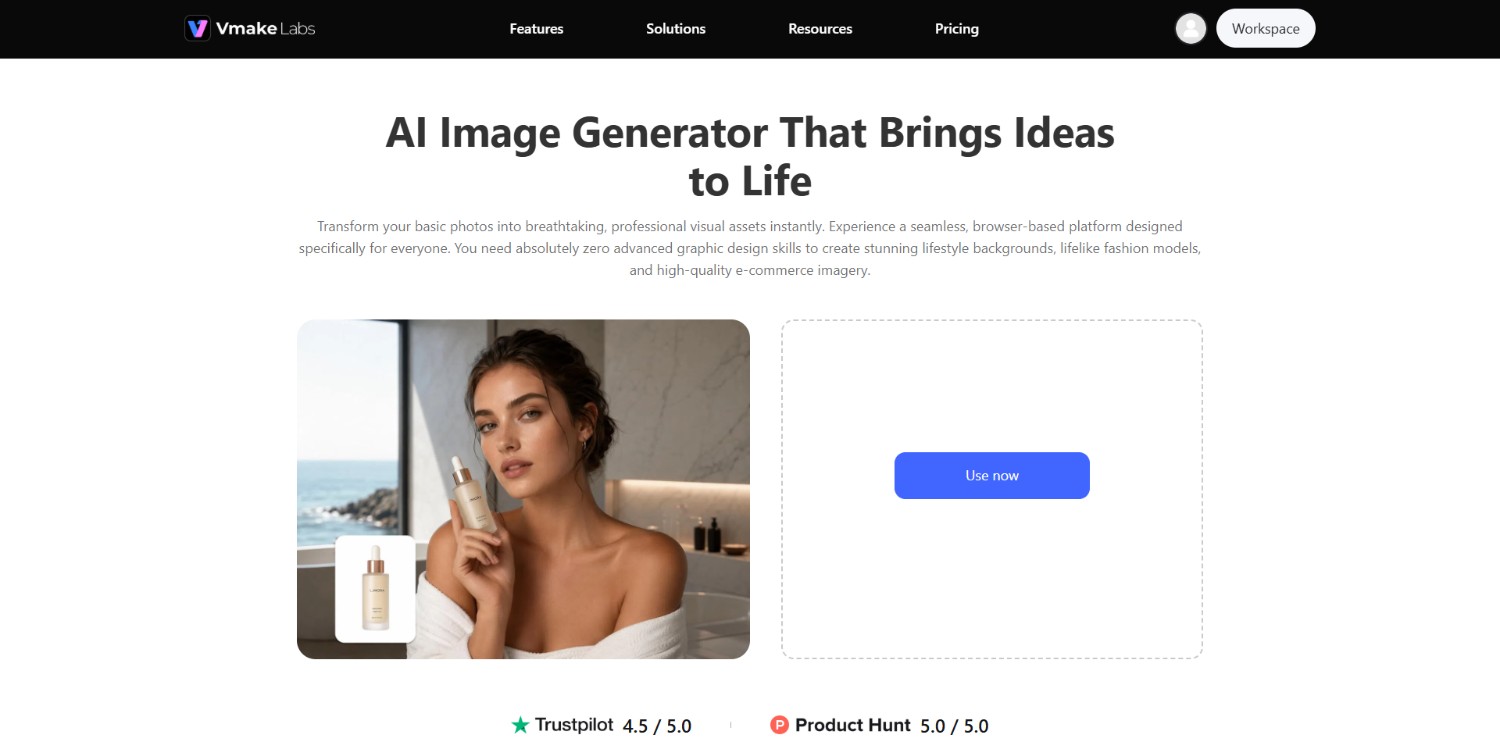
Vmake Labs AI image generator provides a single environment for generating and refining images with different AI models.
Instead of building separate workflows around individual image-generation tools, users can select from available models and compare their outputs for different creative requirements. The platform supports models such as GPT Image and Nano Banana, alongside other AI image models, giving users flexibility when experimenting with styles, compositions, and prompts.
This can be useful when you want to test different models for the same concept, refine a generated image, or create multiple visual assets without repeatedly switching between separate platforms.
Key features of Vmake Labs AI image generator
-
Generate images from detailed text prompts: Vmake Labs lets users describe the desired subject, setting, composition, style, and other visual details through text prompts to create images from their instructions.
-
Switch between multiple AI image models: Users can choose from multiple available AI image models, including GPT Image and Nano Banana, making it easier to test different models for a particular creative task.
-
Create different visual styles and compositions: The generator can be used to explore different creative directions, allowing users to experiment with subjects, compositions, visual styles, environments, and other image characteristics.
-
High-resolution export quality and selection of aspect ratios: Vmake Labs supports high-resolution image exports and provides different aspect-ratio options, giving users more control over how generated visuals fit different content formats.
How to use Vmake Labs AI image generator?
Step 1: Access Vmake Labs AI image generator
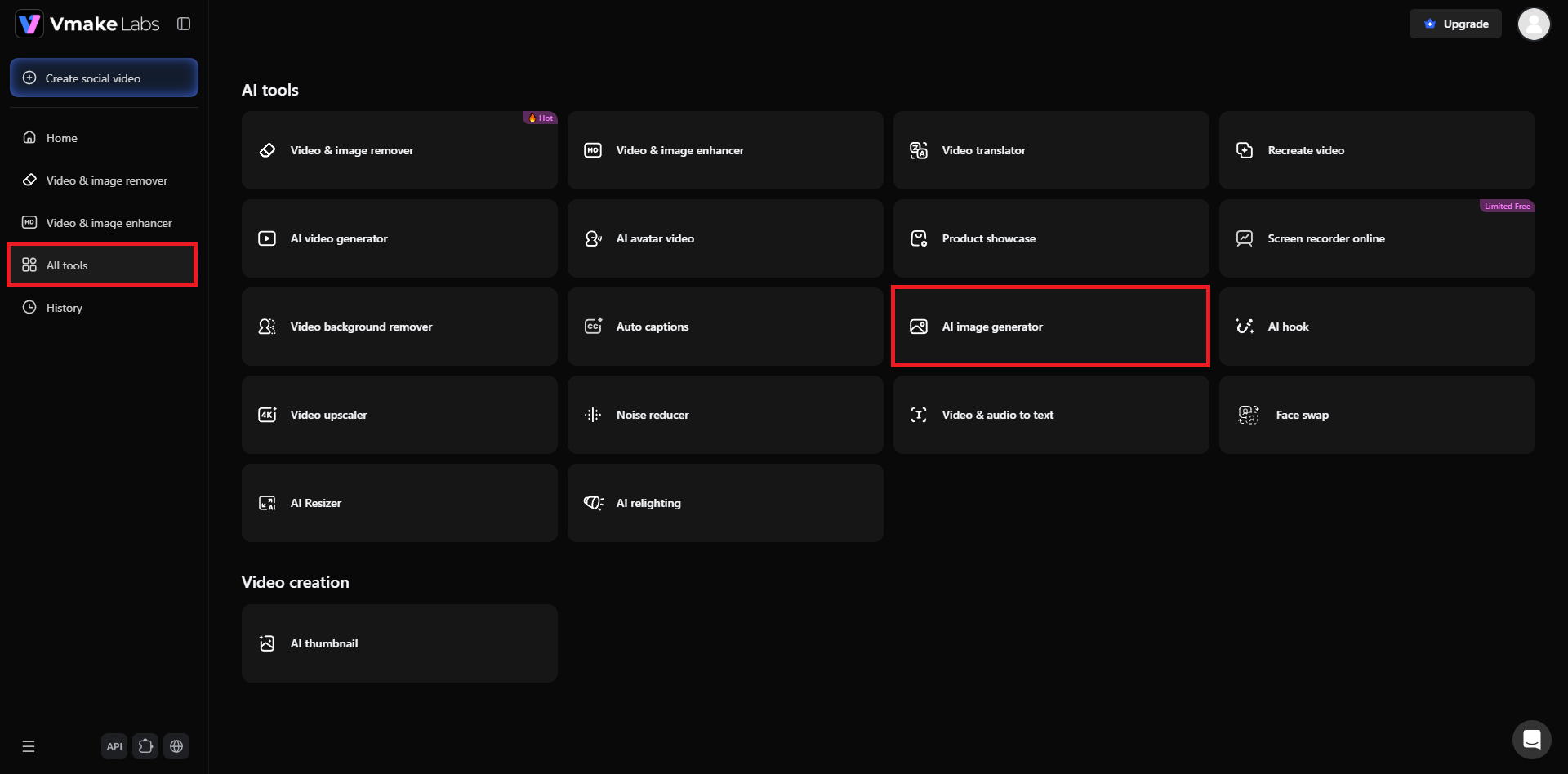
Start off your journey by first accessing the official website of Vmake Labs. Once done, you will need to either sign-in to your existing account, or create a new account from scratch. After that, select the "All tools" option from the left-hand menu and then select the "AI image generator" option from the list of tools.
Step 2: Provide your prompt, select model, and generate your image
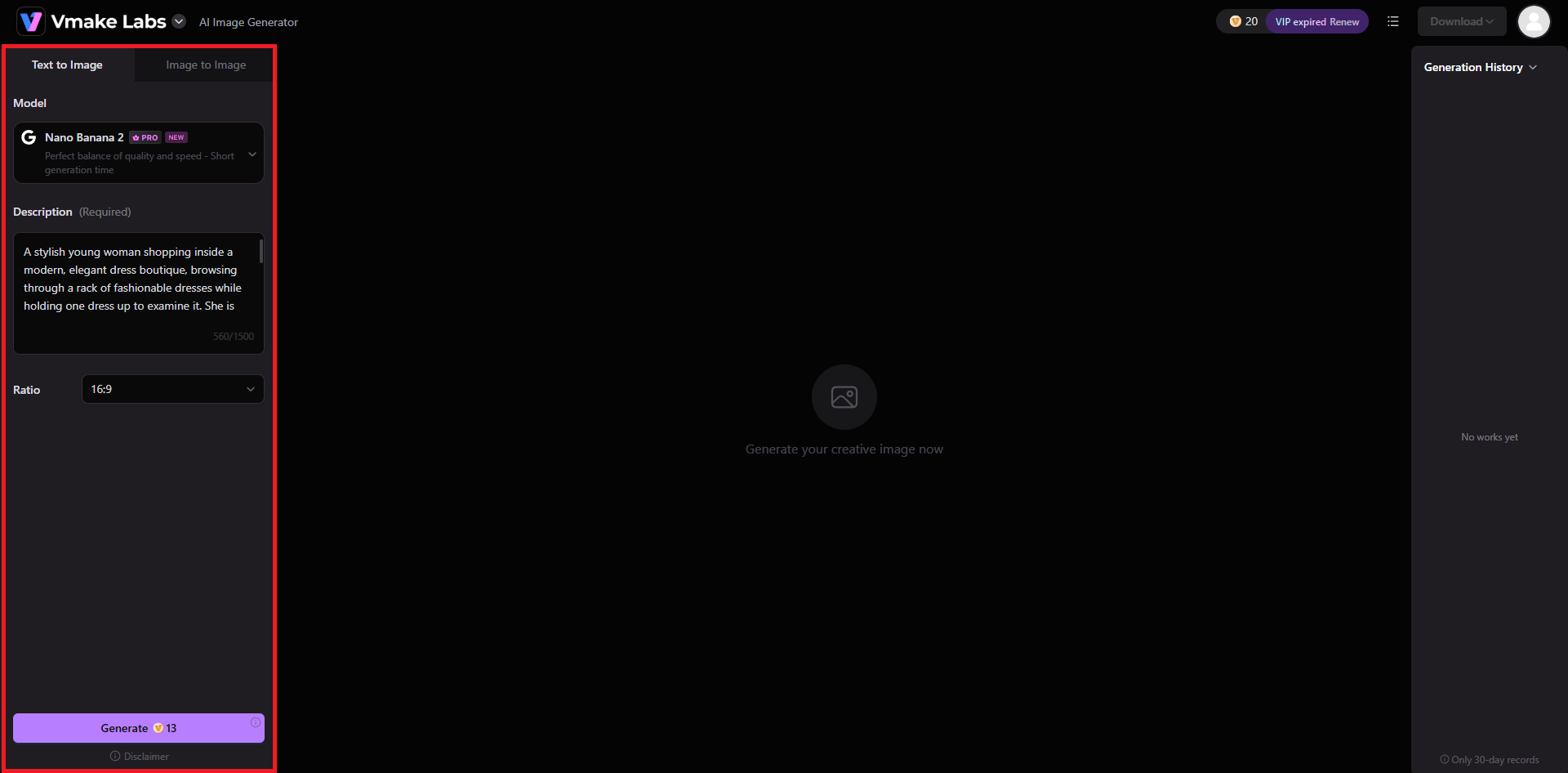
In the next step, you will need to select between "Text to image" or "Image to Image" generation process. After that, proceed to select your ideal AI image generation model, be it Nano Banana or GPT Image, and then provide a detailed prompt regarding the type of image you want to create. Additionally, also select your preferred image aspect ratio. Once done, click on "Generate".
Step 3: Export your AI-generated image
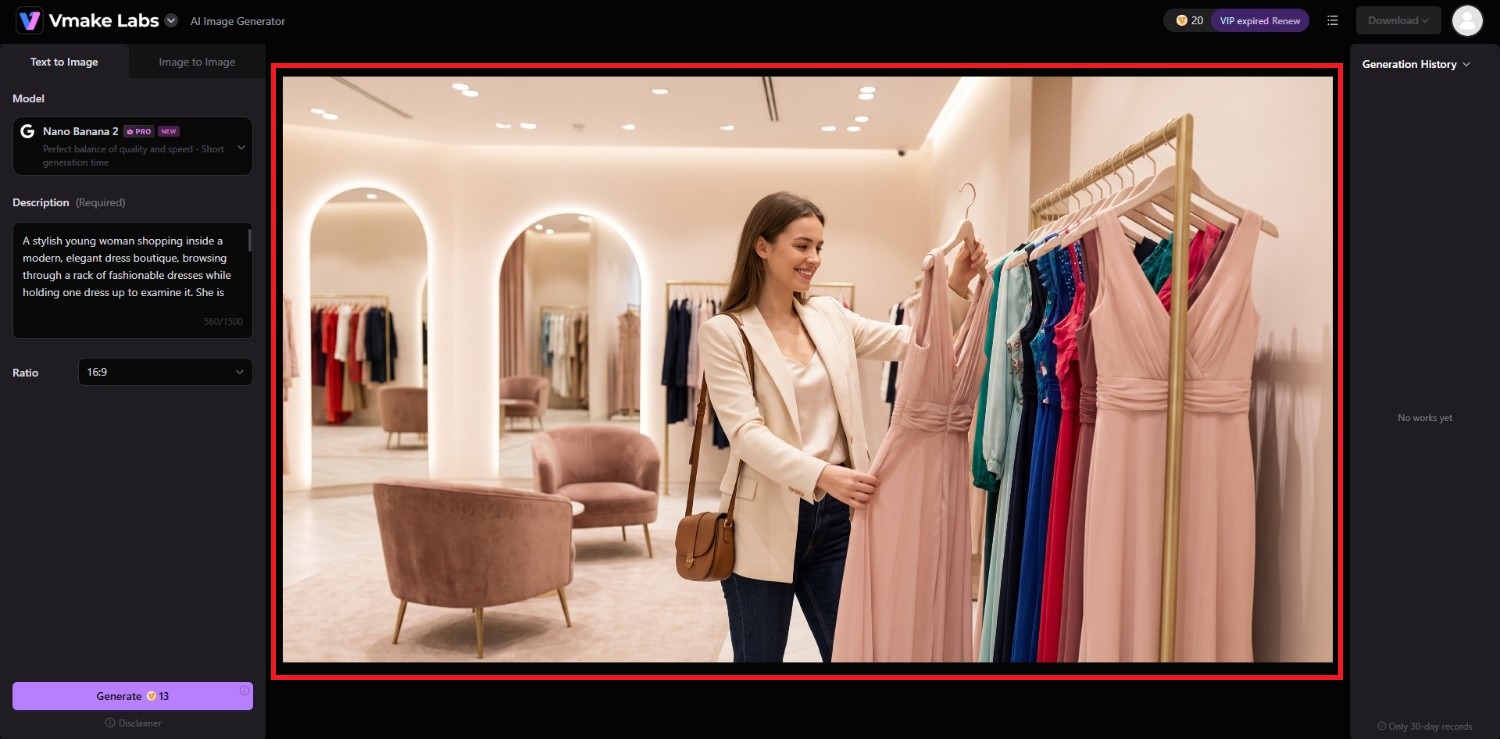
Vmake Labs will start generating your image and once that is completed, the same will be showcased on your screen. You can choose to then download it to your local device for sharing purposes.
Tips & tricks for getting better results with GPT Image 2 or Nano Banana 2
When working with either model, a well-structured prompt can make the creative process easier. The following practices can help you communicate visual requirements more clearly.
-
Write prompts with clear subjects, actions, and environments
Start by identifying the main subject, what it is doing, and where the scene takes place. Adding these details gives the model a clearer foundation before introducing secondary visual requirements.
-
Specify composition, lighting, and visual style
Describe how the scene should be framed and illuminated, then mention the desired visual style. Camera perspective, shot type, light direction, mood, and color treatment can further clarify the intended composition.
-
Be precise when requesting text in images
When an image requires text, state the exact wording and where it should appear. Keep the requested copy concise and describe its hierarchy, placement, alignment, and general typography where those details matter.
-
Use reference images for editing and consistency
When editing an existing visual, reference images can help communicate the elements that need to remain consistent. Clearly distinguish between what should be preserved and what should be changed.
-
Refine complex prompts in multiple steps
Instead of including every possible modification in one instruction, consider building the image progressively. Establish the main composition first, then make targeted changes to individual elements during subsequent iterations.
Conclusion
GPT Image 2 and Nano Banana 2 both offer capable approaches to AI image generation and editing, but the better choice depends on the specific workflow rather than a single universal ranking. GPT Image 2 can suit detailed creative briefs, marketing visuals, and text-driven generation, while Nano Banana 2 can be useful for editing, contextual compositions, and iterative visual workflows.
Testing identical prompts remains one of the most practical ways to compare them for your needs. If you want to work with multiple models from one interface, Vmake Labs provides access to GPT Image, Nano Banana, and other AI image models for generation and refinement.
FAQs
-
Is GPT Image 2 better than Nano Banana 2?
Neither model is universally better. GPT Image 2 and Nano Banana 2 have different strengths, so the appropriate choice depends on factors such as image type, prompt complexity, editing requirements, and workflow.
-
Which is better for photorealistic images, GPT Image 2 or Nano Banana 2?
Both can generate photorealistic images. The better option depends on the specific subject, prompt, composition, and visual requirements, so comparing identical prompts can provide a more useful assessment.
-
Which AI image model is better at rendering text?
Both models can generate images containing text, but accuracy can vary depending on the amount, wording, typography, and placement requested. Short, clearly specified text is generally easier to handle.
-
Is Nano Banana 2 faster than GPT Image 2?
Generation speed can vary according to the platform, workload, settings, and generation method. Rather than assuming one model is consistently faster, compare them under the same conditions for your workflow.
-
Can I use GPT Image 2 and Nano Banana 2 without an API?
Access depends on the platform offering each model. Services such as Vmake Labs can provide model-based image-generation workflows without requiring users to build their own API integration. For instance, with Vmake Labs, you can access Nano Banana 2, Nano Banana Pro, and GPT Image 1.

You May Be Interested
20+ Best ChatGPT Image Prompts for Stunning AI Images
ChatGPT Image Generator Review: A Complete Hands-on Review
(Updated!) Nano Banana 2 vs. Nano Banana Pro: What's the Actual Difference?

(2026) How to Remove Nano Banana 2 (Gemini) Watermark with Vmake
How to Recreate MrBeast Thumbnails in One Click Using Nano Banana Pro