DALL·E Image Generator Review: Is It Worth Using in 2026?
DALL·E Image Generator Review: Explores its features, pricing, image quality, pros, cons, and real user feedback. See how it compares with Vmake Labs AI Image Generator for creators in 2026.

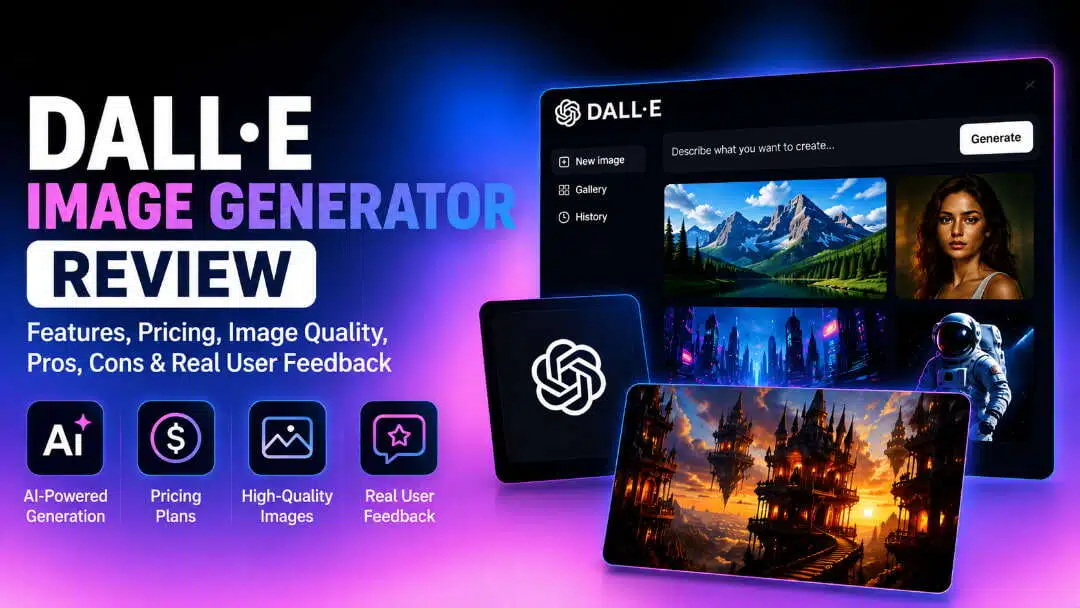
DALL·E is OpenAI's AI image generator that transforms text prompts into high-quality visuals through ChatGPT. In this review, we'll examine its features, pricing, image quality, user feedback, and overall performance to help you decide if it's the right AI image generator for your creative needs in 2026.
What Is DALL·E Image Generator?
DALL·E 3 is a sophisticated text-to-image model that can create unique graphics from word prompts. Through the ChatGPT platform, users can use natural language prompts to create, modify, and refine images. DALL·E provides an easy-to-use, AI-powered image generation experience for illustrations, concept art, and marketing images.
Overview
In addition to creating pictures from text prompts, DALL·E 3 facilitates a conversational workflow that lets users alter and improve generated images by providing follow-up instructions. This eliminates the need to start from scratch when modifying objects, backgrounds, lighting, colors, composition, or style. Subject to the DALL·E service's Terms of Use and Usage Policies, DALL·E-generated images may also be used for commercial purposes.
DALL·E Image Generator Features & How to Create AI Images
DALL·E makes it simple to transform text prompts into detailed visuals by combining sophisticated AI image generation with an intuitive conversational interface. Its built-in features make image creation and refinement easier, whether you're creating illustrations, realistic images, or marketing materials.
Key Features
-
Natural language prompt understanding: DALL·E can produce accurate images without requiring complex prompt engineering because it understands detailed prompts written in everyday language.
-
High-quality image generation: It produces detailed, visually appealing images suitable for creative projects, marketing materials, presentations, social media, and digital content.
-
Multiple artistic styles: Users can create images in a wide range of styles, including photorealistic, digital art, watercolor, oil painting, anime, sketches, and 3D renders.
-
Image refinement through conversation: Instead of starting from scratch, users can improve generated images through subsequent prompts, asking for modifications to objects, backgrounds, lighting, colors, composition, or style.
-
Strong text rendering: Compared with earlier AI image generators, DALL·E generates more accurate and readable text in posters, logos, infographics, packaging, and other design assets.
How to Create AI Images
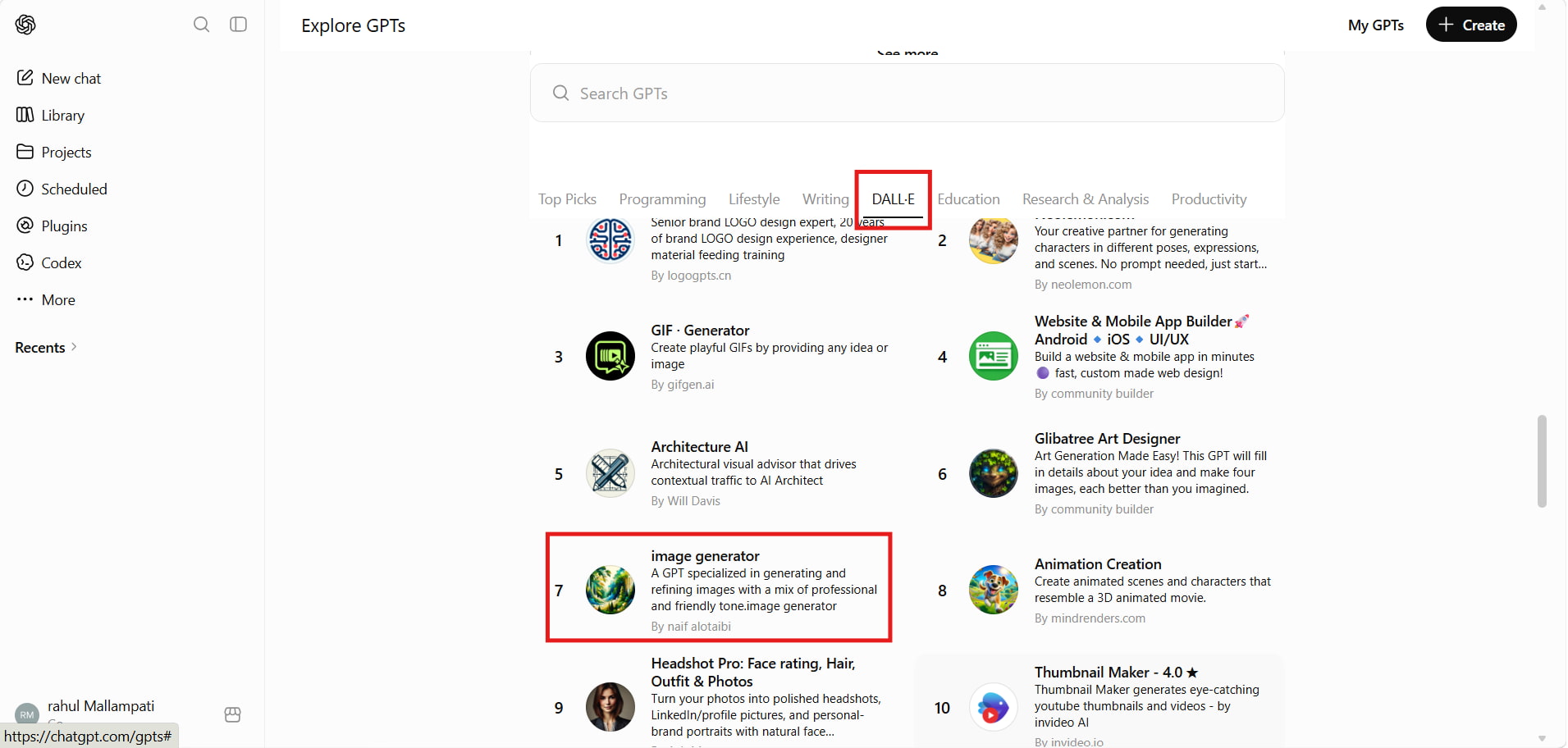
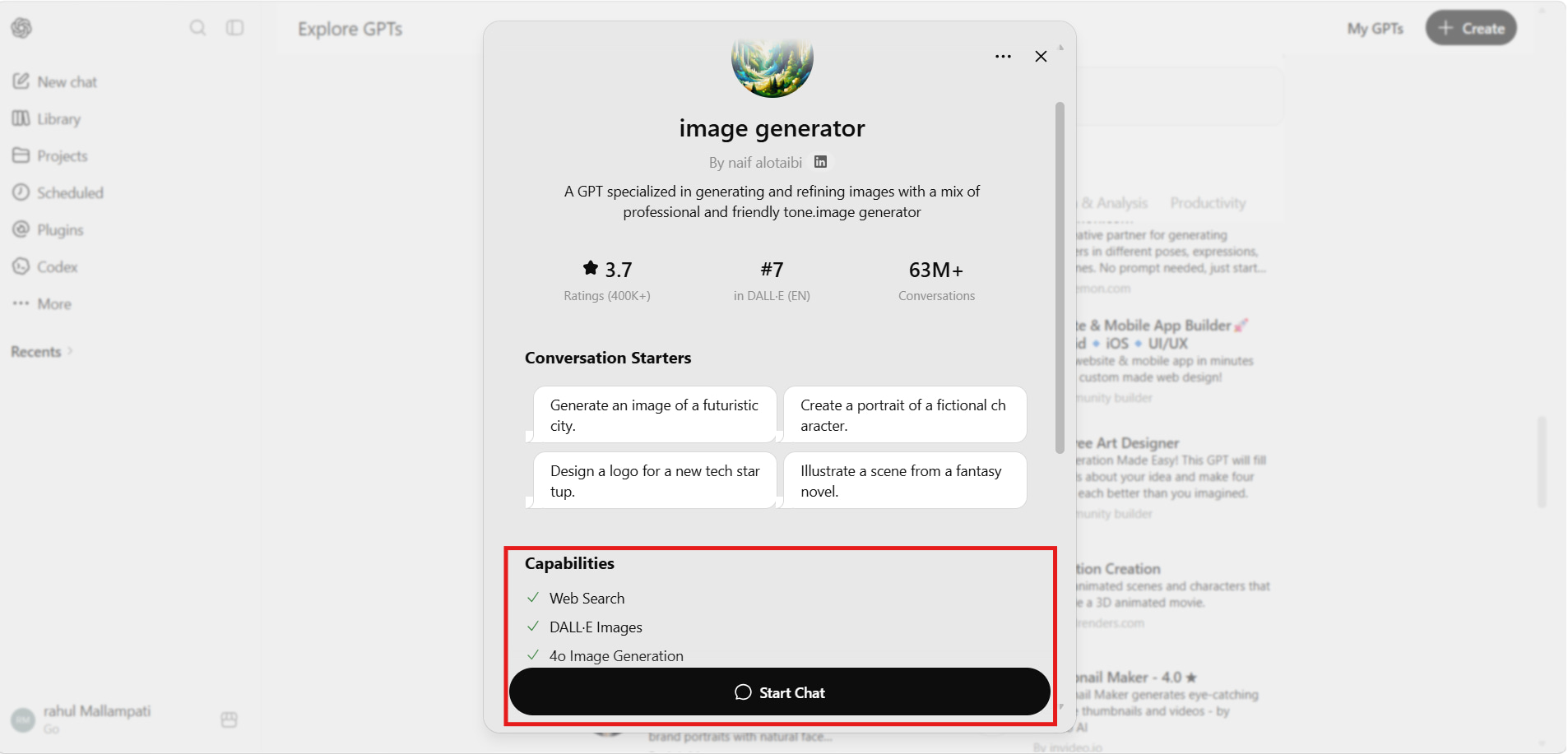
Step 1: Open the Image Generator GPT Launch ChatGPT, navigate to Explore GPTs, select the DALL·E category, and open the image generator GPT. Click Start Chat to access the AI image generation interface.
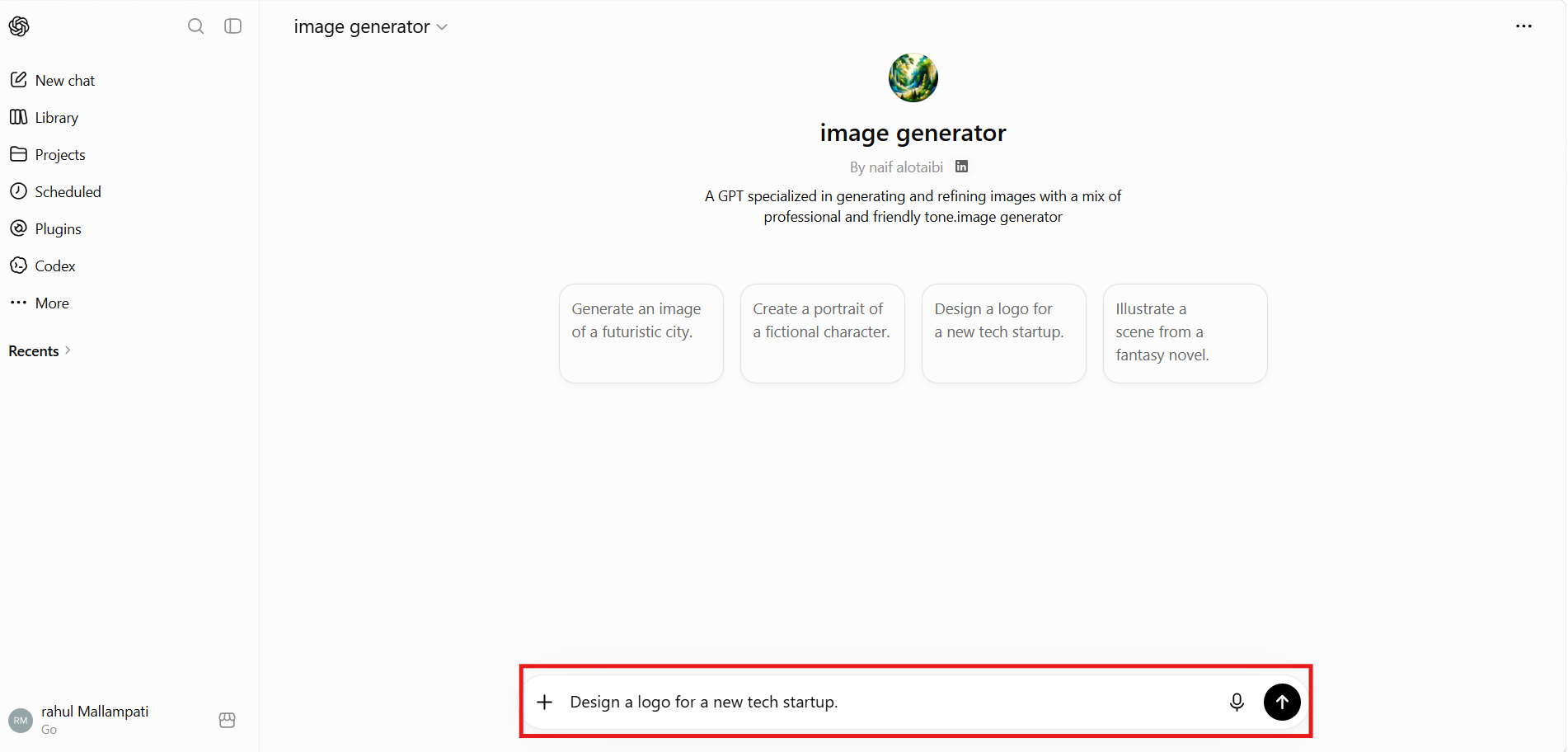
Step 2: Enter Your Image Prompt Describe the image you want to create using a clear and detailed text prompt. The more specific your instructions, the more accurately the AI can generate the desired visual.
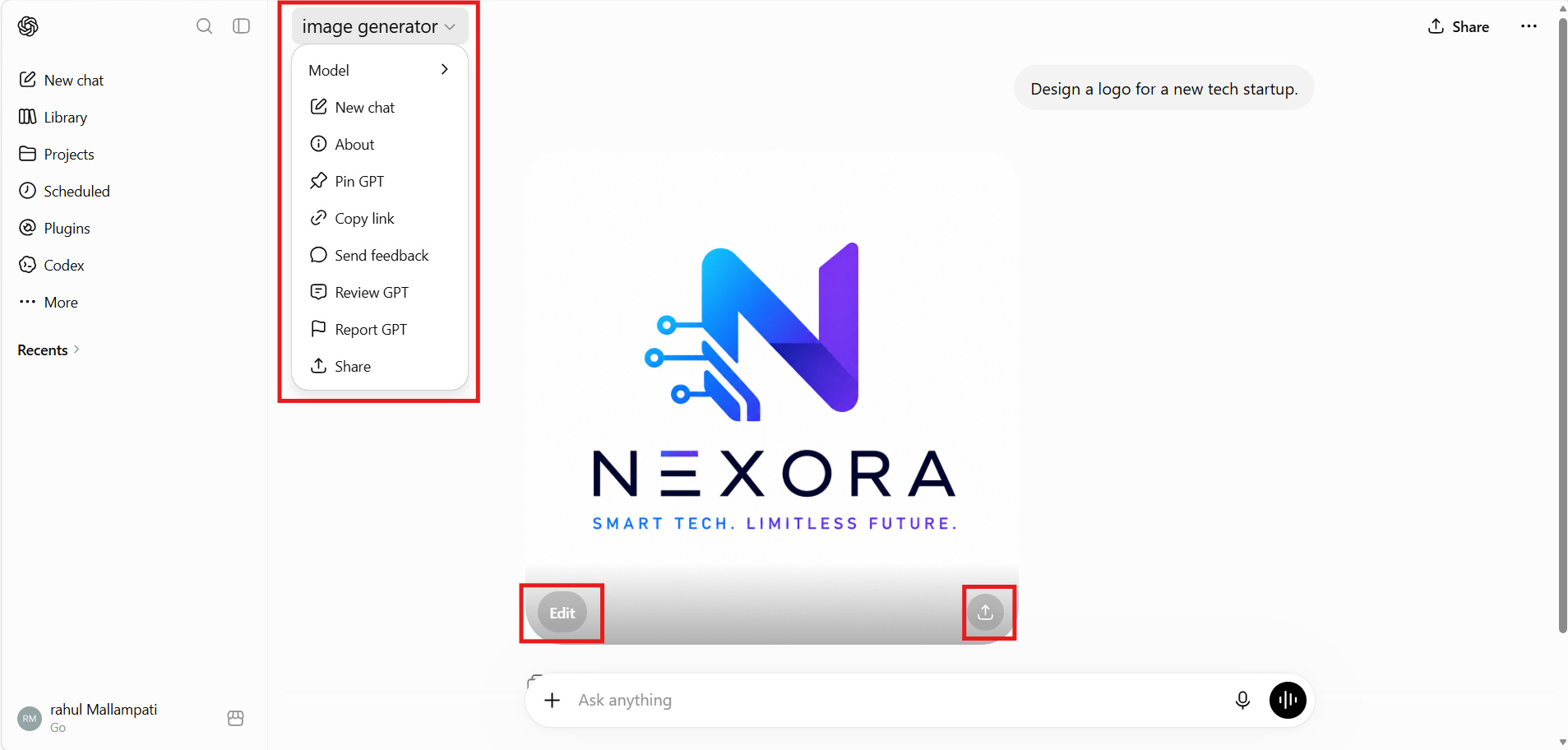
Step 3: Generate and Refine the Image Submit your prompt and wait for the image to be generated. If needed, use the Edit option or provide follow-up instructions to modify the style, objects, colors, or composition.
Step 4: Download or Share Your Image Once you're satisfied with the final result, click the Download button to save the image or use the Share option to send it directly to others.
Hands-on DALL·E Image Generator Review
To evaluate DALL·E's real-world performance, we assessed its image quality, prompt accuracy, usability, and consistency across different creative scenarios. We also considered verified user feedback and professional reviews to provide a balanced overview of its strengths and limitations.
Test results
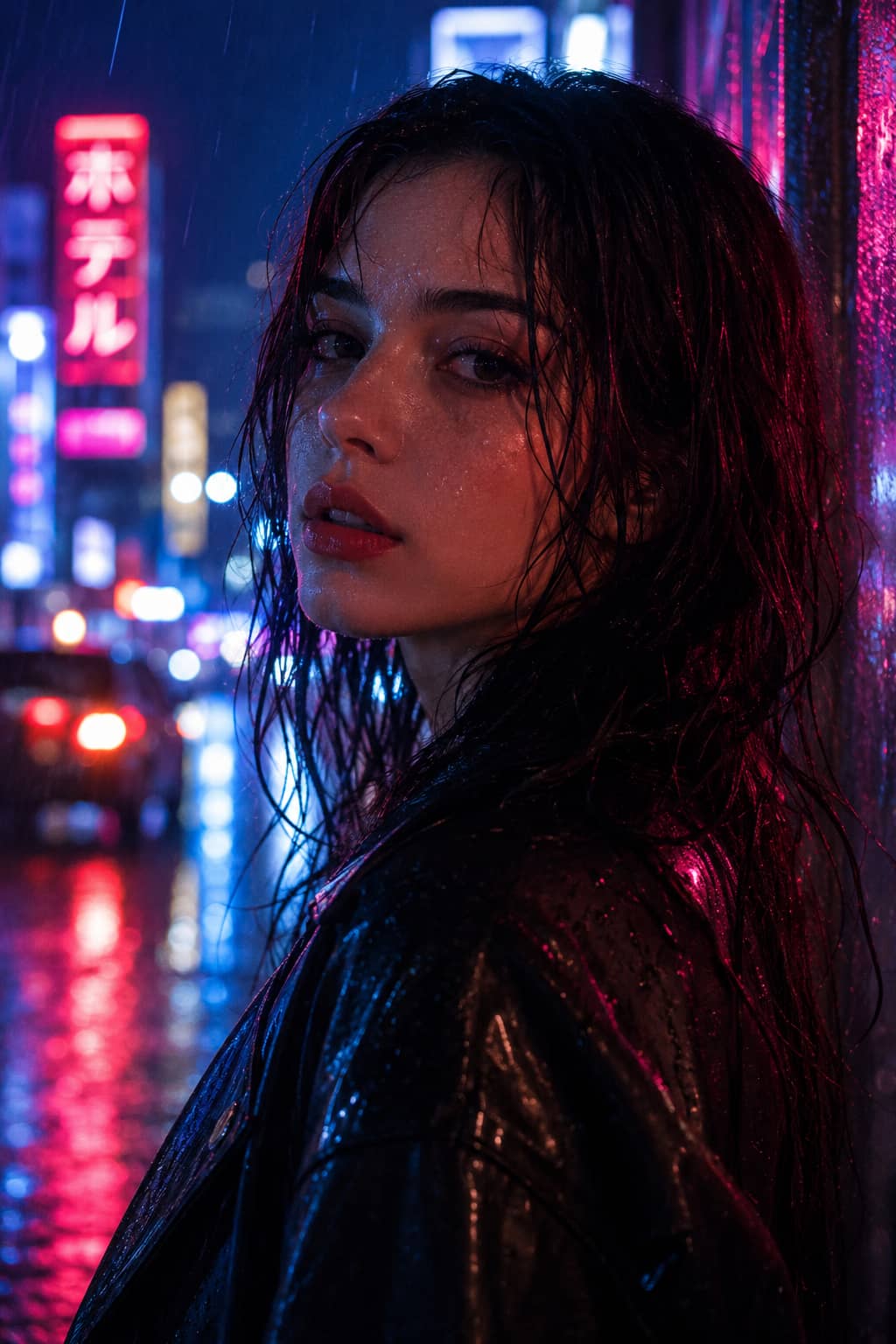
Photorealistic Portrait:
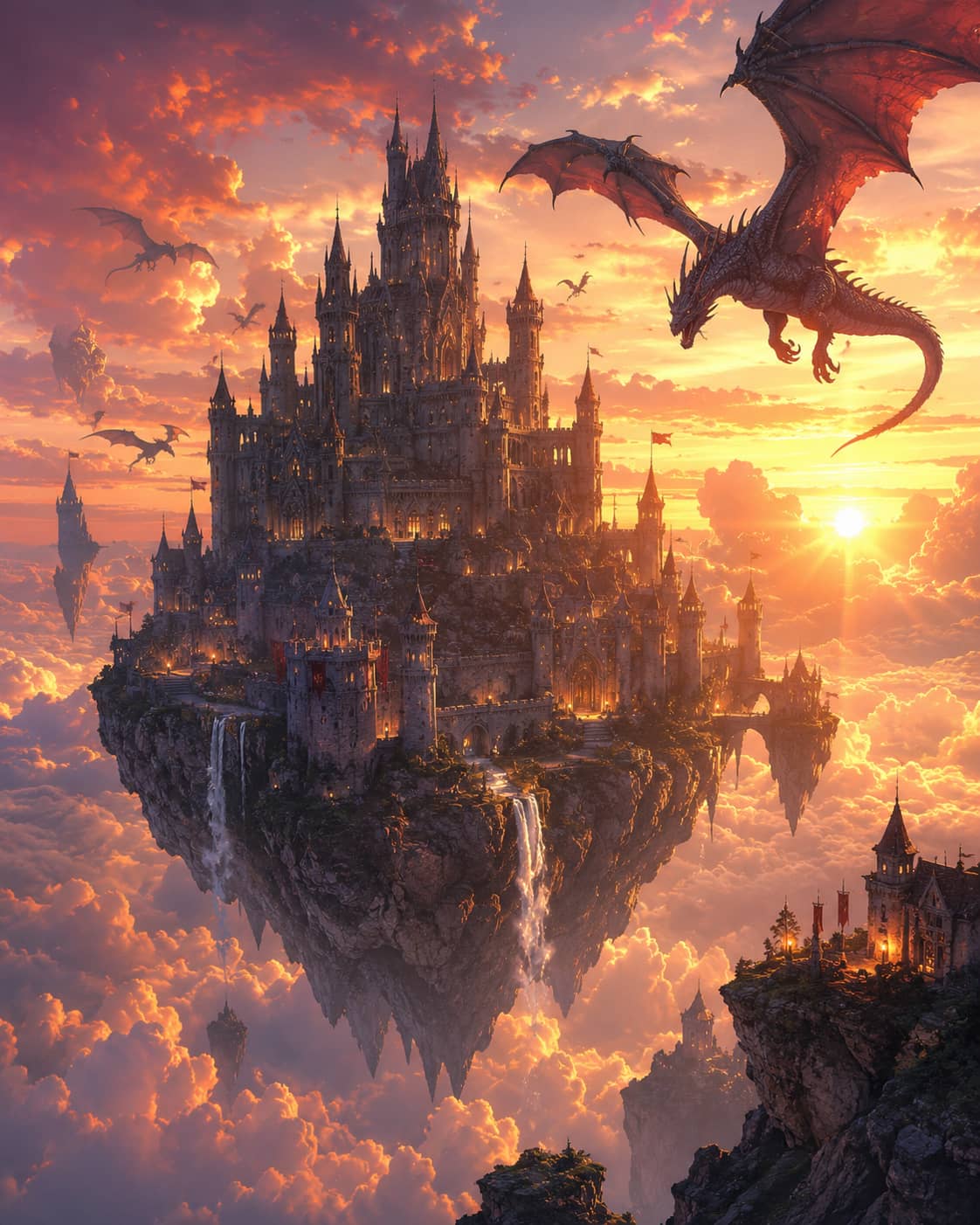
Fantasy Artwork:
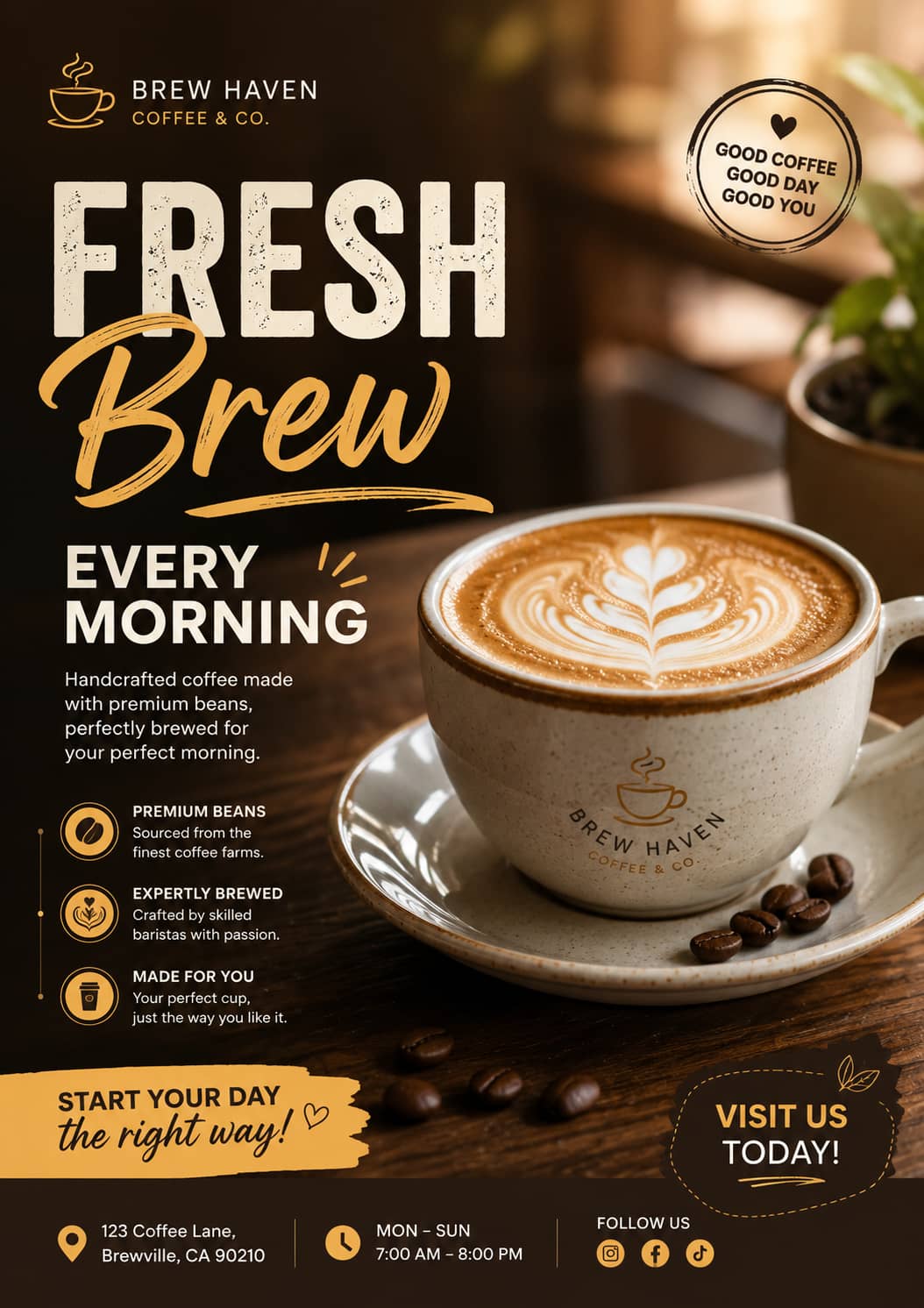
Marketing Poster:
Hands-on Review
-
Photorealistic Portrait: Created a realistic portrait with detailed facial features, natural skin details, and cinematic lighting. The prompt was well understood and produced a good-looking image with strong detail and an overall realistic look.
-
Fantasy Artwork: The platform was great for fantasy art, creating a floating castle with dragons, dramatic lighting, and a coherent art style. The rendering was very creative and very close to what was asked for.
-
Clean Marketing Poster: CGDream AI created a clean marketing poster with good balance, text readability, and realistic product rendering. The overall design worked well for promotional and commercial uses, demonstrating the platform's potential to produce marketing-ready visuals.
Pros and Cons
|
Pros |
Cons |
|---|---|
|
Generates high-quality, detailed images from natural language prompts. |
Complex prompts may require multiple refinements. |
|
Excellent prompt understanding with strong creativity and style consistency. |
Fine details and object consistency can occasionally be inconsistent. |
|
Simple conversational workflow within ChatGPT. |
Fewer manual editing controls than some dedicated AI image generators. |
|
Produces readable text for posters, logos, and marketing materials. |
Free users have limited image generation compared to paid plans. |
|
Suitable for creative, marketing, and professional content creation. |
Performance may vary for highly detailed commercial designs. |
Community Feedback
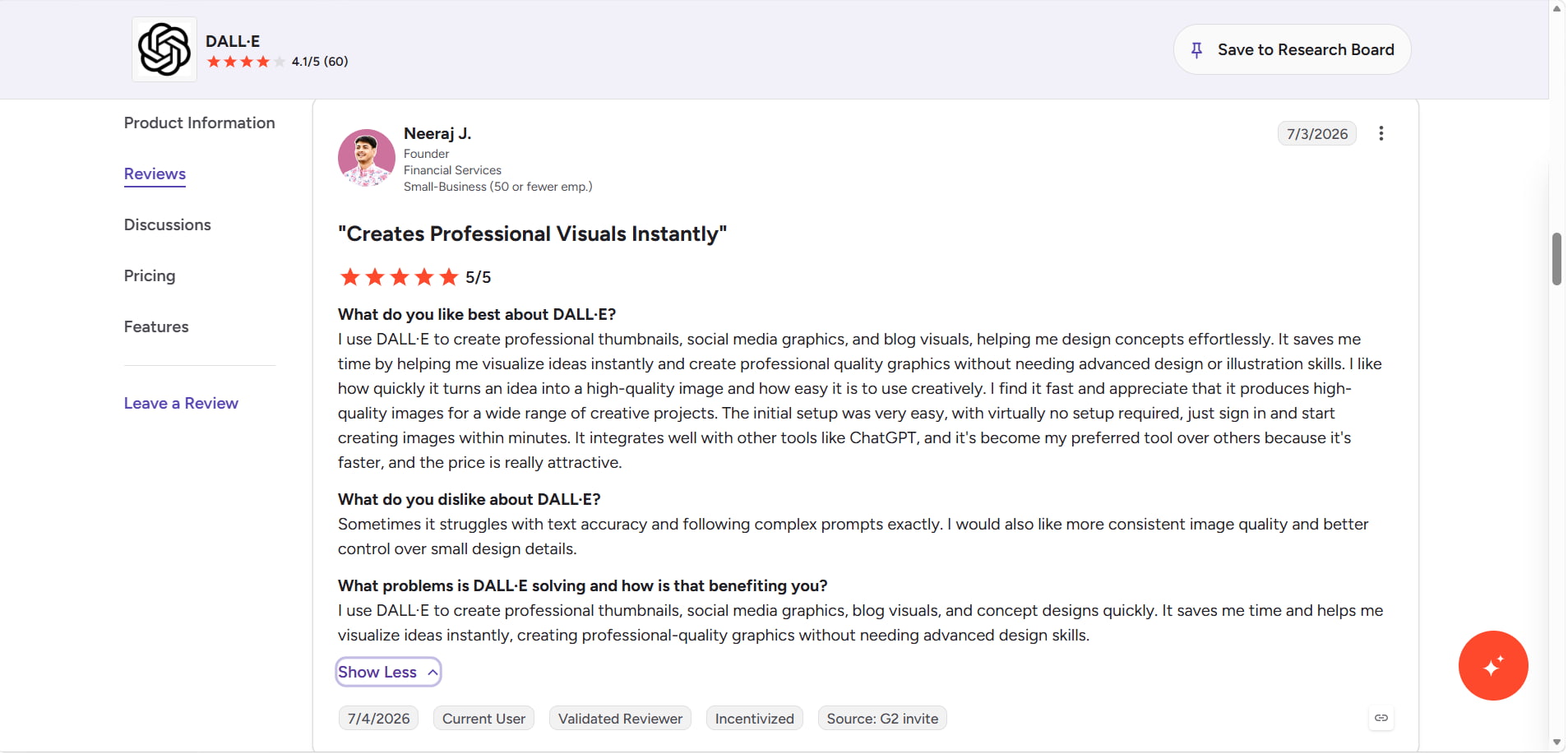
G2
G2 customers prefer DALL·E because of its user-friendly interface, quick picture creation, and capacity to produce high-quality photographs with little effort. Reviewers often highlight how quickly it can turn ideas into thumbnails, blog graphics, social media graphics, and other creative materials. Some customers claim that subtle design aspects, intricate instructions, and text correctness may need further improvement.
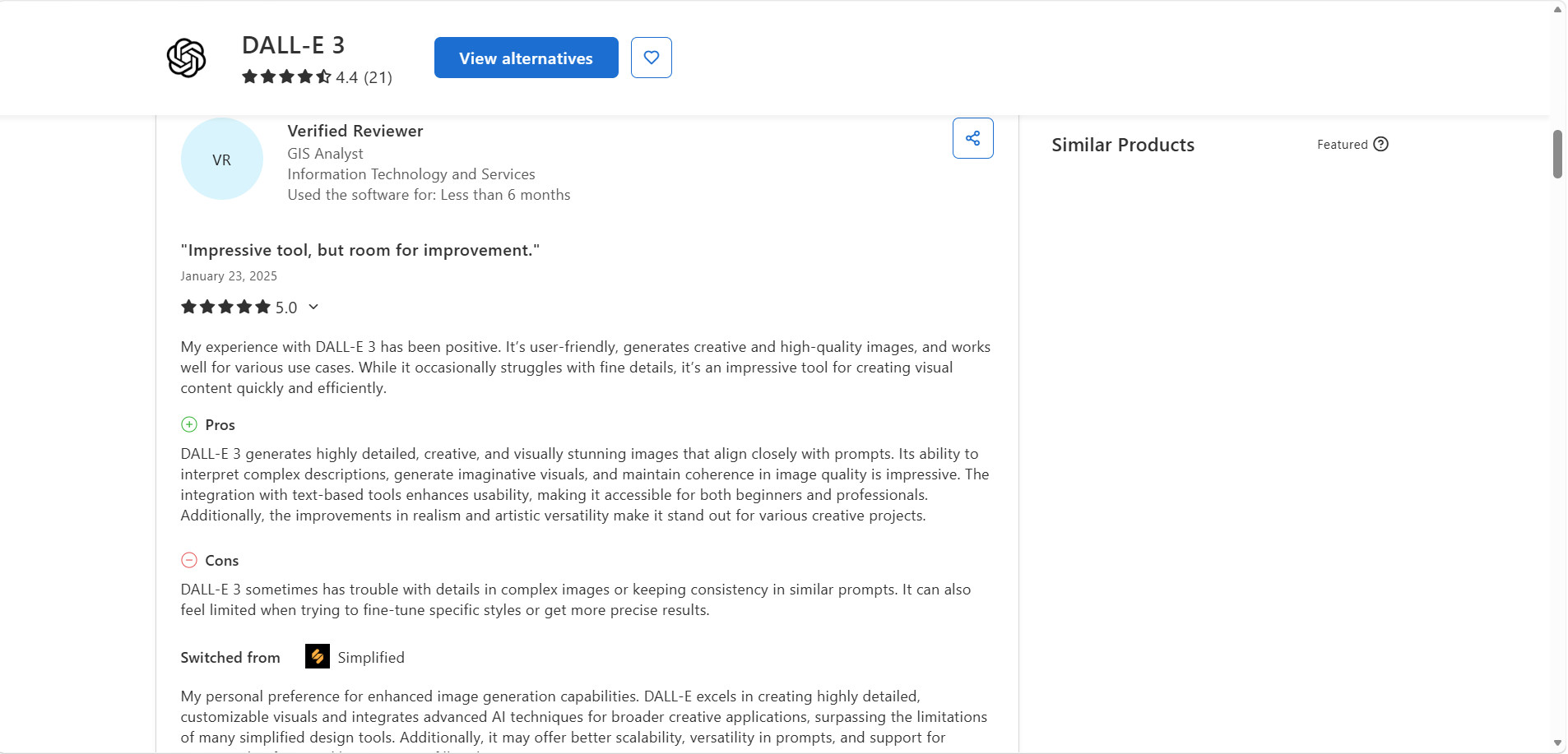
Capterra
DALL·E is loved by Capterra reviewers for its excellent image quality, understanding of prompts, and easy-to-use interface, which appeals to both beginners and professionals. Many users mention its creativity, realistic outputs, and ability to produce visually stunning images for different projects. The most common complaints are that the fine details can sometimes be inconsistent and that you don't have a lot of control when you want to fine-tune specific styles or design elements.
Dalle Image Generator Review Pricing
DALL·E is available on ChatGPT for free and paid plans. The Free plan has a cap on how many times you can generate images. ChatGPT Go, Plus, and Pro offer higher image generation limits, faster performance, and access to premium AI features.
DALL·E Pricing
|
Plan |
Price |
DALL·E Access |
|---|---|---|
|
Free |
$0/month |
Limited AI image generation with basic ChatGPT features. |
|
ChatGPT Go |
$8/month |
More image generation, more messages and uploads, and longer memory than the Free plan. |
|
ChatGPT Plus |
$20/month |
Expanded image generation, higher usage limits, advanced reasoning models, Projects, and custom GPTs. |
|
ChatGPT Pro |
From $100/month |
Unlimited and faster image generation, maximum usage limits, and priority access to premium AI features. |
Is ChatGPT Plus Worth It for DALL·E?
For most users, ChatGPT Plus offers the best value. At $20 per month, it provides expanded image generation, higher usage limits, and access to advanced AI features without the cost of the Pro plan. If you only need more image generation than the Free plan, ChatGPT Go is an affordable alternative. ChatGPT Pro is best suited for professionals and teams that generate AI images frequently and require the highest performance and usage limits.
DALL·E is a great choice for generating AI artwork and creative visuals directly within ChatGPT. However, if you need multiple AI image models, Text-to-Image and Image-to-Image generation, and greater flexibility for marketing, e-commerce, and commercial projects, Vmake Labs AI Image Generator is a strong alternative.
Best Alternative: Vmake Labs AI Image Generator & Comparison
DALL·E is a good choice for creating images in ChatGPT's conversational AI, but Vmake Labs AI Image Generator is a more flexible alternative. It supports reference images, multiple advanced AI models, Text-to-Image, and Image-to-Image generation. If you are an e-commerce business, marketer, or creator and you are looking for high-quality, commercially ready images, this is a great choice.
Why Choose Vmake Labs AI Image Generator?
-
Supports Text-to-Image and Image-to-Image generation: Create images from text prompts or transform existing images with AI.
-
Multiple advanced AI models: Choose from a variety of AI models to generate images in different artistic styles and visual aesthetics.
-
High-quality, commercial-ready outputs: Generate detailed visuals suitable for marketing, e-commerce, social media, and other professional projects. Use an Image Sharpener to enhance fine details and clarity.
-
Simple browser-based workflow: Enter a prompt or upload reference images, select an AI model, and generate images without installing any software.
-
Ideal for a wide range of creative projects: Create product images, promotional graphics, social media content, concept art, illustrations, and other commercial visuals with ease.
How to Generate AI Images with Vmake Labs
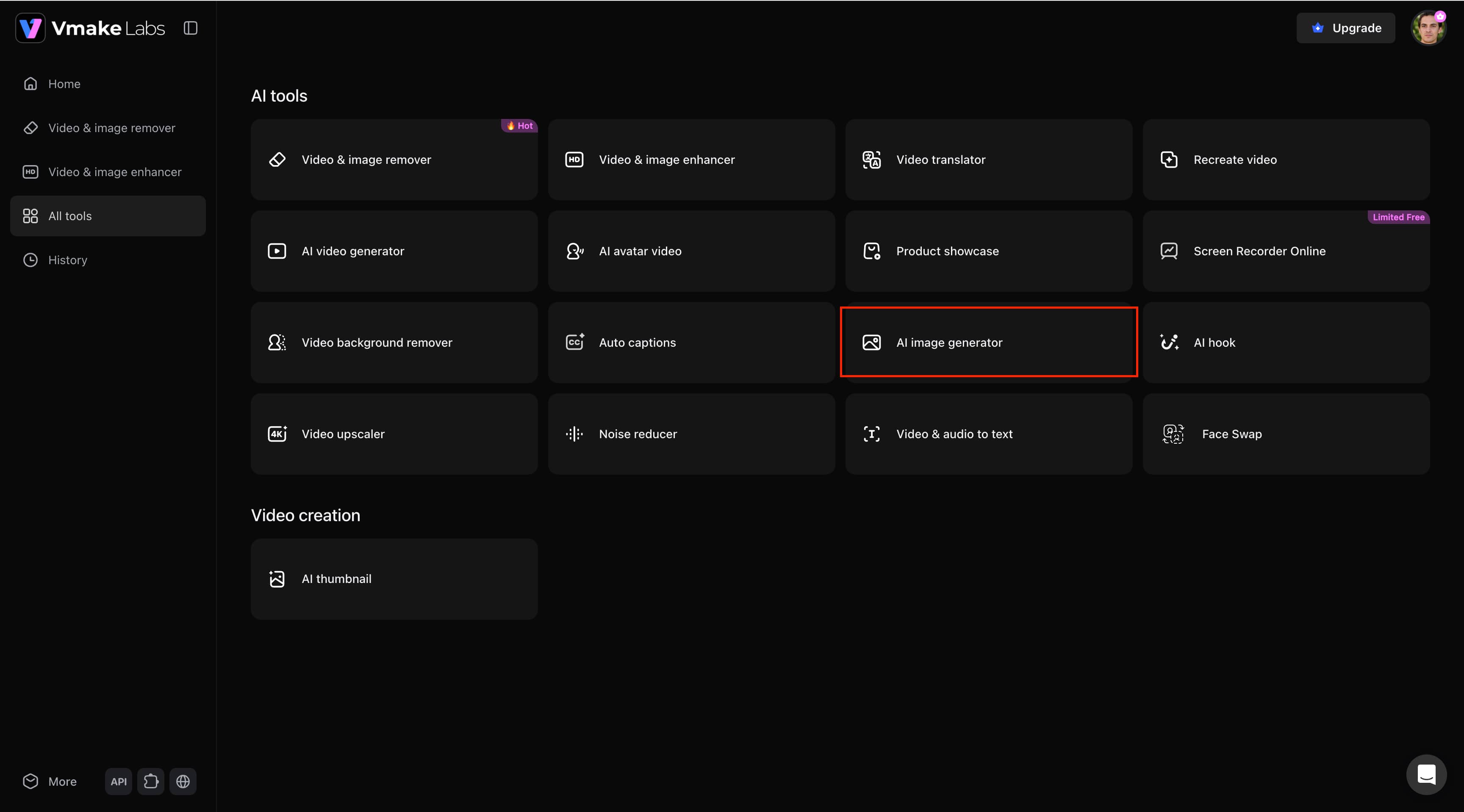
Step 1: Open AI Image Generator Go to the All tools page in Vmake Labs and select AI Image Generator to launch the image creation workspace.
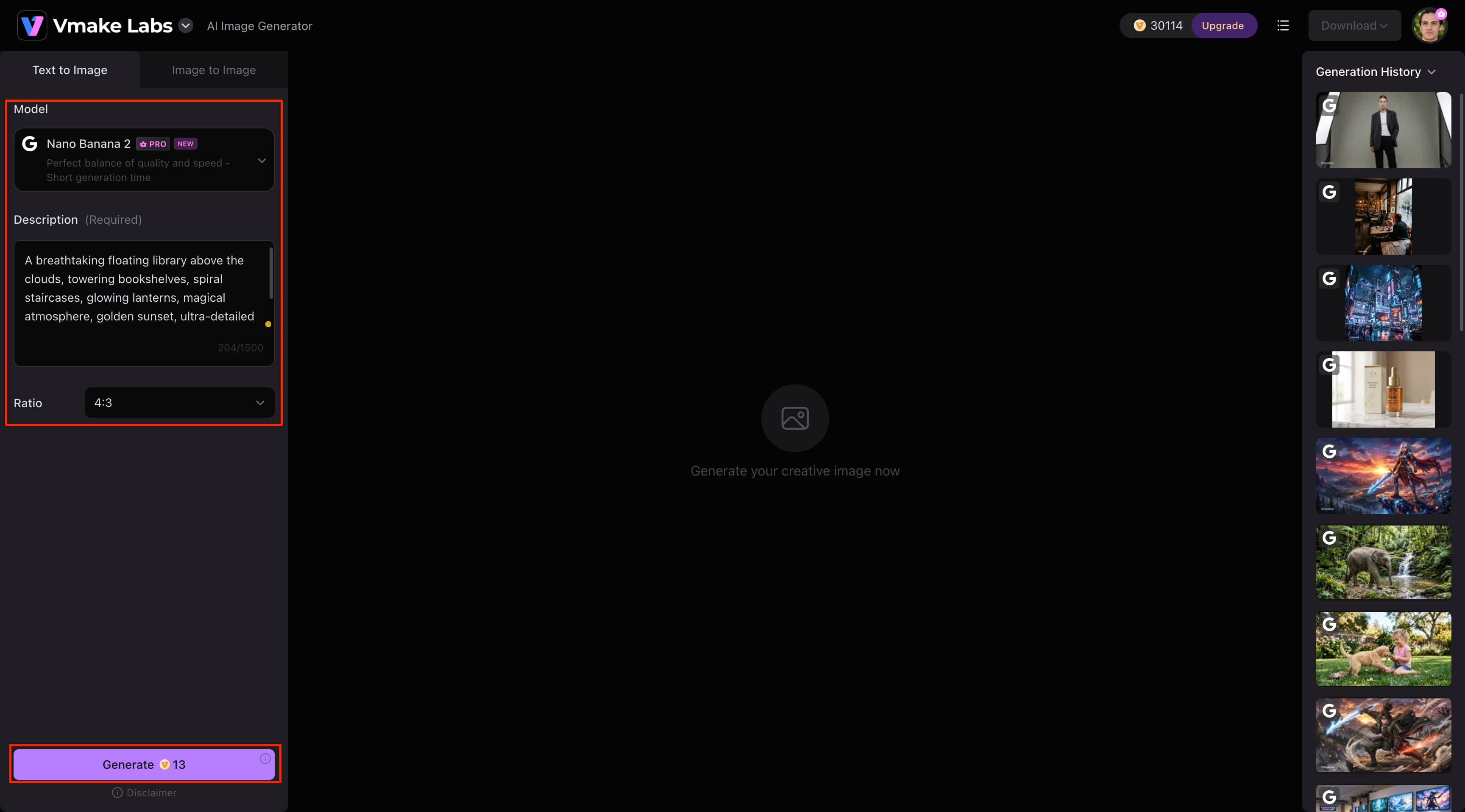
Step 2: Choose a Model and Generate Your Image Select either Text to Image or Image to Image, choose an AI model, enter your prompt (or upload a reference image for Image to Image), select an aspect ratio, and click Generate.
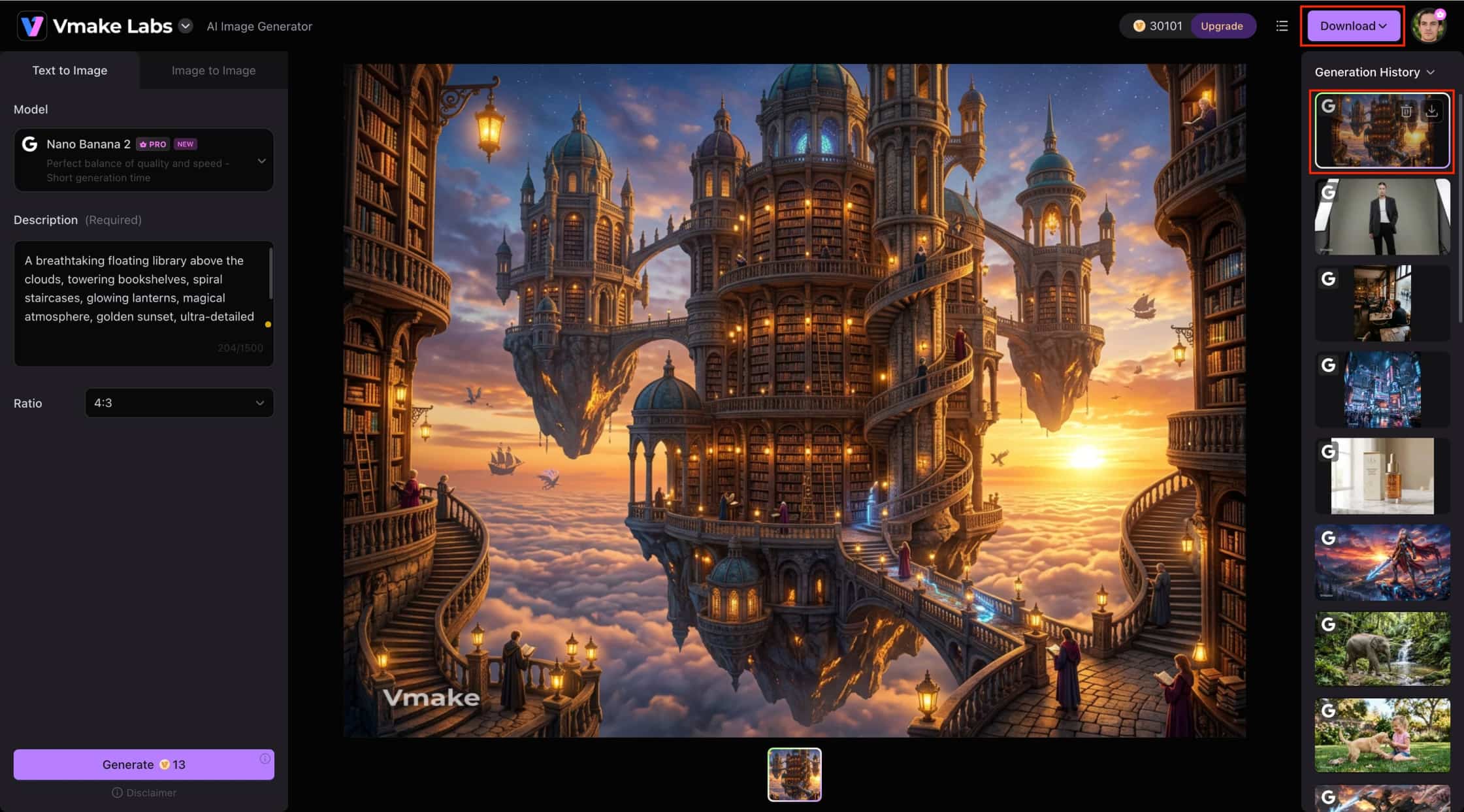
Step 3: Preview and Download the Image Review the generated image, visit previous creations in Generation History and click Download to save the final output.
DALL·E vs Vmake Labs AI Image Generator
Both DALL·E and Vmake Labs AI Image Generator can generate high-quality AI images, but they serve different creative needs. DALL·E is an image generator that you can interact with inside ChatGPT. At the same time, Vmake Labs offers a wide variety of AI models, Text-to-Image and Image-to-Image workflows, and reference image support to give you more creative freedom.
|
Category |
DALL·E |
Vmake Labs AI Image Generator |
|---|---|---|
|
Best For |
Creative AI artwork and illustrations |
Marketing, e-commerce, and content creation |
|
AI Models |
DALL·E 3 |
Multiple AI models |
|
Generation Modes |
Text-to-Image |
Text-to-Image & Image-to-Image |
|
Reference Images |
Not supported |
Supports 1–3 reference images |
|
Workflow |
ChatGPT-based |
Browser-based |
|
Commercial Use |
Supported |
Supported |
|
Best Choice |
Creative exploration and ideation |
Professional, commercial-ready content |
Choose DALL·E if you:
If you're a ChatGPT user, DALL·E is a good choice for a seamless AI image generation experience. It is perfect for creating creative artwork, illustrations, concept art, and marketing visuals from natural language prompts. Its conversational workflow also makes it easy to refine images with follow-up instructions without having to learn complex editing tools.
Choose Vmake Labs AI Image Generator if you:
Choose Vmake Labs AI Image Generator if you need more flexibility for commercial image creation. It offers multiple AI image models, supports both Text-to-Image and Image-to-Image generation, and allows you to use reference images for greater creative control. This makes it an excellent choice for marketing, e-commerce, social media, and other professional content creation projects.
Conclusion
DALL·E remains one of the best AI image generators for transforming text prompts into artwork, illustrations, and marketing visuals. It always creates high-quality images and has an effortless conversational workflow. Some detailed prompts may require a few tweaks, but overall, it is a smooth and easy-to-use experience. If you want more creative freedom, multiple AI models, Text-to-Image and Image-to-Image generation, and a workflow designed for commercial content creation, Vmake Labs AI Image Generator is a strong long-term alternative.
FAQs
-
Can DALL·E generate photorealistic images?
Yes. Given clear and descriptive prompts, DALL·E is capable of generating high-quality photorealistic images with realistic lighting, textures, and fine details. It's good for portraits, product concepts, landscapes, and marketing images, although very complex scenes may need some prompt tweaking.
-
Can I edit or refine images after they're generated?
Yes. With DALL·E, you can edit images by giving follow-up instructions in ChatGPT. You can change things like backgrounds, colors, lighting, composition, or artistic style without having to start a new image from scratch, making the editing process simple and intuitive.
-
What types of images does DALL·E create best?
DALL·E excels at creating illustrations, concept art, fantasy scenes, photorealistic images, product mockups, and marketing graphics. If you need multiple AI models and both Text-to-Image and Image-to-Image generation for commercial projects, Vmake Labs AI Image Generator is a great alternative.
-
How long does DALL·E take to generate images?
The majority of DALL·E images are generated in a matter of seconds, depending on the prompt complexity and server load. Simple prompts usually generate faster, while more detailed requests may take a bit longer to process before the final image is ready.
-
Is DALL·E suitable for professional content creation?
Yes. DALL·E is suitable for creating professional visuals such as marketing graphics, presentations, social media content, and digital illustrations. However, if you need greater creative flexibility, multiple AI models, and commercial-ready workflows, Vmake Labs AI Image Generator is a strong choice.

You May Be Interested

Raphael AI Image Generator Review 2026: Worth Trying?

Best AI Avatar Generators in 2026 (Compared & Reviewed)
5 Affordable AI Avatar Generators for Small Businesses (Free & Budget Tools)

Canva AI Image Generator Review: Is It Worth It in 2026?

Canva AI Video Generator Review: A Complete Hands-On Test