
Candy AI Video Generation Review: Features, Performance & Practical Limits
Candy AI Video Generation Review explores its AI video creation features, generation quality, pricing, limitations, and whether Vmake AI offers a better solution for professional video content.

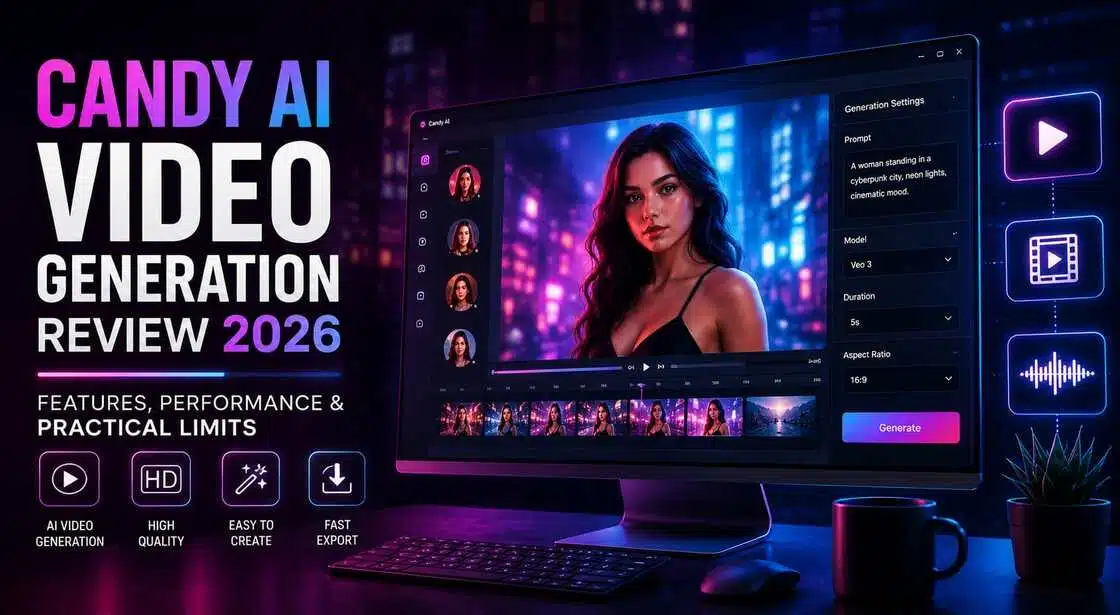
The landscape of AI video creation in 2026 presents a fascinating split between specialized entertainment engines and professional multimedia workstations. Navigating this ecosystem requires an understanding of what unique platforms can deliver. This comprehensive analysis evaluates Candy AI's newest video capabilities alongside industrial alternatives like Vmake AI.
Understanding Candy AI Video Generation and Its Workflow
To assess Candy AI's value to today's creators, one has to look beyond its conversation features and grasp how its video generation system works:
What is Candy AI video generation?
Candy AI is a digital interactive companion platform that merges conversational AI with multimedia generation. The platform was initially intended for text-based communication, but it now allows users to generate photos and short video clips with AI-generated characters. Candy AI focuses its video experience on virtual personalities and character interactions, unlike other AI video generators that focus on cinematic sceneries, marketing content or storytelling.
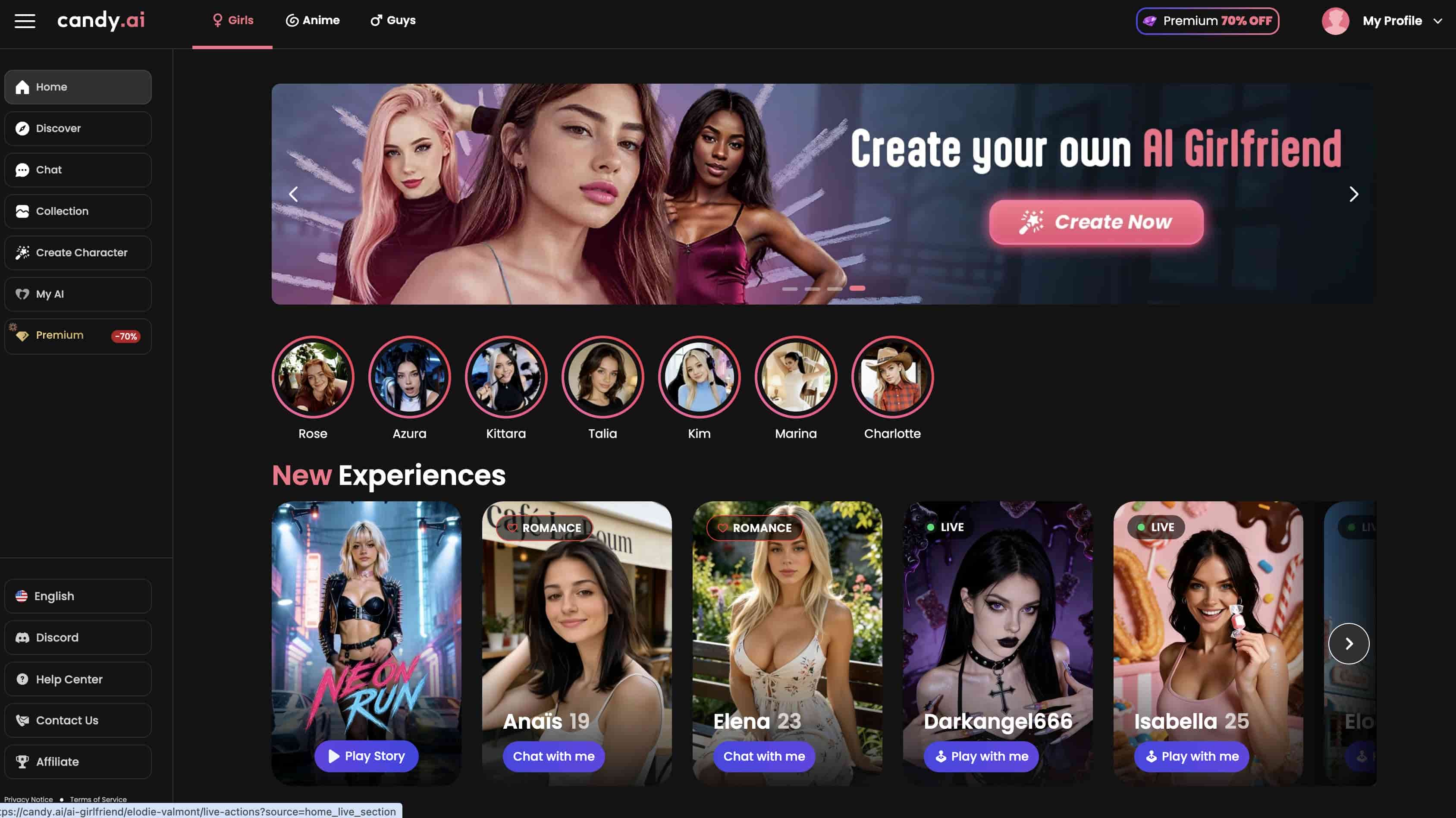
How does the Candy AI video generator work?
The video generation workflow revolves around existing AI characters rather than fully customizable scenes. Users interact with a selected virtual companion and submit prompts describing actions, expressions, outfits, or behaviors.
Can Candy AI generate videos?
Yes, Candy AI can make videos. Specifically, Candy AI can make short-form animations with virtual characters. Its Live Action Mode lets users produce motion-based material with facial emotions, gestures, and character movements.
Candy AI Features and Pricing Plans
Understanding the true capabilities and structural overhead of Candy AI requires looking beneath its interactive interface. Below is a detailed breakdown of what its media features offer, along with a transparent view of its multi-tiered subscription model.
Key Features of Candy AI Video Generation
While primarily recognized for conversational chat, Candy AI has introduced specific multimedia features designed to deepen virtual companion interactions.
-
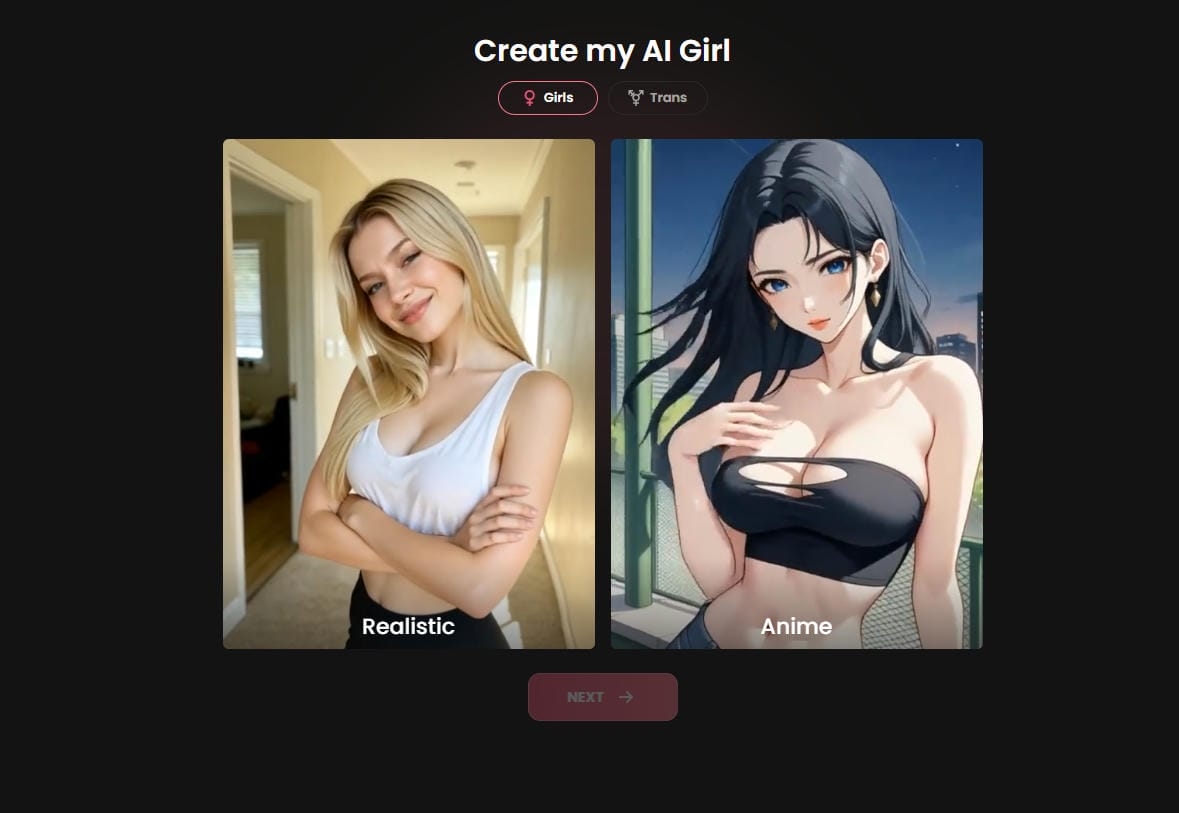
Live Action Mode: This feature allows users to generate short animation sequences up to 120 seconds in length. It brings pre-configured avatars to life via basic movement patterns, which are rendered directly inside the active chat history log.
-
Persistent Visual Consistency: Because the generation system is hard-locked to static, pre-defined companion templates, it excels at keeping face and clothing styles uniform across multiple renders.
-
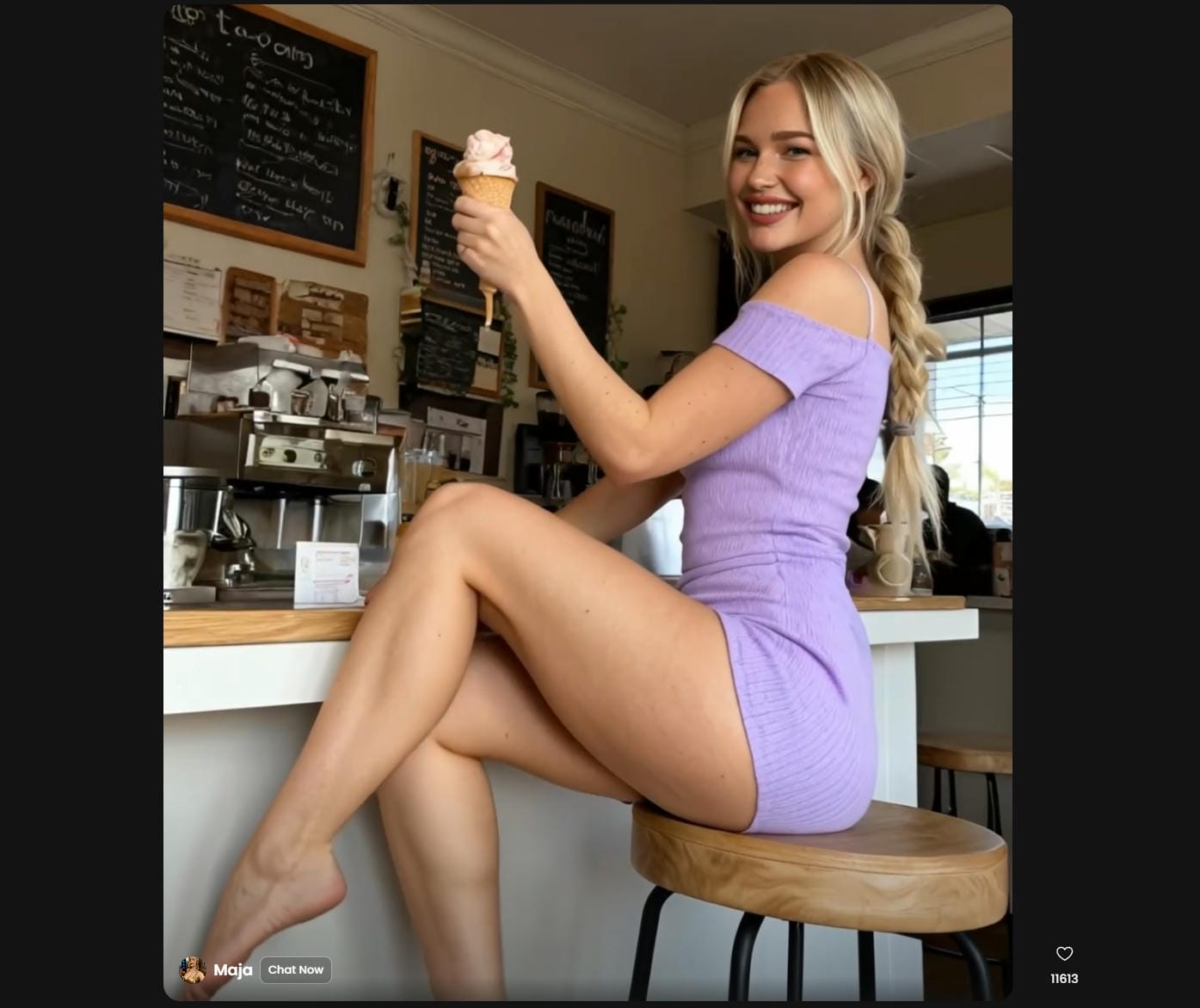
Prompt-Driven Motion Loops: Users can trigger facial expressions, shifts in body posture, or simple environmental changes by typing descriptive actions directly into the active simulation box.
Candy AI Pricing Plans
Candy AI operates under a highly restrictive freemium model. While it provides basic, limited text trials to free users, advanced animation modules require a premium subscription coupled with a complex secondary credit token architecture.
|
Plan Tier |
Price (Billed Rate) |
Included Core Features |
|---|---|---|
|
Free Tier |
$0.00 |
5 text messages per day, basic character access, restricted customization. |
|
Monthly Premium |
$12.99/ month |
Unlimited text messaging, custom persona creation, priority speeds, and 100 free monthly tokens. |
|
Quarterly Premium |
$8.99/month (Billed quarterly) |
All monthly features, a discounted multi-month tier structure. |
|
Annual Premium |
$3.99/month (Billed annually) |
All premium features, the highest long-term platform discount. |
|
Token Credit Packs |
Starts at $9.99 per 100 tokens |
Add-on packs are required to execute premium video renders, HD visuals, and voice calls. |
Step-by-Step Guide to Using Candy AI Video Generator
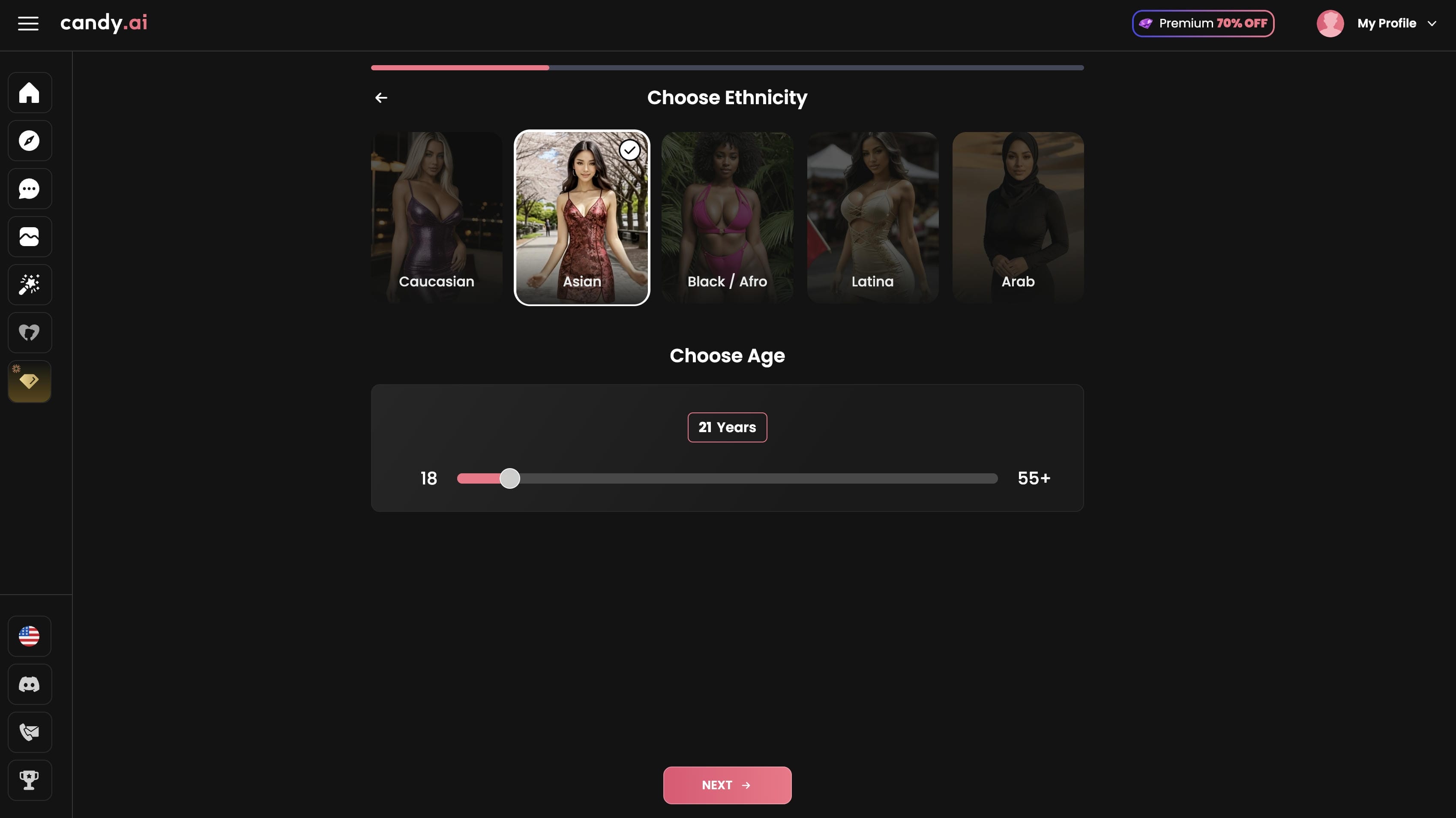
Step 1: Log in and choose an AI character
Sign in to your Candy AI account and select an existing AI companion or create a custom character by adjusting appearance and personality settings.
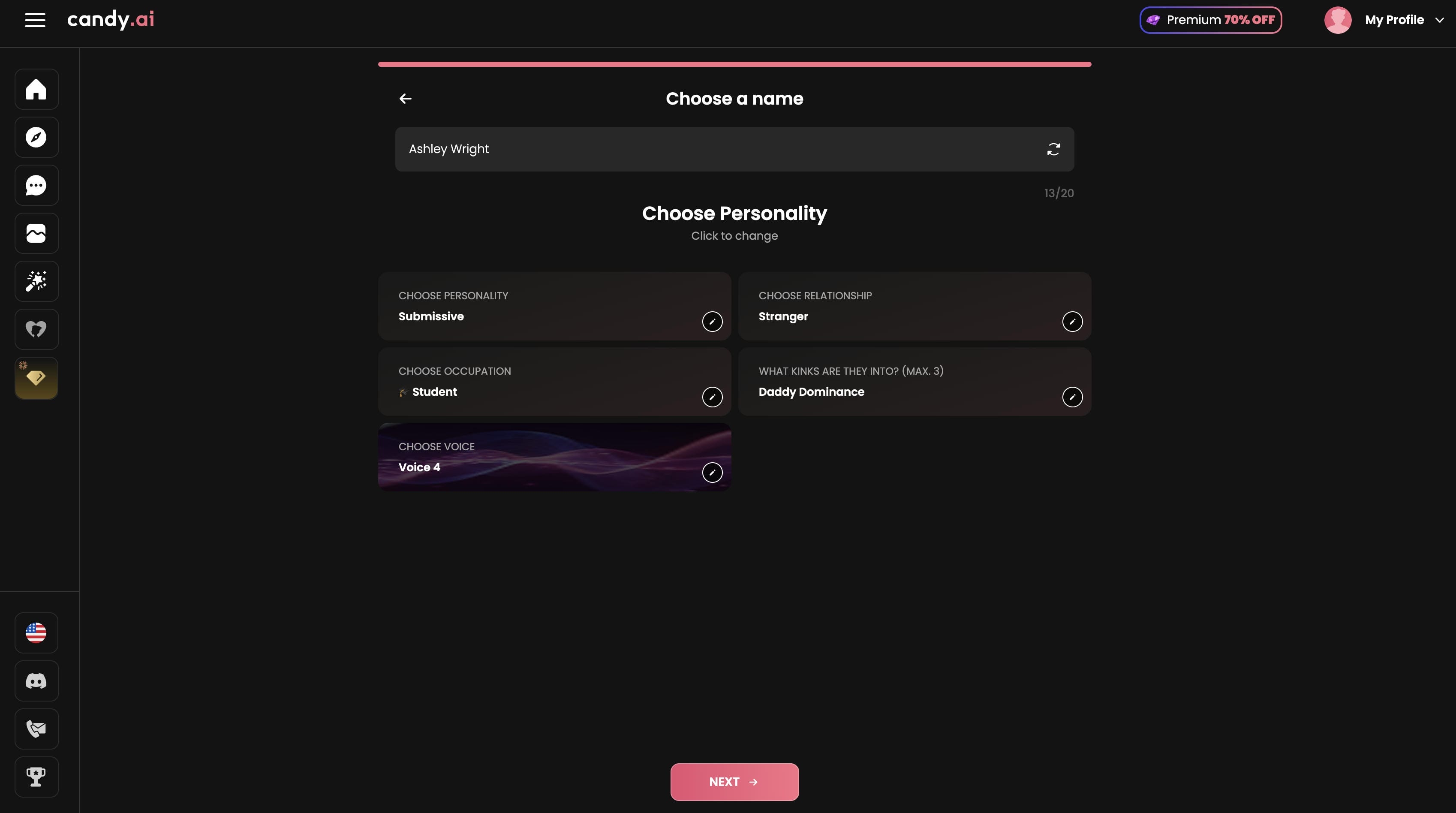
Step 2: Customize your AI character profile
Create or personalize your AI companion by entering a character name and selecting key attributes such as personality, relationship type, occupation, interests, and voice. These settings help define how the character behaves and appears in future interactions and generated content.
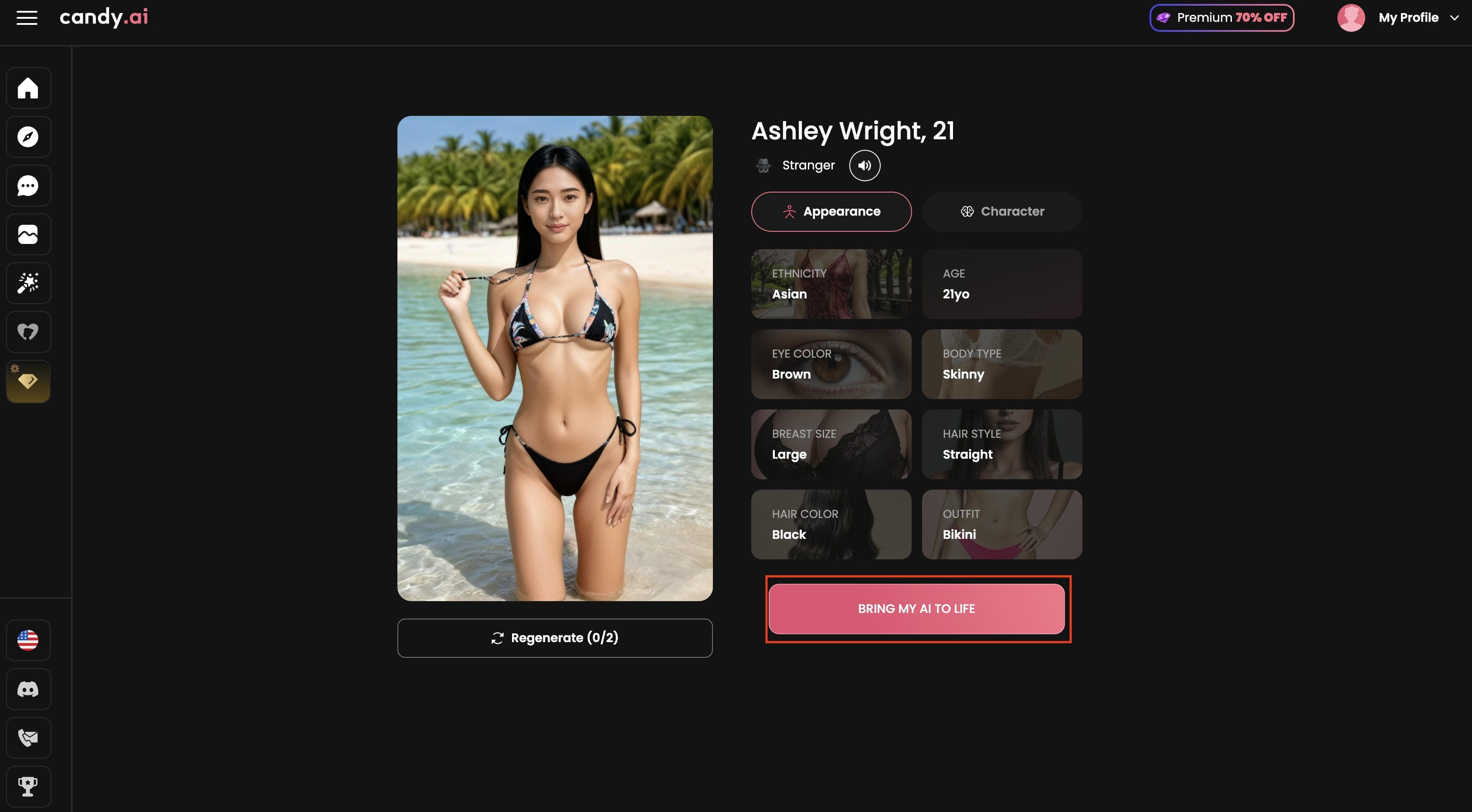
Step 3: Generate and download the video
Start the video generation process using available credits, preview the result, and download the completed video once rendering is finished.
Why Some Creators Outgrow Candy AI Video Tools
Candy AI's Live Action feature might be fun for casual users, but when producers require something more complicated, they tend to turn elsewhere.
-
Limited use cases outside of text content: Candy AI is mostly focused on character interaction and AI companions. This makes it less ideal for making marketing videos, product demos, teaching videos and other professional forms.
-
Credit and subscription limitations: Advanced features, higher quality outputs, and extra generations are often locked behind subscription plans and credit use, thereby limiting options for frequent makers.
-
Limited control over video generation: Users have less ability to customize motion, scene design, and overall video structure compared to specialized AI video creation platforms.
-
Not intended for commercial workflows: There are a lot of commercial capabilities missing from the platform, such as branding tools, marketing-specific templates, and workflows for producing huge volumes of material.
-
Increasing demand for professional AI video platforms: Many creators and businesses want to have more creative control, longer video outputs and more generation options. They are looking for platforms such as Vmake AI that are built for commercial video creation and marketing content.
Meet Vmake AI: A Powerful Professional Alternative
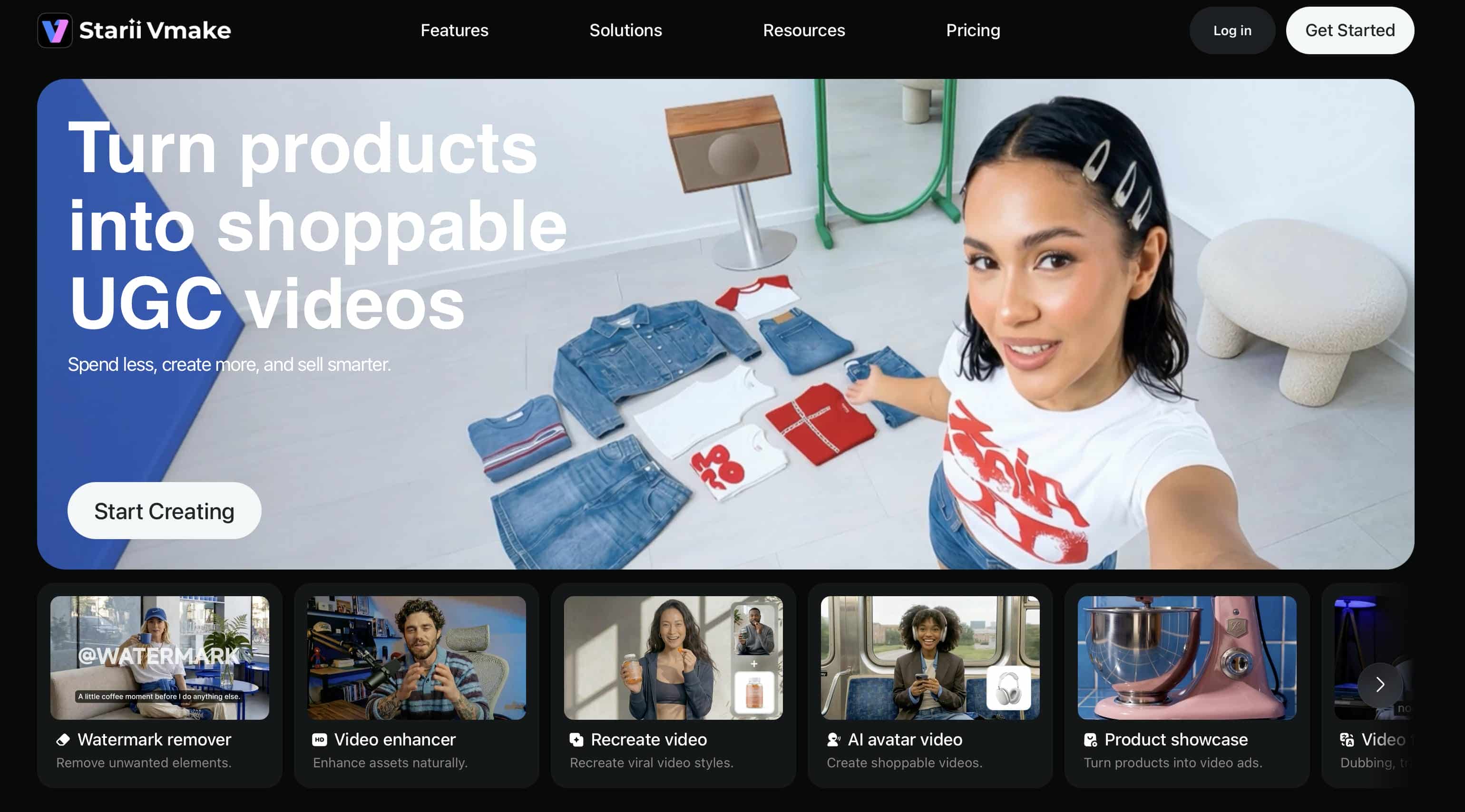
Vmake AI is an enterprise-grade digital media creation and visual asset enhancement suite architected for marketers, online brands, and design agencies. Instead of focusing on virtual socialization, it serves as a robust creative studio optimized to turn ideas into commercial-ready visual products.
Key features of the Vmake AI video generator
-
Access multiple AI video models: Create videos using leading AI models such as Kling 3.0, Seedance 2.0, and others from a single platform. Different models offer unique strengths, allowing users to experiment with various visual styles, motion quality, and creative outputs.
-
Generate videos from text and images: Transform written prompts or upload images into dynamic video content. The AI automatically adds movement, scene transitions, and visual effects, helping bring ideas and static visuals to life.
-
Create AI avatar and talking videos: Produce avatar-based videos with synchronized speech, facial expressions, and natural-looking movements. This feature is useful for presentations, training materials, product demonstrations, and marketing content.
-
Enhance and upscale video quality: Improve existing footage with AI-powered enhancement tools that sharpen details, reduce noise, boost clarity, and increase resolution for a more polished final result.
-
Flexible export and customization options: Export videos in high-resolution formats, including up to 4K quality. Users can also adjust video duration and generation settings to better match different content formats and publishing requirements.
How to seamlessly generate videos using Vmake AI:
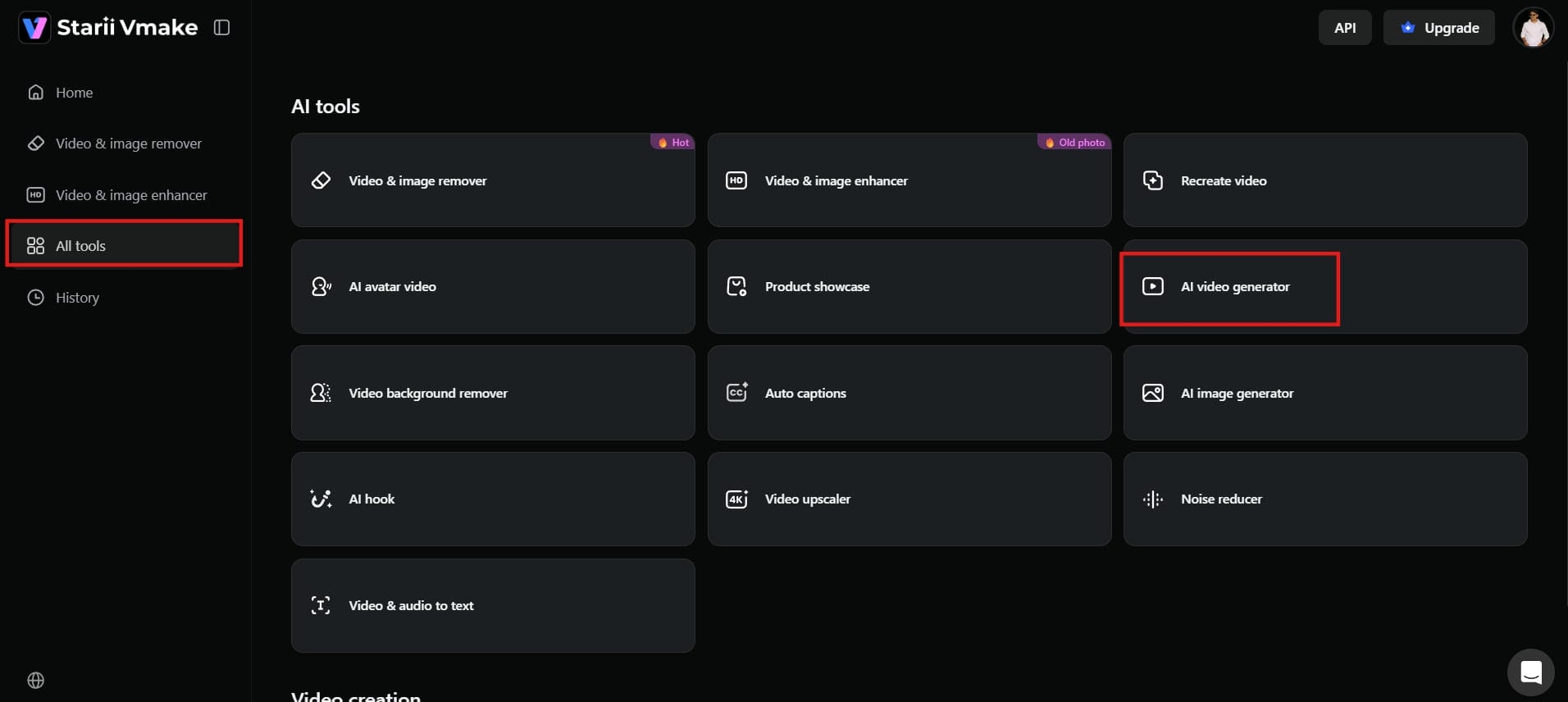
Step 1: Open the AI Video Generator workspace
Log in to your Vmake AI account. On the dashboard, go to "AI tools" and click on "AI video generator". This will open the video creation page, where you can start making videos.
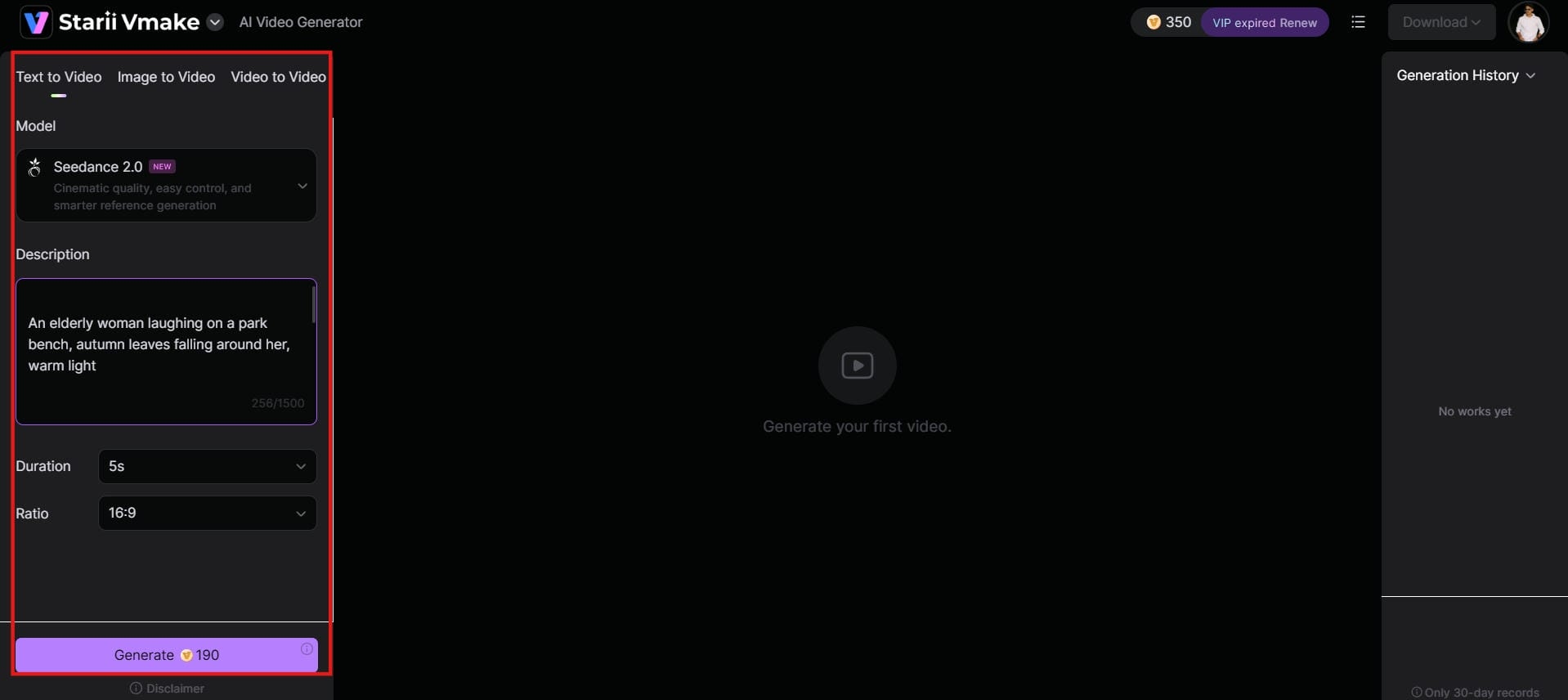
Step 2: Choose your model and enter prompt elements
Select a preferred AI video model such as Google Veo 3 or Seedance, then enter a detailed text prompt describing your desired scene, motion, style, and atmosphere. Alternatively, upload a reference image to use as the foundation for image-to-video generation and provide additional instructions to guide the final output.
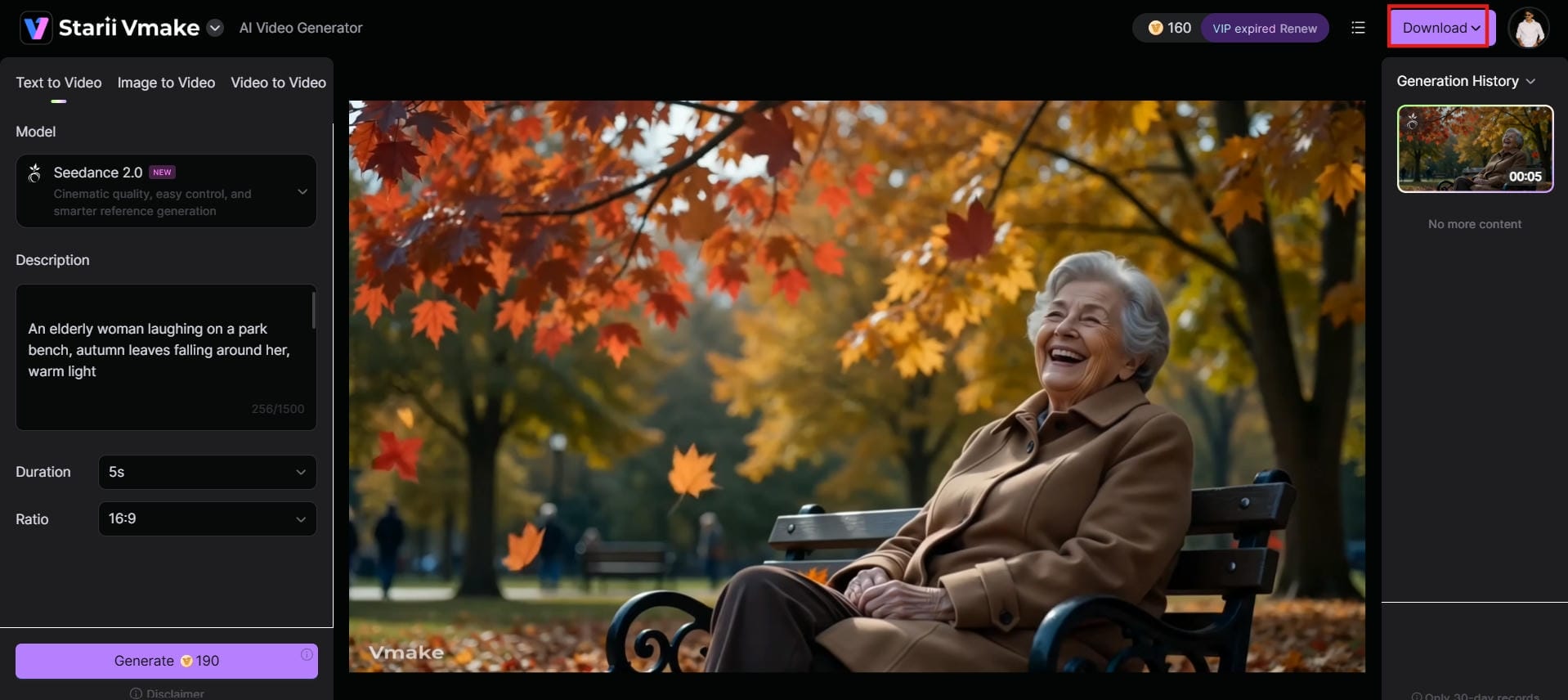
Step 3: Render, preview, and download your final asset
Click the generate button to begin rendering your video. Once processing is complete, review the output for motion quality, visual consistency, and prompt accuracy. After making any necessary adjustments, export and download the finished high-definition video for marketing, social media, advertising, or creative projects.
Candy AI vs Vmake AI
|
Feature Matrix |
Candy AI |
Vmake AI |
|---|---|---|
|
Core Platform Focus |
Virtual character generation and conversational simulation |
High-definition video generation and asset optimization |
|
Creative Workflow |
Companion chat triggers and strict persona-locked limits |
Prompt-to-video tools, image animations, and video upscaling |
|
Output Adjustments |
Highly restrictive settings limited to virtual character actions |
Comprehensive configuration for layout aspect ratios and styles |
|
Commercial Readiness |
Unsuitable; structured solely for entertainment |
Production-ready; optimized for marketing and product videos |
|
Video Engine Freedom |
Tied to fixed, proprietary character templates |
Integrates powerful open engines like Google Veo 3 and Kling |
|
Video Enhancement |
Not Available |
Video enhancer and video upscaler capabilities |
|
Advertising Assets |
Not Available |
AI creative ads and product video generation |
The comparison table highlights a clear distinction in platform objectives: Candy AI concentrates on companion experiences and character interactions, whereas Vmake AI focuses on helping creators produce scalable, high-quality visual content for professional applications.
Conclusion
Candy AI stands out as an engaging hub for personal character roleplay, using its 2026 Live Action engine upgrades to offer impressive real-time companion feedback loops. However, its architectural boundaries make it completely unsuitable for business applications. When a project demands a transition from casual social entertainment to commercial marketing scaling, Vmake AI provides the editing freedom, engine variety, and professional high-definition performance necessary to build successful corporate video campaigns.
FAQs
Is Candy AI video generation free to use?
No, the video generation features are strictly locked behind a paid subscription and credit-based framework. While basic text chat is free, rendering high-definition video loops requires an ongoing financial commitment, whereas Vmake AI offers transparent, production-focused pricing models designed to maximize your marketing budget's return on investment.
Can Candy AI generate videos of any style?
No, its engine is strictly restricted to virtual human or anime character models and cannot produce business assets like product showcases, landscape drone footage, or corporate B-roll. For total creative freedom, Vmake AI utilizes advanced open engines like Google Veo 3 and Kling to seamlessly generate commercial clips in any visual style.
How does Candy AI video generator handle text prompts?
Candy AI parses text through a casual chat interface, converting descriptive phrases into simple, pre-set character motion loops with zero timeline flexibility. In contrast, Vmake AI provides a professional director-level workspace that translates text prompts into precise cinematic instructions, giving you total control over camera movements, lighting, and environments.
What are the main limitations of using the Candy AI generator video tool?
The primary bottlenecks include an absolute reliance on avatar templates, short clip lengths, repetitive motion loops, and a lack of aspect ratio controls. Vmake AI eliminates these creative roadblocks by offering built-in multi-shot timelines, high-fidelity image-to-video animation tools, and professional upscaling utilities built for pristine commercial output.
Is Candy AI suitable for building corporate marketing campaigns?
No, it does not have any commercial usage licensing, product integration options, or ad-ready aspect ratios; therefore, it's not fit for corporate use. Vmake AI is the true commercial workspace organisations rely on to create genuine brand growth. Vmake AI is purpose-built to deliver high-converting ecommerce videos, product showcases and scalable multi-format social ads.

You May Be Interested

AI TikTok Video Generator | Create High-Quality AI Videos

Best AI Video Generator: Top Tools Tested (2026)
Viggle AI Video Generator Review & Top 2026 Alternatives
Trump AI Video Generator: 3 Best Tools to Create AI Videos
Nero AI Review 2026 Explained: Is the Tool Worth Using?
2026 Fotor Video Enhancer Review: Features and Top Alternatives

Canva AI Video Generator Review: A Complete Hands-On Test
CapCut AI Video Generator Review: Features, Pricing & Alternatives