How to Create Fashion Marketing Videos with Vmake Labs: A Guide for Clothing, Shoe & Accessory Brands

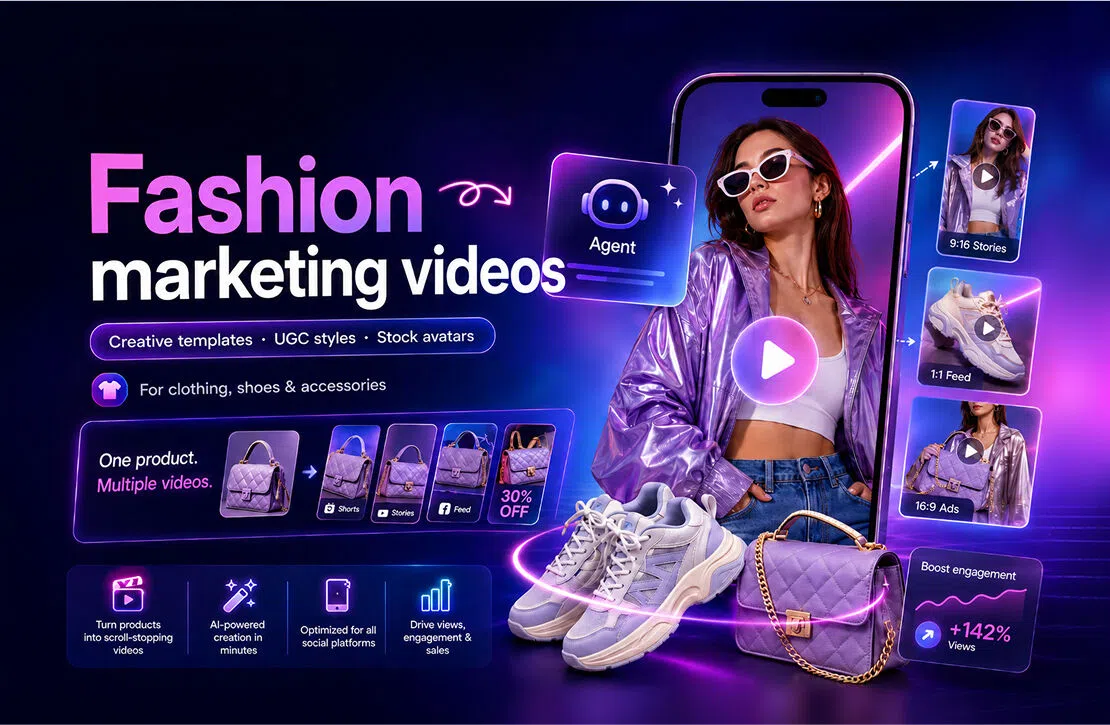
Fashion moves fast, and so does the content around it.
A new dress may need a polished launch video today, a casual try-on style post tomorrow, and a creator-led product recommendation later in the week. For clothing, shoe, and accessory brands, keeping up often means constantly finding new ideas, shooting new footage, and adapting the same product for different social channels.
But creating more fashion content does not always have to mean booking another photoshoot.
With Vmake Labs, brands and sellers can turn product images into different types of fashion videos using Creative templates, UGC styles, and Stock avatars. Each format solves a different content need, from eye-catching campaign creative to everyday social proof and product-selling videos.
The result is a more flexible way to build a fashion content pipeline around the products you already have.
Why fashion brands need more than one type of product video
A single product may need to do several jobs across TikTok, Instagram Reels, YouTube Shorts, paid ads, and ecommerce campaigns.
A highly produced fashion film can make a collection feel more premium, but it may not explain why someone should buy a particular item. A casual creator-style video can make a product feel relatable, but it may not have enough visual impact for a product launch.
That is why fashion brands benefit from mixing different content formats.
For example:
- Launching a new collection: Create visually distinctive campaign content that introduces the style and mood.
- Showing how an item looks in real life: Use native-looking UGC formats such as try-ons, product-in-hand videos, or outfit showcases.
- Explaining product details: Let an avatar talk through the material, fit, styling ideas, or key selling points.
- Keeping social channels active: Turn the same product into multiple concepts instead of repeatedly posting similar product photos.
- Testing ads: Try different creative directions, hooks, presenters, and formats before putting more budget behind one idea.
Vmake Labs brings these different approaches into one place.
1. Creative templates: Turn fashion products into campaign-ready content
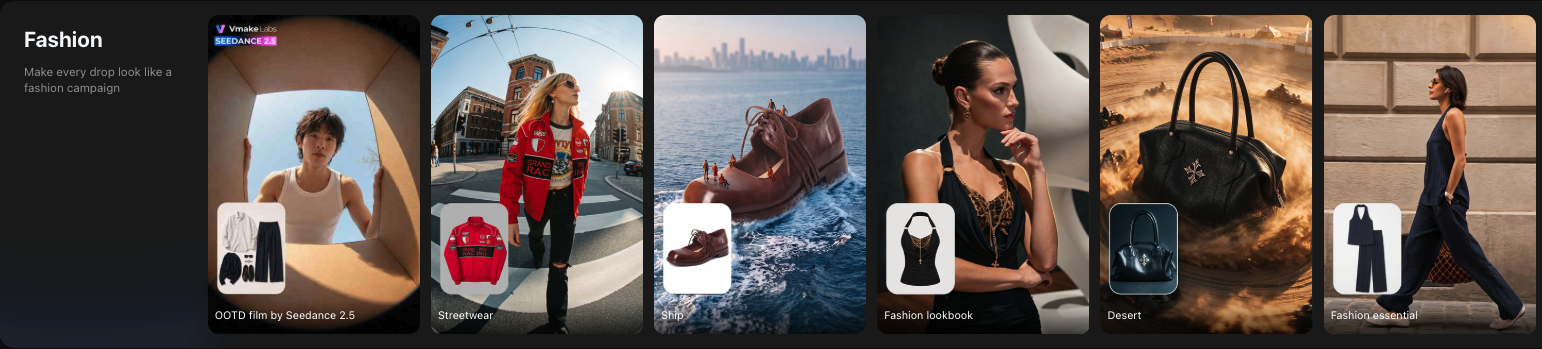
Creative templates are designed for moments when a basic product shot is not enough.
Instead of starting with a blank prompt or building a video concept from scratch, you choose a ready-made creative idea, upload your product image, and let the template place it into a more complete visual story.
For fashion brands, this is especially useful because the product itself can stay at the center of the creative.
A pair of sneakers can become part of a fast-moving streetwear ad. A complete outfit can appear in a fashion lookbook. An accessory can become the focus of a playful social concept or seasonal campaign.
Best for
New collection launches
Give new arrivals a stronger visual introduction instead of relying only on product listings or static posts.
Fashion campaign content
Turn clothing, footwear, or accessories into more polished, visually driven videos for social feeds and promotional campaigns.
Seasonal and trending content
Create fresh concepts around holidays, seasonal moments, social trends, or new aesthetics without planning a new shoot every time.
Creative ad testing
Put the same product into different creative directions and see which visual idea attracts more attention.
Creative templates work particularly well when the goal is to make someone stop and notice the product first.
2. UGC styles: Make fashion products feel more relatable
Not every fashion video needs to look like an ad.
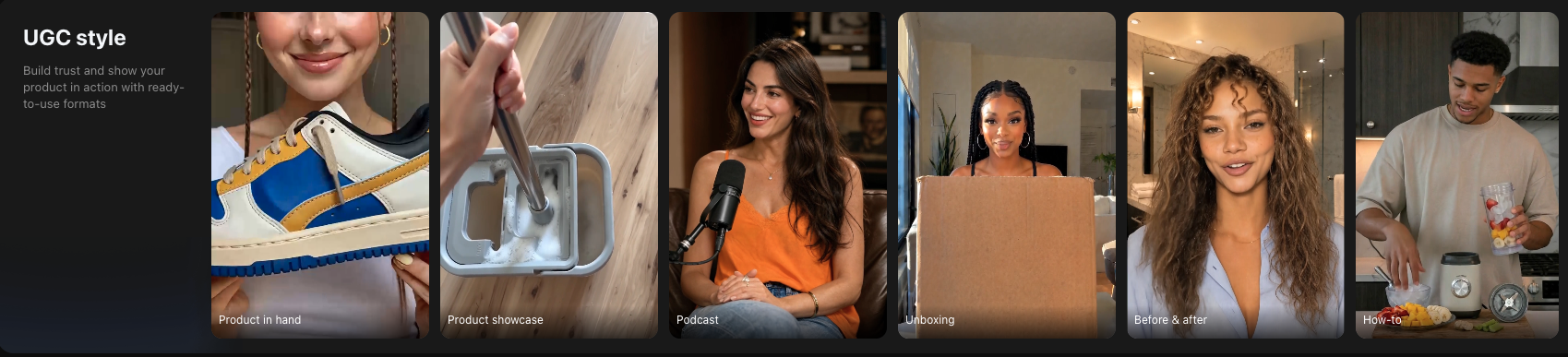
On TikTok, Reels, and Shorts, some of the most natural product discovery happens through content that looks like something a shopper or creator would actually post: a try-on, an unboxing, a product held up to camera, or a quick recommendation.
That is where UGC styles come in.
Upload a product image and choose a ready-to-use content format to present the item in a more casual, social-first way.
For fashion, this can help bridge the gap between a polished ecommerce image and the question shoppers actually have:
What would this look and feel like in real life?
Best for
Try-on and outfit inspiration
Show apparel as part of a more natural styling or outfit context instead of only showing the isolated product.
Product-in-hand content
Present shoes, handbags, jewelry, or accessories in a format that feels closer to a creator recommendation.
Unboxing-style videos
Introduce new products, drops, or packages in a familiar social format.
Product benefits
Highlight details such as fabric, fit, comfort, styling flexibility, capacity, or everyday use.
Social-first ads
Create content that feels closer to the surrounding feed and less like a traditional commercial.
UGC styles are a good choice when the goal is to make the product feel easy to understand, relatable, and worth trying.
3. Stock avatars: Give your fashion products a spokesperson
Sometimes the product needs more than visuals. It needs someone to explain it.
Maybe a dress comes in several fits. A handbag has multiple compartments. A sneaker is designed for a particular activity. Or you simply want someone on screen to introduce the latest promotion.
With Stock avatars, you can choose a ready-made avatar, add your product image and script, and create a talking product video without filming a new spokesperson every time.
You can also adjust the message for different products, audiences, or campaigns while keeping the content format consistent.
Best for
Product introductions
Have an avatar introduce a new item and quickly explain what makes it worth noticing.
Feature-focused videos
Talk through materials, fit, sizing, comfort, styling tips, product details, or other selling points that are difficult to communicate through visuals alone.
Promotions and offers
Create straightforward videos around new arrivals, limited-time discounts, bundles, or seasonal sales.
Frequent product updates
For stores with many SKUs, reuse the same avatar format while changing the product and script.
Different messaging angles
Test different hooks, product benefits, and calls to action without reshooting the entire video.
Stock avatars are especially useful when the goal is to tell shoppers why the product matters, not simply show what it looks like.
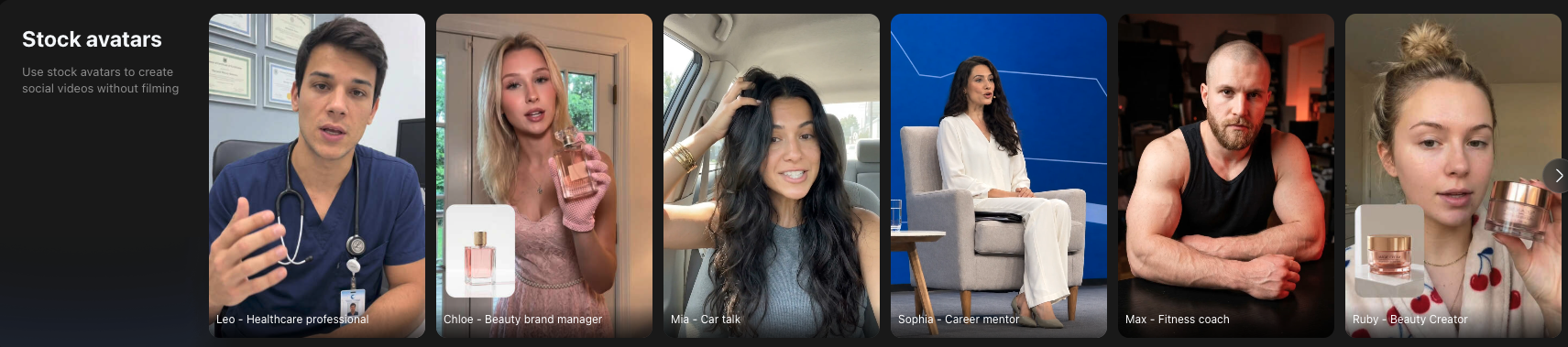
Creative templates vs. UGC styles vs. Stock avatars: Which should you use?
There is no single format that works for every fashion marketing goal.
A better approach is to choose based on what you want the video to accomplish.
| Your goal | Recommended format |
| Launch a new collection | Creative template |
| Create a visually striking fashion ad | Creative template |
| Turn a product into a social trend or creative concept | Creative template |
| Show a product in a relatable social setting | UGC styles |
| Create try-on or product-in-hand content |
UGC styles |
| Make an ad feel more native to TikTok or Reels | UGC styles |
| Explain product gratures or benefits | Stock avatars |
| Promote a discount or product drop | Stock avatars |
| Create high-volume product videos | Stock avatars |
| Test several creative directions for one item | Mix all three |
In practice, the strongest content strategy often uses all three.
One fashion product, multiple pieces of content
Imagine you are launching a new handbag.
Instead of creating one video and using it everywhere, you could turn the same product into a small content campaign:
Creative template:
Create a visually bold launch video that establishes the style and mood of the bag.
UGC style:
Show it in a casual product-in-hand or everyday-use format that feels more native to social media.
Stock avatar:
Have an avatar explain the bag's size, compartments, material, styling ideas, or current promotion.
Now one product image has become three different creative angles.
The same approach works for sneakers, dresses, jackets, jewelry, activewear, and other fashion products.
This makes it easier to build a varied content calendar without needing a completely new production process for every post.
How to create fashion videos with Vmake Labs
The workflow is designed to stay simple, even when the content formats are different.
Step 1. Choose the type of video you need
Start with your marketing goal.
Want something visually creative? Choose a Creative template.
Want something that feels more like creator content? Pick a UGC style.
Need someone to explain or sell the product? Start with a Stock avatar.
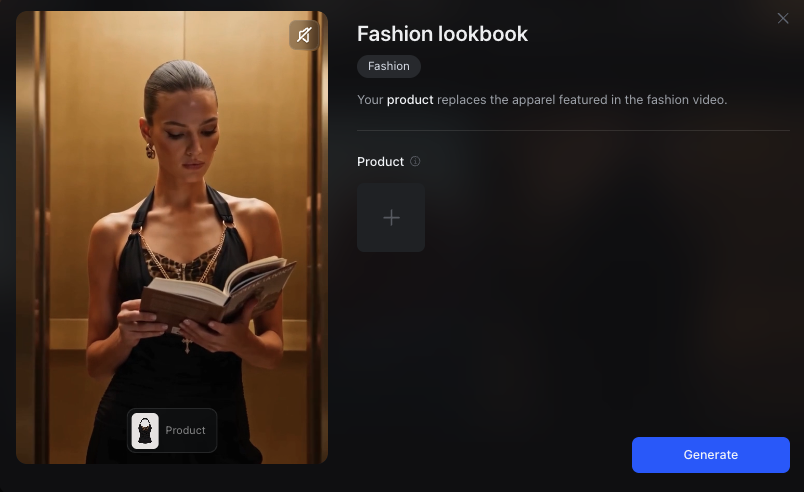
Step 2. Upload your fashion product
Add an image of your clothing, shoes, handbag, jewelry, or other fashion product.
Depending on the format, you can also customize elements such as the avatar, script, or product talking points.
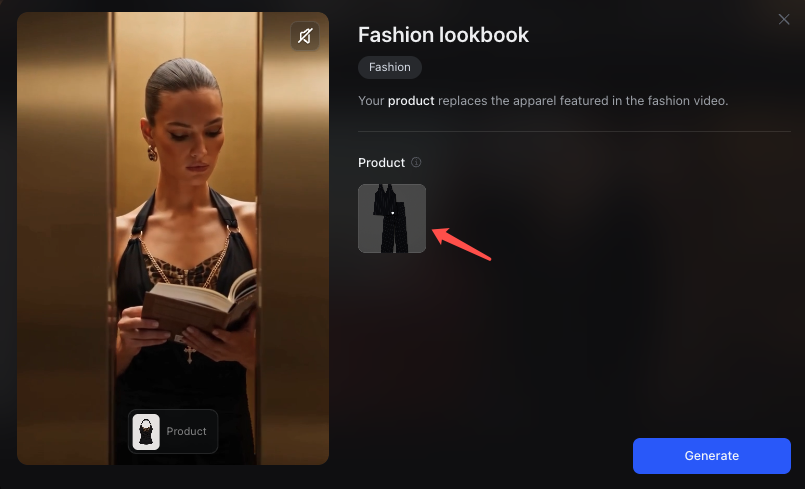
Step 3. Generate your video
Vmake Labs turns your inputs into a ready-to-use video based on the selected content format.
Instead of arranging a shoot for every new creative idea, you can quickly test different ways of presenting the same product.
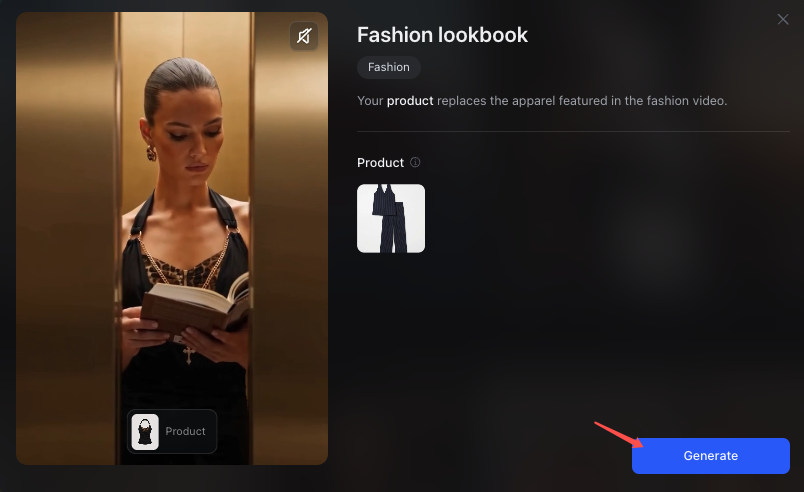
Step 4. Create variations
Do not stop at one video.
Try another creative template, switch to a UGC format, change the avatar script, or test a different selling point.
The more formats you test, the easier it becomes to understand what type of content works best for each product and audience.
Build a fashion content mix, not just another product video
Fashion marketing is not only about producing more content. It is about having enough variety to keep showing the same products in fresh ways.
Some moments need a strong visual idea. Some need a relatable creator-style format. Others need a person who can simply explain why the product is worth buying.
With Creative templates, UGC styles, and Stock avatars in Vmake Labs, clothing, shoe, and accessory brands can move between these needs without building every video from zero.
Start with the product images you already have, choose the content format that fits the job, and turn one product into more ways to be discovered, understood, and sold.
FAQs
What types of fashion products can I use with Vmake Labs?
Vmake Labs can be used for a wide range of fashion products, including clothing, shoes, handbags, jewelry, accessories, activewear, and other apparel products.
Do I need to film a model to create fashion videos?
Not necessarily. Different Vmake Labs formats can start from product images and ready-made creative structures. Stock avatars can also provide an on-screen presenter when you need talking content.
What is the difference between Creative templates and UGC styles?
Creative templates focus more on visual concepts, campaign ideas, and attention-grabbing product presentation. UGC styles are designed to feel more casual and social-native, such as try-ons, unboxings, and product-in-hand content.
When should I use a Stock avatar?
Stock avatars work best when your video needs spoken information, such as product benefits, styling recommendations, new-arrival announcements, or promotional messaging.
Can I use the same product in several video styles?
Yes. In fact, using the same product across Creative templates, UGC styles, and Stock avatars is a practical way to create multiple content angles for different marketing goals.
Can I use these videos for social media and ads?
These formats are designed for product marketing use cases such as social posts, short-form videos, product launches, promotional campaigns, and creative testing.

You May Be Interested
Valentine's Day UGC Video Marketing Guide for Small Businesses (2026)