
Can Perplexity Generate Images? Features, Limits, and Best Alternatives
Can Perplexity generate images? Learn how Perplexity AI creates images, compare Free and Pro features, understand its limitations, and explore Vmake Labs for more creative image generation.

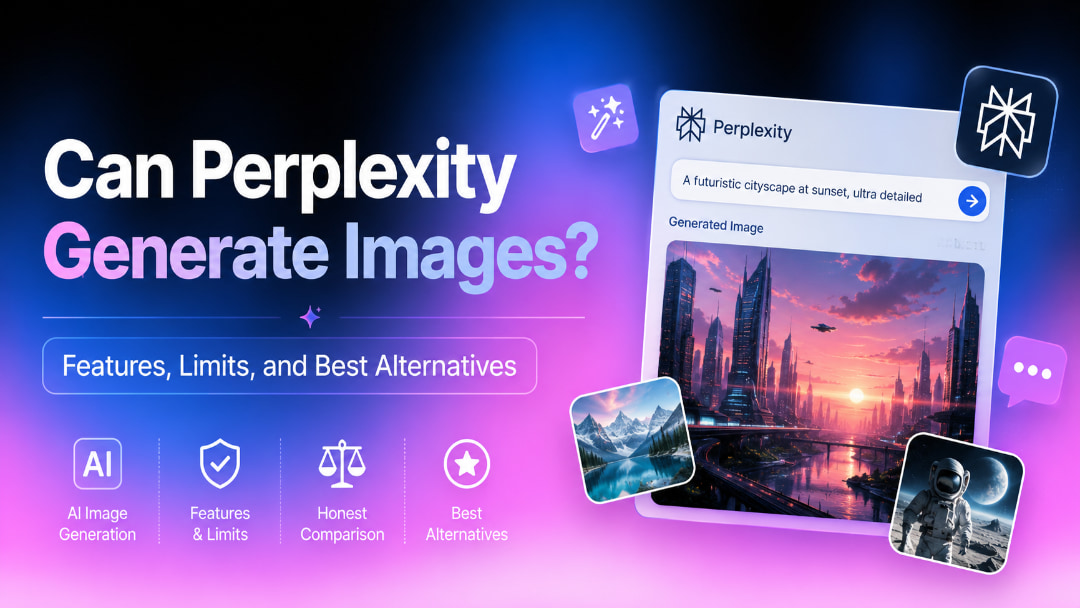
Perplexity cannot produce images. Sure. Perplexity AI allows users to generate images from text prompts in its chat interface. In this guide, I'll walk you through how image generation works, compare the Free and Pro plans, dig into its features and limitations, and introduce Vmake Labs as an alternative for more creative freedom.
Can Perplexity generate images?
Yes. Perplexity AI includes built-in image generation, allowing users to create images directly from text prompts within the same chat used for AI search. Instead of switching to a separate AI image generator, you can describe the image you want, and Perplexity generates it as part of the conversation. This makes it convenient for brainstorming ideas, creating illustrations, and producing simple visuals while researching or asking questions.
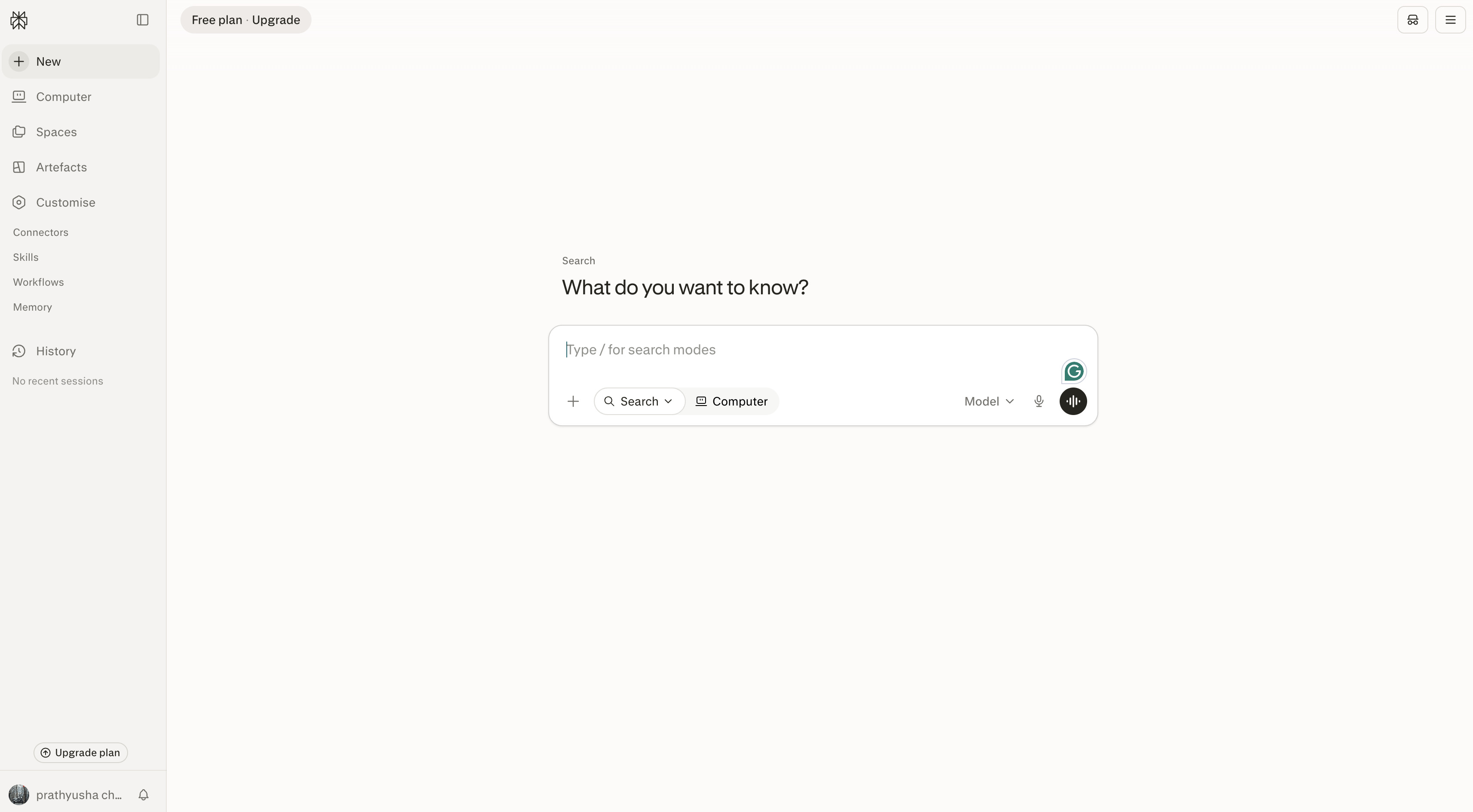
Perplexity can generate images with its integrated AI image models and is available on its website and mobile apps. Just type a prompt about the subject, style, lighting, colors or composition, and the AI will create one or more images based on your request. You can keep iterating on the result in follow-up prompts. Image generation is available on Free and Pro plans, with usage limits. The conversational workflow is simple and accessible but provides fewer creative controls than dedicated AI image generators, especially for users looking for advanced customisation or image-to-image generation.
How to generate images with Perplexity AI
Generating images with Perplexity is easy and only takes a few steps. Because image creation is built into the chat interface, you can type in a prompt, improve the results through conversation, and download the finished image without ever leaving the platform.
Step 1: Open Perplexity and enter your image prompt
Open Perplexity on the web or mobile app and sign in to your account. Start a new conversation and describe the image you want to create. Including details such as the subject, art style, lighting, background, and composition usually produces better results.
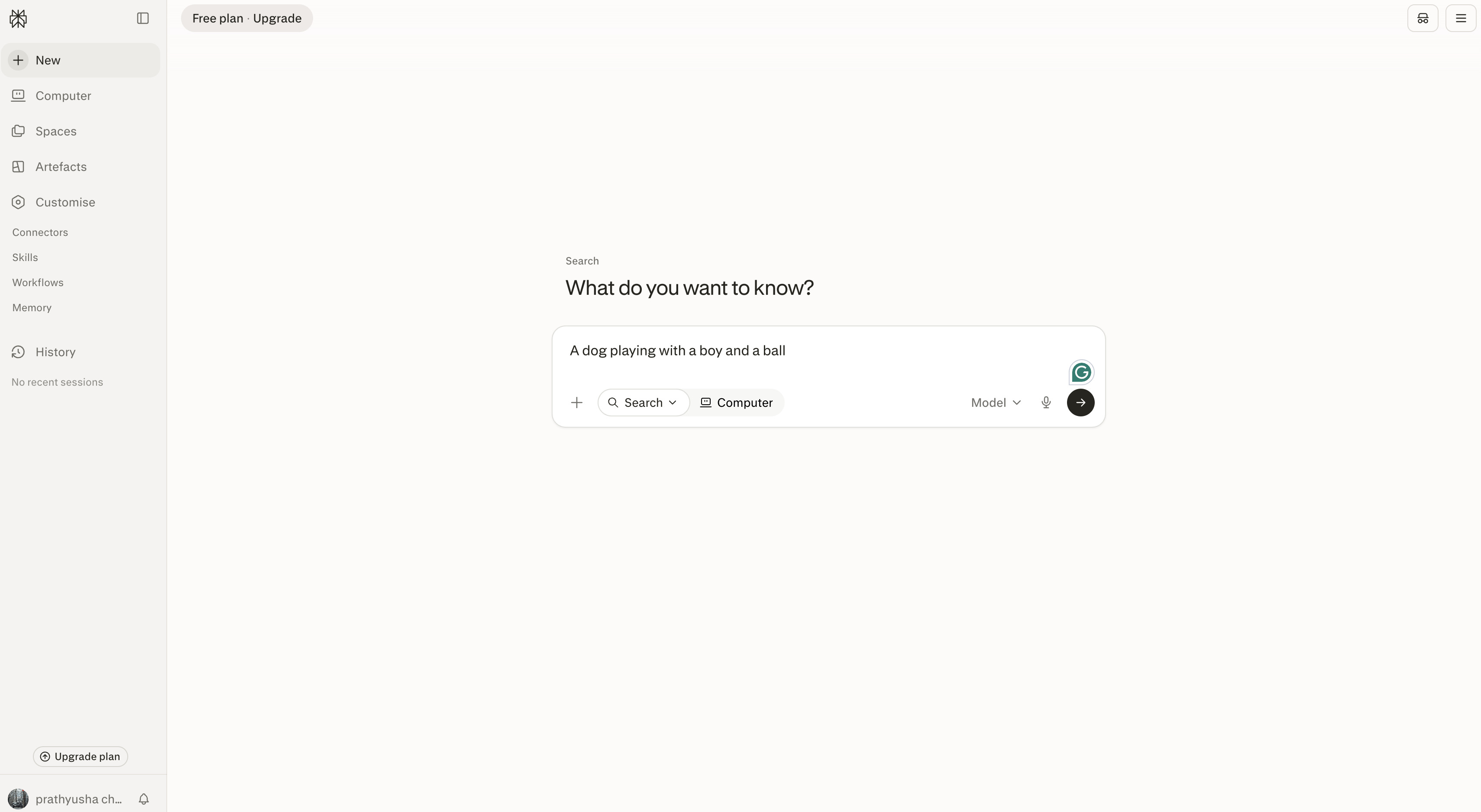
Step 2: Generate and refine your image
Submit your prompt and wait for Perplexity to generate the image. If you want to make changes, continue the conversation with follow-up instructions to adjust the style, colours, composition, or other visual elements until you're satisfied with the result.
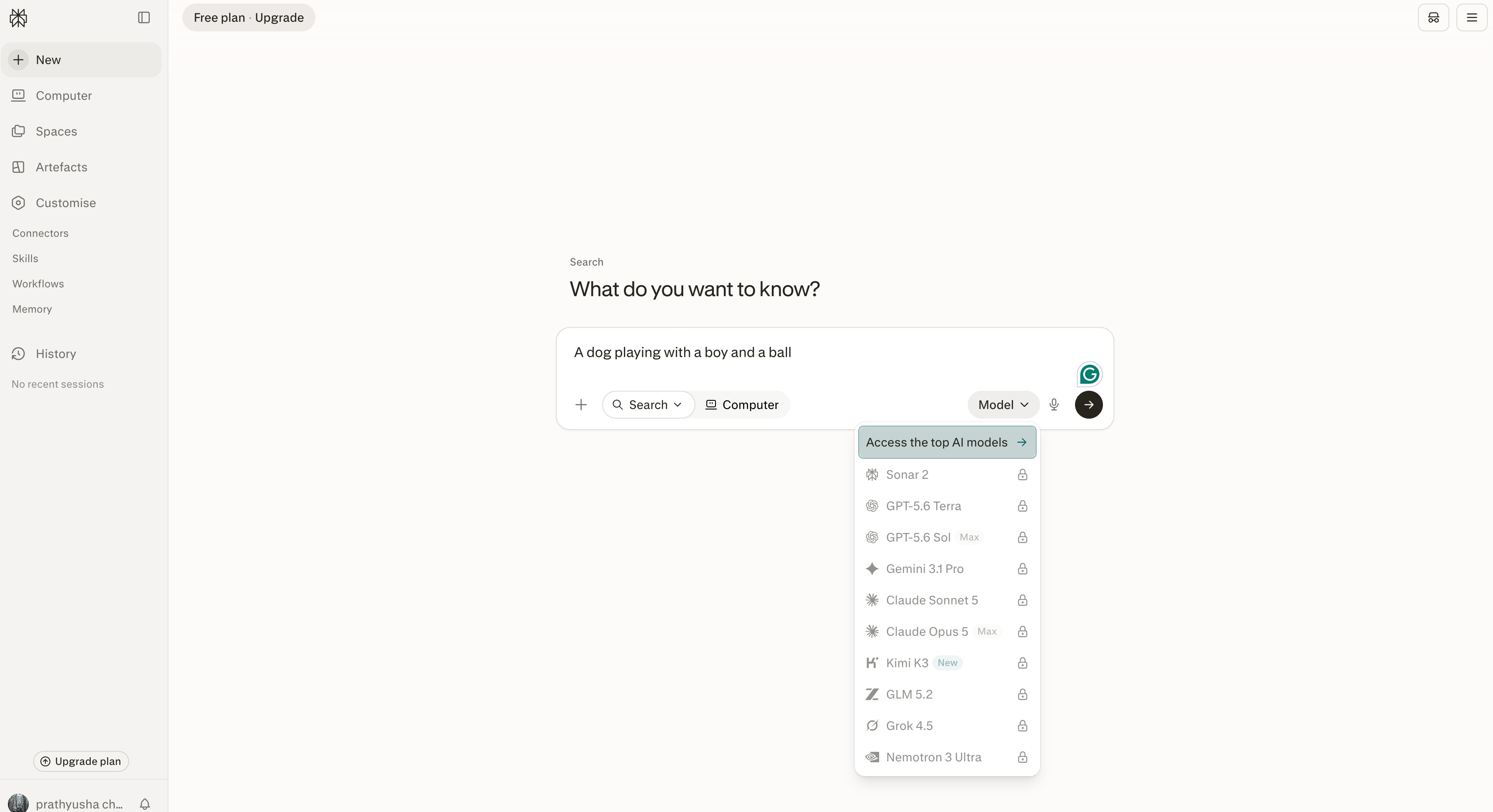
Step 3: Download or share your generated image
Download or share the image directly from the chat when it is ready. Vmake Labs AI Image Generator offers you more freedom to be creative, image-to-image generation features and the ability to use multiple AI image models, so you can focus more on creating images.
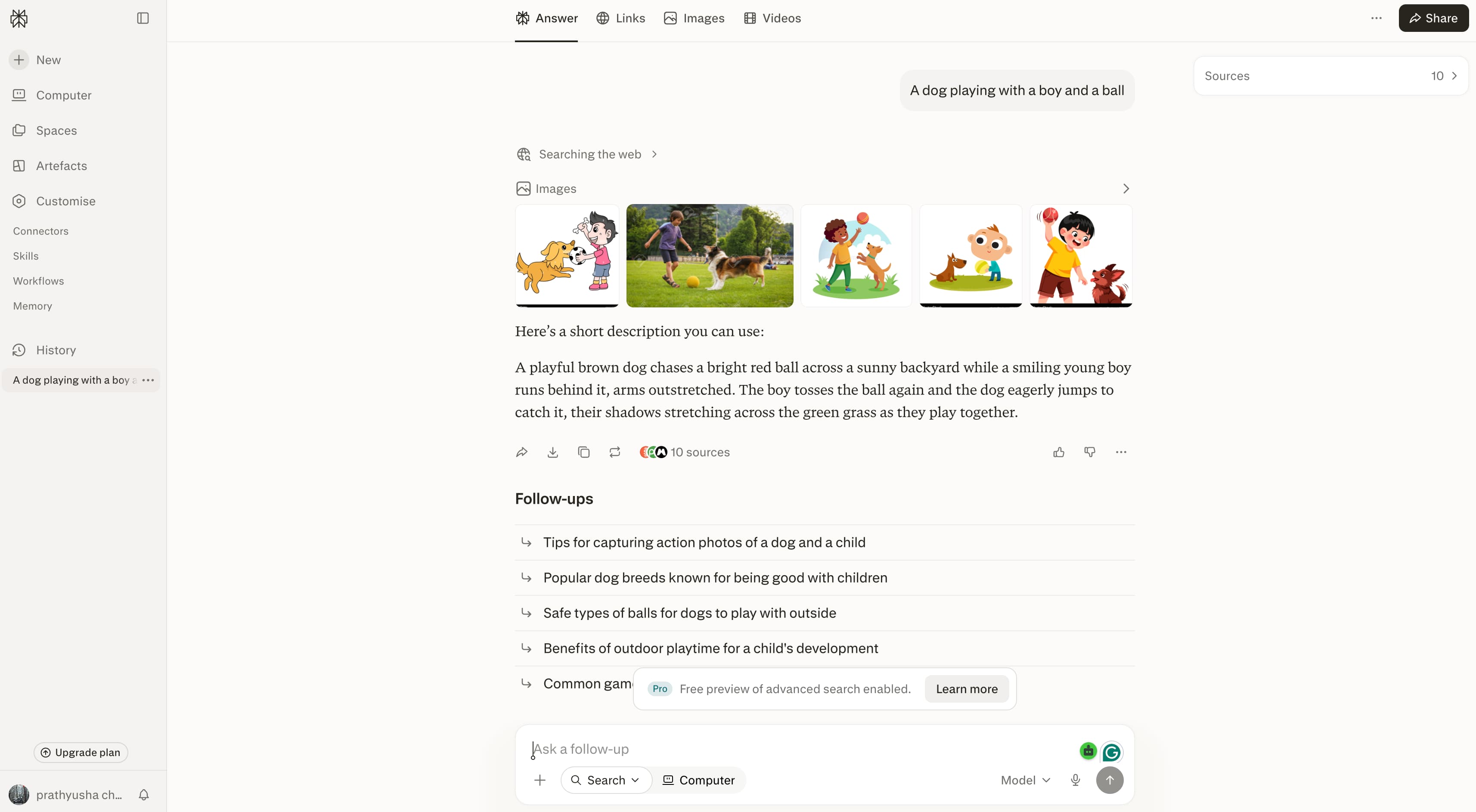
Perplexity AI image generation: Features, pricing, and limitations
Perplexity AI combines image generation with its conversational search experience, allowing users to create visuals without leaving the chat. While it isn't a dedicated AI image generator, it offers a simple way to generate images, refine prompts, and continue researching within the same workflow. Here's a closer look at its features, pricing, and current limitations.
Key features
-
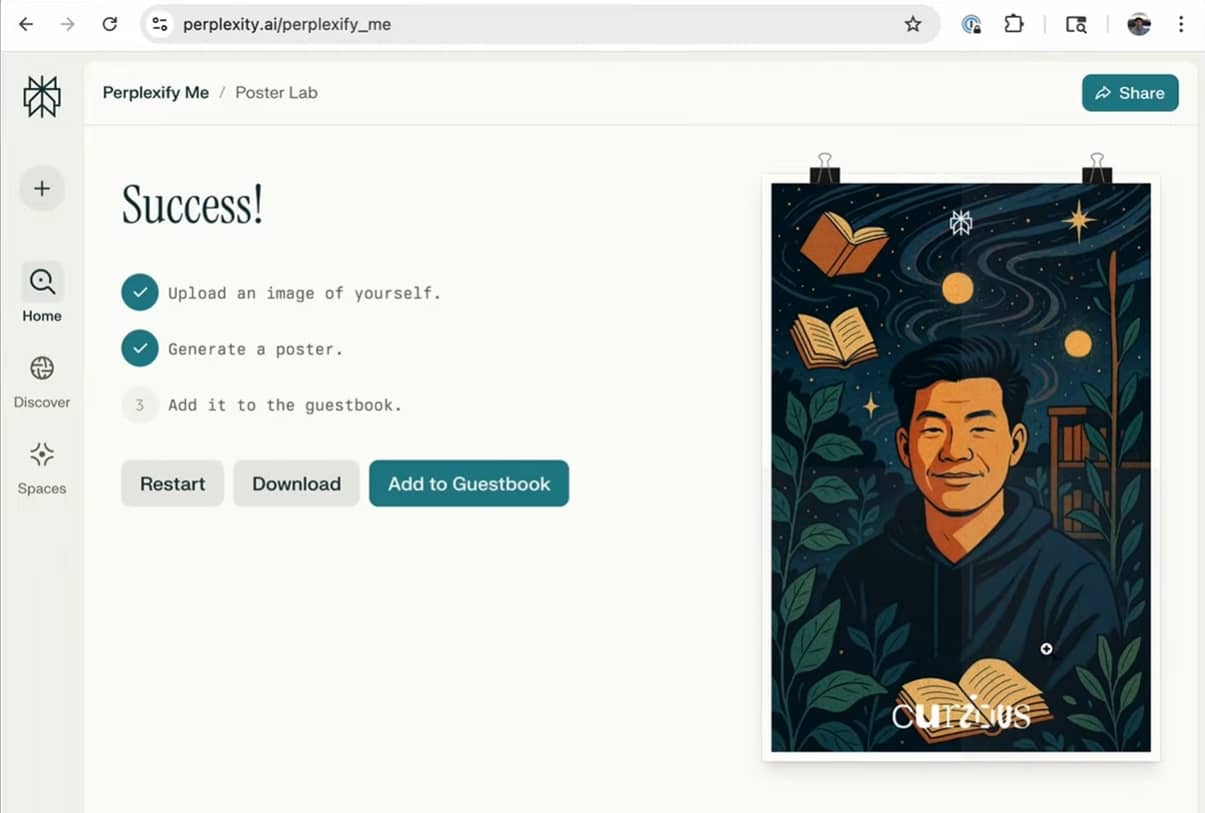
Text-to-image generation: Describe an idea in natural language and generate images directly within your conversation, making it easy to visualise concepts while researching or brainstorming.
-
Conversational prompt refinement: Continue chatting with Perplexity to adjust the style, composition, or subject without rewriting prompts from scratch, helping you refine results more efficiently.
-
Multiple image outputs: Generate several image variations for a single prompt, giving you more options to compare before selecting the best result.
-
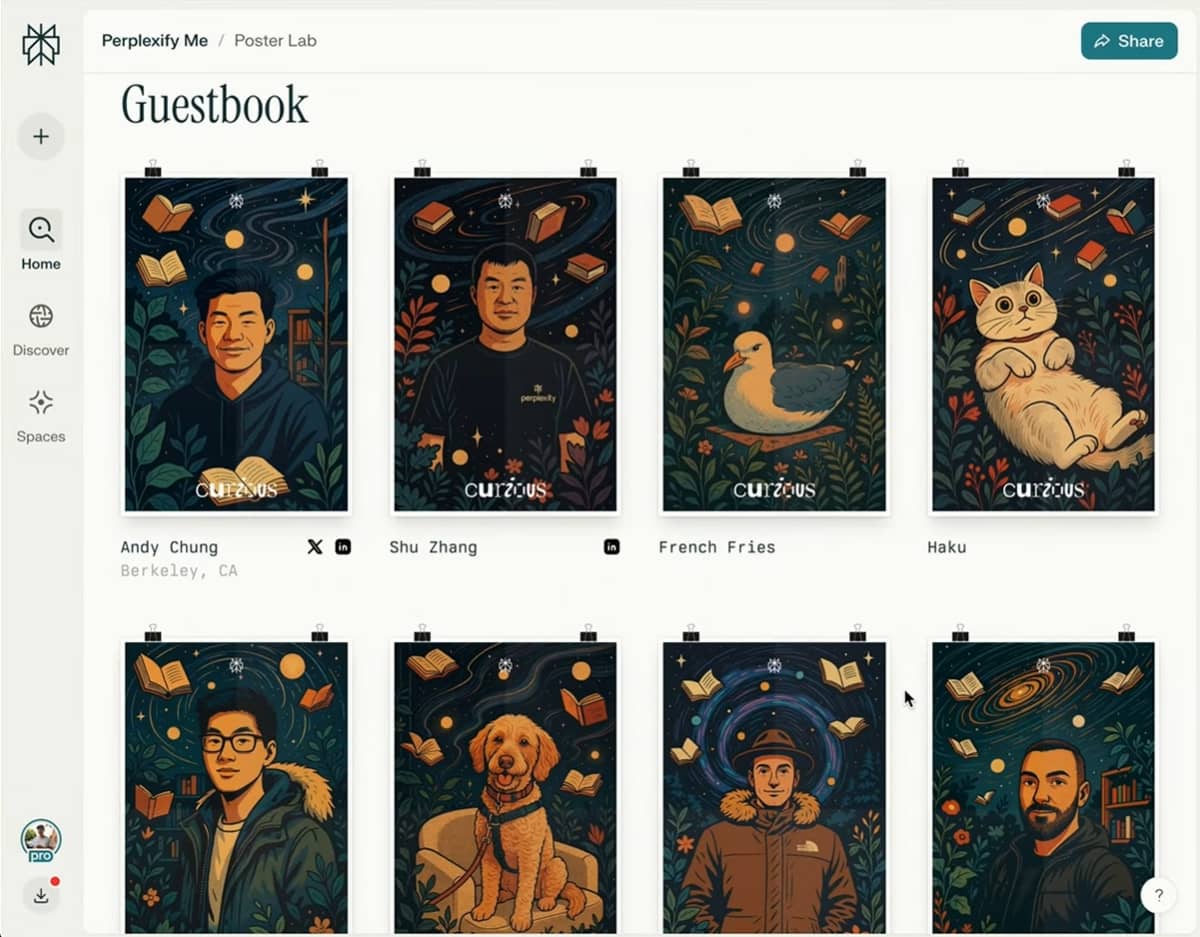
Image generation in Spaces: Create images inside Perplexity Spaces, so research, conversations, and generated visuals stay organised in one collaborative workspace.
-
Web and mobile support: Generate AI images from both desktop and mobile devices, allowing you to create visuals wherever you work.
Pricing overview
Perplexity has image generation on both its Free and Pro plans, so you can try out the feature before upgrading. The Free plan is good for some image generation, but Pro offers higher usage limits and access to advanced AI models. Perplexity Max is for users who want the highest usage limits and premium AI features.
|
Plan |
Free |
Perplexity Pro |
Perplexity Max |
|---|---|---|---|
|
Price |
US$0 |
US$20/month or US$17/month (billed annually) |
US$200/month or US$167/month (billed annually) |
|
Image generation |
Included with limited usage |
Higher image generation limits and access to advanced AI models |
Highest usage limits with premium AI capabilities |
|
Best for |
Casual users exploring AI search and occasional image generation |
Frequent users creating images alongside research and AI workflows |
Professionals and teams with high-volume AI needs |
Limitations
-
Limited editing controls: Images can only be refined through follow-up prompts, with no dedicated editing tools for making precise adjustments.
-
Fewer creative settings: Perplexity offers fewer style controls and customisation options than dedicated AI image generators.
-
No image-to-image generation: You can't upload a reference image to generate new variations or maintain consistent visual styles.
-
Usage limits: The number of images you can generate depends on your subscription plan and may be subject to platform limits.
-
Content policy restrictions: Some prompts may be restricted or declined to comply with Perplexity's safety and content policies.
Editorial review
Perplexity AI works well for research-driven workflows, quickly generating visuals from conversational prompts while providing supporting information. However, it offers fewer controls for professional image creation, such as reference image support, advanced editing, and commercial content workflows. For users creating marketing materials, e-commerce assets, or branded visuals at scale, Vmake Labs provides a more streamlined production workflow with tools designed for efficient commercial content creation.
Generate AI images with Vmake Labs
Perplexity is a convenient option for generating images while researching or chatting with AI. However, users who need greater creative control, multiple AI models, or image-to-image generation may benefit from a dedicated AI image generator. Vmake Labs is designed specifically for AI image creation, offering flexible workflows for marketing, social media, product visuals, concept art, and other creative projects.
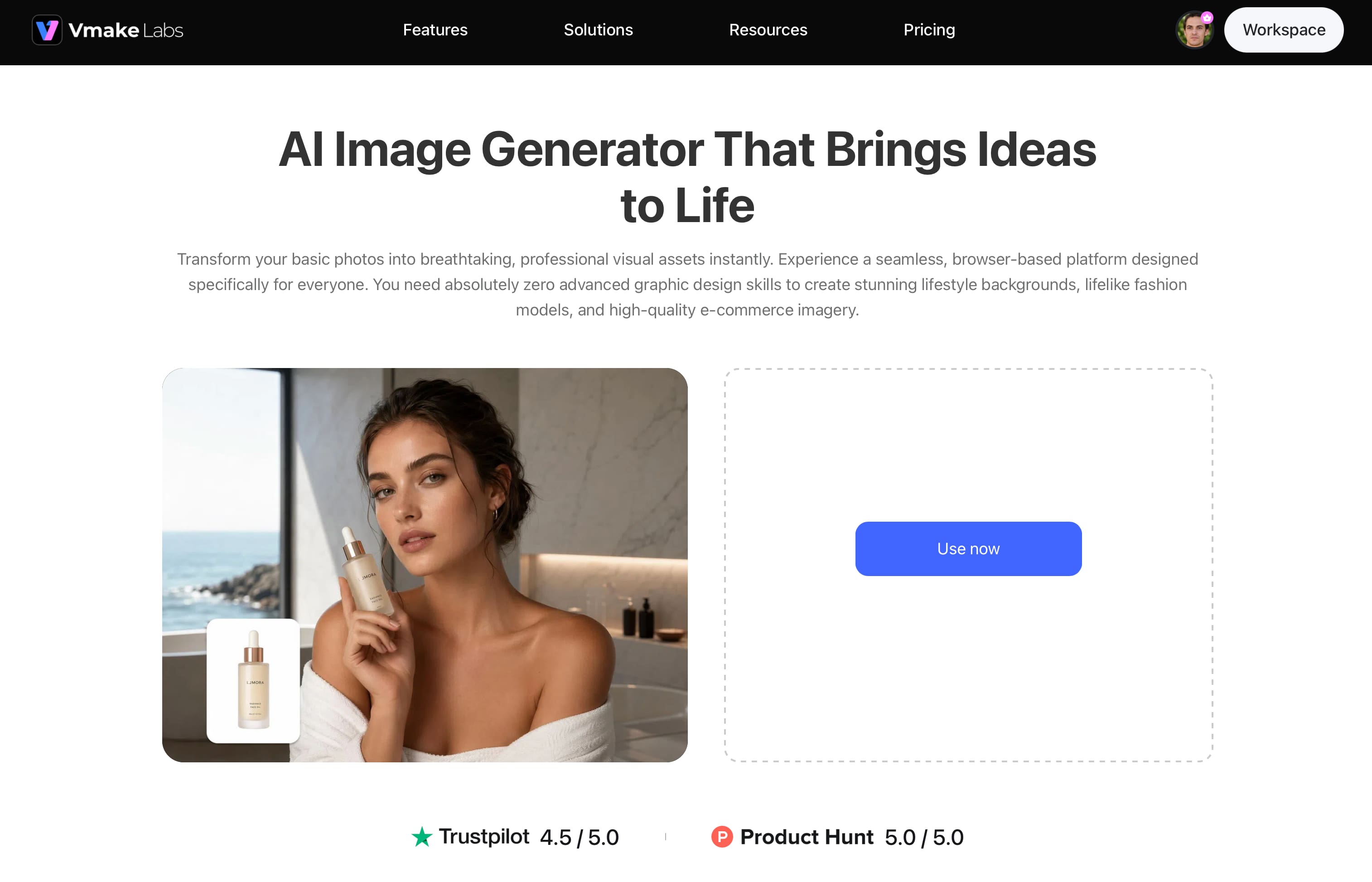
Key features
-
Compare leading AI models in one workflow: Generate the same prompt with Nano Banana 2, Nano Banana Pro, Seedream 4.0, GPT Image 1, and other supported models, making it easy to compare outputs and choose the best result without switching platforms.
-
Create marketing visuals faster: Generate branded graphics, product images, social media posts, and promotional creatives from text prompts or up to three reference images, helping you move from concept to campaign-ready assets more efficiently.
-
Streamline commercial content creation: Produce consistent visuals for ecommerce, branding, advertising, and marketing in one browser-based workflow, reducing the need to juggle multiple AI tools.
-
Maintain visual consistency across projects: Use reference images to preserve styles, compositions, and subjects, making it easier to create cohesive content for brands, product catalogues, and campaigns.
-
Optimize content for every platform: Generate images in multiple aspect ratios for social media, online stores, websites, and presentations, with tools like the AI Thumbnail Maker helping you prepare platform-ready visuals faster.
-
Reduce editing time with high-quality outputs: Create polished AI images for product photography, branding, concept art, and marketing materials, minimizing manual edits so you can focus on publishing instead of refining.
How to generate AI images with Vmake Labs
Creating images with Vmake Labs takes just a few steps, whether you're starting with a text prompt or using reference images to guide the AI. The platform's browser-based workflow makes it easy to generate, review, and download images without installing additional software.
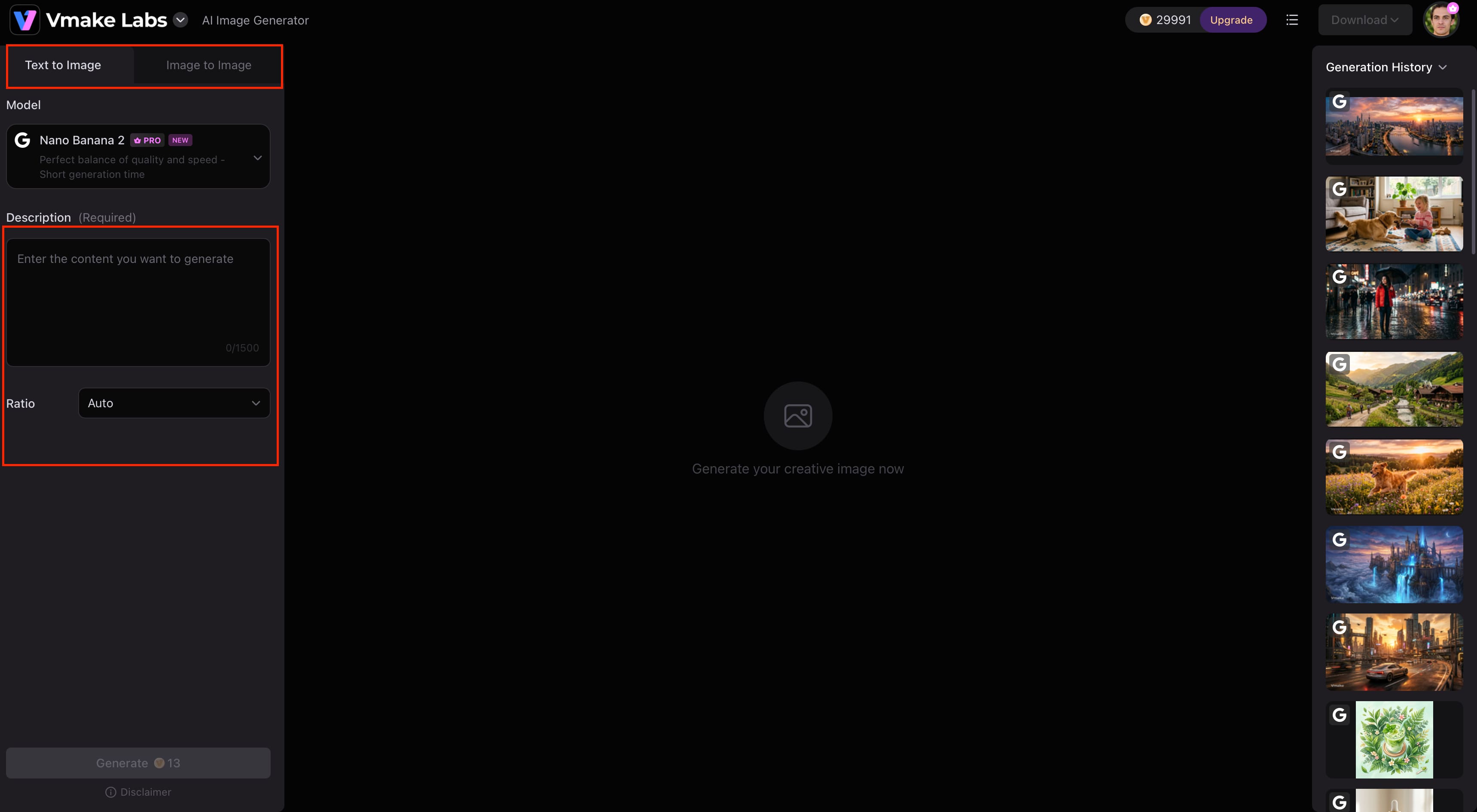
Step 1: Enter a text prompt or upload a reference image
Open the Vmake Labs AI Image Generator and choose either Text-to-Image or Image-to-Image mode. Describe the image you want to create, or upload up to three reference images to help the AI generate visuals that better match your preferred style or subject.
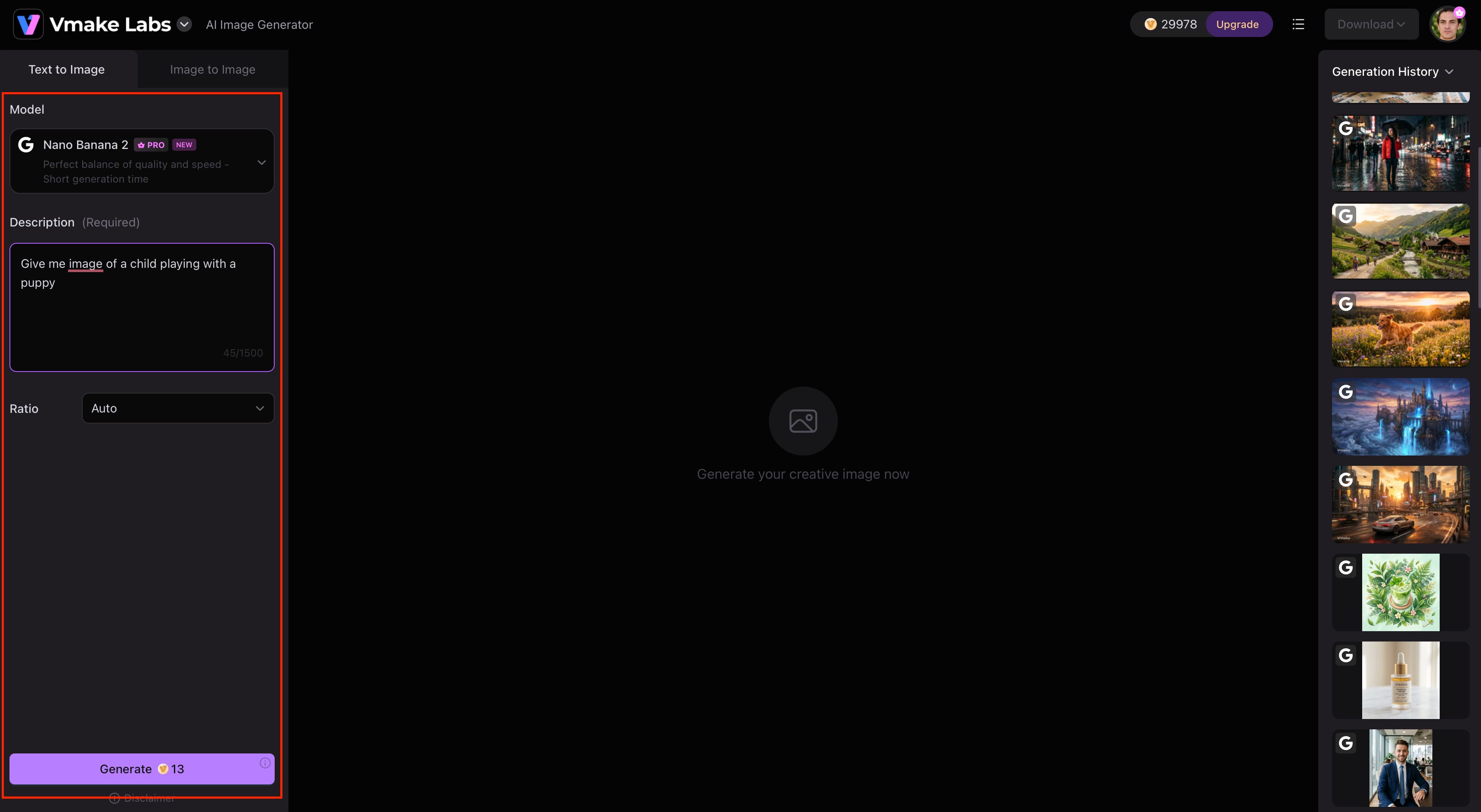
Step 2: Select an AI model and customise your image settings
Choose the AI model that best fits your project, such as Nano Banana 2, Nano Banana Pro, Seedream 4.0, or GPT Image 1. Then select your preferred aspect ratio before generating the image.
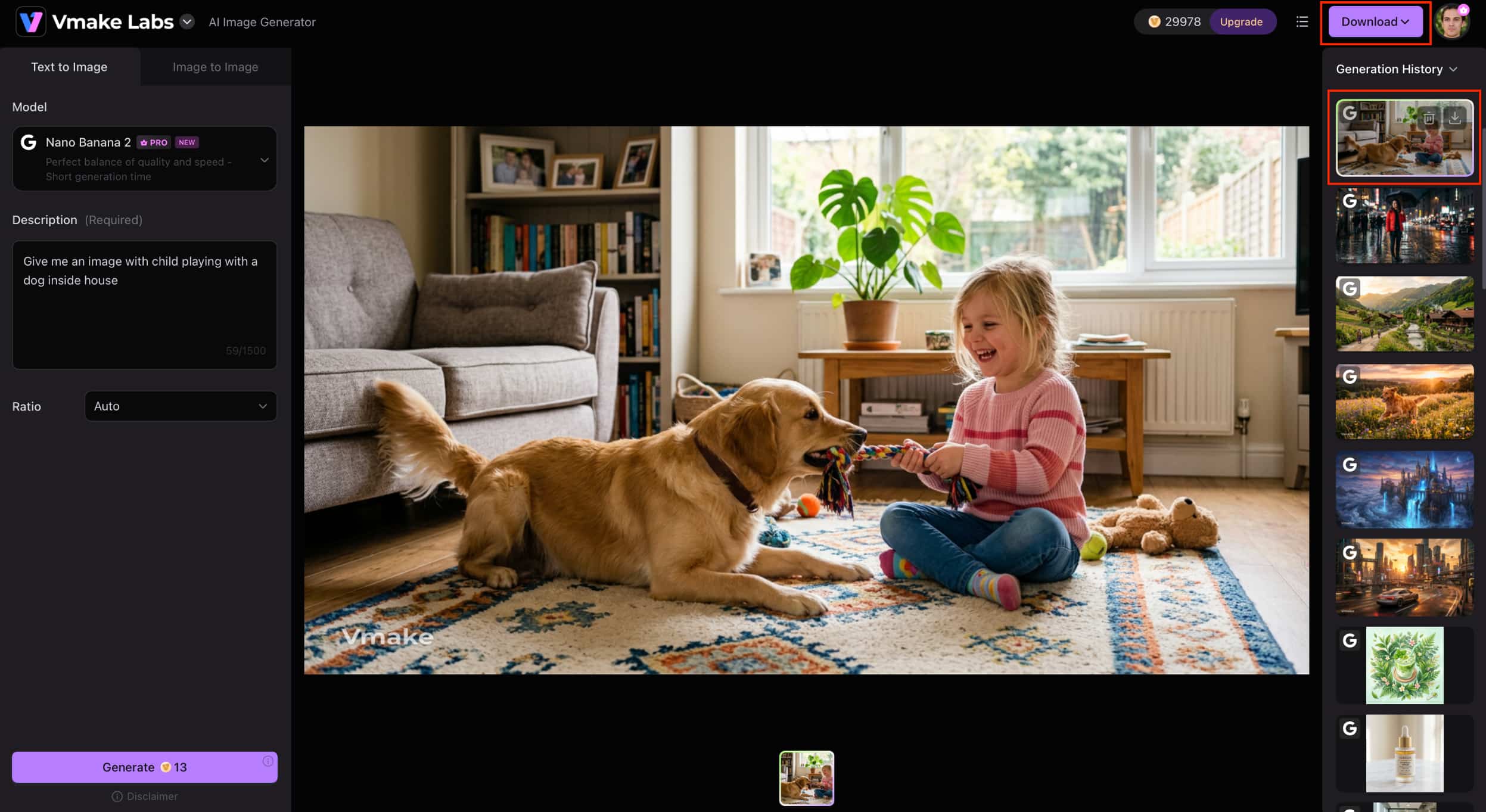
Step 3: Generate, review, and download your AI image
Click Generate to create your image. Review the results, refine your prompt or switch AI models if needed, then download your preferred image for presentations, social media, marketing campaigns, or other creative projects.
Perplexity AI vs Vmake Labs AI Image Generator
Perplexity AI and Vmake Labs are both able to generate images based on text prompts, but they are built for different purposes. Perplexity has added image generation to its AI-powered search experience, so you can quickly generate images while you browse for information or ask questions. Vmake Labs is a dedicated AI image generation platform with multiple AI models, image to image generation, and more creative freedom for users who need more control on their final outputs.
|
Category |
Perplexity AI |
Vmake Labs AI Image Generator |
|---|---|---|
|
Primary purpose |
AI search engine with built-in image generation |
Dedicated AI image generation platform |
|
Text-to-image generation |
Yes, using text prompts |
Yes, with support for multiple AI models |
|
Image-to-image generation |
No |
Yes, upload up to three reference images to create new variations |
|
AI models |
Integrated image generation models (varies by availability) |
Multiple leading AI image models, including Nano Banana 2, Nano Banana Pro, Seedream 4.0, and GPT Image 1 |
|
Style customisation |
Basic prompt-based styling |
Multiple artistic styles, aspect ratios, and AI models |
|
Image editing |
Refine images through follow-up prompts |
Generate new images from prompts or reference images with flexible customisation |
|
Ease of use |
Simple conversational interface |
Beginner-friendly image creation workflow |
|
Best for |
Creating images while researching or asking questions |
Marketing visuals, social media graphics, product photography, concept art, and creative projects |
Perplexity is a practical choice for quick image generation and AI-assisted research, making it useful for brainstorming and early-stage concepts. Vmake Labs is better suited for commercial creative workflows, combining multiple AI image models, reference image support, and image-to-image generation in one platform. This makes it easier to create consistent branding, e-commerce product visuals, advertising creatives, and other business assets without switching between multiple tools or relying on extensive manual editing.
Which tool is better for different use cases?
Pick Perplexity AI if you want to create images as you research, ask questions, or visualize ideas in a conversational interface. It has a built-in image generator, which makes it easy to create illustrations and simple graphics without having to jump to a separate AI image generation platform.
Choose Vmake Labs AI Image Generator if you need greater creative flexibility for personal or commercial projects. With support for multiple AI image models, image-to-image generation, reference images, and flexible aspect ratios, it is better suited to creating marketing visuals, product photos, social media graphics, concept art, and other professional content.
Conclusion
Yes, Perplexity AI can generate images, which is great for generating images while researching, brainstorming or chatting with AI. It's great for everyday creative tasks thanks to its conversational workflow and built-in image generation, but users looking for more advanced controls may find its capabilities limited. If you need multiple AI image models, image-to-image generation, reference image support and greater creative flexibility, Vmake Labs AI Image Generator provides a more complete solution. The right choice for you depends on your workflow, whether you want fast image generation within an AI search or a dedicated platform for creative and commercial image creation.
FAQs
-
Is Perplexity AI free to generate images?
Yeah. Perplexity AI lets free users generate images but there are restrictions on usage and number of generations. Upgrade to a paid plan to get higher limits and more AI features. Vmake Labs AI Image Generator includes multiple AI models, image-to-image generation and flexible creative tools for more advanced image creation capabilities.
-
Which AI model does Perplexity use for image generation?
Perplexity uses integrated AI image generation models, although the specific model may vary over time and is not always disclosed to users. The platform focuses on delivering images directly within its conversational experience. If you prefer choosing between different AI image models for varied visual styles, Vmake Labs provides access to several leading image generation models.
-
Can I edit images in Perplexity AI?
Perplexity supports conversational refinements by letting you update your prompt and generate a revised image, but it does not offer a dedicated image editing workflow or image-to-image generation. For users who want to generate new images from reference images or explore multiple creative variations, Vmake Labs provides a more flexible image creation workflow.
-
Is Perplexity AI good for professional image creation?
It can be suitable for concept visualisation, brainstorming, and simple graphics, especially when images are part of your research workflow. However, designers, marketers, and content creators who require greater creative control, multiple AI models, and commercial-ready visuals may find a dedicated platform like Vmake Labs AI Image Generator more suitable.
-
What is the best alternative to Perplexity AI for image generation?
The best alternative depends on your needs. If you want an AI search assistant with occasional image generation, Perplexity remains a strong choice. If your focus is creating high-quality images with multiple AI models, image-to-image generation, reference image support, and flexible aspect ratios, Vmake Labs AI Image Generator is a well-rounded alternative for creative and commercial projects.

You May Be Interested

FLUX AI Image Generator Review 2026: Is It Worth Using?

Raphael AI Image Generator Review 2026: Worth Trying?
Topaz Labs Image Enhancer Review: Is the hype worth it?
Artguru Image Upscaler Review: Features & Best Alternative
How to Create Professional YouTube Thumbnails with AI: A Creator’s 2026 Strategy
