
Create Ads for TikTok Video with AI: Boost Clicks & Conversions
Discover how to create ads for TikTok video with AI in minutes. Generate scripts, visuals, voiceovers, captions, and edits automatically. Master AI and publish more engaging videos faster today.

Making TikTok ads that actually stop someone mid-scroll isn't quick. That's where AI video tools have started to earn their place and lead trends. In this guide, you'll learn how to create ads for TikTok video with AI, what makes good AI ads, and how Vmake AI, a smart AI platform, fits into the process. Here's how to build your first AI-powered TikTok ad from scratch.
What are AI TikTok ads
AI-generated TikTok video ads start with a simple input from you. It could be a product description. A campaign goal. Sometimes it's nothing more than a rough concept scribbled down between meetings.
From there, machine learning and generative AI take that information and build the foundation of an ad. The speed is what catches most people's attention. Instead of staring at a blank editing timeline, you've got something tangible to work with in minutes.
AI isn't the final call. It's just where you start. You toss in rough ideas, half-formed thoughts, sometimes even stuff you're not fully convinced about yet. Then you look at what comes back and start picking it apart. Keep shaping it until it feels like something you'd actually post on TikTok.
How to make AI ad videos for TikTok
-
Define your campaign goal
Before making AI videos on TikTok, get clear on what you're trying to achieve. More website traffic? Product sales? App installs? Brand awareness? The answer shapes everything that follows, from the script to the visuals to the call to action. A surprising number of marketers skip this step and jump straight into content creation, then wonder why their ads don't perform. AI can generate dozens of creative ideas, but it can't fix a vague objective.
-
Understand your target audience
TikTok isn't one audience. It's thousands of smaller communities, each with its own interests, language, and content preferences. That's why understanding who you're speaking to matters so much. Think about age, buying habits, pain points, and what actually grabs their attention while scrolling. The more specific you are, the better your AI-generated ads tend to be.
-
Generate high-converting ad scripts
The script is where most of the persuasion happens. A good AI tool can crank out multiple versions in minutes. You'll get different hooks, fresh angles, and a range of calls-to-action to put in front of real people and see what sticks. This is where human judgment still earns its keep.
Give AI a vague prompt, and it'll usually drift toward the same marketing clichés you've seen a hundred times before. This is the part most tools get wrong. They sound convincing enough at first glance, but after a few drafts, everything starts to blur together. You'll get better results when you treat AI as a starting point, not the final word.
-
Create visual and video assets
Once the script is ready, your attention shifts to the visuals. Most AI video tools can generate a mix of product showcases, animations, lifestyle scenes, and short clips that fit TikTok's vertical format without much setup. Not every asset will be a keeper. Some clips look great right away. Others miss the mark in strange ways.
The final look still depends on the choices you make, and there's probably more room for improvement here. That's why reviewing and refining the output is still worth the extra few minutes.
-
Add voiceovers and captions
Good visuals get attention. Clear audio and captions help keep it. AI voice generation has come a long way. You can get narration that actually sounds human across different languages and tones. Even so, some voices still sound a little too polished or lack emotional nuance. Captions matter just as much because many users watch videos in environments where sound isn't practical. Miss this step, and you're probably leaving engagement on the table.
-
Launch & measure performance
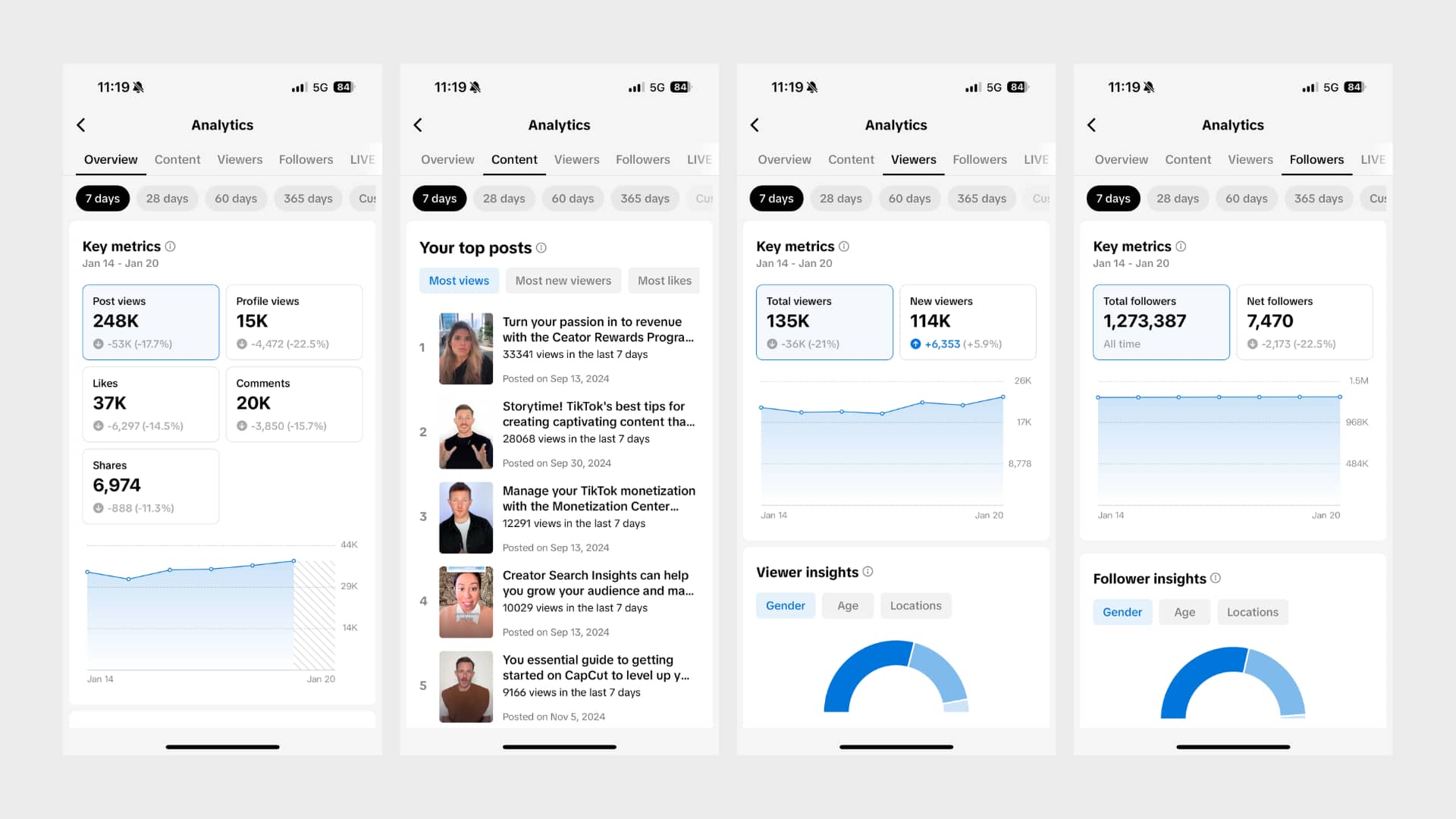
Publishing your ad isn't the finish line. It's really the start of the learning process. Once your campaign goes live, track metrics like click-through rate, watch time, engagement, conversions, and return on ad spend. Check TikTok Analysis to find out where the metrics fall short or where your edge is, and improve case by case. Then again, occasionally, the simplest ad becomes the top performer for reasons that aren't immediately obvious. That's part of what keeps TikTok advertising interesting.
Meet Vmake AI: Create ads for TikTok with AI-powered platform
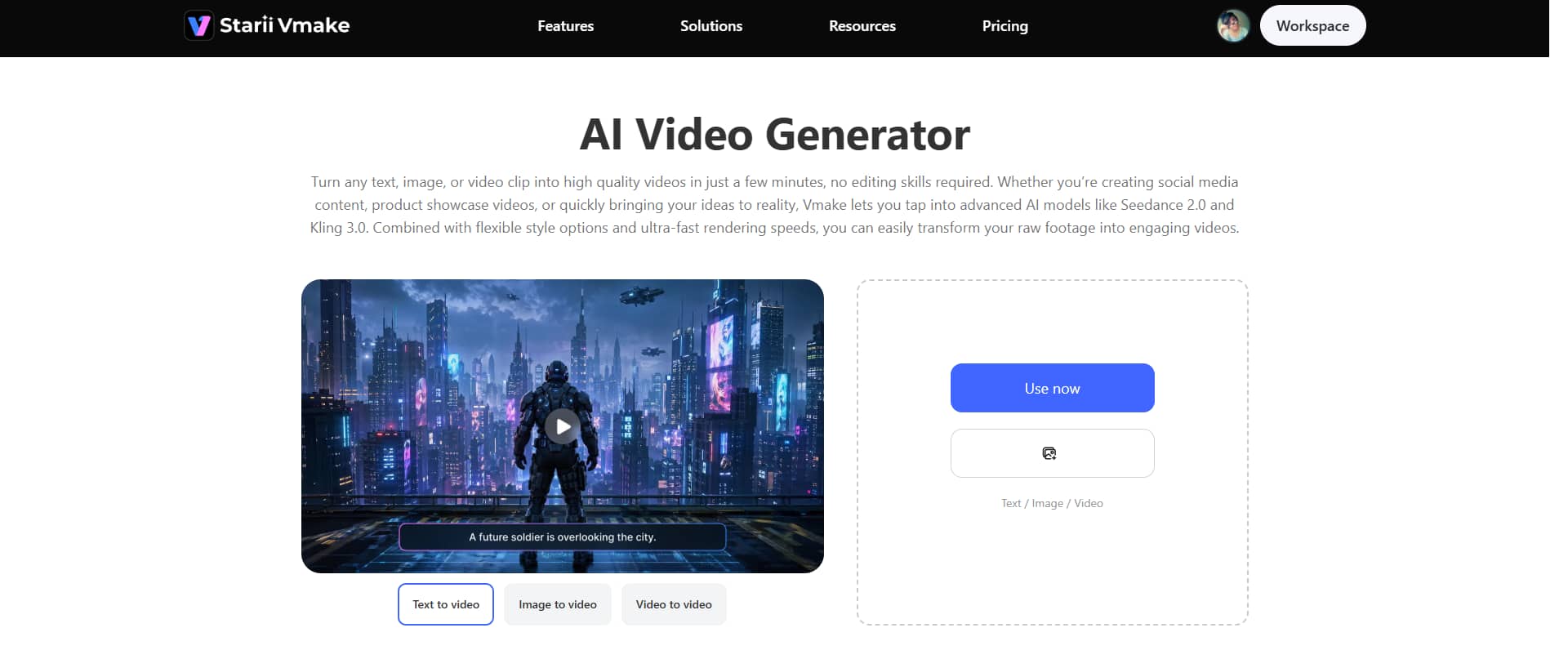
Vmake AI video generator turns your rough idea into short videos and ads using AI. You drop in a prompt, could be a product, a loose script, even just a vibe, and it spits out a video you can actually use on TikTok or similar platforms. It draws on various AI video models and generation methods to generate motion from text or images. The goal is to eliminate most manual editing so you can go from idea to finished video in a few steps.
Key features
-
Multi-modal video generator
You're not stuck with a single output style in Vmake. You can choose from different underlying models such as Seedance 2.0, Kling 3.0, Google Veo 3, Sora 2, Vidu Q2, Wan 2.2, and others. Some look more cinematic, others feel more animated or fast-paced.
-
High-resolution output
Vmake gives you high-resolution videos you can post straight to TikTok. Clean enough most of the time. And if the output feels off, you're not stuck with it. You can run Vmake's cleanup tools to fix it up. Noise reduction, blur smoothing, and upscaling are all in there.
-
Multiple video generation methods
Vmake gives you a few different ways to generate videos, and you pick the one that fits what you've got. Text-to-video if you're starting from scratch. Image-to-video when you've already got a visual idea. Video-to-video, when you're trying to reshape something that already exists.
Step-by-step guide
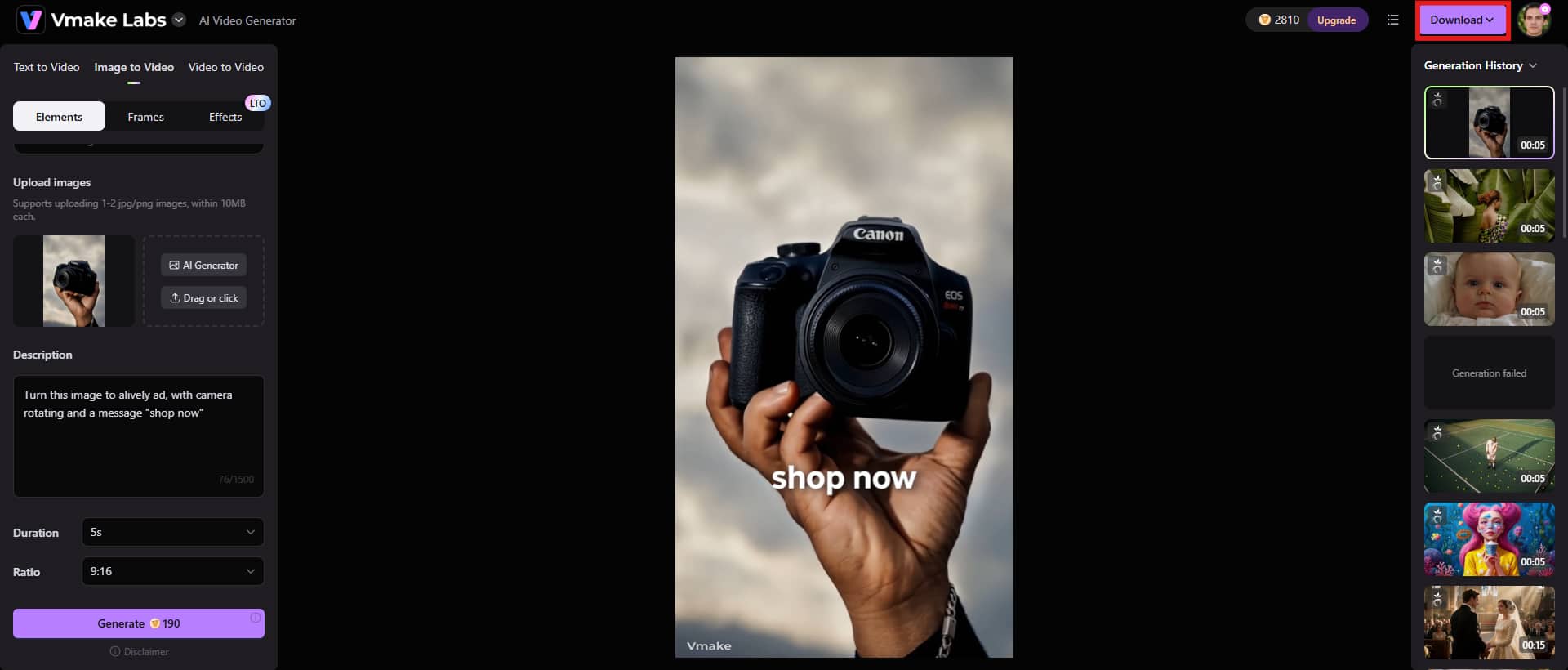
Step 1: Add your content idea
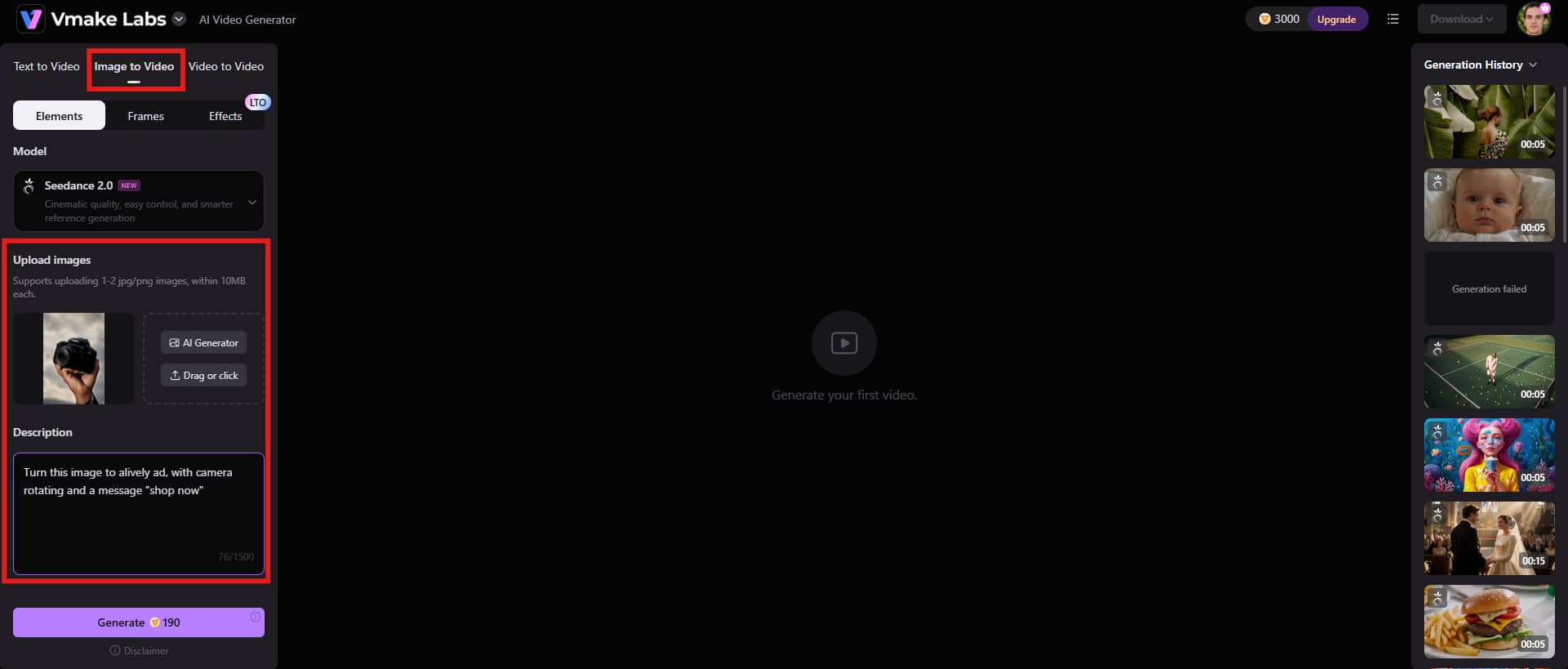
You could begin by entering the Vmake AI dashboard and selecting the video generation option. Upload the image and add a text prompt to describe your expectations. The clearer your prompt, the better result you'll get.
Step 2: Adjust settings and generate
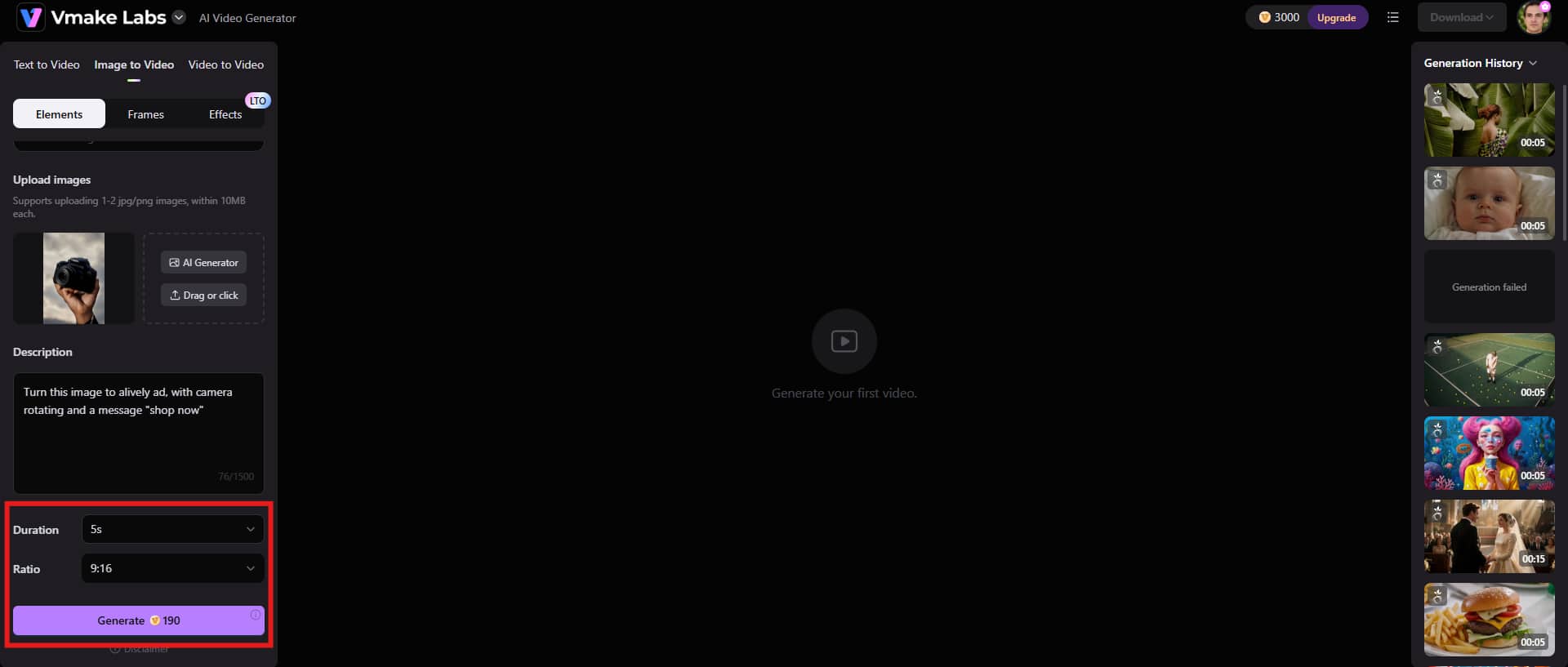
Vmake lets you choose the final duration of the video and the aspect ratio. Take a minute to adjust these settings as per your project requirements. Click the "Generate" button to begin the process.
Step 3: Download the final video
Watch the output carefully. If something feels off, adjust your prompt or settings and run it again. Once it looks good enough, click the "Download" button at the top-right corner and use it for TikTok or ads.
Best practices for high-converting AI TikTok ads
-
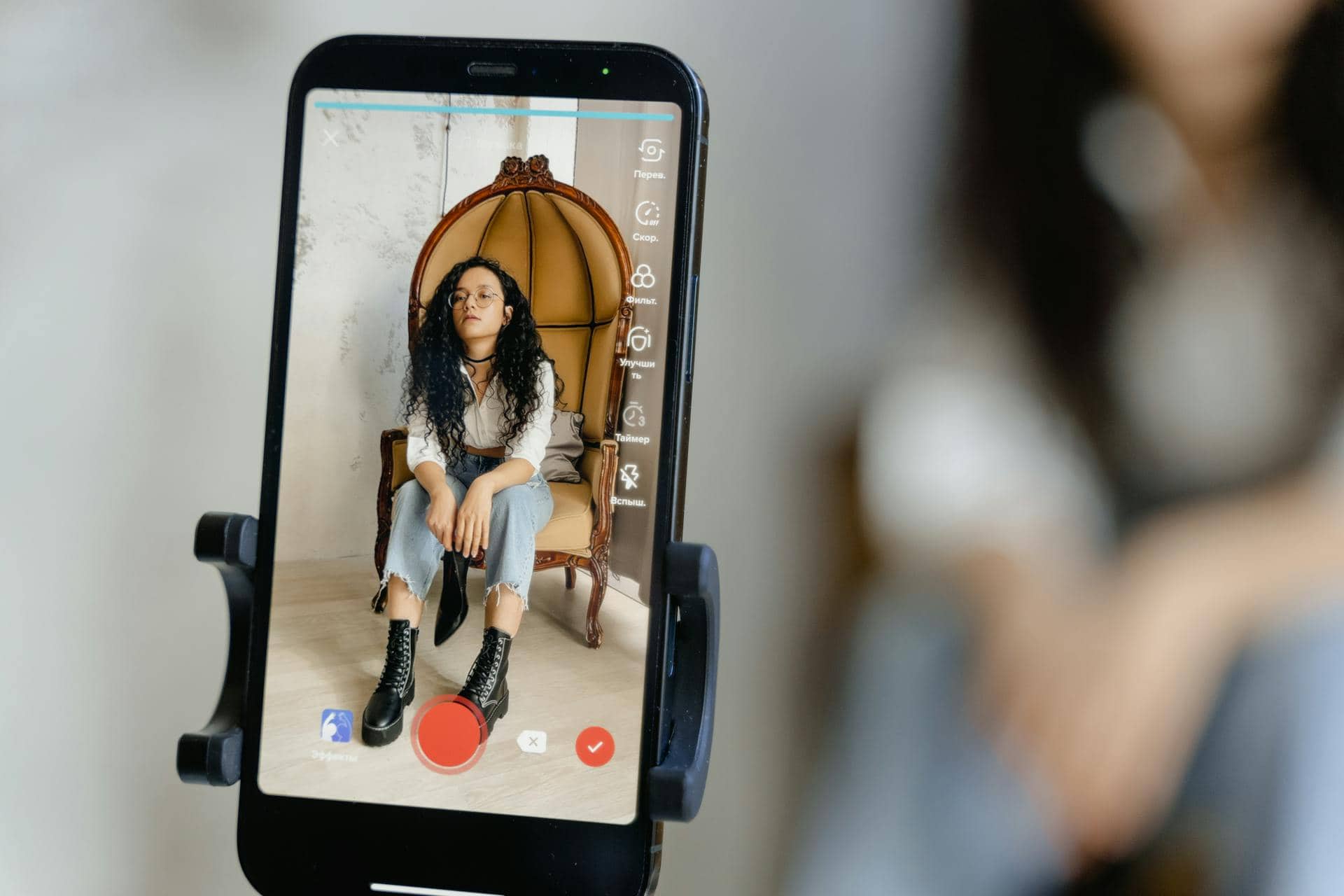
Hook Viewers Within the First 3 Seconds
Hooking people in the first 3 seconds isn't optional on TikTok; it's survival. You need to hit them immediately with something that creates curiosity, tension, or a clear payoff they can expect if they keep watching. If you ease in slowly, you've already lost them.
-
Keep Videos Short and Engaging
Keeping videos short and engaging is less about strict timing and more about cutting anything that doesn't earn its place. You're not making a film, you're trying to hold attention in a feed that never stops moving. Tight pacing matters more than fancy visuals most of the time. Still, some products need a bit more explanation, and squeezing everything into 10 seconds can make the message feel rushed or unclear
-
Use Strong Calls-to-Action
Strong calls to action are where many ads quietly fall apart. You can have great visuals and still get nothing if you don't tell people what to do next. "Shop now," "try it today," or even something more casual can work, depending on tone. The tricky part is not sounding forced, because people can smell that a mile away, and honestly, that's where a lot of AI-generated ads tend to feel a bit off.
-
Follow TikTok Trends and Native Styles
Following TikTok trends and native styles helps your ad slip into the feed without screaming "this is an ad." You're matching the rhythm people already scroll through, not forcing something new every time.
But here's where it gets tricky: trends move fast. What looked native last week can already feel tired now, especially on TikTok, where styles flip overnight. You're not trying to reinvent anything here. Just speak the same visual language people are already used to, the kind they barely notice while scrolling.
-
Leverage User-Generated Content (UGC) Formats
Using user-generated content (UGC) formats makes your ads feel less like ads and more like something a real person would post. That's half the fight already. You're leaning into messy, phone-shot clips, slightly uneven framing, maybe even a bit of background noise, and people tend to trust that more than anything polished.
But don't get carried away. UGC video isn't a magic fix. Some brands just don't sit right in that raw, handheld style, and when you force it, it backfires.
Benefits of creating TikTok ads with AI
-
Faster content production: AI speeds up the whole grind of making TikTok ads. You can go from idea to multiple finished versions in minutes instead of waiting days for edits, revisions, and back-and-forth feedback. That alone changes how often you can actually post or test.
-
Lower production costs: You don't need a big team to make AI videos for TikTok anymore. AI can handle a lot of the early creative work, which cuts down on hiring designers, editors, and motion specialists for every single variation.
-
Improved personalization: You can tailor ads for different audiences without rebuilding everything from scratch. Same product, different angle; one version for price-sensitive viewers, another for lifestyle-focused audiences. That flexibility is where AI actually shines.
-
Enhanced testing and optimization: AI lets you build a full set of ad variations without slowing down your workflow. You can take one idea and quickly spin it into multiple angles, hooks, and visual styles, then compare how each one performs.
-
Consistent brand messaging: With AI, you can keep your tone, visuals, and messaging in the same lane across all your ads. Not identical. Just familiar enough that people start to recognize you without thinking about it. Set the direction once, and you can reuse it across different campaigns and formats.
Conclusion
AI is changing how TikTok ads get made, and you can feel it most in the speed of everything. You're not sitting around waiting days for edits anymore. Ideas turn into usable ads fast. That speed keeps you moving. You test more angles, swap hooks, and push campaigns forward without everything grinding to a halt. Faster creation usually means better efficiency, especially when you're juggling multiple ad directions at once. Still, it doesn't fix weak direction. If your input is messy, you'll just get fast messy output.
This is where tools like Vmake AI start to matter. You drop in prompts, product ideas, or even half-formed scripts, and it turns them into short TikTok-style videos without you opening any heavy editing software. Start with Vmake now and create ads for TikTok video with AI effortlessly.
FAQs
Can AI create TikTok ads without video editing experience?
Yes, you can absolutely use AI tools to turn your ideas, prompts, or even basic product notes into TikTok ads without knowing anything about video editing. You drop in a concept, pick a style, and let the system build the visual side for you. Simple process on the surface. And you don't need editing experience at all to get started. That lowers the barrier a lot, especially if you've avoided video tools in the past.
Are AI-generated TikTok ads effective for conversions?
They can be highly effective because you can spin up multiple ad variations fast and actually see what people respond to. No guessing. Just output, test, repeat. But don't expect magic from volume alone. What matters is what you're actually testing, not just how many versions you're throwing out there. You tweak hooks, shift messaging, swap visuals, then watch how real users react.
What is the ideal length for an AI-generated TikTok ad?
Most AI-generated TikTok ads tend to land best when you keep them short. Think 6 to 20 seconds, roughly. Anything longer and you're basically gambling with attention spans that don't care about your message yet. That sweet spot works because you're not dragging things out. You hit them quick, say what you need, and move on before they scroll away.
How can AI tools help with TikTok advertising?
AI tools help you move faster with TikTok ads. Simple as that. You're not waiting around for edits or rebuilding everything from scratch every time you want a new angle. They crank out multiple creative versions quickly. You can test hooks, swap visuals, tweak messaging, all without dragging the whole production process behind you.
Can AI generate multiple TikTok ad variations for testing?
Yes. AI can produce several versions of the same ad concept with different hooks, visuals, and styles. This gives you a variety of creatives to test, helping you identify which direction performs best with your target audience.
What elements make an AI-generated TikTok ad successful?
A good AI-generated TikTok ad usually comes down to a strong opening hook, clear messaging, and visuals that actually feel at home on the platform. You've got a couple of seconds, maybe less, to stop the scroll. If you ease into it too gently, you've basically lost them already. Then there's the messaging. Keep it simple. Too many ideas packed in, and it turns messy fast, especially when you're trying to sell something and explain it at the same time.

You May Be Interested

Free AI Video Enhancer: Enhance Videos Online Instantly
