
Grok XAI Video Generation Length Limit in 2026: Complete Guide
Hitting the Grok XAI video generation length limit in 2026? Learn the exact duration restrictions, daily caps, and how Vmake AI enables more flexible AI video creation.

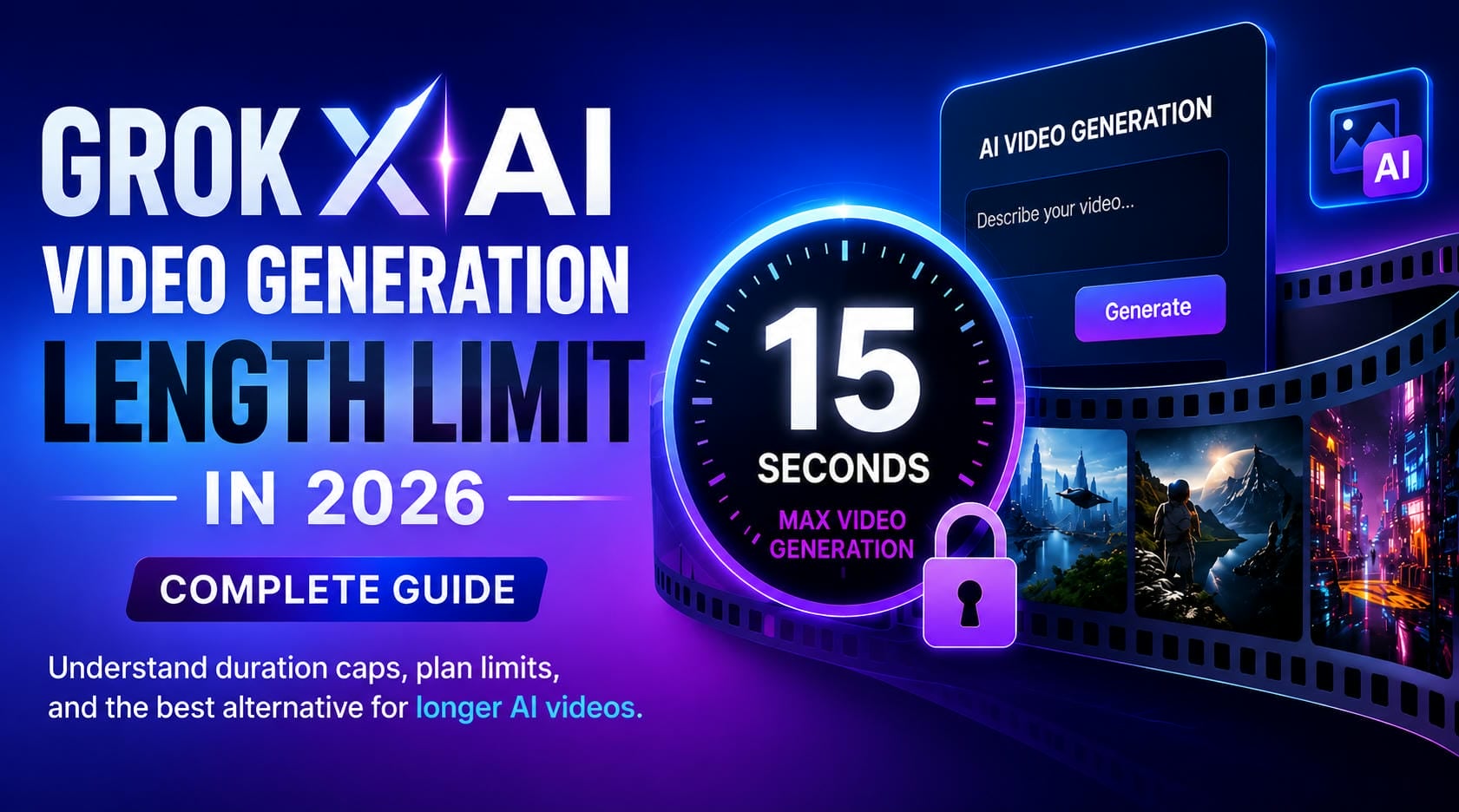
As multimodal AI transforms digital media, understanding tool boundaries is critical for a smooth production workflow. This guide breaks down the Grok XAI video generation length limit in 2026, its hidden plan restrictions, and introduces a flexible, professional alternative for creators who need to break past these duration caps.
What Is the Grok XAI Video Generation Length Limit in 2026?
The Grok Xai video generation length limit in 2026 is currently capped at 15 seconds per generated video. This maximum duration applies to both text-to-video and image-to-video generation workflows. While a 15-second clip may be sufficient for short social media content and visual concepts, it can become restrictive for creators who need longer videos for marketing, education, storytelling, or product demonstrations.
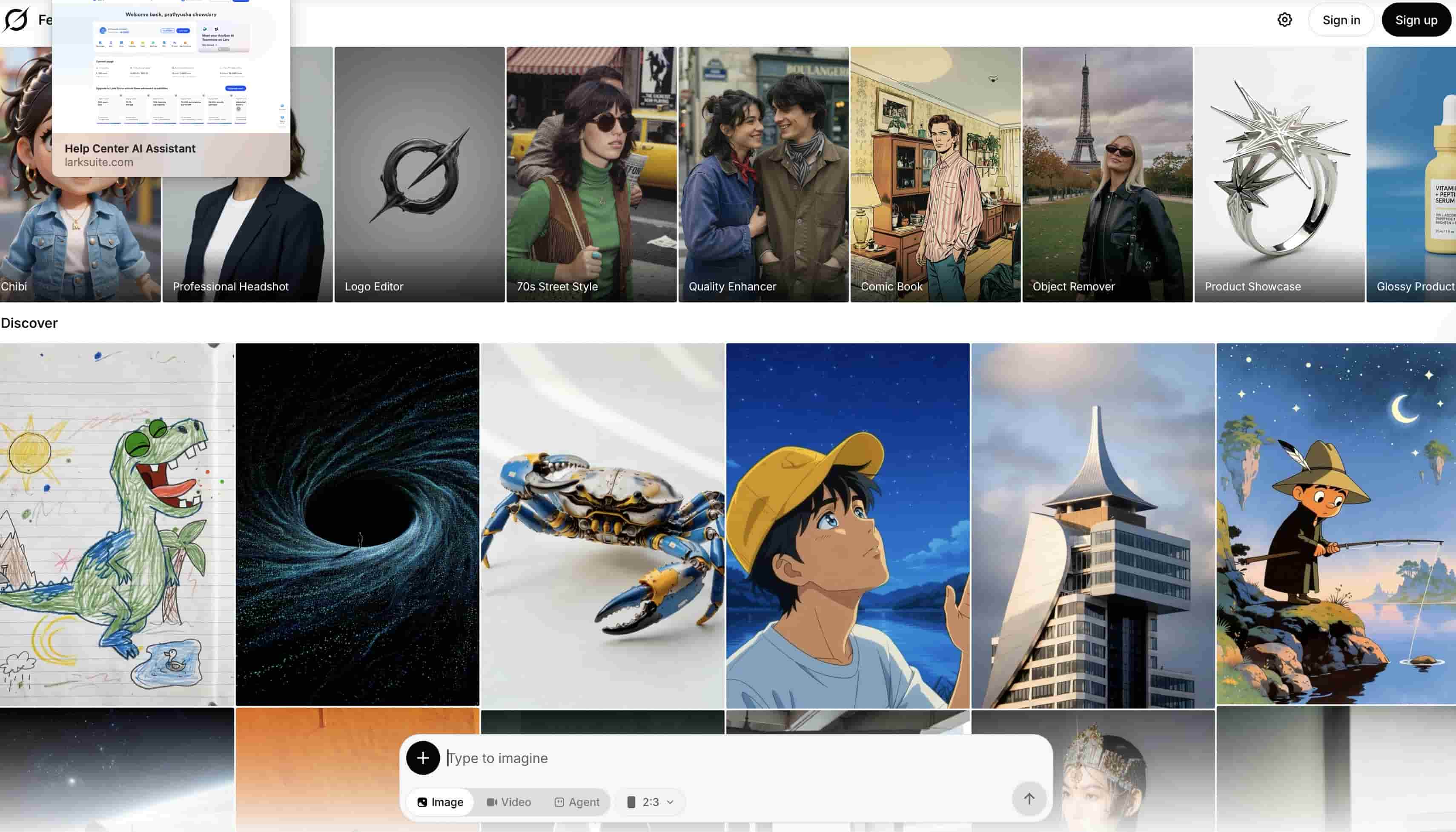
Grok XAI Video Generation Length Limit in Seconds
For users searching for the Grok XAI video generation length limit in seconds, Grok currently supports video generation up to 15 seconds. This makes it suitable for TikTok videos, Instagram Reels, promotional teasers, and other short-form content. While the limit works well for social media clips, creators producing longer educational videos, advertisements, or branded campaigns may need to combine multiple clips using additional editing tools.
Quick Reference Box: Grok's Three Video Length Caps
|
Limit Type |
Cap |
|---|---|
|
Generation (text/image to video) |
15 seconds |
|
Editing input (video-to-video) |
8.7 seconds |
|
Extension range per pass |
2–10 seconds |
The Three Grok XAI Video Length Limits Explained
Many creators assume the Grok AI Video Generation Length Limit 2026 only refers to the maximum generated video duration, but the platform actually operates with three separate restrictions across your workflow. Beyond the initial text-to-video limit, you must also navigate a strict video editing input cap and a rigid sequence extension boundary.
Maximum Generation Length: 15 Seconds
From Text-to-Video, where you can create a scene from scratch, to Image-to-Video, where you can animate a still image, Grok is fundamentally built for short, powerful visual moments. The absolute technical ceiling of the model is 15 seconds via API channels, although most standard web app premium accounts auto-create clips at the 6 to 10-second threshold to keep render speeds reasonable.
Video Editing Input Cap: 8.7 Seconds
Grok’s video-to-video editing feature lets you submit a current clip and apply several visual styles or prompt-based edits, the source file has a tight 8.7-second upload limit. If your submitted video is even a fraction of a second over this limit, the API or web frontend will either reject the file or truncate it altogether.
Extension Range: 2 to 10 Seconds Per Pass
To combat the native generation ceiling, Grok includes an "Extend Video" tool that lets you select a freshly built clip and add seamless continuation footage in blocks of 2 to 10 seconds per pass. These extensions build chronologically from the end frame of the previous clip, but the native chaining maxes out at a hard limit of 30 seconds total.
Grok XAI Video Generation Limits by Plan Tier in 2026
The Grok AI video generation length limit is not the only restriction users encounter. Subscription plans also influence access to video generation features, daily quotas, and output quality.
|
Plan |
Price |
Video Generation Limit |
Max Resolution |
Daily Video Cap |
Video Access |
|---|---|---|---|---|---|
|
Grok Free |
$0 |
Disabled |
N/A |
0 |
No |
|
SuperGrok Lite |
$10/mo |
Up to 6 seconds |
480p |
Very limited |
Yes |
|
SuperGrok |
$30/mo |
Up to 15 seconds |
480p–720p |
~20 videos/24hrs |
Yes |
|
SuperGrok Heavy |
$50/mo |
Up to 15 seconds |
720p |
~80 videos/12hrs |
Yes |
|
Developer API |
Pay-as-you-go |
Up to 15 seconds |
Up to 720p |
Usage-based |
Yes |
While these figures provide a general overview, actual availability may vary depending on system demand and platform updates.
Hidden Restrictions Users Often Miss
Beyond published limits, Grok has several restrictions that users may overlook. Failed generations can sometimes consume available quotas, reducing the number of videos you can create. Resolution availability, processing speed, and wait times may also vary during periods of high demand. In addition, shared computing resources can lead to throttling or slower performance for frequent users.
While Grok offers impressive AI video capabilities, its duration caps, editing restrictions, and plan-based limitations may not suit every creator. Users creating marketing videos, product demos, or longer-form content may benefit from more flexible AI video generation platforms such as Vmake AI.
Vmake AI: A Flexible Alternative for Longer AI Videos
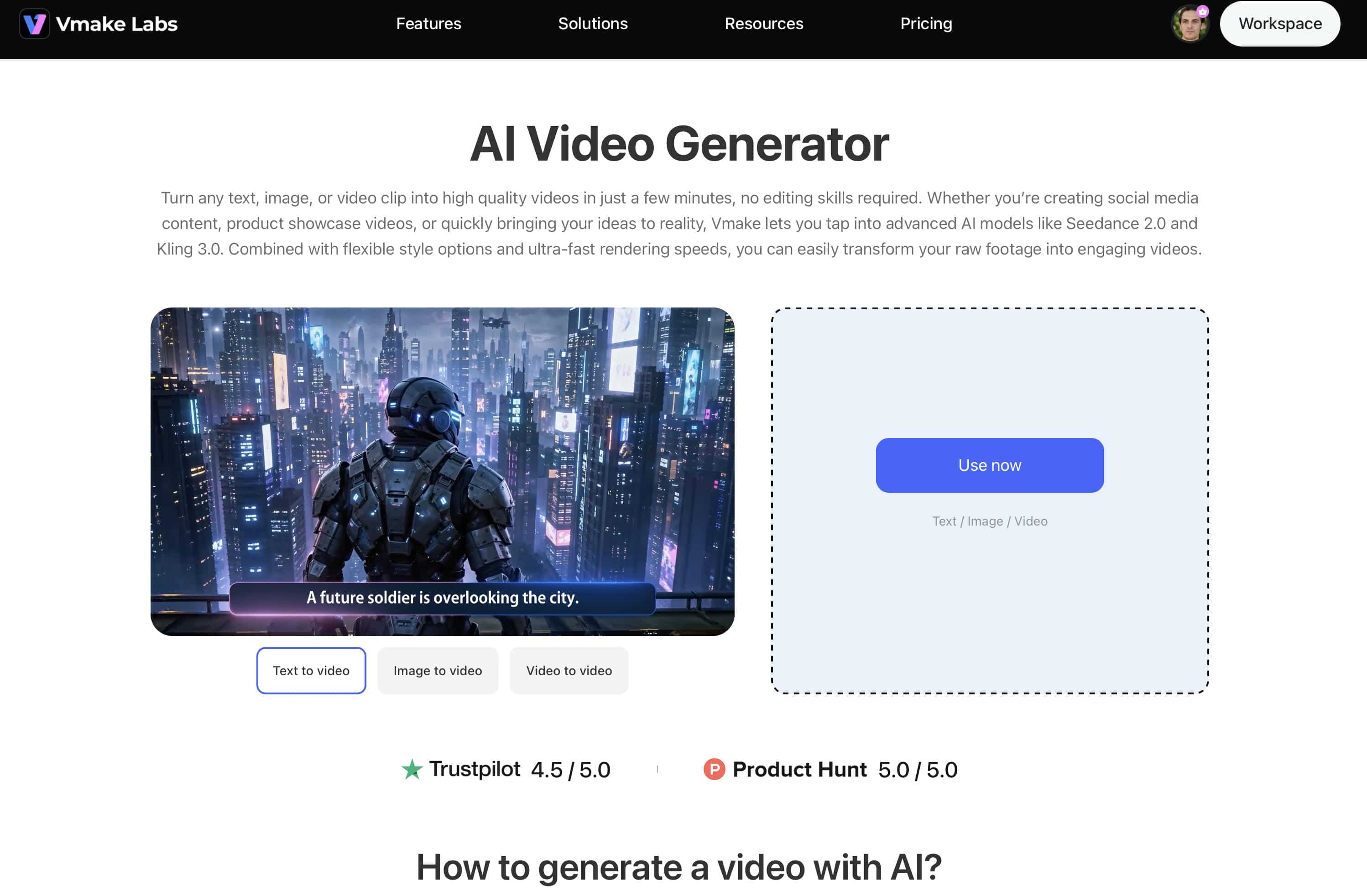
Unlike platforms primarily designed around conversational AI, Vmake AI focuses directly on video creation. The platform provides dedicated AI video generation tools that help creators transform ideas into professional-looking videos with fewer restrictions and a more streamlined workflow. Whether you're creating social media content, ecommerce promotions, product showcases, advertising campaigns, or creative projects, Vmake AI offers multiple generation methods and access to leading AI video models from a single platform.
Key Features
-
Multiple AI video creation workflows: Generate videos from text prompts, images, or existing footage using text-to-video, image-to-video, and video-to-video generation modes. Users can also work with reference images and built-in effects to generate different visual styles through prompt design and model selection.
-
Access to leading AI video models: Vmake AI brings together popular AI video models such as Seedance 2.0, Sora 2, Kling 3.0, Veo 3.1, Hailuo 2.3, Vidu Q2, and Wan 2.2, allowing creators to choose the model that best fits their project requirements.
-
Flexible video generation options: Vmake currently supports video generation of up to 15 seconds while offering flexible settings for resolution and output quality. These options help creators tailor videos for social media content, marketing campaigns, and professional projects.
-
Simple and beginner-friendly experience: The streamlined interface makes video creation accessible to both beginners and experienced creators. Users can generate videos in just a few steps without needing advanced editing knowledge.
-
Suitable for various content types: Create product videos, social media content, promotional campaigns, cinematic scenes, animated concepts, and other creative projects from a single platform.
How to Generate AI Videos with Vmake AI
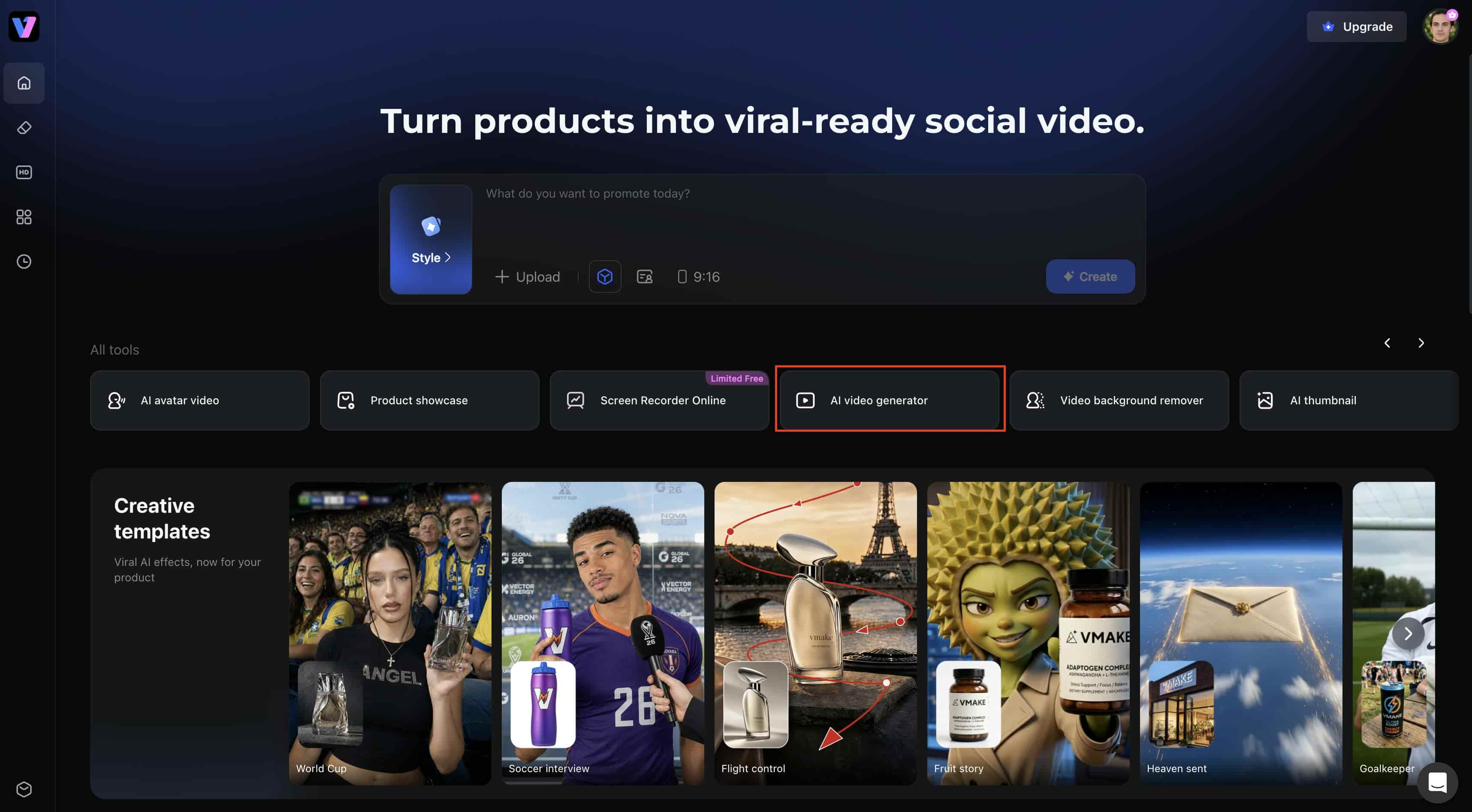
Step 1: Open Vmake AI Video Generator
Go to the Vmake AI homepage and select the AI Video Generator tool from the available tools. This will open the video creation workspace, where you can choose between text-to-video, image-to-video, and video-to-video generation modes depending on your project needs.
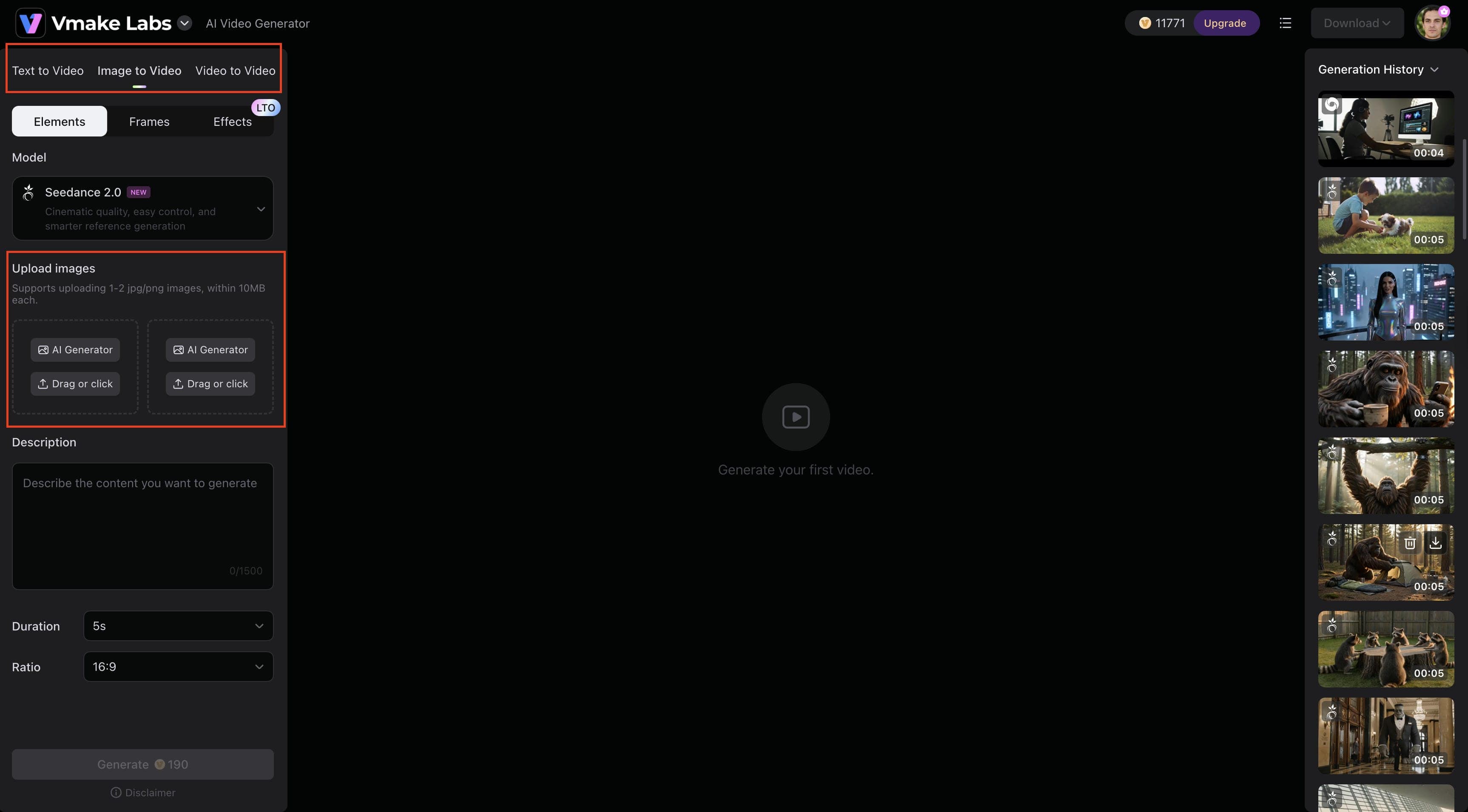
Step 2: Enter a Prompt or Upload an Image
Select the Image to Video tab and upload one or two reference images. Then enter a detailed prompt describing the motion, actions, camera movement, or visual style you want to generate. The more specific your instructions, the better the final video is likely to match your vision.
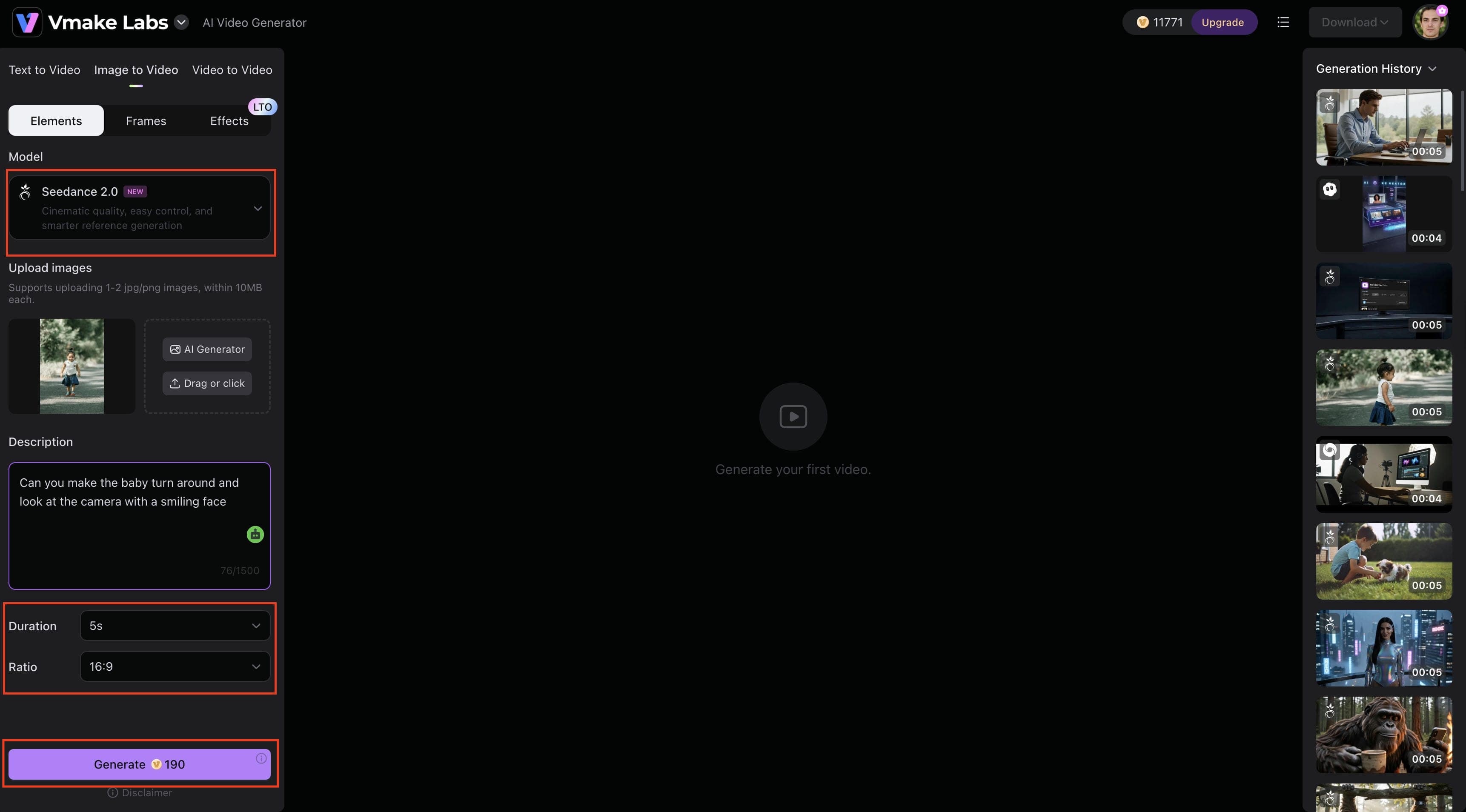
Step 3: Adjust the Settings and Generate
Select your preferred AI model, such as Seedance 2.0, then customize settings like video duration and aspect ratio. Once your settings are configured, click Generate to start creating the video.
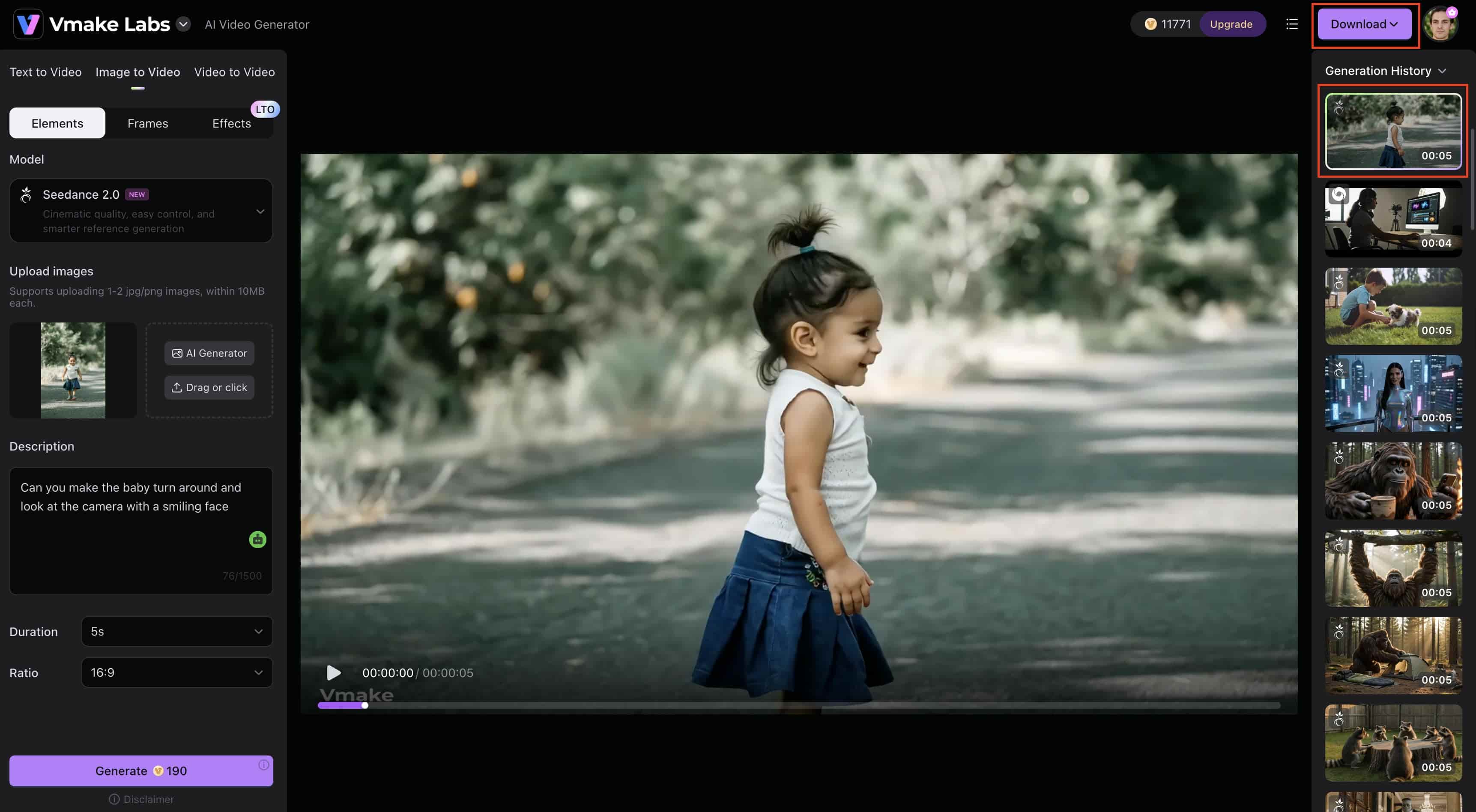
Step 4: Export Your Video
After the generation is complete, preview the video from the Generation History panel to ensure it meets your expectations. If you're satisfied with the result, click Download to export the final video for social media, marketing campaigns, presentations, or other creative projects.
Grok XAI vs Vmake AI: Video Length and Usage Limits Compared
Grok XAI and Vmake AI both offer AI video creation but differ greatly in video length, generating flexibility, usage constraints, and entire methodology. Below is a summary of the differences to assist you in deciding on the platform that best suits the content development demands.
|
Feature |
Grok XAI |
Vmake AI |
|---|---|---|
|
Video extension |
2–10 seconds |
5~15 seconds |
|
Free access |
Limited |
Available |
|
Resolution support |
Up to 720p |
Up to 4K |
|
Daily quotas |
Yes |
Creator-friendly usage |
|
Best for |
Short-form clips |
Marketing and long-form content |
Which Platform Is Better for Different Creators?
If you are a social media enthusiast or casual creator building rapid meme formats, quick cinematic atmosphere passes, or highly conversational short reels where 6 to 10 seconds of context is plenty, Grok XAI fits comfortably within your existing subscription.
For marketers, e-commerce stores, and agencies whose business bottom line depends on producing multi-scene product demonstrations, professional-grade clothing mockups, multi-minute explainers, or high-fidelity ad creativity without hitting sudden rolling lockout countdown timers, Vmake AI provides the specialised infrastructure you actually need.
Conclusion
The Grok Xai video generation length limit 2026 currently includes a 15-second generation cap, an 8.7-second editing input limit, and video extensions of 2–10 seconds per pass. While these restrictions are suitable for short-form content and quick visual concepts, they may be limiting for creators producing longer marketing videos, tutorials, or product demonstrations. For users who need more flexibility, higher-quality outputs, and multiple AI video generation workflows, Vmake AI offers a practical alternative for creating professional video content more efficiently.
FAQs
-
How many seconds can Grok AI generate?
Grok typically generates clips between 6 to 10 seconds long on standard web tiers, with a maximum of 15 seconds available via its developer API. If your workflow requires longer, continuous cinematic sequences without manual splitting, dedicated platforms like Vmake AI offer a much more flexible alternative.
-
Can Grok extend a video beyond 15 seconds?
Yes, using the native "Extend Video" tool adds 2 to 10 seconds per pass, but you will hit a hard ceiling of 30 seconds total. To generate sequences beyond this wall without complex, manual frame-stitching workarounds, creators frequently use Vmake AI to build longer videos seamlessly.
-
Do failed Grok video generations count against usage limits?
Yes. If a clip fails to render due to high server traffic, a backend glitch, or an automated safety prompt trigger, it still deducts from your standard rolling daily quota.
-
Why does Grok restrict video length?
AI video rendering is intensely demanding on GPU processing infrastructure. With millions of concurrent users on the platform, xAI enforces strict duration caps to maintain fast generation speeds and prevent massive system-wide latency.
-
What is the best alternative for creating longer AI videos?
For professional creators, marketers, and e-commerce brands, Vmake AI serves as the ideal alternative. It completely removes Grok's rigid 8.7-second editing input limits and provides high-resolution, production-ready features tailored for extended content.

You May Be Interested
2026 Wink Video Enhancer Review: Pros, Cons, and Alternatives
Synthesia AI Video Generator: Turn Text Into AI Videos Easily

Grok AI Video Generator Review: Features, Pricing, and Pros & Cons

Candy AI Video Generation Review 2026: Features & Alternatives
