Apowersoft Review 2026: Is It the Best Online Watermark Remover?
 Vmake Labs TeamMay 14, 2026
Watermark removal from pictures and videos has emerged as an increasingly frequent requirement for artists, marketers, and even ordinary people. With many programs now available on the market, Apowersoft Watermark Remover has made a name for itself with its easy-to-use interface and convenience. But is it any good at delivering high-quality, professional results? This comprehensive Apowersoft review will analyse the program's features, pricing, benefits, drawbacks, user reviews, and how it compares to a recently launched AI-based.
What is Apowersoft?
Apowersoft is a multimedia software developer company that develops several applications related to editing videos and other multimedia content, screen recording, and file management. The following Apowersoft review will be dedicated to its tool for removing watermarks, logos, and other items from videos and pictures. Both an online version and a computer application can be downloaded from the developer’s website. This program is suitable for both novice users and experts.
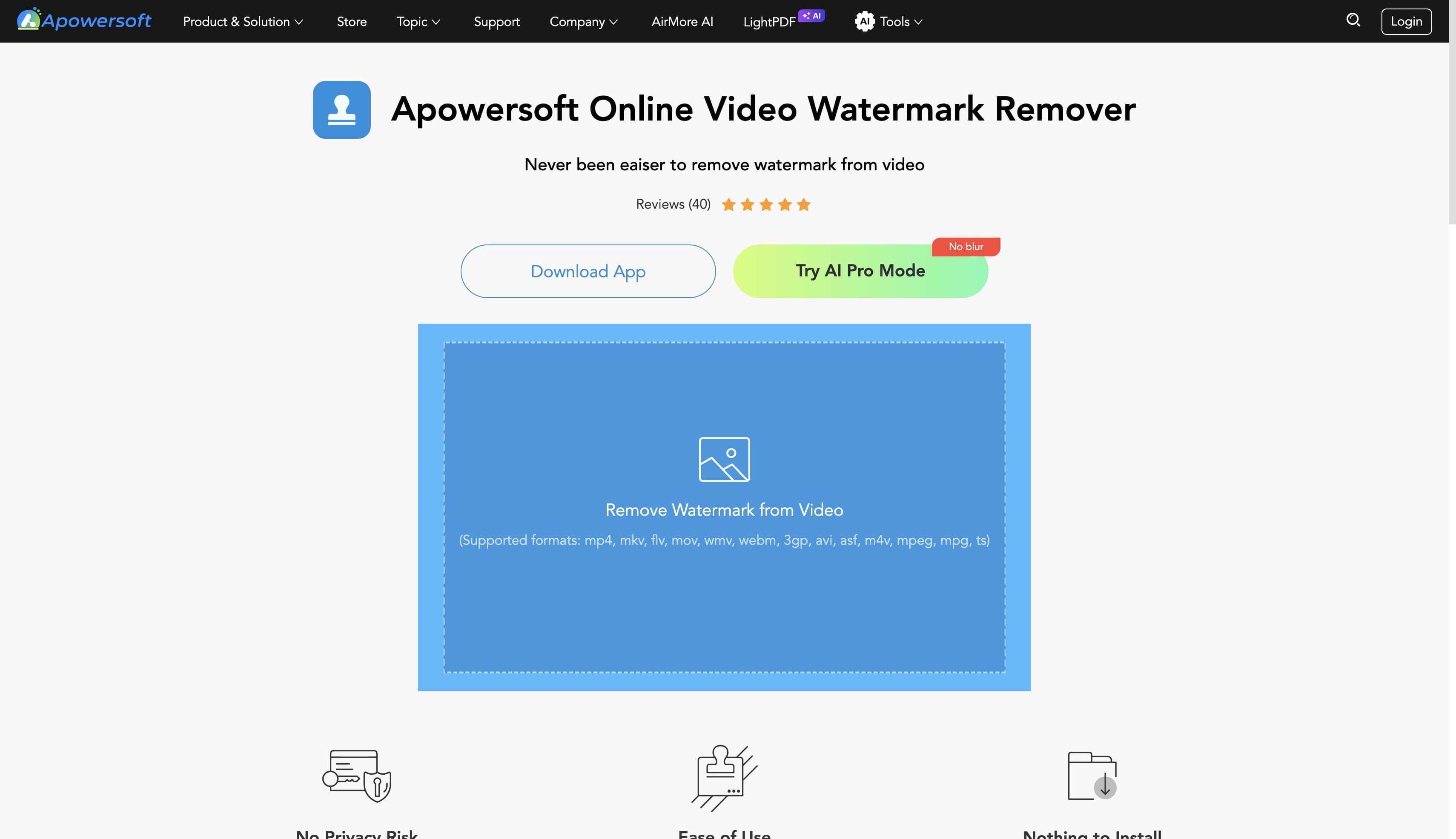
Key features of Apowersoft watermark remover
This Apowersoftreview highlights its key watermark remover features.
-
Remove watermarks from images & videos: Using this watermark remover software, users can remove logos, watermarks, text, stamps, dates, or other such items without disturbing the quality of the overall image or video.
-
Batch processing: Using the batch editing process, the software allows editing several files at once, reducing the effort required for bulk picture or video watermark removal.
-
Multiple selection tools: Tools provided by Apowersoft's online watermark remover are quite flexible, such as rectangle, polygon, and brush. These will help you precisely remove watermarks from selected areas.
-
One-click removal (beginner-friendly):This online remover is designed to be easy to operate. It is a one-click remover. This means beginners can remove watermarks easily and quickly.
-
Online & desktop versions: Both the online and Desktop versions are available to meet user needs. You may edit your files online using this browser-based program or via the desktop version.
How to use Apowersoft online watermark remover
There are only three steps to using the Apowersoft online watermark remover. These steps can easily be followed by anyone, including a beginner. Screenshots of each step should be added to ease readers' navigation.
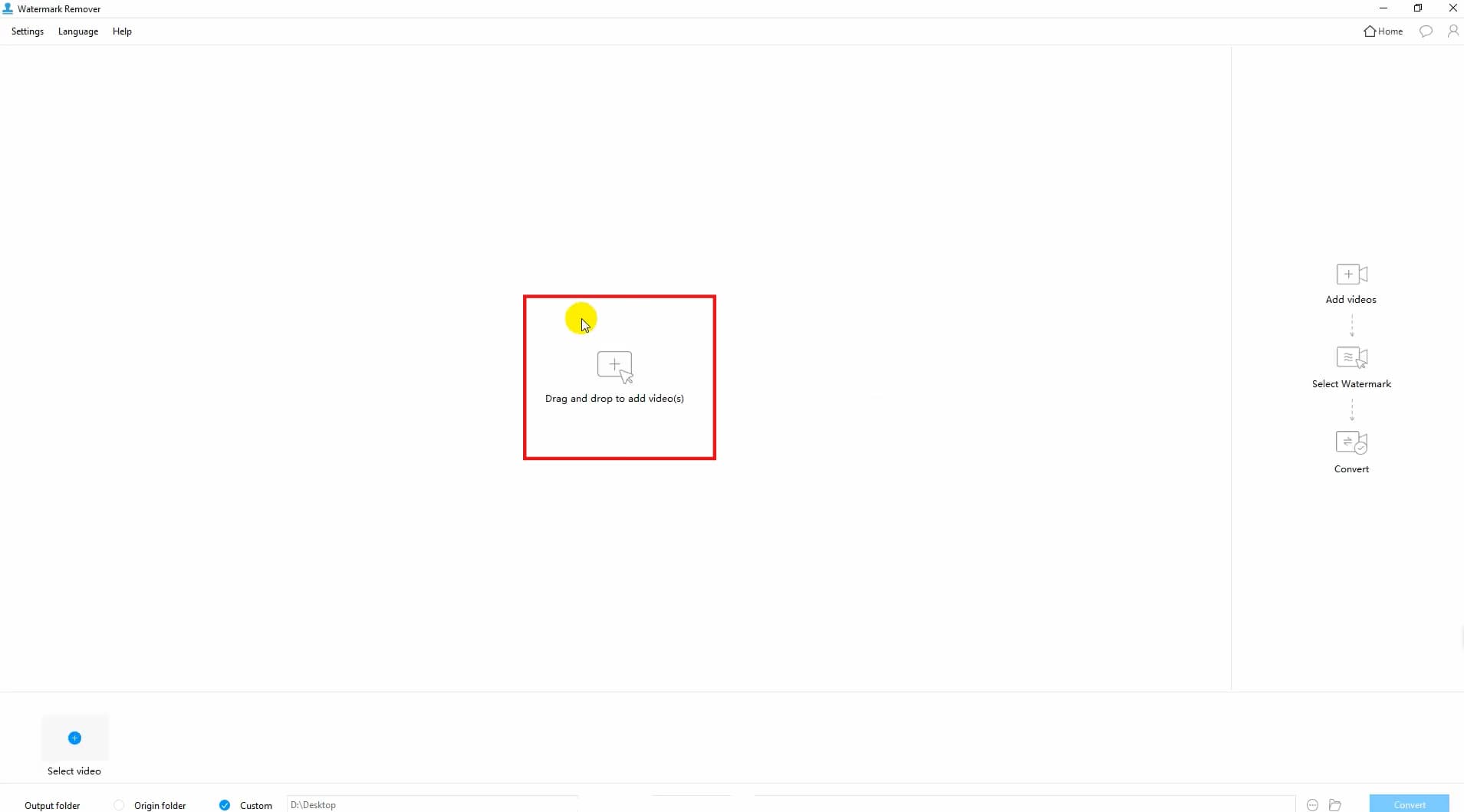
Step 1: Upload your file
Navigate to Apowersoft online video watermark remover, where you will need to select either "Upload Image" or "Upload Video". The software supports regular file formats; therefore, you won’t have to set anything up.
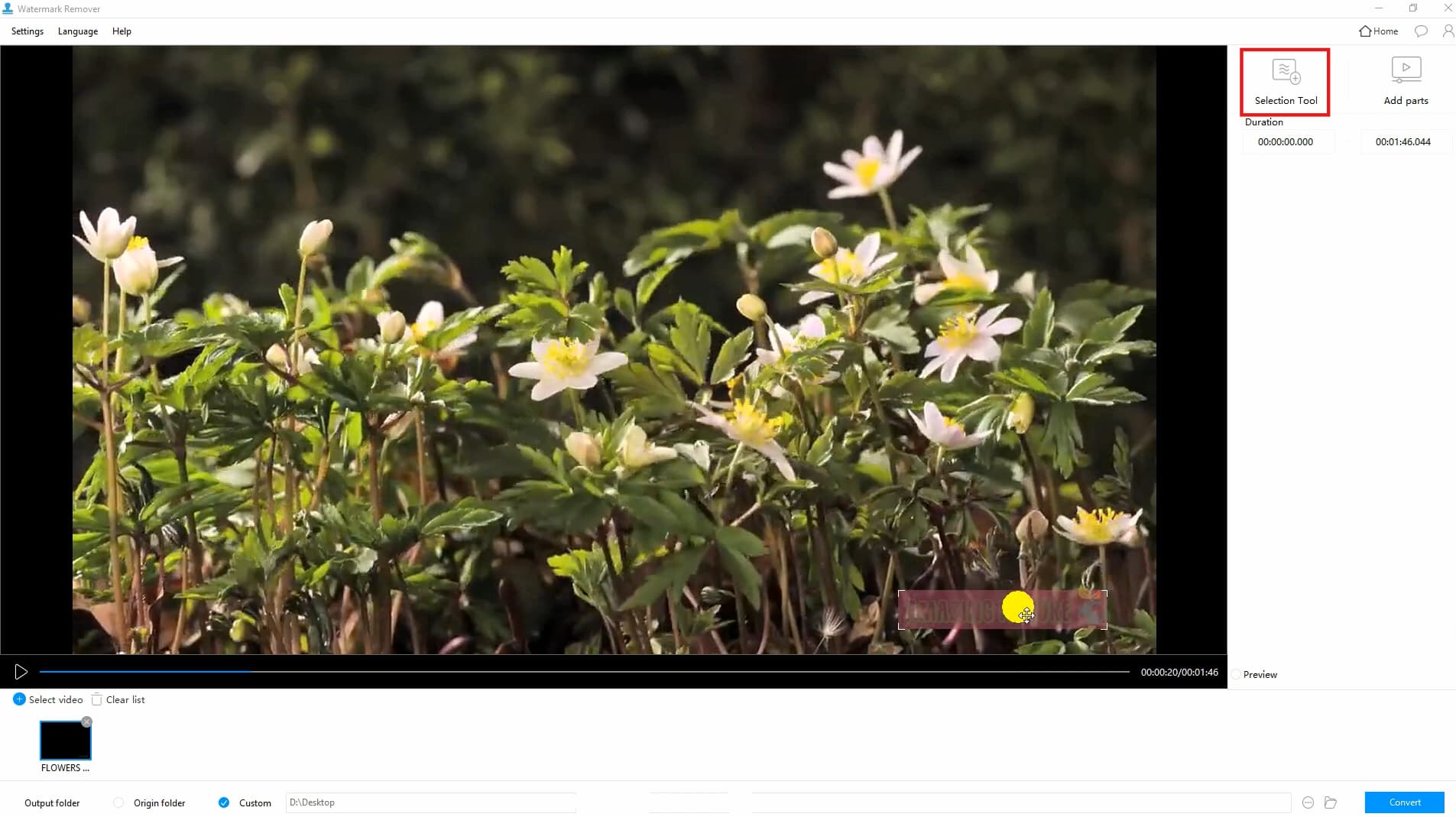
Step 2: Select and remove the watermark
Select tools like brush, rectangle, or polygon, which could be useful for the selection of the watermarked part. Once selected, just click Remove/Erase, and the tool will take care of the selected part itself.
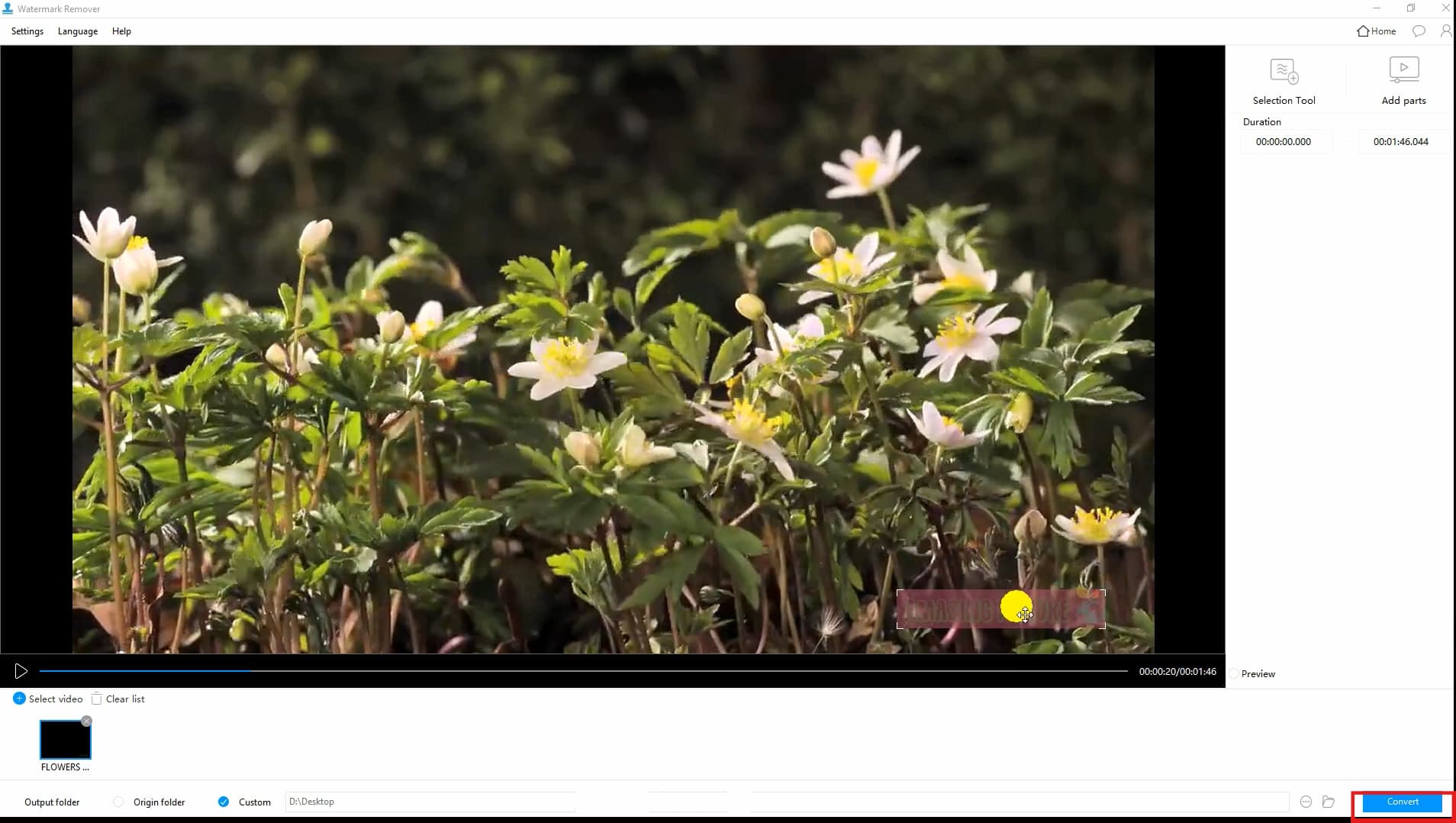
Step 3: Preview and download output
Preview the resulting output after editing to see whether the watermark is removed successfully. If yes, you can download the file for your future use.
Apowersoft pricing comparison: Free vs premium vs pro plans
This Apowersoft review explains pricing tiers clearly, comparing features, limits, and performance to help you pick the best plan for your needs.
Apowersoft Pricing Comparison: Plans, features, and limits overview.
|
Feature |
Free |
Premium |
Pro |
|---|---|---|---|
|
Access |
Basic tools |
Full features |
All + advanced tools |
|
File Size |
Limited |
Higher limit |
Large files |
|
Speed |
Slow |
Faster |
Fastest |
|
Quality |
Basic |
Better |
Best |
|
Batch |
Limited |
Yes |
Full |
|
Platform |
Online |
Online + Desktop |
Full access |
Pros
-
Easy to use thanks to a user-friendly interface.
-
Multiple file formats are supported without needing to convert files.
-
Can be accessed either online or on the computer desktop.
Cons
-
It may not provide good results when dealing with complicated backgrounds.
-
The free version offers very few options and is relatively slow.
Real user feedback & reviews
Discover user reviews for Apowersoft to see its pros and cons, from positive feedback to typical complaints shared by real users online.
-
Summary of common feedback from SERPs (Quora, review sites): Apowersoft receives many positive remarks about its usability and ease of use, while some reviews emphasize varying outcomes based on watermark intricacy.
-
Positive experiences: Many users find it convenient to work with it thanks to its user-friendly design and decent efficiency in basic watermark removal.
-
Common complaints: Some users complain that Apowersoft produces blurry images and poor quality in complicated edits or large watermark removal.
Is Apowersoft worth it?
Read about Apowersoft and decide whether it suits your requirements and editing experience level for watermark removal.
-
Best use cases: Apowersoft will be a great choice for fast editing of simple watermarks or photos and videos.
-
Who should use it: This software is recommended for novices, occasional editors, and anyone searching for a user-friendly watermark remover.
-
Who should avoid it: Professional photographers, experienced artists, and people requiring AI-based watermark removal can find better tools than this one.
Best alternative to Apowersoft: Use Vmake AI for automatic removal
Vmake AI watermark remover is an effective alternative presented in this Apowersoft review, designed for speedy and precise watermark deletion. This software relies on artificial intelligence and can automatically scan and erase logos, text, and overlays from pictures and videos. In contrast to classic solutions, Vmake AI emphasizes automated, precise operations. The software is completely web-based, making it perfect for individuals who need quick and qualitative editing without any additional actions or installations.

How to remove watermarks with Vmake AI
Vmake AI keeps watermark removal simple with a three-step AI workflow. Add screenshots for each step so users can easily follow the interface.
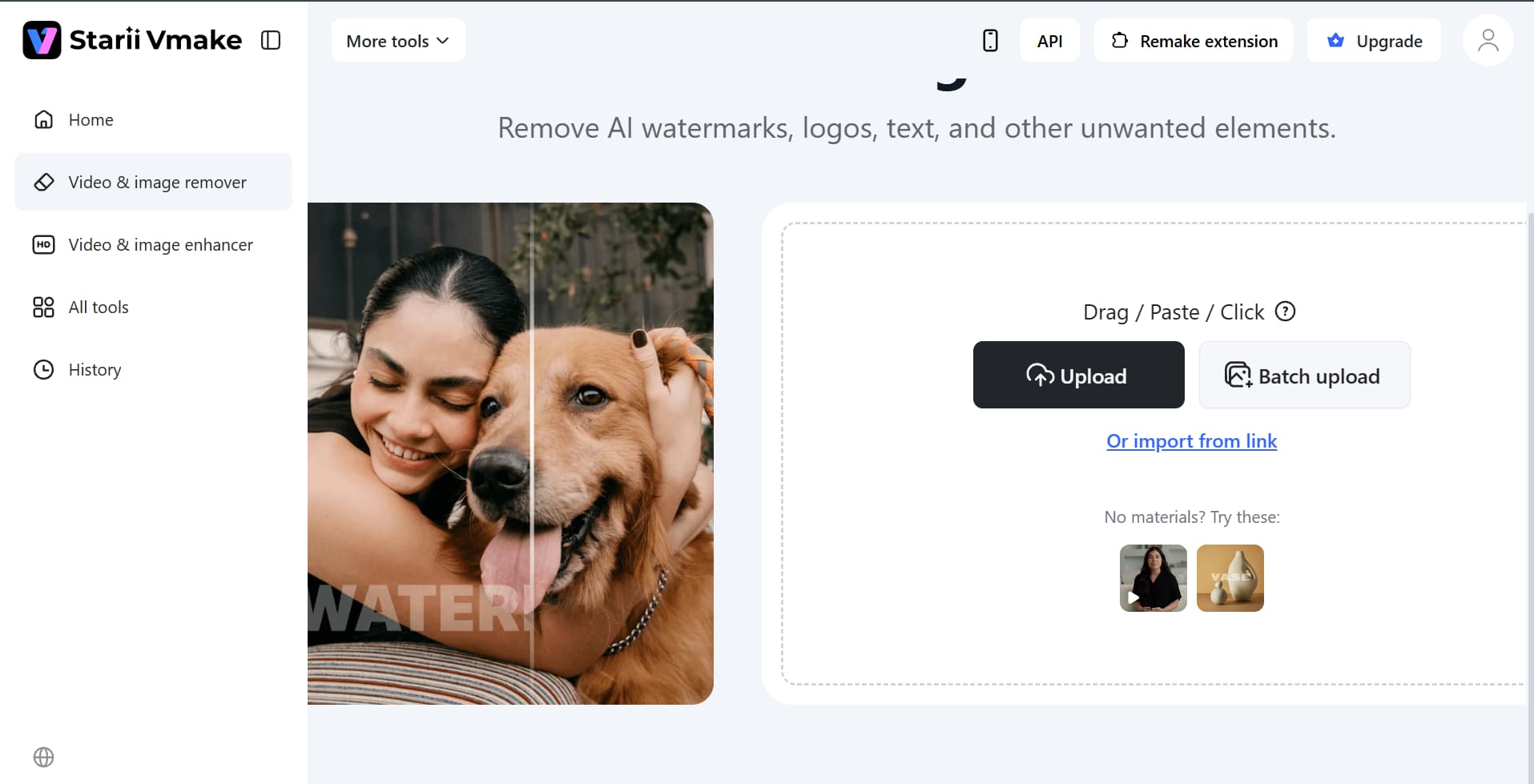
Step 1: Upload your file
Open Vmake AI and click Upload video to add your file. The platform supports common formats and starts processing quickly, making it easy for beginners to begin editing without setup.
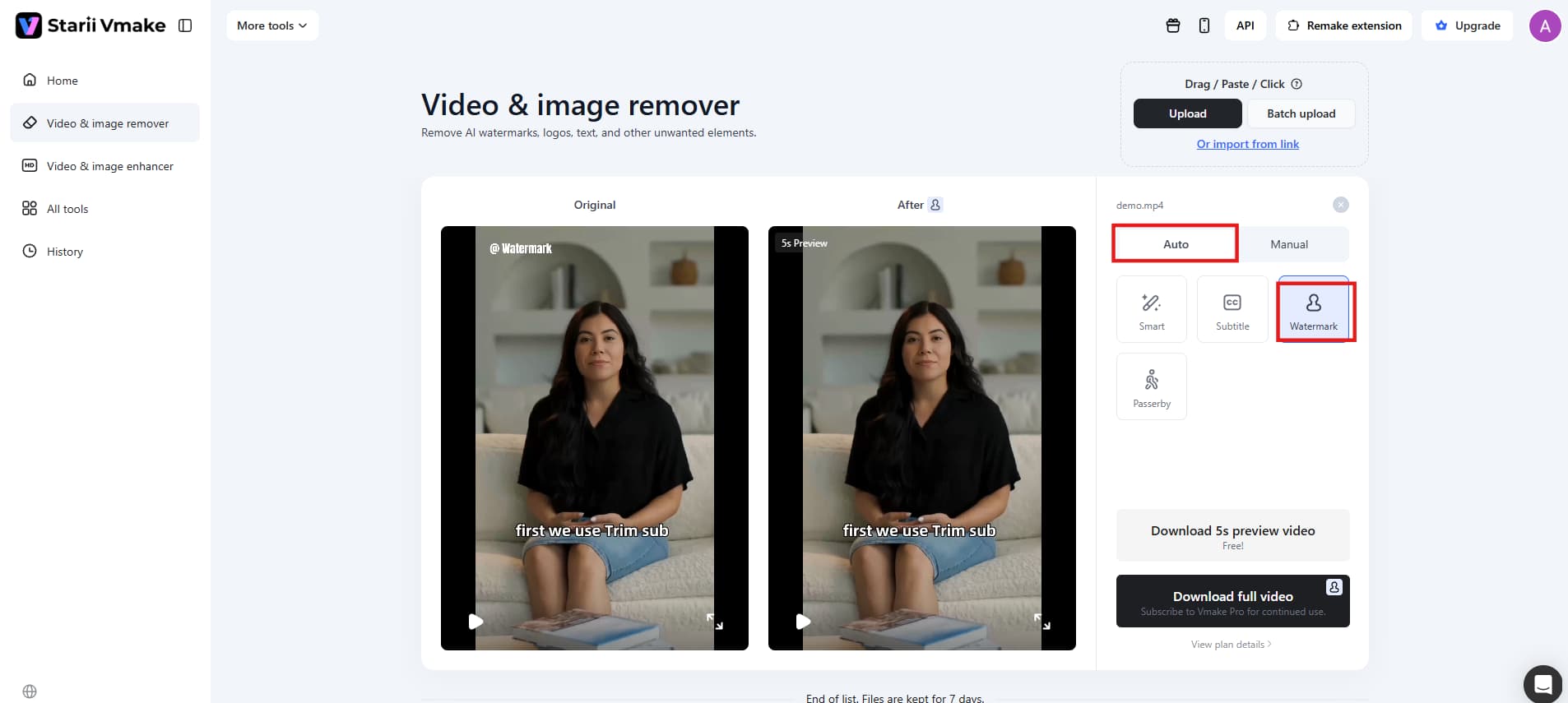
Step 2: Detect and customise removal
Once uploaded, the AI automatically detects watermark areas. Adjust the selected area if needed, then apply removal settings before processing for cleaner and more accurate results.
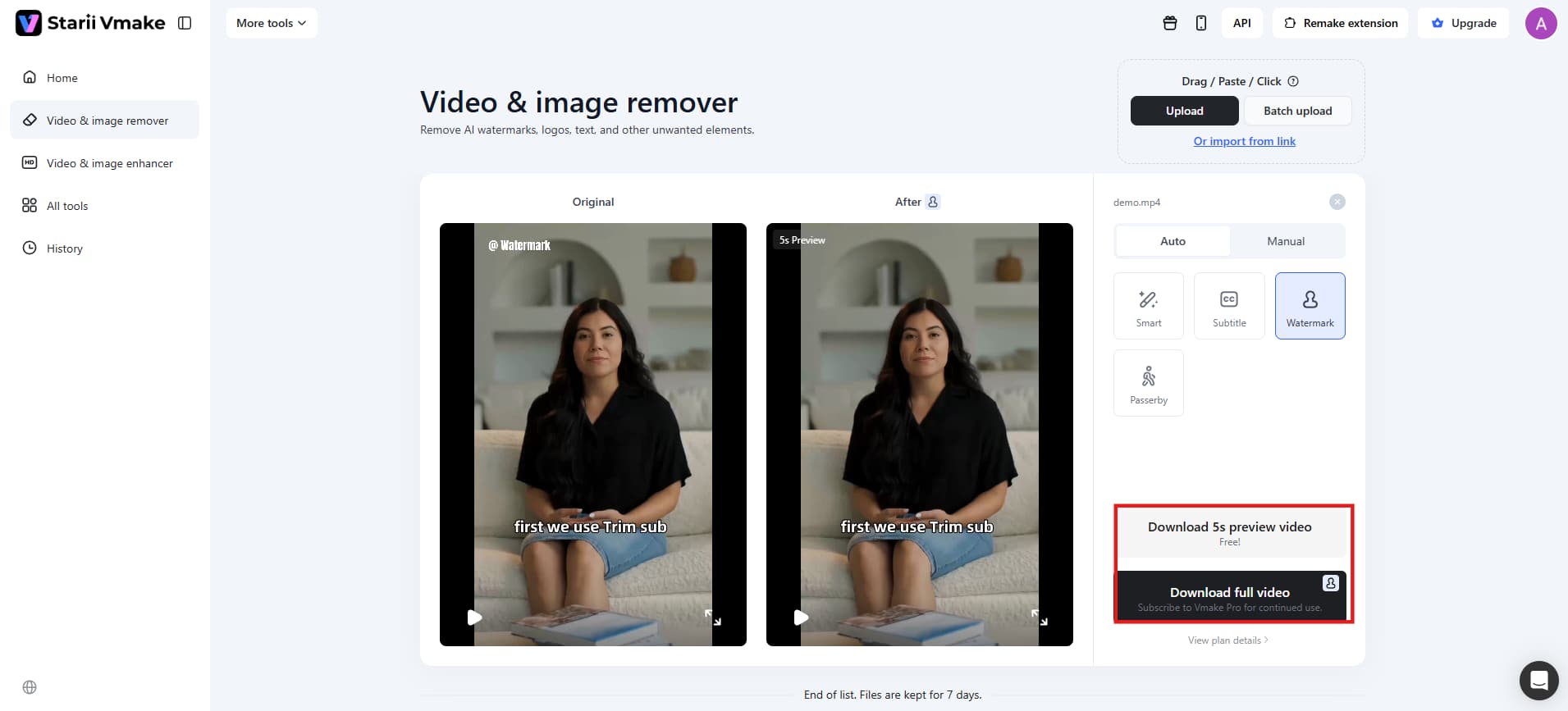
Step 3: Preview and export
Preview the processed result to check output quality. When satisfied, click Export or Download to save the watermark-free file to high quality.
Why Vmake AI is a better alternative
With this Apowersoft review, you will understand how Vmake AI is more efficient at producing faster, smarter outputs.
-
Faster processing: Vmake AI is an AI-based tool that ensures fast image/video processing due to automation of processes. It will help users complete work faster and process several files at once.
-
Better accuracy: Vmake AI will accurately detect and remove watermarks due to intelligent analysis of backgrounds and patterns. Therefore, there will be no mistakes made and no watermarks missed in case of complex images/videos.
-
Cleaner output quality: Background restoration performed by the tool allows for creating smoother and clearer pictures without blur, patches, or distortion.
-
Fully online experience: Vmake AI is a completely web-based service, which means that there is no need to install or download anything; thus, the work can be done using any device.
Final checklist: Vmake AI vs Apowersoft (Comparison table)
|
Feature |
Vmake AI |
Apowersoft Watermark Remover |
|---|---|---|
|
Ease of Use |
Fully automatic, very easy |
Requires manual selection |
|
Speed |
Fast processing |
Slower for large files |
|
Output Quality |
Cleaner, more accurate results |
Good, but may vary |
|
Watermark Type |
Handles moving & static |
Best for simple/static |
|
Platform |
Online only |
Online + desktop |
|
Best For |
Quick, high-quality edits |
Basic editing needs |
Conclusion
By 2026, efficient watermark removal will be crucial in ensuring that there are no distractions when producing visually appealing images and videos. Programs such as Apowersoft, together with contemporary websites such as Vmake, play a pivotal role in ensuring this goal is accomplished. This can be accomplished through the provision of features such as intelligent selection and AI-based watermark removal technology. The former enables users to erase text or logos without affecting the backgrounds. Although both Apowersoft and Vmake have their unique features, the latter is known for its speedy operation and superior quality outcomes.
FAQs
Is Apowersoft watermark remover free?
Yes, the Apowersoft Watermark Remover is available in its free version where you can use it for removing basic watermarks. But the main limitation of this tool in its free plan is that it comes with some restrictions, including smaller file size, limited speed, and limited access to certain functions. To obtain all the features and improve the quality of work, users must pay for the subscription service.
Is Apowersoft safe to use?
Yes, Apowersoft is considered a safe program you can download from the company's official site. As you know, it is a well-known software provider that offers its users various multimedia tools. So you do not have to worry about potential safety issues, because there is no risk of encountering any malware.
Does Apowersoft work for videos?
Yes, the Apowersoft watermark remover works for both videos and images, making this tool really versatile for content editing. You can remove logos, timestamps, subtitles, and other annoying elements from your videos. But of course, it depends on the video's background whether it will be easy or complicated.
What is the best alternative to Apowersoft?
AI-based watermark remover from VMaker is one of the best options to replace Apowersoft, particularly for those who require quick and efficient results. It employs AI technology for the detection and elimination of watermarks. This option is more convenient than manual software since you do not need to perform any complicated actions when using it.

You May Be Interested
Top 7 Watermark Remover Apps That Actually Work in 2026

Batch Watermark Removal with Vmake AI

How to Remove Seedance 2.0 Watermark from Videos

AniEraser Watermark Remover by Media.io: 2026 Hands-On Review