How to Create AI Videos that Went Viral in Minutes: Complete Tutorial
Learn how to generate AI videos that went viral quickly and efficiently using popular AI tools, like Vmake. Turn simple ideas into compelling AI videos and reach a wider audience from today.

AI has revolutionized short-form video creation, letting you turn creative ideas into impressive content in hours. However, making a video that racks up millions of views is a different challenge. This guide breaks down popular viral AI video examples, actionable tips for success, and common mistakes to avoid. Here's what separates a video that gets 50 views from one that gets 5 million.
What makes viral AI videos different
-
The 3-second rule
Viewers often decide whether a video is worth their attention almost instantly, sometimes, before you've even finished introducing the idea. That's why the best AI videos get straight to the point. No lengthy setup, no slow build; just the visual hooks alongside the plots all the time.
-
Beautiful absurdity
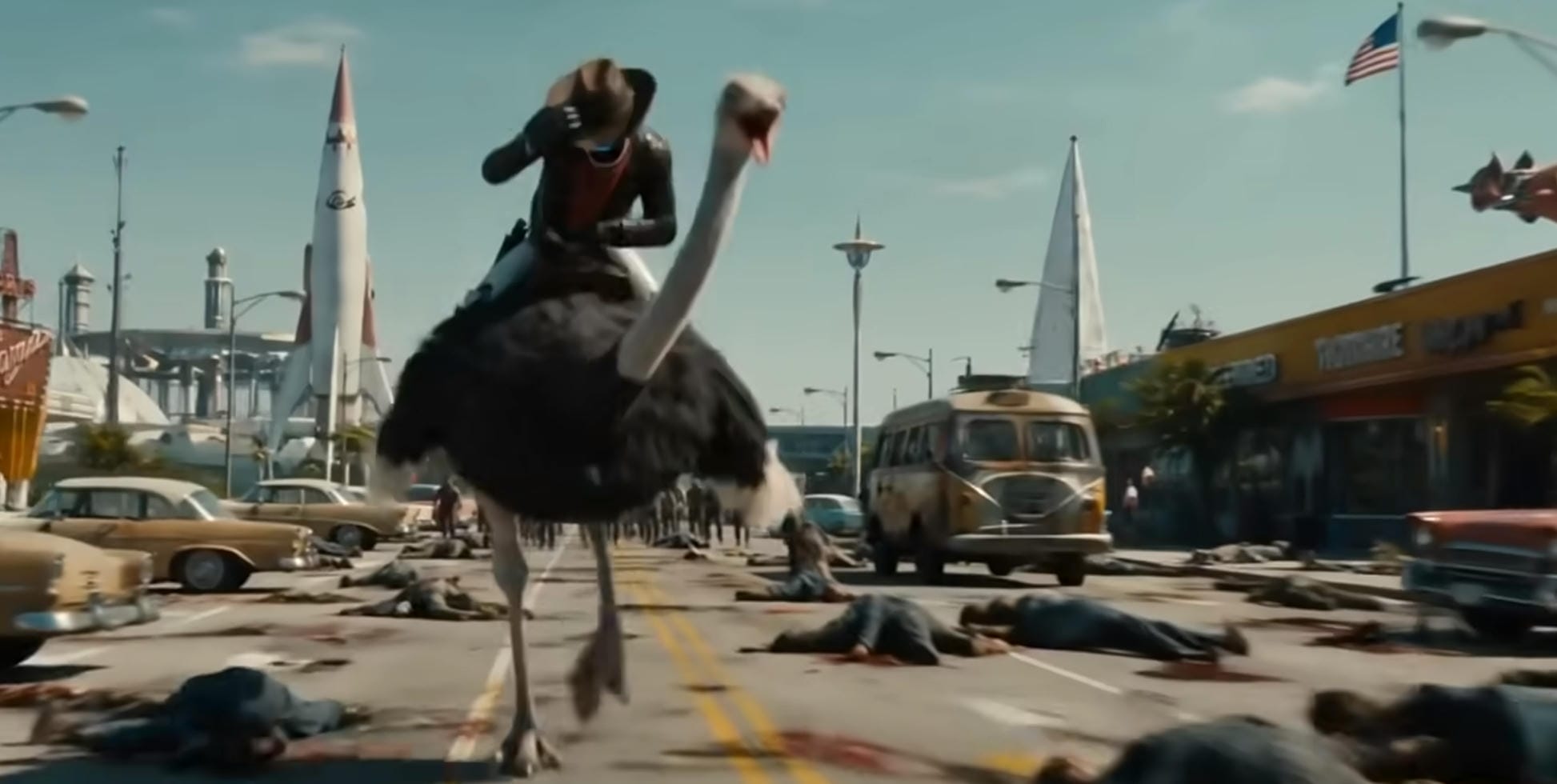
A lot of viral AI content lives in a strange space where something looks gorgeous and completely ridiculous at the same time. And somehow, that combination works incredibly well. Picture a luxury mansion made entirely of glass roses. Or a waterfall flows upward instead of down. None of it makes sense, yet it's hard to look away.
-
Practical impossibility
The AI videos that perform best usually aren't pure fantasy. They're just believable enough to make you pause for a second before your brain catches up. That's what makes practical impossibility so effective. The setting feels familiar. The lighting looks real. Everything appears normal until you notice the impossible part.
-
Curiosity loops
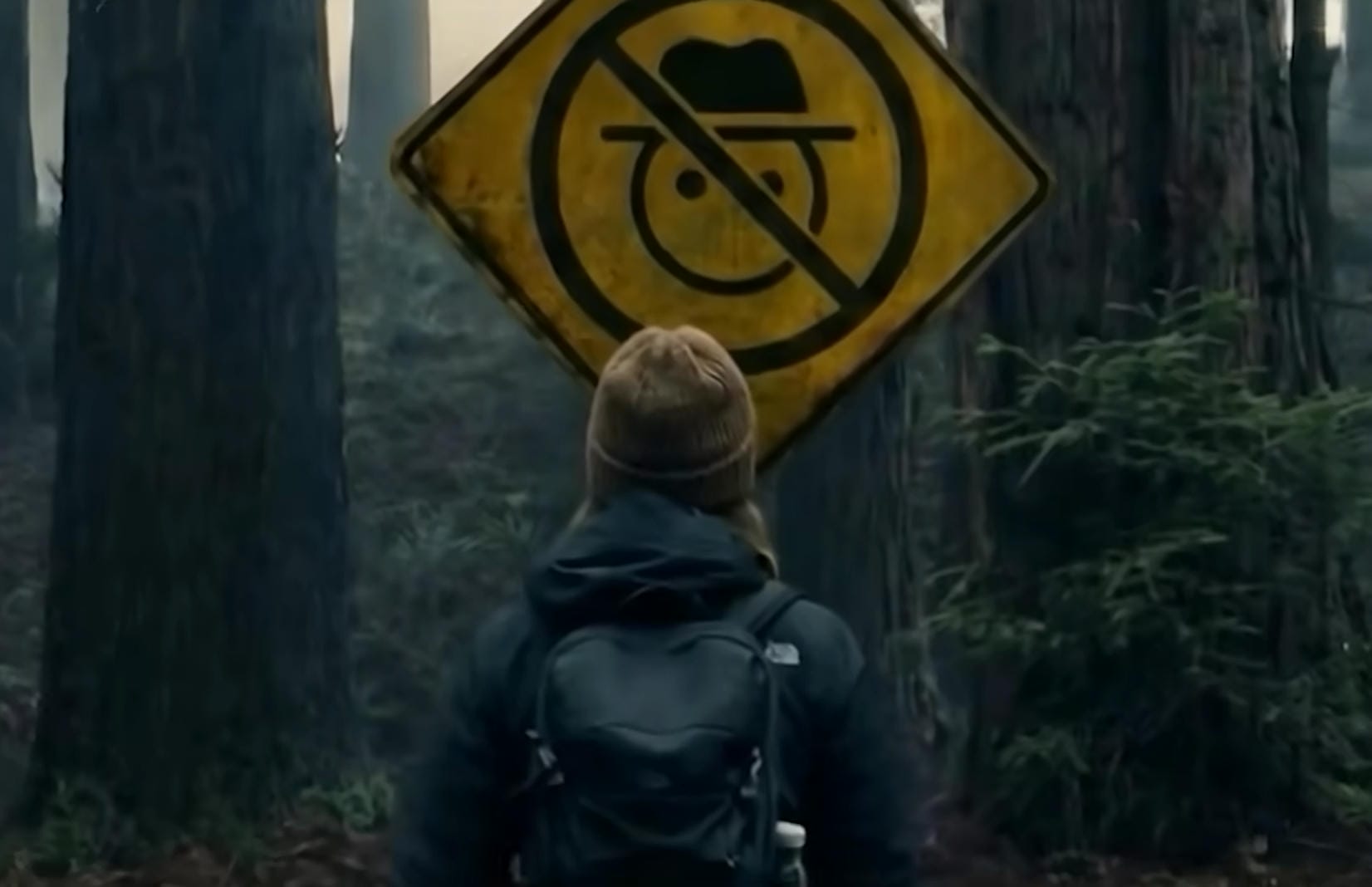
People hate unanswered questions. That's why curiosity is such a powerful tool in short-form video. The strongest AI videos don't reveal everything at once. Instead, they create a small mystery and let it unfold. A simple object starts changing shape, but you don't know what it's becoming. A strange scene appears, but the explanation comes later.
-
Pattern interrupts
When we're scrolling, our brains get pretty good at predicting what's coming next. Most videos follow familiar patterns. Then suddenly, something unexpected happens.
Those moments force viewers to pay attention because the story just broke their expectations. But here's the thing: surprise works best when it feels connected to the video. Random weirdness might get a reaction, but it rarely keeps people watching. The strongest pattern interrupts feeling surprised without feeling random.
-
Platform-native content
One mistake creators make all the time is treating every platform the same. They post the exact same video everywhere and expect identical results.
It rarely works that way. TikTok audiences tend to embrace fast-moving trends and experimental ideas; Instagram audiences tend to notice presentations first; YouTube Shorts can be a little different. People are often more willing to follow a story for a few extra seconds if they're curious about where it's going.
Popular AI videos that went viral
-
AI fruit microdramas
One of the strange AI trends to take off involved turning ordinary fruits into the stars of tiny soap operas. An apple gets betrayed by a banana. A strawberry suddenly finds itself on a rescue mission. A pineapple spends the entire video plotting revenge.
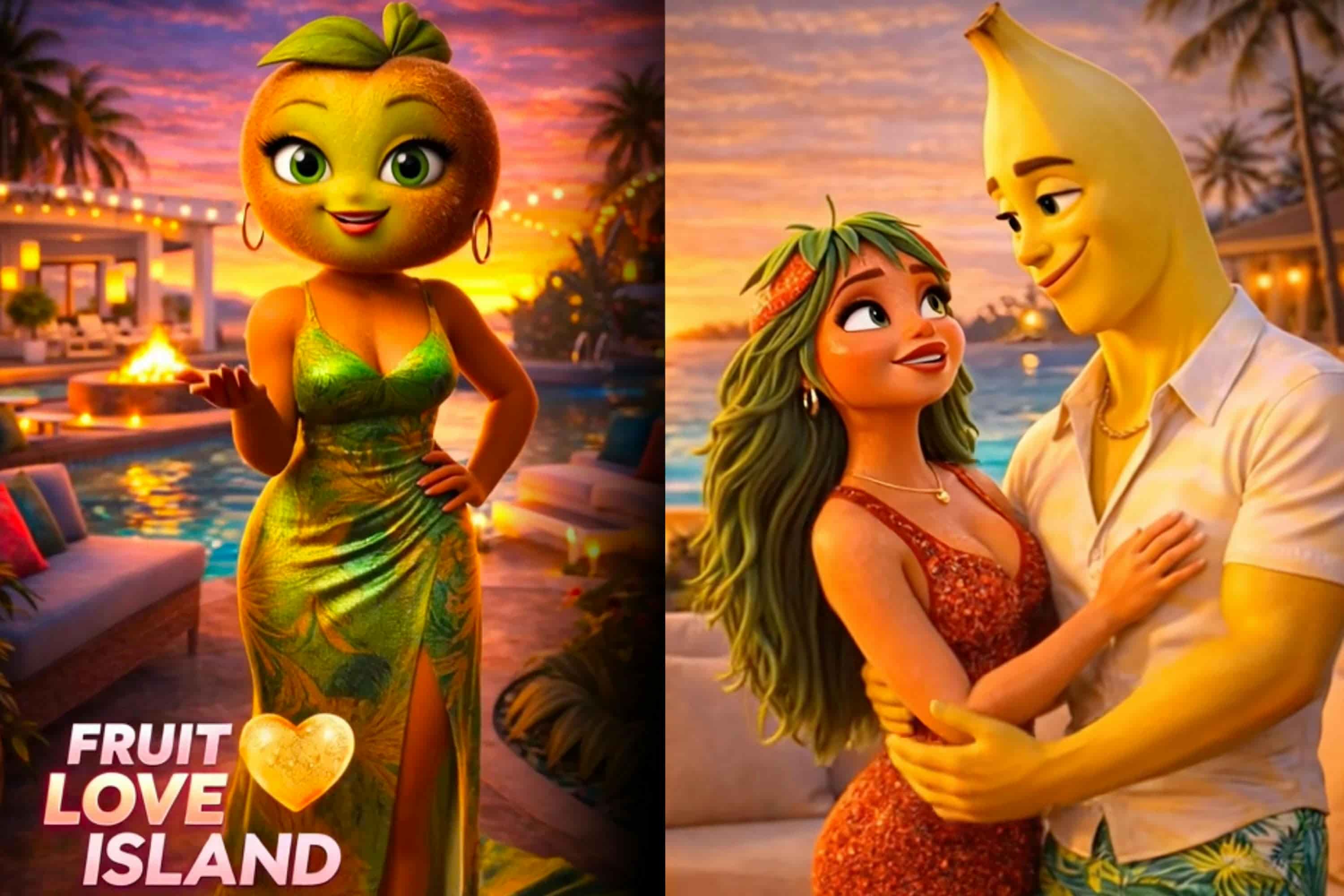
The stories aren't complicated. Viewers immediately understand the conflict and want to see how it plays out. There's something oddly entertaining about watching everyday objects behave like dramatic movie characters, especially when the storytelling is exaggerated enough to be funny.
-
AI animal POV stories
Animal POV videos became popular because they let viewers experience the world from a completely different perspective. Instead of watching a dog, cat, or panda, you're seeing what they see.

A dog might spend the day exploring a busy city. A cat navigates life inside a giant apartment. A penguin shows up for its first day at school. The scenarios are often unrealistic, but they feel personal. That's what makes them work.
-
Fake AI interviews
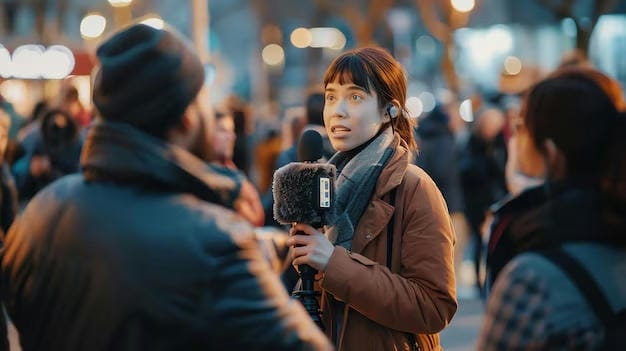
There's something inherently funny about treating absurd subjects with complete seriousness. That's the idea behind fake AI interviews.
A dragon sits down to discuss its daily routine. A dinosaur explains why extinction wasn't entirely its fault. The format feels familiar because everyone recognizes an interview setup. The subject, on the other hand, is completely unexpected. That contrast creates both humor and curiosity, which is exactly why these videos spread so easily.
-
AI baby celebrity videos
Few formats generate instant recognition quite like AI baby celebrity videos. The concept is simple: take a famous celebrity and reimagine them as a baby while keeping the features that make them recognizable.
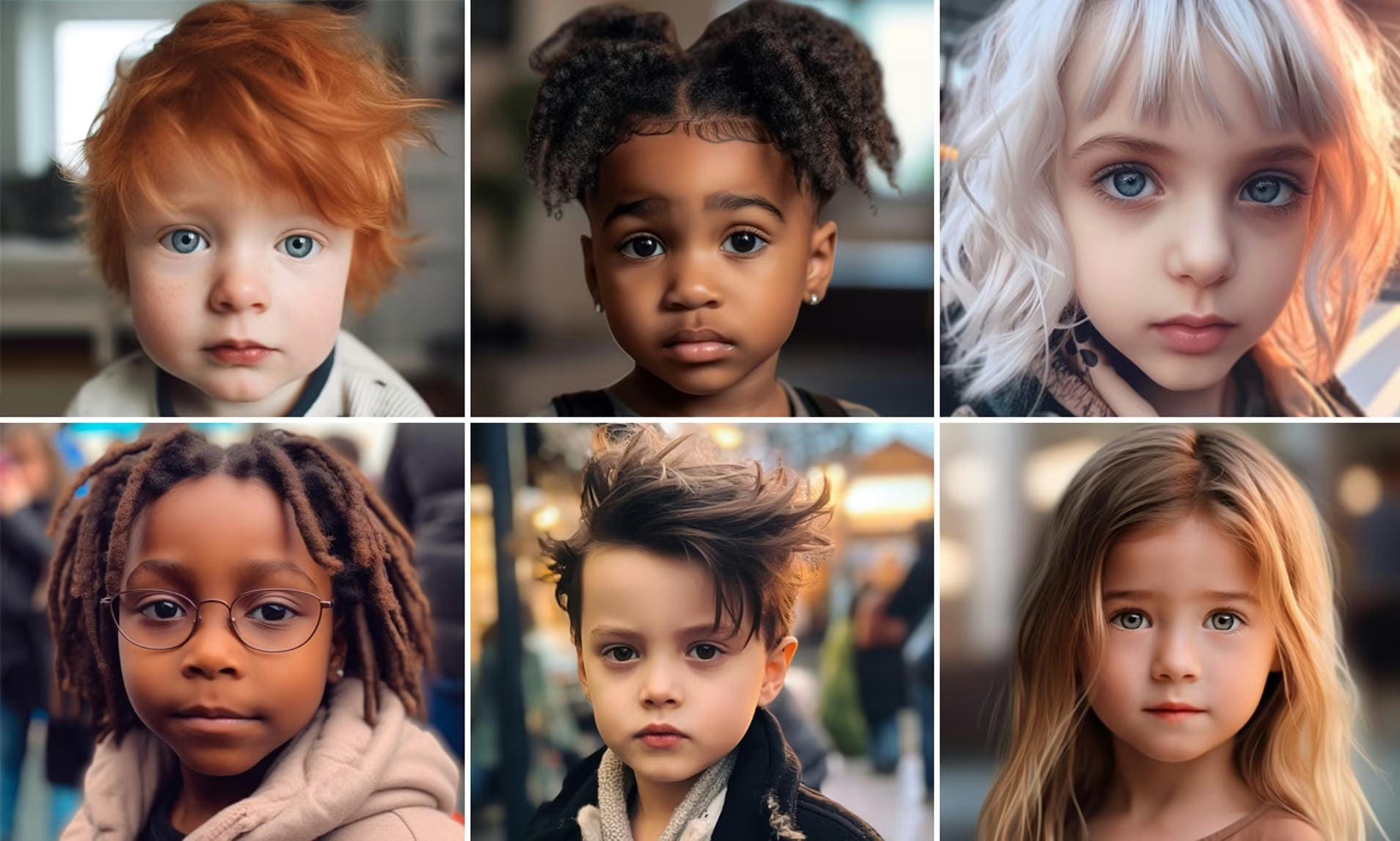
Viewers often find themselves trying to guess the celebrity before reading the comments. That's part of the fun. The videos are playful, slightly surreal, and easy to share.
-
AI mini movies
Whether you are creating a viral AI dance video or a mini story video, aim to deliver the feeling of a full cinematic experience in less than a minute. The best ones don't rely on random visuals. They tell an actual story.
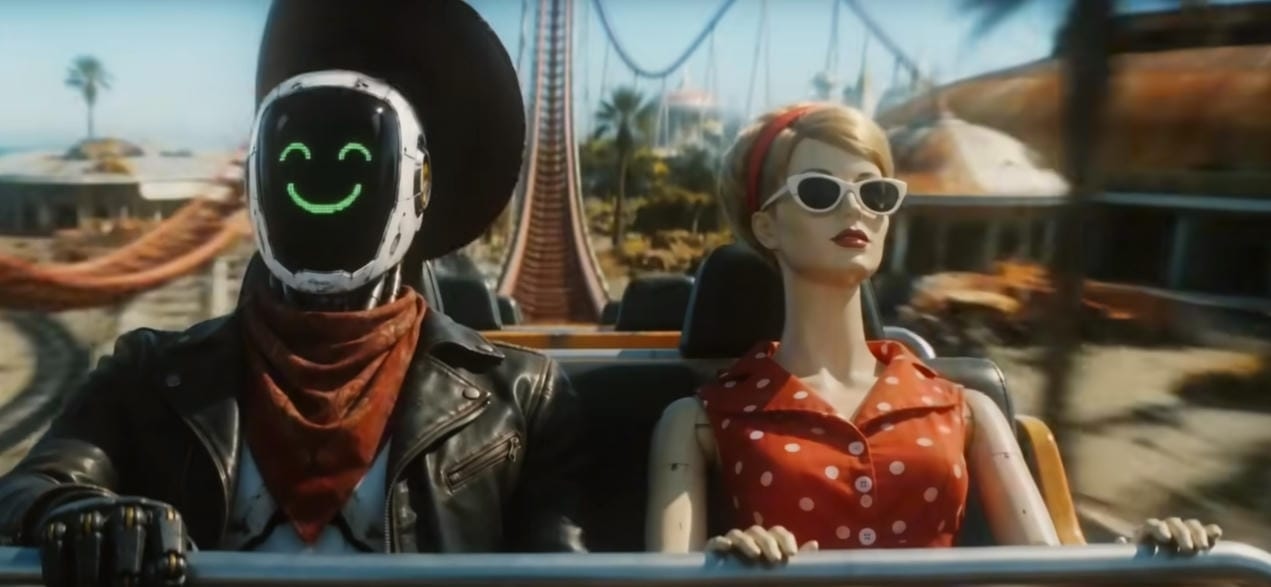
A character sets out on a mission. A transformation appears, and suddenly the viewer realizes the story wasn't heading where they thought it was. Even with only a few seconds to work with, you still get the essential pieces: a setup, something unexpected in the middle, and a payoff that gives the whole thing meaning.
How to make viral AI videos: Step-by-step guide
Step 1: Find a viral-worthy concept or trend
Before you generate a single image or video clip, spend a little time studying what's already trending. That said, don't mistake research for imitation. Most creators get this part wrong. They spot a popular format and copy it almost frame for frame, then wonder why the results feel flat.
Step 2: Generate high-impact visuals
Once you've got a strong concept, your next job is simple: make people stop scrolling. Visuals do heavy lifting here. One of the biggest advantages of AI is that it lets you create scenes that would be expensive, impractical, or flat-out impossible to shoot in the real world.

Step 3: Keep videos short and fast-paced
One of the fastest ways to lose a viewer is to try to cram too much into a short-form video. You don't need a detailed backstory. Your audience probably doesn't care where the character grew up, how the world works, or what happened six months earlier. They want a reason to keep watching right now. Keep things moving. Let one interesting moment lead straight into the next
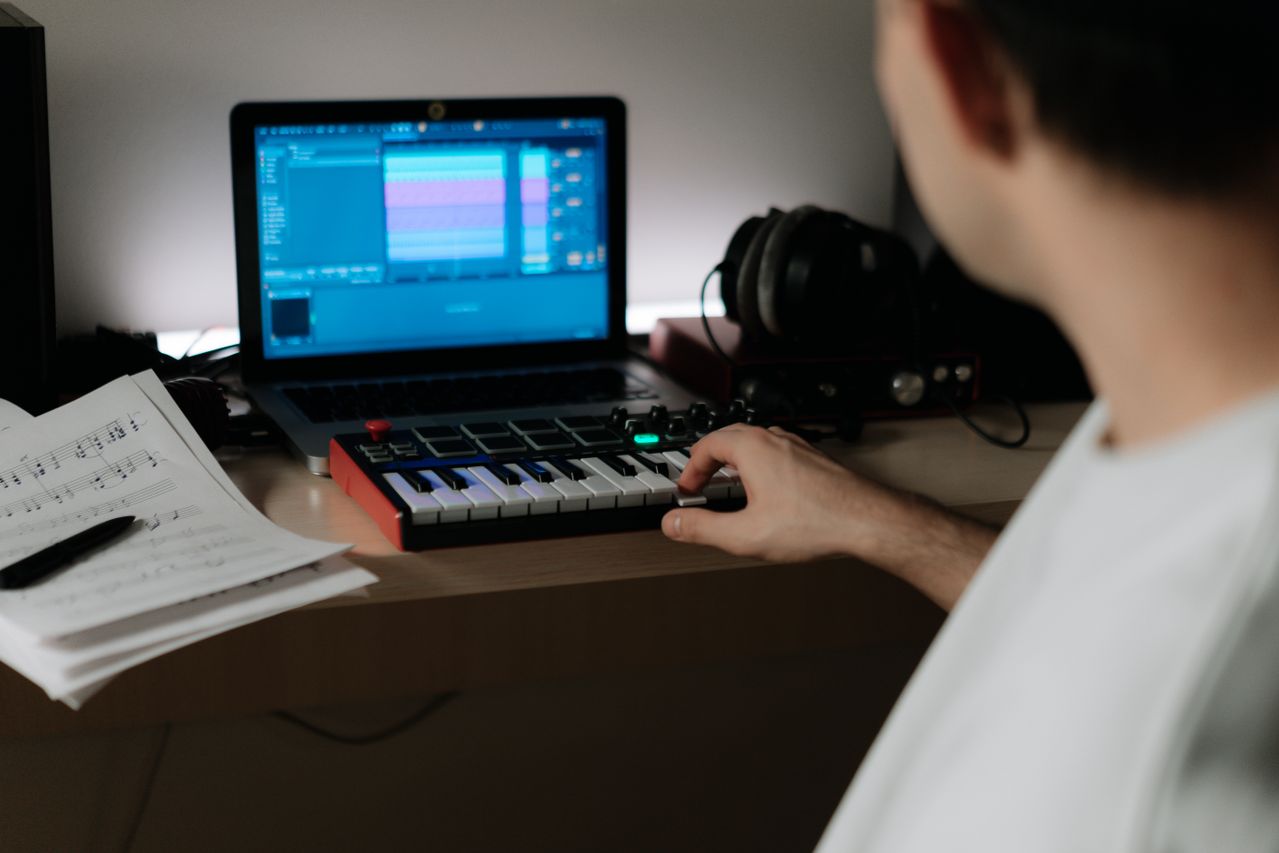
Step 4: Add sound, music, and captions
Great visuals get the click. Audio is often what keeps people watching. The right soundtrack can change the entire feel of a video in seconds.
Then there are sound effects. A well-timed impact, transition, or subtle background cue can make a transformation feel bigger than it actually is. Captions matter just as much, giving viewers another way in. And sometimes the words people read on screen end up carrying more weight than the voice or music underneath them.
Step 5: Optimize for all social media platforms
A video that takes off on one platform won't automatically do the same somewhere else. People behave differently depending on where they're scrolling. What grabs attention on TikTok can feel out of place on Instagram Reels. The audience is different. The expectations are different.
Meet Vmake: Enter your wish and create viral videos with AI
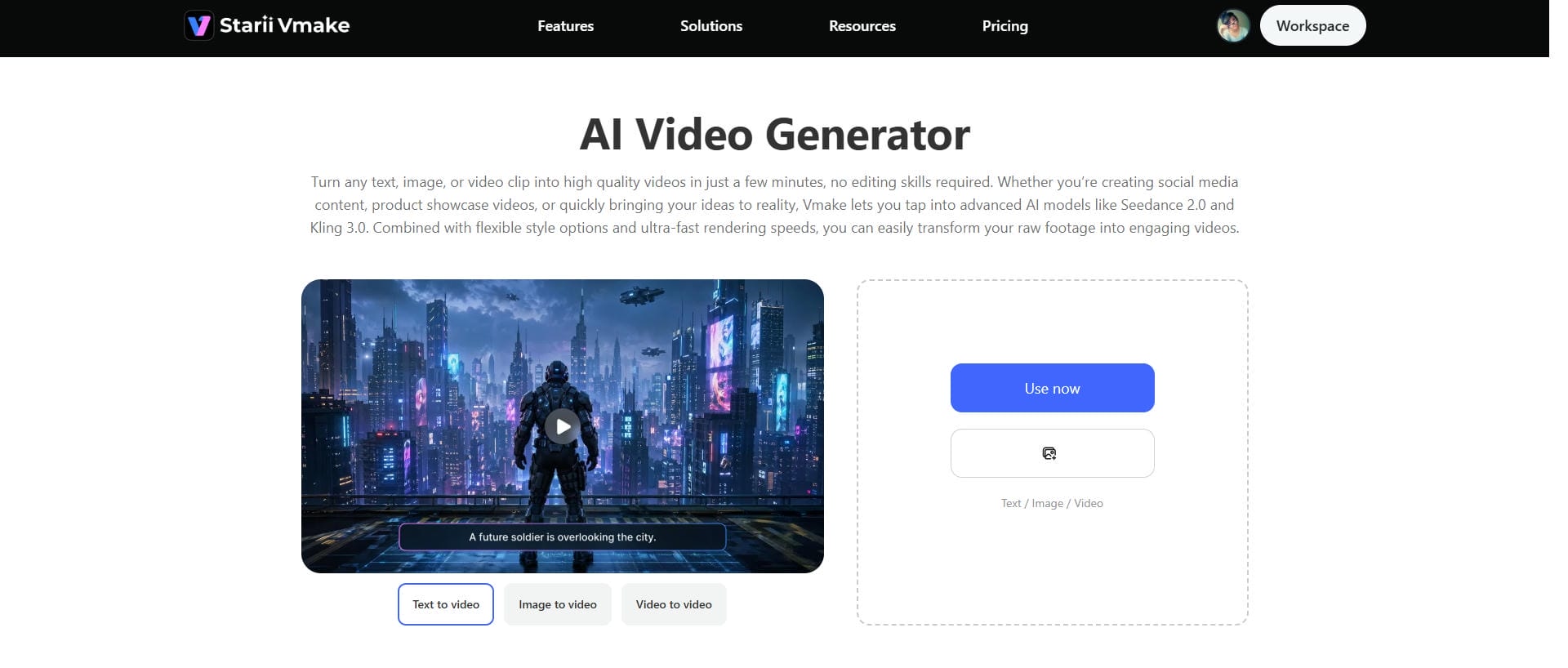
Creating short-form videos used to involve juggling multiple tools, editing timelines, and more trial and error than most people expected. Vmake AI video generator takes a different approach. You give it a basic idea, and it turns that into something close to a finished video without you having to stitch every piece together by hand. You can start simple. A bit of text, a couple of images, maybe even rough footage you'd normally hesitate to use.
Key features
-
Multimodal approach
Vmake combines multiple AI models, such as Seedance 2.0, Kling 3.0, Google Veo 3, Sora 2, Vidu Q2, and Wan 2.2, and uses each where it performs best. The goal is simple: get better results by matching specific tasks to the models that are strongest at them.
-
High-resolution output
Vmake generates high-resolution videos, helping your content look cleaner across platforms. In addition, it can help remove noise from video or soften the blur to offer a polished output.
-
Text-to-video and image-to-video
Vmake allows users to create AI-generated videos either from a text description or from existing images, eliminating the need for traditional video production and editing. This AI clip maker supports both workflows through its AI Video Generator and produces cinematic results in seconds.
Step-by-step guide
Step 1: Add a content idea
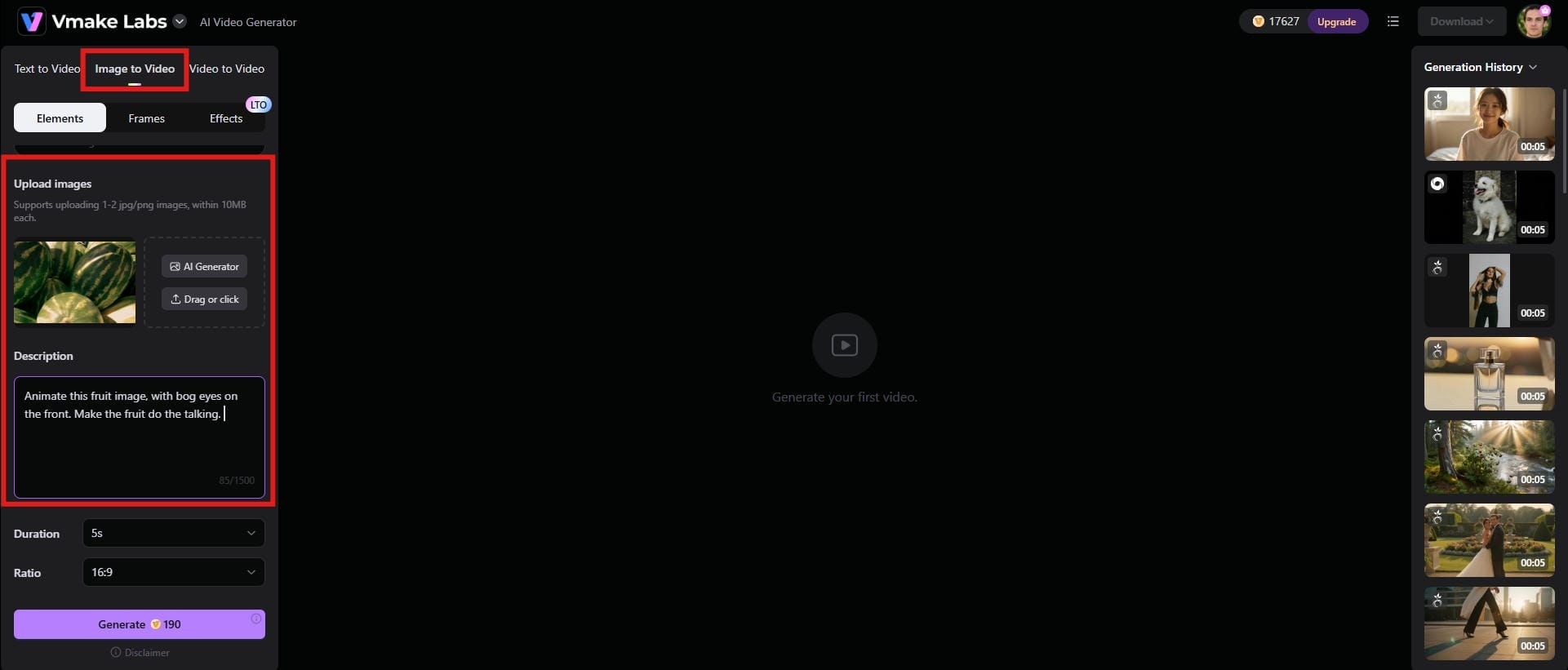
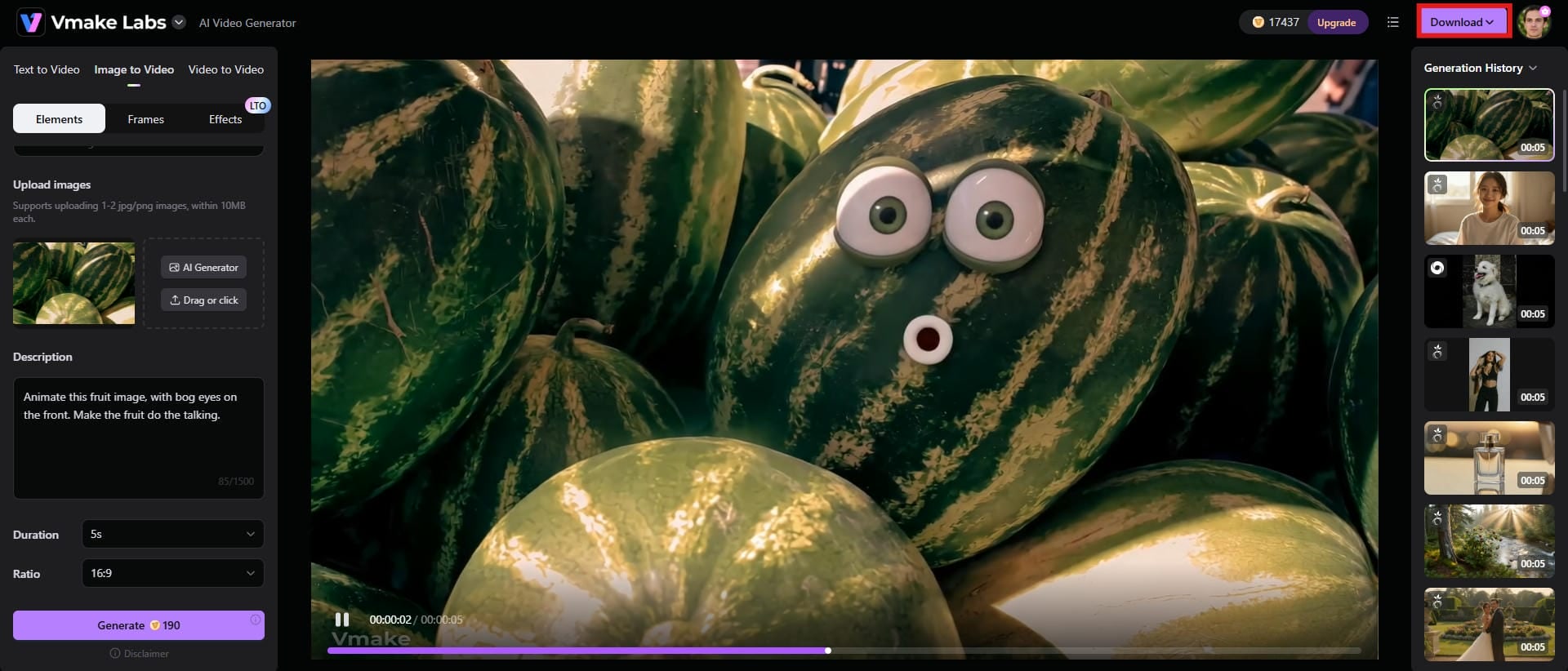
Choose the image-to-video option from the top. Upload the reference image and enter the idea you want the video to be based on. The clearer and more specific your description, the better the generated result tends to be.
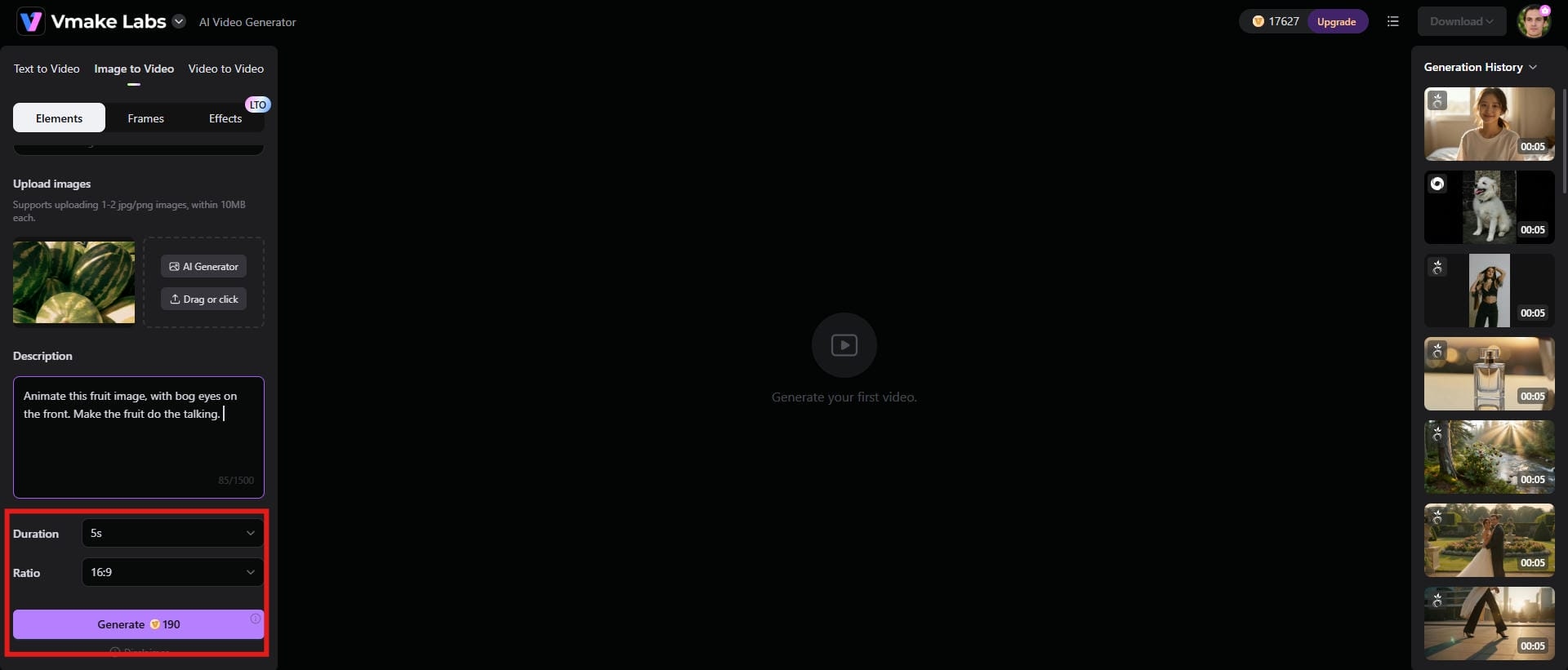
Step 2: Adjust duration, aspect ratio, and generate
Pick your settings next. You set the video length first. Short clips behave very differently from longer ones, especially when AI starts filling in motion. Then choose your aspect ratio based on where you're actually posting. Hit "Generate" when you're ready.
Step 3: Preview and download the video
Preview the output first. If it all looks good, hit "Download" to save the video for whatever is coming next.
Why Vmake works well for viral content
-
One-click enhancements make videos look polished
Most viewers decide within seconds whether a video feels worth watching. Vmake's one-click enhancement tools help clean up those issues without forcing you to spend hours editing manually. It helps remove people or reduce wind or noise from the video, thus offering a high-quality output.
-
Optimized for short-form platforms
Vmake is clearly aimed at short-form platforms. You'll notice it the moment you start working with it. Vertical formats come first, not as an afterthought. And the pacing matches what you actually see on those apps: quick cuts, tight durations, and no dragging segments that lose people halfway through.
-
Consistent visual quality improves audience retention
One challenge with AI-generated videos is consistency. A scene can look fine at first. Then it slips. The character's face changes slightly mid-shot, or the lighting jumps in a way that doesn't match what came before. Sometimes the whole thing just drops in quality for no clear reason. Vmake handles this better than most.
Common mistakes that affect AI video performance
-
Generic AI content
One problem shows up again and again: videos that look like they were generated from the same prompt everyone else is using. If your video blends into a sea of nearly identical AI content, viewers won't have much reason to stop scrolling.
That's where originality matters. You don't necessarily need a completely new idea. Most of the time, a unique perspective, an unexpected character, or a small creative twist is enough.
-
Slow openings
The first few seconds often decide whether someone keeps watching or scrolls away. If the video takes too long to get interesting, many viewers won't stay around for the payoff, even if the ending is genuinely good.
That's frustrating because creators often spend most of their effort perfecting the middle and end while barely thinking about the opening. Curiosity matters. Anything that makes people ask, "What's going on here?" gives you a better chance of holding attention.
-
Overcomplicated stories
A lot of creators try to squeeze an entire movie into a video that's barely half a minute long. You don't need five twists. You don't need a detailed explanation of the world, the character's history, and every plot point that led to the final scene. Viewers are moving fast.
-
Copying without innovation
There's nothing wrong with studying successful content. The problem starts when inspiration turns into imitation. Audiences recognize popular formats immediately, but they also notice when a creator simply recreates what they've already seen somewhere else.
-
Ignoring audio
Great visuals can grab attention. Audio is often what makes the experience feel complete. Music changes how people interpret a scene. The same clip can feel exciting, emotional, funny, or tense depending on what's happening in the soundtrack.
Conclusion
Creating an AI video that went viral takes more than good software. The strongest videos tend to combine an immediate hook with something viewers don't see every day. An impossible visual. A surprising transformation. Maybe a short story that creates just enough emotional investment to keep someone watching until the end.
Vmake can help speed things up by improving video quality, keeping visuals more consistent, and cutting down the time spent on editing. However, control is still in your hands. What Vmake can do is remove some of the friction between the idea in your head and the finished video on your screen.
FAQs
Can AI-generated videos really go viral?
Yes, they can. AI-generated videos are pulling in millions of views every day. Technology alone isn't what makes something go viral. Timing, context, and audience mood; all of that still sneaks in and tilts the outcome. AI helps you produce videos faster, sure. But it won't fix a weak idea. It won't rescue something that doesn't land with people in the first place. The videos that perform best tend to combine creative storytelling with visuals people haven't seen a hundred times already.
What is the best AI viral video generator for beginners?
The best tool is rarely the one with the most features. It's usually the one that helps you turn an idea into a finished video without getting lost in the process. That's part of the appeal of platforms like Vmake. It strips out a lot of technical headaches, so you get from idea to actual video faster. Instead of sinking hours into advanced editing workflows, you can spend that time testing ideas.
How long should a viral AI video be?
Shorter is usually better. Most short-form videos that actually perform well tend to sit somewhere in that 10 to 45 second range. But don't treat it like a formula. You can hit that window and still flop if the idea's flat. The real goal isn't hitting a specific duration. It keeps attention from the first second to the last.
What type of AI videos get the most views?
There's no single category that always wins, but certain formats consistently attract attention. Transformation videos perform well. Unexpected story twists work. Visually impressive concepts, satisfying animations, mystery-driven narratives, and content built around curiosity tend to generate strong engagement across platforms. People naturally want to see what happens next.
How many AI videos should I create each week?
More than one, at least. Consistency matters, but flooding platforms with low-quality content rarely produce the results creators hope for. A steady publishing schedule gives you more opportunities to learn what resonates with your audience without sacrificing quality in the process. For many creators, a few strong videos each week is a better strategy than publishing multiple rushed videos every day.
How can I make my AI videos stand out from competitors?
Start by doing what most creators avoid: stop relying entirely on the AI. The strongest AI videos don't feel generic because the creator brings something unique to the process. Maybe it's a fresh concept. Maybe it's a distinctive storytelling style. Sometimes it's simply a different perspective on a trend everyone else is following. Study what's already working. Then change something important.

You May Be Interested

AI TikTok Video Generator | Create High-Quality AI Videos

Best AI Video Generator: Top Tools Tested (2026)
Viggle AI Video Generator Review & Top 2026 Alternatives
Trump AI Video Generator: 3 Best Tools to Create AI Videos
How to Remove CapCut Watermark
Nero AI Review 2026 Explained: Is the Tool Worth Using?