MiniMax AI Video Generator Review: High-Quality AI Video Creation
 Vmake Labs TeamMay 31, 2026
MiniMax AI video generator is popular among youth for its realistic motion, natural physics, and fast generation. If you are interested in this tool or were referred by your friends, this review covers everything you need to know about MiniMax. Let's dive in.
What is Minimax AI video generator?
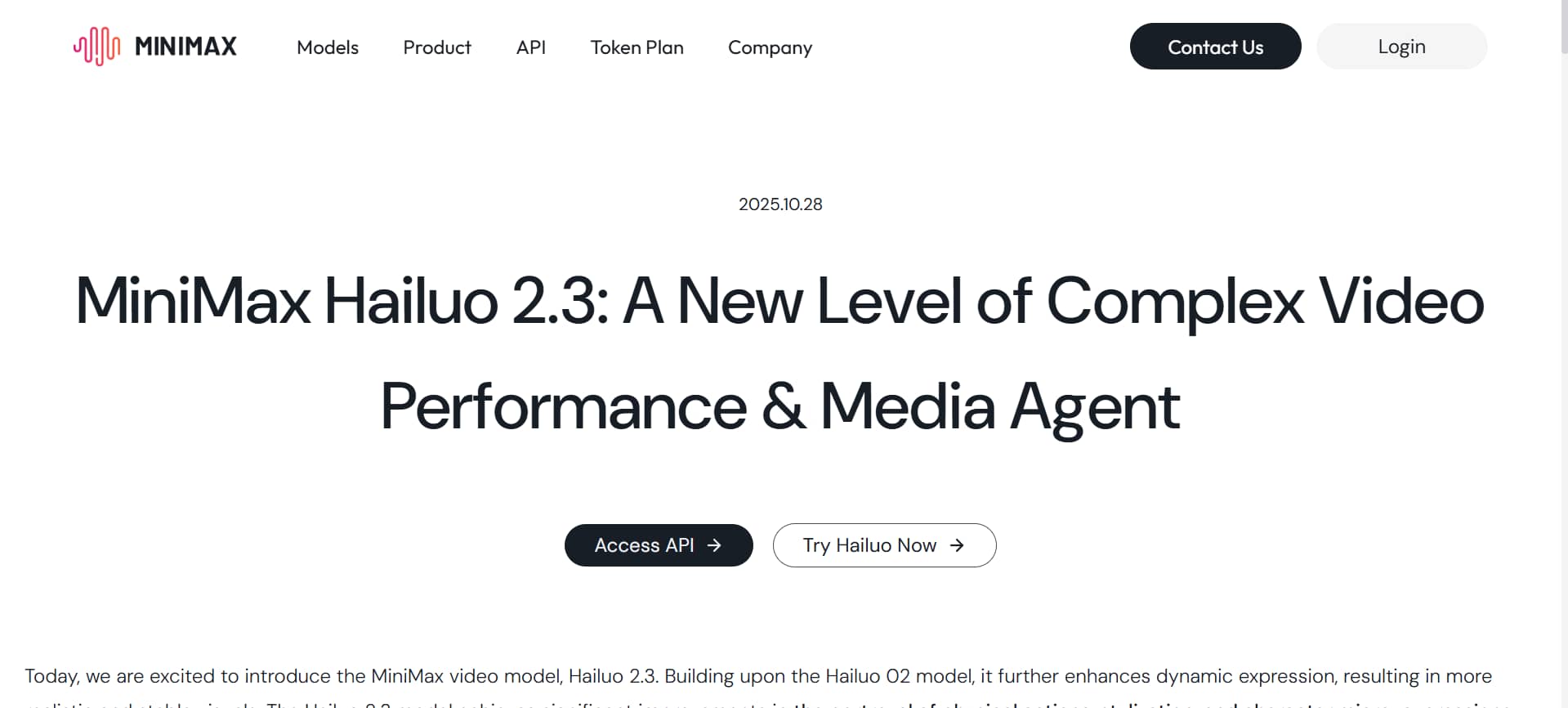
MiniMax AI video generator, also known as Hailuo AI, is a simple yet powerful tool that turns your text or images into short, high-quality videos. It's especially good at creating smooth movements, realistic physics, and nice camera angles.
Instead of spending hours editing videos the old way, you just type what you want or upload a picture, and the AI creates the video for you. The results often look natural and eye-catching. Whether you're a beginner making fun clips, a marketer creating ads, or someone who just wants to bring ideas to life, MiniMax AI video editor makes it easy to create stunning AI-generated videos that capture attention and spark creativity.
Key features of Minimax video AI
-
AI text-to-video generation
This is the main feature of MiniMax. You just type a clear description of your vision, and the Minimax AI text-to-video feature builds a short video from scratch. It handles difficult movements, dramatic lighting, and diverse environments very well. This turns your imagination into sharp, moving clips in under a minute, which is perfect for fast storytelling.
-
Image-to-video creation
Upload any static photo or graphic illustration and animate it! MiniMax AI image-to-video technology brings your image to life with natural movement, camera motion, and actions as per your prompt. It's great for turning product shots, portraits, or artwork into lively videos while maintaining the original look and feel.
-
Advanced motion & physics simulation
MiniMax is famous for its realistic physics. Characters move naturally. Objects fall right, water flows, and fabric moves realistically. This makes videos less AI-like and more like actual footage, particularly in action scenes or dynamic situations.
-
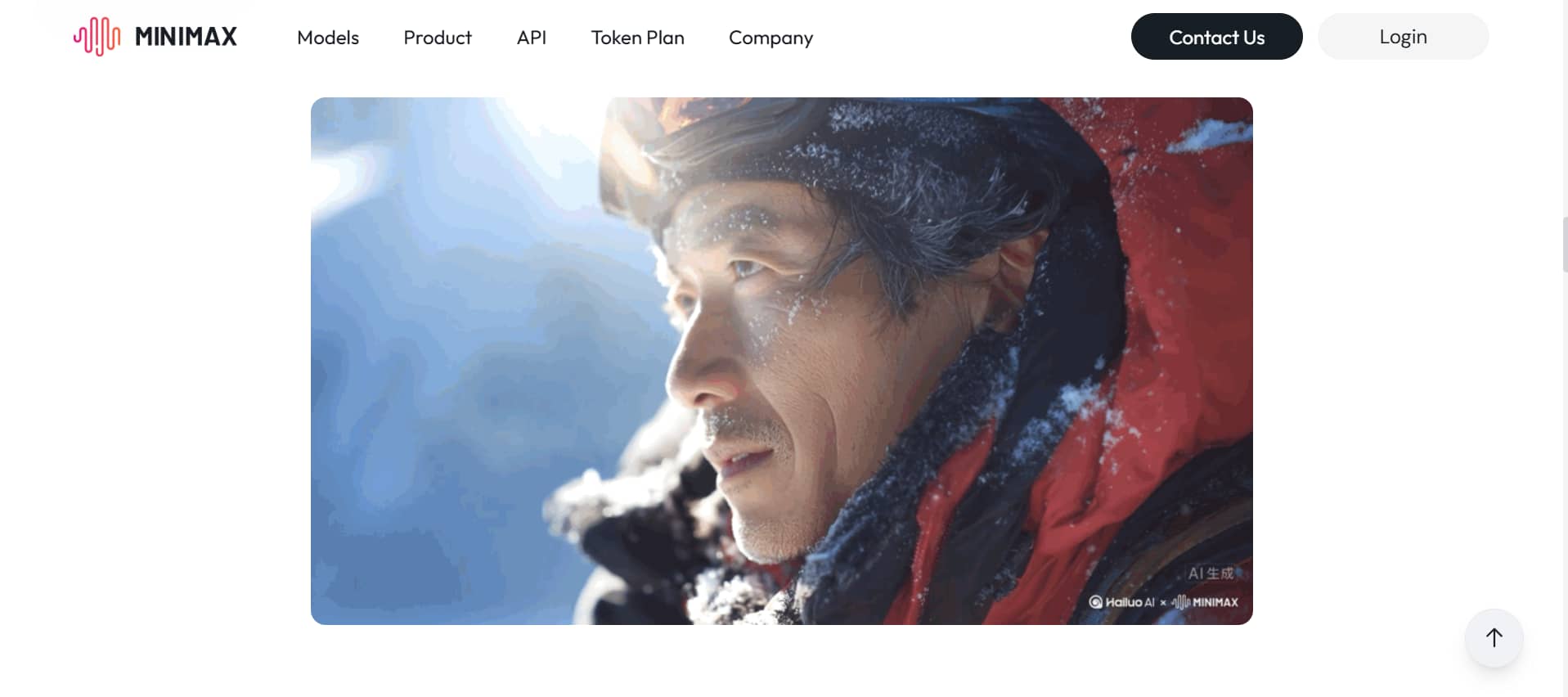
Subject reference for character consistency
You can keep your custom characters exactly the same across many different video clips. By closely examining a single image of a person or item, this tool ensures the main subject retains the same face and style. This is incredibly helpful when telling stories that feature a single recurring hero or brand mascot.
-
Camera controls & director mode
You can control the camera like a real director. Using simple words in your prompt, you can ask for panning shots, zooms, tracking movements, or smooth camera angles. This helps you create more professional and cinematic videos instead of random shots.
MiniMax AI video generator pricing
MiniMax AI provides flexible pricing plans for beginners, creators, and professional teams. Users can pick a package to fit their video creation needs and export quality needs, from a free plan with daily credits up to unlimited commercial access.
|
Plan |
Price |
Credits |
Resolution |
Watermark |
|---|---|---|---|---|
|
Free |
Free |
Daily credits |
720p |
Yes |
|
Standard |
$9.99/month |
1,000 credits |
1080p |
No |
|
Unlimited |
$94.99/month |
Unlimited |
High-quality |
No |
Advantages and disadvantages of MiniMax free AI video generator
|
Pros |
Cons |
|---|---|
|
|
While MiniMax provides a solid foundation for quick, short-form clips, its restrictive free tier and occasional quality dips often push creators to look for more versatile, production-ready alternatives. For those needing a broader model variety, commercial-grade features, and higher-resolution outputs without complex workflows, shifting to a powerful alternative like Vmake AI is the next logical step.
Looking beyond Minimax: Introducing Vmake AI video generator
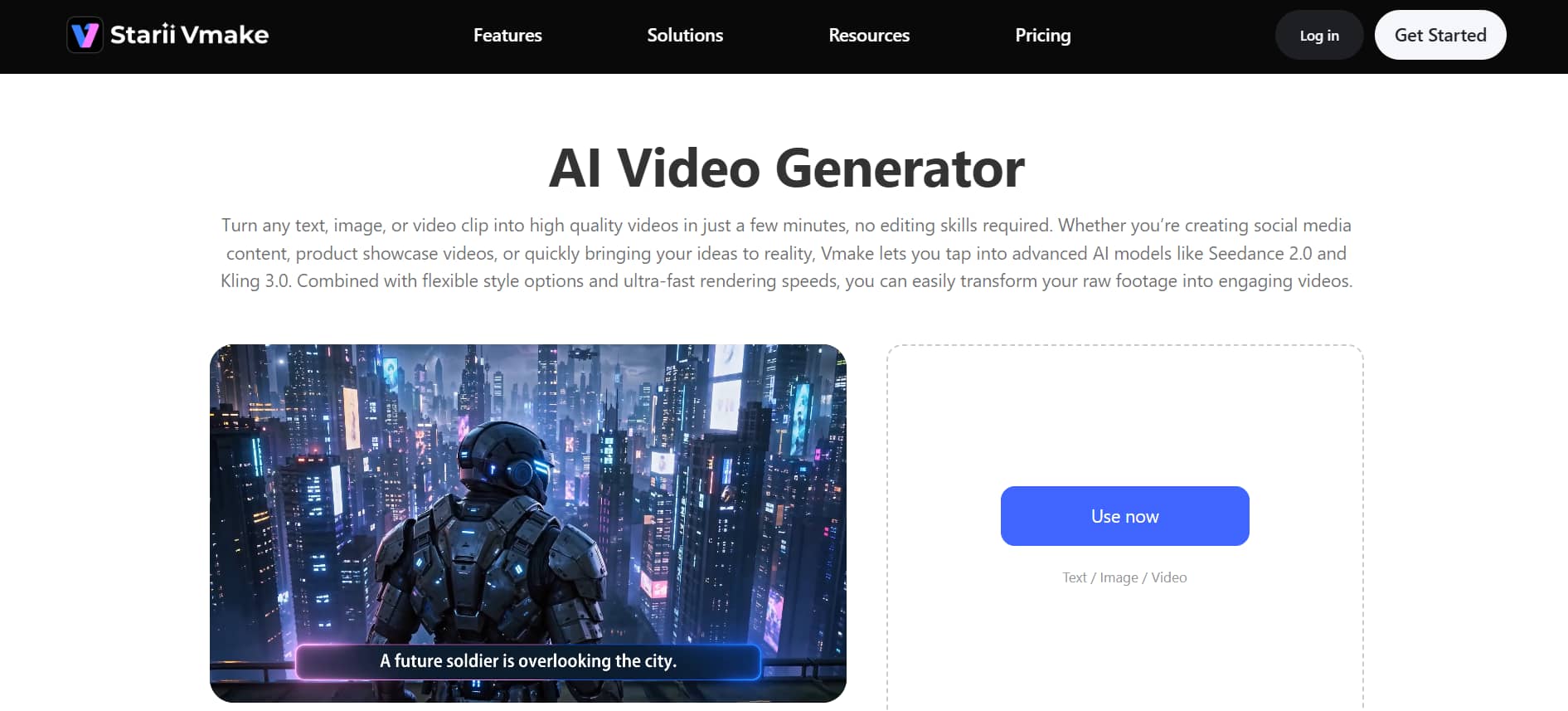
In the fast-changing field of AI video making, numerous makers have already moved from Minimax in favor of something more efficient and more accessible to the average user. Vmake AI is a powerful and fast AI video generator that transforms text, images, or existing video clips into high-quality videos in minutes.
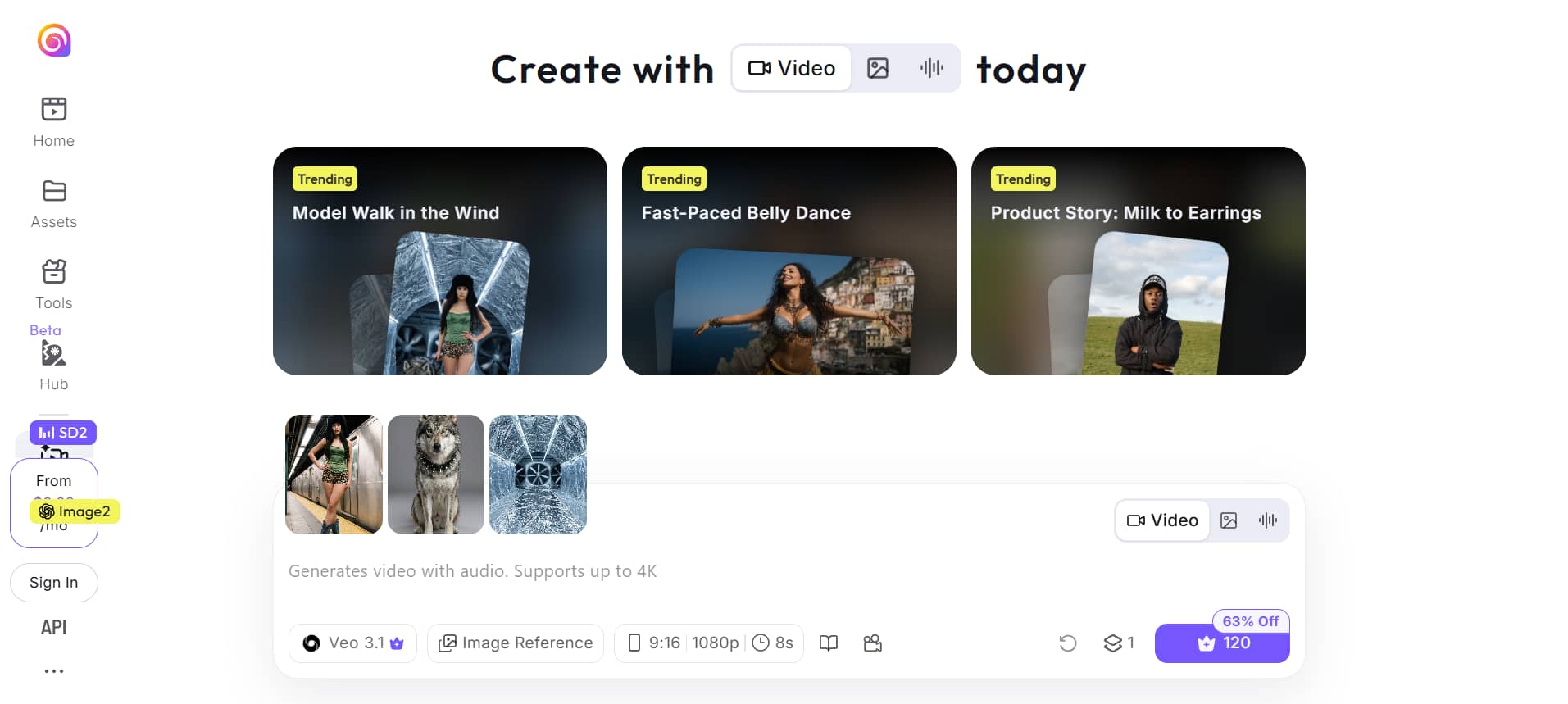
Vmake is driven by advanced models such as Seedance 2.0, Kling 3.0, Google Veo 3, etc. Vmake supports text-to-video, image-to-video, and video-to-video generation with flexible styles, up to 4K resolution, and precise duration control (2–15 seconds). It's particularly popular with small businesses and creators for making eye-catching social media content, product showcases, and UGC-style videos.
Step-by-step guide to generate videos using Vmake AI
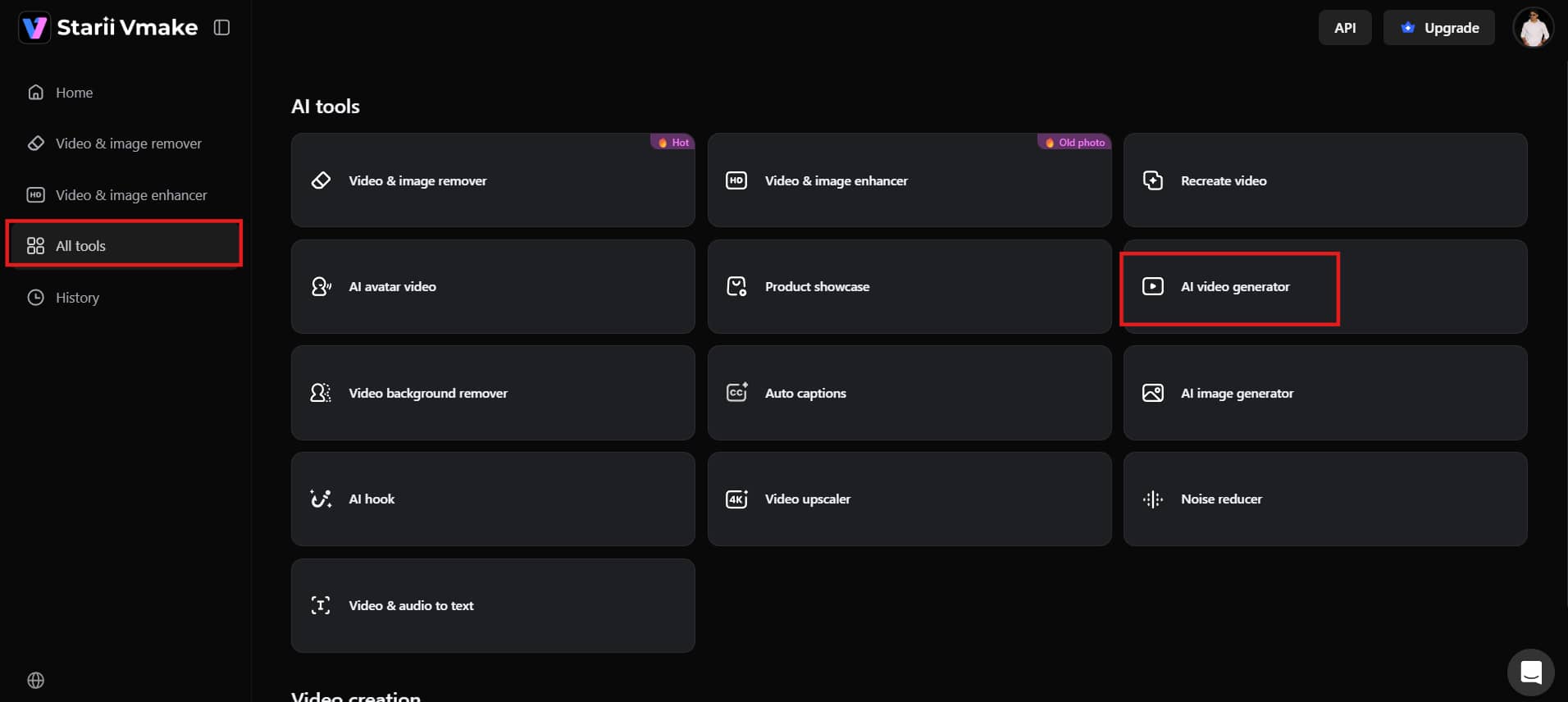
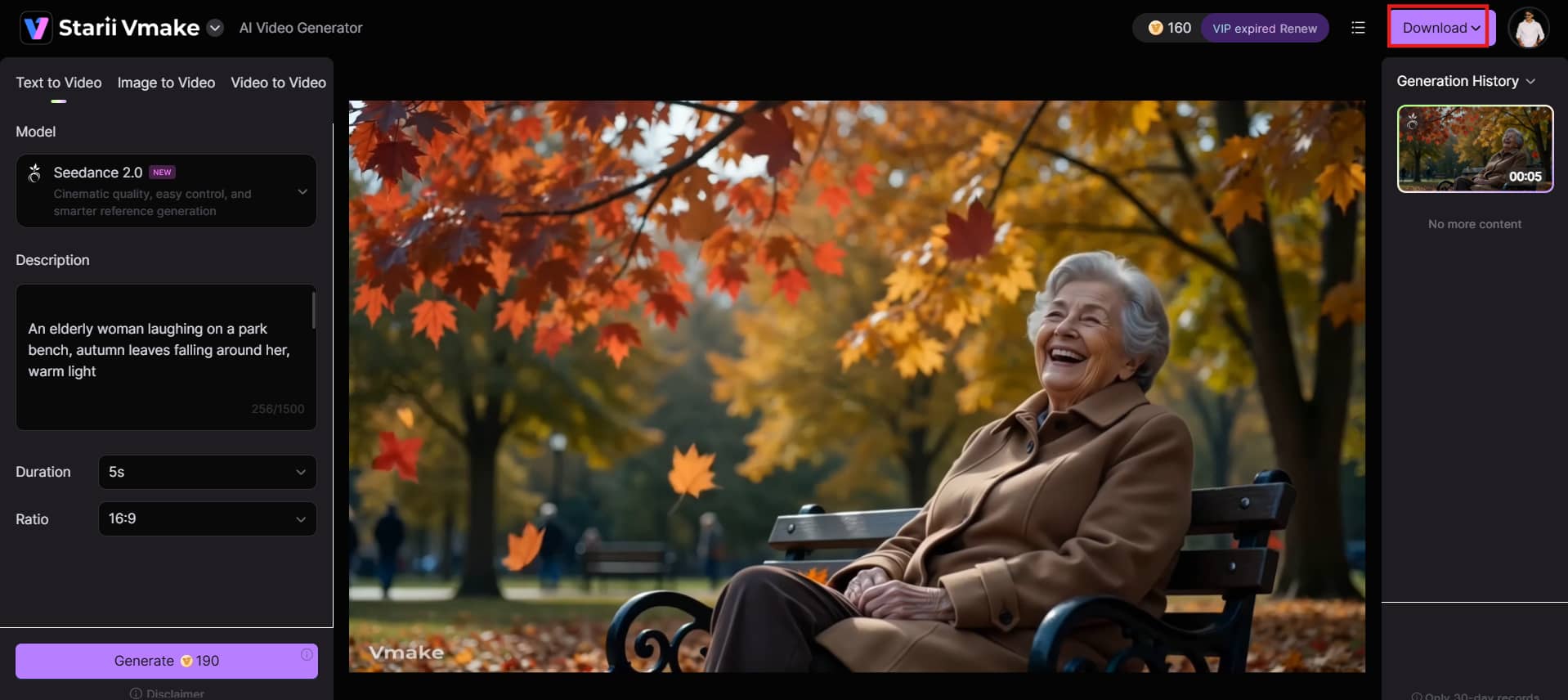
Step 1: Access AI video generator
Log in to your Vmake AI account. On the dashboard, go to "AI tools" and click on "AI video generator". This will open the video creation page, where you can start making videos.
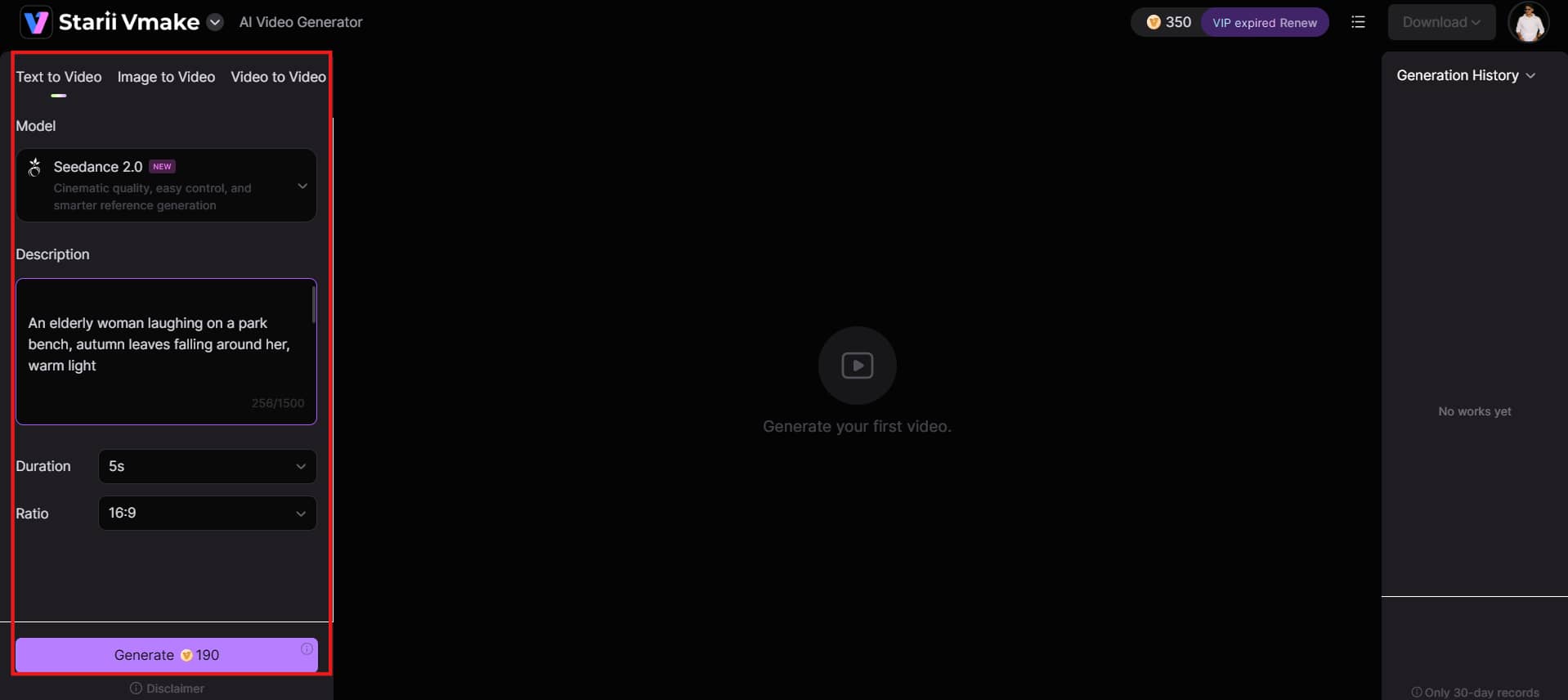
Step 2: Add your content or ideas and customize settings
Type a clear description of the video you want, or upload a photo or short clip to begin with. Then choose your AI model, set how long the video should be (usually 2 to 15 seconds), and pick the aspect ratio if needed.
Step 3: Generate, preview, and download Click the "Generate" button and wait a few seconds for the AI to create your video. Once it's ready, watch the preview. Once satisfied, click "Download" to save the video. You can now use it for social media, marketing, or any other project.
Key features
-
Multi-model AI video generation
Vmake gives you access to multiple top AI video models in one place. You can easily switch between Kling 3.0, Seedance 2.0, and others to find the perfect style and quality for your project.
-
Text/Image-to-video generation
Convert text descriptions or uploaded still photos into moving video clips. The tool automatically adds motion, physics, and animations to static inputs.
-
AI avatar videos & talking heads
Create realistic AI avatars and talking-head videos with synced speech, facial movement, and gestures for explainers, tutorials, and marketing content.
-
Powerful video enhancer & upscaler
Enhance video clarity, reduce noise, improve sharpness, and upscale footage resolution up to 4K using AI-based processing tools.
-
High-resolution output & precise duration control
Export videos in resolutions up to 4K with adjustable video duration controls ranging from 2 to 15 seconds.
Vmake AI vs Minimax AI (Hailuo): Quick comparison
In selecting which one to go for, this depends on what you intend to do. MiniMax is great for realistic, cinematic-style videos. Vmake AI gives you more tools for creating, editing, and improving videos, especially for social media and daily content. Here's a simple side-by-side comparison of both tools:
|
Aspect |
Minimax AI (Hailuo) |
Vmake AI |
|---|---|---|
|
Best For |
Raw text/image-to-video generation |
Full UGC workflow (generate + enhance + edit) |
|
Text-to-Video |
Yes |
Yes |
|
Image-to-Video |
Yes |
Yes |
|
Character Consistency |
Subject reference support |
Available in selected models |
|
Video Length |
6–10 seconds |
2–15 seconds |
|
Post-Production Tools |
Limited |
Strong (enhancer, removers, captions) |
|
Video Enhancement |
Basic |
Advanced AI enhancement & upscaling |
|
Ease of Use |
Beginner-friendly |
Beginner-friendly |
|
Best Content Type |
Cinematic AI clips |
Marketing, UGC, social media videos |
|
Pricing |
Free (daily credits) Standard: $9.99/mo (1,000 credits) Unlimited: $94.99/mo |
Free (20 credits/day) Plus: $9.99/mo (1,000 credits) Pro: $29.99/mo (4,500 credits) |
Conclusion
MiniMax AI video generator is excellent for creating realistic short videos with impressive motion and physics. It's fast, beginner-friendly, and perfect for quick social media clips. However, its short video limits and occasional inconsistency might hold you back if you need more control.
That's where Vmake AI excels – offering multiple models, improved duration control, advanced editing tools, and enhancement features all in one easy platform. Both have their pros and cons when it comes to creating social media clips, marketing videos, or cinematic AI scenes. Try them out and see which one suits your creative process and content requirements.
FAQs
Is Minimax AI video generator free to use?
Yes, MiniMax AI has a free plan that provides you with daily credits to generate a few videos per day. However, free videos have watermarks, lower resolution (720p), and limited features. To get 1080p videos without watermarks and more credits, you will need to upgrade to a paid plan. Many creators also start with Vmake AI’s generous free daily credits for higher flexibility right from the beginning.
Can Minimax generate videos from images?
Absolutely. MiniMax features a powerful image-to-video tool alongside its text generation options. You simply upload a static photo, illustration, or digital painting, add an optional text prompt to specify the direction of movement, and the AI will smoothly animate the scene with realistic motion. Vmake AI offers a similar image-to-video feature with the added flexibility of switching between multiple top models like Kling 3.0 and Seedance 2.0 for different animation styles.
What types of videos can you create with Minimax AI?
You can create a wide variety of short videos, including social media clips, product demonstrations, storytelling scenes, fantasy visuals, marketing ads, and fun animations. It works best with dynamic scenes that need realistic motion, though complex or very abstract ideas may give mixed results. For creators who also need post-production tools like video enhancement, caption generation, and background removal, Vmake AI covers the full workflow in one place.
How long are videos generated by MiniMax AI?
Individual video clips generated by MiniMax are quite brief, typically spanning between 4 to 6 seconds per generation, with specific enterprise tiers stretching up to 10 seconds. For longer storytelling projects, content creators generally stitch multiple separate generations together using standard editing software. Vmake AI offers slightly more flexibility here, supporting clip durations from 2 to 15 seconds depending on the model selected.
Does Minimax AI support commercial video creation?
Yes, paid plans of MiniMax AI allow commercial use of the generated videos. This makes it suitable for marketing, advertising, and business content. Always check the latest terms of service, as the free plan usually restricts commercial usage.
How fast is MiniMax AI video generation?
MiniMax is highly optimized for speed. Its specialized "Fast" variants render a 6-second, 720p or 1080p clip in just 30 to 55 seconds. Standard text-to-video and image-to-video models typically deliver cinematic results within 1 to 3 minutes, depending on overall server demand and your selected clip duration. Vmake AI also provides fast generation while offering additional enhancement and export options.

You May Be Interested
Luma AI vs Pika AI: How to Get Started Quickly
Hailuo AI vs Luma AI: Comprehensive Reviews Roundup
Best Veed Alternatives for Captioning Videos Automatically (2025)
VEED Review: Does the Watermark Remover Work? (2026)
Viggle AI Video Generator Review & Top 2026 Alternatives

Best AI Video Generator: Top Tools Tested (2026)