Best AI Lip Sync Tools in 2026
Looking for the best AI lip sync tool? Compare the top AI lip sync platforms in 2026 based on features, accuracy, language support, pricing, and video localization capabilities.

Dubbing videos used to mean expensive voice actors, studio time, and weeks of editing. For most creators, that budget simply doesn't exist. Today, AI lip-sync tools change the game – matching mouth movements to translated audio in seconds, not days. But not every platform delivers the same quality.
We tested the leading AI lip-sync video generator's free and paid options on precision, language support, and real‑world workflows. Below, you'll find the best lip-sync AI tools along with a clear guide to choosing the right one for your needs.
What Is an AI Lip Sync Tool?
An AI lip sync tool is software that automatically synchronizes mouth movements with spoken audio in a video. Instead of manually animating or editing frame by frame, you upload a video and an audio track – often translated into another language – and the AI generates natural-looking lip movements that match the new speech. It's the fastest way for creators to localize content without reshooting or even hiring voice actors.
How AI Lip Sync Technology Works
AI lip sync happens in three stages. The model starts by scanning each frame of your video to find the speaker's face and track key points around the mouth and jaw. From there, it analyzes the translated audio and generates matching mouth shapes – known as visemes – frame by frame. It picks up on the speaker's natural mouth width, head tilt, and speaking rhythm along the way.
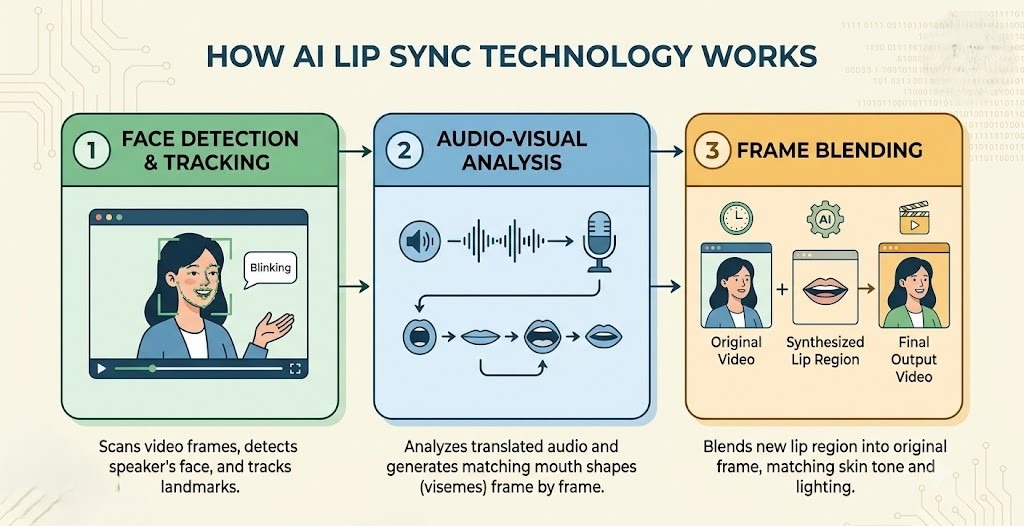
The final step blends the new lip movements back into the original footage, matching skin tone and lighting so everything looks consistent. The background, body, and hair stay exactly as they were – only the lip region changes.
Why Creators Use AI Lip Sync
Creators turn to AI lip sync tools because they solve real production problems:
Expand global reach-Instead of reshooting every video for different markets, creators localize existing content with translated audio. The AI handles the lip sync, so the video feels native to each audience without extra filming.
Save production time – Manual audio syncing takes hours of frame-by-frame editing. AI reduces that to minutes. What used to delay content calendars can now be done in a single coffee break.
Maintain authenticity – The original speaker's facial expressions and delivery stay intact. The AI only changes the mouth movements, so the performance remains natural and believable.
Reduce costs – Hiring voice actors and booking studio time gets expensive quickly. AI tools remove those costs. This makes multilingual content affordable for creators and smaller teams.
AI Lip Sync vs Traditional Video Editing
Feature / Metric | AI Lip Sync | Traditional Video Editing |
Speed | Minutes (automated rendering) | Hours or days of meticulous editing |
Cost | $0 – $30 per video | $1,000 – $5,000+ per minute of finished video |
Skill Required | None (simple drag-and-drop or text input) | Expert-level video editing and audio engineering |
Process & Result | Natural, automatic frame-by-frame face blending | Manual, frame-by-frame alignment and splicing |
AI lip sync doesn't replace professional dubbing entirely – it still falls short on pacing, story flow, and full creative control – but for most creators, it's fast, affordable, and delivers surprisingly natural results.
How We Evaluated the Best AI Lip Sync Tools
We tested each AI lip-sync tool using the same translated audio clip synced to a 30‑second talking‑head video. We wanted to find the best lip sync video AI for real creators – not just the ones with the best marketing. Here's what we looked for.
Lip Sync Accuracy
First, we checked how precisely mouth movements matched the translated audio. Tools that handled different speaking speeds and preserved natural expressions scored highest. Even a slight mismatch can break immersion, so accuracy was non‑negotiable.
AI Dubbing Quality
Next, we evaluated voice naturalness, emotion, and pacing. Good dubbing should sound like the original speaker – not a robot. We prioritized tools that maintained tone and delivery across different languages because unnatural voices lose audience trust fast.
Language Support
We also counted languages and dialects across every platform. 50+ is good for most creators; 80+ is excellent for global teams. But we also noticed that more isn't always better – accuracy per language matters just as much. A tool that handles five languages well beats one that struggles with fifty.
Ease of Use
Another key factor we assessed was ease of use. We tested how quickly a beginner could upload, sync, and export a video. No complex settings – just upload, process, download. The best AI lip sync tools keep the workflow simple enough for anyone to use, regardless of experience.
Pricing and Free Plans
Finally, we compared free-tier limits, watermark policies, and paid-plan value. A good tool should let you test before you buy. If a platform locks everything behind a paywall, it's hard to trust it will deliver results worth the investment.
Best AI Lip Sync Tools Compared
We tested six leading AI lip sync tools side by side. The table below gives you a quick snapshot – use it to find the best lip sync video AI for your specific workflow.
AI Lip Sync Tool Comparison Table
Tool | Best For | Languages | Lip Sync Quality | Pricing (starts at) | Free Plan |
Vmake | Video localization + lip sync | 50+ | Smooth, natural (AI-driven) | $9.99/mo (Plus) | Yes (20 credits/day) |
HeyGen | AI avatars & talking heads | 175+ | High (Avatar IV – natural motion) | $29/mo (Creator) | Yes (3 videos, 1-min max) |
Akool | Realistic avatars & face swap | 155+ | High (accurate lip-sync) | Pay-as-you-go | Yes (limited, watermark) |
Synthesia | Enterprise training avatars | 140+ | Good (avatar-based) | $14/mo (Starter annual) | No (trial only) |
VEED | YouTube creators | 30+ (lip sync) | Moderate (Fabric 1.0 – fast, basic) | $18/mo (Pro) | Yes (watermarked) |
Captions | Short-form social content | 28+ | Impressive for short clips | $9.99/mo (Pro) | Yes (watermarked) |
Vmake
Vmake AI video translator is more than a lip-sync tool – it's a complete video localization platform. Instead of just matching mouth movements, it handles subtitles, audio dubbing, voice cloning, and video enhancement in one workflow. This makes it the better choice for users who want to localize videos without needing extra tools. Vmake covers languages like Spanish, Japanese, and German.
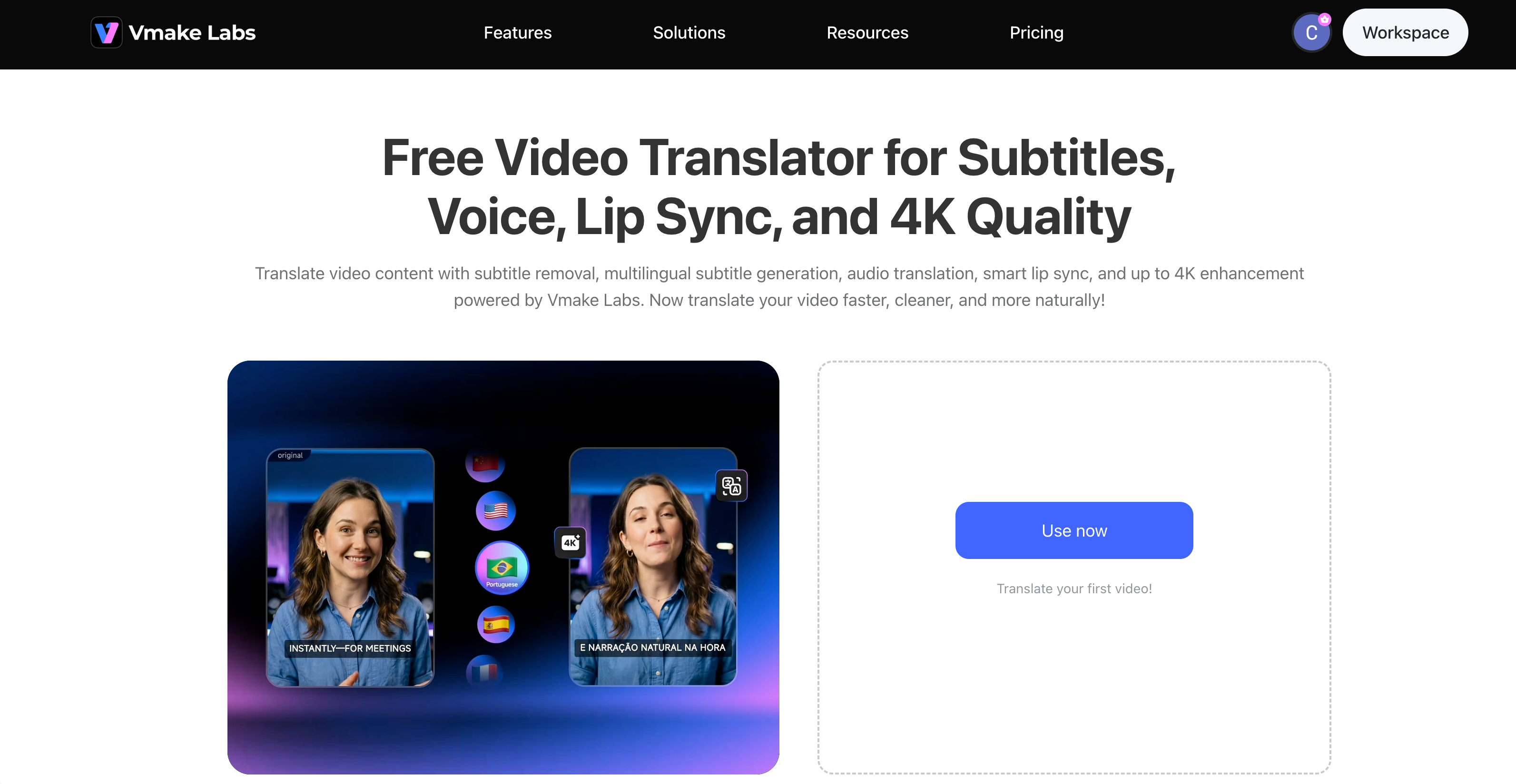
Key Features:
Complete video translation workflow – handles subtitles, audio dubbing, lip sync, and video enhancement in one place.
Smart lip sync – helps the translated voice match the speaker's mouth movements.
Voice cloning – voice cloning keeps the original voice consistent. This makes the dubbing sound more natural.
Subtitle removal and generation – remove old subtitles and add new translated ones in the same workflow.
4K video enhancement – improves clarity and sharpness while translating
Best For:
Video creators who want to localize entire videos with lip-synced dubbing in one workflow – no separate tools required.
How to Translate Videos with Vmake:
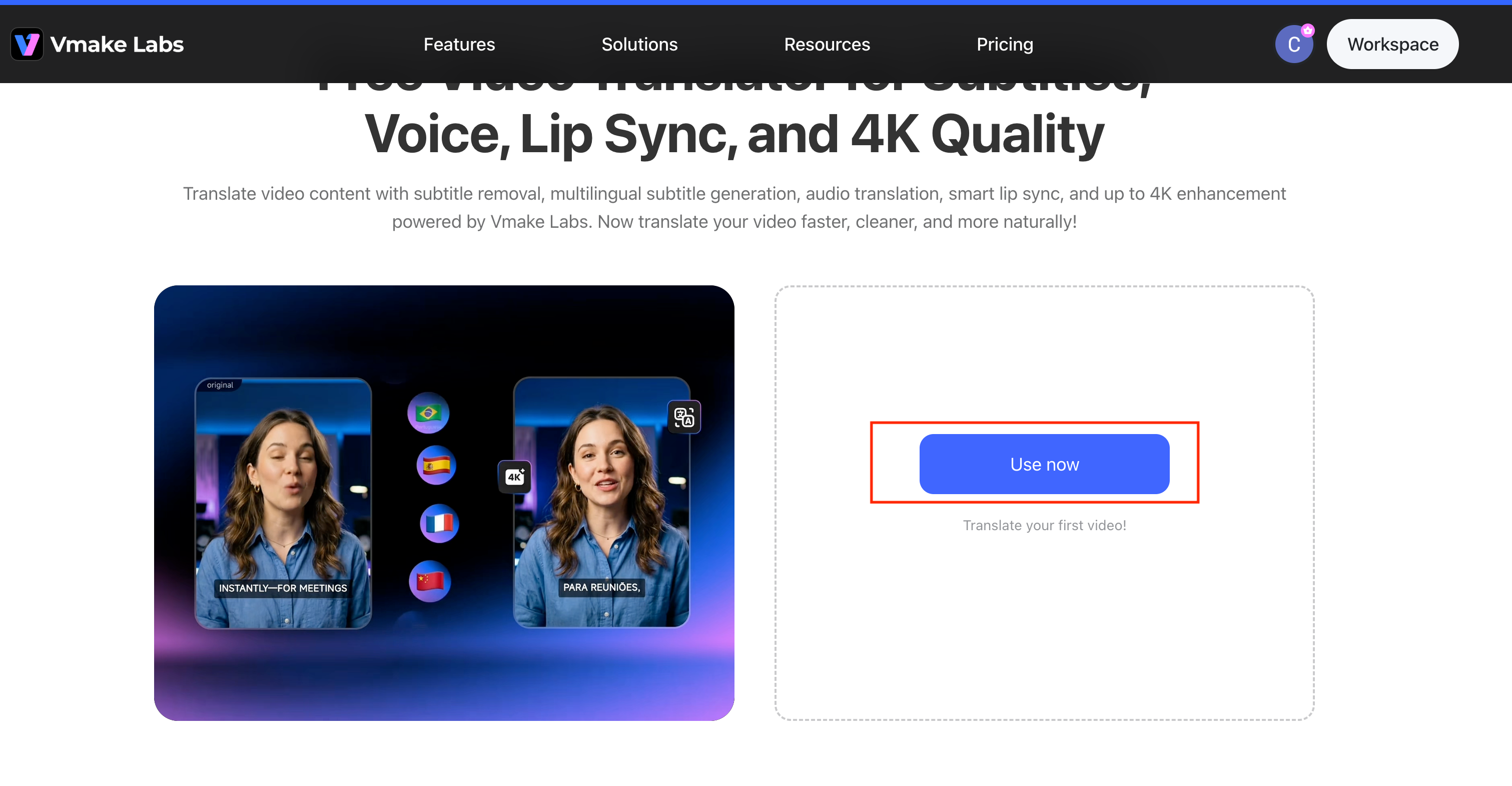
Step1. Upload your video and choose the target language.
Open the Vmake video translator tool in your browser – no downloads required. Upload your video file like MP4, MOV, or other common formats, and select the language you want to translate your audio into.
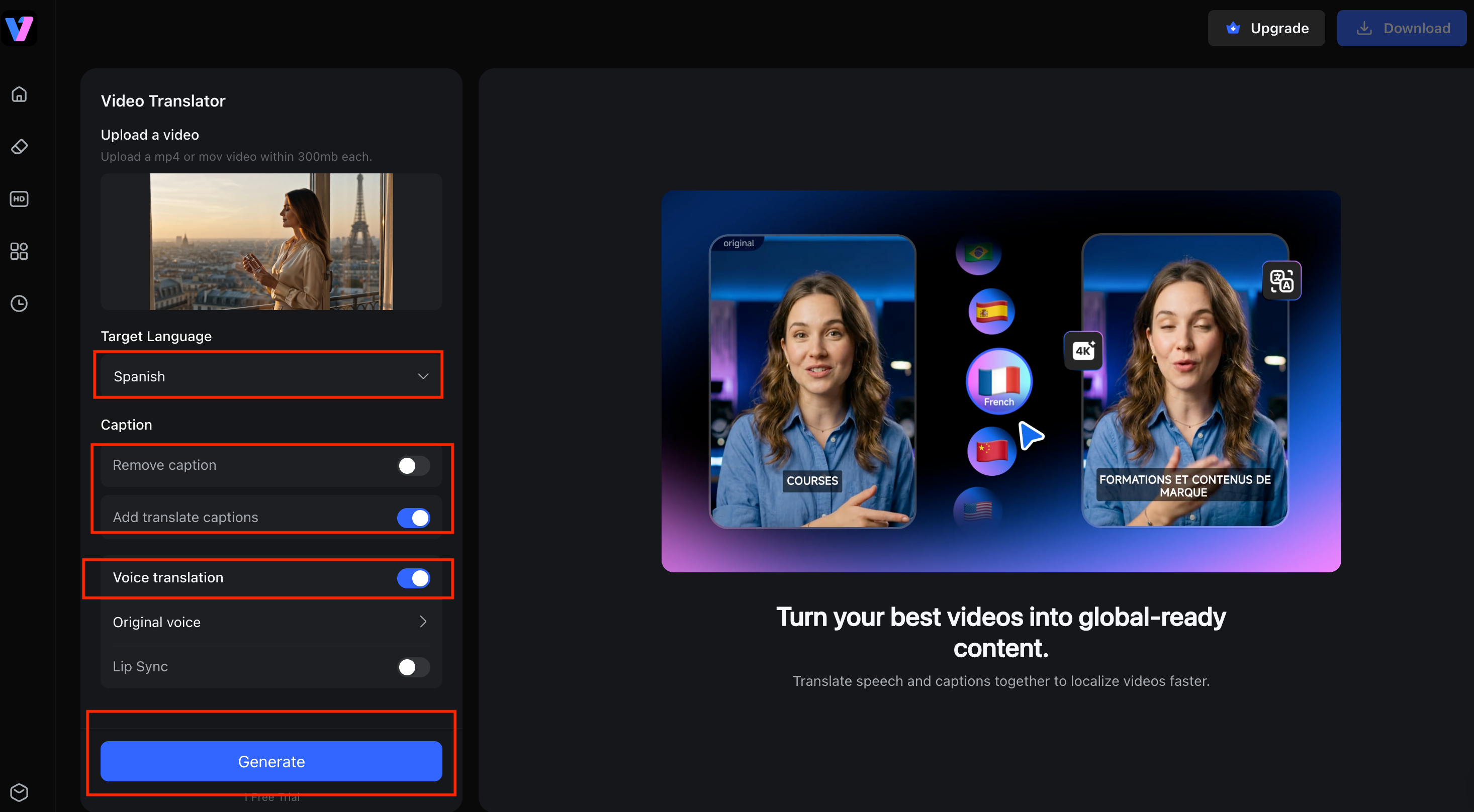
Step 2. Enable lip sync and pick a voice.
The feature will align the translated audio with the speaker's mouth movements. You can also turn on voice cloning to keep the original tone. Or you can choose a different voice for your content.
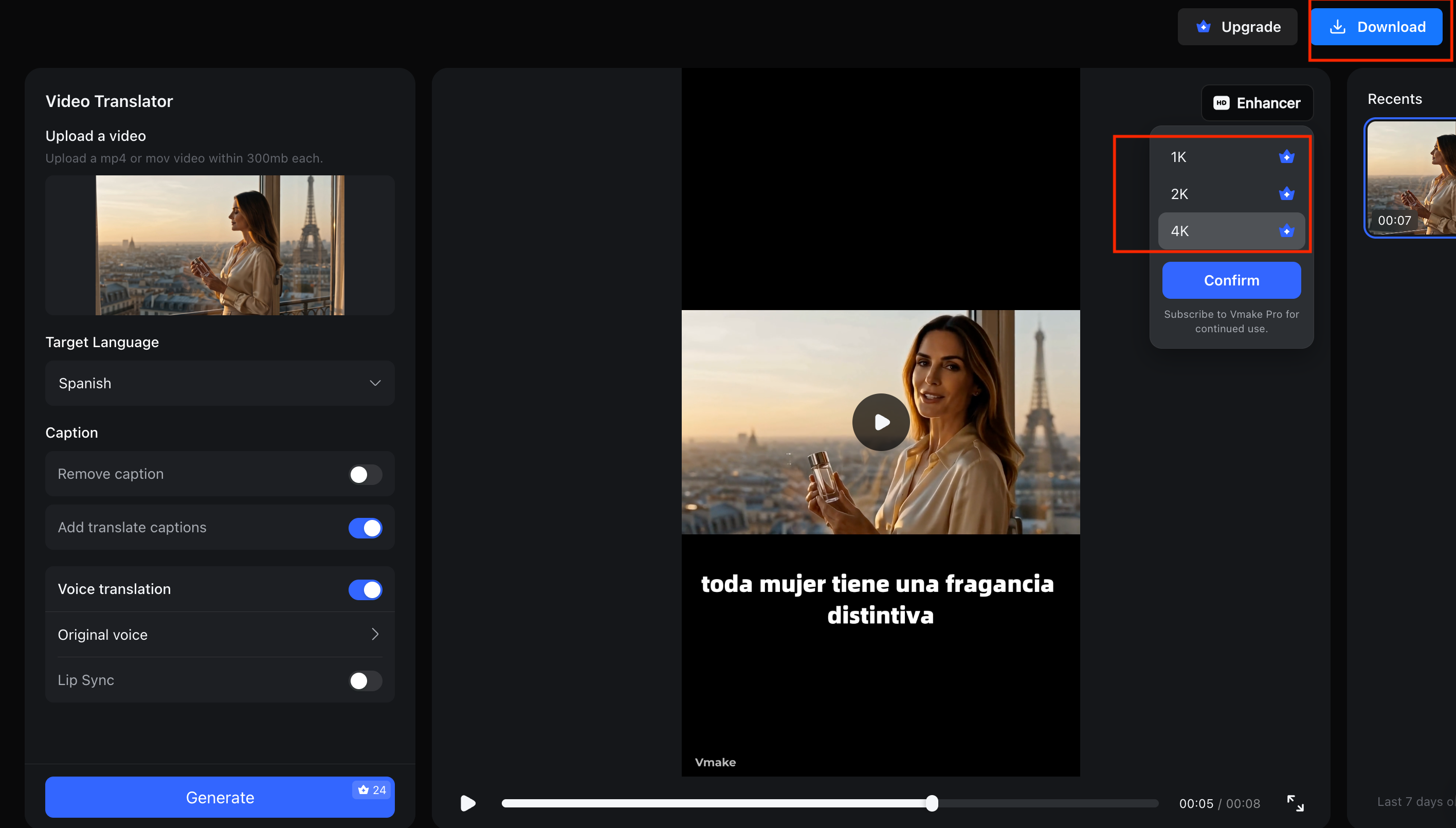
Step 3. Generate and export your lip-synced video.
After you click generate, the AI gets to work. It translates the audio and syncs the lip movements frame by frame. The result is a video that looks natural and ready for publishing. You can export it with synced lips and enhanced quality. Then just download it and share it wherever you like.
Pricing snapshot:
Vmake has a free tier that gives you 20 credits each day. The Plus plan costs $9.99 per month, and the Pro plan is $29.99 per month.
Pros & Cons
| Pros |
Cons |
| Smooth, natural lip-sync with a noticeably faster turnaround than manual editing |
AI avatars may feel slightly less natural than real humans for some audiences. |
| All-in-one workflow – lip sync, subtitles, dubbing, and enhancement in a single tool |
Advanced editors may find limited manual control options. |
| No watermark on paid plans |
|
| 50+ languages supported |
HeyGen
HeyGen is a popular tool for AI avatar videos. Its lip sync is a key reason for that popularity. The Avatar IV model can turn a still photo into a talking video with natural motion. It feels less robotic than older versions. The translation feature syncs lip movements with audio in over 175 languages. This makes it a strong option for creators who need content for global audiences.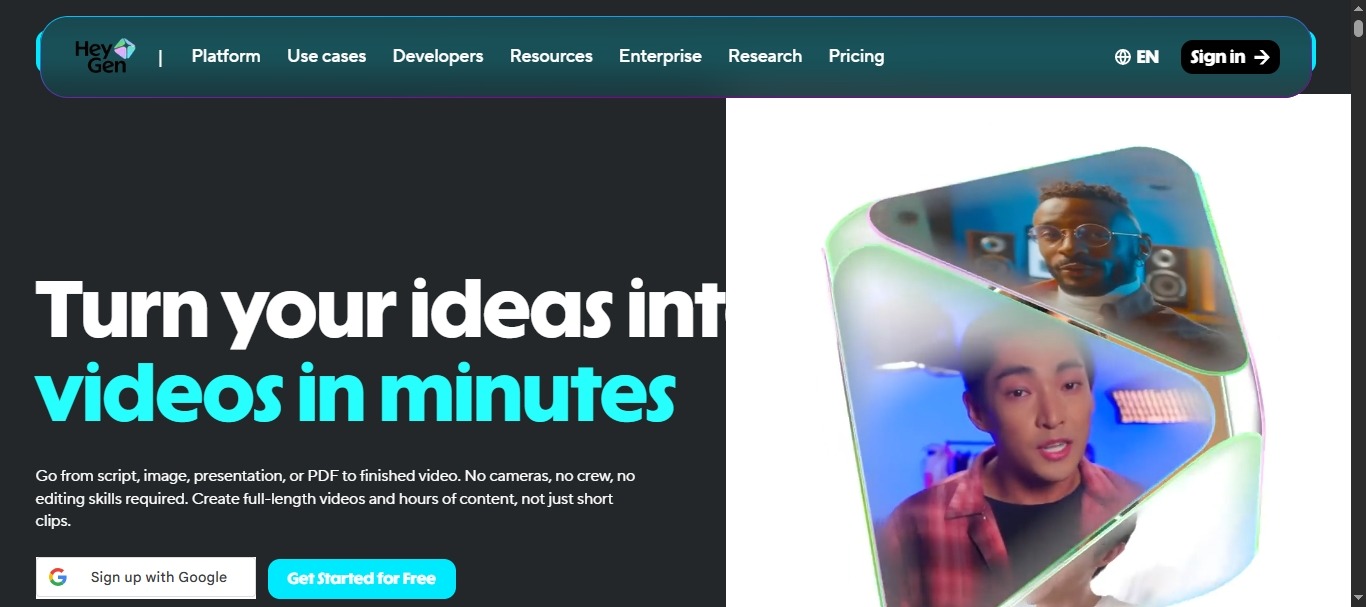
Key Features:
Avatar IV – Animates a still photo into a realistic talking video with natural motion.
175+ languages – Industry-leading coverage for global creators
Voice cloning – Maintain a consistent brand voice across videos
Lip-synced translation – Translates video with mouth movements resynced to new audio.
Best For: Marketing teams and content creators who need diverse avatars and extensive language support.
Pros & Cons
| Pros |
Cons |
| Highly realistic AI avatars and voices |
The credit system adds costs for advanced features (Avatar IV and lip-sync consume Premium Credits) |
| Fast multilingual content creation |
Some users note repetitive hand gestures across videos. |
| Strong free plan for testing |
Akool
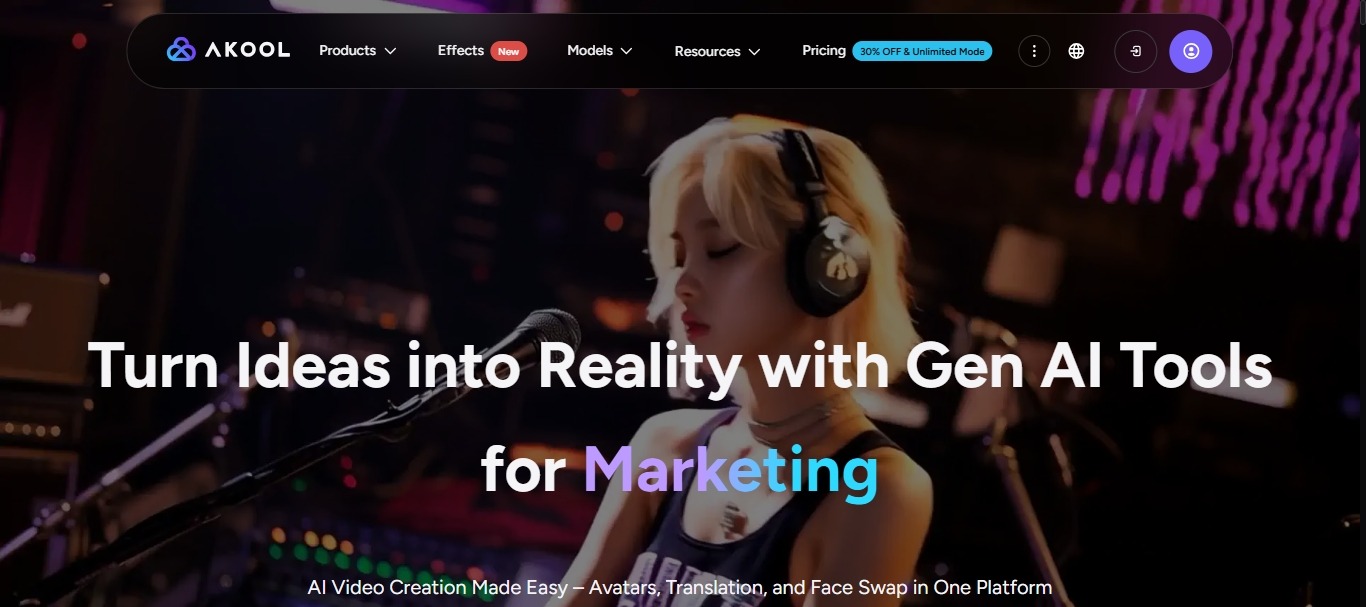
Akool is built around personalization and visual realism, with lip sync that works across its avatar video and face-swap tools. Its avatar videos feature accurate lip-syncing in 155+ languages, and it also offers a talking photo feature that brings static images to life with synced speech.
Key Features:
Avatar Video – Lifelike presenters with accurate lip-syncing
155+ languages – Extensive global coverage
Face Swap – Professional-grade face replacement with skin tone consistency
Talking Photo – Transforms static images into talking photos.
Best For:
E‑commerce brands and marketers needing realistic avatars and face-swap capabilities for product videos.
Pros & Cons:
| Pros |
Cons |
| Beginner-friendly interface |
Export performance can slow down on longer videos |
| High-quality visual output |
The text-to-speech feature does not always handle technical words well |
| Realistic face swap and avatars |
Voice tones can sound generic |
Synthesia
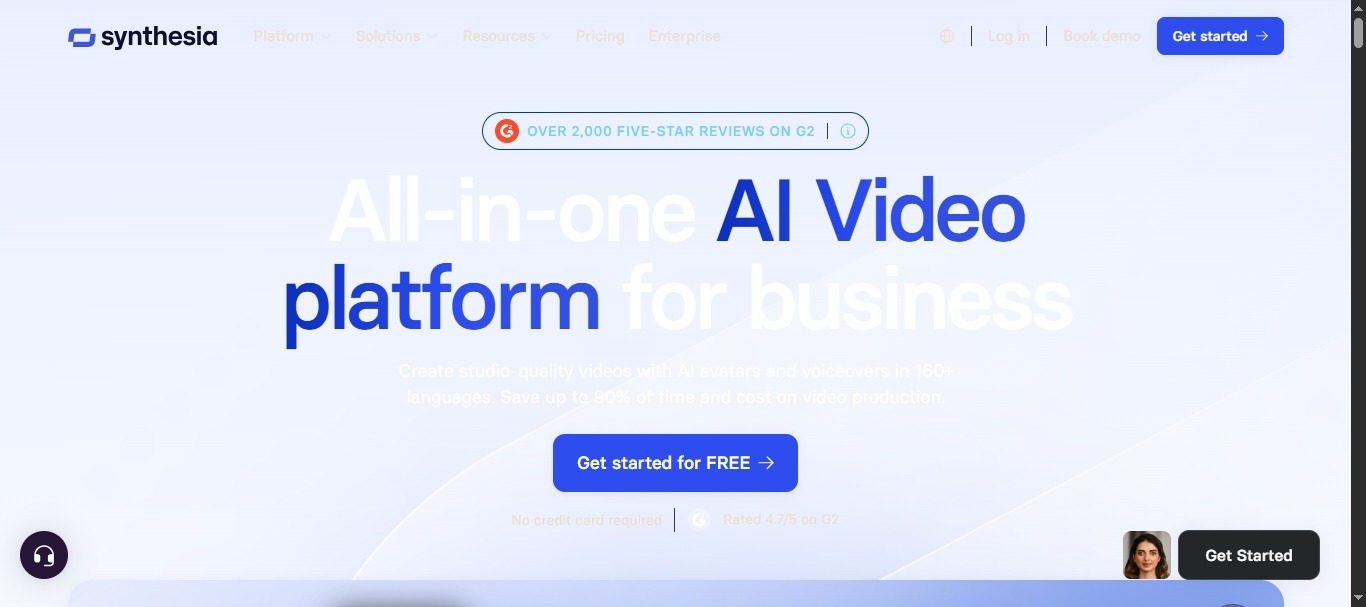
Synthesia helps enterprise teams produce training videos and onboarding materials. Its lip-sync technology uses avatars to align mouth movements with voiceovers. The platform supports over 140 languages. The lip sync is reliable and consistent. But the avatars can lack some of the nuance you would get from a real human presenter.
Key Features:
140+ languages – Strong global coverage for multilingual content
Enterprise avatars – 160+ stock avatars plus custom avatar creation
AI dubbing – Multilingual content localization
Team collaboration – Designed for enterprise workflows
Best For:
Enterprise teams producing large volumes of internal training, onboarding, and compliance content.
Pros & Cons
| Pros |
Cons |
| Industry leader for enterprise AI video production |
Avatars can lack emotional range and natural gestures (uncanny valley effect) |
| Strong compliance and security features |
Video minute caps can be restrictive on lower tiers |
| Reliable, consistent output quality |
Full re-render required for small script changes |
VEED
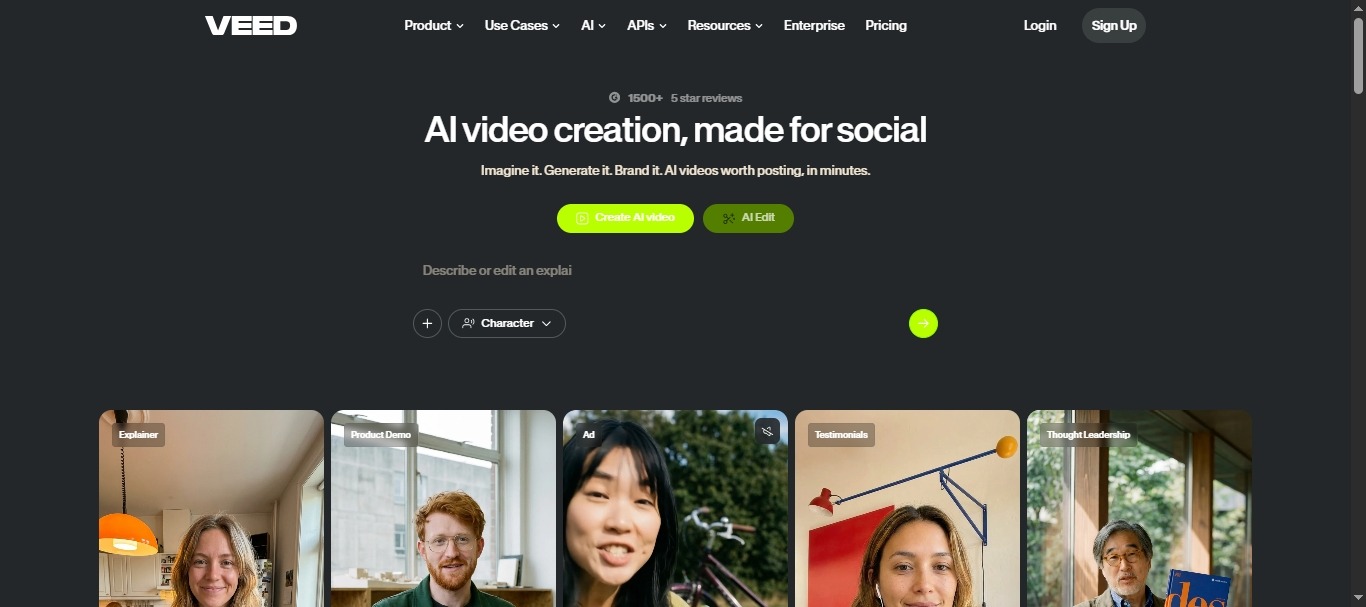
VEED is a browser-based video editor that makes lip sync accessible to anyone, regardless of experience. Its Fabric 1.0 AI model converts still portraits into expressive talking videos — and it's one of the fastest lip-sync models available. With one-click dubbing in 30+ languages.
Key Features:
Fabric 1.0 AI – Converts still portraits into expressive talking videos up to 5 minutes.
One-Click Dubbing – Translates and syncs video audio into 30+ languages
Text-to-Speech Integration – Creates content without recording audio.
Visual Styling – Custom characters in varying art styles
Best For:
YouTube creators and small businesses needing quick, accessible video editing with lip sync.
Pros & Cons
| Pros | Cons |
| Extremely easy to use, no software installation needed |
Lip sync quality is basic compared to specialized tools |
| One of the fastest lip-sync models available |
No API for automated workflows |
| Affordable pricing for casual users |
Browser-based processing can limit performance on larger files |
Captions
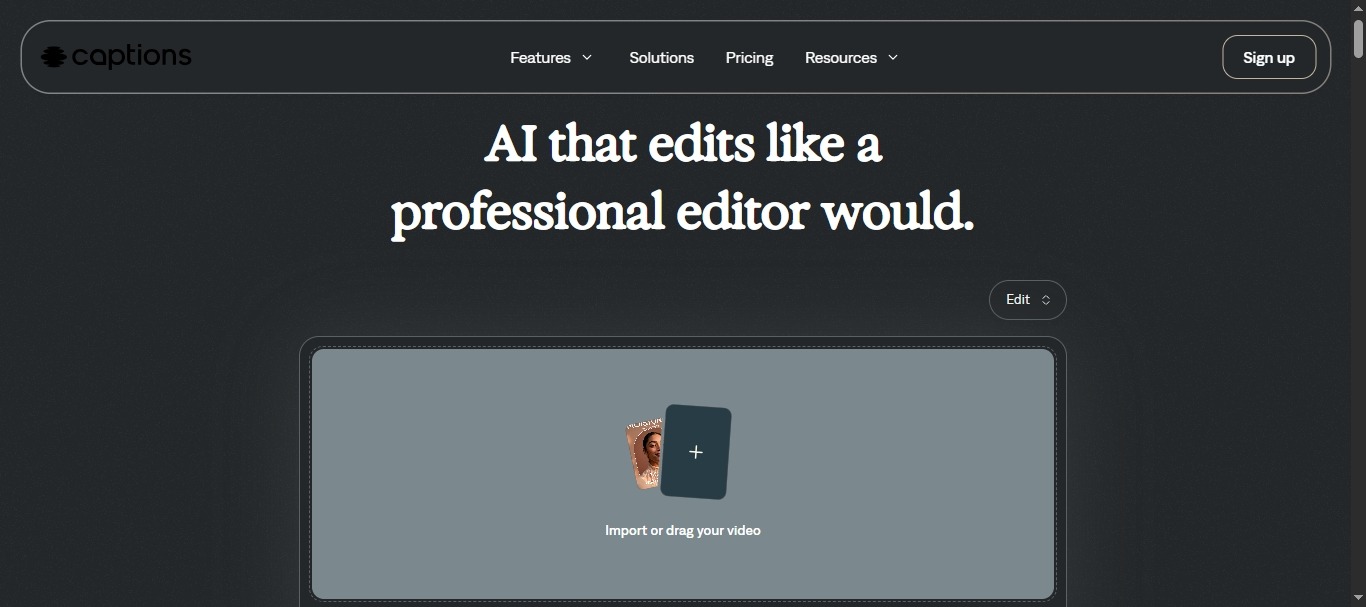
Captions is a mobile-first AI video app designed for short-form social content. Its AI Lipdub feature translates voice into 28+ languages, clones the original speaker's voice, and adjusts lip synchronization for short clips. The lip sync looks surprisingly realistic for quick, snappy videos, but performance can lag on longer content.
Key Features:
AI Lipdub – This feature translates your voice into 28+ languages.
AI Creator & Avatars – You can create videos from text scripts using 3D AI avatars.
AI Dubbing & Translation – It handles both dubbing and translation in one step.
Auto Captions – The auto captions tool generates subtitles that appear word by word.
Best For:
This tool works well for social media creators who make short videos.
Pros & Cons
| Pros |
Cons |
| Impressive lip sync for short videos |
Processing speeds can be slow, especially for longer clips |
| AI-powered captions and editing in one app |
Translation can struggle with dialect nuances |
| Translation into 28+ languages |
Lip-sync features consume credits quickly on higher-usage plans |
| Free plan available |
Which AI Lip Sync Tool Is Best for Different Use Cases?
Not every AI lip sync tool is right for every job. Your content type should guide your choice.
Best for YouTube Creators: YouTube creators often need fast results with minimal hassle. VEED's Pro plan gives them quick lip sync with one-click dubbing. Vmake is another good option to simultaneously add subtitle translation and video enhancement in the same tool.
Best for TikTok and Instagram Reels: Short videos need simple tools that work fast. Captions is built for this type of content. Its AI Lipdub feature makes social clips easy to create. Vmake also handles short videos well, especially when you need lip sync and subtitles at the same time.
Best for Marketing Videos: Marketing teams need efficiency and polish. Vmake combines lip sync, subtitle translation, and watermark removal in a single workflow, which cuts down on post-production time. For product videos with realistic avatars and face-swap capabilities, Akool is also worth considering.
Best for Online Courses: Course creators often need professional avatars and extensive language support. Synthesia and HeyGen both deliver on that front, with enterprise-grade features and multilingual capabilities. For smaller course creators on a tighter budget, Vmake offers a more cost‑effective alternative.
Best for Enterprise Localization: Large organizations need collaboration tools and scalable workflows. Synthesia and HeyGen lead the pack with team features and enterprise-level support.
Use Case | VEED (Pro) | Vmake | Captions | Akool | Synthesia | HeyGen |
YouTube Creators | ✅ (Best Fit – quick, 1-click dubbing) | ⚠️ (Alternative – subtitle & enhancement needs) | — | — | — | — |
TikTok and Instagram Reels | — | ⚠️ (Good alternative for short videos + subtitles) | ✅ (Best Fit – optimized AI Lipdub) | — | — | — |
Marketing Videos | — | ✅ (Best Fit – 3-in-1 workflow & watermark removal) | — | ⚠️ (Worth considering – avatars & face-swapping) | — | — |
Online Courses | — | ⚠️ (Cost-effective alternative for smaller creators) | — | — | ✅(Best Fit – professional avatars & multilingual support) | ✅ (Best Fit – professional avatars & multilingual support) |
Enterprise Localization | — | — | — | — | ✅(Best Fit – team features & scalability) | ✅ (Best Fit – team features & scalability) |
How to Choose the Right AI Lip Sync Tool
Finding the best AI lip sync tool for your workflow isn't complicated – just ask the right questions.
Consider your content type. Short social clips? You might not need enterprise avatars. Long‑form videos? Look for accuracy that holds up across 30+ minutes. Marketing videos need both quality and speed – choose accordingly.
Check language availability. A global brand may need 100+ languages. A YouTuber targeting two or three markets can do fine with 50+. HeyGen and Akool lead on language count, but Vmake covers the most common markets well.
Compare dubbing and translation features. Some tools only handle dubbing. Others, like Vmake, combine lip sync with subtitle translation, captioning, and watermark removal. All‑in‑one workflows cut editing time significantly.
Evaluate export and sharing options. Free tiers cap at 720p with watermarks. Paid plans unlock 1080p or 4K. Consider direct platform exports – YouTube, TikTok, Instagram – which save extra steps.
Start with a free plan. Test lip sync accuracy with your own content – not just demos. Upload a short clip with idiomatic speech and see how it performs. Vmake's free tier is generous for testing, and VEED offers a solid free option for beginners.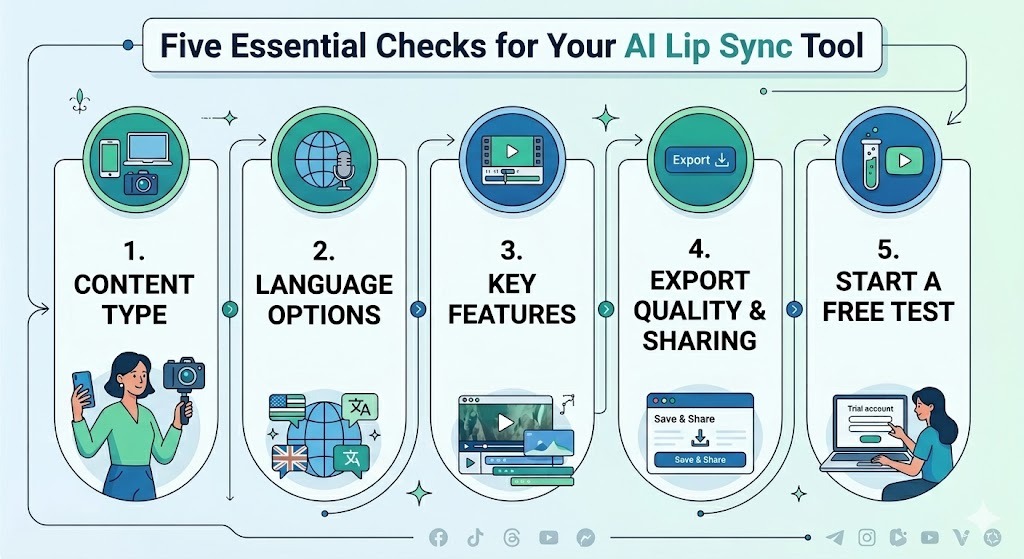
Why AI Lip Sync Is Becoming Essential for Video Localization
The demand for localized video content is growing fast – and AI lip sync is at the center of it.
Growth of Multilingual Content:
YouTube data shows something interesting. Creators who use multi-language audio tracks get over 25% of their watch time from viewers who speak other languages. That is a big reason why more creators are using AI lip sync. They can localize videos without reshooting anything.
Higher Audience Expectations:
Stiff, misaligned mouth movements break immersion. AI lip sync delivers natural, frame‑accurate results that keep viewers engaged – even in a different language.
Better Engagement Than Dubbing Alone:
Audio dubbing without lip sync feels disconnected. Adding lip sync makes videos feel authentic – viewers stay longer, share more, and convert better.
Faster Global Content Expansion:
New market entries used to take months. Now, you can localize a video in minutes. Major platforms are taking notice – Meta recently expanded real‑time lip‑synced translation for Instagram Reels. AI lip sync is becoming essential for scalable global communication.
FAQ
What is the best AI lip sync tool?
There's no single best. For short‑form social content, Captions is very accessible. For full video localization with dubbing and subtitles, Vmake AI is a strong choice. For enterprise avatars, HeyGen and Synthesia lead.
Is there a free AI lip sync tool?
Yes. Vmake offers 20 free credits daily with exports up to 720p. Captions also has a free tier with watermarks. HeyGen and Synthesia offer limited trials. Free plans are good for testing. Paid tiers remove limits and add advanced tools.
Can AI lip sync work with translated audio?
Yes – that's exactly what AI lip sync tools are built for. Upload a video and select a language. The tool translates the audio. It syncs mouth movements automatically, too. No manual editing required. Results are often surprisingly natural.
How accurate is AI lip sync?
Accuracy varies. Top tools like Synthesia and HeyGen deliver highly natural results. Vmake and VEED perform well for most use cases. For the best results, start with clear audio and a well‑lit speaker. Always test with your own content before scaling.
Which AI lip sync tool supports the most languages?
HeyGen leads with 175+ languages. Akool supports 155+. Synthesia supports 140+. Vmake covers 50+ common languages – enough for most creators. Always check language lists for rare dialects before committing.
Can AI lip sync be used for YouTube videos?
Yes. Most AI lip sync tools export in formats ready for YouTube. Vmake exports up to 4K on the Pro plan. VEED offers direct YouTube export. Check the export resolution and watermark policies before you publish your video.

You May Be Interested
How to Translate YouTube Videos to Any Language: 4 Easy Methods in 2026
Best AI Video Translator Tools in 2026: Compare Features, Accuracy & Pricing

How to Create a YouTube Thumbnail? Create YouTube Thumbnails Using AI
BlipCut AI Video Translator Review 2026: Pricing, Features, Pros, Cons & Alternatives