
How to Translate a Video Online for Free in 3 Steps
Learn how to translate a video online for free in just 3 simple steps. Translate video subtitles or audio into any language using AI-powered video translation tools.

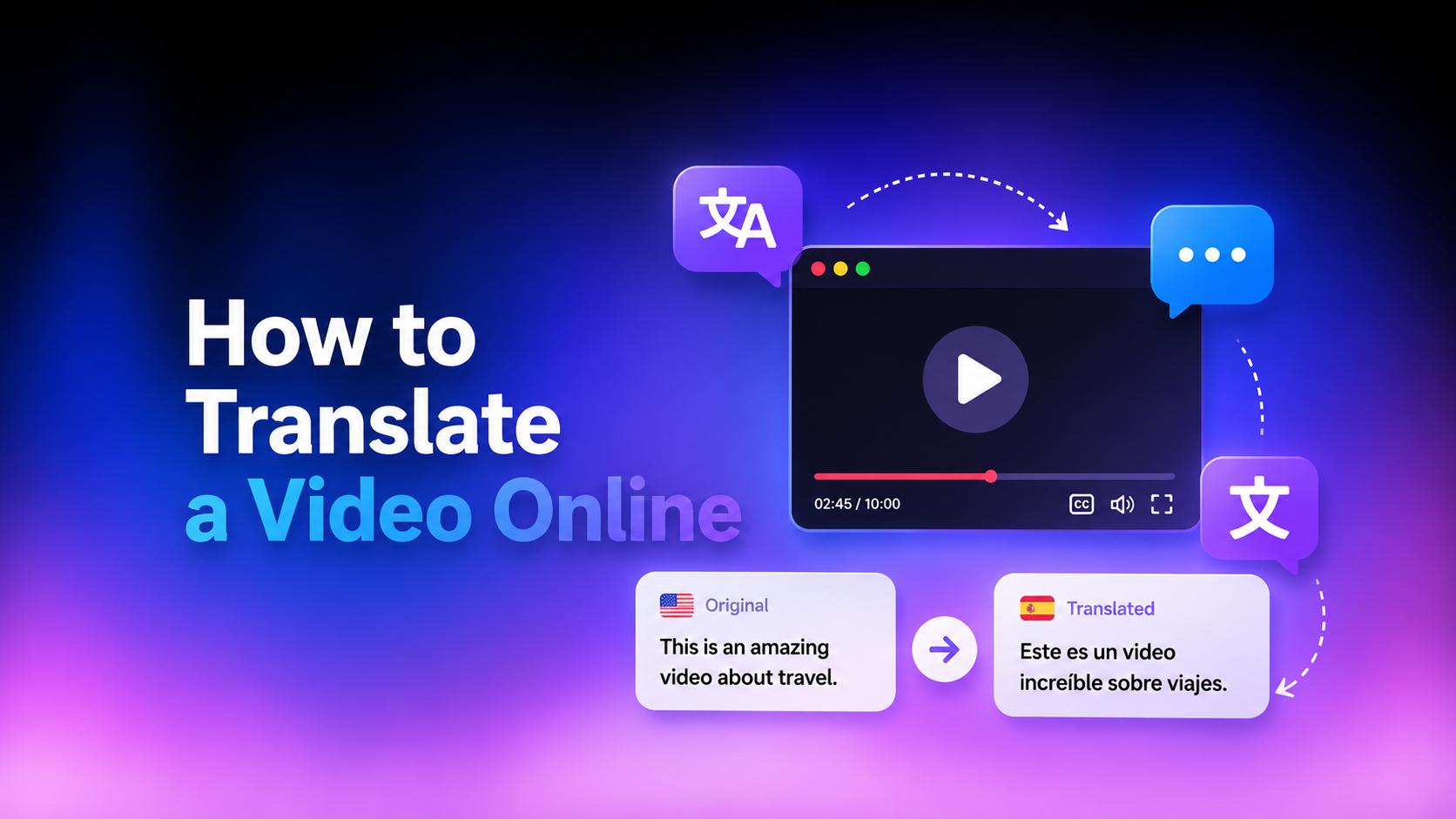
Translating videos is really important for creators aiming to reach global audiences. Thankfully, AI video translator tools make it simple to convert video subtitles or audio into any language, even without spending a dime. But how?
In this guide, you will learn how to translate a video online for free with AI, what challenges you can face while translating videos, and why it’s better than manual translation.
Why More Creators Are Translating Videos in 2026
As digital content continues to cross borders, video translation has evolved from a luxury to a necessity. Let’s see how:
Reach International Audiences
Translating videos allows creators to connect with viewers in different countries and languages. A well-translated video opens doors to new audiences, boosting engagement and revenue while fostering a global community around your content.
Make Content Accessible
Translating video content ensures inclusivity and meets global accessibility standards. Subtitles and dubbed audio help individuals who are deaf, have partial hearing loss, or prefer watching videos in their native language.
Repurpose Videos Across Markets
A single video can serve multiple markets when translated. By translating subtitles into different languages, creators can maximize a video’s value, adapting the same content to diverse cultural contexts without needing to shoot new footage.
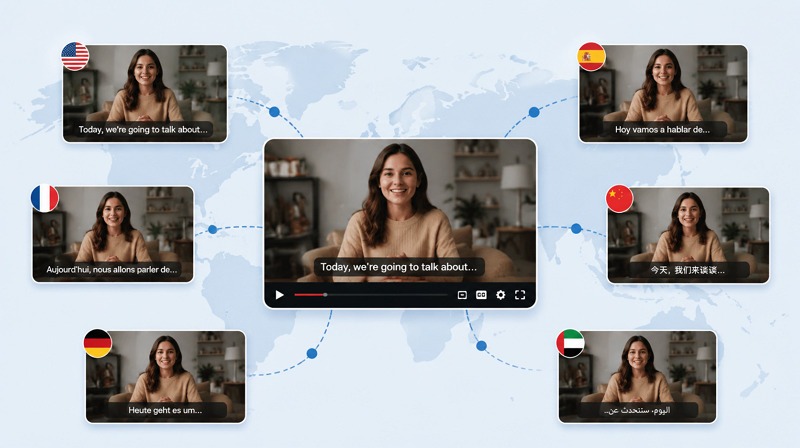
Subtitle Translation vs AI Dubbing: Which Should You Choose?
When translating videos, creators often face a choice between subtitle translation and AI dubbing. Both methods work differently and suit different types of videos. Understanding each one can help make the best choice.
What Is Subtitle Translation?
Subtitle translation involves adding text overlays to your video that display the spoken dialogue in the target language. This method retains the original audio while allowing viewers to read along in their preferred language.
What Is AI Dubbing?
AI dubbing replaces the original audio with synthesized speech in the target language. Modern AI video translators create realistic voiceovers that preserve tone and timing. This makes the content more immersive for audiences unfamiliar with the original language.
Pros and Cons of Each Method
Each method has unique advantages and limitations. Let’s explore:
Subtitle Translation
| Pros |
Cons |
| Fast processing |
May not accurately translate complex words |
| Easy to edit or update |
Split attention between the text and visuals |
| Compatible with multiple platforms |
AI Dubbing
| Pros |
Cons |
| Voice consistency |
High processing time |
| Maximum audience reach |
Updates require regenerating audio |
| Convey emotion and nuances |
Which Option Is Better for Different Types of Content?
Choosing between subtitle translation and AI dubbing depends on your content format, audience preferences, and budget. Here is a comparison table:
|
Subtitle |
AI Dubbing |
|
|
Budget |
Low |
High |
|
Original audio |
Maintained |
Replaced |
|
Viewer engagement |
Moderate |
High |
|
Accessibility |
Deaf or hard of hearing |
Non-readers |
|
Use cases |
Tutorials, interviews, and educational content |
Marketing, promotional, or storytelling |
How to Translate a Video Online Free with Vmake in 3 Steps
How can I translate my video? For those inquiring,Vmake AI Video Translator is the ultimate solution. Let’s comply with the given steps on how to translate a video online for free:
Step 1: Upload Your Video
The first step is to open this tool in your browser. Now, click “Use now” to get to the main interface. Drag or click the video you want to translate.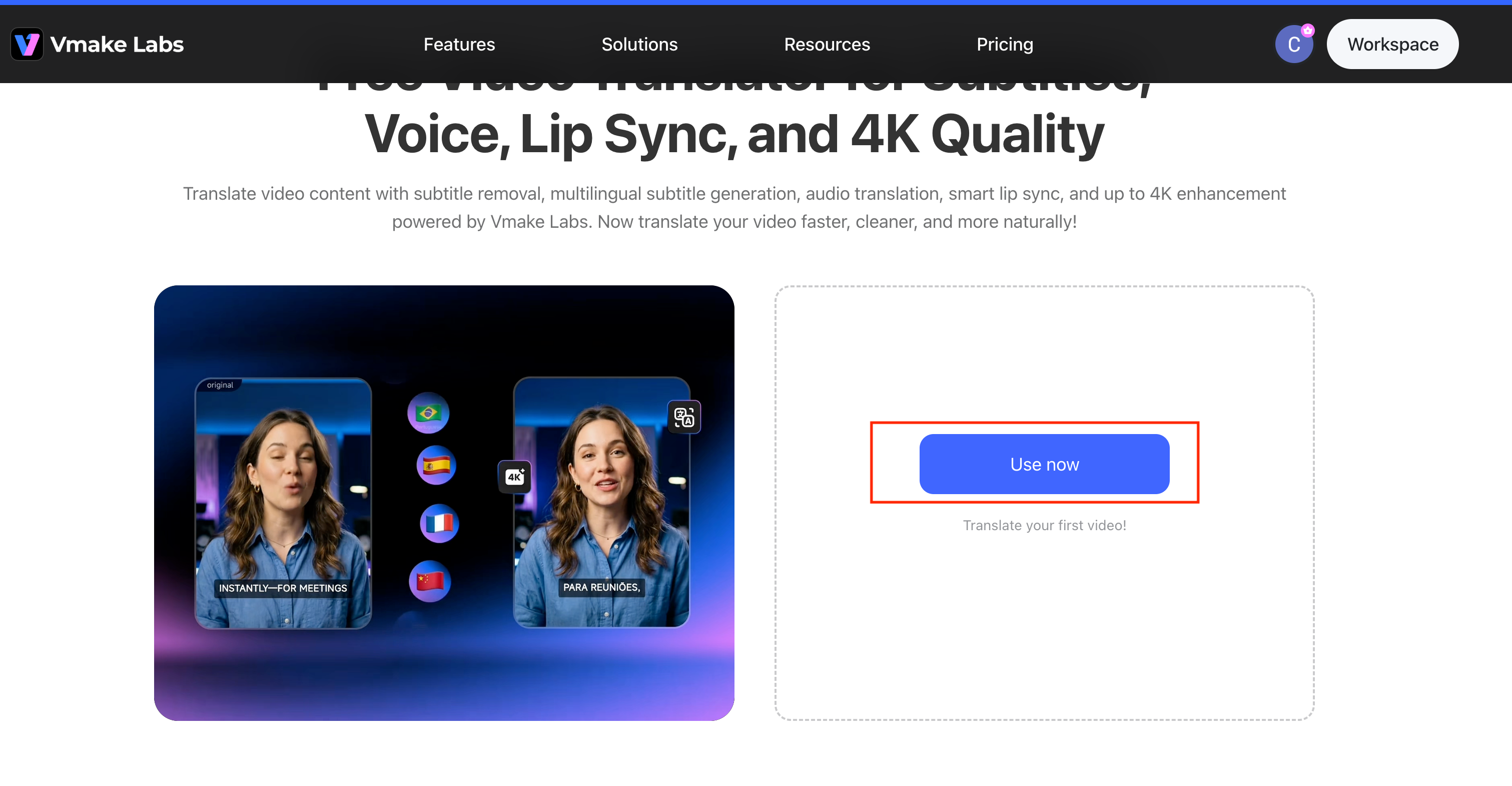
Step 2: Choose the Language You Want to Translate Into
Select your Target Language from the dropdown menu (e.g., Spanish). Under the Caption section, choose whether to "Remove caption" or "Add translate captions". In the Voice translation section, select either "Original voice" or "Lip Sync" for audio translation.
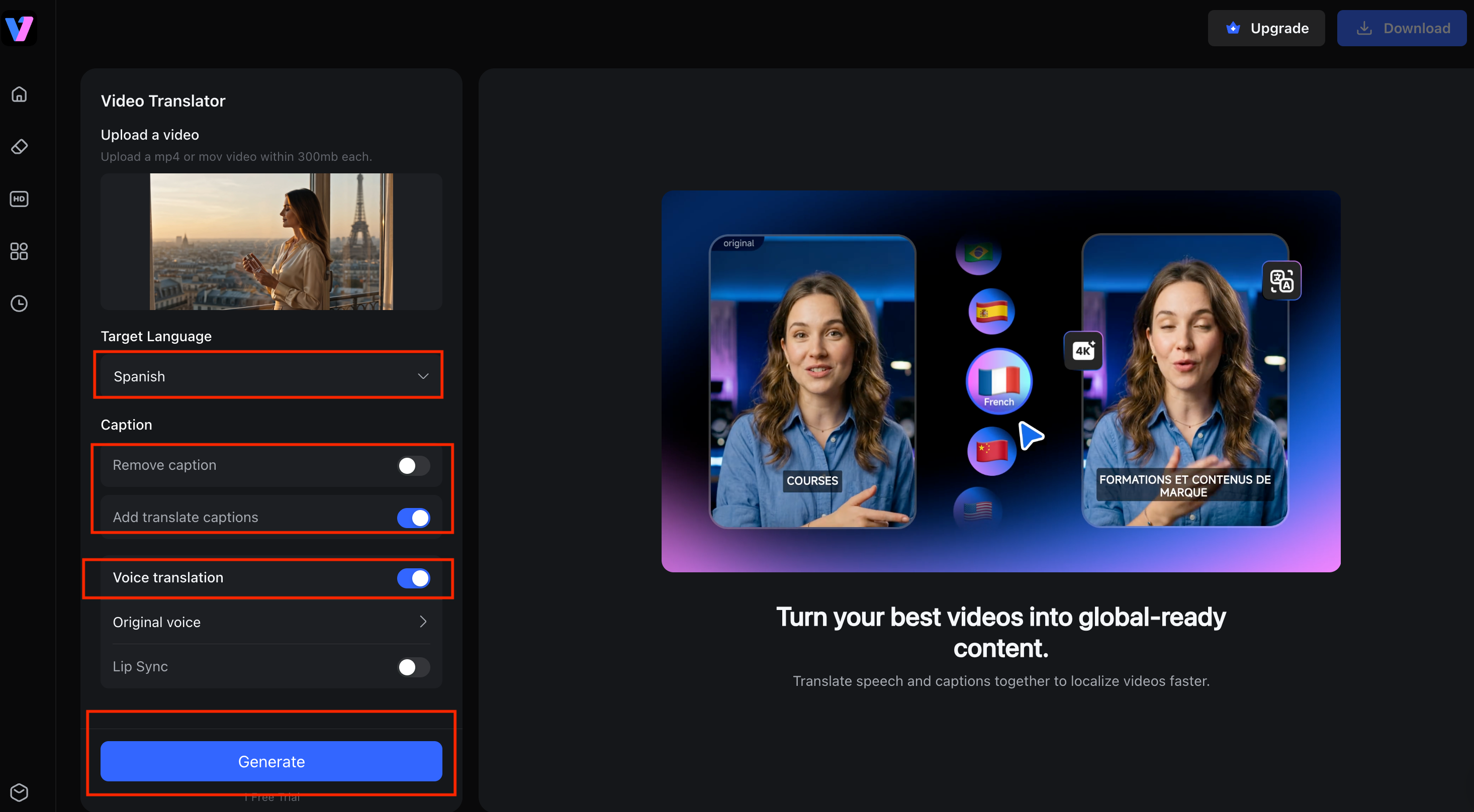
Step 3: Generate Translated Subtitles or Audio
Click the “Generate” button to start processing. Before generating, you can also choose to enhance the video quality to up to 4K, depending on your needs. Once the video translation is complete, the system will display a preview with the translated subtitles (e.g., "toda mujer tiene una fragancia distintiva"). After confirming the result, click “Download”. That's all!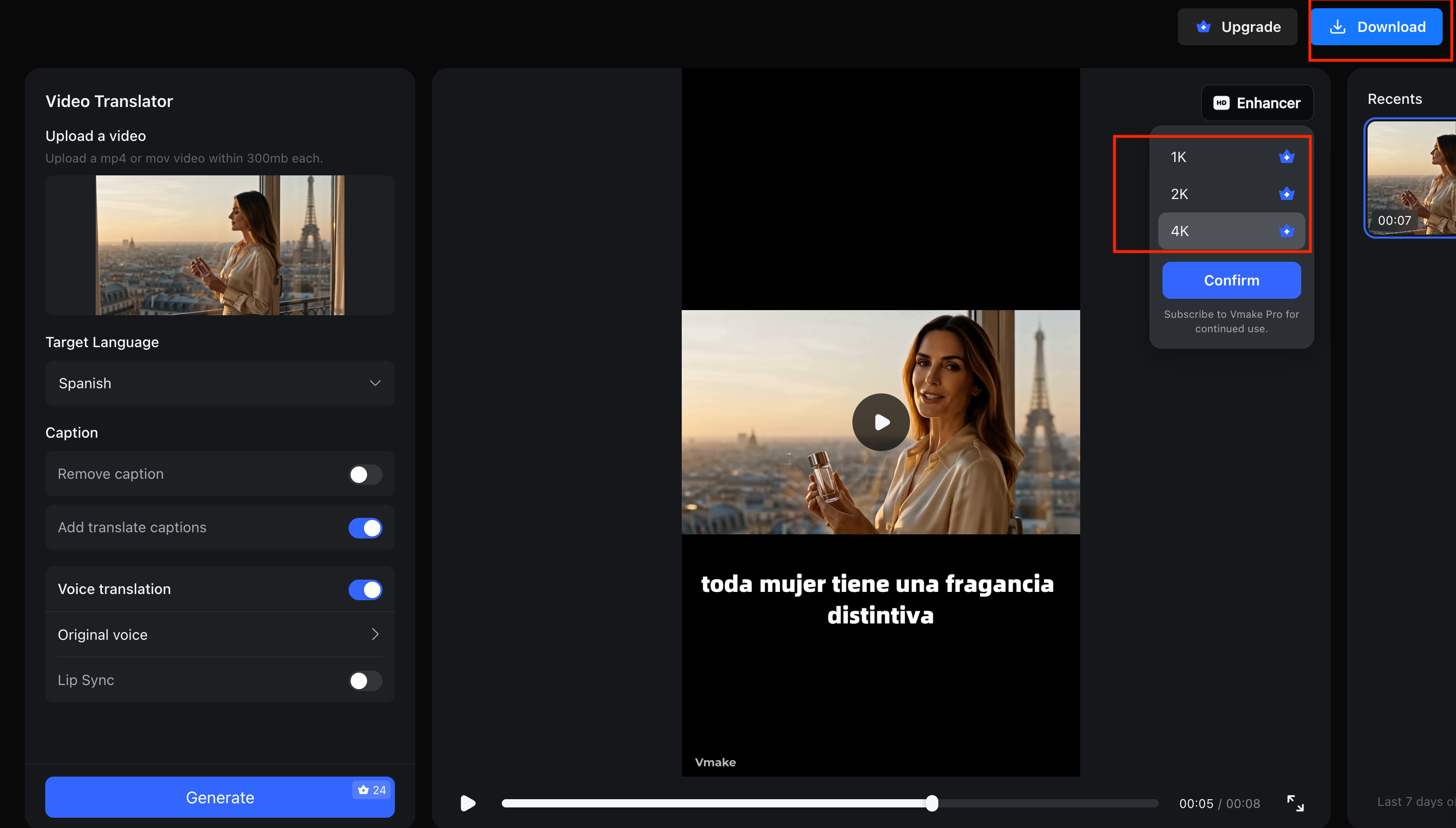
Key Features of Vmake Video Translator
Here are some key points for why Vmake Video Translator stands out:
Accurate Video Translation for Multiple Languages:Vmake automatically transcribes and translates spoken content into English and dozens of other languages. This helps creators localize videos quickly without manually creating subtitles or translations.
Natural AI Dubbing Options:In addition to subtitles, Vmake can generate dubbed audio using AI voices. Users can select from different voice styles to create a more natural viewing experience for international audiences.
Smart Lip Sync Technology:The platform includes AI-powered lip sync that aligns translated speech with the speaker's mouth movements. This helps dubbed videos appear more realistic and reduces the mismatch often seen in traditional voiceovers.
Flexible Subtitle Controls:Users can edit generated subtitles, adjust their appearance, or remove existing captions before exporting the final video. This provides greater control over the localization process.
High-Quality 4K Export:Unlike some video translation tools that reduce video quality during processing, Vmake supports exports in up to 4K resolution, making it suitable for professional content, marketing videos, and YouTube publishing.
Best Use Cases for Online Video Translation
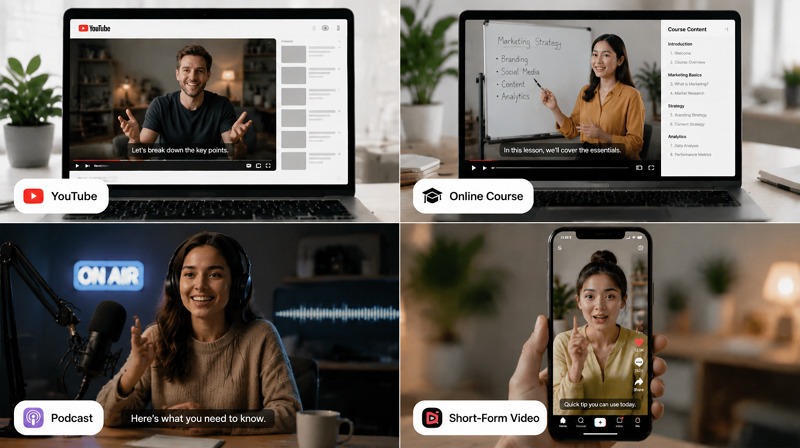
Translating videos online is valuable across multiple content types, allowing creators to extend their reach and enhance user experience. Here are a few uses:
YouTube Videos
Translating YouTube videos into multiple languages helps grow your subscriber base globally, thus improving watch time and engagement.
Online Courses and Tutorials
Video translation enables international learners to understand lessons without language barriers, thereby increasing course completion rates.
Marketing and Product Videos
You can effortlessly connect with new customer segments by localizing marketing and product videos for specific regions.
Interviews and Podcasts
Translating videos makes interviews and podcasts accessible to global audiences through subtitles or dubbed audio.
TikTok and Instagram Reels
Mobile or short-form content can reach wider audiences when translated, thus amplifying social media engagement.
Common Challenges When Translating Videos
Even with advanced tools to translate video, creators often face some challenges. Let’s understand each one:
Poor Audio Quality
Background noise, echo, or low-volume speech can hinder AI recognition. Videos recorded in noisy environments may produce unclear subtitles or misaligned dubbing.
Multiple Speakers
Videos featuring more than one speaker, overlapping dialogue, or group discussions can confuse AI video translation tools. So, you won’t be able to achieve accurate subtitles or dubbed audio.
Translation Accuracy
Maintaining the intended meaning across languages is challenging. Idioms, slang, or nuanced expressions may be misinterpreted by AI, resulting in subtitles or dubbing that do not fully convey the original message.
Subtitle Timing Issues
Subtitles must be synchronized precisely with spoken words. Poorly timed subtitles can confuse viewers or disrupt the video’s flow, reducing engagement and comprehension.
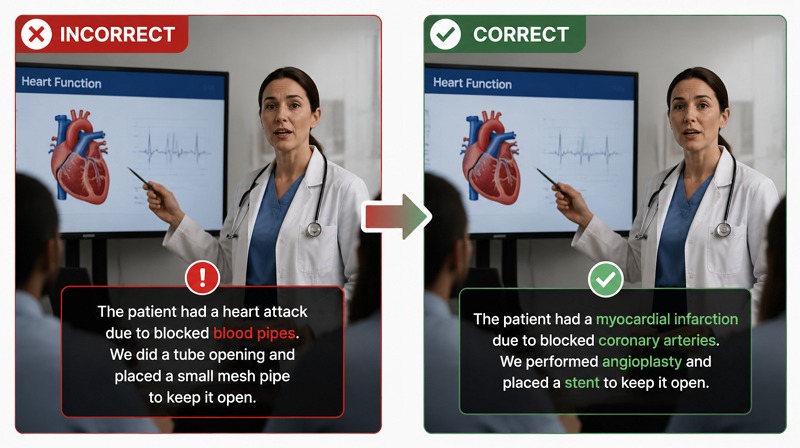
Industry-Specific Terminology
Specialized vocabulary in medicine, law, technology, or other fields may not always be translated correctly. Without domain-specific context, AI tools might produce inaccurate terms.
How to Get Better Video Translation Results
If you want to improve the quality of your video translation, below are some key strategies to follow:
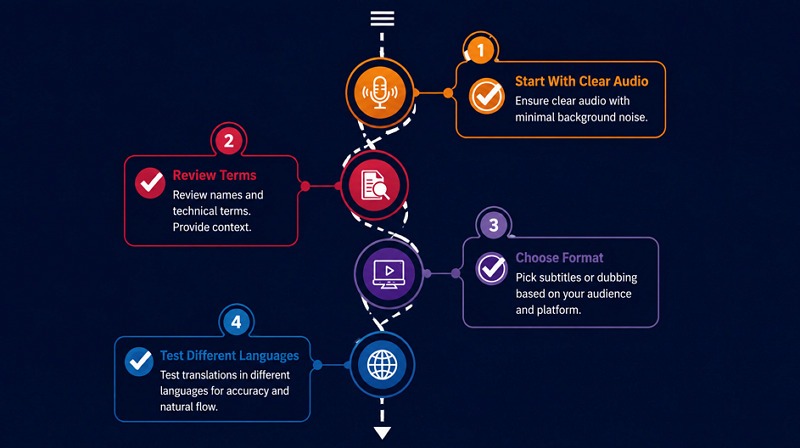
Start With Clear Audio
The original video should have clear audio with minimal background noise. This allows AI to capture dialogue for both subtitles and dubbing accurately.
Review Proper Names and Technical Terms
Provide context or a glossary for uncommon names and industry-specific jargon. This helps AI translators to provide accurate translations. You should also manually review once to ensure accuracy.
Choose Between Subtitles and Dubbing
Select between subtitles and AI dubbing based on your audience and content type. Subtitles are ideal for interviews or educational content, while dubbing enhances engagement for marketing, storytelling, or promotional purposes.
Test Different Target Languages
Review translations in different languages to verify natural flow, correct terminology, and clarity. Repeated testing ensures your content communicates effectively to a global audience.
Why Use an AI Video Translator Instead of Manual Translation?
As the need for translating video content grows globally, creators and businesses are mostly relying on AI video translator tools. Let’s explore why AI tools like Vmake AI Video Translator are preferred:
Save Hours of Translation Work
AI translators automate the conversion of spoken dialogue into multiple languages. This saves the time and effort required compared to traditional manual translation.
Translate Videos at Scale
Whether you have one or hundreds of video to translate, no worries. AI tools can process, dub, and subtitle large volumes of video content simultaneously with ease.
Generate Subtitles and Voiceovers Simultaneously
Modern AI platforms support generating both subtitles and realistic voiceovers in the target language, eliminating the need for separate tools or workflows.
Support Global Audiences Faster
By leveraging AI translation, creators can deliver localized content quickly, improving engagement and accessibility for international viewers.
FAQ
Can I translate a video online for free?
Yes, AI tools like Vmake can help translate video online free in multiple languages. It supports generating subtitles, dubbing, and lip syncing, making content accessible without installation.
What is the best free video translator?
Vmake is one of the most reliable video translator free tools. It supports removing or adding subtitles, AI dubbing, and multiple languages, offering accurate and fast translation.
Can AI translate video audio automatically?
Yes, AI video translators like Vmake can automatically detect spoken dialogue and generate translated subtitles or voiceovers in the preferred language without manual transcription.
How do I translate a YouTube video?
You can translate a YouTube video by uploading it to an AI translator like Vmake or using YouTube’s built-in subtitle translation feature to view captions in the target language if available.
Can I translate a video into English?
Yes, AI video translators can translate a video in any foreign language into English, generating either subtitles or dubbed audio while maintaining timing, context, and accurate phrasing for better understanding.
What’s the difference between subtitles and dubbing?
Subtitles display the translated text on screen while keeping the original audio. In contrast, dubbing replaces the original voice with AI-generated speech in another language, creating an immersive listening experience.

You May Be Interested

123APPS Watermark Remover Review (2026): Pros, Cons, and Pricing

Seedance 2.0 vs Sora 2: Which AI Video Generator Wins in 2026?
Top 20 Captions to Make Your YouTube Shorts Go Viral

Google Gemini|Copy Paste This Simple Prompts to Create “Hug my younger self ” Photos
