
BlipCut AI Video Translator Review: Features, Pricing & Best Alternatives
Learn how BlipCut AI Video Translator works, explore its features, pricing, strengths, and limitations, and discover the best AI video translation alternatives for multilingual content creation.

In today’s global content economy, demand for fast, accurate video localization is growing rapidly. Creators, marketers, and educators now rely on AI video translators to reach global audiences. One such popular tool is BlipCut AI Video Translator, which automates translation, subtitle generation, and voiceovers across multiple languages.
But is it worth using? This review covers its features, pricing, usability, and alternatives to help you decide whether it fits your workflow.
What Is BlipCut AI Video Translator?
BlipCut al Video Translator is a browser-based localization platform, also available for Windows users. With its impressive features, it helps users effortlessly transcribe, translate, and dub videos into a variety of languages.
Overview of BlipCut’s AI Translation Features
BlipCut combines several AI-powered functions in one platform, including speech recognition, automatic video and audio translation, subtitle generation, and voice dubbing with natural lip sync. It streamlines the entire localization workflow, allowing users to convert a single video into multiple language versions without any complex setup or editing skills.
Supported Languages and Translation Capabilities
The platform supports over 140 languages, including English, Spanish, French, German, Chinese, and Arabic, for translating your video subtitles. However, it offers AI dubbing in 40+ languages and voice cloning in 75+ languages. Its multilingual engine is designed for both short-form and long-form content localization.
Who Is BlipCut Designed For?
BlipCut is primarily designed for content creators (YouTube, TikTok, Instagram), online educators and course creators, marketing teams, global businesses, and freelancers offering translation services. It is also beneficial for localizing filmmaking, podcasts, and news videos.
Key Features of BlipCut AI Video Translator
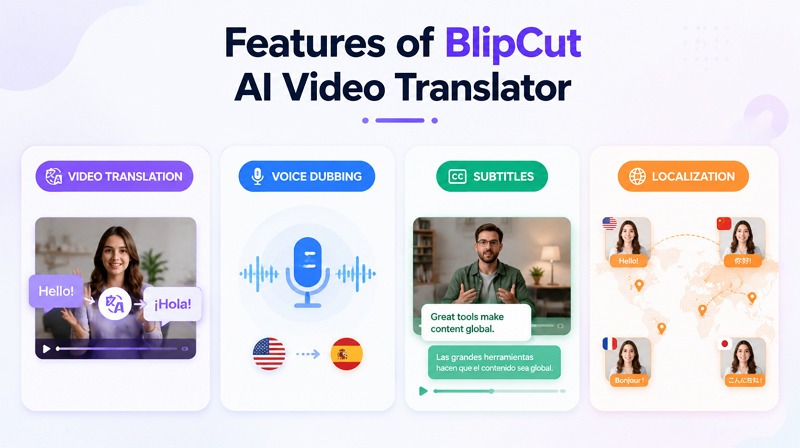
BlipCut is considered valuable video translation software because it combines multiple AI-driven tools on a single platform. Below are its main features:
AI Video Translation
The core feature is automatic video translation, where spoken content in videos is converted into another language using AI. It preserves meaning in context, even when translating in batches, making it suitable for global content distribution.
Subtitle Translation and Generation
With multi-speaker recognition, it can generate accurate subtitles and translate them into any language. It can also sync subtitles with video timing, improving accessibility and SEO performance on platforms like YouTube and social media.
AI Voice Dubbing
BlipCut offers AI-generated voice dubbing with lip-syncing to mimic natural speech patterns in the target language. This feature helps creators produce videos without hiring voice actors or manually recording multiple versions.
Multi-Language Video Localization
With 140+ languages and 300+ AI voices, it creates multiple versions of the same video for different markets. This is especially useful for brands and educators targeting international audiences, allowing consistent messaging across regions.
BlipCut Pricing, Pros, and Cons
Understanding cost, benefits, and limitations is important before choosing any video translation software. Let’s explore:
BlipCut Pricing Plans
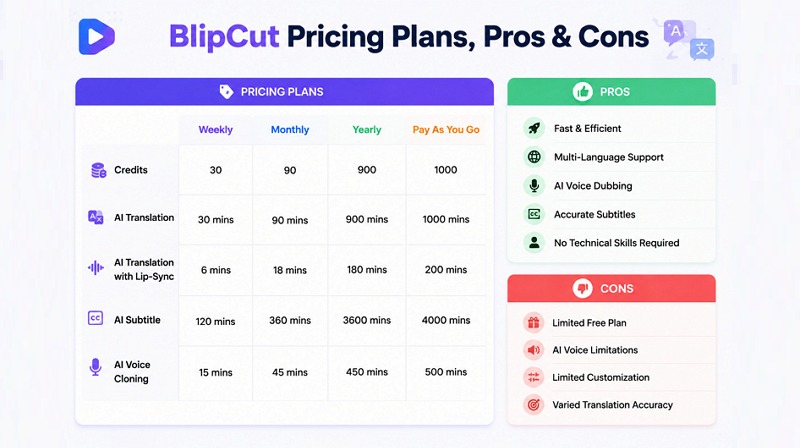
BlipCut Video Translator works on both a subscription and a credit system. Although it offers a limited free trial where you can translate one video to test the platform, here are its different pricing plans:
Weekly: $16.99 ($0.57/credit)
Monthly: $39.99 ($0.44/credit)
Yearly: $25/mo ($0.33/credit)
Pay As You Go: $459.99 ($0.46/credit)
Advantages of Using BlipCut
Here are several benefits that make it appealing for creators and businesses:
Cloud-based workflow with an easy interface
Fast AI video translation in multiple languages
Support batch processing for efficiency
Combine translation, subtitles, and dubbing
Available for Windows, Intel, and Apple M1 & M2
Potential Limitations and Drawbacks
Despite its strengths, this platform also comes with some drawbacks:
The free version is restricted
Output quality may vary with video complexity
Translation accuracy depends on audio clarity
An AI voice may sound robotic in some cases
Advanced customization options are limited
Is BlipCut Worth It?
Overall, BlipCut is worth considering if your goal is to create fast, multilingual content without hiring translators. It works well for YouTube videos, social media content, and online courses. However, if you need studio-level voice realism or customization, you may want to explore alternatives to the BlipCut video translator.
How to Translate a Video with BlipCut
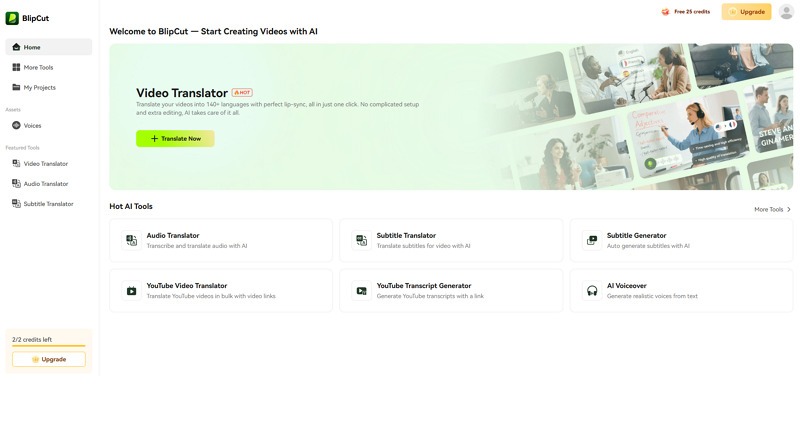
Let’s follow the given steps on how to translate video online with BlipCut Video Translator:
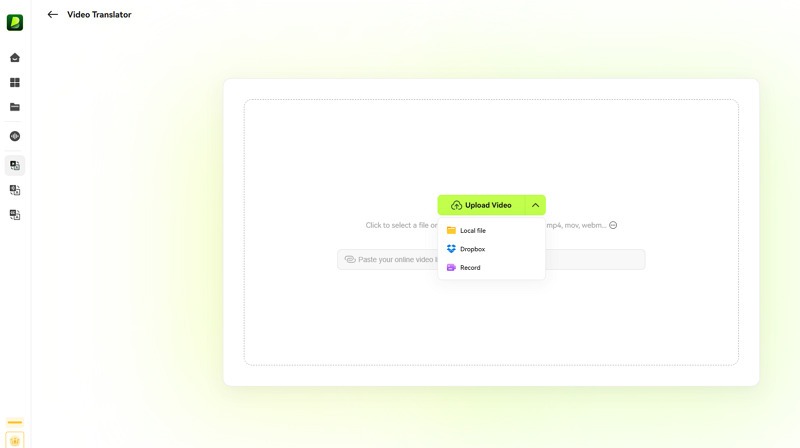
Step 1:Upload Your Video
Open this tool and click “Try Free Online.” Now, press “Translate Now” and then “Upload Video” to import the video or paste a link.
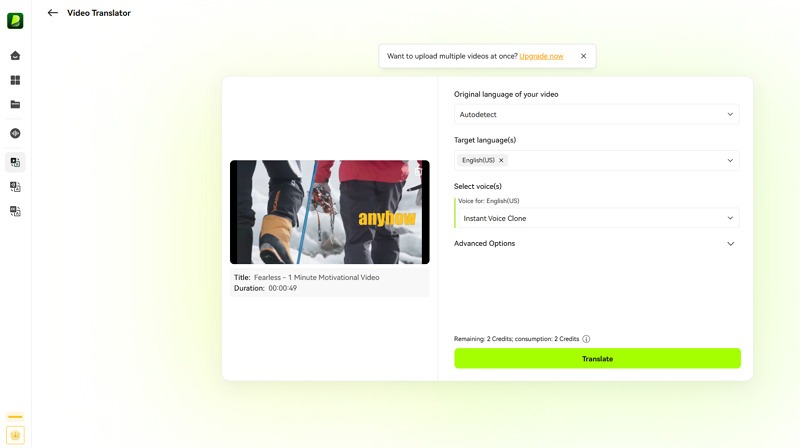
Step 2:Select Source and Target Languages
It’s time to choose the original and target language of the video from the drop-down menus. You can also select the voice option and adjust the advanced settings.
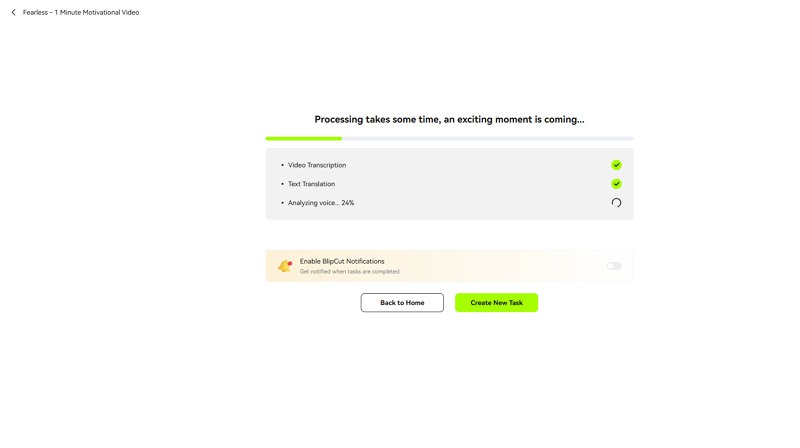
Step 3:Generate AI Translation and Dubbing
Next, you have to press the “Translate” button. Then wait for the AI to finish processing, as it will take some time.
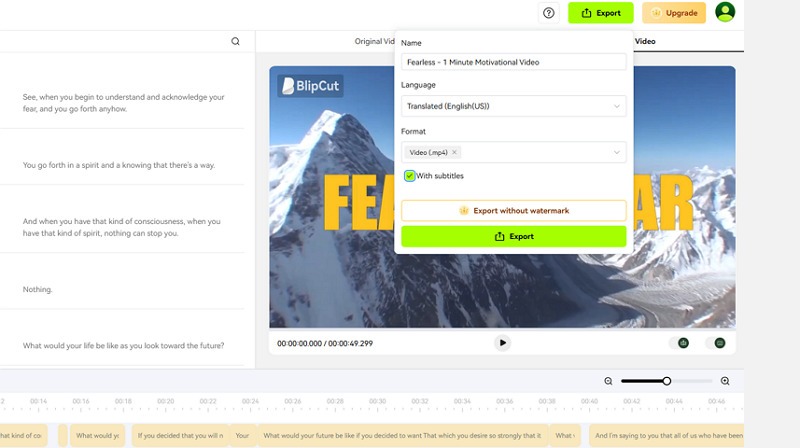
Step 4:Export the Localized Video
Lastly, preview the output and refine speech, subtitles, or lip-sync. When all is fine, hit “Export” and choose the format. Then, hit “Export” again. All done.
BlipCut AI Video Translator vs Other AI Video Translation Tools
Several AI video translator tools are available in the market, competing to offer better translation accuracy, dubbing quality, and localization features. Below is a comparison of BlipCut with other popular tools:
BlipCut vs Vmake
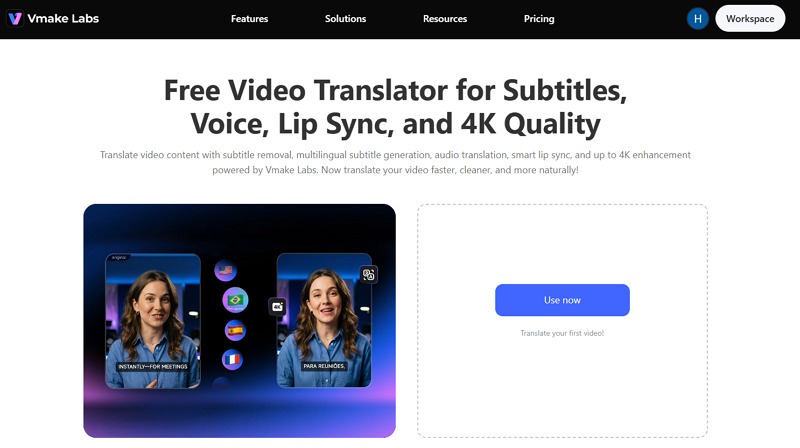
BlipCut focuses on simple and fast video translation with subtitles and AI dubbing. In contrast, Vmake is an all-in-one platform that specializes in multilingual video translation. With a creator-focused workflow, it offers content optimization features such as caption removal, video enhancement, and background removal. It offers more flexibility for social media content and marketing videos.
BlipCut vs HeyGen
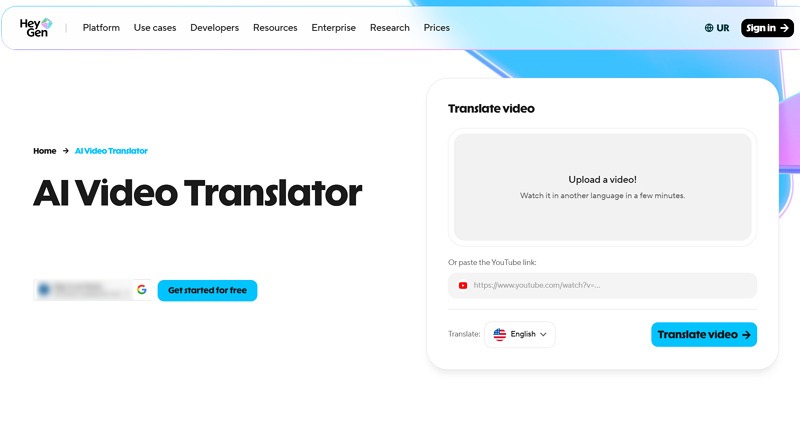
HeyGen is more advanced in hyper-realistic AI avatars, natural dubbing, accurate lip-sync technology, and auto-generated subtitles. With the support for multiple languages and accents, it keeps your style and speech intact in the output. While BlipCut suits users who want quick localization, HeyGen is better for presentation-style or avatar-driven videos.
BlipCut vs Rask AI
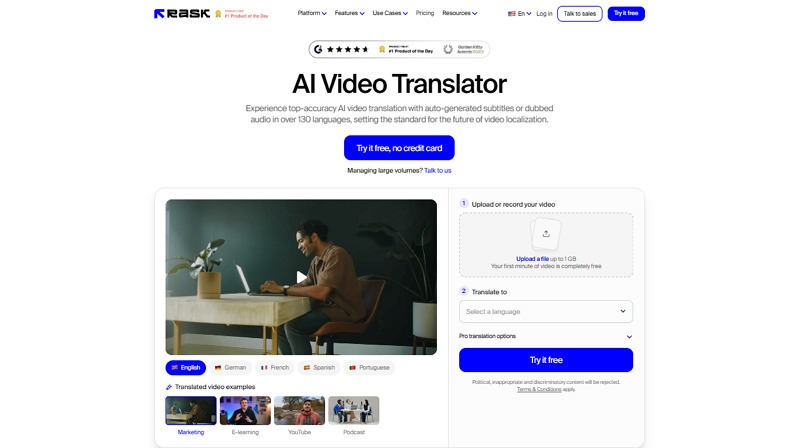
Rask AI is another renowned video translator that offers high accuracy in generating subtitles and dubbed audio in various languages. It focused on enterprise-level localization and detailed manual editing. While BlipCut offers a streamlined workflow, Rask AI offers a high-end project dashboard with multiple export formats and integrations for creators/agencies.
Which Tool Is Best for Video Translation?
As each tool serves different needs, here is a comparison table of all four tools so you can better understand which one suits your needs:
Features | Languages | AI Dubbing | Subtitle Translation | Lip Sync | Pricing | Best for |
BlipCut | 140+ | Good | Multi-format exports like SRT, ASS, VTT, and LRC | Basic | One video trial, $39.99/month | Simple and quick translation for casual users |
Vmake | 120+ | Good | Auto-captions and subtitle cleanup | Excellent | Free, $9.99/month | YouTube, TikTok, marketing videos, and online courses |
HeyGen | 175+ | Advanced | Subtitle editing | Good | $149/month | AI avatars and lip-sync videos |
Rask AI | 130+ | Advanced | Auto transcription and SRT export | Average | 7-day free trial, $33/month | Professional-grade multilingual localization |
What Makes a Great AI Video Translator?
While choosing the right AI video translator, you must consider several important factors. Here are a few:
Translation Accuracy
Accurate translation is the foundation of any video translation software. Pick a tool that preserves context, meaning, and intent. This ensures the message remains clear for global audiences.
Natural-Sounding AI Dubbing
AI dubbing should sound human-like, with proper tone, emotion, and pacing. The best tools avoid robotic voices and generate speech that feels natural and engaging for viewers.
Subtitle Translation Quality
Subtitle translation must be both linguistically accurate and well-timed. Proper sync with audio is essential so viewers can easily follow along without confusion or delay.
AI Lip Sync and Localization Features
Advanced tools include lip-sync technology and deep localization features. These help align mouth movements with translated speech and adapt content to different regions, improving realism and the viewer experience.
Vmake: A Powerful Alternative for AI Video Translation
Among all the above alternatives, one worth considering is Vmake AI Video Translator. It offers an all-in-one solution for efficiently localizing video content with subtitles, dubbing, and lip-syncing.
Its support for various languages helps translate videos for a wide range of markets with complete privacy. You can also access several video-processing tools, such as subtitle remover, video cleanup, 4K enhancement, and noise reduction.
Key Features of Vmake Video Translator
- Accurate Video Translation for Multiple Languages:Vmake automatically transcribes and translates spoken content into English and dozens of other languages. This helps creators localize videos quickly without manually creating subtitles or translations.
- Natural AI Dubbing Options:In addition to subtitles, Vmake can generate dubbed audio using AI voices. Users can select from different voice styles to create a more natural viewing experience for international audiences.
- Smart Lip Sync Technology:The platform includes AI-powered lip sync that aligns translated speech with the speaker's mouth movements. This helps dubbed videos appear more realistic and reduces the mismatch often seen in traditional voiceovers.
- Flexible Subtitle Controls:Users can edit generated subtitles, adjust their appearance, or remove existing captions before exporting the final video. This provides greater control over the localization process.
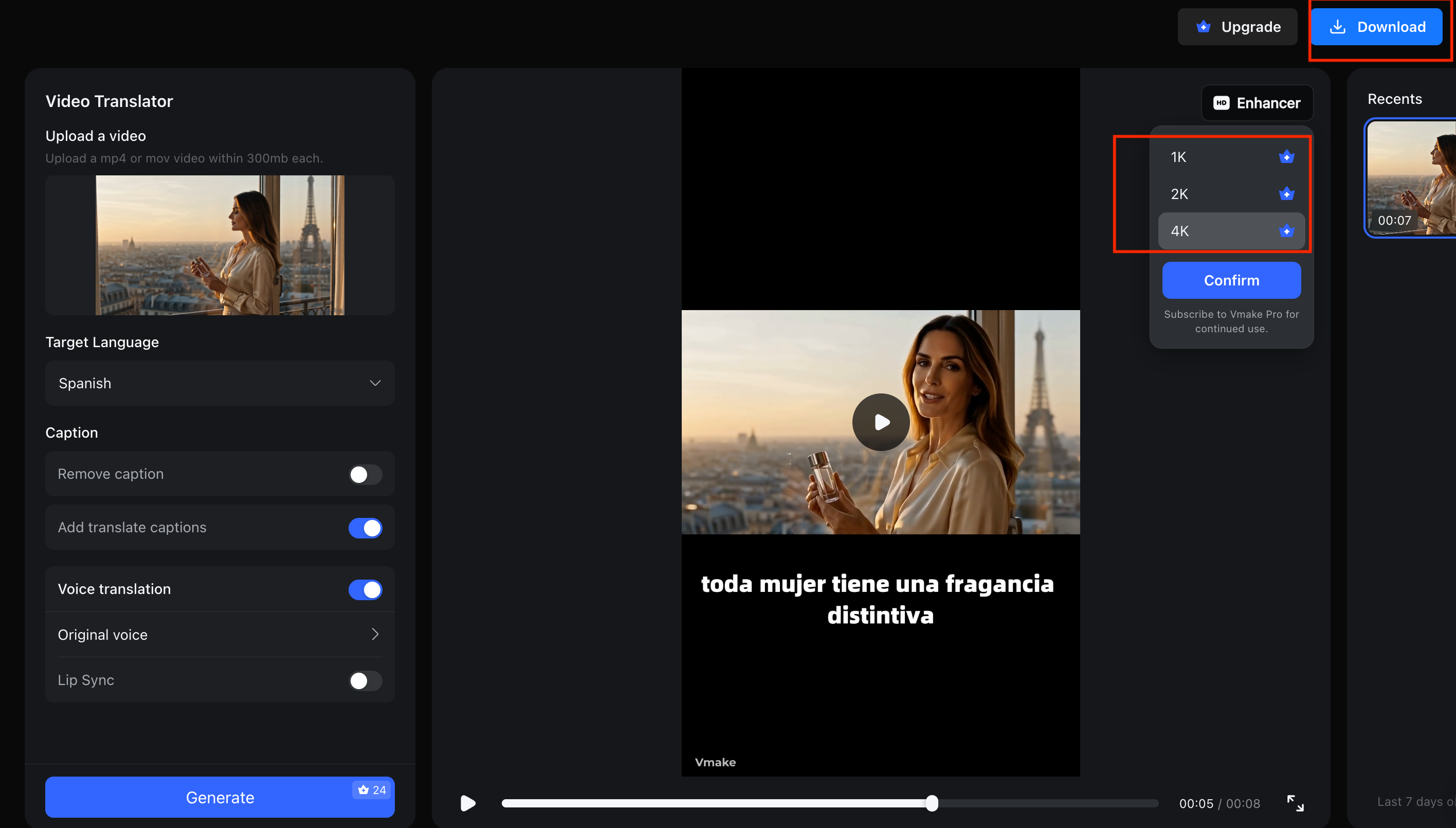
- High-Quality 4K Export:Unlike some video translation tools that reduce video quality during processing, Vmake supports exports in up to 4K resolution, making it suitable for professional content, marketing videos, and YouTube publishing.
AI Dubbing, Subtitle Translation, and Lip Sync in One Workflow: Vmake combines AI dubbing, subtitle translation, and lip-sync into a single streamlined workflow. This allows creators to produce professional-quality multilingual videos without switching between multiple tools, making it an affordable solution.
How to Translate a Video with Vmake
Here is a step-by-step guide on how to translate video online with Vmake:
Step 1. Upload Video
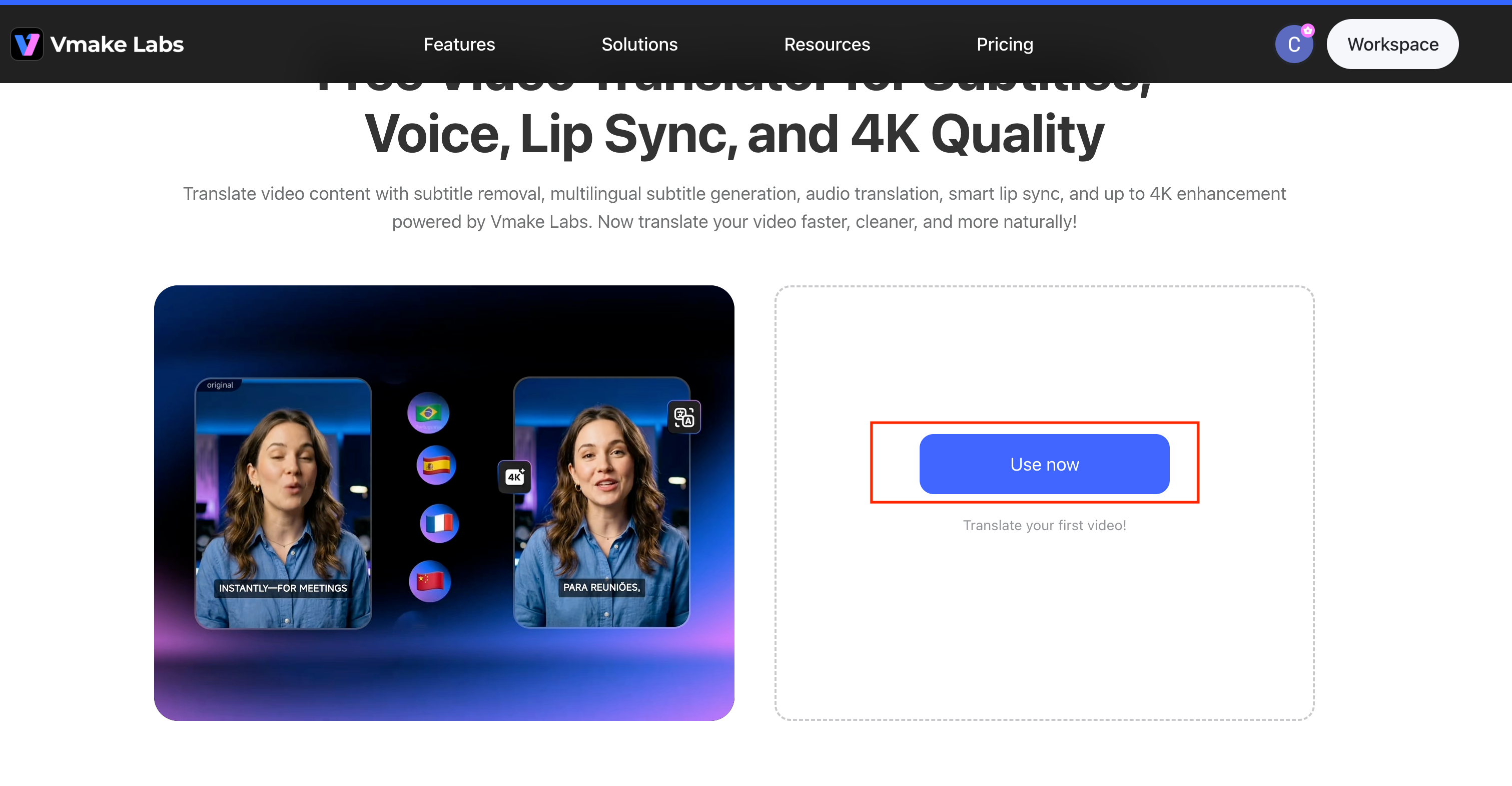
The first step is to open this tool in your browser and tap “Use now.” Then, click or drag and drop the required video to translate.
Step 2. Select the Language
Next, select your Target Language from the dropdown menu (e.g., Spanish). Under the Caption section, choose whether to "Remove caption" or "Add translate captions". In the Voice translation section, select either "Original voice" or "Lip Sync" for audio translation.
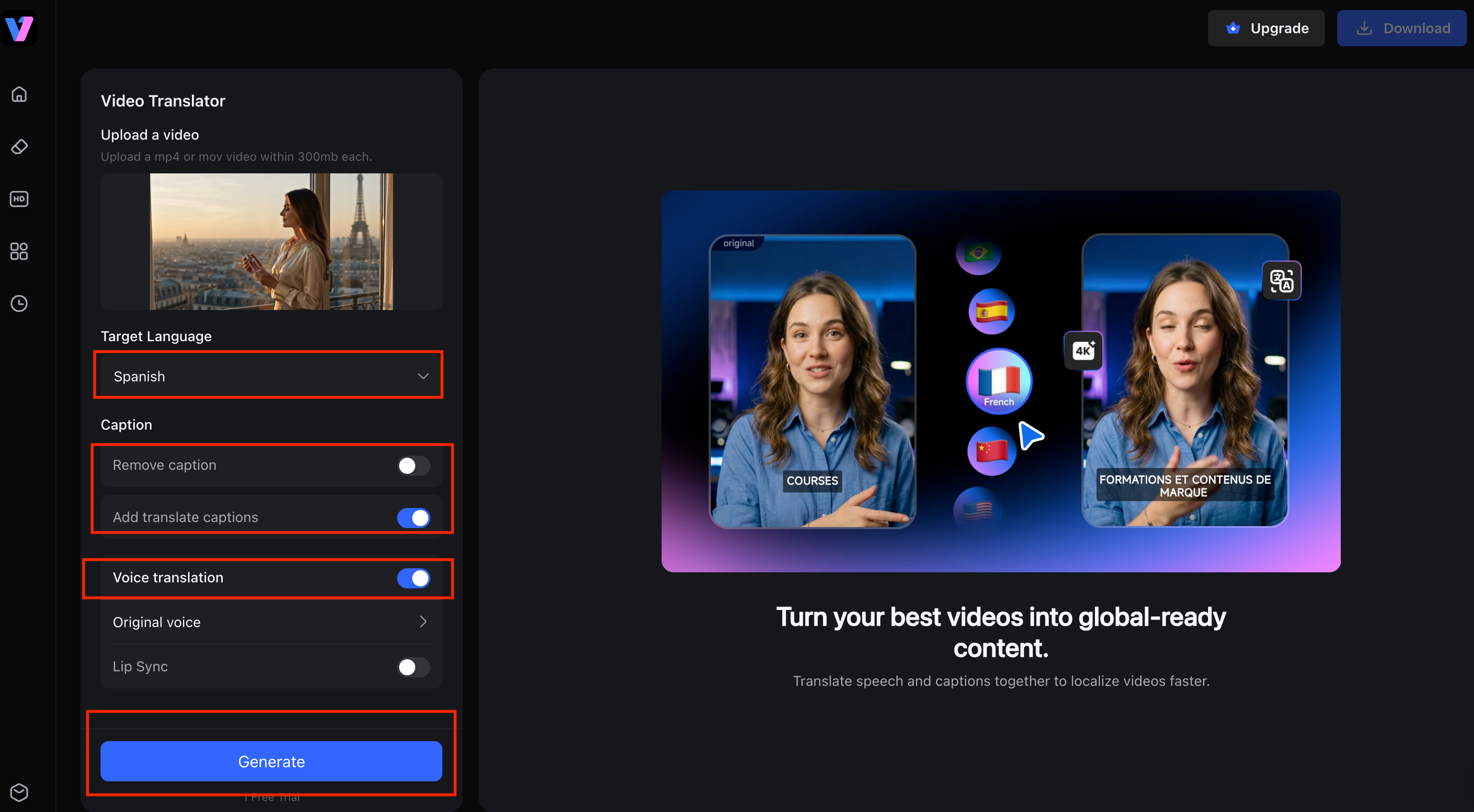
Step 3. Download Output
Lastly, click the “Generate” button to start processing. Once the video translation is complete, the system will display a preview with the translated subtitles (e.g., "toda mujer tiene una fragancia distintiva"). After confirming the result, click “Download”. That’s all!
Best for YouTube, TikTok, Marketing Videos, and Online Courses
Vmake is especially useful for YouTubers, TikTok creators, digital marketers, and educators. It helps them reach international audiences by translating content into multiple languages while preserving context and tone.
FAQ
What is BlipCut AI Video Translator?
BlipCut AI Video Translator is a tool that converts video content into multiple languages using AI. It supports subtitles, dubbing, and translation to help creators reach global audiences quickly and easily.
Is BlipCut free to use?
BlipCut AI Video Translator free offers a limited trial that allows you to process one video and export it with a watermark. However, you need to upgrade later to keep using it.
How much does BlipCut cost?
BlipCut pricing depends on usage plans. It includes weekly, monthly, yearly, and pay-as-you-go options, starting from $16.99 per week with 30 credits.
How many languages does BlipCut support?
BlipCut supports over 140 global languages, including English, Spanish, French, Chinese, Arabic, and many more, allowing broad international content distribution.
Does BlipCut provide AI dubbing?
Yes, BlipCut offers AI voice dubbing features that convert original speech into audio in different languages via voice cloning and AI presets.
What are the best alternatives to BlipCut?
Top BlipCut alternatives include Vmake, HeyGen, and Rask AI. These tools offer accurate AI translation, dubbing, and video localization features for creators and businesses.

You May Be Interested

123APPS Watermark Remover Review (2026): Pros, Cons, and Pricing
AVCLabs Review Explained: A Hands-on Test + Free Alternative

Seedance 2.0 vs Sora 2: Which AI Video Generator Wins in 2026?
Top 20 Captions to Make Your YouTube Shorts Go Viral

Google Gemini|Copy Paste This Simple Prompts to Create “Hug my younger self ” Photos
