
Best AI Video Translator Tools in 2026
Looking for the best AI video translator? Compare the top AI video translation tools in 2026, including Vmake, HeyGen, VEED, HappyScribe, and more, based on features, accuracy, pricing, and language support.

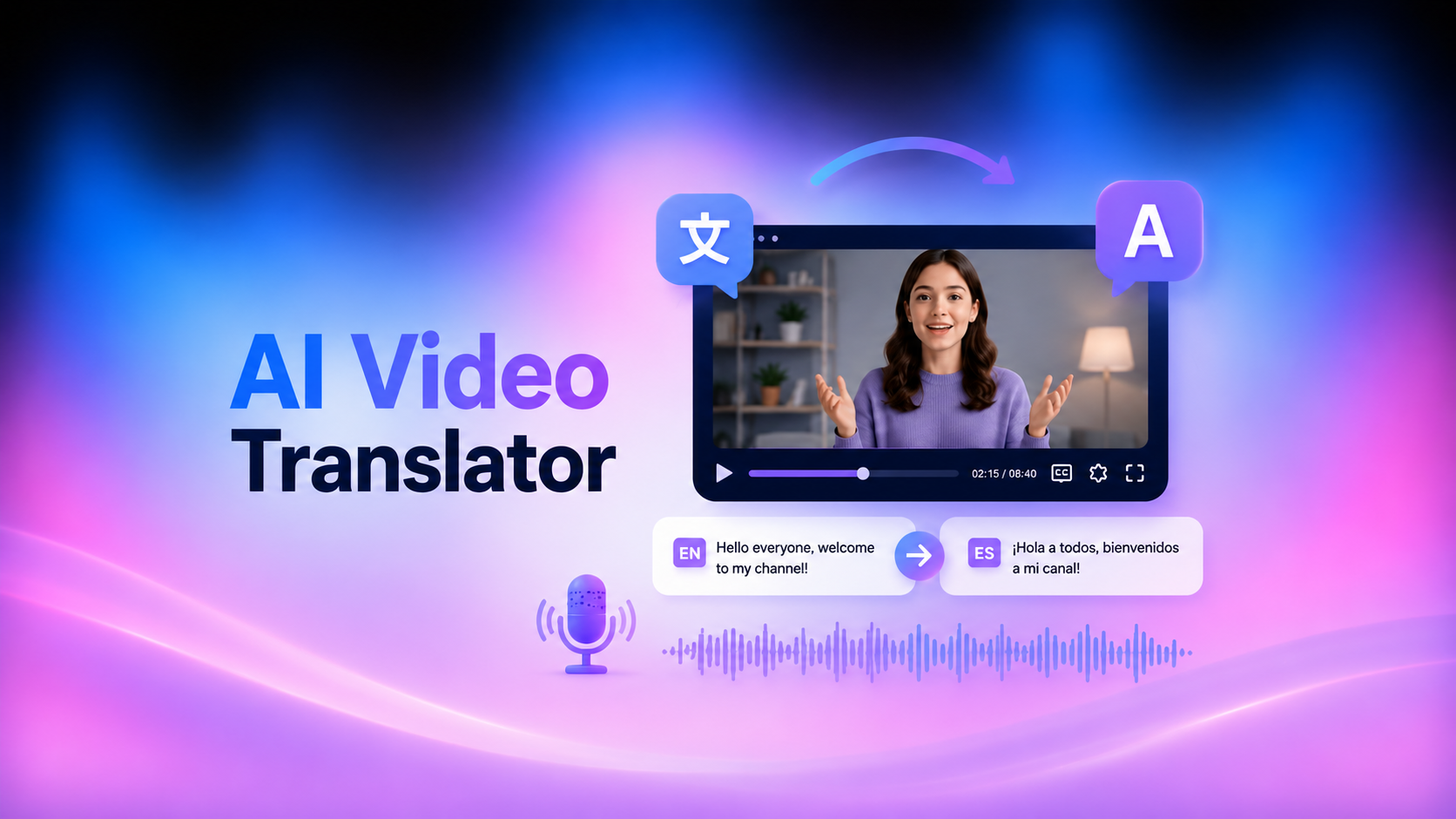
In 2026, video content is not limited by language. From YouTube creators to global businesses, everyone relies on an AI video translator to reach international audiences faster and more efficiently. With the growing number of AI video translation tools, finding an efficient one becomes difficult.
This guide compares the best AI translator video tools, their features, pricing, and use cases to help you choose the right platform.
What Is an AI Video Translator?
An AI video translator is a tool that automatically converts spoken audio, on-screen text, and video subtitles from one language to another using artificial intelligence. Depending on the platform, it can generate translated subtitles, voice dubbing, or even lip-synced speech for a natural result. You can now upload a video and let AI handle the entire localization process.
How AI Video Translation Works
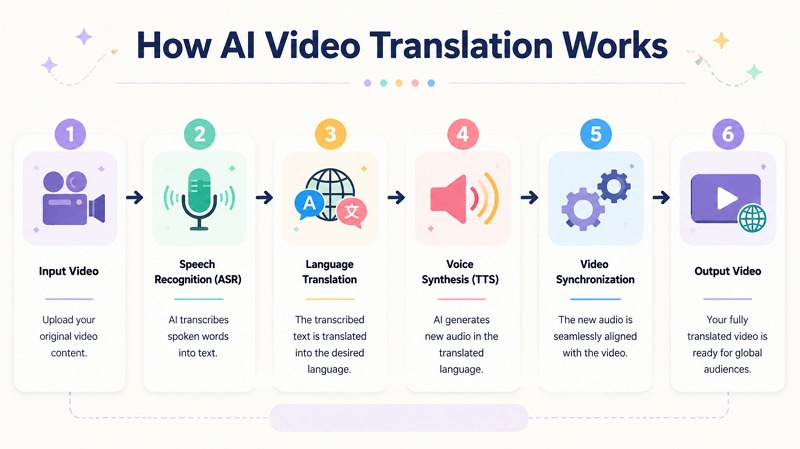
AI video translation typically follows these steps:
Automatic Speech Recognition (ASR): AI first analyzes the video's audio and converts spoken dialogue into an accurate text transcript with timestamps.
AI Translation with Large Language Models (LLMs): The transcript is translated into the target language while preserving context, meaning, and natural sentence structure rather than relying on word-for-word translation.
Text-to-Speech (TTS) and Voice Cloning: The translated text is converted into natural-sounding speech. Many AI tools also use voice cloning to replicate the speaker's tone, accent, and speaking style for a more authentic result.
AI Lip Sync: Finally, lip-sync technology adjusts the speaker's mouth movements to match the translated audio, creating a seamless and realistic multilingual video.
Who Uses AI Video Translators?
AI video translators are widely used by content creators, businesses, educators, corporate trainers, influencers, and everyday users to reach global audiences, localize marketing and training videos, create multilingual educational content, and watch videos in languages they don't understand.
How We Evaluated the Best AI Video Translators
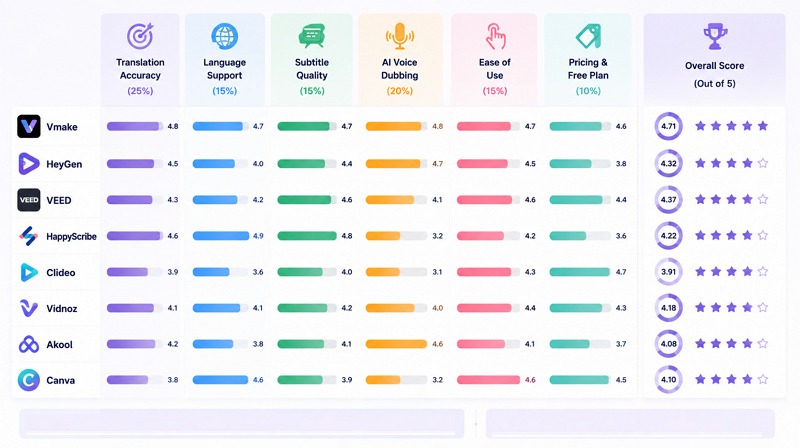
To identify the best AI video translation tools 2026, we didn’t just look at popularity; we also focused on translation accuracy and other factors, as outlined below. Each tool was tested across different types of videos, including short and long-form content.
Translation Accuracy
We checked how well each tool preserved meaning, tone, and context after translation. A good video translator AI should understand intent, slang, and conversational flow. We also tested how each platform handled technical terms, fast speech, and accented voices.
Language Support
An AI video translator free or paid tool, must support a wide range of languages. We compared the total number of languages available for each platform. Tools with broader language coverage ranked higher because they provide better global reach.
Subtitle Quality
Subtitles are often the first output users rely on. We evaluated timing accuracy, sync with spoken audio, sentence clarity, and line breaks and formatting. Among all these factors, poorly timed subtitles can ruin the viewer’s experience.
AI Voice Dubbing
Modern AI dubbing & video translator platforms replace original voices with AI-generated speech. We tested realistic voices, emotional tone, lip-sync alignment, and consistency across long videos. Tools with robotic or unnatural voices were ranked lower, even if their subtitles were accurate.
Ease of Use
Not every user is a professional editor. So we evaluated how simple each platform is to use. We prioritized tools with clean dashboards, one-click translation, and fast rendering. A good AI video translator should save time, not add complexity.
Pricing and Free Plans
Finally, we compared pricing structures, including free trials and limitations. These include the availability of free plans, export limits, cost of premium dubbing, and value for money for creators and businesses. Tools that translate video AI free were ranked higher.
Best AI Video Translator Tools Compared
As AI video translation becomes more advanced, below is a comparison of the most popular tools to help you make the right choice:
|
Tool |
AI Dubbing |
Subtitle Translation |
Free Plan |
Languages |
Best For |
|
Vmake |
Yes |
Yes |
Yes |
120+ |
Video translation for subtitles, voice, and lip sync |
|
HeyGen |
Yes |
Yes |
Yes |
175+ |
Creators, course videos |
|
VEED |
No |
Yes |
No |
125+ |
Video editing and subtitles |
|
HappyScribe |
No |
Yes |
Trial |
120+ |
Professional transcription |
|
Clideo |
No |
Yes |
Yes |
130+ |
Translation with quick edits |
|
Vidnoz |
Yes |
Yes |
No |
140+ |
Social media content |
|
Akool |
Yes |
Yes |
Yes |
155+ |
AI lip sync videos |
|
Canva |
No |
Yes |
No |
30+ |
Video creation and translation |
Vmake AI Video Translator
Vmake AI Video Translator is a remarkable online tool that supports translating video content into multiple languages. Along with audio translation, you can enjoy caption removal, translated subtitle generation, and accurate lip-syncing for natural, global-ready content. It is best for content creators and marketers who want quick, accurate, and scalable global video localization workflows.
Key Features:
-
Flexible Subtitle Controls: The subtitle control gives you flexibility over the output, whether you need a clean frame, multilingual subtitles, or a refreshed version of an older video. You can remove the original subtitles or add new translated subtitles as needed.
-
Video Localization in One Place: From language translation to subtitle handling, audio dubbing, and lip-syncing, everything happens within a single workflow. This makes the video translation process more streamlined and easier to manage.
-
Enhance Videos Up to 4K: While translating video content, you can improve video clarity. It can upscale low-resolution footage, older videos, and compressed files to 4K resolution, making them clean and more presentable.
Pros:
-
Easy interface
-
High accuracy
-
Fast rendering
Cons:
-
Limited features for free
-
No manual control options
Here are the steps to translate videos with Vmake:
Step 1. Upload Video
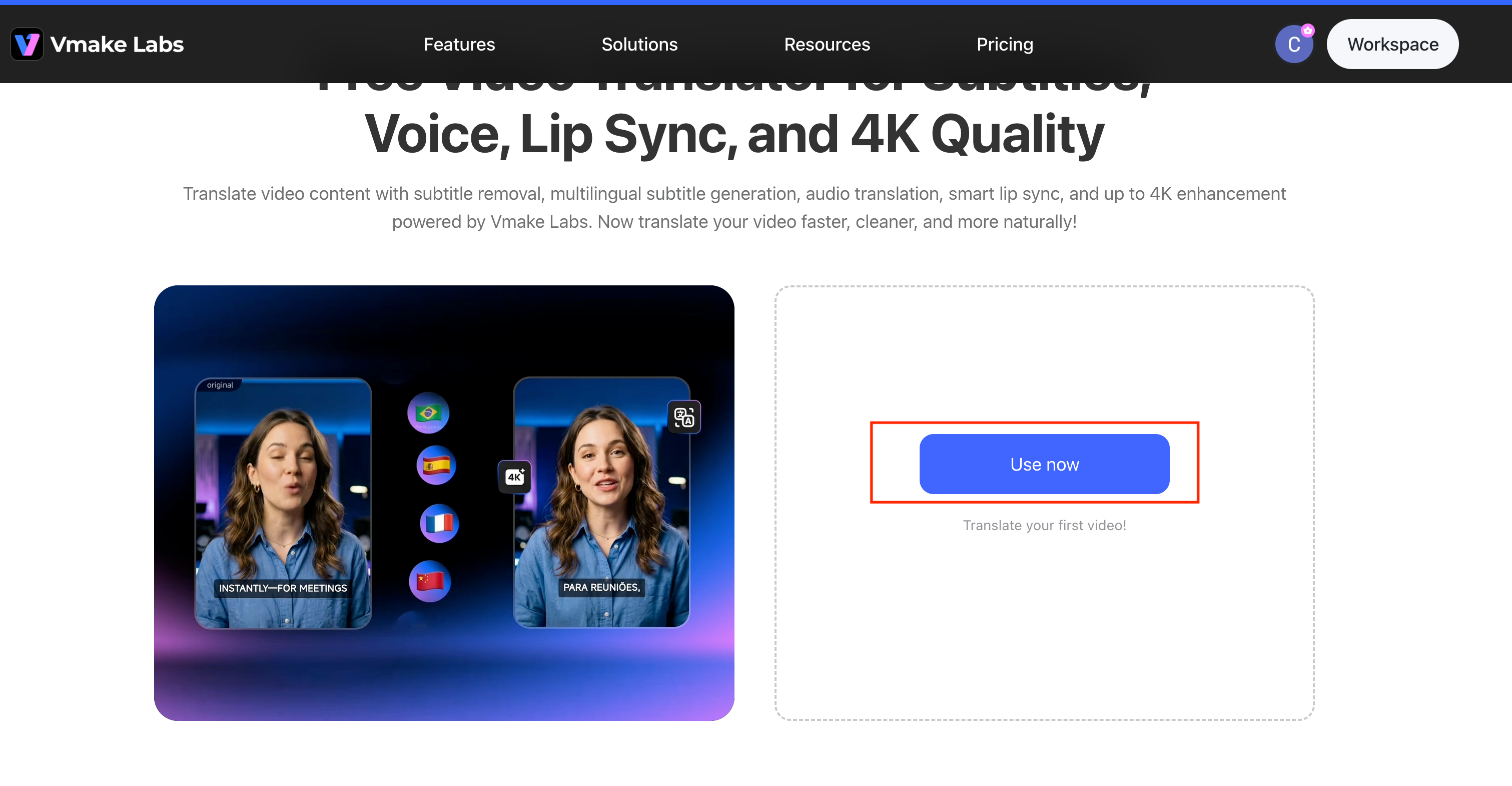
First of all, open the Vmake AI Video Translator and click “Use now” to get to the main interface. Now, click or drag & drop the required video file to translate.
Step 2. Adjust Translation Parameters
Select the “Target Language” from the menu. If the video has captions, enable “Remove caption” and “Add translate captions.” You can also use the voice translation or lip sync options if needed.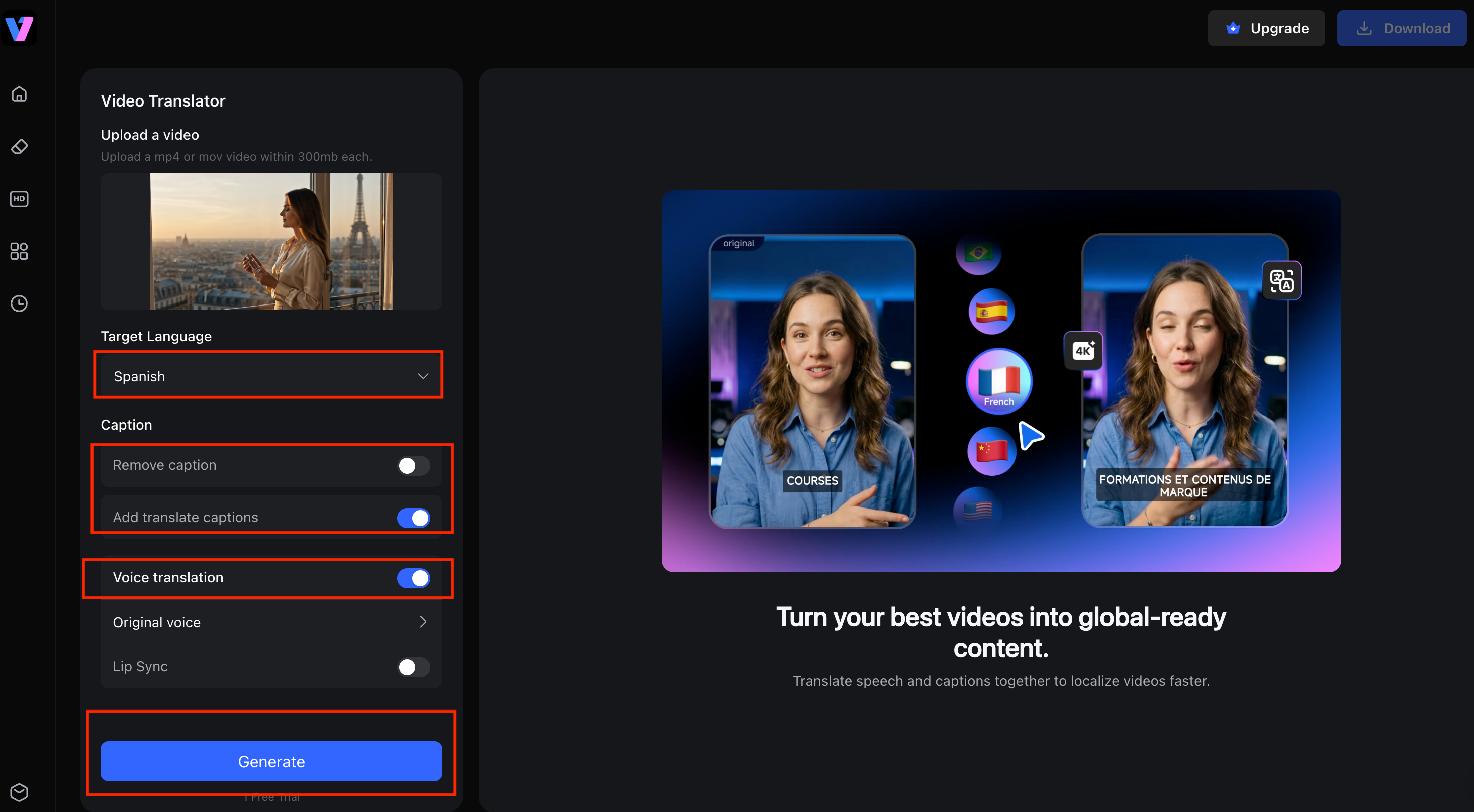
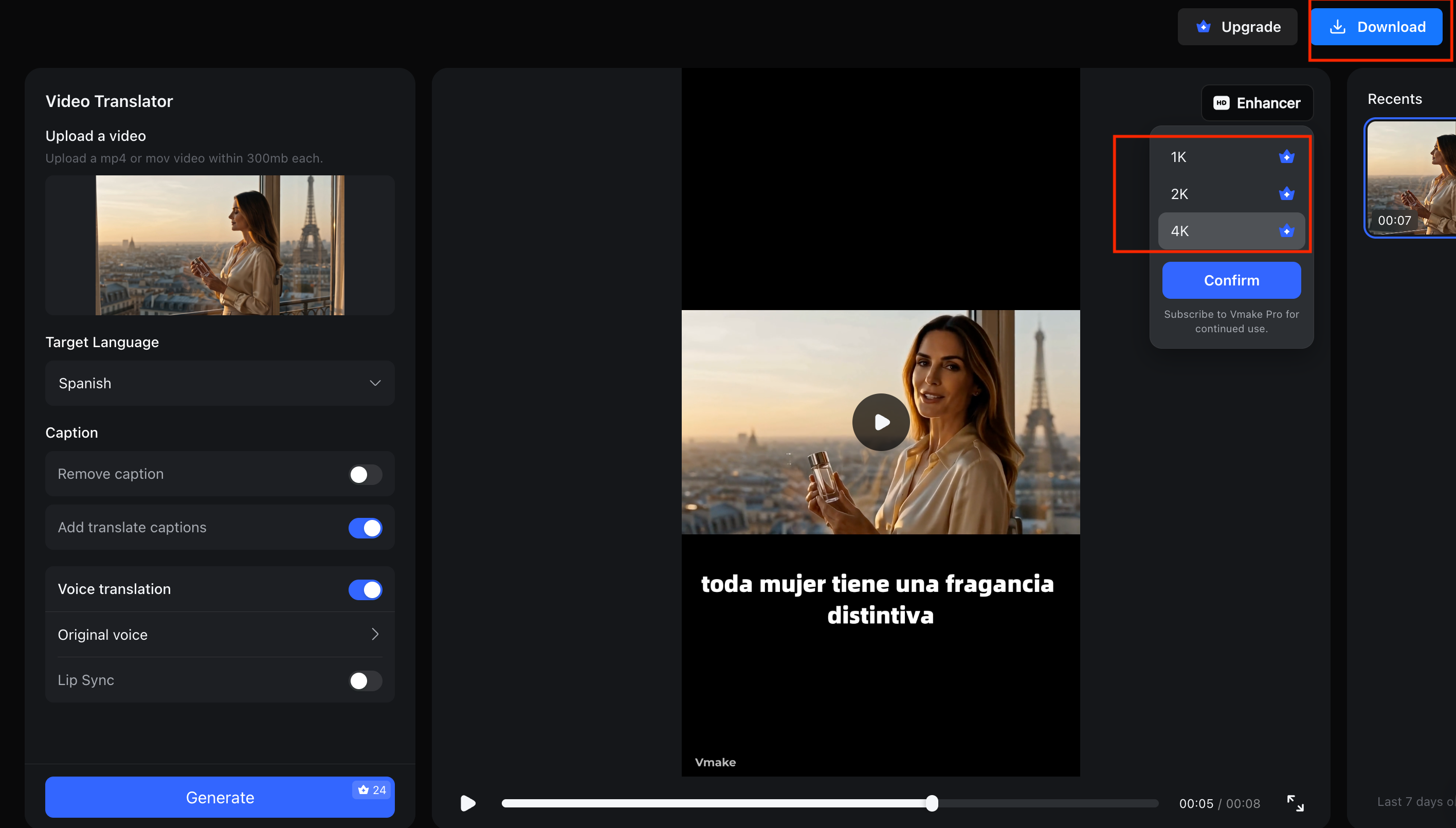
Step 3. Download Output
Lastly, press the “Generate” button and wait for the AI to complete processing.You can also choose to enhance the video quality to up to 4K, depending on your needs. Once the video translation is complete, the system will display a preview with the translated subtitles (e.g., "toda mujer tiene una fragancia distintiva"). After confirming the result, click “Download”.
HeyGen
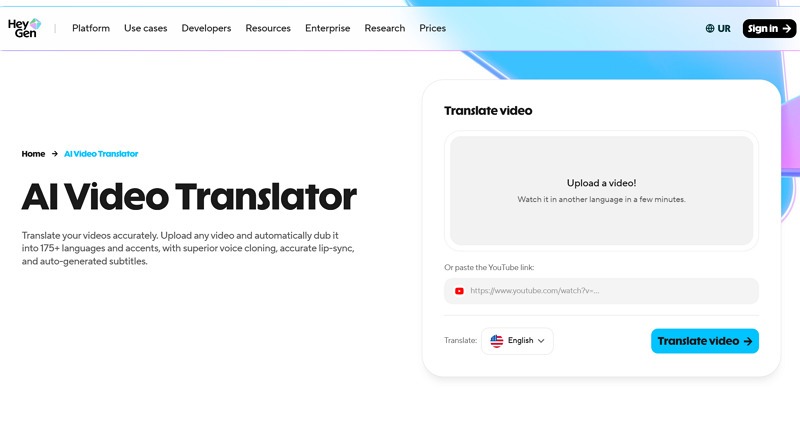
HeyGen is a popular AI video translation tool focused on avatar-based translation and dubbing. It helps users create multilingual videos with realistic AI avatars. You can also achieve convincing lip-sync results at scale.
Key Features
-
API access for automated workflows
-
Voice cloning with accurate lip syncing
-
Support parsing a direct YouTube link
Pros
-
Quick processing
-
Auto-generated subtitles
-
Professional-quality output
Cons
-
Minimal control over translations
-
No glossary function available
VEED
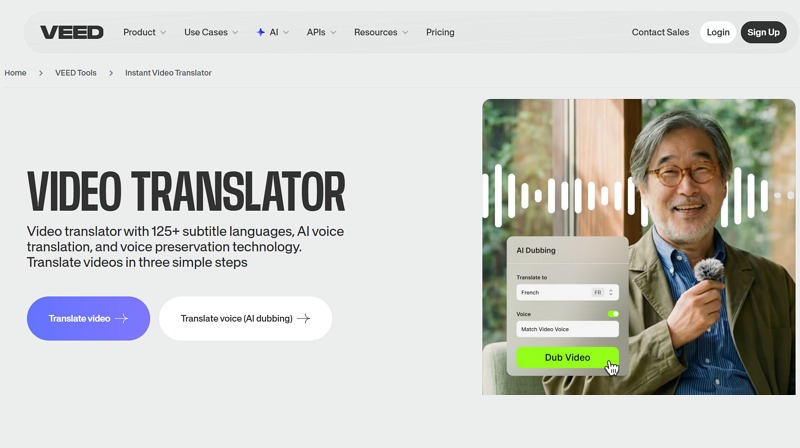
VEED is an online video editor with built-in AI translation and subtitle generation tools. It’s widely used for quick editing and social media content localization. You can upload a video, generate subtitles, translate them, and export the subtitles.
Key Features
-
Simple subtitle translation workflow
-
Support downloading subtitles as SRT
-
Allow enabling the lip sync function
Pros
-
Easy to use
-
Various editing options
-
One-click video translation
Cons
-
Restrictive free plan
-
Limited AI dubbing
HappyScribe
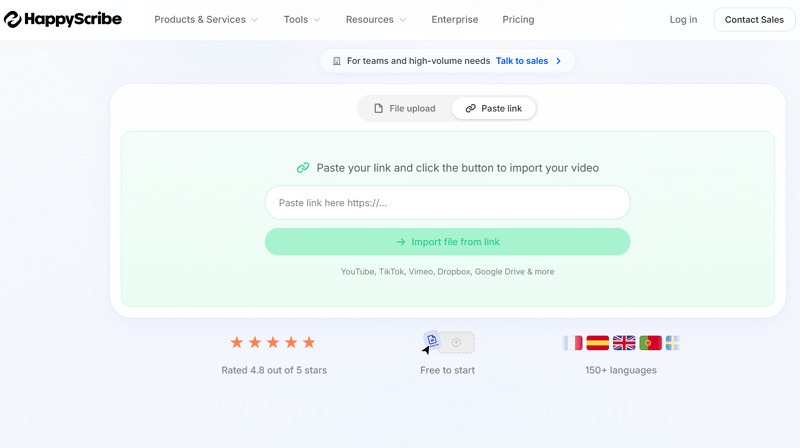
HappyScribe offers transcription and subtitle translation in multiple languages. Its hybrid approach combines AI speed with optimal human review for critical content. It is suitable for professional media and business content localization.
Key Features
-
Allow parsing YouTube links
-
Support all video formats
-
Provide subtitles in SRT, TXT, etc.
Pros
-
High accuracy
-
Built for global scale
-
Available on Android and iPhone
Cons
-
Not complete AI dubbing
-
Occasional context mistakes
Clideo
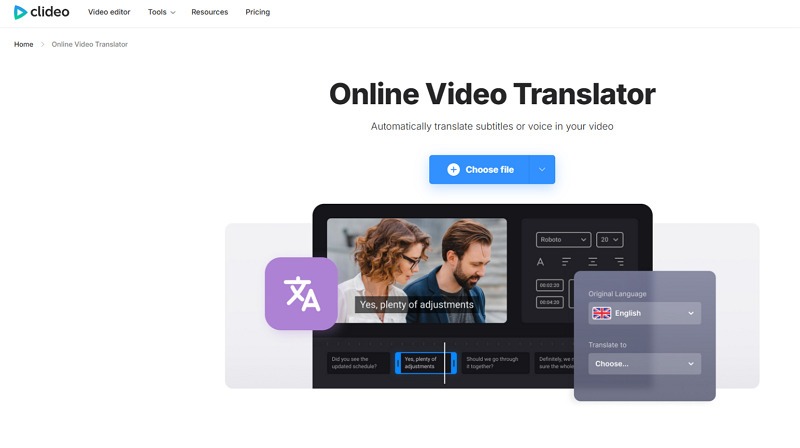
Clideo is a simple online tool offering basic video translation and subtitle features. You can also change the subtitle’s style, such as font, size, color, and placement. It is suitable for beginners who need quick, easy video localization.
Key Features
-
Support uploading from cloud storage
-
Let you save subtitles as SRT or TXT
-
Allow you to change the video format
Pros
-
Advanced encryption
-
Available on App Store
-
Create, edit, and translate in one place
Cons
-
Limited AI features
-
Watermarked output for free exports
Vidnoz
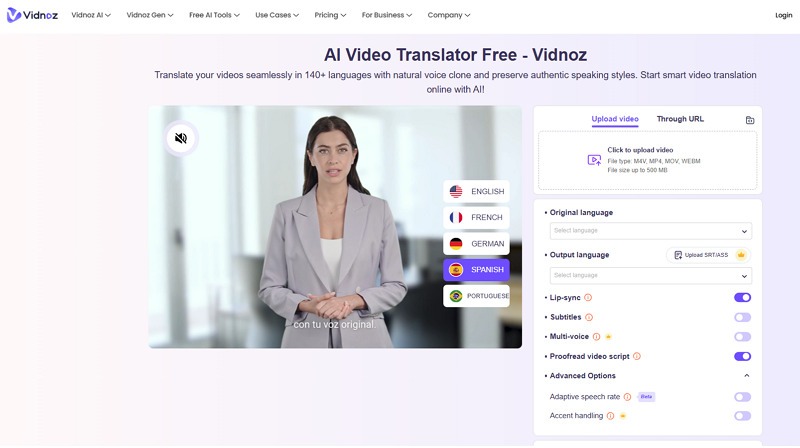
Vidnoz is an advanced AI video translator that supports avatars, dubbing, and fast multilingual video generation. It helps translate videos with a natural voice clone while preserving an authentic speaking style. You can select the original language and target language.
Key Features
-
Capable of proofreading video script
-
Lip-sync, subtitles, and multi-voice in one place
-
Support adaptive speech rate and accent handling
Pros
-
Fast and accurate
-
Flawless lip-synced videos
-
Good for language learners
Cons
-
No free plan available
-
Unnatural voice quality sometimes
Akool
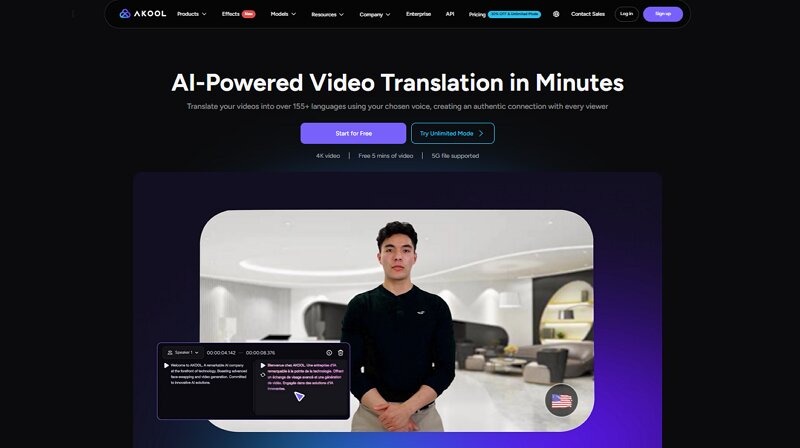
Akool is an advanced AI-powered solution with lip-sync technology and multi-speaker detection that translates videos into multiple languages using the chosen voice. It is designed for high-quality visual synchronization for global reach, online education, content creation, and presentations.
Key Features
-
SRT or ASS file uploading
-
Voice dictionary function
-
Enhanced proofreading editor
Pros
-
Authentic and natural results
-
Low-latency video localization
-
Diverse subtitle options
Cons
-
Premium pricing
-
Rendering delays
Canva
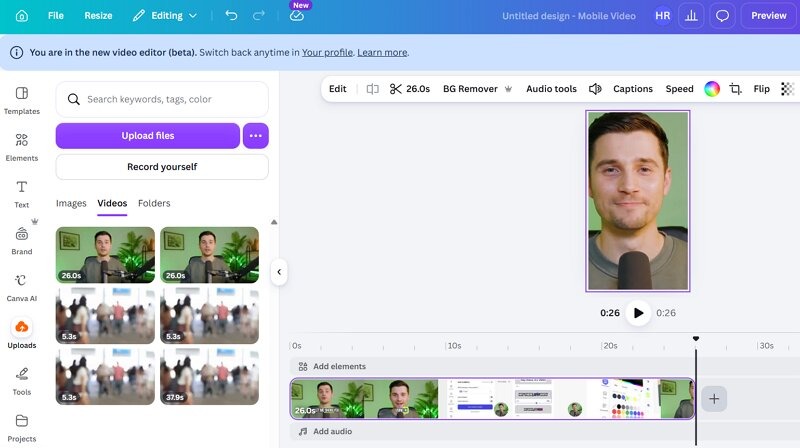
Although Canva is a design platform, it offers basic AI video editing and translation features. Its Magic Studio helps users automatically translate video captions and clone voices in multiple languages. It’s mainly used for simple social media localization.
Key Features
-
Support YouTube video link as an input
-
Automatically resize captions to fit the layout
-
Maintain the speaker’s tone and personality
Pros
-
Easy to use
-
All-in-one workflow
-
Diverse export options
Cons
-
Unable to translate complex projects
-
Lack of emotional nuance
Which AI Video Translator Is Best for Different Use Cases?
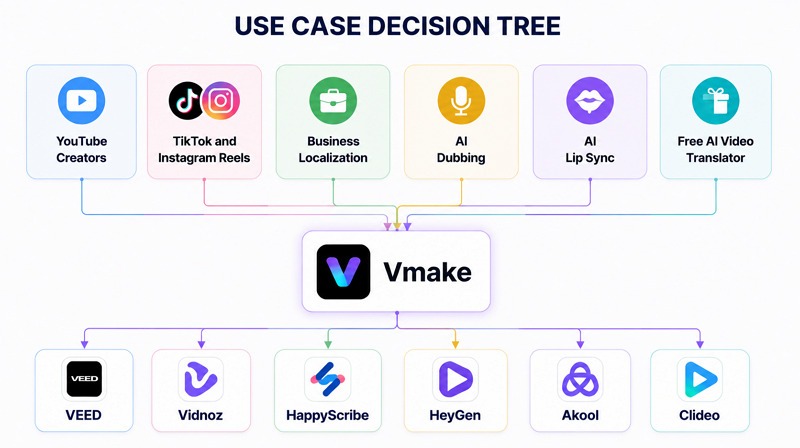
Each AI video translation tool works best in different scenarios. Here are a few use cases:
Best for YouTube Creators
For YouTube creators, the best AI video translators are Vmake and VEED because they offer simple editing features and accurate subtitle generation.
Best for TikTok and Instagram Reels
For TikTok and Instagram Reels, Vmake and Vidnoz are the top choices due to their fast processing and short-form content optimization.
Best for Business Localization
HappyScribe and Vmake perform best for businesses, as they deliver high translation accuracy and professional-quality output.
Best for AI Dubbing
HeyGen and Vmake are preferred for AI dubbing because they generate natural-sounding voices with good emotional tone.
Best for AI Lip Sync
Akool and Vmake stand out for AI lip sync due to their advanced facial synchronization with translated audio.
Best Free AI Video Translator
For users looking for the best overall AI video translator, Vmake and Clideo are the most reliable options with accessible free plans.
How to Choose the Right AI Video Translator
Selecting the right AI video translator depends on your content goals, budget, and the type of audience you want to reach. Let’s have a look:
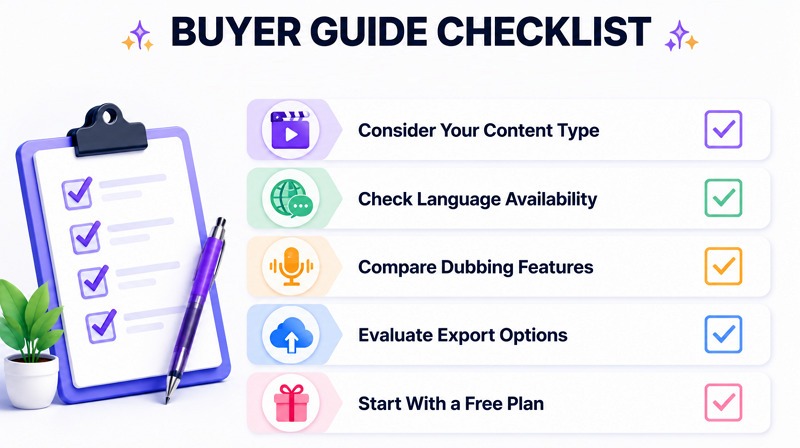
Consider Your Content Type
Different tools perform better for different formats. If you create short-form content, you need fast processing and simple editing. For those seeking an AI video translator subtitle for long videos, accuracy and subtitle control matter more than speed.
Check Language Availability
If your goal is global reach, choose a video translator that offers wide language coverage, including regional dialects and accents. This ensures your content feels natural to international viewers.
Compare Dubbing Features
If you want voice conversion, focus on tools that offer AI dubbing & video translator capabilities. Look for natural-sounding voices, emotional tone, and good lip-sync alignment rather than robotic output.
Evaluate Export Options
A video translator AI tool should give you flexibility in exporting. Check whether it supports HD video export, separate subtitle files (SRT/VTT), audio-only dubbing export, and platform-specific formats (YouTube, TikTok, etc.)
Start With a Free Plan
Before investing in premium tools, test a free online video language translater. This helps understand speed, accuracy, and usability without risk. Many tools also offer limited free credits for beginners.
Why More Creators Are Using AI Video Translators in 2026
More creators are adopting AI video translators to focus on multilingual content in 2026. Here are the top reasons:
Global Audience Growth
Videos are no longer geographically restricted. Creators can translate video content into dozens of languages simultaneously to target viewers across different regions and cultures.
Faster Localization
Instead of spending hours or days on manual translation and dubbing, AI tools can convert and localize entire videos within minutes, improving content production speed.
Lower Translation Costs
Traditional translation and voice dubbing require large budgets and professional teams. AI tools reduce these costs dramatically by automating most of the workflow.
Increased Content ROI
By publishing the same video in different languages, creators can multiply their audience size, increase watch time, and generate higher overall revenue from the same content.
FAQ
What is the best AI video translator?
The best AI video translator depends on your needs, but Vmake is the top choice in 2026 for its beginner-friendly interface, high accuracy, dubbing quality, and language support.
Is there a free AI video translator?
Yes, several tools translate video AI free, like Vmake, VEED, and Clideo, which provide free plans with basic translation, subtitle generation, and voice dubbing features for beginners and small creators.
Which AI video translator supports voice dubbing?
AI video translators like Vmake, HeyGen, Akool, and Canva support voice dubbing. They generate natural-sounding voices and sync audio with video, making content more engaging and globally understandable for viewers.
How accurate is AI video translation?
AI video translation is highly accurate for general content, especially with modern tools. However, accuracy may vary with accents, technical terms, and context, and may require manual adjustments.
Can AI translate YouTube videos?
Yes, AI tools can translate YouTube videos by generating subtitles or dubbing audio. Creators use these tools to repurpose content and reach international audiences more efficiently.
Which AI video translator supports the most languages?
Tools like Vmake, HeyGen, and Akool support a wide range of languages. They are ideal for global creators and businesses targeting diverse international audiences across multiple regions.

You May Be Interested
2025 Best Tools to Create Clean and Readable Subtitle Fonts
Best AI Avatar Generators in 2026 (Compared & Reviewed)

123APPS Watermark Remover Review (2026): Pros, Cons, and Pricing

Seedance 2.0 vs Sora 2: Which AI Video Generator Wins in 2026?
Top 20 Captions to Make Your YouTube Shorts Go Viral
