
AI Baby Podcast: A Complete Guide to Creating Talking Baby Videos
Turn any baby image into a charming AI baby podcast to delight viewers. Use Vmake to generate realistic and engaging baby expressions and entertaining episodes perfect for social media and creators.


Ever scrolled past a newborn dropping deadpan relationship advice? Welcome to the AI baby podcast trend hijacking your feed. It's pure, viral absurdity: standard infant photos transformed into studio-hosting toddlers with hyper-realistic voices. Here's everything you need to know — from concept to viral clip
Understanding the talking baby podcast trend
The talking baby podcast videos are absolutely everywhere right now. They work so well because they hit the perfect sweet spot of genuine novelty, quick laughs, and the fact that they are remarkably easy to produce. The whole concept hinges on a pretty clever trick: creators take a standard, static photo of an infant and use AI to transform it into a lifelike video character. Instead of filming an actual person in a studio, you just upload a photo and let the software handle the speech, facial movements, and expressions.
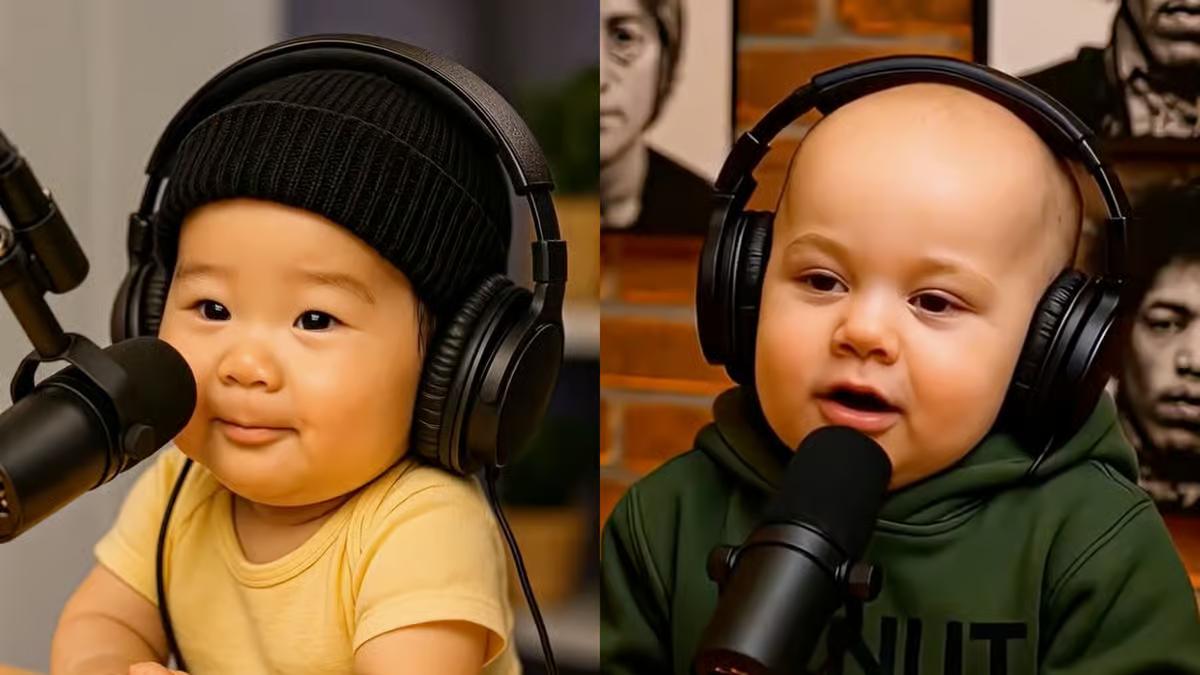
Why AI baby podcasts are so popular
-
High shareability and entertainment value: The humor really just comes down to the absurdity of it. You're staring at an infant, but they're venting about something heavy like interest rates or a toxic work environment.
-
Human-like expressions and realistic speech: Current AI animation tools generate highly precise facial movements and lip-syncing that match the audio track accurately. The final video looks remarkably convincing and keeps the audience engaged in the bit.
-
Low production costs compared to traditional video creation: From a creator's perspective, the real appeal here is that it completely bypasses the usual production headache, cost, and effort.
Popular AI Baby Podcast Ideas
-
Work-life balance explained by babies
The most popular angle by far is having an infant hand out "professional advice" on workplace stress, remote work, or tight deadlines. The joke is always how hilariously simple their solutions are compared to how much adults overcomplicate their productivity.

-
Adult responsibilities from a baby's perspective
Along those same lines, you see videos where they tackle adult responsibilities head-on. The baby comments on paying bills, attending useless meetings, managing finances, and doing chores, while genuinely questioning why adults make life so complicated.
-
Funny arguments between baby characters
Creators also set up fake arguments between multiple baby characters. They will sit there and passionately debate everyday drama like bedtime rules, snack politics, toys, or trending internet topics, which makes for a brilliant back-and-forth conversation.
-
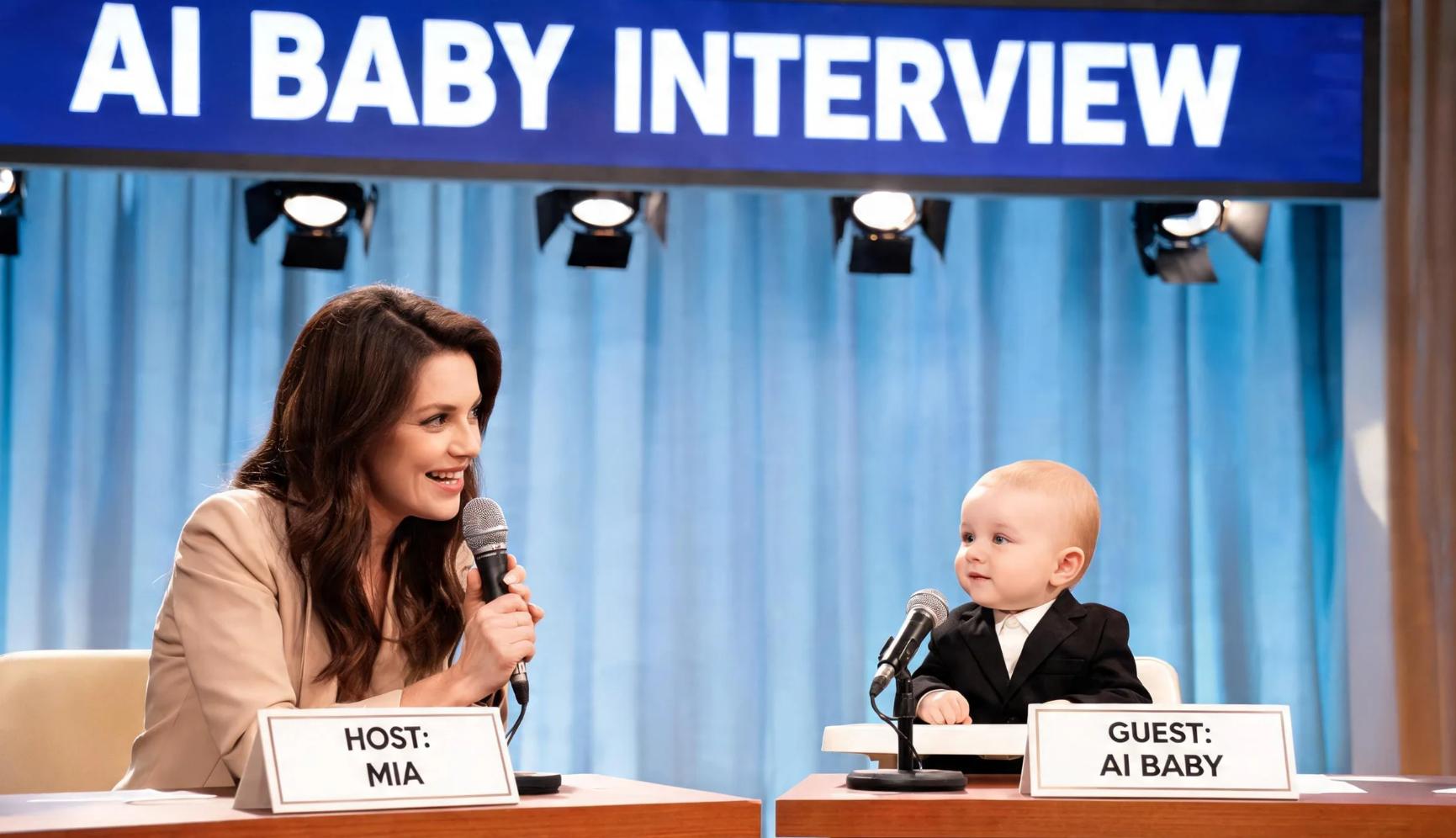
AI baby interview shows
You also see full-on talk show formats where a baby host interviews fictional guests, celebrities, historical figures, or other AI characters. The interactions are always completely unique and incredibly funny just because of the bizarre dynamic.
-
Educational baby explainers
Some creators are taking a completely different route and using the format for educational content. When you have a baby, breaking down incredibly dense topics like quantum mechanics, business history, or personal finance, the script is forced to be simple.
-
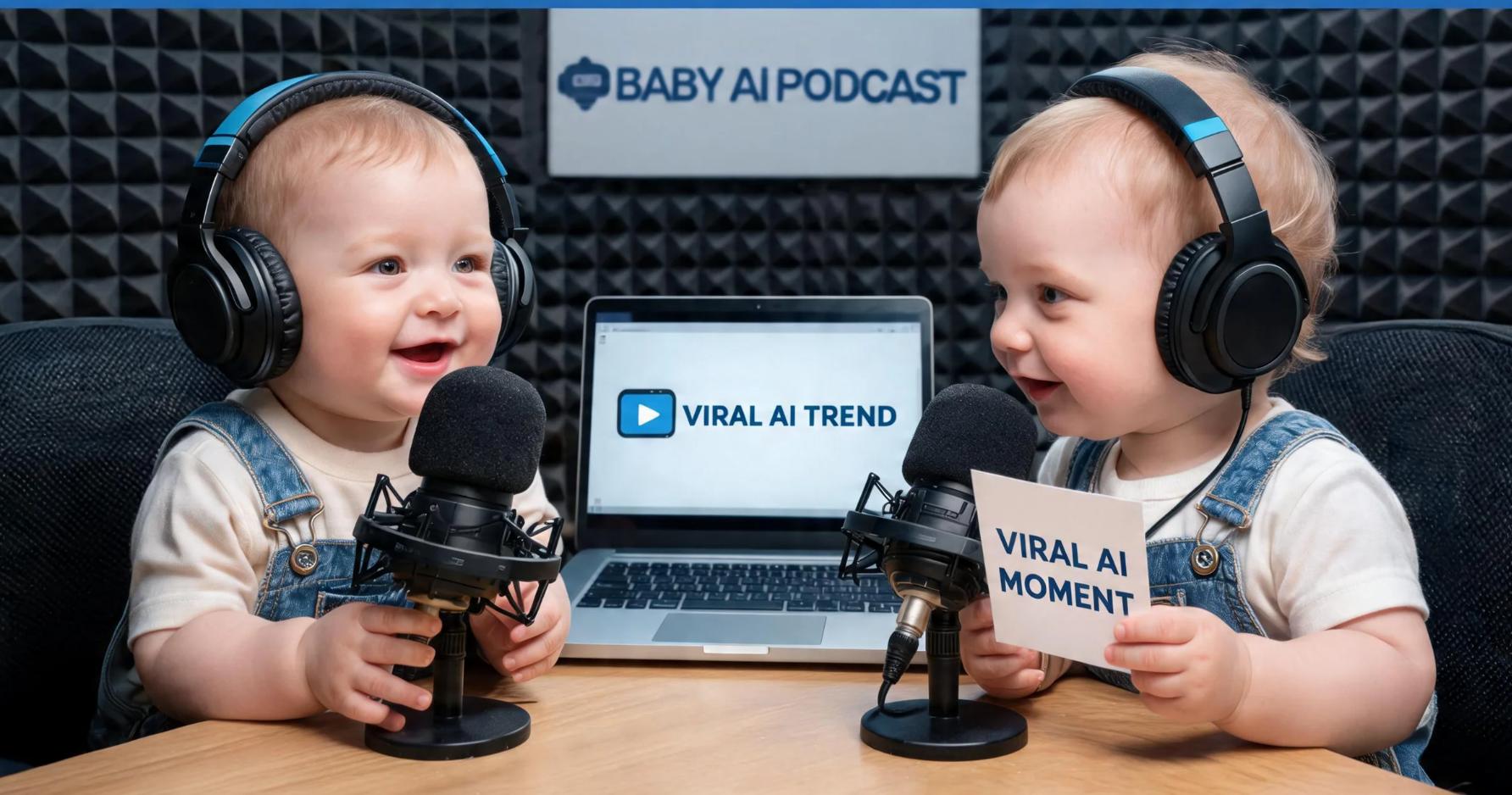
News commentary by babies
Then you have the mock news anchors. These are AI baby anchors breaking down trending news stories, viral internet moments, or industry developments with a sharp, humorous twist.
-
Family roleplay conversations
Finally, there are family roleplay setups. This is where different baby characters play different family members, acting out hyper-relatable arguments and situations involving parents, grandparents, siblings, and kids.
AI Baby Podcast Prompt Examples
-
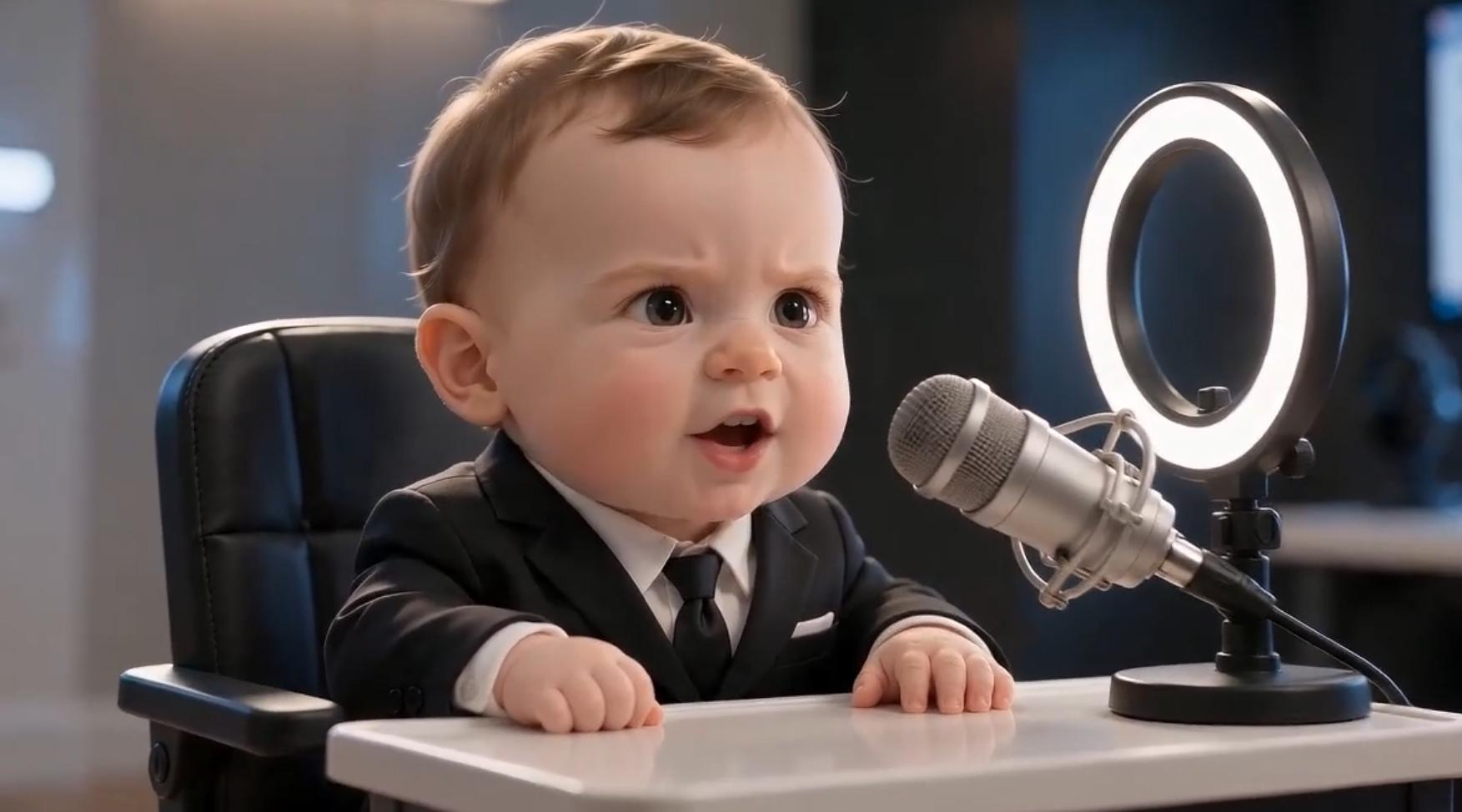
Prompt for business podcast baby
"Create an AI baby podcast host wearing business attire and speaking confidently about entrepreneurship and startups. The baby should explain business concepts in a humorous yet insightful way."
-
Prompt for motivational speaker baby
"Generate a talking baby motivational speaker delivering an inspiring podcast episode about achieving goals, overcoming obstacles, and staying consistent."
-
Prompt for relationship expert baby
"Create an AI baby relationship coach discussing communication, dating advice, and healthy relationships. The baby should speak with confidence and humor while offering surprisingly mature perspectives."
-
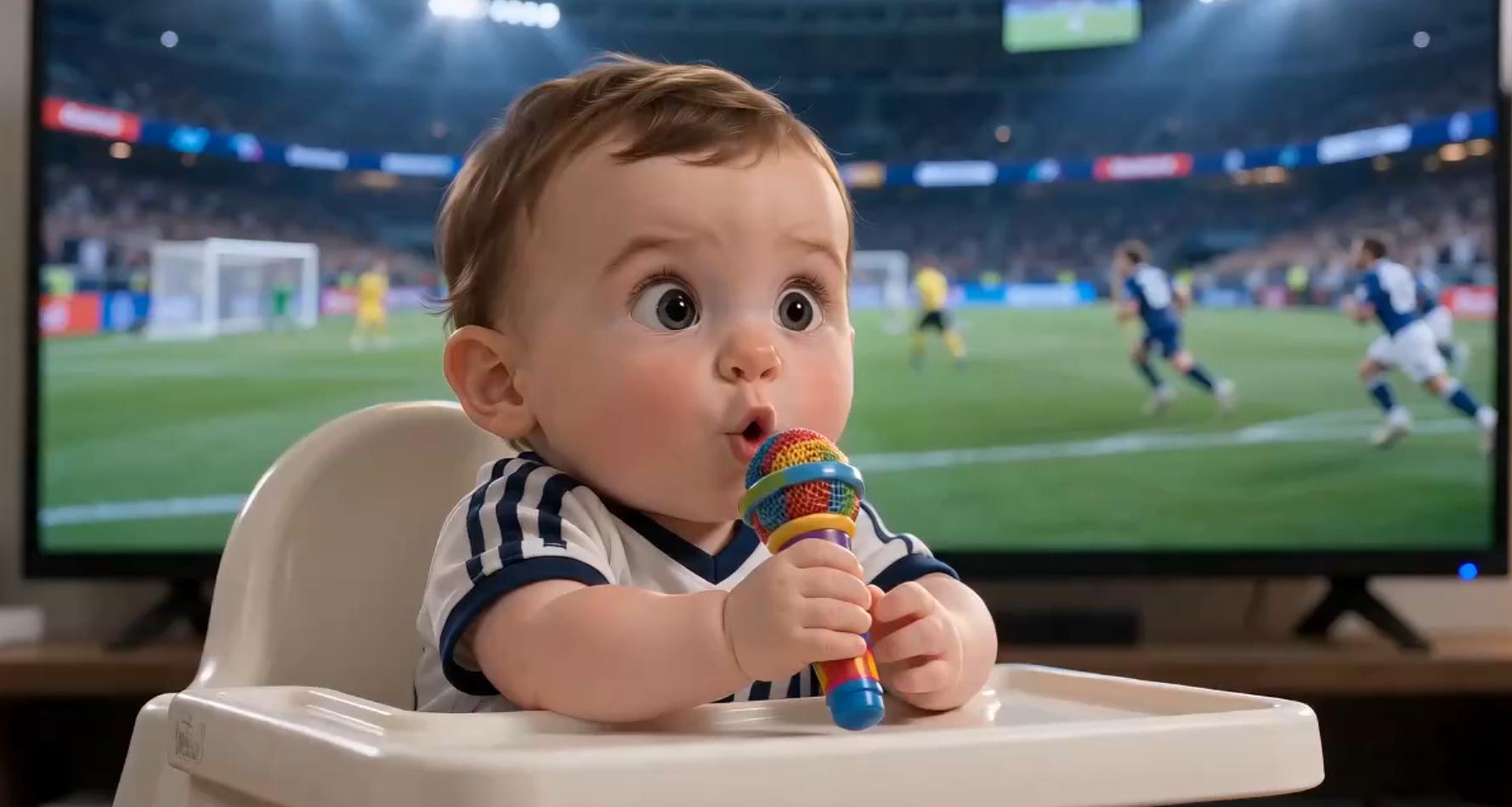
Prompt for sports analyst baby
"Generate a baby sports commentator reviewing a major game and analyzing player performance. The baby should use enthusiastic reactions, sports terminology, and energetic commentary."
-
Prompt for news expert baby
"Create an AI baby news anchor presenting current events in a professional newsroom setting. The baby should deliver information clearly, maintain eye contact with the audience, and use realistic facial expressions and gestures."
Meet Vmake: Generate stunning AI baby podcast videos
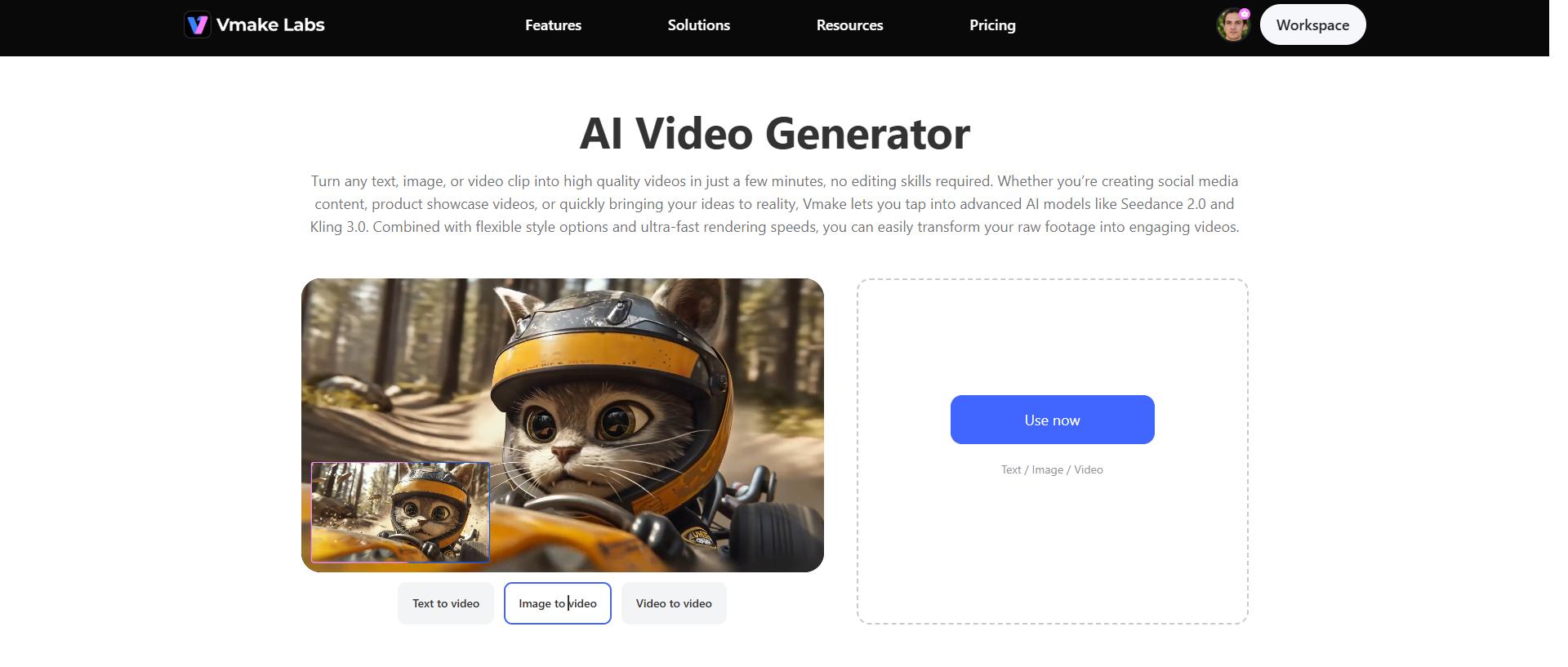
Vmake AI video generator lets you turn standard photos and a script into a talking video, and you don't need a background in video editing or thousands of dollars in studio gear to make it look decent. The workflow is actually pretty straightforward. You just upload your photo, paste in your script, pick a voice that fits the vibe, and the platform pieces together the talking character for you in a few minutes.
Step-by-step guide
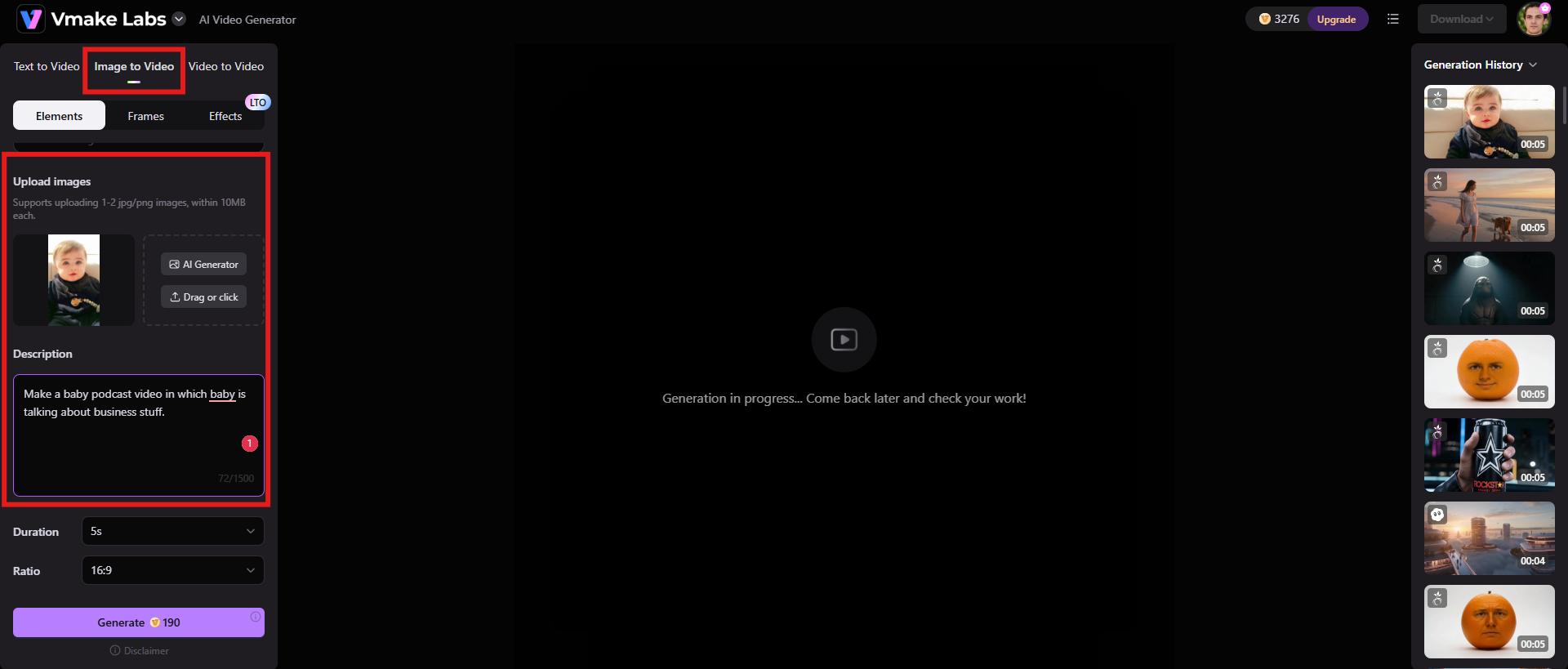
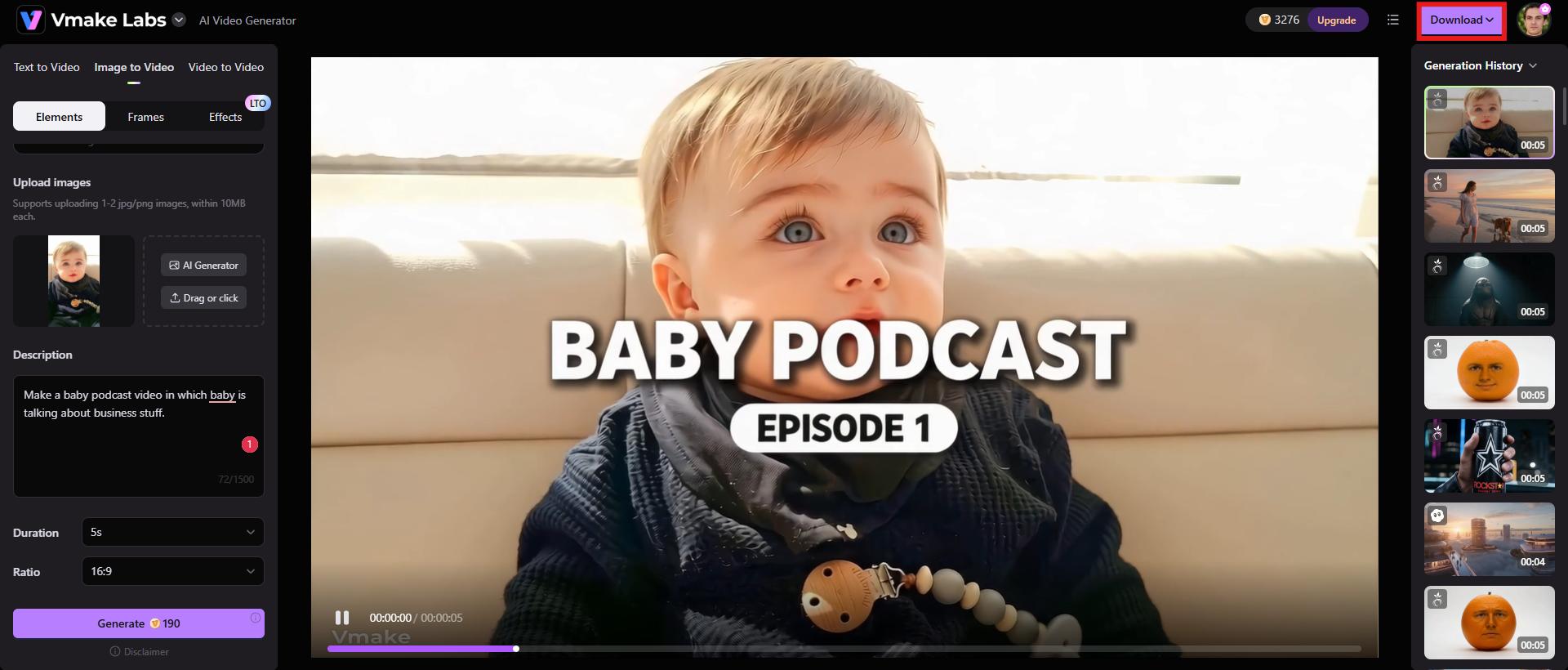
Step 1: Add your content idea
Once you're logged in, just find "Image-to-Video" on the main menu and click that. You'll want to upload your base photo right there and type out a text prompt to tell the software exactly what you're imagining.
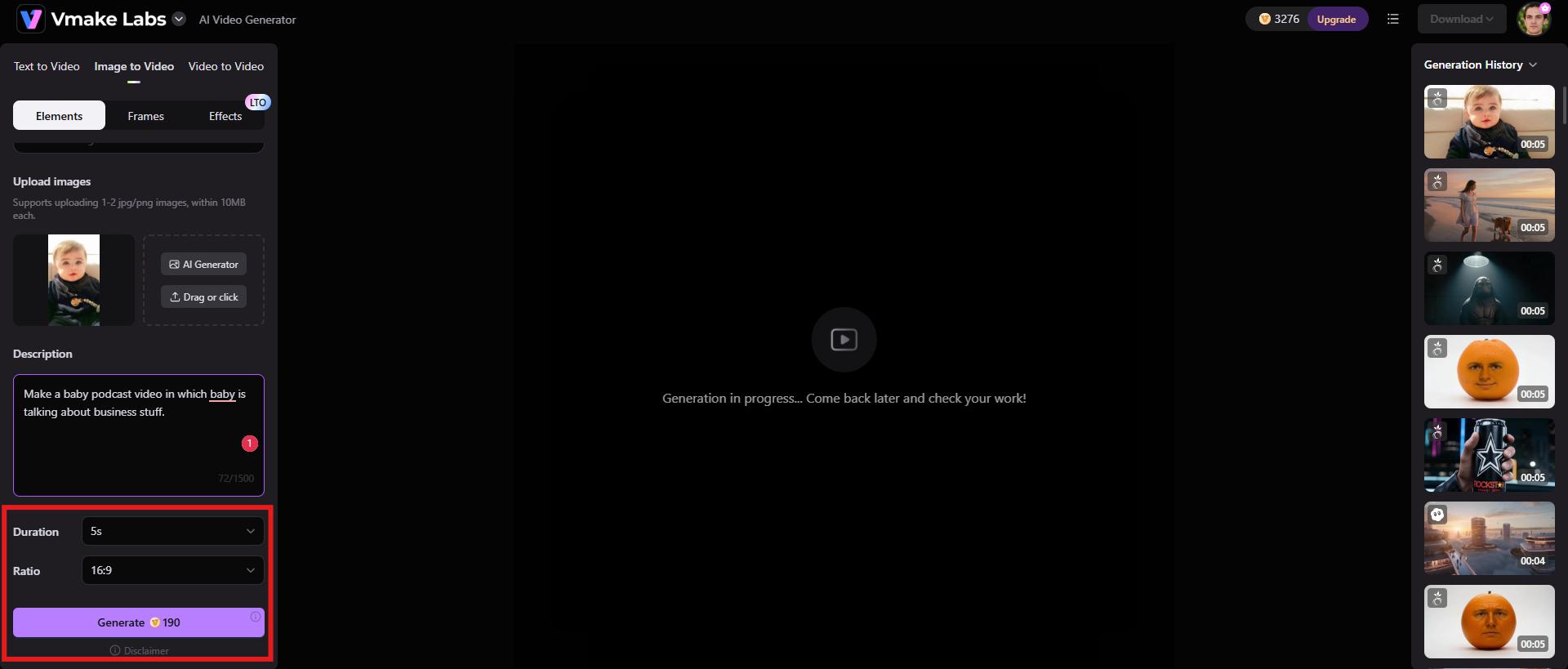
Step 2: Choose duration and aspect ratio, and generate
Next up, you need to handle the video length and the framing. If you're planning to post this to TikTok, Instagram Reels, or YouTube Shorts, you'll absolutely want to pick a vertical aspect ratio. Once you've locked in the duration and format, hit "Generate" and let it run.
Step 3: Download the final video
It'll take a minute or two to process. When it's done, make sure you actually play the preview. If everything looks solid and the timing hits right, just click "Download" to save the final file to your device.
Key features
-
AI avatar videos
Vmake can generate realistic AI avatars that read your script with surprisingly natural expressions and body language. It is a massive shortcut for anyone trying to pump out regular social media clips, marketing ads, educational explainers, or those podcast-style videos.
-
Multimodal approach
Rather than relying on just one overworked AI model to do everything, the platform layers multiple systems on top of each other, including Seedance 2.0, Kling 3.0, Google Veo 3, Sora 2, Vidu Q2, and Wan 2.2. When these separate technologies work together in tandem, the final video feels cohesive.
-
High-resolution output
Vmake generates a high-resolution file, which matters because if your text or details look pixelated on a desktop screen or a tablet, the illusion immediately shatters. Having crisp resolution ensures everything stays sharp, whether someone is scrolling past on a tiny smartphone or watching full-screen.
Tips to make the baby talk podcast go viral
-
Create relatable and funny scenarios: The videos that actually blow up are the ones that anchor themselves in completely normal, exhausting adult problems, just filtered through a baby's perspective.
-
Optimize for short-form platforms: People are scrolling fast, so you have to keep things incredibly tight. Focus on just one single joke or one specific story and get out. To be honest, a punchy 30-second clip will almost always outperform a longer video that takes too long to get to the point.
-
Add captions and subtitles: You have to remember that a massive chunk of people scroll through their feeds with the sound completely muted, especially if they're killing time in public. If you don't burn captions directly into the video, you're basically forcing them to scroll past.
-
Attention-grabbing hooks: You have roughly two seconds before someone swipes away. So, open with a visual hook: a weird observation, a controversial opinion, or a bizarre question that forces them to pause. If you can make them curious right out of the gate, they're significantly more likely to stick around for the punchline.
-
Consistent posting schedule: Stop banking on a single video going viral. It almost never happens that way. Building an audience is a slow burn. You have to put out content consistently, which gives you room to experiment with different characters, formats, and topics.
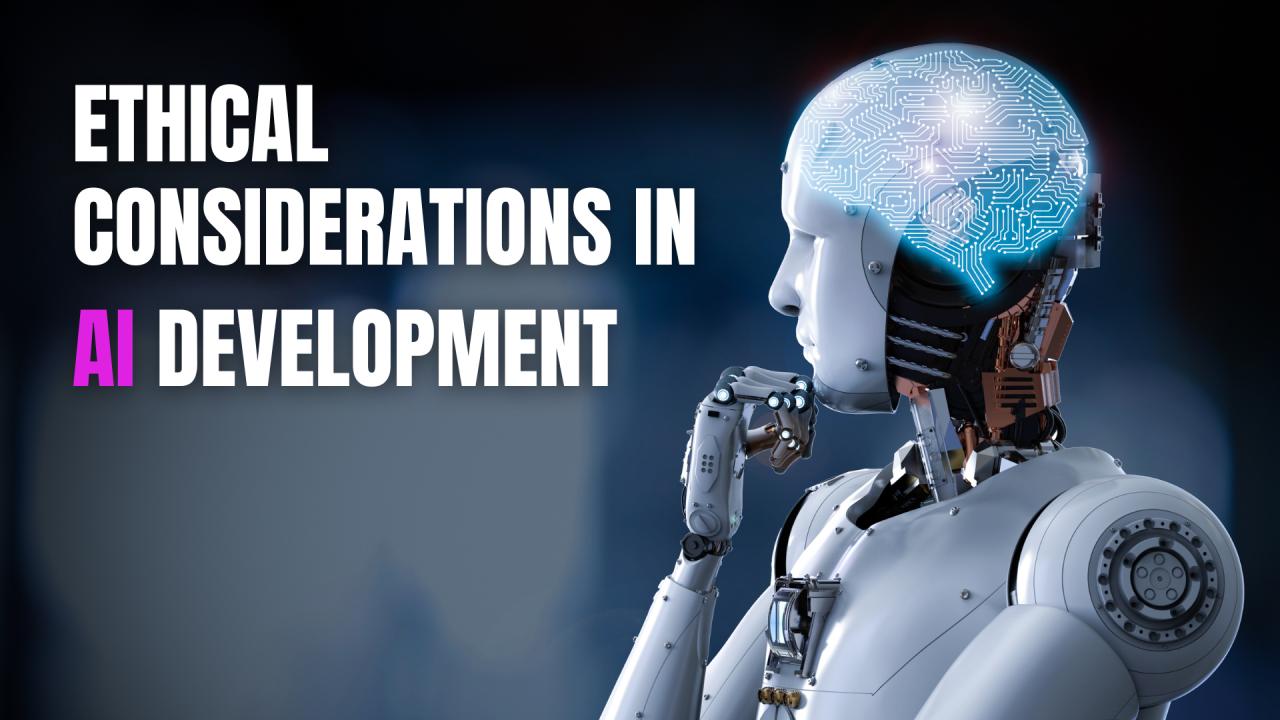
Ethical considerations for AI baby podcast videos
-
Respect personal privacy
If you are using a photo of a real baby, you absolutely have to make sure you actually have the right to use it. Parents and guardians really need to think twice about where and how this stuff gets shared, especially on public feeds. The internet is a sticky place. Once a video is out there, it is nearly impossible to control how it gets downloaded, chopped up, or reposted by complete strangers.
-
Use content responsibly
Because AI-generated videos are getting incredibly convincing, we have to talk about using them responsibly. The whole point here should be entertainment, storytelling, teaching something cool, or just scratching a creative itch. It shouldn't be about tricking people.
-
Clearly disclose AI-generated content when appropriate
Most of the time, anyone watching a talking baby podcast is going to know instantly that it's AI-generated. Obviously. Disclosure is still worth doing, especially if the tech looks incredibly realistic or you happen to be tackling heavier subjects. Just letting people know that a video was built with AI keeps things transparent.
-
Encourage responsible viewing
These videos are almost always completely over the top by design. Because of that, you should probably make it clear that you're just trying to entertain people. This isn't actual real-world advice or professional guidance.
-
Avoid harmful or offensive portrayals
We all know comedy is what makes these clips go viral in the first place. But to be honest, humor shouldn't rely on cheap shots, offensive stereotypes, or punching down at specific groups. Targeting people based on who they are or their background just alienates your audience.
Conclusion
AI baby podcasts are honestly a great shortcut if you want to make entertaining video content without drowning in production costs. When you stack AI lip-syncing, voice generation, and facial animation together, you can take a basic baby photo and turn it into a weirdly compelling podcast host.
Platforms like Vmake take away most of the technical headaches. You don't have to be an expert to get a polished video out of it. Whether you're a standard content creator, a marketer trying to grab attention, a teacher looking for a weird hook, or just someone obsessed with social media trends, use Vmake and create videos that stand out.
FAQs
How do I create a talking baby video with AI?
Putting together one of these talking baby videos is honestly a lot simpler than it looks. You start by tossing a baby photo into an AI video generator. From there, you just type out your script or upload a pre-recorded audio file if you prefer, and pick a voice that matches the vibe you're going for. Once that's set, you just let the software take over.
Which AI tool is best for making AI baby podcast videos?
If you're wondering which platform actually works best for making these baby podcast clips, Vmake is usually the one people gravitate toward. Vmake is incredibly popular because it's easy to use and bundles photo animation and high-quality rendering into a workflow that doesn't require a manual to figure out.
Can I use my own baby's photo for an AI podcast video?
Yes, you can absolutely use a photo of your own kid for an AI podcast video, assuming you own the image or have the right to use it. But to be honest, you really want to keep privacy and consent top of mind before posting anything to a public feed.
Are AI baby podcast videos monetizable?
You can absolutely make money off this stuff. Plenty of creators are bringing in cash through ad revenue, brand sponsorships, affiliate marketing, or platform creator funds. But here's the thing: you still have to play by the specific platform's rules, or they'll cut off your monetization without warning.
What makes an AI baby podcast video go viral?
The videos that gain real traction hit people with a strong opening hook right away. They rely on genuinely funny storytelling and situations that make the viewer go, "Yeah, I've been there." To be honest, you also just need clean visuals and a relentless posting schedule. It's a volume game.
Is it free to create AI talking baby videos?
You can usually get started for free. A lot of these AI video tools have free tiers, though they're pretty limited. If you want good stuff, like crisp high resolutions, premium-sounding voices, or getting rid of an annoying watermark, you're going to have to shell out for a paid subscription.

You May Be Interested
How to Make AI Baby Videos: 3 Best Tools to Make Baby Videos
2026 Wink Video Enhancer Review: Pros, Cons, and Alternatives
Synthesia AI Video Generator: Turn Text Into AI Videos Easily

Grok AI Video Generator Review: Features, Pricing, and Pros & Cons
