
How to Add a Background to a Band Video with AI: The Ultimate Guide
Add a background to a band video with AI and create cinematic music performances, immersive visuals, and professional-looking content faster using Vmake Lab's intelligent background editing tools.

Creating memorable band videos no longer requires expensive studios or advanced editing skills. AI tools make every video background change faster and more accessible, helping musicians build immersive performance settings with ease. This guide explores practical techniques, creative ideas, and how Vmake Labs supports artists in producing professional-quality visuals efficiently.
Why musicians are using AI to add backgrounds to band videos
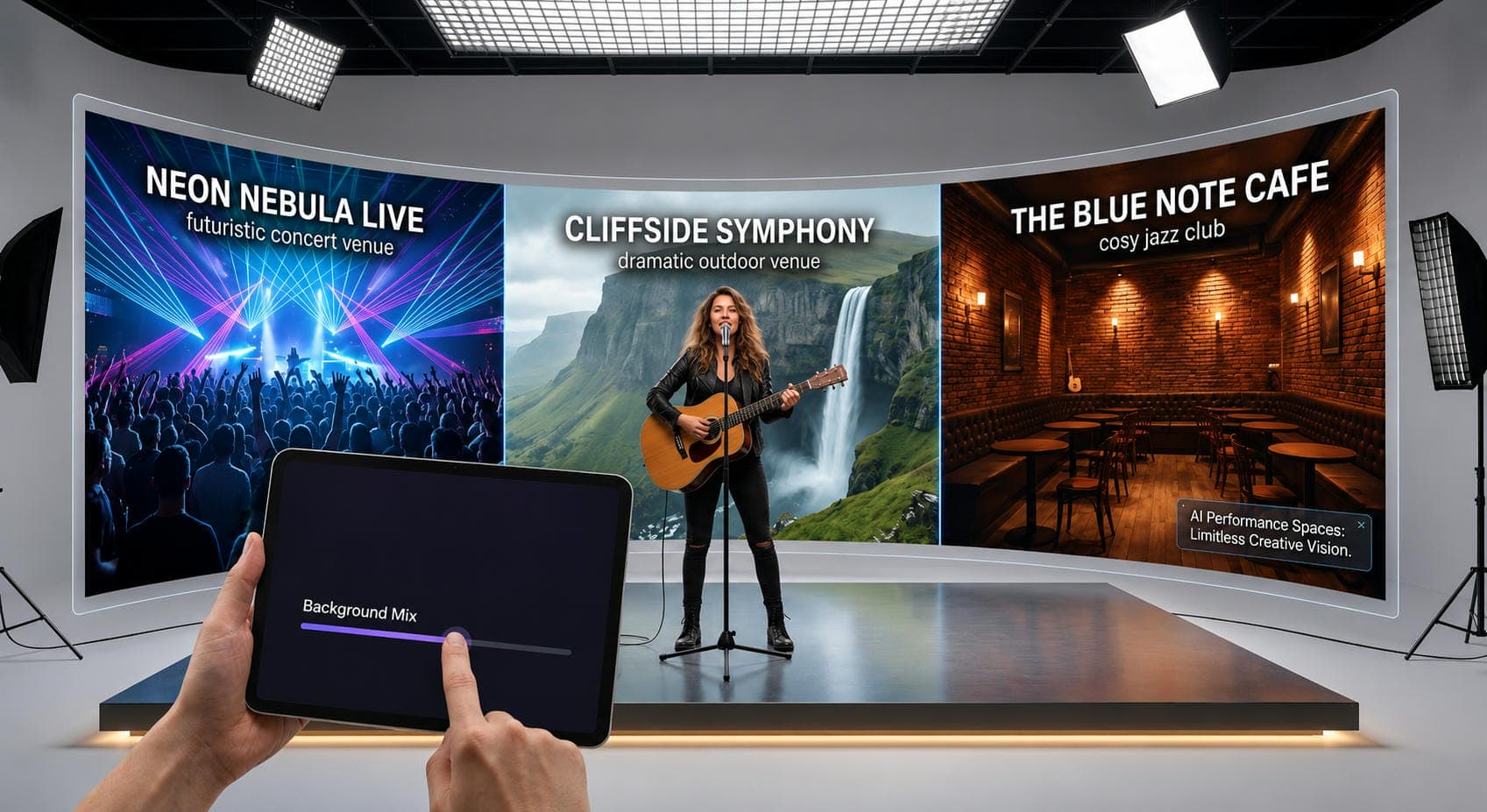
Great music deserves memorable visuals. AI allows musicians to drop their performances into futuristic concert venues, cozy jazz clubs, or dramatic outdoor landscapes without spending a fortune on studio rentals or complex editing. Artists can instantly swap backgrounds to match new songs, social media posts, or ad campaigns—all while keeping their original performance perfectly intact.
How to add a background to a video without professional editing skills
Traditional vs. AI workflows
|
Feature |
Traditional Editing |
AI Workflows |
|---|---|---|
|
Learning Curve |
Steep |
Beginner-friendly |
|
Editing Time |
Hours |
Minutes |
|
Software Needed |
Multiple tools |
Single platform |
|
Manual Adjustments |
Extensive |
Minimal |
|
Best For |
Complex productions |
Fast content creation |
Traditional video editing offers precise control but requires heavy expertise, multiple apps, and significant time. AI workflows streamline this process especially for background removal, allowing creators to focus entirely on performance and storytelling.
Green screen vs. AI subject isolation
|
Feature |
Green Screen |
AI Subject Isolation |
|---|---|---|
|
Equipment Required |
Green screen setup |
No special equipment |
|
Setup Time |
High |
Low |
|
Background Flexibility |
Studio environments |
Any location |
|
Editing Process |
Manual keying |
Automated AI processing |
|
Best For |
Professional productions |
Everyday creators |
While green screens remain the standard for flawless studio compositing, modern AI tools can isolate subjects from everyday footage without special equipment. This allows artists to easily polish rehearsal clips, live sessions, or smartphone videos in any environment without a dedicated studio setup.
Pre-Upload checklist for better results
To get the cleanest AI edits, upload stable, high-quality footage with consistent lighting and minimal background clutter. Keep your subjects clearly in the frame, and ensure your audio is crisp; combining your visuals with a video audio enhancer to strip background noise instantly elevates the final production value.
How to add a background to a band video with Vmake Labs
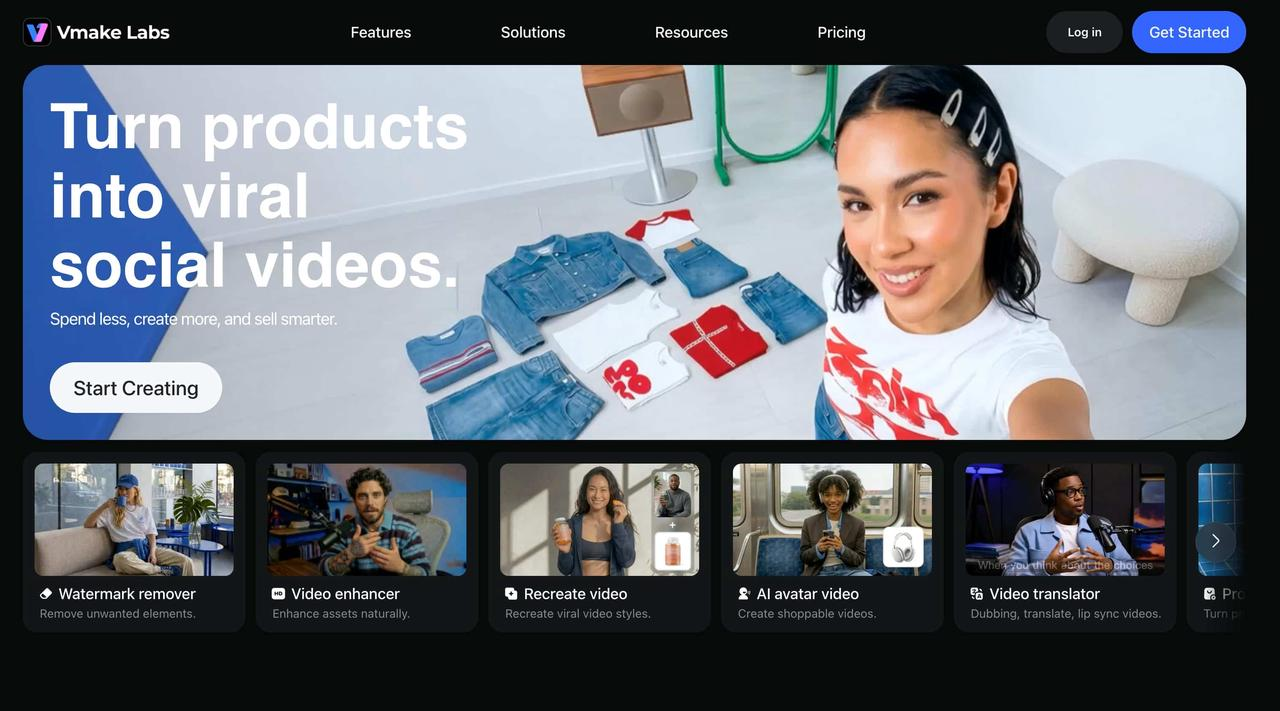
Vmake Labs streamlines background editing through intelligent automation. Instead of manually masking musicians frame by frame, creators can upload footage, isolate performers, and apply new environments in minutes. The platform is particularly useful for artists producing music videos, promotional clips, social content, or live-session highlights. By reducing technical barriers, musicians can experiment with more ambitious visual concepts while maintaining consistent production quality.
Steps to add a background to a band video
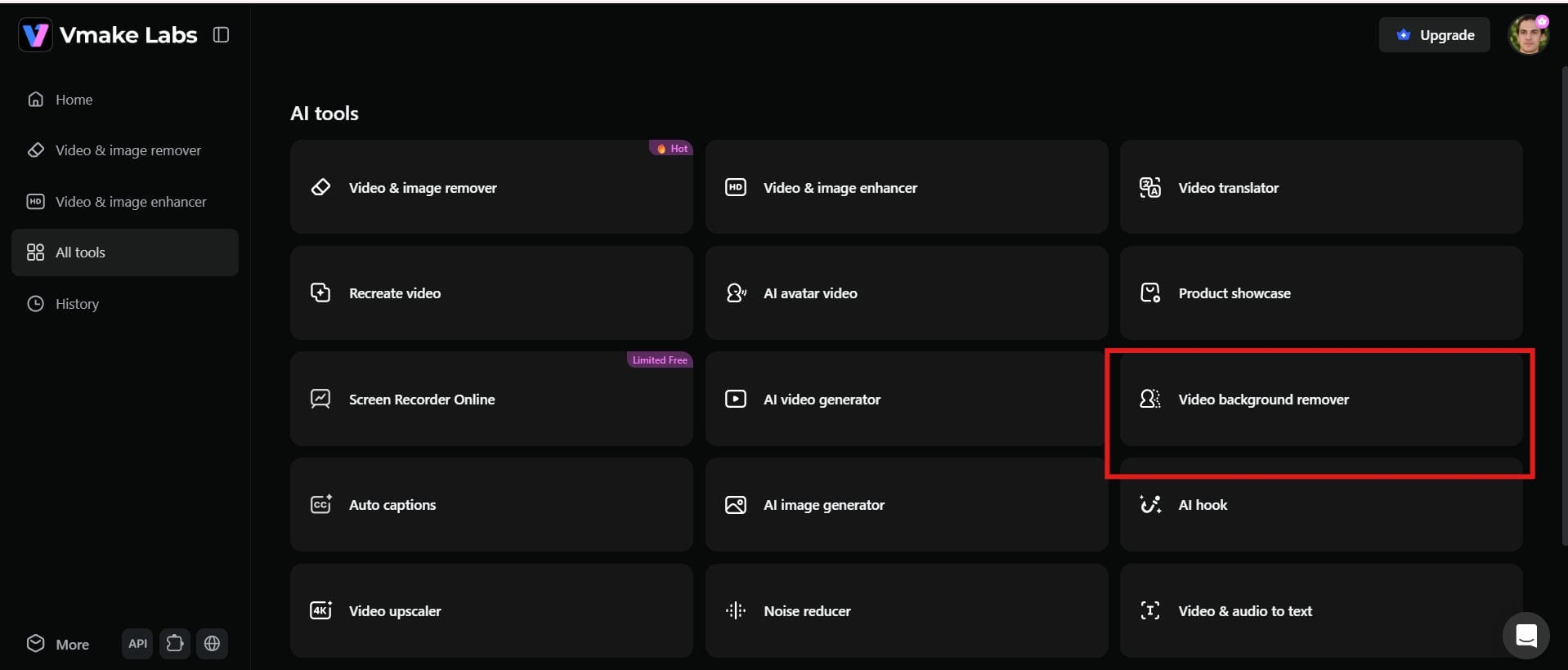
Step 1: Open Vmake Labs video background remover
Open the Vmake Labs Video Background Remover and start a new project. The clean interface makes it easy for musicians and creators to begin editing without learning complex video software. Simply access the tool and get ready to transform your performance footage.
Step 2: Upload your band video
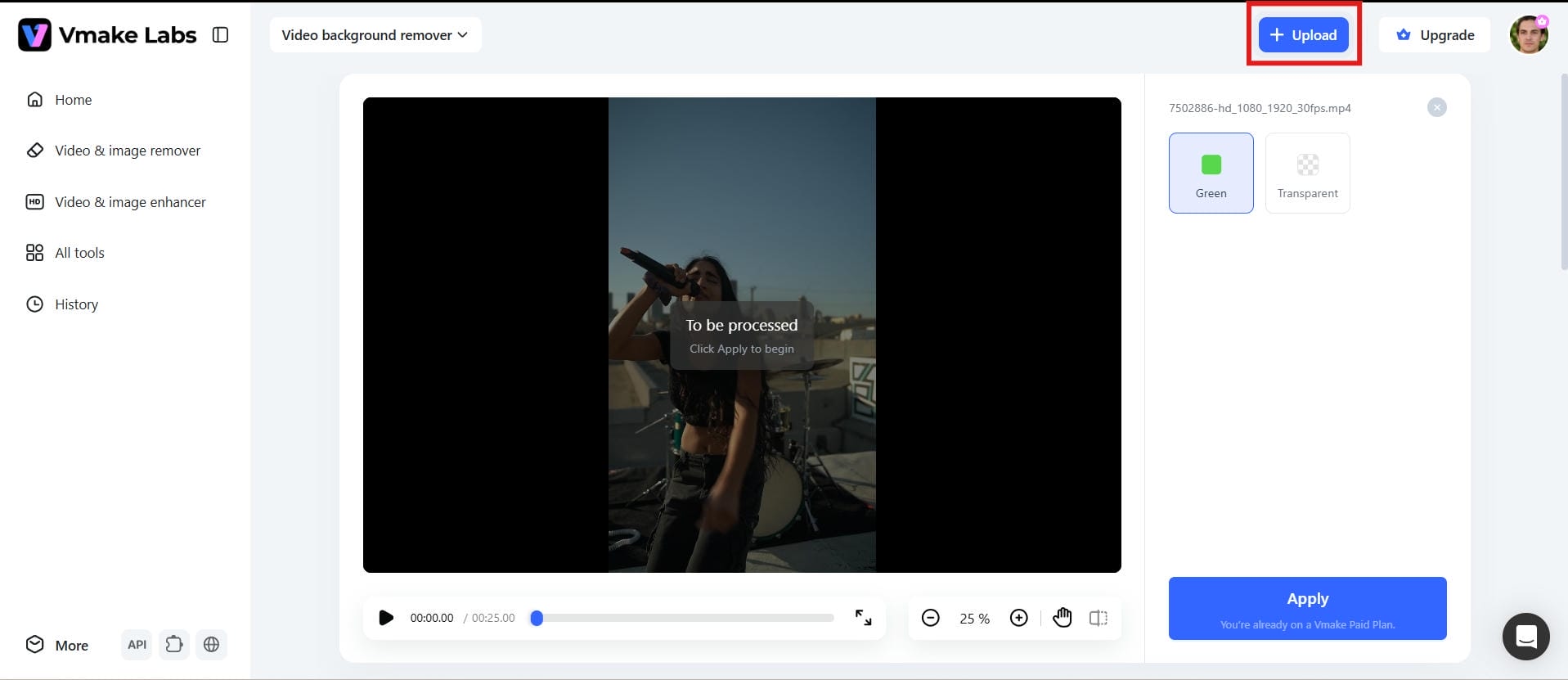
Upload your band performance directly from your device. For the best results, use clear footage with good lighting so the AI can accurately detect performers and separate them from the original background.
Step 3: Replace the background with AI
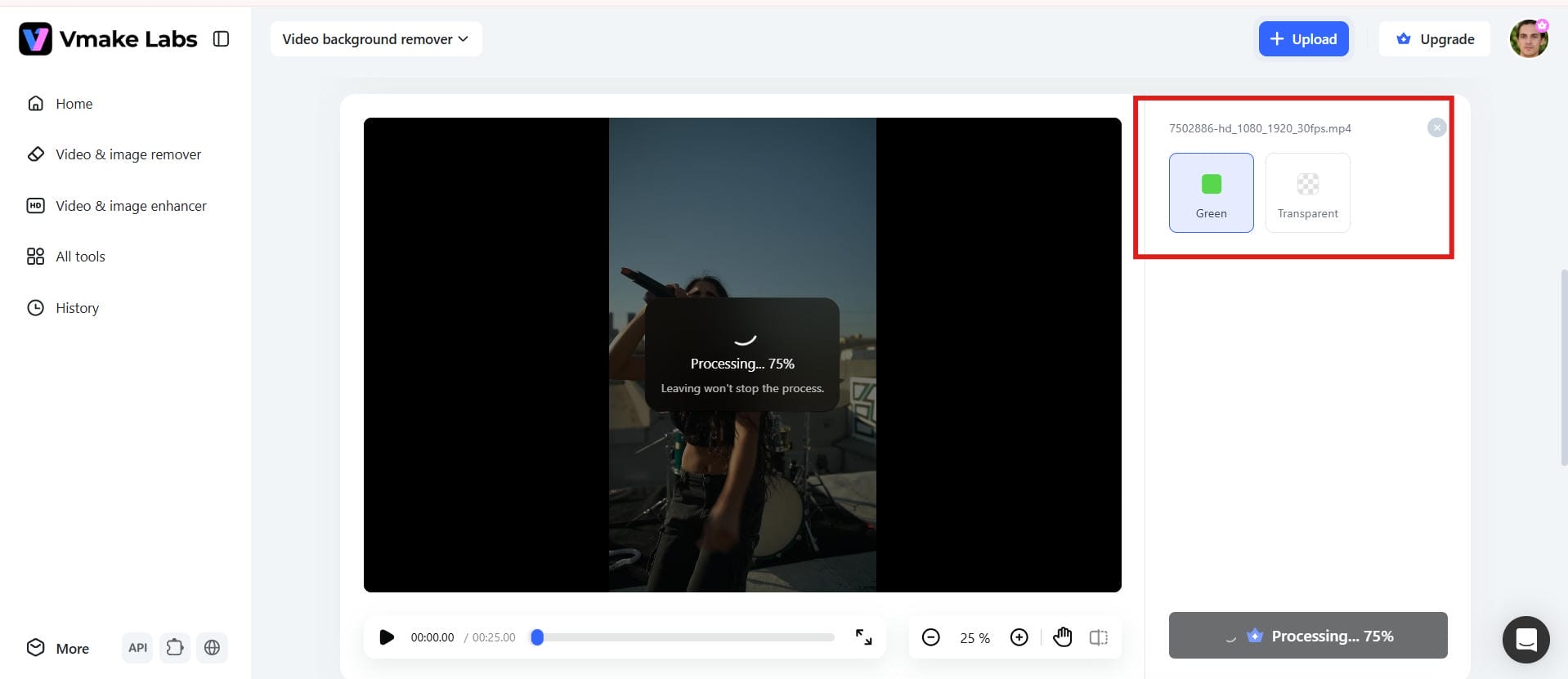
Choose a new background that fits your band's style, such as a concert stage, city skyline, or creative visual scene. Vmake Labs automatically applies the selected background and keeps the performers clear and natural. You can preview different options before finalizing your video.
Step 4: Export your edited video
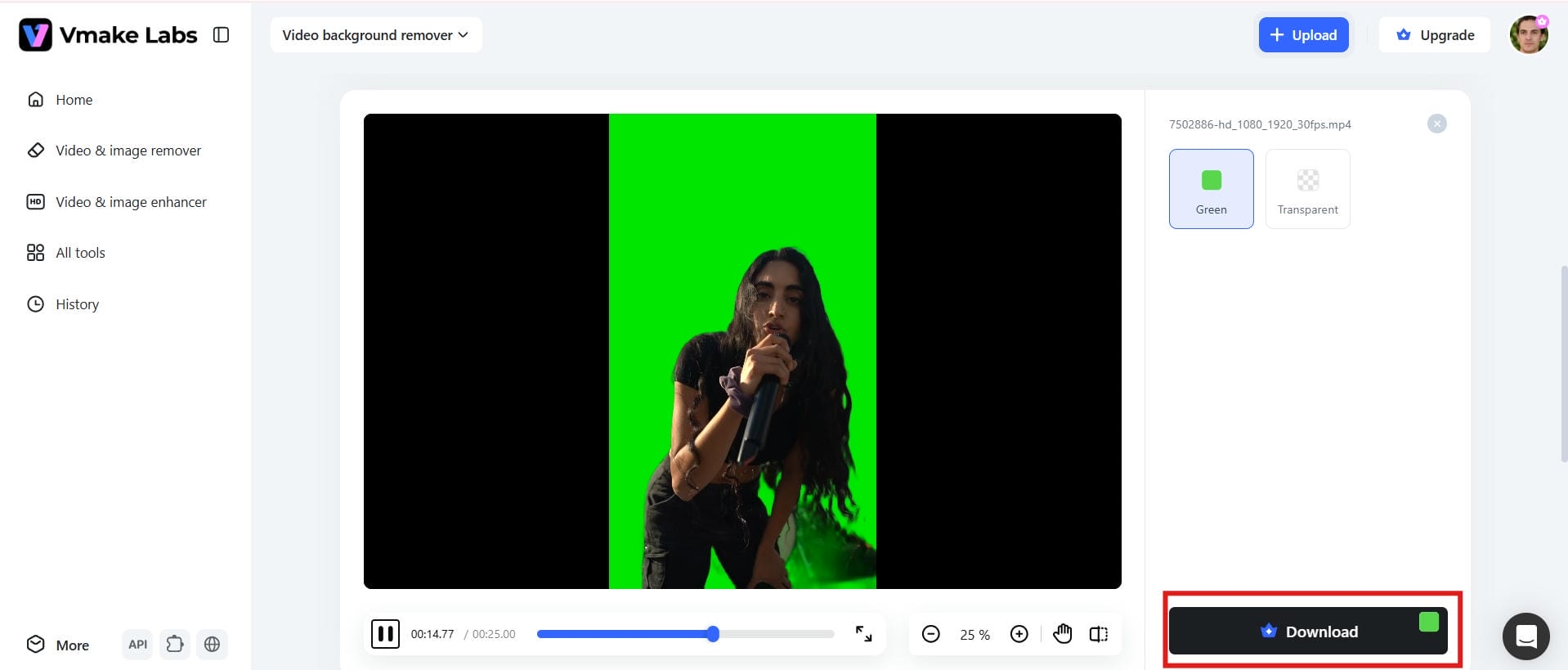
Preview your updated video to ensure everything looks natural and aligned with your creative vision. Once you're satisfied, export the final version and share it across social media platforms, streaming channels, or promotional campaigns.
Best AI background ideas for band videos
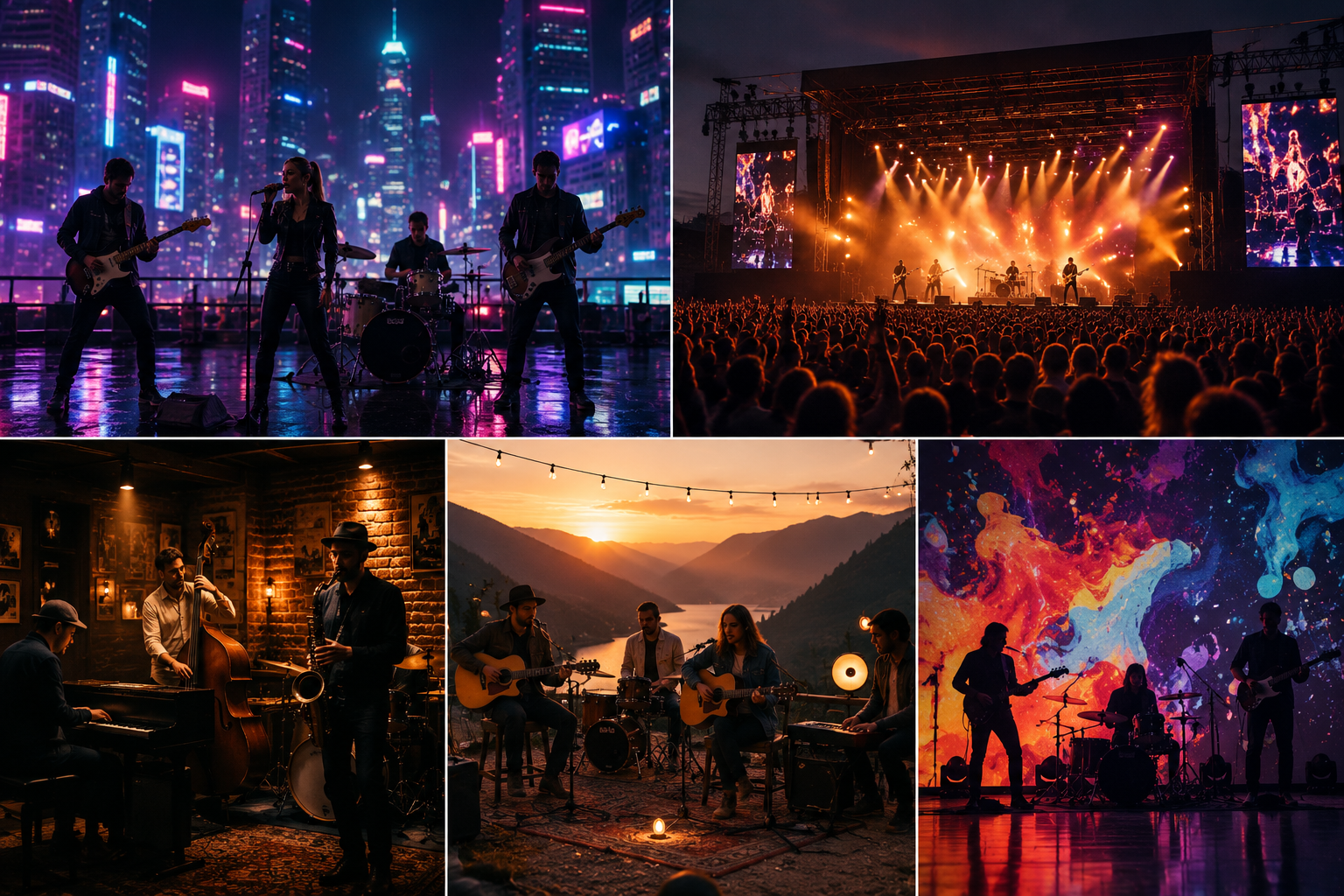
The background you pick can be a game-changer for how people experience your music. A live concert stage is more exciting, while a warm acoustic environment might be more intimate and emotional. With AI tools, musicians no longer need to pay for pricey locations and massive production crews to bring their ideas to reality. Fitting visuals to a band's style, mood, and story has never been easier. Whether you want majestic panoramas, festival moods or private studio setups, the creative possibilities are practically limitless.
Neon cityscapes
Neon city backgrounds are ideal for electronic, pop, and synthwave bands that want a modern and energetic look. Bright lights, futuristic streets, and vibrant colors help create visually striking performances that stand out on social media platforms.
Festival and concert stages
Virtual festival stages can give independent artists the feeling of performing in front of massive audiences. Dynamic lighting, cheering crowds, and large-scale environments add excitement while allowing complete creative control.
Classic music clubs
Jazz, blues, and acoustic performances are well-suited to vintage clubs and intimate interior settings. Warm lighting, traditional decor, and nostalgic settings create a welcoming ambiance that makes fans associate more closely with music.
Nature and cinematic landscapes
Natural surroundings like mountains, beaches, woods, and sunset sky add an element of emotion and grandeur to music videos. They are especially well suited to slower tunes, acoustic sessions, and cinematic, story-based presentations.
Abstract painting
Experimental musicians are given unlimited artistic license with abstract graphics such as moving particles, colourful gradients, and digital artwork. These eye-catching backgrounds can be an expression of a band's sound and help to create a unique visual identity. They are particularly suited to short-form content and promotional films made for social sites. Including these videos with an Instagram Reels Caption creator will further increase interaction and help creators reach larger audiences online.
Tips and common mistakes when adding AI backgrounds to band videos
Adding AI backgrounds can transform a band video, but a few simple practices make a big difference in the final result. Paying attention to lighting, movement, and background selection helps create a polished video that keeps the focus on the performance.
Tips for better results
-
Use well-lit footage: Clear and consistent lighting helps AI tools separate musicians from the background more accurately, producing cleaner edges and more natural results.
-
Match the background to the music style: Choose visuals that complement the band's genre and mood. A cohesive look strengthens storytelling and keeps viewers engaged.
-
Keep camera movement smooth: Stable footage makes subject isolation easier and reduces visual glitches during background replacement.
-
Review details around instruments and hair: Guitars, microphones, and fast movements may require extra attention to ensure the edit looks seamless.
Common mistakes to avoid
-
Using low-resolution videos: Poor-quality footage limits AI accuracy and often creates rough edges or missing details.
-
Choosing overly busy backgrounds: Distracting visuals can pull attention away from the musicians and weaken the overall impact of the performance.
-
Ignoring lighting consistency: Mismatched lighting between the subject and the new background can make the final video look unnatural.
-
Skipping final checks before publishing: Always preview the finished video on different devices to catch any issues with masking, colour, or playback.
Conclusion
AI has transformed the way musicians create engaging video content. Basic, automated workflows allow bands to create elaborate visual experiences without expensive studios or extensive editing knowledge. Background replacement technology opens up new creative possibilities for artists of all sizes, from virtual stages to cinematic vistas. Vmake Lab makes editing backgrounds faster and easier to use. Outstanding performances paired with creative visual design enable creators to make compelling music videos that resonate with people. This will also help them create their brand identity and stand out on streaming platforms and social media channels all over the world.
FAQ
How can I add a background to a band video with AI using Vmake Labs?
Upload your performance film, let the AI detect the musicians, and choose a new background or upload your own. Vmake Labs does the replacement automatically, so you don't waste time masking subjects frame by frame. It's easy for bands to design professional-looking visuals while keeping their focus on the music.
What is the easiest way to add a background to a video without editing experience?
The easiest solution for beginners is frequently an AI-powered editor. They automatically recognise the subject and modify the backdrop with little effort, with no need to learn complex editing procedures. Creators can generate share-ready, professional-looking videos in a few clicks.
Does Vmake Labs support both green-screen and non-green-screen background changes?
Yes. Vmake Labs works with typical green screen footage but can also detect objects in standard videos without any specific setup. This enables musicians to edit rehearsal clips, studio sessions, or live performances without having to invest in extra equipment or software.
Can I add a background to a band video if I only have a photo?
Yes, however, the overall result depends on the instrument you use. Many AI platforms can transform still photographs into short animated clips before adding new backdrops or visual effects. This can be a helpful choice for advertising content if you don't have video footage.
How can I add background music to a video clip while keeping the original performance audio clear?
The best thing to do is to put the background music on a different track and keep it lower than the original performance audio. If you are doing visual editing in Vmake Labs, you can focus on the proper look first and then work on the sound later in post-production. Noise reduction and audio enhancement techniques can also help give a clearer listening experience.
What types of AI-generated backgrounds work best for band and music videos?
Choose the right background based on the music you play and the tale you wish to tell. Common picks include concert stages, city skylines, cinematic landscapes, abstract imagery, and vintage locations. Having the correct venue may help a band establish an identity and make shows more memorable for audiences.

You May Be Interested

[2026] How to Blur Background in Zoom: Desktop & Mobile
[2026 Updated] Ultimate Guide to OBS Background Removal
How to Remove Background Noise from Video: Best AI Tools in 2026
