YouTube Automation: How to Start an Automated Channel in 2026
 Vmake Labs TeamMay 30, 2026
YouTube automation is the practice of running a video channel without appearing on camera: delegating scripting, voiceover, and editing to software or remote teams. This guide breaks down how to set up these workflows and maintain a consistent presence on the platform while balancing output and quality.
What is YouTube Automation?
Most creators completely misunderstand YouTube automation. They assume it means pushing a single button and collecting ad revenue while sleeping. It absolutely doesn't. Defining exactly what YouTube automation is requires looking at traditional television broadcast models. The executive producer never holds the camera. They coordinate the raw assets. They manage the final visual output. You dictate creative direction.
Faceless channels behave identically to digital real estate. You trade your personal face for highly scalable video volume. The owner acts as a high-level data manager rather than the on-screen talent. You assemble the script, audio tracks, and visual B-roll using strict software pipelines.
The Core Benefits of an Automated Channel
-
Scalability: You decouple physical time from income. Running five different channels across five niches is possible when you aren't the talent.
-
Brand Protection: If an algorithm update tanks a specific niche, you pivot. You aren't tied personally to a sinking algorithmic ship.
-
Cost-Efficiency: You move from expensive human labor to sustainable AI software, keeping your overhead low during the growth phase.
The entire digital media industry shifted rapidly over the last few years. Five years ago, creators hired large teams of expensive human freelancers. Generative AI software now handles the exact same pipeline in mere seconds. Creators actively discuss how transitioning to an AI-driven YouTube automation business directly increases profit margins by cutting exorbitant human labor costs.
Managing these software pipelines still isn't flawless. Trying to sync complex AI audio files with generated video clips occasionally causes frustrating rendering glitches. AI voices sometimes mispronounce basic industry acronyms. You will definitely spend time fixing minor timeline errors manually before hitting publish.
Comparing the Best YouTube Automation Tools in 2026
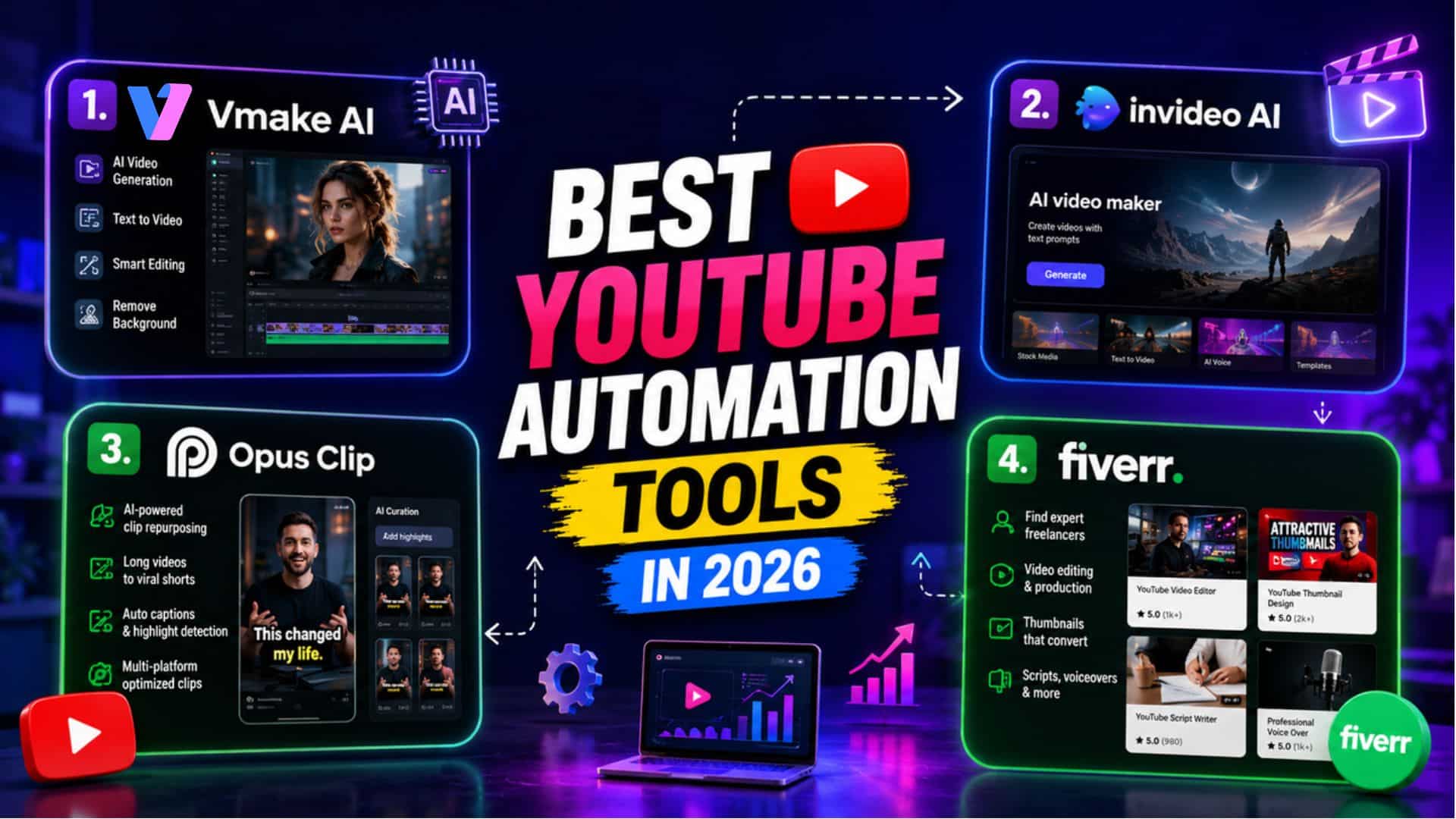
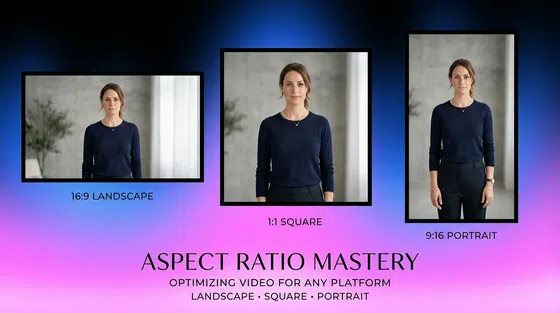
Relying on a single-format editing tool kills your upload consistency. Multi-format scaling dictates modern reach. To stay competitive, you need high-fidelity visual output, the ability to resize assets for different platforms (like 16:9 for main videos and 9:16 for Shorts), and unthrottled generation power to feed the tracking algorithm daily.
Single-purpose platforms severely restrict your growth trajectory. While basic generators might be sufficient for low-stakes projects, they often introduce operational friction, such as limited batch capabilities and substandard resolution, which slows down professional production cycles. To overcome these bottlenecks and maintain a consistent, high-fidelity output for your YouTube automation channel, integrating a dedicated, enterprise-grade engine like Vmake AI is essential.
|
Platform |
Key Features |
Best Use Cases |
Pricing (Monthly/Annual) |
Free Plan Details |
|---|---|---|---|---|
|
Vmake AI |
Unrestricted text-to-video generation, batch rendering pipelines, native multi-format scaling (16:9 and 9:16). |
High-frequency faceless channels requiring rapid, broadcast-ready visual assets without manual timeline tracking. |
Subscription-based (Credit system tailored to generation volume) |
Offers robust free credits for rigorous workflow testing. |
|
Invideo AI |
Basic text-to-video, synthetic voiceovers, stock media splicing. |
Standard explainer videos and long-form documentary narratives. |
$25/mo or $240/yr |
Generates watermarked videos with strict weekly processing limits. |
|
Opus Clip |
Long-to-short clipping, auto-captions, speaker tracking algorithms. |
Repurposing existing long-form podcasts into YouTube Shorts. |
$19/mo or $114/yr |
Severely limited processing credits and watermarked exports. |
|
Fiverr (Manual Outsourcing) |
Human-driven scripting, voice acting, and timeline editing. |
Highly customized, complex narrative channels requiring intense human nuance. |
Varies wildly ($50–$300+ per video) |
No free tier available; project-based pricing only. |
The high financial overhead of manual outsourcing quickly destroys early-stage channels. It bleeds your startup cash. Using human editors demands constant, irritating back-and-forth communication. This is where the transition to automated software changes the way math is done. Let's take a closer look at the topic tool, Vmake AI, and discover how it could help you in a bizarre way.
Cream of the crop: Grow your channels with Vmake AI
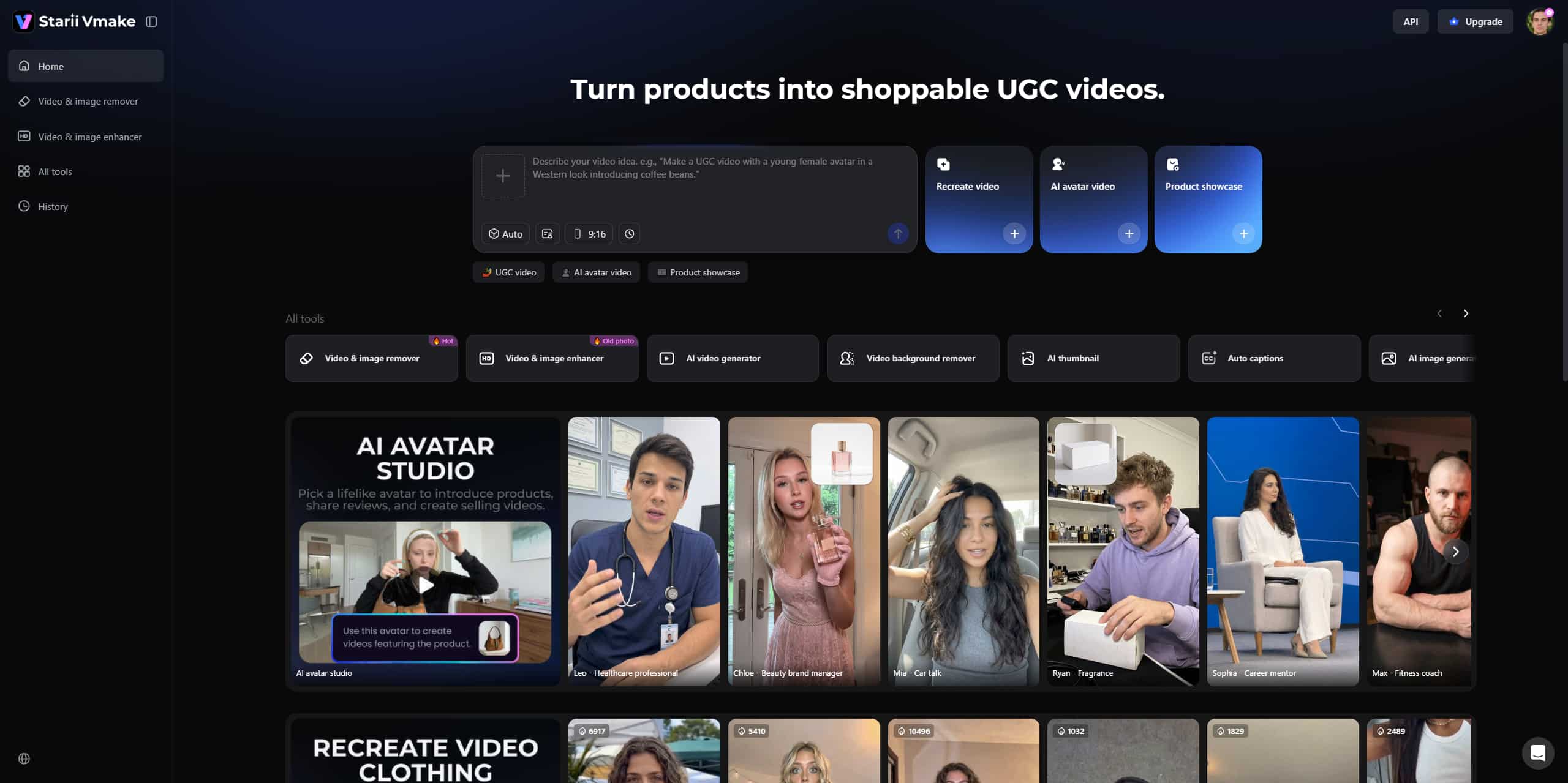
Digital reach requires extreme speed. High-fidelity visual sequences usually take independent editors hours to source manually across various stock libraries. Vmake AI interprets direct script inputs to output custom video files immediately. It bypasses tedious stock footage hunting entirely.
Key features:
-
Text-to-Video Engine Output: Vmake AI interprets direct script inputs to produce high-fidelity visual sequences, effectively bypassing the need to hunt for stock footage. With text-to-video technology, you ensure that every frame directly serves your narrative rather than settling for generic, unrelated clips that confuse viewers.
-
Image-to-Video Animation: You can upload static assets, such as custom AI-generated character art or complex data charts, and instantly animate them into dynamic, flowing B-roll. Animating these static assets with a dedicated AI video generator helps maintain stable engagement metrics.
-
Video-to-Video Remixing: Repetitive filming often creates a bottleneck in your content calendar. Video-to-video remixing completely alters this restriction by allowing you to upload existing base footage and restyle it using AI.
-
Native Aspect Ratio Control: Manual cropping proves incredibly tedious. It frequently ruins the center-frame focus when translating widescreen cinematic shots into vertical mobile feeds. Native aspect ratio control handles this geometry math for you. You configure visual outputs for both 16:9 main-channel videos and 9:16 Shorts in the same workspace.
Step-by-Step Guide: How to Automate Video Creation with Vmake AI
-
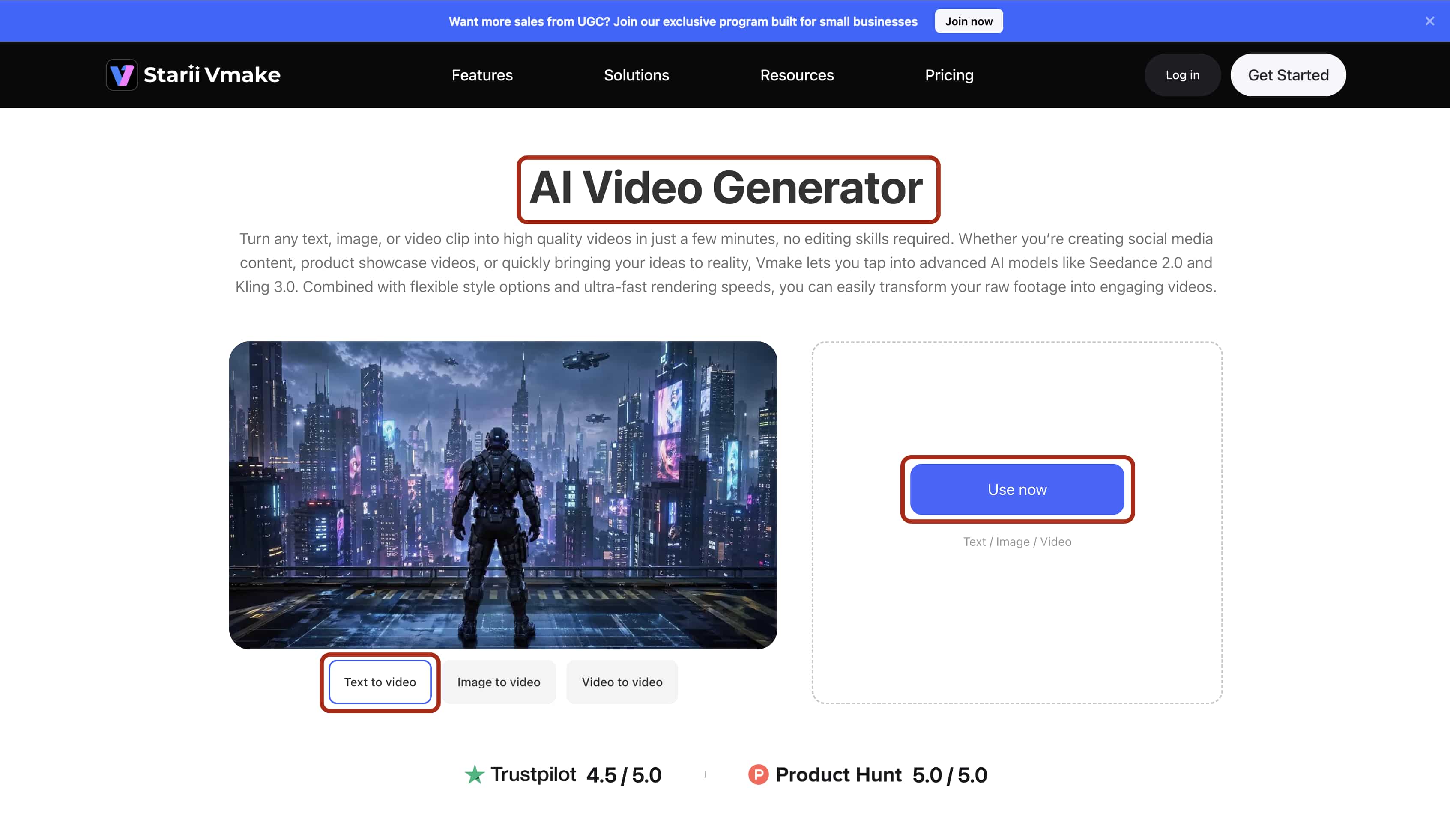
Step 1:Upload
Enter the Vmake AI video Generator first. Then, insert your finalized text script, static reference image, or base video directly into the generative engine dashboard. Be highly specific with your text prompts. Vague text yields vague video. Include lighting directions. Include camera movement styles.
-
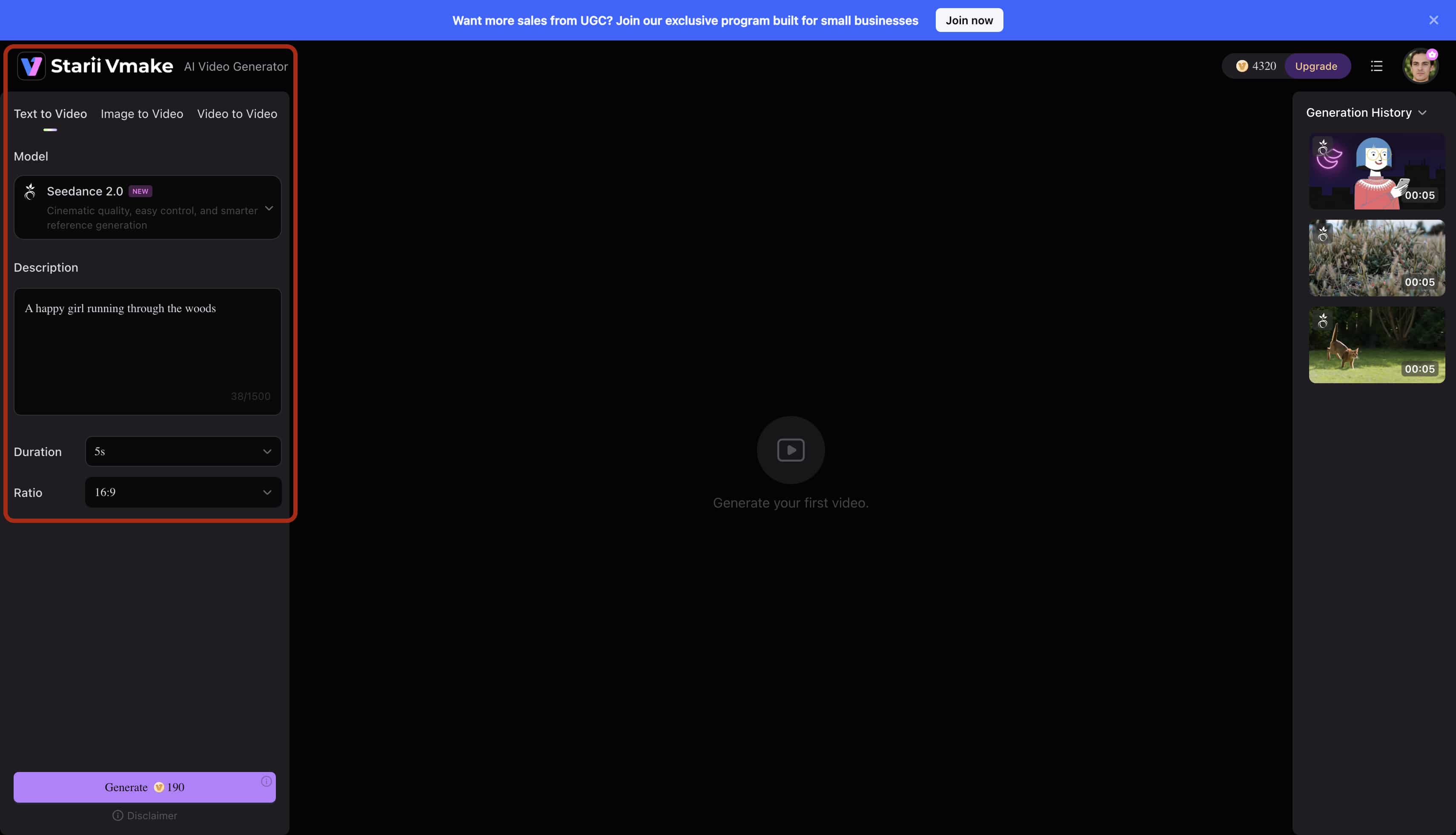
Step 2:Select/Adjust
Define the target aspect ratio immediately. Set the desired visual aesthetic using the drop-down parameter menus. Calibrate the motion vector intensity so the camera movement accurately matches your intended audio pacing. Fast audio demands rapid visual cuts.
-
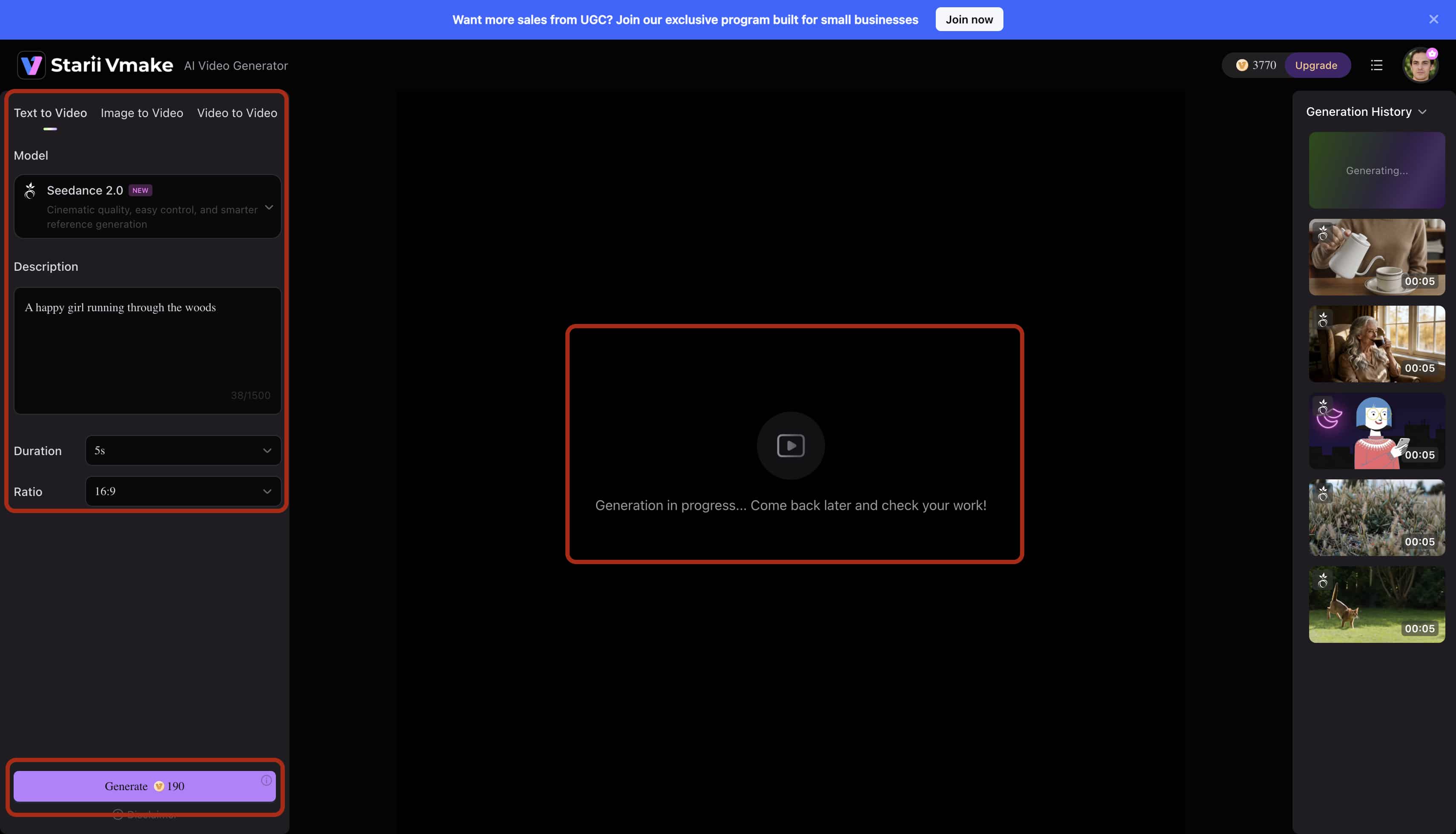
Step 3:Preview
Review the short rendered sequences. Verify the spatial consistency of the generated visual assets. Check the background details thoroughly before committing your server credits to a full timeline render.
-
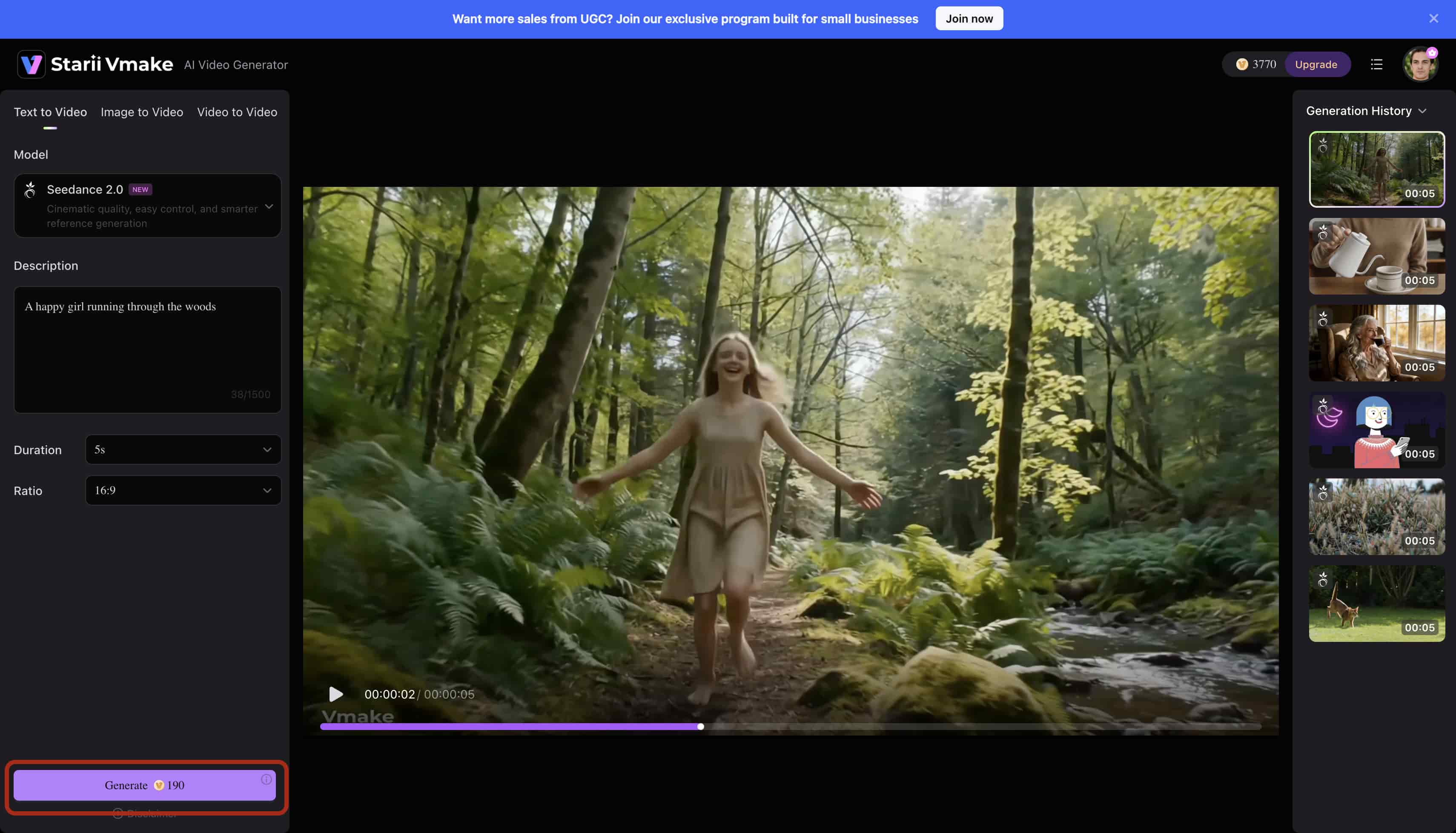
Step 4:Export
Render the final completed file in high-bitrate 4K resolution. Download the asset locally. Deploy it straight to your YouTube studio dashboard for immediate scheduling and distribution.
Profitable Niches & Monetization Strategies
Scaling a faceless project requires extreme niche discipline. Random, scattered uploads fail miserably every single time. The tracking algorithm actively rewards categorical consistency.
-
Top Performing Faceless Niches
-
Faceless Finance & Wealth Building: High-CPM channels focusing on personal finance, utilizing AI-generated charts, stock footage, and authoritative voiceovers. Researching proven faceless YouTube channel ideas gives you a structural baseline before attempting to generate random content.
-
Tech Explainers & Software Reviews: Channels that break down complex tech news into digestible segments. Use sleek visual B-roll to maintain viewer retention during dry technical explanations.
-
Historical Deep-Dives: Narrative-driven channels that use an AI video generator to produce historically accurate, cinematic visual sequences that would be impossible to film manually.
-
-
Proven Monetization Channels
-
YouTube Partner Program (YPP): Outline the core metric milestones (subscribers/watch hours) required to activate AdSense revenue. Understanding proper YouTube monetization guidelines helps you avoid automated policy violations.
-
Affiliate Marketing Integrations: Embed targeted product affiliate links directly in your video descriptions. It pays off early.
-
Brand Sponsorships: Consistent, visually premium AI content attracts direct niche sponsorships once viewership data stabilizes.
-
Advanced Techniques for High-Retention Automated Content
Retention directly dictates algorithmic reach. If viewers click away early, the video immediately drops in search rankings. Executing high-velocity YouTube automation sequences requires hooking the mobile audience instantly.
-
Standardize Video Structures: Lock your intro hooks into rigid, repeatable templates. Outro calls-to-action need the exact same systematic treatment. This reduces the computational processing load per video and creates a comforting viewing rhythm for your subscribers.
-
Optimize Audio Transients: Trim silence gaps aggressively in your voiceover tracks before running any visual generation. Dead air murders retention. Tight audio gives the engine highly precise transition markers, knowing exactly when to cut the scene.
-
Front-Load High-Contrast Visuals: Deploy your absolute most complex, high-fidelity generated frames within the critical first five seconds. Human biology reacts instinctively to rapid motion and high contrast. Give the human viewer a striking visual reason to stay on the page.
Conclusion
The slow, traditional pipeline of hiring remote human freelancers simply cannot compete anymore. It bleeds your startup resources dry. Aggressive channel growth demands raw computational speed.
Vmake AI's cloud processing and automated video generation provide the exact backend infrastructure you need. You scale a digital media asset efficiently and predictably. Building a YouTube automation channel requires treating your content strictly as data points. Run generation numbers, optimize the final visual output, and deploy aggressively to dominate your niche.
FAQs
What is YouTube automation?
YouTube automation is a strict operational business model. An operator manages a digital channel by delegating the entire content creation process to specific software or remote freelancers. This structure lets the ambitious owner treat the channel as a highly scalable digital asset without ever appearing on camera.
How much does it cost to start a YouTube automation channel?
Traditional manual outsourcing costs anywhere between $50 to $150 per individual video. That burns through startup capital incredibly fast. Transitioning to dedicated AI generation tools drastically reduces this financial overhead to a highly predictable, flat monthly software subscription.
Can I build an automated YouTube channel for free?
Yes, you technically can. You can utilize the basic free tiers of various script and video generation platforms to test your initial creative concepts. Relying purely on free methods usually introduces severe production bottlenecks, strict daily generation limits, and ugly branded watermarks that ruin viewer trust.
How to do YouTube automation without getting demonetized?
Your output must provide clear, unique value to the viewer. Avoid repetitive, scraped, or completely robotic text-to-speech audio that lacks situational context. YouTube's Partner Program strictly requires channels to demonstrate original narrative or educational intent.
Can Vmake AI automatically generate visual sequences for my YouTube automation business?
Yes. The Vmake AI Video Generator interprets your direct text script inputs immediately. It constructs custom high-resolution sequences that align perfectly with your required timeline pacing. This entirely bypasses the brutal, time-consuming need to scrub through generic stock footage libraries.
Is a YouTube automation business actually profitable?
Profitability hinges heavily on targeting specific high-CPM niches and strictly controlling your daily production expenditures. Channels focused entirely on finance or technology that utilize AI software to minimize overhead typically reach positive cash flow the fastest. Learning how to start YouTube automation correctly requires immense upfront strategic planning.

You May Be Interested
Resize Videos Online Without Losing Quality: A Smarter Way in 2026

How to Create Professional YouTube Thumbnails with AI: A Creator’s 2026 Strategy
How to Create High-CTR YouTube Thumbnails: A Complete Guide for 2026
YouTube Thumbnail Size 2026: The New Standard for High-CTR Visuals
Best Quality Video YouTube: 2026 Export Settings & 4K Tricks