Pictory AI Video Generator Review: Complete 2026 Guide + Alternative
Discover how the Pictory AI video generator creates realistic avatar videos. Explore its features, benefits, limitations, and use cases, and see what Vmake offers beyond avatar-based content creation.

In 2026, AI video tools have completely rewritten the production playbook, and Pictory remains a dominant player for text-to-video automation. In this Pictory AI video generator review, we'll explore how this platform turns your scripts, blog posts, and text prompts into professional videos. Come and check whether this tool will be your firm choice.
What is Pictory AI video generator?
Pictory AI is a cloud-based video creation ecosystem that transforms written content into high-quality digital media without requiring specialized editing skills. Using powerful natural language processing, its automated workflow takes written scripts or live blog URLs, splits them into organized scenes, and automatically pairs them with contextually relevant b-rolls from a library of millions of assets from Storyblocks. With its AI Studio, users can place realistic artificial talking avatars into any scenario.
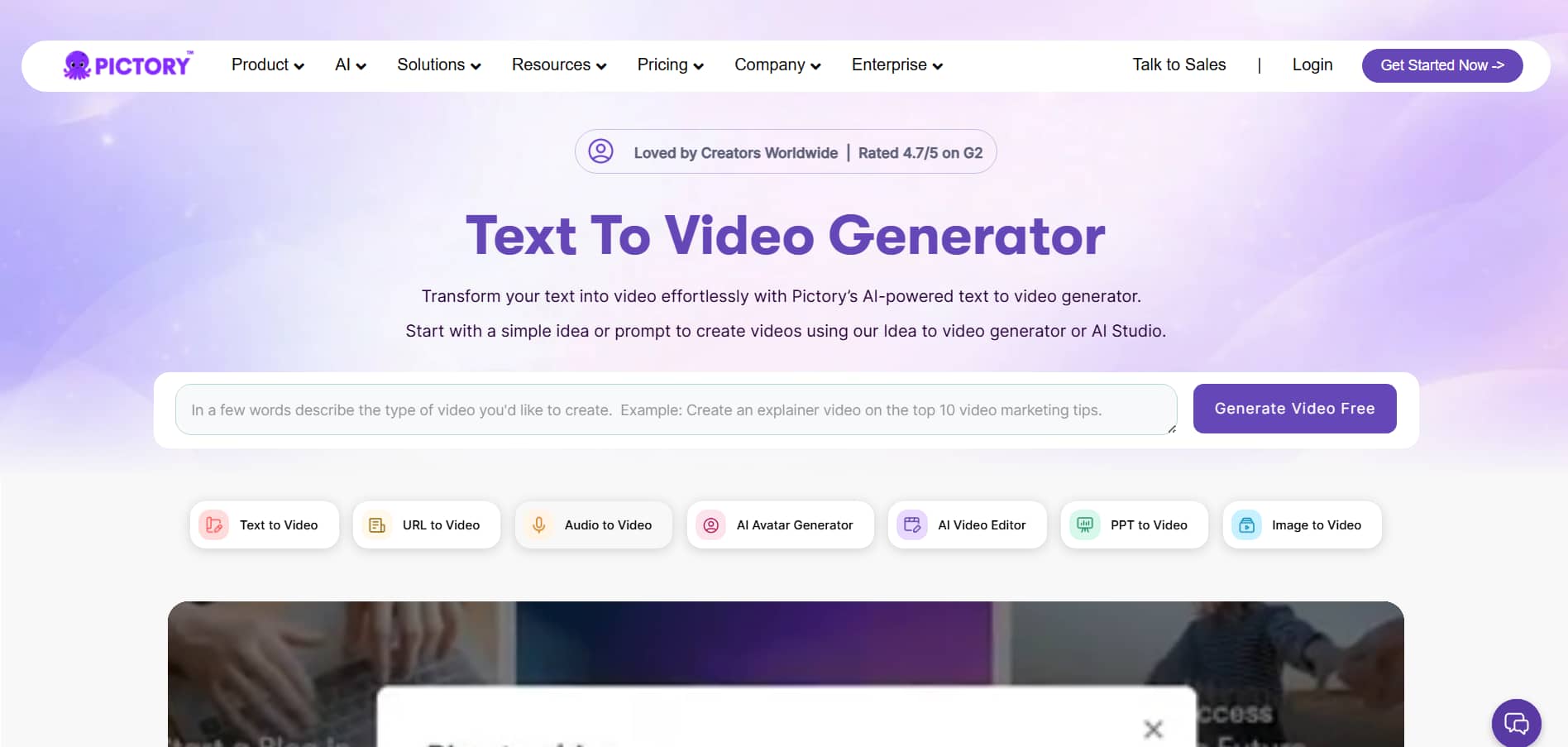
Standout features of free Pictory AI video generator
The standout features that define Pictory AI's workflow are outlined below:
-
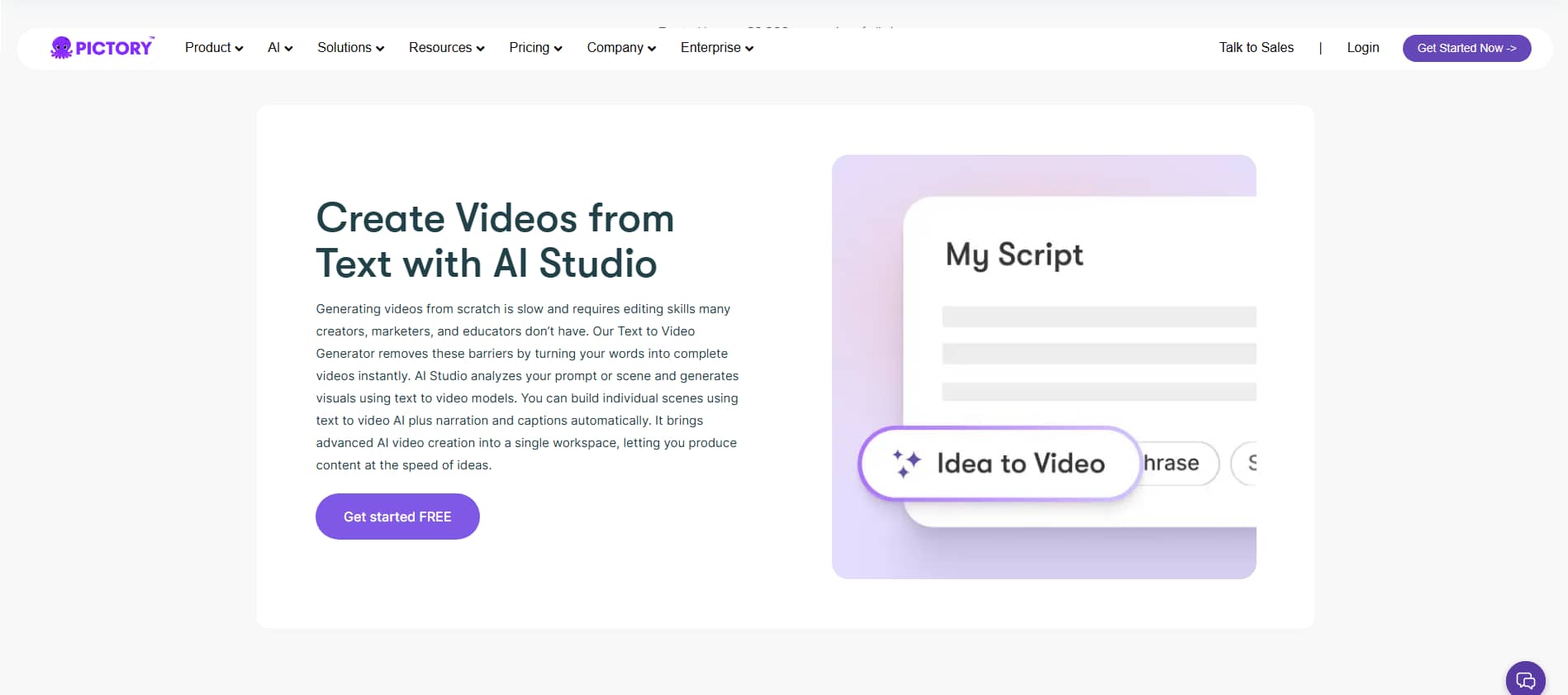
Script-to-video generation: Simply copy & paste your written script, and the AI will automatically split it into separate scenes, find matching background clips, and apply synced subtitles. It's a huge time-saver for developing faceless YouTube automation channels or making promotional marketing videos in just minutes, without having to produce actual content.
-
Blog-to-video conversion: Just enter a live web URL, and Pictory will automatically analyze the content, identify the important text highlights, and convert them into a short-form video storyboard. This makes it exceedingly easy for bloggers and content marketers to boost the website dwell time and recycle written pieces for social media.
-
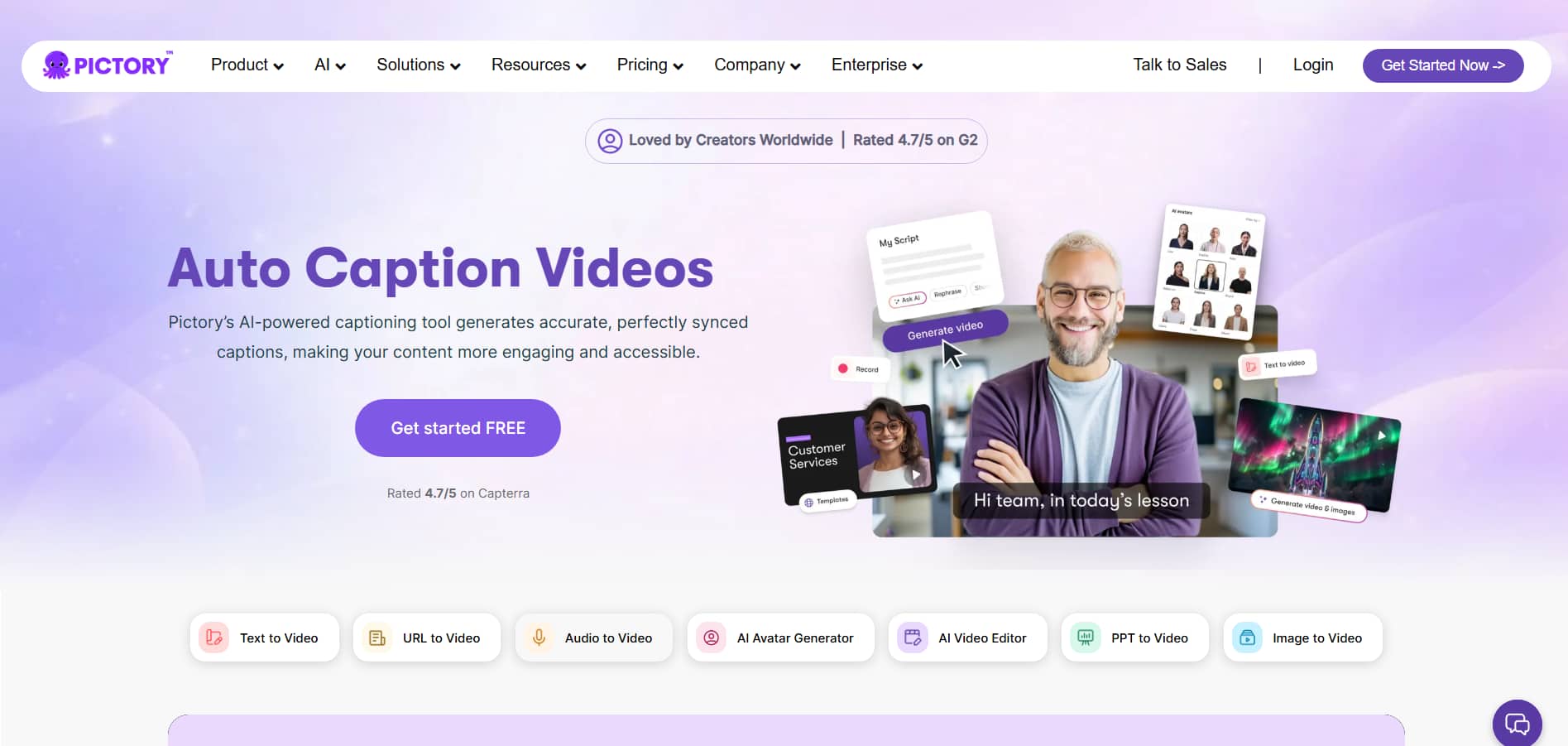
Automatic captioning: The system creates an instant transcript of your video and directly embeds extremely accurate, styled subtitles into the frames. Auto captions are vital for increasing viewer engagement on TikTok, Shorts, and Reels, as up to 85% of social media feeds are viewed with the sound off.
-
Massive stock media & AI voice library: Directly access millions of quality, royalty-free stock videos and photos from Storyblocks, plus hyper-realistic AI voices, all built-in. So you have a whole production studio right out of the box, no extra subscriptions of assets or voice talent.
-
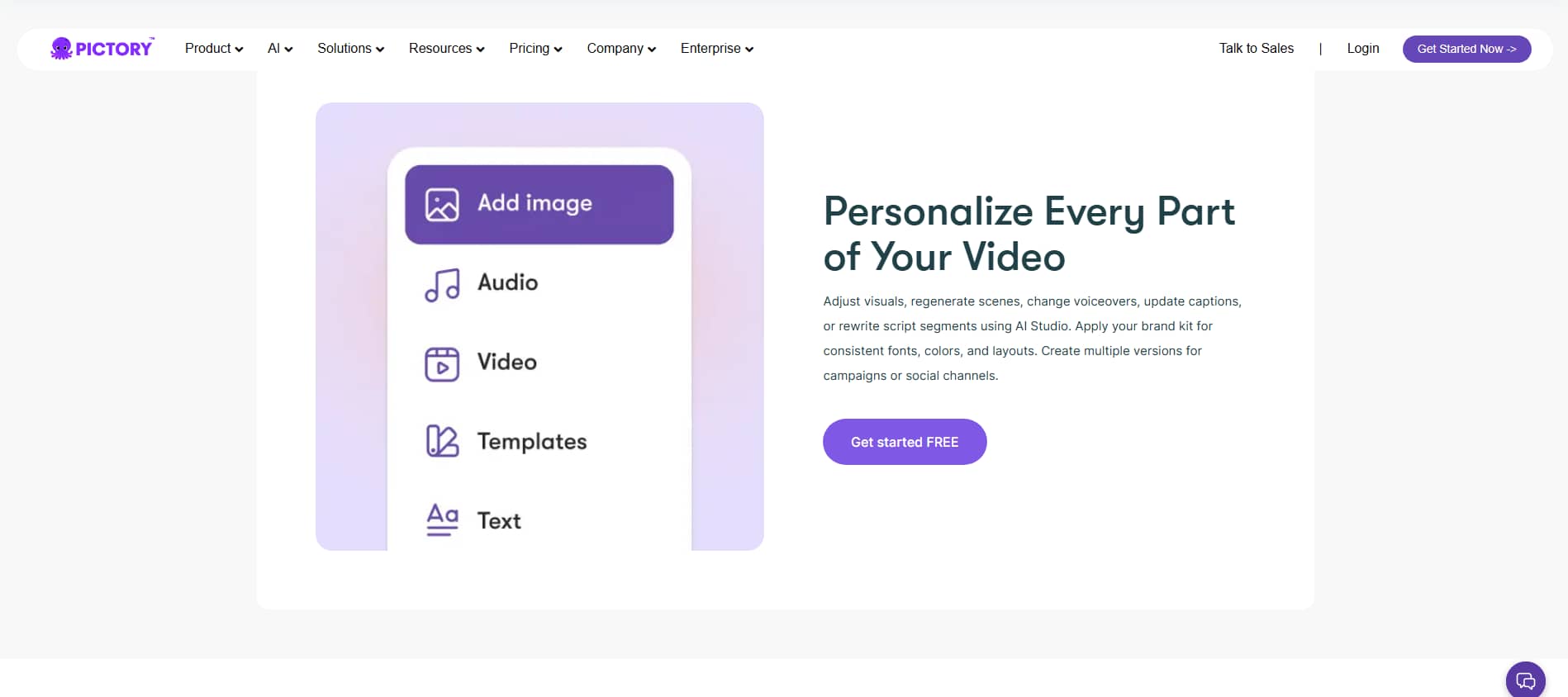
AI studio video personalization: Easily make edits within AI Studio by tweaking visuals, regenerating scenes, replacing voiceovers, or rewriting sections of the script. You can also apply a bespoke brand kit featuring your logos, fonts, and colors to ensure a consistent style across multiple social campaigns.
How to use Pictory AI text-to-video generator?
Pictory makes it simple to turn a basic text script into a sleek, professional film in three easy, well-organized steps.
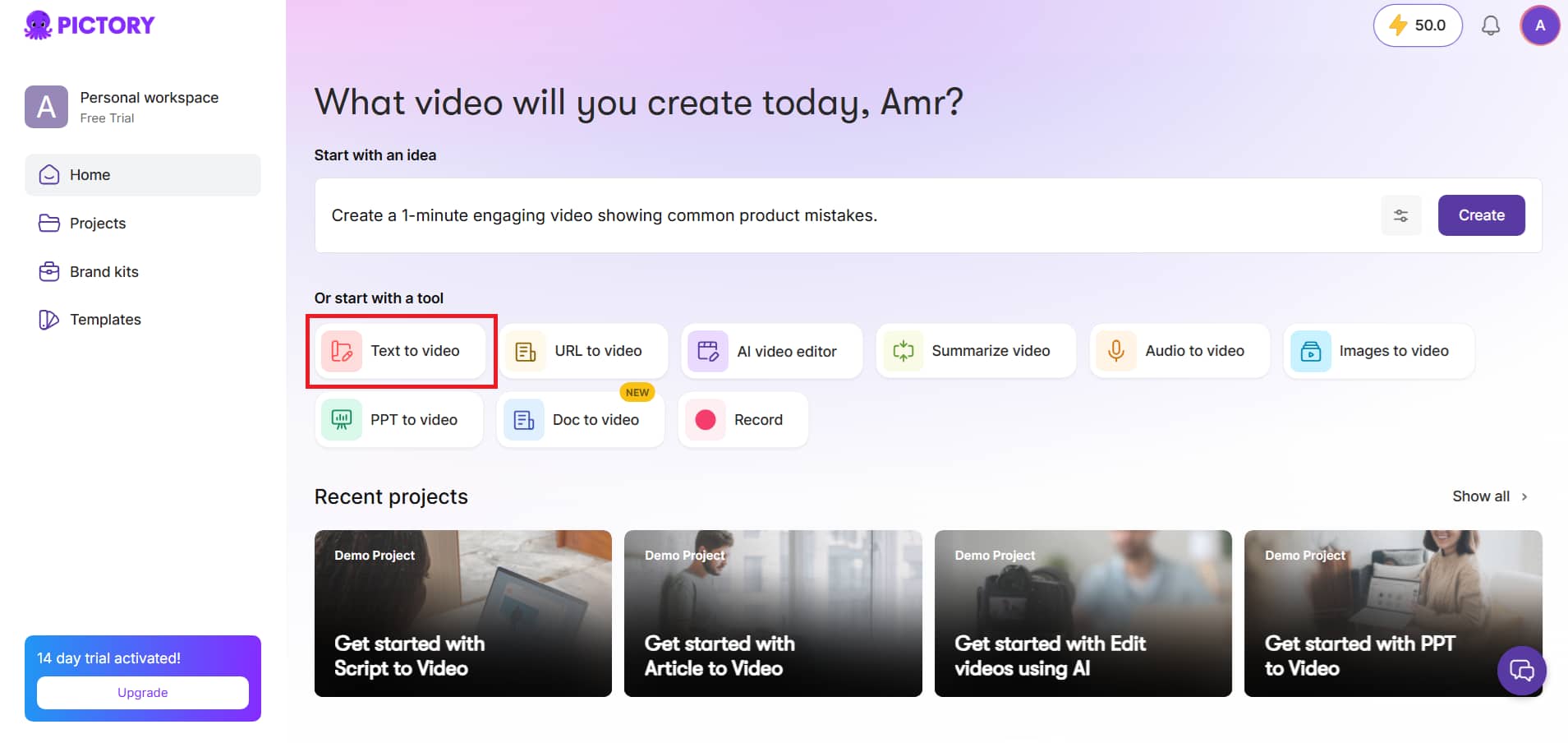
Step 1: Log in to your Pictory account.
Locate and click on the ''Text-to-video'' option on the main page dashboard to trigger the video-generating engine.
Step 2: Input your script & configure settings
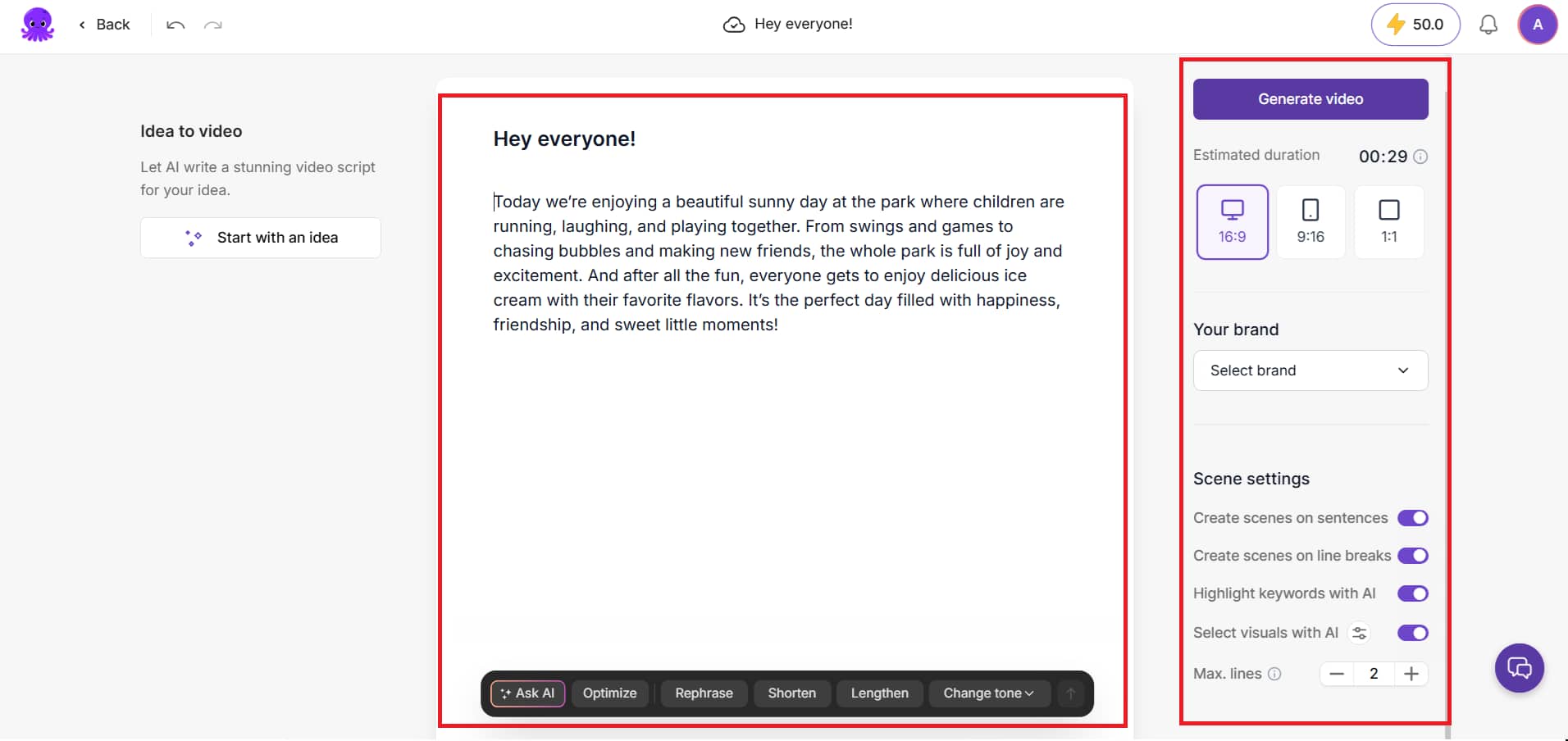
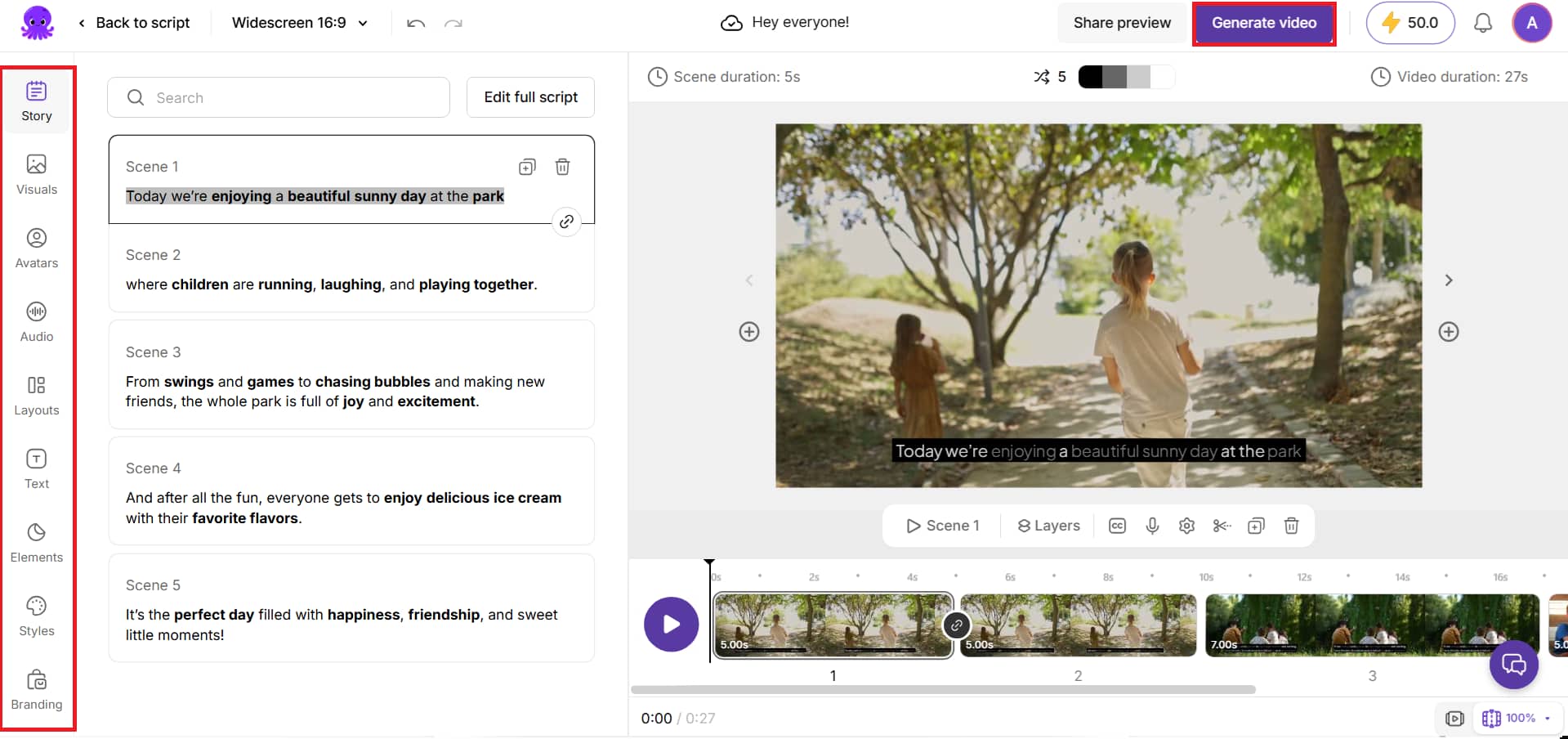
You will be taken to the script editor screen. If your copy is ready, paste your typed script right into the text field. If you don’t have a script ready you can use the ''Start with an idea'' panel on the left-hand side of the screen to have the AI write one for you. Once the script is put up, use the right control panel to establish your desired aspect ratio, select your brand kits, and change scene settings, then click ''Generate video''.
Step 3: Customize within AI Studio & export
Pictory will break down your script scene by scene and automatically populate each block with relevant stock photos or video clips in seconds. This workspace lets you simply edit your text line by line, switch out background images, add AI talking avatars, layer background audio, or insert unique design components. You can also add voiceovers, adjust the look of your on-screen captions, crop or chop out specific video frames. When you are finished editing, click the ''Generate video'' button at the upper right to render and download your final clip.
Best use cases for the AI video Pictory tool
-
AI marketing and advertising campaigns: Turn sales text and landing pages into dynamic video variants for rapid multi-platform testing. It allows marketing teams to quickly create and scale high-converting ad assets without any production overhead.
-
Social media reels and short-form videos: Convert long-form blog posts or scripts into short, snackable videos complete with stylish, viral-ready captions for TikTok, Instagram Reels, and YouTube Shorts. This method makes it easy to maintain a consistent posting schedule and increases engagement on social channels.
-
Corporate presentations and internal communication: Replace long, text-heavy emails and slide decks with clear, automated video summaries that team members can digest quickly. This approach ensures critical company announcements, updates, and corporate milestones are effectively communicated across distributed departments.
-
Employee training and onboarding videos: Transform complex operational manuals and HR compliance documentation into simple-to-follow, step-by-step training videos. Such a text-to-video configuration allows organizations to easily update training videos anytime internal regulations or requirements change.
-
Educational and e-learning content: Turn your lecture notes, lesson plans, and textbooks into great-looking explainer movies that boost student retention. It enables educators and course creators to build comprehensive digital learning catalogs without requiring technical editing skills.
Pictory AI video generator pricing
Pictory offers flexible subscription tiers designed to scale with your content needs. The detailed pricing is listed below.
Free plan:
Pictory doesn't have a permanent free tier, but it does offer a 14-day free trial (no credit card required) where you can produce up to 3 video projects, each up to 10 minutes long, so you can try tools like script-to-video, AI voiceovers, and auto-captions.
Paid plan:
|
Plan |
Annual Price (Billed Yearly) |
Monthly Price (Billed Monthly) |
Video Minutes & Storage |
Key Features Included |
|---|---|---|---|---|
|
Starter |
$25 / month |
$29 / month |
• 200 video mins/mo • 5 GB storage |
• 1 User seat & 1 Brand Kit • 60 mins ElevenLabs voices (29 languages) • 5M videos, Getty Images & Storyblocks assets • 100 AI credits (Images, Videos, Avatars) • No watermark |
|
Professional |
$35 / month |
$59 / month |
• 600 video mins/mo • 20 GB storage |
• 1 User seat & 5 Brand Kits • Unlimited standard voices in 7 languages • 120 mins ElevenLabs voices (29 languages) • 18M videos Getty Images & Storyblocks assets • 1,000 AI credits (Images, Videos, Avatars) • Voice cloning & Custom Avatars • Advanced AI tools & long video summarization |
|
Team |
$119 / month |
$199 / month |
• 1,800 video mins/mo • 100 GB storage |
•3+ User seats & 10 Brand Kits • 240 mins ElevenLabs voices • Unlimited standard voices in 7 languages • 18M videos Getty Images & Storyblocks assets • 2,400 AI credits (Images, Videos, Avatars) • Collaborative team workspace & shared assets • Professional onboarding & team training |
|
Enterprise |
Custom Pricing |
Custom Pricing |
• Custom video mins • Custom storage |
• 10+ User seats & Unlimited Brand Kits • Custom ElevenLabs voices (29 languages) • 18M videos Getty Images & Storyblocks assets • Custom AI credits (Images, Videos, Avatars) • Pictory Central: Interactive Video Hosting • AI chapters, interactive quizzes, & clickable CTAs • SCORM export (LMS Ready for training systems) |
Pictory AI video generator review
In this section, we analyze real-world user feedback alongside a comprehensive breakdown of the platform's pros and cons.
Real voices from users
Below is a breakdown of verified experiences and feedback from real creators on prominent software evaluation platforms such as G2 and Capterra.
G2
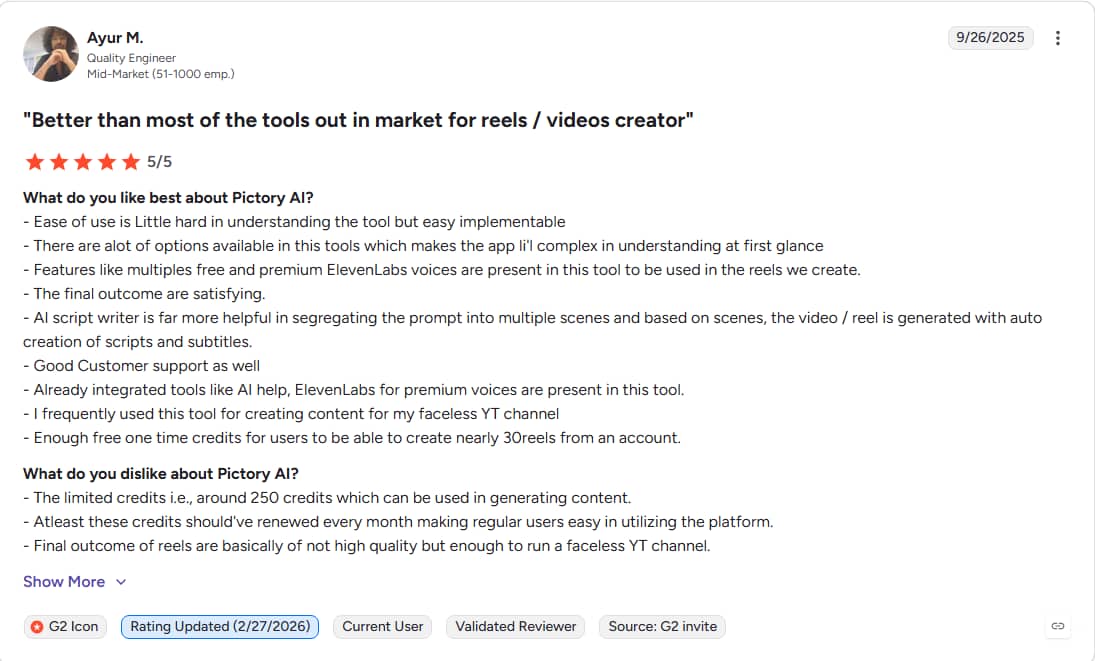
G2 users say they love how easy Pictory makes it to turn long-form text and scripts into rapid short-form films, using an intuitive, beginner-friendly interface. But a few reviews note that the default AI voices can sound a little artificial and mention minor limitations in video editing and avatar modification. Overall, it's still a highly regarded, big-time-saver for marketing teams looking to automate video production without any technical editing abilities.
Capterra
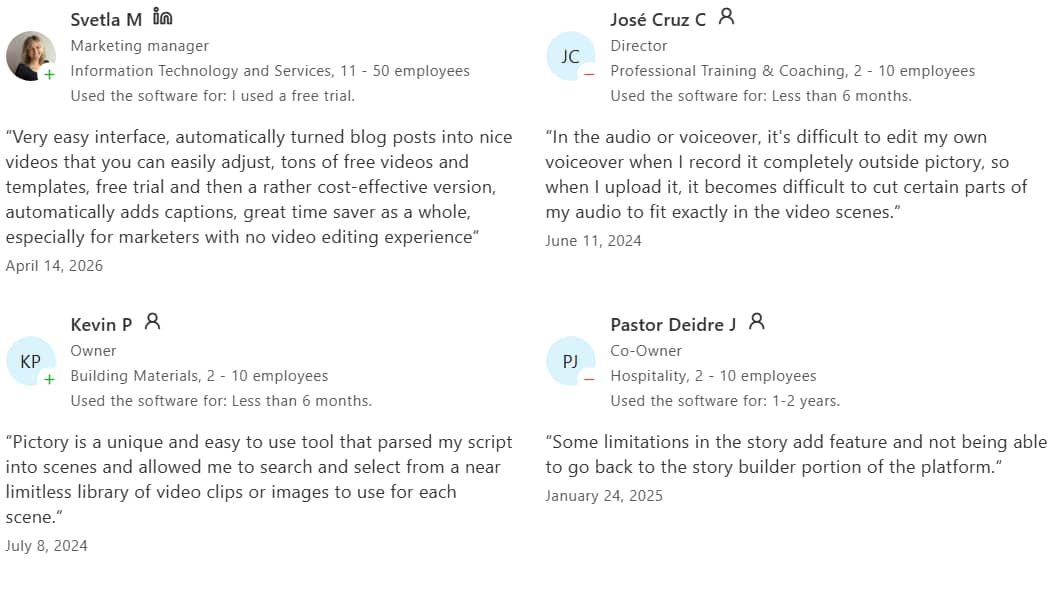
Pictory has a user-friendly interface that people adore, according to Capterra reviews. It converts written scripts and articles into captioned movies in no time. Some, however, cite minor limitations including occasional latency, inflexible storyboard formats, and issues syncing with external audio files. Overall, it's scored favorably as a rapid, automated time-saver for editing without timelines.
Editorial verdict
Pictory delivers an exceptionally efficient, text-driven system that effortlessly streamlines high-volume informational video production. While its built-in AI Studio layer features custom avatar cloning, bespoke brand kits, and premium ElevenLabs voice integration, making it an incredibly fast option for scaling faceless or talking-head clips.
Ultimately, the platform serves as an excellent, beginner-friendly tool for rapid text-to-video conversion, but it fundamentally lacks the granular multi-track timeline layers and deep audio-visual control necessary for complex, custom editing.
Pros and cons
|
Pros |
Cons |
|---|---|
|
|
|
|
|
|
|
|
Pictory provides an excellent automated structure for working with text-heavy scripts and enables speedy b-roll creation, but raw-footage professionals generally need more detailed visual control. If you're looking to move away from stiff stock clips and focus on automated video enhancement, object cleanup, and e-commerce content without intricate timelines, Vmake AI is a trending alternative worth examining.
A trending Alternative: Discover what Vmake can do
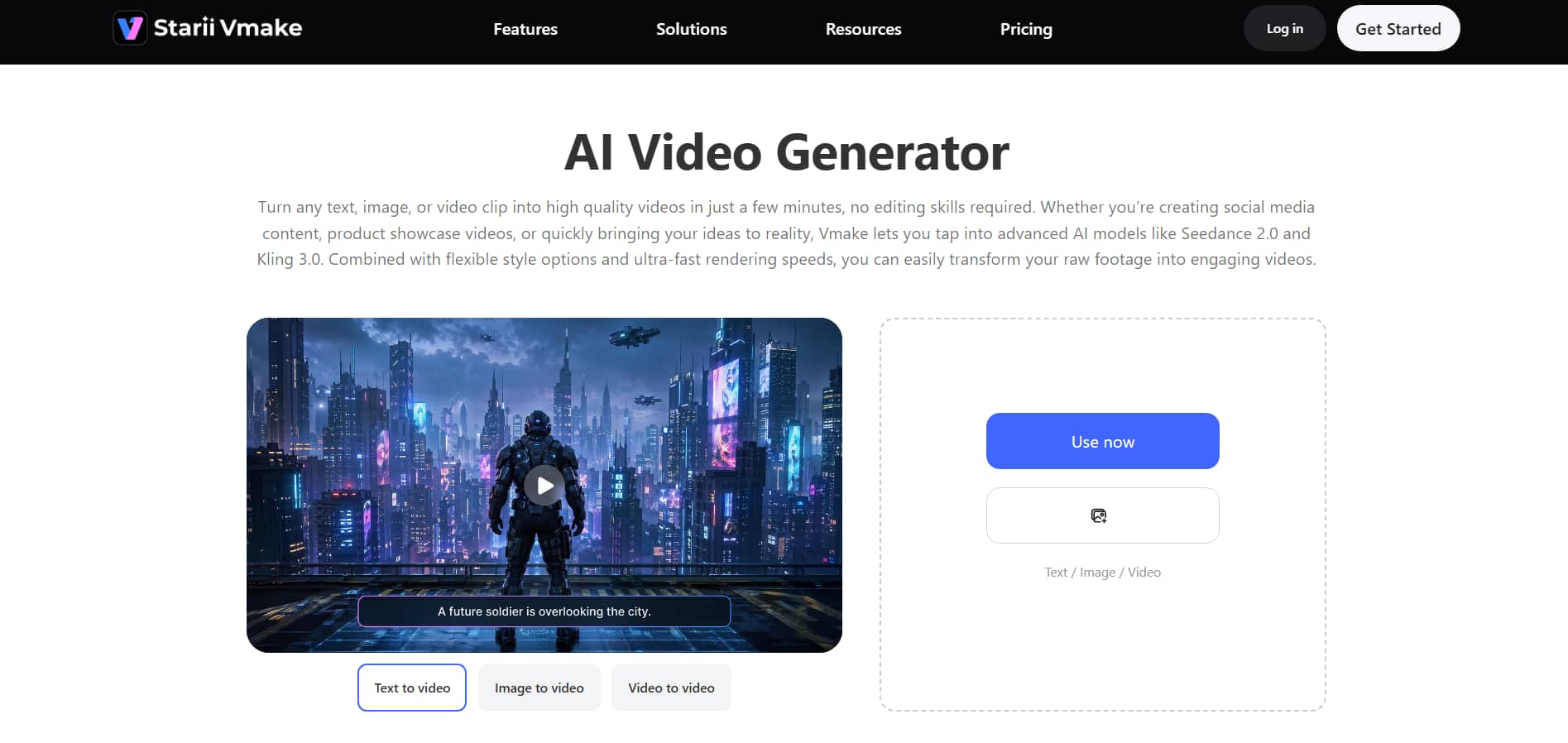
Vmake offers an all-in-one AI video generator and multimedia platform that converts text prompts, static pictures, or raw recordings into studio-quality visual content within minutes. It is a cloud-based workshop, so you don't need to know how to edit complex timelines or have expert production abilities. Vmake enables e-commerce storefronts, marketing agencies and content creators to easily scale their media pipelines by integrating best-in-class generative AI models.
Key features of the Vmake video generator tool
-
Multiple video inputs: The platform is designed to accommodate various creative workflows, including text-to-video, image-to-video, and video-to-video. They may also quickly determine the flow of a sequence by using advanced controls such as multi-image referencing and start/end frame control.
-
Multiple AI video models: Models combine together some of the leading AI generation engines in one place, including Seedance 2.0, Kling 3.0, Google Veo 3, Sora 2, Vidu Q2, and Wan 2.2. Users can switch freely between them according to the project needs to produce more consistent and different visual outcomes.
-
4K video export support: Many generators limit visual quality to lower resolutions. However, this program produces high-resolution outputs up to 4K resolution. This guarantees that your final footage will be bright, crisp, and present-ready for professional or commercial presentations.
-
Flexible duration control: You can freely set video lengths from 2 to 15 seconds, allowing you to precisely control the pacing and length of your generated content. This lets you easily fit the exact time constraints of various social media sites.
-
Video enhancement tools: The platform is designed to be a dependable video editing tool that enables you to effortlessly convert your raw footage into compelling videos without extensive editing. It's video enhancer tool helps you to swiftly improve existing image and video assets, giving them a new, high-quality second life.
How to create videos with Vmake?
Step 1: Open the Vmake video generator
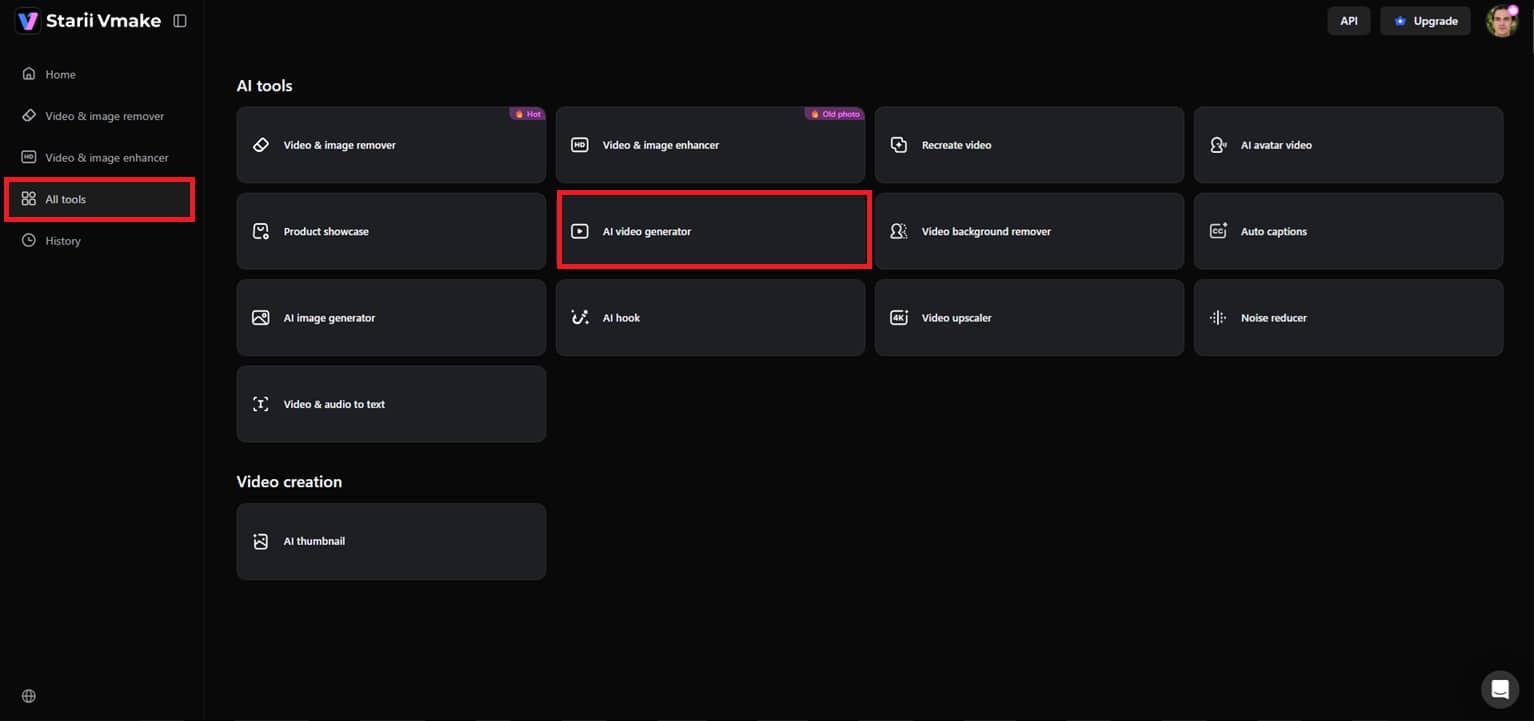
Click on ''All Tools'' from the menu on the left side of the Vmake dashboard. Choose the ''AI video generator'' option to enter the primary video editing workspace.
Step 2: Set your preferences
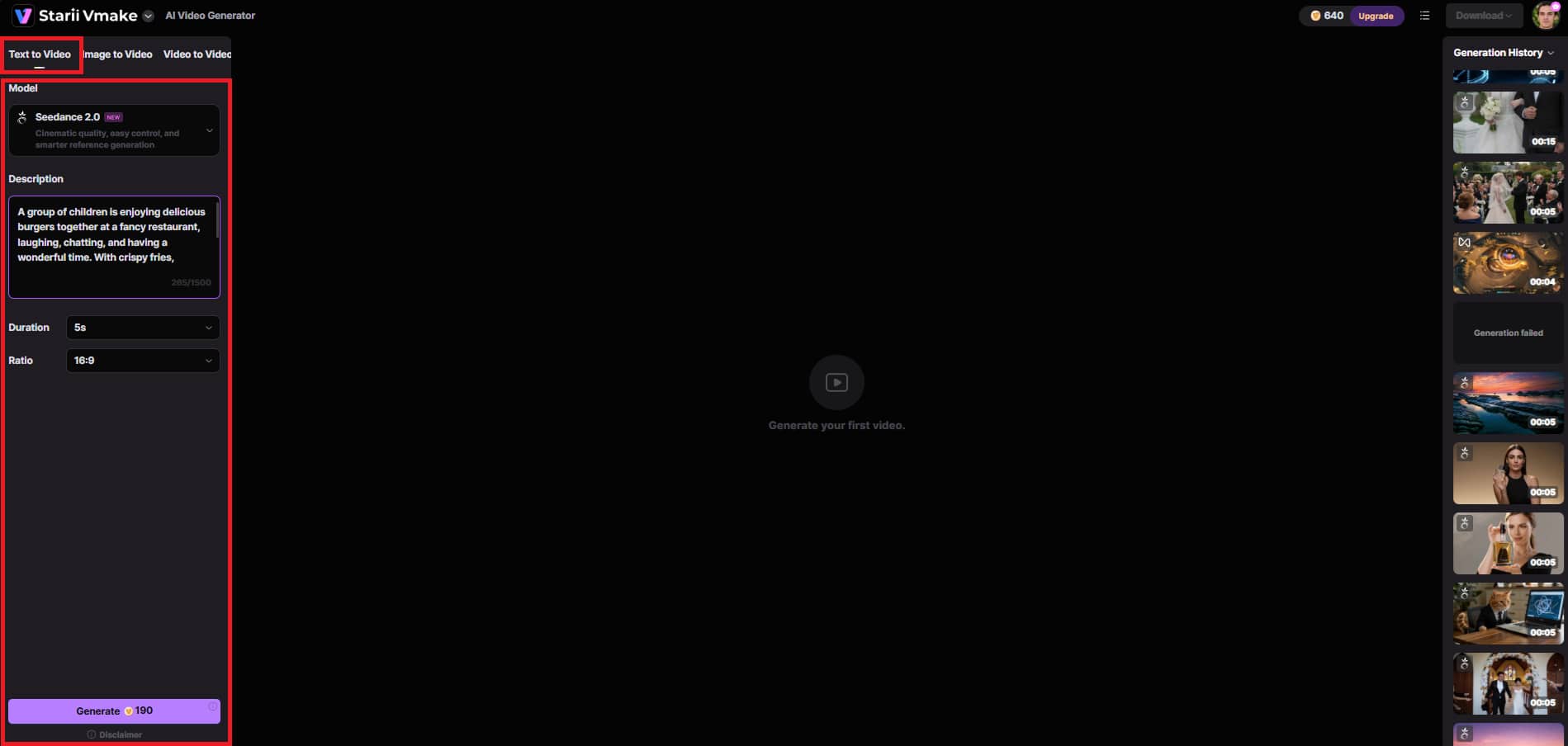
Select the ''Text to Video'' creation option and enter your text prompt in the box. Choose your favorite AI model, decide on your video duration (2-15 seconds), select your aspect ratio, choose a visual style, and click ''Generate''.
Step 3: Preview and download
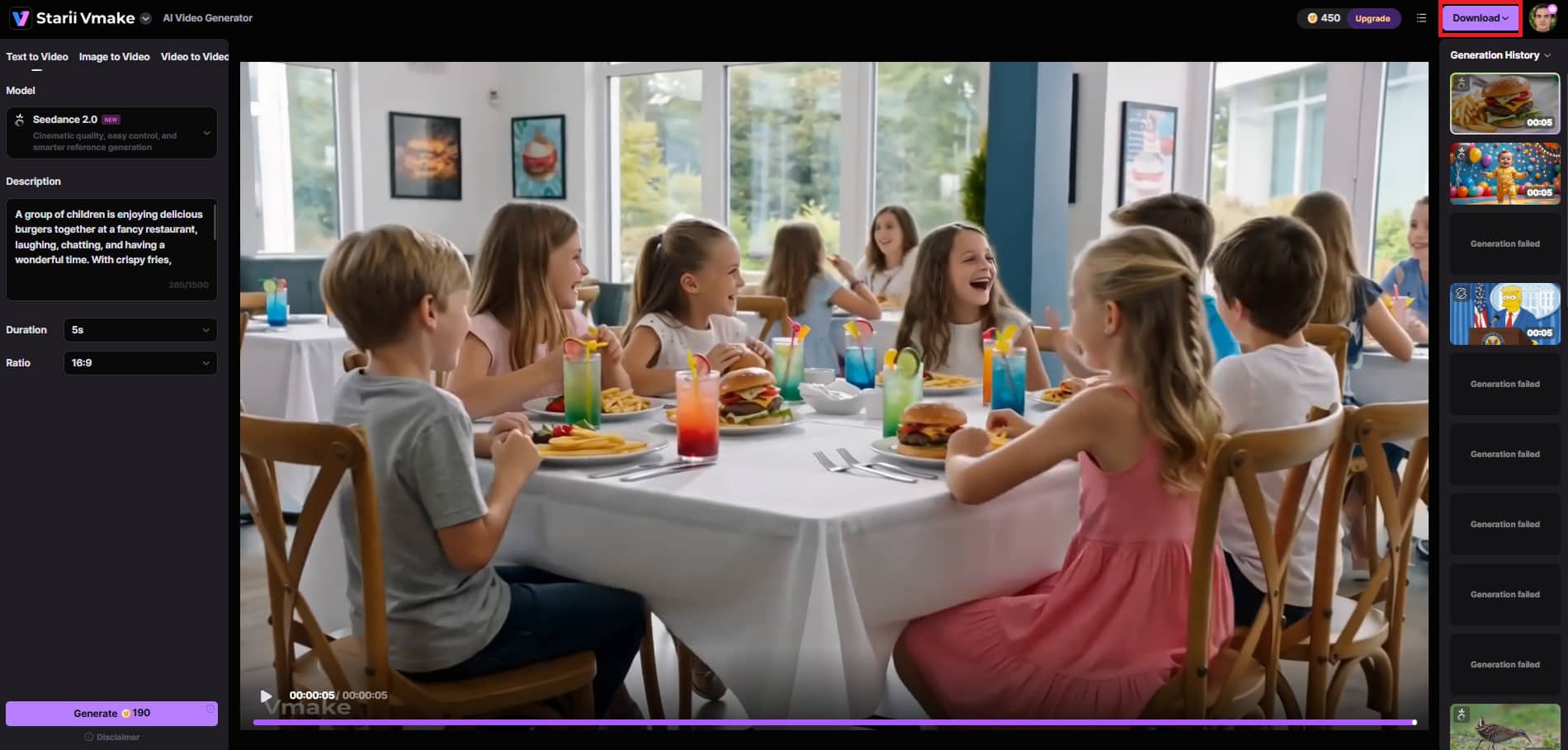
Preview and observe the overall look, motion, and animations when the video is created. If you like the end result, just click ''Download'' to save and export your video.
Pictory vs Vmake: Key differences
|
Feature |
Pictory AI |
Vmake AI |
|---|---|---|
|
Core Focus |
Converts text, blogs, and long-form video into multi-scene clips. |
Generates original clips, e-commerce content, and advanced AI upscaling. |
|
Visual Sourcing |
Matches script sentences with royalty-free stock footage (Getty/Storyblocks). |
Uses advanced AI engines to generate completely original, custom visuals. |
|
Max Resolution |
Standard 1080p (best for typical social media layouts). |
Intelligently upscales clips up to crisp 4K or AI 4K+ textures. |
|
Workflow |
Built around a chronological storyboard editor for long-form content. |
Offers text-to-video, image-to-video, an AI eraser, and auto-transcriptions. |
|
Audio & Avatars |
ElevenLabs AI voices, auto-captions, and custom voice cloning. |
Lip-synced digital actors, automated audio cleanup, and contextual background audio. |
Both are tremendous creative tools, but they are aimed at completely different stages of the production chain. Pictory is an automation powerhouse created for text-to-video workflows and content marketing. Vmake is a design-forward enhancement and generative studio targeted for e-commerce and visual quality.
Conclusion
It all depends on your content goals for the proper platform. When your primary objective is to convert text scripts or articles into stock-backed, captioned presentations in seconds, our comprehensive Pictory AI video generator review indicates that it remains an unrivaled automation giant. However, if you want to enhance raw video using state-of-the-art multi-model engines, high-fidelity lip-syncing, and upscaling up to AI 4K+, Vmake is the perfect choice. Pick what aligns with your creative pipeline so you can create effortlessly.
FAQs
Can Pictory create realistic presenter-style videos from text?
Pictory has a dedicated AI Studio that helps add stock digital presenters right into your scenes and video environment to read scripts aloud. This tool provides rapid matching of simple text documents with a typical human avatar. However, Vmake takes realism to a higher level using modern engines like Seedance 2.0 for hyper-expressive characters, frame-accurate lip-syncing, and scenery that suits your situation.
Does Pictory support multilingual voice generation?
Pictory uses ElevenLabs' natural text-to-speech techniques and offers automatic narration in over 25 languages and regional accents. This makes it highly efficient for pushing out quick, localized, captioned content. But Vmake comes with a dedicated video translator tool that covers multilingual subtitle creation, audio translation, and clever lip-syncing. This sophisticated program automatically turns your video assets into refined global versions in minutes, while upgrading the final export to brilliant 4K resolution.
Are custom avatars available in Pictory for businesses?
Pictory offers business accounts a curated stock portfolio of realistic digital presenters that can be resized, styled, and layered over your scenes. This acts as a reliable solution for companies needing a consistent face across repetitive text scripts. Vmake AI, on the other hand, lets you create your digital presentations from scratch, giving you full retail and branding flexibility. Businesses may create fully original avatars from scratch using the platform's built-in image-generating tool, or just upload their existing avatars directly into the image-to-video tool to animate them into lifelike assets instantly with Vmake.
Can Pictory videos be used for employee training content?
Pictory is a quick tool for training departments to instantly translate text-heavy manuals into clean, structured, fully captioned visual presentation slides. This timeline-free layout makes processing educational information completely effortless. On the other hand, Vmake adds an end-to-end generation pipeline to corporate learning modules, allowing text-to-video, image-to-video, and video-to-video workflows, while effortlessly upscaling compressed screen recordings or low-quality phone footage into pristine AI 4K+ files.
Can beginners use Pictory without editing experience?
Pictory is a timeline-free interface that enables beginners to create fully captioned videos just by pasting an article link or text script. The entire editing process is handled through an intuitive storyboard, removing any multi-track production curves. Similarly, Vmake AI offers a zero-technical-skill-required interface that enables beginners to quickly access high-quality video models such as Kling 3.0, Seedance 2.0, Sora 3, Veo 3.1, and more. It uses a simple three-step creation wizard that takes you from a simple prompt to a finished clip in a blink.
Does Pictory offer templates for marketing videos?
Pictory offers a variety of preset aspect ratios, text styles, and brand kits, making it very easy to create multi-scene social media clips. This allows marketing teams to rapidly rebrand textual narratives into a corporate standard look and feel. However, if you want your campaigns to move beyond standard formats, Vmake AI delivers unparalleled creative freedom, letting marketers transform flat product photographs into dynamic, cinematic scenarios or reformat existing video assets using advanced image-to-video and video-to-video technologies.

You May Be Interested

Free AI Video Enhancer: Enhance Videos Online Instantly

AI TikTok Video Generator | Create High-Quality AI Videos

Best AI Animation Generators for Creating Images and Videos

Best AI Video Generator: Top Tools Tested (2026)
Viggle AI Video Generator Review & Top 2026 Alternatives