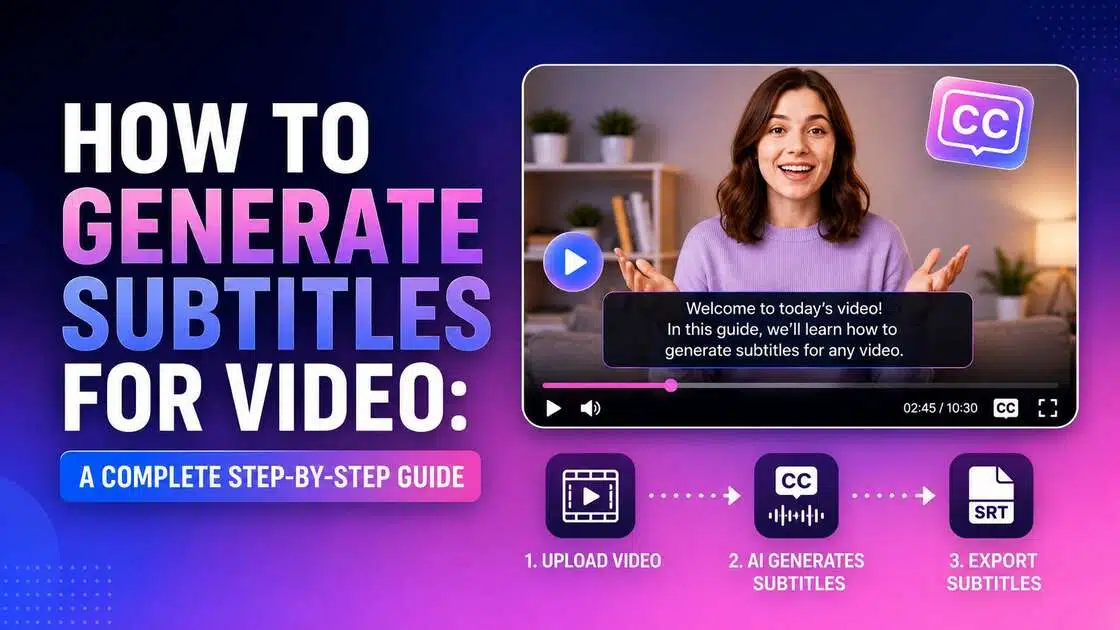
How to Generate Subtitles for Video: A Complete Step-by-Step Guide
Want to learn how to generate subtitles for video? Explore simple subtitle creation methods, best practices, and discover how Vmake Labs Subtitle Generator creates accurate subtitles in minutes.

Subtitles have become an essential part of modern video content, improving accessibility, engagement, and global reach. Whether you're creating YouTube videos, online courses, or marketing campaigns, learning how to generate subtitles for video can help your content connect with more viewers while making every message easier to understand.
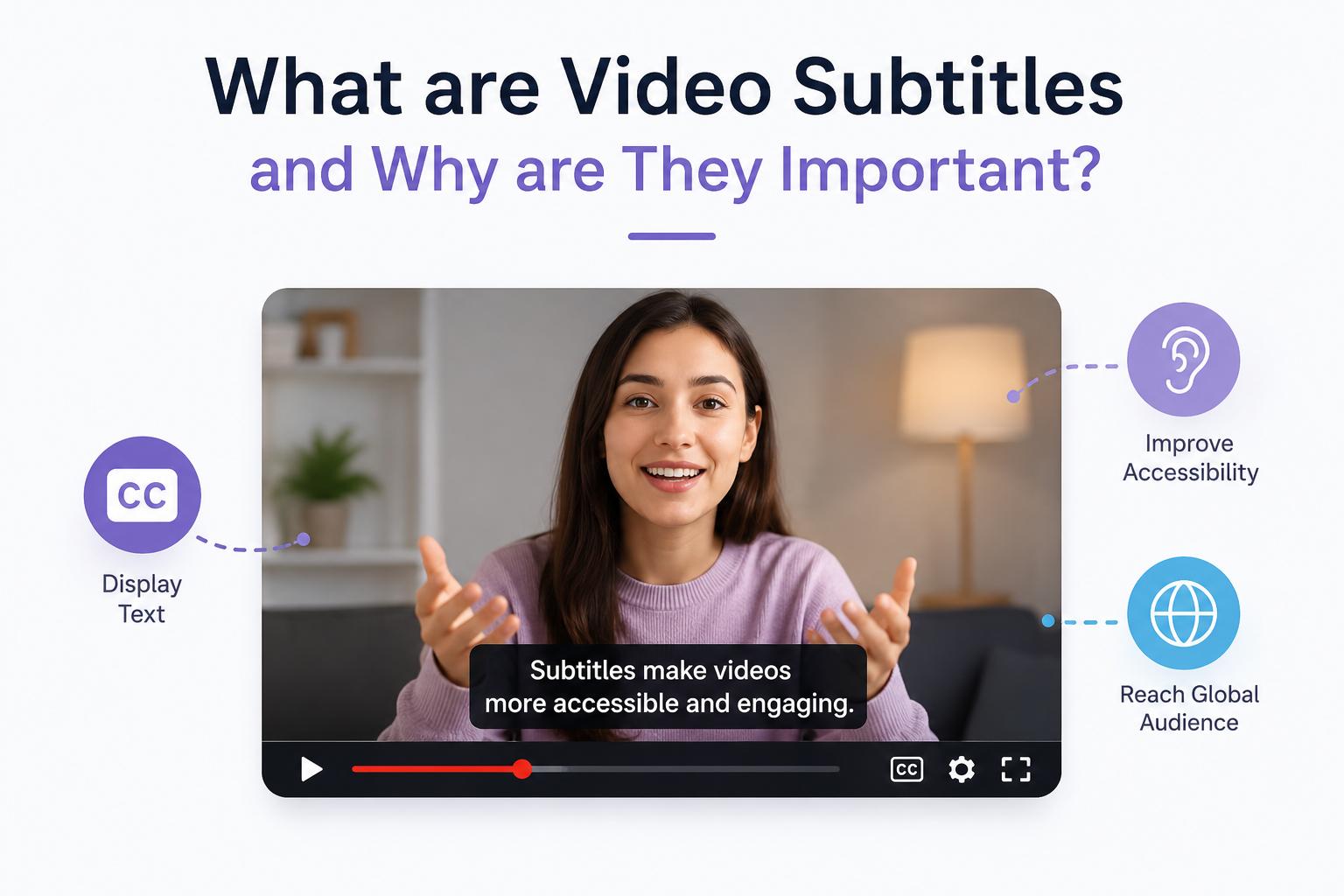
What are video subtitles and why are they important?
Subtitles are on-screen text that displays spoken dialogue in a video. They can be written in the same language as the original audio or translated into another language, allowing viewers to understand the content more easily.
Although subtitles and captions are often used interchangeably, they are not identical. Subtitles mainly translate or display spoken dialogue for audiences who can hear the audio, while captions include additional information such as speaker identification and sound effects for improved accessibility. We'll explore these differences later in this guide.
There are several ways to generate subtitles for video, each suited to different needs. You can create them manually for maximum control, use AI subtitle generators for speed, rely on platform-generated subtitles for quick uploads, or use video editing software for professional workflows. Here's how these four methods compare.
Best Ways to Generate Subtitles for Video
|
Method |
Best For |
Pros |
Cons |
|---|---|---|---|
|
Manual Creation |
100% precision, short clips |
Maximum accuracy & control |
Very slow & laborious |
|
AI Generators |
High-volume, global content |
Fast, auto-sync, multi-language |
Needs manual review for jargon/noise |
|
Platform-Generated |
Quick social media uploads |
Free, automatic, zero editing effort |
Unpredictable accuracy, stuck on platform |
|
Video Software |
Professional, baked-in edits |
Timeline integration, precise timing |
Steeper learning curve, slower rendering |
Meet Your AI Tool: Generate subtitles faster with Vmake Labs
Manually creating subtitles or using traditional editing software can be a time-consuming process if you publish videos often. Vmake Labs Subtitle Generator makes the whole process simple, automatically generating subtitles for you to edit, translate into multiple languages, and export in a few simple steps. Whether you need subtitles for YouTube, TikTok, Instagram Reels, or online courses, Vmake AI Subtitle Generator works as an efficient YouTube video subtitle generator for creators of all experience levels.
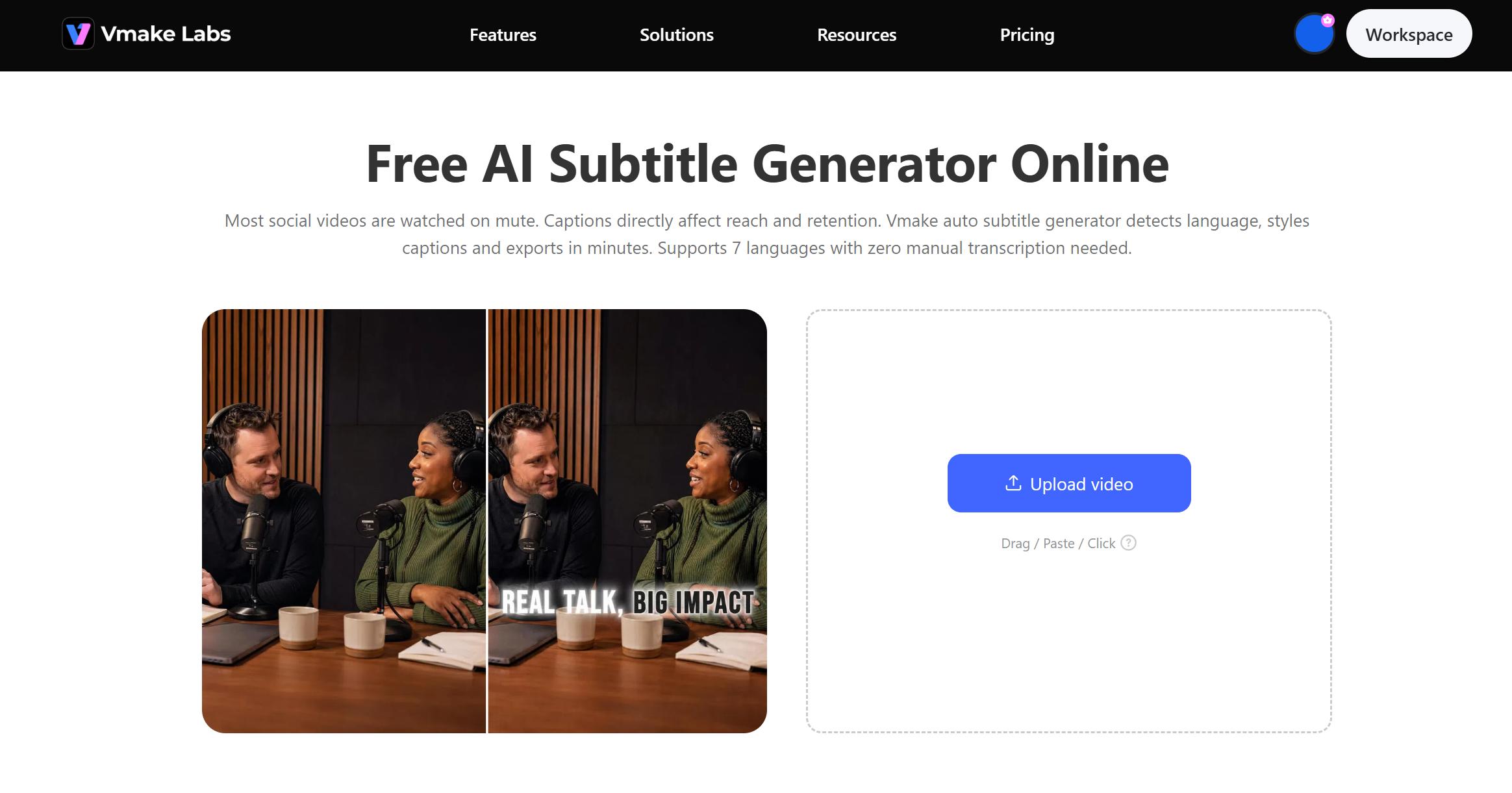
Key features of Vmake Labs Subtitle Generator
-
AI subtitle generation: Automatically transcribes spoken words into synchronised subtitles, removing the need for manual transcription, saving valuable editing time.
-
Flexible subtitle editing: Review and adjust the subtitle text before export to improve accuracy, readability and timing.
-
Multi-language subtitle translation: Convert Subtitles to Various Languages to Expand Your Videos’ Reach to a Global Audience.
-
Subtitle removal and replacement: Remove existing subtitles and add newly generated or translated subtitles all in the same workflow.
-
Subtitle export for multiple workflows: Export subtitle files or subtitled videos for publishing across different platforms or further editing.
How to generate subtitles using Vmake Labs
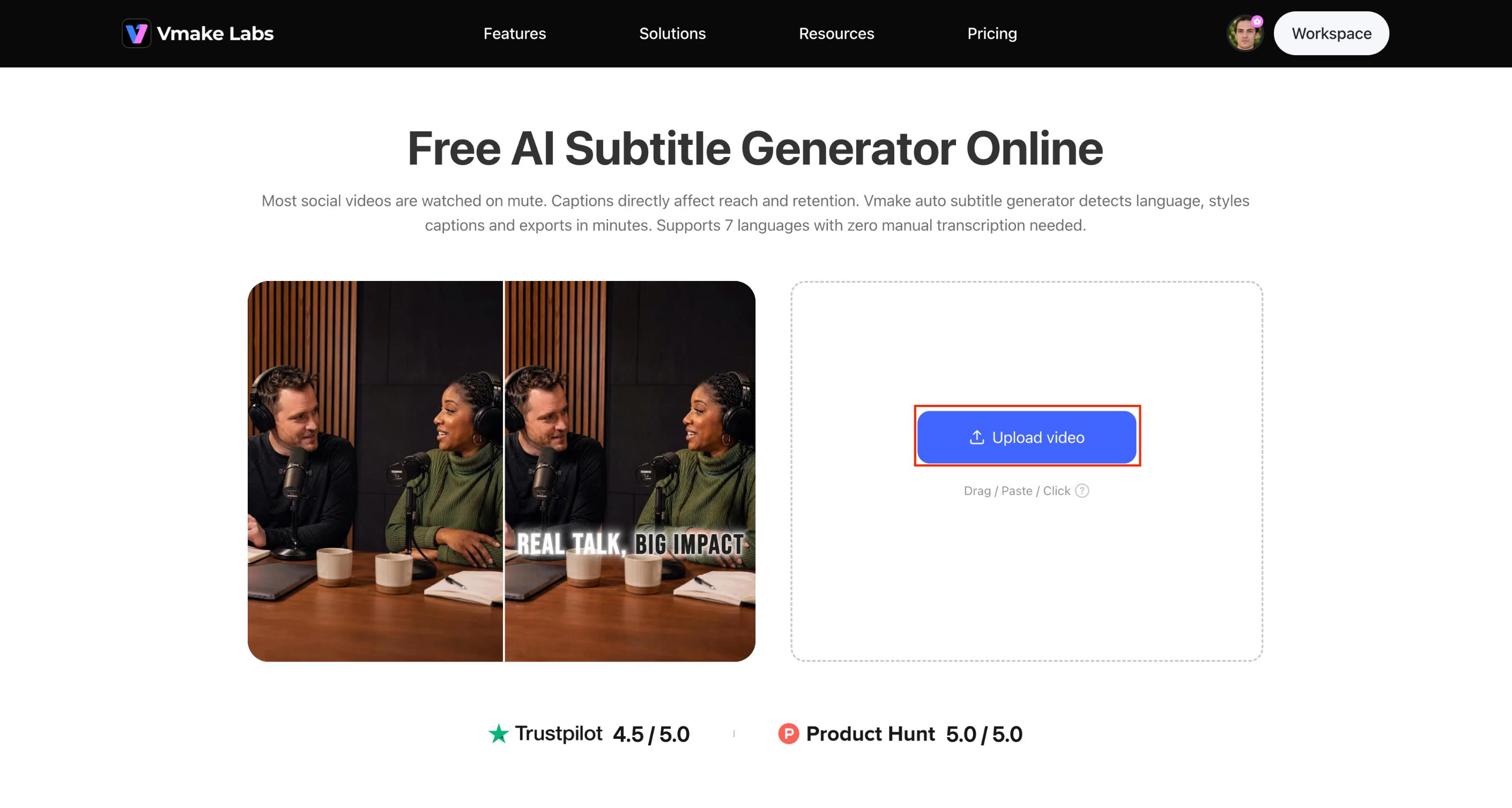
Step 1: Upload your video
Upload your video to Vmake Labs Subtitle Generator to get started. The platform is compatible with popular video formats, so it's easy to work with content created for YouTube, TikTok, Instagram, online courses, product demonstrations, and more. After uploading, Vmake automatically recognises the spoken language and prepares the video for subtitle generation.
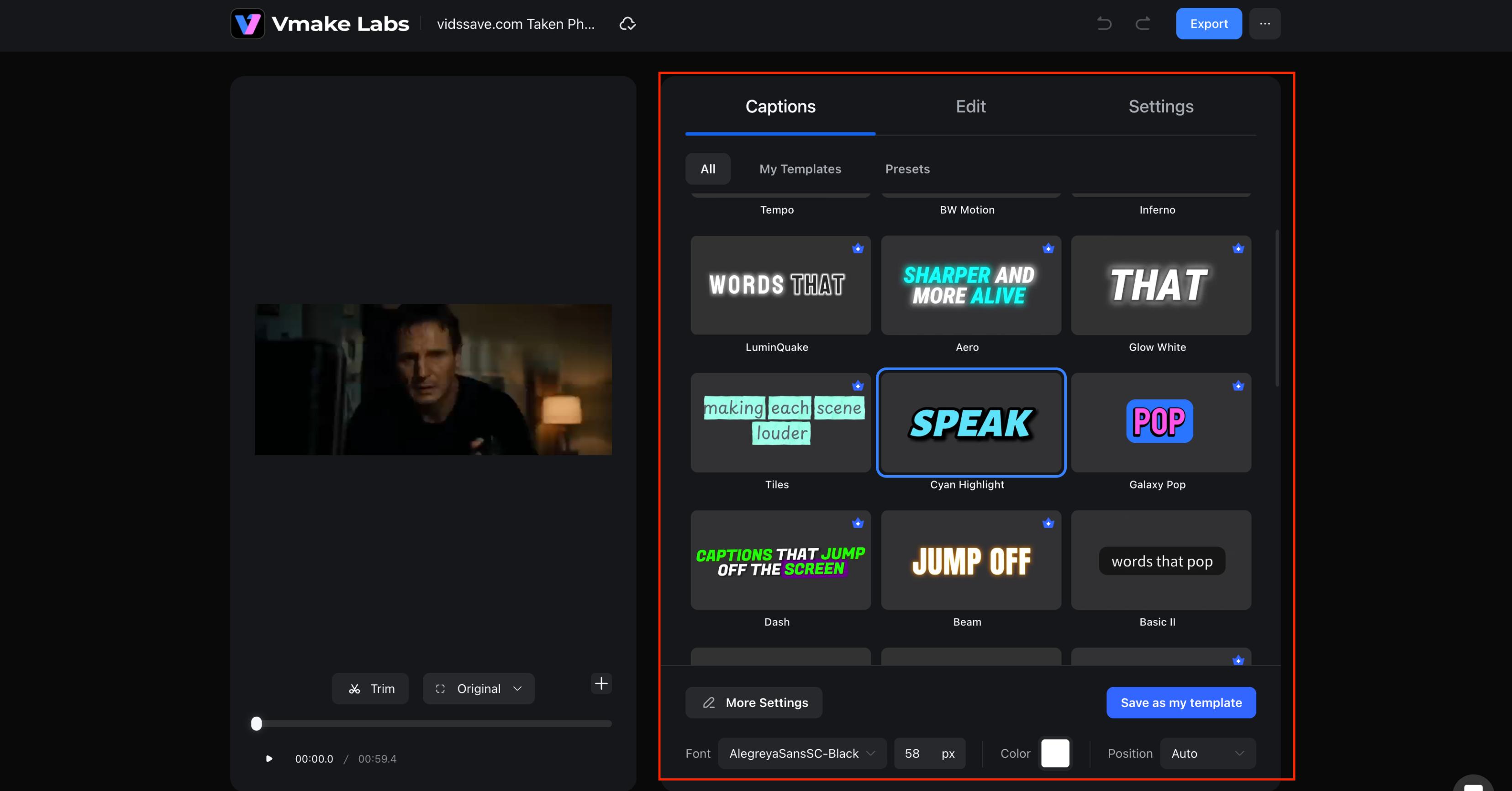
Step 2: Select the required functions as needed
Choose the subtitle features that fit your project. You can generate subtitles automatically, translate them into another language, replace existing subtitles, or remove embedded subtitles before adding new ones. Vmake is modular in its workflow.
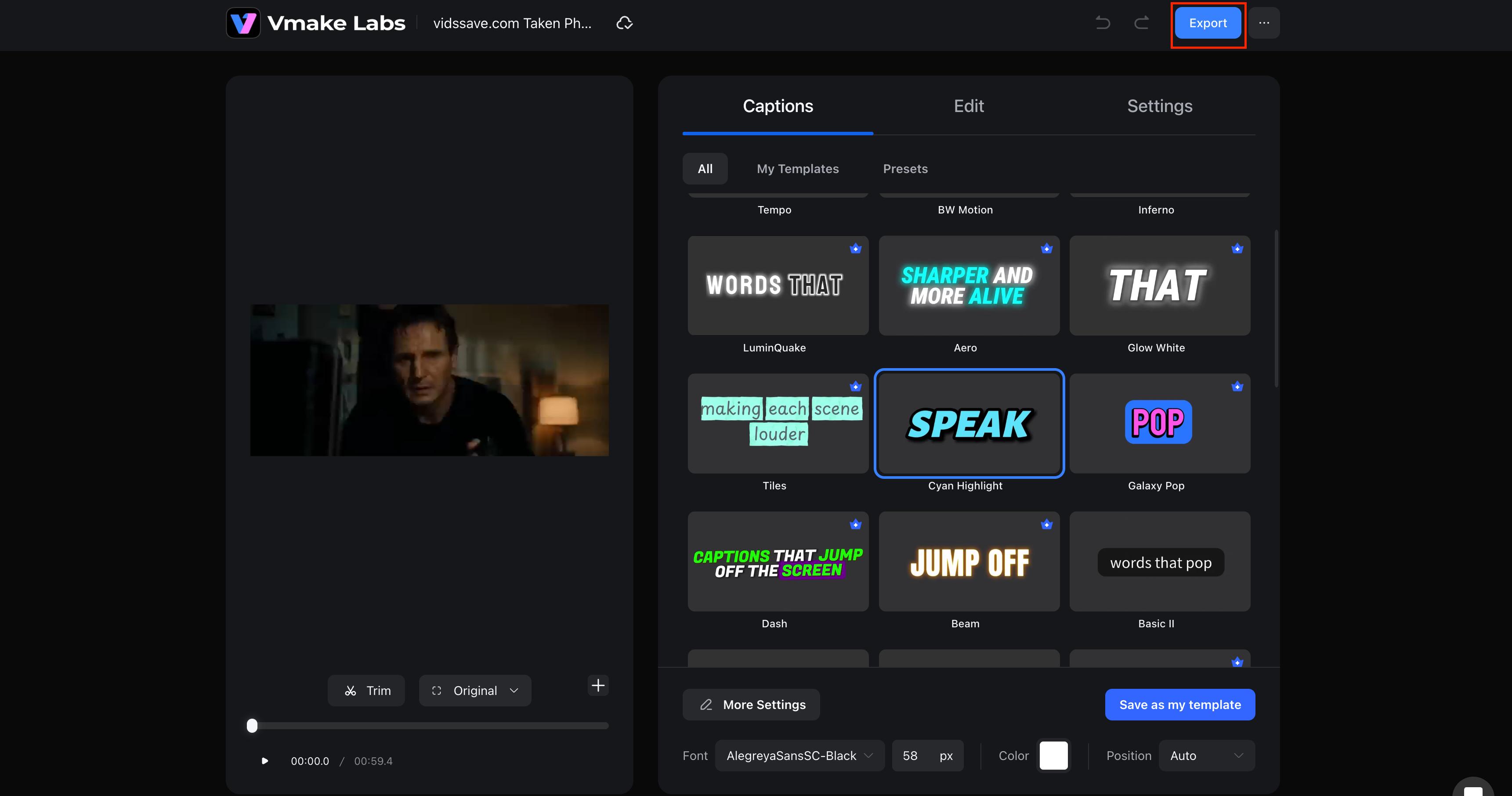
Step 3: Export your final video
After reviewing and making any necessary edits, export your project in the format that best suits your workflow. You can download your subtitled video for immediate publishing or use the generated subtitles in your post-production process. This flexibility allows creators to publish content across multiple platforms with minimal effort.
Best practices for creating accurate subtitles
Even with AI-powered tools, spending a few minutes reviewing your subtitles can significantly improve the viewing experience. Clear subtitles make your content easy for viewers to understand, and accurate timing keeps dialogue synced to the video. No matter what kind of content you create, a few simple best practices will help you create professional-looking subtitles.
Tips for better subtitles
-
Record clear audio: To improve speech recognition accuracy, use a good microphone and minimise background noise. Clear audio allows AI to produce more accurate subtitles with less editing.
-
Speak naturally: Keep the pace steady and avoid having many people speak at once. This makes it easier for both AI tools and viewers to follow along in the conversation.
-
Keep subtitle lines concise: Limit the amount of text displayed at once so viewers can read comfortably. Short, well-timed subtitles improve readability without being distracted from the video.
-
Review names, numbers, and technical terms: Always proofread subtitles before publishing to correct proper nouns, dates, product names, or industry-specific terminology that AI may misinterpret.
-
Maintain proper subtitle timing: Make sure subtitles appear and disappear in sync with the dialogue. Properly timed subtitles improve the viewing experience and help viewers to follow the content naturally.
Common subtitle mistakes to avoid
-
AI subtitle generators can help speed up this process a lot, but it's always good to do a quick review before publishing.
-
Don't just believe the AI without proofreading, as names, technical terms, or punctuation may need fixing.
-
Overcrowded subtitles with too much text can be hard to read, and if they are poorly synchronised, they can appear before or after the dialogue.
-
It's also important to use consistent punctuation and capitalisation to ensure that your subtitles look polished and professional.
Subtitles vs. Captions: What's the Difference?
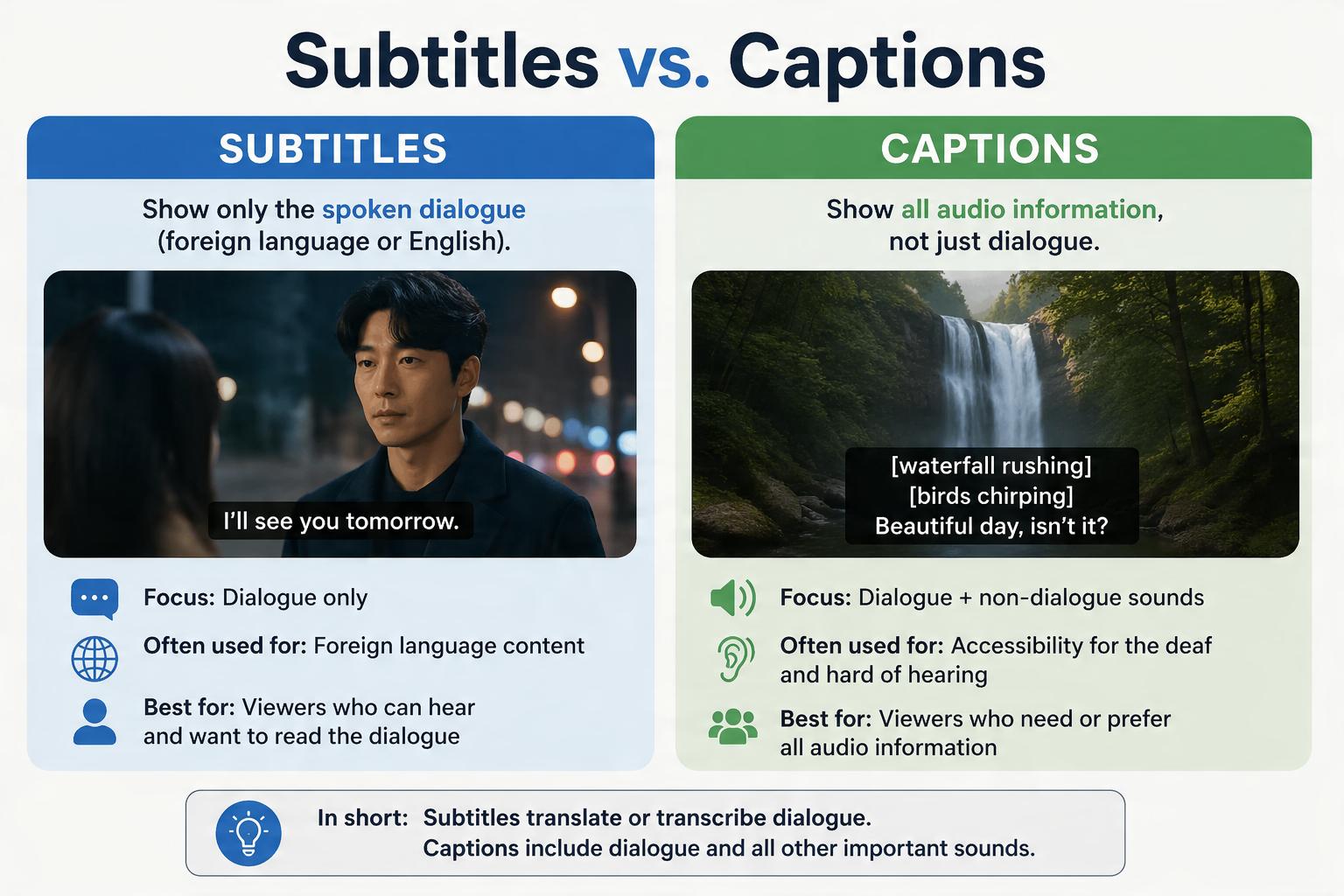
Although the terms subtitles and captions are often used interchangeably, they serve different purposes. Understanding the distinction helps you choose the right option based on your audience and content goals:
Subtitles vs. captions: A quick comparison
|
Feature |
Subtitles |
Captions |
|---|---|---|
|
Shows dialogue |
Yes |
Yes |
|
Includes sound effects |
No |
Yes |
|
Identifies speakers |
No |
Yes |
|
Best for |
Language translation |
Accessibility |
|
Typical use |
Movies, multilingual videos |
TV, YouTube, online videos |
Which one should you use?
The right choice depends on your video's purpose and audience. If you are creating content in multiple languages or targeting a global audience, subtitles can be used to translate spoken dialogue into a different language, while keeping the original audio. They are often used for movies, online courses, product demos, and marketing videos for global audiences.
Captions, on the other hand, are primarily for accessibility. They contain not only dialogue and speaker identification but also important sounds such as music, laughter, or background noises. This makes it easier for deaf or hard-of-hearing viewers to comprehend the videos. Many creators add both subtitles and captions for better accessibility, engagement, and a better viewing experience on different devices.
Conclusion
Learning to make video subtitles is a great way to make your content more accessible, engaging, and ready for a global audience. Manual transcription, platform caption tools, and video editing software all have their place, but for most creators, AI subtitle generators offer the fastest and most efficient workflow. Vmake Labs Subtitle Generator is a tool that allows you to automatically generate subtitles, edit them, translate them into multiple languages, and export your finished video, all with minimal effort. Accurate subtitles help you reach and connect with more viewers, whether you're making videos for YouTube, social media, education, or business.
FAQs
How can I generate subtitles from a video automatically?
You can generate subtitles from video automatically using an AI subtitle generator like Vmake Labs Subtitle Generator. Simply upload your video, let the AI detect and transcribe the speech, review the generated subtitles for accuracy, and export the subtitle file or subtitled video.
Can AI generate English subtitles for a video?
Yes. Modern AI subtitle generators can automatically recognise spoken dialogue and generate English subtitles in minutes. A lot of tools also support multiple languages, which makes it easy to generate English subtitles from videos recorded in other languages.
Can I edit subtitles after they are generated?
Yes. Most AI subtitle generators give you the option to review and edit subtitle text, timing, and formatting before exporting. This keeps names, technical terms, and punctuation correct and makes the whole thing easier to read.
What video formats does Vmake Labs Subtitle Generator support?
Vmake Labs Subtitle Generator supports popular video formats, including MP4, MOV, M4V, 3GP, and AVI, making it compatible with videos created for social media, online courses, marketing campaigns, and other content types.
What's the difference between subtitles and closed captions?
Subtitles display spoken dialogue, usually for language translation or for viewers who are hearing impaired. Closed captions include dialogue along with speaker identification and non-speech sounds, making videos accessible for viewers who are deaf or hard of hearing.

You May Be Interested

How to Add Subtitles to Video: Fast, Easy & Free Guide

How to Add a Subtitle in iMovie: Step-by-Step Guide
How to Add Subtitles in Premiere Pro: A Complete Guide

How to Get Subtitles on YouTube