How to Translate Spanish to English: Best Methods for Text and Video
Master how to translate Spanish to English accurately today! Explore expert methods for documents and seamless AI workflows for translating video and audio with peak precision and fast speeds.

Figuring out how to translate Spanish to English efficiently requires matching the right tools to specific content types. A solid approach ensures cultural nuances and grammar stay intact across languages. This guide covers practical strategies for text, documents, and multimedia.
How can you translate Spanish to English accurately?
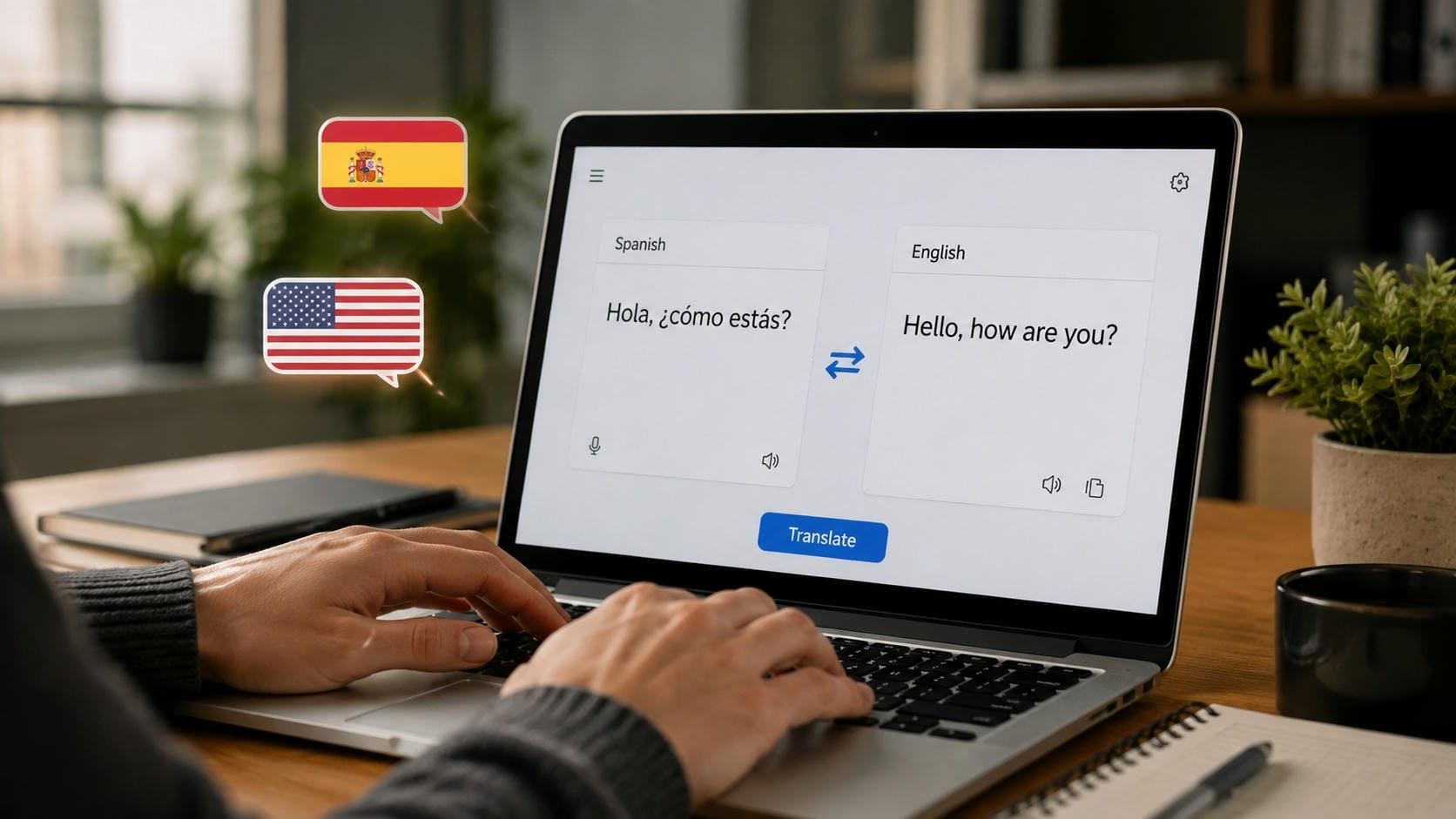
Precise translation goes far beyond word-for-word substitution; it requires navigating complex grammar, preserving context, and respecting regional nuances—like how a phrase in Madrid might shift meaning in Buenos Aires. While expert human linguists excel at capturing these subtle cultural and emotional shifts, modern workflows leverage AI video translator tools to process massive multimedia files in seconds. Blending professional human intuition with computational speed ultimately delivers the best results for global communication.
Best ways to translate Spanish into English for different content
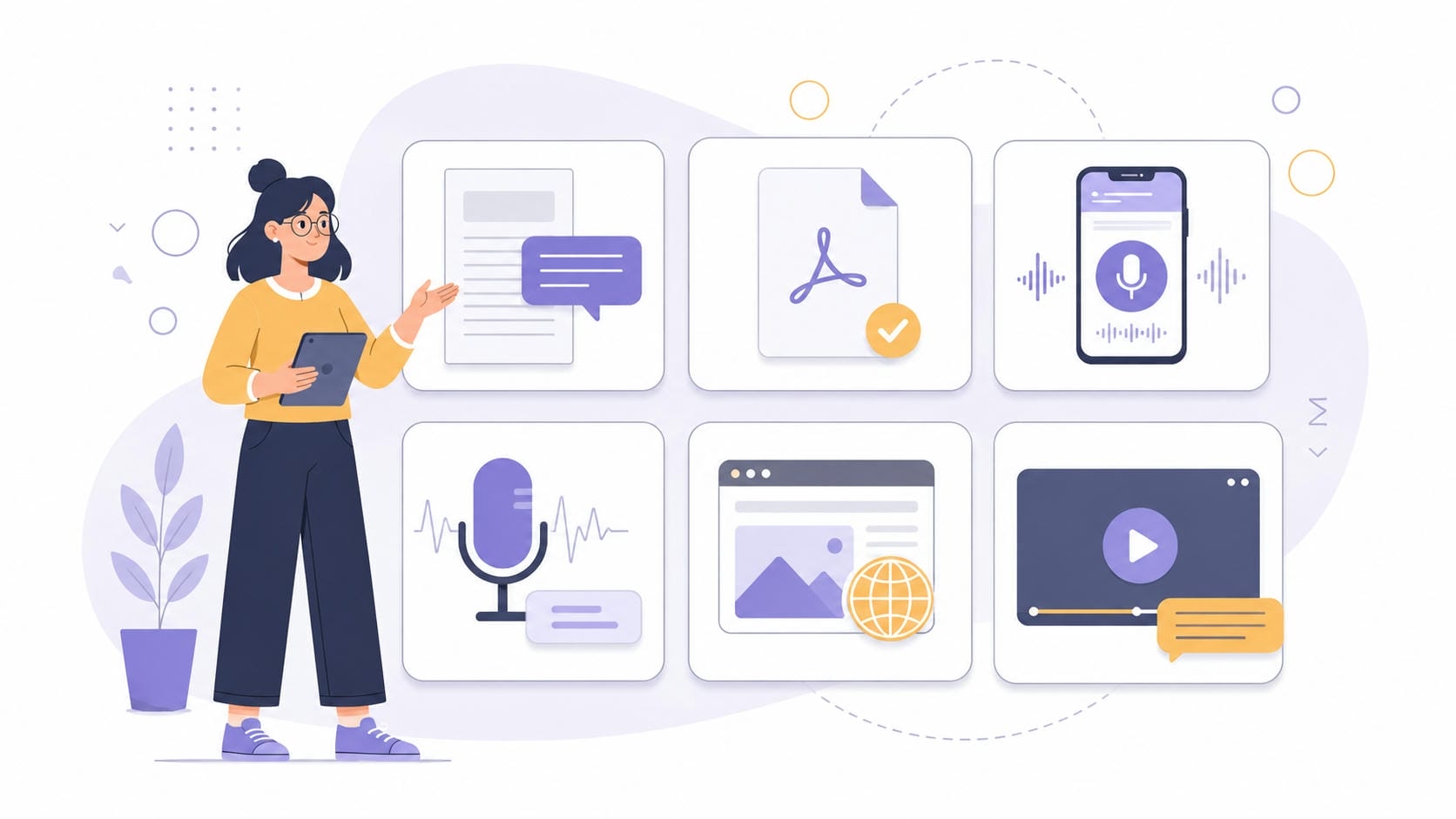
Matching the format with the right technique guarantees better readability and fewer errors.
|
Content Type |
Best Method |
Recommended Tool |
|---|---|---|
|
Written text |
Instant machine conversion followed by a rapid human check |
Standard machine translation engines |
|
PDFs and documents |
Retaining the original layout while substituting text accurately |
Specialized document parsers |
|
Live conversations |
Real-time interpretation for seamless communication |
Real-time interpretation apps |
|
Audio recordings |
Converting spoken words into written text via speech recognition |
Advanced video transcript generator |
|
Websites |
Adapting text, images, and cultural references for an English-speaking audience |
Professional localization services |
|
Videos |
Synchronizing visuals with translated audio and generating subtitles simultaneously |
Automated platforms |
Navigating this complex multimedia alignment becomes significantly easier with specialized software built for the task.
How to translate a Spanish video to English subtitles with Vmake Labs
Processing multimedia requires dedicated software capable of handling both visual and audio components simultaneously without degrading quality.
Vmake Labs Video Translator serves as a dedicated solution specifically designed for processing multilingual media effectively. The integrated workflow combines subtitle generation, precise translation, AI dubbing, and lip synchronization into a single sequence. This comprehensive approach reduces manual editing times significantly, helping creators produce polished English-language versions of Spanish broadcasts without requiring extensive technical expertise or relying on multiple disconnected software tools simultaneously.
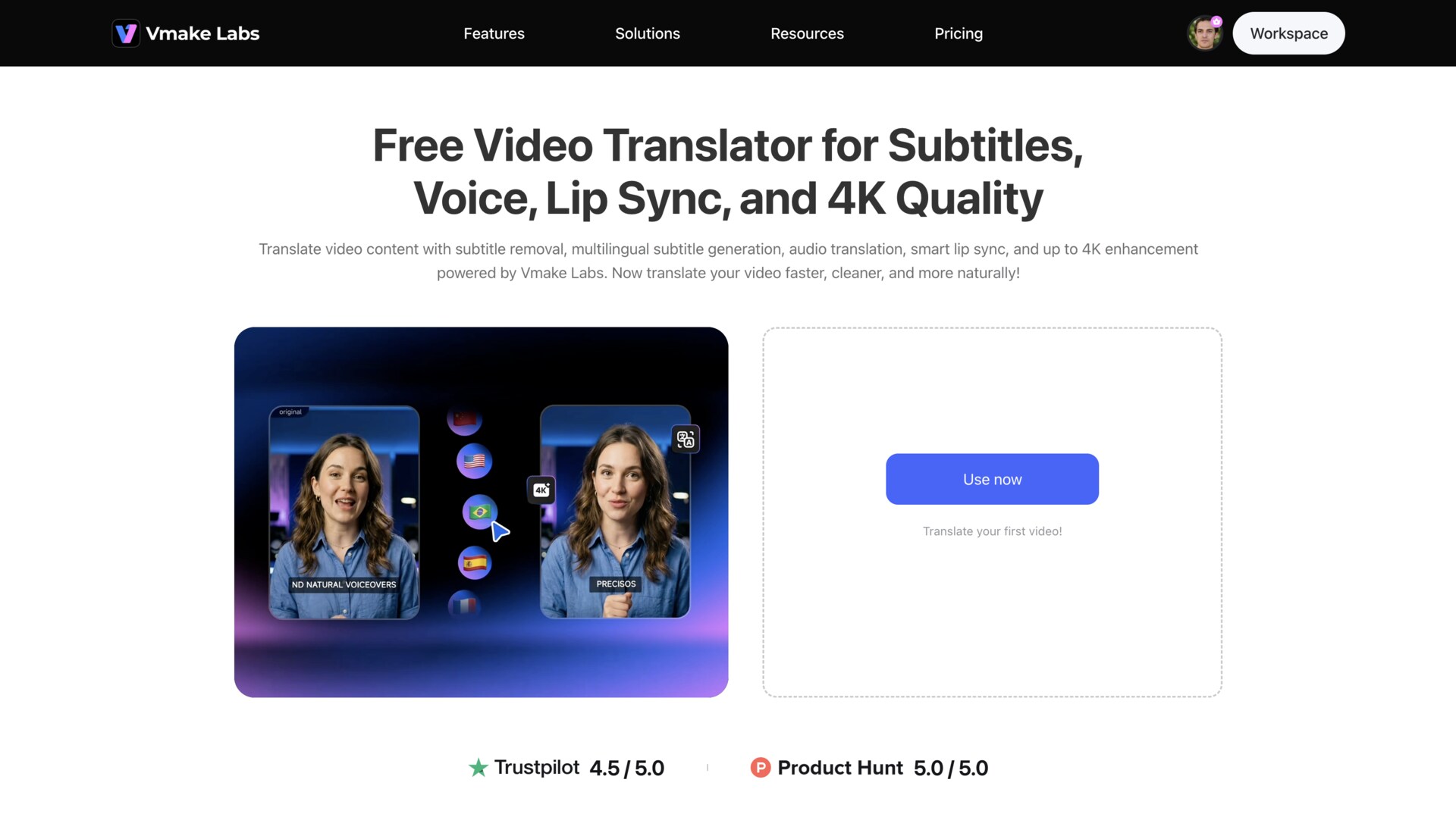
Key features of Vmake Labs Video Translator
-
All-in-one video translation workflow: Processing media happens in a unified workspace without switching between separate applications. It manages text, audio, and visual synchronization natively.
-
Automatic subtitle generation and translation: The system automatically extracts spoken dialogue and converts it into accurate English text. An AI subtitle generator ensures precise timing with the on-screen action.
-
Flexible subtitle editing and export: Original Spanish captions can be removed seamlessly while new translated text takes their place. The platform allows manual adjustments to wording before final export.
-
AI audio translation and dubbing: Spoken dialogue transforms into natural-sounding English voiceovers automatically. Voice cloning technology keeps the translated version closely matched to the original speaker's tone.
-
Intelligent lip synchronization: On-screen lip movements adjust to match the newly generated English audio. This alignment creates a natural viewing experience without jarring visual disconnects.
-
Multiple language support: The platform handles 14 different languages, supporting mutual translation across various regions. It accommodates diverse global audiences from a single dashboard.
How to translate videos with Vmake Labs
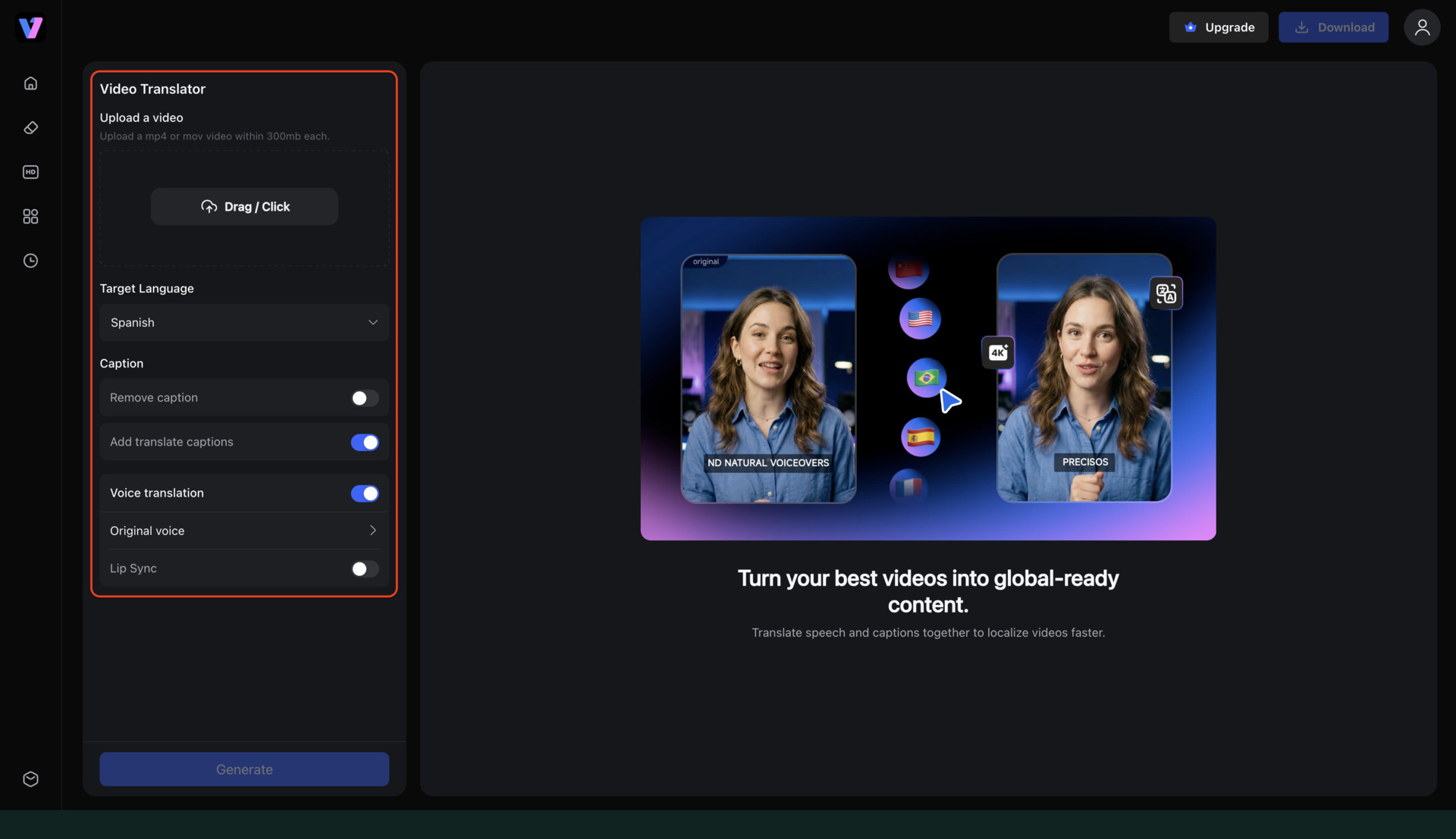
Step 1: Upload the file and set the language
Launch the Vmake Labs platform and upload a media file directly from a local device. Once the upload wraps up, simply lock in English as the target output language. The system easily handles everyday formats like MP4, MOV, M4V, 3GP, and AVI.
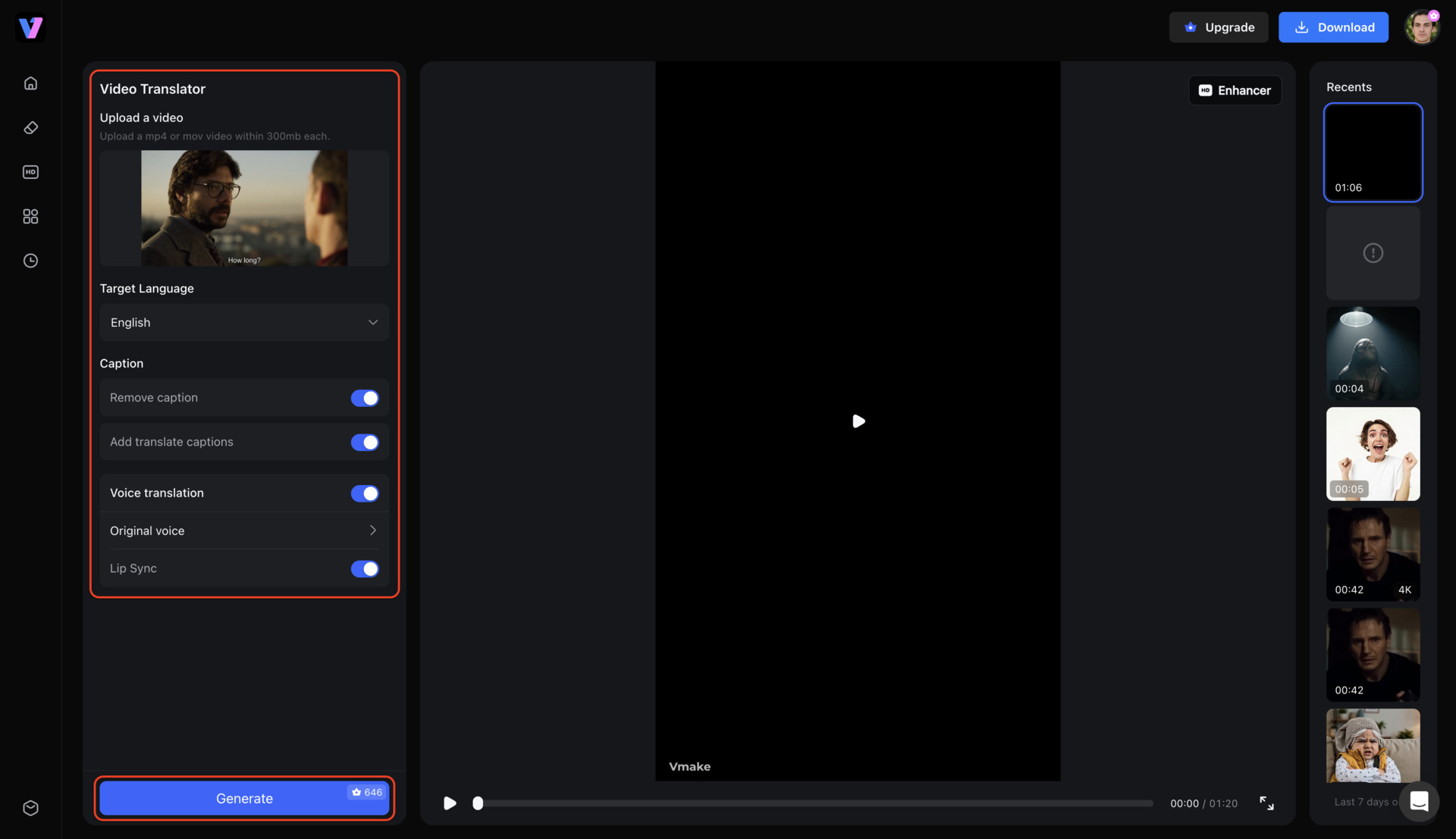
Step 2: Configure the translation features
Pick the exact translation settings required for the specific project. Toggle options to generate English subtitles, activate voice translation, or enable seamless lip synchronization. Adjust the speaker's voice tone or completely remove existing subtitles before producing the new version.
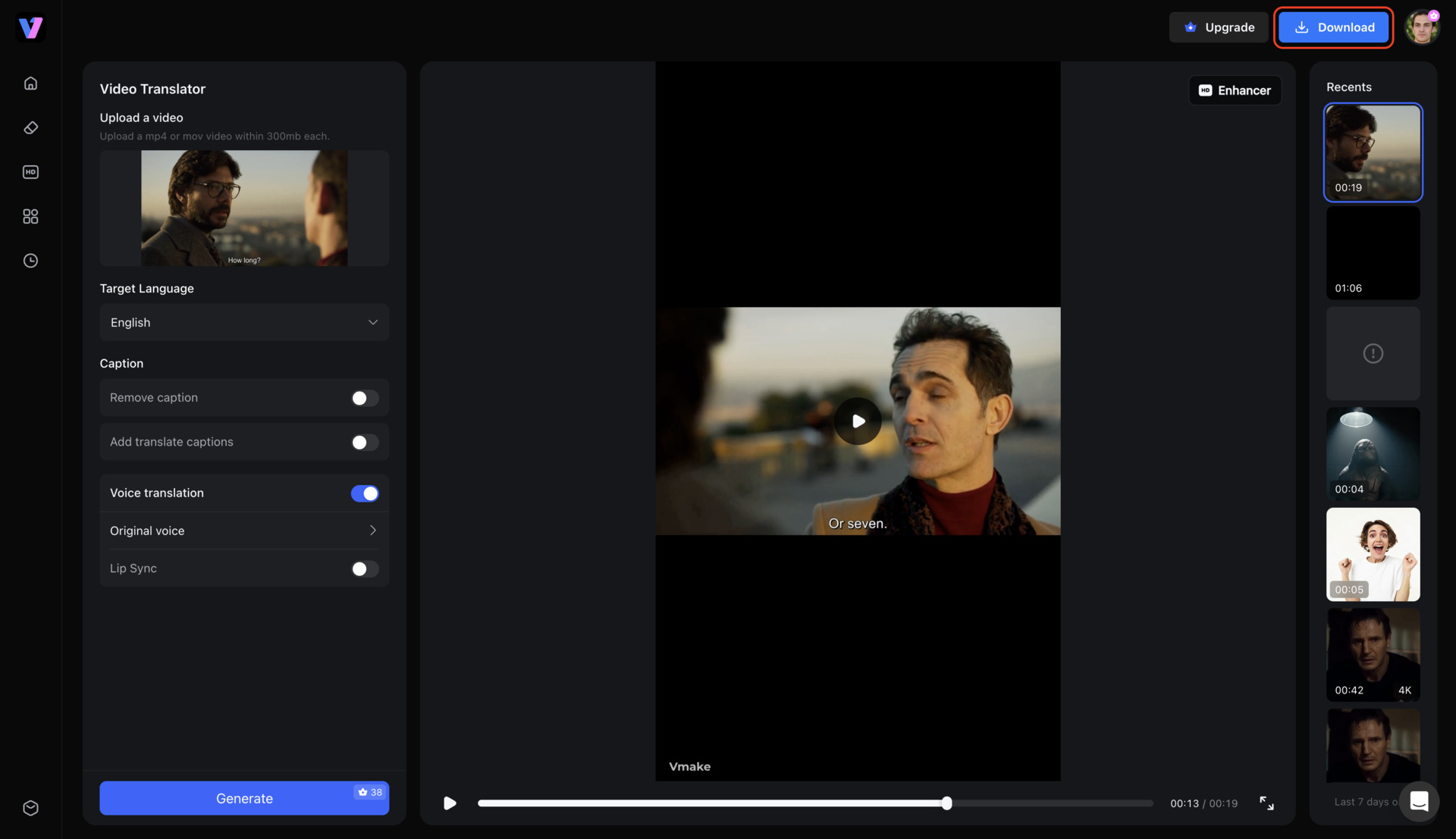
Step 3: Process and export the finalized clip
Click Generate to initiate the automated processing phase. A quick review of the final preview confirms the fresh audio tracks and captions align perfectly. From there, download the polished movie featuring AI-generated dubbing, exact lip synchronization, and up to 4K video enhancement.
When should you use AI instead of manual Spanish translation?
Understanding the scope of a project dictates whether automated tools or human expertise will deliver the best results.
|
Method |
Best for |
Speed |
Human Editing Needed |
|---|---|---|---|
|
Dictionary |
Single words |
Fast |
Yes |
|
Machine translation |
Text & conversations |
Very Fast |
Sometimes |
|
Professional translator |
Legal & business documents |
Moderate |
No |
|
AI video translation |
Text, audio, subtitles, and videos |
Fast |
Minimal review |
Factors to consider
Varying project scopes naturally dictate entirely different technological or human approaches. Balancing tight budgets against high-stakes accuracy ultimately drives the final decision.
-
Speed: Machines blast through massive text files in mere fractions of a second. Hitting impossibly tight deadlines practically requires this kind of raw computational horsepower. Human linguists drag out the timeline, though they deliver unparalleled nuance in return.
-
Cost: Automated platforms provide incredibly cheap scalability for massive bulk projects. Professional bilingual editors command steep premium rates. Paying top dollar makes perfect sense for high-stakes corporate contracts or sensitive medical records.
-
Accuracy: Modern algorithms devour standard syntax and basic vocabulary without breaking a sweat. Dense industry jargon or highly emotive narratives throw a wrench into the gears. At that point, bringing in a human expert prevents catastrophic, embarrassing mistranslations.
-
Scalability: Expanding media into ten different languages simultaneously feels like magic with an automated pipeline. Mastering how to translate a video to English via software empowers a lone creator to localize entire seasons overnight.
Common use cases for AI translation
Examining how different industries deploy automated translation workflows highlights its versatility across modern global communication.
-
Business operations: Instant digital conversions work wonderfully for casual internal memos and quick emails. Public-facing marketing assets play by entirely different rules. Protecting a brand's hard-earned reputation demands hyper-accurate, native-level localization.
-
Content creators: Digital influencers survive on fast, integrated workflows to grab global attention daily. Syncing customized captions alongside dubbed audio keeps international audiences glued to the screen.
-
Education: Frantic students always lean on digital dictionaries for rapid-fire vocabulary checks before exams. Academic research papers tell a completely different story. Preserving complex theoretical frameworks demands painstaking, rigorous human translation.
Common Spanish-to-English translation mistakes to avoid
Language conversion disasters usually happen when subtle cultural cues vanish. Dodging these deeply ingrained linguistic traps keeps the original message perfectly intact.

-
Literal word-for-word translation: Blindly swapping vocabulary without checking the underlying sentence architecture creates jarring, broken English. Spanish and English play by completely contradictory rules regarding adjective placement. A verbatim swap sounds exactly like a malfunctioning robot.
-
False cognates: Words looking visually identical across borders routinely harbor completely unrelated meanings. Mistaking the Spanish word "embarazada" for embarrassed rather than pregnant triggers highly awkward misunderstandings. A quick double-check prevents these embarrassing linguistic traps.
-
Idioms: Colorful expressions like "tomar el pelo" devolve into utter nonsense—literally "to take the hair"—when translated verbatim. The actual English equivalent happens to be "to pull someone's leg." Missing these vibrant phrases destroys the intended humor or tone entirely.
-
Regional Spanish differences: Vocabulary shifts violently the second a flight lands in Latin America from Madrid. A perfectly innocent phrase uttered in Spain might provoke outrage or total confusion over in Mexico City. Context dictates every single word choice.
-
Incorrect verb tenses: Spanish leans heavily into the subjunctive mood compared to standard, rigid English phrasing. Mishandling these delicate tenses easily warps the emotional weight or factual certainty behind the original statement. It changes a firm fact into a mere wish.
-
Missing context: Ripping sentences down to isolated text snippets destroys crucial background information immediately. Pinpointing the speaker's exact relationship and physical setting remains vital for picking accurate English vocabulary. Without that backdrop, accuracy plummets.
Tips for improving Spanish-to-English translation accuracy
Deploying strategic review tactics elevates raw machine output into beautifully polished, natural-sounding prose.
-
Read the context: Scanning an entire paragraph before rewriting isolated sentences provides a clear structural roadmap. Grasping the grander narrative arc prevents the final draft from feeling choppy or completely disjointed.
-
Identify intent: Uncovering whether the original author meant to inform, aggressively persuade, or simply entertain changes everything. Aligning the new text with that specific emotional goal ensures the translation hits the bullseye.
-
Avoid literal translation: Concentrating firmly on capturing the core emotional message always beats blindly swapping individual words. Rearranging clause orders usually results in a significantly smoother, highly authentic read.
-
Refine English flow: Reading a translated draft out loud quickly exposes clunky phrasing and strange, robotic rhythms. Utilizing a sophisticated video translator effortlessly automates these structural fixes to maintain a naturally conversational flow.
Conclusion
Figuring out how to translate Spanish to English successfully depends on selecting appropriate tools for specific media formats. Context remains essential for maintaining accuracy, as cultural nuances dictate precise word choices. AI proves highly ideal for processing everyday content, casual text, and complex multimedia files rapidly. For extensive visual projects, Vmake Labs simplifies the entire process by merging subtitle generation, automated dubbing, and lip synchronization into one streamlined workflow. This integration enables effortless global content distribution.
FAQs
How can I translate Spanish to English for free?
Browser-based tools and dictionary apps offer basic text conversion at no cost. Many advanced platforms also provide free trial credits for processing short multimedia clips.
How accurate are AI Spanish-to-English translators?
Modern AI tools achieve high accuracy rates, often exceeding 95% for standard conversational and written text. They utilize deep learning to understand context, though they may occasionally struggle with highly obscure regional slang or complex poetry.
Can AI translate Spanish videos into English with subtitles?
Yes, dedicated multimedia platforms extract original spoken audio and generate perfectly timed English captions. These systems process visual media files seamlessly without requiring external editing software.
What's the difference between subtitles and dubbing?
Subtitles display the translated text at the bottom of the screen while the original Spanish audio plays. Dubbing entirely replaces the original audio track with a newly generated English voiceover.
Should professional translators handle official documents instead of AI?
Official documents, such as legal contracts, immigration paperwork, and medical records, require certified professional translators. This guarantees absolute precision and ensures the documents meet strict legal acceptance criteria.

You May Be Interested
How to Translate a Video Online for Free in 3 Simple Steps (2026 Guide)
How to Translate YouTube Videos to Any Language: 4 Easy Methods in 2026
How to Translate a Video to English: Subtitles, Audio & AI Translation
BlipCut AI Video Translator Review 2026: Pricing, Features, Pros, Cons & Alternatives