How to Create Unboxing Videos: Proven Ways to Captivate Your Viewers
Are you ready to create stunning unboxing videos? Discover the secrets to filming product reveals that captivate audiences, and learn how Vmake Video Generator elevates your brand's content.

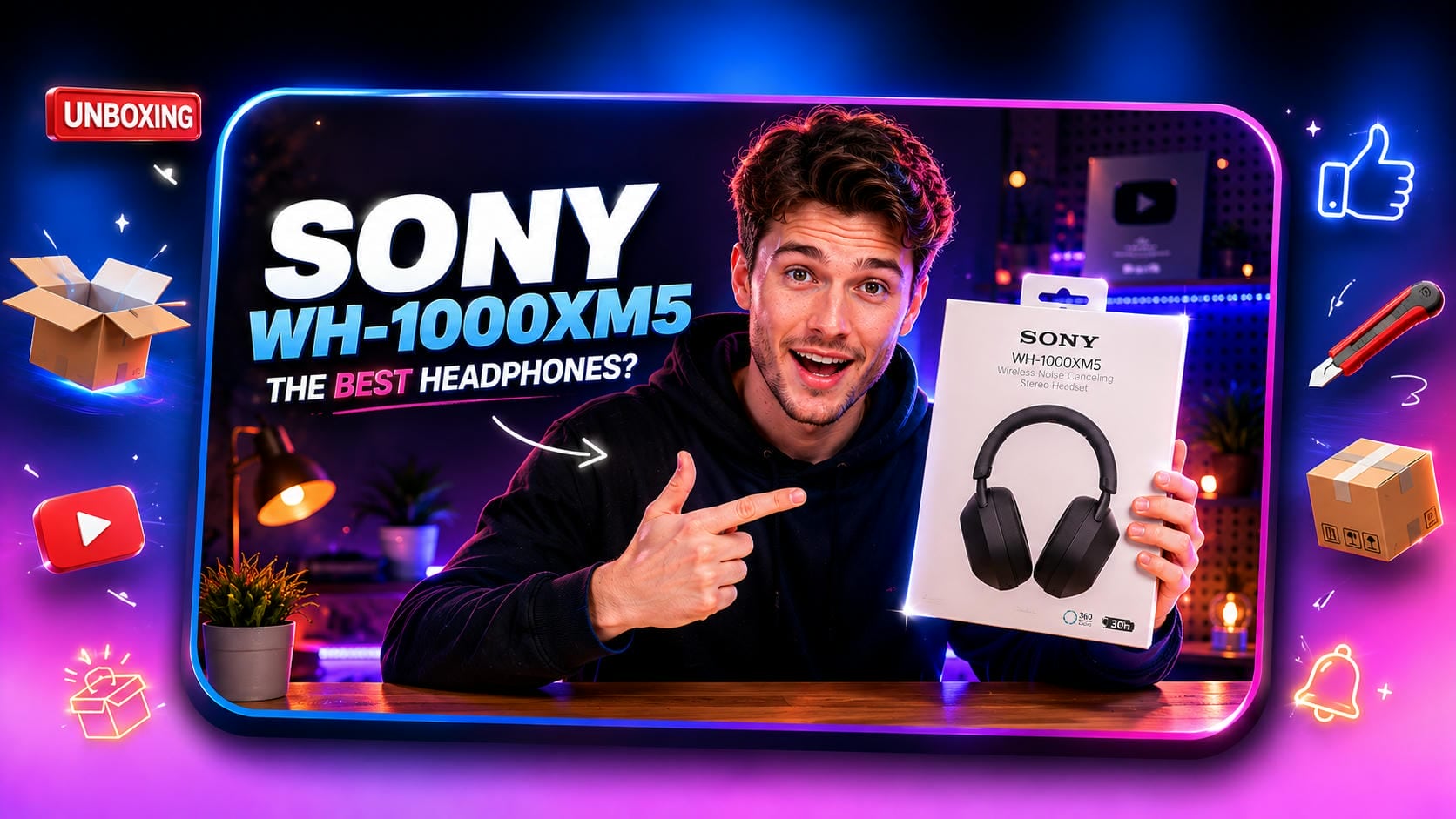
Have you ever felt the thrill of opening a brand-new package? That excitement is exactly why unboxing videos have transformed modern marketing. Whether you're a creator or a business owner, mastering this format builds trust, drives views, and connects instantly with buyers.
What is an unboxing video and how does it work?
An unboxing video is a popular content format where a creator records the exact process of opening a brand-new, packaged product. Instead of a highly produced commercial, it acts as raw, honest UGC video content that bridges the gap between online shopping and the physical retail experience.
|
Video Stage |
What Happens in the Video |
How It Works (The Impact) |
|---|---|---|
|
The Tease |
The creator introduces the sealed box, highlighting the external branding and packaging quality. |
Builds suspense and mimics the psychological excitement of receiving a gift. |
|
The Reveal |
The physical act of cutting the tape, peeling back the layers, and pulling out the main product. |
Delivers the dopamine hit and satisfies the viewer's curiosity instantly. |
|
The Inspection |
A close-up look at the product, included accessories, manuals, and initial setup. |
Provides practical value, answers potential buyer questions, and establishes creator authenticity. |
Essential elements of engaging toy unboxing videos and tech reveals
Standing out in highly competitive niches like tech gadgets and collectible toys requires a proven content formula. Mastering a few core elements ensures the audience remains completely engaged from the initial box reveal straight through to the final demonstration.

-
The Hook: Showing a perfectly sealed box in the first few seconds grabs attention instantly. Building a strong opening sequence works just like a catchy viral hook intro to stop people from scrolling past. That quick sneak peek sets the right mood for the rest of the video.
-
The Unveiling: Peeling back the tape and wrapping slowly makes the whole process feel much more exciting. Taking time with the physical unwrapping brings that real-life thrill of opening a gift straight to the screen. Rushing through this part just ruins the fun and leaves the audience disappointed.
-
Feature Exploration: Testing out the main features straight out of the box works perfectly for everything from smartphones to action figures. Firing the item up answers common questions and proves it actually works as advertised. It turns a boring, static object into something useful that people actually want to buy.
-
The Commentary: Sharing an honest first impression always beats reading a stiff, scripted list of features. Natural reactions build real credibility and help a channel grow a loyal following over time. Audiences spot fake enthusiasm instantly, so keeping the tone casual and relaxed works best.
Unboxing video ideas you should try
Diversifying content formats keeps audiences engaged and helps creators stand out in a highly competitive digital landscape. Experimenting with fresh, creative concepts ensures these product reveals remain exciting and appeal to varying viewer preferences.

-
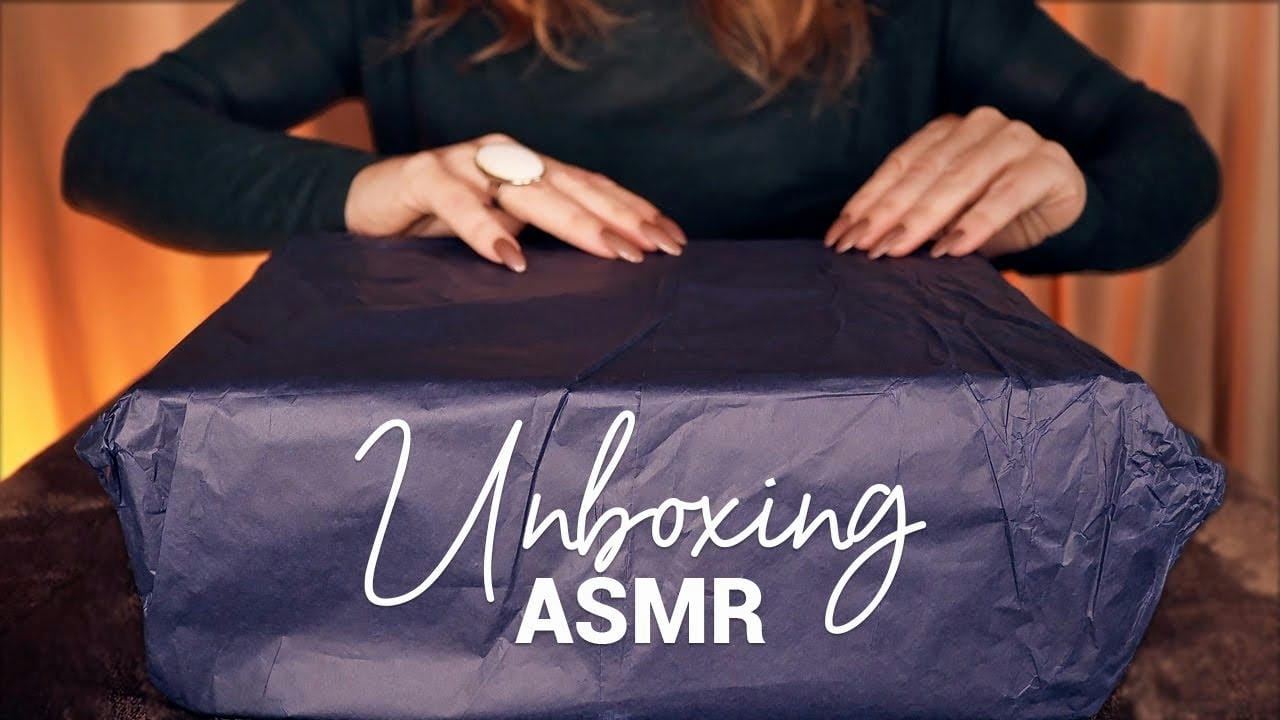
The ASMR experience: Tapping into evergreen audio trends provides a highly immersive, sensory approach for modern product reveals. By utilizing a high-quality microphone to amplify the satisfying sounds of crinkling paper and slicing tape, creators can easily replace heavy voice-overs.
-
The unboxing and setup tutorial combo: Going beyond the initial reveal adds substantial practical value for audiences seeking immediate guidance. Transitioning seamlessly into a helpful, first-time setup guide turns standard content into a comprehensive, two-in-one resource.
-
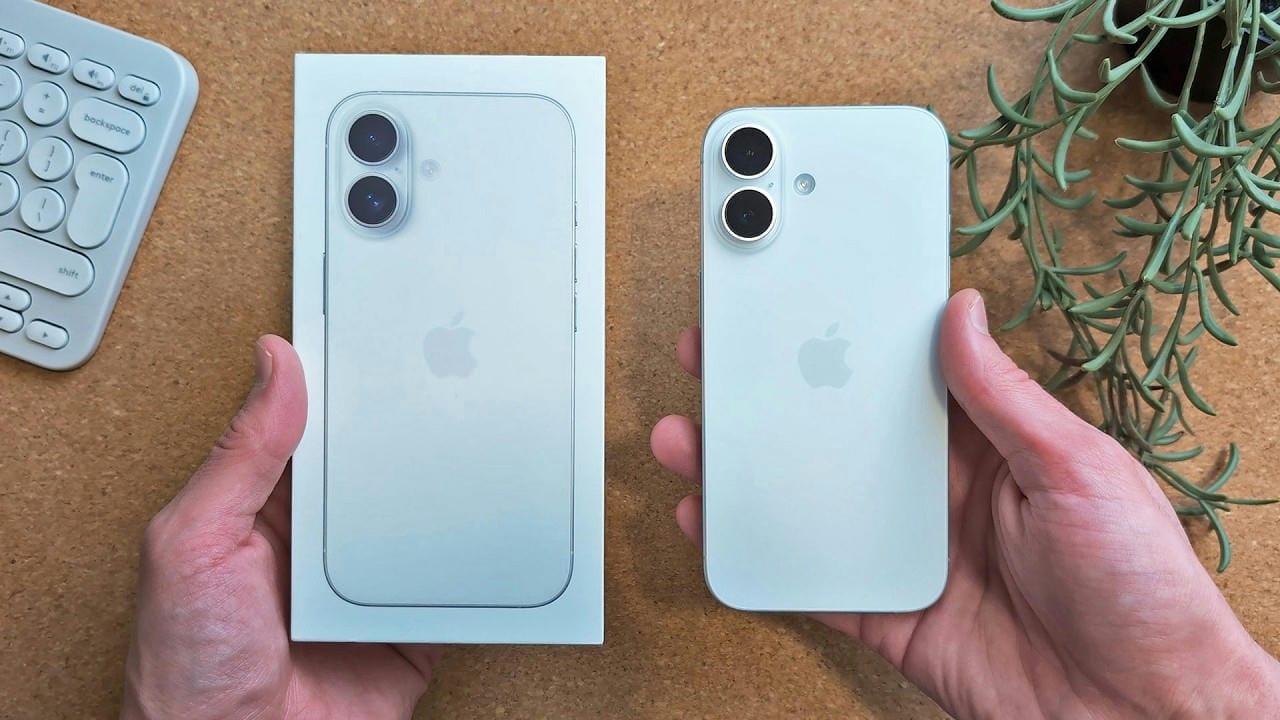
The predecessor comparison: Unveiling the newest model right next to the older generation offers crucial context for potential buyers. Highlighting visual upgrades, size differences, and internal enhancements side-by-side helps consumers determine if an upgrade remains worthwhile.
-
The honest, comprehensive overview: Building immediate trust requires total transparency regarding independent purchases or brand sponsorships. Delivering a clear guide covering price points, including accessories, and real-world pros and cons mirrors the success of trending UGC video examples by prioritizing relatability.
-
The expert deep-dive: Pairing the physical reveal with deeply knowledgeable commentary stands out in a crowded digital landscape. Focusing on navigating specific technical functionalities with a keen eye for detail demonstrates exactly how the capabilities perform in real time.
How to make an unboxing video
Turning a basic package delivery into a great video takes a bit of planning before hitting record. Nailing the setup, filming, and editing phases keeps viewers glued to the screen until the very end.
Step 1: Plan the Setup and Aesthetic
-
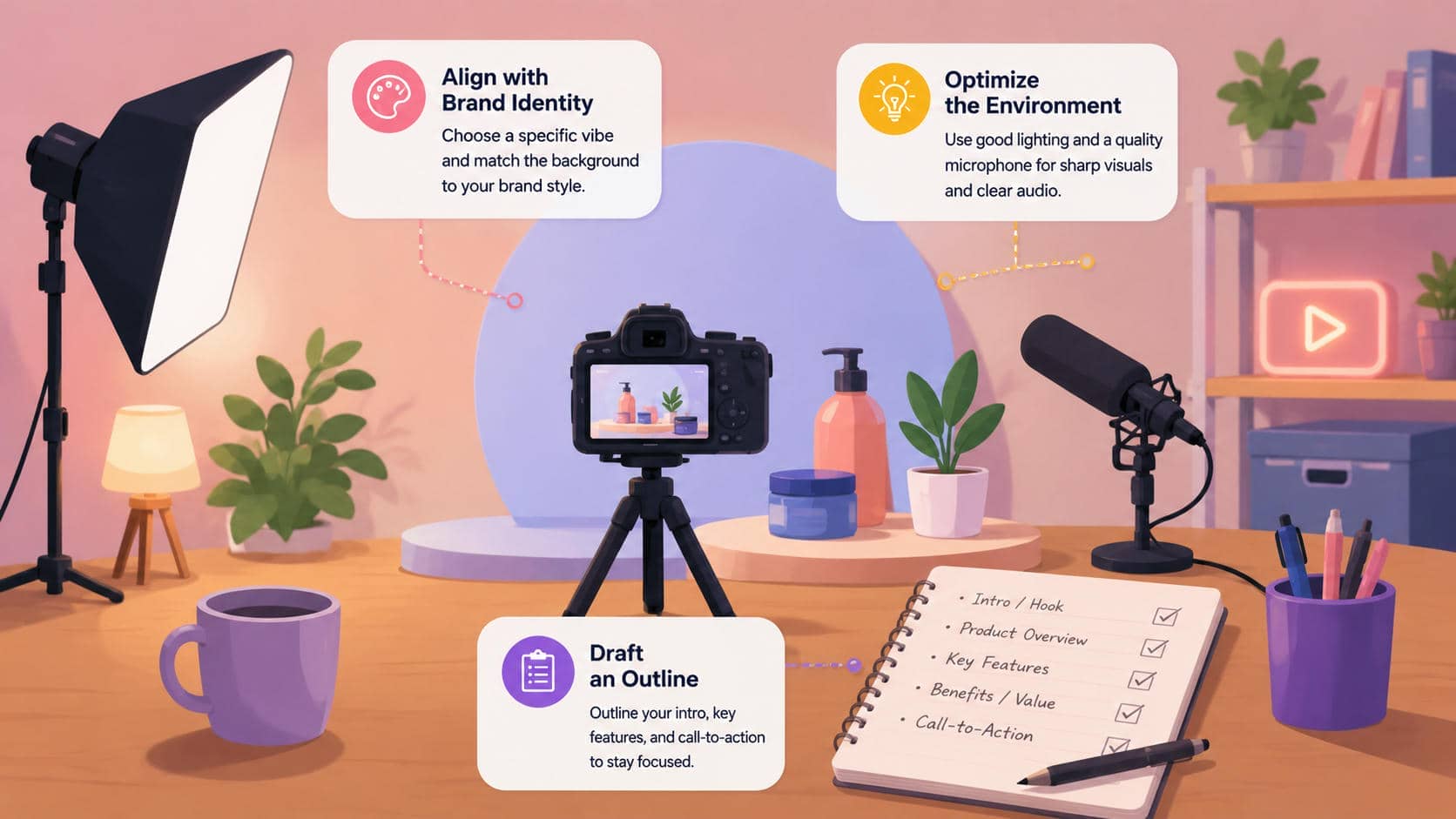
Align with brand identity: Picking a specific vibe, whether that means a sleek, minimal desk setup or a colorful, energetic backdrop, sets the tone right away. Matching the background to that style keeps everything looking cohesive and professional.
-
Optimize the environment: Good lighting is non-negotiable since it eliminates ugly shadows and makes product details pop on camera. Grabbing a solid lavalier or shotgun microphone captures clear commentary without the loud crinkling of plastic overpowering the audio.
-
Draft an outline: Jotting down a basic outline works much better than reading stiffly from a word-for-word script. Listing out the intro, main product features, and a final call-to-action keeps the recording on track.
Step 2: Film the Unveil and Demonstration
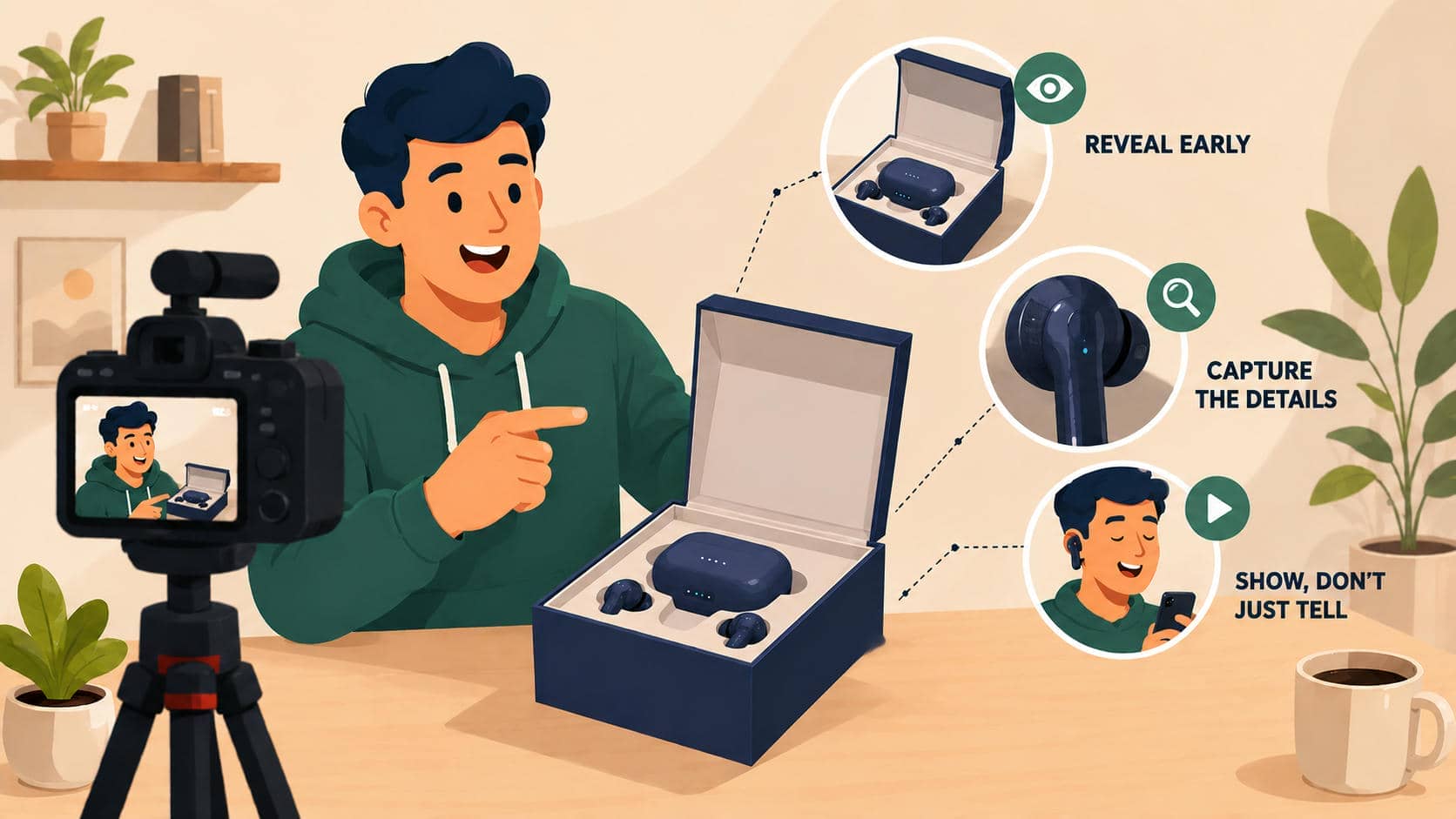
-
Reveal early: Bringing the actual box into the frame right at the start gives the audience exactly what they clicked to see. Hiding the main item for too long usually frustrates people and causes a huge drop in retention. Showing the goods early delivers an instant payoff and keeps interest high.
-
Capture the details: Panning in for tight close-ups highlights cool packaging textures and makes the unwrapping process feel much more dramatic. Focusing heavily on the physical tearing and slicing draws the audience right into the action. Filming these macro shots lets buyers inspect the manufacturing quality before ever spending a dime.
-
Show, don't just tell: Firing up the product and demonstrating how it actually works proves its worth better than simply talking about it. Walking through a real-world use case shows exactly why the item deserves a spot in a buyer's home. Watching the gadget function properly confirms its quality and heavily influences purchasing decisions.
Step 3: Edit for Engagement and Distribute
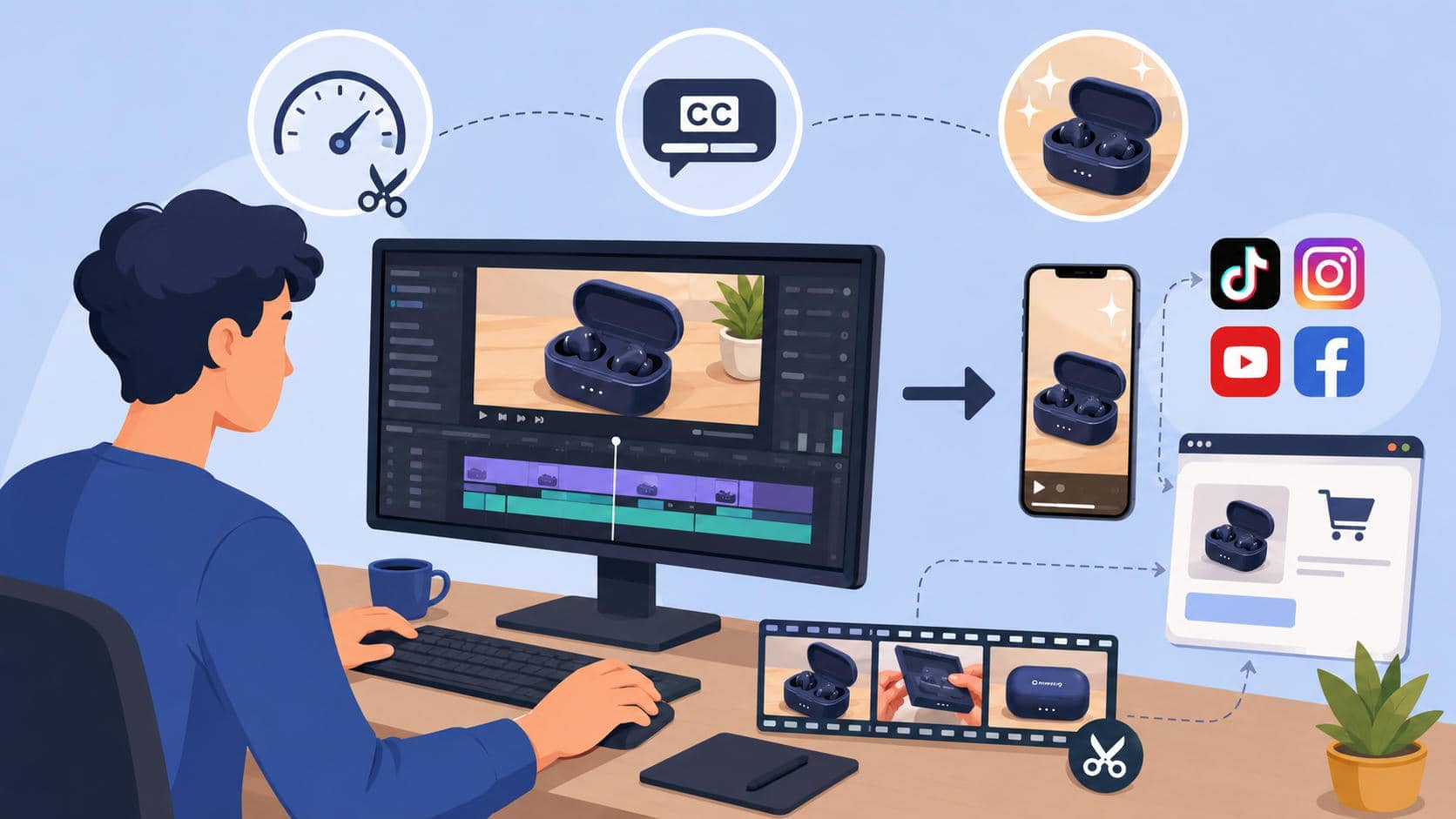
-
Pace the edit: Slicing out dead air, awkward struggles with packing tape, or long pauses keep the video moving at a brisk pace. Tightening up these moments through quick jump cuts holds the viewer's attention much longer. Fast transitions maintain a high energy level from the opening hook straight through to the outro.
-
Design for silent viewing: Adding clear TikTok auto subtitles caters perfectly to mobile users scrolling through feeds on mute. Ending the final edit with a gorgeous, well-lit hero shot leaves a fantastic lasting impression. Keeping text on the screen guarantees the core message lands safely, regardless of how someone chooses to watch.
-
Strategize placement: Dropping the final video directly onto product pages catches highly motivated shoppers right when they are ready to buy. Spreading the upload across various social platforms drastically increases total visibility. Chopping the footage into short vertical clips also acts as a great funnel, driving steady traffic back to the main long-form channel.
Introducing Vmake: Elevate your unboxing videos and go viral
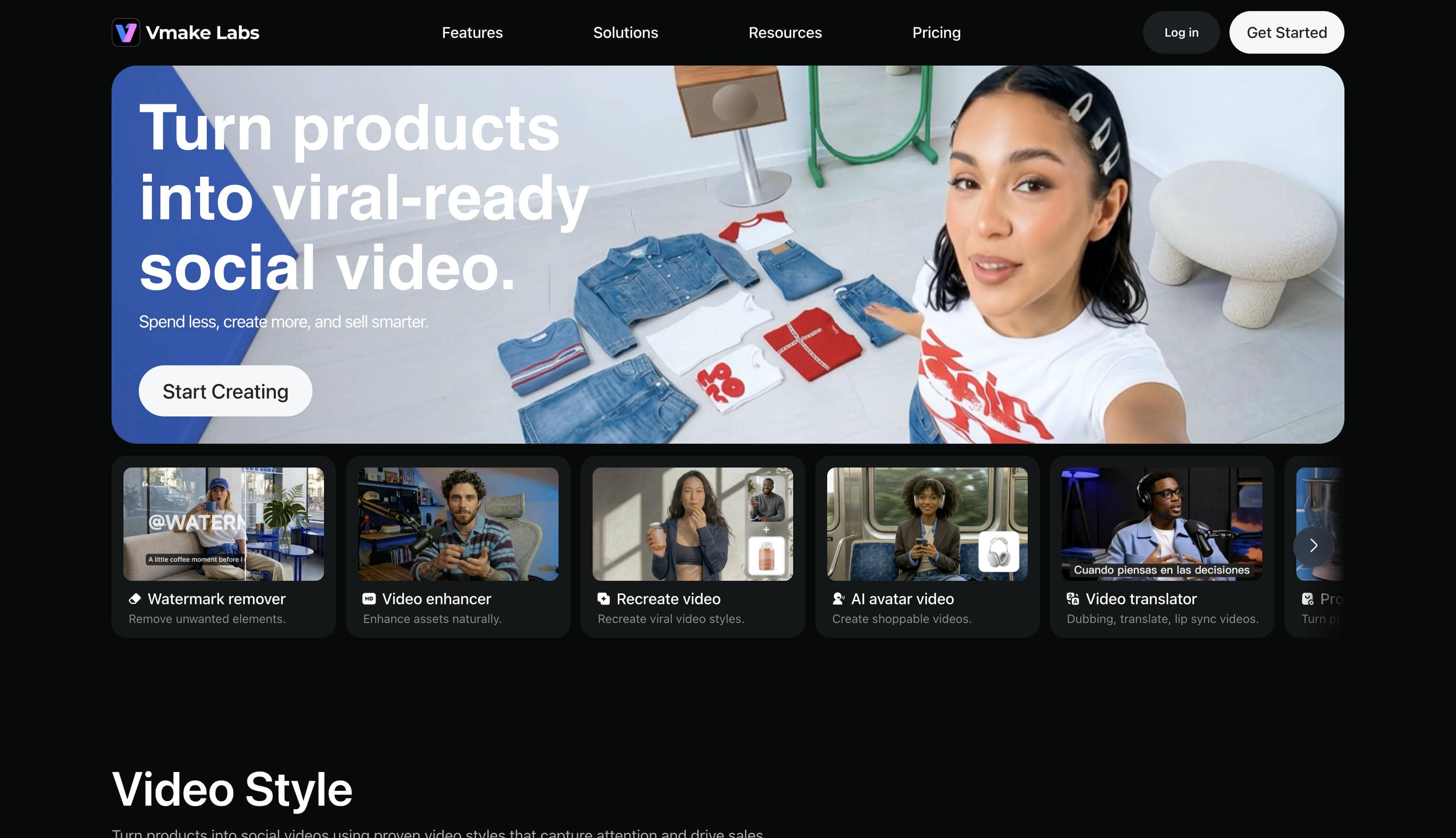
High-quality production no longer demands expensive studios or years of editing practice. Vmake functions as a dedicated AI platform for UGC, built to make the final polishing phase effortless. Whether the goal involves generating cinematic product reveals from scratch or just cleaning up existing camera footage, these tools hold everything required to hook an audience. Transforming basic recordings into sharp, engaging visuals suddenly becomes a quick process, helping brands build momentum and push conversions higher.
How to Enhance Unboxing Videos with Vmake AI
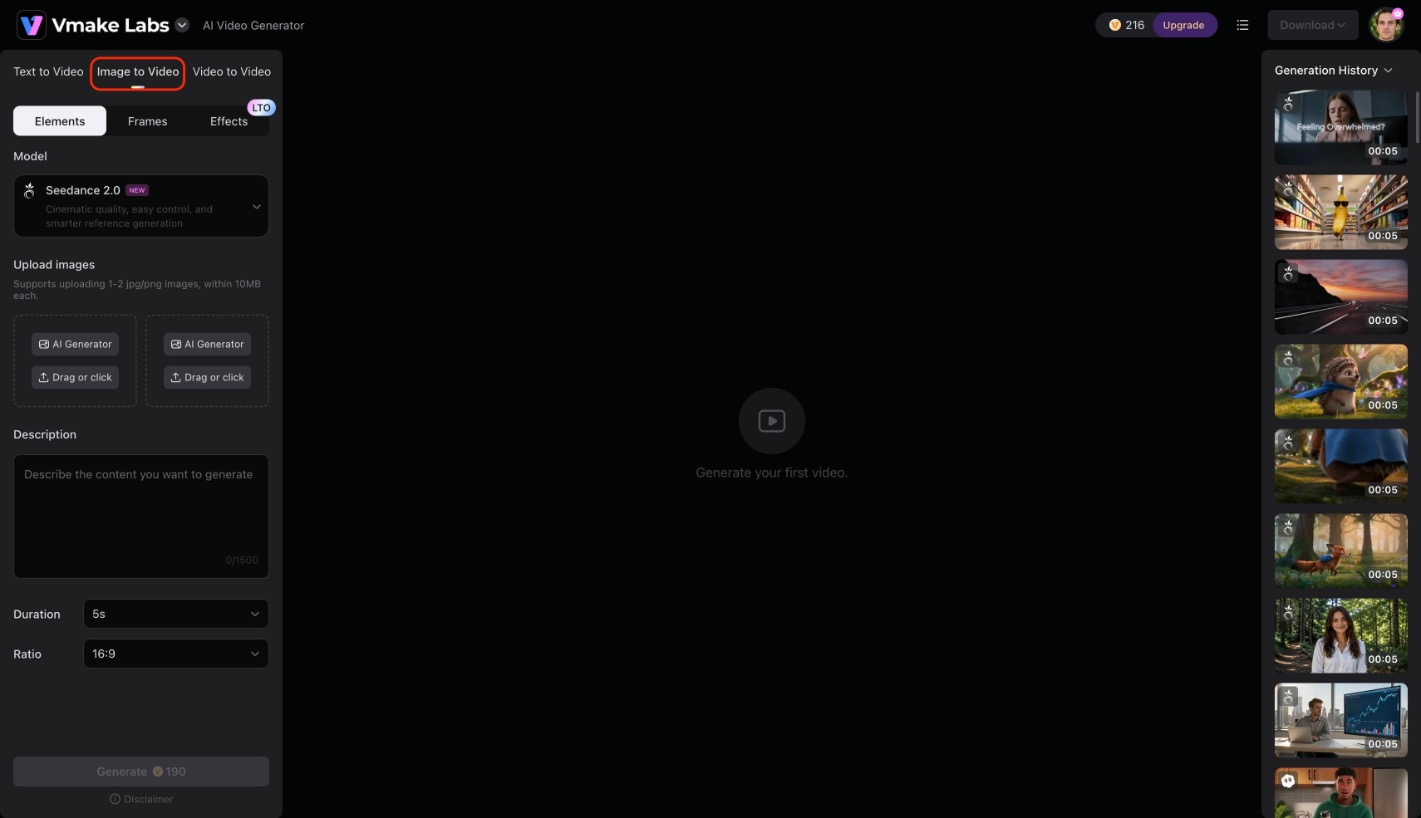
Step 1: Create AI-Powered Product Reveal Videos from Images
Access the Vmake AI Video Generator dashboard and switch over to the Image-to-Video tab to begin crafting a cinematic sequence from a single photograph. Upload a clear reference image of the packaged item, choose a preferred AI model from the dropdown menu, and select the desired aspect ratio. Click the generate button to process the visual inputs and immediately download a professional, high-resolution video clip ready for the final edit.
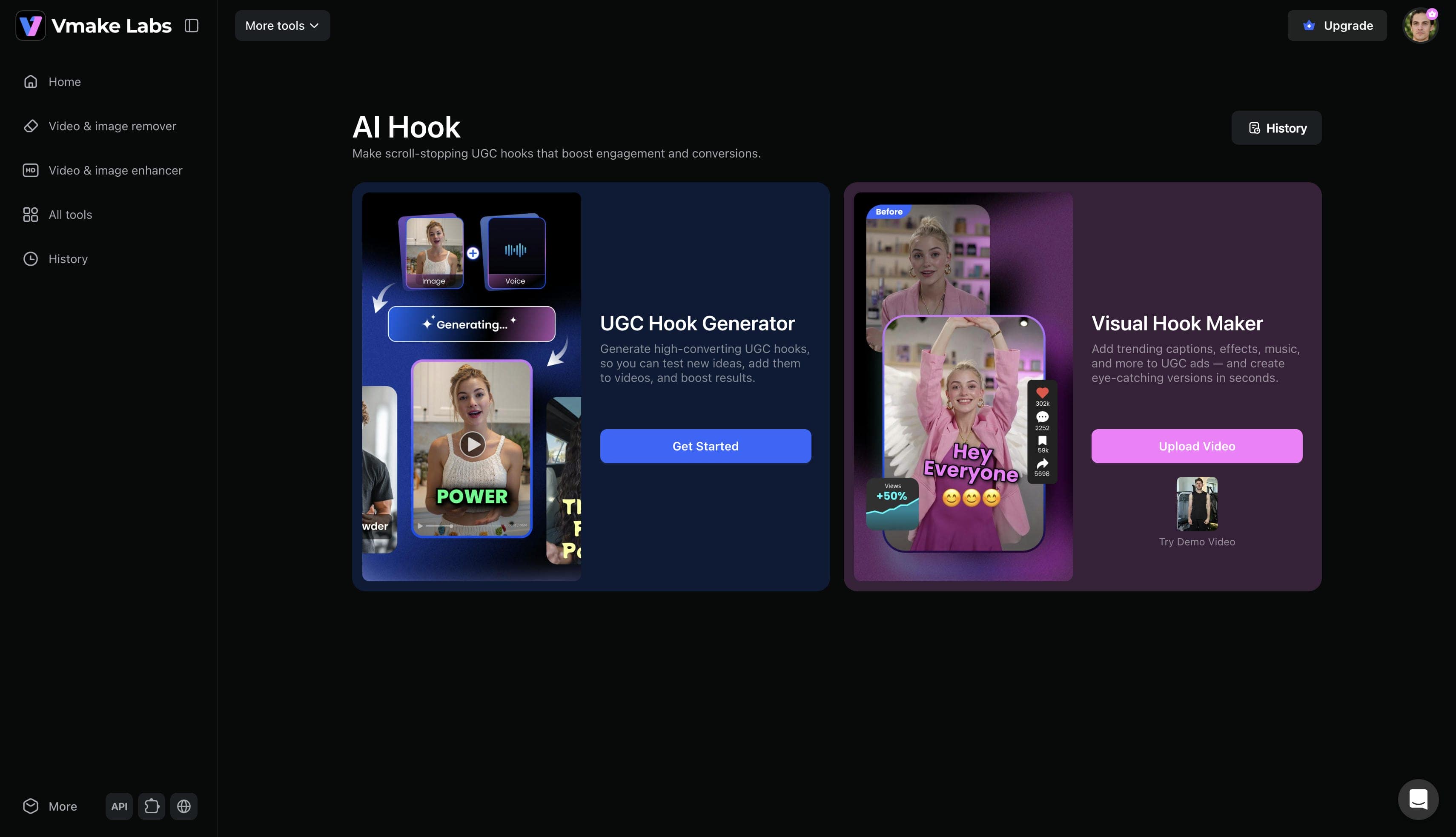
Step 2: Grab attention immediately with striking intros
Navigate to the visual hook generator dashboard and choose to either upload a pre-edited video or directly get started with raw clips. Select the preferred trending captions, dynamic effects, and background music from the available menu options. Click the generate button to finalize the opening sequence and download the newly enhanced introduction.
Step 3: Enhance raw footage for a premium aesthetic
Open the video upscaler workspace and simply drag the finalized unboxing recording directly into the designated upload area. Select the desired output resolution to automatically reconstruct missing pixel details and sharpen any blurry packaging textures. Wait a few moments for the software to finish processing before downloading the crisp, high-resolution video file.
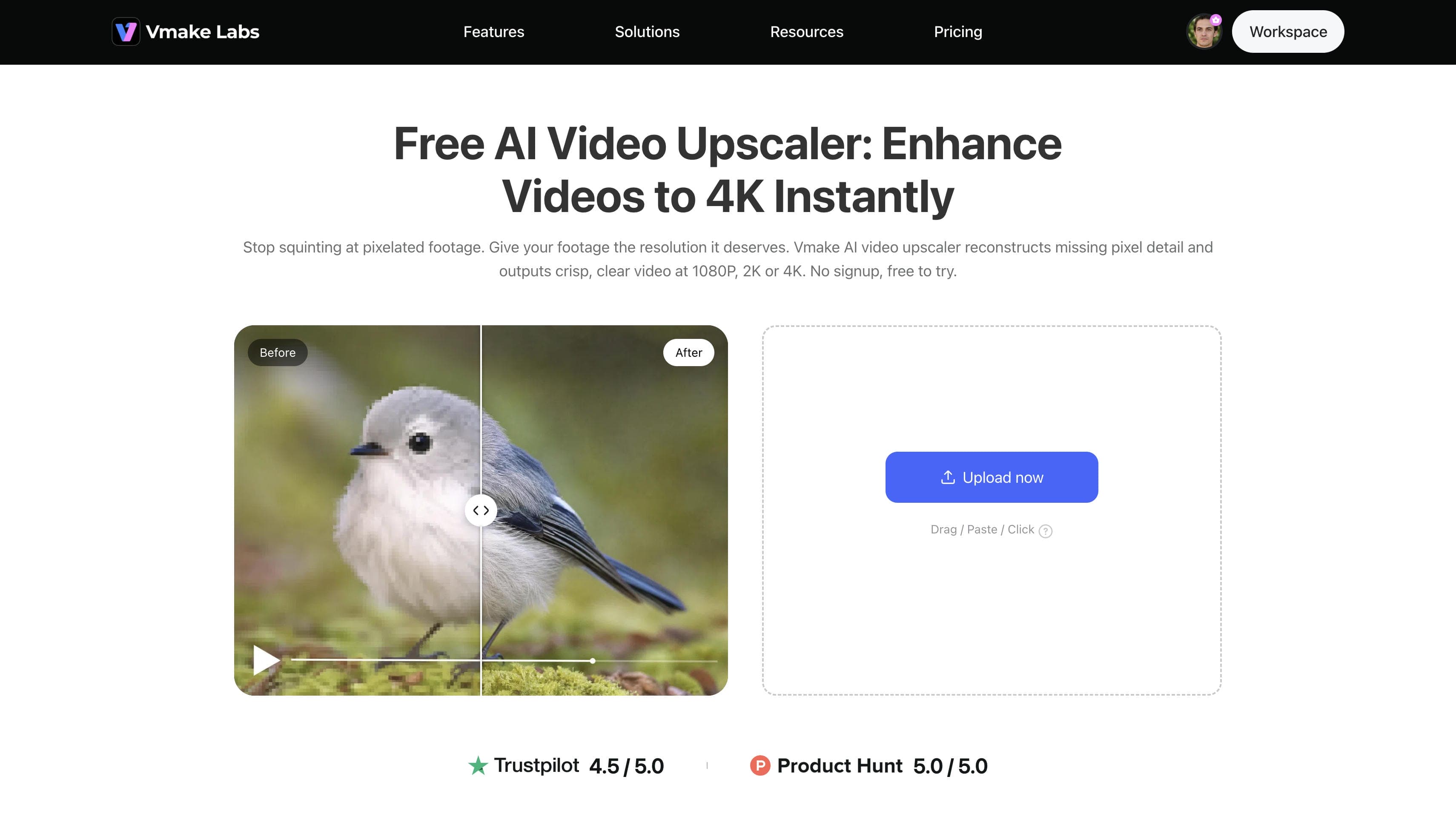
Pro Tip: Upscaling the raw video files before applying any zoom effects or post-production cropping prevents the final render from developing a soft, pixelated appearance.
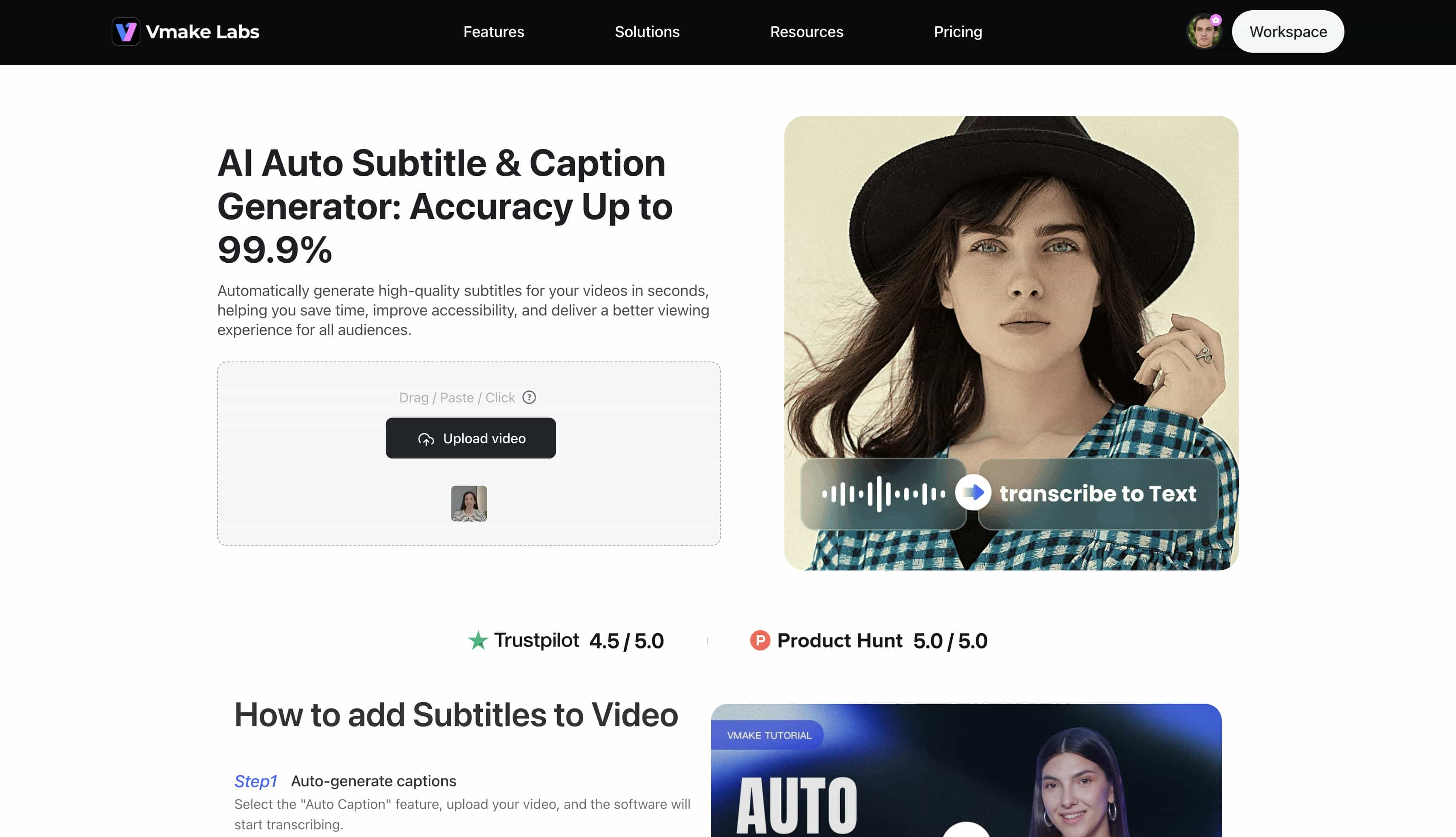
Step 4: Optimize for silent mobile viewing environments
Access the auto-generated captions interface and upload the completed video file directly into the main processing box. Allow the software a few seconds to automatically transcribe the spoken commentary into highly accurate text overlays. Adjust the font and style settings to match the channel aesthetic before exporting the final accessible video.
Best practices for optimizing unboxing videos on YouTube
Once the core concepts of a great product reveal are established, the secret to scaling content lies in AI. Generating an entire cinematic product reveals seamlessly using artificial intelligence eliminates the absolute need for expensive camera rigs or perfect studio setups.
|
Format Type |
Ideal Duration |
Best For |
Visual Style |
|---|---|---|---|
|
YouTube Shorts |
15 - 60 seconds |
Quick, viral product teasers and fast-paced unboxing YouTube videos. |
Vertical (9:16), snappy edits, dynamic text overlays. |
|
Long-form Videos |
5 - 15 minutes |
In-depth tech reviews, full toy reveals, and detailed commentary. |
Landscape (16:9), high-quality unboxing footage, slow-paced reveals. |
Conclusion
Filming engaging unboxing videos acts as a highly effective method to build brand trust while showcasing new inventory. Nailing the initial camera setup, recognizing what keeps viewers hooked, and delivering authentic commentary serve as the true foundation for any digital premiere. Relying on tools like Vmake Video Generator to polish that footage (and add dynamic visual elements) turns a basic product reveal into something memorable. Ultimately, executing this format well drives genuine engagement and steadily converts casual watchers into loyal buyers.
FAQs
What is the ideal length for an unboxing video?
The perfect length really comes down to where the final video gets posted. Short-form apps favor quick, punchy clips that wrap up in under a minute. Meanwhile, traditional video sites work perfectly for deep dives that stretch anywhere from 5 to 15 minutes.
Do I need expensive equipment to film unboxing videos?
Spending thousands on premium gear isn't a requirement for success at all. Just placing a modern smartphone near a bright window pulls in surprisingly clean visuals. Tacking on a cheap lapel mic and making a few quick cuts in an editing app easily makes the whole thing look highly professional.
How do I make my unboxing video stand out?
Standing out comes from authenticity and pacing. Incorporating crisp audio for a sensory experience, demonstrating immediate product utility, and avoiding overly scripted commentary help create a unique and memorable presentation.
Can I use an unboxing video for a product review?
Absolutely, blending the two concepts together works incredibly well. Moving straight from the initial product reveals an honest breakdown of the features gives buyers exactly the hands-on details they need before spending any money.
What should I avoid when filming a product reveal?
Dim lighting and echoed, muffled audio are the fastest ways to kill viewer interest. On top of that, taking way too long to cut through the tape or hiding the main item for minutes almost guarantees an early exit from the audience.

You May Be Interested
Runway AI Video Generator: Create Cinematic AI Videos

Best Free and Paid AI Animation Generators in 2025

How to Create a Video with Images: A Complete Beginner's Guide

How to Create Subtitles for a Video in 2025 (Step-by-Step Guide)

How to Create a High-Impact Thumbnail for Your Video