Exploring SoulGen AI Video Generation for Creative Content
SoulGen AI helps users create animated videos from images and prompts using AI-powered character generation. Explore its features, pricing, video quality, and discover whether Vmake AI is a better choice.

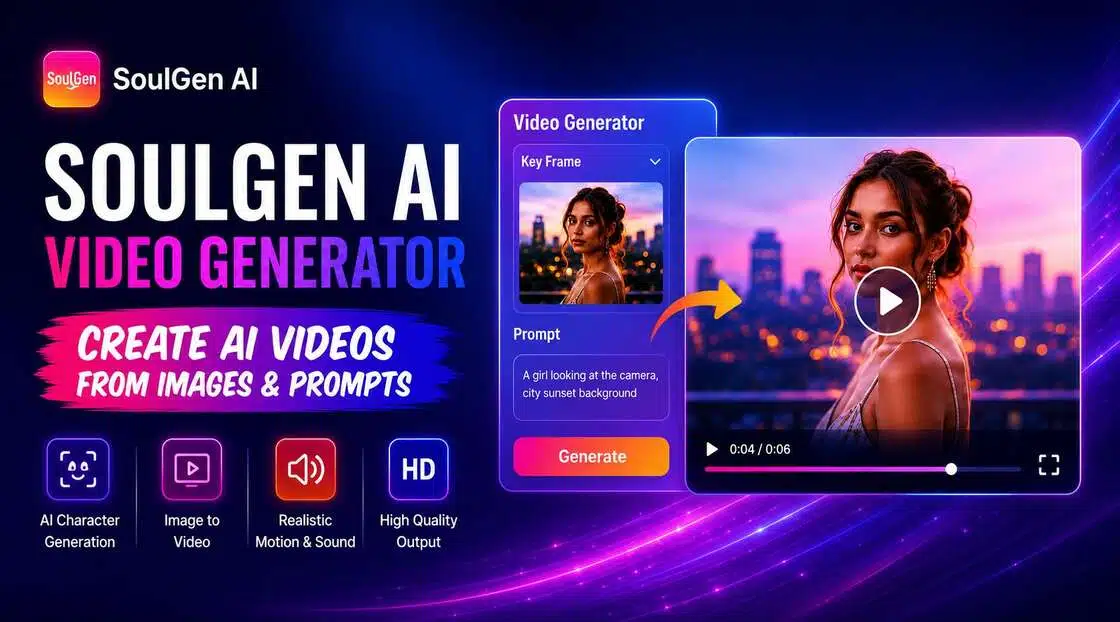
SoulGen AI combines character generation and video creation to help users transform images and prompts into animated content. In this review, we'll explore SoulGen AI video generator features, pricing, strengths, limitations, and compare it with Vmake AI to see which platform better supports modern content creators.
SoulGen AI Overview and Key Features
SoulGen has built its reputation around AI-generated characters and artwork. Its video generation capabilities extend those features by allowing users to animate images and create short AI-powered videos.
What Is SoulGen AI?
SoulGen AI focuses on generating realistic images and characters based on anime from text prompts rather than attempting to be an integrated AI generation platform. It is a popular option for artists, anime fans, and digital producers interested in character-driven material and visual narrative, since it extends that potential with video-generating features that animate static pictures.
Key Features and Capabilities
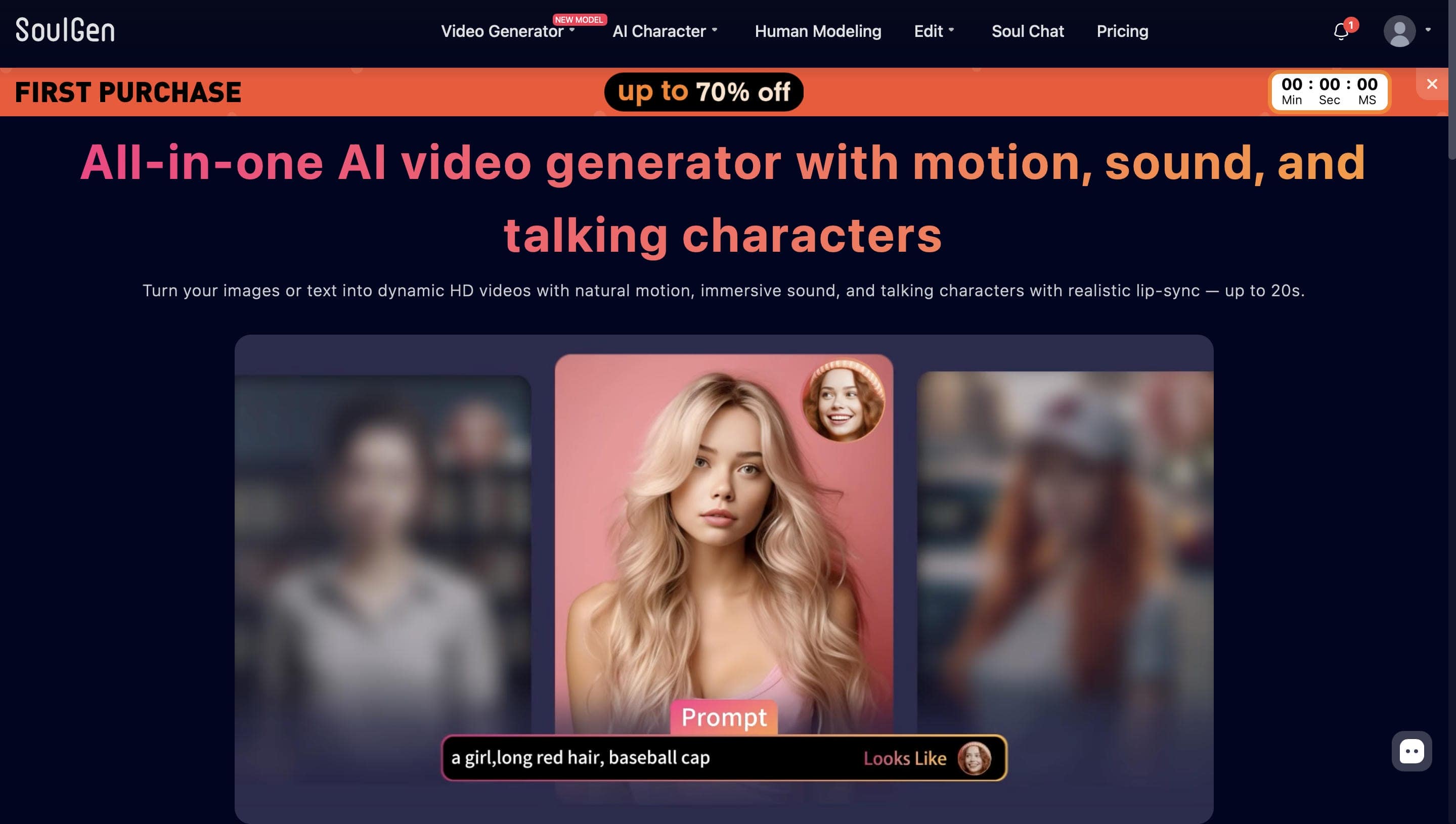
The SoulGen AI video generator includes text-to-video, image-to-video, video extension, and reference-based creation tools. It supports both realistic and anime-inspired visual styles for different creative needs. Multiple AI models and prompt enhancement features help improve generation quality. These capabilities make content creation faster and more accessible for beginners.
How to Create Videos with SoulGen
SoulGen helps make creating a video very straightforward; the procedure is as simple as providing a word prompt or image and letting the AI execute the task. The platform is designed to reduce friction, meaning you are not required to have knowledge of timelines, keyframes, or typical editing tools to create a video.
Step 1: Access the Video Generator and Choose Creation Mode
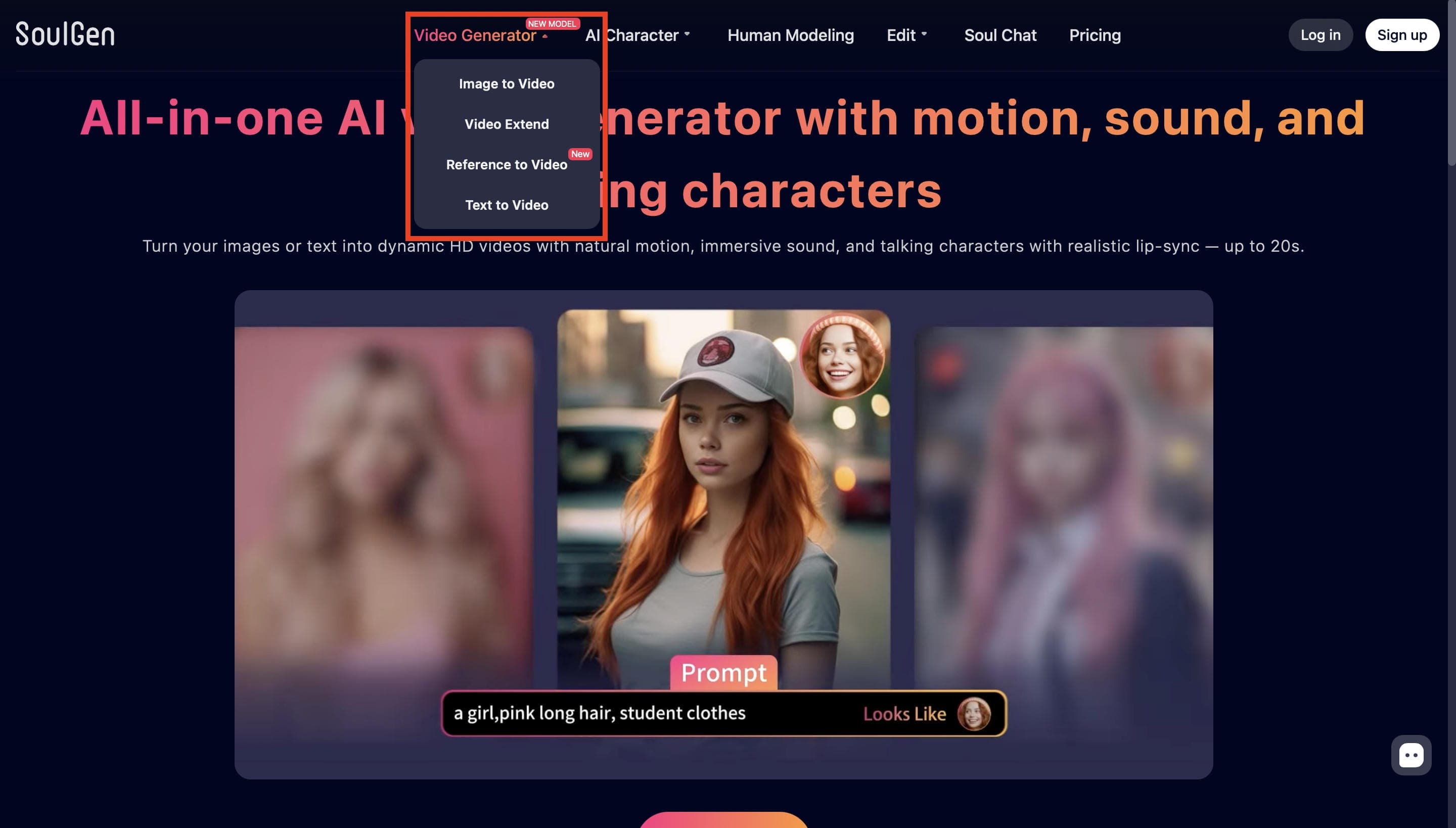
Open the Video Generator from the navigation menu and select a creation mode such as Image to Video, Video Extend, Reference to Video, or Text to Video. For this example, choose Image to Video to animate a still image.
Step 2: Select an AI Model Choose the AI model that best fits your project, such as SoulGen 2.0, SoulOmni, or SoulOmni Flash. Each model offers different strengths, including realistic motion, talking characters, or faster video generation.
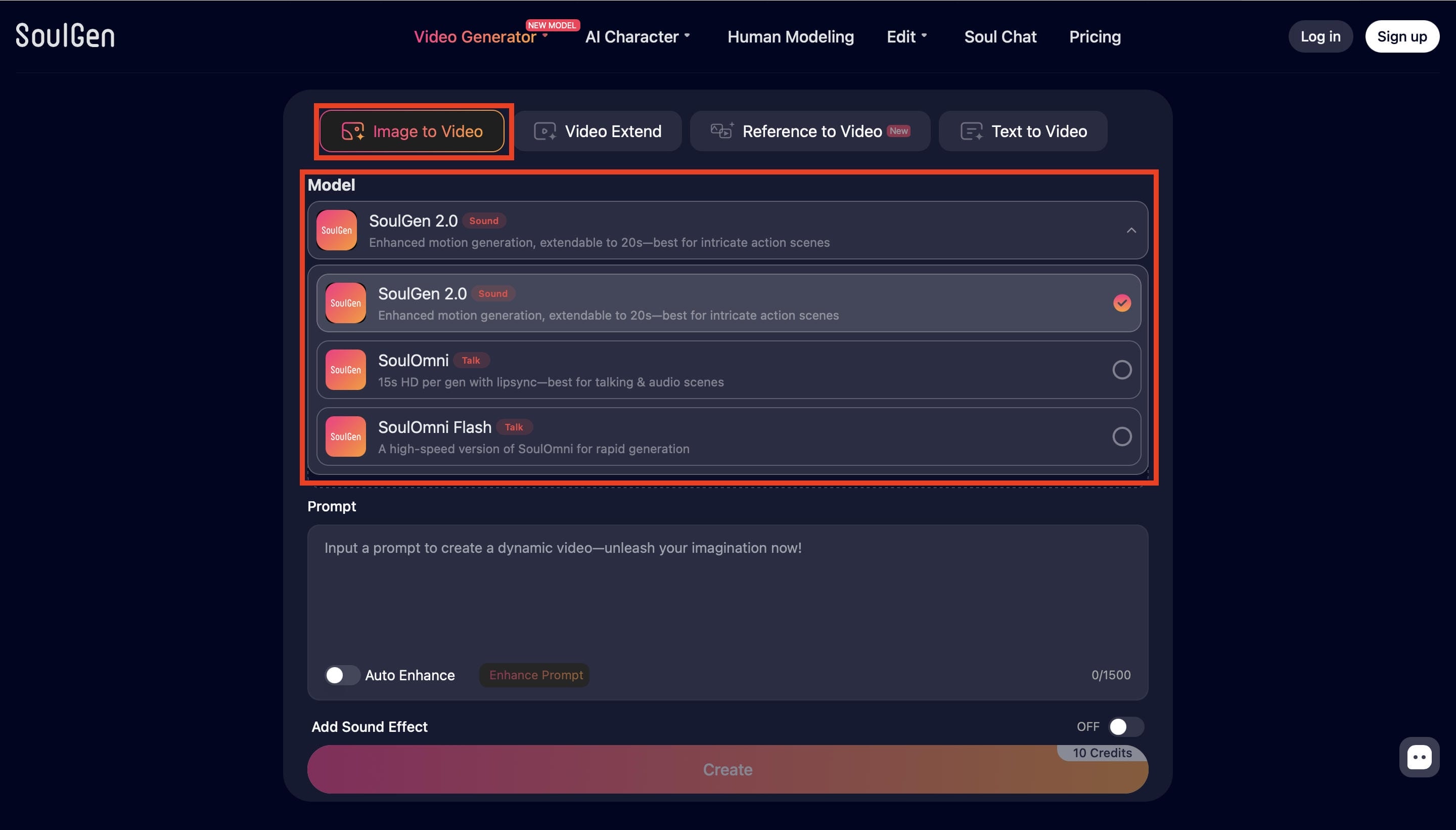
Step 3: Upload an Image and Enter a Prompt
Upload a starting image in the Key Frame section and describe the desired motion or scene in the prompt box. You can also enable Auto Enhance to improve prompt quality and generation results.
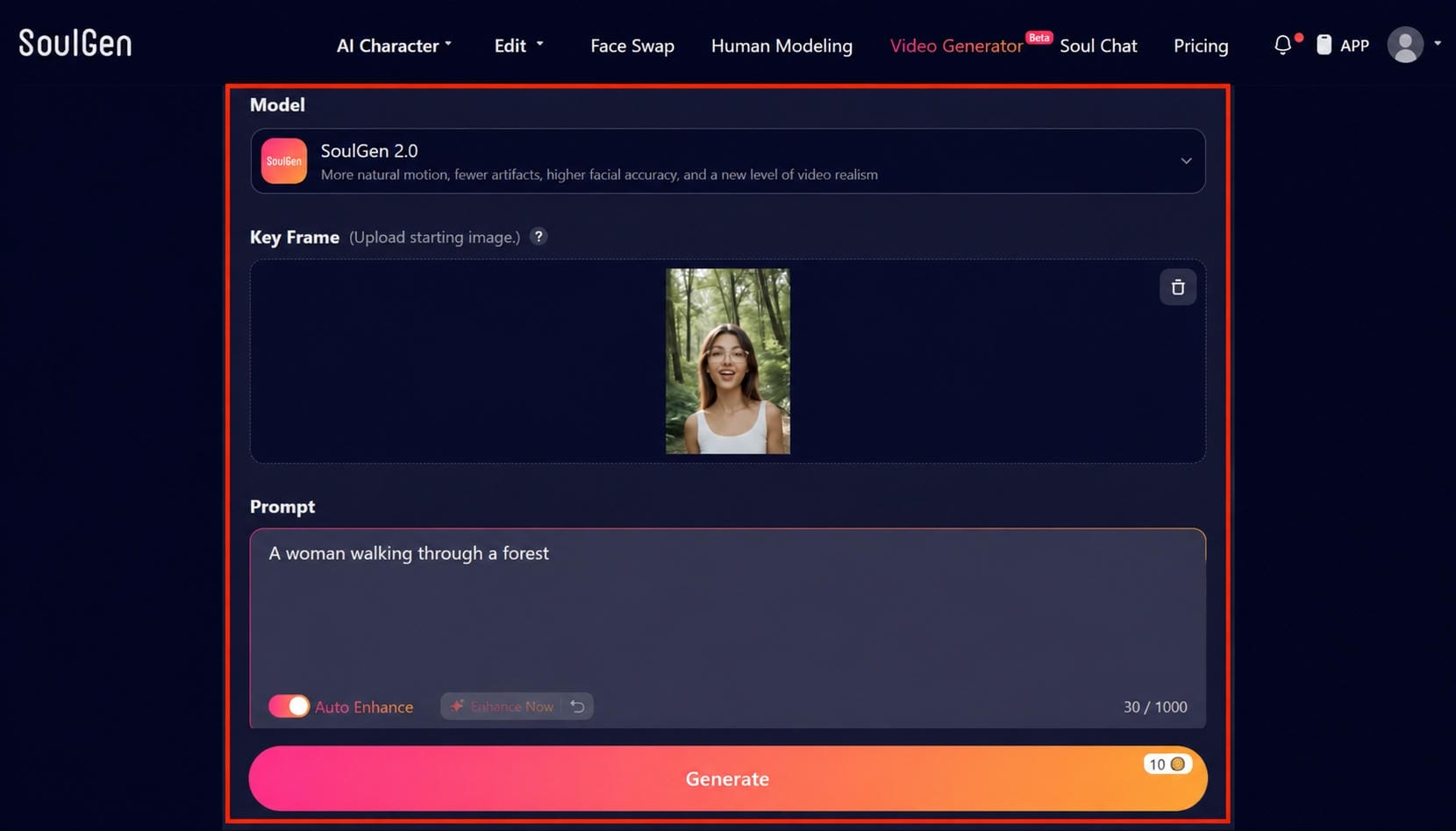
Step 4: Generate and Download Your Video
Click Generate to create your AI video. Once the generation is complete, preview the output, review the animation quality, and download the final video for sharing or further editing.
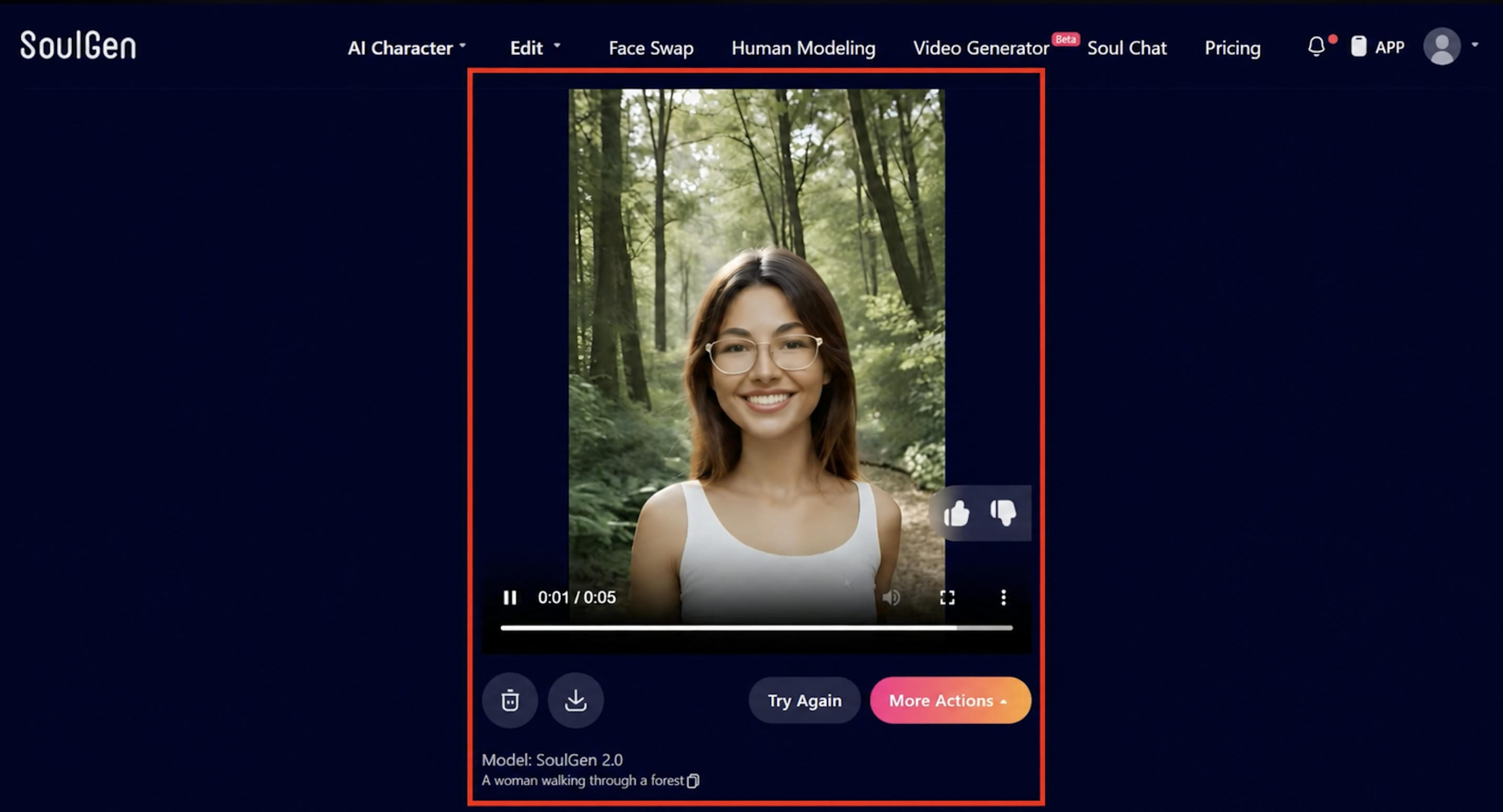
Our Hands-On Review of SoulGen AI
After testing SoulGen AI, we found the platform:
-
Beginner-Friendly Workflow: The clean, straightforward interface requires zero technical setup, making it easy for anyone to start creating content quickly.
-
Strong Character Focus: The platform is highly intuitive and well-suited for character-driven image and animation projects.
-
Smooth Image-to-Video: It generates visually appealing, smooth animations from static images with just a few clicks.
-
Limited Advanced Controls: While great for quick creation, professional editors looking for deep customization or granular video adjustments may find the feature set too basic.
What Makes SoulGen AI Stand Out?
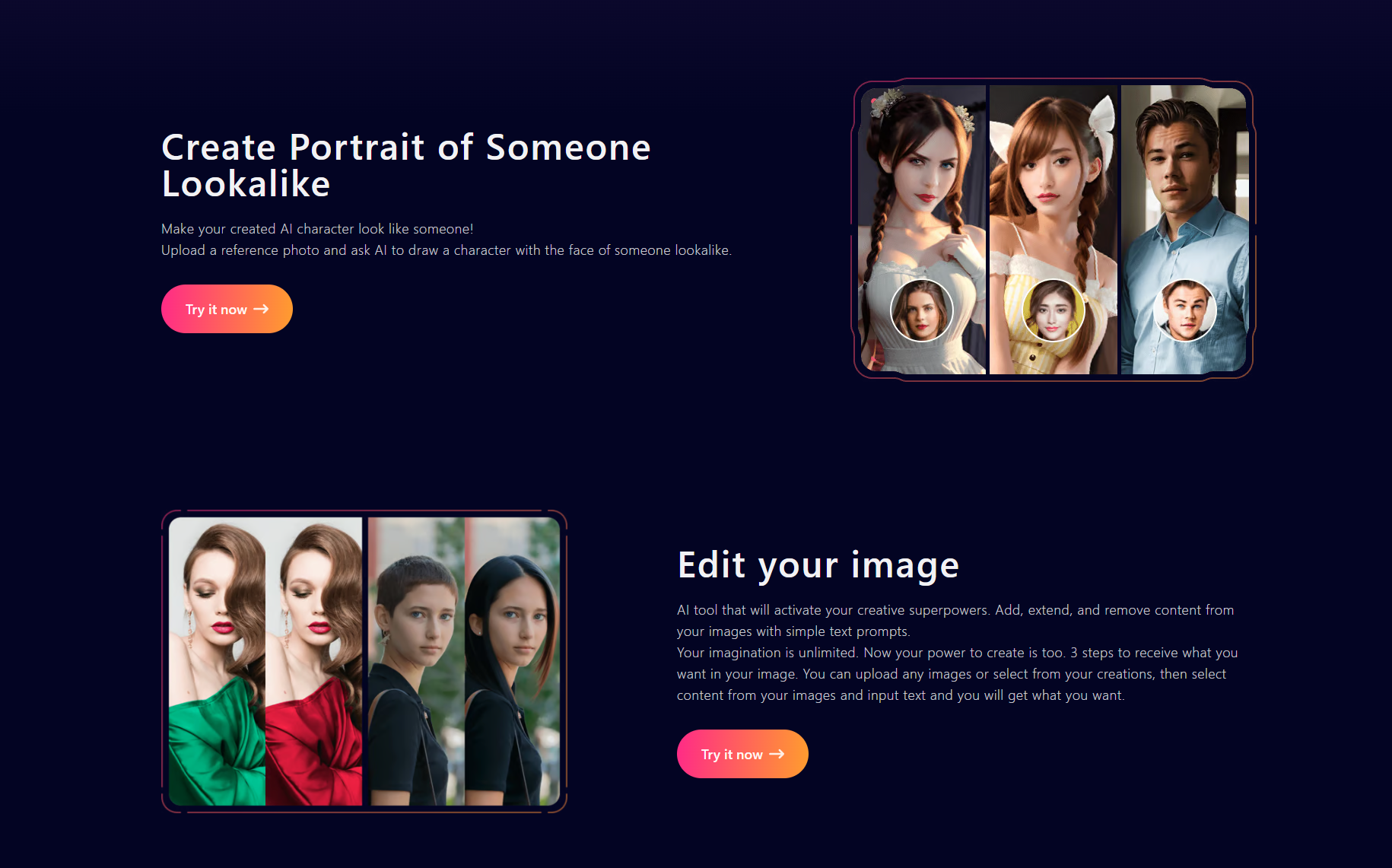
SoulGen AI differentiates itself through its strong focus on AI-generated characters and anime-inspired content. While many AI video tools prioritize general video creation, SoulGen places character design at the center of the creative process.
Video Quality and User Experience
SoulGen AI offers stunning animations with rapid generating speeds. The platform is easy to navigate for new users due to its clean and clear UI. The tool is particularly good with anime-style material, and character-based content. However, advanced video customization and cinematic controls remain more limited than those offered by dedicated AI video generators.
Pros and Cons of SoulGen AI
SoulGen AI has its advantages and limitations, just like any other AI content creation platform. Understanding both can help creators decide whether it fits their creative goals and workflow requirements.
|
Pros |
Cons |
|---|---|
|
High-quality AI character generation |
Limited advanced video creation features |
|
Supports realistic and anime styles |
Fewer customization options for videos |
|
Easy-to-use interface for beginners |
Not designed for professional video production |
|
Converts images into animated videos |
Limited control over video motion |
|
Fast image and video generation |
Subscription required for premium features |
SoulGen Pricing Plans
SoulGen offers several pricing plans designed for different types of users, whether you are just starting to use AI for content creation or relying on it regularly. The available plans are designed to fit a range of budgets and usage needs.
|
Plan |
Monthly Price |
Best For |
|---|---|---|
|
Free Plan |
$0/month |
New users are testing SoulGen AI features |
|
Monthly Plan |
$12.99/month |
Casual creators and hobbyists |
|
Annual Plan |
$90.99/annually |
Long-term users and professional creators |
Is SoulGen AI Worth the Price?
If your work focuses on custom character creation, anime art, or stylized digital illustrations, SoulGen AI offers good value. The monthly plan is a good starting point, but credits can run out quickly if you generate multiple variations or use advanced features often. For creators who use the platform regularly, the Annual Plan is the more practical and cost-effective option, offering better long-term value and more freedom to experiment without constantly worrying about credits.
Vmake AI Alternative to SoulGen
While SoulGen focuses primarily on AI character creation and image animation, Vmake AI offers a broader set of video generation tools. Its flexible workflows and advanced customization options make it a strong choice for creators, marketers, and businesses.
Why Creators Choose Vmake AI
Many creators choose Vmake AI because it supports multiple AI video generation workflows within a single platform. From text-to-video and image-to-video creation to video enhancement, the tool streamlines content production. Its intuitive interface makes advanced features accessible to both beginners and experienced users. This versatility helps creators produce high-quality videos more efficiently.
Key Features of Vmake AI Video Generator
Creating videos for social media, marketing, or business projects can be time-consuming. Vmake AI simplifies the process by turning ideas into videos quickly while reducing much of the technical work. Its flexible tools help creators produce content more efficiently.
-
Multiple AI Video Workflows: Projects often begin with different types of content, whether it's a text prompt, an image, or an existing video. Vmake AI supports Text-to-Video, Image-to-Video, and Video-to-Video workflows, allowing creators to start from the assets they already have and build content more efficiently.
-
Creative and Commercial Video Creation: Unlike platforms that mainly focus on character generation, Vmake AI supports a wider variety of content formats. Users can create AI avatar videos for presentations, product showcase videos for ecommerce, UGC-style videos for social media campaigns, as well as narrative and storytelling videos from text prompts or visual references.
-
Rich Visual Styles for Different Creative Needs: Whether you're creating realistic scenes, cinematic storytelling, product videos, or social media content, Vmake AI provides a variety of visual styles to match different creative projects. This makes it easier to produce videos that fit your brand, audience, or campaign.
-
High-Resolution Output and Precise Duration Control: Vmake AI gives creators more control over the final output with high-resolution exports and adjustable video duration settings. Whether you're creating content for social media, marketing campaigns, or presentations, these options help you optimize videos for different platforms while maintaining consistent visual quality.
How to Create an AI Video with Vmake AI
Creating an AI video with Vmake AI is quick and beginner-friendly. Follow these simple steps to turn your ideas, images, or existing content into engaging AI-generated videos.
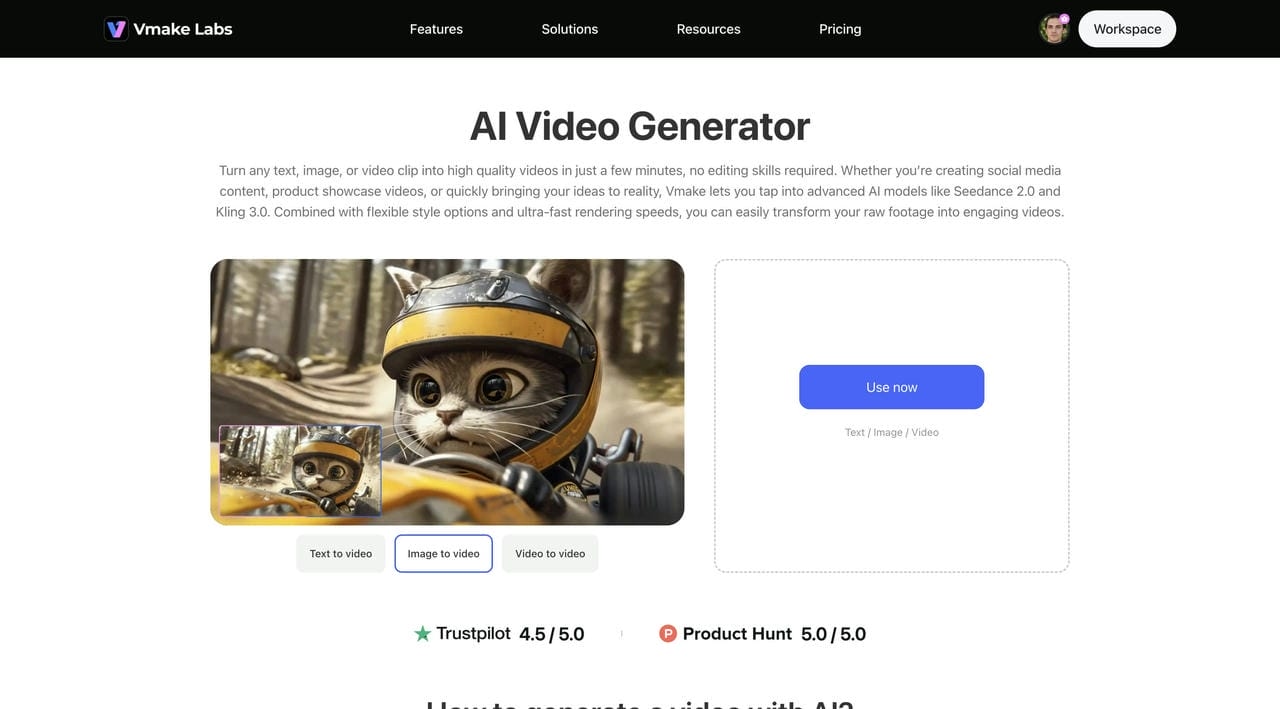
Step 1: Open Vmake AI Video Generator
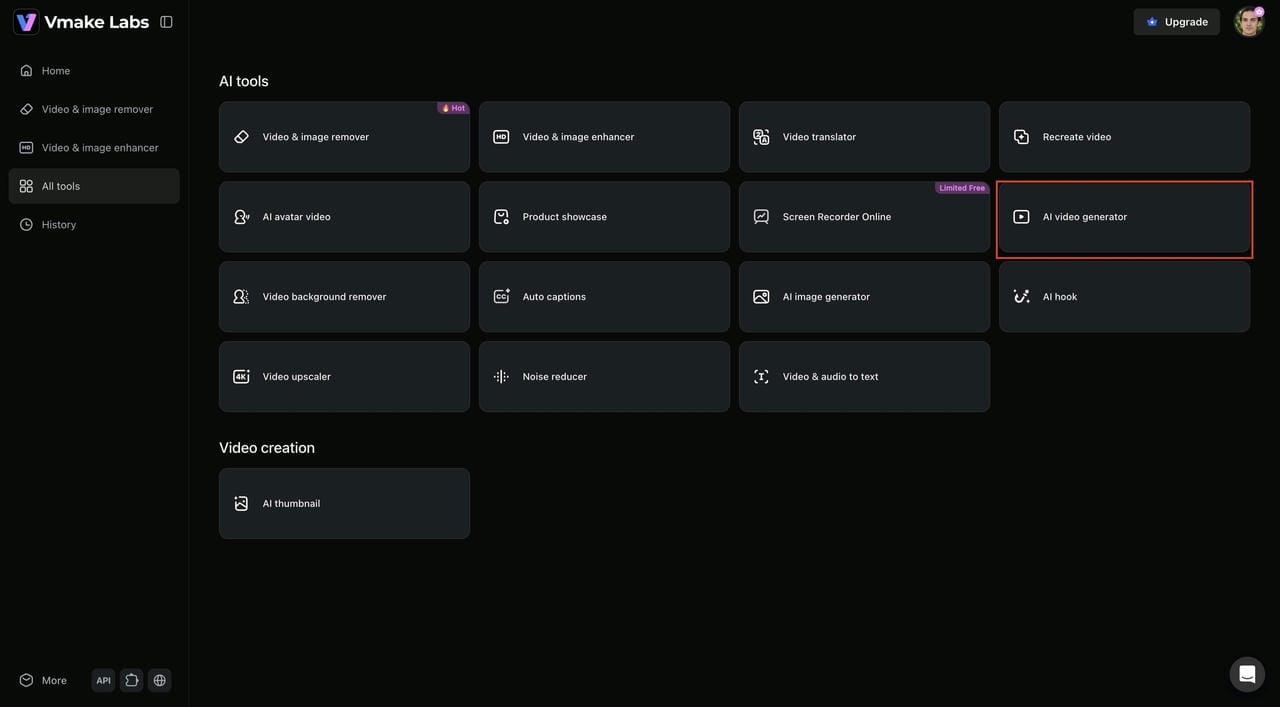
From the Vmake Labs dashboard, click AI Video Generator to access the video creation workspace. Choose your preferred mode, such as Text-to-Video, Image-to-Video, or Video-to-Video, depending on your project needs.
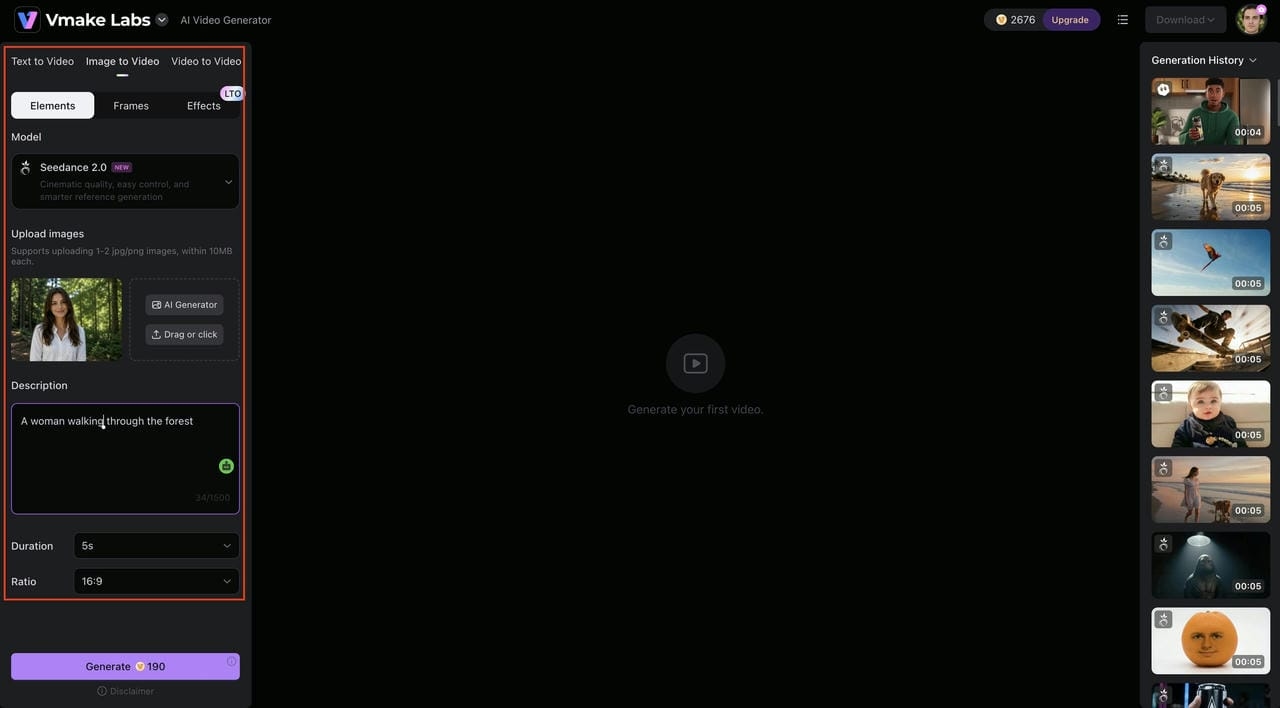
Step 2: Upload Content and Customize Video Settings
Upload a reference image or enter a detailed text prompt describing your scene. Then select an AI model, adjust the video duration, choose an aspect ratio, and fine-tune other settings to match your desired output.
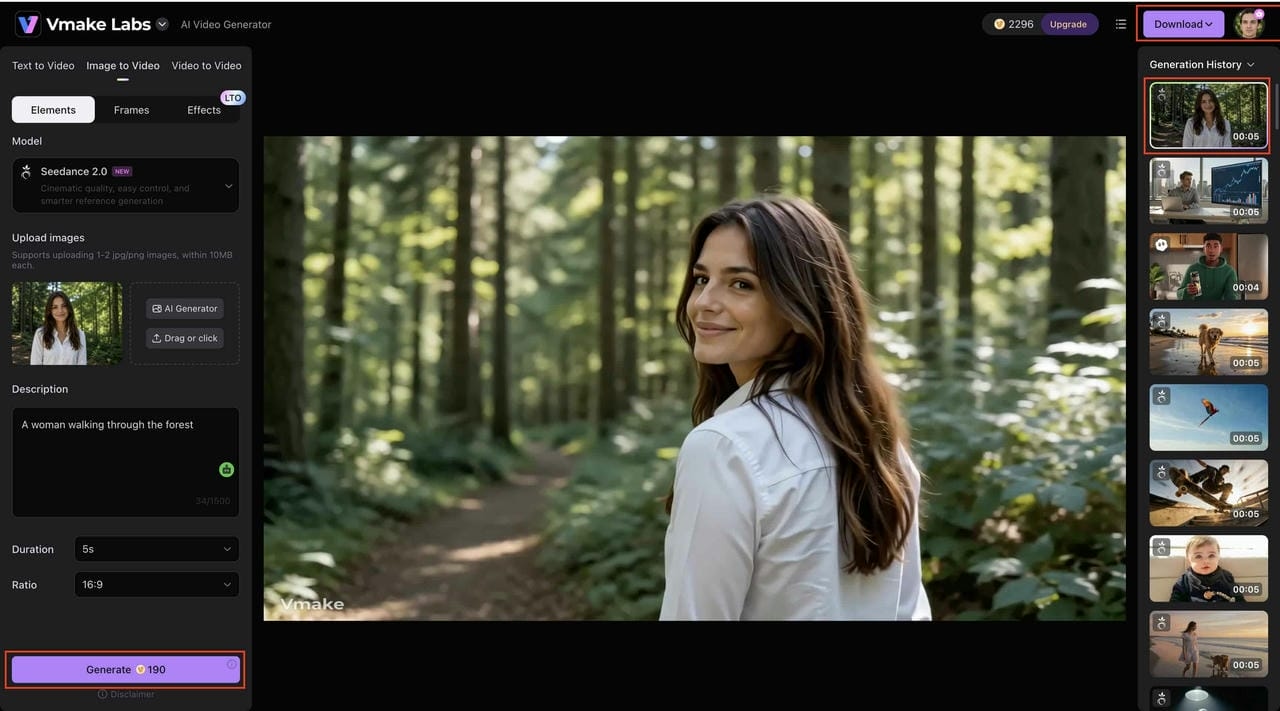
Step 3: Generate, Preview, and Download Your Video
Click Generate to create your AI video, then preview the result, review it in the Generation History panel, and download the final version for sharing on social media, marketing campaigns, or creative projects.
SoulGen AI vs. Vmake AI: Which Video Generator Is Better?
Both SoulGen AI and Vmake AI use artificial intelligence to simplify content creation, but they are designed for different purposes. The comparison below highlights how the two platforms differ in video generation, customization, and overall creator experience.
|
Feature |
SoulGen AI |
Vmake AI |
|---|---|---|
|
Primary Focus |
AI character creation and image generation platform |
AI video generation and enhancement platform |
|
Text-to-Video Capabilities |
Limited support for text-based video creation |
Dedicated text-to-video generation workflows |
|
Image-to-Video Creation |
Animate images into short AI videos |
Convert images into dynamic AI videos |
|
AI Character Generation |
Create realistic and anime-style AI characters |
Generate videos featuring AI-powered characters |
|
AI Video Generation |
Focused on character-based video animation |
Supports multiple AI video generation models |
|
Video Customization Options |
Basic controls for animation and motion |
Advanced controls for style and video settings |
|
Video Enhancement Tools |
Limited video editing and enhancement features |
Built-in video enhancement and upscaling tools |
|
Ideal Users |
AI art creators, anime fans, and designers |
Content creators, marketers, agencies, and businesses |
At the end of the day, the better choice depends on the type of content you create. SoulGen AI is a strong fit for digital artists, anime fans, and creators who focus on character design and simple image animation. Vmake AI, on the other hand, is better suited for content creators, marketers, agencies, and businesses that need more advanced AI video generation, customization, and enhancement features for professional video production.
Conclusion
SoulGen AI does what it promises for people new to AI. It is easy to use, easy to learn, and works well for beginners, hobbyists, and anyone who wants to create AI characters or anime-style animations. However, when you need more customization, multiple AI video workflows, and tools to improve video quality, its limitations become more noticeable. These limitations become more apparent as your content needs grow. That is where Vmake AI becomes the stronger option. It offers more creative flexibility, greater control over the final output, and a more capable foundation for creators producing professional-quality video content.
FAQs
Do I need design experience to use SoulGen AI?
You don't need any design experience to use SoulGen AI, as the platform handles much of the creative heavy lifting and features an interface that is accessible enough for first-time users to create something usable quickly. If you eventually want more control over generation and customization than SoulGen offers, Vmake AI is worth exploring as a next step.
Can SoulGen AI generate videos from images?
Yes, SoulGen AI animating static images is one of its core features, working particularly well for bringing AI-generated characters and artwork to life. For more advanced image-to-video workflows or video enhancement options beyond what SoulGen provides, Vmake AI gives you considerably more to work with.
Is SoulGen AI suitable for beginners?
SoulGen AI requires minimal setup, and its interface is straightforward, so you don't need any technical knowledge to get started and create content worth sharing. As your content needs become more advanced over time, Vmake AI is a natural next step to consider.
Does SoulGen AI support realistic and anime-style content?
Yes, flexibility across visual styles is one of the main reasons it resonates with artists and anime creators specifically. For broader AI video production, including product video creation that goes beyond those styles, Vmake AI offers a more creative range and workflow flexibility.
What is the best alternative to SoulGen AI video generator?
Vmake AI is the strongest alternative for most creators. Where SoulGen focuses on character creation and animation, Vmake covers a wider range of video generation, customization, and enhancement workflows, making it a better fit for marketers, businesses, and anyone producing varied video content at scale.

You May Be Interested
Demystifying 2K Video Resolution: The Ultimate Guide

AI Video Generation Models in 2026: Top Models Compared

ChatGPT Video Generator Review: Features, Pricing & Best Alternative
Revid AI vs HeyGen: Which AI Video Generator is Best for You?