Hailuo AI Video Generator: Review & Ultimate Comparison with Vmake AI
 Vmake Labs TeamMay 29, 2026
Hailuo AI video generator is revolutionizing the world of AI-powered content creation with cinematic motion, ultra-fast rendering, and realistic visual narrative. This article covers Hailuo AI's key features, practical applications, advantages, and drawbacks, and compares it with Vmake AI to help creators choose the best AI video-generation platform for professional outcomes.
Mastering cinematic motion with the Hailuo AI video tool
Hailuo AI video tool is a revolutionary AI video-generating platform developed by MiniMax that converts simple text prompts and static images into cinematic, high-quality videos with realistic motion and visual depth. MiniMax Hailuo AI ecosystem, powered by advanced machine learning, neural networks, and smart rendering technology.
How to generate a video using the free Hailuo AI tool
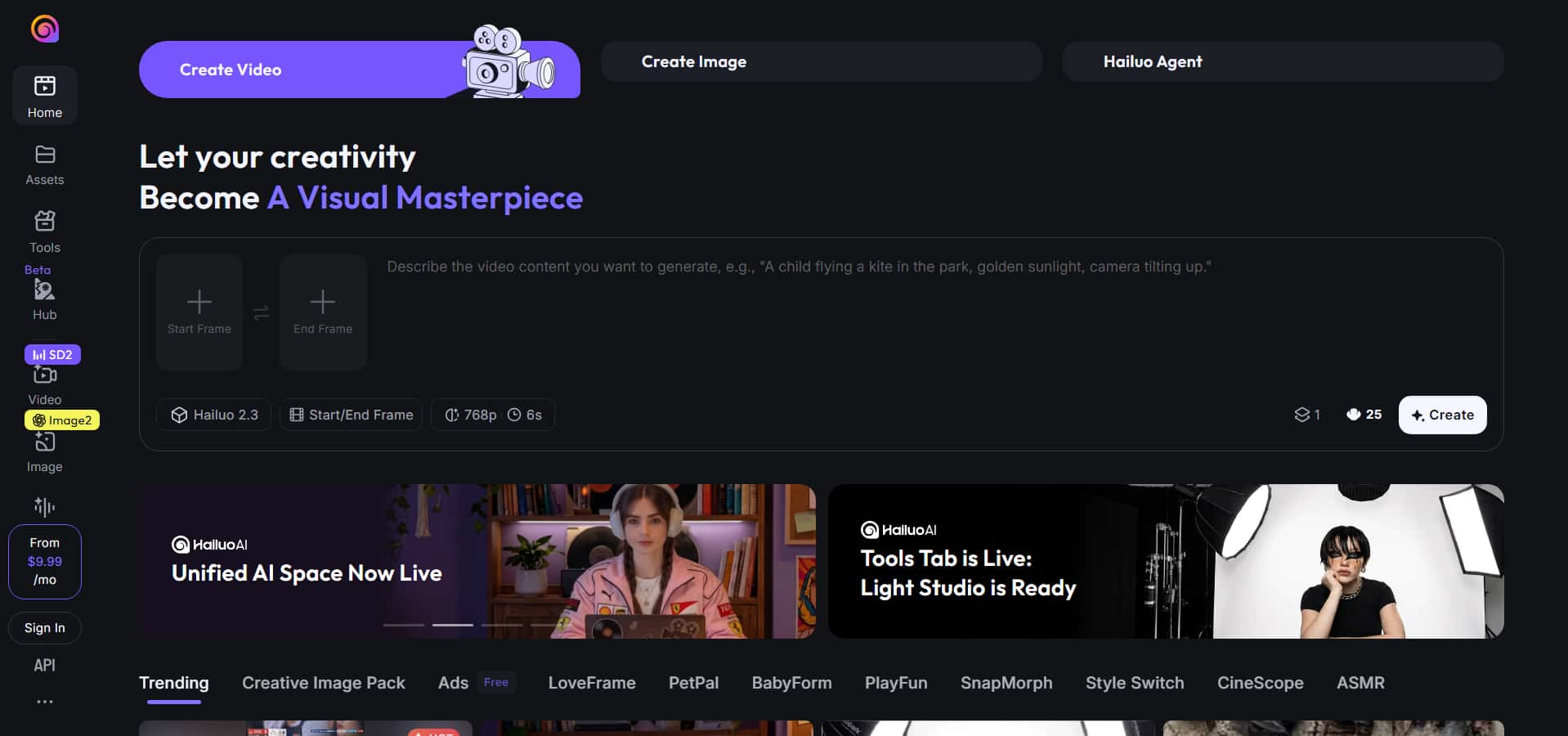
Hailuo AI makes it easy to create cinematic films with an intuitive AI-powered workflow that supports both text prompts and reference photos. And here's the step-by-step procedure for creating videos with the free Hailuo AI tool.
Step 1: Enter your video idea
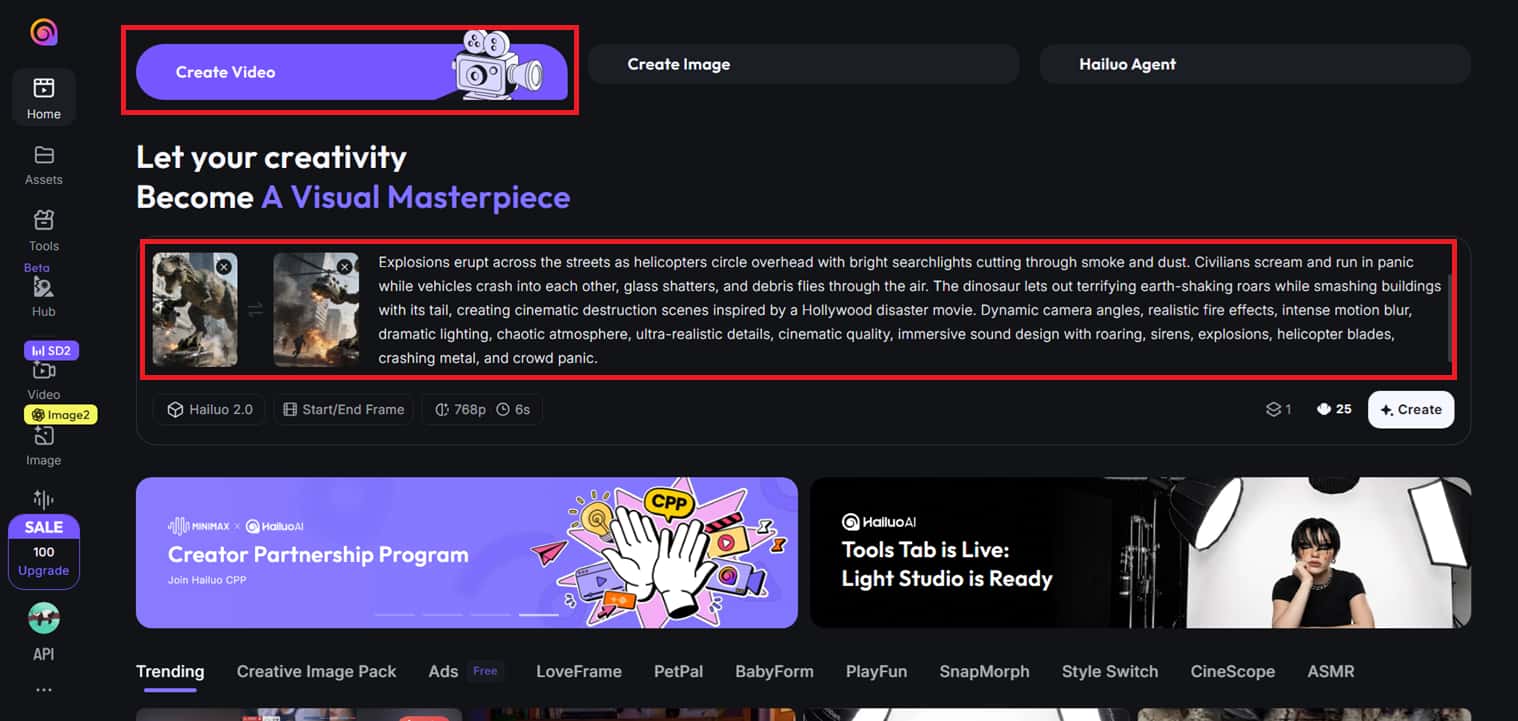
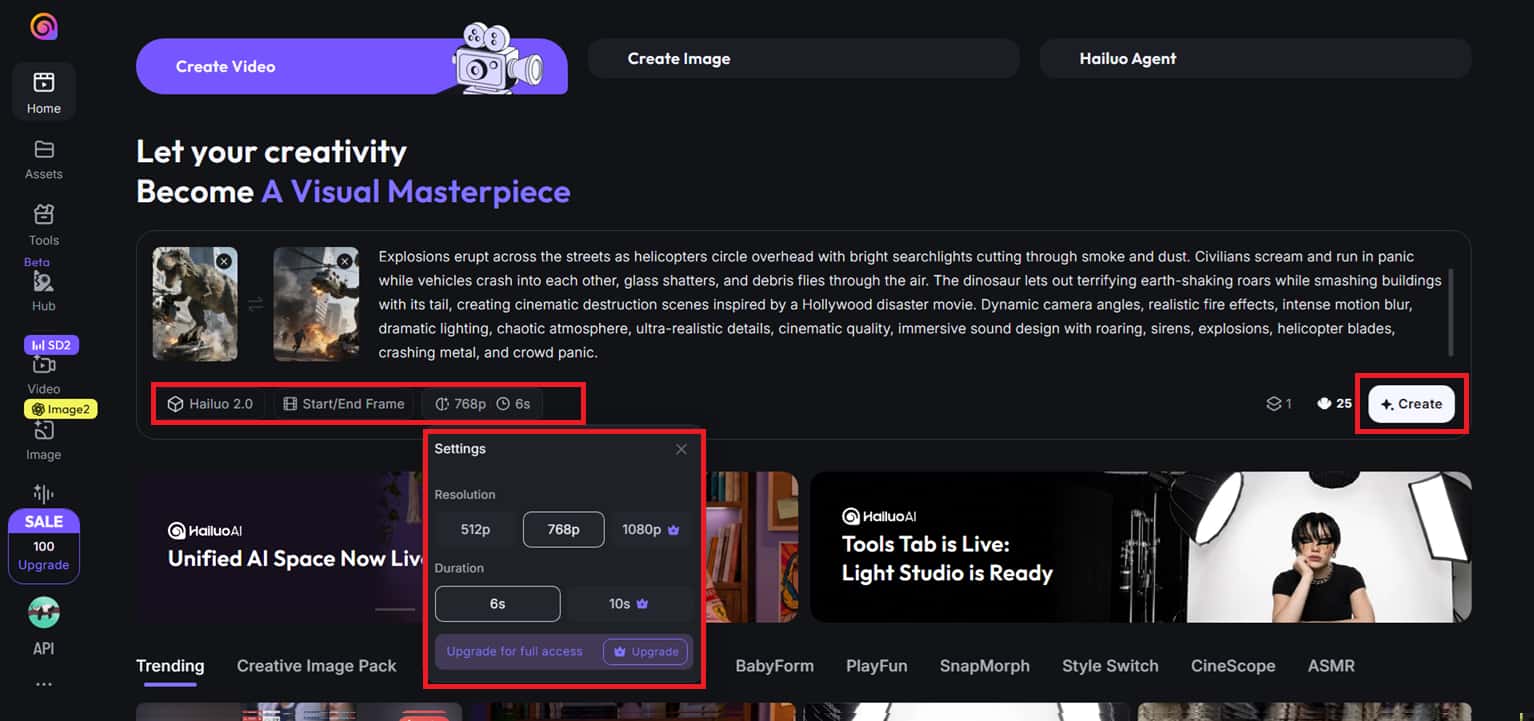
Log in to Hailuo AI, and click the "Create Video" button at the top of the dashboard. Type your video idea in detail in the prompt box, and if you want the AI to follow a specific visual style or scene arrangement, attach a reference image.
Step 2: Select model and video settings
Select the type of content you want to generate, then choose your preferred video model, duration, and output resolution. After you have selected all the options, click "Create," and the AI video generation process will begin.
Step 3: Preview and download the video
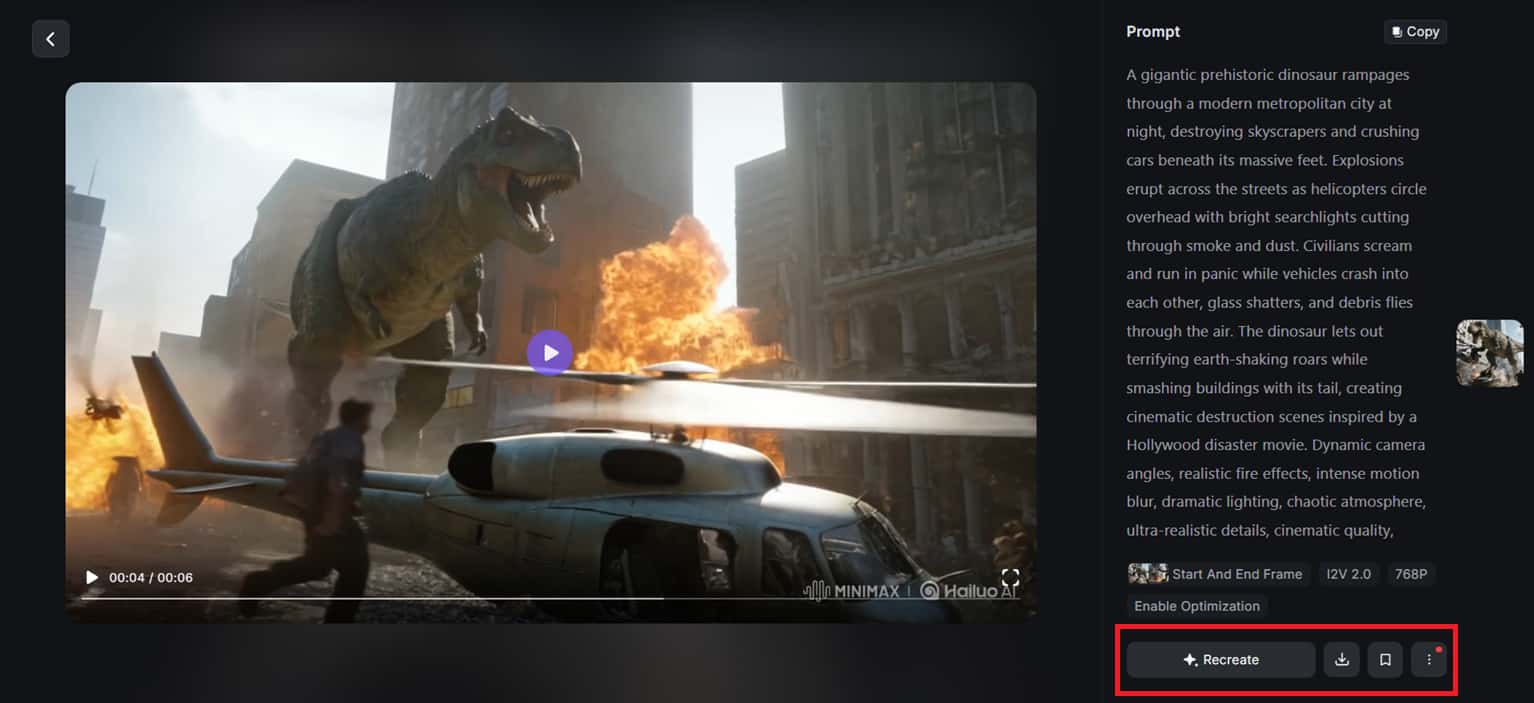
Hailuo AI will build your cinematic video automatically in a few minutes. You can preview the output in full-screen mode, then either recreate the movie with numerous variations or download, save, or share.
Key features Hailuo AI video generator
Hailuo AI simplifies professional video production with cutting-edge AI rendering, cinematic motion creation, and intelligent automation. The highlight features allow authors to easily create visually impressive content in many forms and styles. The major aspects of this video generator are as follows.
-
Dual creation formats: Hailuo AI supports text-to-video and image-to-video production, allowing users to create dramatic videos from text prompts or static images. This software intelligently converts thoughts into animated images with real-life animated movement and smooth transitions.
-
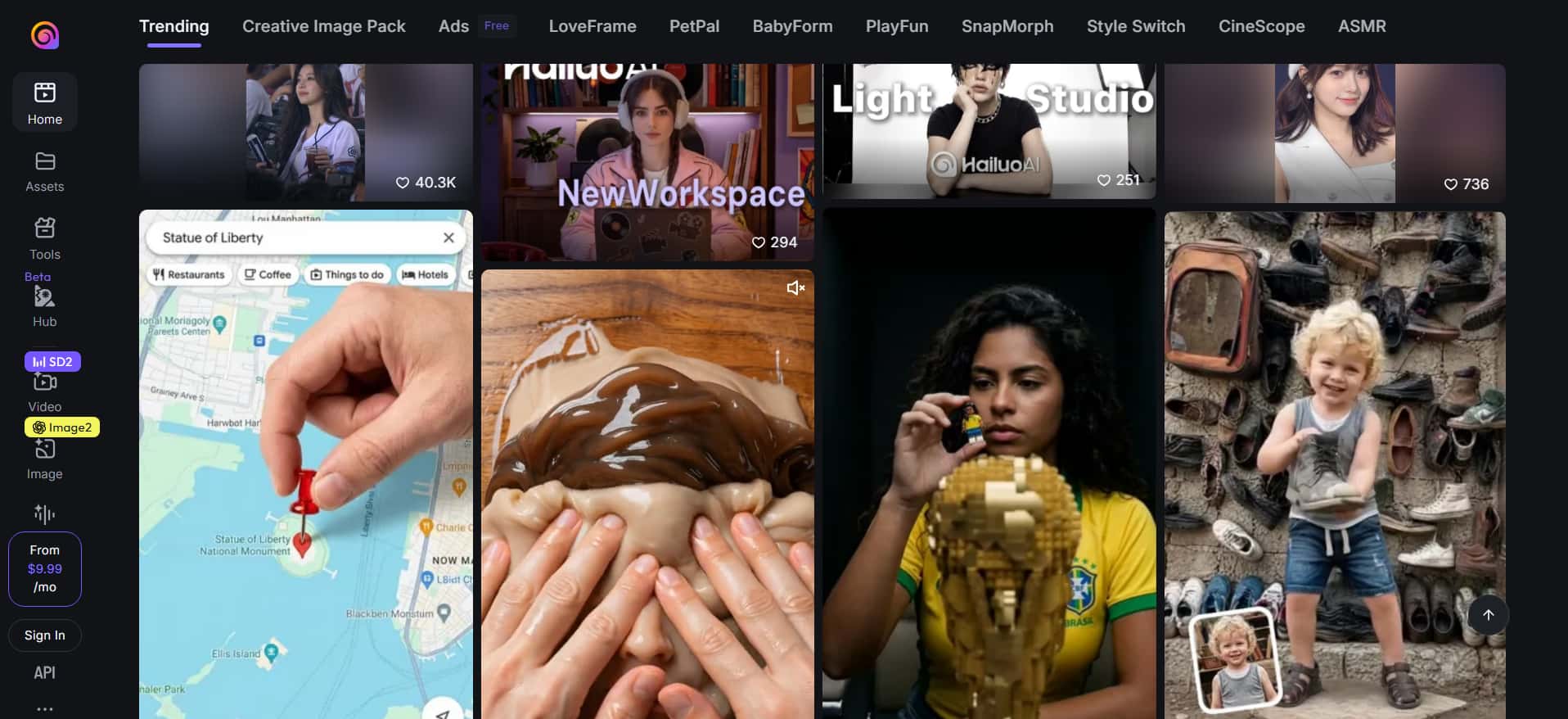
Pre-designed video templates and visual presets: Hailuo AI provides a collection of pre-designed video templates and cinematic visual presets, making it easier to create content for various styles and subjects. Users can easily create social media clips, storytelling scenes, advertising films, and artistic animations without having to design every scene from scratch.
-
4K ultra HD quality: Using its unique video models, Hailuo AI delivers vivid colors, clear visual details, and high-resolution rendering up to 4K Ultra HD quality. It delivers high-quality movies with seamless frames and cinematic clarity, ideal for social media and advertising, and professional applications. This lets developers keep excellent visual quality across platforms.
-
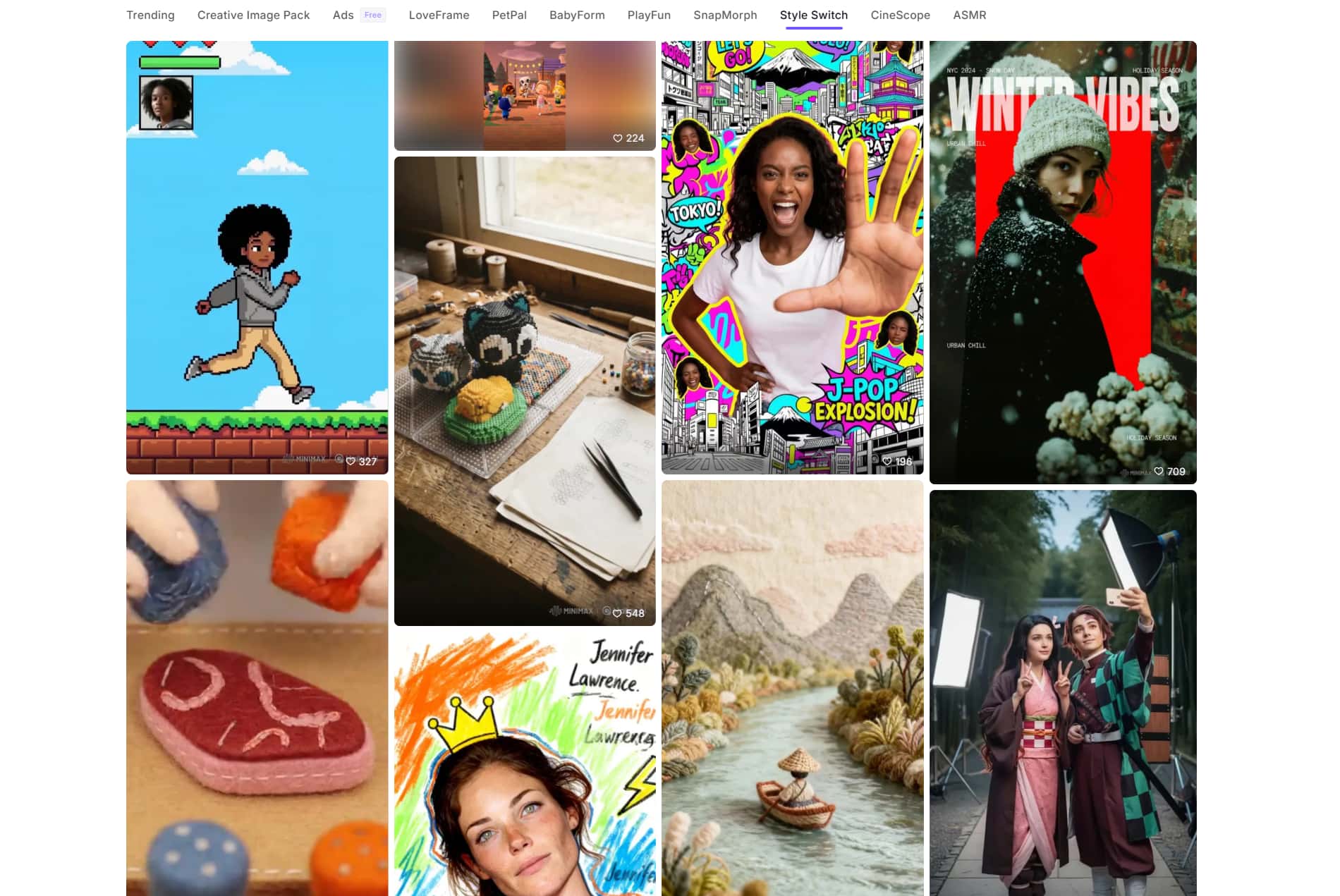
Diverse visual styles: Hailuo AI offers different visual styles, like real movie footage, animation, and artistic styles. Users can quickly create explainer videos, product demos, social media clips, and other creative content to suit their needs. Flexible style parameters allow developers to easily explore a wide range of visual aesthetics.
-
Lightning-fast rendering: Thanks to its powerful engine, you may produce high-quality short movies in 30 to 60 seconds. Fast AI processing saves time in production and provides realistic motion and cinematic effects. This pace is great for those who want to make videos fast and consistently.
Best use cases of the Hailuo online video generator
Hailuo AI is built for rapid, visually appealing content production for a variety of businesses and creative workflows:
-
Social media content creation: Hailuo AI is well-suited to produce short-form video content for platforms such as Instagram, TikTok, and YouTube Shorts.
-
Marketing and promotional videos: Hailuo AI empowers businesses and marketers to generate sophisticated product promotions, ad campaigns, and branded visual content for a fraction of the production cost.
-
Educational and presentation videos: Hailuo AI's integrated AI avatar designer is ideal for tutorials, training materials, and educational presentations.
-
Creative storytelling and concept visualization: Hailuo AI is a great tool for filmmakers, designers, and hobby creators who wish to swiftly visualize their ideas with cinematic AI-generated scenes.
Benefits and limitations of using the Hailuo AI tool
Hailuo AI delivers powerful cinematic video generation, rendering quickly, and producing clean visuals for today's content makers. However, like most AI-powered creative platforms, it has a few limitations in its workflow and customization. Here are some of the main advantages and disadvantages of the Hailuo AI tool.
|
Benefits |
Limitations |
|---|---|
|
Hailuo AI produces high-quality cinematic videos with realistic motion, seamless camera transitions, and refined visual effects, resulting in professional-looking content. |
During rendering, the platform can often suck up a lot of browser resources, especially for complicated cinematic video creation jobs. |
|
The AI engine produces short-form videos in 30 to 60 seconds, which saves creators a lot of production and editing time. |
It may lack the granular capabilities for fine-tuning and customization that certain professional AI video editing solutions offer to advanced users. |
|
Hailuo AI provides text-to-video, image-to-video, and a range of visual styles for dynamic content creation across sectors. |
The results produced can sometimes differ from the original prompt, leading to minor discrepancies in scenery or motion quality. |
|
Some Hailuo AI models offer dramatic camera movement controls and audio support to enhance storytelling depth and visual accuracy. |
Hailuo AI is optimized for short-form cinematic clips and can be rather limited to longer, detail-intensive video projects. |
Overall, Hailuo AI is amazing for making short cinematic films. But some users may need more advanced controls and creative freedom for business projects. This is where Vmake AI shines with multi-model creation, better style features, and more versatile video-enhancing features.
New trendsetter: Vmake AI video generator tool
Vmake AI video generator is a sophisticated AI platform for creators, marketers, and businesses who want to produce professional-quality videos with more creative freedom. Using advanced models such as Seedance 2.0, Kling 3.0, Google Veo 3.1, and Sora 2, the platform takes text prompts, photos, and existing video clips to create polished AI-generated films. Vmake AI enables text-to-video, image-to-video, and video-to-video processes, making it perfect for social media campaigns, product presentations, cinematic narrative, and high-performing UGC-style videos.
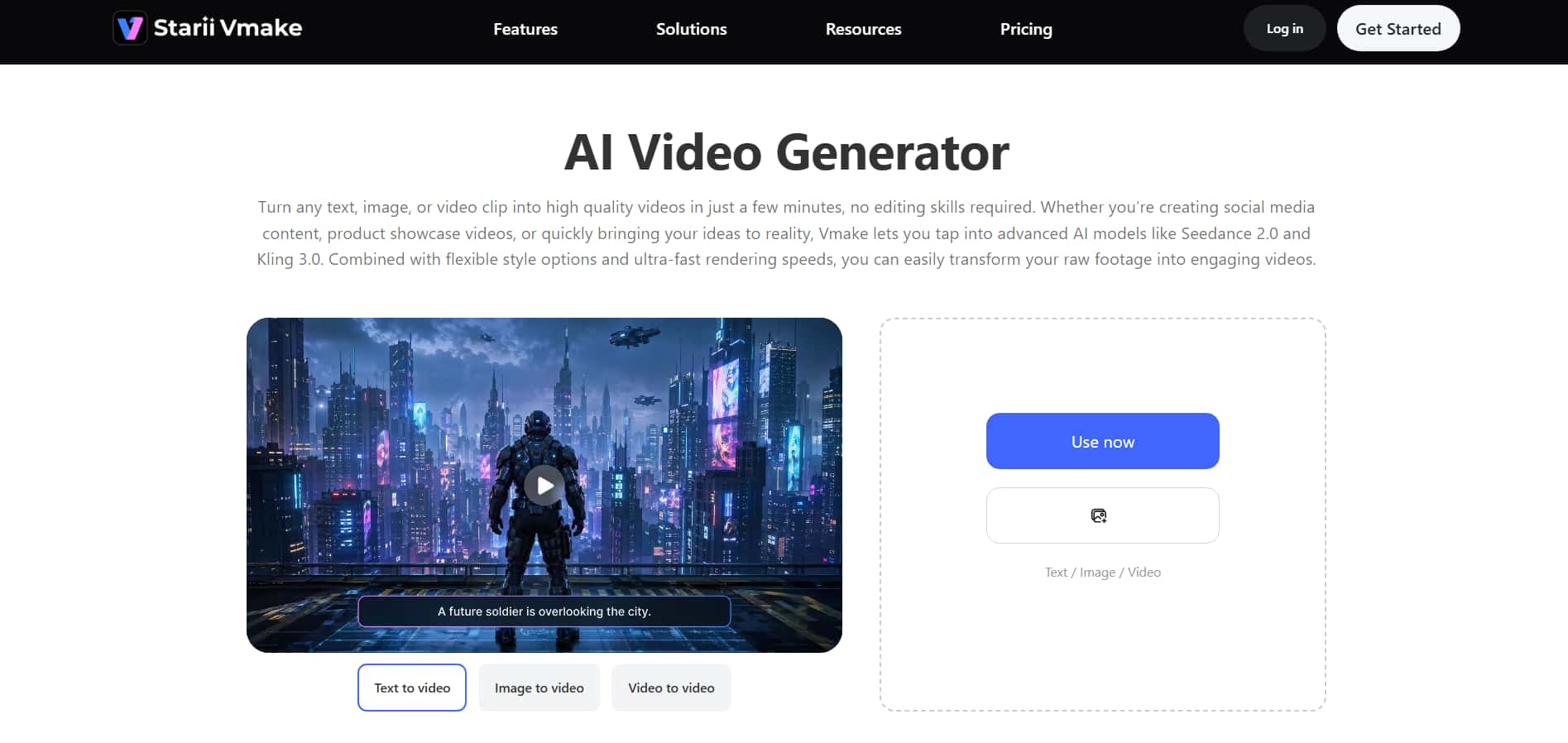
How to generate a video using the free Vmake AI tool
Vmake AI is easy to use, yet flexible, and it lets you create dramatic AI videos using text, graphics, or existing footage. It enables several AI models, customizable visual styles, and rendering of high-quality videos, allowing users to create engaging videos fast for social media, marketing, presentations, and creative projects. Here is a step-by-step process on how to make videos with the free Vmake AI application.
Step 1: Access the AI video generator workspace
Launch Vmake AI Video Generator and from the left-side panel, click on "All Tools". Choose "AI Video Generator" from the options to open the primary video creation dashboard and begin your project.
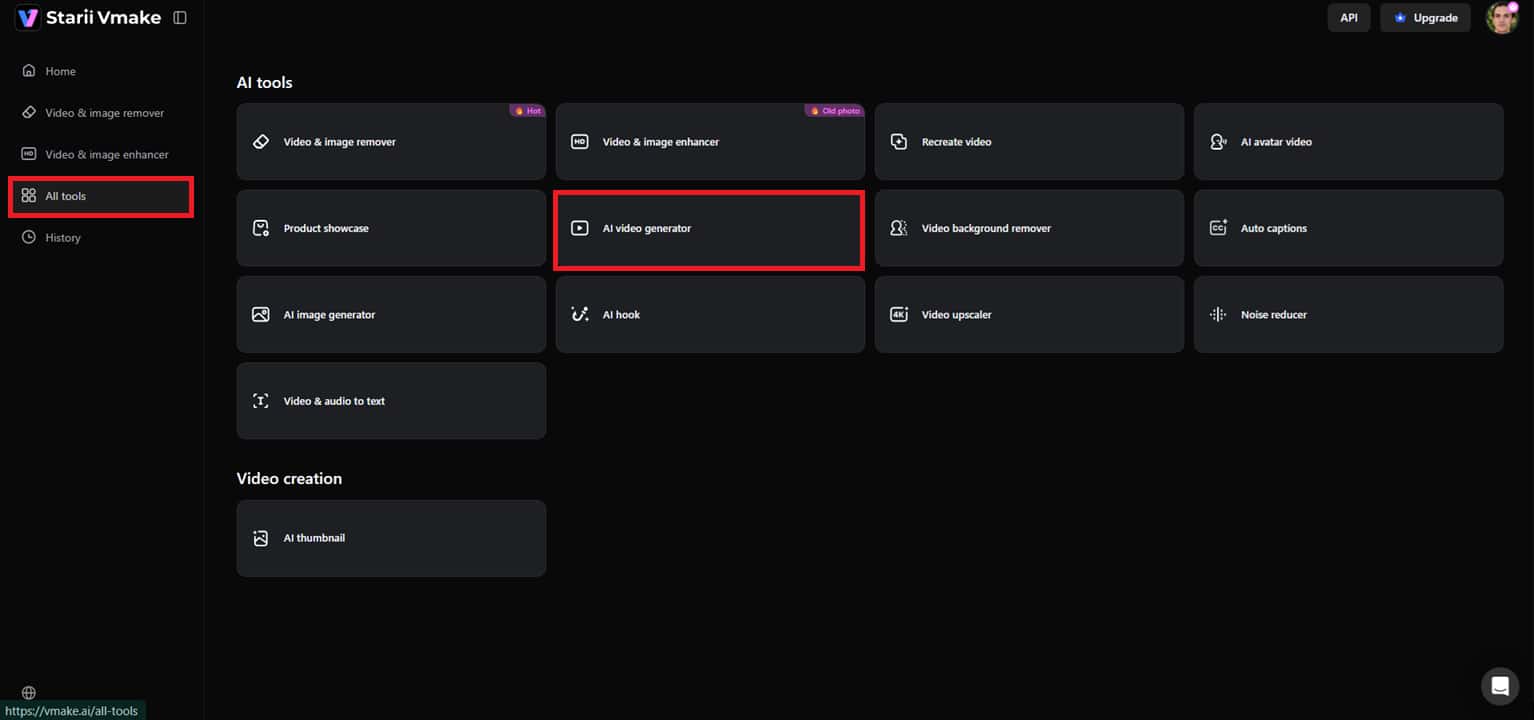
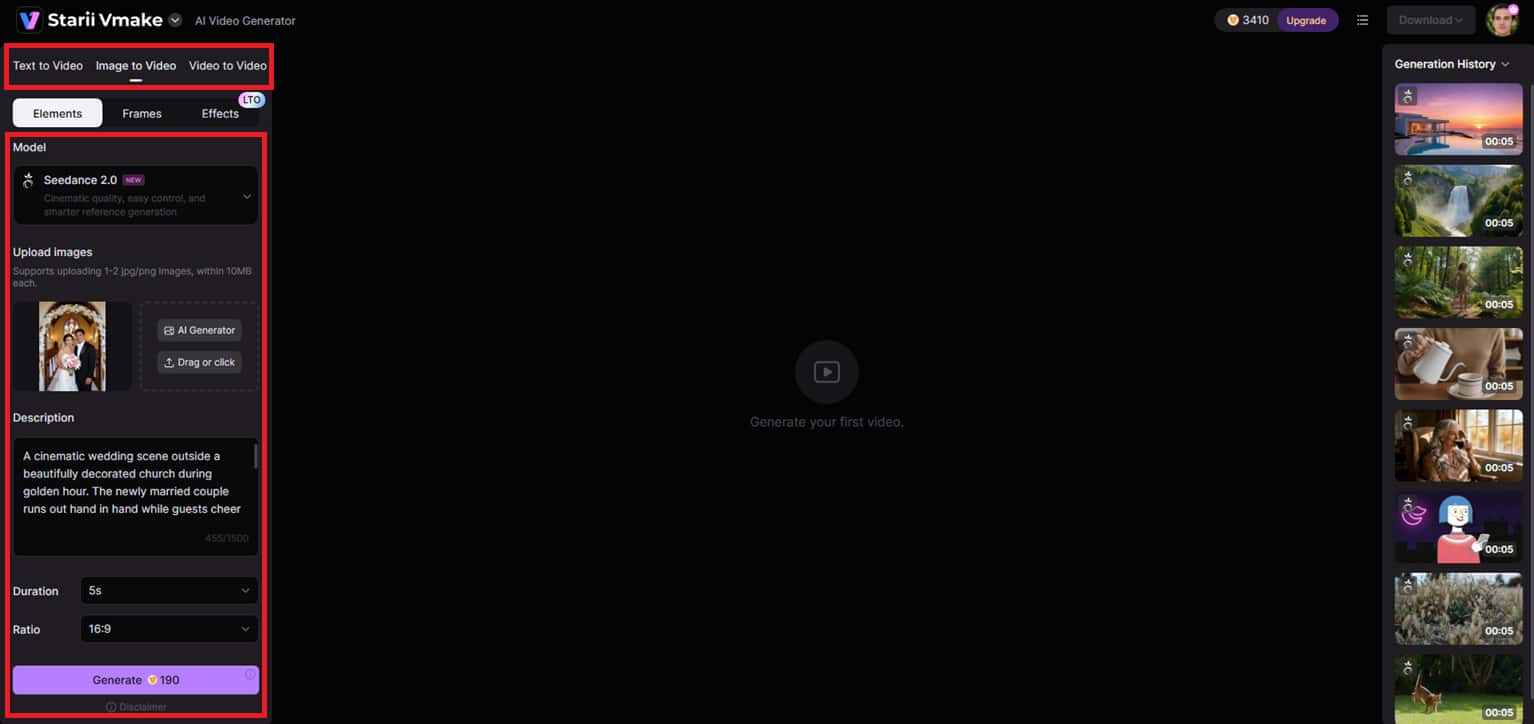
Step 2: Configure your video generation settings
Choose your favorite creation option (Text-to-Video, Image-to-Video, or Video-to-Video) according to your project needs. Then choose your AI model, upload reference images, either by choosing from the library, or generating them in the workspace itself using the AI image generator tool. Once sorted with an image, create a comprehensive creative prompt, select options such as video length and aspect ratio, and hit "Generate."
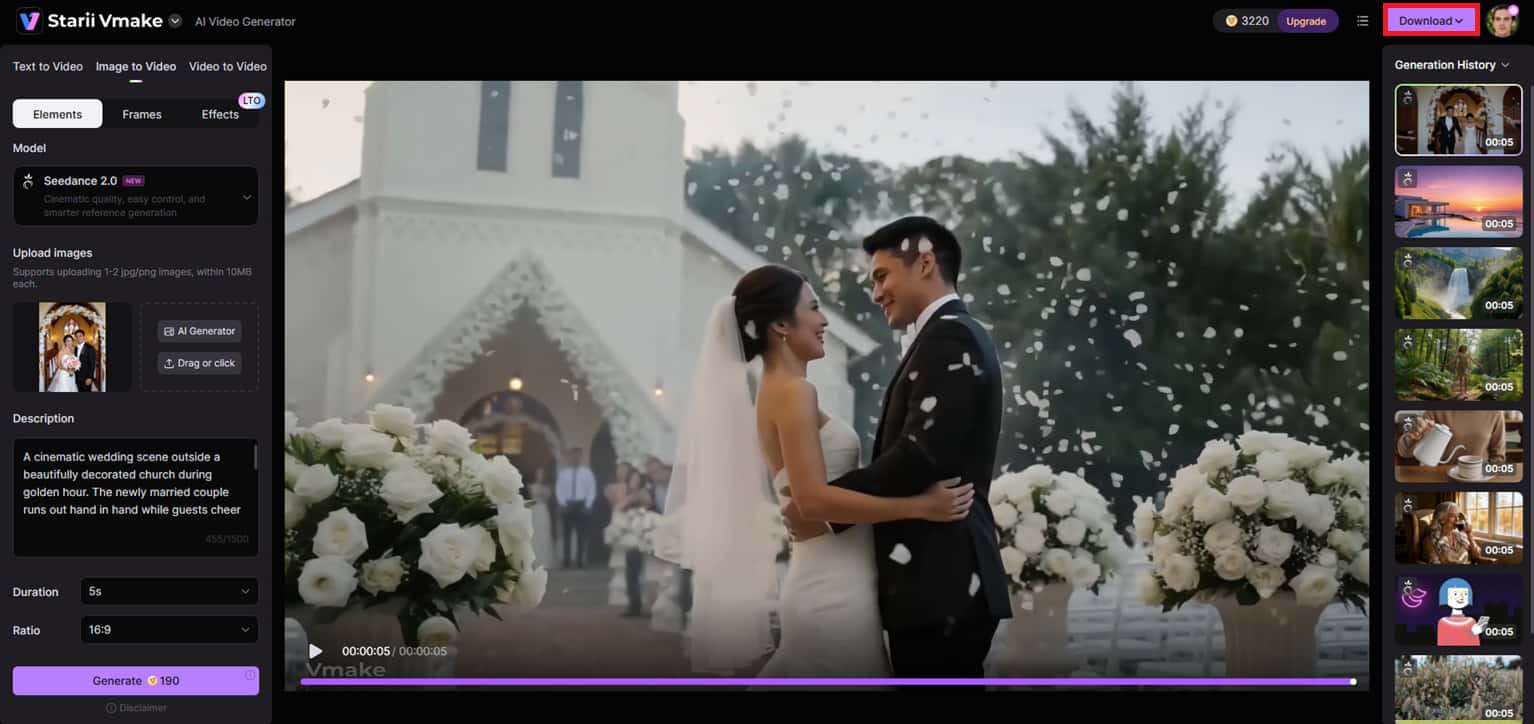
Step 3: Preview and export your AI video
In only seconds, Vmake AI will automatically create your cinematic video based on the specified model and settings. Preview the final product to assess motion quality and the overall look & feel of the graphics, then click "Download" to save and export the finished video.
Key features of the Vmake AI video generator
-
Multi-model engine: Vmake AI combines various advanced AI video models such as Seedance 2.0, Kling 3.0, Google Veo 3.1, Sora 2, Wan 2.2, and others all in one place. The multi-model system offers customers a choice of different generation engines.
-
Flexible creation paths: The tool supports Text-to-Video, Image-to-Video, and Video-to-Video procedures to cover all creative needs and production styles. Users can turn a simple written idea into a static vision, a static vision into an animated vision, or a current film into a polished cinematic vision.
-
4K cinematic quality: Vmake AI provides professional-level cinematic rendering and can generate high-resolution video up to 4K quality. The platform makes videos sharper, more colorful, smoother, and with refined clarity for modern digital platforms and commercial enterprises.
-
Custom clip duration: Users can select from a range of video lengths, from 2 to 15 seconds, depending on the type of content they want to create.
-
Predefined aesthetic styles: Vmake AI comes with a multitude of visual style presets that quickly transform films into various artistic aesthetics and cinematic themes. Users can create images in the style of anime, animations in the manner of doodle, comics, simulife, horror, 3d, and more.
Hailuo AI vs Vmake AI: Which video generator is better?
Hailuo AI and Vmake AI both boast powerful AI video-generating capabilities. However, they emphasize quite distinct creative characteristics. Hailuo AI is designed for cinematic motion and quick short-form rendering, whereas Vmake AI enables greater creative versatility with a variety of AI models and advanced enhancing techniques. Here's a comparison of the major differences between the two AI video creators.
|
Aspects |
Hailuo AI |
Vmake AI |
|---|---|---|
|
Primary focus |
An expert in cinematic AI produced motion and realistic narrative telling images. |
Emphasizes professional growth, agile processes, and multi-model AI generation. |
|
Supported generation methods |
Text-to-Video & Image-to-Video creation. |
Text-to-video, Image-to-video, Video-to-video creation. |
|
AI models & technology |
Includes Hailuo 2.3, Hailuo 2.3-Fast, Hailuo 2.0, Hailuo 1.0, Hailuo 1.0-Director, Seedance 2.0, Seedance 2.0-Fast, Veo 3.1, Veo 3.1-Fast, and Sora 2. |
Integrates multiple AI generation engines, such as Seedance 2.0, Kling 3.0, Google Veo 3, Sora 2, Vidu Q2, and Wan 2.2, into a single workflow platform. |
|
Video quality |
Depending on the model selected, it supports video resolutions from 480P to 4K, with ultra-clear cinematic rendering. |
Delivers professional-quality rendering – numerous generation modes up to 4K resolution. This can later be increased to AI4K + using the AI video enhancer tool. |
|
Best use cases |
Cinematic storytelling, short films, dramatic visuals, and social media reels. |
Marketing movies, user-generated material, product displays, social campaigns, and creative experimentation. |
|
Customization flexibility |
Offers moderate creative controls with limited fine-tuning. |
Provides greater control through multiple models, duration settings, and style presets. |
If you want cinematic motion, realistic camera movement, and rapid AI-generated storytelling clips, Hailuo AI is the best choice. Vmake AI is the smarter choice for creators and organizations that require greater customization, a variety of AI video models, more flexible generation methods, and professional UGC-style workflows for marketing and social media production.
Conclusion
In this post, we've analyzed Hailuo AI video generator's cinematic AI videos with realistic motion, fast rendering, AI avatars, and professional narrative tools for artists and marketers. Vmake AI Video Generator, with broader creative freedom across AI models, UGC-style video workflows, and powerful enhancement tools, was also investigated. Hailuo AI is ideal for cinematic short-form storytelling and realistic motion generation, while Vmake AI is ideal for content production, marketing campaigns, and customizable AI video processes. Both platforms enable AI video creation for modern digital content. Get them today and see for yourself how powerful AI video creation can be.
FAQ's
What makes the Hailuo Minimax AI engine different from other video tools?
The main selling points of Hailuo AI video tool, are its cinematic motion quality, realistic camera movement, and ultra-fast rendering capabilities, all driven by the MiniMax AI ecosystem. Hailuo 2.3, Hailuo 1.0-Director, and other models can produce short-form videos with fluid storytelling effects and visual immersion. By comparison, Vmake AI video generator is more about multi-model versatility, UGC-style video creation, and greater customization workflows.
What do most users say in a Hailuo AI review?
Most people laud Hailuo AI for its realistic, cinematic imagery, rapid video production, and smooth motion effects that make AI-generated content look very professional. Its image-to-video animation quality and dramatic camera changes for social media storytelling are especially liked by creators. But other people like Vmake AI for larger model choices, flexible editing workflows, and various content styles.
How do I use the Minimax Hailuo AI image-to-video feature?
To use the Hailuo AI image-to-video feature, you need to upload a reference image, provide a thorough motion prompt, choose the AI model and resolution, and generate the finished video. Hailuo AI brings static graphics to life with actual motion and cinematic transitions in minutes. Meanwhile, Vmake AI offers image-based processes, multi-image references, video-to-video production, and even video style presets.
Does Hailuo AI add watermarks to free videos?
Yes, Hailuo AI provides watermarking for movies made on its free plan, particularly when you use some of the more powerful models or export options. They can also experiment with cinematic AI video production, realistic motion effects, and creative workflows prior to having to pay for premium versions on the site. Plus, Vmake AI has watermarking restrictions on some free exports, but subscription plans offer cleaner downloads, better rendering, and more advanced professional features.
Is it possible to combine both tools for a professional result?
Yes, you can mix the two platforms for better production quality and creative versatility. Hailuo AI is perfect for cinematic storytelling, realistic motion and dramatic AI graphics . Vmake AI is helpful for UGC style material, multi-model production and professional upgrading operations. The two combine to provide a more flexible AI video creation pipeline.
Does Hailuo AI support cinematic camera movements?
Hailuo AI creates dramatic camera motions with models like Hailuo 1.0-Director and Hailuo 2.0 . These technologies enable realistic zooms, pans and dynamic transitions between scenes, enhancing storytelling and visual immersion. Vmake AI is another program for making outstanding cinematic videos, but it shines in creative flexibility and in various sorts of content development.

You May Be Interested
2026 Fotor Video Enhancer Review: Features and Top Alternatives
Kling AI vs Hailuo AI: Latest Reviews and Trends

Kling AI vs Hailuo AI: Ultimate Feature Comparison
Nano Banana vs Hailuo AI: Beginner How-To Essentials
Nano Banana vs. Hailuo AI: Ranking in the Top AI Lists