Discovering GenApe: AI-Powered Video Creation for Modern Creators
GenApe AI combines content creation and AI-powered video generation into one platform. This review explores GenApe AI video features, pricing, output quality, and whether it's worth using for content creators.

AI has quietly changed the way content is created, and GenApe is one of the newer platforms trying to combine writing, image creation, and video creation under one roof. This review explores the GenApe AI video generator, what it does well, where it falls short, how the pricing stacks up, and whether it makes sense for creators and marketers in 2026.
GenApe AI at a Glance: Features and Core Capabilities
What Is GenApe AI and How It Works
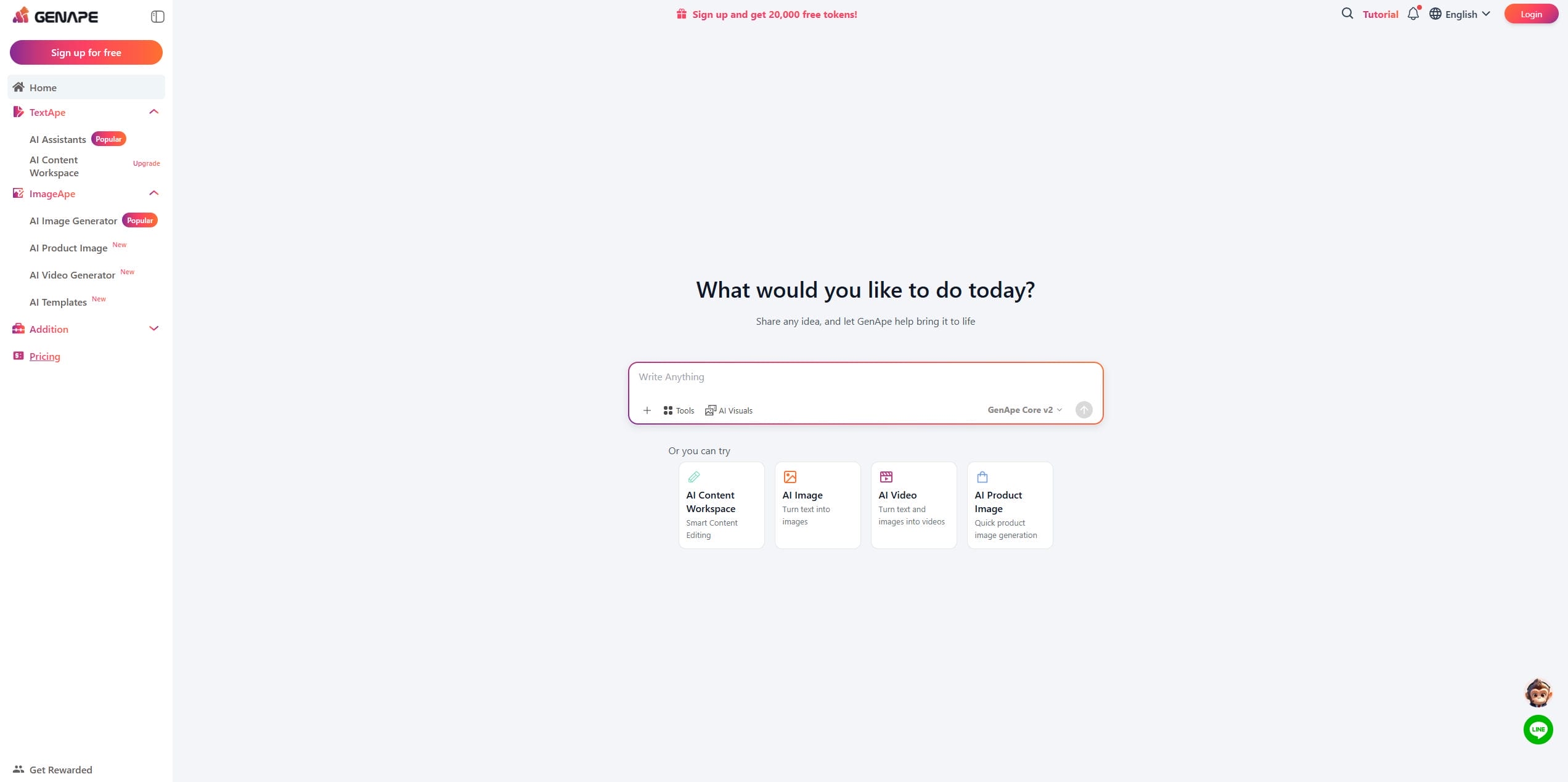
GenApe AI functions as a digital generalist; hand it a written prompt or a reference file, and it interprets that input to generate a new asset from scratch. The process is fast, but without a traditional editing timeline, you rely heavily on the algorithm, which can be a problem when it gets confused by noisy images or complex lighting. You've essentially traded deep customization for pure speed.
Core AI Tools Inside the Platform
GenApe piles everything into one dashboard, so you don't have to keep a dozen browser tabs open just to get content published. Your dashboard handles blog posts, ad copy, images, and video clips in one place. They also include a prompt expander to help develop rough ideas, although the video side can feel limited when you start pushing for more complex scenes and motion.
How to Create an AI Video with GenApe AI
If you're curious about how GenApe turns ideas into videos, the process is surprisingly simple. After spending some time on the platform, we found that creating a video only takes a few steps, from describing your idea to downloading the final result. Here's how the workflow looks in practice.
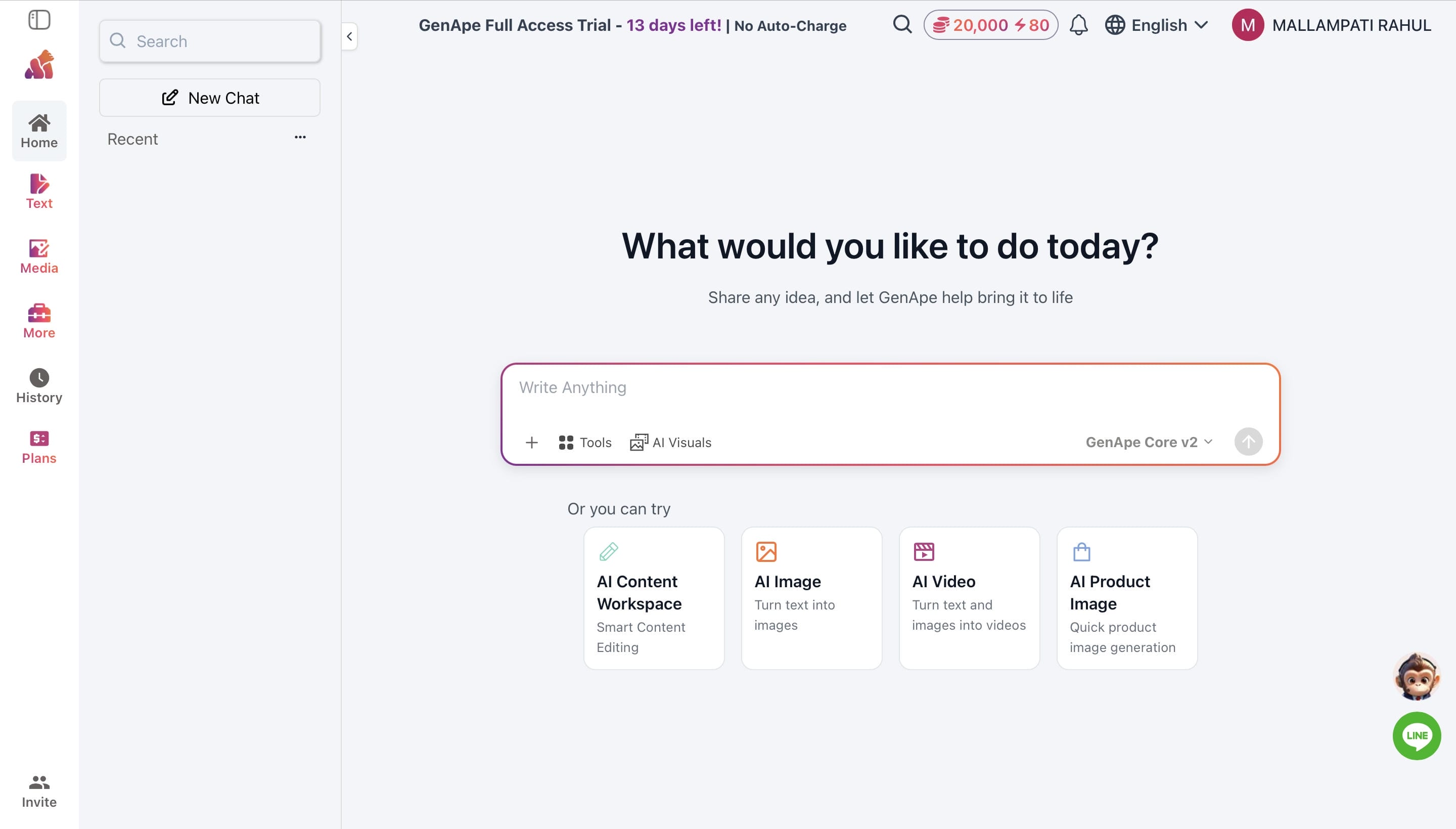
Step 1: Open the AI Video Generator Tool
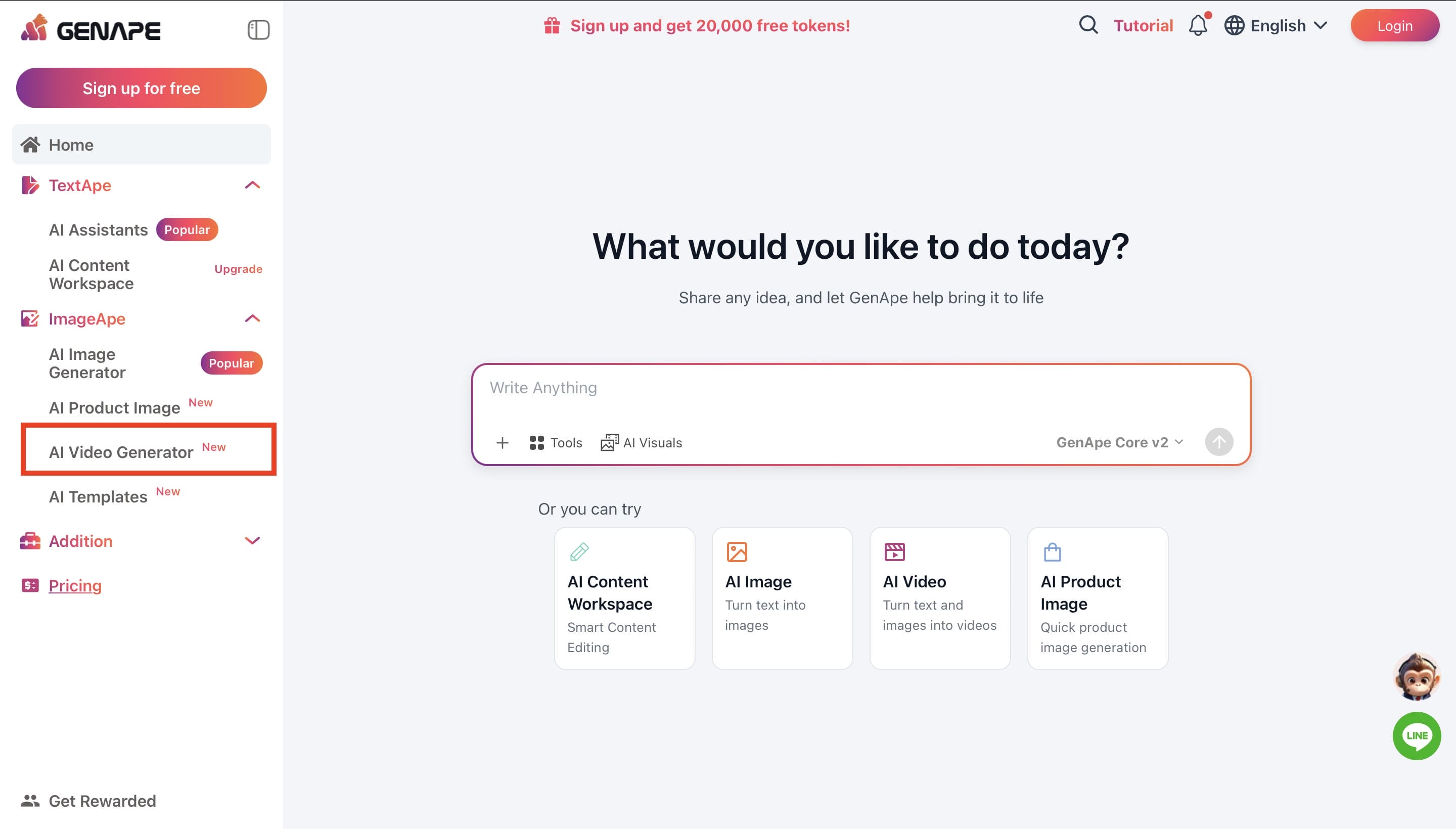
From the GenApe dashboard, navigate to AI Video Generator from the left-hand menu to access the video creation workspace.
Step 2: Enter Video Prompt
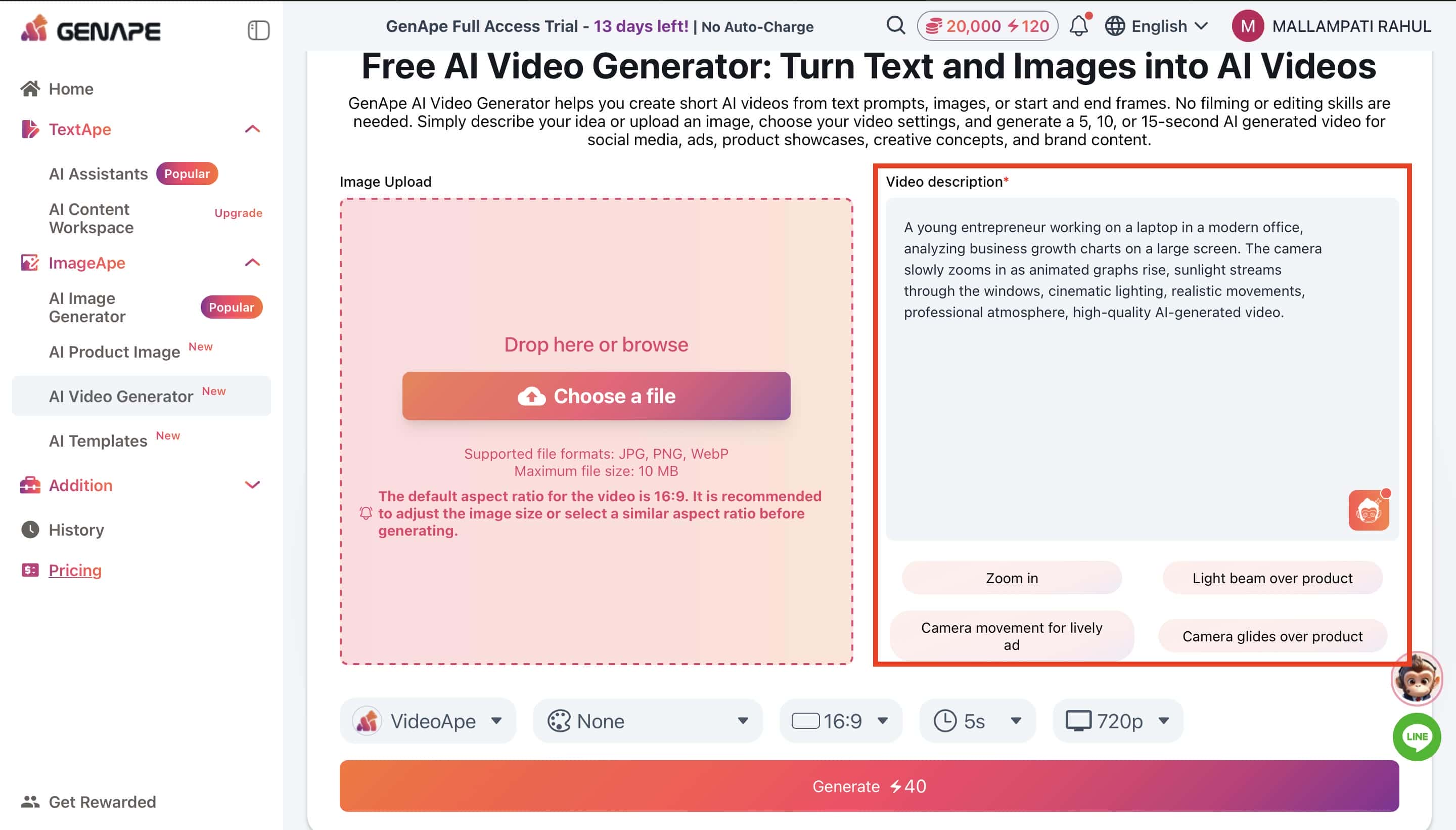
Upload a reference image if desired, then describe your video scene in the Video Description box. You can also use the suggested prompt options to refine your idea.
Step 3: Configure Video Settings and Generate Your Video
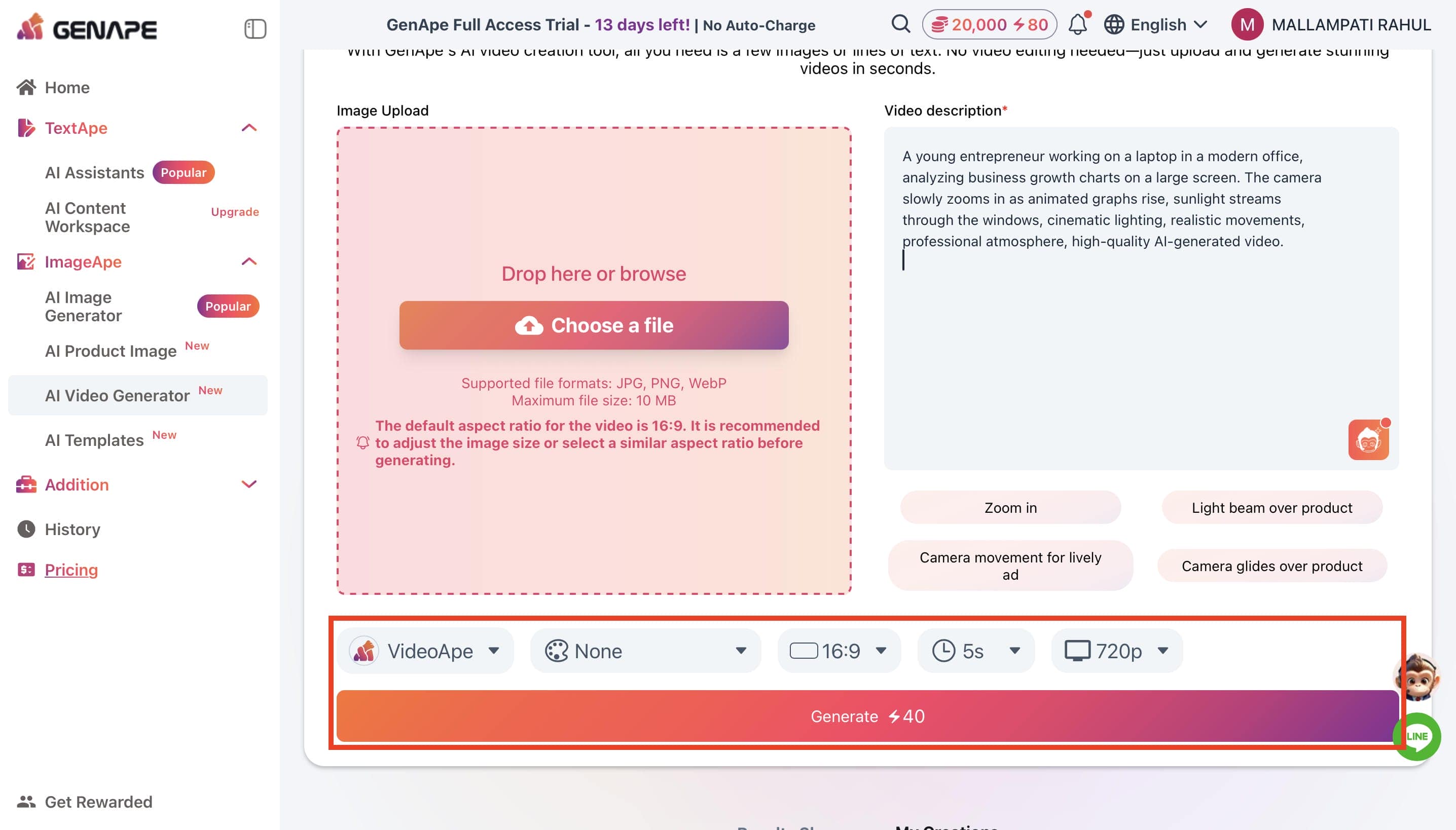
Choose the AI model, visual style, aspect ratio, video duration, and output resolution. Once your settings are ready, click Generate to start creating your AI video.
Step 4: Preview, Download, and Save Your Video
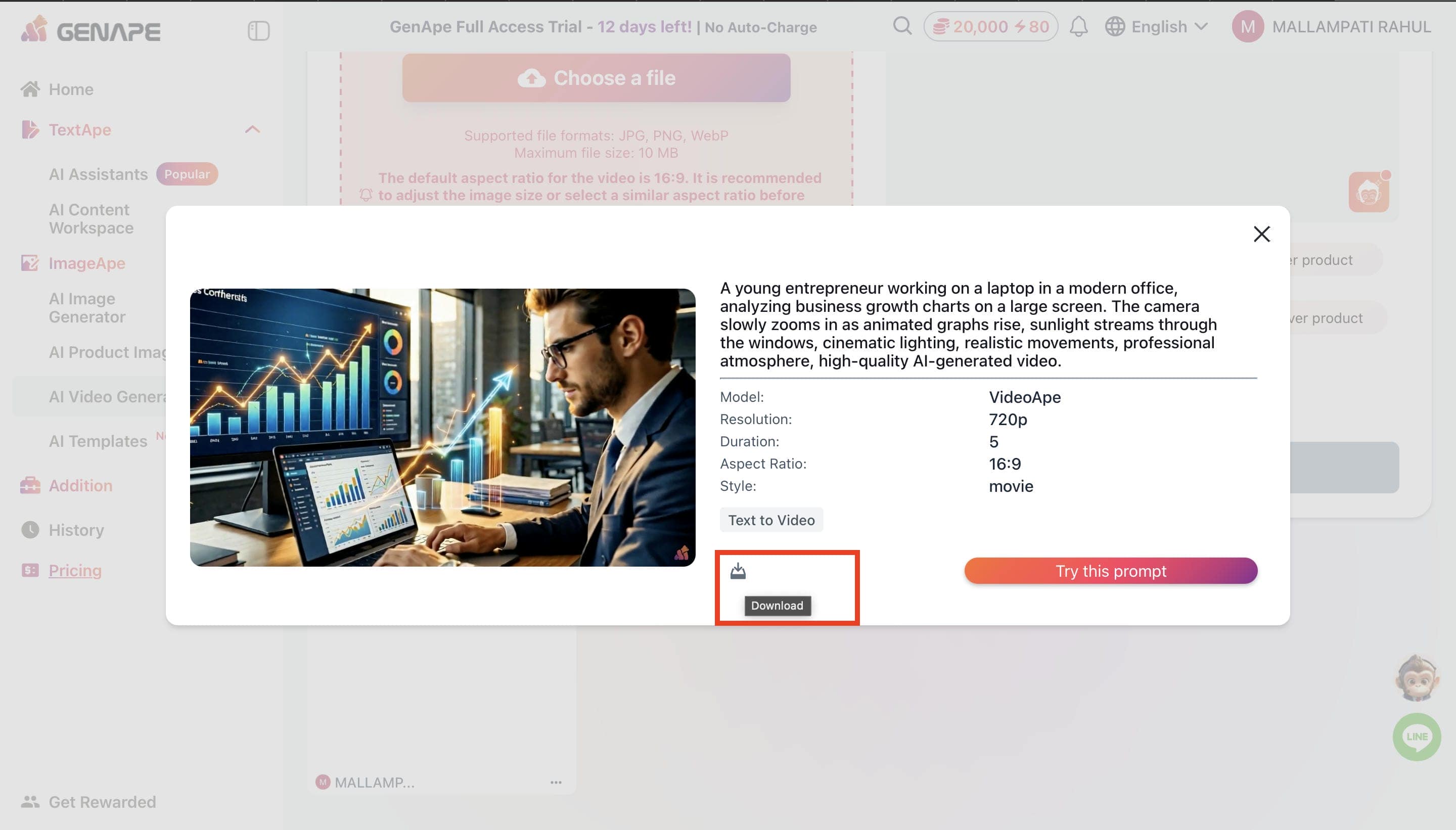
Give your clip a quick play to check for glitches. If it looks decent, just hit Download to save it. The 720p resolution cap is a massive annoyance, but it's fine for a quick save.
Our Hands-On Review of GenApe AI
After a few solid hours testing GenApe AI, it’s clearly incredibly convenient if you hate juggling software. GenApe AI interface is hassle-free if you're a marketer or blogger needing quick visuals, it clicks immediately. However, if your primary job is high-end video production, you're going to hit a wall pretty fast. The customization options are basic, model choices are thin, and exports cap at 720p. It's great for basic content, but lacks granular camera and motion control.
GenApe AI Pricing and Pros & Cons
Every tool has a catch, and because GenApe tries to package writing, images, and video into a single subscription, you're looking at a balancing act between convenience and deep feature control. Before we look at the monthly tiers, let's break down where this platform actually wins, where it falls short, and what it's realistically going to cost you.
Pros and Cons of GenApe AI
Before committing to any tool, you need to know exactly where it shines and where it's going to frustrate you. While GenApe handles a bit of everything, its jack-of-all-trades approach means it hits a few limitations when you push the video features.
|
Pros |
Cons |
|---|---|
|
Combines AI writing, image generation, and video creation in one platform |
Video generation capabilities are less advanced than dedicated AI video tools |
|
Beginner-friendly interface with an easy learning curve |
Limited customization for motion, camera controls, and video editing |
|
Supports text-to-video workflows for faster content creation |
Output quality can vary depending on the prompt |
|
Useful for marketers, bloggers, and content creators |
Fewer AI model choices compared to specialized video generators |
|
Streamlines content production from ideation to final output |
Advanced features may require a paid subscription |
Pricing Plans
GenApe splits its tiers based on how much content you plan to pump out each month. Whether you are just playing around with AI generation or running high-volume campaigns for clients, there is a tier that fits your output needs.
|
Plan |
Price (Monthly Billing) |
Best For |
Key Features |
|---|---|---|---|
|
Free Plan |
$0 |
Individual users exploring AI creation |
20,000 tokens for the first 14 days, basic video generation, selected AI models, limited text generation, limited style options |
|
Plus Plan |
$10/month |
Professionals, marketers, and frequent users |
200,000 tokens/month, multiple video model options, long-form text generation, more image and video styles, longer video duration |
|
Creator Plan |
$20/month |
Creators, agencies, and high-volume users |
Unlimited text tokens, all Plus features, increased image generation limits, higher monthly video credits, designed for larger content workloads |
Is GenApe AI Worth the Price?
GenApe's pricing is reasonable if you're looking for an all-in-one platform that combines AI writing, image generation, and video creation. The Free Plan is suitable for exploring the platform, while the Plus and Creator plans offer more tokens and features for users producing content regularly. If your work involves a mix of written and visual content, the pricing offers good value. However, creators who primarily focus on advanced AI video production may find dedicated video tools a better long-term investment.
Robust alternative to GenApe AI: Meet Vmake AI
As we mentioned, GenApe is a great all-rounder if you need a mix of text, image, and basic marketing tools in one place. However, because it tries to cover everything, its features are spread thin across different formats rather than mastering any single one.
Vmake AI skips general fluff to focus entirely on video. By doubling down on just one medium, it gives you the precise generation, editing control, and quality enhancements you actually need to stand out if video is your main priority.
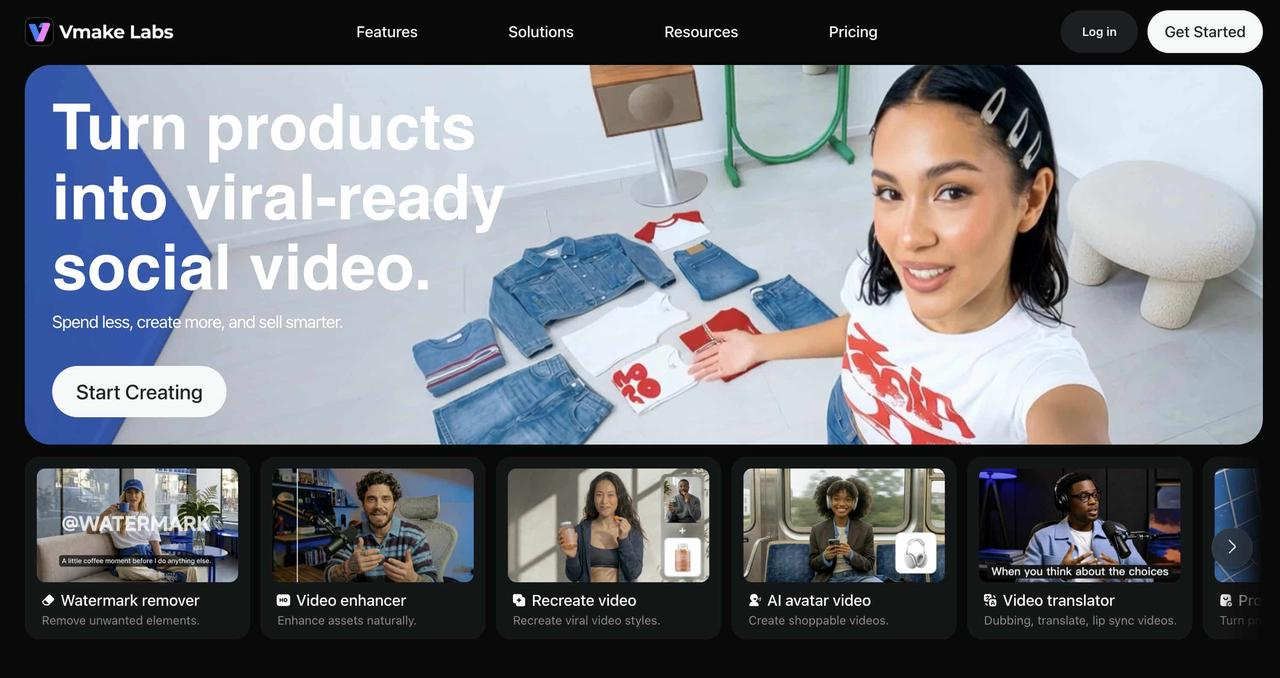
Key Features of Vmake AI Video Generator
If GenApe is a generalist, Vmake AI is a pure video specialist. It completely drops the copywriting side to focus entirely on video creation.
-
Multi-Model AI Video Generation: Instead of forcing you to use just one model, you get access to a few different models, such as Kling 3.0, Seedance 2.0, or Veo 3.1.
-
Text-to-Video and Image-to-Video Creation: You can type a prompt from scratch or drop in a flat product photo or artwork to animate it. It turns static ideas into motion quickly without a massive learning curve.
-
AI Avatar Videos and Talking Heads: If you're churning out tutorials or quick social ads, you just give it a script, and it builds a presenter without you needing to get in front of a camera.
-
High-Resolution Exports and Flexible Video Settings: You actually control your clip duration and aspect ratios, like instantly swapping to 9:16 vertical or 16:9 widescreen.
How to Create an AI Video with Vmake AI
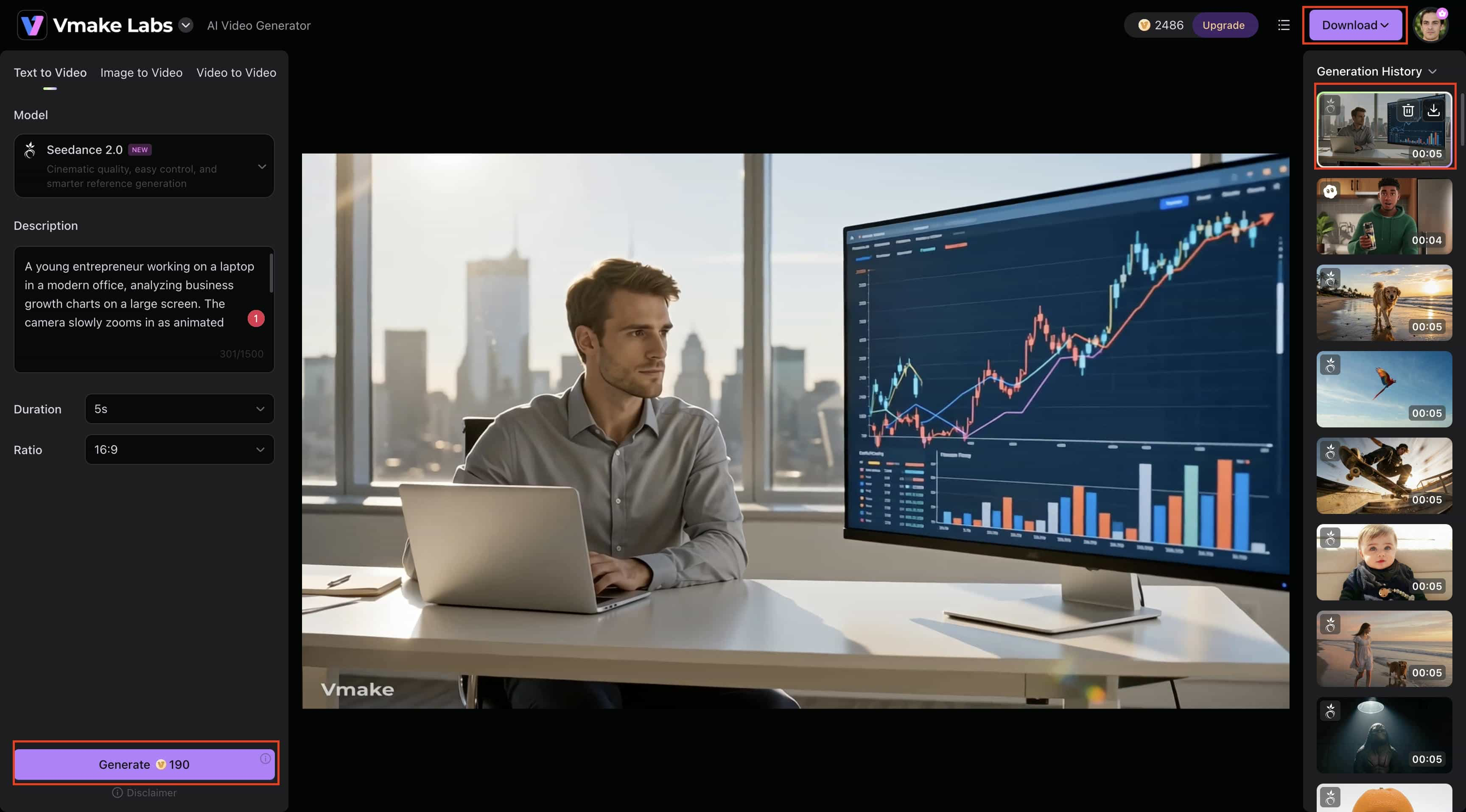
Creating a video with Vmake AI is quick and beginner-friendly. Whether you're starting with a text prompt, image, or existing video, the platform guides you through a simple workflow from generation to final export in just a few steps.
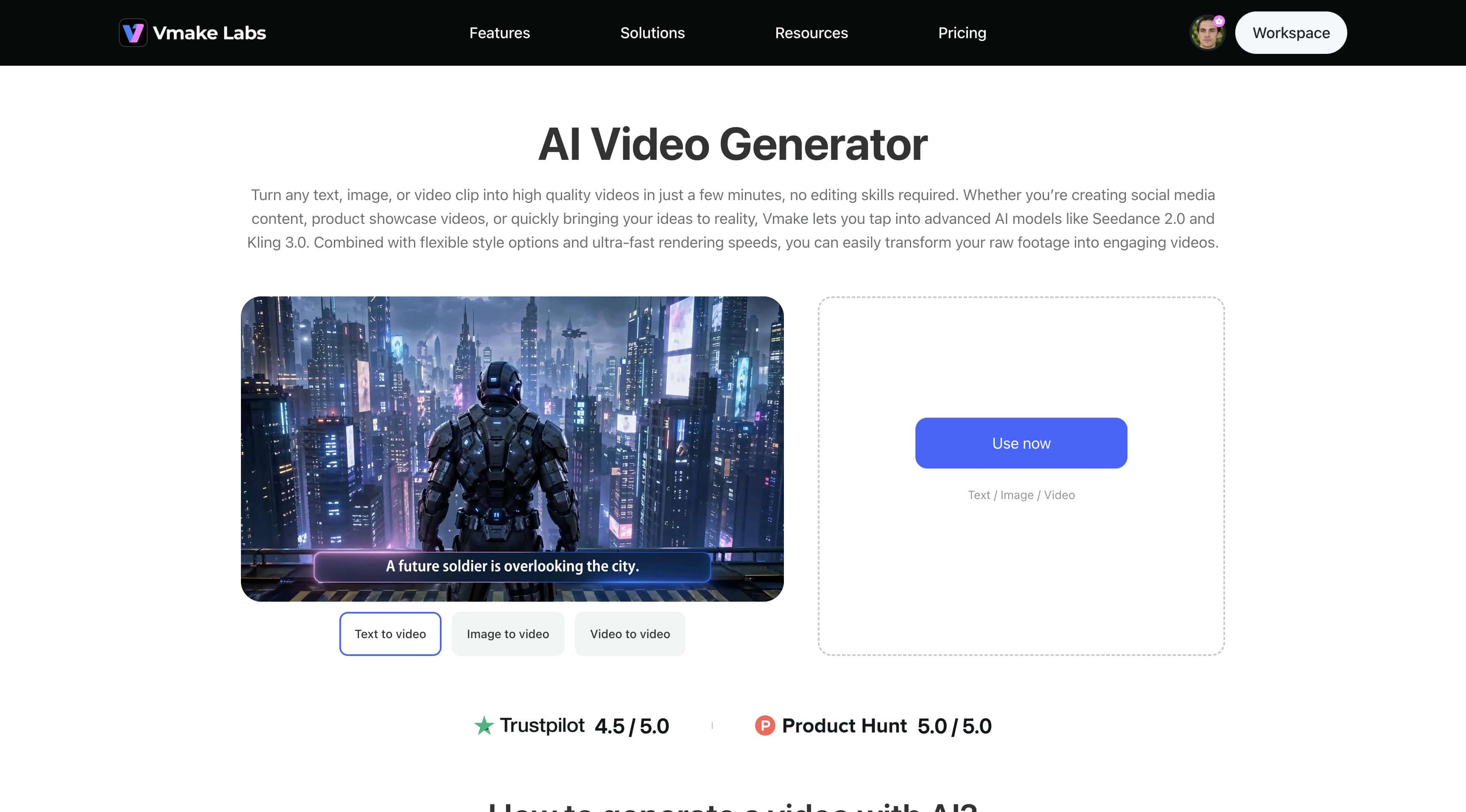
Step 1: Open Vmake AI Video Generator and Enter Your Prompt
From the Vmake Labs dashboard, navigate to All Tools and select AI Video Generator to access the video creation workspace.
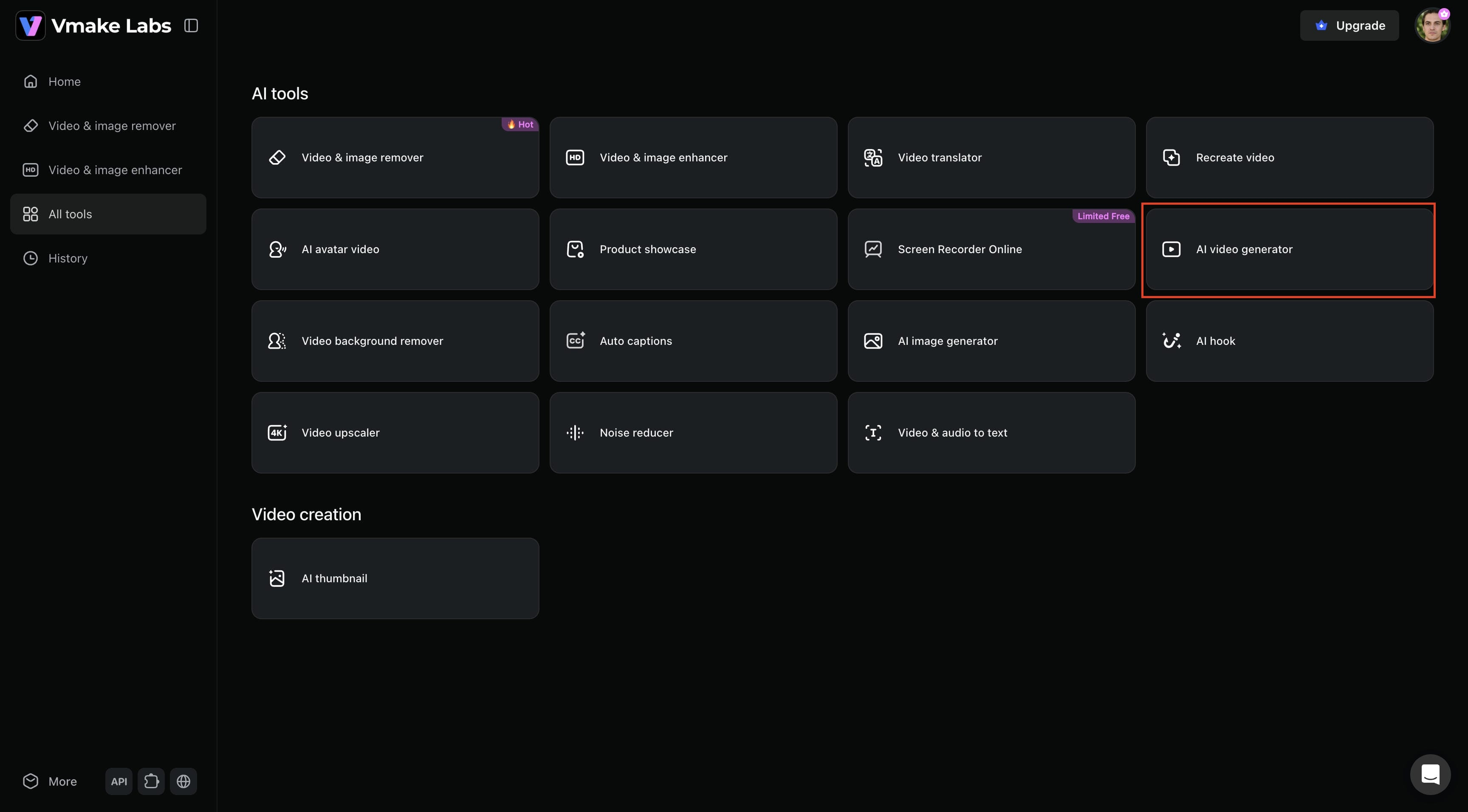
Step 2: Choose Creation Mode and Generate Your Video
Select your preferred creation mode, such as Text-to-Video, Image-to-Video, or Video-to-Video. Enter a detailed prompt or upload a reference image, choose an AI model, adjust settings like duration and aspect ratio, and click Generate to create your video.
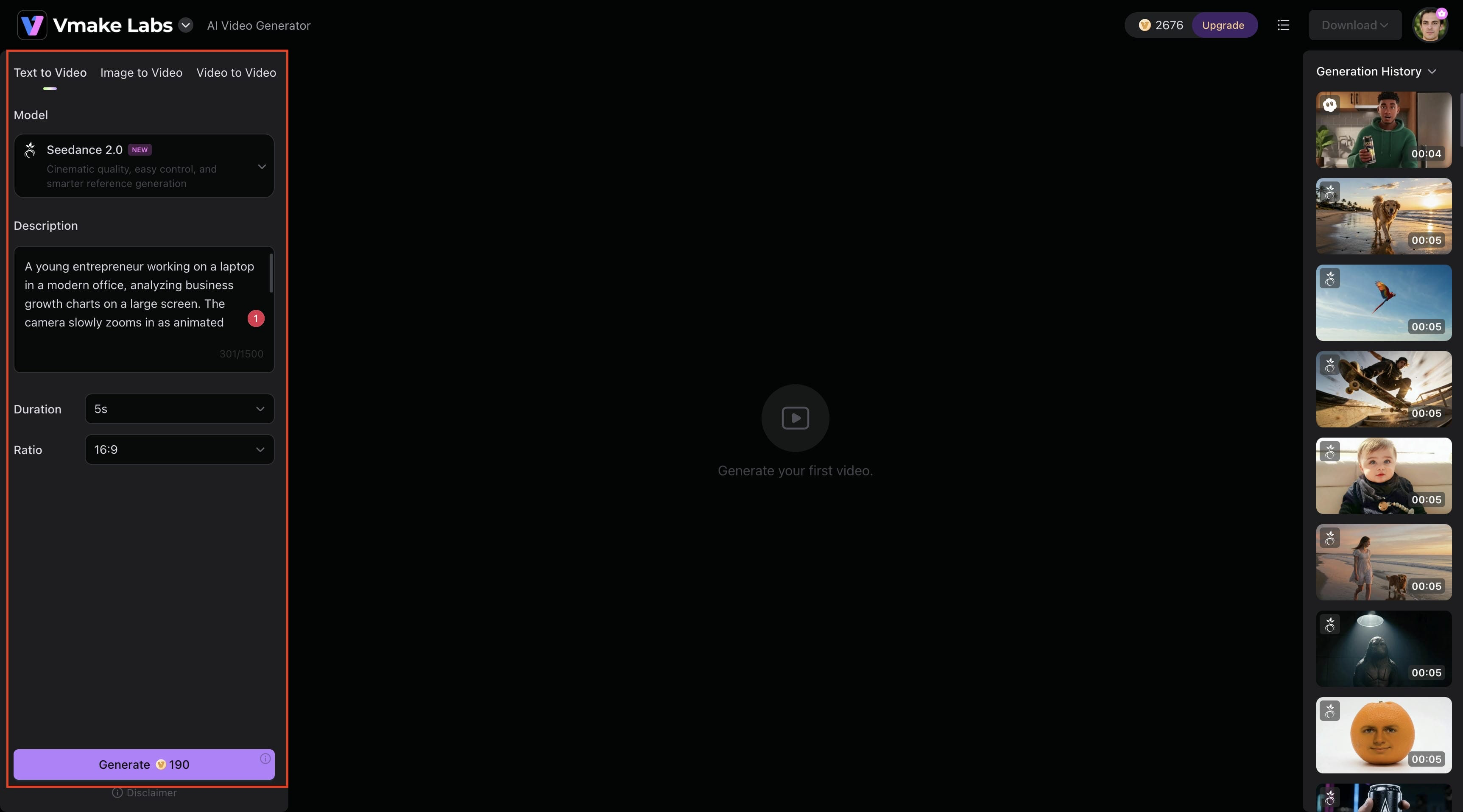
Step 3: Preview, Download, and Share
Once the video is generated, review it in the preview window to ensure it meets your expectations. You can then download the final video and share it across social media platforms, marketing campaigns, presentations, or other creative projects.
GenApe AI vs. Vmake AI: A Head-to-Head Comparison
Both GenApe AI and Vmake AI can generate AI videos, but they are built with different priorities in mind. GenApe focuses on all-in-one content creation, while Vmake AI specializes in advanced video generation and enhancement. Here's how the two platforms compare across key features.
|
Feature |
GenApe AI |
Vmake AI |
|---|---|---|
|
Primary Focus |
AI content creation and video generation |
Dedicated AI video creation and enhancement |
|
Text-to-Video |
Yes |
Yes |
|
Image-to-Video |
Yes |
Yes |
|
Multiple AI Models |
Limited model options |
Access to multiple leading AI models |
|
AI Avatars |
Basic support |
Advanced AI avatar generation |
|
AI Writing Tools |
Yes |
No |
|
Video Enhancement |
Limited |
Built-in video enhancement and upscaling |
|
Resolution Options |
Standard export options |
High-resolution video output |
|
Workflow Flexibility |
Content-first workflow |
Video-first workflow |
|
Ease of Use |
Beginner-friendly |
Beginner-friendly |
|
Best For |
Writers, marketers, and content creators |
Creators, marketers, agencies, and businesses |
Conclusion
Choosing between GenApe AI and Vmake AI comes down to what your workflow actually needs. If you're a marketer, blogger, or solo creator who wants copywriting, graphics, and quick AI clips without juggling multiple subscriptions, GenApe AI is a solid, friction-free home base. But if high-quality visual content is your primary output and you need deep customization, multiple AI models, and upscaling tools, Vmake AI is the better investment. Want an all-in-one multitasker? Go with GenApe. Want the best video output possible? Stick with Vmake.
FAQs
What makes GenApe AI different from other AI video generators?
It's not just a video tool; that's the distinction. GenApe puts writing, image generation, and video creation in the same workspace, which cuts down on platform hopping that slows down a lot of content workflows. That all-in-one approach is what sets it apart from many AI video generators.
Can GenApe AI generate videos from text prompts?
Yes, type a description of your scene, and GenApe generates a video from it. You can also upload a reference image to push the output in a specific direction, but don't expect much from one-line descriptions, since the more specific your prompt is, the more usable the result will be.
Is GenApe AI suitable for content creators and marketers?
For most of them, bloggers, marketers, educators, and freelancers, anyone producing a mix of written and visual content without a big production setup will find GenApe genuinely useful. It's not built for high-end video production, and if that's your bar, it'll frustrate you. If video creation becomes your primary focus, Vmake AI offers more advanced tools for dedicated video production.
What limitations should users consider before choosing GenApe AI?
The video side is where you'll feel the constraints; most model selection is limited, and camera and motion control are minimal. Enhancement tools don't exist the way they do on video-specialist platforms. If you need precise creative control over video output, Vmake AI is a more appropriate fit.
Why might someone choose Vmake AI instead of GenApe AI for video creation?
Because Vmake was built to do one thing well, offering multiple AI video models, real avatar generation, image-to-video, video upscaling, and flexible exports. If your work lives primarily in video, the tradeoff of losing GenApe's writing tools is more than worth it.

You May Be Interested
Demystifying 2K Video Resolution: The Ultimate Guide

AI Video Generation Models in 2026: Top Models Compared

ChatGPT Video Generator Review: Features, Pricing & Best Alternative
Revid AI vs HeyGen: Which AI Video Generator is Best for You?