[2026] Best 10 Ways to Remove Emoji from Video You Cannot Miss
How to remove emojis from videos online, on desktop, or mobile? In this guide, you will learn about the best free and paid tools to remove emoji from video!

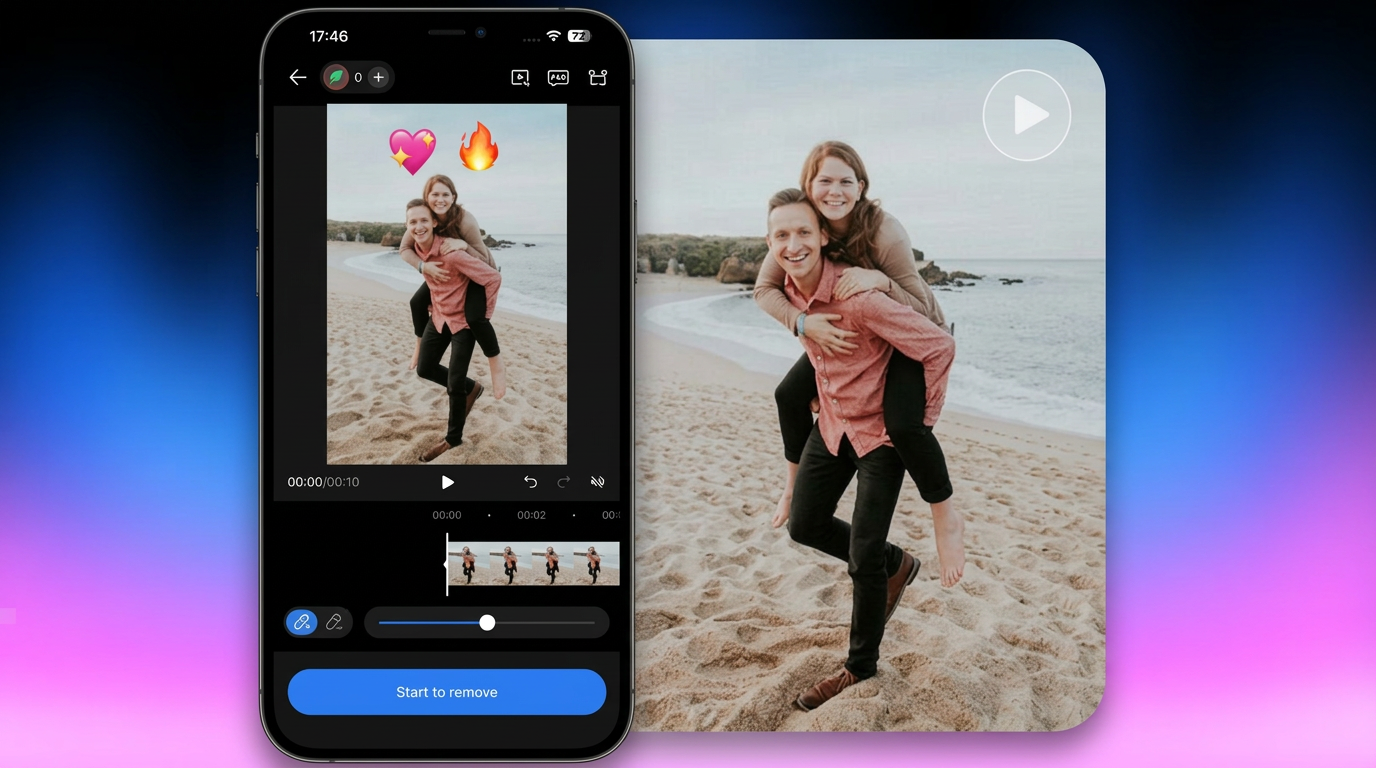
Emojis are often added to videos to cover faces, protect privacy, highlight reactions, or make clips more playful for social media. But they become a problem when you want to reuse the footage or restore hidden details. Thankfully, you can remove emoji from video using smart tools that erase or replace unwanted stickers. This post helps you learn how to remove emoji from video online, on mobile, and on desktop.
10 Best Ways to Remove Emoji from Video You Might Wanna Try
Below are the most reliable tools available today if you need an emoji remover from video without degrading quality. Let’s dig into the details:
Comparison Among All 10 Tools to Remove Emoji from Video
Let’s first have a look at the chart below for a quick comparison of all the emoji removers:
Tools | Platform | Pricing | Ease of Use | Output Quality | Best for |
Vmake Video Watermark Remover | Online, Android & iOS | Free, $9.99/mo (Plus), $29.99/mo (Pro) | Very Easy | High | Automatic AI emoji removal for beginners |
123APPS | Online | Free, $6/mo | Easy | Low | Cover emojis in short clips |
AVCLabs | Online, Win & Mac | Free, $19.95 (50 credits), $59.95 (200), $97.95 (500) | Moderate | High | Cropping or masking emojis in simple videos |
Media.io | Online, Windows, Android, iOS | Free, $13.99/mo (Premium), $7.99/mo (Standard) | Easy | High | Various AI models for object removal |
Fotor | Online | Free, $3.33 (Pro), $7.49 (Pro+), $11.19 (Max) | Easy | Low | Quick patching and covering emojis in video clips |
PicWish | Win & Mac | Free, $12.99 (300 credits), $33.99 (1000), $65.99 (5000) | Moderate | Medium | Remove emojis or stickers with manual selection |
Adobe Premiere Pro | Win & Mac | $20.99/mo (Monthly), $31.49/mo (Yearly) | Difficult | High | Advanced masking, tracking, and film-level emoji removal |
Wipit | Win & Mac | Free, $9.99 (Monthly), $22.99 (Yearly) | Easy | Medium | Quick emoji removal from short videos |
Picsart | iOS | Free, $7/mo (Pro), $24.5/mo (Ultra) | Easy | High | Quick emoji removal for social media edits |
Video Eraser Watermark Remover | Android & iOS | Free, In-app purchases | Easy | Medium | Lightweight app for one-touch emoji removal |
1. Vmake Video Watermark Remover
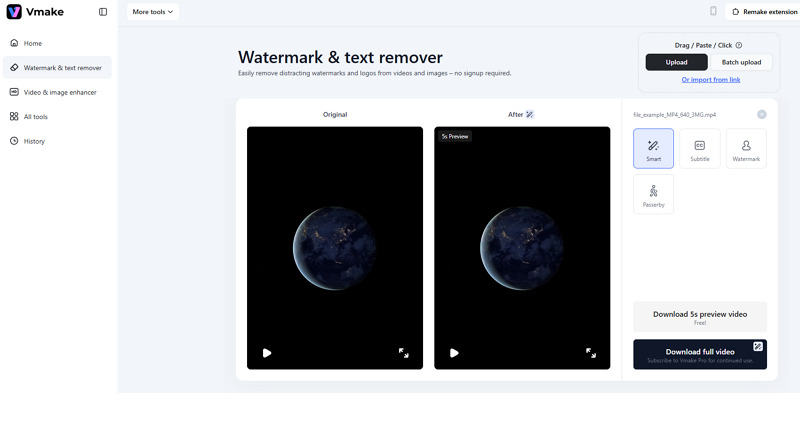 Vmake is a remarkable tool that helps you remove emoji from video online free. It uses AI technology to automatically detect and replace emojis, text, watermarks, and people with surrounding pixels. Since it supports all common formats, you can upload a video from a device or as a link, select the element, and download the output.
Pros:
No sign-up needed
Completely safe & secure
Support batch processing
Cons:
Require a stable internet connection
No full video download option in the free version
2. 123APPS
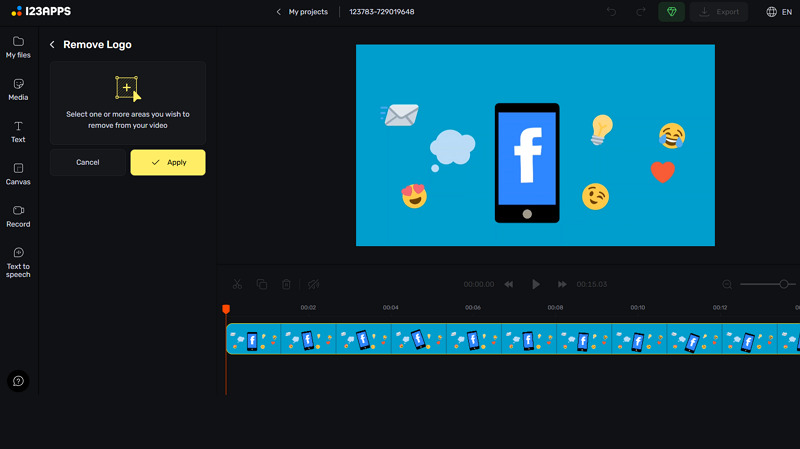
123APPS offers simple online video editing tools, including a logo remover. It helps you overlay patches to remove emojis, text, stamps, watermarks, and more. While it doesn’t fully reconstruct missing areas, it works well for small stickers and shorter clips. Besides, it lets you select export parameters such as format, quality, frame rate, and compression.
Pros:
Simple controls; suitable for beginners
Support for MP4, MOV, AVI, and WMV formats
Help you trim, reduce noise, green screen, etc.
Cons:
Unable to deliver professional results
Maximum file upload size is 500 MB
3. AVCLabs
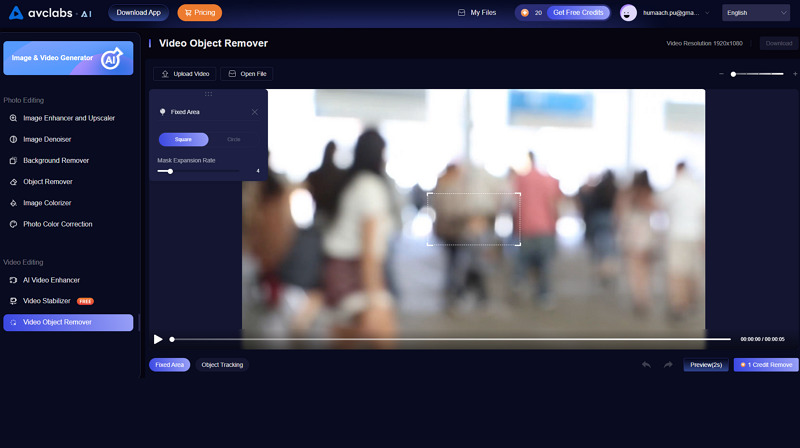
AVCLabs offers a specialised AI video emoji remover that erases emojis, stickers, watermarks, and other unwanted overlays while preserving 99% of the original background details. Even if the emoji covers important details, this tool can rebuild textures. You can either select the fixed area or track object for a particular duration to complete the task.
Pros:
Available as desktop software
Let you select the mask expansion rate
Automatically update new features
Cons:
Limited free version
Only a 10-second video is allowed
4. Media.io
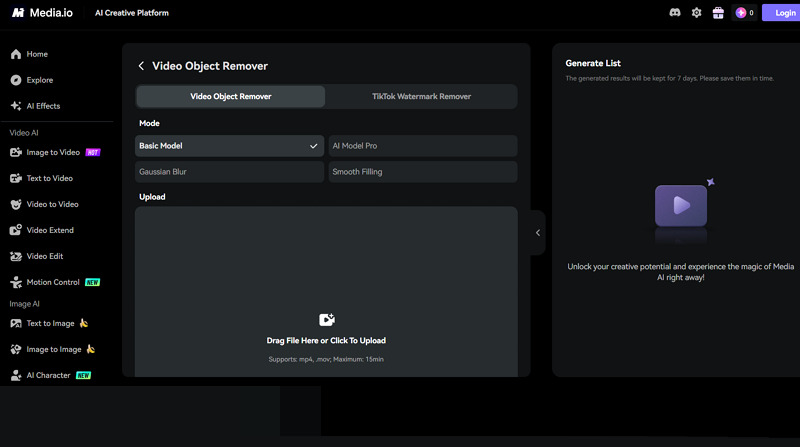
Media.io offers an efficient emoji-removal tool powered by AI models, including Basic, Pro, Gaussian Blur, and Smooth Filling, to eliminate unwanted emojis and stickers from videos. Regarding how to remove emojis from videos, select the model, paint over the elements you want to remove with the brush, and let the AI handle the rest.
Pros:
Advanced AI reconstruction
Deliver clean output quality
Keep the results for 7 days
Cons:
Free version limits file duration
Export speed varies
5. Fotor
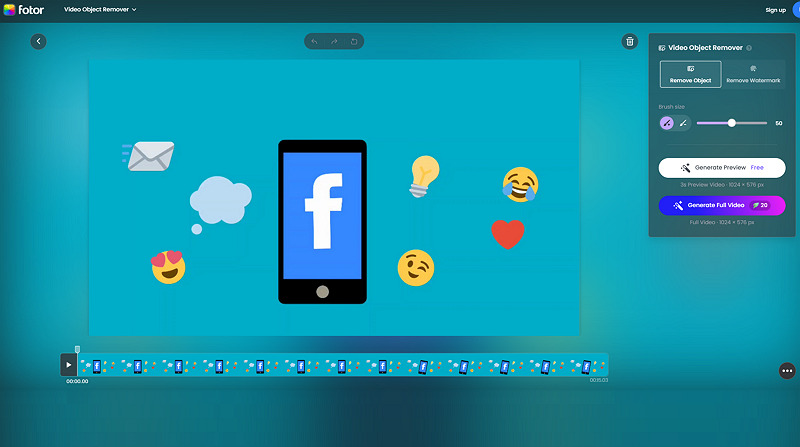
Fotor is known for photo editing, but also offers a video object remover and a watermark remover. It’s pretty easy to use; you can effortlessly remove emojis by only patching or masking areas with a brush. The best part is that it has a comprehensive AI video editor so you can make the desired changes without hassle.
Pros:
Fast and accessible tool
Support MP4, MOV, M4V, and WebM formats
Let you preview the output beforehand
Cons:
Not suitable for professional videos
Allow downloading a preview for free
6. PicWish
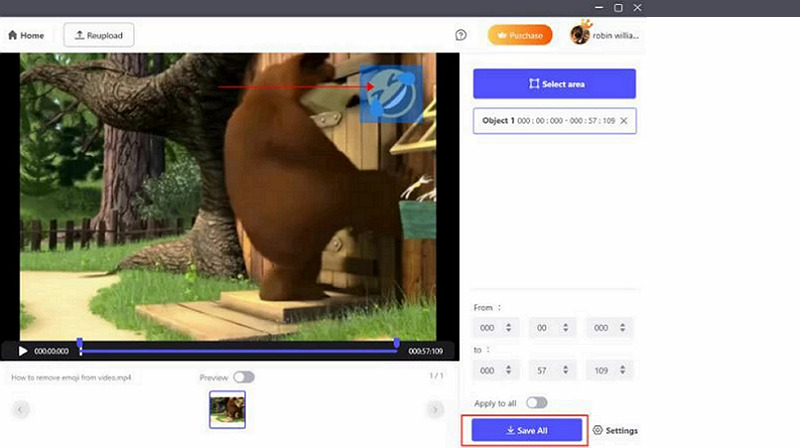
PicWish is a fantastic photo-editing software that also offers an efficient AI watermark remover for desktop users. It can help eliminate small emoji stickers placed on video backgrounds. You can upload the video, select the object area and duration, and it will clean the video with high precision and speed.
Pros:
Simple workflow
Free version available
Let you select the output parameters
Cons:
It may struggle with moving emojis
Require sign-up for processing
7. Adobe Premiere Pro
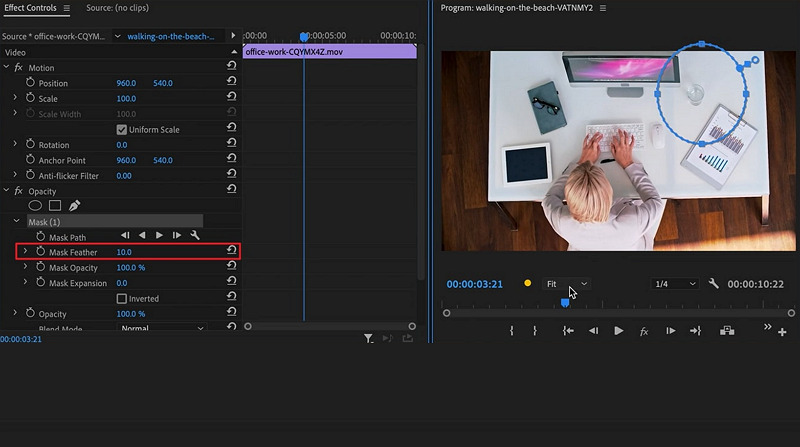
Premiere Pro is the professional choice if you want advanced emoji removal features. In addition to masking, you can also remove emojis from videos using tracking and content-aware fill. It also lets you adjust the settings to refine the removal process. You can even preview it and export it in the desired format.
Pros:
Industry-level editing tools
Perfect for complex removals
Support a range of video formats
Cons:
Steep learning curve
Paid subscription required
8. Wipit
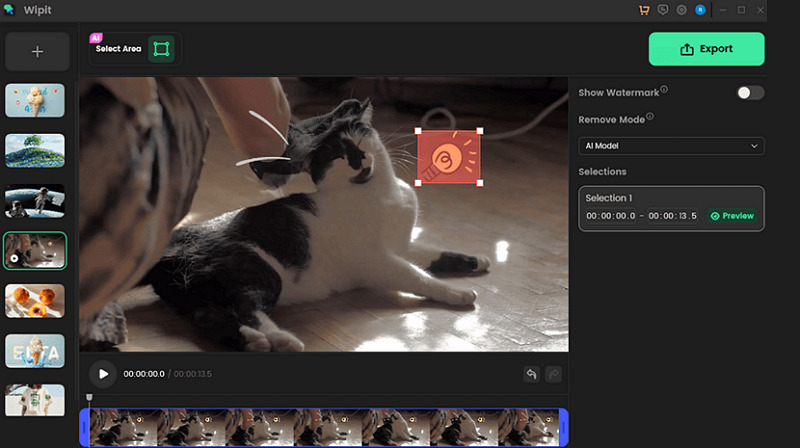
As the name implies, Wipit helps you remove all distractions from your videos and photos, such as emojis, Sora watermarks, logos, people, objects, and text. What makes it great is the adjustable brush and segment-by-segment watermark selections. It’s perfect for those who need a fast emoji remover from video with minimal effort.
Pros:
AI-powered processing
Batch import and removal
Let you add brand marks
Cons:
Limited editing controls
Require payment for exporting
9. Picsart
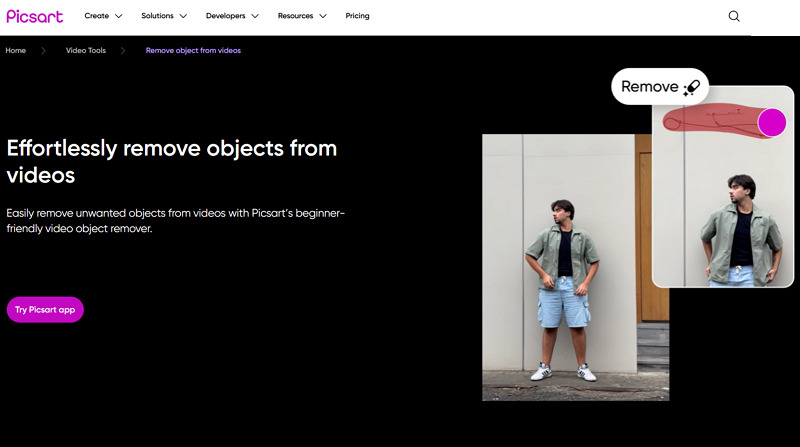
PicsArt is a popular editing app with an object remover for iOS users to clean up their video content. You only need to paint over the emoji, and the app automatically fills the area. It’s perfect if you’re looking for how to remove an emoji from a video directly on your phone without advanced editing skills.
Pros:
User-friendly interface
Instant emoji removal
High-quality exports
Cons:
Available only on iOS
Limited free version
10. Video Eraser Watermark Remover
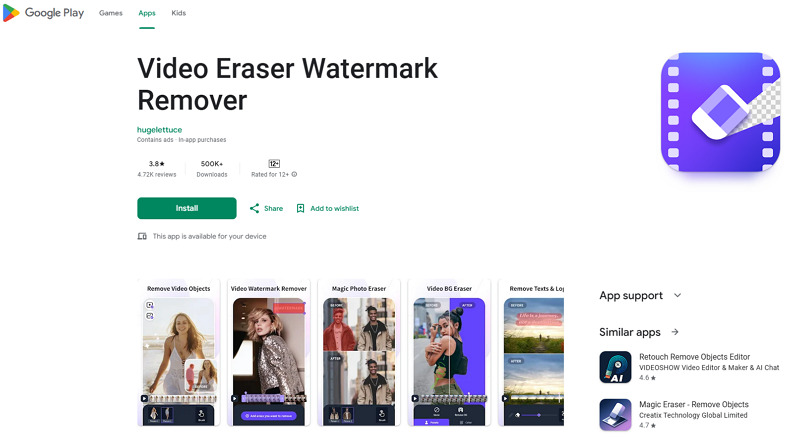
Video Eraser Watermark Remover is an Android & iOS app designed specifically to remove emojis, watermarks, or text from videos. With a simple touch screen, you can tap the object, and the app will erase it. While it may not fully reconstruct the background like AI software, it’s a convenient choice for quick edits on mobile.
Pros:
Lightweight and easy to use
Built specifically for removing overlays
No editing experience required
Cons:
The free version displays ads
Not for videos with complex backgrounds
FAQs about Removing Emoji from Video
1. How to remove emoji from video on mobile?
To remove emoji from video on mobile, you can use a specialized app like Vmake Video Watermark Remover. Just install it, select an element, and the AI will automatically remove and reconstruct the details.
2. Does removing emojis from videos affect the quality?
It depends on the tool. Basic masking or blurring can reduce clarity, whereas AI tools can reconstruct the background while maintaining quality. Export settings are also crucial in this regard.
3. Can you remove emoji from any video without consent?
It depends. Removing emojis from someone else’s video or using it for business purposes without permission violates copyright or privacy rules. Always ensure you have editing rights and a commercial license before modifying content.
4. Is it possible to remove emoji from TikTok or YouTube videos?
Yes, but only if you downloaded the video legally and have permission to edit it. Once you have the file, you can upload it to any emoji remover from video tool to clean it.
Conclusion
This post has provided several methods on how to remove emojis from videos, for both beginners and professionals. You can choose any of the listed tools that best fit your needs. However, Vmake Video Watermark Remover stands out as the best overall choice. It is fast, beginner-friendly, supports batch processing, and delivers the best results without complex editing. Let’s try it today.

You May Be Interested
[2025] Top 5 FREE Video Downloader without Watermark
2025 Top Free Tools to Automatically Add Captions to Your Videos

123APPS Watermark Remover Review (2026): Pros, Cons, and Pricing