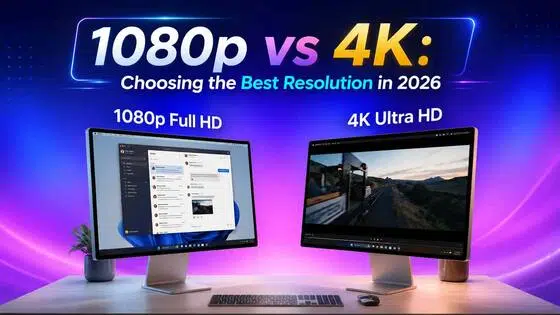
1080p vs 1440p: The Ultimate Comparison Guide
 Vmake Labs TeamMay 28, 2026
Beyond mere numbers, choosing between 1080p and 1440p shapes your digital world. Whether you crave the buttery-smooth, high-FPS performance of 1080p or the breathtaking clarity and multitasking power of 1440p, the choice is yours. Let's dive into this guide and elevate both to perfection with Vmake AI-powered upscaling and noise reduction.
1080p vs 1440p: Definition and advantages
This 1080p vs 1440p analysis provides a concrete understanding of the differences between these display resolutions. In addition to this, it allows you to identify how performance varies in everyday activities. 1080p is about gaming performance and budget-friendly hardware. On the other hand, 1440p is about sharp images and high GPU capacity.
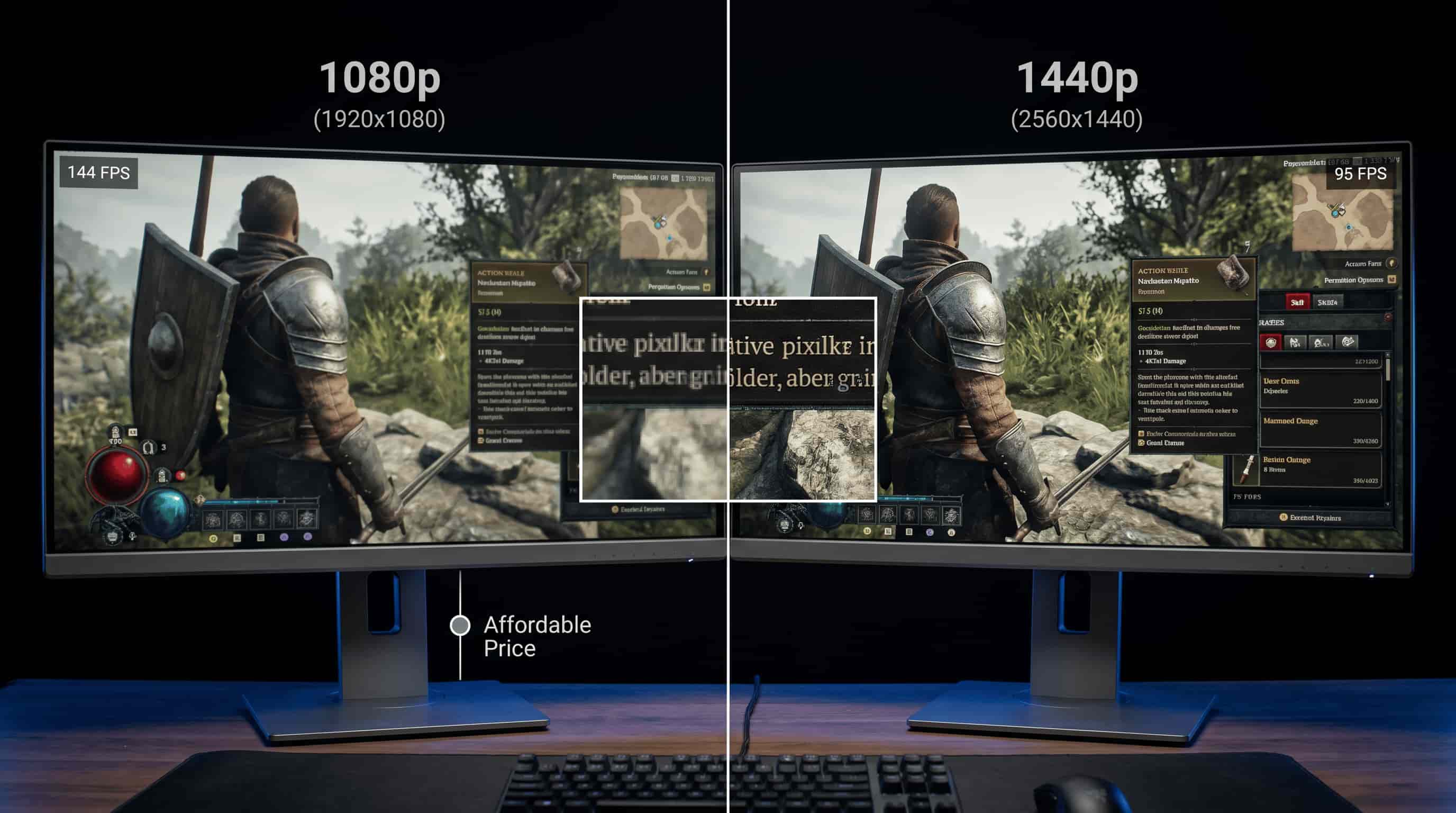
These two are equally suitable for varying users depending on their finances and requirements.
What is 1080p?
Begins with 1080p, otherwise known as "Full High Definition". It has dimensions of 1920 x 1080 and can be found in most modern-day monitors. The resolution can be found on screens that are meant for general uses.
It offers a good combination of performance and quality without being overly stressful for your computer. Although the resolution is sharp on small screens, it is a bit blurry on large screens.
Advantages of 1080p
-
Lower hardware requirements: It performs perfectly with a mid-level graphics card. Therefore, it can be used for affordable gaming along with daily computer use.
-
Higher FPS: As fewer pixels need to be rendered in each frame, players are able to move fast. Hence, it proves useful for games that demand fast gameplay.
-
Affordable displays: Monitors having 1080p resolution are relatively affordable and easily available. Although the colors displayed by these monitors differ, they are preferred because of their affordability.
-
Wide compatibility: Almost all games support 1080p displays. While it doesn't need any settings to be changed, it causes blurriness in some of the modern games.
What is 1440p?
In the case of the 1080p vs 1440p debate, it should be noted that 1440p is the "Quad HD" format. It has more pixels than 1080p. Consequently, it offers you better quality pictures and text.
It becomes visible on large screens, as the difference is rather small. On smaller screens, there is no huge difference. However, it has nothing to do with appearance only.
1440p will also offer you greater flexibility when creating windows and multitasking. Nevertheless, it may have bad effects on the GPU in the case of heavy games due to old cards.
Advantages of 1440p
-
Sharper image quality: More pixels deliver higher resolution and improved image quality. This benefits both gaming and creativity, even if fast-action sequences might lose some detail.
-
Better screen space: More pixels provide more space for windows and tools. This makes multitasking much more comfortable, even if legacy programs may experience scaling issues.
-
Balanced performance: It sits between 1080p and 4K, offering good visuals without extreme hardware demands. Still, mid-range GPUs may struggle at high settings.
-
Enhanced gaming immersion: Games appear more realistic and detailed. On the other hand, lowering settings becomes necessary more often than anticipated.
Understanding 1080p vs 1440p differences
The 1080p vs. 1440p is not only about numerical resolution values. It's about system loading and performance.
While 1080p remains relatively low in terms of loading and stability, 1440p offers better picture quality at the cost of a more powerful GPU.
However, it doesn't really manifest itself much on small laptops, despite what you may read online.
1080p vs 1440p comparison table:
|
Feature |
1080p |
1440p |
|---|---|---|
|
Resolution differences |
1920×1080 Full HD with fewer pixels |
2560×1440 Quad HD with more pixels |
|
Image clarity |
Good clarity, less detail on large screens |
Sharper visuals with higher pixel density |
|
Performance (FPS) |
Higher FPS, easier on GPU performance |
Lower FPS, requires stronger GPU power |
|
Gaming experience |
Best for competitive, fast-paced gaming |
Better for immersive, detailed gaming |
|
Price and value |
More affordable and budget-friendly |
More expensive but better long-term value |
1080p vs 1440p comparison: Resolution and Pixel count
The pixel density is what distinguishes 1080p from 1440p monitors. 1080p displays offer around 2 million pixels, and that means less hardware is needed.
As for the second display, it comes close to 3.7 million pixels, and the graphics processing unit can tell.
It sure looks good on paper and is impressive to the user's eye. But performance-wise, there are some issues, particularly with older hardware. This is usually quite surprising.
Resolution and pixel count table:
|
Feature |
1080p |
1440p |
|---|---|---|
|
Resolution |
1920 × 1080 (Full HD) |
2560 × 1440 (Quad HD) |
|
Total pixels |
About 2.07 million pixels |
About 3.69 million pixels |
|
Pixel density |
Lower density on larger screens |
Higher density for sharper visuals |
|
Image detail |
Good for standard viewing |
Much clearer and more detailed |
|
Hardware load |
Easier to run on most GPUs |
Requires more GPU power |
This is where upgrades start making sense, or feel unnecessary depending on your setup.
1440p vs 1080p: Which offers better image quality?
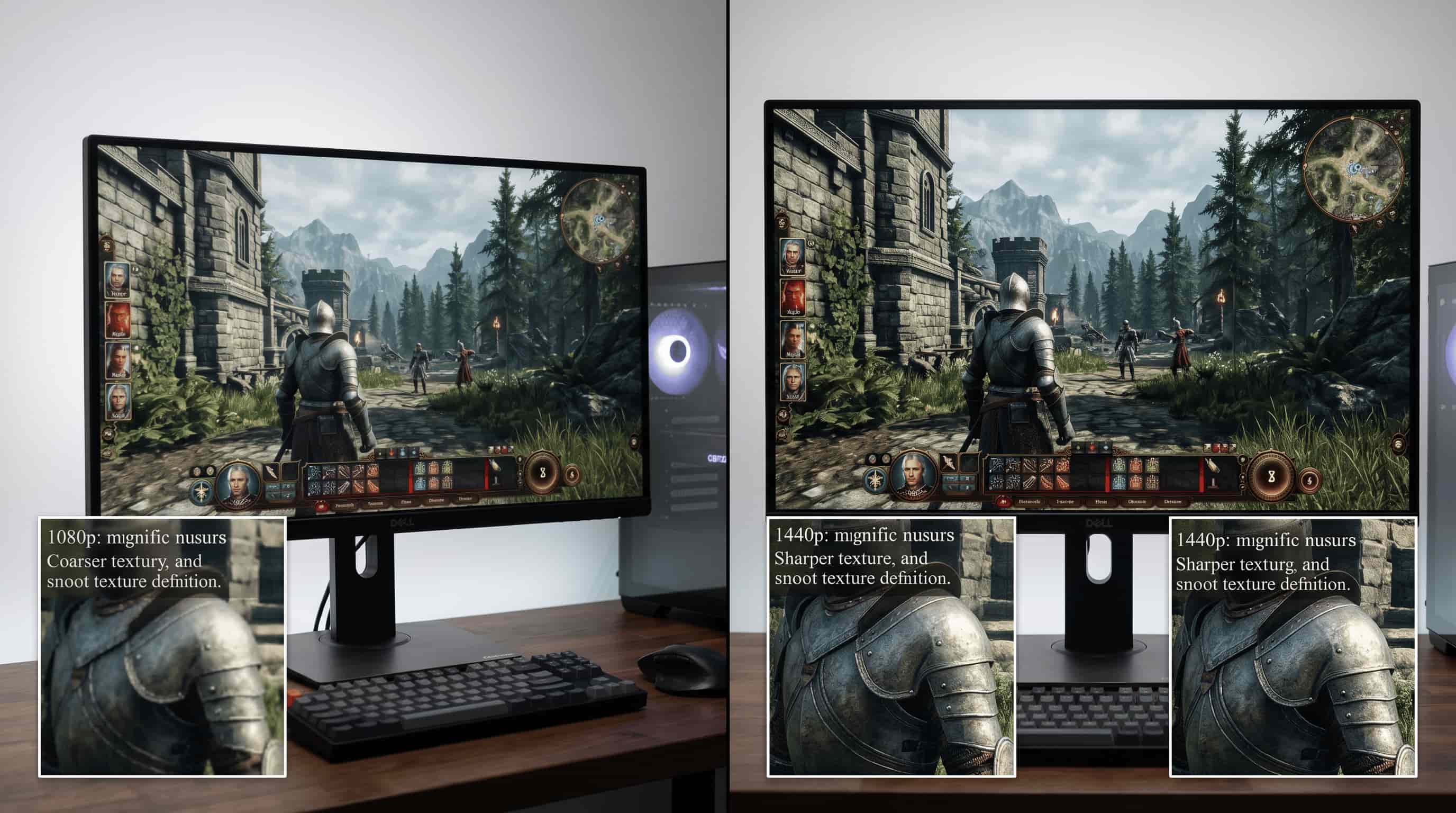
The 1440p vs. 1080p comparison shows how higher resolution improves clarity and detail. It also changes how sharp everything feels on different screen sizes.
|
Feature |
1080p |
1440p |
|---|---|---|
|
Pixel Count |
Fewer pixels with standard Full HD clarity |
More pixels for sharper and clearer visuals |
|
Image Quality |
Good quality on small and medium screens |
Sharper images, text, and icons |
|
Detail & Textures |
Decent detail for everyday use and gaming |
Better textures, shadows, and visual depth |
|
Pixel Density (PPI) |
Crisp on smaller displays |
Higher PPI improves clarity on larger screens |
|
Best Screen Size |
Ideal for smaller monitors and laptops |
Better suited for 27-inch and larger displays |
|
GPU Usage |
Lower GPU demand and power consumption |
Higher GPU power required |
|
Main Advantage |
Faster and budget-friendly |
Better visual clarity and detail |
Performance vs Visuals in 1080p vs 1440p for Gaming
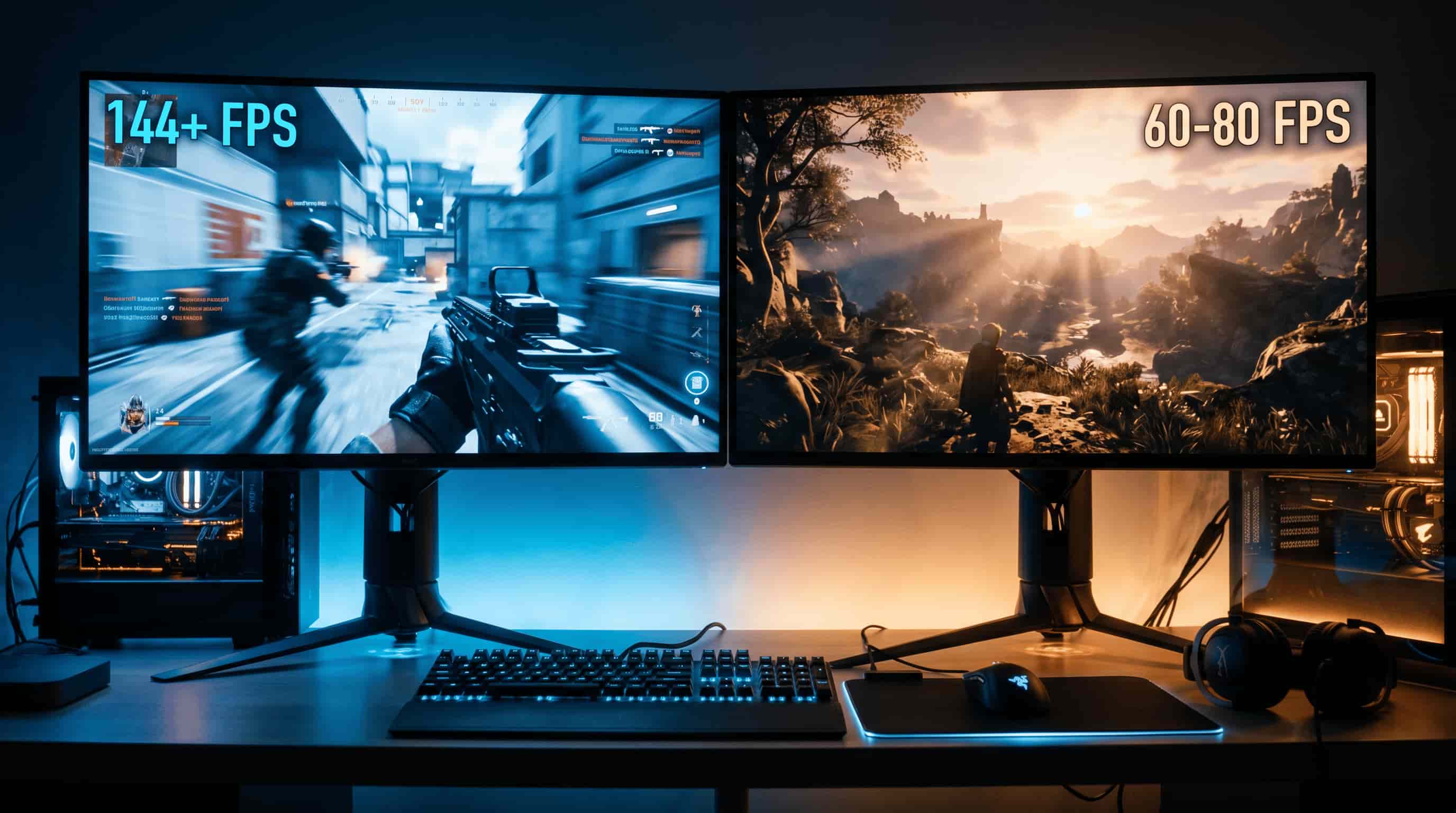
The 1080p vs. 1440p gaming comparison shows a clear trade-off. It balances higher FPS with better visual quality in real gameplay situations.
|
Feature |
1080p |
1440p |
|---|---|---|
|
FPS Performance |
Higher FPS with smoother gameplay due to fewer pixels being rendered |
Lower FPS because more pixels require extra GPU processing |
|
Visual Quality |
Good image quality, but may appear blurry on larger monitors |
Sharper visuals with clearer textures and more detail |
|
GPU Requirements |
Works well with entry-level and mid-range GPUs |
Requires more powerful mid-range or high-end GPUs |
|
Gaming Experience |
Best for competitive gaming and fast response times |
Better for immersive and visually rich gaming |
|
Input Lag |
Lower latency and faster responsiveness |
Slightly higher GPU load can affect responsiveness |
|
Hardware Cost |
More budget-friendly setup |
Higher overall cost for monitor and GPU |
|
Main Advantage |
Focuses on speed and gaming performance |
Focuses on image quality and realism |
|
Trade-Off |
Better FPS with lower visual detail |
Better visuals with reduced performance |
Price and Value Breakdown of 1080p vs 1440p Comparison
Some of the variations that exist between 1080p and 1440p are discussed below. First, 1080p is less costly and easier on the computer's graphics processing unit (GPU). In contrast, 1440p is more expensive but delivers clearer images and makes you more productive. It all depends on your finances and choice.
Price and value comparison table
|
Factor |
1080p |
1440p |
|---|---|---|
|
Monitor price |
Lower cost and budget-friendly |
Higher cost but improving value |
|
GPU requirement |
Works with entry and mid-range GPUs |
Needs stronger mid to high-end GPUs |
|
Performance value |
High FPS with lower hardware demand |
Balanced performance with better visuals |
|
Productivity value |
Good for basic use and gaming |
Better for multitasking and work setups |
|
Long-term value |
Affordable but less future-proof |
More future-proof with sharper visuals |
-
1080p is best if you want maximum performance at the lowest cost.
-
1440p is better if you want sharper visuals and longer-term upgrade value.
Improving 1080p vs 1440p visual quality using Vmake
Vmake AI video enhancer enhances the quality of the image in 1080p videos as opposed to 1440p videos. The software works by enhancing resolution and clarity and reducing noise. Consequently, the quality of images is enhanced.
The software solves issues such as blurry borders and poor texture recognition in images. It also creates smooth videos that are even easier for most people to edit and produce. The software can be useful for creating smoother videos, especially when compressed.
It works perfectly well with common videos, but it depends on the video's quality. Extremely poor-quality videos cannot produce high-quality visuals, but there will be improvement.

How to enhance videos using Vmake
Simple steps to improve video quality using AI-powered enhancement tools.
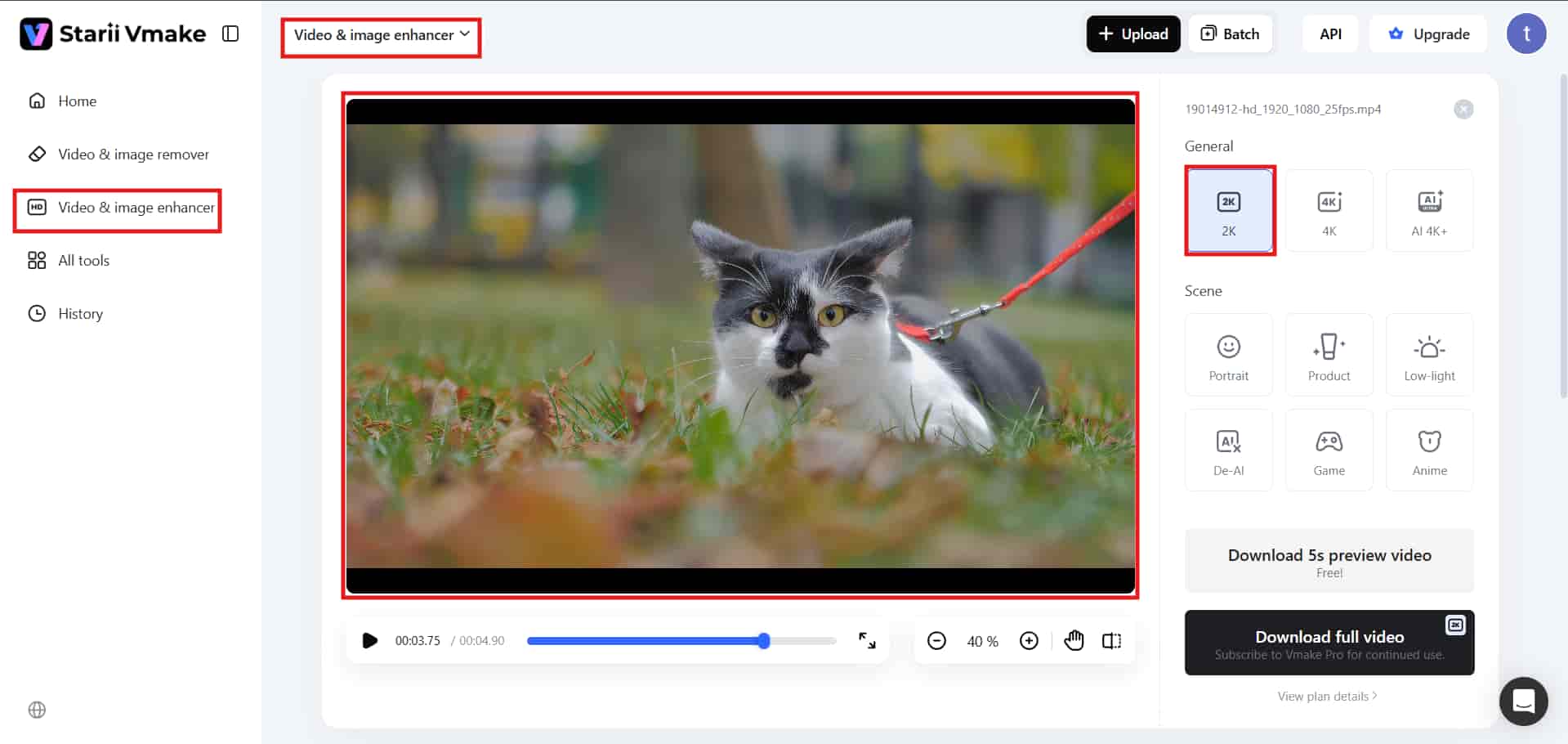
Step 1: Upload the video
Upload or drag and drop your 1080p video file into the Vmake workspace. This tool is ready to enhance videos automatically.

Step 2: Choose enhancement settings
Select your ideal resolution of improvement from either the 2K or 4K options. You will find that 4K is the most suitable option for the normal eye with excellent results. Default settings are normally enough for most videos.
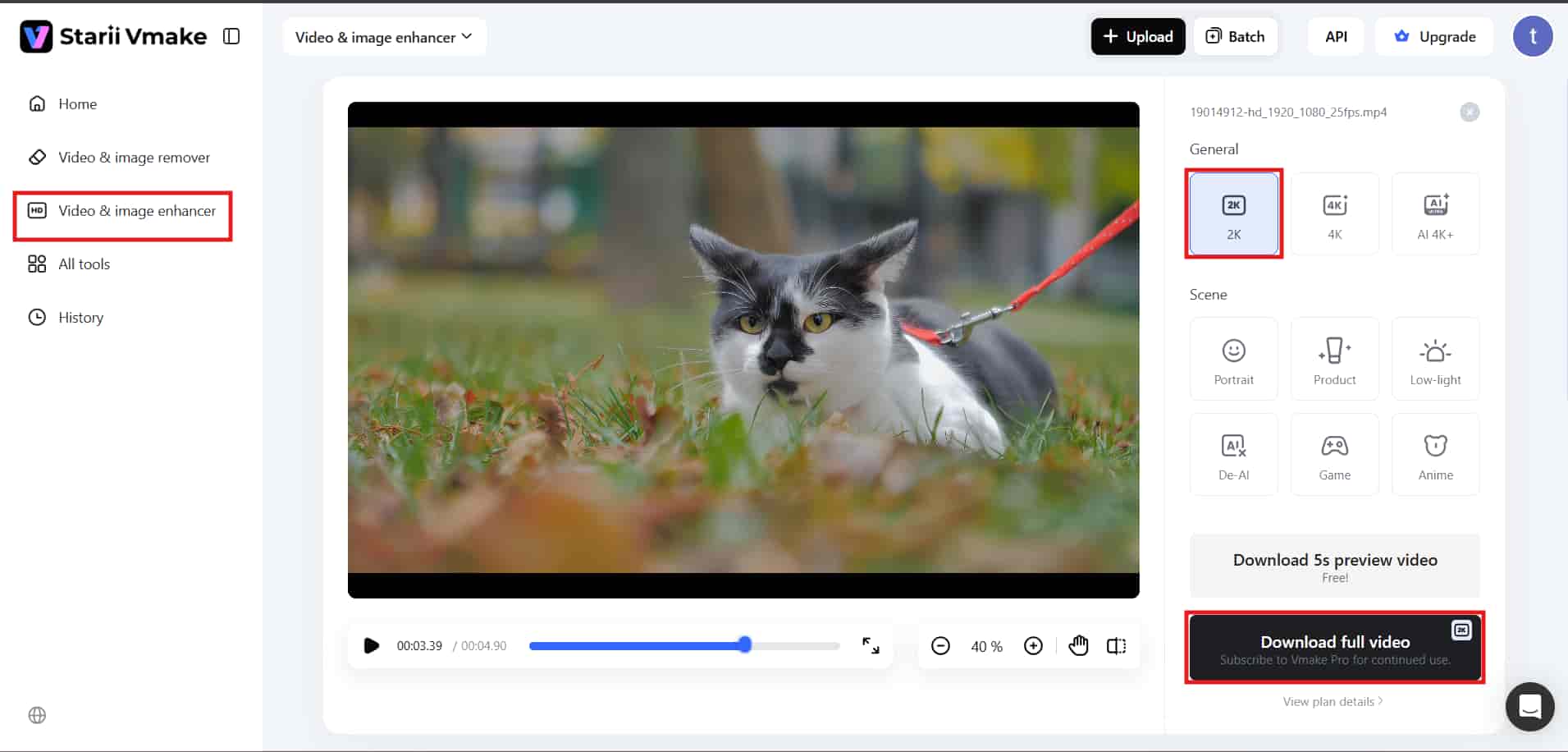
Step 3: Preview and download
Preview your improved frame before downloading the enhanced video. You should then proceed to download a 1440p improved video with neat results.
Key features
-
AI upscaling: AI technology increases the resolution and sharpness of video images and gets rid of any pixelation, making sure that you have an optimal end result thanks to advancements made in AI.
-
Noise reduction: It is aimed at removing noise and distortion in videos. The process ensures that improved video images are achieved and makes videos clearer, especially during nighttime conditions.
-
Resolution boost: Enhances the quality of videos that have been recorded in low resolution. This process results in sharper and more pixelated pictures.
-
Detail enhancement: It recovers fine details, textures, and edges. This results in a more realistic and crispier video.
-
One-click processing: It automatically enhances all AI features in videos with a single click.
Conclusion
The 1080p vs. 1440p comparison comes down to a simple trade-off. You pick speed or clarity. It's something you notice quickly once you start gaming or working across both resolutions. In 1080p, the gamer is guaranteed speed and saves money by achieving high FPS without overburdening the graphics processing unit, which is required for fast-action games.
In contrast, 1440p focuses on sharpness and higher quality but strains the graphics processing unit. The choice will be based on your budget, your GPU, and what you observe every day. While some value FPS, others prefer resolution. They are all correct, but each one's experience is unique. In video editing, some programs can improve image clarity. Such programs include Vmake AI, which uses AI scaling, noise elimination, and detail augmentation to convert 1080p to 1440p easily.
FAQ's
Is 1440p worth over 1080p for gaming, productivity, and daily use?
When choosing between 1080p and 1440p, the latter offers sharper images and better multitasking. Productivity can be increased thanks to a sharper, clearer space. If the main advantage of 1080p over 1440p is high FPS, it cannot be ignored.
Does 1080p vs. 1440p matter on small screens like laptops and compact displays?
From the debate about 1080p vs 1440p, there seems to be no difference in laptops and small screens. Given that 1080p handles all actions that occur on the screen, then 1440p is better suited for large screens.
What GPU is needed for smooth 1440p vs. 1080p gaming at high settings?
When it comes to comparing 1440p vs 1080p for gaming, it looks like it is better to choose an average GPU for 1080p gaming, since you get steady FPS. However, for gaming on 1440p, you need a mid or upper GPU.
Which is more budget-friendly, 1080p vs 1440p monitors and setups?
When compared to 1440p, 1080p is cheaper for monitors and full configurations. It also requires less powerful computers. While being costlier, 1440p offers higher visual quality and value in the long term. It suits people who prefer clear visuals and greater efficiency.
Can Vmake improve 1080p vs. 1440p video quality using AI enhancement tools?
Vmake helps improve both 1080p and 1440p modes, thanks to its AI technology, which enhances video quality. The video quality is enhanced with regard to sharpness, clarity, and noise removal. However, very poor-quality videos do not get restored to their original quality.

You May Be Interested

How to Convert 480p Video to 1080p (Best Upscaling Methods)
[Updated!] How to Upscale Anime Video to 4K Online
How to Upscale Videos: Guide to Higher Resolution and Sharper Details
What is 480p Resolution and How to Enhance 480p Quality
What is 1440p Resolution? A Complete Guide to QHD Displays