1080p vs 4K: Choosing the Best Resolution in 2026
 Vmake Labs TeamMay 27, 2026
The decision between 1080p and 4K is one between visual fidelity and hardware efficiency. Where 4K provides breathtaking detail on large screens, 1080p provides a great balance with smaller screens. This article will explain the importance of resolution, pixels per inch, and other considerations in making that decision.
What's the real difference? 1080p vs 4K resolution explained
The biggest difference between 1080p and 4K comes down to pixel count. More pixels mean sharper images and finer detail. That's the simple version.
1080p gives you solid Full HD quality that still looks good on most screens. It's reliable. Streaming works smoothly. Games run better without stressing your hardware too much.
4K changes the experience more on larger displays. You notice cleaner edges, sharper text, and more depth in scenes. Sit close to a large monitor, and the jump becomes obvious.
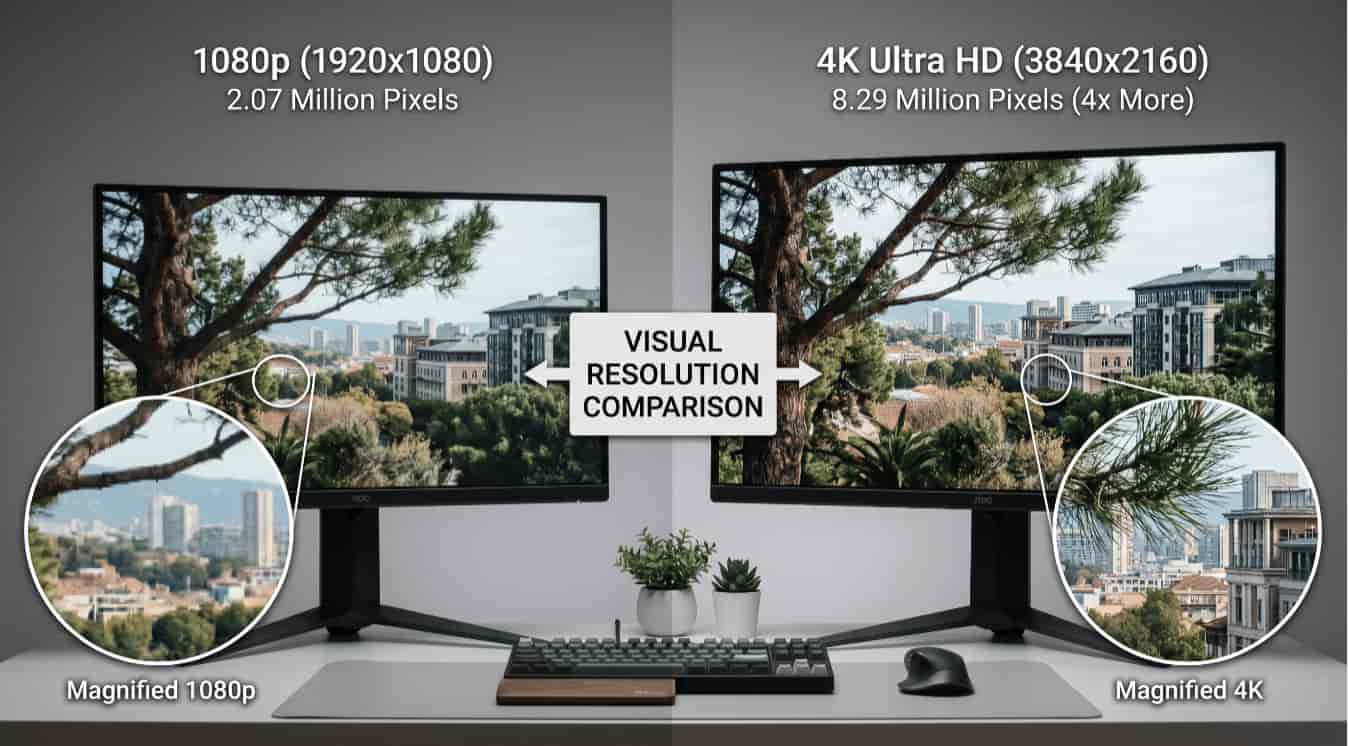
Resolution explained: 1080p vs 4K pixel comparison chart
The 1080p vs 4K resolution debate usually comes down to visual quality versus performance. One gives you sharper detail. The other gives smoother efficiency.
Neither option is perfect. 1080p still dominates everyday gaming and casual streaming because it's easier to run. 4K pushes visual clarity much further, but the hardware costs climb quickly.
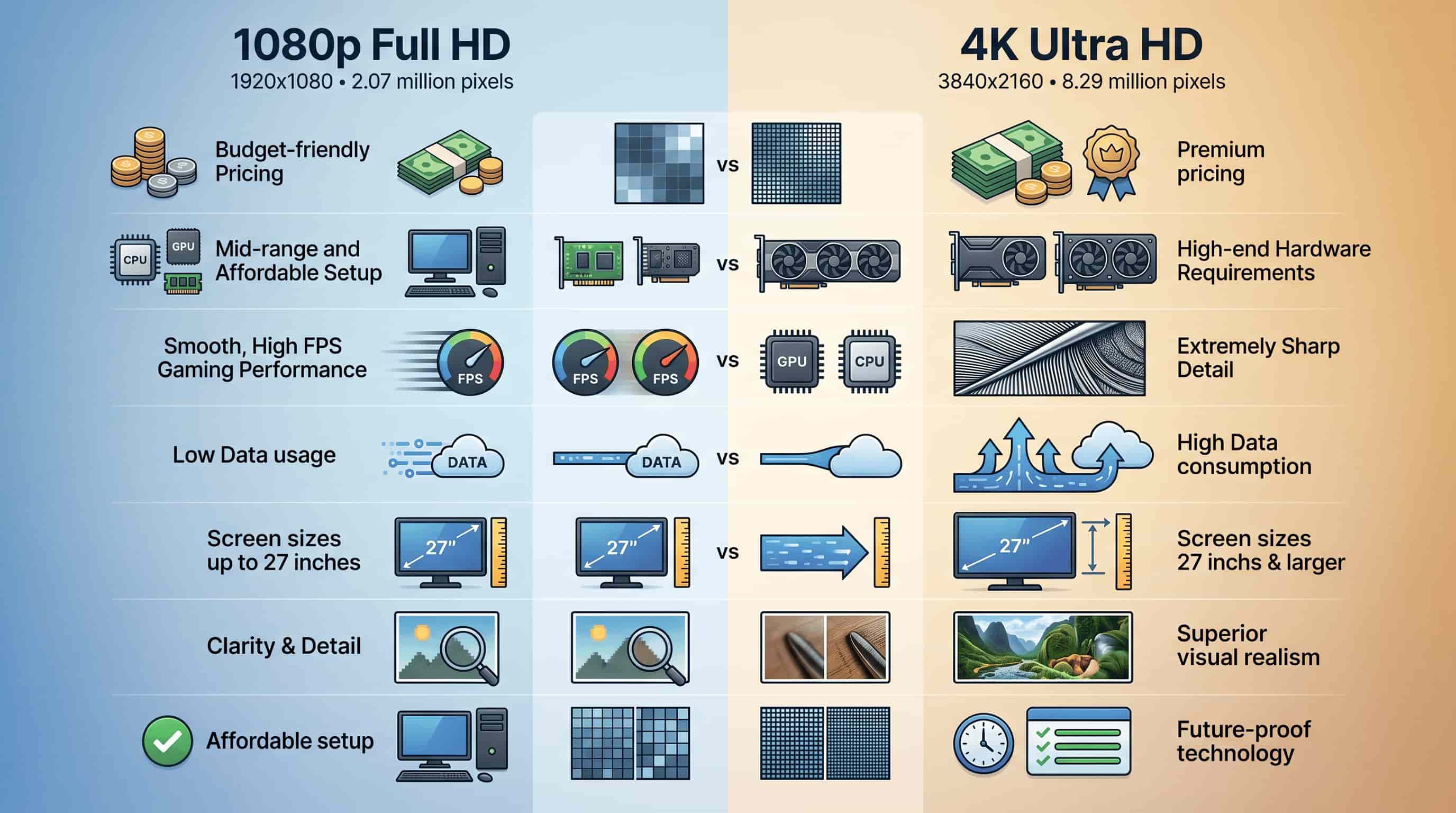
1080p vs 4K resolution comparison table:
|
Feature |
What does it mean |
1080p (Full HD) |
4K (Ultra HD) |
|---|---|---|---|
|
Resolution |
Total pixel dimensions that form the image |
1920 × 1080 |
3840 × 2160 |
|
Pixel Count |
Number of pixels used to display visuals |
~2.07 million pixels |
~8.29 million pixels |
|
Clarity |
Sharpness and level of detail visible |
Clear and standard quality |
Extremely sharp and highly detailed |
|
Hardware Requirement |
Processing power needed for smooth performance |
Low requirement |
High requirement |
|
Internet Usage |
Data needed for streaming and downloads |
Low data consumption |
High data consumption |
|
Best Screen Size |
Ideal display size for best visual output |
Up to 27 inches |
27 inches and above |
|
Gaming Performance |
Impact on FPS and smooth gameplay |
Higher FPS on mid-range systems |
More GPU-intensive, lower FPS unless high-end system |
|
Visual Detail |
Level of texture, depth, and realism |
Standard detail level |
High realism with fine textures |
|
Cost |
Price of devices and setup |
Budget-friendly |
Premium pricing |
|
Future Proofing |
Long-term relevance of the resolution |
Limited as technology evolves |
Widely adopted modern standard |
1080p (Full HD)
1080p remains the safest choice for most people. It works across almost every device without causing headaches. You get smooth gaming, lower hardware stress, and cheaper setups overall. That's hard to ignore.
Pros:
-
Affordable and easy to find
-
Smooth performance on mid-range systems
-
Lower internet and storage usage
Cons:
-
Looks softer on larger screens
-
Less future-ready than 4K
4K (Ultra HD)
4K focuses heavily on visual quality. Big TVs, cinematic content, and modern games benefit the most from the added sharpness. The difference can look incredible. Sometimes stunning, honestly.
Still, it comes at a cost. Better displays cost more. Strong GPUs cost even more. And not all content fully takes advantage of 4K anyway.
Pros:
-
Sharper and more detailed visuals
-
Better for large screens
-
More future-ready overall
Cons:
-
Expensive hardware requirements
-
Higher internet and storage demand
-
Lower FPS in demanding games without high-end hardware
Practical differences between 1080p and 4K resolution
Specs only tell part of the story. The real-world uses matters more. A gamer chasing high FPS cares about different things than someone building a home theater setup.
4K focuses heavily on visual immersion. 1080p prioritizes smoother performance and lower system strain. Neither side is completely wrong here.
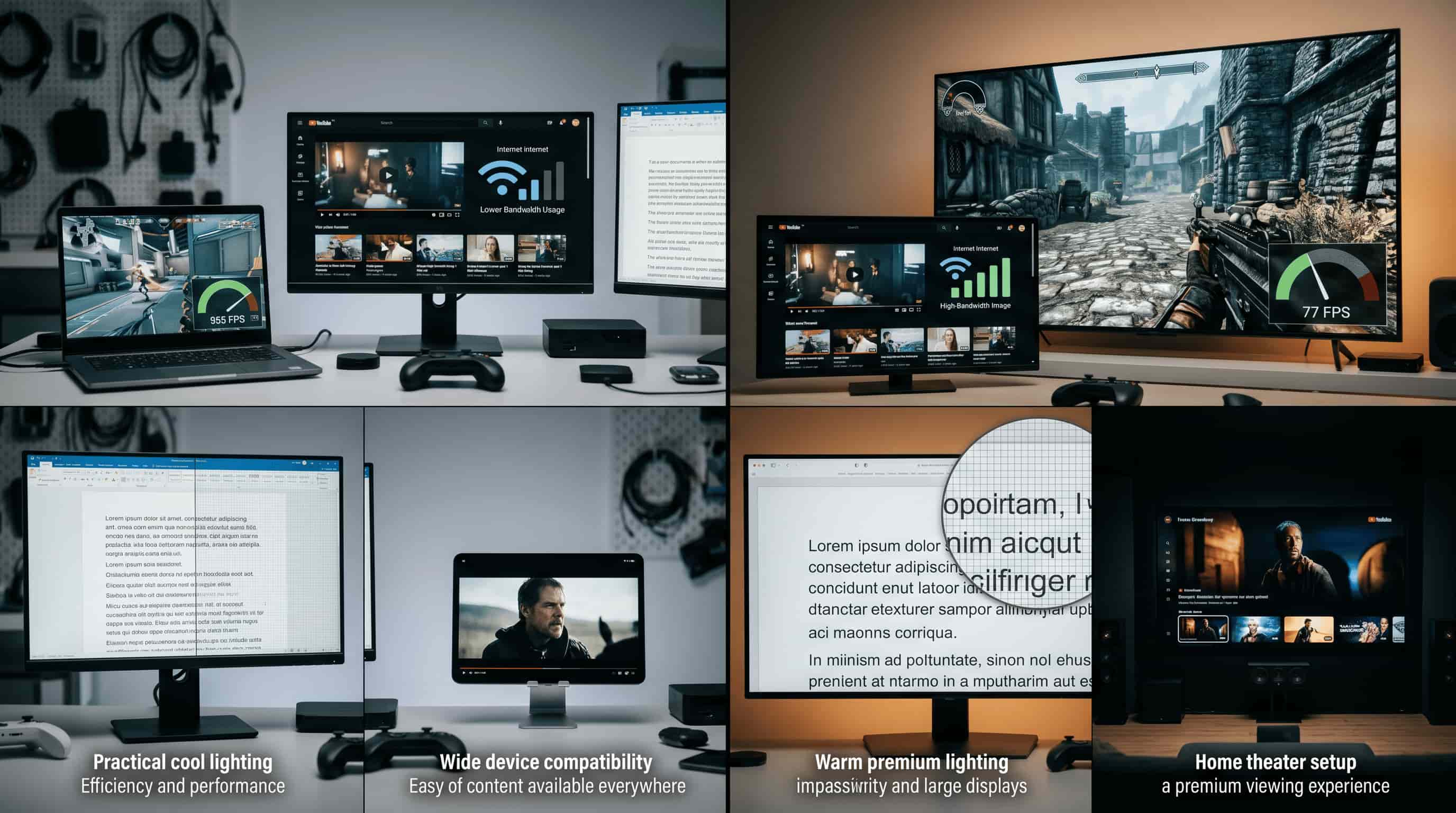
4K vs 1080p picture quality
4K and 1080p differ in clarity, screen size impact, and viewing distance. 1080p is sufficient for everyday use on smaller screens. 4K provides sharper detail on larger displays.
|
Aspect |
1080p |
4K |
|---|---|---|
|
Sharpness and detail (everyday use) |
Clear on small screens with acceptable detail. |
Sharper visuals with finer textures on larger displays. |
|
Text clarity |
Readable text with standard sharpness. |
Smoother, crisper text due to higher pixel density. |
|
Viewing distance |
Differences reduce at normal/far distances. |
Benefits most visible at close viewing distances. |
|
Screen size impact |
Best for small to mid-sized displays. |
Best for large TVs and monitors. |
|
Content type matters |
Limited improvement on older/compressed content. |
Great improvement in modern high-quality media. |
1080p vs 4k for gaming performance
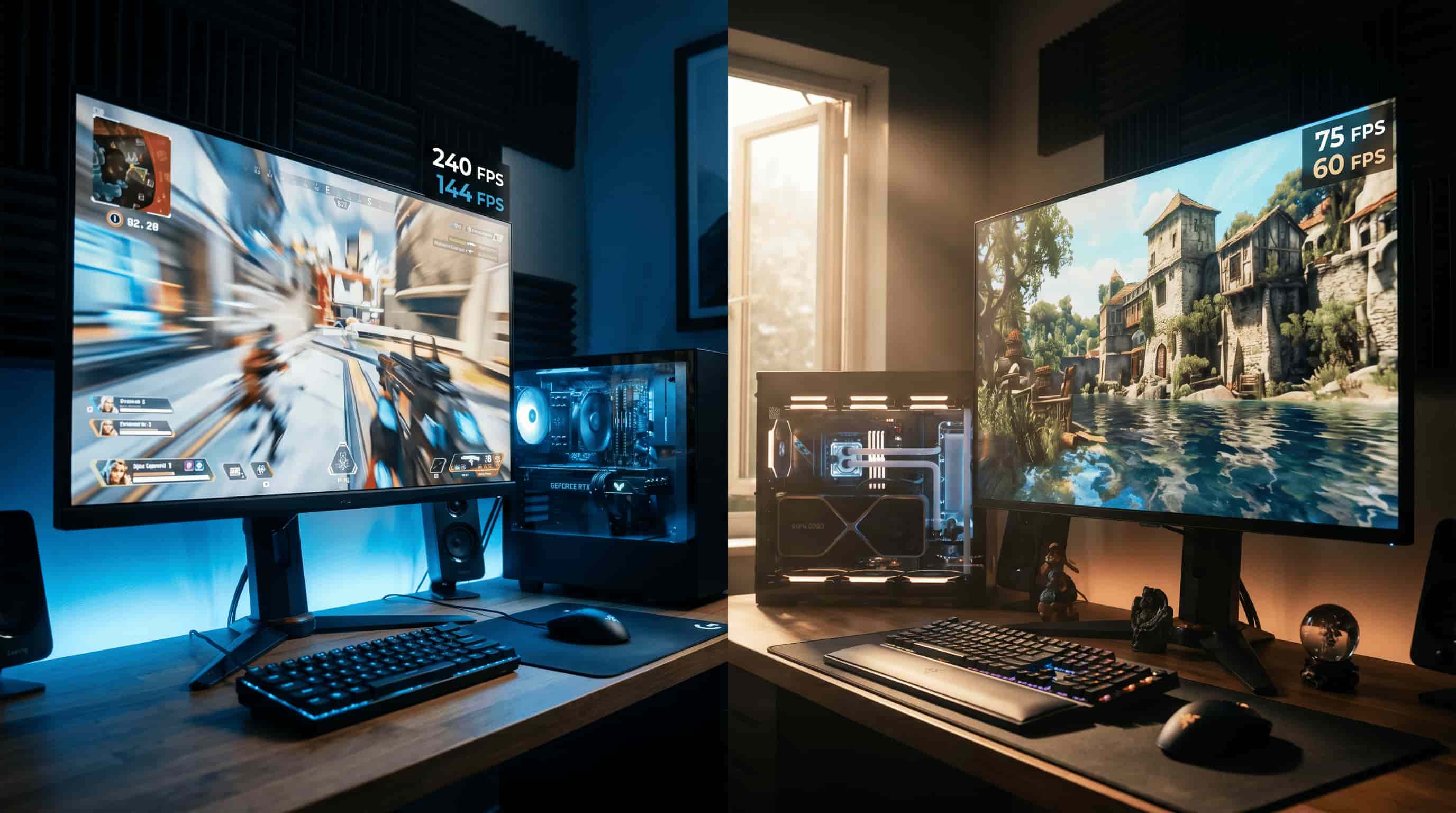
1080p vs 4K gaming performance differs mainly in FPS and visual quality. 1080p delivers smoother gameplay with higher frame rates. 4K improves visuals but demands stronger hardware.
|
Aspect |
1080p |
4K |
|---|---|---|
|
Performance and frame rate impact |
Higher FPS and smoother gameplay. Competitive players prefer responsiveness over detail. |
Lower FPS due to higher GPU load, but better visuals. |
|
Hardware requirements |
Works well on mid-range systems. Easier to run with stable performance. |
Requires high-end GPU and stronger hardware. |
|
Competitive vs casual gaming |
Best for competitive gaming and fast reactions. |
Better for casual gaming and immersion. |
|
Visual quality trade-off |
Prioritizes smooth performance over detail. |
Prioritizes realism and high texture detail over FPS. |
4K vs 1080p for streaming and content availability
1080p and 4K streaming differ in availability, speed, and quality. Your experience depends on internet bandwidth, devices, and platform support.
|
Feature |
1080p |
4K |
|---|---|---|
|
Content availability |
Widely available on all major platforms |
Growing library, but depends on platform and region |
|
Bandwidth requirements |
Lower bandwidth usage, smoother on slower internet |
High bandwidth usage, buffering on slow connections |
|
Device compatibility |
Supported by most modern devices |
Requires compatible 4K displays, apps, and hardware |
|
Streaming quality difference |
Clear and reliable quality |
Sharper, richer visuals with more detail |
Is 4K worth it compared to 1080p?
It all depends on how you will use your screen. If you value good visual clarity, huge screen size and cinematic experience, 4K is worth considering.
In case performance, price and gaming experience are more important to you, 1080p works extremely well too. Many people end up buying far more resolutions than they need.
When 1080p is still the better choice
1080p works best when you want strong performance without overspending. It fits budget setups nicely. Competitive gaming feels smoother. Everyday browsing and streaming stay simple and reliable too.
Use cases:
-
Budget-friendly setups
-
Competitive gaming with higher FPS
-
Smaller displays under 27 inches
-
Everyday streaming and office work
When should you choose 4K resolution
4K makes more sense for visual-heavy setups. Large TVs, creative work, video editing, and cinematic gaming benefit the most from the added detail. That's where the resolution finally feels fully justified.
Use cases:
-
Large TVs and home theaters
-
Screens above 27 inches
-
Video editing and content creation
-
High-end entertainment setups.
How Vmake enhances video clarity in 1080p and 4K resolution
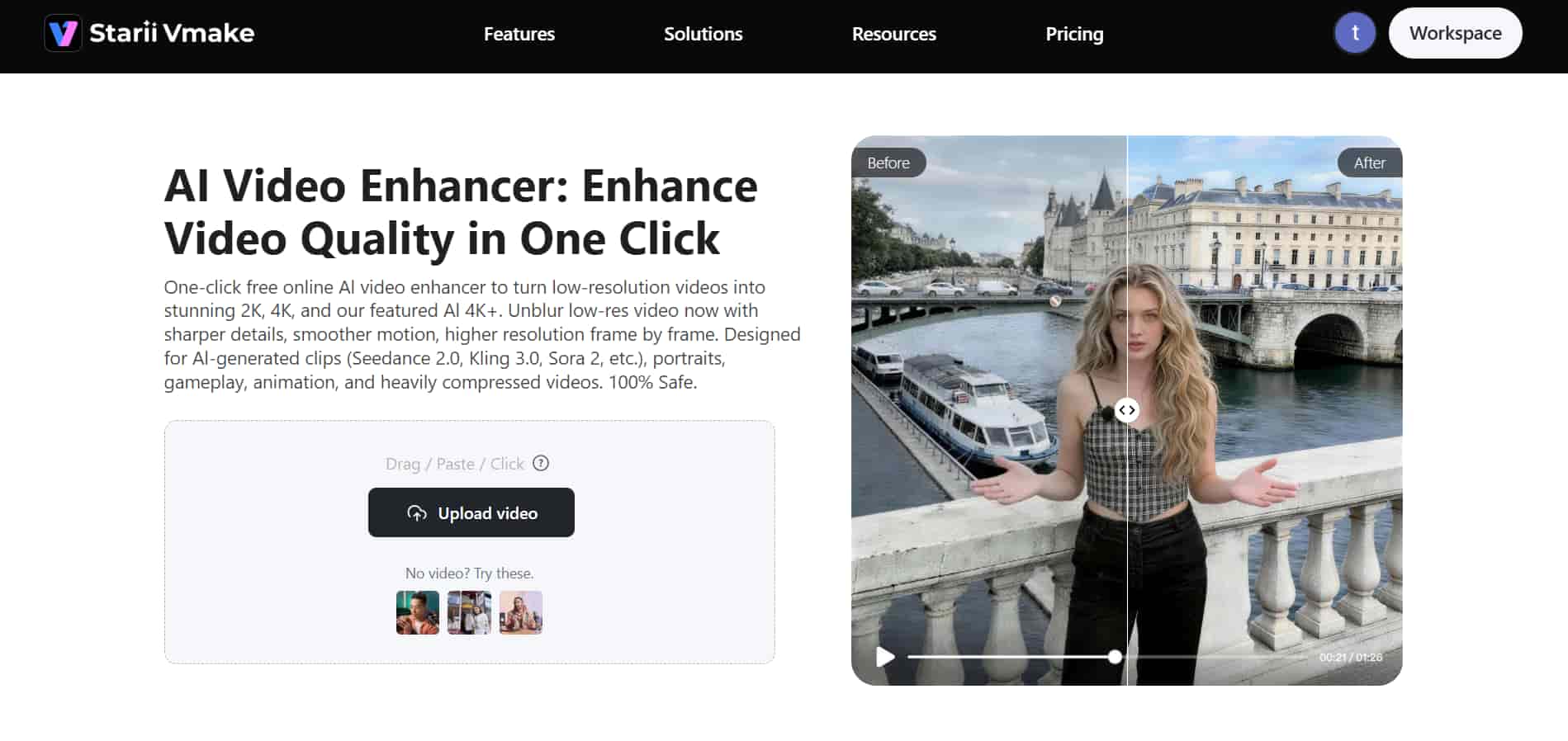
Vmake AI video enhancer can improve clarity, sharpness, and overall visual quality in both 1080p and 4K videos. It can upscale lower-resolution footage and clean up softer-looking clips without making everything look overly fake. At least most of the time.
Some AI enhancers push sharpening way too aggressively. Faces start looking plastic. Edges glow unnaturally.
Vmake handles detail more carefully than many tools, though difficult scenes with smoke, crowds, or heavy motion can still look inconsistent.
Key features
-
AI upscaling (1080p → near-4K): Makes lower-quality videos look sharper with clearer textures and cleaner detail.
-
Noise reduction: Cleans grainy footage and reduces messy visual noise. Dark scenes improve a lot, although extremely noisy clips may still look rough in places.
-
Color enhancement: Makes colors look brighter and more balanced without appearing overly fake. Some faded footage may still need manual edits afterward.
-
Sharpness improvement: Improves blurry edges and small textures to make videos look cleaner overall. Honestly, this is where many AI tools still struggle badly.
Step-by-step process
Enhancing footage inside Vmake doesn't take very long. Most people won't even touch advanced settings.
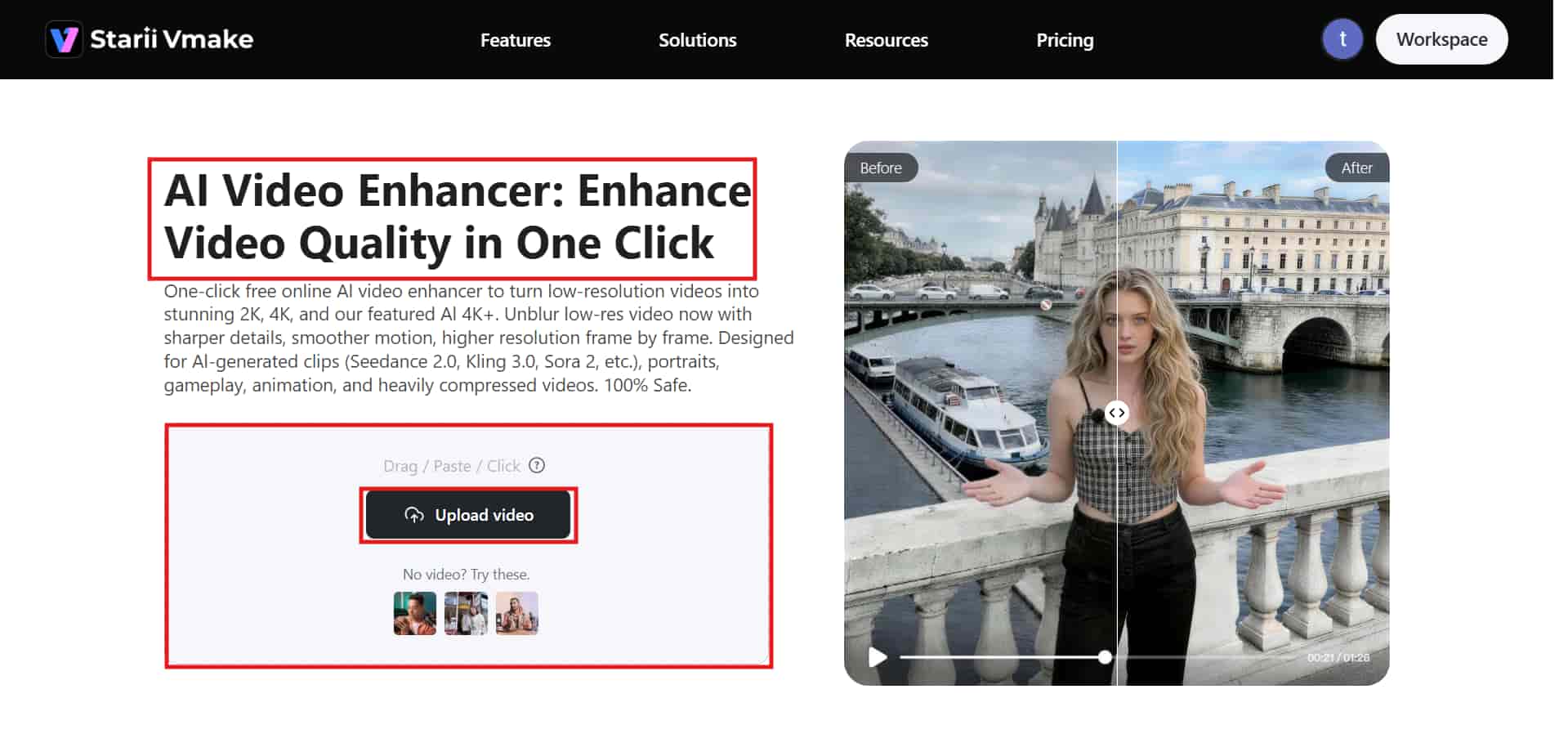
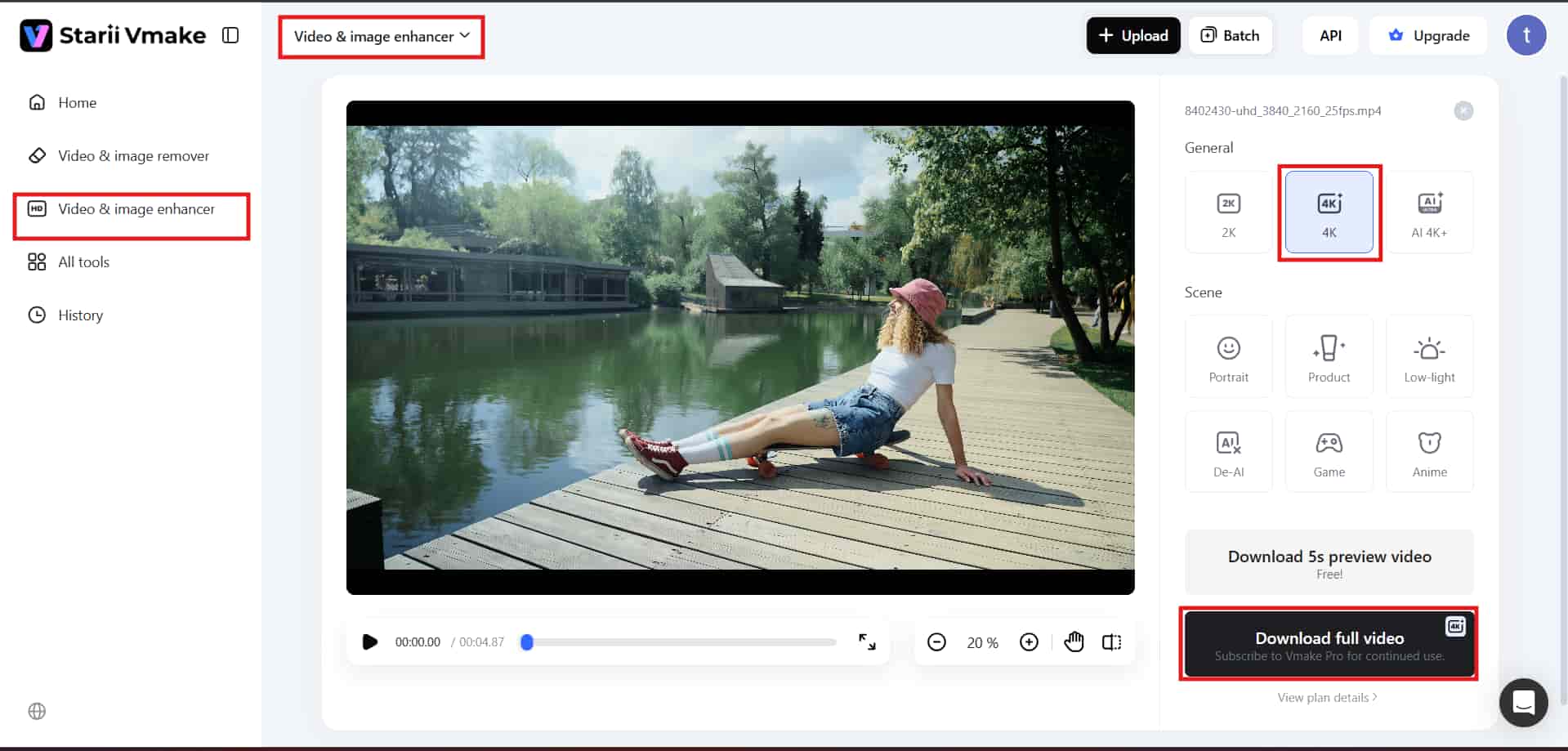
Step 1: Upload
Import your video file directly into the Vmake AI workspace. Using drag-and-drop or file selection for quick and easy access to processing tools.
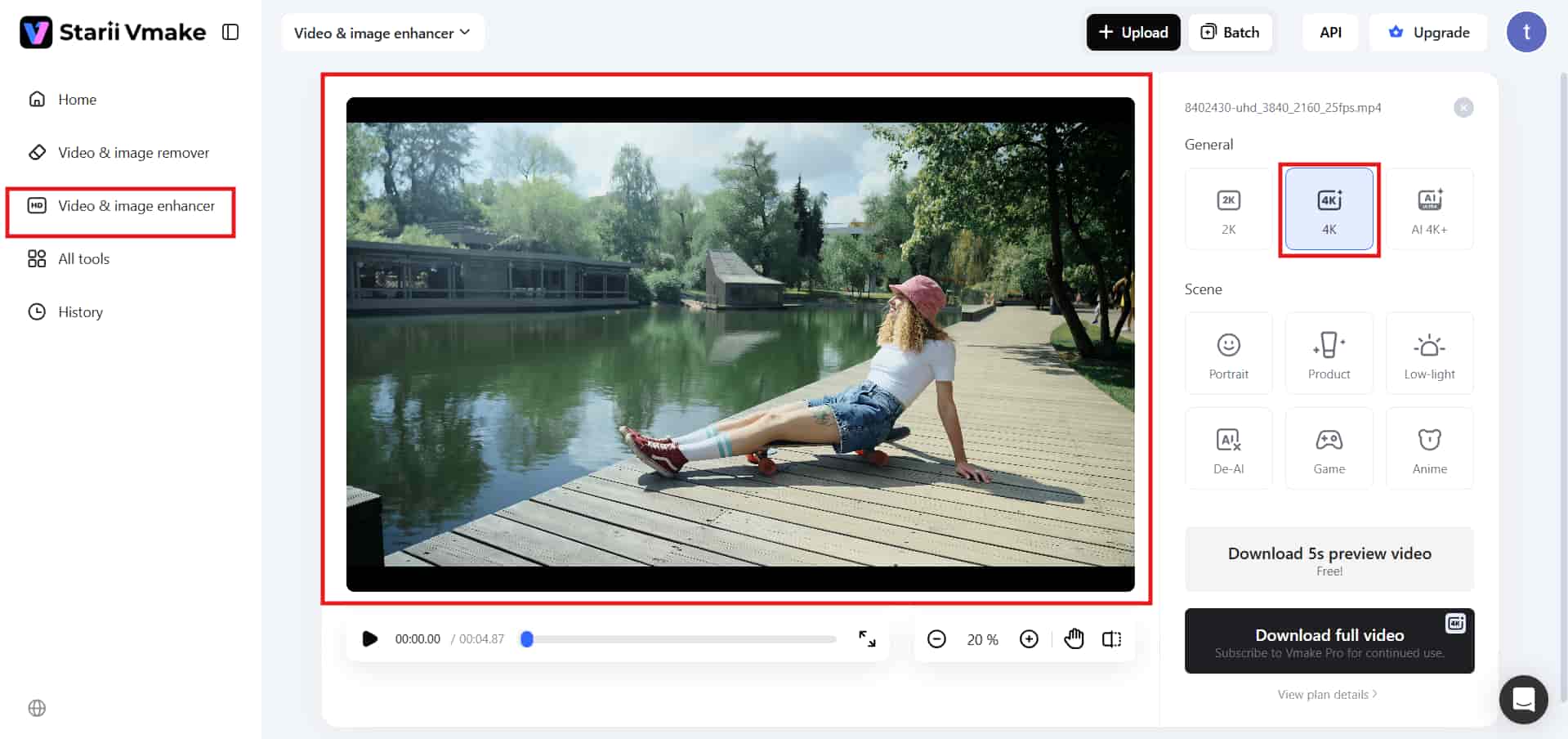
Step 2: Enhancement settings.
Choose your preferred enhancement mode and target resolution (1080p to 4K). The AI handles most adjustments automatically.
Step 3: Preview and download
Preview the final video carefully before exporting. Check faces, textures, and fast-moving scenes for weird sharpening artifacts. Then, download the finished version.
Conclusion
The 1080p vs 4K choice comes down to personal preferences. The former is still cheap, fluid, and convenient for gaming and daily activities. 4K is more about improved image sharpness and detail for viewing on bigger screens.
There isn't a perfect choice here. 1080p still has its place if you need higher FPS with lower hardware requirements in 2026. Otherwise, 4K is better justified for more cinematic quality. The Vmake AI can enhance videos shot using both options by adding more detail, removing noise, and cleaning up images. Most videos will be enhanced, but some videos may show inconsistency due to fast movement.
FAQs
Which is better for laptops, 1080p or 4K?
1080p optimizes battery life and everyday speed. 4K is sharper for precise creative work, like editing high-res assets in Vmake, though it drains power faster and requires more processing muscle.
Does 4K vs 1080p affect gaming FPS?
Yes, resolution affects FPS a lot. 1080p delivers smoother gameplay and higher frame rates, while 4K needs stronger GPUs and often lowers performance during demanding modern games and larger scenes.
Do I need 4K vs 1080p for PC gaming?
Not always. 1080p remains great for competitive gaming and higher FPS performance. 4K makes more sense if you prefer immersive visuals, cinematic graphics, and slower-paced games with richer detail overall.
What screen size is ideal for 4K viewing?
4K becomes easier to notice on displays around 27 inches or larger. Smaller screens still look sharp, but many people honestly won't notice a dramatic improvement from normal viewing distances.
Is 4K vs 1080p noticeable on a 27-inch monitor?
Yes, close-up. It yields incredibly sharp text and helps creators evaluate fine fabric textures on platforms like Vmake, though competitive gamers might still favor 1080p for superior fluid movement.

You May Be Interested

2026 Wink Video Enhancer Review: Pros, Cons, and Alternatives

How to Convert 480p Video to 1080p (Best Upscaling Methods)
Native 4K vs Upscaled 4K: Which One to Choose?
[Updated!] How to Upscale Anime Video to 4K Online
How to Upscale Videos: Guide to Higher Resolution and Sharper Details