
How to Translate Any Video to English (Subtitles & Audio)
Learn how to translate a video to English using AI-powered subtitle translation and audio dubbing tools. Convert foreign-language videos into English subtitles or voiceovers in just a few simple steps.

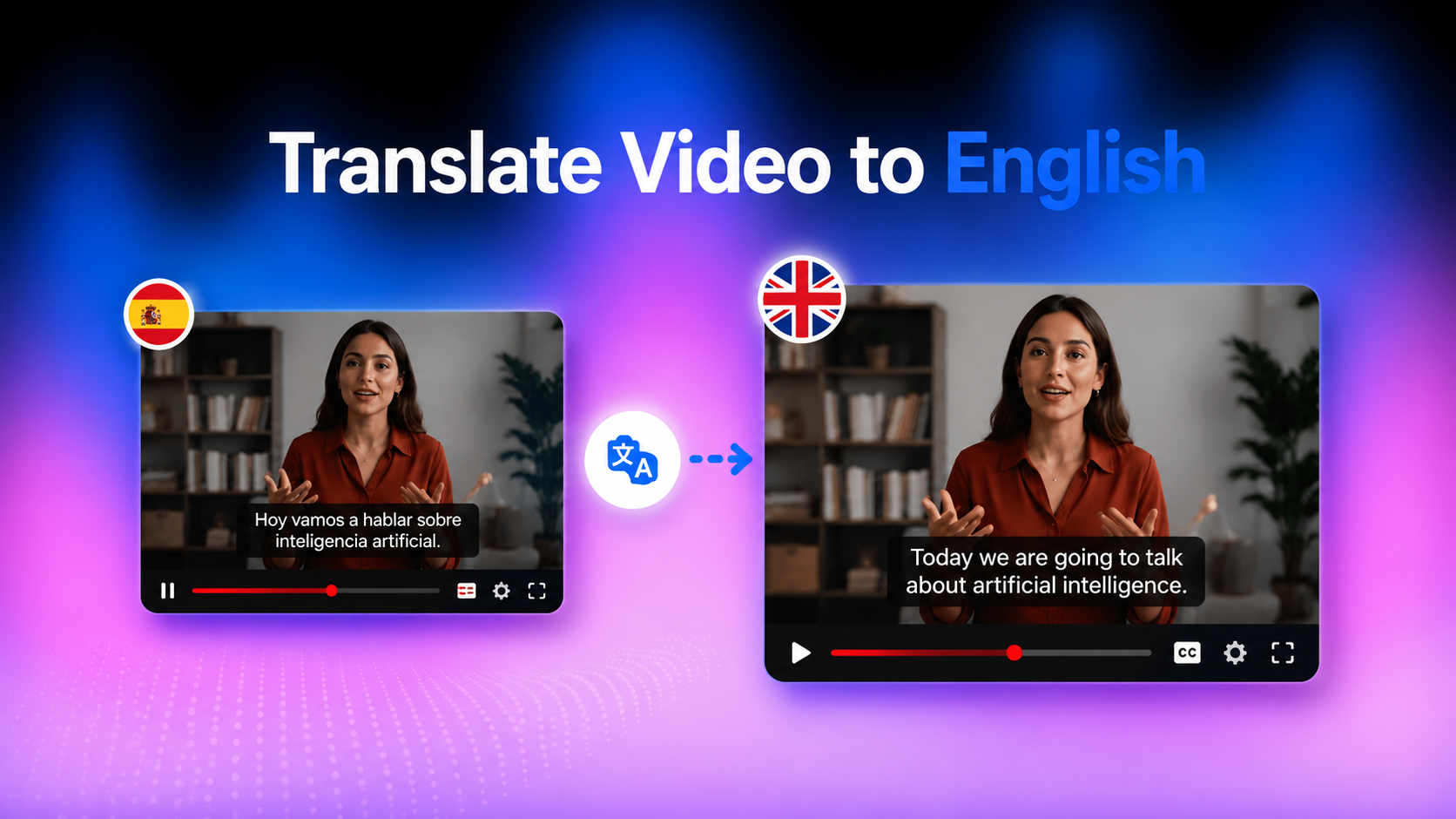
In today’s digital world, videos are created in countless languages, but not everyone can understand them. Whether it’s an educational lecture, a YouTube tutorial, or a business presentation, language can become a barrier. The most practical way to make content accessible and widely usable is to translate video to English subtitles or audio. This guide will show you how to translate video to English effectively.
Why Translate Videos to English?
Here are the different reasons why it has become increasingly important for creators, educators, and businesses to learn how to translate a video to English:
Reach a Global Audience
When you translate. a video to English., you instantly expand your reach beyond local or regional viewers. A single video can attract audiences from Europe, Asia, Africa, and the Americas, significantly increasing visibility and engagement.
Make Foreign-Language Content Easier to Understand
Many valuable videos online are in Spanish, French, Chinese, Arabic, and other languages. Translating them into English allows learners, professionals, and researchers to access information they would otherwise miss.
Improve Accessibility and Discoverability
English subtitles improve SEO and platform indexing. For example, YouTube videos with translated captions often rank better in search results because algorithms can better understand the content.
Can AI Translate Videos to English Automatically?
Yes. AI video translation tools can automatically detect speech, convert it into text, translate it, and even generate natural-sounding voiceovers.
How AI Video Translation Works
Below are the three main steps that an AI system uses on how to translate YouTube videos to English:
-
Speech Recognition: Transform spoken words into text
-
AI Translation: Translates the transcript into English while preserving the original meaning and context.
-
Voice Synthesis and Lip Sync: Generates natural-sounding English speech and synchronizes the speaker's lip movements to match the translated audio.
This process makes it easy to translate video to English subtitles or even full audio tracks without manual effort.
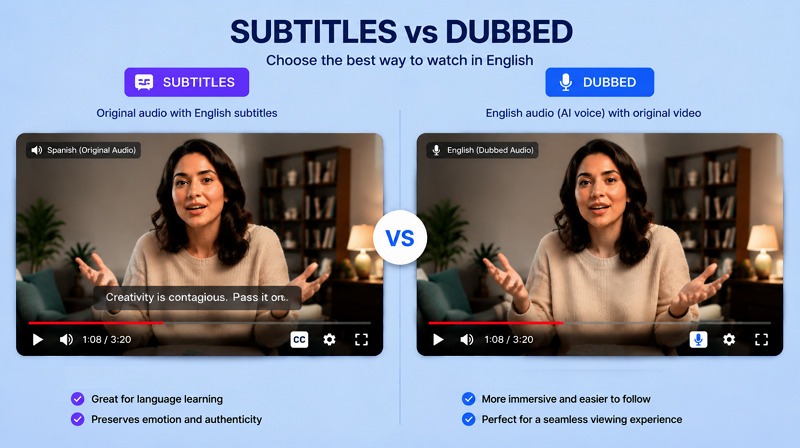
Subtitle Translation vs Audio Translation
-
Subtitle translation keeps the original audio and adds English text on screen
-
Audio translation (dubbing) replaces the original speech with an English voiceover
Both methods suit different purposes depending on your audience and content type.
What Types of Videos Can Be Translated?
Almost any video can be processed, including YouTube videos, educational lectures, interviews, podcasts, marketing content, and social media reels.
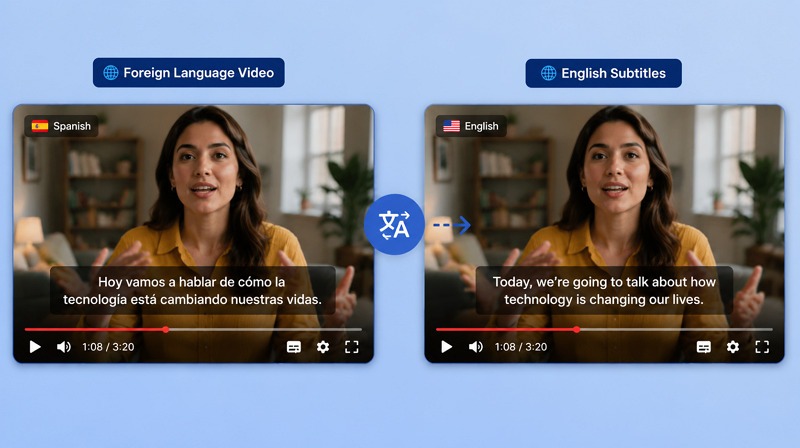
How to Translate a Video to English with Vmake in 3 Steps
Translating videos into English is not difficult with AI-powered tools like Vmake. It offers a complete video translation workflow in one place. Here are the steps on how to translate YouTube video to English:
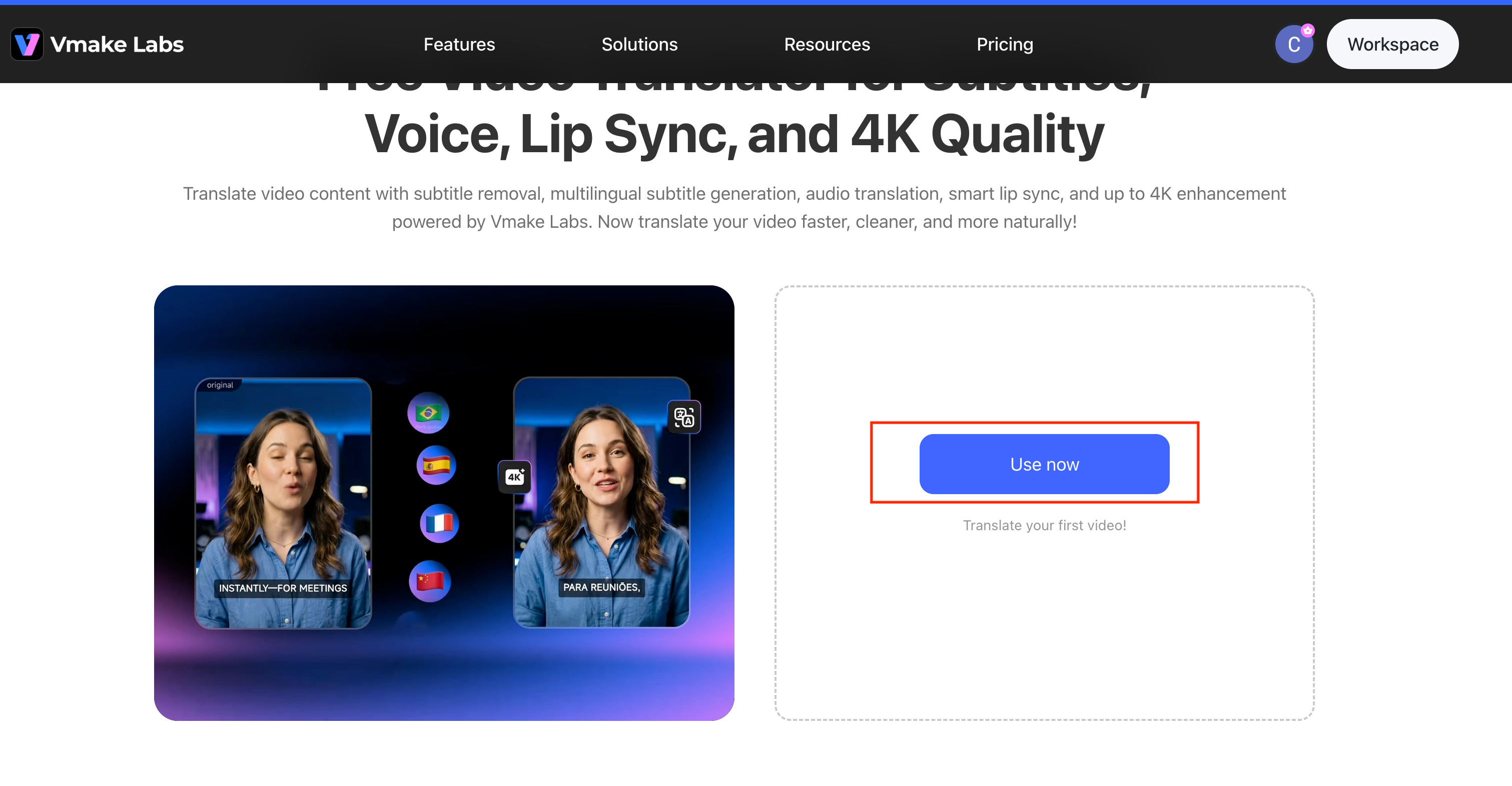
Step 1: Upload Your Video
First of all, open the tool in your browser and click “Use now.” Then, tap or drag & drop the required video to translate.
Step 2: Select English as the Target Language
Next, Select your Target Language from the dropdown menu (e.g., Spanish). Under the Caption section, choose whether to "Remove caption" or "Add translate captions". In the Voice translation section, select either "Original voice" or "Lip Sync" for audio translation. 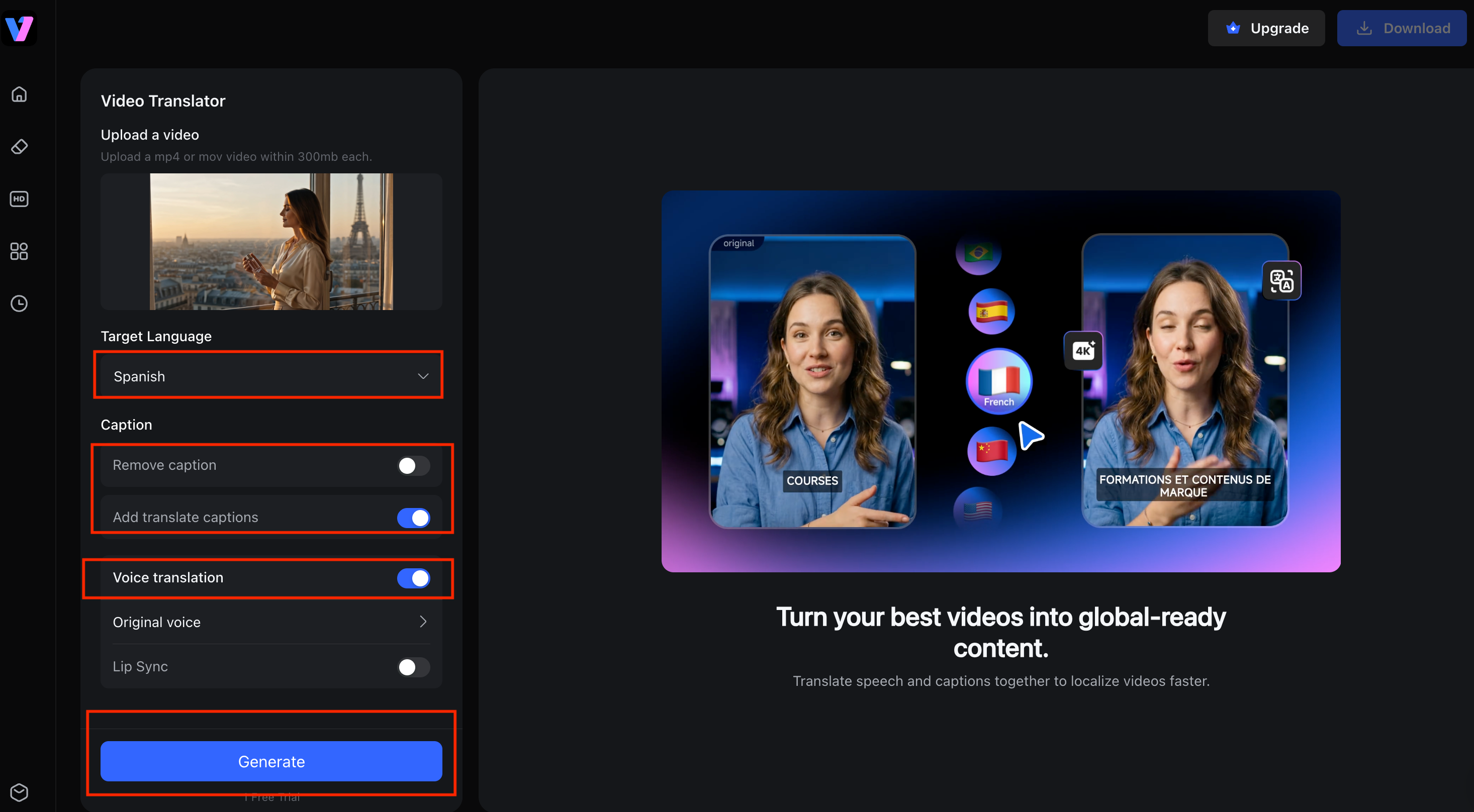
Step 3: Export English Subtitles or Dubbed Audio
Finally, Click the “Generate” button to start processing. Before generating, you can also choose to enhance the video quality to up to 4K, depending on your needs. Once the video translation is complete, the system will display a preview with the translated subtitles . After confirming the result, click “Download” and select.All done!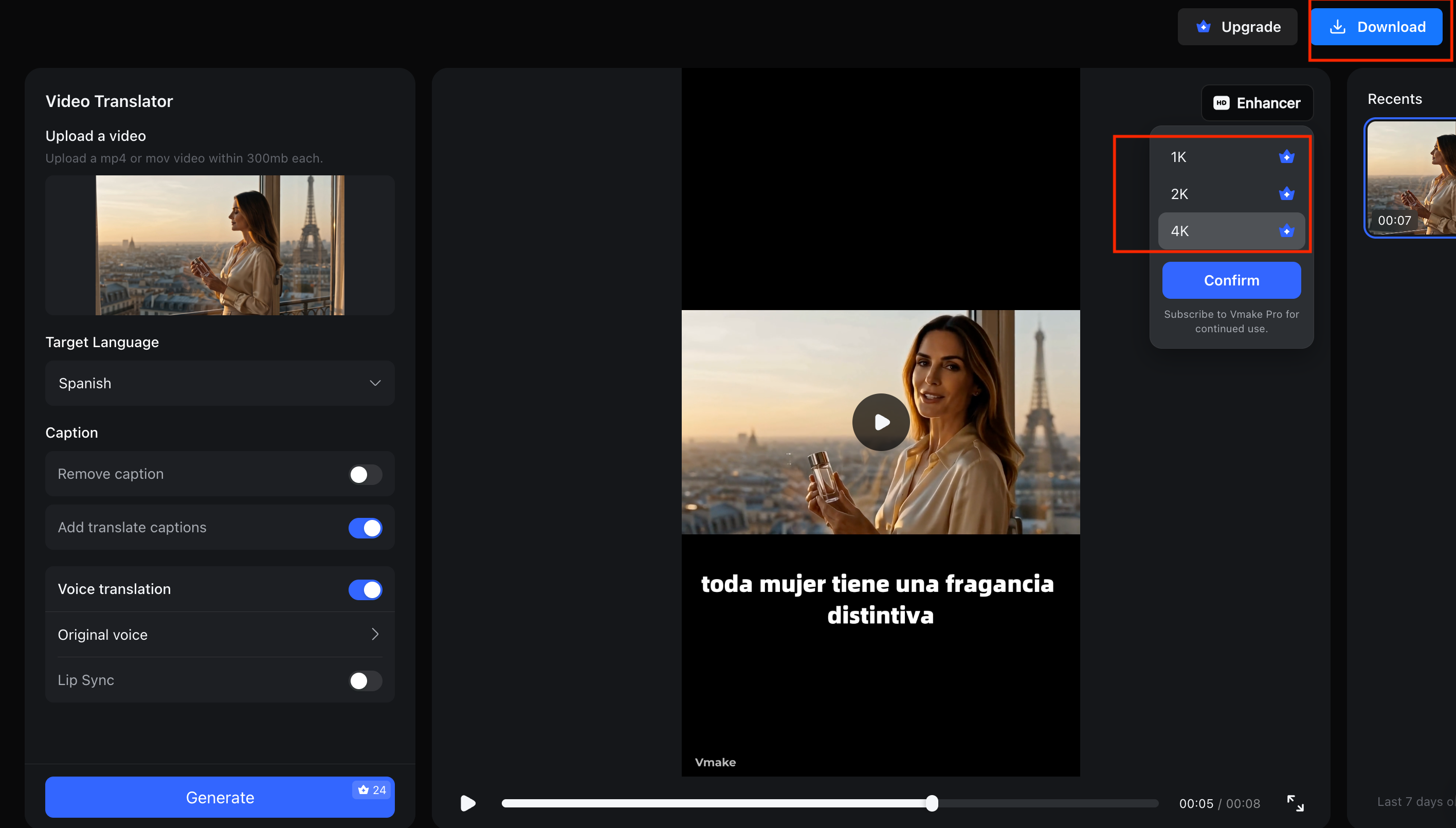
Why Use Vmake for English Video Translation?
Vmake AI Video Translator is a remarkable online tool that helps users quickly translate videos to English and multiple other languages without technical skills. You can convert the spoken content into English subtitles or dubbed audio with different voice options.
AI-Powered Video Translation with High Accuracy
Automatically translate spoken content into English subtitles or dubbed audio with advanced AI speech recognition and translation technology. Preserve the original meaning and context while making videos accessible to a wider audience.
Natural-Sounding English AI Voices
Choose from multiple AI voice options that deliver clear, fluent, and human-like English narration. Create professional localized videos without the robotic sound often found in basic translation tools.
Smart Lip Sync for Seamless Localization
Synchronize translated speech with the speaker’s mouth movements and video pacing. The AI-powered lip-sync technology helps dubbed videos look more natural and engaging for viewers.
Flexible Subtitle Editing and Removal
Generate English subtitles automatically, customize their appearance, edit text manually, or remove existing captions entirely. Gain full control over how subtitles are displayed in your translated videos.
Export Translated Videos in Up to 4K Quality
Maintain sharp visuals and professional video quality throughout the translation process. Export your final videos in up to 4K resolution, ensuring clear subtitles, crisp details, and a polished viewing experience.
Fast Online Workflow with No Technical Skills Required
Upload, translate, edit, and export videos directly in your browser. No software installation or advanced editing experience is needed, making video localization simple and efficient for any user.
English Subtitles vs English Dubbing
Choosing between English subtitles and dubbing depends on your content and audience expectations.
| When Subtitles Are the Better Choice |
When AI Dubbing Works Better |
| You want to preserve the original voice tone |
You want full language immersion |
| The video has cultural or emotional expressions |
The audience prefers listening over reading |
| You’re translating educational or documentary content |
The audience prefers listening over reading |
Should You Use Both?
Yes, in many cases, combining both improves accessibility. Subtitles help comprehension, while dubbing enhances engagement.
Common Challenges When Translating Videos to English
Translating videos can significantly improve reach and accessibility, but the process to translate video audio to English isn’t always perfect. Several technical and linguistic issues can affect the final output. Here is a brief overview of these challenges:
Poor Audio Quality
Background noise, low volume, or unclear speech can make it difficult for AI tools to detect and translate spoken words accurately.
Translation Accuracy
Automatic translation may sometimes misinterpret meaning, especially with slang, informal speech, or fast conversations. This can lead to slightly incorrect or unnatural English output.
Industry-Specific Terminology
Technical, medical, legal, or academic terms are often difficult for AI systems to translate correctly without context, requiring manual review or editing.
Subtitle Timing Issues
If speech is too fast or sentences are long, subtitles may appear too quickly or stay on screen for very short times, making them hard to read.
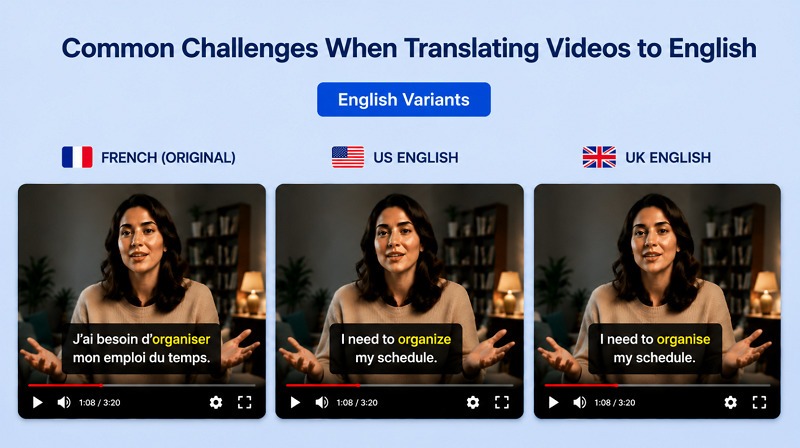
Different English Variants (US, UK, AU)
Spelling, grammar, and vocabulary differences between American, British, and Australian English can create inconsistencies if the target variant is not selected properly.
Tips for More Accurate English Video Translation
When done carefully, you can effectively translate YouTube video to English. Small improvements in preparation and editing can significantly enhance the final output quality. Below are some key tips to achieve more accurate results:
Start With Clear Audio
High-quality audio is the foundation of accurate translation. Reduce background noise, avoid overlapping speech, and ensure clear pronunciation before processing the video.
Review Names and Technical Terms
After translation with AI tools, always review proper nouns, brand names, and industry-specific terms that are often misinterpreted. Correct them manually to maintain accuracy.
Edit Auto-Generated Subtitles
AI-generated subtitles should not be used without first checking them. Adjust grammar, timing, and sentence flow to make the subtitles natural and easy to read.
Choose the Right English Variant
Decide whether your audience prefers US, UK, or other English variants. This ensures consistency in spelling, vocabulary, and tone across the entire video.
Popular Use Cases for English Video Translation
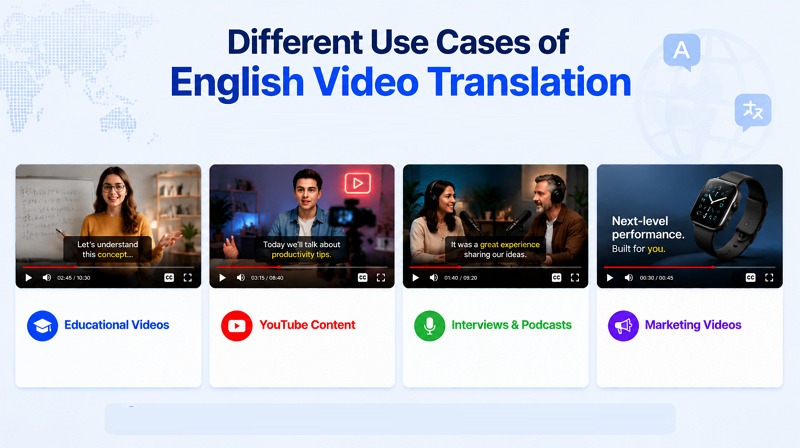
Whether you translate Spanish video to English or another language, it helps break language barriers and makes content more accessible. Let’s explore different content types where you need English video translation:
Educational Videos
Students and learners use translated videos to understand lectures, tutorials, and online courses from around the world. It makes global education more accessible.
YouTube Content
Content creators translate their videos into English to reach a wider audience, increase watch time, and improve engagement across international viewers.
Interviews and Podcasts
Translating interviews and podcasts allows experts, influencers, and researchers to share ideas with a worldwide audience, regardless of the original language.
Marketing Videos
Businesses use English video translation to promote products and services in international markets, helping them connect with customers beyond their local region.
FAQ
How can I translate a video to English for free?
You can translate video to English subtitles for free using online AI translation tools like Vmake Video Translator or the built-in features like YouTube auto-captions.
Can AI translate video audio into English?
Yes, AI can translate spoken audio into English using speech recognition and machine translation technology. It converts voice into text, translates it, and generates subtitles or even dubbed voice.
Can I translate a Spanish video to English automatically?
Yes, you can translate a video from Spanish to English automatically using AI translation tools. Upload the video, select English as output, and the system generates subtitles or translated audio.
What is the difference between subtitles and dubbing?
The subtitles show translated text on screen while original audio plays, while dubbing replaces the original voice with translated English audio, creating a fully localized viewing experience.
How accurate is AI video translation?
AI video translation is highly accurate for clear speech but may struggle with slang, accents, or technical terms. Human review improves quality and ensures natural output.
Can I translate a YouTube video to English?
Yes, YouTube videos can be translated using the YouTube auto-translate feature if the closed captions are available. Otherwise, AI video translation tools can help generate English subtitles or dubbed audio.

You May Be Interested

123APPS Watermark Remover Review (2026): Pros, Cons, and Pricing

Seedance 2.0 vs Sora 2: Which AI Video Generator Wins in 2026?
Top 20 Captions to Make Your YouTube Shorts Go Viral

Google Gemini|Copy Paste This Simple Prompts to Create “Hug my younger self ” Photos
