
7 Top Platforms for Batch-Creating Social Media Ads: Comparison Guide
Compare the 7 top platforms for batch-creating social media ads. Discover how AI-powered tools, like Vmake Labs, can help marketers generate, customize, and scale ad campaigns faster.

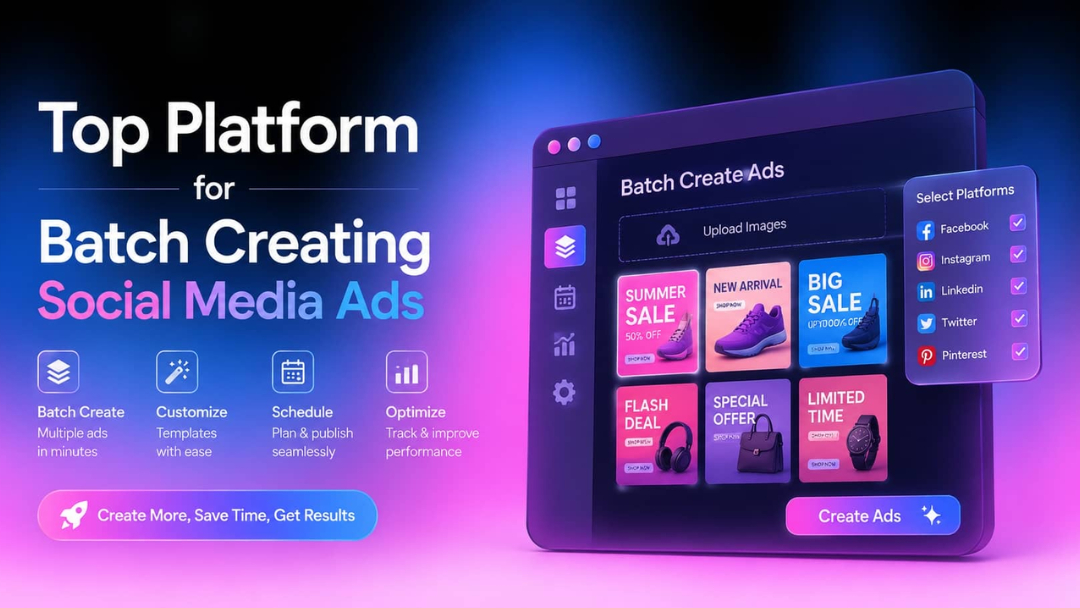
Scaling social ads is rarely a strategy problem; it's an asset bottleneck. Manually producing hundreds of variations is a massive time-sink. You need a platform that handles heavy lifting so your team can iterate effortlessly. Let's dive into this honest breakdown and discover the top seven batch-creation tools on the market.
Why businesses are adopting batch ad creation tools
Digital advertising is getting incredibly crowded, and to be honest, it is forcing all of us to pump out a ridiculous volume of content just to stay visible. That is exactly why batch ad creation tools are becoming a necessity:
-
Increasing content demands: Modern audiences burn through content incredibly fast. If you aren't putting out fresh, relevant stuff constantly, you basically don't exist to them. If you try to build every single one of those ads manually, you'll run your creative team straight onto the ground.
-
Multi-platform advertising requirements: Most businesses run ads across Facebook, Instagram, LinkedIn, TikTok, YouTube, and various display networks. But here's the real headache: every single one of those platforms has its own set of rules. Batch creation tools fix this by automatically adapting your assets to different formats.
-
AI-driven creative optimization: AI is completely changing how we build and tweak ads right now. Honestly, a lot of the batch creation platforms out there rely heavily on AI to spin up headlines, write copy, and even suggest design layouts or visual tweaks.
-
Performance testing at scale: If you want your advertising to actually work, you have to test your social media ads constantly. There's no way around it. Try different calls-to-action, varied imagery, and messages tailored to specific audiences.
Top 7 batch ad creation tools: Quick comparison
Here are seven of the top AI tools on the market right now. Look closely at what they actually do well, where they fall flat, and who they are honestly built for.
|
Features |
Vmake Labs |
Synthesia |
InVideo AI |
Pictory |
HeyGen |
Creatify |
Biteable |
|---|---|---|---|---|---|---|---|
|
Primary use case |
Social media ads & product marketing |
AI presenter videos |
AI-generated marketing videos |
Content repurposing videos |
Personalized avatar videos |
E-commerce ad generation |
Simple marketing videos |
|
Batch ad creation |
Generate multiple ad variations from one input |
Multiple video versions via templates |
Multiple AI-generated versions |
Multiple content variations |
Personalized video variants |
Bulk product ad generation |
Duplicate and edit templates |
|
Voice cloning |
Available in selected plans |
Custom voice support |
AI voiceovers |
AI voiceovers |
Advanced voice cloning |
AI voiceovers |
Standard voiceovers |
|
Social media optimization |
Built for social ad campaigns |
General video publishing |
Social content focused |
Content marketing focused |
Marketing and outreach focused |
Performance marketing focused |
Small-business marketing focused |
|
Best for |
Personal, Agencies, brands, e-commerce sellers |
Enterprises, training, corporate videos |
Content creators and marketers |
Bloggers and content marketers |
Personalized marketing campaigns |
E-commerce and DTC brands |
Small businesses and startups |
|
Paid from |
$9.99/mo |
$18/mo |
$20/mo |
$25/mo |
$29/mo |
$39/mo |
$15/mo |
The top 7 platforms for batch creating social media ads
-
Vmake Labs
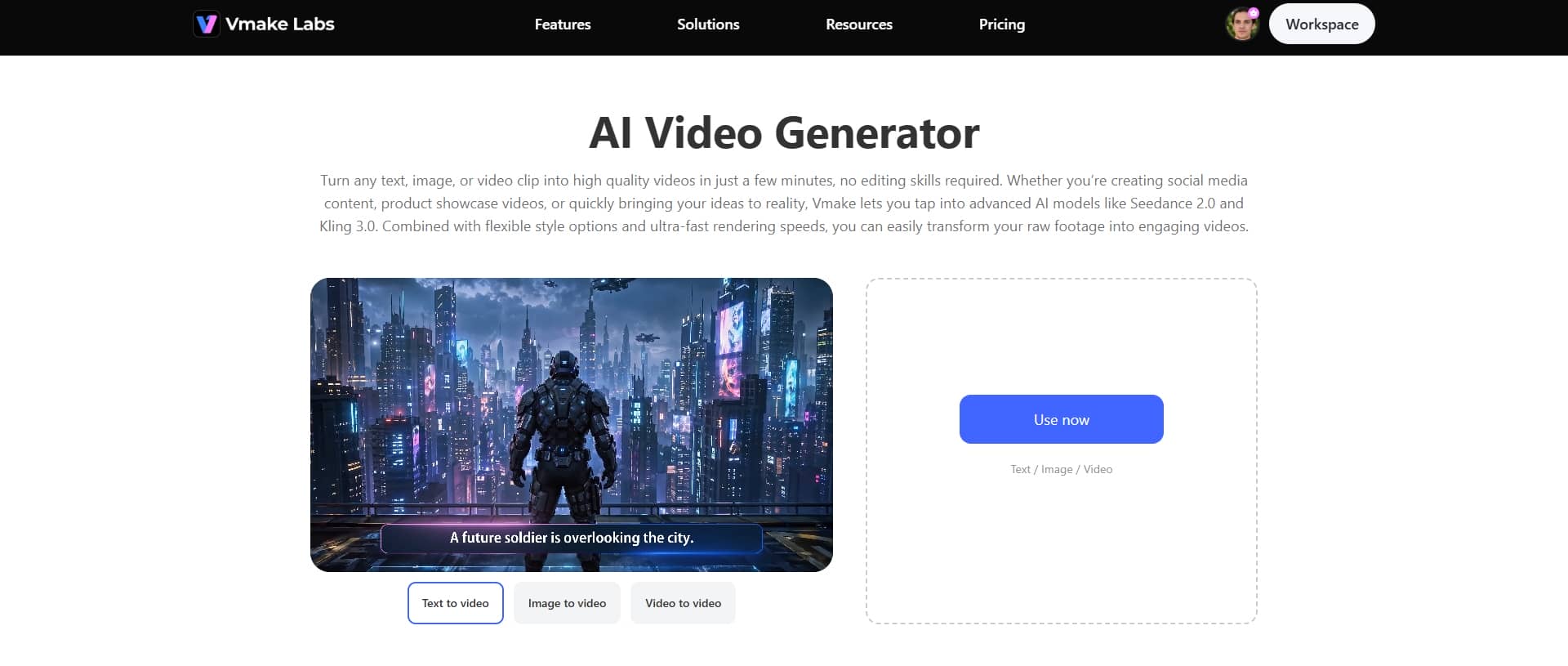
If you're trying to scale up your ad production without losing your mind, Vmake Labs AI video generator is definitely worth looking at. It's an AI-driven platform built for e-commerce brands, agencies, and marketing teams who need to churn out social media ads quickly. Instead of building every single layout from scratch, you take one core concept and use it to spin up multiple variations. It makes hitting different platforms and audience segments a whole lot easier.
Key features
-
AI Avatar videos
Vmake Labs lets you create professional, spokesperson-style ads using AI avatars. The avatars can present your product, explain specific features, or deliver promotional scripts directly. It's a massive shortcut if you need that human-facing social media ad style but don't have the budget or the time for traditional production.
-
Product showcase
The platform can also take your basic product images, descriptions, and key selling points and turn them into actual promotional product videos. Instead of just showing a static photo, you can map out usage scenarios or highlight specific features. It lets you build the kind of visually interesting ads that people might actually stop scrolling to watch on social media.
-
Multiple Aspect Ratios for Multi-Platform Ads
Dealing with video dimensions across different social media platforms is a total pain. Vmake Labs actually handles this aspect ratio nightmare for you. It automatically creates your ads in whatever dimensions you need for the platforms you're targeting.
Limitations:
-
Image quality matters: The quality of the generated video depends heavily on the input image. High-resolution, well-lit images with clear subjects generally produce smoother and more visually appealing results.
-
Generation time: While most videos are created fairly quickly, projects with higher resolutions, longer durations, or more complex prompts may require additional processing time before they're ready.
-
Focused workflow: Vmake is built to simplify AI-powered video generation, making it ideal for creating content quickly. However, users who need frame-by-frame editing, advanced effects, or detailed post-production may need to use additional editing software afterward.
Pricing:
-
Free to use
-
Paid plans start at $9.99/mo, making it one of the more budget-friendly AI video tools for quick and simple video generation.
How to use Vmake Labs to create social media ads
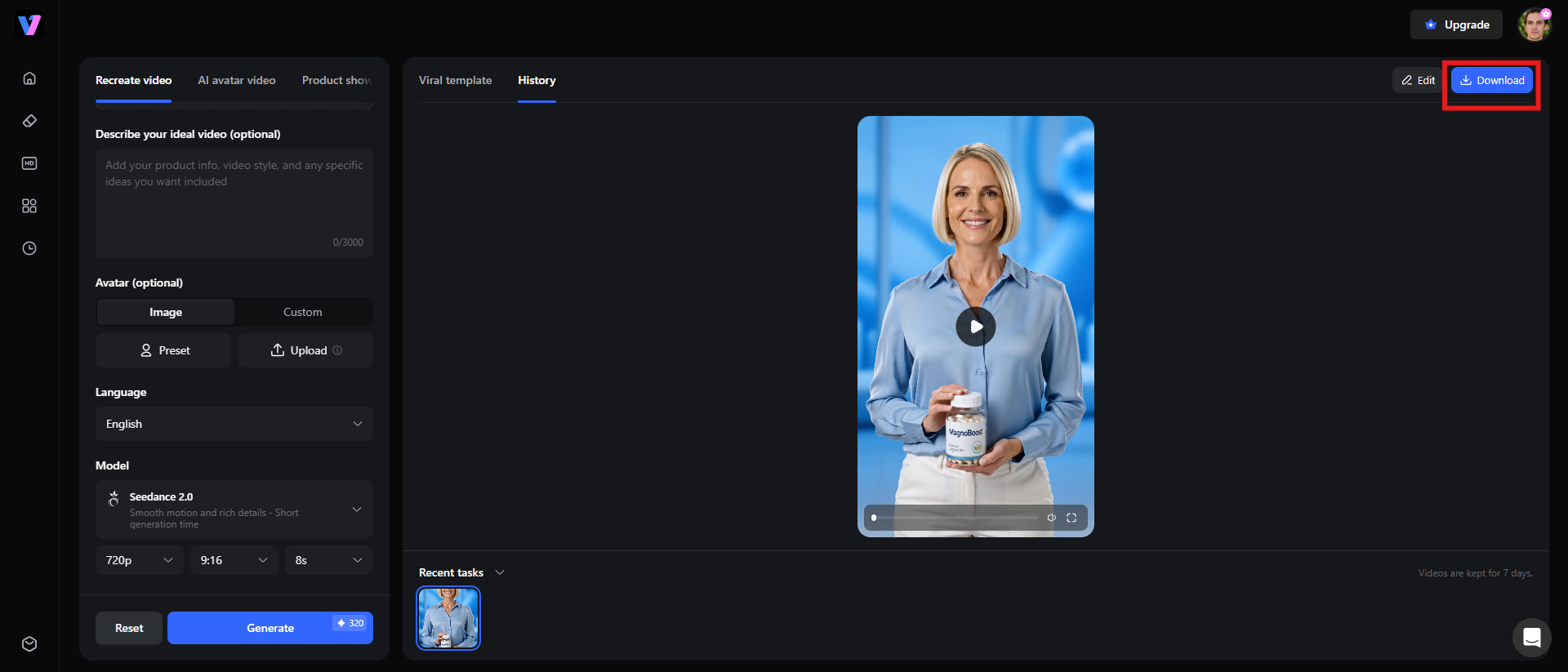
Step 1: Upload a reference video or URL
Start by uploading a video from your device or pasting the URL of a video you'd like to use as a reference. The AI analyzes the video's style, pacing, and structure to guide the generation process.
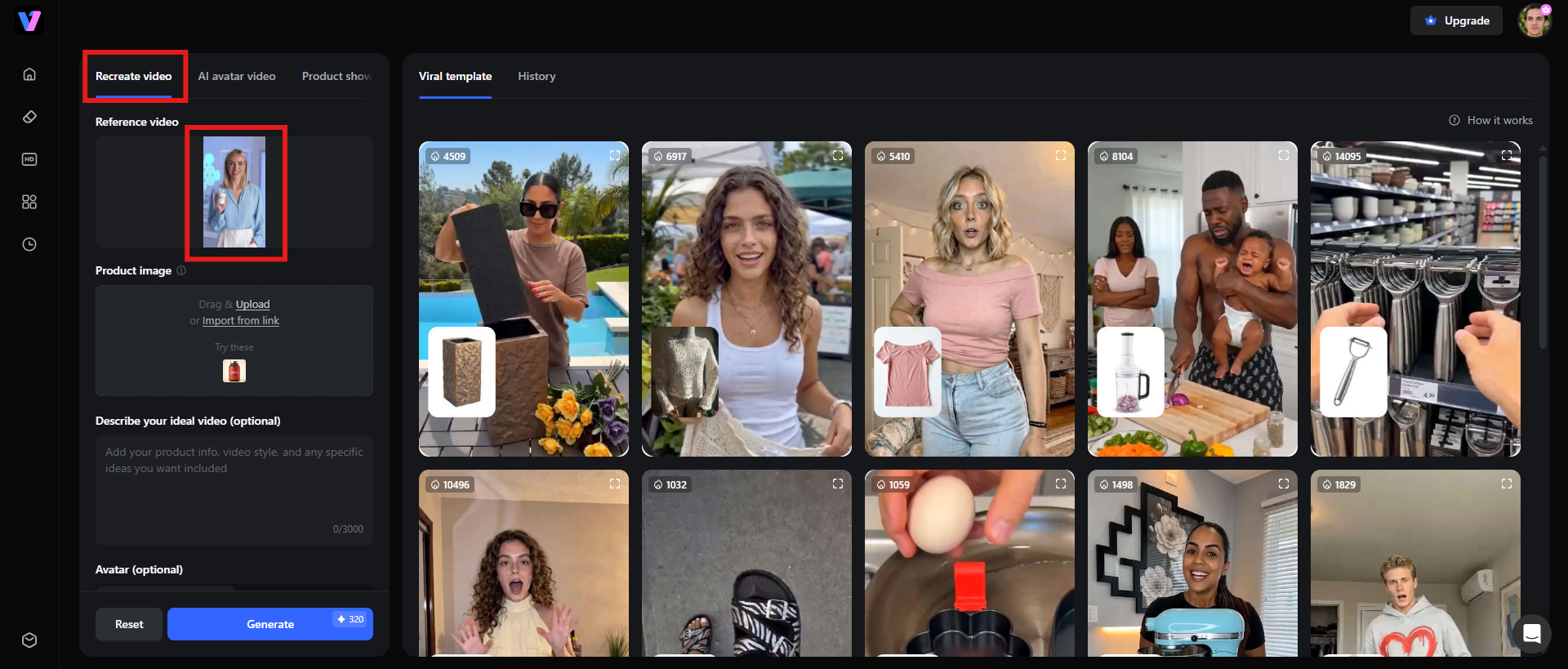
Step 2: Generate the video
Once your reference is uploaded, let the AI create your new video. It processes the reference and generates content based on your selected settings, helping you produce a polished video in just a few clicks.
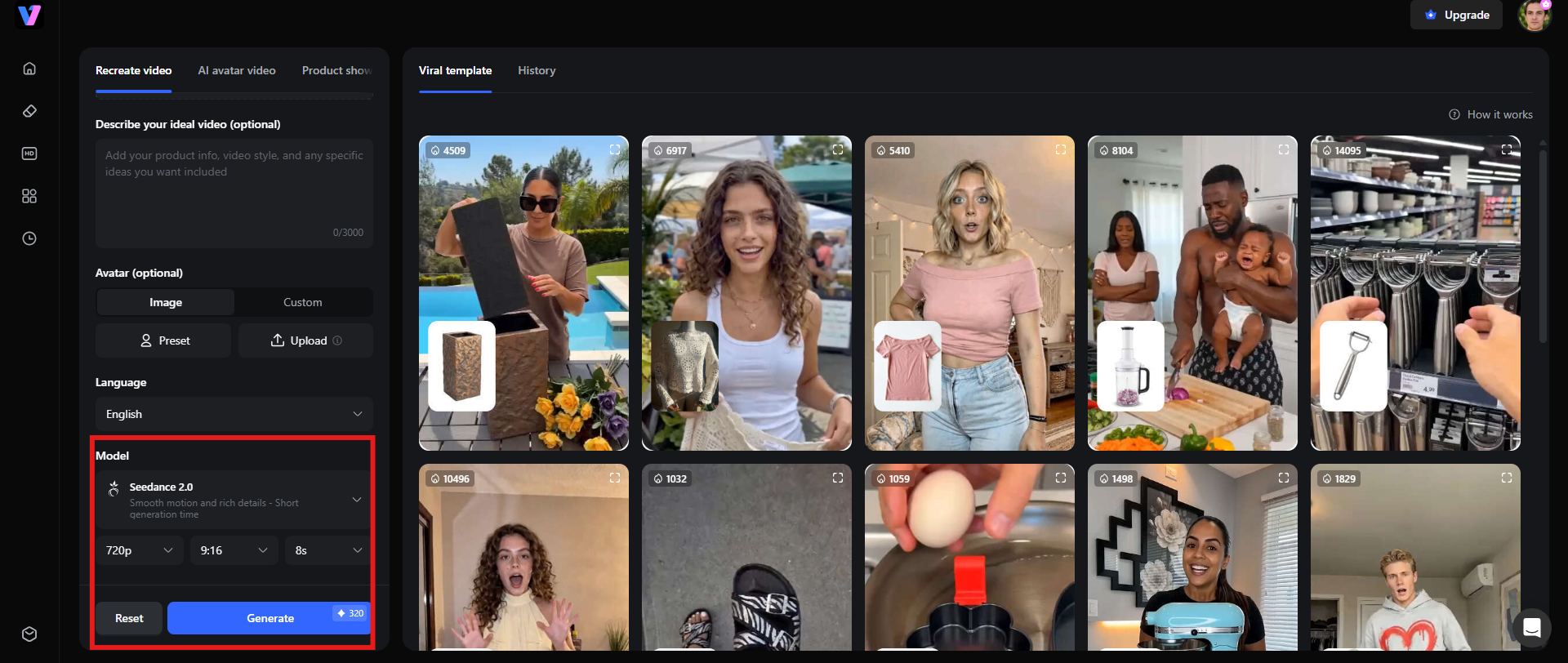
Step 3: Export and publish across the platform
When your video is ready, export it to your preferred format and resolution. Then, publish it to your favorite social media platforms to quickly share your content with your audience.
-
Synthesia
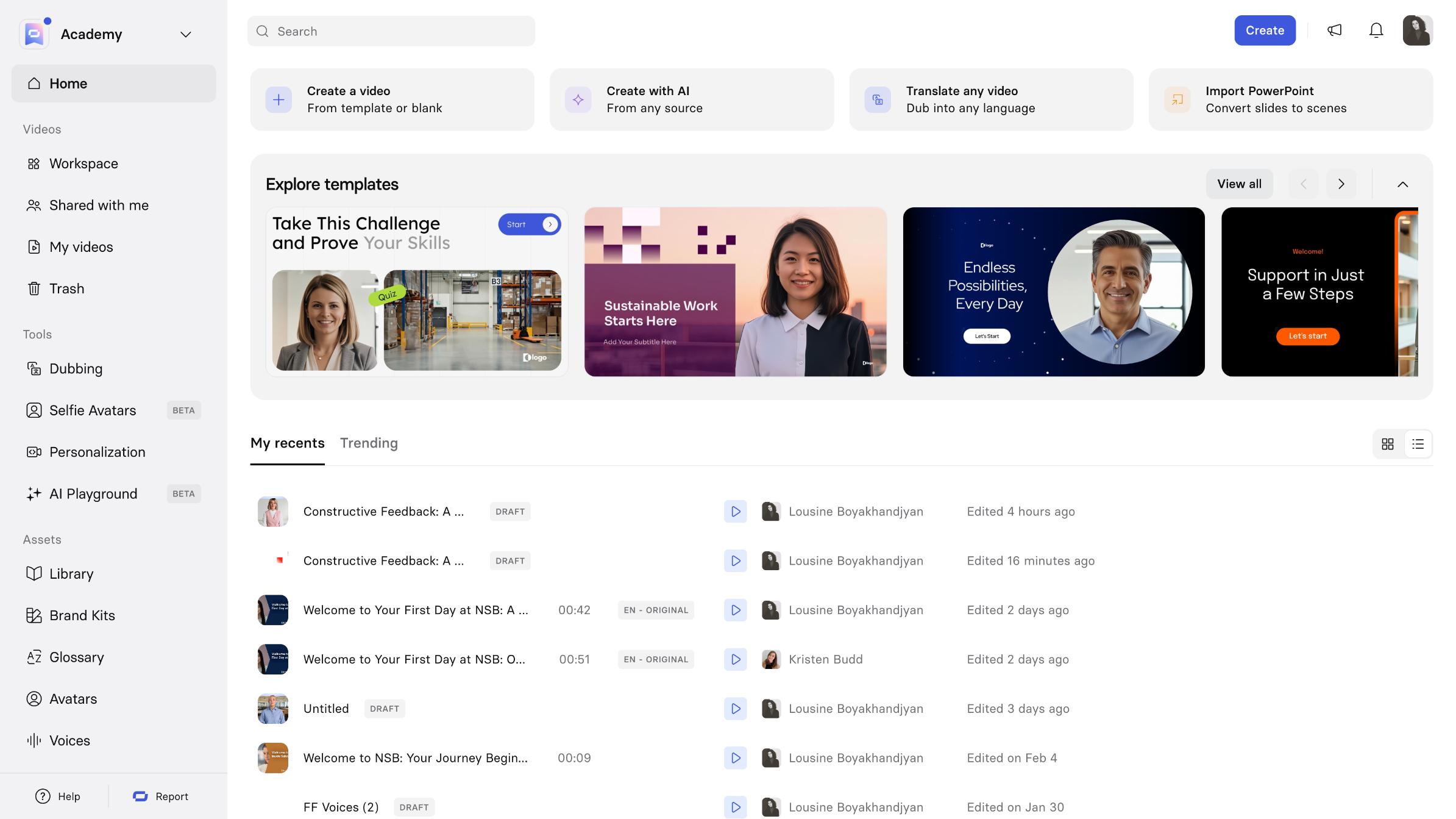
Synthesia has pretty much established itself as the heavyweight in AI video space. If you haven't run into it yet, it's a platform that lets you build incredibly polished videos using realistic AI avatars paired with text-to-speech tech. Instead of booking a studio, hiring presenters, or dealing with production crews, you literally just type out your script.
Key features
-
One of the best things about Synthesia is just how massive their library of AI avatars actually is. If you need a face to deliver a marketing pitch, explain a product feature, or talk through a promotion, you've got a lot of styles to choose from.
-
If you're dealing with international markets, this is where Synthesia gets incredibly useful. It supports over 140 languages and regional accents.
-
To speed things up even more, they give you pre-built templates. They've got layouts specifically tailored for marketing, employee training, onboarding, product presentations, or social media clips.
-
Synthesia turns a written script into a professional video without ever touching a camera, messing with microphones, or opening complicated editing software.
Pricing:
-
Priced from $18/mo, positioned as an affordable entry point for AI avatar-based video creation and corporate use cases.
|
Pros |
Cons |
|---|---|
|
|
-
InVideo AI
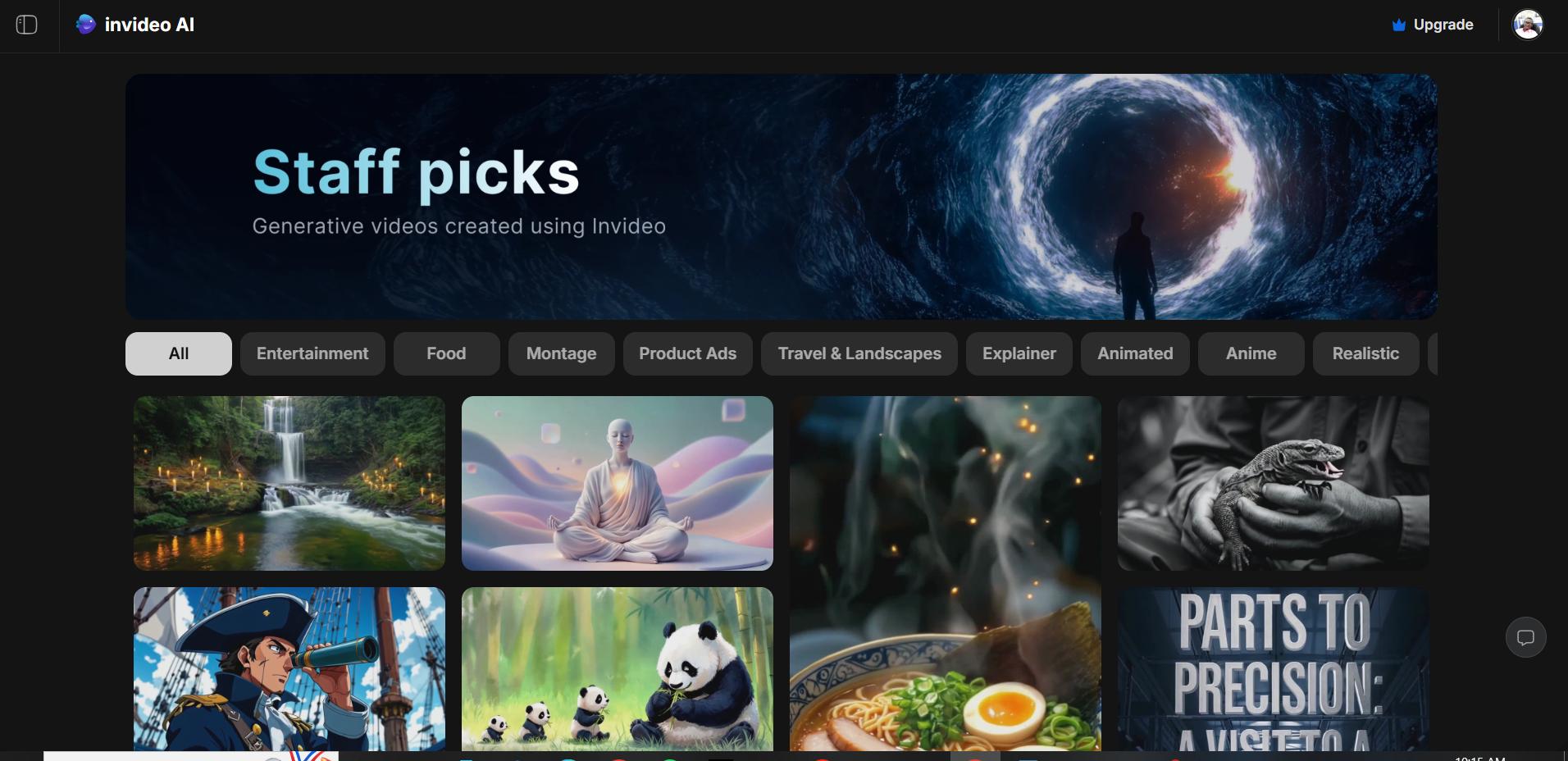
If you just want to turn a rough idea into a video without spending hours tweaking keyframes, InVideo AI is pretty solid. It's built for marketers, creators, and teams who just need to type out a text prompt and get a video back. You basically describe what you're trying to sell, drop in some product info or a general campaign vibe, and the platform handles the rest.
Key features
-
If you hate staring at a blank page, the built-in script generator is a massive help. It writes marketing copies, product descriptions, or full-on promotional stories from scratch.
-
With InVideo AI, you get a massive, built-in library of stock videos, images, and music tracks.
-
The text-to-speech engine of InVideo AI lets you pick from a huge variety of AI voices to handle your narration.
-
InVideo has optimized pre-built templates for different social media platforms.
Pricing:
-
Starts at $20/mo, offering mid-range pricing for users looking for AI-assisted video creation with templates and editing features.
|
Pros |
Cons |
|---|---|
|
|
-
Pictory
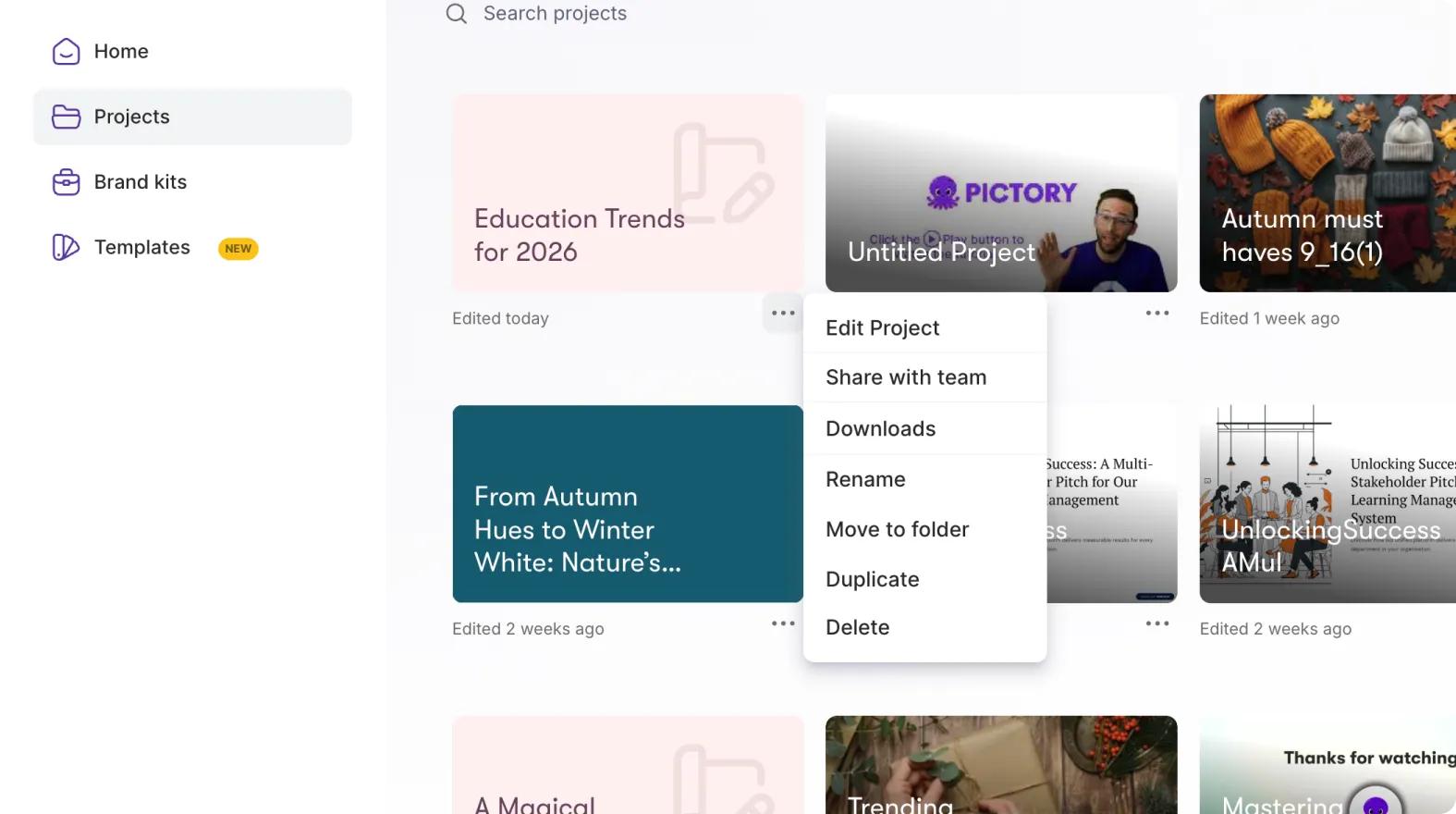
Pictory is basically a lifesaver if you're sitting on a mountain of text and have absolutely no time to turn it into a video from scratch. It's an AI platform built specifically to take long-form written stuff and break it down into engaging clips. The tool is a massive hit with bloggers, educators, and marketing teams who desperately need to repurpose their existing content for social media or digital ads. Instead of staring at a blank timeline, you let the AI do the heavy lifting.
Key features
-
Pictory lets you pull your blog posts or write-ups and convert them straight into short videos formatted for places like Facebook, Instagram, LinkedIn, and YouTube.
-
The platform has a solid knack for reading long-form content, figuring out what actually matters, and stripping away the noise.
-
Pictory automatically generates captions and adds them right into the video.
-
You get built-in access to a massive pool of royalty-free stock videos, images, and background audio.
Pricing:
-
Priced around $25/mo, suited for creators who want to turn scripts or articles into short-form videos with AI automation.
|
Pros |
Cons |
|---|---|
|
|
-
HeyGen
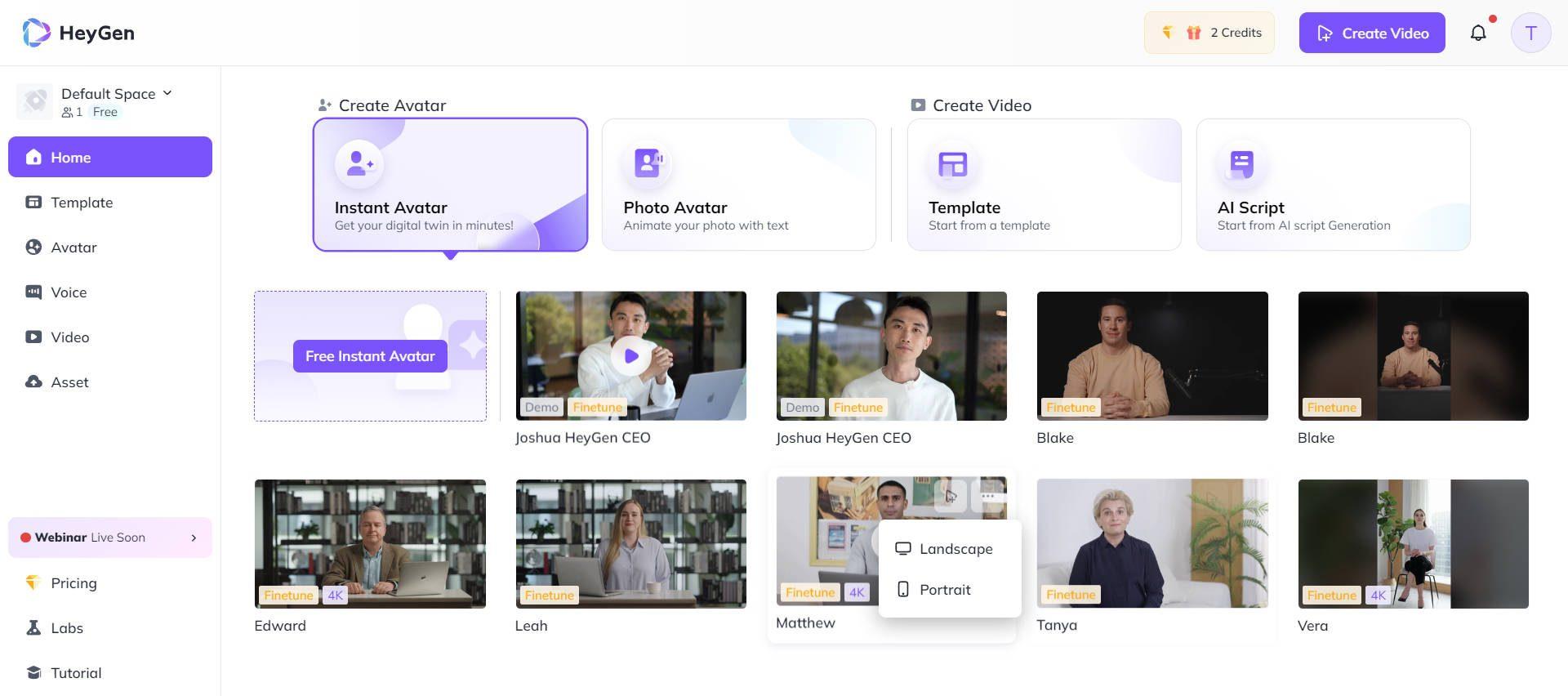
HeyGen has essentially carved out a name for itself by mastering the art of the digital presenter. It is an AI-powered video platform that focuses heavily on ultra-realistic, avatar-led content for marketing, sales pitches, client updates, and social media campaigns. By pairing these surprisingly lifelike avatars with natural text-to-speech narration and deep language support, it cuts out the need to hire actors or mess around with renting a studio.
Key features
-
The library of AI avatars they have is pretty impressive. They can talk through a marketing message or explain a product feature without that stiff, uncanny-valley vibe.
-
The text-to-video workflow is straightforward: pick your avatar, choose a voice, and tweak the layout style.
-
With Pictory, you can actually train the software to clone your voice or a specific brand rep's voice.
-
HeyGen supports over 175+ languages and regional accents.
Pricing
-
Starts at $29/mo, a higher mid-tier option focused on AI avatars, talking videos, and personalized video content.
|
Pros |
Cons |
|---|---|
|
|
-
Creatify
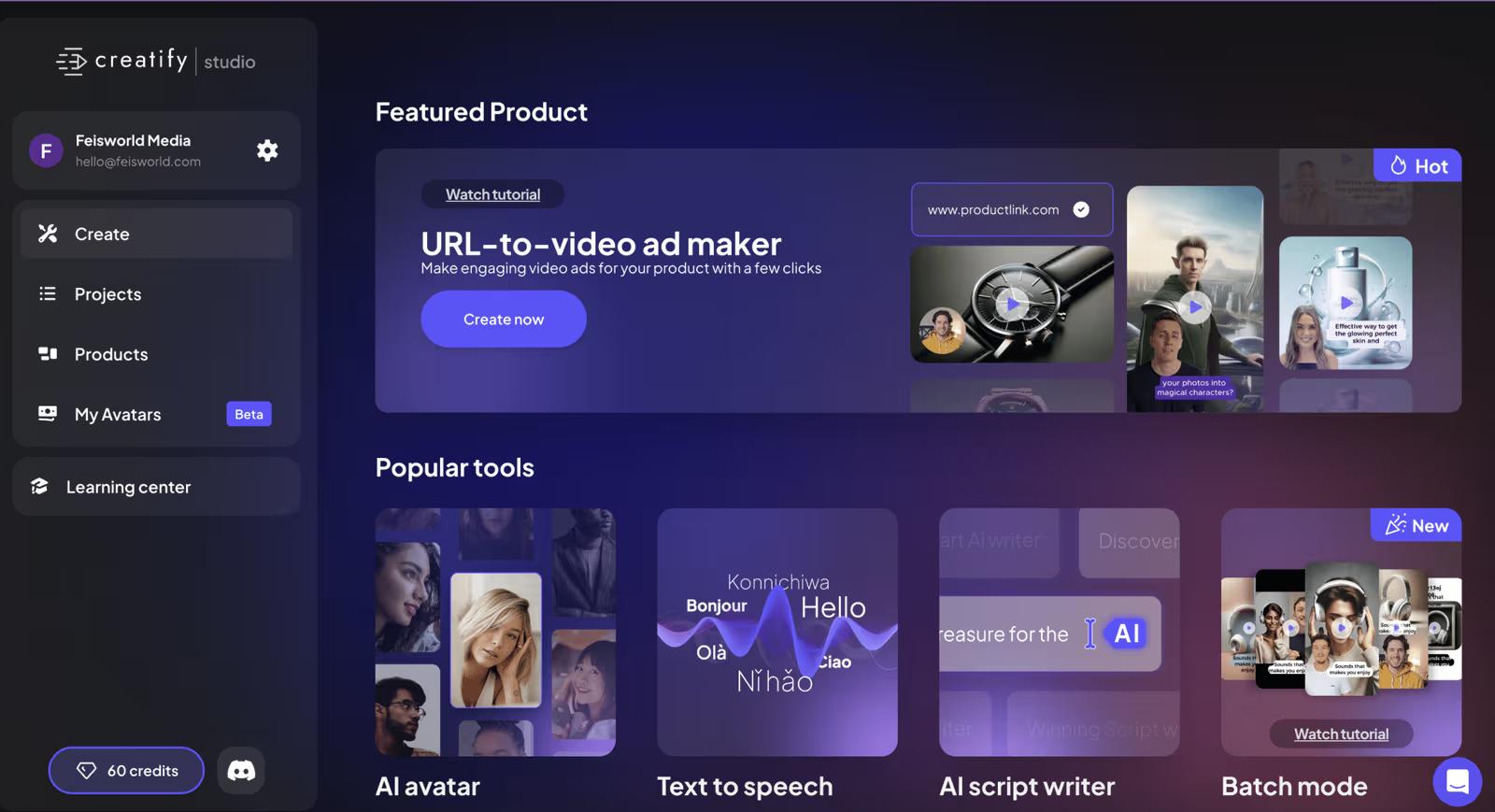
If you're running a direct-to-consumer brand or handling digital marketing for e-commerce, Creatify is built pretty much exactly for you. The whole premise is beautifully simple: you feed it a product URL, grab some images, or drop in a basic description, and the platform creates a ready-to-publish video ad.
Key features
-
The real standout feature here is how it handles a simple product URL. You just paste the link, and the platform automatically scrapes the images, the description, and all the key product details.
-
It has built-in AI avatars that step in to act as your brand's spokesperson. They can pitch the product or walk viewers through specific features, giving you a clean, professional presenter style.
-
For performance marketers, the batch creation tool is where the real work gets done. You can spin out multiple versions of the same core ad by automatically mixing up the scripts, swapping out the visuals, or changing the call-to-action.
-
Creatify automatically writes marketing scripts based on whatever product info you feed it.
Pricing:
-
Priced at $39/mo, positioned as a premium option with more advanced AI ad creation and marketing-focused video tools.
|
Pros |
Cons |
|---|---|
|
|
-
Biteable
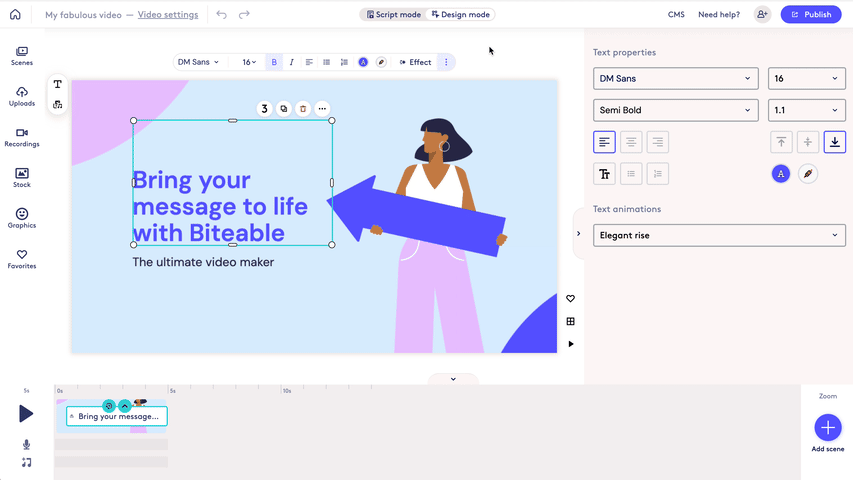
Biteable is essentially an online video creator designed for people who want clean, professional results without having to wrestle with a complicated timeline. It uses a straightforward drag-and-drop editor. Instead of relying purely on an AI to generate things out of thin air, it relies on a massive library of customizable templates, animations, and stock footage.
Key features
-
The platform gives you a massive collection of professionally designed templates right out of the box.
-
The drag-and-drop editor is incredibly intuitive. It lets you add text, swap out images, overlay animations, or mix in music tracks without making you feel like you need a degree in video production.
-
To keep your design team from losing their minds, you can build out a dedicated Brand Kit. You upload your specific logos, brand colors, and fonts ahead of time.
-
You get direct access to a huge library of royalty-free stock footage, images, icons, and music.
Pricing:
-
Starts at $15/mo, offering an affordable and beginner-friendly platform for creating animated and marketing videos quickly.
|
Pros |
Cons |
|---|---|
|
|
How to Choose the Right Batch Ad Creation Platform
Finding the right tool is a bit of a moving target right now because there are just so many AI ad creation options hitting the market. Here are the core things to keep in mind.
-
Evaluate your content volume requirements
You should start by taking a hard look at how much content your business actually needs to crank out on a regular basis. If you're an agency, a scaling e-commerce brand, or just a high-volume advertiser who needs dozens or hundreds of fresh ads hitting the feeds every single month, you need a heavy lifter. Look for something that prioritises batch generation, lets you save reusable templates, and has automated workflows.
-
Prioritize AI-powered creative generation
How well a platform actually works for you comes down to what its AI can realistically pull off under the hood. You want to look for tools that handle real bottlenecks; things like generating scripts from scratch, automated video stitching, realistic AI avatars, clear voiceovers, or even smart suggestions on what creative angles to try next.
-
Check multi-platform compatibility
Every social platform out there has its own annoying set of video specs, aspect ratios, and weird content quirks. What slays on TikTok will look completely out of place on LinkedIn. Because of that, a batch ad tool is basically useless if it can't cleanly optimize content for the specific spaces you're targeting.
-
Consider team collaboration
If you're working with a team, pure production speed stops being your only bottleneck. Suddenly, collaboration is everything. Look for platforms that give you shared workspaces, cloud-based project tracking, structured approval steps, and centralized brand asset libraries.
-
Comparing pricing
You have to look at pricing through the lens of what you're actually getting and where your business is heading. Some tools give you cheap entry-level tiers that work perfectly fine for freelancers or small teams. But if you need heavy-duty stuff, like custom AI avatars, team collaboration, API access, or unlimited video rendering, you're going to be pushed into enterprise pricing.
Conclusion
With ad costs climbing, being able to crank out solid social media ads quickly and at scale is no longer just a nice-to-have. It's a massive competitive advantage. Batch ad creation platforms have basically removed the old operational bottlenecks by blending AI automation, reusable templates, and multi-platform formatting into a single workflow.
If you look at the top platform for batch creating social media ads compared in this guide, Vmake Labs stands out as the best overall choice for batch ad production. It does a few things incredibly well. Its combination of AI avatar videos, clean product showcases, and flexible aspect ratio adjustments makes it a perfect fit for brands that have to constantly post on different platforms.
FAQs
What is batch social media ad creation?
Batch ad creation is basically exactly what it sounds like: building a whole collection of ads simultaneously instead of painfully designing each one individually. Instead of starting from a blank canvas every single time, you rely on AI tools and reusable templates to spin out dozens of variations in one go.
Which platform is best for creating social media ads in bulk?
Which tool you should actually pick depends entirely on your specific goals and what kind of content you need to feed your channels. If you're trying to push out social media ads on a massive scale, Vmake Labs is an incredibly strong choice. It handles AI avatar videos and product showcases really well, and it doesn't give you a headache when you need to format for multiple aspect ratios.
Can AI create multiple ad variations automatically?
They absolutely can. In fact, that's where most of these modern AI platforms actually bring the most value. You feed the system a single asset or product link, and it can automatically creates dozens of different versions of the same core ad. It does this by mixing and matching different headlines, tweaking the scripts, or swapping out the background visuals.
Are batch ad creation tools suitable for small businesses?
They absolutely do. For a small business, a batch ad tool is often the only realistic way to compete visually without completely draining the bank account. You don't need to hire a full creative agency or invest thousands in studio lighting, high-end cameras, and editing suites. Most of these platforms keep the learning curve low with very straightforward drag-and-drop interfaces.
How do batch ad creation platforms improve campaign performance?
These platforms let you test an absolute mountain of creative variations in a fraction of the time it used to take. That matters because finding a winning ad is usually just a numbers game; the more angles you throw at the wall, the faster you spot what's actually converting. With AI handling heavy lifting under the hood, you can instantly tweak scripts, swap out visuals, or adjust the messaging on the go.
What features should I prioritize when choosing a batch ad creation platform?
When you're evaluating different platforms, you need to look for features that actually align with what you're trying to achieve with your marketing, rather than just buying into the hype of a flashy feature list. A tool is only worth the subscription fee if it handles the real bottlenecks. That means looking for smart AI-powered video generation and the ability to batch-produce multiple variations of an ad in one go. It also needs to play nice with multi-platform exporting and seamless aspect ratio adjustments.

You May Be Interested
10 Social Media Ads Examples That Drive Engagement & Sales
Real Estate Facebook Ads Guide 2026: Strategies & Examples

Create Ads for TikTok Video With AI: A Complete Beginner's Guide

YouTube Monetization Requirements 2026: Complete Guide
YouTube Thumbnail Size 2026: The New Standard for High-CTR Visuals
