This is Who Baby Trend: Make Fun Viral Baby Transformations in Seconds
Turn any picture into a fun this is who baby trend instantly. Upload your photo, let Vmake AI work its magic, and share adorable, trend-worthy creations with friends and followers.

The "This Is Who Baby Trend" is dominating Instagram and TikTok with a powerful mix of nostalgia, humor, and personal storytelling. By pairing childhood photos with recent clips, creators show exactly who they’ve become over the years. Here is your step-by-step guide to jumping on this viral trend and crafting your own standout video.
What is the "this is who baby trend" on Instagram
Most social media trends are gone in a flash, but those related to baby videos, like AI baby podcast, AI baby grandpa, or "This Is Who Baby Trend," actually have some staying power. The setup is incredibly simple: you post an old baby picture next to a current photo, and start the caption with "This is who..." Usually, it finishes with a milestone; something like "This is who became a doctor," "This is who runs our company," or "This is who creates your favorite content."
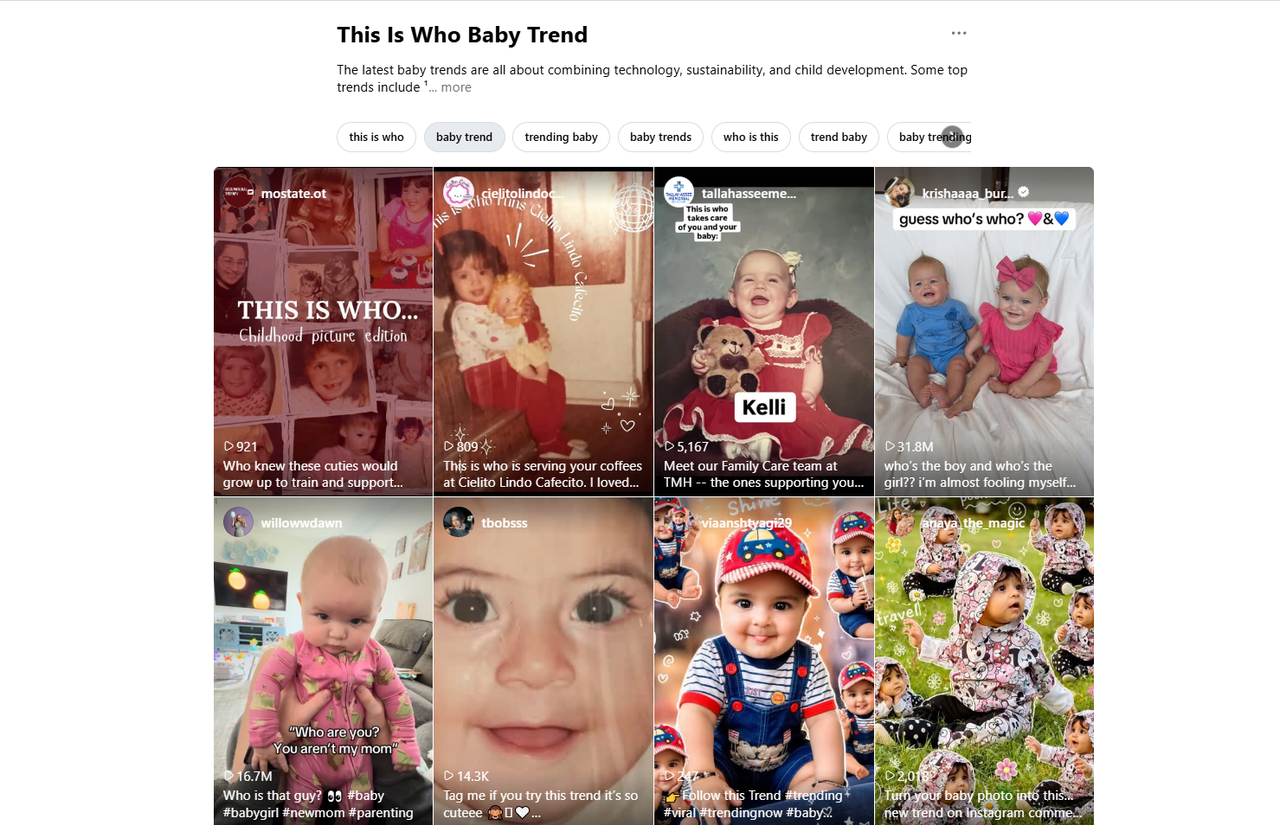
Why is the "this is who baby trend" so popular
AI baby videos are a massive hit for a few reasons, but mostly because it hits that perfect sweet spot of nostalgia, humor, and a little bit of bragging rights. People love seeing how someone has changed over the years. Seeing a toddler alongside a fully realized adult who just hit a massive career milestone creates this instant emotional hook. It's hard not to pause, smile, and leave a comment.
How to create the "this is who baby trend"
Step 1: Find your baby photo
First, you need to dig up the right childhood photo. Don't just grab the first blurry scan you find; look for something that actually shows your face and a bit of your personality. The ones that work best usually capture a specific expression, a funny moment, or some distinctive feature you still have.
But here's the thing: people need to recognize you in it. When the baby picture is clear, the contrast with who you are today hits much harder, and that's exactly what makes the final reveal hook the viewer.
Step 2: Pick a Recent Photo
Once you've got the baby picture sorted, you need a recent photo that shows exactly who you are today. This is where the contrast matters. You want an image that reflects your current life, whether that's your actual job, your lifestyle, or just your overall vibe right now.
Good lighting and clean quality make a massive difference here, mostly because it makes the side-by-side comparison instant and easy to read as someone scrolls past. Pick a photo that feels like an honest snapshot of your current identity, and the trend basically handles the rest.
Step 3: Add the caption
The photos pull people in, but the caption is what actually gives the post its meaning. To be honest, you don't need to reinvent the wheel here. Most people just stick to the classic template: "This is who ______," and fill in the blank with a job title, a big win, or something funny.
For instance, writing "This is who became a designer," "This is who still forgets passwords," or "This is who runs customer support" instantly tells the viewer what the story is. The shorter the caption, the better.
Step 4: Use an AI tool to create a meme
If you've got your images and copy good to go, the final step is actually putting the piece together. While you can use traditional tools, using an AI editor just shortcuts the whole process. It spits out clean side-by-side splits, adds smooth transitions, and fixes messy lighting automatically.
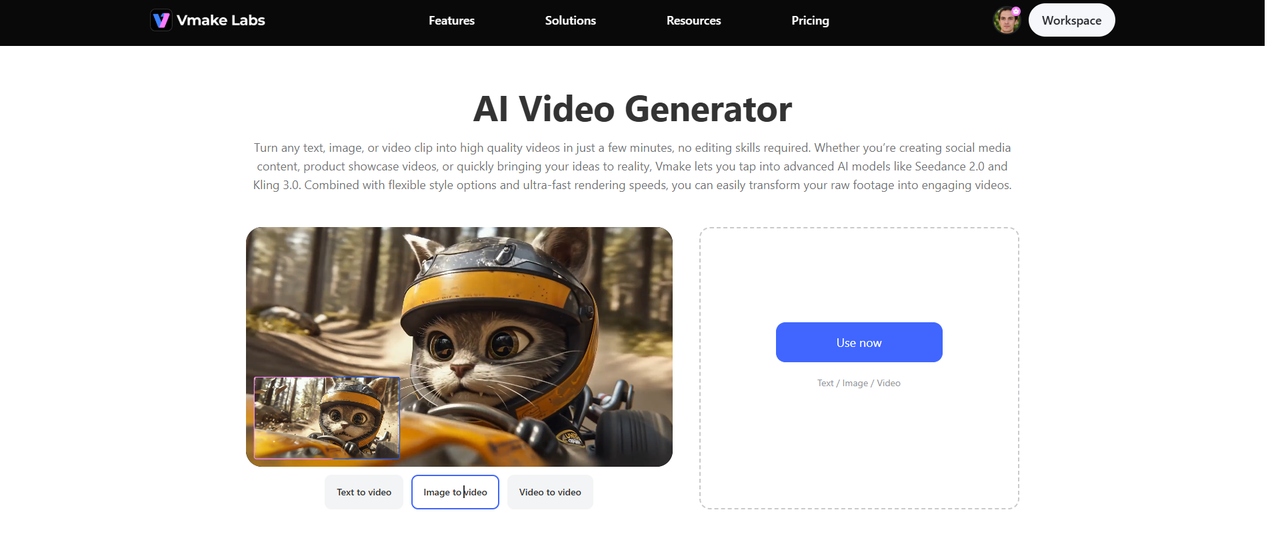
No idea where to get started? Vmake AI clip maker is a pretty solid option for this specific kind of transformation content. You can just feed Vmake a text prompt, an image, or some raw clips, and it builds the video for you. Plus, the ratio is automatically adjusted, so you can post it straight to TikTok, Instagram, or over on YouTube Shorts the second it's done.
-
Add your content idea
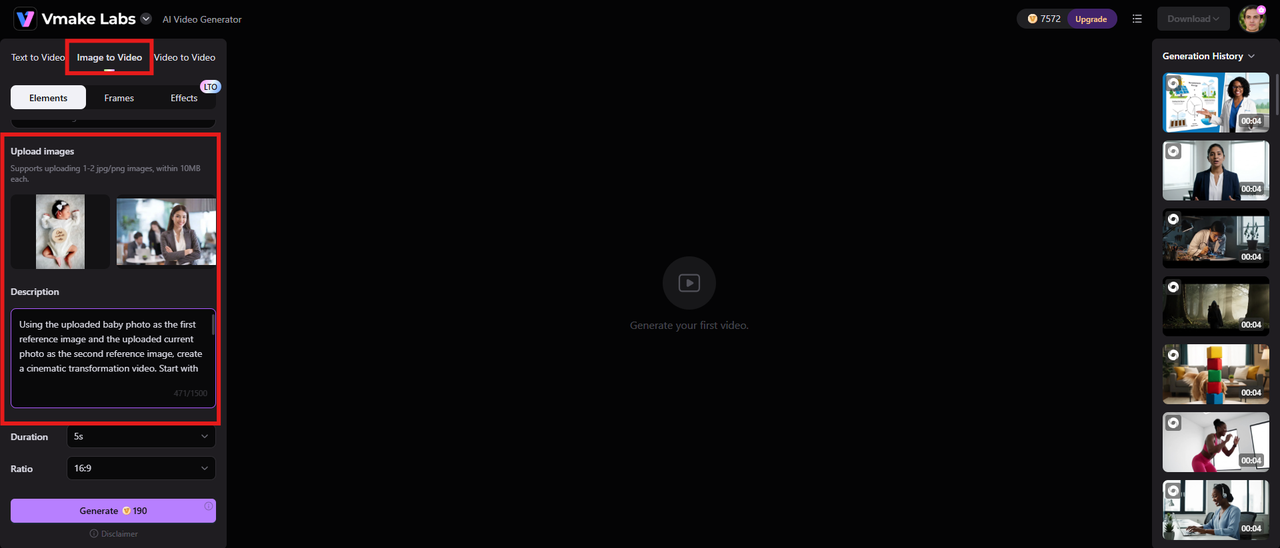
Open Vmake in your browser. Click the "Image to video" option from the top and upload reference images of your baby's version and the recent one. Add a prompt to create the "this is who baby trend" as per your requirements.
-
Choose duration, aspect ratio, and generate
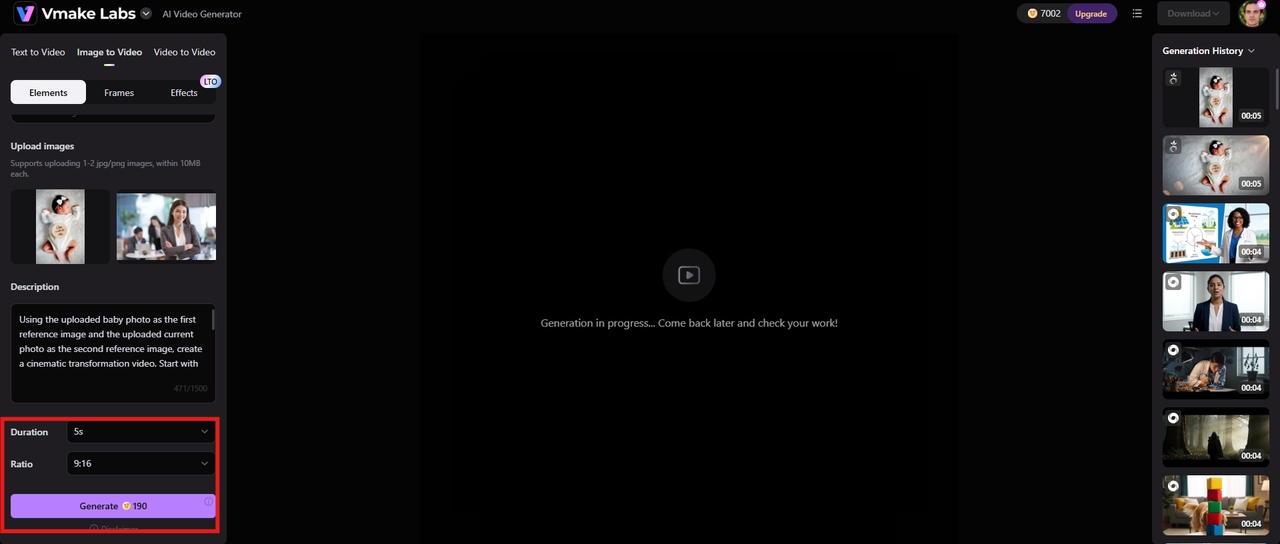
Next, you need to pick your video duration and choose an aspect ratio that matches where you plan to post it. Since this trend lives almost entirely on TikTok and Instagram, you'll definitely want to choose the vertical aspect ratio so it actually fits the screen properly. Once that's set, just hit "Generate."
-
Download the final video
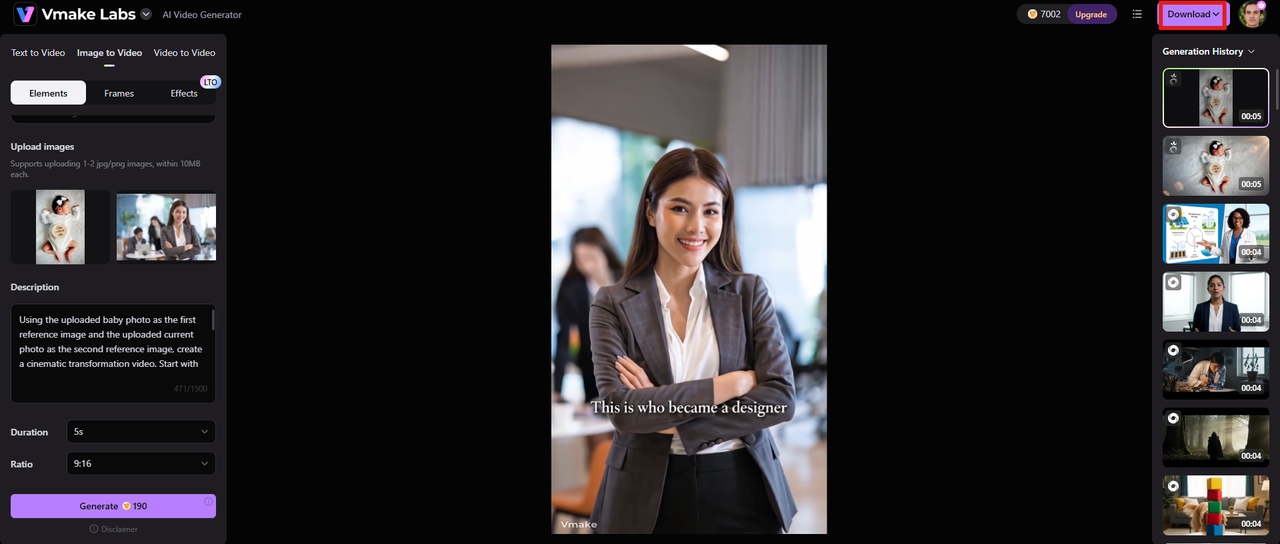
Once the video is ready, preview the final clip. If everything seems good, click the "Download" button to save the video for further use.
Step 5: Share on social media
Once the video or image is ready, you'll want to get it out on Instagram, TikTok, Facebook, LinkedIn, or X. Use a 9:16 vertical format for short-form video platforms, and consider pairing your content with trending audio when it fits the trend. Quick transformation-style edits, smooth transitions, and before-and-after reveals often perform especially well because they encourage viewers to watch through to the end. For the strongest engagement, keep the "before" portion brief and reveal the transformation within the first 2–5 seconds.
But here's the thing: timing matters if you want people to actually see it. It pays to post when your specific audience is already killing time on their phones. Throw in a few of the relevant hashtags for the trend, so the algorithm knows where to send it, and you're good to go.

Conclusion
The reason the "This Is Who Baby Trend" works so well is that it doesn't feel like another over-engineered piece of content. It relies on a very basic visual transformation that hooks people with nostalgia, humor, and actual storytelling. Whether you are a creator, an influencer, or a corporate team trying to look a bit more human, it lets you show real growth without sounding arrogant.
If you are trying to move fast and still look professional, Vmake is a genuinely good tool for this. It handles the heavy lifting through AI-assisted editing, lets you experiment with animated avatar videos, and utilizes multimodal content creation.
FAQs
Where did the This Is Who Baby Trend start?
This whole thing started popping up on Instagram and TikTok, with people pairing up old childhood photos alongside shots of where they are today. It's essentially a way to show off how much you've grown or what you've managed to achieve since you were a kid. Once a few bigger creators and influencers caught wind of it, the format just took off. Now, even major brands are jumping on it to look a bit more relatable.
How do I make a This Is Who Baby Trend post?
First, you need to dig up an old baby photo and pick a solid, recent picture of yourself. Then, write a caption that kicks off with "This is who". Once you have the pieces, you just need to combine them. You can use a standard editing app if you want to do it manually, though using an AI-powered content creation tool like Vmake makes the whole process a lot faster.
Can I create the trend without a real baby photo?
Yeah, absolutely. If people don't have an actual baby photo handy, they just swap it out for an old school picture or any random photo from when they were a kid. The trend is pretty flexible like that, so you can basically use whatever early-life image you can get your hands on.
Why is the trend so popular?
The real reason this trend hits people is how it blends nostalgia with a genuine visual transformation. There's usually a bit of humor baked into it, too. People just naturally enjoy seeing how someone has evolved over the years. It gives you a tiny window into their actual story, which feels a whole lot more authentic than most of the highly manufactured stuff filling our feeds these days. It's hard not to connect with that.
Are there privacy concerns with the trend?
Yeah, you definitely want to pause and think about it first. Not everyone is totally comfortable putting their childhood photos out there for the entire internet to see. And if your post happens to include old shots of family members, coworkers, or other kids, ask for permission before you hit upload.
Can brands use the This Is Who Baby Trend for marketing?
Honestly, it's a great fit for brands. A lot of companies use this trend to introduce their employees or showcase their company culture. But here's the thing: it actually works because it doesn't feel like a standard, boring ad. Instead of shoving a product down people's throats, it humanizes the team. When you show the actual people behind a brand, it builds a genuine connection that promotional content just can't touch.

You May Be Interested

AI Baby Podcast: Creating Adorable AI Conversations
How to Make AI Baby Videos: 3 Best Tools to Make Baby Videos

AI Baby Grandpa: The Viral Meme Taking Over TikTok Now