
Seedance Reviews and Google Veo 3: Which AI Video Generator Is Better?
Compare Seedance Reviews and Google Veo 3 to evaluate video quality, features, pricing, and performance. See how Vmake AI helps you create professional AI videos with ease.

AI video generation is transforming how creators produce content, with Seedance and Google Veo 3 leading the way. This guide compares their features, video quality, pricing, and performance to help you choose the right platform and explains why Vmake AI is a practical alternative for effortless video creation.
Overview of Seedance and Google Veo 3
Seedance and Google Veo 3 are completely changing AI video games, but they each take a totally different approach to creating content. Veo 3 is Google DeepMind's all-in-one powerhouse, automatically syncing crystal-clear audio and dialogue with stunning, cinematic visuals directly from a single prompt. On the flip side, Seedance acts more like your own digital director. Built by Bytedance, it lets you upload reference images and audio to perfectly control camera angles, lighting, and scene transitions, giving you highly predictable results without needing any complex editing experience.
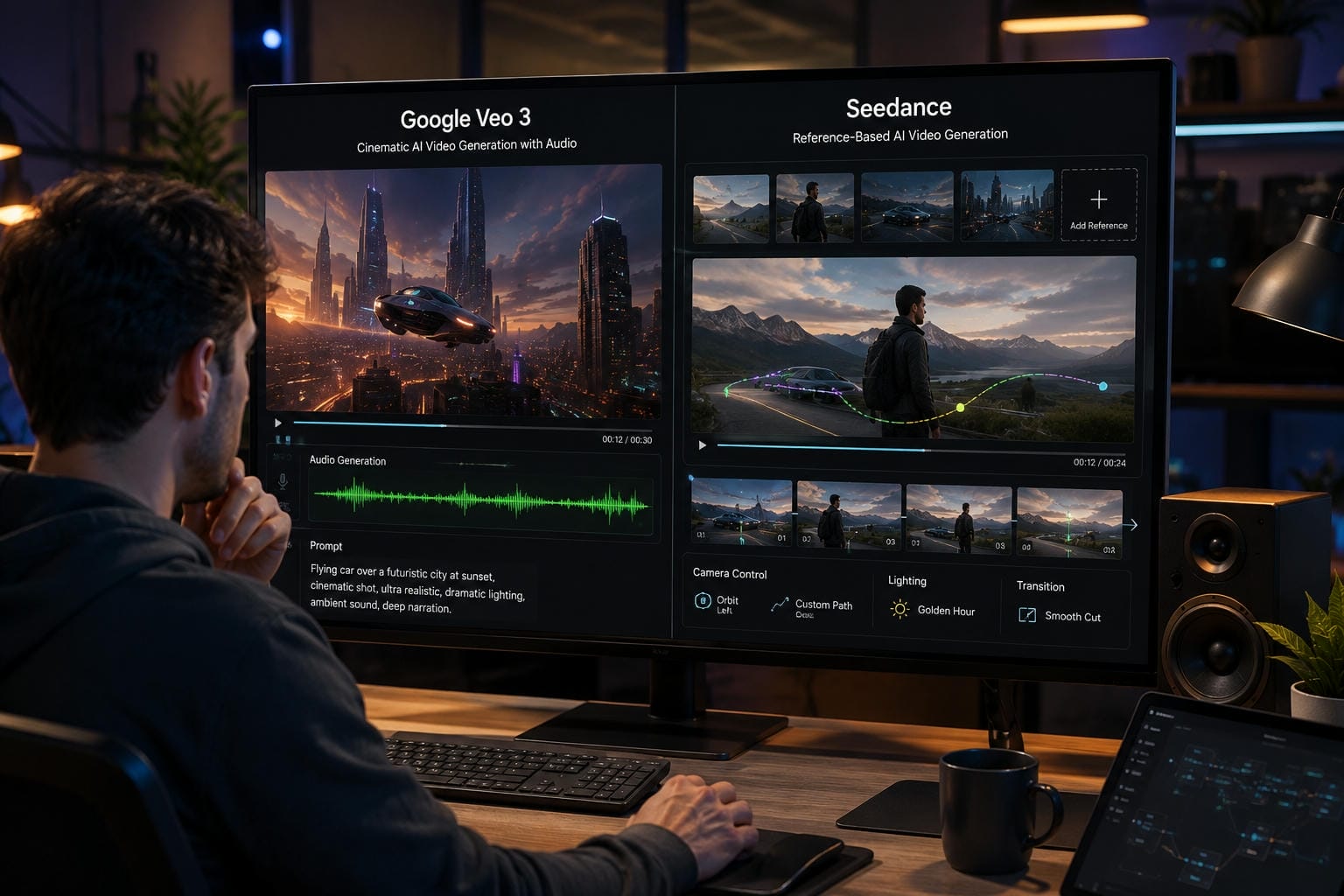
Seedance Review and Google veo 3 review
When choosing the right tool for your workflow, think of Google Veo 3 as the ultimate all-in-one storyteller that seamlessly blends cinematic photorealism with native, synchronized audio and dialogue. Seedance, on the other hand, is built for precision, using multi-modal reference frames to give you full control over complex camera motion and strict visual continuity between scenes.
Quick Comparison of Seedance and Google Veo 3
|
Platform |
Advantages |
Drawbacks |
|---|---|---|
|
Seedance |
|
|
|
Google Veo 3 |
|
|
If your priority is speed and simplicity, Seedance is an excellent option. If you need cinematic production quality, Google Veo 3 offers more advanced capabilities.
Detailed Comparison: Video Quality, Performance, and Real-World Results
Compare how Seedance and Google Veo 3 perform in real-world video creation. Discuss cinematic visuals, text rendering, scene consistency, rendering speed, reliability, and the types of content each platform produces best.
Cinematic output
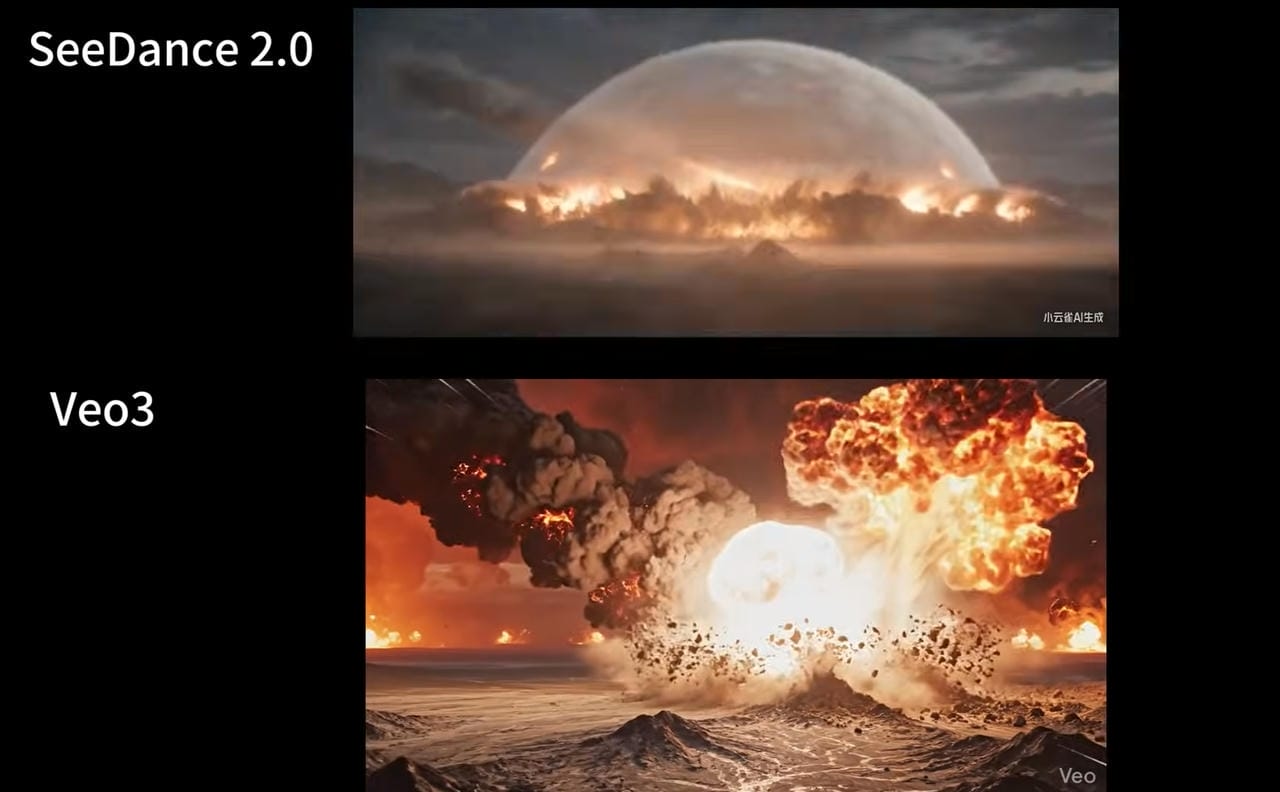
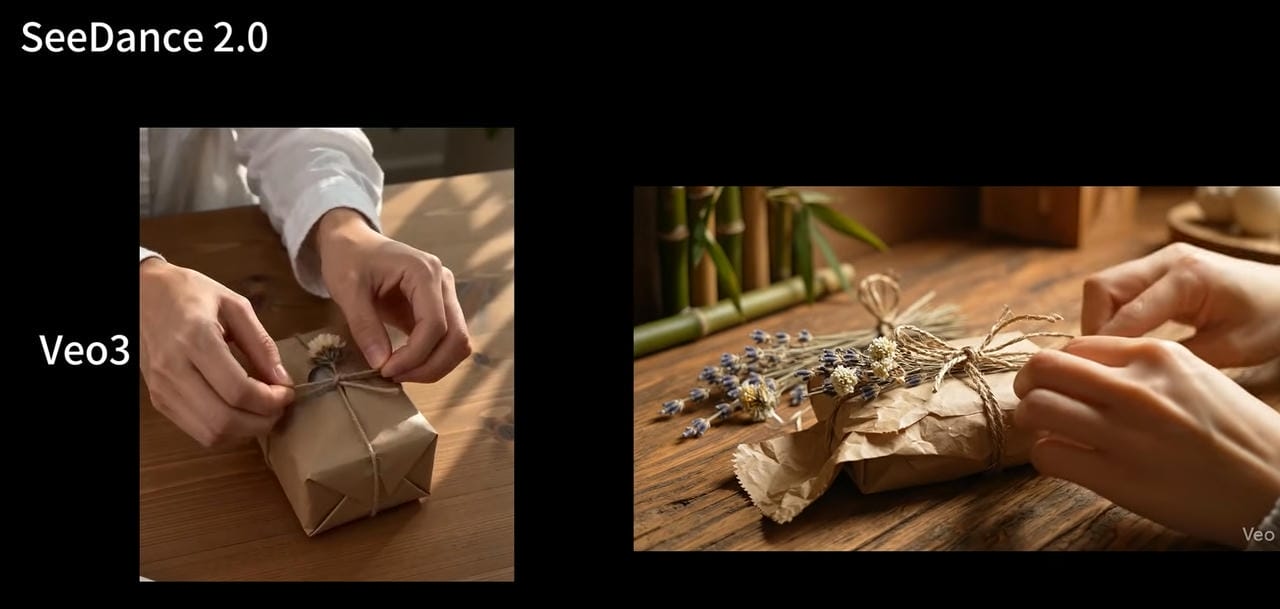
Google Veo 3 clearly leads to cinematic realism. It produces film-like visuals with natural lighting, believable camera movements, realistic physics, and impressive depth, making it ideal for narrative storytelling, concept films, and premium commercial work.
Seedance prioritizes visual consistency and smooth animation over pure realism. Its outputs are polished and engaging, but they are especially effective for marketing campaigns, social content, music videos, and branded productions where maintaining a consistent style matters more than achieving a Hollywood look.
Text rendering
Both platforms handle prompt-based text generation effectively, but Google Veo 3 generally produces more refined typography in complex scenes and maintains better integration between text elements and the surrounding environment. This makes it suitable for cinematic title sequences and visually rich presentations.
Seedance delivers accurate and dependable text rendering for practical applications such as product demonstrations, promotional videos, tutorials, and short-form advertisements. Its strength lies in readability and consistency rather than artistic presentation.
Scene transitions
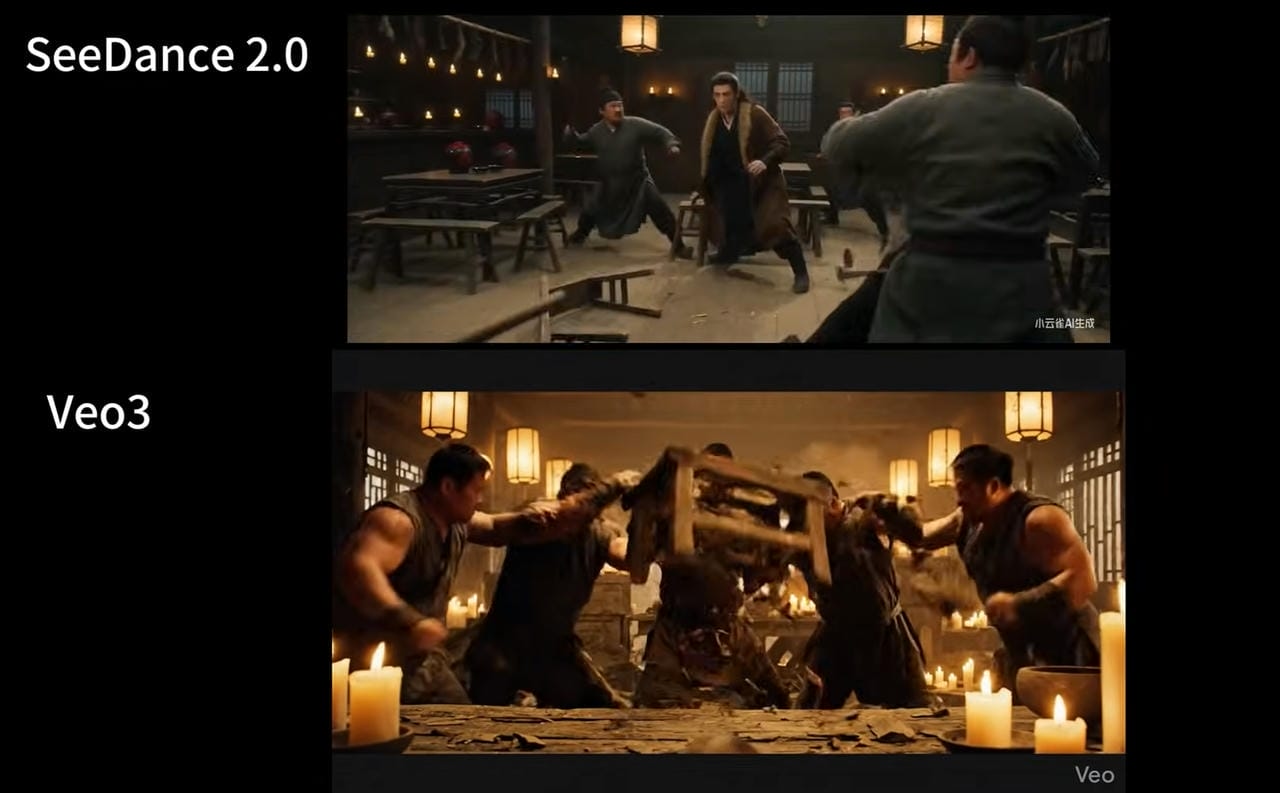
Seedance stands out for maintaining character identity, visual continuity, and seamless transitions across multiple scenes. This reliability is especially valuable for longer videos, serialized content, and projects that require strict brand consistency.
Google Veo 3 creates more dramatic, film-inspired transitions with dynamic camera work and realistic motion. However, its emphasis on cinematic creativity sometimes introduces variations that are less predictable across extended sequences.
Speed and performance
Seedance offers faster rendering times and a more efficient workflow, allowing creators to iterate quickly and produce content at scale. Its performance advantages make it particularly attractive for marketers, agencies, and social media creators working under tight deadlines.
Google Veo 3 invests more processing time into advanced visual effects, realistic motion, and higher production quality. Although generations can take longer, the resulting videos often deliver a premium, film-like experience that justifies the additional wait for high-end creative projects.
Best use cases for each platform
Google Veo 3 is the strongest option for narrative storytelling, realistic talking-head videos, atmospheric concept pieces, and creators seeking cinematic production value. Its native audio capabilities and multimodal understanding further enhance immersive video experiences.
Seedance performs best for product advertisements, music videos with beat-synced action, branded campaigns, and projects that require consistent characters across multiple scenes. Its faster rendering and reliable continuity make it particularly effective for commercial workflows and everyday content creation.
Pricing, Accessibility, and Which Tool Offers Better Value
Pricing and accessibility are important factors when choosing an AI video generator. While both Seedance and Google Veo 3 deliver impressive results, they differ in cost, availability, and the value they offer for different types of creators. The table below provides a quick comparison.
|
Pricing factor |
Seedance |
Google Veo 3 |
|---|---|---|
|
Pricing Model |
Subscription or platform-based pricing |
Premium subscription through Google's supported plans |
|
Free Trail |
Limited (varies by platform) |
Limited access (availability may vary) |
|
Monthly Cost |
Generally more affordable |
Higher pricing for advanced features |
|
Target Users |
Individual creators, freelancers, and small businesses |
Professional creators, agencies, and enterprises |
|
Overall Value |
Cost-effective for regular content creation |
Best for users needing cinematic-quality video generation |
Final Checklist: Seedance vs Google Veo 3
Both Seedance and Google Veo 3 offer powerful AI video generation capabilities, but they differ in performance, pricing, and ideal use cases. The comparison below highlights their key features to help you quickly identify which platform best matches your creative needs and budget.
|
Feature |
Seedance |
Google Veo 3 |
|---|---|---|
|
AI Video Quality |
Excellent |
Outstanding |
|
Cinematic Effects |
Very Good |
Excellent |
|
Motion Consistency |
Excellent |
Excellent |
|
Camera Control |
Good |
Advanced |
|
Rendering Speed |
Faster |
Moderate |
|
Prompt Accuracy |
Excellent |
Excellent |
|
Ease of Use |
Beginner Friendly |
Intermediate |
|
Pricing |
More Affordable |
Premium |
|
Best For |
Social Content & Marketing |
Films & Commercials |
Before making a final decision, it's worth looking beyond Seedance 2.0 and Google Veo 3. If you're searching for a platform that combines both options, AI-powered features, and an efficient workflow, Vmake AI is a strong choice to consider.
Try Both Choices within One Tool: Meet Vmake AI Video Generator
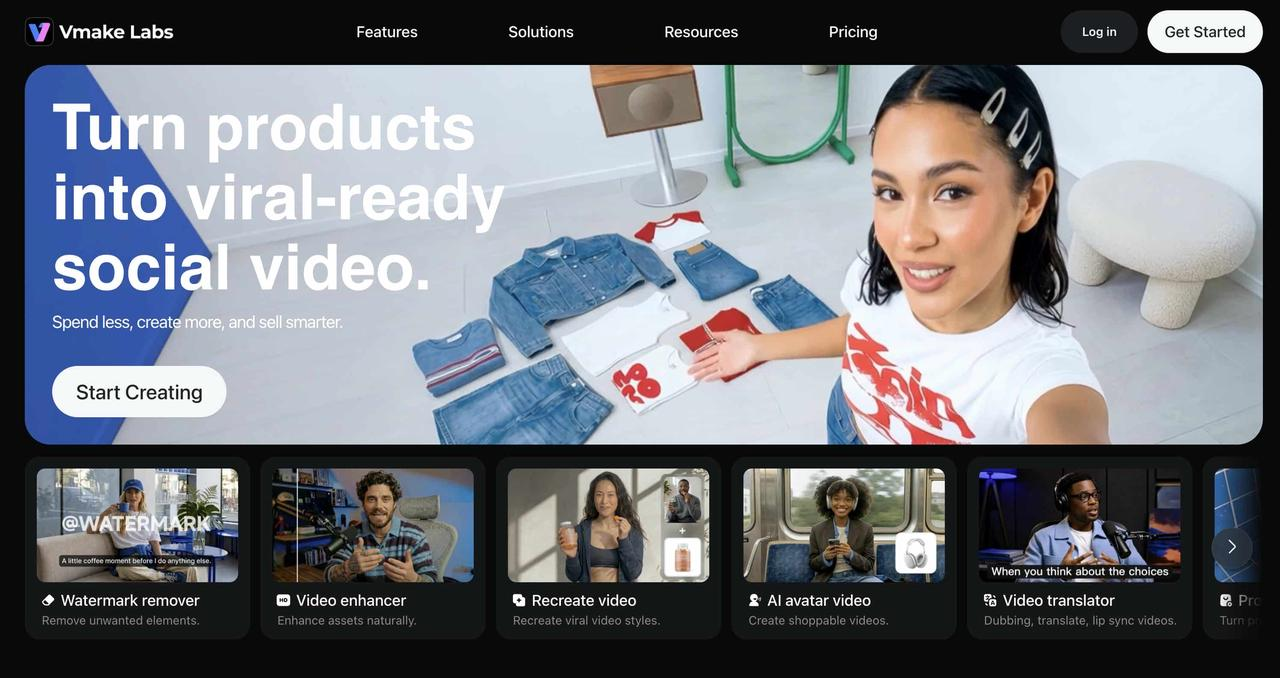
Vmake acts as a flexible testing ground, letting you directly try and compare heavyweights like Seedance 2.0, Veo 3.0, and the updated Veo 3.1 all in one place. By bringing these models into a single, intuitive workflow, Vmake AI allows you to side-by-side their generation quality and customization features without jumping between different tools.
Key Features of Vmake AI
-
Multiple AI Video Models: Switch between advanced models such as Kling 3.0, Veo 3.1, and Seedance 2.0 to match different creative goals. Each model provides unique strengths, from cinematic realism to smooth animation and consistent character performance.
-
Flexible AI Video Creation Workflows: Create videos your way with Text-to-Video, Image-to-Video, and Video-to-Video tools. Whether you're starting from a written idea, an existing image, or a reference clip, Vmake offers a streamlined workflow for every type of creator.
-
Diverse Visual Styles for Different Creative Goals: Produce UGC content in various styles, including realistic, cinematic, commercial, social-first, and animated formats. This flexibility helps creators adapt videos for branding, entertainment, marketing, and storytelling projects.
-
Flexible Output Settings and Duration Control: Customize aspect ratios, video lengths, resolutions, and other generation settings to optimize content for platforms like YouTube, TikTok, Instagram, presentations, or advertising campaigns.
-
Creative and Commercial Video Production: Create AI avatar videos, product showcase content, and UGC-style advertisements for social media, e-commerce, and brand marketing campaigns. Vmake offers dedicated tools that help businesses and creators produce professional videos quickly and efficiently.
Step-by-step Guide
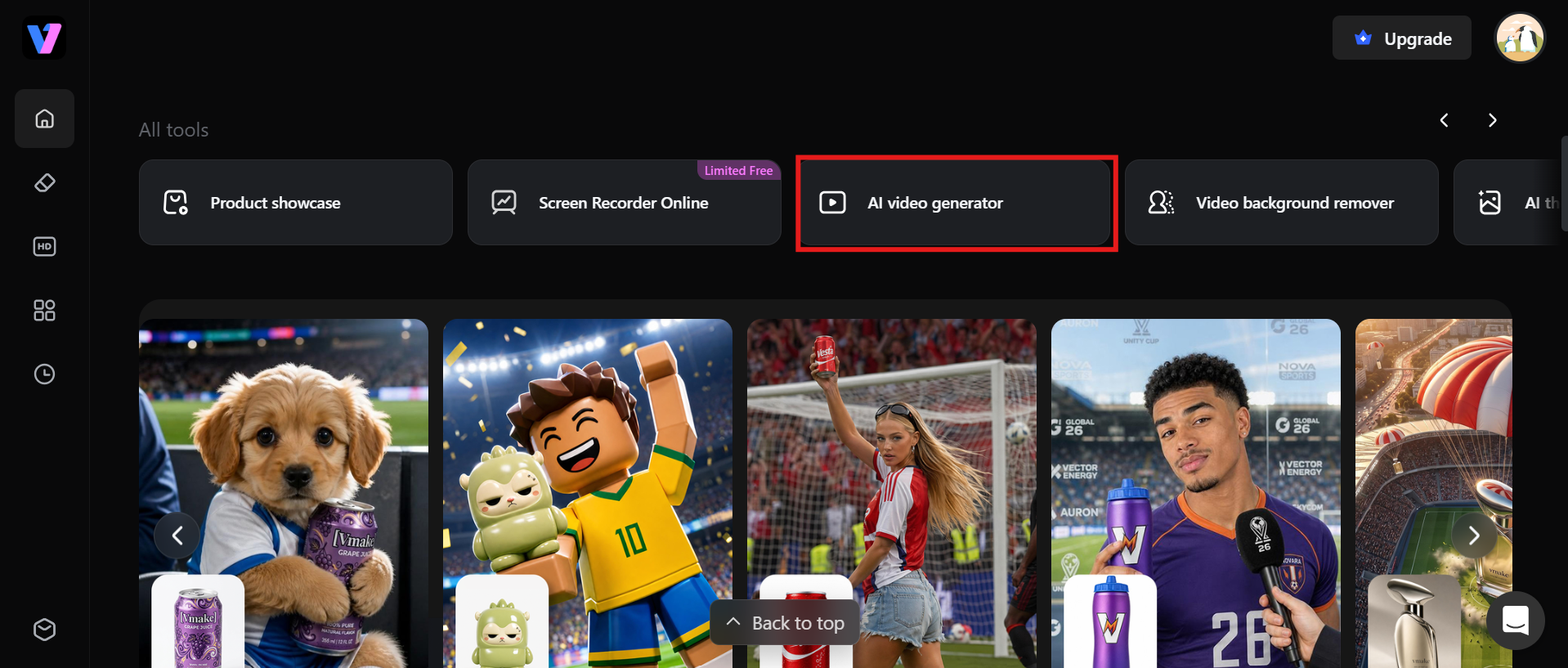
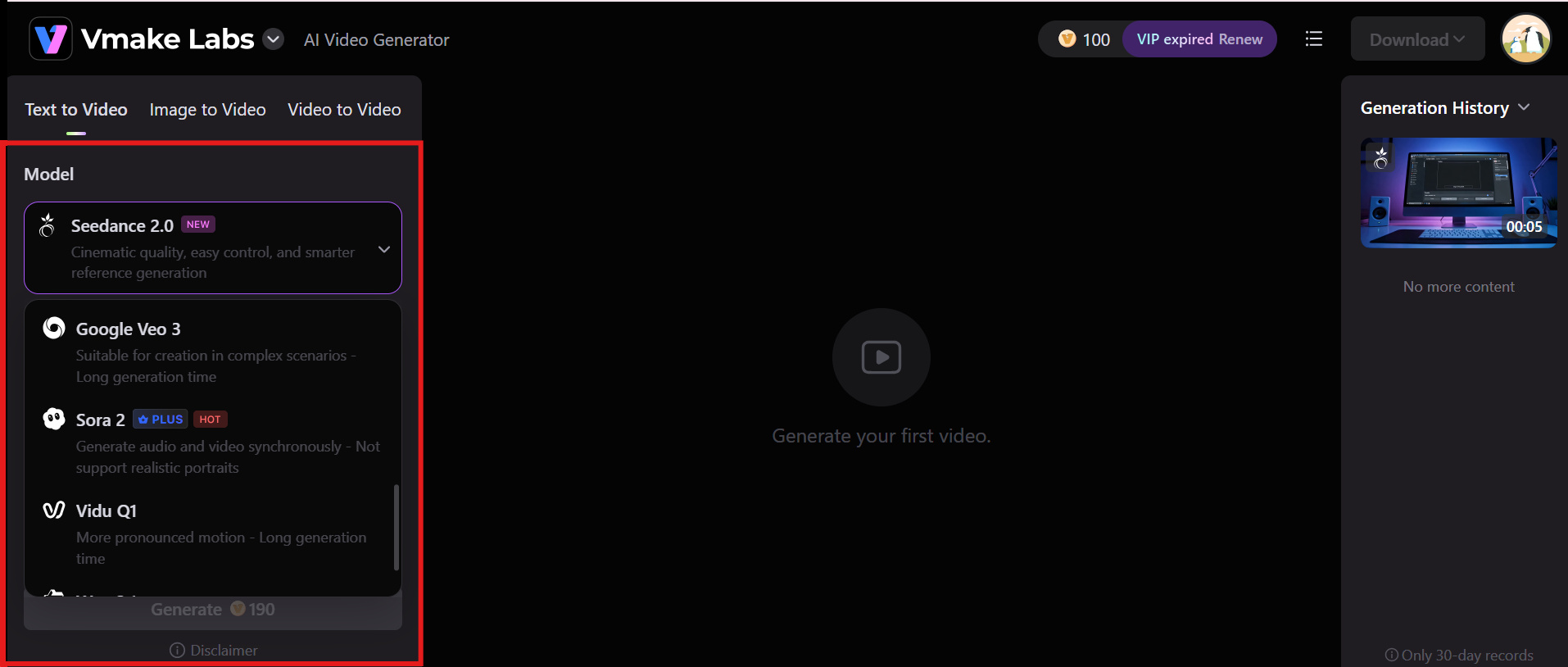
Step 1: Choose an AI video generator
Begin by opening Vmake AI and selecting the AI video generator feature. This is where you can start creating videos using AI-powered generation tools tailored to different creative styles and content needs.
Step 2: Enter your prompt or upload media
Describe your video idea with a clear, detailed text prompt, or upload an existing image to use as the starting point. The more specific your input, the more accurate and engaging the generated video will be.
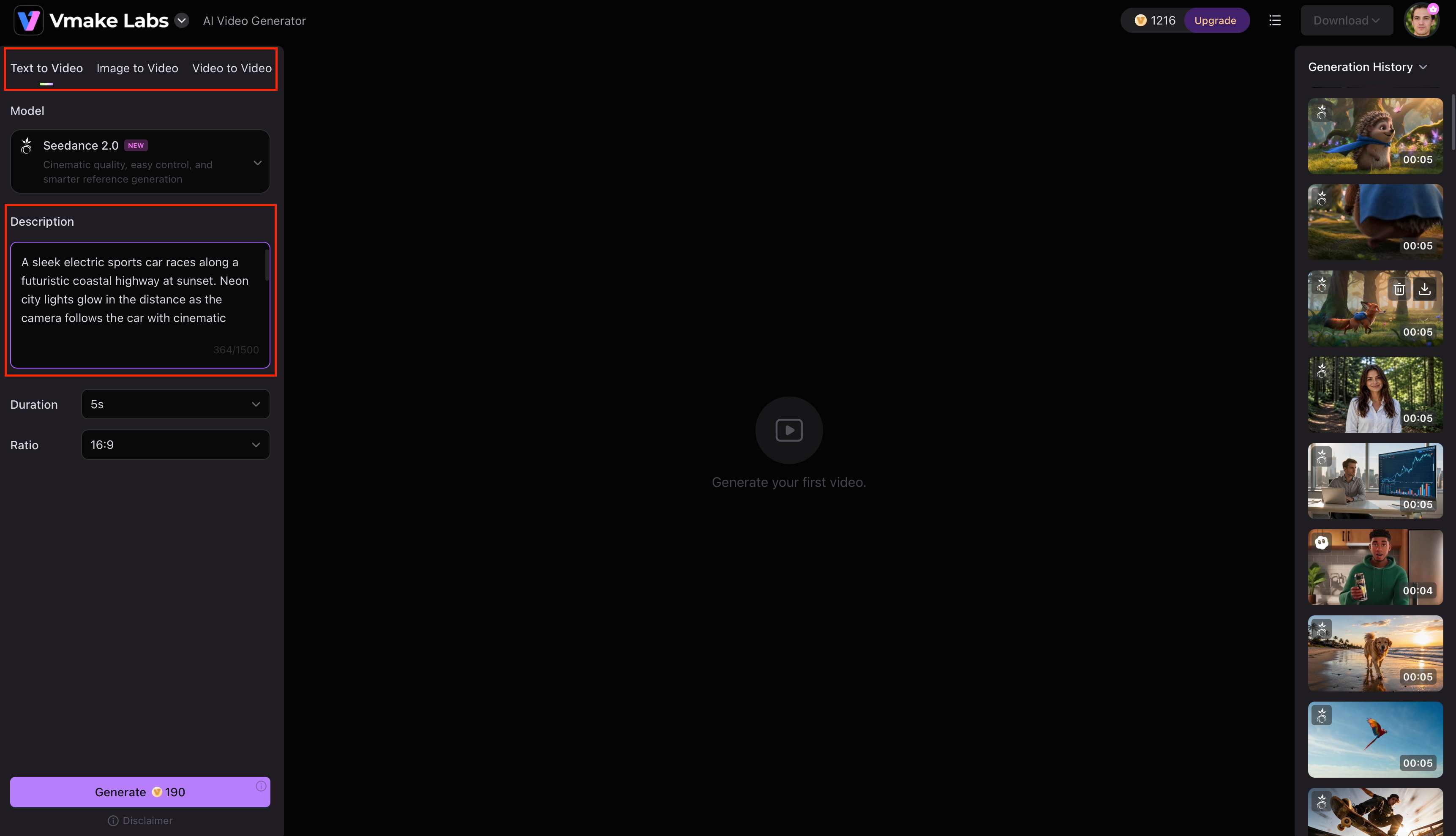
Step 3: Switch the engine settings to either Seedance or Google veo 3
Choose Seedance for smooth motion and faster video generation, or google veo 3 for cinematic visuals and advanced camera effects. Selecting the right engine helps produce results that match your creative goals.
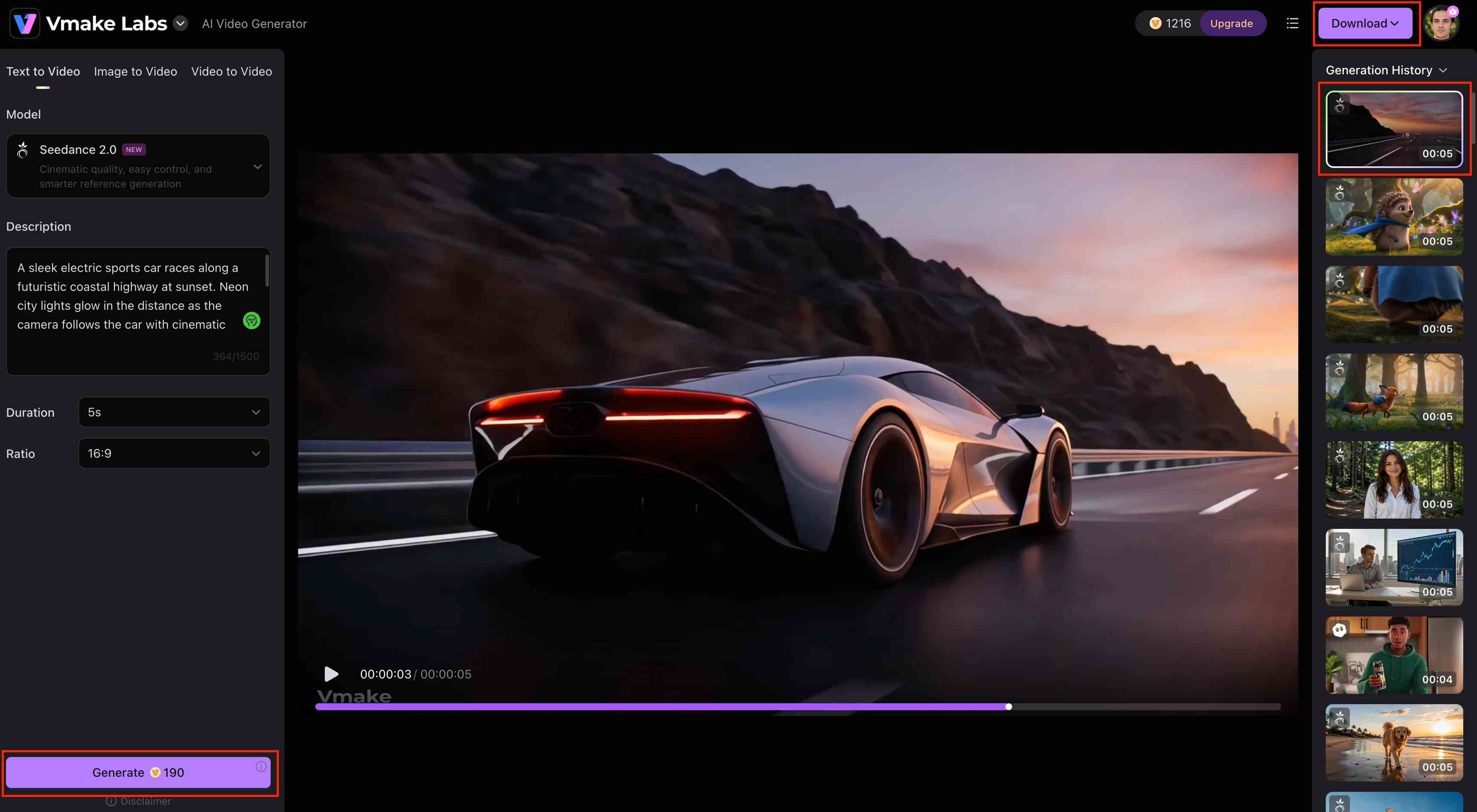
Step 4: Preview and download your video
Once the video is created, review the output to make sure it is what you wanted. If you need to make any final edits, do that, and then download your finished video in HD to distribute on your favorite channels.
Conclusion
Choosing between Seedance and Google Veo 3 ultimately depends on your specific production needs. Veo 3 excels with its synchronized native audio and photorealistic cinematic shots, while Seedance stands out with unparalleled multimodal reference control and dynamic scene transitions. However, if you want an accessible yet incredibly robust platform, Vmake AI provides the perfect balance. It streamlines the video creation process with professional-grade outputs, extensive editing tools, and an intuitive interface designed for immediate impact. Whether you are creating short social clips or detailed marketing campaigns, Vmake AI ensures your creative vision becomes reality. Start generating your videos today.
FAQs
Is Google Veo 3 better than Seedance for AI video generation?
Google Veo 3 is better for users who need cinematic visuals, realistic camera movements, and professional-quality storytelling. Seedance is a stronger choice for faster video generation, smooth scene consistency, and everyday content creation.
Which is easier to use: Seedance or Google Veo 3?
Seedance seems to be easier for beginners as it has a simple interface and the workflow is faster. Google Veo 3 has more complex capabilities and creative options, making it a better fit for experienced producers and professional projects.
Are Seedance reviews generally positive?
Yes. Most users praise Seedance for its fast video generation, correct prompt interpretation, and smooth scene consistency. With its simple workflow, it's a popular choice for creating marketing, educational, and social media content.
Is Google Veo 3 worth the higher cost?
Google Veo 3 is a good investment if your projects need cinematic visuals, realistic camera movements, and high production quality. However, simpler video needs could be met with more affordable tools.
Which AI video generator offers better value for beginners and professionals?
Seedance is a good deal for beginners because it is low-cost and easy to use. If you are looking for a more advanced cinematic solution and are a professional, then Google Veo 3 might be a better option. But Vmake AI is a more balanced alternative if you are looking for a quick and quality solution.

You May Be Interested
How to Upscale Seedance 2.0 Videos to 4K

ChatGPT Video Generator Review: Features, Pricing & Best Alternative

Seedance 2.0 vs Sora 2: Which AI Video Generator Wins in 2026?
