A Complete Guide on How to Remove People in Background Effortlessly
 Ken DawsonApril 7, 2026
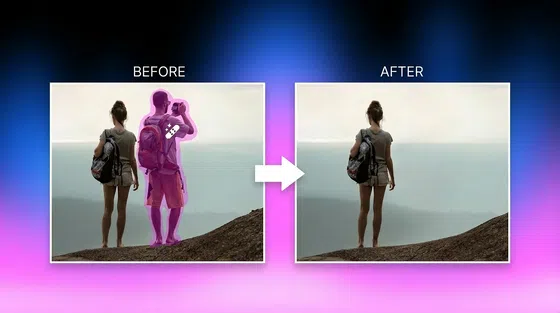
Have you ever taken a perfect photo only to realize strangers ruined the background? You’re not alone. Knowing how to remove people in background has become essential for photographers, travelers, and content creators. Thanks to modern AI tools, you can quickly remove people from background without advanced editing skills. Let’s learn about the top tools to remove person from background in photos and videos efficiently.
Why Removing Background People Is So Popular
From casual smartphone users to professional creators, the demand for a reliable background people remover has skyrocketed. Clean, distraction-free visuals are now the standard across platforms.
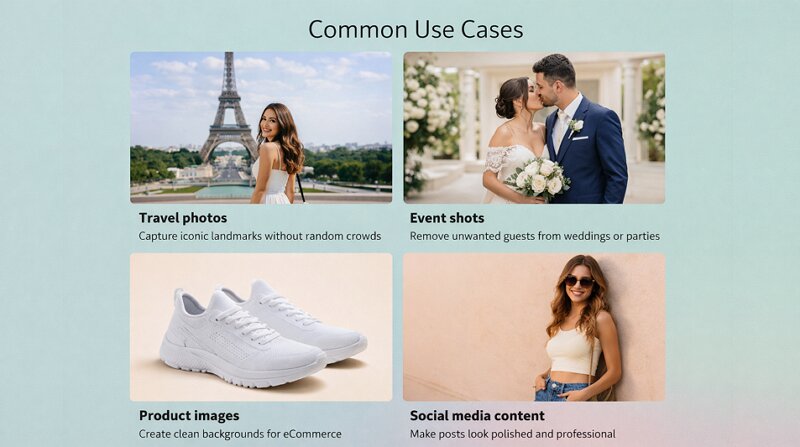
Common Use Cases:
Travel photos: Capture iconic landmarks without random crowds
Event shots: Remove unwanted guests from weddings or parties
Product images: Create clean backgrounds for eCommerce
Social media content: Make posts look polished and professional
 However, traditional editing methods often frustrate users. Here is how:
Professional software like Photoshop requires skills
Manual editing is complex and time-consuming
Basic tools produce unrealistic results
Removing multiple people can be difficult
This is why users are turning to smarter solutions to remove crowd from photo and video with minimal effort.
Traditional Methods to Remove Background People
Before AI tools became mainstream, learning how to remove background people from image was a slow and often frustrating process. It required both time and technical know-how. While these methods are still used today, they are far less efficient compared to modern solutions. Let’s explore them in detail:
Method 1: Manual Editing
Manual editing is the traditional way to remove background person from image with Photoshop and other professional software. It involves tools such as clone stamps, healing brushes, and layer masks to remove unwanted subjects and carefully rebuild the background.
Pros:
Offer precise control over every detail
Help produce high-quality, realistic results
Ideal for complex edits when done by experts
Cons:
Require advanced editing skills
High learning curve for beginners
Not consistent in textured backgrounds
Not practical for processing multiple images
Method 2: Basic Online Tools
Besides manual editing, basic online tools are available that simplify the background people remove process, usually through semi-automated features. These tools often offer smart features such as object removal brushes, automatic background detection, and simple eraser tools.
Pros:
Simple and beginner-friendly
No installation and cost-effectiveness
Quick results for basic images
Cons:
Limited accuracy and precision
Struggle with detailed or busy backgrounds
Often leaves visible smudges or artifacts
Not reliable for removing multiple people
Best AI Tool for Photos: Zawa AI Photo Editor
If you’re looking for the fastest and most accurate background person remover, AI-powered solutions like Zawa AI Photo Editor stand out.
This efficient browser-based tool uses advanced algorithms to detect and remove unwanted people while intelligently filling in the background. You can access both manual and automatic options to remove BG person, text, watermarks, eyeglasses, or glare. It also offers a specialized background removal and generation, if needed. You can even preview the output for a better comparison before downloading.
How to Remove Background People with Zawa
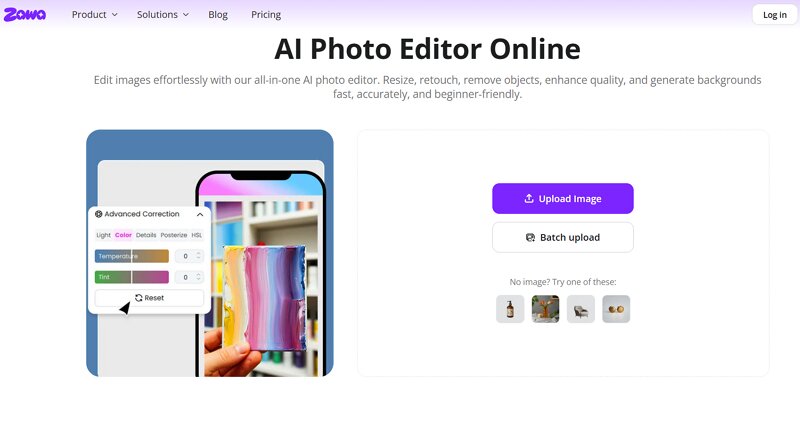
Step 1. Upload Image
The first step is to open the Zawa AI Photo Editor in your browser. Now, click the “Upload Image” tab to import the file.
 Step 2. Remove People Background
It’s time to choose the “Eraser” tool from the side column. Then enable the “Unwanted People” option, or use the manual tools to paint over people.
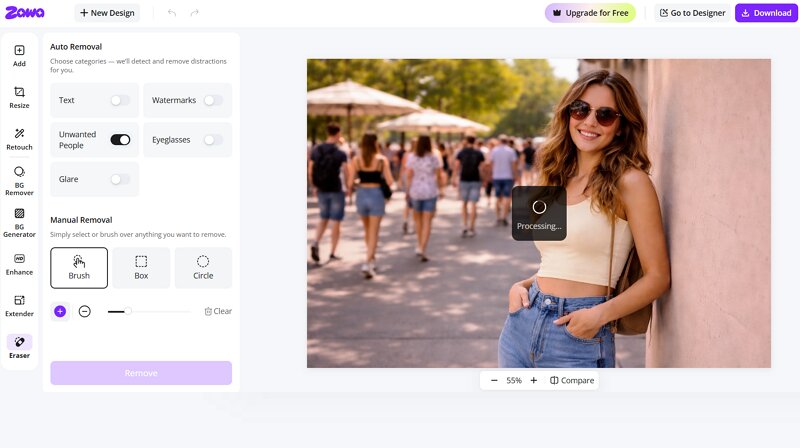 Step 3. Download Image
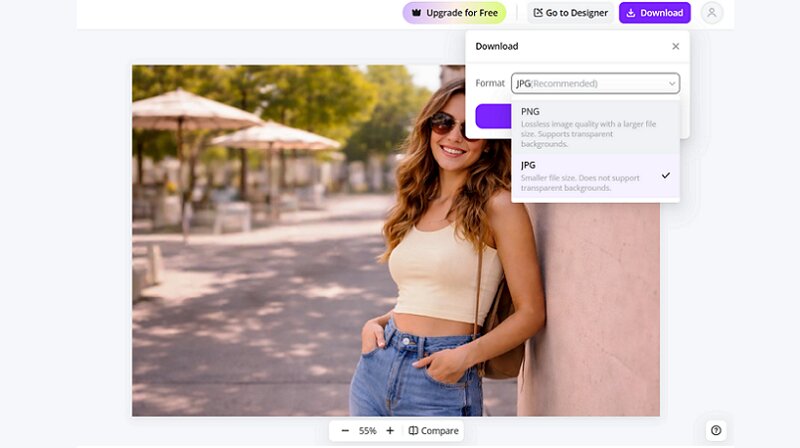
Lastly, press the “Remove” button. Once the AI has finished processing, tap “Download,” select the format, and hit “Download” again. You’re all done!
Why Zawa Is the Best Choice for Background People Removal
Here are the features that make Zawa AI Photo Editor the best among the other similar tools in the market:
Simple, fast, and easy to use, suitable for beginners
Remove the background people with high precision
Offer manual selection tools like the brush, box, and circle
Remove unwanted people from multiple images at once
Various photo editing tools, such as enhancer, resize, retouch, etc.
Extra Tip: Remove People from Video Backgrounds with Vmake
Photos aren’t the only media files in which unwanted people appear. If you’re working with videos, you’ll need a specialized tool to remove people from background seamlessly.
Vmake Remove People is a fantastic online tool, designed specifically for video editing, helping you remove people frame by frame using the auto or manual feature.
With AI technology, it can detect moving people in the background and erase them while maintaining the natural look of the video. This BG person remover also allows you to process multiple videos in a batch, saving time and effort. With its API feature and browser extension, it’s easily accessible to everyone, including creators, marketers, and casual users.
How Vmake Works for Video Background People Removal
Step 1. Import Video
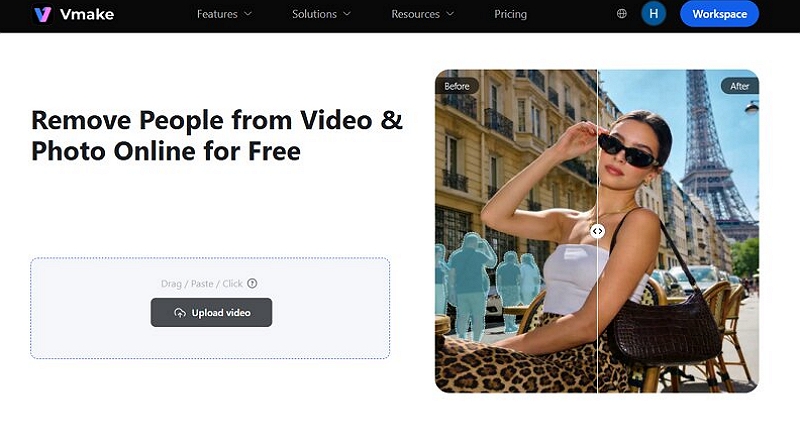
First of all, open the Vmake Remove Background People and click “Upload Video,” or drag and drop the video file.
 Step 2. Select Passerby Option
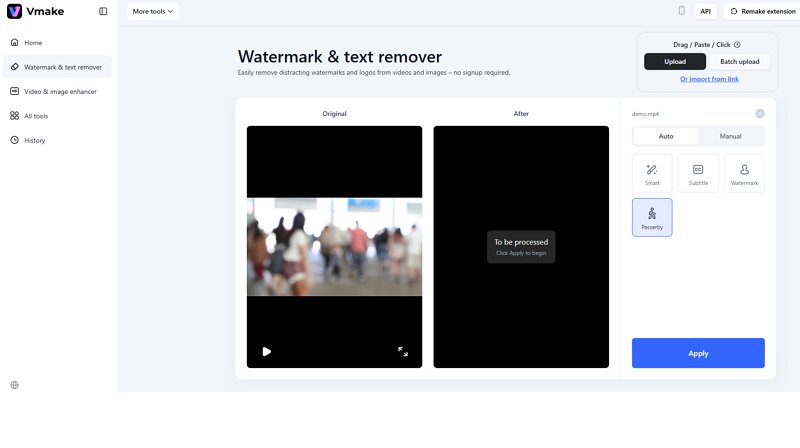
Next, you can choose “Passerby” from the available options under the “Auto” section. Then, press the “Apply” button.
 Step 3. Download Output
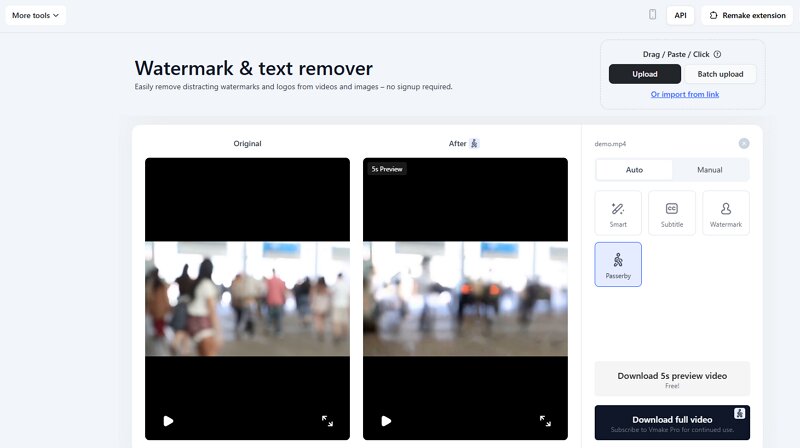
When the AI finishes removing the background people, hit “Download 5s preview video” or “Download full video.” That’s all!
FAQ
1. Is it legal to remove people from background?
Yes, it is generally legal to remove people from a photo for personal use. However, using edited images commercially must require consent, especially if individuals are identifiable.
2. How much does it cost to remove people from an image?
The cost depends on the tool. Many AI tools, like Zawa AI Photo Editor, offer free daily credits to complete limited tasks. However, premium plans require a subscription.
3. Can I remove person from background on my iPhone?
Yes, you can remove a person from the background on your iPhone using apps like Zawa AI Photo Editor and Vmake Remove People. You can also use their online automatic removal service.
Final Thoughts
With this detailed post, learning how to remove people in background has become easier. While traditional methods still exist, they often require time and expertise or deliver low-quality output. Modern AI tools have completely changed the game, making it easy for anyone to remove people within seconds.
If you want the best results for photos, Zawa AI is a powerful, beginner-friendly option. For videos, Vmake is a seamless background people remover with impressive accuracy. Try it today!

You May Be Interested
Best Photo Eraser Tools in 2026: Remove Objects, Text & People from Photos
Video Watermark Remover Made Simple with Vmake

Best AI Watermark Remover for Clean, Fast Edits